






Connect with us
DAPA Banner

Tech

‘Marshals’ Release Schedule: When Episode 7 Hits Paramount Plus

Published

on

Marshals, a new Yellowstone spinoff starring Luke Grimes as Kayce Dutton, is airing on CBS right now. You can also tune in with Paramount Plus. The Yellowstone sequel series sees Grimes’ former Navy SEAL join an elite unit of US Marshals to bring range justice to Montana, according to a synopsis from CBS.

The show includes Yellowstone actors Gil Birmingham as Thomas Rainwater, Mo Brings Plenty as Mo and Brecken Merrill as Tate. Spencer Hudnut is the showrunner of Marshals — formerly known as Y: Marshals — and Taylor Sheridan is an executive producer.

Advertisement

When to watch new Marshals episodes on Paramount Plus

Episode 7 of Marshals airs on CBS on Sunday, April 12. Viewing options for Paramount Plus customers vary by subscription tier. You can watch the episode live if you have Paramount Plus Premium, which includes your local CBS station. If you subscribe to Paramount Plus Essential, you can watch the installment on demand the following Monday, but not live on Sunday.

Here’s a release schedule for the next two episodes of Marshals.

  • Episode 7, Family Business: Premieres on CBS/Paramount Plus Premium on April 12 at 8 p.m. ET/8 p.m. PT/7 p.m. CT. Streams on Paramount Plus Essential on April 13.
  • Episode 8, Blowback: Premieres on CBS/Paramount Plus Premium on April 19 at 8 p.m. ET/8 p.m. PT/7 p.m. CT. Streams on Paramount Plus Essential on April 20.

You can also watch CBS and the seventh episode of Marshals without cable with a live TV streaming service such as YouTube TV, Hulu Plus Live TV or the DirecTV MyNews skinny bundle. In addition to offering a lower-cost option, Paramount Plus lets you watch the other two Yellowstone spinoffs: the prequels 1883 and 1923.

Advertisement

James Martin/CNET

After a price increase in early 2026, the ad-supported Essential version runs $9 per month or $90 per year. The ad-free Premium version runs $14 per month or $140 per year. Paying more for Premium gives you downloads, the ability to watch more Showtime programming than Essential and access to your live, local CBS station.

Source link

Advertisement
Continue Reading
Click to comment

You must be logged in to post a comment Login

Leave a Reply

Tech

Coway Airmega Mighty2 Review: The Sequel Is Better Than the Original

Published

on

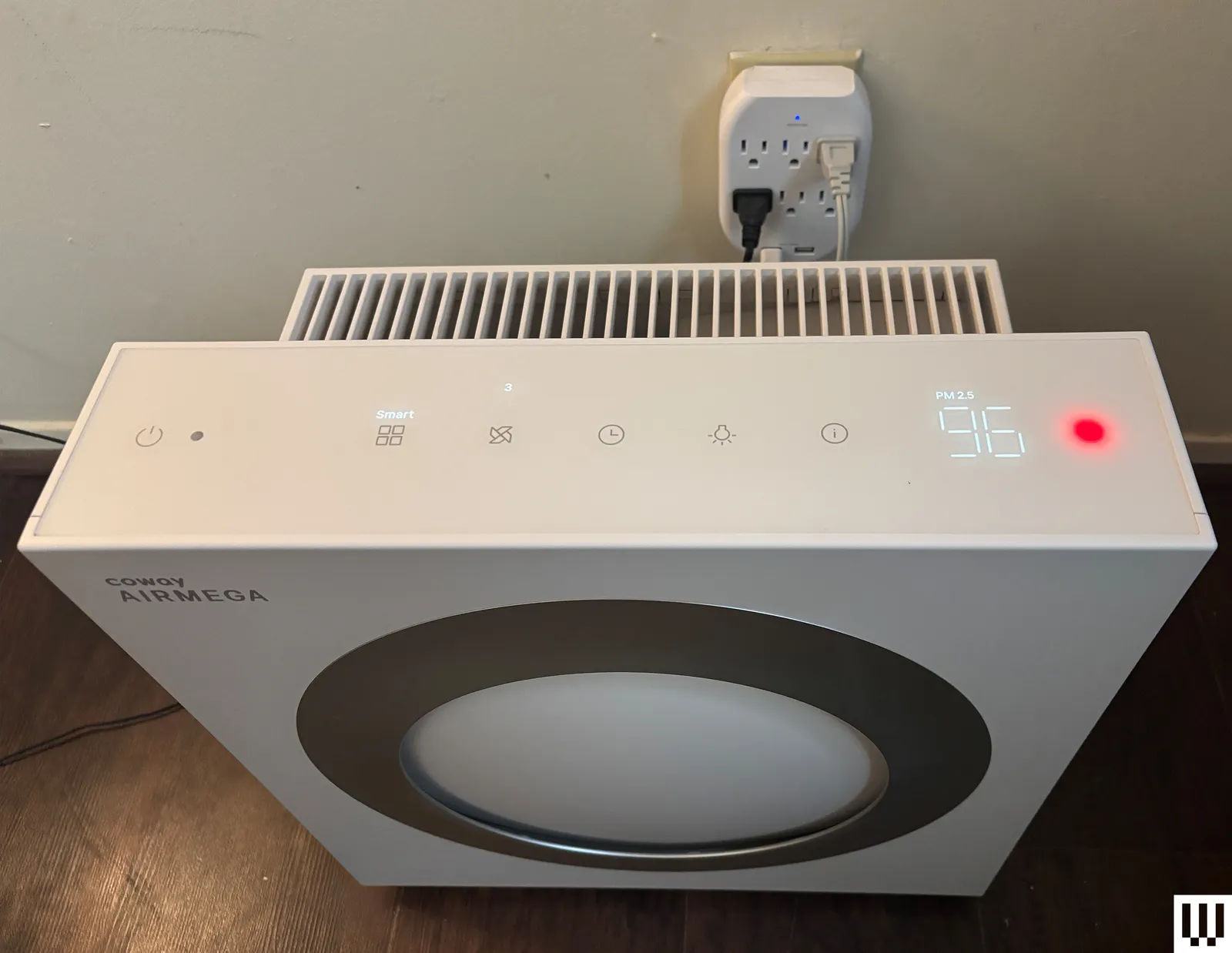
The Mighty2 has a built-in AQI (air quality index) monitor and a MegaScan laser sensor to automatically detect three distinct air particle sizes: bacteria and microplastics; fumes, smoke, allergens, and fine dust; and dust mites, pollen, pet dander, and mold. The monitor can quantify in real time how much pollution is in the air, including large and ultrafine particles.

Coway uses its own air-quality color-coding system, but the Mighty2 uses different colors from the OG Mighty model. Now the air quality light flashes blue for clean air, green for moderate, orange for unhealthy, and red for very unhealthy. Coway’s color-coding system is a bit confusing, considering that it differs from the US air quality index standards of green for good, red for unhealthy, and purple for very unhealthy. At a glance, I was often confused by what the color was signifying about my home’s air. Using the built-in air sensors, the Mighty2 automatically adjusts its fan speed (in auto mode) to most effectively purify the air in response to air quality changes.

Coway Airmega Mighty2 Review The Sequel Is Better Than the Original

Photograph: Molly Higgins

When I tested, I mostly used it in my bedroom near my cats’ litter boxes; near my living room window, which has lots of outside exhaust and pollutants; and in my kitchen while cooking on my gas stove, which doesn’t have proper ventilation. I tested this model for several weeks, moving around my home and letting the air purifier automatically adjust for various situations where air quality periodically became unhealthy. Although I most often used the auto feature, I also tested the timer and sleep features, which worked as expected every time, and I appreciated the auto-enabled sleep mode when dark, when I forgot to change settings at night.

For all air purifiers, I manually test the air with my own air quality monitor in various situations, and use a decibel monitor to measure how loud the purifier is on the highest setting. I also use a sealed tent and smoke pellets to see how quickly each air purifier clears the pellet smoke (and returns the air to healthy quality) inside the tent when in auto mode. For the smoke test, the Mighty2 took 50 seconds for the smoke to visually clear, and another three minutes and 20 seconds for the built-in air quality sensor light to read that the air was back to healthy on auto mode (from red to blue indication light). In a test with the slightly cheaper Levoit Vital 200S, the smoke cleared in about 40 seconds and took another four and a half minutes to read back as healthy air. Although the statistics are comparable, the Mighty2 was a bit faster overall. However, I really appreciated having the Levoit’s app to check air quality and purification through my phone (since the purifier was visually covered in smoke), and the app notified me when it had reached clean air status again.

Advertisement

According to my decibel reader, the Mighty2 hovered around a moderate 65 to 70 dB on the highest fan setting, and was about 35 dB on sleep mode, not even registering on the reader above the ambient noises of my home. For reference, the hum of a refrigerator is somewhere between 40 and 50 decibels, and a conversation is around 60 decibels. Even on the highest setting, it didn’t feel egregiously loud and provided white noise. Ideally, an air purifier should be able to clean the air in your room five times an hour without reaching the noise levels of a conversation. On auto modes and sleep mode, the fan noise was virtually undetectable.

If you’re a fan of Coway’s air purifiers, or want to upgrade your air purifier from the previous model, the Mighty2 is a solid choice. It’s only $30 more than the previous model, can effectively purify more square feet per hour, and its filters last twice as long as the previous model’s. The upgrade to the Mighty2 will pay for itself in a year of use through filters alone. It’s easy to clean and disassemble, and the purifier helped to keep the residual dust from my cats’ litter down, reduce dander during shedding season, and improve the overall quality of the air around their toilet/general living space.

Source link

Advertisement
Continue Reading

Tech

The TI-84 Evo Revives a Classroom Legend with Fresh Power and Clarity

Published

on

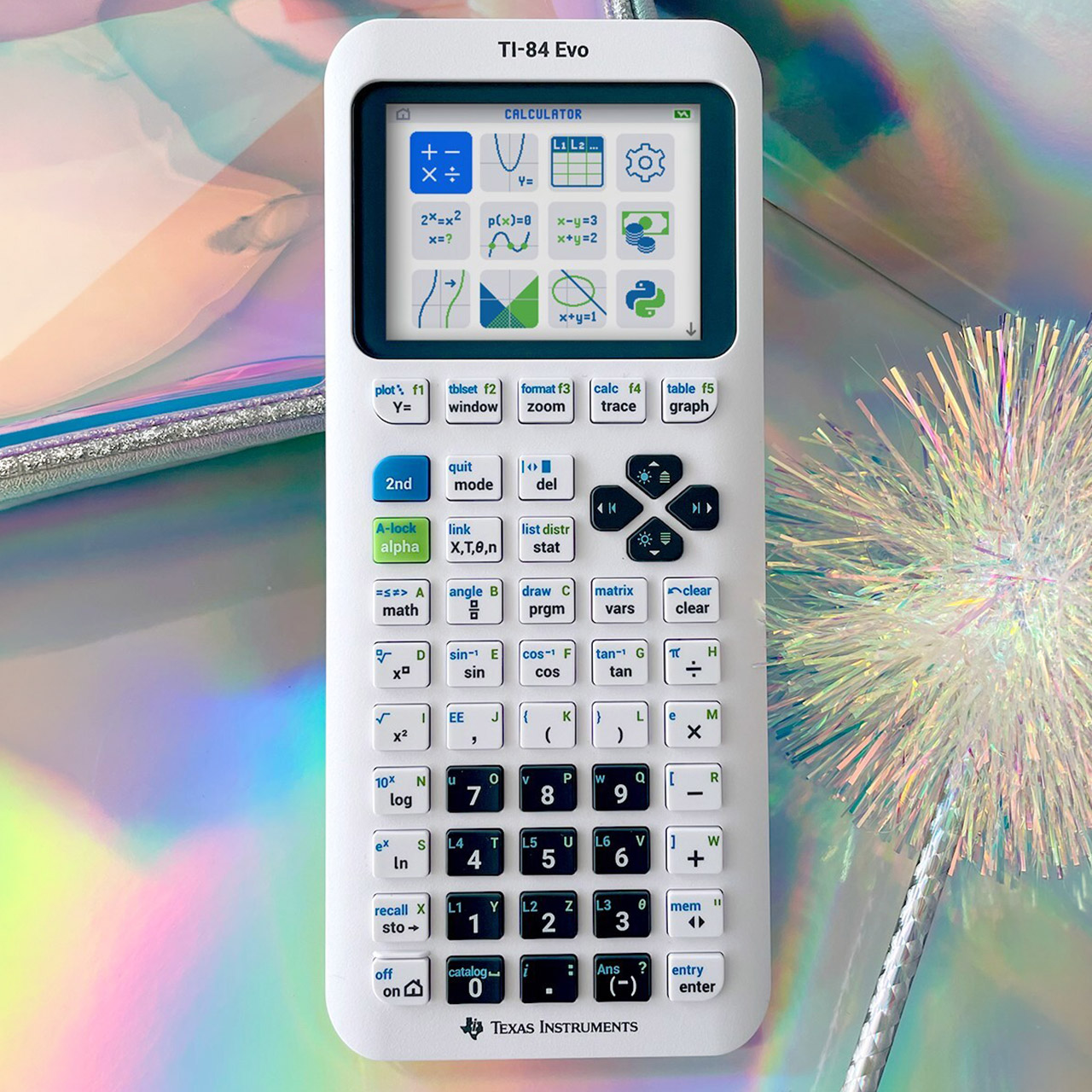
TI-84 Evo Graphing Calculator
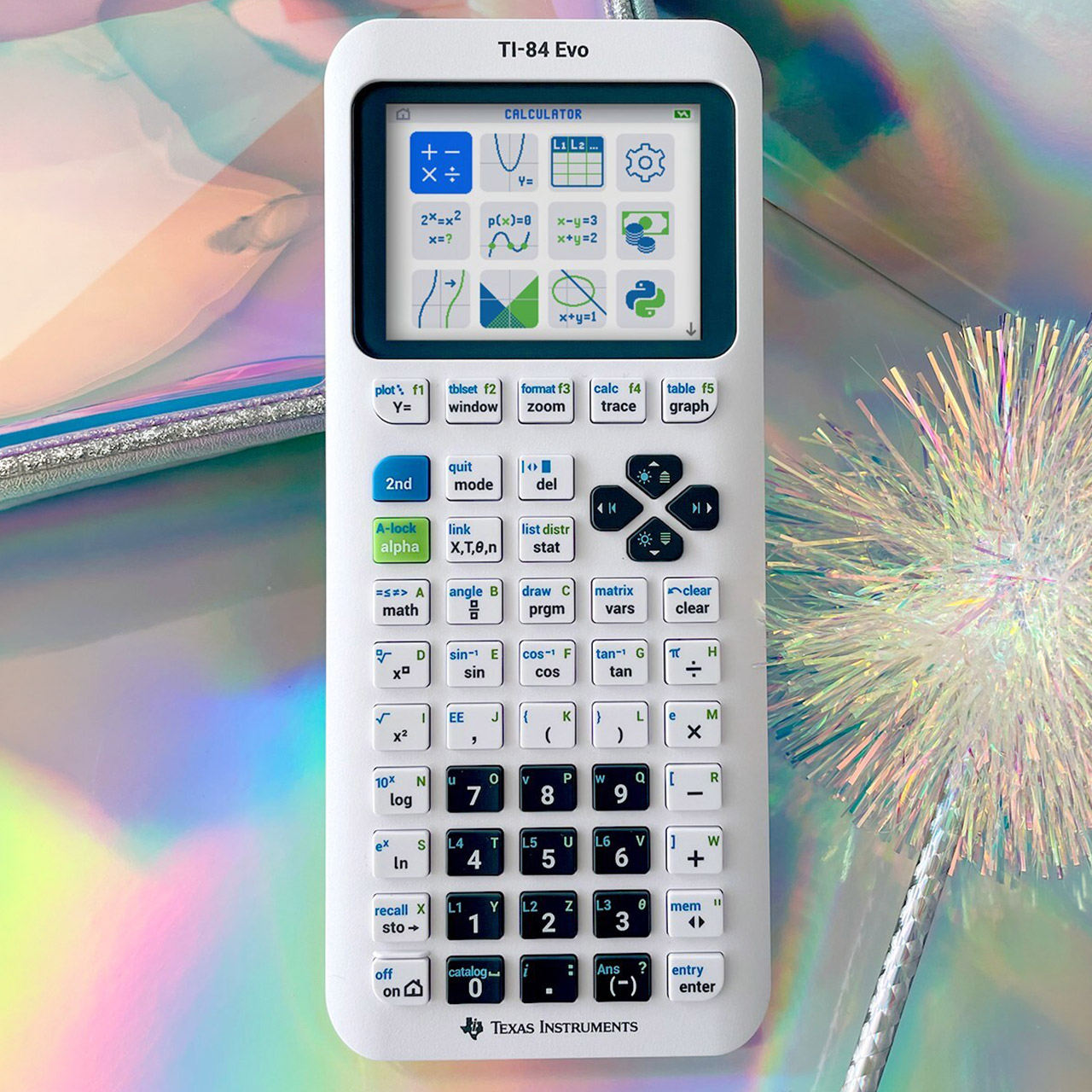
Students everywhere once pulled the same trusty graphing calculator from their backpacks for every math class. Texas Instruments just released the TI-84 Evo, a direct update that keeps everything people already know and like while fixing the slow spots that frustrated users for years.


You can see the color selections straight away: a pure clean white, a gentle raspberry, mint, lavender, teal, silver, pink, and a bright yellow. Each one includes a matching slide cover and a compact USB-C cable, all neatly bundled together. It still feels substantial in the hand, same like the earlier TI-84 Plus CE models, but it now has a nicer keypad layout with much clearer labeling, making it a lot easier to use.

The TI-84 Evo is powered by an ARM Cortex CPU that runs at 156 megahertz. This single adjustment provides you three times the speed of the old devices. No more waiting for graphs to load; they are now drawn quickly. Complex equations are solved faster, and you can switch between panels without detecting any pauses.


The screen still boasts 320 by 240 pixels, but Texas Instruments has managed to shoehorn in a larger graphing window to make the most of the display. The result is an additional 50% of area to play with, and it truly makes a difference: curves appear nicer, labels are lot simpler to read at a glance, and kids can discover patterns faster because nothing is packed in and butchered anymore.

You get a much smoother experience from the moment you switch it on. A pleasant, large icon-based home screen welcomes you with clear tiles for the most common functions. Menus now have smaller wording and shorter explanations, requiring fewer button pushes to get to your desired destination. The graphing menu has been completely overhauled, and helpful status notes are now displayed at the top of each screen, right where you need them.

Advertisement

TI-84 Evo Graphing Calculator
There are some fresh new math features included in, such as the points of interest trace, which automatically follows any curve and highlights critical areas. The Lines and Conics app has also been updated to make it easier to navigate those difficult themes. Both of these modifications save time by eliminating the need to browse through menus the old way.

TI-84 Evo Graphing Calculator
Python is now included alongside the classic TI-BASIC language. Students can build basic scripts and connect them directly to the calculator’s math engine, allowing coding lessons to be completed without leaving the device. Furthermore, because the operating system enables USB upgrades, new features and fixes will be available long after your purchase.

TI-84 Evo Graphing Calculator
The TI-84 Evo remains eligible for the SAT, ACT, AP examinations, IB programs, and all other important standardized assessments. Teachers like a tool that is purely focused on math and does not try to lure pupils with social media or games. It’s priced at $160, but schools can contact the company to negotiate a bulk sale at a cheaper rate. Availability began immediately following the April announcement, so the new units are currently available at major shops including Amazon.

Source link

Continue Reading

Tech

The best life advice I ever followed was deleting Instagram, and it soothed my frustrated soul

Published

on

I won’t lie, I got addicted to Instagram. And for a long time, I didn’t even realize how much it was messing with my head. It sounds dramatic when you say it out loud, but it really crept up on me. I got so used to watching Instagram reels all the time that my brain just stopped having patience for anything longer. A full YouTube video felt like a commitment, and reading something without checking my phone in between felt impossible. And the worst part was, I knew exactly why it was happening.

I tried fixing it the usual ways — set app timers, try apps that stop you from doomscrolling, and tell myself I’d cut down. Some days it worked, most days it didn’t. I’d still find myself opening Instagram without even thinking about it. So one day, I stopped trying to control it and just deleted the app from my iPhone. And honestly, that one small decision did more for me than everything else I had tried.

The first few days were strangely uncomfortable

I thought I’d feel relieved right away, but that’s not how it went. The first thing I noticed was how often I reached for it without thinking. I’d unlock my phone and instinctively swipe to where Instagram used to be — my thumb just knew the spot. It made me realize how deeply the habit had settled in. I kept picking up my phone for no reason, opening it, finding nothing to scroll, and putting it back down. It felt like something was missing, even though I knew I hadn’t lost anything important.

There was this low, constant restlessness. But that phase didn’t last as long as I expected. After a few days, the urge started to weaken. I still had the habit, but it didn’t pull me in the same way. And slowly, that restlessness turned into something quieter. My phone stopped feeling like something I needed to check all the time.

I didn’t realize how much it was affecting how I saw my own life

This part took a little longer to sink in. Instagram has a way of making you feel like you’re just keeping up with people. That’s what I used to tell myself. I’m just scrolling, catching up, passing time, but it really wasn’t that simple.

Advertisement

Every time I opened the app, I saw people traveling, celebrating, looking their best, living what looked like better versions of their lives. And even if I wasn’t consciously comparing, it still affected me. It created this constant background feeling that I was somehow behind. That other people had figured things out better than I had. I didn’t actively think about it, but it was always there, shaping how I felt. Once Instagram was gone, that feeling didn’t have anything to feed on anymore. And slowly, it faded.

My attention span came back, and I actually noticed it

This is something I didn’t expect at all. A couple of weeks in, I sat down to watch a 20-minute video and didn’t feel the urge to skip through it. I just watched it. This sounds like a small thing, but it didn’t feel small to me. Before that, my brain needed constant stimulation. If something didn’t grab me instantly, I’d lose interest. That’s what reels had trained me to expect.

Without that constant loop, things started to change. I could sit with something a little longer. Then a little longer than that. I started reading again, properly reading. Not jumping between paragraphs, not getting distracted every few minutes. It felt like getting a part of my focus back that I didn’t even realize I had lost.

I stopped comparing my life without even trying to

When Instagram was part of my daily routine, I was constantly exposed to other people’s best moments. Trips, milestones, perfect photos, everything looking effortless. I told myself it didn’t affect me that much. But once it was gone, I realized it had been affecting me all along. Because suddenly, there was nothing to compare against.

No constant reminders of what I should be doing or how my life should look. No silent pressure to measure up. And in that space, something changed — I felt more at ease with my own life. Not because anything big had happened, but because I wasn’t constantly looking at someone else’s version of “better.” It was just a steady sense of being okay with where I am.

The quiet I didn’t know I was missing

Deleting Instagram didn’t suddenly turn my life around. I didn’t wake up the next day feeling more productive, more focused, or completely at peace. That kind of overnight change is a myth. What actually happened was much simpler. At first, it just felt like there was less happening. Fewer distractions, fewer impulses to pick up my phone, fewer moments where my attention got pulled away without me realizing it. My days didn’t become perfect, but they became easier to sit through. I wasn’t constantly interrupting myself. Over time, that started to add up.

I noticed I could stay with a thought a little longer. I didn’t feel the need to fill every gap with something to watch. Even boredom felt different; it wasn’t something I needed to escape immediately. Sometimes I just let it be, and that in itself felt new. There was also this unexpected sense of relief. Not loud or overwhelming, just a steady feeling in the background. Like I had stopped carrying something heavy without realizing I was carrying it in the first place. And maybe that’s what changed the most. It wasn’t about gaining something extraordinary; it was actually about losing something unnecessary. The constant noise, the low-level comparison, the habit of reaching for my phone without thinking. All of it slowly faded out. My life didn’t become more exciting. It just became more mine — clearer, calmer, and a lot less crowded in my head.

Advertisement

Source link

Continue Reading

Tech

Norton VPN enters the AI agent space with ‘first truly AI native’ VPN for agents

Published

on


  • Norton VPN has launched “first truly AI native” VPN for Agents
  • It is fundamentally integrated with AI agent activities
  • It offers multi-tunnel support

Norton VPN has launched VPN for Agents, its AI-native VPN built for autonomous AI.

Traditionally, the best VPNs have been designed for users browsing the web, forcing AI agents to share your VPN and internet settings. The setup so far hasn’t been ideal, with AI Agents performing tasks on your behalf, either not being able to utilise VPNs when necessary or, at best, necessarily dictating your host’s entire VPN settings.

Source link

Advertisement
Continue Reading

Tech

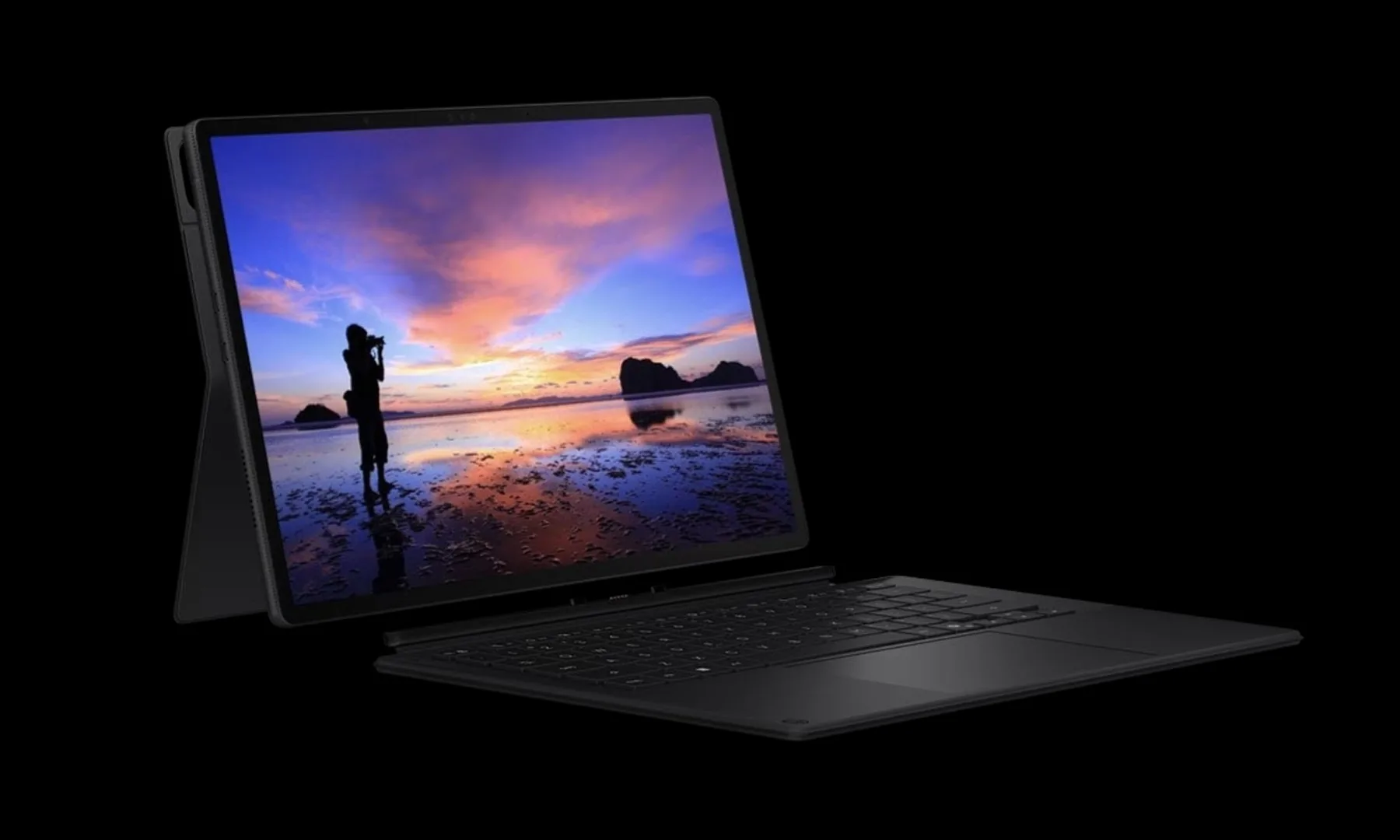
ASUS launches ProArt PZ14 with 144Hz OLED and Snapdragon X2 Elite

Published

on

ASUS is clearly going all-in on Snapdragon-powered creator machines, and its latest launch might be one of the most interesting yet. The new ProArt PZ14 is here, and it’s not just another 2-in-1. It’s ASUS trying to blend AI, portability, and serious creator-grade hardware into one compact device.

What makes the new ProArt PZ14 stand out?

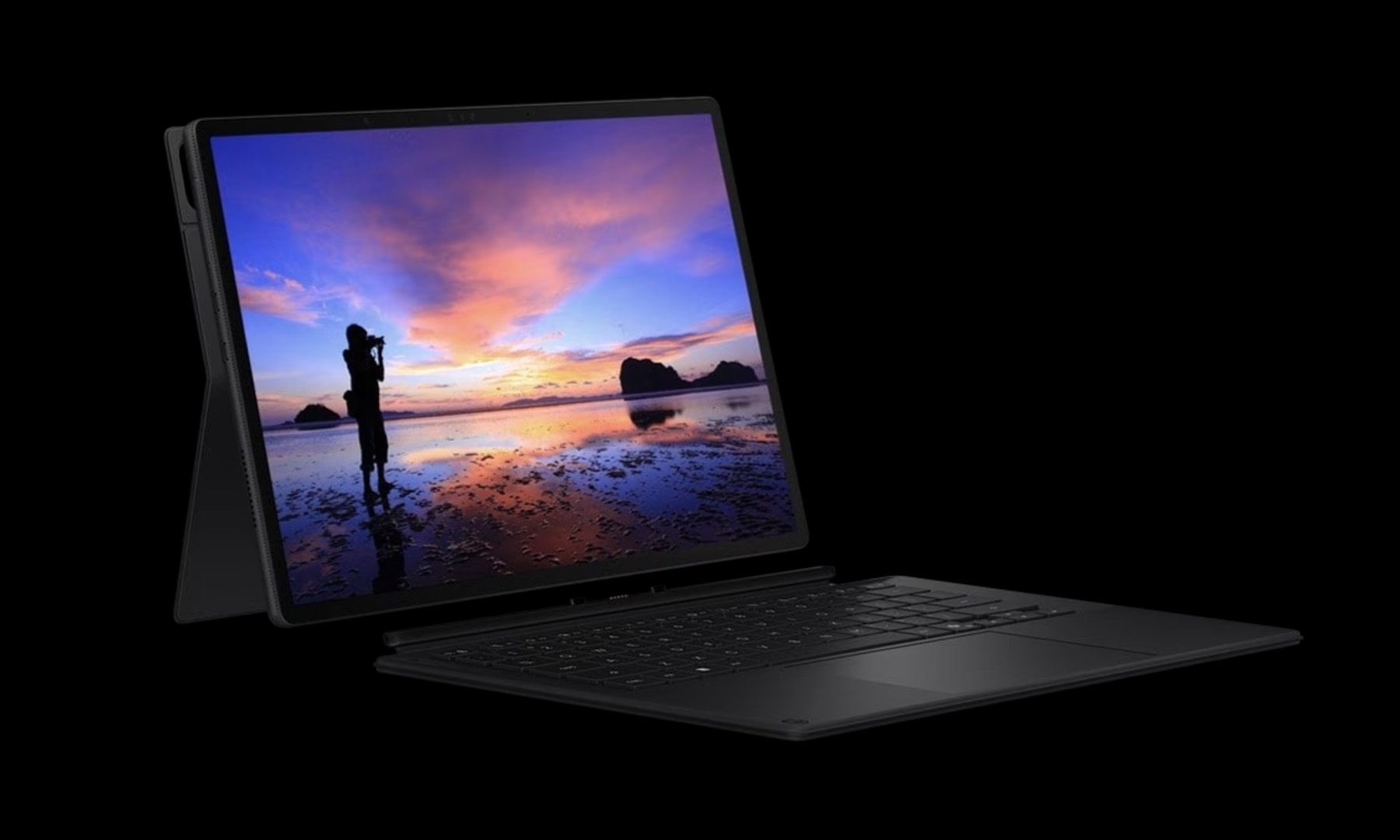
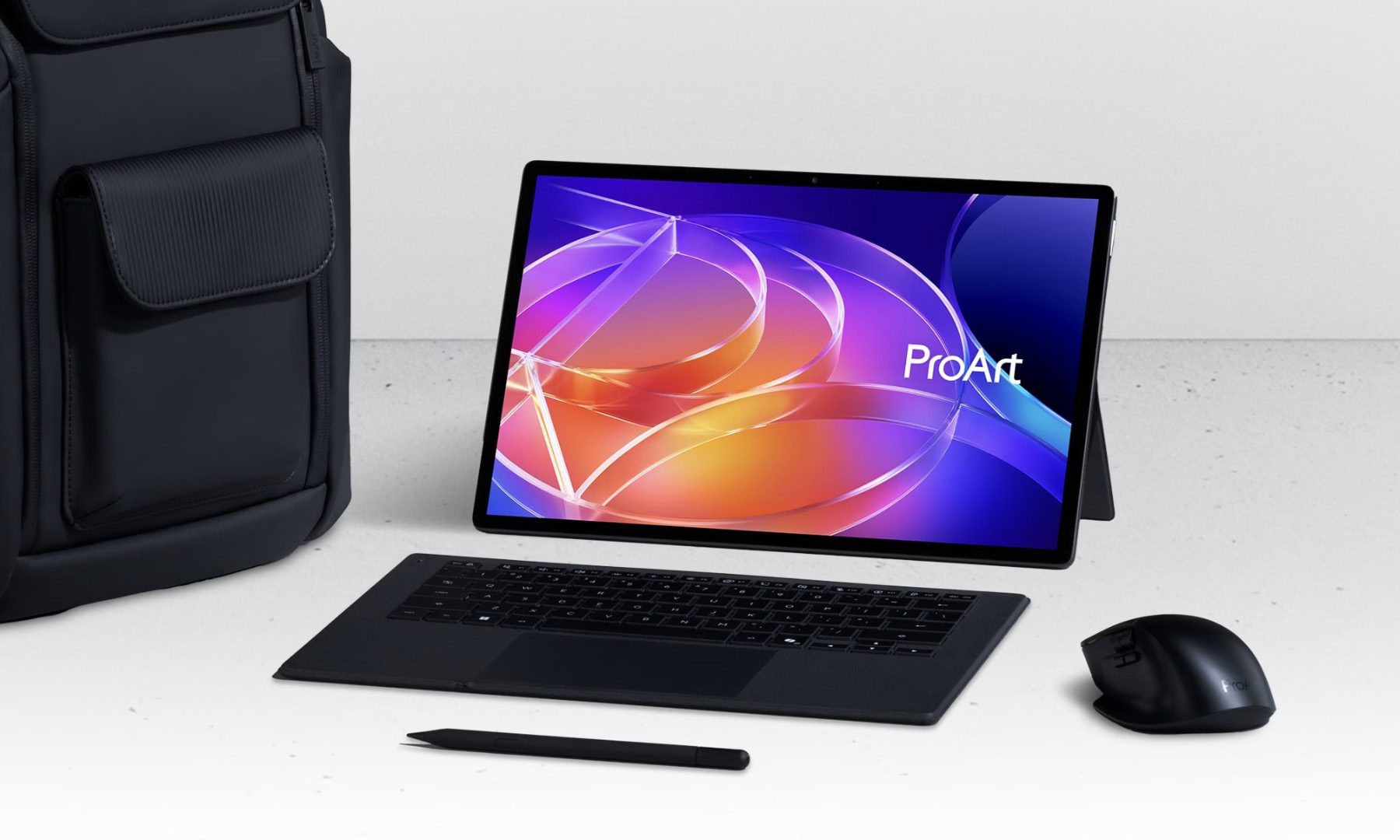
The new ProArt PZ14 is a 14-inch detachable 2-in-1 built around the latest Snapdragon X2 Elite (X2E-88-100) chip, and that alone sets the tone. This is the successor to the ProArt PZ13, and it isn’t your typical thin-and-light. It’s an 18-core processor with up to 80 TOPS of AI performance, which means it’s built for tasks like on-device AI editing, rendering, and multitasking without relying heavily on the cloud.

Then there’s the display, which honestly steals the show. ASUS has packed in a 14-inch Lumina OLED panel with a 144Hz refresh rate, 3K resolution, and excellent color accuracy aimed squarely at creators. The form factor is equally important here. It’s a detachable design with a stylus, keyboard, and stand, making it equally usable as a tablet or a laptop, depending on the workflow.

Is this the best creator laptop?

This device feels like ASUS positioning itself right in the middle of the AI PC transition. With Snapdragon chips gaining traction thanks to efficiency and AI capabilities, the ProArt PZ14 is clearly built to take advantage of that shift. It also checks all the boxes for creators on the move. It’s lightweight at around 0.79 kg, packs up to 32GB RAM and 1TB storage, and includes a fairly large 75Wh battery for a device this thin. The inclusion of Wi-Fi 7, USB4, and stylus support further reinforces that this is meant to be a flexible, all-in-one creative machine rather than just a secondary device.

Right now, the ProArt PZ14 has launched in China, with ASUS confirming that a global rollout is coming soon. While exact timelines vary, earlier announcements suggest broader availability could follow in the coming months as part of ASUS’s wider 2026 lineup.

Advertisement

Source link

Continue Reading

Tech

GameStop Is Reportedly Preparing An Offer To Buy eBay

Published

on


It doesn’t look like GameStop’s wild ride is stopping anytime soon, after the Wall Street Journal reported that the company is about to make an offer to acquire eBay. While an official offer hasn’t been submitted yet, WSJ said that GameStop could make a buyout offer for eBay “as soon as later this month.”

The WSJ noted that GameStop’s market value sat at around $11 billion, while eBay towered over it with a $45 billion market value, as of Friday’s market close. The report didn’t have details on the potential offer, but WSJ said that Cohen could also take the offer directly to eBay’s shareholders instead if eBay isn’t receptive.

It’s important to note that the company’s CEO, Ryan Cohen, could receive a $35 billion in stock if he meets certain criteria, including increasing GameStop’s market value to $100 billion. Acquiring eBay could also be a part of Cohen’s plans to evolve GameStop beyond its reputation as a video games and collectibles retailer.

Advertisement

However, the company has experienced plenty of ups and downs in recent history. In 2022, GameStop attempted to build a marketplace for non-fungible tokens that ultimately shuttered a couple of years later. More recently, GameStop announced its plans to pivot towards retro gaming at select locations. While the company is still throwing ideas at the wall and seeing what sticks, it also closed down more than 400 retail locations across the US earlier this year.


Advertisement

Source link

Continue Reading

Tech

iOS 27 will offer a range of AI features that can still be ignored

Published

on

Apple will reveal more Apple Intelligence features than ever before during WWDC, but they will continue to stay out of the user’s way. Those that don’t want AI can just ignore it or turn it off.

We’re only a few weeks away from WWDC 2026, so the internal leaks have begun in earnest. While I’m sure Apple Intelligence and AI will play a major role at the event, I also expect Apple to respect its user base.

Unless something dramatic has changed at Apple, and no, I’m not talking about a CEO transition, I doubt Apple’s stance on AI has shifted. Ever since its first big AI event at WWDC 2024, Apple has made it clear that it views AI as a tool that should be in the background and on device.

Of course, Apple did want to emphasize that it had AI at all, so that’s where the rainbow Siri interface and various elements in features like Writing Tools came from. This approach is what earned Apple the “behind” label from pundits.

Advertisement

That label carries a lot of weight, especially when it isn’t properly defined. Apple definitely doesn’t have a competitive tool for image or video generation, nor does it have a chatbot. It also doesn’t have a can opener on the iPhone, so I could also say Apple is behind in that department as well.

The reality is that Apple’s hardware ecosystem is above and beyond what most other companies are offering in the AI space today. If rumors are correct about what is coming in iOS 27, Apple will be a powerhouse in the space that can’t be ignored.

But the AI itself? It can be ignored.

It’ll be there, but not in your face

AI is and should have always been treated as a background task that users have no business knowing about or interacting with directly. Imagine if the industry had the same reaction to the first successful machine learning decision tree.

Advertisement

Sure, the Photos editing tools will get some new AI features like extending beyond the frame, changing the perspective of a Spatial Photo, or an AI-powered enhance tool. Most iPhone users don’t even open the edit pane or even know that it is there, but know that some of the tools will have an AI backend with iOS 27.

Visual Intelligence is apparently moving to the Camera app as a toggle. I’m willing to bet that the toggle can be hidden, especially since the feature can still be launched by long-pressing Camera Control. Either way, don’t want it? Don’t use it.

Siri is being revamped with a new backend powered by Apple Foundation Models, but users don’t need to know that. They’ll still be able to play music, set timers, or make calls with the assistant as usual. Those that want to can go further by entering into longer chatbot-like conversations, but it isn’t a requirement.

I could go on, but I believe I’ve made my point.

Advertisement

Apple is the only company doing AI right. It is a background tool that can do some very interesting things, but it isn’t meant to be the product itself.

Apple doesn’t need AI to succeed

What is most interesting about Apple’s place in the AI race is that it has proven it doesn’t need AI at all. The iPhone’s growing popularity is the key indicator. So, seeing Apple slowly grow its AI feature set even if it doesn’t really need it is very interesting.

Red running track with numbered lanes and white finish lines, overlaid by several colorful abstract tech-style logos stacked along the center lane

Apple’s position in the AI race may soon become irrelevant as it hosts all of its rivals

If anything, AI needs Apple to succeed.

Advertisement

One of the more significant features of iOS 27, that yes, can still be ignored, will be the ability to call out to any third-party tool. For example, if a user wants to have a query go through Claude, it could designate the Claude app as an endpoint. Anthropic would support this action through an API.

It means that Apple Foundation Models powering Apple Intelligence could drive on-device functions and Private Cloud Compute, but where needed, users could choose to target other models on their own. This would also mean not needing some kind of partnership with other companies like OpenAI to pull it off.

While I wish we had some of these AI features to play with today, I’m excited for what the summer beta cycle might provide. WWDC 2026 is nearly a month away, so we don’t have long to wait.

Advertisement

Source link

Continue Reading

Tech

‘Tetris’ comes to Apple Vision Pro via Apple Arcade

Published

on

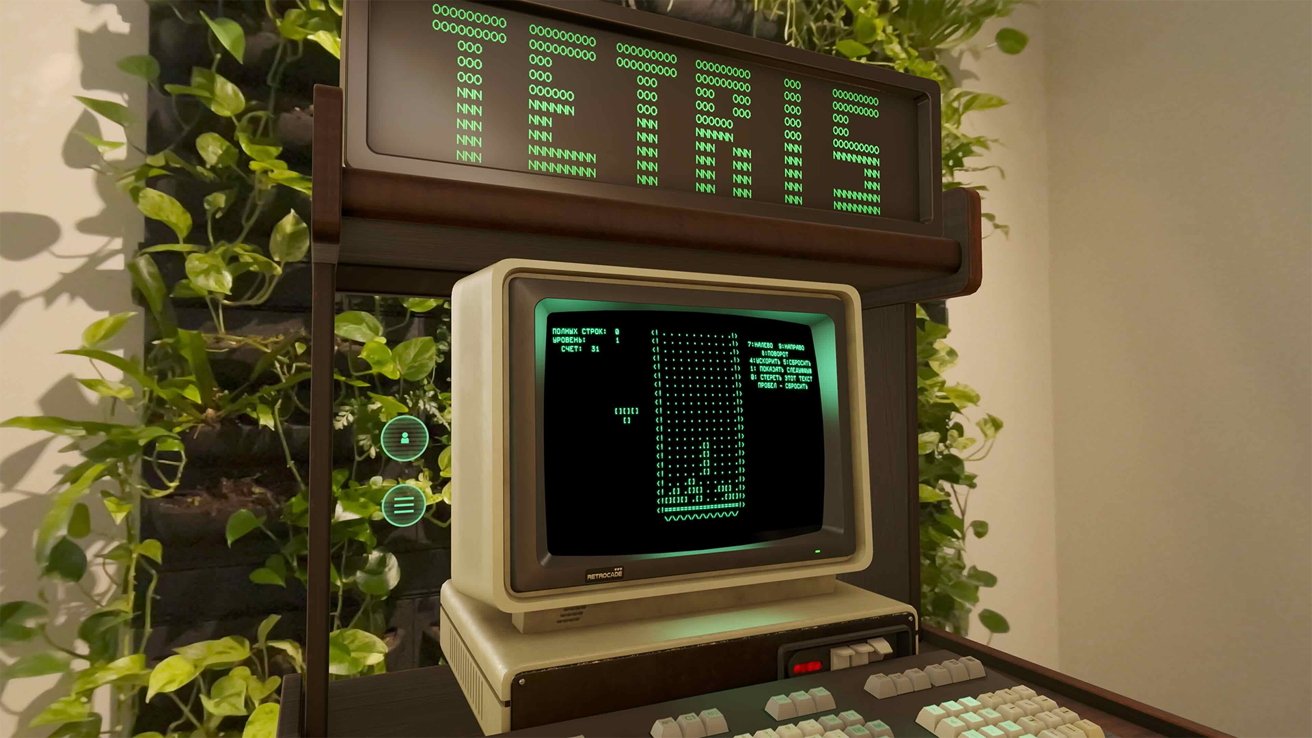
Relive the magic of the 1980s by stepping inside a classic Japanese arcade and playing “Tetris” on the Apple Vision Pro.

Tetris may not be the first video game, but it’s hard to think of any other franchise that is as iconic. In fact, Tetris ranks number two on the best-selling video game franchise list, seconded only to everyone’s favorite plumber, Mario.

And now you can relive the magic of classic Tetris on the Apple Vision Pro, thanks to Retrocade.

This isn’t technically Tetris’ first appearance on Retrocade. Initially, the classic title featured as an Easter egg in the in-game back office.

Advertisement

But now it’s joined the growing list of classic titles showing up on Retrocade. Currently, Tetris is exclusive to Retrocade for the Apple Vision Pro, and comes with a brand new Japanese arcade environment.

Resolution Games’ Retrocade was added to Apple Arcade in February. As the name implies, it’s an app that aims to give the arcade experience to a modern audience by including a selection of classic titles to play.

Currently the list of games available for Retrocade include:

  • Asteroids
  • Bubble Bobble
  • Breakout
  • Centipede
  • Dig Dug
  • Frogger
  • Galaga
  • Haunted Castle
  • Pac-Man
  • Space Invaders
  • Tempest
  • Tetris
  • Track & Field

While most games are also available for iPhone and iPad, Tetris is exclusively available for the Apple Vision Pro. Retrocade is available via an Apple Arcade subscription, which costs $6.99 per month or $49.99per year.

Apple Arcade can be shared with up to six family members. It is also included in every Apple One tier.

Advertisement

Source link

Continue Reading

Tech

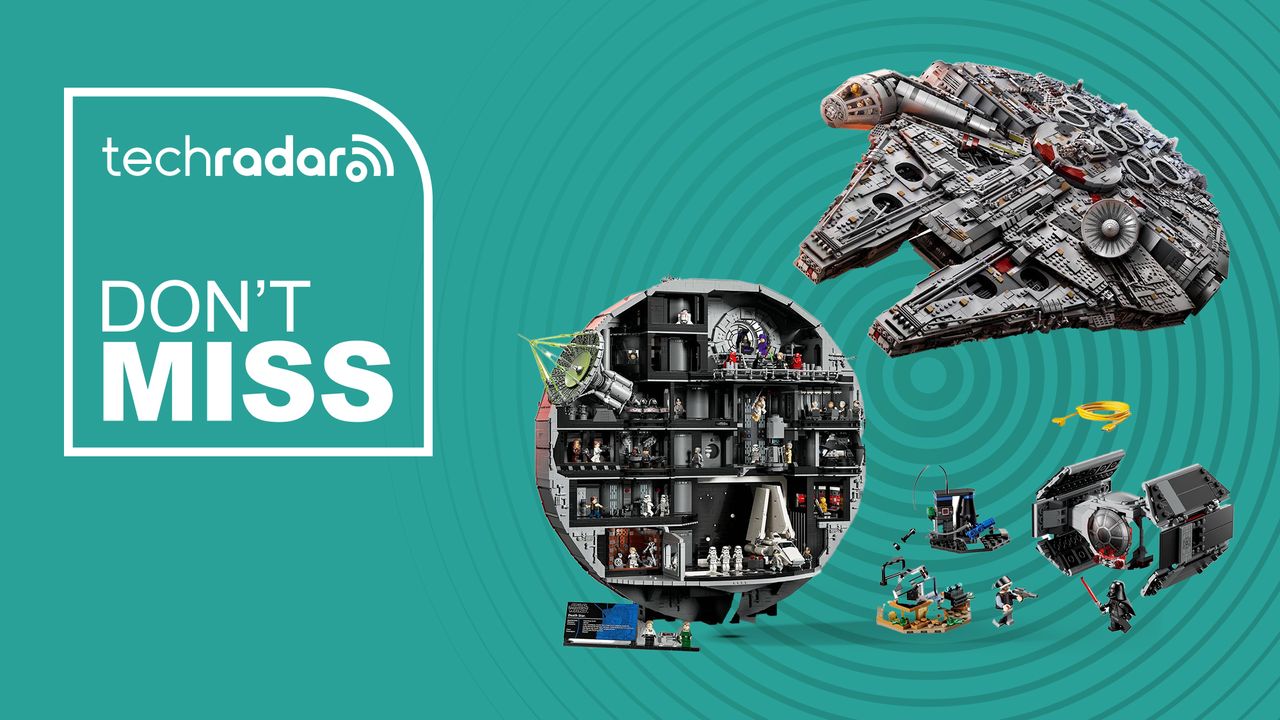
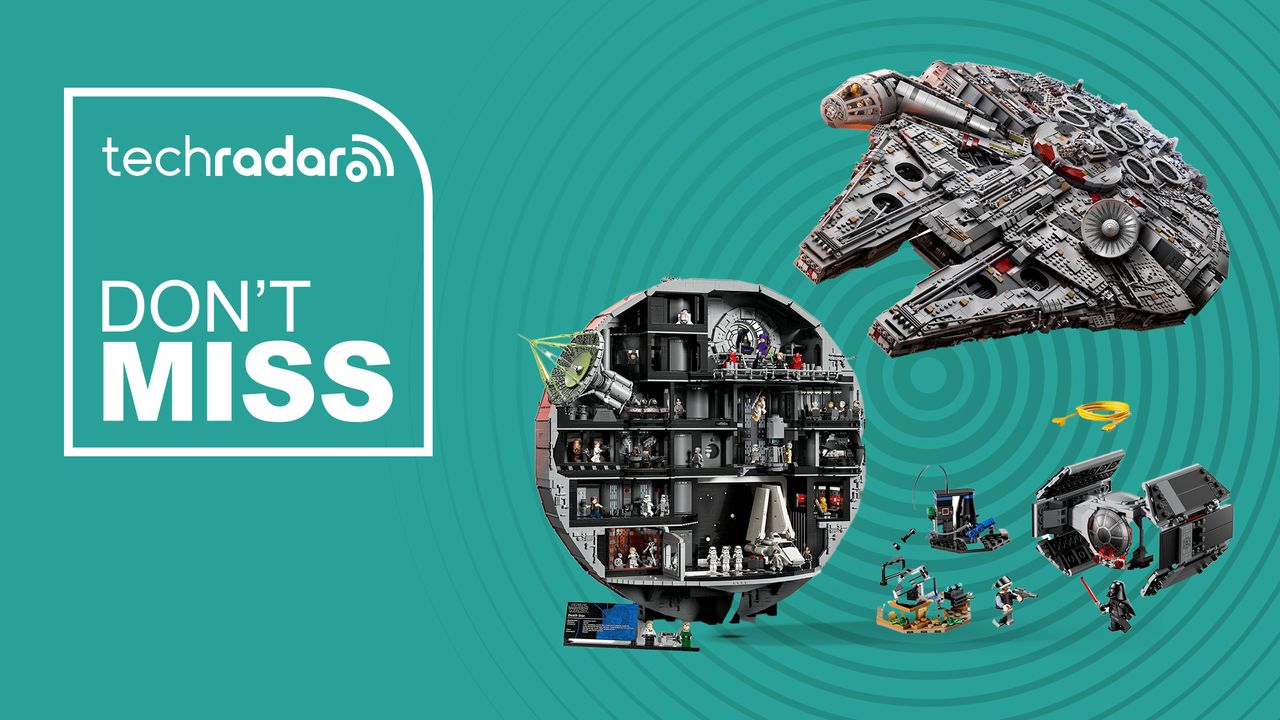
I’m keen to add to my Lego Star Wars collection and these May the Fourth discounts are very tempting

Published

on

As a Star Wars fan and someone who grew up with Lego as my favourite toy, Lego Star Wars sets have become some of my aspirational purchases as an adult — partly because the larger sets are expensive on their own, and I also don’t have the room to display all the sets in my wish list in my small apartment.

At present, there are just two sets in my Lego Star Wars collection — the big-ticket Ultimate Collector Series (UCS) X-Wing Starfighter and a smaller set with a Grogu (aka baby Yoda) minifigure — but I’ve been keen to add to it, particularly the 7,541-piece Millennium Falcon and the 9,023-piece Death Star.

Advertisement

Source link

Continue Reading

Tech

It’s time we blindly stop believing that Snapdragon phones are superior

Published

on

For years, the smartphone chip conversation has been pretty straightforward. A phone with Snapdragon inside was almost always assumed to be the better option. If it had Exynos or MediaTek, the reaction was usually more doubtful. Qualcomm earned its reputation over time, but by 2026, that hierarchy no longer feels as solid.

MediaTek’s last couple of Dimensity 9000-series chips have been going neck and neck with Snapdragon 8-series SoCs, while Exynos has typically trailed behind both. Now, though, the race has become a lot more interesting.

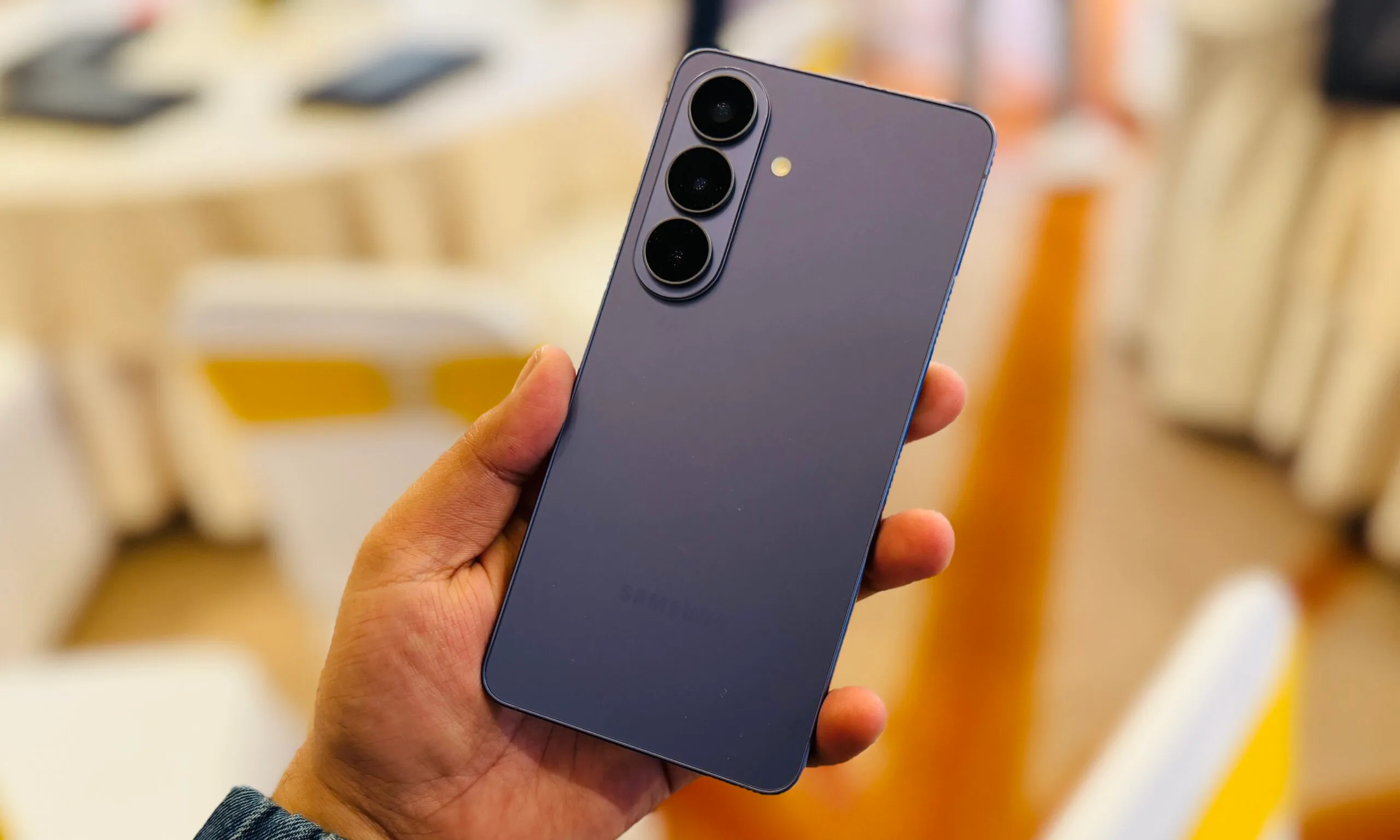
My recent time with the Galaxy S26, powered by Exynos 2600, has already surprised me in terms of performance. And once you widen the lens to include the Snapdragon 8 Elite Gen 5 in the S26 Ultra and the Dimensity 9500 in devices like the Oppo Find X9, the whole “Snapdragon automatically equals better” idea starts showing some cracks.

Benchmark Galaxy S26 (Exynos 2600) Galaxy S26 Ultra (Snapdragon 8 Elite Gen 5) Oppo Find X9 (Dimensity 9500)
AnTuTu Total 3,101,654 3,638,265 3,512,048
Geekbench 6 Single-Core 3,036 3,524 3,207
Geekbench 6 Multi-Core 10,534 10,823 9,345
3DMark Wild Life Extreme 6,366 6,519 7,142
3DMark Wild Life Extreme Stress Test Stability (%) 53.5 63.2 54.9
Temperature After Stress Test (°C) 40.2 38.7 39.2

Galaxy S26 was a pleasant surprise

The easiest surprise here is that the Exynos 2600 does not show up as some obvious weak link. In my testing, the base Galaxy S26 put up 3,036 single-core and 10,534 multi-core in Geekbench 6, plus an AnTuTu score of 2,859,177. Historically, Samsung released its flagship devices in two variants. Historically, Samsung released its flagship devices in two variants. North America, China, and Japan got Snapdragon versions, while the rest of the world got Exynos processors. The company faced a lot of criticism for that split because older flagship models on Exynos chips often fell behind their Snapdragon-powered counterparts.

Advertisement

That, along with chip production yield issues, pushed Samsung to make a few generations of Galaxy S phones exclusively with Snapdragon processors. But it looks like Exynos is back. On 3DMark Wild Life Extreme, the Galaxy S26 scored 6366. The stress-test results are a little more mixed, delivering 53.5% stability in the stress test. These are healthy numbers for a smaller flagship, especially one many people were probably ready to dismiss the moment they saw “Exynos” on the spec sheet.

The S26 Ultra is faster, but not by much

The Galaxy S26 Ultra still has advantages, and that’s not really surprising. Its Wild Life Extreme Stress Test posted a best loop score of 6,519 and 63.2% stability, helped by its larger vapor chamber cooling setup. So yes, the overall thermal performance was better, but not by the kind of margin that completely changes the conversation when you compare it with the standard S26. In both AnTuTu and Geekbench, the Galaxy S26 Ultra led the pack. Exynos still lags a bit, but the gap is no longer the kind you would notice in ordinary day-to-day performance.

The S26 Ultra is clearly faster, but the difference is nowhere near as dramatic as older Snapdragon-versus-Exynos comparisons used to be. Especially when you compare the GeekBench scores, the performance is almost identical. Even without the upgraded cooling setup, the Galaxy S26 managed to stay surprisingly close to the S26 Ultra in the stress test. Where the Ultra does pull ahead more clearly is stability, which matters more once you start talking about sustained performance under load.

MediaTek is the part that makes the race fun

The Dimensity 9500 in the Oppo Find X9 Pro is what really makes this conversation interesting. Its Geekbench 6 single-core score of 3,203 beats the base Galaxy S26, while its AnTuTu score of 3,512,048 edges ahead as well. On 3DMark Wild Life Extreme, it posted 7,142, which puts it above both the S26 and the S26 Ultra.

MediaTek is no longer showing up as the “other” flagship chip brand. It is putting up top-tier numbers and staying in the same conversation as Qualcomm and Samsung’s in-house silicon. For a long time, Dimensity chips were seen as the more budget-friendly alternative powering cheaper mid-range and entry-level phones. Results like these show how much ground MediaTek has made up at the high end. There is still a weak point here, which is the 54.9% stress-test stability, which trails the S26 Ultra.

Snapdragon still makes excellent chips, and the S26 Ultra proves that easily. But reputation alone is no longer a substitute for looking at the actual results. The Exynos 2600 has enough performance to not fall behind anymore, and the Dimensity 9500 is close enough in raw horsepower to make the flagship chip race feel properly competitive again.

Advertisement

Source link

Continue Reading

Trending

Copyright © 2025