Two announcements in, Fidelity Imports UK’s strategy is starting to come into focus. Matrix Audio will become the company’s second launch brand when Fidelity Imports UK begins trading on October 1, 2026, adding high-resolution music streamers, DACs, digital transports and amplification products to a portfolio that began last week with German manufacturer sonoro.
The more interesting part is what those two appointments tell us when viewed together. sonoro was a new relationship for Fidelity Imports and demonstrated that the UK operation would not simply reproduce the company’s North American catalog. Matrix Audio takes the opposite route: Fidelity Imports already represents the Chinese digital-audio manufacturer in the United States, making this an established partnership being extended into another market.
In other words, Fidelity Imports UK is not copying the American business, but it is not ignoring the relationships that already work there either. That makes considerably more sense than forcing every brand into the same suitcase before crossing the Atlantic.
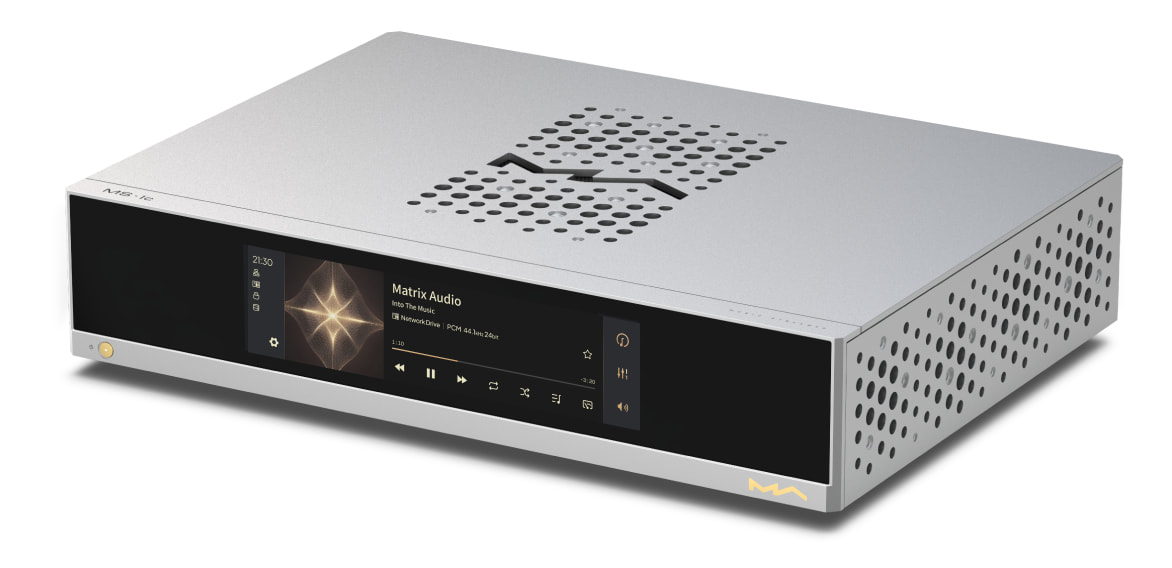
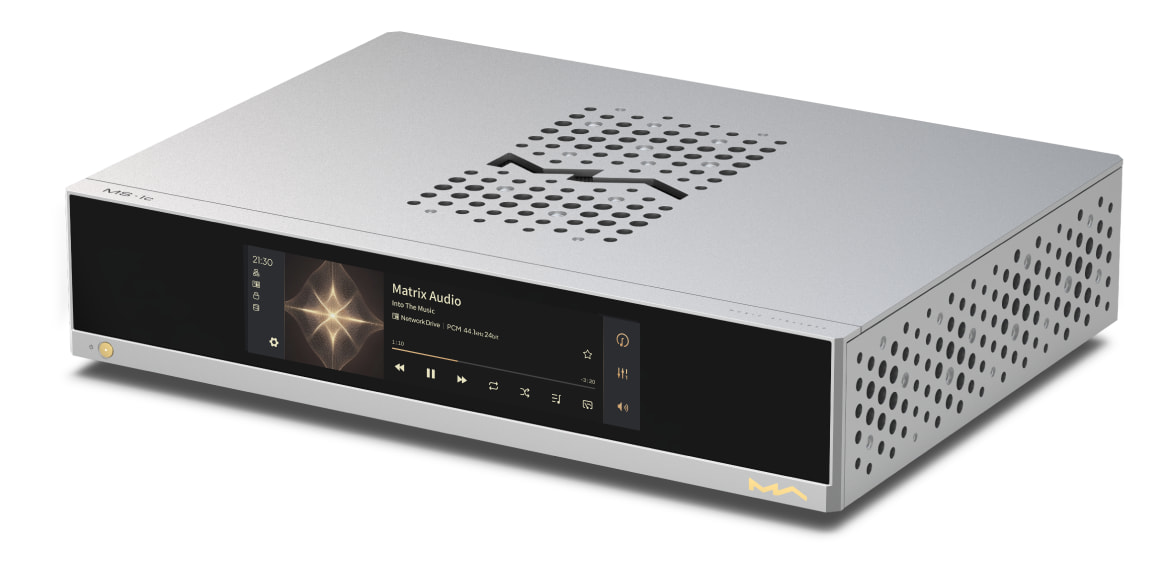
Matrix Audio MS-1C Music Streamer
Who Is Matrix Audio?
Based in Xi’an, China, Matrix Audio designs its hardware, operating software and control applications in-house. Its portfolio is heavily focused on digital audio and includes music streamers, streaming DACs, digital transports, headphone amplification, integrated amplifiers and more traditional separates.
Advertisement
That immediately separates it from sonoro, but the distinction goes beyond hardware categories. At the center of the Matrix ecosystem is MA Player, the company’s Linux-based high-resolution playback platform, paired with the MA Remote App for iOS, iPadOS and Android.
MA Player supports locally stored music, NAS libraries and network playback while integrating a broad selection of streaming services and protocols. Matrix currently lists support for Apple Music, TIDAL, Qobuz, HIGHRESAUDIO and other services, along with Roon Ready, AirPlay, DLNA/UPnP, Spotify Connect, TIDAL Connect and Audirvāna functionality. Depending on the hardware, the platform supports PCM playback up to 32-bit/768kHz and DSD up to 22.4MHz.
The software component matters because plenty of manufacturers can machine an attractive aluminum chassis and install a competent DAC stage. Designing the operating environment and control software in-house is considerably more difficult, and it gives Matrix direct control over the part of the product owners actually interact with every day. Anyone who has spent four figures on a streamer only to discover that its control app was apparently designed during a hostage situation understands the problem.
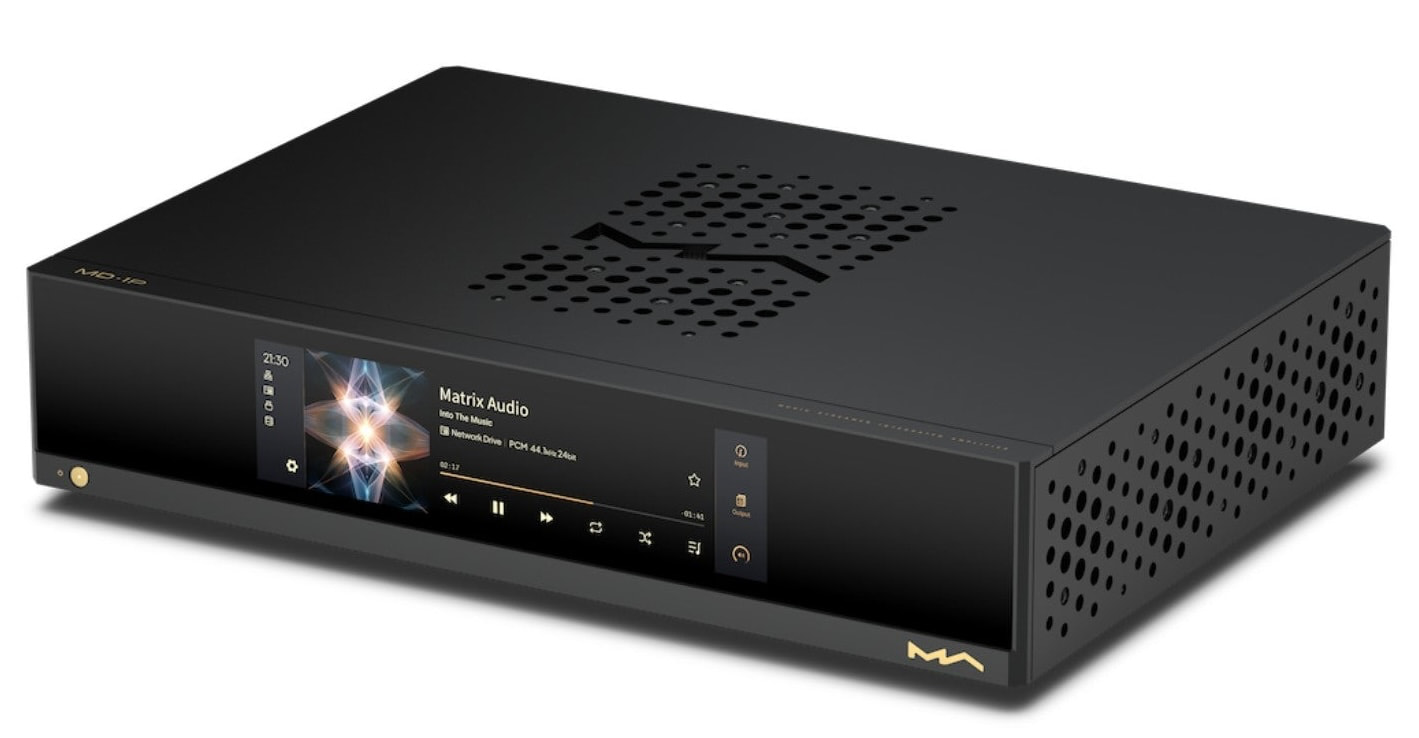
Matrix Audio MD-1P Intregrated Streaming Amp
From Streamers to Complete Systems
Matrix Audio has expanded considerably beyond standalone DACs and network players. Its current M Series includes products such as the MS-1 and MS-1c music streamers, along with dedicated preamplification and power amplification, while the wider range includes products such as the TS-1 streamer/DAC/headphone amplifier, TT-1 and NT-1 digital transports, and MD-1 and MD-1P streaming integrated amplifiers.
Advertisement
The MD-1 and MD-1P provide a useful example of how far the company has moved toward complete digital systems. Both combine Matrix’s streaming architecture with integrated amplification, with the MD-1 rated at 150 watts per channel into 8 ohms and the MD-1P increasing output to 300 watts per channel into the same load.
British buyers should not assume, however, that the entire current North American Matrix catalog will be available immediately. Fidelity Imports UK has not yet announced its initial Matrix Audio product selection, recommended UK pricing, dealer availability or launch activities, with those details expected before trading begins on October 1.
A Different Kind of Second Brand
The first two Fidelity Imports UK appointments do not overlap very much, and that appears deliberate. sonoro offers integrated music systems, loudspeakers, turntables and electronics with broader lifestyle appeal, while Matrix Audio is far more heavily invested in streaming, DACs, high-resolution digital playback and systems built around networked sources.
Advertisement. Scroll to continue reading.
Advertisement
Putting both brands into the same launch portfolio gives dealers two very different propositions rather than a collection of manufacturers fighting for the same customer and shelf space. Fidelity Imports UK says it is looking for manufacturers with distinctive engineering, strong design, clear market positioning and meaningful potential within the specialist retail channel.
Matrix checks those boxes while bringing something else to the table: an existing relationship with Fidelity Imports. That reduces some of the uncertainty inherent in launching a new distribution company because Fidelity already knows the products, the people behind them and how the brand operates in another major audio market.
More Brands Are Coming
Matrix Audio is only the second manufacturer to be disclosed, and Fidelity Imports UK says additional brand and product-category announcements will continue throughout September before the company officially starts trading on October 1, 2026.
I recently interviewed Jamie McKay, Managing Director of Fidelity Imports UK, about the launch, the thinking behind the portfolio and the realities of entering one of the world’s most established specialist hi-fi markets. We hope to publish that conversation later this week.
Advertisement
There are still some obvious questions about how large the portfolio will become, what Fidelity believes British dealers are currently missing and how another distributor convinces retailers that it deserves floor space and attention. McKay had plenty to say about all three.
The Bottom Line
Matrix Audio is a more revealing second appointment than it might initially appear. sonoro showed that Fidelity Imports UK is willing to establish relationships that do not exist within the North American business, while Matrix demonstrates that successful Fidelity partnerships can also be extended into Britain when the manufacturer fits the strategy.
What we still do not know is equally important: which products are coming to the UK, how much they will cost and which dealers will sell them? Those details are expected before October 1, but one comment during my recent interview with McKay makes the remaining portfolio announcements potentially more interesting.
I reiterated the point made in our first article that it would seem rather strange for Fidelity Imports UK to simply mirror the North American roster when a number of Fidelity Imports brands are themselves British and, on the surface, would have little reason to require another distributor in their domestic market.
Advertisement
McKay pushed back on that assumption and explained that not every British audio manufacturer is necessarily happy with how things are working in its home market. Without naming any company, he suggested that some British brands might not be opposed to becoming part of the new Fidelity Imports UK lineup.
No manufacturer was identified, and we are not going to start throwing darts at a list of British audio companies and turn speculation into news. Coming from someone who knows the UK specialist market better than most, however, it was an interesting comment and one worth remembering as the remaining brands are revealed.
We’ll have considerably more from McKay when our full interview is published later this week.
So, you’re going to China and you need to get your phone in order, but you don’t know where to start. That was me, a month ago.
Now I’ve been there, for a week of work and another week of personal travel in and around Shenzhen. In that time, I got a good grasp on the ecosystem of apps and mini-apps. Enough, at least, to get you started if you’re venturing to China anytime soon.
Most people will be aware – but I’ll say it here just in case you’re not – that many US-based apps and services aren’t available in China, thanks to the Great Firewall (a series of laws that limits and regulates internet use). This affects the availability of Western social media such as Instagram and the non-Chinese version of TikTok, messaging apps including WhatsApp and Facebook Messenger, and anything that falls under the sprawling Google umbrella.
If you use an eSIM to roam while you’re in China (highly recommended), or manage to get a VPN to work reliably (not a given), you’ll still be able to access those services. But you will also need a whole different set of apps – and this isn’t optional. You won’t get by for a single day without them.
Advertisement
I’d been to China once before, over a decade ago. Unprepared for the Great Firewall and unaware of the workarounds, I just went offline for a week.
Now, that’s not an option – in large part because if you want to pay for anything in China, you must do so using your phone. I didn’t take a credit card out with me for the whole two weeks I was in the country. Anywhere else, this would have been reckless, but in China, I simply wouldn’t have been able to use it.
WeChat and Alipay: The super apps
Enter WeChat and Alipay. They’re super apps, meaning you can do all kinds of things with them, but you’ll mainly need them for payments. I would strongly recommend downloading both and setting them up by linking them to multiple credit cards before you arrive in China (it can be trickier to do once you’re in the country).
To pay for things, from groceries to public transit, you’ll either scan a QR code with your phone, or allow the vendor to scan your personal QR code.
Advertisement
I recommend having both apps because occasionally one of the apps didn’t play ball when I was trying to pay for something (a stressful experience if that something was a dinner I’d already eaten), but the other would work just fine.
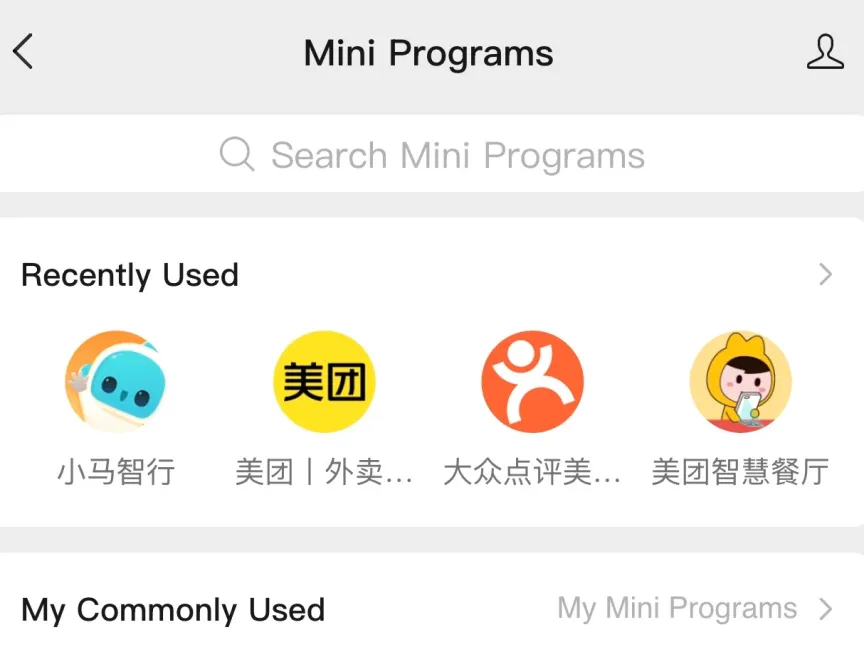
Alipay and WeChat are known as super apps because they’re platforms that host thousands of lightweight mini applications that sit inside them – from popular drinks brands such as Hey Tea and Luckin, to the transit app that allowed me to order KFC straight to my seat on a high-speed train from a station we passed through.
Just a snapshot of WeChat’s mini app universe.Katie Collins/CNET
Some apps, such as Meituan (for food delivery) and Didi (for ride-hailing and, which I’ll address separately later) worked best for me as mini-apps within WeChat and Alipay. Not all mini apps are designed for payment, but this is almost exclusively what I used the super apps for.
Of the two, I preferred using Alipay, largely because I found the interface easier to navigate. Whenever I opened the app, the home screen presented me with three big buttons titled “Scan,” “Pay/Receive” and “Transport,” which allowed me immediate access to public transit tickets and passes for whatever city I was in.
I found Alipay marginally easier to navigate.Katie Collins/CNET
The option to translate the content of mini apps was also less fiddly to find on Alipay, popping up as a little tab on the left of the screen.
Where Alipay and WeChat differ – and another reason I’d recommend having both – is that WeChat is first and foremost a messaging app. When you open the app, the first thing that pops up will be your chat history, just as if you were looking at your messages.
Advertisement
You might not know anyone in China right now, but your hotel will probably want to add you on WeChat – probably ahead of your stay – in order to have an open line of communication with you in which messages can be easily translated between languages. I found this super helpful for arranging transfers and breakfast, among other things.
I also thought WeChat did a better and more consistent job of translating mini app content overall (top tip: tap the three dots in the top right corner of the screen to access the hidden menu containing the translation option).
Amap: The Google Maps alternative
Perhaps the biggest challenge for me while traveling through China – digitally speaking, at least – is what it did to Google Maps. Overnight it turned from a geographical safety blanket that’s guided me around the world multiple times into the most useless app on my phone.
Katie Collins/CNET
Thanks to my eSIM, I could access Google Maps, but it contains almost none of the location information about China you’ll actually need. Some people suggested using Apple Maps as an alternative, but I didn’t find it much better.
Instead, I recommend doing as the Chinese do and downloading Amap. I found it frustratingly slow to load at times, and it didn’t have the same depth of information Google Maps has about dining establishments – the lack of menus is a big difference, for example. But if you want to find local businesses and walk around without getting lost, Amap is the one.
Advertisement
One nice touch is that it would plan out walking routes for me based on tree cover and shade provided by buildings depending on the time of day. Given that the temperature was regularly over 100 degrees Fahrenheit with high humidity, I appreciated this guidance.
Didi: The Uber alternative
You might think, like I did when I first landed in China, that you’ll probably take public transit everywhere. Then you’ll see the price of a Didi and reconsider.
If you can use Uber (which is not available), you can use Didi – it’s straightforward, affordable and convenient. You can download it separately, but I used it as a mini app within Alipay, which made it easy to pay.
One quirk was that it didn’t automatically take the money from my card after I finished a journey. Instead, I had to manually pay after getting out of the vehicle. I often forgot to do this, but you’re not allowed to book another trip until you’ve paid for your last one. The app also prompted me to pay for my journey to the airport up front, which I appreciated, as I would’ve hated to accidentally skip town without paying.
Advertisement
Something to know about Didi is that the driver will confirm you’re the correct passenger by asking you the last four digits of your phone number. To overcome the language barrier, I found the best strategy was to have the last four digits saved in my notes app and to have it open to show the driver every time I jumped into a car.
Trip.com: The only booking app you’ll need
Are you an Expedia or Booking.com loyalist? Forget them both. You need one app and one app only for booking hotels in China, and that’s Trip.com.
Trip.com has a much bigger portfolio of accommodation in China than any other site or service you might use. If you’re an avid reader of reviews, you’ll also find many, many more here than anywhere else on the internet.
The app also serves as a portal for booking almost anything else you might want or need while you’re in China. I used it to book high-speed train tickets, entry to attractions and even a theater excursion. (Yes, I went to the theater, and no, I didn’t understand a word.)
Advertisement
Some people have also recommended Klook for booking tickets and excursions, but I can’t recommend it personally as I didn’t use it. I also liked the fact that Trip.com displayed all of my tickets and bookings in a chronological itinerary.
Rednote: For inspo
The decline of travel journalism and blogs means that many of us turn to Instagram and TikTok for inspiration when going on trips these days. You can find recommendations for China on both of these platforms, but it’s largely made by foreign visitors rather than locals.
If you’re looking for inspiration beyond the same five tourist traps or trends for every place you visit, I’d recommend downloading Rednote.
The app is a little funky to use – people post a lot of “live” pictures for a reason I can’t fathom – but the recommendation algorithm is strong. I didn’t need to spend much time searching beforeRednote started showing me content in the destinations I was visiting that was very much my vibe.
Advertisement
The result: I went to many excellent coffee shops and restaurants I otherwise wouldn’t have known about, and where I didn’t see another non-Chinese person.
Unlike the other apps I’ve listed here, this one is nice to have rather than essential, but I found it invaluable for curating my itinerary.
Do I need a Chinese phone number?
Ordering KFC to my train seat was fun, but did require a Chinese number.Katie Collins/CNET
Many people wonder whether they’ll need a Chinese SIM card and phone number while they’re in the country. In my experience, it’s not essential and you should prioritize using an eSIM above anything else.
But if you have a spare phone you can bring, a Chinese SIM card can be worth it. I went into a China Mobile store where I handed over my passport for registration and within half an hour walked out with a free SIM card with enough data to last me until the length of my trip.
The reason I got a local SIM was that I wanted to test out a couple of things (ordering food on the train and Shenzhen’s drone delivery service) that specifically required a Chinese number. I also used the SIM to tether off on a couple of occasions when I was in more rural areas and I couldn’t get my payment apps to work using my eSIM.
Advertisement
By and large, most visitors won’t need a Chinese number, so don’t worry about trying to get hold of a local SIM card – especially if you’re only in the country for a short period of time.
Katie is a UK-based news reporter and features writer. Officially, she is CNET’s European correspondent, covering tech policy and Big Tech in the EU and UK. Unofficially, she serves as CNET’s Taylor Swift correspondent. You can also find her writing about tech for good, ethics and human rights, the climate crisis, robots, travel and digital culture. She was once described a “living synth” by London’s Evening Standard for having a microchip injected into her hand.
See full bio
Google Workspace attackers don’t necessarily need to exploit a software vulnerability or steal a user’s password to gain access to an organization’s data.
The webinar will feature Rajan Kapoor, Vice President of Security at Material Security, and Rick Fitzgerald, President of Fireside Consulting LLC, examining two attacks that used malicious OAuth applications and social engineering to breach Google Workspace environments.
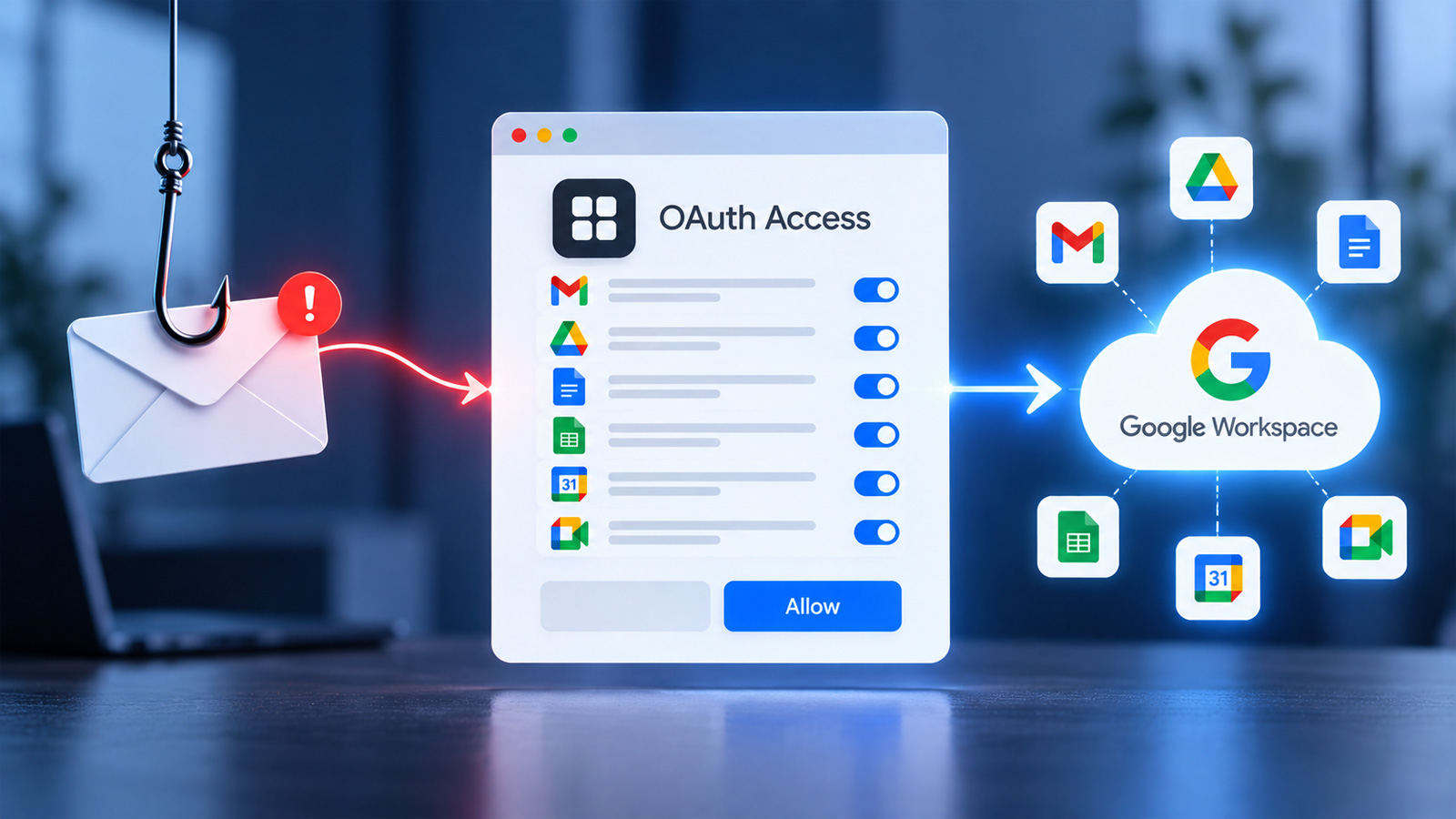
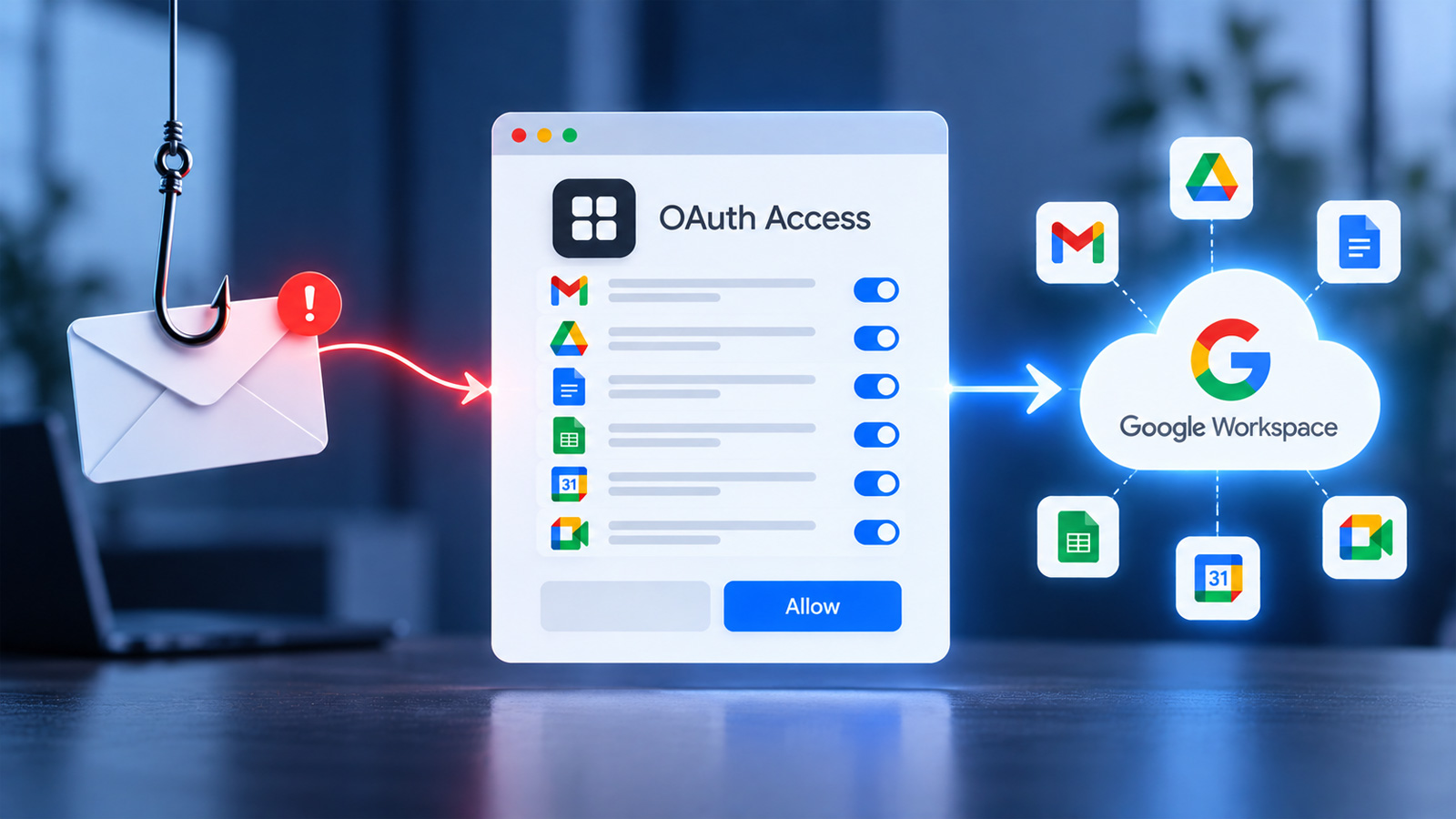
OAuth allows users to grant applications access to Google Workspace data and services without sharing their passwords. While this makes it easier to connect legitimate applications to Google Workspace, attackers can also abuse the authorization process by convincing users to grant permissions to malicious apps.
Advertisement
Rather than stealing credentials, attackers can use social engineering to persuade a target to authorize an application, potentially providing access to sensitive information available through the permissions the user approved.
These attacks highlight why protecting Google Workspace requires organizations to look beyond passwords and traditional authentication controls and understand which applications have access to their environment.
During the webinar, the speakers will break down how the two attacks unfolded, the weaknesses that allowed them to succeed, and the decisions organizations made during the critical first hours of the incidents.
Attendees will also learn which security controls provide the greatest value for fast-growing organizations and what the speakers would prioritize if they were building a Google Workspace security program from scratch.
Advertisement
When attackers convince users to grant access
Social engineering attacks are often associated with tricking users into revealing passwords or other credentials. Malicious OAuth apps provide attackers with another approach: convincing the victim to authorize access instead.
A user may believe they are connecting a legitimate application or responding to a trusted request while actually granting a malicious app permissions within their Google Workspace environment.
The resulting access depends on the permissions granted, but the attack demonstrates why organizations need visibility into third-party applications and the access users are allowed to authorize.
By examining two attacks that combined malicious OAuth applications with social engineering, this webinar will provide a practical look at how these breaches happen and what defenders can do to reduce their exposure.
Advertisement
The upcoming webinar will cover:
How attackers combine social engineering and malicious OAuth applications to target Google Workspace environments
How users can be manipulated into authorizing application access
What happens during the first hours of a Google Workspace breach and which response decisions matter most
Which security controls provide the greatest value for fast-growing companies with limited security resources
Practical security improvements organizations can implement quickly, ranked by effort and potential impact
Join us to see how malicious OAuth applications and social engineering can lead to Google Workspace breaches and what organizations can learn from real-world attacks.
The origin story of automotive rebates begins on January 12, 1975, during halftime at that year’s Super Bowl. The Minnesota Vikings trailed the Pittsburgh Steelers 0-2. Chrysler Corporation had a huge backlog of new cars sitting in inventory and needed a way to move them into the possession of retail customers. In Chrysler’s case, this oversupply of unsold inventory was equal to 138 days of production. In response, Chrysler had laid off 50% of its white-collar workers and closed down five out of its six production facilities. Things were getting very bad.
The pitch was made by former Major League Baseball catcher Joe Garagiola, who had a much more successful second career as a television personality. His on-air credits included time as an NBC sportscaster, occasionally guest-hosting both the “Today Show” and “Johnny Carson’s Tonight Show”. He had also become the person doing TV spots for Chrysler’s Dodge Division, making him the perfect pitchman for what came next. Joe Garagiola promoted what Chrysler called its “Chrysler’s Car Clearance Carnival,” in which, after consumers made their best deal with their local dealer, the Chrysler Corporation would send them a check for $200.
Advertisement
While this might not seem like much, keep in mind it was the equivalent of $950 in today’s dollars. His “Buy a car, get a check!” touched a chord in consumers nationwide, and rebate mania was born. This automotive marketing trend has continued to the present day, including our recent list of cars with the best discounts in Spring 2026, according to Consumer Reports.
Advertisement
How did Chrysler’s Super Bowl rebate turn out, and how did Detroit respond?
As a way to capture potential customers who owned non-Chrysler brands, Chrysler also offered customers ways to get more for their vehicle trade-in; specifically, those who traded in a Chevy Vega or a Ford Pinto would then get an extra $100 each.
The amazing success of this Chrysler promotion forced the other Detroit auto manufacturers to jump into the rebate game. First was Ford, offering rebates from $200-$500 on their smaller cars, followed by General Motors, who also offered similar amounts on their compacts and subcompacts. Even American Motors, whose downfall can be traced back to one tragic moment, got in on the rebates, providing from $200 to $600 per car. Rebates were suddenly a thing that juiced sales, and everyone wanted a piece of the action.
The good news for Chrysler was that its Car Clearance Carnival reduced the company’s inventory levels to the least they’d been within the past seven years. Chrysler’s Vice President of Sales stated that it was “the most innovative and dramatic thing we have ever done…” So, the promotion was a success, but when the Clearance Carnival stopped in March 1975, so did the sales. Chrysler revived it in May, continued it into June, then stated that rebates would be retained until further notice. Today, a wide variety of incentives are offered to car buyers, including rebates like Chrysler’s, low APR financing, leasing deals, loyalty programs for current owners, and bonus cash for the military or college graduates.
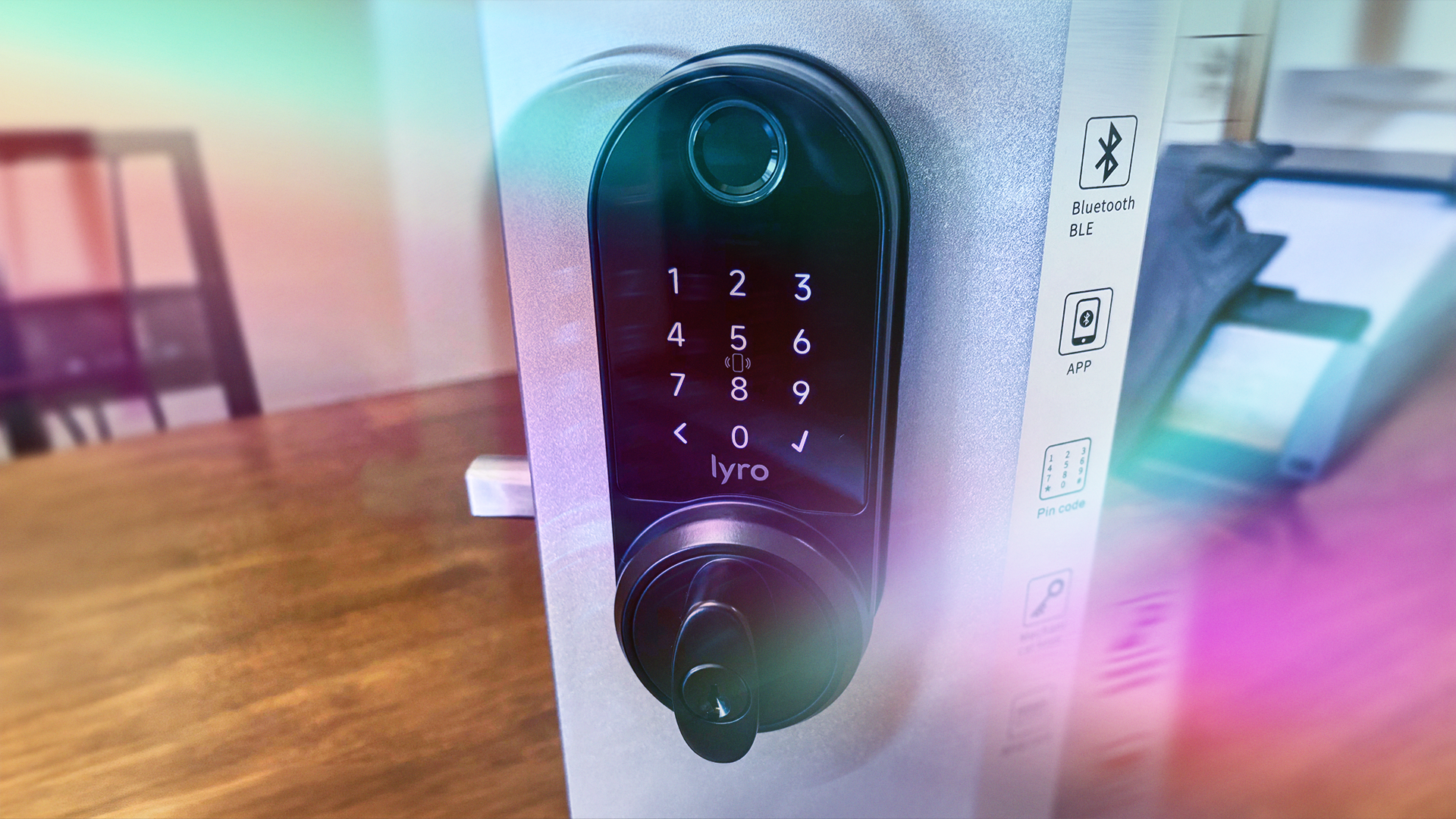
This smart lock is built for rentals in all-new ways. / Tyler Lacoma/CNET
Pros & Cons
Affordable for its tech and design quality
Many access options including fingerprint, included cards, keys, keypad and more
Extra-large battery case rated for up to three years
Easy to manage access and logs through the app
Unique sleep mode if the home is going unused for a while
Effective and simple TapCom communication include for vacation renters and similar situations
The rental-focused design may not be suited for every home
The deadbolt requires manual turning when locked/unlock, which differs from most smart locks
Many smart locks introduced innovations in 2026. We saw charging solar panels and ultrawideband sensing. But Lockly went the opposite way: The security company has launched a new lock called Lyro, which aims at a unique mix of affordability, battery life and new features made specifically for vacation rentals, short-term renting, landlords and similar situations. I’ve never seen anything quite like it.
To test the Lockly Lyro Lasta ($169), I set it up as if I was the owner, and tried to access it in a variety of ways like I was a newcomer on vacation. It’s interesting what features Lockly has added here, and what the company has done with a lock well under $200 that still has a durable design, fingerprint sensor, RFID tags to give out and more. Here’s what I found.
Advertisement
A design made for durability and battery power
This smart lock comes with everything included, like the rental add-ons.Tyler Lacoma/CNET
The Lyro Lasta is mostly a normal smart lock — except for several very important additions. On the front of the lock I found the fingerprint reader and Lockly’s stylish touchscreen keypad, a design I’ve seen on other Lockly products before and found them very reliable. That outward-facing section is also IP65 weatherproof, so you shouldn’t need to worry much about operation in heavier weather.
The inside housing, however, is extra large because it’s made to hold eight AA batteries, something I’ve never seen in a smart lock before, since most are made for four AAs or fewer. Lockly says the extra battery boost lets the lock last for up to three years without needing replacement. It’ll take me a while to see if that’s true.
Lyro Lasta’s 8 AA batteries can supposedly last for years.Tyler Lacoma/CNET
As with most modern locks, this Lyro model doesn’t need a Wi-Fi hub to go online. Installation and setup proved relatively simple. The lock isn’t especially complex, and components are quite sturdy for the price.
Codes, keys and more access options
This Lyro lock has its pecular features, but they all seem to have a purpose.Tyler Lacoma/CNET
In addition to standard keys, keypad code, phone connection and the included NFC tags, I tested this lock’s fingerprint sensor, which boasts a 0.2-second response time (I don’t know about that, but it was under a second), and the ability to hold 99 fingerprints.
Everything proved responsive with smooth operation, but I did run into yet another unique feature of the Lasta that took me by surprise. Almost every other smart lock I’ve tested automatically unbolts the lock when it’s unlocked by any means. Not so here: This lock unlocks internally, but you still need to manually turn either the inside or outside thumbturns to move the deadbolt.
I’m not sure why Lockly chose this approach, which could be confusing to those with experience in smart locks. It may cut down on wear and tear, and it could help save even more battery life, but it’s important visitors know they’ll need to manually move the lock. Fortunately, the lock also introduces all-new ways to communicate with guests.
You can equip your rental with personalized security options. My picks can fit nearly anywhere — no screws required.
Advertisement
Lockly TapCom and other rental-friendly add-ons
Lockly’s TapCom proved an effective communication option for guests.Tyler Lacoma/CNET
The plethora of unlocking options are convenient for anyone, but this Lyro lock also has features that make it well-suited for vacation rentals, visitors, Airbnbs and similar situations. The extra battery life, for example, is particularly handy for homes that may stay vacant for part of the year, or have off-seasons with little activity. But that’s only the start.
The physical RFID tags make it easy to hand off access methods to others without fussing with extra pairs of physical keys, and you can disable them by the app if they aren’t returned. Speaking of the app, it also provides owners with an easy-to-use log of activity, and an unusual sleep mode that saves even more battery life if a residence is going to stay unused for a while.
But the most useful rental feature of them all is the TapCom, the platform Lockly offers to help connect and coordinate renters with owners. It’s not the first Airbnb-friendly platform I’ve seen announced this year, but it is one of the first to market and I like what I see.
Advertisement
To use TapCom, owners scan a QR code on a card-sized NFC plate, then stick the plate by the Lyro lock. When guests show up, they can scan the code with their phones or just tap directly on the card to get started. Owners control different ways for guests to communicate and announce their arrival, as questions, wait for remote unlocking, finalize payment info and so on.
In my tests, TapCom allowed me to enable video calls, audio calls and requests to unlock, and geofencing that only enables communication when a phone is right by the TapCom plate. Connections worked accurately in seconds on both phones used in the conversations. Of course, you will need to give the platform a certain amount of access to your mics, phone number, etc. to make this all work.
While these features sound like a particularly good fit for Airbnbs, I can imagine standard landlords and property management companies, along with tenants, would also appreciate such on-demand communication options.
Final thoughts on the Lyro Lasta
Lockly’s inside housing is larger than some to include all those extra batteries.Tyler Lacoma/CNET
Lockly’s Lyro Lasta ($169) does a little of everything with unique new features made just for rentals, vacation homes, Airbnbs and similar situations, at a reasonable price.
The extra-long battery life, multitude of access options and free support for the TapCom communication system for new guests all worked flawlessly in my tests, although I was caught off guard by the need to manually turn the deadbolt after it locked/unlocked internally.
Advertisement
The Lyro Lasta is more of a niche product than many smart locks, but it’s a niche with plentiful opportunities, including owners with specific plans on how to manage their property for newcomers. It will be interesting to see what comes of the Lyro line in the future.
Tyler Lacoma
Editor / Home Security and Smart Home
Tyler has worked on, lived with and tested all types of smart home and security technology for over a dozen years, explaining the latest features, privacy tricks, and top recommendations.
With degrees in Business Management, Literature and Technical Writing, Tyler takes every opportunity to play with the latest AI technology, push smart devices to their limits and occasionally throw cameras off his roof, all to find the best devices to trust in your life. He always checks with the renters (and pets) in his life to see what smart products can work for everyone, in every living situation.
Living in beautiful Bend, Oregon gives Tyler plenty of opportunities to test the latest tech in every kind of weather and temperature. But when not at work, he can be found hiking the trails, trying out a new food recipe for his loved ones, keeping up on his favorite reading, or gaming with good friends.
See full bio
PC prices have been heading into the stratosphere lately. Memory and storage costs have climbed sharply, and even machines built for fairly basic jobs are becoming surprisingly expensive. Someone looking for a simple PC to handle browsing, documents, streaming, video calls, or even sit beside a TV as a small media machine can easily end up spending far more than expected.
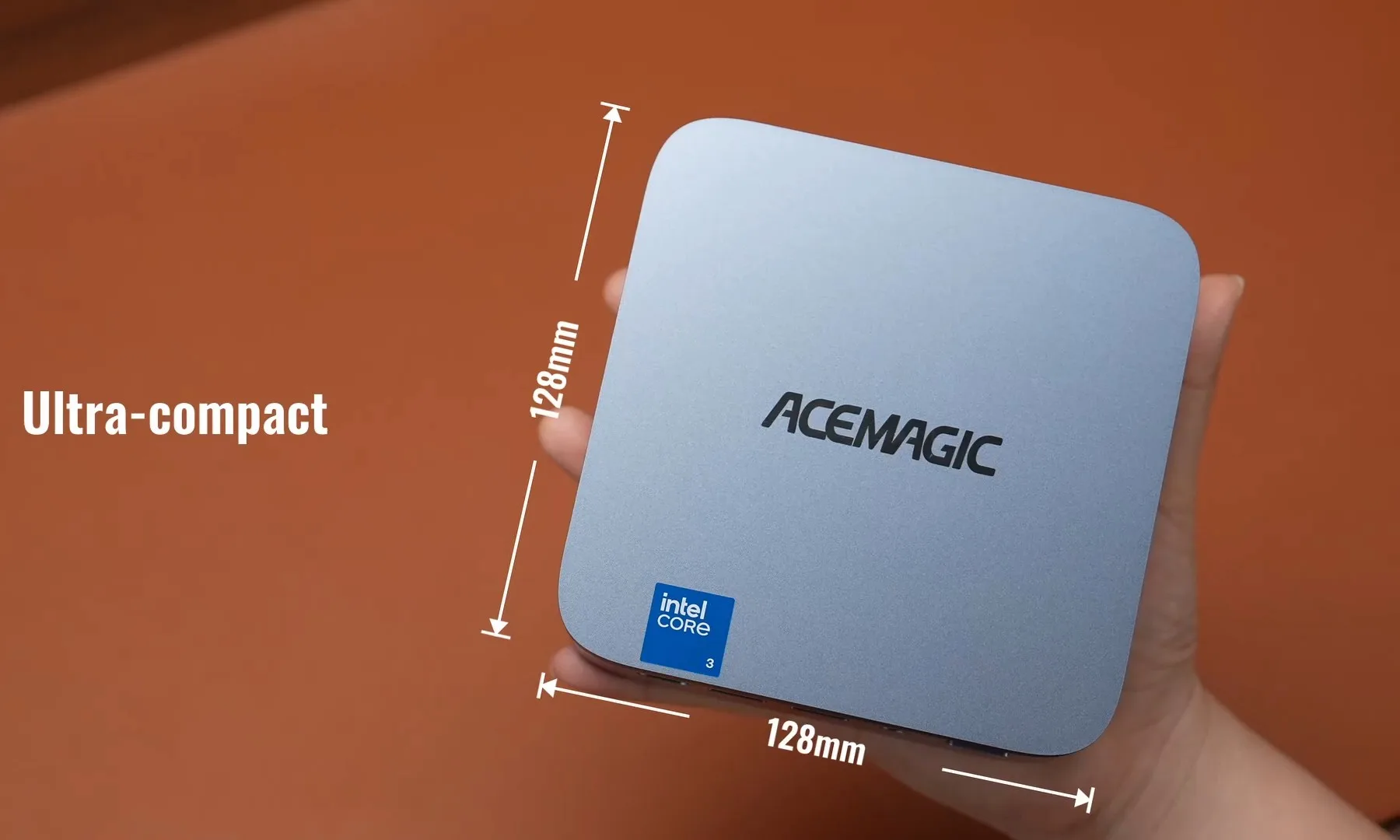
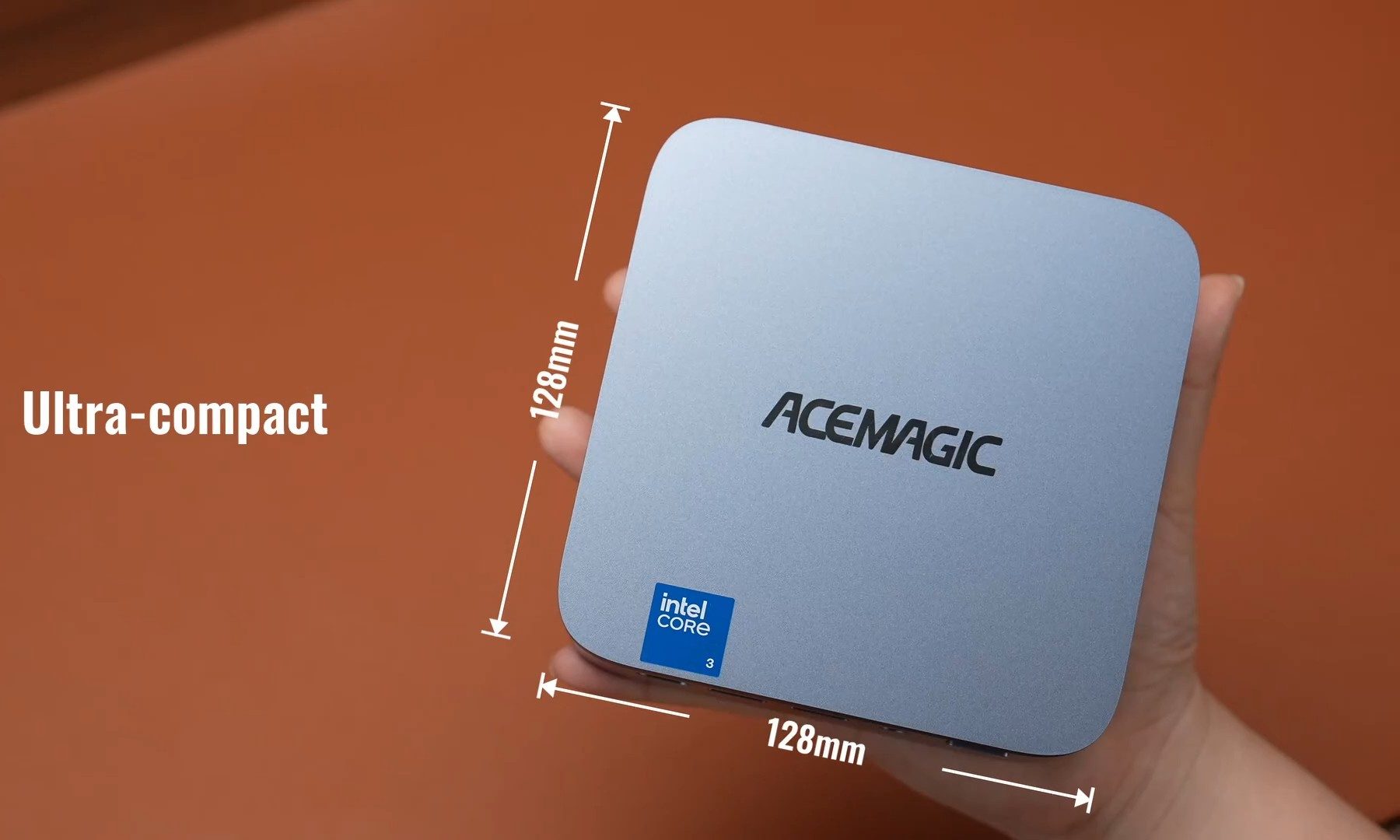
Right in the middle of this mess, Acemagic has started selling its Kron K5, a compact Windows 11 Pro mini PC that was first introduced in June. The 256GB model is currently available on Amazon for $379.99 after a 30% introductory discount, while the 512GB version drops to $399.99. It uses Intel’s Core 3 304, an entry-level Wildcat Lake processor with five cores and five threads, paired with 12GB of LPDDR5 memory.
12GB is a welcome sight on a cheap PC
The processor itself is modest, but the 12GB of RAM is notable at this price. Entry-level PCs still commonly arrive with 8GB, which can become limiting once several browser tabs and applications are running at the same time. Storage starts at 256GB, although Acemagic provides an M.2 slot for expansion. The memory is soldered, so the 12GB cannot be upgraded later.
Acemagic
The K5 measures 5.05 x 5.05 x 1.61 inches, making it small enough for a crowded desk or a setup where the PC needs to stay out of the way. A machine this size could also work beside a television for streaming, local media playback, browsing, or other lightweight Windows tasks.
Acemagic did not skimp on the ports
Acemagic
There are six USB-A ports, a 20Gbps USB-C port, HDMI 2.0, DisplayPort 1.4, 2.5Gb Ethernet, and a 3.5mm audio jack. The K5 can drive up to three 4K 60Hz displays and also includes Wi-Fi 6 and Bluetooth 5.2.
The $379.99 price is promotional rather than permanent. Acemagic normally lists the 256GB version at $549.99, and it has not said how long the 30% discount will remain available. At its current price, however, the K5 lands in an increasingly thin part of the PC market.
Remember when the cloud promised storage and computing for a low monthly fee? Only, as time has gone on, the number of subscriptions we all have has grown, and the price has shot up.
No wonder, then, that this year’s IFA show had several local AI servers for the smart home and cameras, removing monthly fees and putting the control back in your hands.
In many ways, this is a throwback to the days when NAS devices were the home accessory of choice, but I’m all down for this, with the likes of the Anker MindBase or UGreen HomeAgent as the new local server.
An end to subscription fees
I’m not averse to paying a subscription fee, but flicking through my bank account, it’s quite scary how many things have a monthly subscription: video streaming, music, broadband, phone, software, cloud backup and so on. Where I once had a few small subscriptions, it feels like everything now needs to be paid for monthly.
Advertisement
Home servers promise to kill a lot of that off, even in a slightly more limited way, with the core focus on security.
Advertisement
More features, more control
A big change that I’ve noticed with security cameras is that there are now multiple tiers of cloud subscription, with the changes between them not only affecting how much storage you have, but often the features. Pay more for Ring, for example, and you get AI-powered video search; opt for the more basic package and you get more basic features.
Ditching that and having a central ‘brain’ gives you all the features that you could want. With the Anker MindBase and the UGreen HomeAgent, for example, the local AI can process advanced object detection, give you video search, and the apps can all tell you what’s happening in a video. No subscription in sight.
Advertisement
Having a centralised system also means that your storage is in one space. Upgrade when you’re running short, and you’ll have enough space for all the cameras and all of the footage, safe in your own home.
Beyond cameras
Local servers promise more than just support for security cameras. Anker will have the Eufy Smart Security Shield, a radar-based sensor to detect strangers, and promises to add new software AI agents for smart energy management and cleaning.
UGreen’s HomeAgent will offer voice control, giving you a smart-speaker experience, only with all of the data and processing handled locally.
Of course, there’s a higher up-front fee for the server hardware, but I see this as an investment. With local AI, I’m in control of what gets shared, and new features get rolled out immediately without a subscription hike. Look out for full reviews of these systems soon.
Windows 11’s latest update breaks the sound on some PCs
The September update also messes with File History
Microsoft is working on a fix for the audio glitch, but we don’t have an ETA
Windows 11’s new update is breaking the audio on some PCs, thanks to the latest nasty bug that Microsoft has let slip through the QA testing net.
Windows Latest spotted that Microsoft has admitted that the September update has torpedoed the audio on some systems, in a post on the Windows release health dashboard.
Microsoft explains that: “Some USB Audio Class 1.0 devices might fail to start or produce audio.”
Latest Videos FromTechRadar
Advertisement
As well as your speakers being eerily silent, the September update can also render the Sound panel in the Settings app unresponsive, which hardly helps when troubleshooting the issue.
One way you can check if your device is affected by this bug — assuming it has no audio, and you want to rule out other possible causes — is that in Device Manager you’ll see a ‘code 10’ error (“this device cannot start”) for your sound controller.
Windows Latest also informs us that this bug can affect microphones, as well as the PC’s speakers.
Advertisement
It’s not the only glitch with the September update, either, as users have reported problems with GPUs, and the File History feature going awry and failing to work.
Sign up for breaking news, reviews, opinion, top tech deals, and more.
File History is a capability that allows you to back up your files to an external drive (or elsewhere), so it’s pretty important for those who use the functionality.
Advertisement
Analysis: negative vibes
(Image credit: Shutterstock)
Microsoft says this audio bug could manifest in other ways, so you might get sound when using standard stereo, but that audio might disappear when switching to multichannel playback. This means it’s worth checking what your audio output is set to, and changing it back to stereo if it’s currently using a different playback mode, which might just resurrect your sound.
Otherwise, there’s not much that can be done, other than trying different audio output options on your Windows 11 system (Windows Latest observes that wireless audio devices don’t appear to be affected). The other alternative is to remove the September update until Microsoft fixes this issue, although that will leave you without security patches.
When might we get a fix for this issue? Microsoft tells us: “We are working on a resolution and will update this documentation when more information is available.”
Advertisement
This is a somewhat widespread problem by all accounts, and the File History bug is even more so, although the latter hasn’t yet been acknowledged by Microsoft.
The reaction on Reddit is much as you might expect in terms of Windows 11 users blaming Microsoft’s increased use of AI in coding the desktop OS, and observing that these kinds of bugs are why people don’t want to migrate to the newer operating system.
Another notes: “Microslop can keep vibe coding all they want, I’m already on Linux.”
Advertisement
Windows 10 is a sounder (ahem) bet for avoiding bugs, seeing as Microsoft isn’t adding new features or messing with the codebase much, and ks only applying security fixes and essentials. That said, this of course doesn’t mean Windows 10 is immune to glitches.
Microsoft has confirmed reports that the September 2026 security updates cause Remote Desktop Services (RDS) failures on Windows Server systems.
According to a release health update on Friday, this known issue impacts Windows Server 2012 and later, as well as Windows 10 and Windows 11 devices.
This confirmation follows widespread reports from Windowsadmins that installing this month’s Patch Tuesday updates prevents users from connecting and, in some cases, requires a hard reset to restore functionality.
“In some environments, RDS might become unstable, resulting in RDP connections failing after several minutes, sign-in issues, or servers hanging at ‘Please wait for the Remote Desktop Configuration’,” Microsoft said on Friday.
Advertisement
“Related tools, including Microsoft Management Console (MMC), RDS Licensing Diagnoser, and File Explorer might also become unresponsive. Additionally, the Windows Update page might stop responding and continuously display a loading indicator.”
Affected users have also found that once a server starts failing, existing Remote Desktop sessions may not disconnect or log off properly, while new connection attempts may also fail after hanging during the connection process.
Mitigation available
Microsoft now provides the following Group Policy (found under Computer Configuration > Administrative Templates), which can be used to mitigate the issue on enterprise-managed devices managed by IT departments:
While it still works to ship a permanent fix for this issue, Microsoft said those who can’t access virtual machines through RDP may be able to temporarily restore RDS connectivity by stopping and restarting the affected virtual machine.
Advertisement
Windows admins have also been able to restore Remote Desktop functionality by rolling back the buggy updates. However, removing them will also remove the security fixes included in this month’s Patch Tuesday release.
Join Mikko Hyppönen and security leaders from the NFL, CHANEL, and Atlassian for a two-hour digital summit on what AI-speed attacks change, what defenders should stop doing, and how to validate, decide, fix, and re-validate at machine speed.
Mullenweg accused the company board of conspiring against him to place him on a paid leave.
For reasons unknown to the public, the founder and CEO of Automattic Matt Mullenweg was briefly ousted from his position last week. He was reinstated a few days later.
Last Wednesday (9 September), Mullenweg posted to a company-wide Slack channel that Automattic’s chief financial officer Mark Davies had “conspired” with other board members, including founding CEO Toni Schneider (who is the current CEO of Bluesky), to put him on a paid leave of absence.
The board voted Davies as interim CEO and told publications that it had full confidence that he would be able to “execute against the company’s priorities”.
Advertisement
However, by Friday (11 September), Mullenweg seemed to be back in his position, according to newer Slack messages verified by company employees.
“A lot happened in the past 48 hours that we need to sort out, and I hope much of it was a misunderstanding, because I have huge respect and regard for those involved,” he wrote on Slack.
And in a statement, Automattic confirmed with the media that Mullenweg is back as the chairperson and CEO of his company “with full support of the board”.
“If you search online you can see many top executives and Automatticians supporting him as well”, the spokesperson added.
Advertisement
Mullenweg, according to his posts on X, seems to be taking his brief ousting in stride. Last Friday, in a series of posts, he seemingly joked that this was the fifth attempt at a coup in his company.
“Founder advice: If you don’t have a coup attempt every few years, you’re not hiring strong enough leaders,” he said. In a separate post, he wrote “Boards are never boring,” with a ‘laughing-crying’ emoji accompanying the statement.
Automattic is best known as the creator behind WordPress.com. It also owns the microblogging platform Tumblr, WooCommerce, a plugin for WordPress, as well as the online survey and quiz conductor PollDaddy, now known as CrowdSignal.
Don’t miss out on the knowledge you need to succeed. Sign up for the Daily Brief, Silicon Republic’s digest of need-to-know sci-tech news.





























































You must be logged in to post a comment Login