Security teams log 54% of successful attacks and alert on just 14%. The rest move through your environment unseen.
The Picus whitepaper shows how breach and attack simulation tests your SIEM and EDR rules so threats stop slipping by detection.


Microsoft has released a security patch to address a Defender zero-day vulnerability known as “RoguePlanet,” disclosed after the June 2026 Patch Tuesday.
The flaw (tracked as CVE-2026-50656) was disclosed by a security researcher using the “Nightmare Eclipse” handle as part of an ongoing dispute with Microsoft over the company’s bug bounty and vulnerability disclosure practices.
They also shared a proof-of-concept exploit in a self-hosted Git repository, claiming that Microsoft had previously removed their repos hosting exploits on GitHub and GitLab.

According to Nightmare Eclipse, RoguePlanet affects fully patched Windows 10 and Windows 11 devices, allowing attackers to spawn a command prompt with SYSTEM privileges via a Microsoft Defender race condition.
“The exploit is a race condition, so it’s a hit or miss. I have managed to get a 100% success rate on some machines while it struggled to work on others,” they explained. “The PoC for RoguePlanet works regardless if real time protection is on or not,” the researcher added in a follow-up update.
Microsoft confirmed it was working on a patch for CVE-2026-50656 on June 16, but has yet to acknowledge that Nightmare Eclipse discovered the vulnerability.
On Wednesday, the company addressed the RoguePlanet vulnerability by releasing Microsoft Malware Protection Engine 1.1.26060.3008, an update to the core scanning engine that powers its security solutions and services.
“Microsoft has released an update to the Microsoft Malware Protection Engine that addresses the vulnerability identified by CVE-2026-50656. Please see the FAQ for more information on how to check if the new version has been installed,” Microsoft noted.
Over the past several months, Nightmare Eclipse has disclosed multiple other Windows zero-day exploits, including for the BlueHammer, RedSun, GreenPlasma, MiniPlasma, YellowKey, and UnDefend flaws.
While some of these security vulnerabilities affect Microsoft Defender, others target BitLocker and Windows components. Microsoft fixed the GreenPlasma, MiniPlasma, and YellowKey flaws one month ago as part of the June 2026 Patch Tuesday updates.
Microsoft has also reacted to Nightmare Eclipse’s disclosures by issuing warnings of legal action against people engaging in what it described as “malicious activity causing real harm to our customers,” leading cybersecurity experts to believe that Microsoft was directly threatening the security researcher.

Security teams log 54% of successful attacks and alert on just 14%. The rest move through your environment unseen.
The Picus whitepaper shows how breach and attack simulation tests your SIEM and EDR rules so threats stop slipping by detection.


Apollo Automobil rolled its first finished production car onto the Goodwood Festival of Speed grounds in July 2026, and the machine looked ready to rewrite the rules of what a track hypercar can be. Named Caribbean Dragon, this is unit one of just ten Apollo EVOs that will ever leave the German workshop. Twenty years after the original Gumpert Apollo began deliveries, the brand has returned with something sharper, lighter, and more uncompromising than before.
Caribbean Dragon has an incredible 75+ carbon-fiber panels that are all expertly crafted. You see, the paint job alone is a huge operation, with eight coats done by hand that took over 1000 hours. When the sun hits the pearlescent white coat, a diamond dust flake forms, resulting in a little light show. All of this color contrast has a big impact, with the ocean blue of the carbon accents and tinted blue finishes grabbing attention, much like bright sand meets deep water. Apollo CEO Niko Konta believes the name was inspired by comparing the brilliant white and deep blue colors. Forged wheels continue the concept, with white in the front and blue at the back, while blue brake calipers round out the look.
Sale

Underneath the elegant bodywork is a full carbon-fiber monocoque weighing a whopping 165 kg, 15% stiffer and 10% lighter than the Apollo IE. The front and rear carbon subframes, as well as the specific crash components that comprise the chassis, are likewise the subject of extensive engineering. Overall, the dry weight is a lean 1300 kilograms. With adaptive aero generating 1350 kilos of downforce, this car has a bit more grunt than its own mass. The aggressive geometric form, X-shaped front LED lights, and vertical W-shaped rear lamps indicate that the bodywork is going for impact, yet each surface is actually engineered to push air around rather than just look showy.
Inside the beast is a naturally aspirated 6.3-liter V12 from Ferrari’s F140 family, but it has been completely modified by HWA AG. With 800 metric horsepower and 765 nm of torque, it can reach 8500 rpm using only its own strength. That’s right, no turbo, no electrics, just good old-fashioned power delivered directly to the back wheels via a strong 6-speed sequential gearbox with paddle shifters. According to official numbers, it takes 2.7 seconds to accelerate from 0 to 100 km/h and has a top speed of 335 km/h, which is impressive for a monster. Carbon-ceramic brakes and Michelin Pilot Sport Cup 2 tyres absorb speed as needed.
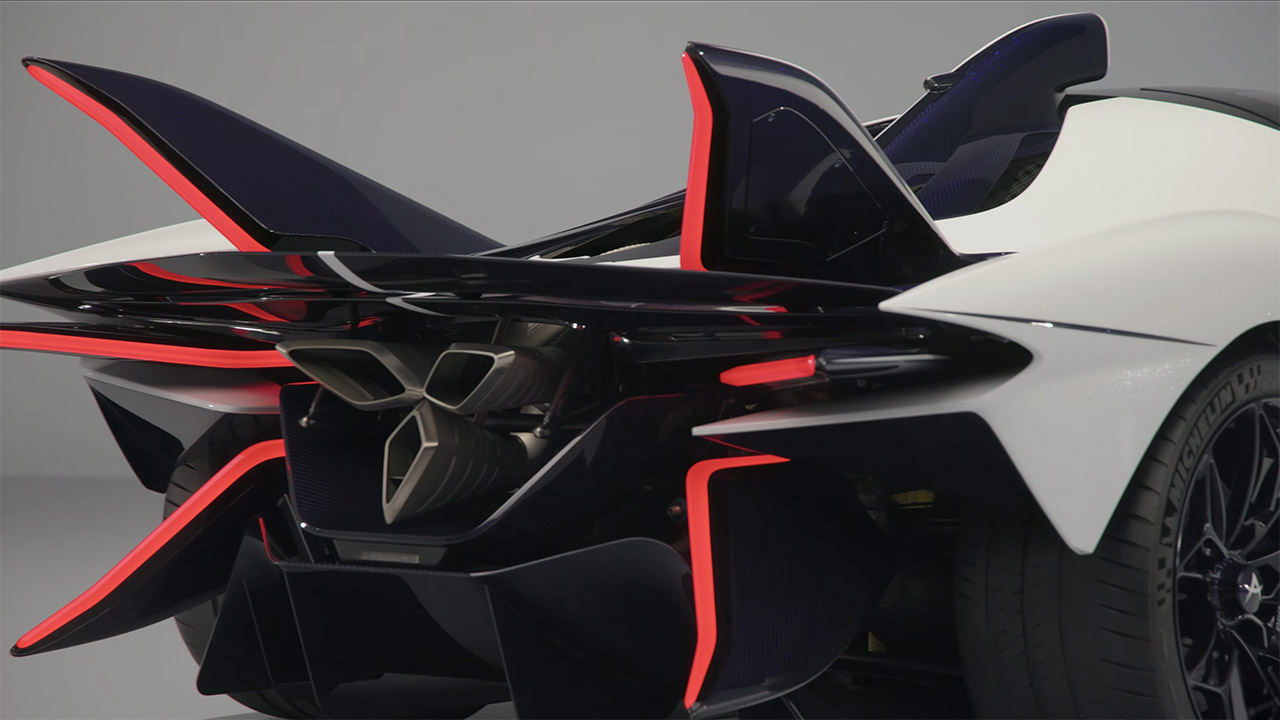
The Dragon Skin exhaust system, as Apollo refers to it, is easily visible. It is essentially a one-piece 3D-printed titanium rod, made from a single block of natural titanium, with no welding necessary. It took 123 hours to print alone, as there’s a lot of titanium. The design is also really neat; it’s sturdy, lightweight, can withstand severe temperatures, and fits snugly into the car’s aero package. After a few heat cycles, the titanium develops a gorgeous blue tinge, like to a badge of honor.
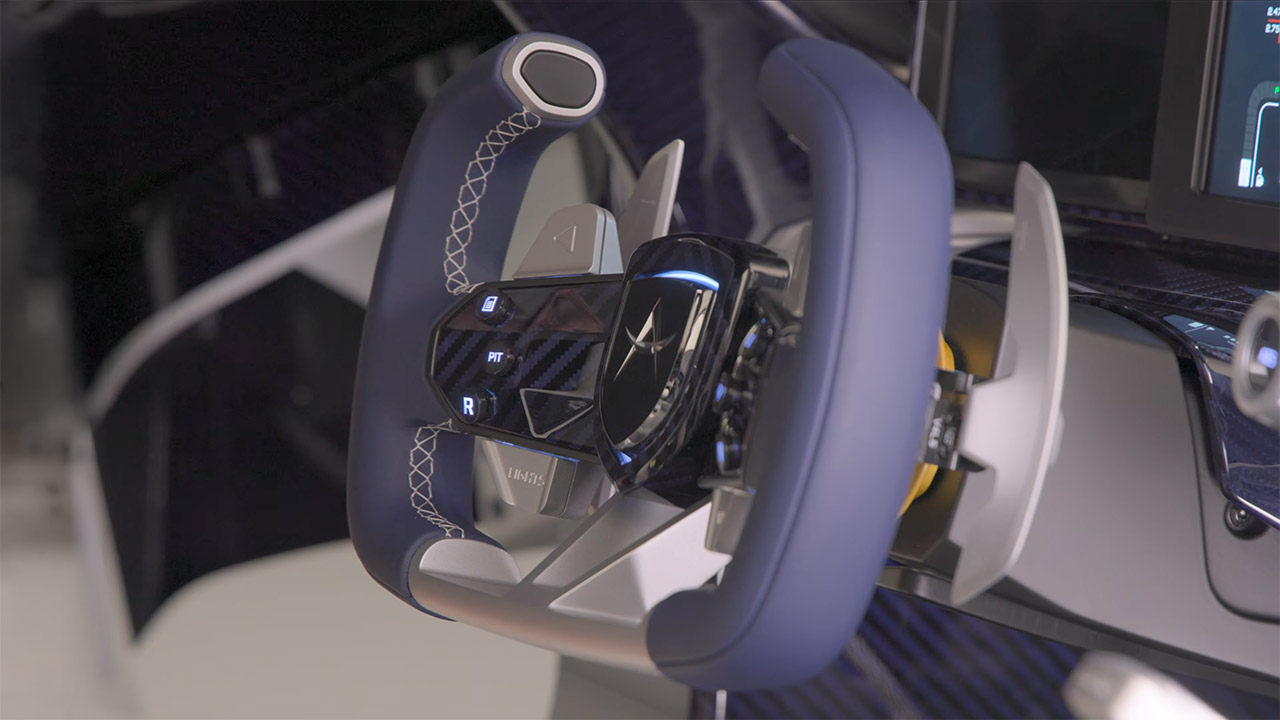
Inside the cabin, Brose created the 3D-printed aluminum framework that connects everything, as it is these precise structural pieces that hold the controls together. All of the switchgear, pedals, and other hardware are similarly manufactured in a tidy reinforced framework, reducing weight while still allowing for some fairly complicated designs that standard machining cannot match. This car’s seats are one-of-a-kind, made of bright white and ocean blue leather with blue stitching, and the Apollo emblem is embroidered directly onto each headrest. The cushion patterns are hand-trimmed and look rather special. The steering wheel is solid machined aluminum blended with blue carbon fibre and ocean blue suede, and it’s a stunning piece of craftsmanship. The dashboard is a blend of high-tech digital displays and traditional gauges, with some classic racing-style tell tales to add flair.
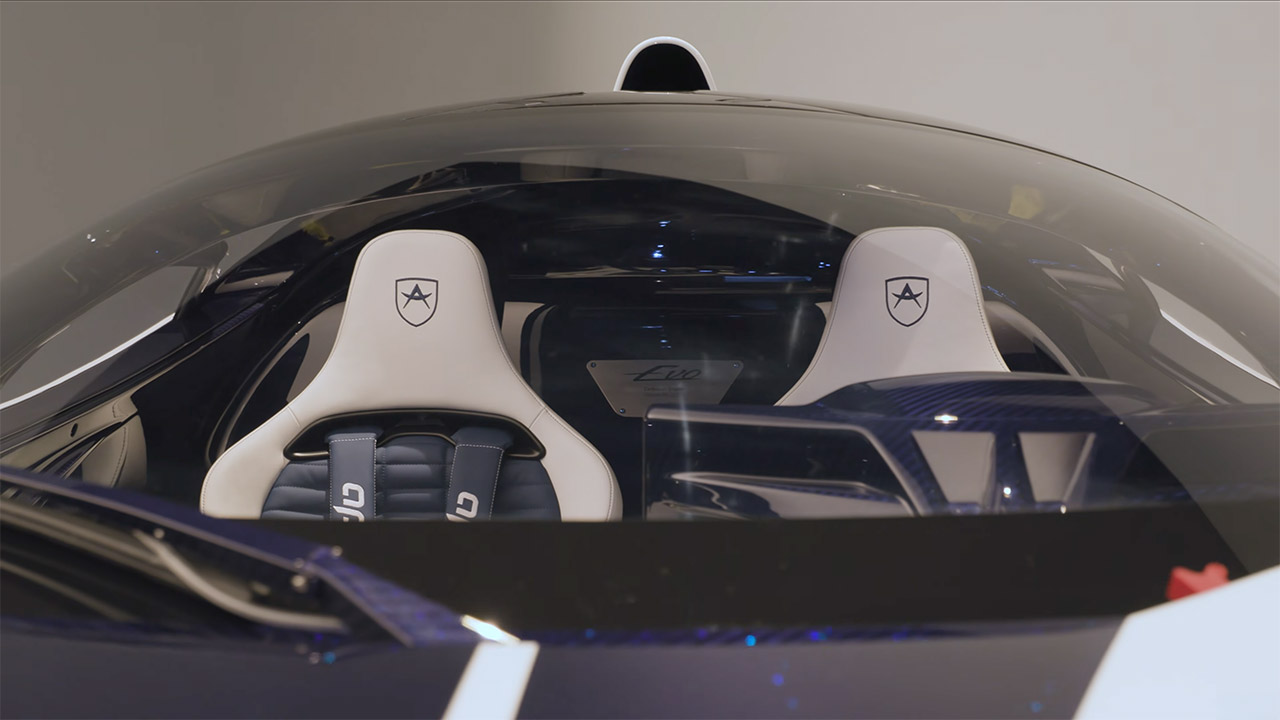
Apollo created the EVO with track days in mind, not road excursions. There will be ten automobiles in total, and each one will be hand-built using the Forged software, meaning no two will be alike. Remember that the base model costs a stunning 3 million euros before taxes. The first car was handed over to its new owner at Goodwood, signaling the commencement of deliveries and commemorating the company’s 20th anniversary. Around 70-80% of the car is completely new compared to the IE, as the suspension geometry has been altered, safety measures have been strengthened up to match current LMDH norms, and the entire upper body has been re-engineered from the ground up.
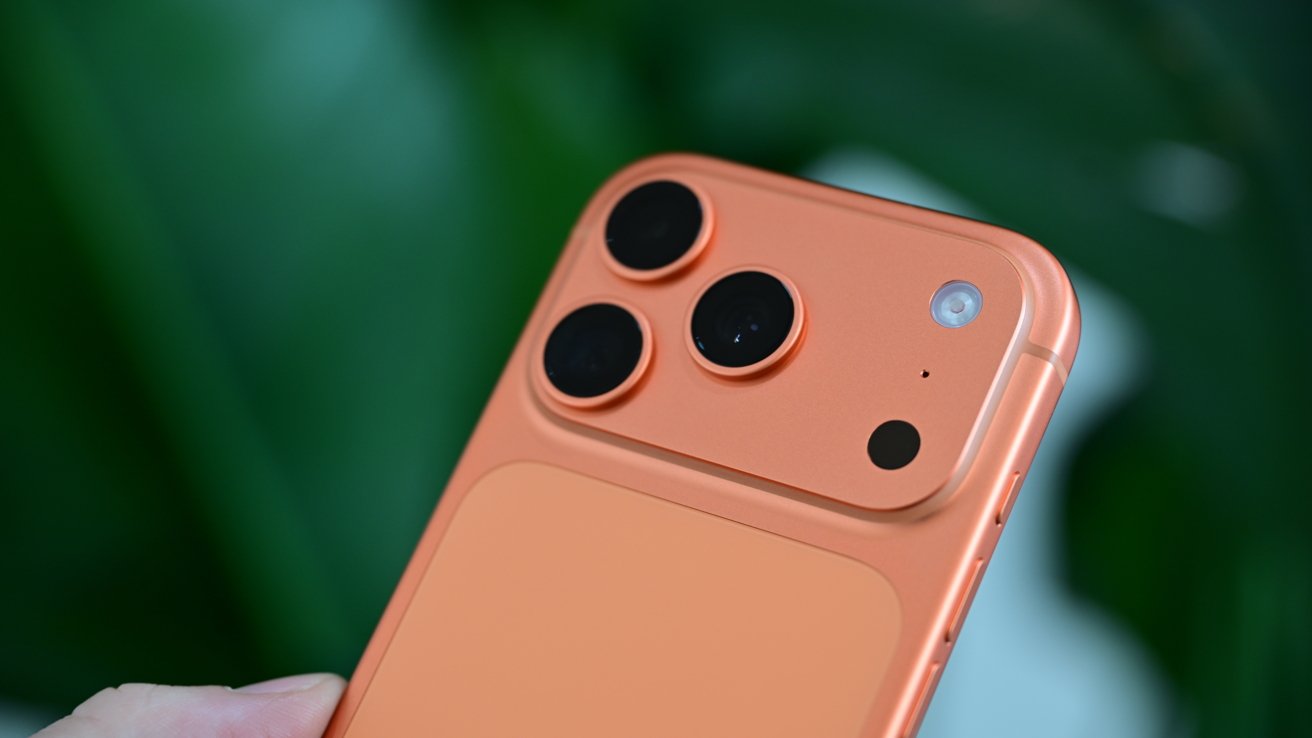
A Canadian artist dropped her iPhone 17 Pro from a plane at 3,600 feet, then found it sitting face-up and virtually untouched in a canola field. Here’s why this is more common than you’d think.
Heather Cline, a mixed-media artist from Saskatchewan, Canada, routinely takes to the skies with her husband, David, in their small plane. The goal is to gain inspiration for her artwork, which often depicts the Canadian landscape from aerial perspectives.
Recently, during an outing above Regina, Heather decided to use her new iPhone 17 Pro to help gather inspiration for a new project. Her husband wasn’t so sure about her choice.
“I had ordered a grip for it that would make it feel more like a traditional camera but it hadn’t come yet,” Heather says in a video posted to CBC’s Instagram account. “And it was a great day for flying.”
Heather settled on wearing a lanyard-style case around her neck. Unfortunately, while attempting to take the perfect shot, she inadvertently passed her phone through an airstream, which sucked it out of its case and out of the plane from more than 3,600 feet.
Thinking quickly, David prompted Heather to look for the device with Find My. The pair got a rough idea of where the phone landed and decided to track it down once they landed.
Sure enough, Heather was reunited with her iPhone. And even better: it had miraculously survived the fall and was found unscathed in a canola field.
“I go up, and I think it’s gonna be buried in the dirt, smashed, crazy,” Heather recalls. “I literally look down, the phone’s sitting there, face-up, just up against few strands of canola. And it’s like, pristine.”
Heather ends the video by laughing and saying that she’ll not be making the same mistake twice and plans on making sure her iPhone is secure before she takes to the skies again.
“Maybe we’ll cable tie it to my hand,” she jokes.
“Not a bad idea,” Dave chimes in.
While it might seem improbable that an iPhone could survive a fall from a plane, it’s actually not that far-fetched. It’s not even the first time we’ve heard this story.
Flat objects, like an iPhone, typically stabilize to fall “flat” fairly quickly during particularly long falls. Not only does this slow the phone down dramatically, it also puts it in the most ideal positioning for impact.
If you’ve ever dropped your phone from a short distance, you’ll know it can be devastating. That destruction is due, in part, because it usually doesn’t fall flat. Edge impacts, especially those on the corners, are far more devastating.
There isn’t enough time for the phone to rotate to flat, so all of the force from the fall can be delivered to a corner or edge. Less area of impact, means all that force is delivered to a small area, very quickly.
So, if you’re wondering why Heather’s iPhone survived a 3,600-foot drop into a crop, and yours broke from four feet onto carpet or concrete, you can blame the physics of aerodynamics and complex impact physics for that.
We’re not going to write 5000 words on this. Not today, at least, so let’s make it simple.
After some discussions we’ve had with the US National Institute of Standards and Technology, some case manufacturers, and Apple over the years, we know that a phone reaches maximum velocity that is notably lower than terminal velocity of a spherical object falling, after about a 335-foot fall.
A six-foot iPhone fall impacts the surface it hits at about half the speed of that 335-foot fall. And, since it hasn’t time had to flatten out on the short fall, a corner or edge impact is far likelier.
Also, the landing surface matters. Concrete stops the phone instantly, causing an immediate energy transfer. Grass or dirt cushions the blow by extending the stopping time, which drastically lowers the peak impact force.
In the case of airplane drops, it seems that more often than not, the fallen iPhones land on fields or grass, rather than a building, sidewalk, or road. And, they nearly always land on the front or back of the phone, rather than a corner, spreading the force of the fall over a larger surface.
All this contributes to why an iPhone can improbably survive a fall from 3,600 feet. Even if it wasn’t in a case.
It still takes a massive engineering effort to crash-proof an iPhone, and we don’t want to dismiss that. But there are reasons why iPhones can fall from a great distance and survive, while not surviving a short fall.

AI companies are increasingly turning to printed books published before 2022 as preferred training material because those works predate the widespread use of AI-generated content.
Large-scale scanning operations reportedly involve cutting book spines, separating pages, and destroying physical copies to create digital datasets for large language models.
The practice has attracted growing criticism because some books entering these pipelines are reportedly extremely rare, raising concerns about irreversible cultural losses.
Latest Videos FromTechRadar
Reports by 404 Media found data broker ISBNdb supplies physical books in bulk to AI developers seeking human-written material unaffected by modern chatbot output.
The company argues books published before 2022 offer cleaner datasets because they cannot contain text generated by contemporary large language models.
They are often considered “dense, edited, authoritative,” in contrast to internet content increasingly filled with machine-generated material of uncertain quality.
The approach also attempts to avoid so-called model collapse, in which AI systems gradually lose quality after repeatedly training on synthetic content generated by earlier models.
ISBNdb additionally argues that older printed works avoid deliberate data-poisoning techniques authors increasingly use to disrupt AI training through carefully modified documents.
However, there are reports that many of these books are scanned using high-speed equipment.
This equipment requires workers to remove the spine before feeding individual pages through automated imaging machines.
That process reportedly destroys the original volume, making rapid digitisation considerably cheaper than slower preservation methods designed to keep books physically intact.
ISBNdb openly acknowledges reputational concerns surrounding the practice while offering strict non-disclosure agreements that keep customer identities confidential throughout commercial engagements.
Its website reportedly states, “‘AI company destroys two million books’ is not a headline that generates sympathy,” while suggesting clients describe the process as digital preservation.
Such a level of destruction is an order of magnitude bigger than the loss of the Library of Alexandria. Yet, it is unfolding with none of the outrage that history reserves for burned libraries.
Booksellers interviewed by 404 Media said some volumes entering these scanning programmes have very few surviving copies after enduring wars, fires, and centuries of handling.
Critics argue that unlike websites or widely available modern publications, exceptionally scarce historical works cannot simply be reproduced after their physical copies disappear forever.
A recent United States court ruling involving Anthropic found that scanning legally purchased books for AI training constituted fair use under specific circumstances.
Part of that reasoning held that destroying each printed copy during scanning meant one legal copy effectively replaced another rather than creating multiple copies.
In response to a critic (@Hedgie) of this method on X, Elon Musk said, “I’ve asked the SpaceXAI team to preserve any rare books in a library and scan them the hard way,” suggesting an alternative approach.
If significant awareness is not created, this quiet erasure of irreplaceable books risks becoming the defining act of cultural loss for this era, remembered only after it can no longer be undone.

Follow TechRadar on Google News and add us as a preferred source to get our expert news, reviews, and opinion in your feeds.


For more than four decades, the U.S. Navy’s Ticonderoga-class guided missile cruisers have served as some of the fleet’s most capable surface combatants. Designed around the powerful Aegis Combat System, they have played a central role in protecting aircraft carriers, defending against enemy aircraft and missiles, and coordinating complex naval operations around the globe. However, after years of service, the Navy has begun retiring the aging class, with more ships scheduled to leave service over the remainder of the decade.
The challenge is that the Navy has no direct replacement waiting in the wings. Unlike previous generations of warships that were succeeded by clearly defined new classes, the retirement of the Ticonderoga-class vessel leaves a capability gap the service is still working to address. While several options are being considered including relying more on destroyers, no single platform is expected to immediately assume every mission currently performed by these cruisers. That uncertainty has made the future of the Navy’s large surface combatant fleet one of the most closely watched questions in modern naval planning.
The Navy originally built 27 Ticonderoga-class cruisers beginning in 1983 at a cost of roughly $1 billion each. Over time, however, age has taken its toll. 20 of these ships have already been decommissioned while the remaining seven vessels are expected to retire by 2030 as maintenance costs continue to rise and the ships become increasingly expensive to modernize. Although several cruisers have received temporary service-life extensions, Navy officials have made clear that the class is approaching the end of its operational life.
That doesn’t mean the Ticonderoga-class cruiser has become ineffective. On the contrary, they remain among the Navy’s most capable air-defense platforms. The problem is that keeping 40-year-old warships mission-ready has become increasingly difficult and costly, particularly as newer technologies continue to emerge. Earlier efforts to modernize portions of the fleet ultimately proved unable to keep every cruiser in service. As a result, retirement has become less about combat capability and more about balancing readiness, maintenance demands, and long-term fleet modernization.
For now, the Navy’s most practical solution is not another cruiser at all. Instead, many of the Ticonderoga’s responsibilities are expected to transition to the latest Flight III Arleigh Burke-class ships such as the USS Ted Stevens sporting the DDG (guided missile destroyer) classification. Equipped with the advanced SPY-6 radar and the latest version of the Aegis Combat System, these new destroyers can assume many of the fleet air-defense and command responsibilities traditionally handled by the retiring cruisers. While they cannot replicate every capability of the Ticonderoga class, they provide the Navy with an effective bridge while longer-term plans continue to develop.
Looking further ahead, the Navy expects its future DDG(X) program to eventually become the next generation of large surface combatants. However, that program remains years away, with the first ships not expected until the early 2030s. Until then, the Navy finds itself in the unusual position of retiring one of its most successful classes of warships without a direct one-for-one successor ready to take its place. Upgraded destroyers may help fill much of the gap, but exactly what ultimately replaces the Ticonderoga-class remains an open question — one that will shape the future of the U.S. surface fleet for years to come.
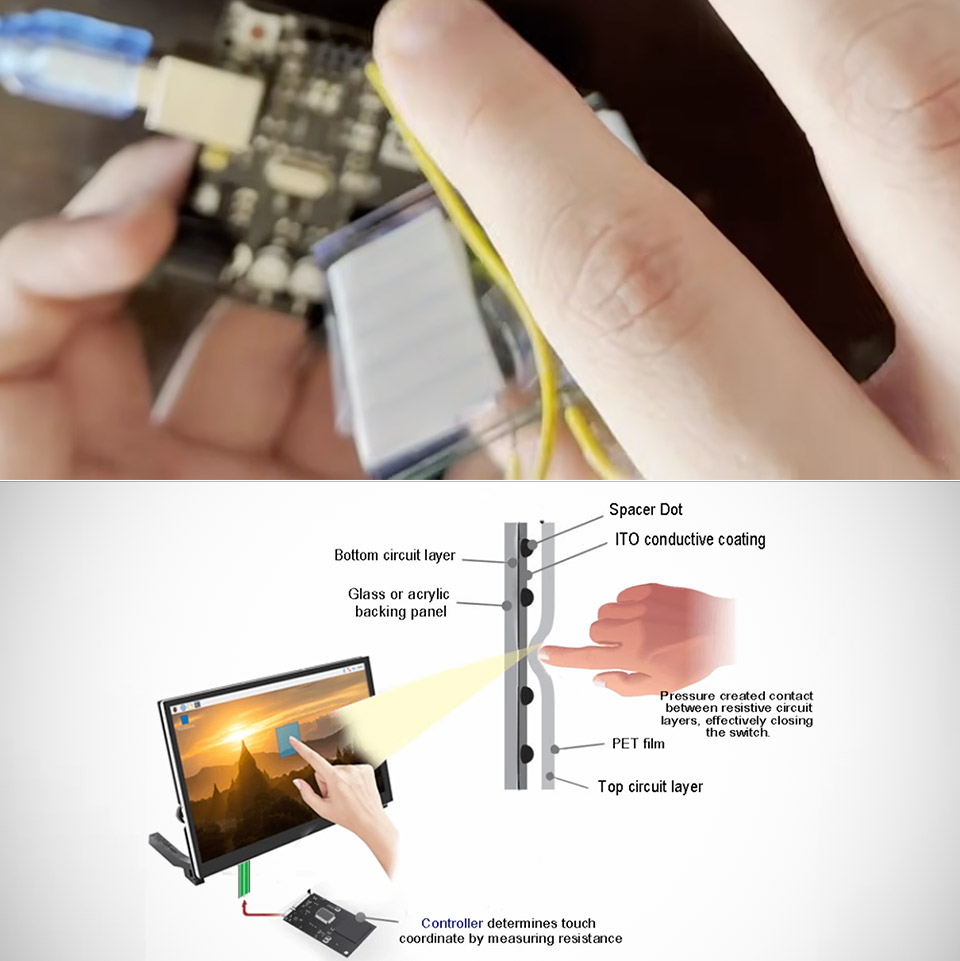
Ordinary glass stops electricity cold. It lets light through and blocks current completely. That combination works fine for windows and phone screens, yet it leaves the material useless as any kind of switch. A thin coating of indium tin oxide changes the rules. The layer is only 10 to 300 nanometers thick, nearly invisible, and still conductive enough to carry current from one edge of a small pane to the other.
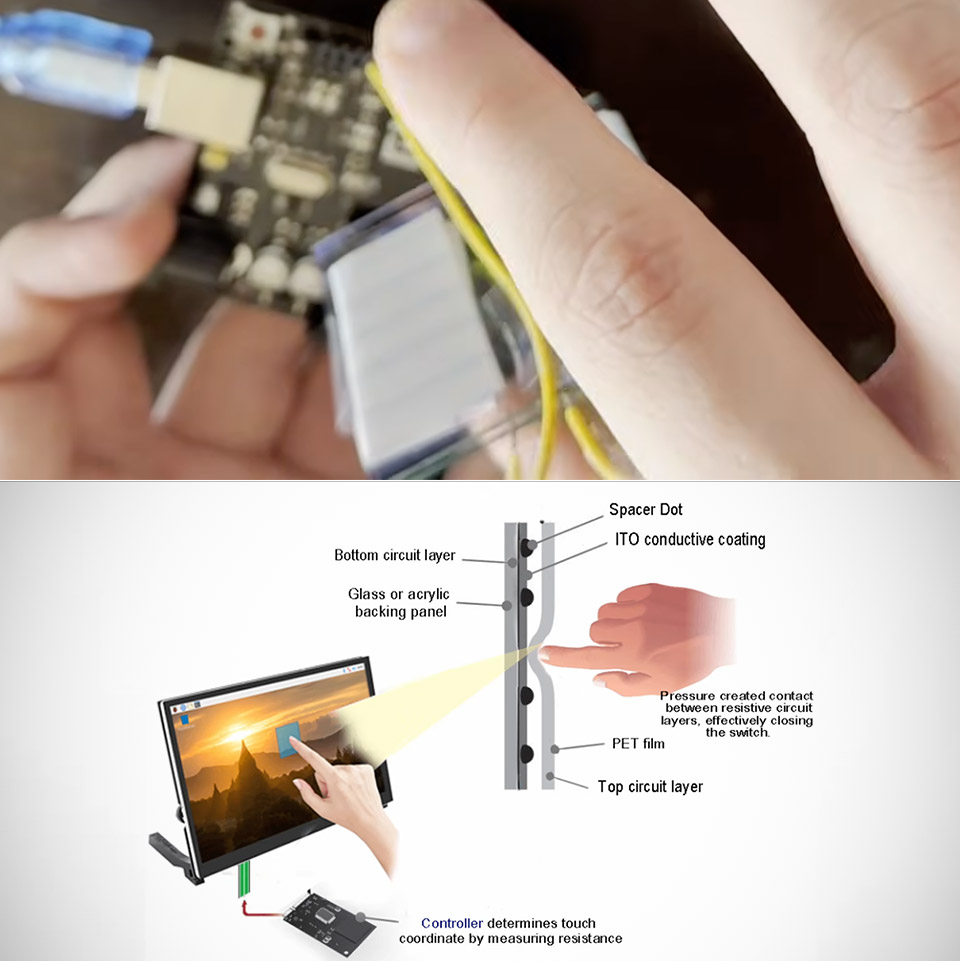
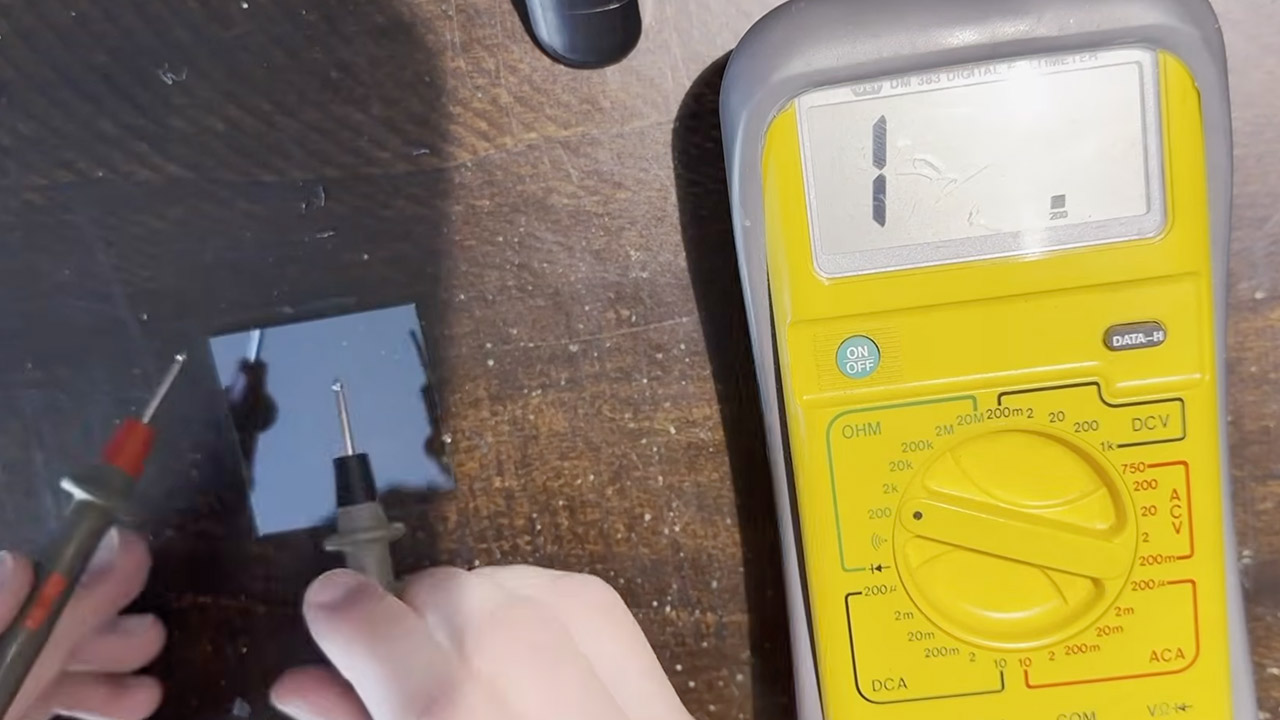
Sokol ordered a pack of this coated glass for another project and decided to use a couple of the sheets as buttons. He took his multimeter to test the coating and was thrilled to see that it performed as predicted. One side of each sheet measured around 20 ohms, but the uncoated side remained nice and open, as you would expect from plain glass. The conductive coating is only applied to one side of the glass, so bear this in mind when using it.

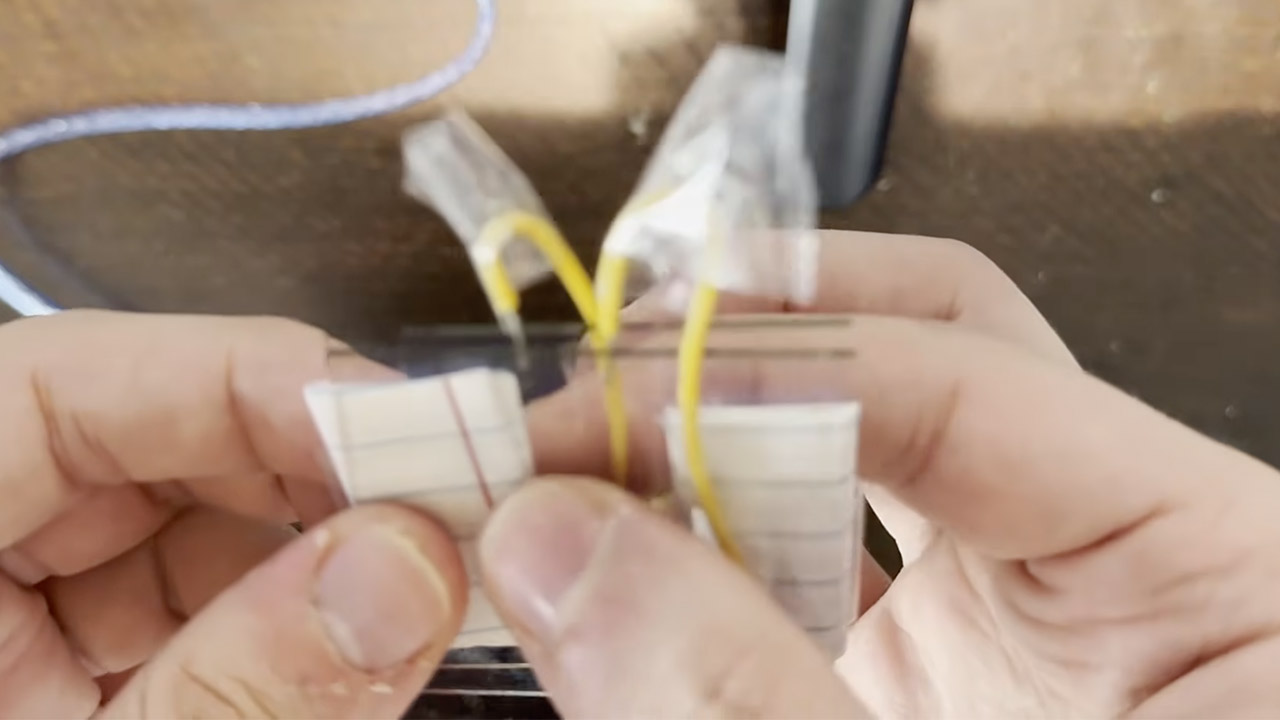
The button is made up of two of these panes, with their coated sides facing each other and a thin sheet of paper between them as a spacer. One pane is grounded, while the other is connected to an Arduino pin equipped with a pull-up resistor that keeps the pin at 5 volts even when the circuit is open. As long as the two conductive layers are apart, the pin reads high and the built-in LED remains dark; however, press down on the stack, and the glass flexes just enough for the coatings to make contact. Then current begins to flow, the pin drops to zero, and the LED illuminates immediately.
That’s the entire system, so no fancy sensors or drivers, just the old ITO film. The paper spacer keeps the surfaces from touching until you exert pressure, at which point the glass springs back and breaks contact when you let go. The whole thing is a little rudimentary and rough around the edges, but it does the job.
The same two sheets can do more than simply turn on and off. You can use the same concept to create a resistive touchscreen by applying a voltage gradient to one of the coatings, with half at 5 volts and half at zero. When the other coating makes contact, it detects the voltage where it touches and transmits it to an analog pin, which is where you receive your readout indicating where the push occurred. You can add another gradient to the opposite layer, resulting in two-dimensional placement. Sokol points out that a more polished version of this would require copper tape for consistent edges, external resistors for stable gradients, and larger glass, but the core concept is already present in the simple button.
[Source]
I’ve been a fan of PSB Speakers since I first auditioned the brand’s M4U 2 headphones back in 2013. Over its 50-plus years of operation, the Canadian outfit has consistently shown a knack for squeezing big sound into small packages. Never was that more apparent than in 2023’s Alpha iQ, a surprisingly versatile pair of powered bookshelves that pull more dynamism and musical expression out of a four-inch woofer and micro-tweeter than they have any right to.
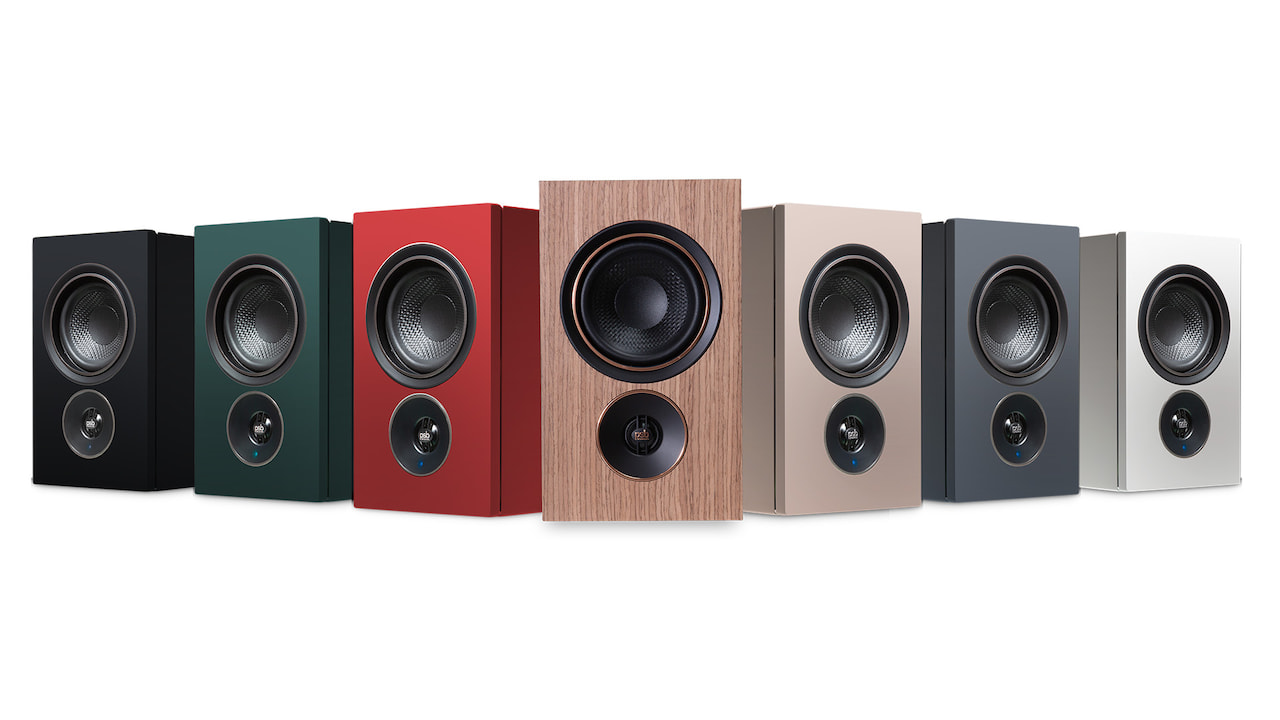
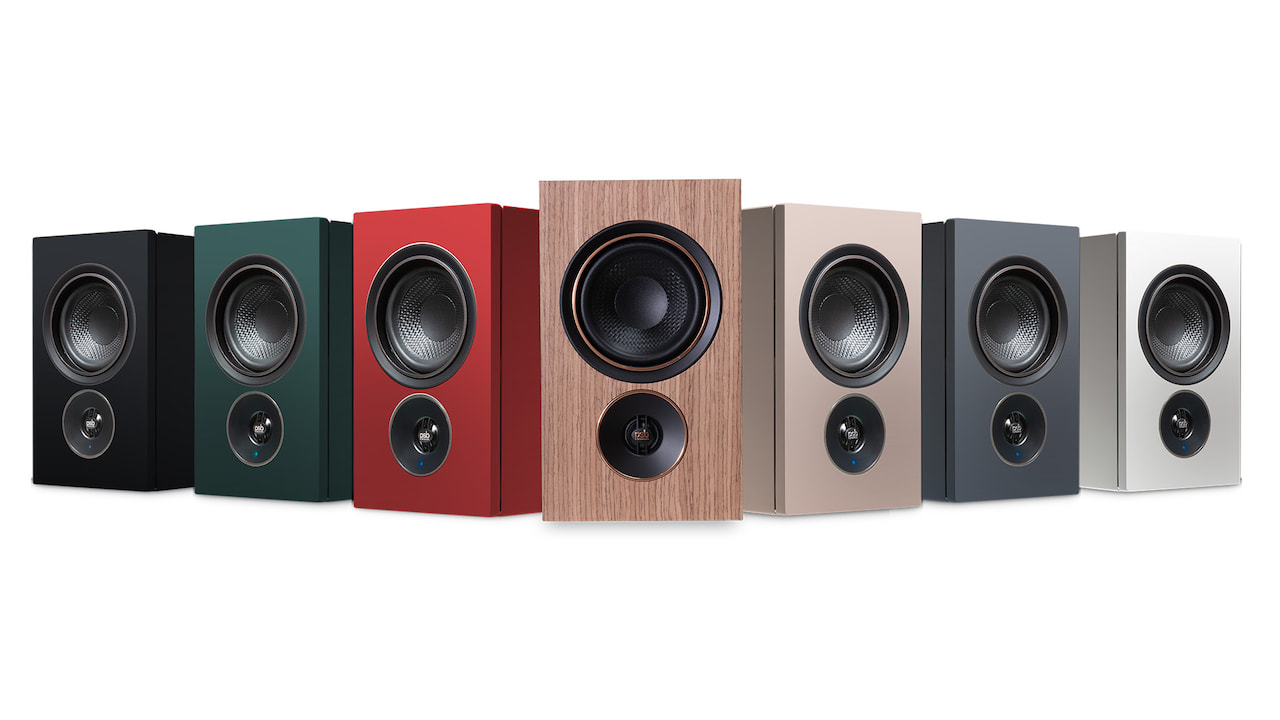
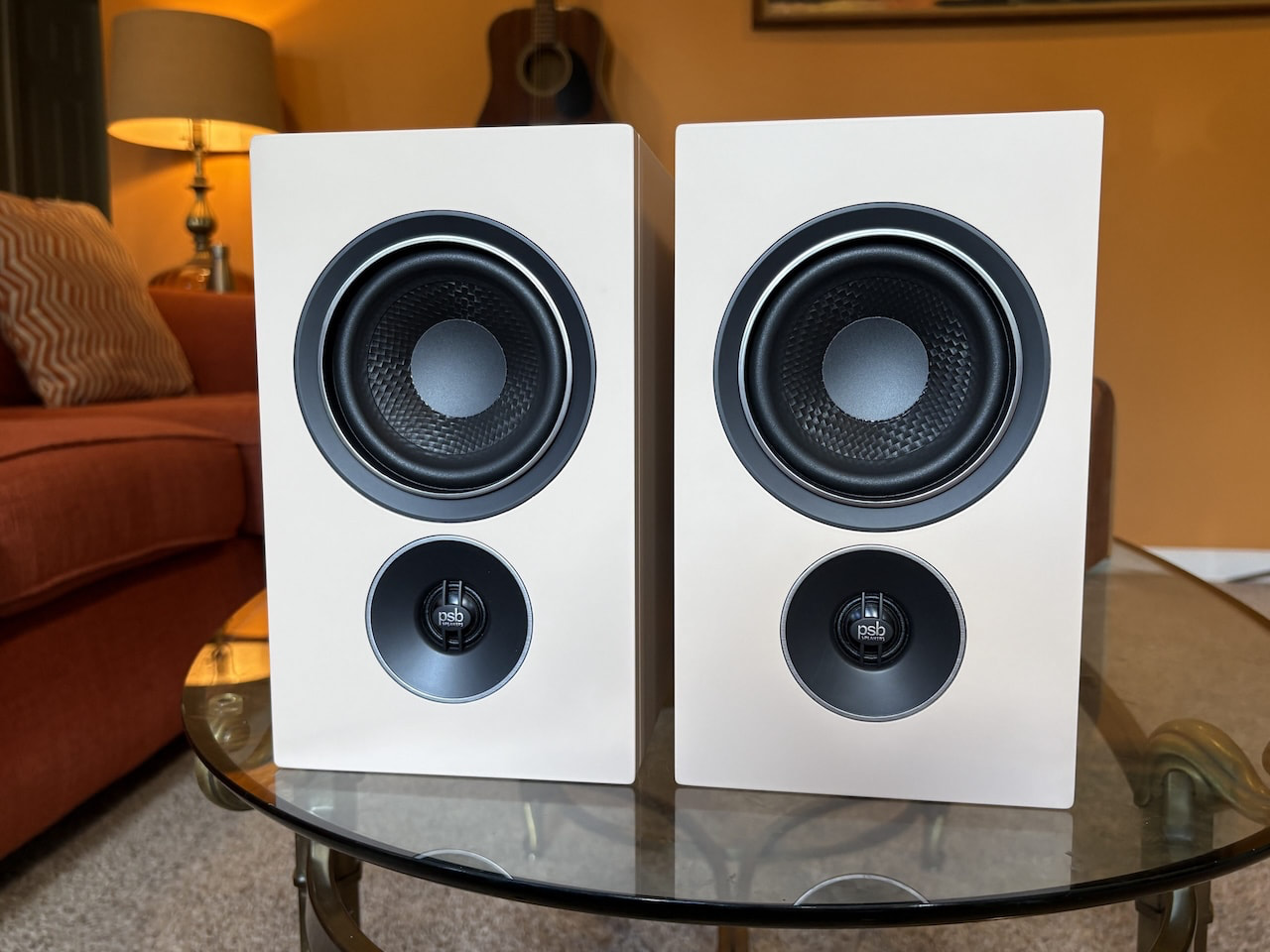
The follow-up iQ1 and iQ2 stand firmly on the Alpha’s shoulders, offering similarly potent musicality and connectivity packed into miniature cabinets, with a woofer-tweeter stack swap that always throws my brain for a loop. The new pairs also share the Alpha’s flair for stylish minimalism, especially the pricier iQ2, which adds upgrades such as a wireless connection between the speakers and a more refined veneer in colors like Ember Red and Sandstone Beige.
While the iQ’s hardware is all PSB, daily operation relies heavily on BluOS’s powerful software, which handles virtually all controls and audio settings, provides access to more than 20 streaming services, and even supports multiroom audio with rock-solid stability. Unfortunately, I can’t say the same for the iQ2’s HDMI eARC TV connection, which proved doggedly inconsistent throughout my review. The iQ2 worked great for other use cases, but without a stable way to connect seamlessly to a TV in today’s market, the package falls well short of its promise.
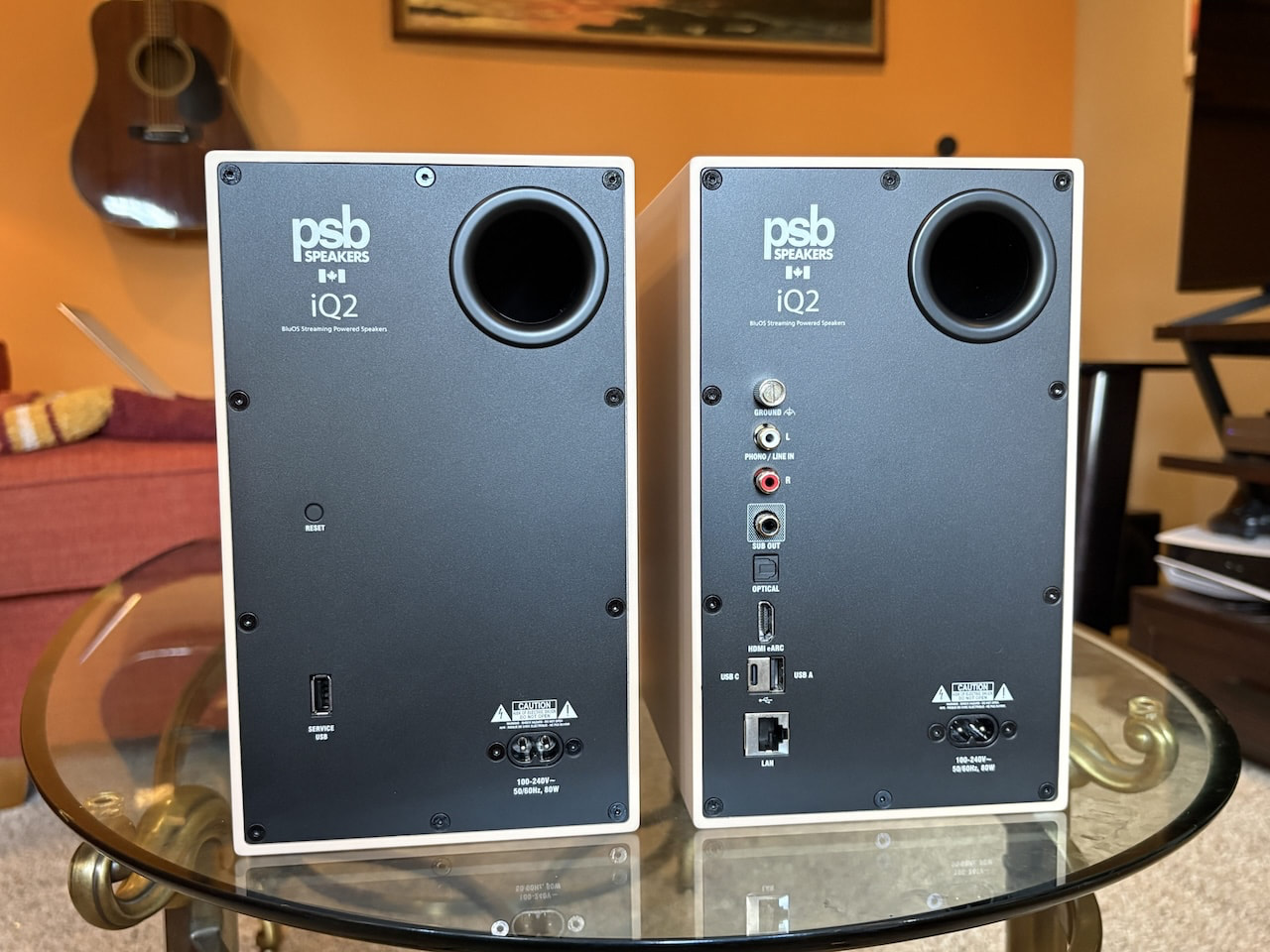
Setting up the iQ2 isn’t a major hassle for tech-savvy users, but it’s not the push-button start you’ll get from multi-room setups like Sonos, recent app issues notwithstanding. PSB’s quick guide lays out a three-step process that includes simply plugging in the speakers and downloading the BluOS app for Wi-Fi setup, but the online manual hints that Ethernet is the best option where available. As if that were an omen, the iQ2 balked at my network’s 5 GHz Wi-Fi band during an AirPlay connection, leading to multiple stallouts.
Swapping to my split-off 2.4 GHz band fixed the issue, prompting an update and a paint-drying 20 minutes or so of total connection time between the speakers. The process included blasting surprisingly loud music from the primary speaker, which houses the connection hub, to designate it as the right or left channel, but I appreciate the ability to swap the orientation as needed. Users with particularly troublesome rooms should note that the iQ2 doesn’t offer dedicated calibration.
There’s also a learning curve for those new to BluOS, or even those like me who’ve been away for a few years. For example, going into the Players tab to find the iQ2’s settings unlocks basic playback controls and options like adding a subwoofer, but there’s no way to select an input. For that, you’ll need to consult the Music tab, which includes all physical inputs, input settings such as allowing the speakers to switch automatically when a signal is detected, and access to BluOS’s 20-plus streaming services and internet radio.
It feels overengineered for a pair of speakers, but that’s because the BluOS ecosystem is designed to let you group the iQ2 with more than 60 other compatible players throughout your home from brands like NAD, DALI, and Bluesound. The app is stable and thoughtful, with features such as haptic volume control, but I wish PSB included a physical remote for quicker access to inputs and other settings. Call me old-fashioned. You do get a few controls on top of the primary speaker, including play/pause, volume, and two programmable presets.
Controls aside, the iQ2’s hardware troubles were the real frustration. HDMI eARC is designed to provide a seamless, high-resolution connection between your TV and speakers, but the iQ2’s implementation was a mess. I experienced audio cutouts across multiple TVs, including instances where the TV recognized the speakers as a source but played no sound. PSB Speakers’ PR team told me this is a known issue and pointed to a firmware fix, but it didn’t work for my review pair.

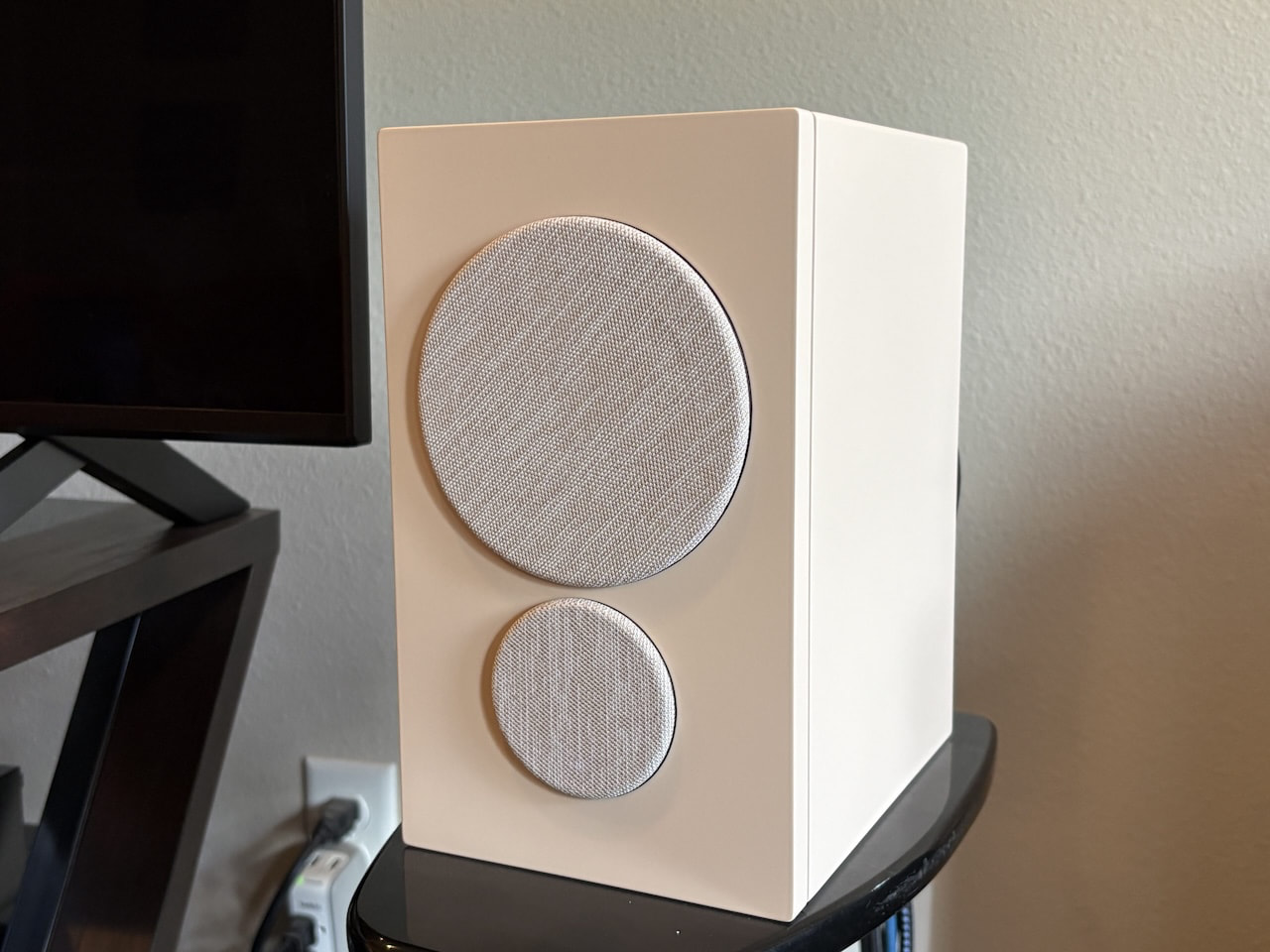
The iQ2 make a great first impression, especially in the Sandstone color I reviewed, looking both stylish and understated. The cabinets feel well built, and their fingerprint-resistant veneers ensure that the refined aesthetic holds up. There’s solid heft to the compact cubes, though at under 10 inches tall, they looked almost comically small against the 75-inch Micro RGB TV I first paired them with, especially with their little magnetic hats that serve as acoustic grilles.
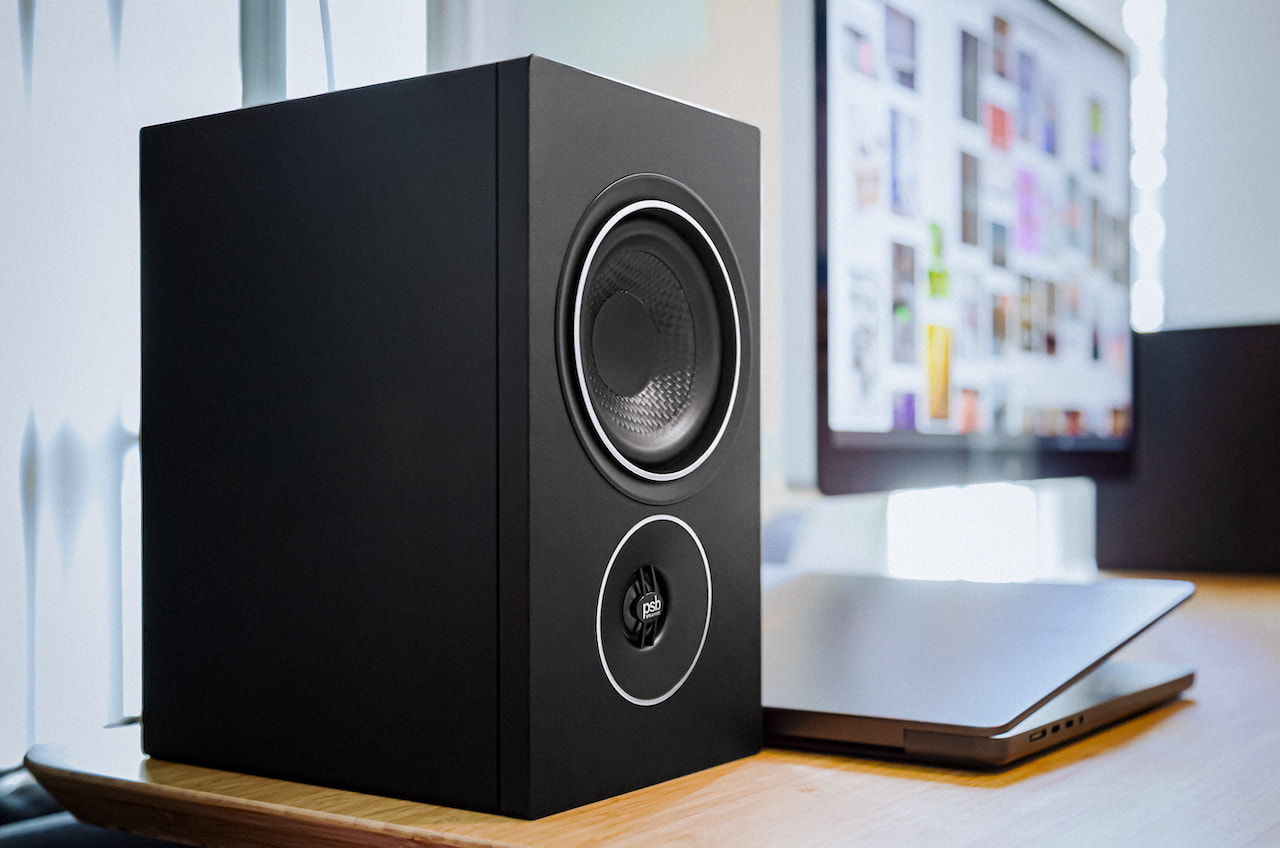
That said, the iQ2’s wireless connection means they can easily adapt to larger screen sizes, and there’s nothing comical about their 270 watts of Class D amplification. That works out to 90 watts for each speaker’s four-inch polypropylene mid-bass driver and 45 watts for each 0.75-inch aluminum-dome tweeter. PSB claims a frequency response of 65 Hz to 20 kHz, and the speakers dive toward that lower number with more authority than their size suggests.
A column of inputs on the back of the Primary speaker includes HDMI eARC, optical, USB-C playback, USB-A for external drives, a dual line-in/MM phono RCA input adjustable in the app, Ethernet, and a subwoofer output.
Streaming support includes Spotify Connect, TIDAL Connect, Qobuz Connect, and Apple AirPlay 2. You’ll find many more options in the BluOS app, including Deezer, Napster, and iHeartRadio, to name a few, but not Apple Music. Other streaming options include access to internet radio stations, local network files at up to 24-bit/192 kHz, and Bluetooth with aptX Adaptive.
I started testing the iQ2 via lossless Spotify Connect and was quickly reminded why PSB holds a special place in my mind’s cluttered library of audio brands. A bit like Canadians themselves, the iQ2 are unassuming at first, but digging deeper reveals an effective mix of confidence and depth. Their sound signature is clean, smooth, and effortlessly natural, with accurate stereo imaging and more bass than you’d expect from micro speakers.
With the iQ2 playing in the background as my pre-toddler arrived home from daycare, I was constantly distracted by their penchant for drawing out instrumental timbres, from satiny brass and woodwinds to gritty electric guitars and poppy percussion. They do a good job of leaning into different genres, with enough finesse to give each instrument its own space, from the dual vocals in Too Short’s “Money in the Ghetto” to the cacophonous horns in The Beatles’ “Good Morning.”
The warm midrange can make more laid-back mixes sound a little flat, but its keener topside adds some excitement to higher-register instruments and effects without feeling sharp or brittle. The sweet yet pointed treble makes easy work of speedy transients like the reverberating synths in Sweet Spirit’s “Baby When I Close My Eyes,” fluttering the effect back and forth across the stereo image with a deft touch that stands out more readily than in options like SVS’s Prime Wireless Pro.
Bass is firm and well-rounded, if not particularly revelatory, until you remember the size of the drivers, which outflex just about any four-inch woofers I’ve encountered, including options like U-Turn’s more rugged-sounding Ethos speakers. Even some larger 5.25-inch drivers provide less mid-bass punch. It’s enough groove to be tantalizing, but if you’re after raw emotional power, you’ll need a subwoofer. As usual, my SVS 3000 Micro was a great pairing, firming up the lowest frequencies with richer musicality and some sledgehammer punch while opening more space in the upper registers.
Turning to vinyl with my Orbit Theory turntable, the speakers showed off solid detail and dynamics on my go-to albums, such as Brubeck’s Take Five. Paul Desmond’s buzzy sax in “Blue Rondo” was rendered with keen precision, pulling out most of his breathy overtones. Joe Morello’s stick work had an expressive touch in moments such as his multitone tom play during the title song’s drum solo. I was less impressed when moving to the iQ2’s internal MM phono stage, which was both quieter and less precise than the Theory’s internal preamp, though that seems to be a common issue with powered speakers in this class. You can often do better with an external preamp.
Moving to TV and films, when the HDMI eARC port was working, the iQ2 proved more than up to the task of providing exciting sound effects at the sides of the stereo image and clear dialogue at the center, elevating the subtle diction in well-mixed productions like House of the Dragon. Again, the speakers brought a natural liveliness to effects such as stone hallways and bridges, crackling fires, and the woody creak of the show’s many oversized doors.
On paper, the PSB iQ models, especially the iQ1, provide a ton of value. You’ll spend a lot more to get the pricier iQ2’s wireless connection and fancier cabinets, but both models offer impressive connectivity and features matched by surprisingly good performance, especially in smaller rooms.
If not for the HDMI eARC issues I encountered, either pair would be a top pick for those after a compact system with connectivity to spare, not to mention the ability to group it with other systems in the BluOS family. As it stands, I can’t recommend the iQ1 or iQ2 until PSB Speakers can ensure simple, reliable connections for all your components.
For those seeking alternatives to the cheaper iQ1, I recommend SVS’s steadfast Prime Wireless Pro, which offers well-rounded sound and great connectivity in sleek, piano-gloss cabinets. If your budget is more in line with the iQ2, KEF’s LSX II provides similarly stylish design and colorways, along with even better sound performance. Neither pair offers multiroom capabilities, however, so if that’s important, you may need to look elsewhere or wait for PSB to provide a real fix.
★★★★★★★★★★ Sound Quality
★★★★★★★★★★ Build Quality
★★★★★★★★★★ Usability
★★★★★★★★★★ Value
The AI boom made GPUs famous. The dull chips that wire thousands of those GPUs together are quietly becoming just as valuable.
Xsight Labs, an Israeli chipmaker, has raised more than $300 million at a $2.8 billion valuation, it said on Thursday. Fidelity led the round. That is more than five times what the company was worth in 2021, a jump it made in a single year.
Xsight builds the plumbing of the AI data centre. Its two chips, the E1 processor and the X2 switch, shuttle data between servers, memory and networks. As models grow, moving that data has become one of the industry’s tightest bottlenecks, and the wiring between GPUs is now a prize of its own.
Nvidia does not just sell the GPUs. It also dominates the networking layer, which it bought its way into with Mellanox. Xsight’s pitch is the opposite of that closed kit.
Its chips are open and programmable. They run standard Linux and SONiC, and operators can rewrite the X2 switch in software after it ships, instead of waiting for new silicon. The market wanted “a high-performance alternative to closed, legacy architectures,” said chief executive Yossi Meyouhas. Xsight joins a wave of startups chipping at Nvidia’s grip on the AI stack.
This is not a lab project. Several global network operators have picked Xsight’s silicon, including SpaceX’s Starlink. Last week its processors passed a test aboard SpaceX’s new Starlink V3 satellites, Globes reported. Programmable chips suit space, where engineers fix a fault in software rather than swap out the hardware.
The selling point is efficiency. The E1 is the first 800-gigabit data processor to ship, and runs under 75 watts. The X2 moves 12.8 terabits a second while drawing 40% less power than older switches. As AI’s electricity bill balloons, every watt saved is a pitch.
The pedigree helps. Veterans of EZchip, the Israeli networking firm Mellanox bought in 2016, founded Xsight in 2017, CTech reported. Its chairman is Avigdor Willenz, a serial chip entrepreneur who has sold past companies to Marvell, Amazon and Intel.
His backers followed him in. The round drew Fidelity, Intel Capital, T. Rowe Price, Battery Ventures and Valor Equity Partners, among others. The cash will fund the next chip generations and a bigger sales push at Tier-1 hyperscalers.
The money pouring into AI infrastructure is no longer chasing only GPUs. It is chasing everything around them, from power stations to the wires in the rack. Xsight is betting the winners in networking will be the open ones.

This week on the GeekWire podcast: Microsoft and Amazon both reported quarterly numbers, and both stocks rose on cloud results that beat expectations. Is all that AI spending paying off? And in related news, Microsoft sees a rare annual headcount decline, hitting product R&D hardest.
Plus: Satya Nadella builds a Power BI dashboard out of an analyst’s research report, and touts it on the earnings call to make a bigger point. Jeff Bezos names Amazon’s chips business as the long-awaited fourth pillar. And AI House managing director Jacob Colker delivers a much-needed pep talk for Seattle tech, calling on the region to recognize and build on its strengths.
Microsoft and Amazon earnings
Amazon’s fourth pillar
A rallying cry for Seattle tech
The Washington tech ecosystem
Subscribe to GeekWire in Apple Podcasts, Spotify, or wherever you listen.
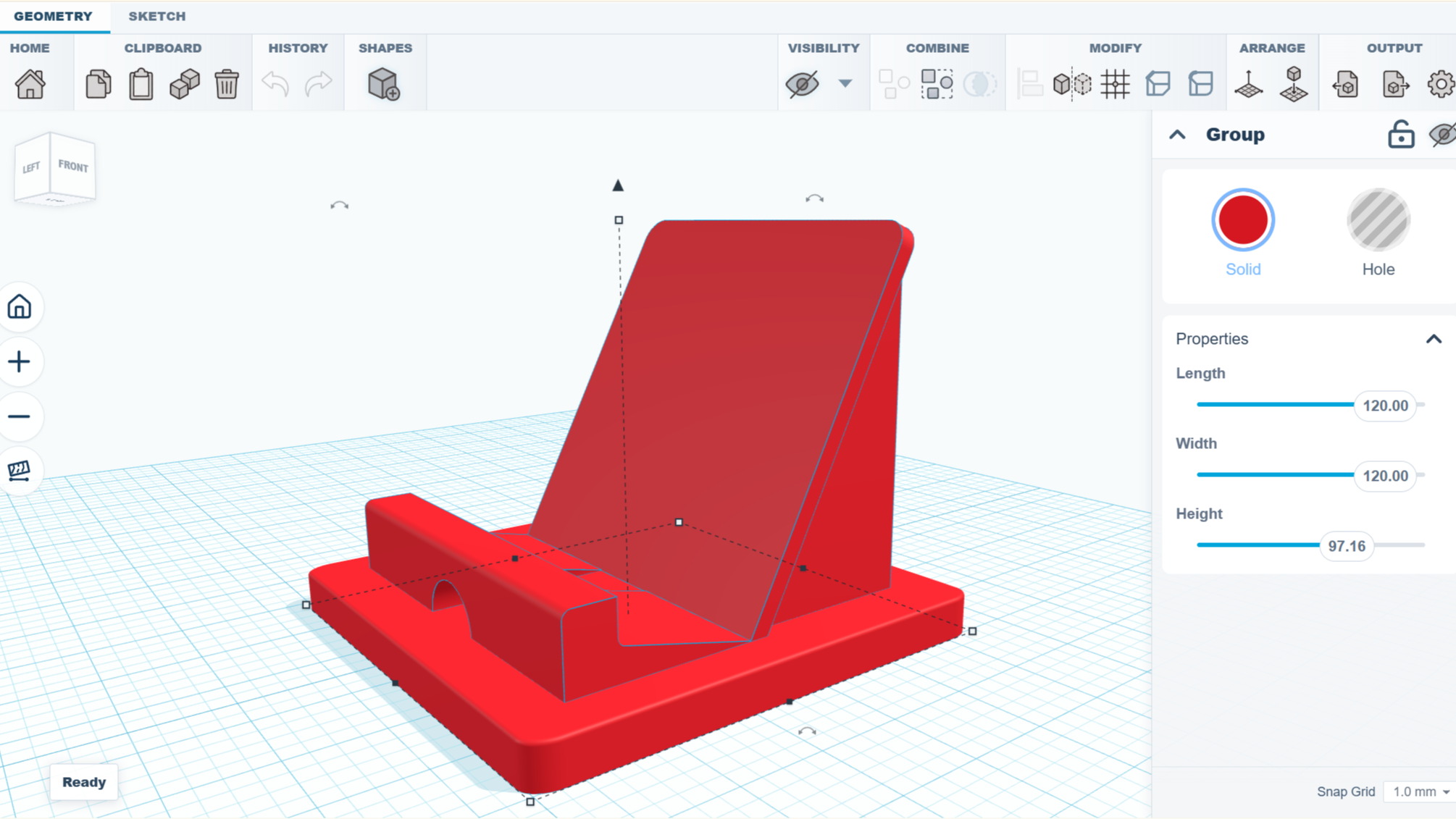
Got an idea and want to make a simple 3D model, but don’t want to install a full-fledged CAD modeling suite and queue up a few hours of tutorial videos? Check out SketchForge, a 3D modeling program that runs locally in one’s browser without any need for an account, or external services.
SketchForge takes a more WYSIWYG approach to 3D modeling by making it easy to put an object together with primitive shapes, and making it extra easy to specify dimensions and align parts with one another. There’s also a sketch feature that makes it easier to create more complex shapes by making a 2D drawing, then extruding or revolving it into a solid. We like that it has STEP format export as an option, making it easy to import your creation into another CAD program of your choice later. Most 3D printer slicers natively support the STEP format nowadays, too.
It’s a bit reminiscent of Tinkercad in concept, but entirely local. It’s still new, but there’s a demo online that gives a good idea of its capabilities if you’d like to give it a spin.
We’re reminded of CaDoodle, another project that takes the “Tinkercad, but local” approach but as a standalone executable, instead of browser-based.
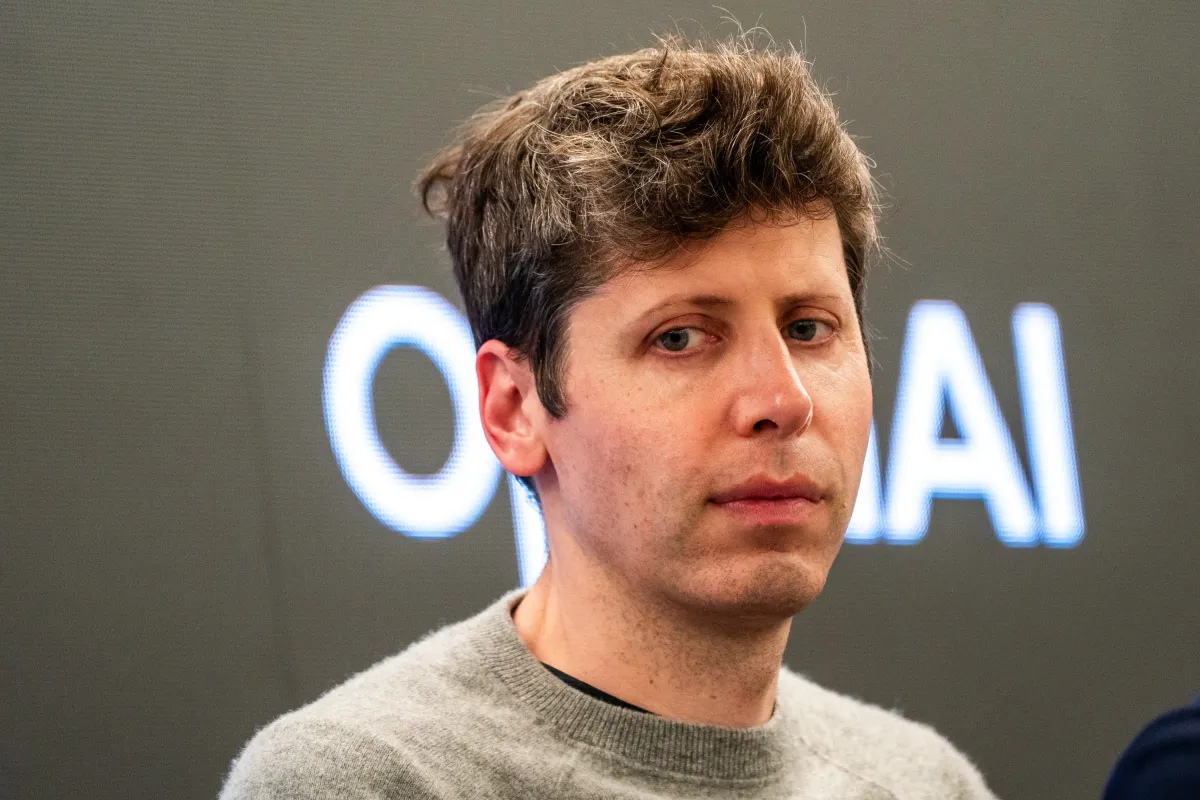
OpenAI CEO Sam Altman seemed excited to share what he called a “cool use case” on Friday, posting that parents could “connect your family calendars and explain your kids’ interests” to the company’s new product ChatGPT Work, then “every morning for the drive to school, have it make a podcast that talks about one kid’s soccer game that afternoon, one kid’s upcoming birthday, some news, etc.”
Altman’s post prompted lots of virtual eye-rolling, including a simple response from Alex Hirsch, creator of the animated series “Gravity Falls”: “What if you just talked to your children”?
Hirsch’s question seems to have gone even more viral than Altman’s initial post — while Altman’s comment has been reposted around 300 times and liked around 9,600 times (as of Saturday morning), Hirsch’s response has been reposted 9,000 times and received 122,000 likes.
This isn’t the first time a tech CEO has promised that AI can shield users — and specifically users’ morning commutes — from the messy realities of human experience. Last year, Microsoft CEO Satya Nadella said he’d stopped listening his favorite podcasts during his morning drive; instead, he asked an AI chatbot about those podcasts.
Altman’s post also echoed comments he’s made about parenting in the past, most notably when he appeared on “The Tonight Show with Jimmy Fallon” and declared, “I cannot imagine having gone through figuring out how to raise a newborn without ChatGPT.” (Though he was also quick to acknowledge, “Clearly, people did it for a long time, no problem.”)
Getting parents on-board seems to be a priority for OpenAI, which recently posted a job listing for a product manager with experience building trust-sensitive consumer experiences for parents and families.
But while the company has added safety features for parents, it also faces multiple lawsuits from parents and families alleging that ChatGPT played a role in loved ones’ delusions and suicides. (The company has said it’s “continuously improving how our models respond in sensitive interactions.”)
When you purchase through links in our articles, we may earn a small commission. This doesn’t affect our editorial independence.



Commonwealth Games boxing: Jadumani Singh seals dominant 5-0 win over Pakistan’s Sumama Rehman to enter quarter-finals | Commonwealth Games News


Why Trees Belong on the Risk Register


Weekend Open Thread: Wit & Wisdom


Intel is reversing course and bringing hyper-threading back to its server chips


Meta enters AI-training agreement with far-right ‘propaganda rag’ Newsmax


Luke Littler dismantles Gerwyn Price to retain title in Blackpool


MicroStrategy Post-Earnings CLARITY Act Push Could Add New Catalyst for Its Stock


The Part of the Electric Transition Nobody Wants to Discuss


BITCOIN JUST ENTERED THIS CRITICAL ZONE…

‘Stargate’ Creator’s New Sci-Fi Series Returns for Season 3 Tomorrow


Major shareholder moves on Canyon


XRP Ledger adds $2.6B as RWA inflows rank second


Spain sweeps the board at 2026 World Cup with individual awards


Bitcoin Enters the 3rd Stage of the Bear Market
XRP Ledger v3.3.0 brings five institutional features


Sara Gilson Killed By Husband After Viral “Pedophile” TikTok Video


Kraken Enables Retail Access to Jersey Mike’s IPO via Tokenized Shares

New macOS Sequoia & Sonoma security updates for older Macs


Claude: Build Financial Dashboards in Minutes (2026)


Luke Littler’s dominance sparks GOAT debate



You must be logged in to post a comment Login