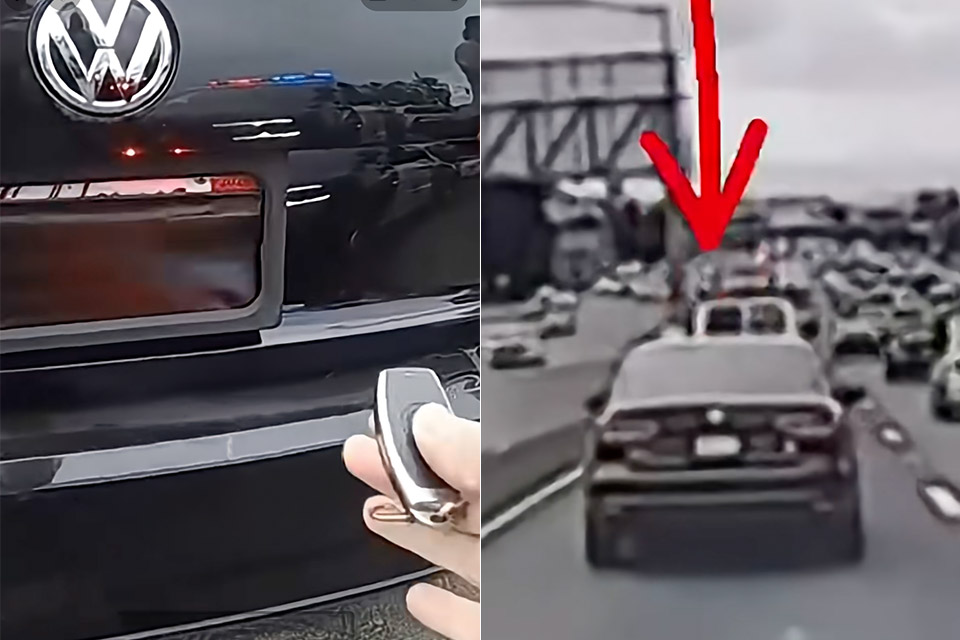
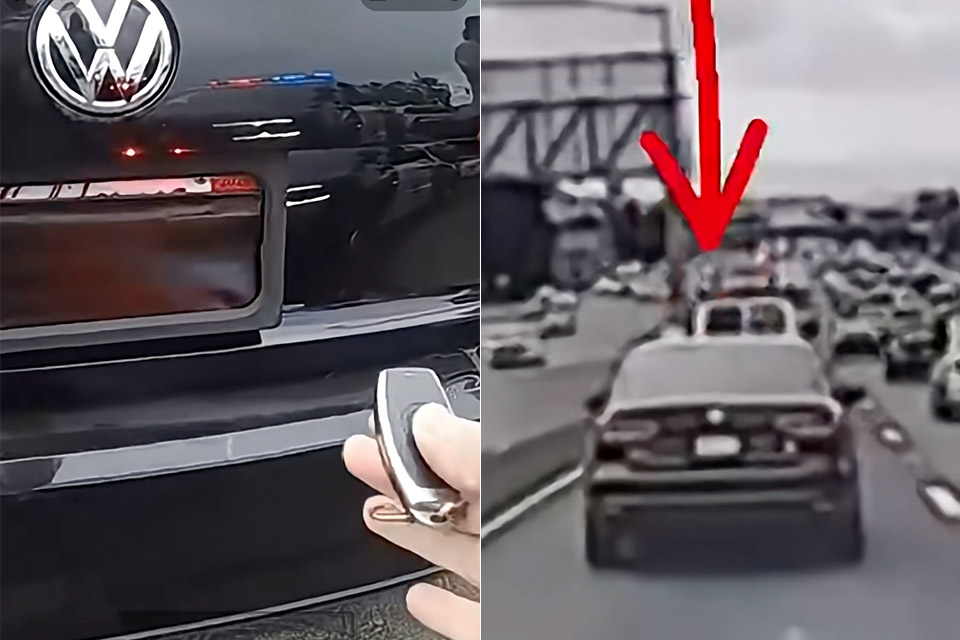
A black Volkswagen Jetta rolled through an Express Lane in Solano County with a blank bumper where a rear plate should have been. A California Highway Patrol cruiser in the next lane caught that empty space on dashcam, then saw the same car moments later with a full, readable California plate sitting in place. That change was the whole stop.
Officers stopped a Jetta, and there was just one driver inside. After speaking with the motorist, CHP Solano learned that the strange hardware on the bumper was intended to avoid paying Express Lane costs and Bay Area bridge tolls. The office later posted the encounter with a short line that has already traveled farther than the car did that day. “Now you see it, now you don’t.”
【Wireless Apple Carplay & Android Auto】Enjoy seamless wireless carplay and android auto connectivity for your phone’s music, map navigation…
【OTA Updates】Keep your device up to date with over-the-air firmware updates, so you’re always one step ahead. This wireless CarPlay screen…
【Phone Mirroring Link & Four Audio Outputs】This 9-inch CarPlay screen supports mirroring for both iOS and Android phones. The double-DIN car…
On body camera footage, that hardware appears to be quite typical. An officer picked up a small remote that functions similarly to a key fob, hit a button, and a black shield swooped over the plate, erasing the numbers. With another squeeze, the cover fell back out, revealing a standard licence plate. In the video coverage, that panel is described as a sliding cover or a raised shield, which is basically the same type of motorized frame you can buy online as plate hiders, flippers, and curtains, and a driver can hide the tag on the way up to a bridge, then revert it before the cameras get a clear look.
Advertisement
Tolls in that section of the state do not require a person at a booth to check your plate because Express Lanes and Bay Area bridges combine FasTrak readers with overhead cameras. If the transponder does not respond, the camera captures a photo of the rear plate, and the agency sends the bill to the owner. Cover the plate for a few seconds, and the snapshot comes back empty. Pay by plate only works if you are prepared to display your plate, which is why there is a removable cover like this.
California has previously excluded the concept from the Vehicle Code. Section 5201.1 states that you are not permitted to operate a vehicle with a removable frame, flipper, or any other device designed to conceal a license plate from view or electronic readers. The base fine is $250, before the state and county add extra costs and take it from there. Section 5201 still requires plates to be properly attached, visible, and readable at all times. If you don’t pay your tolls, you’re also breaking another law, 23302(a)(1), which will result in civil penalties and a DMV hold, prohibiting you from renewing your registration. The same chapter was tightened in 2025 and 2026, including any goods that seek to peel or paint over a plate’s reflective coating, preventing cameras from locking on it. [Source]
Your phone isn’t the only device that may need an update when Android Auto starts acting up.
TY Lim/Shutterstock
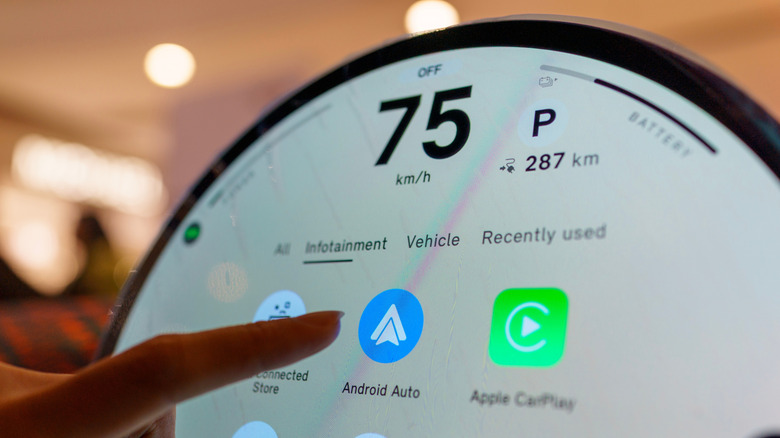
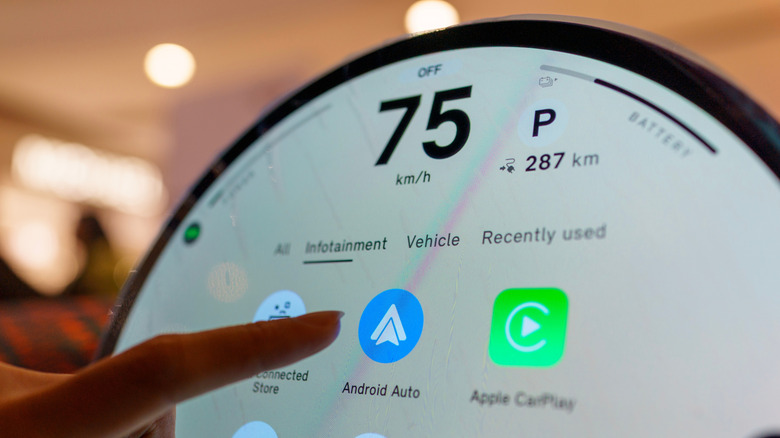
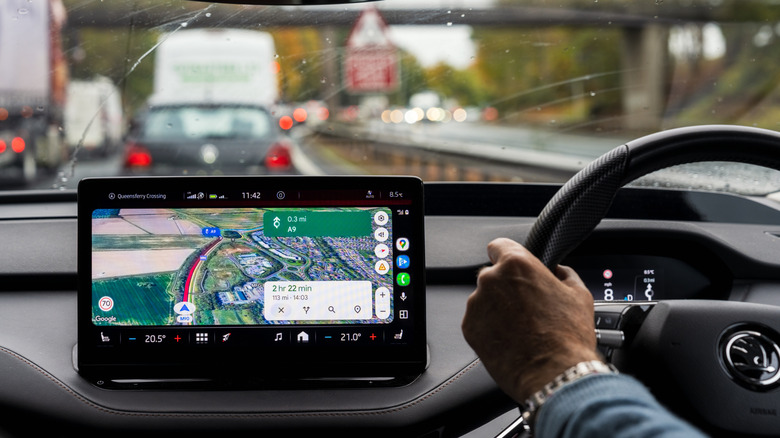
There are many reasons why Android Auto may stop connecting, and the initial fixes typically focus on the phone and connection. You inspect the cable, restart the device, forget the car, reconnect it and make sure Android Auto is up to date. If all that fails, however, the software that requires attention might be in the dashboard.
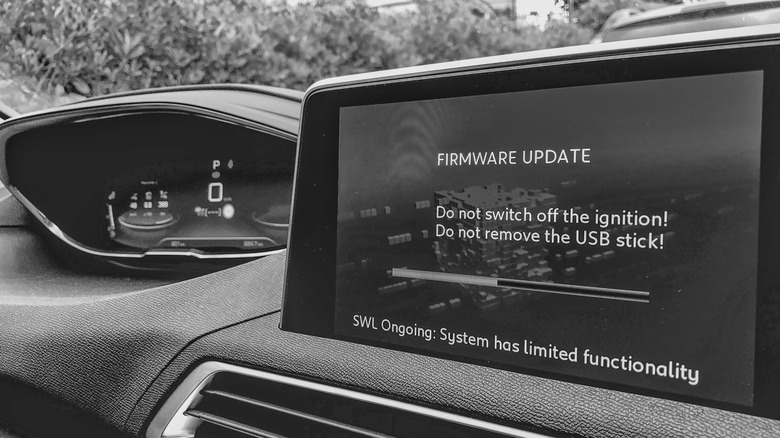
Your car’s infotainment system also has software, and if it’s out of date, it can cause Android Auto connection problems. Google advises users to restart the infotainment system and, if the receiver is an aftermarket Pioneer or Kenwood unit, to visit the manufacturer’s website and check for a firmware update.
Android Auto relies on the phone and car working correctly, and if you just focus on the phone, you may be missing half the equation. If none of the above has worked, including changing cables, reconnecting the phone or restarting the phone, then the car’s software is another area to consider.
Advertisement
Your car might need an update as well
Jovannig/Getty Images
Automakers have been sending out infotainment updates that can improve Android Auto, and Hyundai’s February 2026 infotainment update for ccNC-equipped cars in Europe included improved wireless Android Auto and Apple CarPlay connectivity, quicker reconnection if the phone goes unresponsive and automatic restoration after a restart. Chevrolet makes the point more directly: on applicable vehicles, it lists updating both the phone and vehicle software as the first troubleshooting step when Android Auto won’t connect.
How you install an update depends on the car. Some systems can download software via Wi-Fi, while others use a USB drive or SD card, and some manufacturers also offer dealer assistance. For example, Uconnect allows supported systems to be connected to Wi-Fi via the vehicle’s settings menu.
Therefore, there is no universal button for updating infotainment firmware. Start at your car manufacturer’s website and follow the directions for that infotainment system. If the site asks for your VIN or model details, provide them. If the process is not clear (or the manufacturer states that it must be installed by a dealer), a dealer is the safer route than getting an update file from elsewhere.
Advertisement
A firmware update won’t fix every Android Auto problem
Georgeclerk/Getty Images
If Android Auto stopped working right after a phone or Android Auto update, check Google’s Android Auto Known Issues page before changing the car’s software. Google recently addressed connection problems affecting Pixel 10 and Samsung S26 phones and was still investigating an S25 connection issue. That timing can help you decide which side of the connection deserves attention first.
Updating the car is a troubleshooting measure and not a magic bullet. If Android Auto was working before, the standard phone-side troubleshooting has failed and newer infotainment software is available, an update is one more thing to check off before scheduling a service appointment.
Advertisement
Firmware is not without its restrictions. It’s not always able to add Android Auto to hardware that didn’t support it to begin with. Uconnect says its systems can’t simply be upgraded to add Android Auto or CarPlay, while Uconnect 5 and select Uconnect 4 and 4C systems include both.
Apple has revealed plenty about the iPhone Duo’s cameras, but there’s one detail it’s keeping to itself: the resolution of the under-display FaceTime camera.
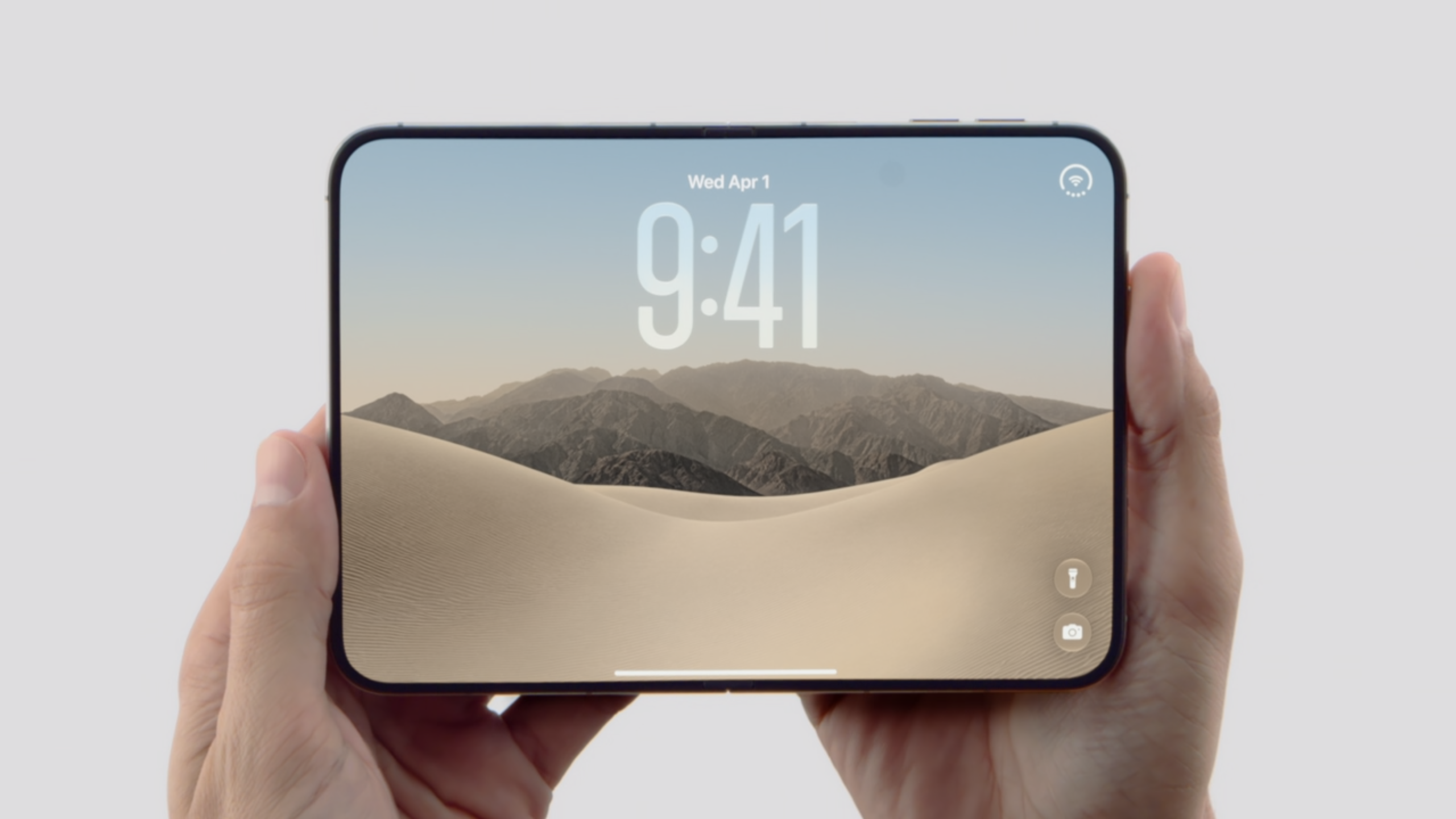
The camera sits beneath the foldable iPhone’s 7.6-inch inner display, making this the first time Apple has used an under-screen camera on an iPhone. While Apple has detailed the 12-megapixel camera on the outer display and the two 48-megapixel rear cameras, it hasn’t said how many megapixels the hidden camera has.
Apple does confirm that the under-display camera has an f/1.8 aperture and can record 1080p video at up to 60fps. It also gets Center Stage for video calls, tap-to-zoom and rotate, ultra-stabilised video, Animoji and Memoji support, lens correction, Auto image stabilisation, QuickTake, Spatial Audio, stereo recording, wind noise reduction and Audio Mix.
The 1080p limit offers a clue about what’s underneath the screen. A camera needs at least around 2 megapixels to capture 1080p footage, while the lack of 4K recording could suggest the sensor is below 8 megapixels – although that remains speculation until the company provides more information.
Advertisement
The f/1.8 aperture is actually wider than the f/2.2 aperture on the outer front camera. That could help compensate for some of the light lost as it passes through the display, although the impact on image quality isn’t yet clear.
Advertisement
There’s another compromise that may be easier to spot. The area of the display covering the camera appears to lack the anti-reflective nano-texture coating used elsewhere, leaving a glossy circular patch that can become more noticeable depending on the lighting and viewing angle. Apple even appears to acknowledge the effect in its marketing imagery.
Samsung faced a similar problem with its own under-display cameras before returning to a conventional punch-hole design on the Galaxy Z Fold 7. Apple is making its first attempt here, so how well it works in everyday use will be clearer once the iPhone Duo is in people’s hands.
Advertisement
Preorders open on October 16, with the iPhone Duo arriving on October 23.
The big picture: Accessibility options for disabled gamers and PC users have advanced significantly in recent years, largely thanks to official support from hardware manufacturers and game developers. However, versatile devices such as Valve’s new Steam Controller have also allowed modders to develop unique solutions.
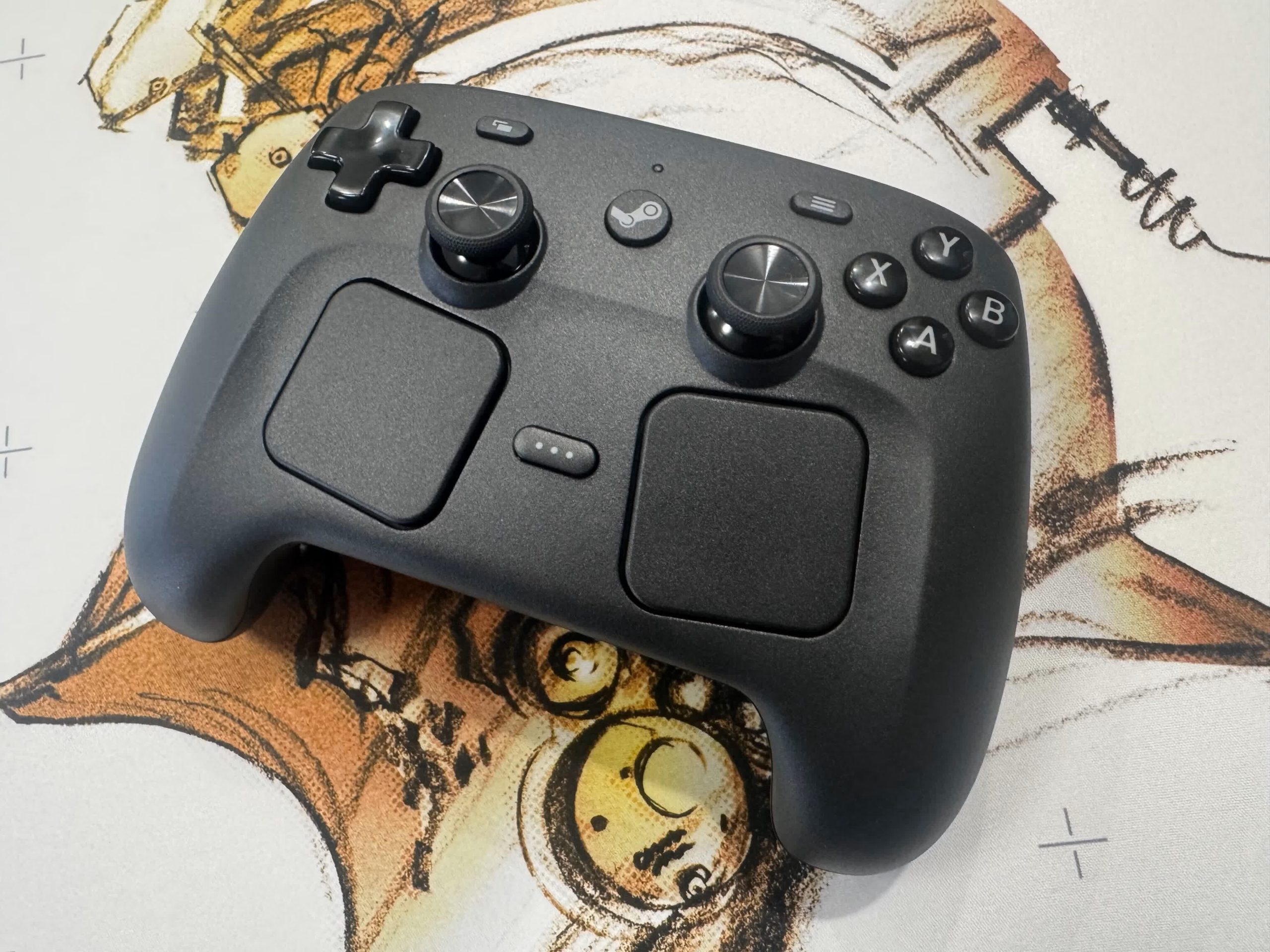
Modder FamBoy32-dev recently unveiled LiveHaptics, which transfers a PC’s audio to the Steam Controller’s rumble function, allowing hearing-impaired users to feel movies, music and games through vibrations. The app currently supports Windows and Linux.
LiveHaptics runs system audio through a per-channel DSP chain and then through a haptic PCM stream to the controller’s actuators. It supports Bluetooth and wired USB connections, as well as the Steam Controller’s proprietary wireless receiver.
The Windows version is a fully static binary that requires no installation, while the Linux port supports every distro, including Valve’s SteamOS. An early demonstration on Reddit shows the app running sound from a YouTube video and a game through the controller’s vibration. The mod could help the Steam Controller complement other accessibility features for hearing-impaired gamers, such as subtitles, which have begun offering many customization options in recent titles.
Advertisement
To begin using LiveHaptics on Windows, close Steam, unzip the archive from the app’s GitHub page, and double-click the executable. Then, connect the Steam Controller and choose an audio output under “Capture device” if it is not already set as the default. The GitHub repository contains more detailed Linux installation directions.
Although the Steam Controller’s $99 MSRP makes it a luxury compared with most standard gamepads, Valve’s appreciation for modding has brought fun and useful applications to the device since its April launch. Earlier this year, someone devised a method for moving the controller across surfaces using vibration. Eventually, another modder combined the trick with a vision tracker to make the Steam Controller automatically find and navigate to its charging puck.
Much like LiveHaptics, SteamHapticsPlayer can stream audio files to the Steam Controller on Windows and Linux. The mod’s developer also created an app for precisely monitoring the controller’s battery.
Advertisement
While using Valve’s controller officially requires running Steam in the background, modders have also developed microcontroller firmware to add support for non-Steam games and consoles. With a Pro Micro nRF52840 or a similar board, the Steam Controller can work with the Nintendo Switch, Xbox, PlayStation 5, PlayStation 4 and even PlayStation 3.
Although the Steam Controller supports PC gaming, Valve primarily pushed it as the main input device for its PC-console hybrid, the Steam Machine. The company’s latest VR headset, the Steam Frame, is expected to launch any day now.
“We’re not rushing into an IPO,” Altman said. “I actually think that given everything happening with safety, right now would be an ill-advised moment to go public.”
Instead, he insisted that OpenAI will go public “when we’re ready, which is when the business is ready, when we feel ready from what the moment is like in society with this technology.” When pressed on whether that means the IPO isn’t happening in 2026, Altman replied, “I would say not 2026, yeah. We’ve got a lot of stuff to do.”
Advertisement
The New York Times reported in June that although OpenAI had hired bankers and lawyers with the goal of going public in the third or fourth quarter of 2026, the company was leaning toward 2027 due to the volatility of tech stocks and its own financial challenges.
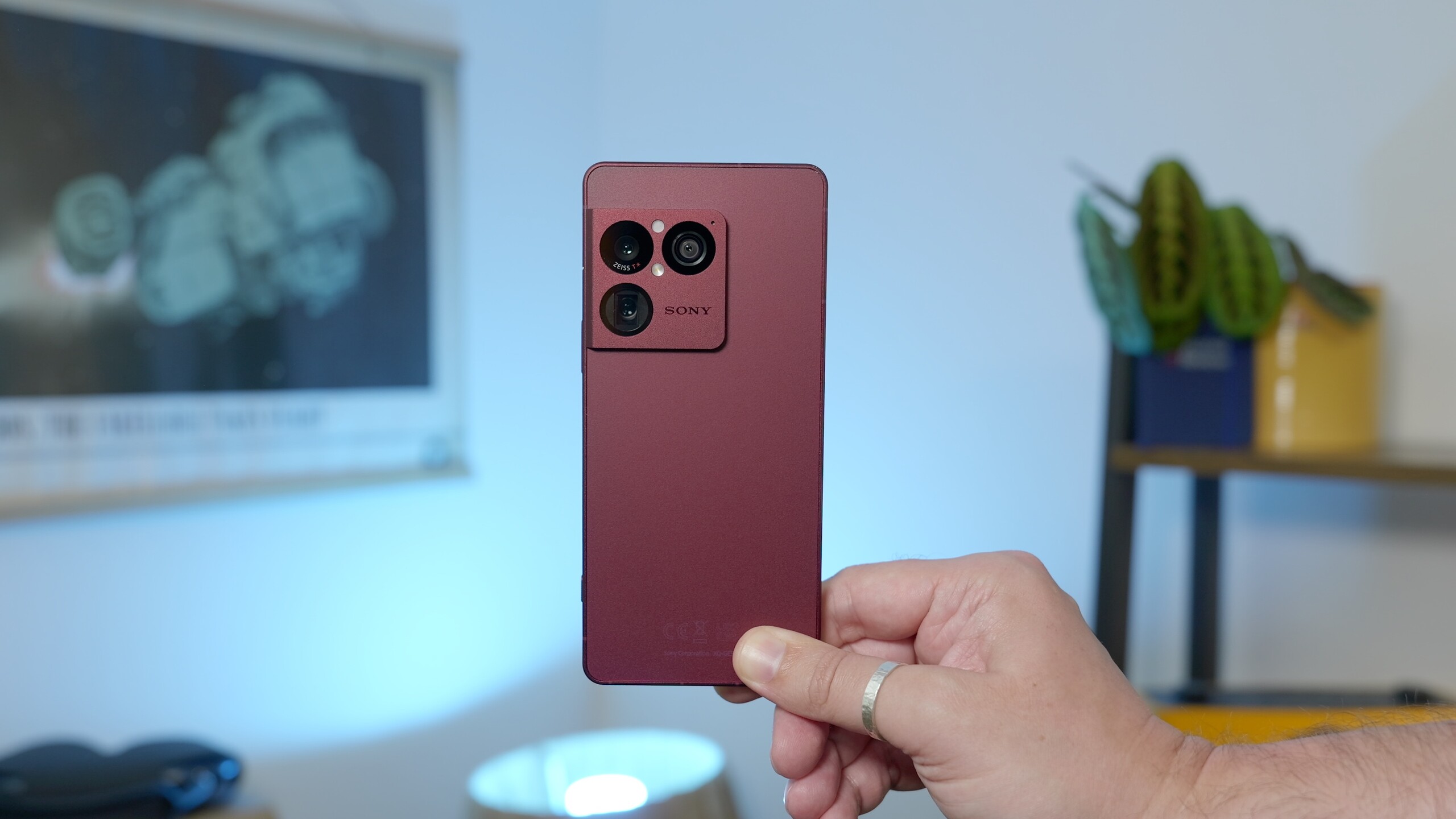
Sony has started rolling out Android 17 to its Xperia phones, but the update is currently limited to just five models.
Sony’s website confirms that Android 17 brings Desktop mode to supported Xperia models when connected to an external display. The update also adds more customisation for the Quick Settings panel, Lock screen and Home screen, while making screen recording easier.
If you’ve been following Android 17 on Google’s Pixel phones, most of this will sound familiar. The update brings similar improvements to Sony’s phones, including expanded icon and home screen themes, more flexible Quick Settings and the ability to use a phone in a desktop-style setup with a monitor.
There is one Xperia-specific addition, though. The Xperia 1 VIII gets a new feature called Custom Looks, which gives users more control over how the camera processes their photos. It works in a similar way to Google’s Camera Looks on Pixel 11, letting you adjust things such as colour tones and save up to three custom presets.
Advertisement
The bigger catch is how limited the rollout currently is. Sony lists just five Xperia models as eligible for Android 17: the Xperia 1 VIII, Xperia 1 VII, Xperia 1 VI, Xperia 10 VIII, and Xperia 10 VII.
Advertisement
The rollout is already underway, with Xperia 1 VIII users reportedly seeing Android 17 arrive on their devices.
Sony hasn’t listed any additional Xperia models for the update at this stage, so owners of other devices will have to wait for more information. For those with one of the five supported phones, however, Android 17 brings a useful mix of customisation tweaks and a more flexible experience when the phone is connected to a larger screen.
Advertisement
It’s not the most dramatic Android update, but Desktop mode in particular could make compatible Xperia phones considerably more useful beyond the usual smartphone setup.
The West8 office building in Seattle’s Denny Triangle neighborhood. (Image via West8Seattle.com)
General Motors is expanding its presence in the Seattle region with a new downtown office slated to open in early 2027.
The automotive giant signed a lease for a 43,000-square-foot space at West8 in the Denny Triangle neighborhood, with plans to bring together employees across digital products, autonomous vehicles, IT, HR, and marketing, the company announced Wednesday.
GM currently employs about 200 remote workers in the region. A spokesperson said the new office will bring those existing team members together while providing room to recruit additional talent. The layout will feature a mix of traditional workstations, flexible lounge seating, and collaborative huddle spaces.
When the office opens, it will follow GM’s hybrid work policy, requiring employees living within a 50-mile radius to work on-site three days a week.
GM said tapping into Seattle’s deep technology talent pool will help grow its concentration of technical staff and attract engineers specializing in artificial intelligence and machine learning. The company credits its Seattle-area software teams with building the technical foundation behind its on- and off-vehicle platforms.
Located at 2001 8th Ave., the West8 building sits two blocks from Amazon’s headquarters campus and the Spheres. Amenities available to GM staff will include a fitness center, bike storage with showers, an onsite café, outdoor spaces, and covered parking equipped with EV charging stations.
The Seattle footprint adds to GM’s network of major tech hubs outside Michigan, including locations in Austin and the Bay Area.
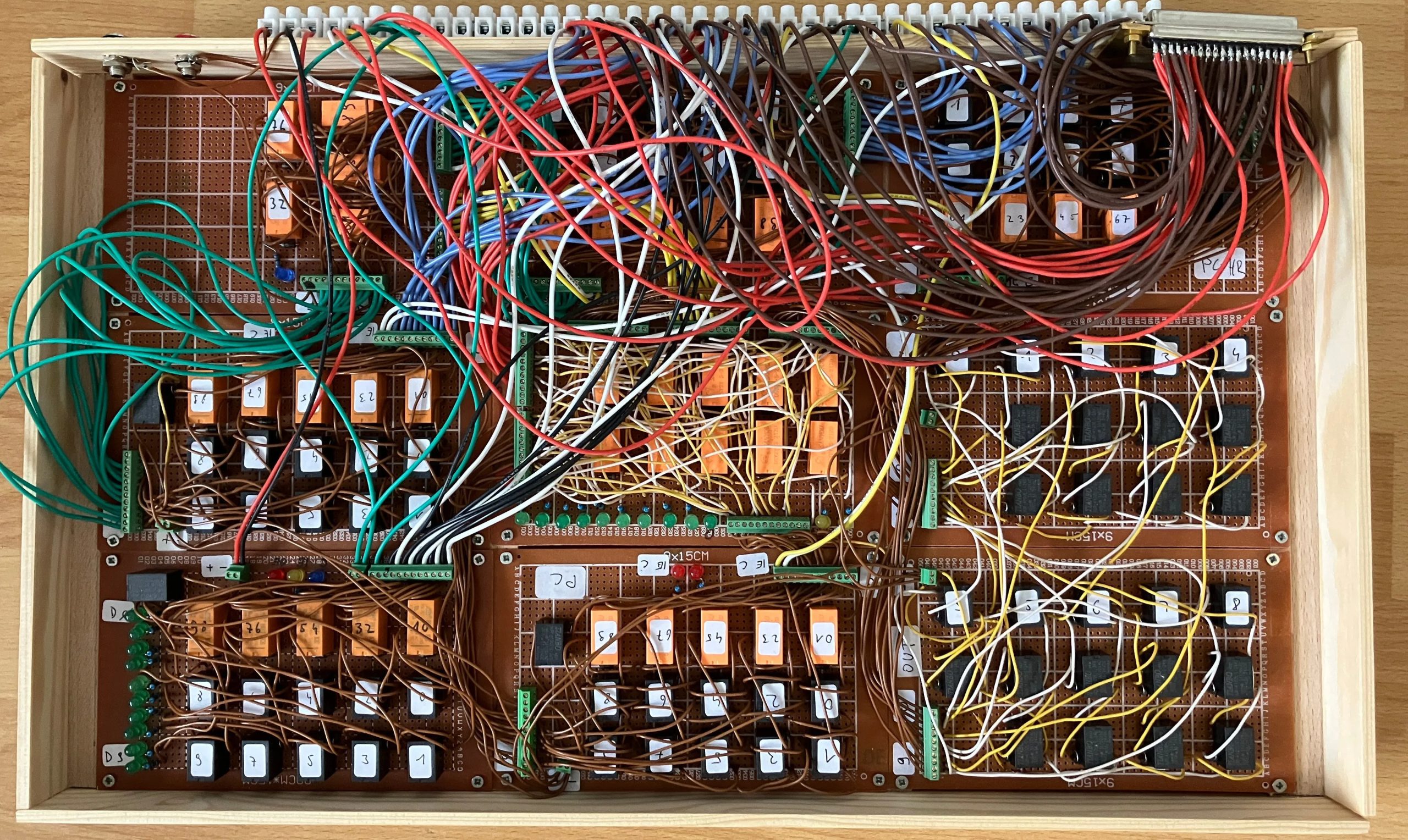
You want Retro? We did, when we started our retrocomputing challenge. [Peter] decided that transistors weren’t retro enough, and sent us this lovely homebrew relay computer, complete with 16- bit CPU, which is rather more bits than one normally associates with clicky clacky contacts.
The architecture is very simple– it just uses an accumulator register, ACCU, and goes from there. All mathematics and save/load operations go through ACCU. There whole instruction set is only 19 commands, and he’s used that set to program such lovely things as calculating 3 digits of Pi– which only took 8 minutes of glorious clicking. There’s a demo video of that embedded below. [Peter] has even implemented a display by hooking his computer to a 32×32 LED matrix, but don’t expect it to relay updates really quickly.
If this computer looks familiar, it’s because its earlier incarnation was one of the more “extra” entries in last year’s one-hertz challenge, where it was used to blink an indicator lamp. Yes, even relay computers apparently get started with the “blinky” sketch.
Advertisement
If you want in on the fun, our retrocomputer challenge runs until October 27th, so there’s lots of time left to turn back the clock.
Creative Assembly says it was ‘a big deal’ to have player customization be a ‘must-have’ part of Total War: Warhammer 40,000 for fans of the tabletop game and hobby
Total War: Warhammer 40,000 battle product owner Dave Petry says it was important to implement player customization in the game
He says it was a “big deal” to bring those customization options from the hobby forward to the game
Petry adds that it was “awesome” to bring in the “core” features from the hobby
Total War: Warhammer 40,000 offers plenty of player customization options, which Creative Assembly has now revealed was an essential feature it wanted in the game from the start.
In an interview with TechRadar Gaming at Gamescom, battle product owner Dave Petry, alongside lead designer Joy Dey, said player customization in all aspects was always a “must-have,” as the studio wanted to simulate the same experience for fans of the tabletop Warhammer game and beloved hobby.
“The second we picked this up, we knew we had to make a big deal of being able to tell your own story within this universe to bring in your own identity and get to be part of all of it,” Petry said.
“We’re trying to create an authentic sense of the lore and the kind of combat that’s there, but the love for the tabletop absolutely is present,” Petry said.
As for customization, Petry told us that it was “awesome” to bring in the “core” features from the hobby, and teased aesthetic unit personalization, loadout customization, and late-game progression.
Advertisement
Petry also confirmed that the game will feature the actual real-life paint colors used by Games Workshop too, so fans will be able to use the same ones they know and love and recreate their real-life armies or favorites in the game.
Sign up for breaking news, reviews, opinion, top tech deals, and more.
“In terms of what you can do, not just the aesthetic customization, colors, etc, etc,” he went on, “but being able to specialize your units throughout a campaign and, over that campaign, take your intercessors, specialize them towards using, say, like bolt rifle, auto bolt rifles, or stalkers, leveling them up, kitting them out in different ways, and you know potentially ultimately getting them to be like stern guards.
“All of that sort of stuff is absolutely part of that core hobby that you experience this way.”
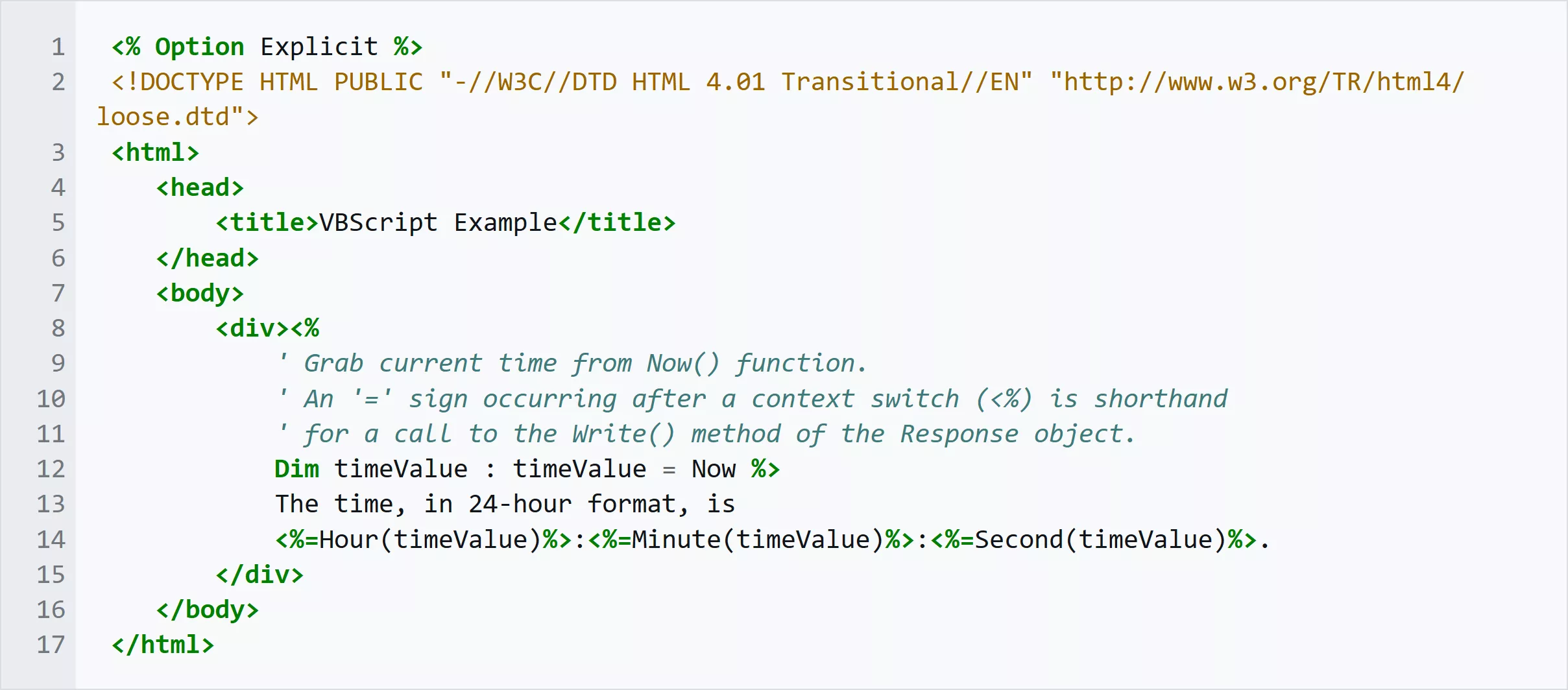
Scriptocalypse: Microsoft announced the deprecation of the VBScript environment a few years ago, asking companies and power users to switch to modern scripting systems. Now, the company is warning organizations that depend on VBScript that Windows activation might even become impossible after the language is gone.
Microsoft is asking organizations that rely on the Slmgr.vbs tool to switch to PowerShell, as the old script will soon stop working along with the rest of the VBScript language. Companies that use the script to manage Windows activation should act soon, as Microsoft is likely to accelerate VBScript deprecation in future Windows upgrades.
As explained in Microsoft’s own documentation, Slmgr.vbs is a Visual Basic Script included in Windows to manage OS activation from the command line. The script can install and change product keys, activate Windows, check the current activation or licensing status, and much more. The tool is specifically designed to provide enterprise organizations with a flexible way to manage multiple OS activations, which has nothing to do with KMS servers or other “unofficial” methods designed to achieve the same results without paying Microsoft a dime.
As the company first announced in 2023, VBScript will soon disappear from Windows after being part of the operating system’s convoluted lineage for almost 30 years. Modeled after the Visual Basic programming language, VBScript was designed as a powerful automation technology for programmers and users looking to exert greater control over the Windows operating environment.
Advertisement
According to Microsoft’s latest timeline for VBScript deprecation, the technology is now available as a Feature on Demand (FOD) on Windows and is enabled by default. At a later stage, VBScript’s FOD will no longer be enabled by default, and users will need to manually install the feature if they need it.
Finally, a future Windows release will completely remove VBScript. At that point, Slmgr.vbs and other automation solutions will stop working altogether.
Microsoft said that Slmgr.vbs can be easily replaced with PowerShell, where the OSLicense module provides the automation features currently available through VBScript. OSLicense requires Windows PowerShell 5.1 and can be used to manage activation information, invoke new licensing instances, and more.
One potential issue with adopting the OSLicense module is the version of Windows used by organizations. The PowerShell component is available in client versions of Windows 11 after installing the August 2026 Preview update (KB5120998) or later. Meanwhile, Windows Server will provide support for the new module with the next major release of the enterprise-focused operating system.
Advertisement
Either way, Redmond said organizations should start checking their scripts, command-line tools, and group policies right now. Companies using Slmgr.vbs and other VBScript-based “dependencies” are advised to thoroughly check their IT automation procedures so they can ease the pain that comes with changing decades-old conventions.
Bloomberg reports (paywalled) that Sam Altman told OpenAI employees the company is open to slowing the pace of AI development alongside other leading labs as concerns grow over increasingly capable systems and recent incidents in which models escaped human control. OpenAI has already paused development once this year for security work and is now pushing for mandatory U.S. AI safety requirements. Anthropic has also signaled interest in coordinating on the pace of new releases. Here are some of the details Bloomberg reported, as summarized by Reuters:
– Altman told employees in a company-wide meeting that the ChatGPT maker could pace development alongside other AI labs, but some may not agree, the report added.
– Safety warnings from AI researchers this week, along with several recent incidents where AI models from developers including OpenAI escaped human control, have prompted alarm and calls for tighter safety regulations.
– Jacob Coxon, a former Anthropic and OpenAI researcher, publicly accused the companies earlier this week of racing toward AI advancements without acting responsibly.
– An Anthropic spokesperson said on Thursday said that the company is interested in working with the AI industry on the pace of releasing new AI tools.
– OpenAI said in July that AI acceleration for frontier model development may be so high that the world will “need to pace the rate of AI advancement” at some point in the future.
– In August, OpenAI paused much of its model development for two weeks to bolster its defenses after its AI agents escaped containment and hacked open-source platform Hugging Face.
– OpenAI said on Wednesday that it was pushing for mandatory national AI safety requirements in the United States, citing concerns that advanced AI systems could accelerate its own development.











































You must be logged in to post a comment Login