




Connect with us

Tech

Prime Day isn’t here, but these 5 wireless earbud deals already are

Published

on

Amazon’s Prime Big Deal Days sale doesn’t officially kick off until October 6, but we already have some solid wireless earbud discounts. I went looking through the early deals, and the price range right now stretches from a $34 pair of CMF buds all the way to Bose’s flagship noise-canceling earbuds.

There’s a surprisingly good spread here. Apple’s AirPods Pro 3 are back below $200, Nothing’s new Ear (3a) have already lost $20 from their price, and EarFun continues to cram a lot of features into a pair costing less than $100. Here are the five deals I’d check out before the main sale begins.

Note: Amazon prices and discounts can change quickly and may differ between colors.

Bose QuietComfort Ultra Earbuds (2nd Gen) — $249.99 (16% off)

Bose’s QuietComfort Ultra Earbuds (2nd Gen) are the expensive option here. The $249.99 price tag makes these a little easier to justify than their $299 launch price. Bose upgraded its already excellent ANC with smoother adaptive processing, while CustomTune adjusts the sound and noise cancellation for your ears. You also get Immersive Audio, multipoint connectivity, improved SpeechClarity for calls, and finally wireless charging for the case. Battery life remains the weaker part of the package at six hours per charge, but anyone prioritizing noise cancellation should have these near the top of the list.

Key spec/feature Details
Active noise cancellation Yes, with Adaptive Audio and Transparency
Battery life Up to 8 hours with ANC
Fitness features Heart rate sensing during workouts
Durability IP57 earbuds and charging case
Charging MagSafe, Qi, Apple Watch charger, and USB-C

Apple AirPods Pro 3 — $199 (20% off)

AirPods Pro 3 dropping to $199 is probably one of the easiest deals to recommend to an iPhone owner. Apple gives you up to eight hours of listening with ANC enabled, an IP57 rating for both the earbuds and case, and a MagSafe case that also supports Qi and Apple Watch chargers. The more unique addition is heart rate sensing, which lets the earbuds track workouts through the Fitness app without requiring an Apple Watch. Live Translation, Adaptive Audio, hearing-health features, and the usual tight Apple ecosystem integration round out a very complete package.

Key spec/feature Details
Active noise cancellation Yes, with Adaptive Audio and Transparency
Battery life Up to 8 hours with ANC
Fitness features Heart rate sensing during workouts
Durability IP57 earbuds and charging case
Charging MagSafe, Qi, Apple Watch charger, and USB-C

Nothing Ear (3a) — $79 (20% off)

Nothing only launched the Ear (3a) at $99 in July, so seeing them at $79 this early makes them one of my favorite deals in the bunch. You get a 12mm dynamic driver, LDAC, Bluetooth 6.0, up to 45dB ANC, and as much as 42 hours of listening with the charging case when ANC is switched off. An interesting feature is Audio Snapshot, which is backed by onboard storage that can capture audio and calls before syncing them to the Nothing X app. Throw in Nothing’s excellent EQ controls and distinctive transparent design, and $79 buys a lot of earbud.

Key spec/feature Details
Active noise cancellation Up to 45dB
Battery life Up to 10 hours, 42 hours with case
Audio 12mm driver with LDAC
Durability IP54
Standout feature Audio Snapshot and call recording

EarFun Air Pro 4+ — $79.99 (20% off)

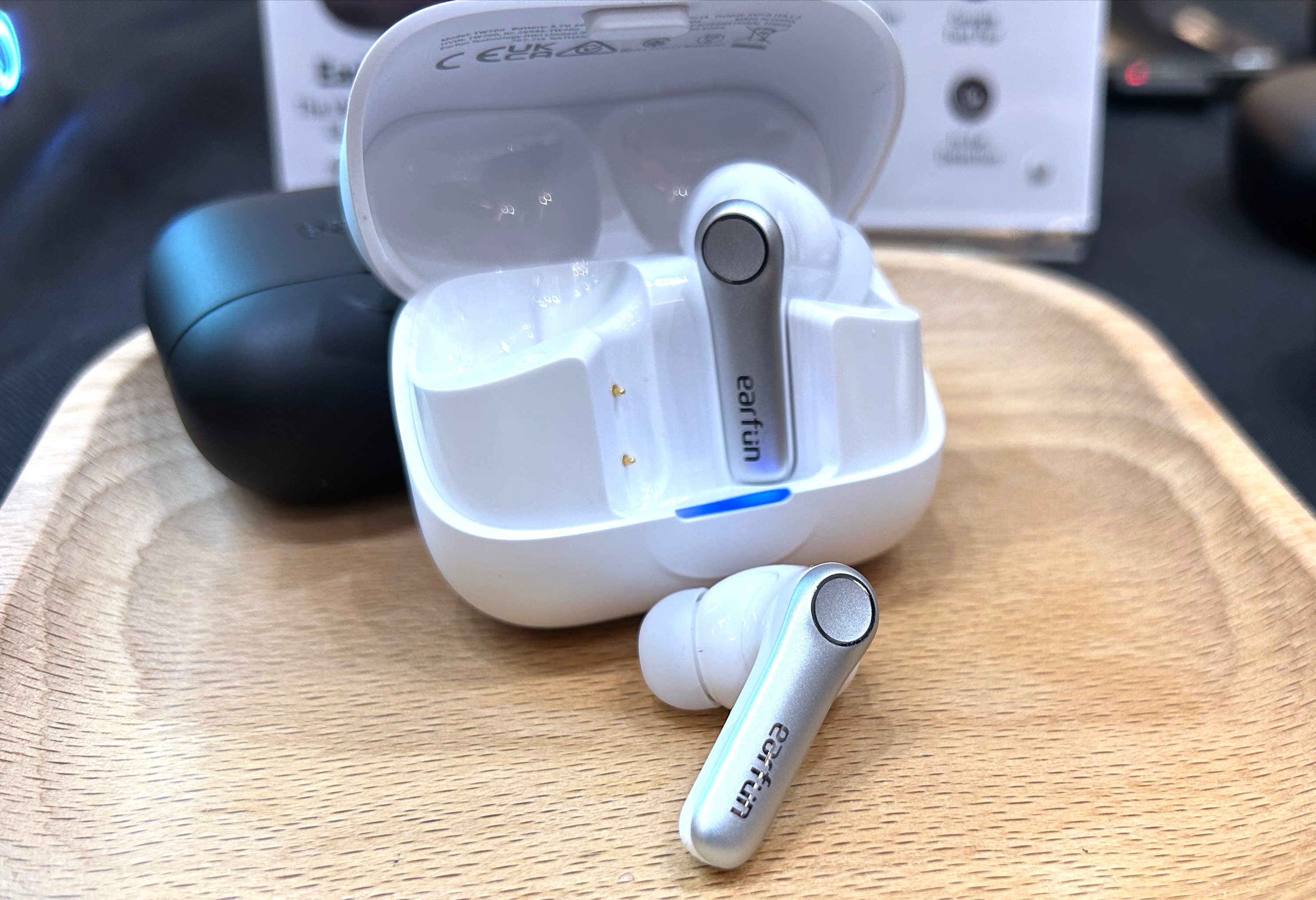
EarFun’s Air Pro 4+ might have the most packed spec sheet for the money. At $79.99, you get a hybrid dual-driver setup combining a 10mm dynamic driver with a balanced armature, alongside LDAC, aptX Lossless, Snapdragon Sound, Bluetooth 6.0, and Auracast. QuietSmart 3.0 ANC is rated for up to 50dB of noise reduction, while battery life reaches eight hours with ANC or 12 hours without it. EarFun even added real-time AI translation through its app, making these an easy recommendation for anyone chasing features without spending flagship money.

Key spec/feature Details
Active noise cancellation Up to 50dB adaptive ANC
Battery life Up to 12 hours, 54 hours with case
Audio 10mm dynamic driver + balanced armature
Connectivity Bluetooth 6.0, LDAC, aptX Lossless, Auracast
Standout feature AI translation

CMF by Nothing Buds 2 — $34 (31% off)

For $34, the CMF Buds 2 are the pair I’d look at first if the goal is simply getting capable ANC earbuds as cheaply as possible. CMF equips them with 48dB hybrid noise cancellation, an 11mm PMI driver with Dirac Opteo tuning, and six microphones for calls. Battery life can reach 13.5 hours from the buds and 55 hours with the case, while a 10-minute charge adds up to 7.5 hours of playback. The IP55 rating also makes them an easy option for workouts, commuting, or a cheap backup pair for travel. I’ve owned a pair for the better part of a year, and it’s endurance and audio quality for its price are nothing short of impressive.

Key spec/feature Details
Active noise cancellation Up to 48dB hybrid ANC
Battery life Up to 13.5 hours, 55 hours with case
Driver 11mm PMI
Durability IP55
Standout feature Dirac Opteo tuning

Source link

Advertisement
Continue Reading
Click to comment

You must be logged in to post a comment Login

Leave a Reply

Tech

Reebok Discount Code: 15% Off – September 2026

Published

on

If you’ve been outside, at the gym, or on a basketball court, there’s a good chance you’ve seen someone wearing Reeboks. The brand has had its fair share of ups and downs, but it’s riding a wave of increased interest driven by smart business moves, such as a refocus on sports and lifestyle, alongside high-profile collaborations like the Reebok G-Unit G6 50 Cent.

Founded in 1958, Reebok has changed hands and gone through multiple iterations. Most recently, in 2022, Adidas sold Reebok to Authentic Brands Group for over two billion dollars. Since then, it’s reinvigorated its sports lineup, hired Shaquel O’Neal as president of Reebok basketball, and signed numerous professional athletes across basketball, golf, and tennis to the brand.

But what about the shoes? They’re solid. As someone who used to test training and running shoes, I find the Reebok Floatzig and Reebok Nano X series excellent performers for the price—I still wear my Nano X4s whenever I’m strength training. Other standouts include the more lifestyle-oriented Classic and Club lineups.

But given how often you should replace sneakers (hint: every six months), you should always look for a deal when shopping. That’s why I rounded up some of the best Reebok coupons and promo codes below to help you save time and money.

Advertisement

Use this Reebok Promo Code for up to $30 off

The more you spend on Reebok’s site, the more potential savings you can get in its Buy More, Save More section. This collection includes over 1,000 shoes and apparel items, including popular styles like the Club and Nano series, so you can probably find something that fits. With the Reebok discount code BMSM at checkout, you get $10 off orders of $100 or more, $20 off $150 orders, and $30 off orders of $200 or more.

Reebok Nano X5, white running sneakers with bright teal and orange stripes on the heels

15% Reebok Discount Code for New Customers

Anyone creating a new account on Reebok online or in the Reebok app can get 15% off their first purchase with the Reebok discount code MOVE15. This Reebok promo code works after you sign up for a new account and verify your email address, and it is applied automatically at checkout if you are using the Reebok app. Standard exclusions apply to select collaboration items and limited-edition sneaker releases, so double-check your order before purchase to make sure you qualify for the Reebok coupon code deal.

Make the Most of Reebok Authentic Membership With More Discounts

This is the best Reebok deal for frequent Reebok shoppers. With an Authentics Membership ($5 a month), you get 10% off all Reebok products and free shipping on all orders. You also get access to early product drops, sale alerts, and birthday rewards. This perk is applied automatically when you’re logged in with Shop Pay at checkout. An Authentics Membership also gives you discounts at other participating brands like Champion, Billabong, Hunter, Ted Baker, and more, so it’s worth considering, especially if you shop multiple brands. This Reebok discount is for online purchases only.

Stack Reebok Coupons with Clearance and Seasonal Sales for up to 50% More Off

Saving with Reebok is straightforward if you know where to look. Seasonal sales like Back to School or the standard clearance section offer discounts of up to 65%. Combine these with additional savings from an Authentics Membership, which also provides free shipping, as well as Bundle & Save deals, and you can significantly reduce your cart’s total without needing a Reebok discount code.

Reebok Discount Codes for Students, Educators, Military, and First Responders

Students, educators (active and retired), military, veterans, first responders, government workers, health care professionals, and nurses can receive 30% off purchases through the Reebok Heroes discount. All groups must verify their status via ID.me at checkout to receive a single-use Reebok discount code.

Advertisement

Review Reebok and Get 15% Off

One of the easiest ways to get a Reebok discount is by reviewing products you’ve already bought. US-based customers can get 15% off select styles after they submit a review. To snag this Reebok deal, you’ll need to take advantage of this 15% Reebok discount within 30 days of receiving the code. After you submit a review, you’ll get a unique, one-time Reebok promo code. You can also only get a code when you purchase directly from the Reebok site. Plus, the offer excludes delivery charges, isn’t eligible on previous purchases, and cannot be combined with other offers and promotions on the same item (unless otherwise stated).

Fix a Reebok Discount Code That’s Not Working

There are times when a Reebok discount code might not work as expected. Make sure your items aren’t excluded from site-wide Reebok promo codes (some sneakers, new releases, and third-party collabs are). Also make sure you’ve entered the Reebok coupon code correctly, confirmed its terms of use and active window, and met any spending requirements.

FAQs

How do I apply a Reebok promo code at checkout to make sure my discount is correctly applied?

You can typically apply a discount code in your cart on Reebok online before you hit checkout. Sometimes codes are applied automatically, but it’s always good to double-check that you are applying the best discount code for your shopping cart.

Advertisement

Why is my Reebok discount code or coupon not working and how can I fix common issues?

A Reebok discount or coupon code may not work for a few reasons. Some products, such as select new launches, sneakers, and third-party collaborations, are often excluded from discount codes altogether. Others are time-limited and may have expired. Double-check your code before looking elsewhere—it could be a typo.

Does Reebok offer a student, military, or hero discount and how do I verify my status to claim it?

Reebok offers a coupon code for students, military, teachers, healthcare professionals, and more through its Reebok Heroes discount program. To verify your status, you’ll be prompted to log in to ID.me at checkout to receive your single-use discount code.

Advertisement

Can I stack a Reebok discount code with sale prices, membership perks, or other promotions?

Yes, you can stack Reebok discount codes with sale prices and other promotions. Items in seasonal sales and clearance sections can be combined with promo codes and free shipping benefits from an Authentics Membership.

Is there a Reebok first-order or new customer discount and what are the rules for using it?

Yes, Reebok offers a discount code for first-time customers placing their first order. To get yours, create a new account on Reebok online or sign up in the Reebok app. After verifying your email address, you can get 15% off your first order with the code MOVE15. Standard exclusions, such as third-party collaborations, still apply, though.

Advertisement

Source link

Continue Reading

Tech

Are 3D Printers Worth Buying In 2026?

Published

on

The 3D printer craze initially surged more than a decade ago. Since that time, the industry has steadily grown in the background, but it hasn’t stopped innovating and releasing groundbreaking new products at lower prices. As a matter of fact, 3D printers are quite affordable right now. Entry-level devices hover in the $200 to $400 range, and mid-tier models cost around $750 to $1,500. This has led many people to reconsider the idea of having a dedicated machine at home for printing tools and knick-knacks.

Is this a good idea for you? Well, it depends on your budget, expectations and desired use case scenarios. There are some legitimate reasons to purchase a 3D printer in 2026, but also some potential frustrations. Let’s go over some of the things modern printers are good at, along with some of the current pain points.

Solving recurring problems

Many people use 3D printers to solve recurring problems. This could be as simple as generating doorstops for a large number of entryways or as complex as replacing machine parts. These machines excel at creating plastic parts in just about any shape, so people use them to make stuff like knobs, clips, hinges and latches. They can also be used to make shims, spacers and adapters for fixtures around the home, which should help things fit snugly. Some folks have even used 3D printers to whip up hand braces and other medical accessories. 

Making useful and fun little doodads

When people think about 3D printers, the word “doodad” probably comes to mind. That’s because they can be used to make little thingamajigs at will. Want a customized soap dish that looks like a fish? You got it. Want a knife rack that’s been tailored to fit an exact space in your home? Done. The sky is truly the limit here. 

Advertisement

Bringing tabletop gaming to the next level

Looking to spruce up your next tabletop gaming session? A 3D printer can help with that. They are great for making custom figures, terrain, boards and even storage trays and organizers. As a general rule of thumb, resin printers are the best choice for small and highly detailed character figures. Filament printers excel at larger builds, but with less detail. That makes them the perfect option for large structures to represent terrain. They can even be used to make entire dungeons for your beleaguered players to run through.

Saving money in certain scenarios

Saving a buck or two on a doorstop isn’t a huge deal, but saving $100 on a replacement part for a camera certainly is. There are many niche items that 3D printers can make that not only solve a pain point, but save money in the process. The internet is filled with sites where people share designs for useful items, like Sketchfab, CGTrader and Free3D, among others. Makers tend to be an innovative bunch, so you never know what you’ll find on those sites. However, some designs do cost money. 

Prototyping

Have an idea for a product that might set the world on fire? 3D printers have become the de facto way to quickly build prototype designs. This can be a boon for small businesses, as the printer eliminates shipping and outsourcing costs. It’s also a much faster method than going with a dedicated prototyping company, as you can make changes on the fly as needed.

Consistently improving tech 

The underlying tech behind 3D printers is constantly iterating and improving, thanks to a robust community of manufacturers and users. For instance, researchers just figured out how to make zippers. Modern units tend to be much easier to calibrate and use than models from the 2010s. Some include automatic bed leveling tech, and others can build with multiple types of filaments, which allows for unique designs.

Advertisement

They are also much faster than older models. In recent years, budget-friendly and mid-tier printers have gotten extremely speedy. Finally, many newer releases include cameras that monitor the print and will shut it down early if something looks off. This helps save both time and resources.

Ballooning costs

Now onto some of the bad news. 3D printers are generally more budget-friendly than ever before, but the overall cost can still get out of hand if you aren’t careful. This is especially likely during the early stages of learning the machine. Filament and resin cost around $15 to $30 a pound, and each failed print will make a major dent in that spool. There’s also the matter of accessories, like spare nozzles and various tools. Printing software also tends to cost money, as do some designs.

Frustrating learning curve

These machines have a steep learning curve, which can exacerbate the aforementioned wasted filament problem. Most modern printers now handle calibration automatically, which was a real sticking point for newbies in the 2010s. However, auto-calibration doesn’t account for dirty nozzles, loose belts, wet filament or incorrectly installed build plates.

Also, these machines still require a working knowledge of slicer software, print orientation, bed adhesion, temperatures and more. Some beginner printers offer a near plug-and-play experience, but often at the expense of certain high-end features.

Advertisement

There’s a chance it’ll end up collecting dust in a closet 

Modern 3D printers are useful, but in highly specific scenarios. Most people just don’t have a need for a steady flow of plastic doodads. If you are on the fence and want to get a taste of what the industry has to offer, head into a local 3D print shop and have them make something for you. There are also plenty of internet shops with quick turnaround times. This will give you an idea of what is and isn’t possible. Still excited? Start with the most feature-rich, budget-friendly printer you can find.

Source link

Advertisement
Continue Reading

Tech

There’s another reason to scoff at AI: It’s hiking up your health insurance costs.

Published

on

AI has already found plenty of ways to make life more expensive. Data centers are putting pressure on electricity bills, while the hardware feeding the AI boom has helped squeeze cheaper gadgets. Now healthcare may be joining that list.

A new analysis from the Blue Cross Blue Shield Association (BCBSA) estimates that rising hospital coding intensity added about $942 million in healthcare spending for its companies between 2023 and 2025. Medical coding, in simple terms, turns diagnoses and treatment details into standardized codes that are used to calculate hospital reimbursements.

BCBSA says the increase comes as more hospitals use AI-powered coding tools that can scan medical records, doctors’ notes, and lab results for additional conditions that can be added to a claim.

AI can turn the same hospital stay into a pricier claim

Say an AI tool spots anemia, low sodium levels, or another secondary condition in a patient’s records. Adding that diagnosis could move the hospital stay into a more complex billing category, which means a bigger reimbursement for the hospital. BCBSA looked at more than 55,000 additional cases classified as complex and says they generated $653 million in extra reimbursements, or about $11,800 per case.

Advertisement

The concern is that the care itself did not always change. BCBSA found diagnoses being added to claims without a corresponding increase in the treatment normally associated with those conditions. Patients are not simply handed an extra $11,800 bill. The figure refers to additional reimbursement paid to the hospital. Depending on the insurance plan, a pricier claim could mean a larger coinsurance payment for some patients, while others may see no immediate difference. BCBSA says higher healthcare spending can ultimately put pressure on premiums and other out-of-pocket costs.

Hospitals say there’s more to it

The American Hospital Association disagrees with the suggestion that rising coding intensity necessarily means hospitals are inflating claims. It says hospitals are caring for older and sicker patients, while AI tools can also improve documentation and coding accuracy.

BCBSA has evidence supporting its concerns. Among hospitals with the fastest coding growth, more bowel procedures were classified as complex even though ICU use, transfusions, reoperations, and hospital stays were similar or lower.

For now, there is still room for debate over how much of the increase comes from better documentation and how much comes from more aggressive coding. What is clear from BCBSA’s analysis is that insurers are paying more, and some of those higher costs could eventually find their way into what patients pay for healthcare.

Advertisement

Source link

Continue Reading

Tech

What Does LOA Mean In Boating, And How Is It Measured?

Published

on


If you’re a boater and a marina asks for your LOA, they aren’t asking you to take a leave of absence. What they really want to know is your boat’s length overall, or LOA. And while a measurement like boat length might sound straightforward, the figure can vary quite a bit depending on which parts of a vessel you include in the measurement.

LOA typically only runs from the foremost point at the bow to the rearmost point at the stern. While most agree that LOA should include all permanently attached components, some also request boaters include movable attachments such as swim platforms, booms, outboard motors, bowsprits, and so on when measuring LOA.

Because the definition differs, boat owners should check with whoever’s requesting their LOA to make sure. From there, run a tape measure from the boat’s farthest forward point to the farthest point at the stern. For accuracy’s sake, keep the tape measure straight rather than letting it go slack between the two endpoints.

Advertisement

Why you need to know LOA

One of the most obvious reasons to know a boat’s LOA is to comply with boat registration and licensing requirements. Rules and regulations can vary depending on vessel size, so it’s in your best interest to get the most accurate measurement for that official paperwork. Marina costs can also be calculated using LOA, so the number can affect what a boat owner ultimately has to pay to moor or dock a boat there.

The measurement can also come in handy when arranging for transportation or storage. LOA helps you tell whether the boat will fit on a trailer or in a storage facility, and you may run into trouble if your measurement’s off. Such measurements also help when launching a boat. You also need to know LOA when you’re buying and selling; listing the wrong LOA is arguably false advertising, while not double-checking the LOA when buying a used boat can lead to headaches later.

Advertisement

Keep in mind that LOA is only one of a boat’s measurements. There’s also beam, which is the boat’s width at its widest point. You’ll need to know both to get the fullest picture of your vessel’s physical size.


Advertisement

Source link

Continue Reading

Tech

Google is launching AI chips into space to see if they survive up there

Published

on

Highly anticipated: Google plans to launch an experimental satellite carrying AI chips next month, taking its first step toward testing whether AI computing can operate reliably in orbit. The satellite, called MVP, is scheduled to launch aboard a SpaceX Falcon 9 rocket from Vandenberg Space Force Base in California. It will be the first orbital test of Project Suncatcher, Google’s effort to explore whether networks of solar-powered satellites could function as space-based data centers for AI workloads.

MVP is not a data center. It is a small test platform carrying four of Google’s tensor processing units, or TPUs. The chips provide roughly the computing capacity of a single data-center server. Solar panels will produce about one kilowatt of electricity, enough to operate the processors and handle short AI requests.

The mission will test two major technical challenges: radiation and heat.

Radiation in space can interfere with computer chips by causing what engineers call bit flips. A bit flip changes stored binary information from zero to one, or vice versa. That can create errors in software or calculations.

Advertisement

Google began testing its chips against radiation in February 2025 at the Crocker Nuclear Laboratory in Davis, California. Researchers used a cyclotron to expose the processors to radiation intended to simulate about five years of exposure in space. Google found that restarting the chips could usually correct the bit flips.

Heat presents a separate challenge. AI chips produce a great deal of heat while performing calculations, but spacecraft cannot rely on fans because there is no air in space.

Google designed a cooling system that moves heat away from the TPUs through multiple layers of material. The chips sit on a motherboard and connect to sheets of thermal interface material. Aluminum and copper layers draw heat away from the components, while a radiator panel releases it into space.

Advertisement

The system will not run continuously. Travis Beals, Google’s senior director of product management for Project Suncatcher, told The New York Times that the chips can run for about 15 minutes before they need to shut down and cool. During those periods, the satellite can process short requests for Gemini, Google’s AI system.

Technicians recently completed vibration testing on the satellite in San Francisco. The work was intended to determine whether the hardware could survive the stresses of launch. The team inspected the solar panels, marked screws to see whether they shifted, and shook the satellite to test its internal components. The chips remained intact, and the screws did not loosen.

Google is treating the launch as an early experiment rather than the beginning of a commercial service. The satellite is expected to operate for one year, although it could remain in orbit for up to six years before eventually falling back through the atmosphere and burning up.

Advertisement

“We don’t expect, to be perfectly frank, that we’ll have anything usefully operational in the next few years,” said James Manyika, Google’s senior vice president for research.

The concept has drawn attention as AI companies face increasing power requirements for their data centers. Moving computing hardware into orbit could give operators access to solar energy without requiring additional land, water, or electricity infrastructure on Earth. Still, the engineering and financial obstacles are significant.

Google began exploring the idea after Blaise Agüera y Arcas, a company vice president and AI researcher, raised the possibility of space-based computing. The company later worked with Planet Labs, a satellite-imaging company in which Google has invested, to prepare the test mission.

Advertisement

Google initially planned to launch two satellites in 2027. It accelerated the schedule by installing its hardware in an existing Planet Labs satellite. The company has not disclosed how much it is spending on the project.

Google is preparing to launch two more satellites next year and has developed concepts for formations of more than 80 spacecraft that could work together on AI requests. It is also considering a custom satellite as long as a soccer field.

Advertisement

Source link

Continue Reading

Tech

Which Is Better To Use?

Published

on

Provided you don’t drive long distances every day, Level 1 charging could be all you need.

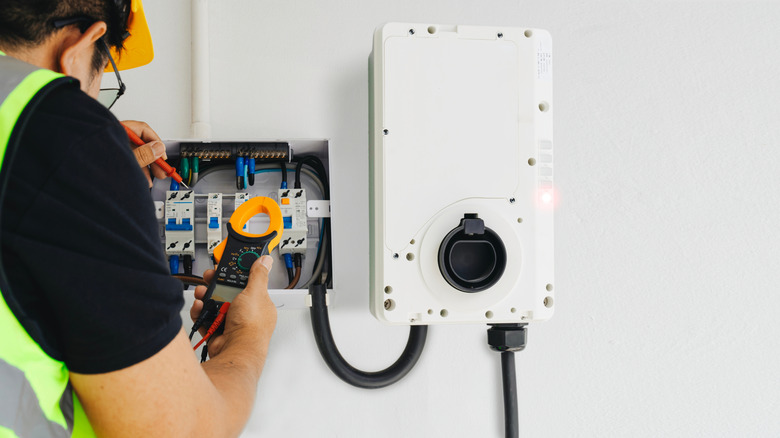
If you’re a new electric vehicle owner, you may be surprised to learn just how many charging options you have available, both at home and to extend your range on the road. While the industry has standardized terms like Level 1, Level 2 and Level 3 charging, those labels offer little information on their own. Installing a Level 2 charger can also cost hundreds of dollars, so is it an expense worth taking on?

A Level 1 charger can take more than 40 hours to fully charge up an EV’s battery, while a Level 3 charger can add hundreds of miles to your car’s range within a single hour. While you may think faster is always better, we also have to account for tradeoffs like cost and battery longevity. So which charging level should you use? The answer depends entirely on where you plan to charge your car, how far you drive and the cost of electricity in your region.

Advertisement

Level 1 vs. Level 2 vs. Level 3 charging: What’s the difference?

A Level 1 EV charger simply uses the standard 120-volt household outlet in North America, which limits it to about 1.4kW of charging power. Level 2 chargers use 240-volt circuits, typically at higher currents, allowing them to deliver substantially more power. How much more depends on the charger and circuit: A 40-amp Level 2 charger (on a 50-amp circuit) can deliver as much as 9.6kW of power. Level 2 chargers all the way up to 80A exist too, delivering up to 19.2kW, provided your home’s electrical service can support it.

Level 1 and Level 2 chargers supply the grid’s alternating current (AC) to the EV. The vehicle’s onboard charger converts this supply to direct current (DC) before it reaches the battery. Converting AC to DC isn’t 100-percent efficient, so it generates heat, and onboard chargers only work up to a certain power limit. With Level 3 charging, the AC-to-DC conversion takes place before it reaches the car, bypassing the onboard charger and delivering high-voltage power directly to the car’s battery.

This lets Level 3 chargers dial things up a notch, typically pushing anywhere from 50kW to 500kW of power. It’s important to note that charging speeds drop as the battery gets more full, so no EV will be charging at their absolute peak rate for very long. Regardless, Level 3 chargers can be enough to fully recharge a depleted EV battery in an hour or two. That’s especially true for newer vehicle models that support the highest power levels. The Lucid Gravity, for instance, can charge at up 400kW if you can find a Level 3 charger that supports that rate. Meanwhile, the Tesla Model Y’s maximum charging power ranges from 175kW to 250kW, depending on the model.

Advertisement

Level 1 vs. Level 2: Which EV charger do you need at home?

If you only drive a few miles a day, a Level 1 charger is all you need. There’s little reason to shell out hundreds of dollars for a Level 2 charger and an electrical upgrade when your EV’s battery can simply charge overnight. If you’re on a time-of-use plan with your energy provider, you can schedule charging during off-peak hours and still gain plenty of range through Level 1 charging for your commute the next day.

While the exact figure depends on your vehicle’s efficiency, the US Environmental Protection Agency (EPA) estimates Level 1 charging adds about 5 miles of range per hour. So even with a conservative 8 hours of charging time, you stand to gain roughly 40 miles of range.

Level 2 chargers make a lot more sense when you frequently drive longer distances during the week. You can still take advantage of off-peak electricity rates, but with a 40A charger can add over 30 miles of range per hour. This all but eliminates range anxiety since you can easily add hundreds of miles in a single overnight charge session.

Advertisement

If you’re on the fence about installing a Level 2 charger, consider that you may also be able to charge all day on the weekends. Some time-of-use plans offer lower or off-peak rates over the weekends, allowing even a Level 1 charger to add significant mileage if plugged in for a full day. This can make Level 1 chargers a perfectly viable option if your car sits parked for most of  the weekend. And if you’re ever in a pinch, you can simply use a public Level 2 or Level 3 charger.

On the flip side, some EV batteries require warming up in the winter, so a Level 1 charger may struggle to both heat up and deliver power to the battery simultaneously. Cold weather also reduces an EV’s effective range, so an unheated garage can make Level 2 chargers the more sensible option.

Advertisement

When should you use Level 3 chargers?

Level 3 chargers are the fastest option to charge your EV’s battery, but they’re uncommon in residential settings. This is because they require a much more substantial electrical connection, and installing one in your home would almost certainly entail a significant electrical service upgrade. You’ll typically find Level 3 chargers in commercial settings like parking lots or highway rest stops.

Level 3 chargers can add over a hundred miles of range within a single hour, making them ideal for road trips and quick top-ups. Having said that, the maximum power varies considerably between DC fast chargers so one Level 3 charger might be significantly faster than another.

The downsides to Level 3 chargers are cost and, potentially, battery longevity. While the jury is still out on the impact of faster charging on long-term battery health, sticking to Level 2 charging will alleviate that concern. The upside is obvious: Public Level 3 chargers offer the closest analog to the fill-up-and-go experience of a gas-powered car.

When looking at public chargers, you’ll need to pay attention to the physical connector. North America is currently transitioning from older J1772 and CCS connectors toward NACS, which you may recognize as the plug historically used by Tesla vehicles. NACS has now become the standard for EV charging in North America and will ship on most new electric cars in the coming years.

If your car requires NACS and a public charger only offers the CCS connector, you won’t be able to plug in at that location without an adapter. Some charging stations offer multiple connectors to choose from, but this isn’t always the case.

Advertisement

The CCS/NACS issue should solve itself over time, but for now I’d recommend using an app like PlugShare or ChargePoint to find out which connectors are available at a particular location. These apps also report whether a location offers Level 2 or Level 3 charging, allowing you to find the fastest station when in a hurry.

Source link

Advertisement
Continue Reading

Tech

Can Muse overcome Meta’s trust issues?

Published

on

Meta’s new AI agent Muse took the spotlight at the company’s annual Connect event, where CEO Mark Zuckerberg made it clear that Facebook’s parent company plans to push AI features everywhere.

On the latest episode of TechCrunch’s Equity podcast, Kirsten Korosec, Sean O’Kane, and I discussed Meta’s AI announcements seemed to steal the spotlight during a week of new model launches from OpenAI and Anthropic.

With other big AI companies focused on coding and enterprise tools, it was a little surprising to see Meta move in the opposite direction, with a consumer focus and a cute, Tamagotchi-style AI device that Meta insists is for adults only. But as Kirsten noted, this could be playing to Meta’s strengths.

Sean tried Muse for himself, and while he was pleased that the agent actually found him some unclaimed money, he described the feature as more “a party-trick type thing,” rather than something that will drive ongoing usage. Plus, there’s the question of whether users can trust Meta’s AI with sensitive information.

Advertisement

“Meta’s business is to sell you ads,” Sean said. “And yes, they’ll make the argument that the more they know about you, the more accurate and interesting the ads will be — wake me up when we get to that fever dream.”

Keep reading for a preview of our full conversation, edited for length and clarity.

Kirsten Korosec: So how do you put Muse, which is this new personal AI agent that’s just been released by Meta and [is] clearly a bet on consumer — how does that fit into what you just described, at least with other frontier AI model companies seeing opportunity and business within enterprise? Because Meta Connect, which is their big annual event, just happened, and they are all-in on Muse, that is very clear.

Anthony Ha: That was definitely very head spinning for me, because it certainly feels like what we’ve been talking about has been this shift towards enterprise — not exclusively, but certainly that’s where the money, the attention is going.

Advertisement

Maybe some of that is because of the relative position of these different companies — OpenAI and Anthropic are in the lead in a lot of ways, but also, they’re planning to go public either this year, or next year in the case of OpenAI. And so there’s this feeling of, “I think we’ve got to actually make money now.” Not to say that they’re not making money [already], but because the costs are so high and the valuations are so high, they have to make money on this scale that’s essentially unprecedented. And I think they’re seeing enterprise as the way to do that.

And I wonder if Meta, for a variety of reasons, sees a different opportunity. There’s a part of me that’s like, “Wait, did they not get the memo?” But I think more charitably, you could say, “Well, if that’s where OpenAI and Anthropic are going, then maybe there is more of an opportunity for Meta to make the more consumer-friendly [version and] continue advancing AI on the consumer side.”

Kirsten: I mean, we can complain about or criticize or critique Meta all day long, but they’re very good and have [an] established track record of embedding themselves in everyday people’s lives. I mean, there’s a reason why Facebook has so many users — Instagram, WhatsApp. And I’ve never really thought of them as an enterprise product anyway. So I think it’s smart for them to continue to push on the consumer piece. 

Sean, you’ve already tried Muse, which has already been out for a couple weeks. And I’m wondering if you see what your impression is, and if you see it being successful in the bid to become part of every part of your life.

Advertisement

Sean O’Kane: I mean, not really. I understand why some people think that is going to be the case. I’m sure a lot of people understand this, but this is roughly Meta’s kind ground-up version of an on-your iPhone, or on your Android, app of OpenClaw, which we talked about a couple months ago, which Meta went out and basically bought and integrated those folks’ work. It was the first big explosion of like, “Holy smokes, these agents can do all this stuff for me while I’m out and about, and I can just text with it and let it control my whole computer.” There’s a lot of the same elements of that at play. And having it in your hand, on an app that works like a relatively good chatbot as the interface, it does seem pretty powerful.

One of the first things that I did with it was — because it makes a bunch of suggestions for you, as to things that it can do, and one of them was, “I’ll scan to see if you have any unclaimed funds,” this thing that I think no one ever really thinks about and often is going to completely miss, because there’s just not a lot of unclaimed property funds out there in your name. Surprise, surprise, there were some for me.

It helped me make some money on my first day, and that was pretty cool. I wouldn’t have done that if I hadn’t been prompted by this thing to do it. And there’s a check on its way to me in the mail. Fantastic. [But] that ends pretty quickly, right? That was a one-time shot, but it’s not a thing that’s repeatable. That’s more like a party trick-type thing.

Kirsten: I mean, you just killed your own argument. I don’t see how that wouldn’t become wildly popular.

Advertisement

Sean: The more sustainable version of that, and the thing that Meta’s talked up a lot over the last couple of days, is taking that idea and applying it to your real, true everyday financials, like giving it your information for your credit card, your Gmail account, all this other stuff, do things that we’ve seen other companies do, like Rocket Money or whatever, where it’ll go cancel subscriptions that you’re not using or identify double charges, things that frankly the credit card company should be doing already. 

And at that point you just run into that trust wall with Meta. I think one of the reasons that I was willing to explore this and was curious to stick with it a little bit — even through to today — is that somewhat shockingly, when I downloaded it, I just assumed that it would like really instantly prompt me and like plug me right into Threads, Instagram, Facebook, which I don’t really use ever, and pull up that context immediately.

But it didn’t. And it was working with me like I was a stranger at first, which made me more willing to use it, because I didn’t feel like Meta had everything on me already. But you can see, as you start to use it, it really tries to grab you and pull those things into the system, so that it can learn all this stuff about you. 

I don’t know that I will ever trust Meta the same way. I think it’s an interesting timing for me, having just upgraded my iPhone and getting onto the new iOS with the new Siri that actually works and can do some controls on your phone in a way that is surprising and helpful, that it’s never been able to do. [I’ve been] thinking about how much I’ve been using that over the last week and how much more how much more willing I would be to have the Siri version of Muse take that information, because I just trust Apple more with that really sensitive information and not only trust it with the information from a cybersecurity perspective, but from the fact that its business is not to sell me a bunch of crappy ads.

Advertisement

Meta’s business is to sell you ads. And yes, they’ll make the argument that the more they know about you, the more accurate and interesting the ads will be — wake me up when we get to that fever dream. 

And beyond the one-time money lever that I got, which was great, I don’t feel like I’ve found anything else that’s really all that useful — other than the fact that it is, to Anthony’s point, really tailored at keeping it sort of consumer-y in your interactions with it, with which I do think helps it and is why people are talking about it so much.

When you purchase through links in our articles, we may earn a small commission. This doesn’t affect our editorial independence.

Source link

Advertisement
Continue Reading

Tech

The Luxury Appliance Brand You Might Not Realize Is Owned By LG

Published

on


LG is well-known for its refrigerators, ranges, dishwashers, and other home appliances, but there’s a difference between LG the appliance brand and LG the conglomerate. The parent company also owns a luxury kitchen appliance brand separate from the LG brand.

SKS is LG’s ultra-premium built-in appliance line. LG first introduced the brand as Signature Kitchen Suite in 2016, before shortening its name to SKS in a 2025 rebranding. These appliances aren’t just LG products with a different badge, though, and LG frames SKS as the more luxurious option for premium custom kitchens.

The full SKS lineup includes various ovens, microwaves, fridges, dishwashers, and ventilation equipment. Unlike LG, SKS products are designed to blend in better with cabinetry rather than stand out as conventional freestanding appliances. The easiest way to understand the relationship between them is to think of SKS as LG’s luxury-focused appliance brand instead of a separate company competing against it.

Advertisement

Highlights from the SKS brand of appliances

One example of the kind of luxury you get with the SKS name is the 36-inch Cook-zone-free Induction Pro Range. Instead of limiting cookware placement to designated heating zones, this SKS cooktop lets you place pots and pans anywhere on the cooking surface. It also incorporates convection cooking, steam technology, a built-in camera, and LG’s Gourmet AI technology for better heating control.

Advertisement

Another example of SKS’ target market is its Island System concept, which builds cooking and the necessary ventilation right into a kitchen island. The induction cooker blends seamlessly into the woodgrain countertop when a user isn’t cooking, while its downdraft ventilation system uses a discreet air curtain design to remove smoke and steam.

That’s much fancier than what most would envision from an LG product, and you’ll find similarly luxurious features across the full SKS catalog. That’s the biggest difference between LG and SKS: the former is a mass-market, mainstream brand, while the latter is an ultra-premium, professional-grade brand.

Advertisement


Source link

Continue Reading

Tech

Dolphin Emulator Download | TechSpot

Published

on

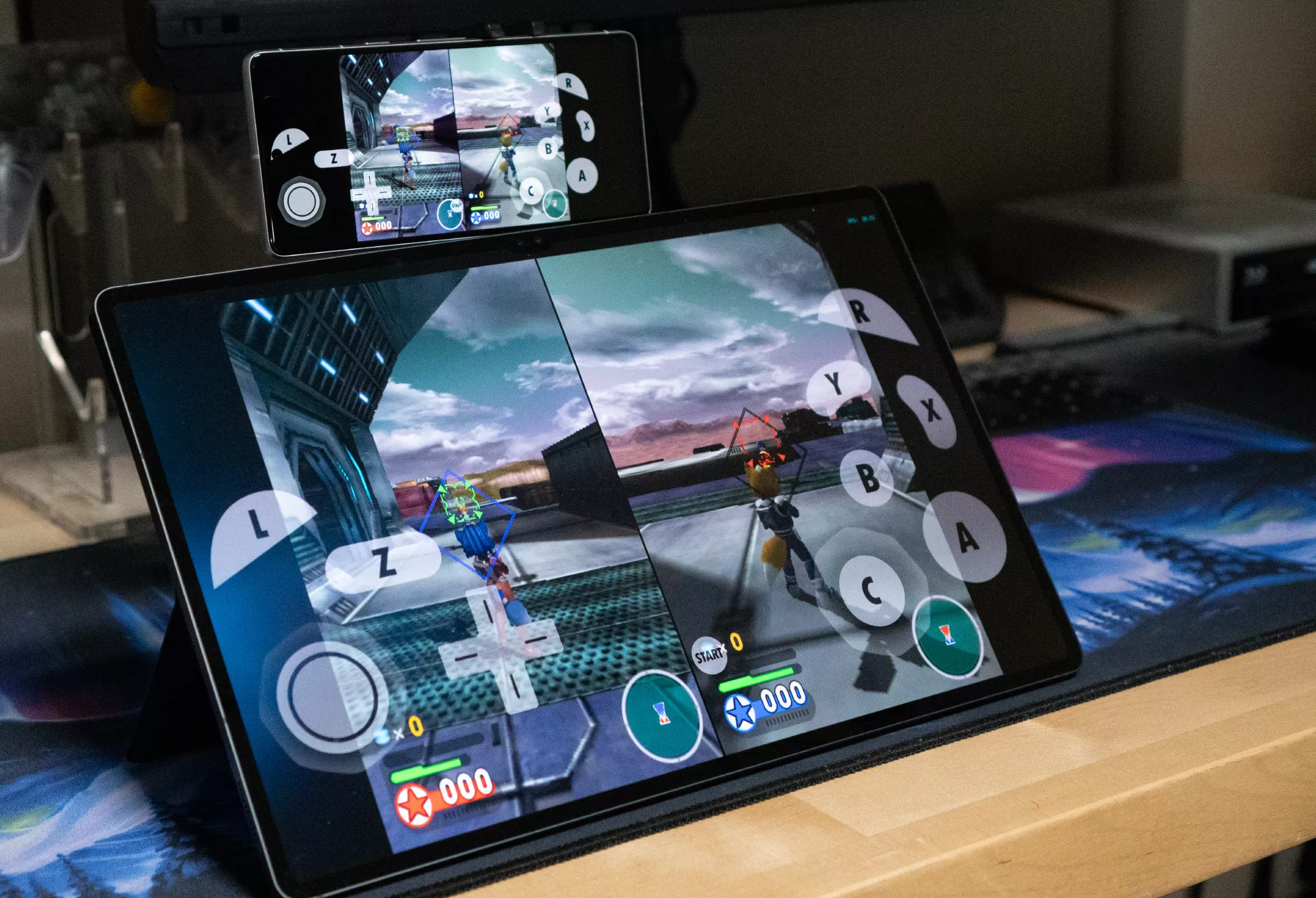
Dolphin is an emulator for the Nintendo GameCube and Wii. It allows PC gamers to enjoy games from both consoles in full HD (1080p), along with a range of enhancements – including support for all PC controllers, turbo speed, networked multiplayer, and more.

To run the Windows version, the 64-bit Visual C++ redistributable for Visual Studio 2022 must be installed.

What games can you plan with Dolphin Emulator?

Dolphin lets you enjoy Nintendo GameCube and Wii games on PC. For a complete list of playable games, you can check out the list here.

What kind of CPU do I need to run Dolphin?

You’ll need a quad-core CPU or better. With four cores, Dolphin has two cores for the main emulation threads, a third core for other tasks, and another core for the OS and background tasks.

Advertisement

Do I need a powerful GPU to run the Dolphin emulator?

A discrete graphics card that supports DirectX11.1 and OpenGL 4.4 is highly recommended. The more powerful the graphics card, the more pixels and enhancements you can throw at it.

  • Nvidia: A GeForce GTX 1060 or better Nvidia GPU will be able to play Dolphin in HD resolutions with Ubershaders well.
  • AMD: A Radeon RX 570 or better AMD GPU will perform well in Dolphin with Ubershaders. AMD generally favors D3D over OpenGL.
  • Intel: Iris Pro iGPUs will handle Dolphin well in D3D in Windows. Integrated graphics older than HD 4000 are not supported.

How much RAM do I need to run Dolphin?

Dolphin requires at least 2GB of RAM. RAM speed generally has no effect on emulation performance.

Can I use two or more controllers for local multiplayer on Dolphin emulator?

Yes, if you have two or more friends connecting from the same computer, you can give a single computer multiple controllers. You only need to configure the first two ports of the Controller Configuration page.

What operating systems are supported?

Dolphin is a cross-platform emulator that runs on Windows 10 and Windows 11, Linux, macOS (10.15 Catalina and up), and Android (5.0 and above). Dolphin requires 64-bit operating systems to run properly.

What’s New

Welcome to Dolphin 2609’s accompanying Progress Report! Like everyone else, we’ve been doing our best to weather the Techpocalypse brought on by AI, but it’s really come after us in the past few months. Our website has been up and down repeatedly lately, as our defenses are barely holding out under the endless bombardment. But now AI has started to come for the emulator directly, with people using AI to mass-scan open source projects for potential vulnerabilities and overwhelm our volunteer team with very verbose reports. Though draining, once these vulnerabilities are out there, we can’t ignore them. A lot of effort has had to be diverted to deal with them, both in patching them and adjusting our workflows to better manage them. For more information, zip directly to that section with this link here.

Advertisement

But that’s not all. A vulnerability in macOS allowed our macOS buildbot to be briefly compromised by a generic cryptominer attack. We’ll skip the quick summary and just point you toward the full story below, which you can reach by clicking here. The important thing is that we have determined that no builds were compromised.

We really just want to keep making Dolphin better. Fortunately, despite these headaches and roadbumps, there are still quite a few notable changes to go through, so let’s get to it.

Notable Changes

2606-91 – Android NetPlay by tom-pratt

Advertisement

Under the hood, our mobile and desktop builds are almost identical. Dolphin is simply Dolphin; the only difference is the UI that lays on top. Despite this, our Android release doesn’t have feature parity with our flagship desktop builds. A lot of features that are missing in the Android GUI that are present in the desktop GUI are mostly missing because they’d be difficult to implement or would have limited value on Android.

NetPlay once fell into both camps.

For those unaware, Dolphin has lockstep NetPlay available to allow for online play in games that only had local multiplayer. Lockstep NetPlay requires perfect synchronization between each instance, and thus Dolphin has to run in a deterministic mode. This means forcing Single Core (or using a slower and even hackier version of Dual Core), setting the same starting time/seed, and making sure the same inputs make it to every machine. Optionally, save data and cheats can also be synchronized for use on NetPlay. If done right, each instance of the emulator will stay synchronized with no further intervention, with Dolphin only passing inputs.

All of these complexities make NetPlay an enticing, but often cumbersome-to-use feature. And given that it would be annoying to create a good GUI for NetPlay on Android and it would make games run slower on already limited hardware, there was no rush to implement it on Android.

Advertisement

In the 2020s, the scales started to tilt in the other direction. Android devices have gotten stronger and stronger, and though CPU governors and GPU drivers still confound us, many flagship devices can run games in Single Core just fine. Additionally, Jetpack Compose for Android allows for easier and faster development of Android GUIs.

Wanting to share some of his favorite childhood experiences with his own kids, tom-pratt stepped up to the challenge. Using Compose, he built up the NetPlay Android GUI across several pull requests, with an initial bare bones implementation. This made it easier to review and eventually merge, and was quickly followed up with more features, such as controller port configuration for the host, that brings it closer to parity with the desktop implementation.

And now, as of Dolphin 2609, NetPlay is ready for Android users!

Currently, Android NetPlay requires users to be on a standard network (Wi-Fi, Ethernet, etc), but work has been started on adding support for Wi-Fi Direct, which would allow Android NetPlay to function between nearby devices with no network, similar to how the Nintendo DS’s local Wi-Fi play worked.

Advertisement

Note: Using NetPlay over mobile data is not recommended. Even if you can get it to work, the packet loss and latency are not particularly suitable for lockstep multiplayer.

Cross Platform NetPlay

Can Android and desktop Dolphin play together with NetPlay? Yes, they can! Players can mix and match devices with whatever they have, so phones and laptops can play together just fine! However, there are some limitations that must be kept in mind.

Most full-size desktops use x86-64 processors, while most phones use ARM processors, and Dolphin uses different JITs depending on the host CPU. While our ARM64 and x86-64 JITs are very similar, they are not completely identical, and those JIT differences are likely to cause desyncs. Mixing and matching CPU architectures isn’t a guaranteed failure though – whether these differences lead to a desync or not depends on what instructions games use and in what order.

Advertisement

Ignoring the JIT problem, there is one more major source of potential desyncs: the Framebuffer! Games that use EFB Access and/or Store EFB/XFB Copies to RAM can get different results from different graphics drivers. If these results mismatch at all, even if it doesn’t directly affect game logic, a timebase desync will usually be reported. Often this won’t outright break NetPlay (at least immediately), but if the difference becomes big enough, the instances will diverge. Given how special Adreno and Mali drivers are, there may even be problems when playing between different kinds of phones in those games!

Complete release notes here.

Source link

Advertisement
Continue Reading

Tech

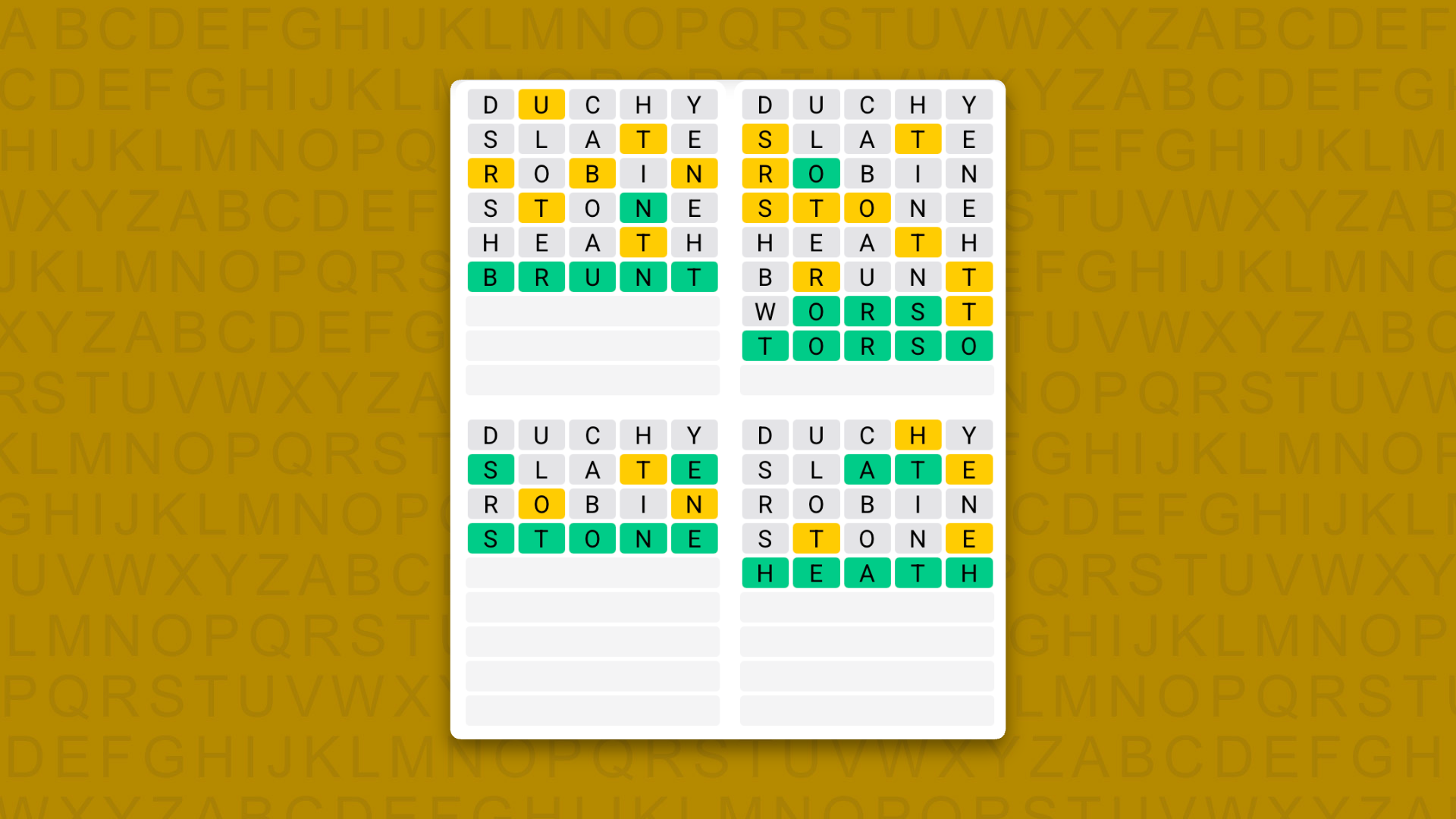
Quordle hints and answers for Monday, September 28 (game #1708)

Published

on

Looking for a different day?

A new Quordle puzzle appears at midnight each day for your time zone – which means that some people are always playing ‘today’s game’ while others are playing ‘yesterday’s’. If you’re looking for Sunday’s puzzle instead then click here: Quordle hints and answers for Sunday, September 27 (game #1707).

Quordle was one of the original Wordle alternatives and is still going strong now more than 1,500 games later. It offers a genuine challenge, though, so read on if you need some Quordle hints today — or scroll down further for the answers.

Enjoy playing word games? You can also check out my NYT Connections today and NYT Strands today pages for hints and answers for those puzzles, while Marc’s Wordle today column covers the original viral word game.

Advertisement

Source link

Continue Reading

Trending