






Connect with us
DAPA Banner

Tech

Steven Soderbergh On AI In Films: If There’s a Filmmaking Tool, I’m Going To Explore It

Published

on

from the creatives-using-tools-as-tools dept

While we’ve taken some issues with his approach to copyright laws and enforcement in the past, there is no doubting that Steven Soderbergh is a filmmaking legend. This is a man who directed films like Traffic and Ocean’s 11. He talks about, and cares about, the art of filmmaking. And he’s apparently beginning to use AI in some limited ways.

You really have to pay attention to Soderbergh’s specific comments on how he’s using it, because I would argue that it’s exactly the right artistic approach to the conversation: limited, targeted uses that help achieve the artist’s vision rather than replace everything in a film with garbage slop. Interestingly, articles like this one from Salon still frame all of this as some betrayal of art on Soderbergh’s part. Here’s how Soderbergh describes how he’s using AI as part of an upcoming film about John Lennon and Yoko Ono.

“AI has been helpful in creating thematically surreal images that occupy a dream space rather than a literal space,” Soderbergh said. “And it’s been really fun because you need a Ph.D. in literature to tell it what to do.” Soderbergh relented that generative programs require “very close human supervision,” before going on to admit that he’s also using “a lot of AI” for an upcoming film about the Spanish-American War, to generate images of archaic warships and God knows what else.

I very much understand Soderbergh’s description of how he’s using this tool for his films, but I have no idea what the hell the commentary from Salon around the quote is on about. “And God knows what else” is perhaps the silliest comment in the post, because that statement only works if Soderbergh himself happens to be God.

I don’t believe he is, to be clear. And I think an artist like this one who finds the tool useful in achieving his overall artistic vision is something we should be paying attention to, not dismissing out of hand. The Salon piece notes that Soderbergh has routinely been a director who has embraced the use of new technology before launching into this diatribe.

Advertisement

But just because Soderbergh jumping at AI could be seen from a mile away doesn’t make it any less disappointing, nor does it excuse his reluctance to thoughtfully engage with others’ criticisms about the technology. If “The Christophers” is to be believed, art that tries to imitate a certain style is little more than hollow, emotionless posturing. Generative AI is the same: mere mimicry, devoid of the humanity that makes art . . . well, art. And by being so willfully averse to acknowledging the ways AI and art conflict — not to mention its ramifications for others in his industry — Soderbergh’s take on an artist losing his touch in “The Christophers” is disappointingly apt.

Of course the art that AI “creates” is mimicry and devoid of humanity. That’s definitionally how the tool works. And anyone who thinks they’re going to rely on an AI tool to “create art” is on a fool’s mission. It simply won’t work because it’s not designed to work that way. Instead, it’s a tool to get you some components of what you need to create an overall artistic vision, which is still led by a very human artist. Will there be work done by an AI on the margins in filmmaking that would normally have been done via paid workers in the industry. Perhaps. Likely, even. But will the limited use of these tools also lower the barrier of entry in terms of skill set needed and budget to produce films, thereby creating even more output of films overall? I’m struggling to see how that would not be the case.

And at the end of the day, there’s still an artist calling the shots. Perhaps fewer overall total artists involved in a single movie, but the limited use of AI tools doesn’t somehow suck the entire soul from a film anymore than the ease of digital footage editing over the use of film does. And just like a movie that is almost nothing other than pretty CGI graphics, but which otherwise sucks, lazy people trying to create entire films with AI are going to fail. And fail hard.

Say it with me now: there is more nuance to this conversation than the hardliners and evangelists are bothering to acknowledge.

In a follow-up chat with Variety, Soderbergh expanded on his initial comments about using AI in future films. “I’m just not threatened by it . . . Ten years ago, I would have needed to engage a visual effects house at an unbelievable cost to come up with this stuff,” he said. “No longer. My job is to deliver a good movie, period. And this tool showed up at a moment when I needed it. I don’t think it’s the solution to everything, and I don’t think it’s the death of everything . . . There are some people that I have absolute love and respect for that refuse to engage with it. That’s their privilege. But I’m not built that way. You show me a new tool, I want to get my hands on it and see what’s going on.”

That’s an artist saying that, folks, not some Silicone Valley tech bro. And, to be clear, he might get it wrong. He may use the tool and his product might suck out loud. But to try to abort the use of a tool before it’s even been explored seems silly.

Advertisement

Filed Under: ai, filmmaking, generative ai, steven soderbergh

Source link

Advertisement
Continue Reading
Click to comment

You must be logged in to post a comment Login

Leave a Reply

Tech

Scaling AI into production is forcing a rethink of enterprise infrastructure

Published

on

Presented by Nutanix


Across industries, organizations are focused on how to move from AI pilots, proofs of concept, and cloud-based experimentation to deploying it at scale — across real workloads, for real users, in real business environments. VentureBeat spoke with Tarkan Maner, president and chief commercial officer at Nutanix, and Thomas Cornely, EVP of product management, about what that transition demands, and what it will take to get it right.

“AI in general is shifting everything we do, not only in technology, but across all vertical industries, from regulated industries like banking, health care, government, education to non-regulated industries like manufacturing and retail,” Maner said. “As a complete platform company, we welcome this change. It’s creating more opportunities for us as a company to serve our customers in better ways as we move forward.”

But there’s still a practical gap between experimentation and production, Cornely said.

Advertisement

“It’s one thing to do an experiment, to do a prototype. It’s a different thing to take that prototype and deploy it for 10,000 employees,” he explained. “We went from people focusing on training models to chatbots to now doing agents, where the demand and pressures on AI infrastructure are growing exponentially.”

Agentic AI introduces a new layer of enterprise complexity

The rise of agentic AI is what makes this transition especially consequential. These systems introduce multi-step workflows across applications and data sources, along with a degree of autonomy that creates new operational demands.

Enterprises now have to contend with multiple agents running simultaneously, unpredictable and real-time workloads, and the need to coordinate access to infrastructure across teams.

“OpenClaw is making it very easy now for anybody to build agents and run with agents,” Cornely said. “You want those agents to be running on premises with your data. You need to have the right constructs around it to protect the enterprise from what an agent could do.”

Advertisement

As these systems become more autonomous, the challenge extends beyond how they operate to how they interact with enterprise data, systems, and teams.

AI is augmenting human work, not replacing it

Agentic AI is fundamentally an amplifier of human capability rather than a substitute for it, Maner said. The goal for enterprises is not to eliminate human work but to find the right balance between human decision-making, AI-driven automation, and agent-based workflows.

“We believe that there’s going to be love, peace, and harmony between AI, agentic tools, and robotics systems, and human capital,” Maner said. “That harmony can be optimized for better outcomes for businesses, enterprises, governments, and public sector organizations, if the right vendors provide the right tooling and the right services.”

How enterprises are getting started with AI at scale

In practice, the move from experimentation into real-world deployment is where the challenges become most visible. Despite the momentum, many are still working through how to scale AI beyond initial use cases.

Advertisement

As they do, organizations quickly run into practical constraints. Many start in the cloud because of easy access to resources and services, but practical considerations like data, governance and control, and cost quickly come to the forefront.

The cloud can be used to experiment, with the ultimate goal of bringing applications back on premises as they move toward production, using platforms that solve for security and cost.

The use cases gaining the most traction include document search and knowledge retrieval, security and predictive threat detection, software development and coding workflows, and customer support and service operations. In the security realm, banking customers and others in Europe and the U.S. are deploying AI-driven tools including facial recognition and predictive threat detection. Meanwhile, there’s a growing focus on end-to-end, 360-degree customer engagement, from pre-sales through post-sales advocacy, in the customer support industry.

Industry-specific AI transformation is already underway

Across industries, the shift from experimentation to real deployment is already taking shape in distinct ways. In retail, AI is transforming store operations with cameras and robotics used for targeted in-aisle marketing at the moment of purchase decision, while cashier-less checkout is replacing traditional POS systems, and the human capital freed up is being redeployed to back-office and merchandising functions.

Advertisement

In healthcare, Nutanix works with customers on applications spanning diagnosis, treatment, remote health, and hospital operations, with cloud partners including AWS and Azure. In manufacturing and logistics, the transformation is equally significant.

The operational challenges of scaling enterprise AI

As AI use cases scale, enterprises are running into a new class of operational challenges. Managing multiple AI workloads and agents, coordinating infrastructure access across teams, ensuring security and governance, and integrating AI systems with existing business processes are now top-of-mind concerns for IT and business leaders alike.

The gap between AI developers pushing for speed and access, and infrastructure teams responsible for security, uptime, and governance, is one of the defining challenges of this moment.

“Now I’m running agents, and they’re all going to fight to get access to resources to solve my problems,” Cornely said. “What you want now is infrastructure that allows you to set constraints, govern resources.”

Advertisement

The AI factory: a shared platform for production AI

These challenges are driving demand for what Maner and Cornely describe as the AI factory: a shared infrastructure environment that supports multiple users and workloads simultaneously, enabling both experimentation and production while balancing developer agility with enterprise governance.

At GTC 2026, Nutanix announced the Nutanix Agentic AI Solution, a complete platform spanning core infrastructure, Kubernetes-based container services running on a topology-aware hypervisor, and advanced services for building and governing agents.

“We’re launching a complete platform, from core infrastructure through PaaS and advanced PaaS services to the whole management framework for your AI factories,” Cornely said. “Really enabling self-service for the teams that will build these applications in the enterprise.”

Hybrid environments are essential to enterprise AI strategy

Operating this kind of environment requires flexibility across infrastructure. Hybrid infrastructure is not a compromise, but a requirement. Some workloads will always run in the public cloud, while others must remain on premises due to security requirements, regulatory compliance, data sovereignty, or competitive IP considerations.

Advertisement

“Especially in the regulated industries, as sovereignty becomes a bigger issue, data gravity becomes a bigger issue, security, and also a lot of competitive differentiation in the industry, it’s going to depend on what the company wants for their own IP,” Maner said.

This is the foundation of Nutanix’s platform position, he added.

“We are the perfect harmony, bringing those applications, that data, and all the optimization for these use cases end to end, from on-prem to off-prem and in a hybrid mode,” he said. “Doing it not only in one cloud, but for multiple clouds.”

That flexibility also extends to the broader ecosystem. Nutanix works across hyperscalers including AWS, Azure, and Google Cloud, as well as regional service providers and emerging neoclouds. Nutanix offers neoclouds a full software stack to run their own clouds and deliver advanced AI services, giving enterprise customers already running Nutanix a simple extension of compute, networking, and AI capabilities.

Advertisement

Maner described the arrangement as a win for both sides. For enterprises, it means simplified access to hybrid AI services. For neoclouds, it means a proven platform to build on. It’s all automated and secure by default, Cornely added.

“All of those governance problems that now come up with agentic AI are the same problems we’ve been solving for the last 16 years for every other application running in your cloud,” he said.

From pilot to production: operationalizing AI across the enterprise

Ultimately, the goal is not to run a successful AI pilot, but to operationalize AI across real-world use cases, manage infrastructure as a shared resource, support collaboration between infrastructure teams and AI developers, and scale from initial projects to enterprise-wide deployment.

“There’s a massive gap right now between people building AI applications, those AI engineers, those agentic AI developers, and your classical infra teams,” Cornely said. “They need tooling to enable the infra teams, so they can support your AI engineers. That’s what we deliver with our agentic AI solution.”

Advertisement

Sponsored articles are content produced by a company that is either paying for the post or has a business relationship with VentureBeat, and they’re always clearly marked. For more information, contact sales@venturebeat.com.

Source link

Continue Reading

Tech

Scientists create "living plastic" that can self-destruct on command

Published

on


Scientists at the Shenzhen Institutes of Advanced Technology have developed a “living plastic” with a built-in kill switch. The material contains spores from engineered Bacillus subtilis, a common soil bacterium, that remain inactive during normal use.
Read Entire Article
Source link

Continue Reading

Tech

Ten Key Enablers for 6G Wireless Communications

Published

on

More Information

As the wireless industry looks beyond 5G, a new generation of technology components is emerging to address the performance demands of use cases such as immersive telepresence, digital twins, autonomous robotics, and smart-city infrastructure. 6G aims to support peak data rates up to 1 Tbps by extending into THz frequency bands, while simultaneously integrating sensing, AI-driven signal processing, and photonics into a seamless network architecture. Reconfigurable intelligent surfaces offer a way to shape the radio environment using programmable metamaterials, and ultra-massive MIMO pushes antenna-element counts far beyond current arrays. Full-duplex communications could double spectral efficiency, and non-terrestrial nodes such as LEO satellites and stratospheric platforms promise truly ubiquitous three-dimensional coverage. This white paper examines each of these ten technology enablers, explains the underlying principles, and outlines the open research challenges on the path to a future 6G standard.


Source link

Advertisement
Continue Reading

Tech

Four key areas in cybersecurity that need fresh thinking and actionable steps in 2026

Published

on

Cybersecurity entered 2026 under pressure to keep pace with the rapid deployment of AI technologies while laying the foundations for a quantum future.

Security leaders are expected to defend increasingly complex AI and hybrid environments while facing persistent talent shortages, a fast-changing threat landscape and mounting operational pressure.

Source link

Advertisement
Continue Reading

Tech

Sender review | TechRadar

Published

on

Why you can trust TechRadar


We spend hours testing every product or service we review, so you can be sure you’re buying the best. Find out more about how we test.

Sender has been building a reputation as an affordable email marketing platform since 2012, and today it counts more than 180,000 businesses in its user base. The platform handles newsletters, automation workflows, transactional emails, and SMS under one roof, whereas many competitors split those features across multiple pricing tiers or reserve them for higher-cost plans.

We’ve been reviewing email marketing software at TechRadar Pro for over a decade, covering platforms from Mailchimp and Brevo to ActiveCampaign and Omnisend year after year. This Sender review is based on hands-on testing across the platform’s automation, template, and form-building tools, cross-referenced against official documentation and verified user reviews.

Source link

Continue Reading

Tech

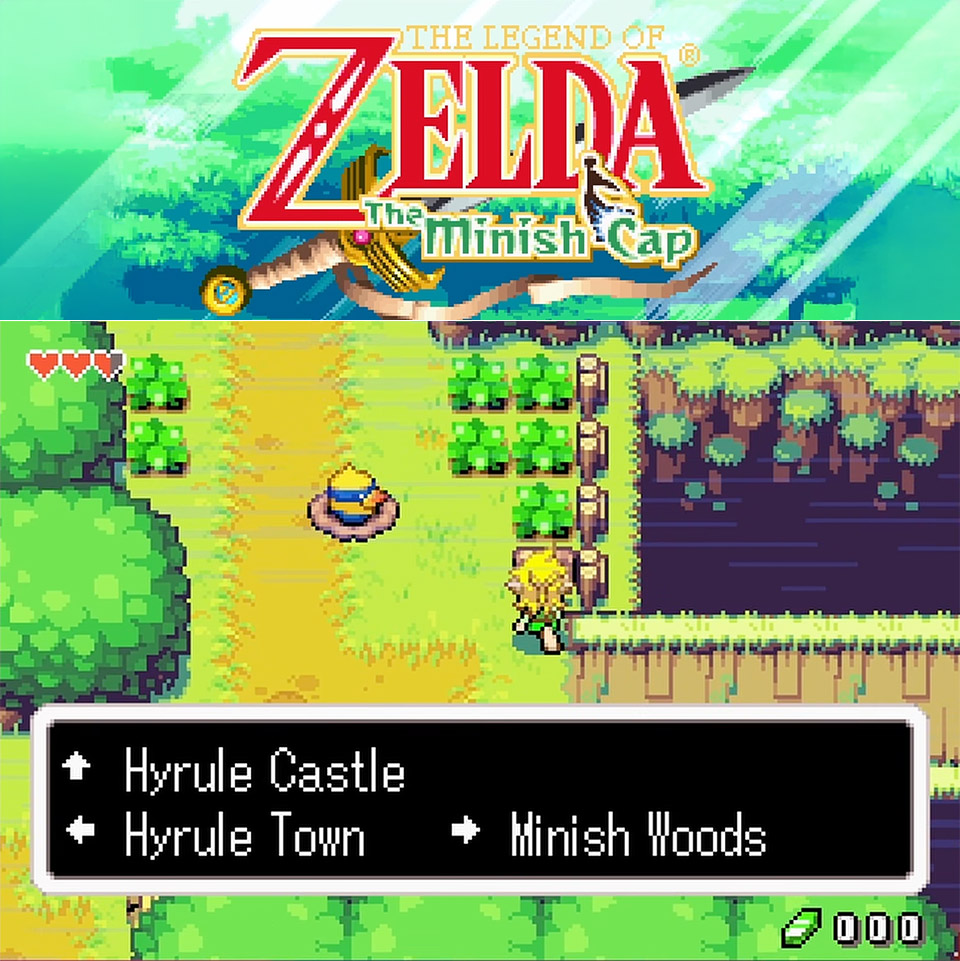
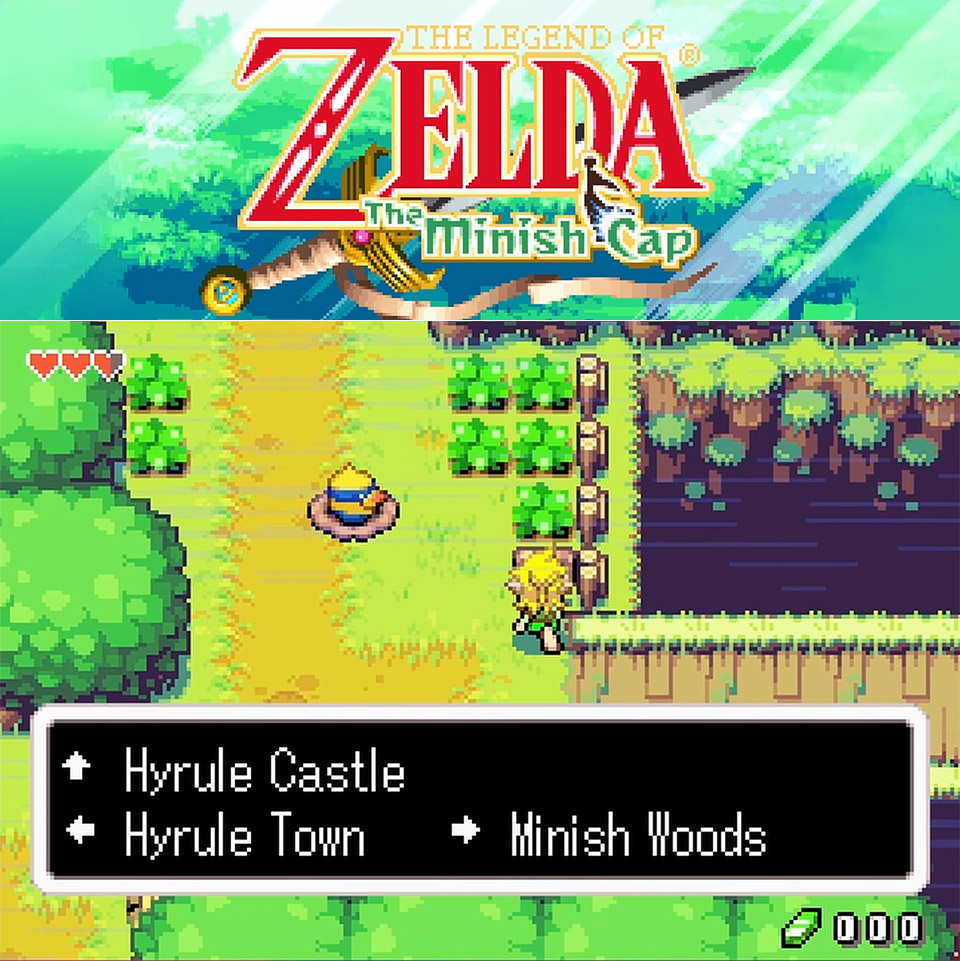
The Legend of Zelda: The Minish Cap Gets a Native PC Port, Here’s Where to Download It

Published

on

The Legend of Zelda: The Minish Cap Native PC Port
Players who swapped Game Boy Advance cartridges as kids will remember the thrill of returning to Hyrule for the final time in 2004. That was the year The Legend of Zelda: The Minish Cap was released, a game that many people overlooked but provided one of the series’ most original ideas to date. Fast forward to now: an unofficial native port allows you to run the game natively on Windows or Linux, without the need for an emulator or the hassle of an odd setup.


The story begins in Hyrule Town at the annual Picori Festival, which is a bustling time with a sword-fighting event and plenty of celebrating to be done. Link and his friend Zelda go out to enjoy the environment, but the fun is short-lived. Some unexpected guest enters and puts the princess in a difficult situation, and the story takes off from there. What follows is a retelling of the Four Sword legend’s early days, complete with a new primary enemy in the form of wind master Vaati. The tale remains light and fluffy, with plenty of beautiful moments tossed in for good measure, thanks to some exchanges with the Minish inhabitants who happen to share the game’s name.

The Legend of Zelda The Minish Cap Native PC Port
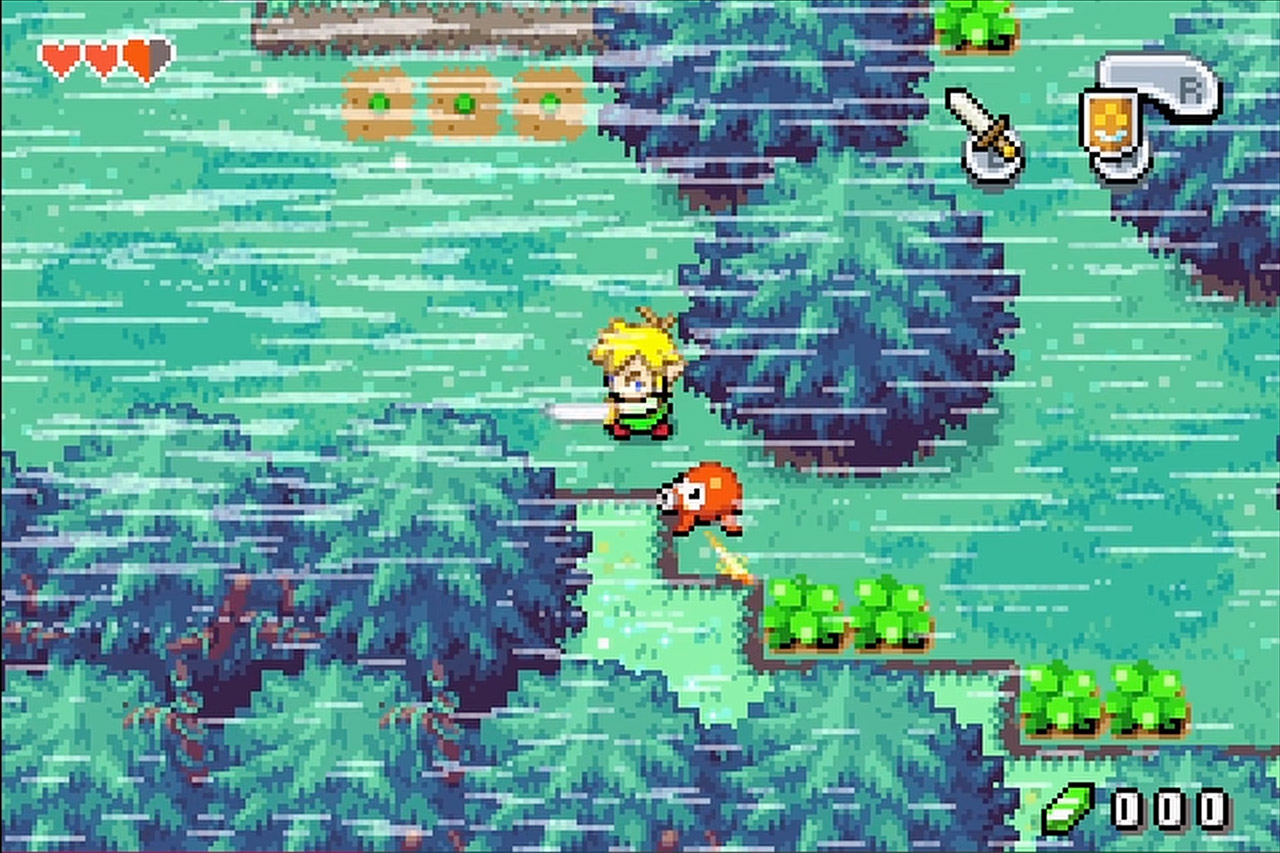
Gameplay-wise, it’s returning to the classic top-down view of previous portable Zelda adventures. So Link gets to stroll through bright meadows, calm forests, and bustling villages, solving puzzles and clearing dungeons along the way, but the true twist comes early on, when he gains the ability to shrink himself down to Minish size. One minute he’s too big to cross a puddle, the next he’s slipping through small entrances that are undetectable to his usual size and discovering all sorts of hidden worlds, entire secret societies living beneath floorboards and within hollow tree stumps. That size adjustment completely alters the vibe of each location. Grass blades grow taller than trees, rains become hazards, and everyday home items become towering hurdles.

The Legend of Zelda The Minish Cap Native PC Port
Three new tools really make the shrinking mechanic pop. The Mole Mitts allow Link to tunnel through dirt walls that restrict his way in either size, and you will use them frequently. The Gust Jar allows him to suck in adversaries or stray objects and blast them out with all his might. The Cane of Pacci flips some blocks or platforms, causing them to act in new and helpful ways. Each of these equipment sees extensive use throughout the six main dungeons and the enormous overworld that connects them. Dungeons are a terrific mix of battle, block-pushing, and cunning platforming, all adapted to both Link’s sizes. The boss fights are satisfying without ever feeling awkward or overwhelming.

The Legend of Zelda The Minish Cap Native PC Port
The PC port is the result of a comprehensive decompilation exercise that recreated the game’s source code from scratch. MatheoVignaud, the developer, built it all natively to operate on modern hardware, using SDL3 for input and display, as well as a software renderer that emulates Game Boy Advance hardware. Pre-built versions are available on the GitHub releases site for both Windows and Linux. Simply drop your own ROM file next to the executable, run the accompanying asset extractor once, and you’re good to go. Saves are automatically saved in a simple tmc.sav file in the same folder as the program.
[Source]

Source link

Advertisement
Continue Reading

Tech

AMD warns gaming revenue will plunge over 20% as memory prices drive up PC hardware costs

Published

on


AMD’s first-quarter results were good news for investors. Revenue hit $10.3 billion, up 38% year over year, while the data center segment climbed 57% to $5.8 billion on the back of Epyc CPUs and Instinct GPUs. Client and Gaming also improved, rising 23% to $3.6 billion, with gaming revenue up…
Read Entire Article
Source link

Continue Reading

Tech

Great Hardware Held Back By Bad Philosophy

Published

on

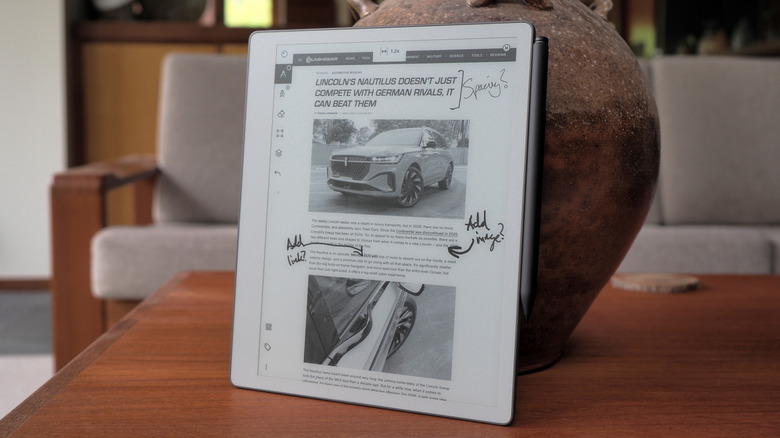
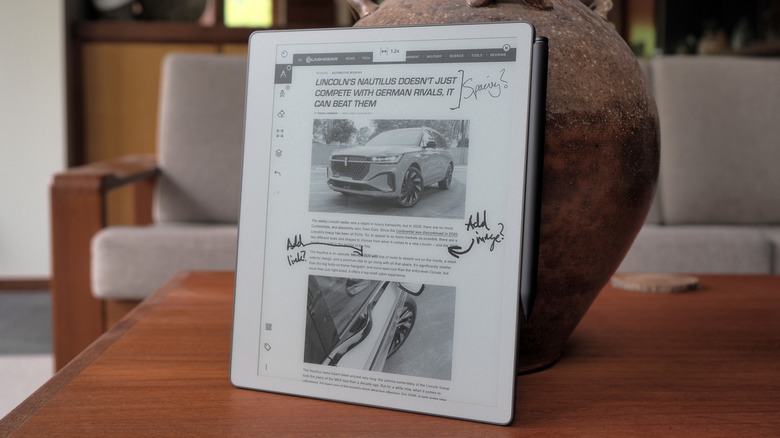
The reMarkable Paper Pure is, without a doubt, one of the nicest e-paper writing slates I’ve spent a lot of time with. The writing experience is more or less identical to the one found on the Paper Pros, and it’s an enormously well-crafted experience. I’m a big fan of the display and I’m fairly sure it’s more responsive to page swipes and refreshes than its siblings. Given what people will use this device for, I’m not even sure they’re going to miss the color display. I certainly didn’t, which even I was surprised about, but then color isn’t a necessity for a slate of this type. If you’re just handwriting long notes and editing, you’re probably not stopping every few scrawls to change ink color or highlight something anyway.

I’ll go further and say the Paper Pure is a far better device than the Paper Pro Move, which I found too small to be useful. In hindsight, the Move was likely a distraction if it held up engineering resources that could have gone to this. I’ve found it very easy to lean back in an armchair and scratch out my thoughts about this device in my time with the Pure. Plus, it’s an excellent e-reader that doesn’t burn out your eyes, and it’s great for journaling and sketching out the earliest design plans for projects.

reMarkable’s intentionality encompasses AI: The company won’t put any gen-AI crap on its gear for obvious reasons. But it does use machine learning to analyze your handwriting and, when you upload your documents to reMarkable’s sharing page, it’ll create AI summaries and extract action items. Plus, if you upload a file to, for instance, design website Miro, the AI will try and extract your writing and diagrams, digitizing them for the platform in question. These are all sensible and perfectly valid uses for the technology in my opinion, greasing the wheels of your workday rather than allowing you to outsource your thinking.

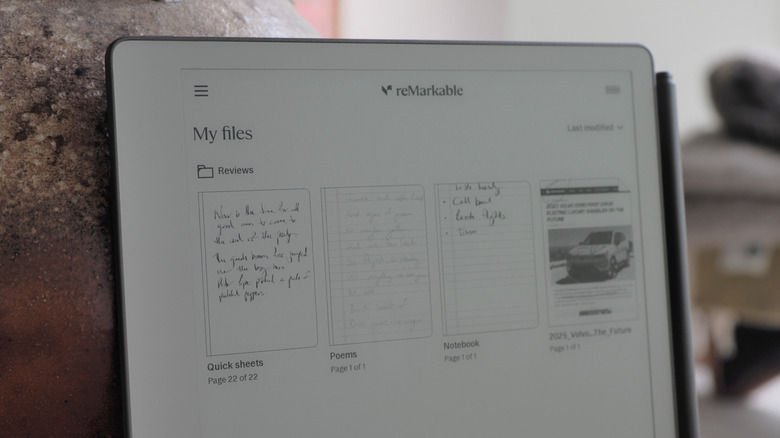
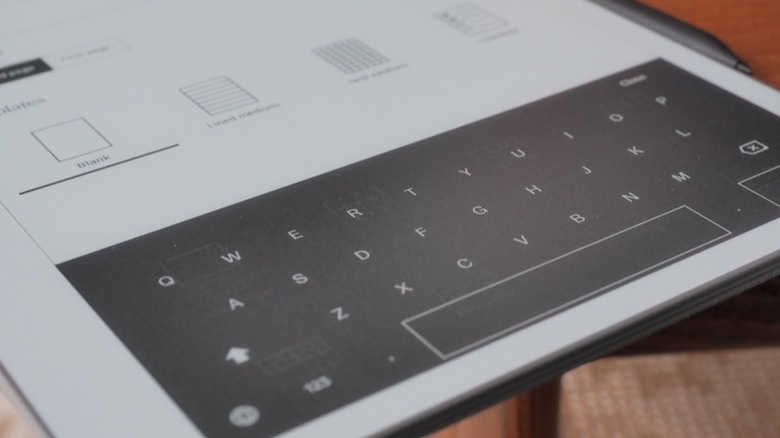
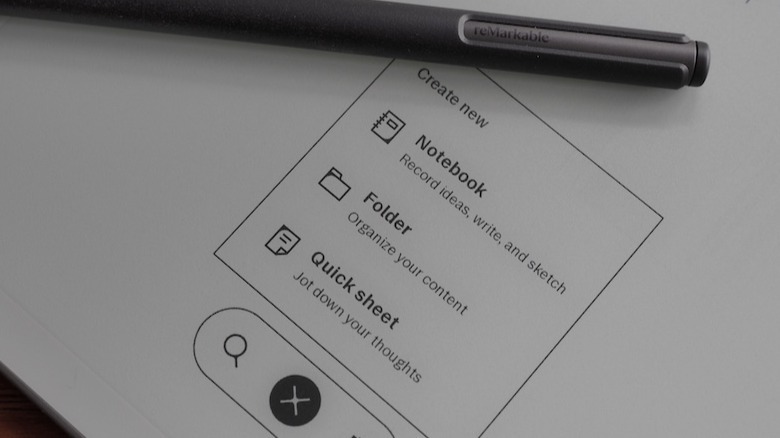
The basic stuff hasn’t changed. You create notebooks, using a variety of paper styles and templates. You can import .PDF and .EPUB files to read and amend, and can edit text directly if you can brave the on-screen keyboard. If your handwriting is clear enough (and mine rarely is) you can convert your scrawl to text, and the system will even let you search through your handwritten notes. Once done, you can share a .PDF of your work via email, Google Drive, Slack or various other third-party clients.

Advertisement

reMarkable supports native import of .DOCX files, which you’re able to edit with the stylus. When you want to export that file back to your computer, you’ll get an AI summary of the recommended changes. But, much like the exports of .PDF and .EPUB files, you’ll still have to manually copy-paste those amendments in your original document. Which, if I’m honest, doesn’t seem like a particularly efficient way of doing things, especially given who the company is pitching itself to now.

One of the new enterprise-friendly features is calendar integration, which will let you create and file meeting notes specific to each event. If it’s, say, a recurring meeting, the system will tie all of those together in the same workbook so you aren’t hunting for notes. Sadly, what you can’t do with this feature is automate some of the busywork that comes with using the slate as a day planner. There’s a small ecosystem of creators who sell custom .PDFs for use as planners or journals tailored to people’s specific use cases. This prompted reMarkable to launch Methods, a more dynamic system to do the same thing, but it lacks the joined up thinking that such a feature could benefit from. After all, I’d love it if my reMarkable planner automatically filled in the information from my integrated calendar.

For a while you’ve been able to share the screen of your reMarkable to a computer but that’s gotten a lot more useful. You can share it via a USB-C cable or wirelessly to the company’s web client to conduct presentations. Even better, and another sign of reMarkable’s elegant design choices, is that if you hover the stylus a few millimetres over the display, it’ll turn into a laser pointer with a slowly-diappearing light trail. So, if you need to highlight something in your presentation or brainstorming session, you can do so without affecting what’s on your workbook.

Unfortunately, all of these innovations are targeted so squarely at companies that regular folks might feel a bit elbowed out. It doesn’t help that while the device itself is a joy to use, it’s increasingly obvious the ecosystem that surrounds it is not. The friction inherent in moving a document on and off the slate, the extra steps in the workflow that it creates, are charming only in isolation.

Advertisement

Source link

Continue Reading

Tech

reMarkable’s Paper Pure Makes Sacrifices To Be Its Cheapest Tablet, But They’re Worth It

Published

on


The more we’re told to trust AI, offload our note-taking to machine intelligence, and outsource creativity to agent prompts, the more appealing pen and paper sound. It’s a compulsion that reMarkable has carved out its niche in, with a range of e-paper tablets that promise the familiarity of a pen but with the undeniable organizational boon that digital brings. Now, it’s the turn of the company’s cheapest model to get an update, in the shape of the reMarkable Paper Pure.

Replacing reMarkable 2, which launched in 2020, the Paper Pure has an 10.3-inch e-paper screen that refreshes faster, a longer lasting battery (lasting up to three weeks, the company estimates, though that’s based on about an hour of use a day), and close to half the carbon footprint.

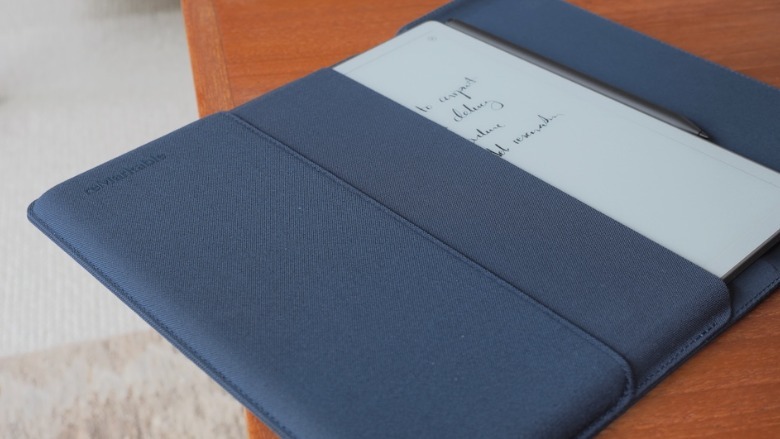
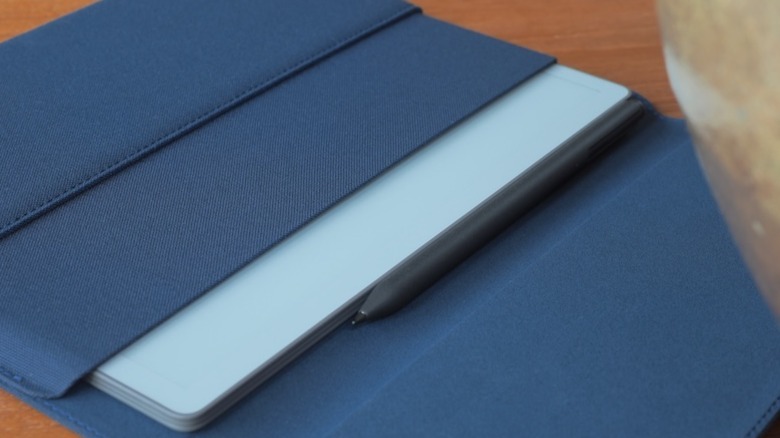
It’s priced the same, though: $399 in a bundle with the Marker digital stylus, or $449 with a sturdy fabric sleeve folio (in Mist Green, Desert Pink, or the Ocean Blue you see here). It’s compatible with the same Marker Plus stylus ($129) — that adds an eraser tip — as reMarkable’s more expensive models. Orders open today, with the first Paper Pure units shipping in early June, but I’ve been living with the tablet for the past couple of weeks.

Advertisement

Monochrome, but no matter

Compared to the reMarkable Paper Pro (from $629), the Paper Pure lacks the larger, 11.8-inch color e-paper display. There’s also no optional Type Folio keyboard cover, nor — probably more frustrating — illumination for the e-paper screen. Instead, like an actual printed book or magazine, visibility of the Paper Pure depends on ambient light conditions.

In-between those two models is last year’s reMarkable Paper Pro Move. It’s slightly more expensive (from $449) than the Paper Pure but significantly smaller, with a 7.3-inch color display — that’s also illuminated — helping trim the overall dimensions to roughly those of an old-school reporter’s notebook.

While the hardware differs, all three models have the same functionality; the Paper Pure has basically the same speed of processor paired with the same amount of memory as the Paper Pro Move. However, both the Paper Pro Move and the Paper Pro have 64GB of onboard storage, twice the 32GB of the Paper Pure.

Advertisement

It feels like writing on real paper

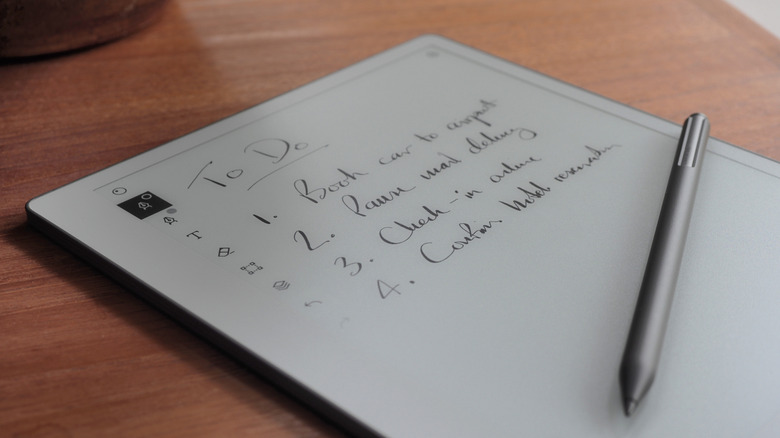
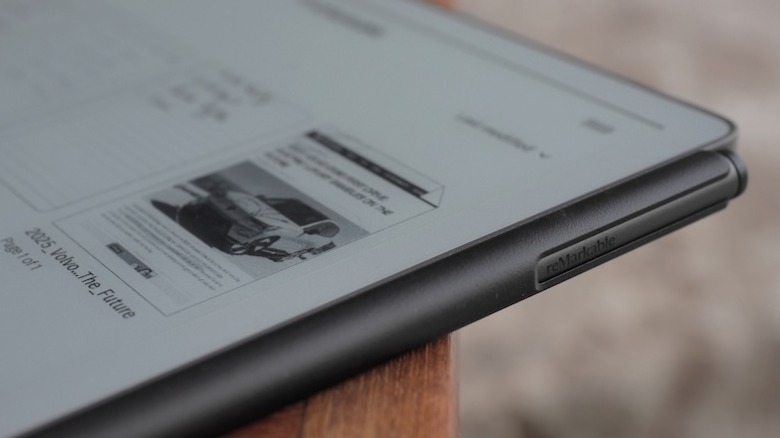
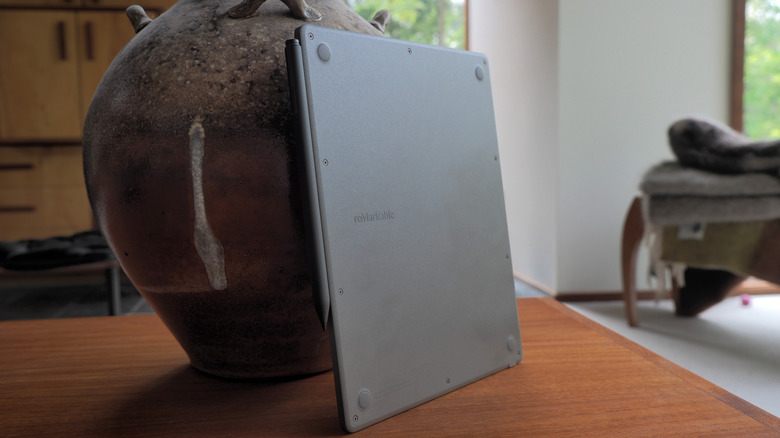
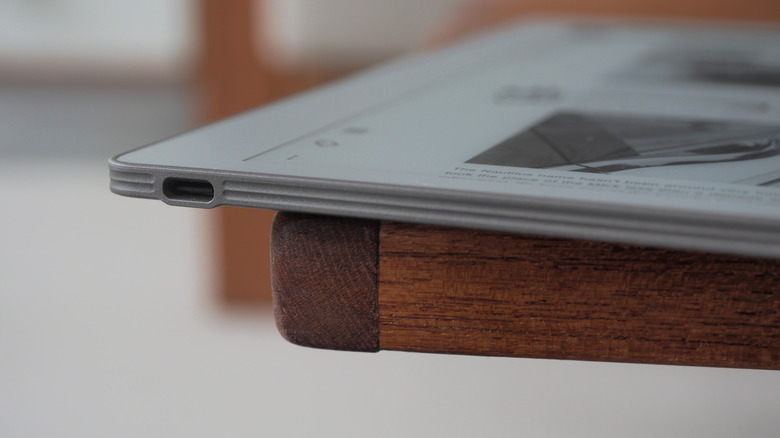
Paper Pure may be the cheapest of the line-up, but I can’t fault reMarkable’s design or construction, here. The 6mm thick tablet has a textured plastic back that’s easy to hold, and weighs 360 grams (so, less than the typical hardback book). There’s a USB-C port on the bottom, a power button on the top, and the stylus clings magnetically to the side for both storage and recharging. The 10.3-inch touchscreen is offset to the side, slightly, making it easier to hold the tablet without overlapping the e-paper; it rotates automatically, in 90-degree increments, so left-handed users are as welcome as those right-handed.

It’s the texture applied to that screen — and the nib of the stylus — which stands out, though. The same treatment as on the Paper Pro, it leaves the Paper Pure feeling like actual paper to write and sketch on.

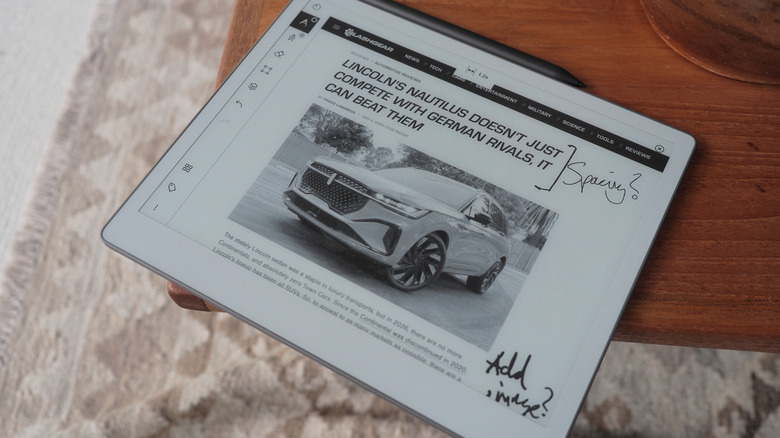
Combined with the faster e-paper screen — an update which promises to not only see the digital ink “flow” more smoothly from the Marker’s tip, but zooming and page-turns be swifter, too — it leaves the Paper Pure remarkable pleasing to use. As before, you can either start from a blank page (with or without a template, of which reMarkable has plenty, but you could also create your own, or import a third-party one) or import an existing document or webpage (reMarkable automatically converts them to PDR or ePUB files, which are still — annoyingly — the only two formats natively supported).

Advertisement

Some of the features require a subscription

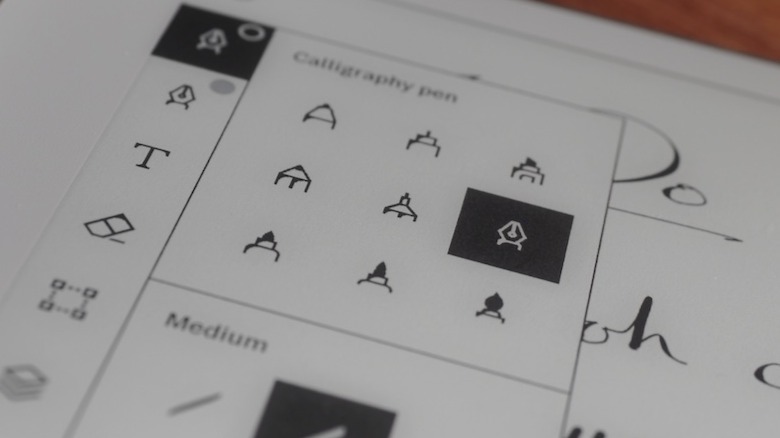
Writing on the Paper Pro could almost make a handwriting convert out of me. Or, more specifically, send me down a fountain pen rabbit hole: the flow of ink from the virtual pens on offer is so clean and realistic, I found myself taking notes almost for its own sake. Sketching, too, is oddly satisfying. I didn’t really miss the absent color support — relatively muted as it is on the Paper Pro, if you’re used to an iPad’s saturation — but then again I hated coloring books as a kid. Your mileage might vary.

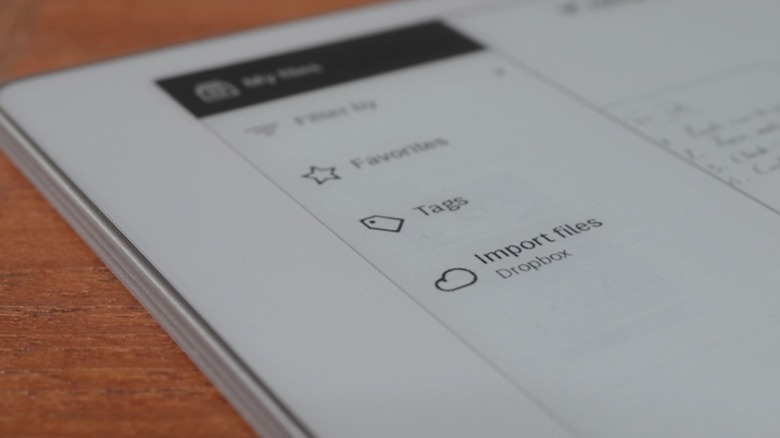
There’s handwriting conversion, which did an okay job turning my chicken-scratch cursive into text, and integration with Dropbox, Microsoft OneDrive, and Google Drive to both import documents and export them as annotated PDF, PNG, or SVG files. The ability to search unconverted handwritten notes, though, requires reMarkable’s Connect subscription ($3.99/month or $39/year).

It also adds support for editing notes in the companion iOS and Android apps (they’re automatically synchronized with the tablet when it has a Wi-Fi connection); sending notes to Slack and Miro, or as a sharable notebook viewable in the browser; and unlimited cloud storage of notes. Without a Connect subscription, only notebooks edited in the past 50 days will be synchronized to the cloud.

Advertisement

You either need a digital notepad or you don’t

As I’ve found when trying other reMarkable models, the usefulness overall very much depends on your existing style of working. I know owners of the tablets who are writers and editors, and who appreciate the ability to jot annotations and circle typos; frequent meeting-goers find reMarkable’s paper-like notebook organization structure straightforward, and taking notes less obtrusive when they’re handwritten compared to having a laptop (or even a bright-screened tablet) open on the table.

My own job involves plenty of writing and editing, but a Paper Pure doesn’t quite slot into that particular dynamic so readily. These days, I’m faster at typing than I am writing by hand. That is, to be sure, less a shortcoming of what reMarkable offers and more just the reality that not all workflows are created equal. Honestly, the gooey-realism of the digital ink made me inclined to treat the Paper Pure as a digital journal (I wish it had a fingerprint sensor integrated into the power button, which would be quicker than punching in the supported PIN code for security).

The most obvious competition comes from Amazon’s Kindle Scribe. It, too, has a monochrome e-paper display — in this case, measuring 10.2-inches, and front-illuminated — and a digital stylus; it’s also priced from $400, albeit for half the onboard storage of reMarkable’s tablet. Both handle a similar array of file import support, but Amazon would also love for you to summon its AI to assist with things like document summaries (as long as those documents are 15 pages or fewer).

Advertisement

The cheapest model is easier to justify

Frankly, I’m no more swayed by Amazon’s AI as I am by that of any other big tech firm. And if — like me — you’re trying to reduce your reliance on Bezos’ businesses generally, reMarkable’s independence and extra onboard storage may well seem like a bigger draw. 

The recurring irony on trying any reMarkable product has been that, while my own personal use-case isn’t entirely compatible with what the tablets are intended to do best, my appreciation for their design and functionality means I end up trying to reshape my workflow to better accommodate handwriting. There is something that simply makes me want to use them, more so than a regular tablet despite that undoubtedly being more flexible overall, and even if that means making up an excuse.

On that front, this combination of the cheapest model with the latest e-paper tech is arguably the easiest to justify for use as, say, a digital sketchpad or journal. $400 isn’t cheap, but while I might miss the illuminated screen, the reMarkable Paper Pure’s polish leaves this more affordable model feeling no less premium than its siblings. If it fits neatly into how you already use paper and pen, I find myself envying you.


Advertisement

Source link

Continue Reading

Tech

Kasperky warns popular Daemon Tools app backdoored by hackers to target specific victims

Published

on


  • Attackers poisoned DAEMON Tools downloads with malware, infecting thousands worldwide
  • The campaign deployed an infostealer first, followed by a selective backdoor on targeted machines
  • Researchers suspect Chinese actors, noting the attack’s precision against government and industry systems

DAEMON Tools, a popular program used to create and use virtual drives on a computer, was poisoned to deliver dangerous backdoor to thousands of users, experts have warned.

Security researchers Kaspersky published a new report outlining how someone broke into the website hosting DAEMON Tools around April 8, 2026. They added multiple new versions of the software, 12.5.0.2421 through 12.5.0.2434 – for DTHelper.exe, DiscSoftBusServiceLite.exe, and DTShellHlp.exe binaries.

Source link

Continue Reading

Trending

Copyright © 2025