
Security teams log 54% of successful attacks and alert on just 14%. The rest move through your environment unseen.
The Picus whitepaper shows how breach and attack simulation tests your SIEM and EDR rules so threats stop slipping by detection.





Old iPod Classics still draw people in with their click wheel, physical buttons, and the simple joy of a dedicated music player that never pushes notifications or drains itself on background apps. The hardware holds up surprisingly well decades later, yet the original design shows its age in daily use. Proprietary cables, failing hard drives, and no easy way to connect wireless headphones turn what should feel timeless into something that requires workarounds.
Tito from Macho Nacho Productions embarks on an ambitious quest to make a completely upgraded 5th Generation iPod Classic using the Moonlit Market Classic Connect 2 kit, and he takes us through every step of the process. The final product appears to be straight out of the past, with its vintage interface and respectable sound signature, but then you realize all of the modern technologies that have been added, such as Bluetooth, USB-C, wireless charging, haptic feedback, and a larger battery. What stands out is how simple this build is in comparison to past custom projects. The kit is mostly assembled, making life much easier. It contains a frosted translucent replacement back shell pre-fitted with the larger battery, wireless charging coil, and main board that handles Bluetooth 5.2 and the haptic motor, as well as a tube of B7000 glue to finish the process. Tito uses it with an iM Cory SD card converter board and a microSD card for storage, discarding the old spinning hard drive because it will not fit with the new one.

Opening the iPod requires some pressure from tiny plastic tools to remove the front and back parts without harming the plastic. Tito disconnects the battery and drive connections before removing the old hard drive. He swiftly cuts the small plastic clip above the screen to create space for the new board. The SD adapter is then inserted into the drive bay and connected to its own ribbon.
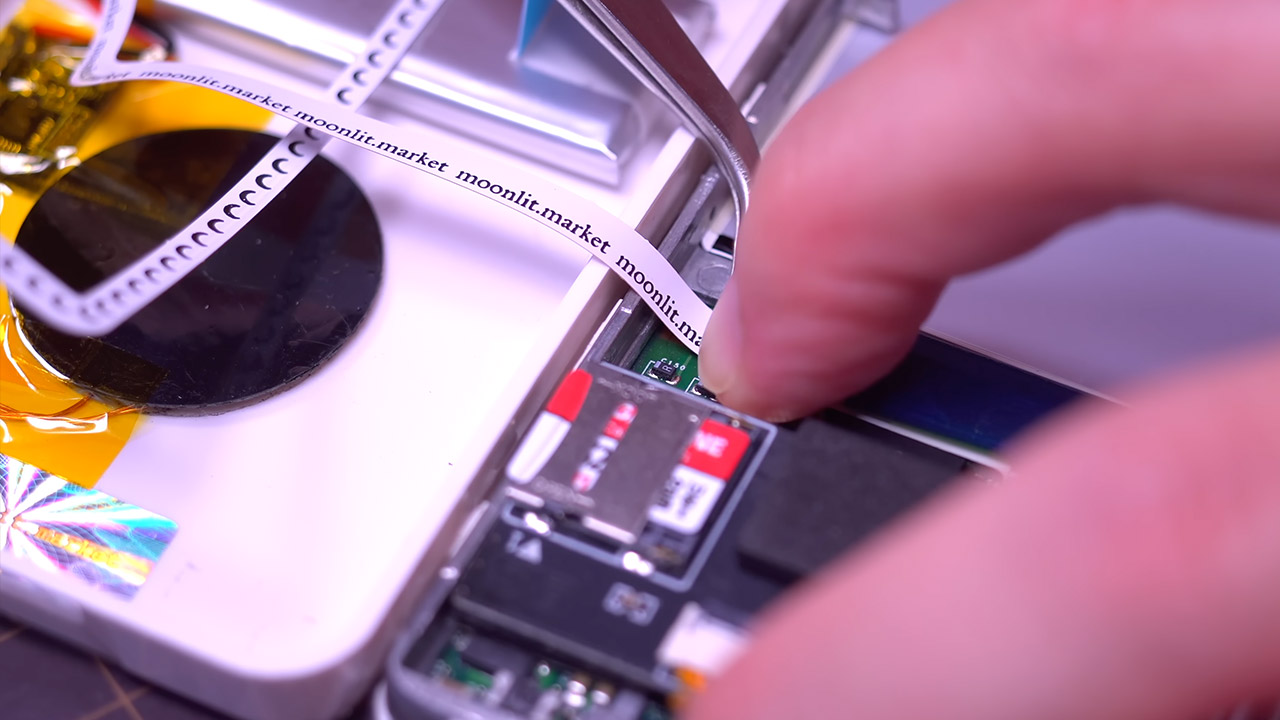
The Moonlit board is then attached to the iPod’s main circuit board with a few extra connections. Tito gives it a quick test run before using the B7000 adhesive to keep everything together. He runs into a couple of minor snags along the way, both of which are easily fixed, as he replaces his microSD card with one that the adapter prefers and fixes a dead ribbon on the haptic feedback by reseating the connection and reactivating the vibration motor. These little obstacles highlight how straightforward this method is, as no soldering or specialized electronics knowledge is necessary.

When the adhesive has entirely cured, the finished player feels complete. Bluetooth connectivity works easily with any AirPods or existing headphones, and higher-quality codecs do an outstanding job of preserving fine sound detail, which is frequently lost with basic wireless connections. The USB-C connector supports both charging and file transfers via a single interface, eliminating the need for cords.

Even better, you can just place it on a wireless charging pad and it will charge automatically. The haptic feedback adds a pleasant light touch to each click wheel turn and button press, offering some of the tactile input that the original mechanical design did. The new battery cell hidden beneath the new shell delivers much longer runtime. Tito compares the finished product to the Boxy Pixel aluminum-and-glass kit he showed in an earlier video. The Moonlit option foregoes the luxury machining in favor of a much simpler installation and a few more functions from the start, such as wireless charging and haptics. The translucent frosted surface gives the player a unique appearance while yet feeling like an iPod and not an entirely other device.

Paul Meade, the Apple vice president in charge of the Vision Pro headset, is leaving the company to join OpenAI’s hardware team, according to Bloomberg’s Mark Gurman.
Meade also reportedly led the development of the AI-powered smart glasses that Apple plans to launch next year. The costly Vision Pro was not a hit, but Apple is hoping that more affordable smart glasses will help it compete with wearable devices from Meta.
Gurman frames this departure as a byproduct of John Ternus’ imminent elevation to Apple CEO, and of Ternus’ decision to shake up the hardware engineering team, which left some of the company’s vice presidents feeling like they’d been demoted.
OpenAI, meanwhile, is already working with Apple’s former chief design officer Jony Ive on an AI device that CEO Sam Altman has claimed will be more peaceful and calm than an iPhone, though reports last fall suggested the company was struggling to get the details right.
TechCrunch has reached out to Apple and OpenAI for comment.

Just a couple weeks ago, the European Commission put out its plan for “European tech sovereignty.” It’s not surprising that Europeans are looking at their internet platform options and seeing a choice between US companies and Chinese companies as something that isn’t that appealing. Of course, Europe has mostly itself to blame for this mess. As an Economist piece in April noted, the EU effectively regulated its own internet ambitions to death:
Here is an uncomfortable truth for hand-wringing policymakers in Paris, Berlin and beyond: Europe’s dependency on America Inc is in no small part Europe’s own fault. Decades of over-regulating the old continent’s economy left businesses there unable to compete with American firms, which went on to trounce European ones even in their own backyards. What Europeans could not build quickly for themselves, due to a thicket of regulations, they often imported just as quickly from abroad….
Tech is where the dependency seems most acute. Europe has few firms at the forefront of AI, space or high-end computing (one notable exception is ASML, a Dutch firm globally vital to chipmaking). Even governments often have little choice but to use the likes of Microsoft or Amazon for cloud services, Palantir to sift through data or SpaceX to launch military satellites. Quixotic attempts to shake off big tech abound, for example by having civil servants ditch Windows for some clunky substitute. Too often the European alternatives are lacking anyway. It turns out that boasting about regulating AI before the public had made their first ChatGPT query—as the European Union did in 2021—is not conducive to home-growing AI champions.
Yes, EU rules often applied to American firms, insofar as they wanted to offer their wares in the bloc. But regulation in practice hit European firms harder. The costs of administering complex data-protection rules, say, could easily be absorbed by a Google or OpenAI, with their hordes of compliance staff. Not so their European rivals, which have usually lacked scale (if only because the EU’s fragmented single market made it harder for them to grow beyond their home country). The EU thus generated barriers to entry that often ended up protecting American giants.
And so the EU is going back to the drawing board, once again thinking that it can technocrat its way to technical competence, and that seems unlikely. After all, weren’t the EU’s two biggest pieces of signature tech legislation — the Digital Services Act (DSA) and Digital Markets Act (DMA) — supposed to solve all of this already?
I’ve long been a critic of both laws that were in some ways too vague and in other ways too restrictive all along, but at the very least they were the product of a fairly lengthy process, in which EU regulators were made well aware of the tradeoffs of various approaches. And they chose to land where they landed. This new move by the European Commission isn’t quite an admission of failure, but it sure is a sign that what they insisted would create the right incentives for local competition hasn’t yet worked.
But, of course, none of that may matter if the Court of Justice of the European Union (CJEU) — the highest court across the EU — continues to YOLO its way through internet law. Back in December we wrote about its deeply problematic ruling in the Russmedia case, which more or less ignored the fragile balance that the DSA had set forth regarding intermediary liability for third-party speech, by insisting that any platform operator must scan any user generated content for “sensitive personal data” about anyone else and block it. It effectively required full scanning of every piece of uploaded content, a ban on anonymous speech, and a requirement that “bad” posts somehow be blocked from anyone copying them.
And now it’s taken that up a notch in its new WebGroup ruling (full ruling currently only available in French, but Google translate works, at least while Google can still operate in the EU). While the headline regarding the ruling is that the CJEU says that age verification mandates are fine regarding pornographic content (matching the US Supreme Court on that one), the ruling goes even further, and suggests that any website that has algorithmic recommendations for content should take on liability for the content it recommends.
I recognize that some people are cheering this on because they hate “big tech” and think this will somehow damage it. That’s wrong. It will damage smaller tech players (such as the ones the EU is trying to encourage companies to build in the EU) way, way more. I’ve written before, in the US Section 230 context, why it’s a terrible idea to make recommendation algorithms liable for the content they recommend, and that reasoning applies equally in the EU.
Recommendation algorithms actually do, on the whole, make the internet experience much more bearable. I get that more and more internet users grew up in an era dominated by the algorithm, but it was not better before that. The internet was so filled with nonsense and junk that people begged for better algorithms. And in this new era, with the rise of AI slop, it would be even worse.
But, more to the point, a recommendation algorithm is simply stating an opinion of “this is what we think you should look at next.” We can debate the purpose of that opinion, and whether it is solely to extract more attention or money from users, or to actually provide them value. But that doesn’t matter. Nothing in “this is what we think you should look at next” is (by definition) a full-throated endorsement of the content. It’s literally “based on other stuff you’ve looked at, and our own weights and priorities, here’s what you should look at next.” It has no way of reviewing the actual quality of the content, determining if it’s helpful or not, factual or not, or nonsense or not.
That’s just not how any of this works.
But once you put liability just for recommending “this is what the algorithm thinks you should look at next” you make it ridiculously expensive to offer any sort of algorithm — even in situations like Bluesky where anyone can create and share their algorithms for others.
The end result is that the only companies who will be able to recommend content — which, by every possible measure in every possible study, we’ve seen the vast majority of internet users prefer — will be the largest companies in the world: Google, Meta, TikTok. All of the upstart competitors, all of the services the EU now says it wants to grow at home, would find it impossibly difficult to offer such a feature, because the risk of liability would be way too intense.
For all the many problems I had with the DSA, on this it mostly got the equation right, recognizing that pinning liability on platforms in this manner could have really negative effects. And while I still think the DSA should have gone much further in protecting intermediaries, the CJEU interpretation here basically takes a sledgehammer to the attempted balance within the DSA.
The mistake the CJEU is making here, as highlighted by expert Daphne Keller, is that in thinking that this will “make big tech more responsible” it actually empowers them, encourages them to engage in constant monitoring and surveillance, and basically appoints them as the speech police. What could go wrong?
Some of us have been making this point for years. And the results of earlier laws (like the GDPR) showed exactly how this would play out, entrenching the largest companies and leaving the EU once again flailing around demanding new laws to fix the situation their old laws created.
It’s understandable that the EU doesn’t like its tech platform choices. But it’s now in a loop of its own making. Fail to understand the technology, fall prey to a moral panic, over regulate… and then wonder why no one is building and the big American tech companies just get bigger. Rinse and repeat. The CJEU’s latest ruling undermines the attempt at balance laid out by the DSA and completely sabotages the “homegrown” sovereign competitors the Commission so desperately claims it wants to cultivate — while handing the surveillance infrastructure bill to the only players big enough to pay it. The Commission can call it tech sovereignty all it wants. The CJEU just made vassalage structural.
Filed Under: age verification, algorithmic recommendations, algorithms, cjeu, digital services act, dma, dsa, eu, eu commission, france, intermediary liability
Companies: webgroup


An agentic coding tool tasked with cloning and setting up a seemingly benign GitHub repository could execute a malicious payload that remains invisible to security scanners, AI agents, and human reviewers.
Researchers at Mozilla’s Zero Day Investigative Network (0DIN) AI security platform say that the compromise happens with “no exploit code, no warning, no suspicious command anyone had to approve.”
They demonstrated how an attacker could plant an interactive shell on a developer’s device by using Claude Code to run a cloned project without malicious code in the repository.

The new attack method relies on three components, which separately represent no threat and raise no suspicion:
0DIN researchers explain that this approach requires no malicious component in the cloned repository, and the agent automates the entire attack chain, including a step that mimics a common user error.
If successful, the attacker would obtain a shell running with the developer’s privileges, giving them access to environment variables, API keys, local configuration files, and the opportunity to establish persistence.
“Claude Code never decided to open a shell. It decided to fix an error. The reverse shell is three indirection steps away from anything Claude Code actually evaluated: an error message it trusted, a script that fetched a value, and a DNS record it never saw,” 0DIN researchers say.
“The attacker now has an interactive shell running as the developer’s own user.”
While the attack method is currently just a concept, 0DIN warns that threat actors could easily distribute such GitHub repositories through fake job postings, tutorials, blog posts, or direct messages.
To prevent such exploitation, 0DIN suggests that AI agents should disclose the full execution chain of setup commands, including scripts and code fetched dynamically at runtime.

Security teams log 54% of successful attacks and alert on just 14%. The rest move through your environment unseen.
The Picus whitepaper shows how breach and attack simulation tests your SIEM and EDR rules so threats stop slipping by detection.

With AI undoubtedly revolutionizing the way many office jobs get done, the effects new technology is having on blue-collar jobs often flies under the radar.
But it is in these hands-on industries where AI can really make a difference, boosting not only productivity and efficiency, but also improving safety and worker welfare.
At its recent Samsara Beyond 2026 conference, I saw first-hand some of the new AI-powered tools and services which could revolutionize the operations industry in years to come – but also heard why the human connection will always remain vital.
“Humans are extremely capable – and I don’t see the machines or AI replacing that anytime soon – I see it augmenting us, and helping us,” Johan Land, CPO at Samsara tells me at the event.
We’re speaking after a jam-packed keynote which saw the company reveal a host of new AI-empowered tools and services, from a smart shipping label sticker, to a 360-degree camera which can help truck drivers navigate cramped delivery yards.
But it was the new AI tools which drew a lot of attention, including the ability for drivers to talk directly to their manager or an AI agent remotely, as well as a new AI Studio which lets customers create bespoke offerings for specific use cases – so why such a big focus on AI right now, I ask Land.
“First of all, the AI has got so much better over time – but then in addition to that, our customers want it,” he notes, highlighting how Samsara can help customers on how to best plug AI into their systems.
“Physical operations is tough! It’s very labor-intensive, there are many tasks that are very repetitive and it’s hard to hire people – so this solves a really acute problem in that sense.”

Ryan Yu, VP of Product at Samsara, agrees with Land, telling me Samsara’s goal, “is to be the operating system for physical operations.”
When it comes to improving the efficiency of customer’s workflows, “there’s so much low-hanging fruit”, he notes, highlighting the importance automating the big things, in a way that makes sense.
Samsara’s customer base is everyone from mining operations to building firms, from school districts to logistics firms, so I ask Land how important AI will be as a selling point over its competition – and how eager these more “traditional” industries are to get working with AI.
“The hardest thing with AI is probably making it work for people in their real life and to create true value,” he says, “it can easily become vaporware, it looks good on the surface”
“Sometimes they get it (AI), and sometimes they don’t,” he adds, “but it doesn’t matter – and it might be even better if you don’t understand it, because their expectations are super high…that’s the empowerment, they expect it to just work.”
“We need to provide the rails,” Yu adds, “and we also need to provide guidance to what types of use cases are best served…because the underlying technology is still evolving.”
So how long will it be before even the most hands-on industries are fully embracing AI to get their work done? Land notes that the work is already well underway.
“Overall, we see the AI augmenting humans, taking care of some tasks,” he says, “but overall it’s making humans more empowered, stronger and capable.”
Yu notes the immediate future will be dominated by the themes of “discovery, education and adoption” by customers, and the role Samsara can play in this.
“We want to make sure we meet them where they are, and provide the right templates,” he notes, “and the good thing is we know what their most important use cases are, and what they struggle with…when we talk about reducing manual drudgery, we understand deeply how customers engage with their products.”
“This is a time of distractions,” Land laughs, “but for us it’s very simple, we follow our customers, we just talk to them, understand what their problems are, what they need from us, and then that’s how we prioritize literally everything we do.”
“The direction this is going is that a job site or workplace of the future will have all kinds of things inside of it…the way we see ourselves to be is as the connecting tissue – the agentic platform that ties all of this together.”

Follow TechRadar on Google News and add us as a preferred source to get our expert news, reviews, and opinion in your feeds. Make sure to click the Follow button!
And of course you can also follow TechRadar on TikTok for news, reviews, unboxings in video form, and get regular updates from us on WhatsApp too.
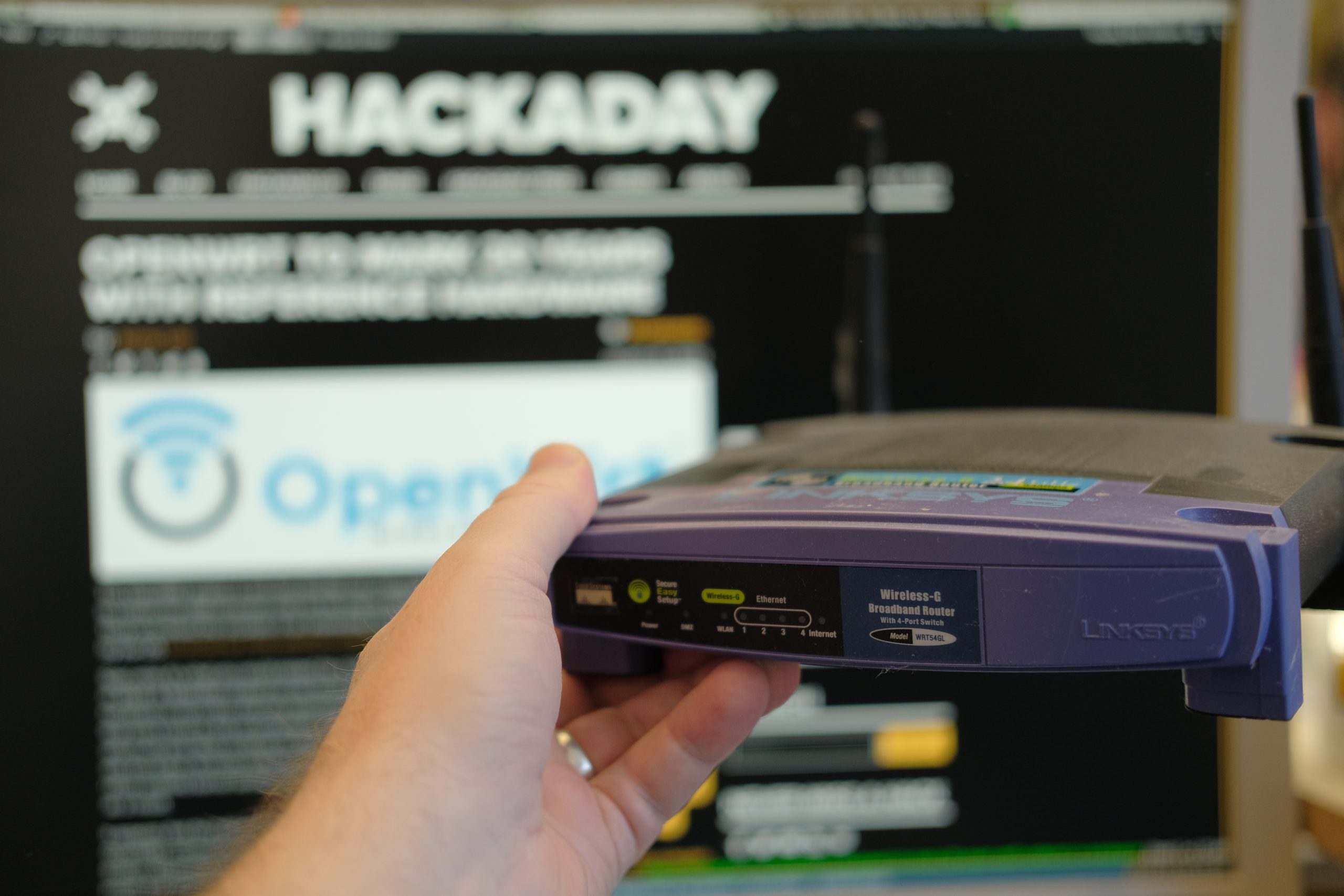
How long have we been hacking routers? To some of you who’ve been in the Hackaday audience for a while, the answer is “nearly forever”. In the early 2000s, they were one of the few consumer gadgets that had the trifecta of hackability: WiFi and networking built in, a user-friendly Linux operating system, and a few spare GPIOs that could control from the OS. Back when the Linksys WRT54GL was the king of the hill, we saw some pretty absurd hacks.
Take this example robot from October 2008. Link-rot hasn’t been kind to the original project, but from what we can tell, it used the GPIOs to drive servo motors hacked for continuous rotation, and features the equally anachronistic CD-ROM wheels. Where would you even get those today?
But the OS that this 18-year-old hack uses is still around: OpenWRT Linux. Although it still takes its name from the lovable purple router of old, it hasn’t supported that particular model in over a decade because of growing memory requirements. But it’s still the go-to distro for any modern router hacks, and it provides a lot more general-purpose Linux than you might expect on otherwise constrained platforms. As Tom pointed out in the podcast, if you see a used router for cheap, see if it’s supported by OpenWRT, and if it is, buy it.
While the project that got us thinking about routers again, Al’s recent networking hack, basically uses the router as a souped-up router, that’s by no means a given. OpenWRT is a real Linux OS, and can make use of most peripherals that your router find has available. Networking? Of course. USB? No problem. If you find a serial port and some GPIOs, you’re most of the way to a Linux SBC, although very likely a headless one.
There are a lot of hacks we see go in and out of style, and we see software projects come and go. But here we tip our hat to the router hacks, and to the plucky Linux OS that’s been ported to them all. Long may it keep old devices out of the landfill!
Featured image: My old baby, about a year or so before something in the radio modem finally gave up the ghost.

Amazon’s Kindle AI features help you read beyond the lines, so long as you have the right ereader.

Amazon is going all-in on bringing artificial intelligence to your reading experience, adding several new smart features to its famed Kindle ereaders. Officially announced in June 2026, the conglomerate frames its AI add-ons as “making it easier to stay immersed in your books” by offering spoiler free recaps and AI assistants capable of bringing context to your reading experience. When combined with your Kindle’s previous smart features, which allowed users to do everything from look up definitions to translate foreign languages, the rollout is indicative of an publishing landscape searching for new ways to incorporate emerging technologies into your reading experience, whether you asked for it or not.
Unfortunately, not every reader will have access to Kindle’s AI infusion. As it stands, Amazon has rolled out its new recap features to newer Kindle devices and American iOS users. However, its Ask this Book AI chatbot will only be available on the the US-version of its iOS Kindle application, for now. Kindles will be receiving the Ask this Book feature later this year. Likewise, both recaps and Ask this book functionalities are expected to come to Android applications by the end of 2026.
The additions come as Amazon pushes users towards newer models of their flagship ereader. Earlier this year, the Seattle company announced it would discontinue support for its earliest Kindle models. To assuage concerns, Kindle assured users that their older models will continue to function. However, users won’t be able to import new titles to their libraries.
In a similar vein, Amazon will not be pushing its latest features update onto its older Kindle models. Instead, the contextual tools will only be available to Kindles released in 2024 or after. With that in mind, the phone application proves a useful workaround, allowing readers to test whether AI functionality is really worth the upgrade.

Amazon pitches its new Recaps functions as something akin to the “previously on …” segments of popular television shows. Readers can seamlessly return to their favorite series without missing a beat through “quick refreshers” of previous installments, including key plot points and character developments. It’s important to note that these recaps are anything but spoiler-free. As someone who judges those that skip to the back of the book, the thought of accidentally reading a recap of a book I’ve yet to devour sends a cold shiver down my spine. Proceed with cautious.
Readers can discover if Recaps are available for their favorite series in both their Kindle and iOS app. If using your ereader, simply visit the series’ page in your Kindle Library and select the “View Recaps” button above the listed books. From there, select the book you’d like a refresher on. You can also select the “View Recaps” via the three dotted menu at the upper righthand corner of your screen. If using your phone, the same option will appear once you select and hold the book grouping in your library.
A new addition to Recaps’ functionalities is Amazon’s Story So Far feature, which allows readers the option of receiving spoiler free summaries “tailored to your current position in the story.” American users can access the feature on all Kindle Scribe devices, as well as any Kindles, Kindle Colorsofts, or Kindle Paperwhites released in 2024 or afterward. Readers married to their older Kindle products can access the upgrade through the iOS app.
It’s important to note that these updates are not available for all Kindle books. To learn whether your read is included in the “thousands of best-selling English-language eBooks” eligible for Amazon’s newest feature, look for the “Read recap” button when you press and hold a book in your Kindle. To access the feature while reading your book, tap the three-dot menu at the top right corner of the screen.
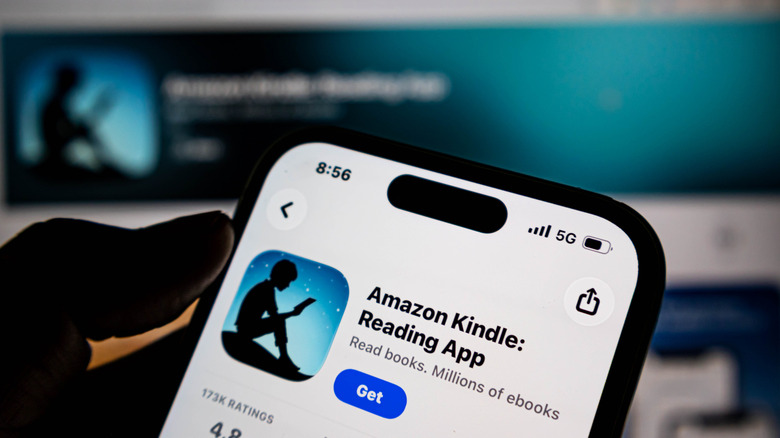
A new AI assistant will be added to your reading experience. In its press release, Amazon states that its chatbot, dubbed Ask this Book, will instantly answer “questions about plot details, character relationships, and thematic elements without disrupting your reading flow.” Although these responses will be tailored to your current place in a story, users can also ask the chatbot about the entirety of the book. You can also ask text-specific questions by highlighting passages in your Kindle.
Ask this Book is available on Kindle’s iOS application for US customers. The chatbot will be extended to Amazon’s newer Kindle devices and Android OS app by the end of 2026. But not all books are eligible for the tool. To learn if your text is within Amazon’s AI tutor’s wheelhouse, simply highlight any selection of text in your book, where you will see an “ask” symbol besides features like “highlight,” “look up,” “copy” and “note.”
Users can access their Ask this Book assistant in one of several ways. First, you can find the feature in the application’s in-book menu. You can find the chatbot in your in-book menu, or access it whenever you highlight a passage in your selected text. From there, tap “ask” and a prompt of suggested questions will appear on the bottom of your screen. You can also type your own question in the grey space below. From there, you can interact with your book assistant exactly like you might any chatbot.

Unsurprisingly, Amazon’s latest AI features have sparked controversy, as authors, publishing houses, and readers alike criticized the conglomerate for potential copyright infringements. As the Authors Guild points out in a statement, Amazon did not receive prior licensing permission from authors and their publishers to include their work in its chatbot feature. As the Guild argues, the addition of AI features “turns books into searchable, interactive products akin to enhanced ebooks or annotated editions—a new format for which rights should be specifically negotiated.”
Amazon, for its part, responded to the Authors Guild by stating that Ask this Book “only uses content from the book as a prompt,” rather than to train its underlying LLM. Amazon also noted that the function serves as “a natural language expansion of the search functionality that already exists in Kindle apps and for which no license is required,” likening Ask this Book to the internet searches users make throughout their reading processes.
As it stands, authors and publishers have no control over whether their books are included in Amazon’s chatbot toolkit. In response to the publishing industry newsletter Publishers Lunch, an Amazon spokesman said that the conglomerate did not provide the ability to opt out of the tool in order to maintain “a consistent reading experience.” Moreover, Amazon’s dominance of the ebook market further constrains author’s ability to opt out of the feature, as Amazon holds an estimated three quarters of the ereader market. On balance, the Authors Guild said the feature “sets a dangerous precedent for the future of licensing for AI features.”
Ultimately, the controversy speaks to the ongoing legal battles raging throughout the AI space. Will authors be compensated for their role in AI models? Or will it simply be considered the cost of doing business in an ever-changing ebook landscape? No matter where you fall on the issue, Amazon’s latest AI features reflect the forces shaping the next era of book publishing. Whether Amazon’s customers feel that the benefits of AI are worth the moral ambiguity it engenders will remain center stage.

Audio Advice is not merely adding another pin to its map. Following its acquisition of The Sound Room in St. Louis and plans for a new Las Vegas location, the Raleigh-based retailer has acquired Miami’s Sound Components, extending its reach into another affluent, design-conscious market where custom installation, serious two-channel audio, and luxury home theater can all coexist under the same very expensive roof.
Founded in 1978, Audio Advice has grown from a respected regional specialist into one of America’s most influential audio and home theater retailers, combining deep technical knowledge, award-winning showroom experiences, a substantial e-commerce operation, and its increasingly prominent Audio Advice Live Home Audio & Video Experience.
The strategy is becoming difficult to miss. Audio Advice is acquiring established retailers in markets with wealth, luxury real estate, population growth, and a customer base willing to invest in properly designed entertainment spaces rather than another soundbar mounted beneath an oversized television. St. Louis brings a respected Midwest foothold, Las Vegas offers access to one of the country’s most active luxury-development markets, and Miami places the company directly in the path of South Florida’s continuing appetite for high-end residential technology, along with its far friendlier tax environment.
Just as notable is where Audio Advice is not expanding: the Northeast. That is not an empty market, but it is a more mature and fragmented one, crowded with legacy dealers, entrenched relationships, and expensive suburbs. Miami, Las Vegas, and St. Louis offer a different kind of opportunity: recognizable local brands, room to scale, and markets where the next generation of high-end AV customers is still arriving.
The addition of Sound Components to its portfolio means another dealer and installation powerhouse has joined the growing Audio Advice “empire,” which now includes company stores in Raleigh, Charlotte, and Wilmington, North Carolina; Nashville, Tennessee; and St. Louis, Missouri, formerly known as The Sound Room.
The Las Vegas location represents Audio Advice’s first move into the growing Southwest. With Phoenix and Scottsdale continuing to attract affluent residents and luxury development, can an Arizona location be far behind?

“For over five decades, Sound Components has delivered superb audio, video, and personalized service to our clients,” said Bill Petters, president of Sound Components. “I’ve known the Audio Advice team for decades. Their national reputation, customer service, software systems, and worldwide YouTube, social media, and website following are best in class. These resources and access to additional product lines will enable our team to bring even more value to our loyal customer base.”
“We are thrilled to welcome Sound Components into the Audio Advice family,” said Scott Newnam, CEO of Audio Advice. “I’ve admired Bill and the team at Sound Components since I met them nearly two decades ago. Our shared value of excellence and passion for delivering happiness make this a natural partnership. Together, we will continue to raise the bar for what customers can expect from an audio, video, and automation company.”
Sound Components will continue operating from its South Miami location, with its current team providing the same level of service and expertise, now under the Audio Advice umbrella. The showroom is expected to double in size, allowing customers to experience even more lighting, shades, audio, video, and home theater solutions firsthand. Customers will also gain access to Audio Advice’s nationwide team, award-winning online resources, design tools, and expanded product lines.

Audio Advice’s acquisition of Sound Components matters because it signals that the high-end AV business is becoming more organized, better capitalized, and more geographically ambitious at a moment when affluent homeowners are spending heavily on custom installations, dedicated theaters, whole-home control, lighting, shading, and serious two-channel systems.
For customers in South Florida, the immediate benefit should be broader product access, a larger showroom, deeper technical resources, and the continuity of a local team that already understands the market. For manufacturers, it creates another powerful retail and installation partner with the scale to support complex demonstrations, dealer training, national marketing, and long-term customer service.
The broader industry impact is harder to ignore. Independent specialists remain essential to high-performance audio and custom integration, but the cost of operating a serious showroom, retaining capable installers, and supporting increasingly complicated smart-home ecosystems is not getting any cheaper. Audio Advice is building a larger platform around respected regional dealers rather than trying to replace their local expertise with a corporate logo and a call center.
Its growing footprint across the Southeast and Midwest, the forthcoming Las Vegas location, and the continued expansion of Audio Advice Live suggest a company looking well beyond Raleigh. Whether the next move is Phoenix, Scottsdale, or another luxury-growth market remains to be seen, but Audio Advice is clearly positioning itself as one of the most consequential brick-and-mortar high-end audio, home theater, and custom-installation retailers in America.
That expansion also raises a larger question: could Audio Advice Live eventually become a regional event platform rather than a single Raleigh-area destination? Florida already has an established audio show in Tampa, but South Florida is a very different market. A Miami, Fort Lauderdale, or Palm Beach-area event would sit far enough from Tampa to attract a large and affluent audience from Palm Beach, Broward, and Miami-Dade without merely duplicating what already exists on the Gulf Coast.
Las Vegas presents a similarly intriguing possibility, with the potential to draw customers and industry partners from Nevada, Arizona, Utah, and Southern California. Audio Advice has announced no such plans, but its growing retail footprint makes the prospect more credible than idle trade-show speculation.
For more information, shop Audio Advice online now.

The Samsung Galaxy S26 Ultra is one of the best phones you can buy in 2026, and if you already own one, I have some positive news for you: Your phone can take better photos than it does right now.
Samsung added a larger aperture (on two sensors) and upgraded its camera processing to fare better against Apple’s iPhone 17 Pro this year. However, if you haven’t played around with the settings, you aren’t making the most of Samsung’s new upgrades.
The Galaxy S26 Ultra has a versatile camera system, but the default settings might not work for everyone. They didn’t for me. So I took a deep dive into the buried menus and found ways to improve the shutter speed, reduce compression and trigger the 24-megapixel processing pipeline, among other things. If you aren’t satisfied with the image quality on your Samsung phone right now, I recommend taking a look at these options in the Samsung Camera Assistant.
Change these Camera Assistant settings to get the most out of your Galaxy S26 Ultra cameras.
The Camera Assistant on Galaxy smartphones is a Good Lock module (essentially like a plugin). It adds additional settings to the default Camera app. For the longest time, Samsung didn’t preload these settings on its flagship phones, but things have changed with One UI 8.5 on the latest Samsung flagships. You can now find the Camera Assistant settings within the Camera app.
To find these additional settings:
However, if it is not present here, you’ll need to install the Good Lock app through the Galaxy Store. Search for Camera Assistant and download the module from there.
Once located, you’re now ready to take control over the processing and camera performance. Several of these options aren’t objectively better than the other, but here’s what I recommend changing and which setting could fit in what scenario.
Changing to 24-megapixel mode will give you better photos in all scenarios.
The Galaxy S26 Ultra has a 200-megapixel main camera, but it defaults to 12-megapixel photos out of the box. While these photos are small in size, you won’t get the same amount of detail and clarity as higher-resolution modes. I don’t recommend capturing everything in 200-megapixel mode, either – it is slow and will eat up your storage quicker than anything else.
I’ve found the 24-megapixel mode to be the best of both worlds. It can take quick snaps and get sharp results simultaneously without having a large file size.
The best part is that Samsung upgraded its processing to capture 24-megapixel resolution photos even in digital zoom.
24-megapixel image in 9.2x zoom (213mm).
As a result, you get 24-megapixel shots on three camera sensors, including these zoom ranges: 0.6x to 0.9x for ultrawide, 1x to 1.9x for the main and 5x to 9.9x for the periscope telephoto camera.
The 10-megapixel 3x tele sensor misses out on this feature due to its lower resolution and the main camera defaults everything from 2x to 2.9x in 12 megapixels, despite using a higher resolution mode.
The 24-megapixel vs 50-megapixel shot: The 50-megapixel mode photo (right) is about 900 KB larger, but it doesn’t give you objectively more detail or clarity.
I suggest you change the default resolution to 24-megapixel mode because it is enough for almost all scenarios. The only time I’ve noticed a difference was while capturing neon lights in each mode. The former artificially brightens the whole frame, whereas the 50-megapixel mode in 9.2x zoom exposes for the signboards, which results in more natural-looking photos like the example below.
The 24-megapixel vs. 50-megapixel shots at 9.2x zoom: In both photos, I tapped on the Star Wars sign to focus. The 50-megapixel mode processed it better than the 24-megapixel mode.
For most of the other scenarios, 24-megapixel mode remains the sweet spot and here’s how you can make it the default resolution for your Galaxy S26 Ultra photos:
You’ll see two settings: 24 MP in Photo mode and Keep 24 MP resolution. Turn on both of them.
While you’re at it, these are the settings to change under the Camera Assistant settings if:
Disabling Auto Lens Switching will give you more control over the cameras on Galaxy S26 Ultra.
You need to disable Auto Lens Switching. By default, the Galaxy S26 Ultra camera system automatically switches between the four rear cameras based on the lighting, the phone’s distance from the subject and zoom range.
It isn’t the smartest decision to rely on your phone’s smarts. For example, when you take the phone close to the subject for a macro shot, it takes a few seconds to land on a usable lens based on your distance. In this time, the moment could be lost.
You can instead decide on the lens you want to use, get close to the subject and take the photo, without any automatic lens switching. All you need to do is turn off the Auto Lens Switching toggle under the Lens and Zoom option.
Photo Softening turned off (left) vs. Photo Softening set to high (right).
Samsung phones can oversharpen skin tones, especially under artificial lighting conditions. If you’re not a fan of the processed look, you can opt for softer skin tones by going to the Photo Softening option under the Photos menu and setting it to Medium or High.
In the above two shots, you can notice how the left image (with Photo Softening turned off) has a stronger black point and shadows. In comparison, the shot on the right (with Photo Softening turned to High) has a more natural feel to it. My skin and beard still have similar details in both shots, but I prefer the softer, less processed photo on the right.
Adaptive Pixel and Upscale Digital Zoom turned off (left) vs. both settings turned on (right). Notice the complications on the watch — the left one has sparkles, which aren’t visible on the left photo.
By default, Samsung keeps Distortion Correction turned on and Adaptive Pixel and Upscale Digital Zoom turned off. But you should experiment with these settings according to your photos. Turning them on could result in a better-looking shot. For example, when capturing my watch, the default settings couldn’t get the sparkles on the earthphase complication (on the left with Snoopy). However, once I turned on Adaptive Pixel and Upscale Digital Zoom, it was able to give me more details on the dial.
On the other hand, Distortion Correction fixes the bending lines in a photo, which could be caused by lens distortion. So turning it on results in better-looking photos, especially those that involve buildings.
Other than these two settings, I used to recommend turning on Quick Tap Shutter until last year. However, I haven’t seen a noticeable difference in photos with this setting turned on or off on my Galaxy S26 Ultra. Samsung has improved the shutter speed on its flagship this year, but moving subjects can still get a halo effect in default settings. You can slightly improve on this by enabling the Prioritize Focus over Speed toggle (located under Focus).
Tinkering around with these settings has helped me make the most of the camera in my pocket. I hope they’ll improve your photo-taking experience on the Galaxy S26 Ultra, too. I also suggest exploring the filters present in the viewfinder and trying to create your own, according to your taste. It is fun!
Watch this: Which Phone Takes Better Photos? iPhone 17 Pro Max vs. Galaxy S26 Ultra


Octane really is just a measure of how well fuel resists lighting itself under pressure. Some engines need to run on fuel that that offers more resistance than others, specifically the kind that run a high compression ratio. These are engines where the piston jams the air and fuel mixture which much more force, and does so in a far smaller space than regular engines. Even turbocharged engines love premium gas even if they don’t require it, since higher-octane fuel works well with the additional airflow a turbo feeds into the engine’s cylinders.
Either way, in such engines, the pressure and temperature inside climb way up. As they increase, it becomes easier for low-octane fuels to ignite early. Higher octane gas is designed to cushion against this phenomenon, which is called knock. When a stray pocket of low-octane fuel combusts early, this causes the cylinder pressure to jump sharply and unevenly. Inside the engine, the process acts like tiny hammers pounding away at the protective film of the piston, causing the full heat of combustion to reach bare metal. In the long run, knocking can lead your engine to seize, which is hard to fix. Most of the time, though, avoiding engine knocking is as easy as switching to the octane level your engine is actually designed for.
But why even build an engine that’s so picky in the first place? Well, higher compression ratios have a range of benefits, and they all have to do with the fact that they are able to squeeze more energy out of the exact same amount of fuel. This results in greater thermal efficiency, which in turn gets you more power and better mileage.

The catch with higher octane fuel is the higher price you pay for it. Even the high-compression-ratio engines themselves that depend on it often require heavier-duty components and advanced engine-management electronics. So it makes sense that the cars with such engines are the performance ones – like sports cars and anything turbo/supercharged. And it’s not just cars either, since plenty of sports motorcycles, supercharged jet skis, and of course, prop airplanes, call for it too.
Now since higher octane can bring better performance, you might be tempted to use that fuel in a car labeled with a lower octane rating. You shouldn’t, though, but not because doing so would be unsafe. The downside is that you’ll be paying for a more expensive fuel option that buys you nothing if your car doesn’t need it. Premium-octane fuel is more expensive, since topping off a regular-sized tank with high-octane gas costs roughly 12 dollars more than regular unleaded fuel. Do that every week, and that “small” $12 difference can pile up fast. Meanwhile, premium and regular gas pack roughly the same chemical energy, so it’s not the fuel that nets you extra horsepower — it’s the ability to handle extra compression that gives you the performance boost.
That said, going the other way can actually hurt. Drop low-octane gas into an engine that requires premium and you risk damaging it over time. You might even void the warranty in some cases. However, the good news is that many modern cars have built-in safeguards. They include equipment like knock sensors, which help your car’s electronics to tweak the engine’s ignition timing depending on the fuel the engine is being fed. This aids to avoid knocking caused by low-octane fuel.

Prime Day 2026 may be over, but you can save up to $650 across Apple’s Mac, iPad, AirPods, and AirTag lines.
Prime Day 2026 may be over, but aggressive deals still remain in effect across Apple hardware, especially considering Apple raised prices on Macs and iPads on Thursday. Save up to $650 on Apple devices during the weekend sale.

AirPods Pro 3 are still discounted to $179 after Prime Day.
Amazon’s Prime Day AirPods sale prices have remained in effect this weekend, with AirPods Pro 3 a top choice at $179.

Apple’s AirTag 2 has received the first material discount for Prime Day.
The first material discounts on Apple’s second-generation AirTag have been extended.

Amazon has steep discounts on iPad Air and Pro models.
You can score deals of up to $350 off in our iPad Price Guide.

Apple Watch Series 11 prices have dipped to as low as $279.
Multiple Prime Day Apple Watch deals have been extended, including the Series 11 for $279 ($120 off) and the Ultra 3 for $649 ($150 off).

Save up to $650 on MacBooks with Amazon’s deals.
While the discounts aren’t quite as steep as Day 1 of Prime Day, Amazon still has the lowest prices on numerous MacBook configurations, which are worth exploring as Apple’s price hikes trickle over to third-party retailers.

Save up to $702 on OLED TVs.
Prime Day deals on OLED TVs have been extended as well, with discounts of up to $702 off on models from LG, Samsung, and Sony.




Renter of Home in Anne Heche Crash Denies Settlement With Son

Two goals and an assist by sheer aura: Cristiano Ronaldo just entered the World Cup chat


Microsoft accidentally kills epic Outlook email threads


Weekend Open Thread: Staud – Corporette.com


Soccer-U.S. defends Iran World Cup travel restrictions, says discussions ongoing


The House | Manchesterism won’t survive the painful trade-offs unless it gets citizens on board


Potential 2028er World Cup attendee leaderboard


Asia stock markets slide as tech shares slump


A Look At A Gaggle Of Transputer Boards
Bitcoin (BTC) Dips Below $62K, Ethereum (ETH) Plunges 6% Daily: Market Watch


Securitize Wraps Roubini's SEC-Registered ETF as Dubai VARA Digital Security

Dell (DELL) Shares Tumble Over 5% Following Analyst Downgrade to Hold
Entergy settles forward sale agreements, raises $672 million in cash proceeds


FIH Pro League: India defeat Pakistan 7-1, register biggest win of campaign | Other Sports News


Kraken's xStocks Opens Bending Spoons IPO Registration to EEA Retail


RTX holders must register wallets before token distribution begins

Hyperliquid Named on Singapore MAS Investor Alert Register


India vs Bangladesh LIVE Score, Women’s T20 World Cup: Bangladesh Opt To Bat; India Enter ‘Do-Or-Die’ Stage As Semi-Final Race Heats Up

Signal’s Meredith Whittaker says AI chatbots ‘are not your friends’ and calls Copilot agents a backdoor
The DATA Foundation Launches to Tackle AI’s Multi-Billion Dollar Training Data Bottleneck



You must be logged in to post a comment Login