Connect with us

Tech

Tim Cook takes his last earnings call and says goodbye to analysts

Published

on

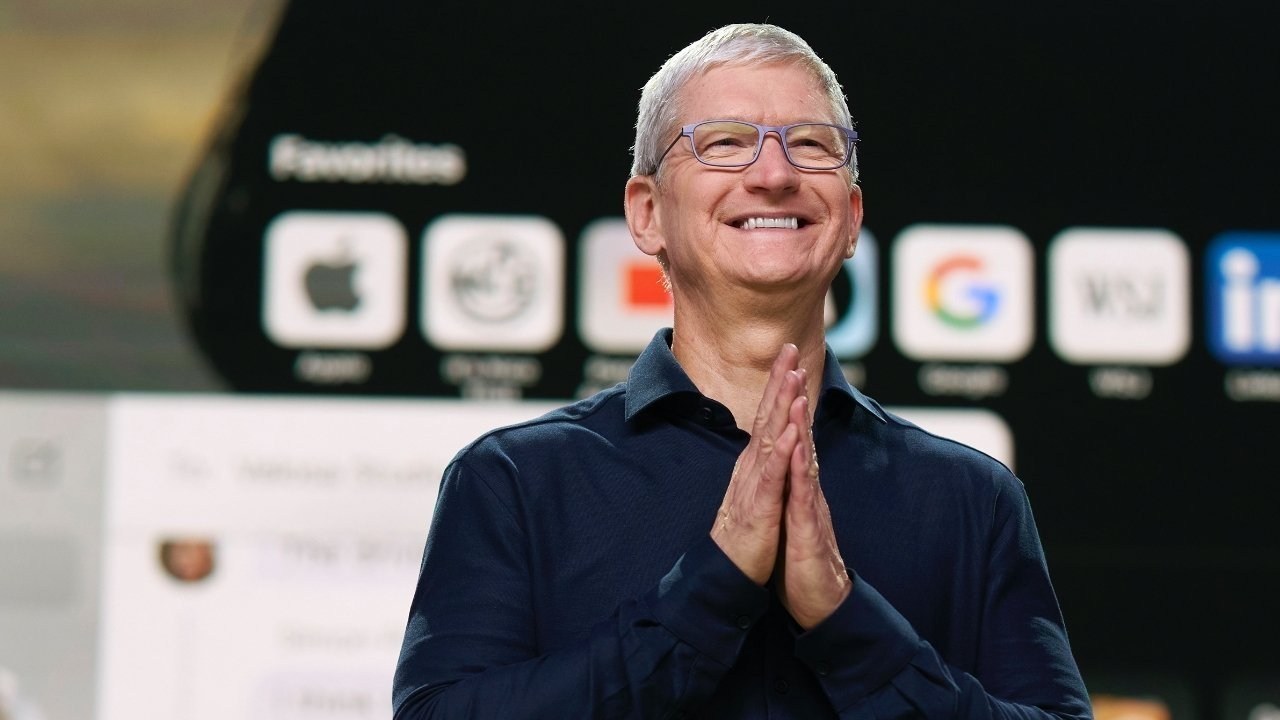
Outgoing Apple CEO Tim Cook has presented his final earnings call, the quarterly financial phone meeting the company has with analysts, and just as at WWDC, he made a relatively quiet farewell.

In a change to the usual format of these earnings calls, Cook took a moment to talk both about himself and how the handover to John Ternus is going.

Before we get into questions, I just wanted to take a moment to say thank you to all of from our shareholders, particularly our long-term shareholders, who have put their trust in us for so many years, to the analysts who have followed our company so closely. As you know, this will be my final earnings call, and John will lead these calls going forward. The transition is going seamlessly, and I am beyond excited. for John to step into his new role and lead Apple into its next era.

He is truly one-of-a-kind and there is no better person to take the helm of the company. As I’ve said, I couldn’t be more confident in his leadership, in our executive team, and in the extraordinary people at Apple who are determined to lives of our users all over the world. We have a bright future ahead, and I truly have never been more optimistic. So thank you all.

Having said all of this, Cook then resumed the regular format of the call by taking questions from analysts. So far, every one has thanked Cook for his time in charge of the company.

Advertisement

Fifteen years of earning calls

Every quarter since at least 2011 when he took over as Apple CEO, Cook has led an earnings call discussing profits and generally side-stepping analysts’ questions. Despite having an audible head cold in many of them, he has not missed one in those 15 years, either.

There are reports, though, of just how seriously Cook takes these calls, and what he does to relax afterwards.

If you ever listen to them, the first half is chiefly Cook or the Chief Financial Officer reading prepared statements. Then the second half is both of them telling analysts that no, they won’t reveal details about the iPhone 6, iPhone X, or iPhone Fold.

Peeking behind the scenes at AppleInsider a bit, we count how many times variations of “we do not comment on unannounced products” are said during an earnings call. One 2018 call resulted in eleven, which is the standing record.

Advertisement

Anyway, these calls are mandatory, and every cent Apple makes is studied and debated afterwards by analysts. The calls themselves, though, don’t sound that pressing, yet after each one, Cook says he takes a walk across Apple Park to decompress.

“When I do something like our quarterly earnings call, after the earnings call, I come out here,” he said in 2020. “The sound and the look [of Apple Park] is unbelievable.”

“Just the sound itself makes these big problems and big challenges of the day seem so small,” he continued. “This is like working in a national park for me, it provides that kind of feeling.”

More than 60 earnings calls

If Tim Cook had only contributed to Apple’s quarterly earnings calls since he became CEO, he would now have completed around 60 of them. But he’s done many more, including back when Steve Jobs was in charge, and when Apple was seeing the start of its incredible financial growth.

Advertisement

Jobs left these calls to Tim Cook and then-CFO Peter Oppenheimer, until October 2010. That was the last earnings call Jobs spoke on before his death.

“As most of you know, I don’t usually participate in Apple’s earnings calls since you are all in such capable hands with Peter and Tim,” he said according to a transcript on Seeking Alpha. “But I just couldn’t help dropping by for our first $20 billion quarter.”

In that call, Jobs talked up the success of the then-new iPad, and Tim Cook backed it up with some figures about its adoption by enterprise firms. Then financial analysts asked for specifics such as what Apple’s margins were on the latest iPhone 4, and Cook declined to answer.

Flash forward to 2026, and the figures are dramatically different as Apple recently touched a $5 trillion market cap.

Advertisement

Sometimes it’s hard to criticize a company’s quarterly earnings, although without fail Apple’s share price always dips after them. Even now, AAPL is down about 8% after-hours on yet another record-breaking, and Wall Street prediction shattering earnings report.

Source link

Advertisement
Continue Reading
Click to comment

You must be logged in to post a comment Login

Leave a Reply

Tech

‘AI’s Decimation of Call Center Jobs Has Begun’

Published

on

“AI’s decimation of call center jobs has begun,” reports Bloomberg:


Companies including the Commonwealth Bank of Australia, Microsoft Corp., Uber Technologies Inc. and Hyatt Hotels Corp. are using automated chat and phone systems to handle work that previously required humans. In some cases, they’ve already wiped out sizable chunks of their customer service operations, together representing thousands of workers.

The specter of automation has long loomed over the call center industry, which employs millions worldwide from the U,S, to India to the Philippines. But until recently, generative artificial intelligence wasn’t good enough to move the needle. Now, AI advancements — and pressure on executives to show they’re embracing the new technology — have prompted corporations to deploy the tools more widely. Customer service employment in the U.S. is declining and will likely continue to do so as more tasks are automated, Forrester analyst Kate Leggett wrote in a report earlier this year. While it’s impossible to determine the future job losses, she estimated that almost half of customer service roles will be affected by 2030.

Globally, the steepest job cuts are expected to hit countries like the Philippines, where many Western companies have outsourced their most easily automated work. Salespeople at multiple tech companies told Bloomberg that they routinely pitch call center AI tools as a way of lowering labor costs, undercutting a common industry claim that AI is primarily a way to help workers become more productive rather than kill their jobs… Commonwealth Bank of Australia, the nation’s largest lender, has shed hundreds of workers from its chat support line as it wove AI into the system, according to people familiar with the work. This amounted to tens of millions of dollars in savings per year, one of the people said…

Advertisement

Microsoft is both one of the largest vendors and adopters of customer service automation tools. This has helped the software giant trim its customer service workforce — a mix of contractors and full-time staff — from about 50,000 to 40,000 in recent years, according to a person familiar with the operations. “If something happened with little Johnny’s Xbox in the middle of the night, we can now solve that with AI,” Judson Althoff, who runs Microsoft’s sales and service operations, said in an interview. Althoff said in April that AI is saving the company about $750 million per year in customer service costs. More complex problems still require human support, but the company is constantly expanding what can be fixed automatically, he said in the interview.
Two examples from the article:

  • Last year Hyatt fired 30% of its in-house customer support staff for the Americas, according the hotel-industry news site Hotel Dive.
  • Last week Bloomberg reported Uber had cut 10% of its customer service jobs as part of effort to “embrace artificial intelligence,” according to the article. “Today, Uber pushes users to submit support requests through their apps, where they’re met with an AI chatbot.”

Source link

Advertisement
Continue Reading

Tech

4 EV Alternatives To The Bolt (Which Chevy’s Only Bringing Back For A Limited Time)

Published

on


The Bolt originally debuted in 2016, when the EV market was much smaller and mainly dominated by Tesla, Toyota, and Nissan. The small, inexpensive Chevy offered 200 miles of range and was meant as a more affordable option for those interested in electric vehicles. Chevrolet also hoped to increase awareness about how electric vehicles are a healthier option for our environment.

Sales took off, and in 2017 it was the second-bestselling EV in the U.S., trailing only behind the Tesla Model S. It even outperformed the popular Toyota Prius, a plug-in hybrid. The Bolt faced challenges early on with a series of battery recalls, but overall it sold well due to its low MSRP and decent driving range. Chevy discontinued the Bolt in 2023, but the automaker revived the EV for the 2027 model year and it’s on sale now with a starting price of $27,600. That makes it the most affordable EV currently on the market, but buyers will have to move fast — the Bolt is only back for a limited time and will be produced for only 18 months.

Advertisement

You may not be quite ready to make the leap to an electric vehicle just yet, or perhaps the Chevy Bolt doesn’t quite fit your needs. Here are four alternatives that may be a better choice for you that compare to the Bolt in terms of price, size, range, and more.

Advertisement

Nissan Leaf

Nissan has not yet released the 2027 model of the Leaf, but the 2026 model is the most affordable EV after the Chevy Bolt, with the base S+ front-wheel drive model starting at $29,990. The Leaf also has a better driving range, averaging 303 miles to a charge versus the Bolt’s range of 262 miles. Both vehicles are small hatchbacks with a seating capacity of five.

Both vehicles deliver nearly identical horsepower, with the Nissan putting out 214 and the Chevy offering 210 hp. If you want a vehicle that’s quick off the mark, the Nissan Leaf S+ has 261 lb-ft of torque, while the Bolt LT has 169 lb-ft.

Both vehicles also offer identical three-year/36,000-mile warranties. However, Chevy covers electrical components and the battery for up to eight years or 100,000 miles. While Nissan covers the battery for 100,000 miles, electrical components are only covered for 60 months. The Bolt also comes with a few more standard or optional safety features that are not available on the base Leaf, including a parental control system, pedestrian detection, and driver attention monitoring. When it comes to technology, the vehicles are fairly evenly matched, offering standard Bluetooth, remote keyless entry and other tech features. However, the Bolt also has standard remote start and navigation, which are not available on the base Leaf.

Advertisement

Tesla Model 3

Regardless of how you feel about Elon Musk, there’s no denying that Tesla remains the bestselling EV brand in the U.S. The Model Y takes the number one spot, but the automaker’s least expensive option, the Model 3, takes the silver medal. If you have a bit more to spend, you may want to consider this Tesla, which currently starts at $36,990. The Model 3 has an estimated range of 321 miles on a single charge, and it can add up to 170 miles of range in only 15 minutes of charging.

The Tesla and the Chevy offer similar tech and safety options, though the Tesla adds some conveniences that are not available on the base model Bolt, including real-time traffic information and side view cameras. The Model 3 is a standard sedan rather than a hatchback, and has a generous 21 cubic feet of cargo space compared to the Bolt’s 16.2 cubic feet. The interior of the Tesla is what many describe as minimalist, with almost no physical buttons or knobs. The touchscreen is used for almost everything, and it’s the centerpiece of the cabin. The Bolt offers a more traditional interior, with a large touchscreen that is complimented by physical buttons.

Advertisement

The Tesla also has a better basic warranty than the Bolt and is covered for four years or 50,000 miles. Full Self Driving (Supervised) is also available on the Model 3 under a subscription plan that costs $99 per month.

Advertisement

Hyundai Ioniq 5

Hyundai’s most affordable electric option, the Ioniq 5, costs a little over $7,000 more than the Bolt, with a starting price of $35,000. However, buyers also get more car for their money, as the Ioniq has a longer wheelbase and more cargo capacity. If you want to get the most driving range out of a base model, however, you may want to stick with the Bolt, which can go 262 miles on a charge. The Ioniq 5 SE Standard Range will only take you 245 miles, though if you upgrade to the SE model for a few thousand more, that range increases drastically to 318 miles.

The base model of the Bolt offers 210 hp compared to the Ioniq 5’s 168 hp. Upgrading to the SE model improves that number to 225 hp on rear-wheel drive models. The vehicles have comparable standard safety features, though the Bolt offers a few options not available on the base Ioniq 5. The Hyundai comes standard with a 12.3-inch touchscreen, which is slightly larger than the Bolt’s. The Ioniq 5 also boasts standard navigation along with wireless Android Auto and Apple CarPlay, which the Bolt does not offer. The Hyundai also has some nifty available premium features.

Much like the Model 3, the Ioniq 5 also has a better standard warranty and is protected for five years or 60,000 miles. It also boasts a 10-year/100,000 mile warranty for the electric battery.

Advertisement

Subaru Uncharted

For fans of the PlayStation game series, the name of this Subaru may evoke feelings of adventure and treasure-hunting. This brand new electric vehicle from Subaru is technically a compact electric SUV and offers more space and ground clearance than the Chevy Bolt. The entry-level Premium trim is currently available for $34,995, but buyers should be warned that, unlike most Subarus, the base model does not come with standard all-wheel drive.

The Uncharted offers excellent range for the price and is able to go more than 300 miles on a single charge. It can go from 10% to 80% charge in 28 minutes using a DC fast charger, which is comparable to the Bolt’s 25-minute estimate for the same charge. They also offer similar horsepower. While both available models of the Bolt are front-wheel drive, if you want all-wheel drive you can upgrade to the Sport model of the Uncharted, which has a starting price of $39,795.

Advertisement

Inside, both vehicles seat five passengers. The Uncharted has a 14-inch touchscreen and standard wireless Apple CarPlay and Android Auto. Standard EyeSight Driver Assist Technologies include a pre-collision braking system, lane change assist, and traffic monitoring. Inside, the Subaru offers more cargo space, though there’s actually slightly less front leg room, despite its overall longer length. Passengers will find more shoulder room in the Uncharted, however.

Advertisement

Methodology

It’s difficult to find alternatives to the Chevrolet Bolt if you simply compare vehicles by price. Most buyers, however, consider multiple factors when it comes to selecting an electric vehicle, including driving range, tech and safety options, charging times, and more. With that in mind, we selected EVs that are less than $10,000 more than the Bolt for the base model and offer comparable or better features. 

Whether you’re looking for more space, better tech features, or a longer driving range, we aimed to find an alternative that will hopefully still be available when Chevy ends its limited run of the Bolt. We also sought to include vehicles beyond the obvious that may not have been on your radar.


Advertisement

Source link

Continue Reading

Tech

Common Problems With Bluetooth Speakers And How To Fix Them

Published

on

Let nothing stop you from jamming to your tunes.

Using Bluetooth is simple, so it’s frustrating when you’re ready to listen to music on your Bluetooth speaker and are met with silence or crackling. While Bluetooth is compatible with tons of devices and doesn’t require much to get working, it’s still a wireless technology, which makes it more susceptible to interruptions than wired solutions.

Sometimes, the speaker itself has run into an issue. Other times, the device you’re playing from is to blame. And if neither of those is at fault, then the wireless connection between the two is likely the source of your problems. You can narrow down where the hiccup lies with a few troubleshooting steps.

Don’t write your speaker off yet if it’s not working correctly; everyone runs into Bluetooth problems at some point. Troubleshooting Bluetooth issues isn’t difficult, so you should be able to resolve the snag and get back to jamming without much trouble.

Advertisement

You can’t connect devices to your Bluetooth speaker

As with most troubleshooting, an important first step is to restart both devices. Turn your Bluetooth speaker off and back on, and do the same with your phone, computer, or whatever you’re connecting to. This should resolve any minor bugs preventing a good connection. Once that’s done, if they’ve been paired before, try reconnecting your device to your speaker manually using the device’s Bluetooth menu. On an iPhone, visit Settings > Bluetooth, then look under My Devices for your speaker model name. Tap it and see if it changes to Connected. On Android, swipe down from the top of the screen, then press and hold on the Bluetooth icon. Select your device under Saved devices if it’s there.

If that fails, you should remove the pairing between devices and re-establish a fresh connection. You can do this on the same Bluetooth menu. For iPhone, tap the i icon to the right of the device, then choose Forget This Device. On Android, tap the Settings gear next to your model name, then choose Forget (the trash can) to remove it. (Android steps may vary slightly depending on your model.)

To re-pair them, you’ll need to put your speaker into pairing mode. This varies based on your model, so refer to the manual for steps on enabling pairing mode. Once it’s ready, tap the speaker name on your phone’s Bluetooth menu to reconnect. Sometimes, you might have to toggle Bluetooth off and back on in your phone’s menu. My JBL Flip 5 regularly fails to play audio from my iPhone even when it says it’s connected. Toggling Bluetooth usually fixes this without having to repeat the pairing process.

Advertisement

Your Bluetooth speaker is super quiet or won’t play

If you can’t hear any audio from your speaker, make sure that the volume is turned up both on it and the source device (like your phone). While this sounds obvious, it’s an important check because not all Bluetooth devices use the same volume control method. Modern units usually feature “absolute volume,” where the volume buttons on your phone and speaker control the same level. However, older ones may have a volume slider independent from what your phone is sending. This means your phone volume could be at 100%, but if the speaker volume is only at 5%, it will still be incredibly quiet. If this is the case for your model, it’s convenient to set one device to the highest volume you want, then use the other for fine-tuning the control.

When your speaker is connected but won’t play any audio, confirm that you have it set as your audio output device. On Windows or macOS, choose the Bluetooth output, not your wired or built-in speakers, in the audio options. On Android, visit Settings > Connected Devices, tap the gear next to your Bluetooth device’s name, and make sure Media audio and Phone audio are both enabled for full support.

Another unusual fix for this issue is to hit the Play button on your speaker, rather than your computer or phone. This can “jump-start” the connection when starting playback from your phone doesn’t do anything.

Advertisement

Bluetooth audio quality is poor

If your speaker cuts out, crackles, or has other unpleasant audio problems, bring it closer to the connected device. Newer models with Bluetooth 5.0 or above can theoretically work at around 100 feet indoors, while models from earlier in Bluetooth’s history cap out around 30 feet indoors. Similar to Wi-Fi, having anything between the two weakens the effective range, so try to keep them in the same room and away from anything made of metal.

Connecting too many Bluetooth accessories to one device can lead to worse performance across them all. Say you have a smartwatch, earbuds, desktop PC, speaker, and one of our favorite keyboards connected to your phone via Bluetooth at once. That’s a lot competing for the same protocol. If the audio quality sounds poor, try disconnecting anything you aren’t using and see if the quality improves for the others.

Your speaker’s range and audio quality can also take a hit when it’s low on battery, so make sure to charge it regularly. If you’re in a crowded area with lots of other signals, interference is more likely, so try moving to a clearer location. And avoid cranking the volume all the way up if you can help it, as distortion is more common at max levels.

Advertisement

Other general Bluetooth troubleshooting steps worth trying

Many common Bluetooth issues have the same root causes, so it’s worth trying a few other remedies if the above haven’t fixed your problems. Check to see if your brand offers an app (such as JBL One). These allow you to fine-tune audio options and check for firmware updates. If there are any updates, install them and see if your issues clear up. Failing that, it’s worth factory resetting your unit. The instructions for this vary depending on your device; you may be able to do it through the app, a pinhole on the device, or holding a combination of buttons. Check the manual (most are available online) if you’re not sure.

Also, try connecting your speaker to different devices and seeing if there’s a difference. If the audio buzzes when connected to various phones, tablets, and computers, then the issue lies with the speaker or nearby interference. In that case, the speaker might have been damaged by water or have a loose cable. Try cleaning it, including blowing dust out of the insides with canned air. If it only buzzes when paired to a specific device, then that’s likely where the problem lies.

Finally, you might just have an old model that you need to replace. If it’s 10+ years old, the battery capacity is likely low, it doesn’t support modern Bluetooth protocols, and it could have been affected by drops or foreign substances. At that point, it’s worth upgrading to one of our picks for the best modern Bluetooth speakers.

Advertisement

Source link

Advertisement
Continue Reading

Tech

Turning Fruits Into Ethylene And Ethane Refrigerant

Published

on

One of the best parts about DIY chemistry and physics projects is that you get to decide how early in the supply chain you want to begin, such as with [Hyperspace Pirate]’s adventures in ethanol production from sugar fermentation. Although you can certainly just buy packs of sugar and yeast from the store and pretend that this will be helpful once the world embraces its Mad Max era, you may as well start with the stuff that actually grows on trees, like fruit.

While you could use the ethanol produced this way as ethanol fuel in combustion engines and the like, you can also turn the ethanol into ethylene and ethane. That way you can fill up your refrigerator, freezer, and air conditioner to keep your perishable foods and yourself fresh as the outside world descends into highly questionable fashion choices.

Even outside such a scenario it makes sense to generate your own ethane and ethylene, due to how much these refrigerants cost. Once you have the ethanol, some aluminium oxide catalyst at 350°C is enough to produce ethylene and water. Producing ethane is admittedly a bit more involved, requiring acetobacter bacteria to produce acetic acid, along with baking soda, a platinum anode and a few more odds and ends.

Advertisement

Producing butene and even longer chains from ethylene is also possible as a next step, but this gets even hairier than producing ethane from ethanol, so we’re likely to see this in a future update after all the low-hanging fruit has been harvested.

Advertisement

Source link

Continue Reading

Tech

Kenny Barron Trio’s Brilliant 1995 Welsh Jazz Festival Performance Arrives on Elemental Music 2CD and 2LP Sets

Published

on

So Many Lovely Things features pianist Kenny Barron backed by a terrific rhythm section comprising legendary drummer Ben Riley, known for his work with Thelonious Monk and Sonny Rollins, and respected session bassist Ray Drummond. Recorded in August 1995 at the Brecon Jazz Festival in Wales, UK, the performance was captured by festival director Jed Williams and remained in his private collection until 2024. Recently released by Elemental Music, the album is another in a steady stream of archival recordings championed by “Jazz Detective” producer Zev Feldman.

While I do not normally use CDs as the primary point of reference for a new-release review, the performances here are particularly terrific and the sound quality is excellent, making this a thoroughly enjoyable listen. Truth be told, it was also the only format the label sent me, so I really had to like the music to pursue the review.

kenny-barron-live-2cd

Unlike many live recordings commonly found online and in stores these days, So Many Lovely Things was officially licensed and approved by Mr. Barron and his management, helping ensure that the artists and their estates receive their proper compensation when you purchase the set. The 2CD edition is available for $21.18 at Amazon, and the 2LP 180-gram vinyl currently sells for $45.49 at Amazon.

So Many Lovely Things was remixed and restored by Marc Doutrepont, while the vinyl lacquers were mastered by Matthew Lutthans at The Mastering Lab. The 2LP set was pressed by GZ Media in Loděnice, Czech Republic.

kenny-barron-live-2cd-hype-sticker

The recording feels nicely balanced, with Barron front and center, buoyed sweetly by Riley and Drummond. One could almost mistake it for a mono recording, although the cymbals and other percussive elements are presented with a more distinctly stereophonic spread.

Extensive liner notes by jazz journalist and historian Ted Panken explain the history of the recordings and how the trio evolved over time.

Advertisement
kenny-barron-live-back

In the album’s official press materials, a quote from Mr. Barron affirms the strength of the trio: “I can’t recall a sour moment. I loved the way Ray played—solid, with great time and personality. The way he and Ben grooved together was perfect. If this concert turned into something special, it happened organically. When momentum builds, it’s because of everyone’s contribution. It was a group effort.”

Indeed, there are plenty of special moments, including the trio’s performance of Monk’s “Ask Me Now,” which stretches across 12 minutes of tastefully measured introspection. It hints at the composer’s presence while remaining entirely Barron’s interpretation. Other favorites include a playful reading of Rodgers and Hammerstein’s classic show tune “The Surrey with the Fringe on Top,” from Oklahoma!, and a beautiful rendition of Ray Noble’s torch standard “The Very Thought of You.”

kenny-barron-live-photo

I could go on but I think you get the idea this is a special show worth checking out. Again, the 2CD set is just $21.18 at Amazon so the price of entry is very reasonable. 

Our Ratings

★★★★★★★★★★ Music

★★★★★★★★★★ Sound Quality

Advertisement. Scroll to continue reading.
Advertisement

Where to buy:


Mark Smotroff is a deep music enthusiast / collector who has also worked in entertainment oriented marketing communications for decades supporting the likes of DTS, Sega and many others. He reviews vinyl for Analog Planet and has written for Audiophile Review, Sound+Vision, Mix, EQ, etc.  You can learn more about him at LinkedIn.

Source link

Advertisement
Continue Reading

Tech

Which USB Adapters Should You Actually Keep In 2026?

Published

on

It’s time to stop collecting USB adapters like they’re Pokémon.

We may receive a commission on purchases made from links.

Most of us have a box of old computer cables and adapters sitting around in case we need them someday. Clearly, the “universal” in USB’s “universal serial bus” is a misnomer, given the continued need for adapters to enable cross-device compatibility.

It’s natural to hold onto these, so you don’t have to buy them again; just because you haven’t used a USB adapter in a while doesn’t mean you’ll never need it. But not all of them have equal worth. Some are so outdated that you don’t need to hang onto them anymore. It can be a challenge to make this determination, but it’s doable with a look at what you own and trends in the tech world.

Advertisement

The exact adapters you’ll need depend on what devices you still have around. But in general, you can safely throw out certain types, while others should be kept for the time being.

The most important USB adapter to keep

The most relevant adapters today are those that convert between USB-C and USB-A ports. USB-C is the standard port for smaller devices like smartphones, tablets, headphones, game controllers, and Bluetooth speakers. And while USB-C first became mainstream in 2015 (on devices like the 12-inch MacBook and Chromebook Pixel), the old-school USB-A port is still common on devices like desktop PCs, laptops, and cars. Peripherals such as mice, keyboards, speakers, flash drives, and webcams still commonly use USB-A, as well.

It’s thus wise to hold onto a few for each direction. Being able to plug USB-A devices into USB-C ports means you can connect an older storage drive to your Android phone, for example. Or if your laptop only has USB-C ports (like the Dell 16 Premium), this adapter allows you to connect an older, wired mouse to it. Meanwhile, the reverse direction is important for connecting newer USB-C accessories to machines with USB-A ports. Maybe you’ve purchased a USB-C external SSD, but the only USB-C port on your laptop is used for charging. With this adapter, you can connect the drive to a spare USB-A port.

Advertisement

Beyond basic adapters, you should also keep one of these best USB-C hubs for versatility on hand. These expand a single USB-C port with many vital options, like SD card slots, USB-A ports, Ethernet connections, and HDMI output. With the limited port selection many laptops have now, these add tons of flexibility and are easy to slip into your bag.

Other adapters you might want to hold onto

If you have older Apple devices, it’s worth keeping Lightning-to-USB-C (and reverse) adapters around. iPhones older than 2023’s iPhone 15 series, iPad models prior to the 10th-gen iPad released in 2022, and older versions of accessories like AirPods and the Siri Remote for Apple TV all use Lightning ports. Adapters let you plug your Lightning cables into USB-C charging bricks, or use USB-C accessories (like game controllers) with your device’s Lightning port.

In case you’re still hanging onto wired headphones or use an aux cable in your car, having a USB-C to 3.5mm adapter is important. Most laptops, desktops, and gaming handhelds still have headphone ports, but nearly all smartphones now lack them (as does the iPad). For best results, opt for an adapter that splits the USB-C port into two separate connections for USB-C and 3.5mm cables, so you can charge and use your headphones at the same time.

Advertisement

In your collection of wires and adapters, you might still have Wi-Fi or Bluetooth dongles that plug into a USB port, which are most relevant for desktop computers that don’t offer wireless connections. While modern desktops are more likely to come with these wireless connections, it’s worth keeping spare adapters for emergencies, such as if the onboard adapter fails. They’re also relevant if you’re building a PC using a budget motherboard.

Adapters you don’t need anymore

Broadly speaking, you no longer need adapters that let you connect outdated cable types. Over the decades, USB adapters have been available for lots of old connection types, like serial, parallel, and PS/2 keyboard and mouse ports. These haven’t been relevant for many years, so you don’t need an adapter unless you hold onto these old devices for hobbyist reasons.

Most people can get rid of adapters for Mini-USB and Micro-USB connectors. Mini-USB was primarily used in the 2000s before Micro-USB became the standard; you might still have an MP3 player or PS3 controller that uses it. Some older dash cams use it, too. If you have any of these devices, you should keep a Mini-USB cable for them, but an adapter isn’t necessary. Micro-USB was largely phased out in favor of USB-C, though some devices like flashlights, battery packs, and cheap speakers/headphones still use Micro-USB.

Advertisement

If you want to downsize your adapter collection while still keeping a variety of connections, consider a pack like the YANZIE USB Adapter Kit. It includes a USB-C to USB-C cord along with adapters for USB-A, Micro-USB, and Lightning. In addition to adapters, you can also consider options that have different connectors on each end, like a USB-C to Lightning cable. These bypass adapters, but are less flexible since their ends are fixed and not interchangeable.

Keep an eye on USB specs, too

Beyond knowing which physical connections you need an adapter for, it’s vital to understand the USB standards of the ones you’re keeping. USB has gone through many evolutions to allow for faster data transfers; if you’re digging through old adapters, some of them might be too slow to bother with nowadays. The biggest distinction is between the USB 2.0 and USB 3.0 generations. USB 2.0 is still fine for devices that don’t transfer much data, like mice, game controllers, and printers, while USB 3 (and its later revisions) is superior for anything that transfers data, like external storage drives.

For USB-A devices, blue coloring inside the connector means it’s at least USB 3.0. You can sometimes tell this first generation apart from USB 3.1 and 3.2 by the “SS” (SuperSpeed) logo on the cable, along with a “10” (10Gbps) or “20” (20Gbps) for USB 3.1 or USB 3.2, respectively. These USB 3 standards were retroactively renamed, adding more confusion, but that’s beyond the scope of this discussion. In short: don’t use a USB 2.0 adapter for devices that transfer data, like flash drives.

Advertisement

Meanwhile, USB4 is the latest standard, though because all USB4 cables use USB-C connectors, any existing adapters you own should be compatible.

Source link

Advertisement
Continue Reading

Tech

The US might lose the AI race to China. Should Americans care?

Published

on

Both Washington and Silicon Valley are in the midst of a collective freak-out over China’s recent advancements in artificial intelligence.

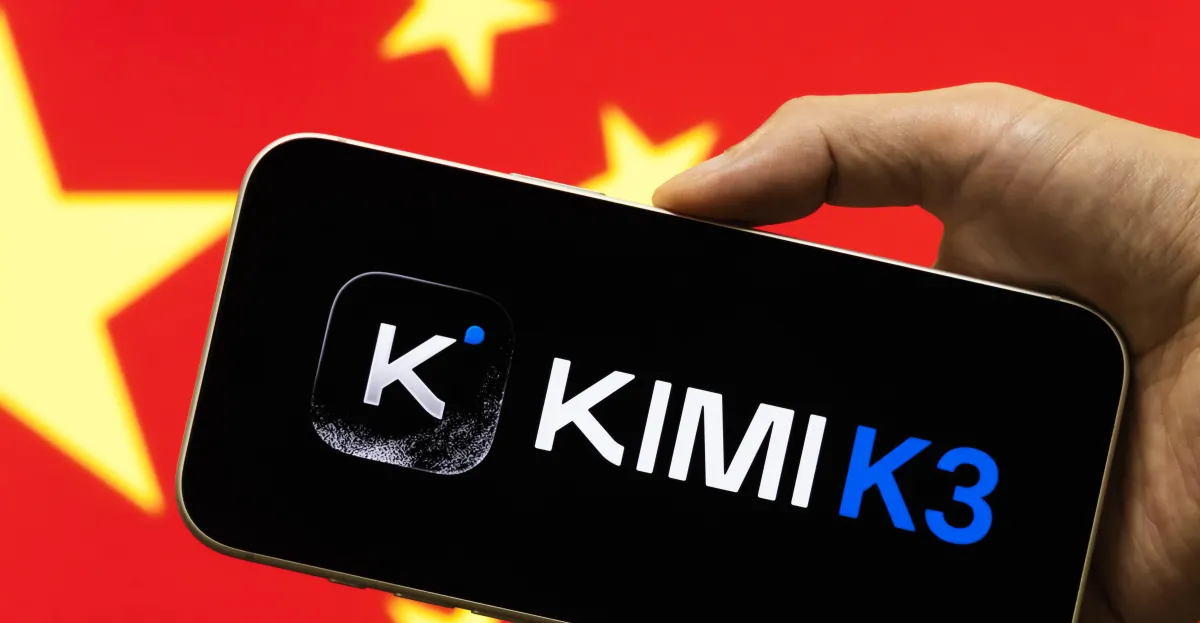
  • The release of the new AI model, Kimi K3, has reignited concerns in Washington and Silicon Valley that China’s AI capabilities are catching up fast to the United States.
  • US concerns about Chinese AI can be separated into three general buckets: cybersecurity vulnerabilities, military capabilities, and the future of democracy.
  • While there’s wide consensus that China’s growing AI dominance is cause for concern, there’s less about what to do about it, and some potential policy options may be counterproductive.

The latest round of consternation was triggered this month when a little-known Chinese AI startup called Moonshot released a new large language model called Kimi K3. The conventional wisdom had been that the leading AI models developed by companies like OpenAI and Anthropic were between six to 12 months ahead of their Chinese competitors. Kimi dashed those assumptions: now, analysts say American companies may be as little as two to three months behind.

Dean Ball, a former Trump administration official now with OpenAI, warned in a bleak post on X that models like Kimi K3 could lead to a world of “full AI communism” and a “dystopian hellscape” of AI under full government control.

Policymakers have worried for years now about China gaining an edge over the US in the AI race. Both the Donald Trump and Joe Biden administrations took steps to slow China’s AI progress, including blocking the export of the most advanced US semiconductors.

The White House is already reportedly considering taking steps to ban “open-weight” models — models that are easier to adapt for a user’s own purposes — like Kimi K3 in the United States. The Trump administration has also accused Moonshot of using the unauthorized “distillation” of one of Anthropic’s models — basically using another model’s outputs to train itself rather than raw data — as well as gaining access to blacklisted Nvidia chips in Thailand.

Advertisement

But often lost in the debates about what to do about China’s accelerating AI capabilities is the question of why the US cares about this at all. Obviously, the American companies developing the latest frontier models care about maintaining their edge, but why should it matter to Americans if the chatbot in their pocket was developed in Silicon Valley or Shanghai? And perhaps even more so, why should it matter what chatbots people in Nairobi or Brussels are using?

The concerns in the US about Chinese AI generally fall into three broad buckets: cybersecurity concerns; military and national security concerns; and human rights or democracy concerns.

For the moment, concerns about who is winning the AI race can feel a bit abstract, but as AI becomes more embedded into governments, militaries, and ordinary people’s lives, the difference will start to be felt in a much more material way at both a national and personal level. In general, there is a growing sense that it matters which of the world’s vastly different superpowers builds the technology that could transform everything.

“People’s relationship with AI is becoming foundational to how they live their lives, so the choices people make about whose model they use and where they are physically hosted, as they share some of their most intimate secrets and ask for life advice and business guidance, and run an increasing share of their life — those are incredibly important,” said Ryan Fedasiuk, a former State Department technology adviser now at the American Enterprise Institute. “It’s a contest between the United States and China to define the operating systems through which people live and work.”

Advertisement

Here’s what else America loses if it loses that contest.

Chinese AI could be more vulnerable to cyberattacks

The concerns about using Chinese AI are in some ways a repeat of the concerns over Huawei, the Chinese telecoms firm that built much of the world’s 5G internet infrastructure, but which the US government banned from operating in the United States during the first Trump administration over concerns that the Chinese government could intercept information transmitted over these networks.

Today, the concern is that many firms are increasingly integrating Chinese AI models into their systems, both because they are often cheaper and because they are “open-weight.” (“Weights” refer to the setting an AI model uses to process a user’s inputs. “Open-weight” models make these publicly available for users to tinker with, rather than charging for access.)

Advertisement

There are some indications that Americans using Chinese AI models are already vulnerable. A Booz Allen study from earlier this year tested four Chinese models commonly used by US developers and found that three of them generated software with far more “hidden vulnerabilities” that could be exploited by hackers than their US counterparts. There’s no proof that the models were doing this intentionally, but the study did find that the models were “changing their behavior depending on who the user seemed to be or what country the request referenced.”

AI can also be used to carry out cyberattacks. Although nearly all the leading models have safety protocols meant to prevent this, they’re not bulletproof. Even Anthropic’s Claude, generally considered one of the most secure models, was adapted by Chinese hackers last year to engage in cyber espionage. The open weights of the leading Chinese models could make it even easier to strip out the safety protocols.

AI could give China a military edge

The simplest and most obvious argument for why AI matters for American national security is that it’s all too conceivable that the US and China could be at war in the years to come, and AI could be a major factor in determining who wins.

Advertisement

The conflicts in Ukraine, Gaza, and Iran have shown that modern militaries are already extensively using AI for intelligence collection and targeting. Semi- or fully-autonomous drone swarms are a major component of US plans for repelling a Chinese invasion of Taiwan. Then there’s the risk of AI being used to generate new bioweapons or other dangerous threats.

US experts believe China has pursued a “military-civil fusion” strategy, encouraging the People’s Liberation Army and Chinese defense contractors to collaborate closely with civilian technology companies and research institutions in order to gain an edge in military AI applications like intelligence analysis and drone swarms. It’s difficult to know exactly which of these capabilities China is focusing on, but procurement data suggests leading Chinese technology firms like Deepseek and Alibaba are involved in work with potential military applications. Analysts also accuse China of using outputs from US models like ChatGPT and Claude to train AI systems that could help develop China’s defense capabilities.

And that’s just conventional weapons. The US government has alleged that Chinese labs have “continued to engage in biological activities with potential [bioweapon] applications” amid concerns that artificial intelligence could help make such weapons more sophisticated and deadly.

China could export digital authoritarianism

Advertisement

Last year, it was reported that Miiloo, a fuzzy children’s plush toy with a built-in AI chatbot, would, if prompted, happily tell users Chinese Communist Party talking points like “Taiwan is an inalienable part of China.” The hubbub over Miiloo reached the US Senate floor. While it’s hard to imagine that many users were really asking Miiloo to help clear up East Asian territorial disputes, the affair illustrated much larger concerns about the dangers of letting AI models built by an authoritarian government with one of the world’s strictest censorship regimes become the global standard.

Chinese generative AI tools are legally required to uphold the country’s “core socialist values,” according to a document published by its national cybersecurity standards committee. So it’s little surprise that DeepSeek, the Chinese chatbot that sent shockwaves through the US tech industry in 2025, politely declines to answer when you ask it what happened on June 4, 1989, in Tiananmen Square.

It’s not just that Chinese AI could help shape the political narratives absorbed by billions around the world, at a time when US soft power is ebbing and surveys show people in many countries already now have a more positive view of China than the United States.

The Chinese government is also increasingly integrating AI into its own censorship and surveillance apparatus, and is exporting tools like facial recognition technology to other authoritarian countries.

Advertisement

The fact that under Xi Jinping, China’s government was centralizing power and becoming more, not less, authoritarian in the years leading up to the recent advances in AI are a major factor driving the mistrust in its technology.

“I think many of the sincere arguments about the risks of these models and what China would do with them stems from the coercive authoritarian approach of China’s current leader,” said Mieke Eoyang, former US deputy assistant secretary of defense for cyber policy. “I don’t think we would be having this conversation in the same way with someone like [China’s previous leaders] Jiang Zemin or Hu Jintao.”

It is a serious concern if models built to conform to the values and political priorities of China’s current government become the global standard. But some are skeptical of the idea that human rights and democracy should be the goal of AI competition, worrying that the damage has already been done. The premise of that idea has gotten “shakier in recent years,” says Steven Feldstein, a senior fellow at the Carnegie Endowment and author of the book The Rise of Digital Repression. Under this administration, the US has cut support for democracy and human rights programs overseas, and often allied itself with authoritarian governments. Then there’s the fact that at least one leading chatbot often seems to mimic the racist and antisemitic views of the world’s richest man who is also an ally of the current president.

While it’s still true that Chinese AI reflects the authoritarian values and priorities of China’s leaders, Feldstein notes, “this idea that the US is standing at the forefront of protecting and advancing democracy, human rights, that we’re not sort of there to manipulate information or to push a narrative agenda that reflects the ideological preferences of its leaders, has started to fray.”

Advertisement

There’s also a set of concerns around the topic of “artificial general intelligence,” the hypothetical point at which AI exceeds human capabilities and is able to improve itself. The concern, expressed by both US government commissions and senior officials in both administrations, is that China is “racing” toward AGI and that whichever country achieves it first will have a massive geopolitical advantage. This is the type of thinking behind invocations of the nuclear-era Manhattan Project to justify massive government investments in AI development.

Chinese leaders do not appear to view AI competition this way. “The US conversation around this is much more ‘AGI-pilled’,” says Jeffrey Ding, a professor at George Washington University and expert on US-China technology competition. “The concern here is that we are very much on the brink of this explosion of more and more powerful AI that leads to it dominating everything.” Chinese leaders, on the other hand, “generally see AI as a productivity tool.”

If Chinese AI is a problem, what should we be doing about it?

This is not just a Beltway or Silicon Valley concern. A recent Pew survey found that 43 percent Americans believe it is very important for the US to remain the leader in AI development, versus 22 percent who said it was not that important. Interestingly, the survey also found that most Americans believe China is already ahead on AI, though the expert consensus is that it’s still slightly behind.

Advertisement

“We’ve gotten so used to the fact that the US has been the leading player in technological revolutions from like mobile internet to the internet era, so it’s worrying to feel we may no longer have that dominant strength,” said Selina Xu, China and AI policy lead in the office of former Google CEO Eric Schmidt.

Even if there’s some consensus that AI competition is a priority, there’s less agreement on how to go about it. The challenge, Xu says, is “How do you manage the very concrete national security risks that come from competing with China on AI, but not turn technological competition into blanket protectionism?”

Often, the policy responses to this challenge have been contradictory.

The Trump administration, in its first term, pioneered the policy of restricting the export of the most advanced semiconductor chips to China, but Trump undermined that policy last year by permitting Nvidia to sell its advanced H200 chips there. The move flummoxed China hawks in Washington and went against the preferences of AI developers like Anthropic, but probably had a lot to do with lobbying by chip maker Nvidia’s Jensen Huang, CEO of the world’s most valuable company.

Advertisement

In some cases, the US may be inadvertently making China’s models more appealing. In June, the Trump administration placed export controls on Anthropic’s advanced Fable model. This move prompted the company to take the model down for all users and led to the first time that AI capabilities meant for the global public took a step backward.In response, French President Emmanuel Macron warned, “We will not buy any model made by [US AI] companies if from one day to the next you can just turn off the switch.” Chinese models are hardly immune from concerns about kill switches or back doors, but if both governments involved in the AI race are seen as meddling, customers may just opt for whichever one is cheaper.

The latest flashpoint in the debate concerns the reports that the administration is considering banning open-weight models. This prompted an open letter from dozens of leading tech companies including Nvidia and OpenAI defending access to these models as necessary for helping the US maintain AI leadership. Advocates note that open-weight models can help respond to vulnerabilities as well as create them: When a rogue OpenAI model recently hacked into the startup Hugging Face’s systems, Hugging Face’s engineers used an open-weight model developed by China’s Z.ai to analyze the attack.

Despite the frequent comparisons, AI is not a national security competition like the early days of nuclear weapons or the space race. It’s a technology with potentially grave national security implications, that’s also used by millions of people around the world to plan their Tuesday night dinner or help with their homework. The log-in for Claude is not carried by a military officer at the president’s side. And much of the important work on developing these new technologies is being done by private tech companies, not government labs or defense contractors.

It may be that AI capability will help determine which country has the edge in the 21st century. It may also be that the benefits of these capabilities will be shared: Chinese companies might be no less capable than their American counterparts when it comes to developing new medications or clean energy technology.

Advertisement

The challenge of crafting technology to prevent a “dystopian hellscape” is to not accidentally make the existing world worse.

Source link

Continue Reading

Tech

People Are Ghosting Long-Term Partners. Some Don’t Regret It

Published

on

Dean met Nicole on Bumble in 2018, and they immediately bonded over their shared Chicago upbringing.

Nicole had kids, and they talked often about “wanting more than what we saw growing up in the environment we did,” Dean, a 37-year-old independent contractor, tells WIRED. They also both considered themselves more spiritual than religious, and were mentally, emotionally, and physically compatible. Best of all, “we rarely had a fight,” he says, “and could talk about any- and everything.”

They eventually moved in together and even talked about getting married, though he says the idea was one-sided. “She wanted to. I secretly didn’t.”

In 2022, four years into the relationship, Dean says “she allowed her mind to be polluted” by “gender wars” discourse. As he saw it, she became one of those people who “attach themselves to feminism” and complained about men all the time. Even though Dean claims he is progressive, he says, “it wasn’t my thing” because Nicole had become overly negative.

Advertisement

It was around then that he started to get the ick. His mind was made up: Instead of talking to her about his frustrations, he blocked her phone number and social media accounts, one afternoon while she was at work.

In the months that followed, as Nicole attempted to get in contact with him through family members, Dean didn’t feel an ounce of remorse, only relief. “Like a weight was lifted off my shoulders. I no longer had to bear her energy.” (Citing privacy concerns, the ghosters WIRED spoke to for this story asked that they be identified by their first name only.)

Even now, he says he “absolutely” made the right decision.

With dating apps and social media determining so much of how people connect, ghosting—ending a relationship by ignoring or blocking the other person’s calls and texts, effectively icing them out—has become the breakup mode du jour.

Advertisement

According to a Thriving Center of Psychology survey, 84 percent of millennials and Gen Z say they’ve been ghosted at the end of a relationship. But while ghosting is widely accepted among singles during the initial stages of getting to know someone via the apps or as a means to end a situationship, it’s far less typical for multiyear relationships. In late June, Vogue UK shed light on the trend of “the disappearing boyfriend.” The article detailed the painful aftermath of women grappling with their partner’s sudden and shocking disappearance, noting how “many of these ghostings occur after things were seemingly going well.”

To address this new normal, Dating.com recently announced that it was hiring a “chief breakup officer” who, for $3,000 a month, would be tasked with ending other people’s relationships for them.

Naturally, ghosting is a lot easier when you’re communicating with strangers or people you know you’ll never run into again. When you know someone offline, there can be a greater sense of accountability, but even that doesn’t seem to always be the case anymore as expectations around communication are in decline.

In the r/ghosting subreddit, stories of long-term relationships ending when one person decided to completely vanish have become alarmingly common, as Redditors have tried to understand the psychology behind such abrupt and seemingly cruel detachment.

Advertisement

“I dated a girl for a year and a half. Out of the blue she said something in a normal discussion, and instead of having a conversation with her [about what upset me], I completely ignored her, walked away, refused to speak to her when she asked, and blocked her until she found out from someone else that we were done,” one commenter from r/ghosting tells WIRED over direct message.

Source link

Continue Reading

Tech

Country music stars unite against data centers spreading across rural America

Published

on

The big picture: A growing fight over data center development is pulling in an unexpected group of critics: country music stars. In the past few weeks, artists including Brad Paisley, Tanya Tucker, Gavin Adcock, and Willie Nelson have all spoken out against new projects. While their politics vary, their concerns overlap. They are pushing back on how these facilities are being placed in or near rural communities.

Paisley was among the first to draw attention to the issue, opposing a proposed data center in Nashville that would be located about 500 yards from the city’s zoo. He criticized both the scale and the setting of the project. “It would be an enormous monstrosity, an absolute eyesore and detract in every way for not only that zoo, but also that area,” Paisley wrote in a social media post urging people to sign a petition. Other artists quickly backed him, helping bring the issue into the wider spotlight

The conversation has since expanded beyond Tennessee. In Texas, where data center development is accelerating, Tanya Tucker warned about environmental strain tied to the projects. “It’s going to hurt our health, our wildlife, our water table, our water resources,” she posted. “It’s going to scar our land forever.” The scale of development is significant, with about 248 data centers planned across the state.

Gavin Adcock, who often takes a more confrontational tone, focused on the impact on rural communities. In a video posted online, he argued that farmers and landowners are being forced to deal with the downsides of projects driven by outside investors. “These people are getting punished for living in the country,” Adcock said, pointing to pressure on land, water, and local resources.

Willie Nelson made a similar case, tying the issue to broader concerns about rural identity and land use. Writing about potential development near his hometown of Abbott, Texas, he said, “The last thing we need is a loud, water-thieving, light-polluting, data center anywhere near our town (or any others for that matter).” He continued, “The strength of rural America has never come from big industrial footprints. It comes from generations of people, open spaces, local businesses, and a connection to the land… let’s not allow our own demise or give up control over necessary resources in the US and especially in Abbott.”

Advertisement

The debate centers on the real-world demands of modern data infrastructure. Facilities built to handle AI workloads require large amounts of electricity, dense server capacity, and extensive cooling systems. Those cooling systems often rely heavily on water, which has become a major sticking point in areas already dealing with resource constraints.

Public opinion appears to be lining up with that concern. A Gallup poll in May found that only 7% of Americans strongly support building data centers in their communities.

Researchers say the resistance is less about rejecting technology and more about how it is being implemented. “Amid so much partisan division, opposition to data centers seems to be the thing that unites Americans right now,” Megan Mullin of the UCLA Luskin Center for Innovation told Rolling Stone. “It’s tempting to attribute this resistance to a growing wariness about technology and the titans who control it, but in reality it’s rooted in the one thing that has always united Americans: our deep affinity for where we live.”

For some artists, the issue also ties back to AI itself. Paisley tied the issue to broader concerns in the music industry, saying AI is already affecting artists and rights holders without their approval. He argued that the same lack of consent applies to the proposed data center near the zoo, where he said the people most affected were not being given a real say.

Not everyone in the industry has taken a clear position. John Rich, who was recently appointed “Special Envoy for American Landowners” by President Trump, suggested there may be a middle ground. He echoed a line he attributed to Secretary of Agriculture Brooke Rollins, saying there is a proper way to build a data center and an improper way to do it, while suggesting that more guidance from Washington may be coming soon.

Advertisement

Source link

Continue Reading

Tech

5 Harbor Freight U.S. General Toolboxes & Storage Products You Can Only Buy In-Store

Published

on


The Harbor Freight experience can take on a few different characteristics. Buyers have the online shopping portal at their fingertips, allowing for round-the-clock product exploration and easy digital ordering. The online marketplace forms the backbone of many shopping ‘trips,’ but it’s not always the best approach for finding what you need. Even with online channels forming such an important part of the modern shopping experience, there’s still so much value in exploring products in person. Harbor Freight operates over 1,600 physical locations throughout the United States.

However, sometimes you won’t have a choice when it comes to where you shop. Depending on the products you’re after, you may occasionally have to visit a Harbor Freight store to make your purchases. A cross-section of U.S. General toolboxes and other gear is only available in-store. Many of these storage and workspace elements are large and logistically challenging to ship, but other U.S. General in-store items are a little more surprising. Large or small, many of the brand’s products are worth considering, but require a visit to handle, examine, and ultimately purchase.

Advertisement

Mini Steel Toolbox

The U.S. General Mini Steel Toolbox is a classic addition to any workspace. The toolbox has long been a staple for Harbor Freight shoppers looking to bring crucial storage solutions into their workspace. It also features numerous color options, currently six in total, to support serious personalization depth. The toolbox can handle up to 5 pounds of gear in each drawer, with two drawers and a top opening shelf above the sliding segments. Both drawers feature ball-bearing slides that are smooth and durable, offering long-lasting, convenient storage for your most important equipment.

Advertisement

The toolbox features magnetic drawer locking mechanisms and comes with nonslip drawer liners. It also features an exterior that’s powder coated with a gloss finish to produce both a high shine and a long lifespan that resists rust and the daily wear of an active workshop. More than 5,000 buyers have rated the toolbox with a near-perfect average rating and a 100% recommendation rate. Finally, the box, in any color you desire, is listed for just $20. These all add up to an excellent option for keeping track of essential hand tools and other frequently used gear.

Advertisement

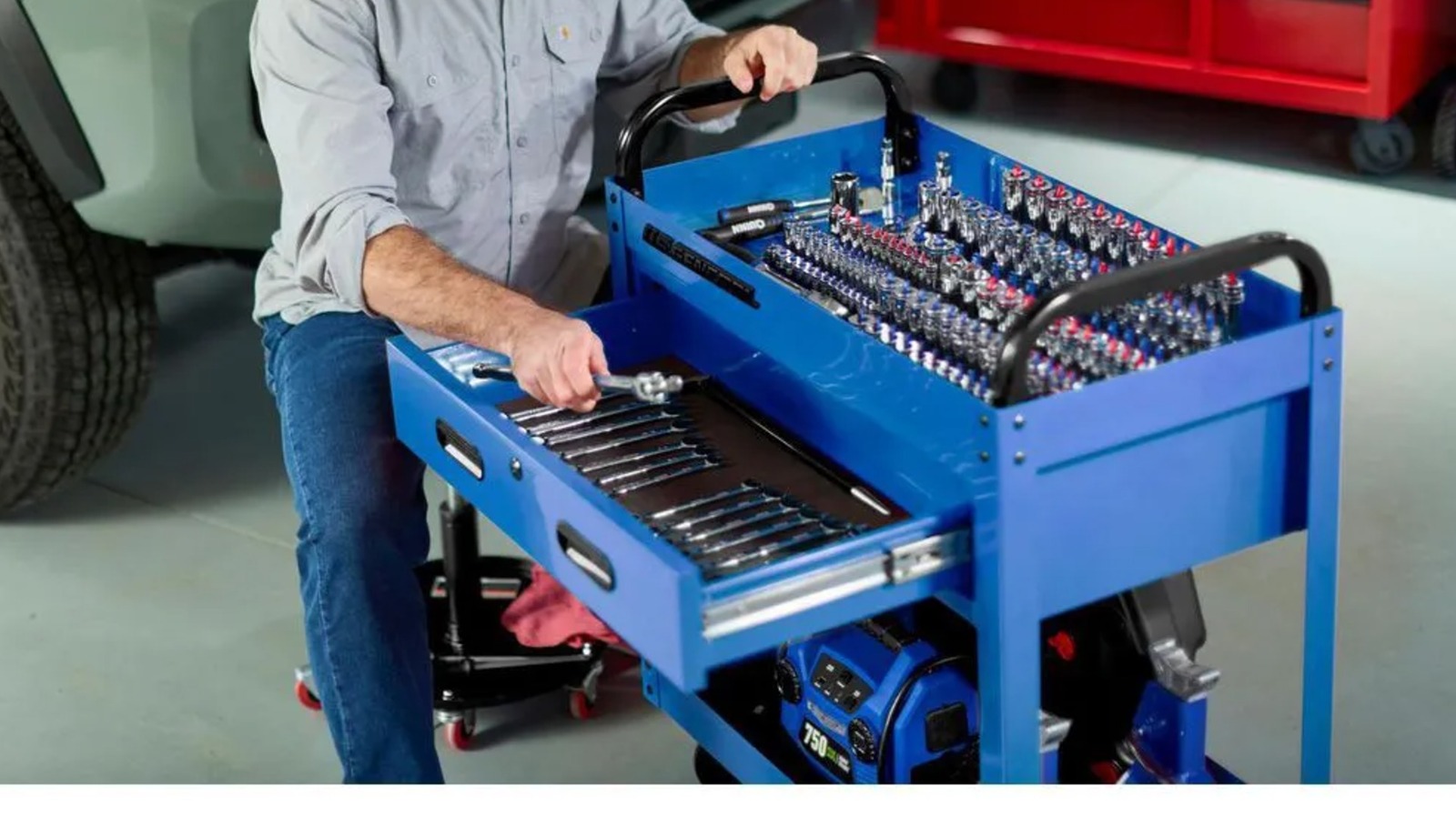
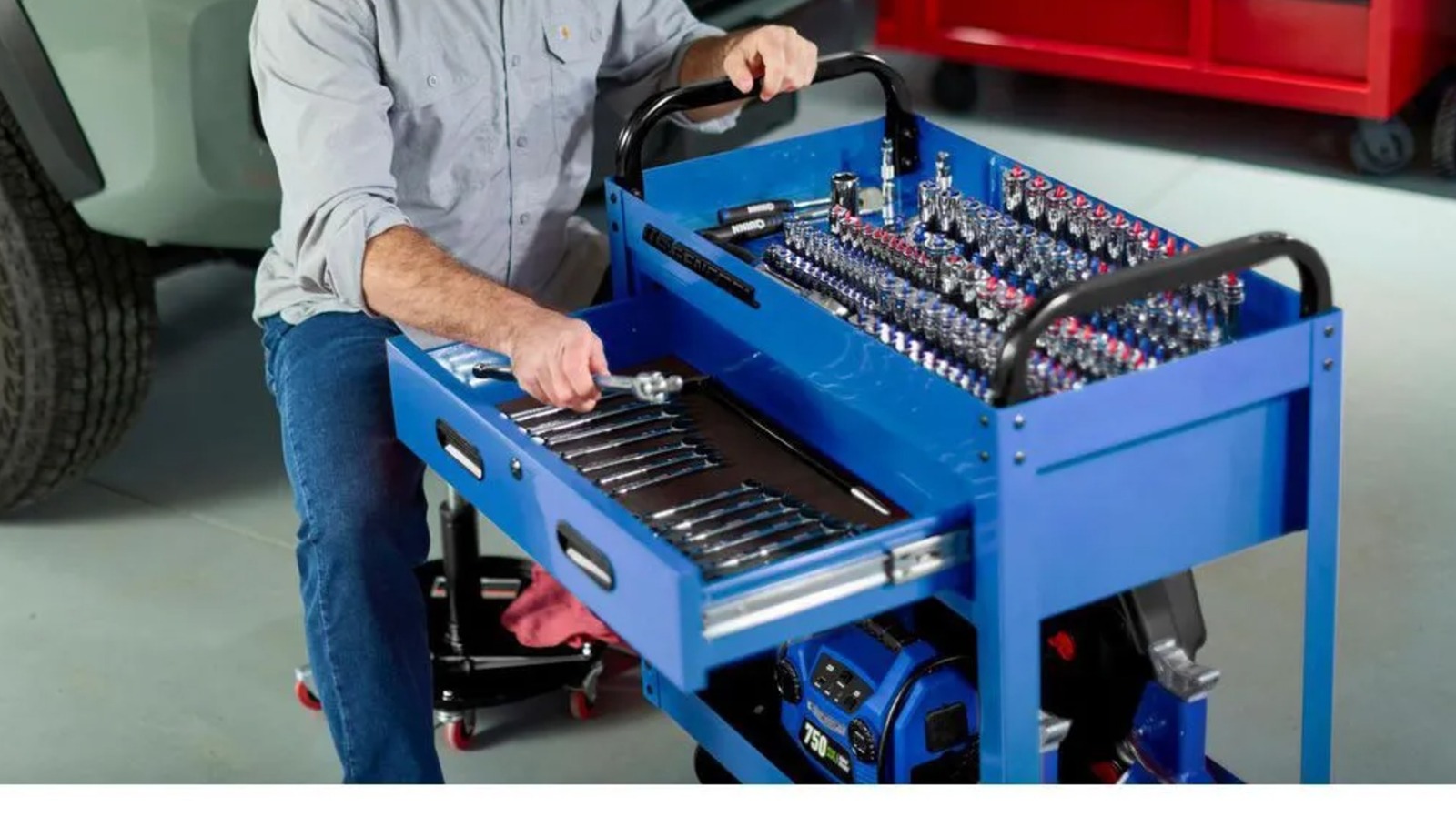
30-Inch 1-Drawer Service Cart

Another important tool available only to in-store buyers, and a pivotal choice for many in automotive and other repair circles, is the 30-Inch 1-Drawer Service Cart. The cart features heavy-duty steel construction and rolls on 4-inch casters made of hard plastic. Two of them are swiveling, and two are locking casters, providing a static position with ease when necessary and full mobility otherwise.

The cart features a glossy powder coat finish for quality corrosion and wear resistance. The large drawer supports a weight capacity of 75 pounds and includes an integrated barrel lock to safely store your key equipment. The bottom segment is ideal for bulk equipment storage, including heavy shop gear or large toolboxes filled with additional support needs. It carries a 350-pound total working load with almost 3,800 cubic inches of storage space and weighs 52 pounds. The cart can be purchased in nine unique colorways, giving buyers a wealth of options to personalize their workspace a little further. 

It’s available for $140 and compares directly to a Snap-on alternative listed at $399. The tool’s mobility and three separate storage spaces, including a recessed top rather than a flat workspace, combine to offer a great choice for all sorts of needs within the garage or elsewhere.

Advertisement

72-by-22-Inch Triple-Bank Series 3 Roll Cab

The roll cab is a serious storage solution for equally serious tool users. Among the most expensive products available at Harbor Freight, the Icon roll cab is a standout. However, buyers can get a similar option from the U.S. General lineup for roughly half the price. The 72-by-22-Inch Triple-Bank Series 3 Roll Cab is priced at $1,700, and because of its size, it’s only natural that this tool storage element would stand as an in-store-only purchase. The nine color options offer plenty of diversification for your workspace, and the tool’s huge set of drawers is a massive boost when you’re looking to better organize your gear.

The roll cab includes 14 drawers and delivers 29,700 cubic inches of total storage space with a 6,600-pound weight capacity. The storage solution sits on four 6-inch casters, with two offering locking swivel functionality and two fixed in place. In addition to a range of single and double-width drawers with support for up to 120 pounds per pair of full-extension ball bearing slides, the roll cab includes a power tool drawer. It features a built-in charging system, providing coverage for five 120V outlets as well as USB-A and USB-C outlets to charge your phone and other handheld electronics—including equipment like the USB Lithium lineup from Ryobi.

Advertisement

Adjustable Height Mobile Service Tray

Instead of focusing completely on storage elements, the U.S. General Adjustable Height Mobile Service Tray delivers a mobile worktop that can move with you around the workshop. Unlike many of the brand’s other products, this tool comes in just black. It features an adjustable height that extends from 34 to 47 inches and offers a large, 29-by-20-inch work surface. The corners feature rubber bumpers to protect both your service tray and your project car or other workpieces.

Advertisement

The tray rolls on four 2-inch swivel casters, and it includes a 12-inch drawer with ball bearing slides. The unit can support a maximum load of 220 pounds, allowing it to serve as a parts holder, including handling bulky engine parts and other gear. In addition to the mobile worktop, the tray includes an integrated hose hanger, a pry bar holder and screwdriver slots for integrated storage of all manner of tools you might use during a job. It also features the same steel construction and powder coat finish that adorns the typical U.S. General support tool. This provides rugged durability and long-term viability, with rust and wear resistance.

Advertisement

Hanging Tool Cabinet

The U.S. General Hanging Tool Cabinet is a $100 purchase at Harbor Freight, rounding out a quality selection of in-store-only tools from the brand. It’s built from 19-gauge steel with heavy-duty 20-gauge bolts for a durable frame that’s hard to damage, even in demanding workshop environments. The cabinet is finished with a baked enamel coating for a sleek, matte finish that blends well into any setting you might be looking to establish.

This cabinet utilizes three separate compartments, each featuring two shelves built into the unit. All three doors come with two keys, so you can keep a set of spares somewhere safe. In total, the cabinet’s compartments each measure just under 24 by 16 inches. 

The setup features integrated hang hole brackets that let you easily bolt the unit to the wall. There’s always room for hanging storage elements in any workshop. Moving tool storage off shelves and worktops frees up valuable space and helps keep your garage or tool shed organized.

Advertisement


Source link

Advertisement
Continue Reading

Trending

Copyright © 2025