‘Children will be given back their childhoods’, the UK government said in a statement.
The UK is the latest to ban social media for underage users, as countries across the world reassess Big Tech’s impact on children’s growth and safety.
“Children will be given back their childhoods…with less time for scrolling and more time for play”, the UK government said in a statement today (15 June).
The government is blanket banning under 16s from a number of large user-to-user platforms that enable social interaction and allow users to post in an algorithmic feed, such as Snapchat, TikTok, YouTube, Instagram, Facebook and X.
Advertisement
Livestreaming and “stranger communication” functionalities are also being banned, although, communication platforms such as WhatsApp and Signal narrowly avoided the government’s hand, despite safety issues associated with them.
“These restrictions – which together with the ban go further than any other country – will apply to a wider range of online services, including on gaming sites,” the government said.
The announcement follows a major public consultation in the country that received more than 100,000 responses submitted by parents, children and experts.
The data showed that 90pc of parents were in support of a social media ban for under-16s, and two-thirds of young people agree that under-16s should not be allowed to use at least some social media platforms.
Age-gating is an industry-wide challenge that often requires the use of AI or sensitive data collection by platforms or third-party services.
An Australian government-authorised report from last year found that age estimation technology also has a “margin of error” – meaning children could be wrongly estimated to be older than they are, while other issues such as VPN usage, joint family accounts or fake accounts also persist.
The UK’s media regulator Ofcom is expected to conduct new research on effective age assurances, review its enforcement capabilities and draft a clear enforcement strategy.
Advertisement
Restrictions will be in place by default for those under 16 and 17 to prevent a cliff-edge at 16, while the government said it will also look into possible overnight curfews and breaks in infinite scrolling for under-18-year-olds.
The government is also enforcing a minimum age of 18 for AI ‘romantic companions’ – chatbots designed to roleplay with users.
“This is a line in the sand. Tech giants had their chance and failed, but we’re stepping in to protect children, back parents and set a new normal for future generations,” said prime minister Keir Starmer, echoing comments made by French counterpart Emmanuel Macron, who told the media in January that “children’s brains are not for sale”.
Alongside the UK, France and Australia, countries such as Austria, Canada, Denmark, Germany, Spain and Greece have also made a similar move to restrict social media usage by children, which comes at a time when social media giants including Meta, Google and X face increasing regulatory scrutiny over child safety on their platforms.
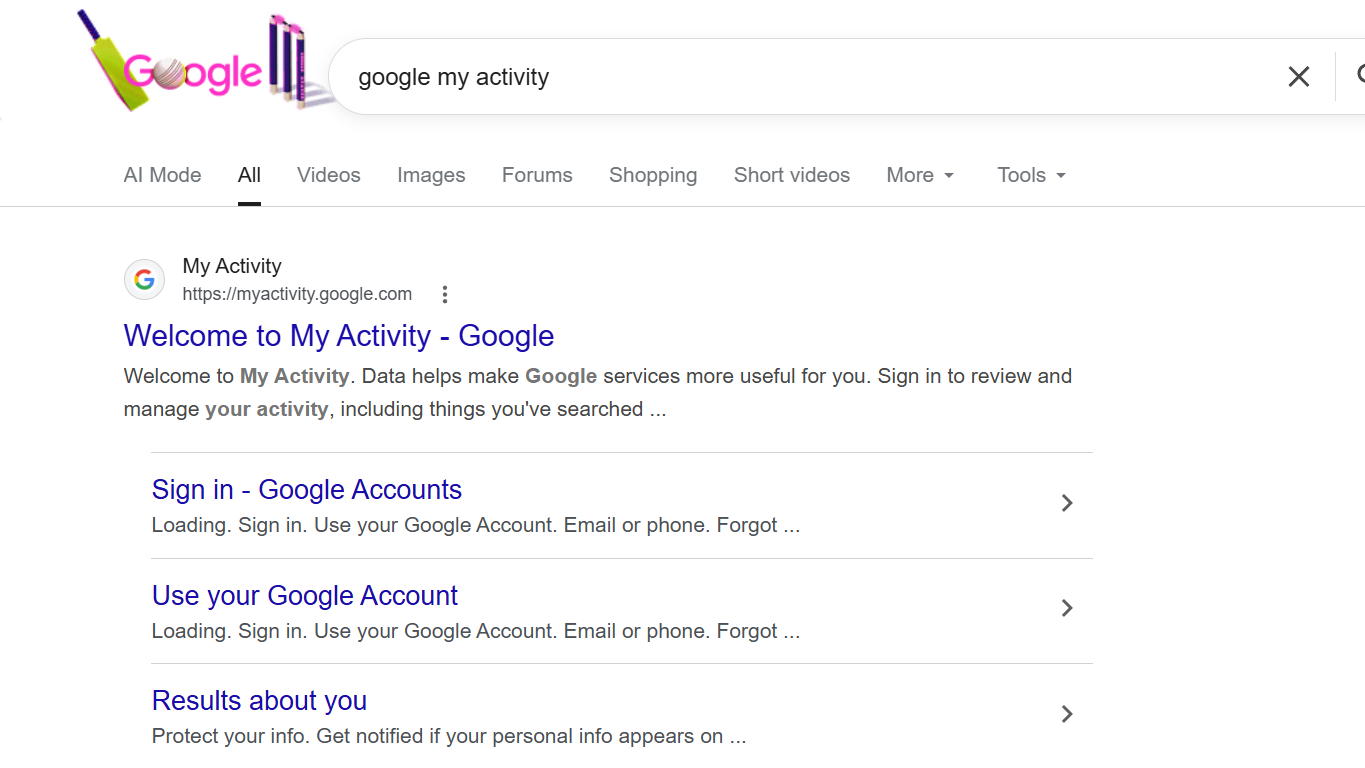
Most people use Google services every day without thinking about how much activity gets recorded. This is very useful for Google, as it allows it to personalize the information presented to its users. But some individuals would rather limit the number of entries made in their accounts. The good news is that Google offers various options for managing one’s activity history.
Before you delete your Google search history, though, there are certain things that should be taken into consideration after deletion. For one, deleting activity might lead to fewer targeted advertisements appearing in front of you. On the other hand, Google may still hold on to some of the information for reasons such as safety or legal concerns. Activity collection will also continue if you have not disabled your tracking preferences. It is always a good idea to check your privacy settings from time to time.
Delete Your Google Search History
Follow the steps below to clear your Google activity history:
Meta launched AI Mode on Facebook, using Meta AI to surface answers from public posts across Groups, Reels, and Marketplace listings.
Meta has launched AI Mode on Facebook, a new search experience that uses Meta AI to pull answers from public posts across the platform. The feature surfaces information from Facebook Groups, Reels, and Marketplace listings, turning years of user-generated content into a searchable knowledge base. It is rolling out now to users in the United States.
AI Mode sits inside Facebook’s existing search bar. When a user asks a question, Meta AI generates a conversational answer drawn from public content rather than returning a list of links. The system can recommend products from Marketplace, surface advice from Group discussions, and pull clips from Reels that match the query.
The feature builds on Meta’s broader push to embed AI across its platforms. In May, the company launched Forum, a standalone Reddit-style app built on Facebook Groups that includes an AI “Ask” tab for querying Group discussions. AI Mode extends that same logic to the main Facebook app, giving Meta AI access to a far larger pool of public content.
Advertisement
The timing is notable. Google’s AI search overhaul has accelerated a traffic collapse for publishers, with zero-click searches now accounting for roughly 60 per cent of all queries. Meta is applying the same approach to social content, synthesising public posts into AI-generated answers instead of sending users to the original discussions.
Meta did not say whether Group admins or individual users can opt their public posts out of AI Mode results. The company has not disclosed how it handles posts that were public when written but later changed to private, or whether deleted posts are excluded from the training data. These are significant gaps for a feature that treats user content as raw material for an AI system.
AI Mode is one piece of a much larger AI rollout. Meta now offers AI-generated animated profile pictures, introduced in February. A Marketplace auto-reply feature launched in March uses Meta AI to draft responses to buyer inquiries. A creator assistant tool, available since June 3 in the US, India, and Canada, helps content creators with captions and engagement suggestions.
The company is also building a subscription business around AI. Facebook Plus and Instagram Plus launched on May 27 at $3.99 per month each, offering ad-free browsing and premium features. Meta has announced two additional AI-specific tiers coming later this year: Meta One Plus at $7.99 per month and Meta One Premium at $19.99 per month, which will include access to more advanced AI models and higher usage limits.
Advertisement
The subscription pricing positions Meta’s AI features against standalone chatbot services. ChatGPT Plus costs $20 per month. Google’s Gemini Advanced is $19.99 per month. Meta is betting that embedding AI into apps people already use every day, rather than asking them to open a separate tool, will drive adoption more effectively.
Whether that bet pays off depends on accuracy. AI-generated answers drawn from social media posts carry a higher risk of misinformation than those sourced from curated databases or verified publishers. Facebook Groups contain medical advice from unqualified strangers, financial tips from anonymous accounts, and product recommendations that may be paid promotions. Meta AI does not distinguish between a dermatologist’s post and a conspiracy theorist’s, at least not in any way the company has publicly described.
Google’s AI Overviews have already demonstrated the problem at scale. An analysis by Oumi found that Google’s AI answers are roughly 91 per cent accurate, but with trillions of queries per year, that error rate translates to millions of incorrect answers served daily. Meta’s content pool is arguably less reliable than Google’s web index, and the company has not published comparable accuracy metrics for AI Mode.
The feature also raises questions about the value exchange between Meta and its users. People post in Facebook Groups to help each other, share experiences, and build communities. AI Mode extracts that value and repackages it as Meta’s product, without compensation or clear attribution to the original authors.
Advertisement
Meta has been restructuring aggressively to fund its AI ambitions. The company cut roughly 21,000 jobs across 2023 and 2024, then announced another round of layoffs in early 2026 focused on underperforming employees. Mark Zuckerberg has described AI as the company’s top priority, with capital expenditure on AI infrastructure expected to reach $60 to $65 billion in 2025 alone.
AI Mode is the latest product to emerge from that spending. It is a straightforward play: Facebook has decades of public content that no competitor can match, and Meta AI now has a front door to all of it. The question is whether users will trust an AI that answers their questions by mining their neighbours’ posts, and whether the people whose posts are being mined will be comfortable with that arrangement.
Considering all the Android 16 QPR updates and the new ones announced at The Android Show and Google I/O 2026, Android 17 is definitely shaping up to be one of the most ambitious updates the company has shipped in years.
Between Gemini Intelligence that gets things done on your behalf, the new security features, and productivity-based features like App Bubbles, there’s a lot to unpack. The stable update is expected in June or early July 2026, but plenty of the upcoming features are already live on the Android 17 Beta version for compatible Pixel devices.
Here’s everything we know so far, including the latest Android 17 news, release timeline, how to download the beta version, compatible devices, and all the features that might reach a wider audience with the upcoming stable build release.
Google
Android 17: Latest news
June 10, 2026 Google released Android 17 QPR1 Beta 4 for Pixel devices.
June 1, 2026 Android 17 Beta 4.1 went live with a couple of new features like Continue On.
May 12, 2026 At the Android Show 2026, Google announced several developments including Gemini Intelligence, which itself is a suite of AI-powered features, along with Chromebooks, and Android 17.
May 12, 2026 Instagram is getting Ultra HDR capture, playback, built-in video stabilization, and Night Sight support for flagship smartphones with Android 17.
The Android 17 release cycle looks slightly different from anything Google has done before, and that’s largely because Google retired its long-standing Developer Preview this year. Instead of the early, developer-only preview that used to kick off each Android release, Google has now placed the Android Canary channel.
While Android 17 reached platform stability in April 2026, Google just dropped the Beta 4.1 upgrade on June 3, 2026, an unscheduled big-fix drop addressing the lingering issues ahead of the stable launch, which is also expected to roll out in June 2026.
Advertisement
Stage
Date
What It Means
Android Canary Channel
Continuous (2025 – early 2026)
Google’s permanent replacement for Developer Previews.
Beta 1
February 13, 2026
The first public beta, open to all enrolled Pixel devices. Introduced app-facing API changes, early security architecture updates, and camera and media capability improvements.
Beta 2
February 26, 2026
Refinements across system stability, early UI changes, and behavior adjustments based on Beta 1 developer feedback.
Beta 3: Platform Stability
March 26, 2026
Google locked down Android 17’s final SDK and NDK APIs with this build.
Beta 4
April 16, 2026
The last scheduled public beta.
Google I/O & The Android Show
May 19, 2026
Google’s official consumer-facing reveal.
Beta 4.1
June 3, 2026
A minor, unscheduled bug-fix drop addressing lingering issues ahead of the stable launch.
Stable Public OTA Rollout
Expected June 2026
Over-the-air delivery to all supported Pixel hardware.
QPR1 Minor SDK Release
September 2026 (estimated)
Google’s Q4 platform drop, adding additional APIs and features outside the main release.
However, before you proceed, there’s one important caveat: if you leave the beta program before the stable Android 17 release, Google will require a full factory reset of your device before returning it to the stable Android 16 channel.
The steps required to install the Android 17 beta are given below.
Head to Settings > System > Backup and initiate a manual backup to your Google account.
Enroll your device in the Android Beta Program by signing in to the portal with the Google account tied to your Pixel, and locate your device in the list of eligible hardware.
Once you locate your device, tap “Opt in” to enroll.
Now, on your compatible Pixel device, go to Settings > System > System update and tap “Check for update.” The beta package should appear in a few minutes after you enroll.
Download the update and wait for the installation to run in the background. You’ll see a restart prompt once your phone is ready.
Nadeem Sarwar / Digital Trends
Which devices support Android 17?
Google Pixel
Every Pixel smartphone that runs on a Tensor chip is eligible for Android 17. This includes the older models from the Pixel 6 series, all the way up to the latest Pixel 10 family, both flagships and the A-series devices. More than 20 Pixel devices will receive the Android 17 stable update.
It’s worth mentioning here that Google extended the software support for the Pixel 6 series, including the regular Pixel 6, Pixel 6 Pro, and the Pixel 6a, keeping them in the update window through October 2026. However, Android 17 will be the final major operating system update for these devices.
Advertisement
Refer to the complete list of supported Pixel devices below.
Samsung’s new custom skin, One UI 9, is based on Android 17. The skin is already available as part of the One UI 9 beta program (through the Samsung Members app), which went live for Galaxy S26 users in May 2026 in regions like the United States, United Kingdom, Poland, South Korea, and India. This makes Samsung one of the earliest non-Google partners to roll out the Android 17 beta.
Nadeem Sarwar / Digital Trends
Regarding the stable launch, Samsung is expected to roll out One UI 9’s stable version with its second major hardware event of the year, Galaxy Unpacked in July, along with its latest generation of foldables. Older lineups like the Galaxy S25 and Galaxy S24 series could get the stable OTA update around the same time.
However, the S23 series, along with the mid-range A-series devices and the Galaxy tablets, could get the stable release later in 2026.
Devices expected to receive One UI 9 are given below.
For the first time, Google has opened the Android 17 beta pipeline to international hardware partners during the Beta 4/4.1 stability phase. Nine manufacturers currently have devices in the official beta program, including OnePlus, Xiaomi, Vivo, Oppo, Honor, iQOO, Lenovo, and Realme.
Most of these don’t sell smartphones in the United States, but they’re quite popular in other major markets like India. Stable Android 17 rollouts for these brands are expected to begin in Q3 2026, along with their respective software skins, such as OxygenOS 17 for OnePlus and HyperOS 4 for Xiaomi.
Advertisement
What’s new in Android 17?
Android 17 is the most feature-loaded operating system upgrade Google has shipped in years. The credit goes partly to the new features confirmed at The Android Show and Google I/O 2026, and partly to a wave of Pixel-exclusive Android 17 QPR updates that will finally reach a broader audience through the stable update.
While Google has already confirmed a bunch of new features for the stable Android 17 release, a couple of others introduced in Android 16 QPR updates could also make their way to other OEMs with Android 17.
Gemini Intelligence can parse an open Chrome tab (through on-screen awareness), identify details like event times or prices, and complete bookings or fill forms in the background, using the new Gemini in Chrome and the new, smarter Autofill. You only confirm the payment details; Gemini Intelligence takes care of the rest.
Advertisement
Create My Widget
Android 17 will also embrace vibe-coding (in a controlled manner) by allowing users to create their own custom widgets. The new tool will let users describe a widget in plain language and build it for them on the spot, such as one that includes a to-do list for shopping, fetches information from Daily Brief, or shows a countdown to an event marked in their calendar.
Gboard RamblerGoogle
At the same event, Google confirmed a new feature called Rambler, which redefines what traditional speech-to-text means.
Built into Gboard, the feature can not only remove filler words (such as “umm” or “ya”), but it can also handle awkward phrasing, mid-sentence conversions, recognize multiple languages, and produce a clean transcription of whatever you ramble (that’s where the name comes from).
Advertisement
Split Notifications and Quick Settings Panels
The upcoming update will split the combined notifications and Quick Settings drawer into two different panels, wherein swiping down from the top-left corner will bring up the notifications, while swiping from the top-right will let you access the Quick Settings menu. While the redesign is mandatory on foldables and tablets, it will remain optional on smartphones.
Available in the Pixel Launcher for Android 17, this particular feature will let you remove app names from beneath the home screen icons entirely, resulting in a cleaner layout. Apple iPhones got a similar feature with iOS 18 in 2025.
Google has redesigned all of its Noto emoji with a subtle, textured look. Called Noto 3D, these emojis will be available first with Android 17 on Pixel phones via Gboard, YouTube, and Gmail.
Android 17 Easter Egg
This is the first new Android Easter egg since Android 14. Head to Settings > About Phone > Android version, tap the version number repeatedly, and you should see a black screen with diamond-shaped dots arranged in a circle. You can connect them in any order, and it reveals the Android 17 logo.
At Google I/O 2026, Google announced the Metric Style update of Android’s Live Updates framework. Designed for health, fitness, and travel apps, the Live Updates can now display up to three data points across the always-on display, lock screen, and status bar at once.
Pill-style media app switcher
This particular feature arrived with Android 17 QPR1 Beta 3, replacing the carousel-style media control tile in the notification section with a compact card layout. This eliminates any accidental seek-bar scrubbing.
Confirmed in Android 17 QPR1 Beta 4, the feature adds a dedicated Quick Settings tile for switching input methods like Gboard’s voice typing or Gemini.
Medical companion device profile
This new companion device profile tier gives health-critical apps a dedicated Bluetooth connection that goes around standard battery optimization settings.
The UI overhaul arrived with Android 16 QPR1, exclusively for Pixel devices, and should reach other Android OEMs with Android 17. It introduces bouncier, physics-based animations, and background blur effects in the app drawer and notification shade.
Forced Auto-Themed Icons
Advertisement
Released with Android 16 QPR2, the feature mandates that all app icons adopt the system’s chosen color theme, and not just those whose developers chose to support it.
Yet another feature from Android 16 QPR2, this one expands and applies a forced dark theme on apps that lack native support for dark mode. It also includes a per-app override setting, letting you exempt select apps from dark mode.
Lock Screen Widgets
Launched with Android 16 QPR2 on Pixel phones, Lock Screen Widgets might expand to all supported phones with Android 17.
Advertisement
Flashlight Brightness SliderShikhar Mehrotra / Digital Trends
Released in Android 16 QPR3 Beta 1, this update will roll out to all Android 17 users, allowing them to access a vertical brightness slider instead of simply toggling the flashlight on or off by long-pressing the flashlight tile in the Quick Settings menu.
Ability to remove At a Glance
With Android 17, you’ll be able to remove the At a Glance widget from the home screen on Pixel phones. This ability was first introduced with Android 16 QPR3.
First rolled out with Android 16 QPR1, pointers now move seamlessly from the device screen to a connected external monitor without getting stuck at the edge. Furthermore, a pointer acceleration disable toggle delivers flat 1:1 movement tracking.
At Google I/O 2026, the company revealed its Android Auto redesign, introducing media card configurations that adapt to a broader range of infotainment display aspect ratios. The stable update will also add a swipeable card-based media app switched to Android Auto.
Content creation and gaming
Screen Reactions
Screen Reactions uses the native screen recorder to capture the screen and the video from your front camera simultaneously, stitching the video (with your reaction) directly onto what you’re recording. It will roll out exclusively for Pixel devices with Android 17.
Advertisement
⏺ You can now try Screen Reactions in Android 17 QPR1 Beta 4!
As we previewed at The Android Show, this feature lets you record yourself and your screen at the same time without setting up a green screen.
Meta’s Edits app gets two more flagship-exclusive tools with Android 17: Smart Enhance and Sound Separation. While the former upscales photos and videos, the latter isolates individual audio layers from the noise, letting creators boost their vocals.
APV support
Co-developed with Samsung, Google has integrated Advanced Professional Video (APV) support directly into the Android 17 framework. Currently available on flagships like Galaxy S26 Ultra, the storage-efficient video format will expand to more flagship devices with the upcoming update.
Google has partnered with Meta to introduce Instagram-specific updates for flagship Android devices. These include Ultra HDR capture and playback, built-in video stabilization, and Night Sight into the Instagram app.
Floating screen recording toolbar
Confirmed with the third beta of Android 17, the screen recorder’s controls no longer live exclusively in the notification shade. Instead, they live in a compact pill overlay on the screen (during recording).
Adobe’s Premiere mobile app is coming to Android this summer, with its launch timeline tied to the Android 17 stable update rollout.
System-wide loudness management
Advertisement
Confirmed via Android 17’s audio framework changelogs, this particular addition automatically balances volumes across streaming apps and media sources.
Native gamepad button remapping
Google’s upcoming operating system update contains a system-level controller configuration dashboard for both USB-C wired and Bluetooth-based gamepads, allowing users to remap buttons and adjust analog thumbstick curves without using third-party keymapping apps.
🎮 Try our new controller remapping feature in the Android 17 Beta!
Although Android supports a wide variety of gamepads, we recognize that a one-size-fits-all control scheme doesn’t work for everyone, so we’re excited for you to try this new feature👇https://t.co/3yL7J97Kmw
Versatile Video Coding is integrated at the platform level in Android 17, with hardware-accelerated decoding on supported silicon, and can deliver the same visual quality as H.265/HEVC at about half the data rate.
Vulkan 1.4
Advertisement
Android 17 increases the minimum graphics API floor to Vulkan 1.4 and mandates ANGLE (Almost Native Graphics Layer Engine) support.
In the fourth Android 17 beta, Google enforces app resizeability by removing the opt-out mechanism for developers that allowed them to block split screen resizing. All apps must allow users to customize their window size or split configurations.
App Bubbles
Long-pressing any app icon in Android 17 Beta 3 or newer reveals a new Bubble option that keeps the app active as a small circular icon in one corner of the screen, helping users with two or three-app-based workflows.
Pause Point adds a 10-second waiting period before opening an app you’ve marked distracting. During the pause, Android 17 offers a breathing exercise, a favorite photo memory, or an audiobook suggestion.
Split-screen adjustment arrows
Confirmed in Android 17 Beta 4, the thin window splitter between split-screen apps now features small directional arrows that users can tap to change the split ratio to 70:30 or 90:10.
Desktop Mode external monitor workspaces
Advertisement
Desktop Mode arrived with Android 16 QPR1 and might expand to more devices with Android 17. It transforms compatible phones into a full windowed computing experience (like Samsung DeX) when connected to an external display.
🖥Super excited to see Desktop mode finally launch!
With the release of Android 16 QPR3 today, connected display support has reached general availability.
This means you don’t need to flip a Developer option to enable it – just connect a compatible Android device to an… pic.twitter.com/itmTe38vmo
Android 17 Beta 4 comes with RAM usage limits on a per-app basis. Apps that exceed their allocation are closed by the system, preventing a few heavy apps from hogging all the available memory.
Custom keyboard shortcut rebinding
The feature lets users map specific hardware key combinations to open apps or trigger system functions. It might expand to a broader range of devices with Android 17.
Advertisement
⌨️Android 16 QPR2 adds the ability to assign a custom keyboard shortcut to launch any app of your choice!
To do so, tap “+ Add shortcut” at the bottom of the “App shortcuts” tab in the “keyboard shortcuts” menu. pic.twitter.com/RHeWLMqnNo
A toggle in Settings > Accessibility > Color & motion > Reduce blur effects reduces the frosted glass effect from the user interface. It was first rolled out with Android 16 QPR2.
Advertisement
Privacy and security-related updates
Bank Spoofing Protection
When a suspicious call arrives, Android silently queries the bank’s app installed on users’ phones to confirm whether a call is actually in progress from the bank’s end. If not, the call is immediately terminated. The feature won’t just work with Android 17, but Android 11 and newer versions.
With Android, Google’s on-device AI scam scanner can now flag apps secretly forwarding SMS messages or abusing accessibility permissions to place invisible overlays that capture user inputs, and there’s a new “dynamic signal monitoring” feature as well.
SMS OTP hiding
Advertisement
Confirmed in Beta 2, Android 17 only allows the intended recipient apps or the device’s default SMS app to read OTPs within three hours from receiving them.
Granular contacts access picker
The upcoming Android version will introduce a contact-level permission selector instead of granting apps blanket access to the entire contacts directory.
📣 New feature in Android 17!
Android 17 is introducing a new Contact Picker feature that provides a standardized, secure, and searchable interface for contact selection.
Advertisement
Historically, apps needing access to your contacts relied on the broad “READ_CONTACTS” permission, which… pic.twitter.com/eLZ1zVRArS
Android 17 adds a new button that surfaces which apps are actively using GPS data in real time, along with a single-tap option to revoke location access immediately.
Advertisement
Background audio isolation and restrictions
The audio framework enforces strict limits on background apps trying to start an audio playback, request audio focus, or adjust system volume without actively informing the user.
Biometric lock for lost devices
The Mark as Lost feature in Find Hub now requires biometric authentication on top of PIN/passcode.
Advertisement
Time zone change notification
When a local cell tower overrides the device clock, something that silently changes calendar events and alarms, a system notification confirms the time zone adjustment. The feature was rolled out with Android 16 QPR2, and should reach more devices with the stable Android 17 update.
Google is removing Chrome’s last remaining workarounds for Manifest V2 extensions, effectively ending support for legacy ad blockers such as the original uBlock Origin. 9to5Google reports: CyberNews points out a Chromium commit that removes support for the “kExtensionManifestV2Disabled” flag, which is referred to as “dead code” seeing as Chrome no longer supports Manifest V2 extensions. This removal acts as the final stop for many Manifest V2-based ad blocker extensions that were still in use today — the flag was effectively a loophole to continue using these extensions.
A Googler on the commit explains: “MV2 extensions are no longer allowed in any supported version of Chrome, and we are removing support for them and the associated functionality. We won’t be able to provide / maintain this functionality indefinitely due to the complexity and tech debt, as well as the security risks it entails (we’ve actually found a number of bugs that are specific to MV2 lately). Of course, other browsers can continue supporting these if they so desire.”
This will also impact other Chromium-based browsers, though the comment notes that “other browsers can continue supporting these if they so desire.” Neowin points out that Microsoft Edge and Opera are likely to follow suit. Chrome 150, set to be released later this month, will remove this flag, while other leftover bits of Manifest V2 will be removed in the v151 release.
As drone technology continues to evolve, much of the attention has focused on how drones might be the future of warfare. But it’s also starting to reshape surveillance closer to home, as some law enforcement agencies in the United States are now using drones to monitor and potentially track vehicle movement in traffic. It may sound like something out of a spy film, but these systems are already being tested or deployed in some cities.
These drones are typically sent in response to live incidents on the road, connecting them to tools already in use that monitor vehicle movement. So if you spot one overhead or in your rearview, it could be connected to those efforts. A recent example of this comes from Oakland County, Michigan (via Fox 2 Detroit), where the sheriff’s department has received approval from the city to use a fleet of automated drones for emergency response and public safety operations. This move came amid public concerns over both surveillance and personal privacy.
A similar program in Denver kicked off in October 2025, when Denver officials signed a one-year pilot agreement with Flock Safety (via 9News). The company would provide a drone system to work in conjunction with license plate cameras, 911 dispatch, and other data platforms used in law enforcement investigations. But this move also faced some pushback. Some city officials voiced concern over the program’s lack of transparency and the fact that they were not fully informed about the agreement when it was finalized.
Advertisement
Flock Safety is facing legal challenges across the US
Flock Safety’s drones launch automatically when triggered by connected sensors and can fly directly to an incident location within seconds. These drones provide HD video feeds in real time, with features like color night vision, high-powered zoom, and thermal imaging that allow operators to monitor events day or night. Recorded video is stored securely and can be used later for incident review and investigations.
Advertisement
The downside of all this tech is that law enforcement agencies may be using Flock’s systems in ways they weren’t intended. According to the Electronic Frontier Foundation (EFF), Flock’s license plate reader system has been used for everything from school residency checks to noise complaints. The EFF has argued that the lack of a warrant requirement for accessing the databases of Flock’s controversial AI license plate reader system has enabled agencies to search through vehicle movement data with very few restrictions, opening up the risk of abuse.
Flock isn’t having things its own way, though. Cities are fighting back against Flock Safety’s cameras, with the company facing several lawsuits in states across the U.S., including California, Colorado, New York, and Virginia. These lawsuits are over privacy concerns and the company’s vehicle tracking practices. While these lawsuits do not focus on Flock’s drone system, they do reflect important issues regarding how its surveillance tools are being used in law enforcement.
A new Google AI tool might be able to translate at the speed of actual conversations, allowing you to talk more naturally with someone speaking a different language from you.
Google recently unveiled Gemini 3.5 Live Translate, a new audio model designed to make real-time multilingual conversations feel more natural. Unlike traditional translation systems that process speech in turns, Gemini 3.5 Live Translate continuously listens, translates and speaks, allowing conversations to flow with only a few seconds of delay, mimicking natural speech patterns.
The model automatically detects spoken languages and supports more than 70, enabling thousands of language pairs within a single conversation. Google says the technology is now available to developers and partners, who can integrate it into meetings, communication platforms and mobile applications.
The biggest change is how translation happens. Rather than waiting for one speaker to finish before generating a response, Gemini 3.5 Live Translate performs continuous streaming translation. The result is a more fluid conversational experience with fewer awkward pauses, interruptions and delays.
The model is built for the realities of everyday communication. Google said it can operate in noisy environments and is designed to handle background sounds, overlapping voices and informal speech patterns. That makes it suitable for a wide range of use cases, including customer support calls, guided tours, classrooms, ride-sharing services and live broadcasts.
Google is also emphasizing speech quality. Instead of producing a generic synthetic voice, the system attempts to preserve elements of the original speaker’s delivery, including pacing, intonation and emotional tone. This helps the translated speech sound more natural and makes conversations easier to follow.
Advertisement
A new era for translations
The broader goal of Gemini 3.5 Live is to move live translation beyond occasional demonstrations and into everyday communication. By enabling near real-time multilingual conversations without requiring speakers to change how they talk, Gemini 3.5 Live Translate could make cross-language interactions more practical for businesses, organizations and individuals alike.
This seems to signal a new era in translation and international communication, as many companies are rolling out products and services to make real-time translation more ubiquitous.
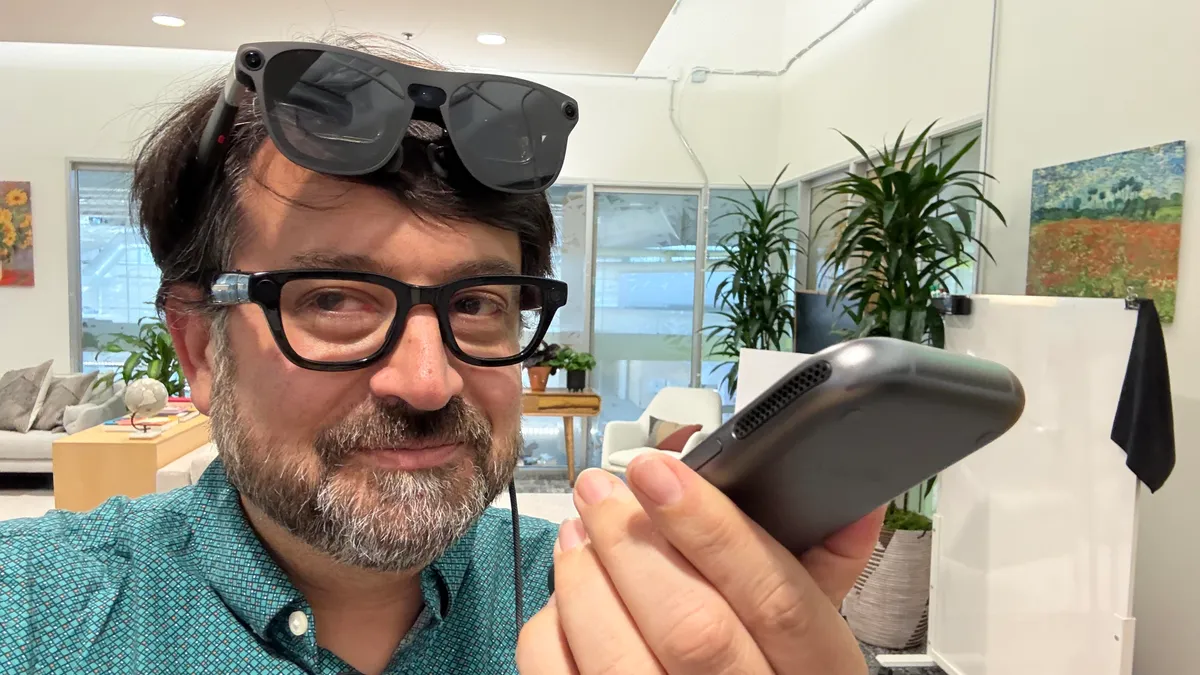
Last year, Apple released the AirPods Pro 3 with the headline-grabbing feature Live Translation. Google Translate has slowly rolled out live headphone translation to Apple and Android devices since December, and even T-Mobile is testing AI-powered Live Translation phone calls. At CES in January, I wrote about a handheld device that can translate real-time vocal conversations to text, allowing me to speak to a woman in Polish, though I don’t speak a word of Polish.
Gemini 3.5 Live is just the latest in a long line of translation products powered by AI. This growing trend shows the desire to communicate efficiently across cultures, allowing travel, language learning and understanding to be more frictionless.
As Meta tries to catch up in the AI race and boost engagement with its AI bot, the company announced Monday that it’s rolling out new AI features on Facebook that aim to change how users find information, create content, and interact with the platform.
The headline update is “AI Mode,” a new way to search Facebook that uses Meta AI to surface answers pulled from public posts across the platform, including Groups and Reels. Instead of scrolling through search results, users can ask a question in plain language and get a synthesized answer based on what people are actually discussing.
Image Credits:Meta
This follows Meta’s quiet launch last month of Forum, a Reddit-style app that includes its own AI “Ask” tab, letting users pose questions and get answers pulled from discussions happening across Facebook Groups.
Both AI Mode and Forum’s Ask tab raise a familiar question: How reliable are answers generated from public posts and group chatter? Because the AI is summarizing content from everyday users rather than vetted sources, there’s a real risk of outdated or misleading information slipping through, a concern that’s already been raised about Google’s own AI Mode on Reddit.
Beyond search, Facebook also added editing tools that let users play around with collage cutouts and transition effects for their video montages. Another new feature is the AI-powered photo presets, allowing users to change up their look with different clothes, hairstyles, and accessories.
Advertisement
Sports fans, for instance, can virtually wear their favorite team jerseys just by tapping the “AI Edit” icon in Stories and choose “Wear It,” or go directly to their profile picture and select “Restyle profile picture with AI” and “Wardrobe.”
Image Credits:Meta
These updates add to a growing list of AI features Meta has shipped on Facebook in recent months. In February, the company introduced animated profile pictures that bring still photos to life — adding a wave, or placing a virtual party hat on someone’s head. In March, Meta added an AI feature to Facebook Marketplace that automatically replies to buyer messages on sellers’ behalf.
Most recently, earlier this month, Facebook launched an AI assistant for creators that offers personalized suggestions — including the best times to post and summaries of what audiences are saying in the comments — based on a creator’s content and performance history.
Taken together, the flurry of releases points to a broader strategy: Meta wants Facebook’s AI tools to make the platform stickier and more useful, while also diversifying how it makes money. Alongside these feature rollouts, the company recently launched global subscription plans for Facebook, Instagram, and WhatsApp — starting at $3.99 a month — that unlock additional features, with more AI-related subscription tiers reportedly on the way.
When you purchase through links in our articles, we may earn a small commission. This doesn’t affect our editorial independence.
Limoncello promptly replied: “My apologies; but I don’t have any more information to share on this topic.” With that, the discussion and Kilpatrick’s inquiry were over.
The Lendacky comment in 2020 Kilpatrick referred to came in this thread discussing encryption features available in AMD CPUs. Lendacky said that the Ryzen 3700x, a consumer CPU, “should support TSME.” In a 2025 comment in the same thread, the engineer followed up on his comment concerning the 3700x.
“I recommend using TSME (Transparent SME), but it is a BIOS option that needs to be exposed by your BIOS provider,” Lendacky said in response to the question about the consumer chip.
There’s no indication that AMD ever advertised or marketed TSME as being available in consumer CPUs. AMD has long said that a related memory protection, Secure Memory Encryption (SME), is available only in the Pro and Epyc CPU tiers. SME is OS-managed. It uses a single key and allows the OS to selectively encrypt individual memory pages. TSME is firmware-managed. It encrypts all RAM with no OS involvement. When active, it provides protection against physical attacks, including cold boot exploits, DRAM interface snooping, and memory module removal. It activates silently when enabled in the BIOS, making it the more practically useful of the two protections.
Advertisement
AMD engineers’ comments, such as those mentioned above, and the years of TSME working just fine in the lower-cost tier processors, have understandably conditioned Kilpatrick and other users to reasonably regard it as an expected part of the chip package. AMD quietly removing it and providing no acknowledgment or explanation strikes these users as something of a betrayal.
“They could have not realized they did it leading to their cagey responses, or they could have done it intentionally and tried to get away with it, leading to the same cagey responses,” Joe Fitzgerald, an expert in silicon-level security, said in an interview, referring to AMD’s potential motivations for withdrawing TSME. “But I really feel like an explanation should be in order, even if it was ‘TSME was never supposed to be supported. We did ship some firmwares that erroneously enabled it, but you shouldn’t use them since we can’t guarantee it’ll work properly.’”
AI is wildly disrupting the world at large, and tech more specifically, and one manifestation of that is the advent of new devices like smart glasses. I’ve been covering the emergence of wearables, virtual reality and augmented reality for over 15 years, but the current moment is more in flux than any I’ve witnessed.
This week, I’ll be in Long Beach, California, for AWE 2026, the biggest AR/VR-focused conference of the year. I’ll be seeing and reporting on what’s new and how AI is taking up residence in what a lot of companies hope will be everyday eyewear for all of us.
Advertisement
Meta already has tons of smart glasses, Google is releasing a wave of its own later this year, and Snap, a maker of smart glasses for years before Meta, has a pair of augmented reality Spectacles planned for 2026 as well. Apple’s new infusion of Siri AI into all its devices, announced last week at WWDC — where I got an in-depth look at how Siri works — hints at smart glasses that could arrive next year. It’s a lot to keep track of.
VR’s still got things going on, too. Apple is evolving its Vision Pro software, Bytedance-owned Pico has a high-end mixed-reality headset on its way, and Valve’s standalone Steam Frame should arrive this summer. Google and Xreal are pushing into new territory with the VR-like, glasses-sized Project Aura, also expected this year.
At AWE, I’ll be asking questions and exploring what’s happening while Google, Meta and Apple keep advancing in the space, and peeking around the corner at chips, displays and sensors (and experiences) that could show us where wearables are heading next.
The overall power output is not bad, though. On “Want Want” by Maggie Rogers, I was impressed by the grungy, guttural sound thanks to the sub. On “So Neurotic” by the band Ex-Vöid, I was expecting total mush as the guitars intersect, but it’s loud, jangly, and clear. “Spangled” by the band Fust had bone-crunching bass coming through the sub as well.
Gaming, Sports, and News
Photograph: John Brandon
For video games, the lack of room-filling surround sound became even more noticeable. Similar to movies and shows, the game Forza Horizon 6 is supposed to blast you with engine sounds and exhaust, but it all felt too thin and not spacious enough. Granted, that game doesn’t take advantage of Dolby Atmos enough, but I was not impressed with overall oomph.
That is until I tested Halo: Infinite. Laser blasts, screeching aliens, and loud explosions at least seemed to come from a few different angles in the room. I still missed the cacophony of Atmos-powered sound coming from higher-end soundbars like the Sonos Arc.
I switched to sports for a while, catching up on the NBA playoffs using the YouTube TV app. The broadcasters were easy to hear, but the crowd noise was more like a low murmur, almost like using a noise generator. What you want is to feel like you’re at the game and can hear people screaming and shouting during the live broadcast. A news program on my local Fox station sounded clear and distinct, though. That’s not surprising because the A65K certainly has enough power and distinct audio drivers, even if the surround sound is just so-so.
Advertisement
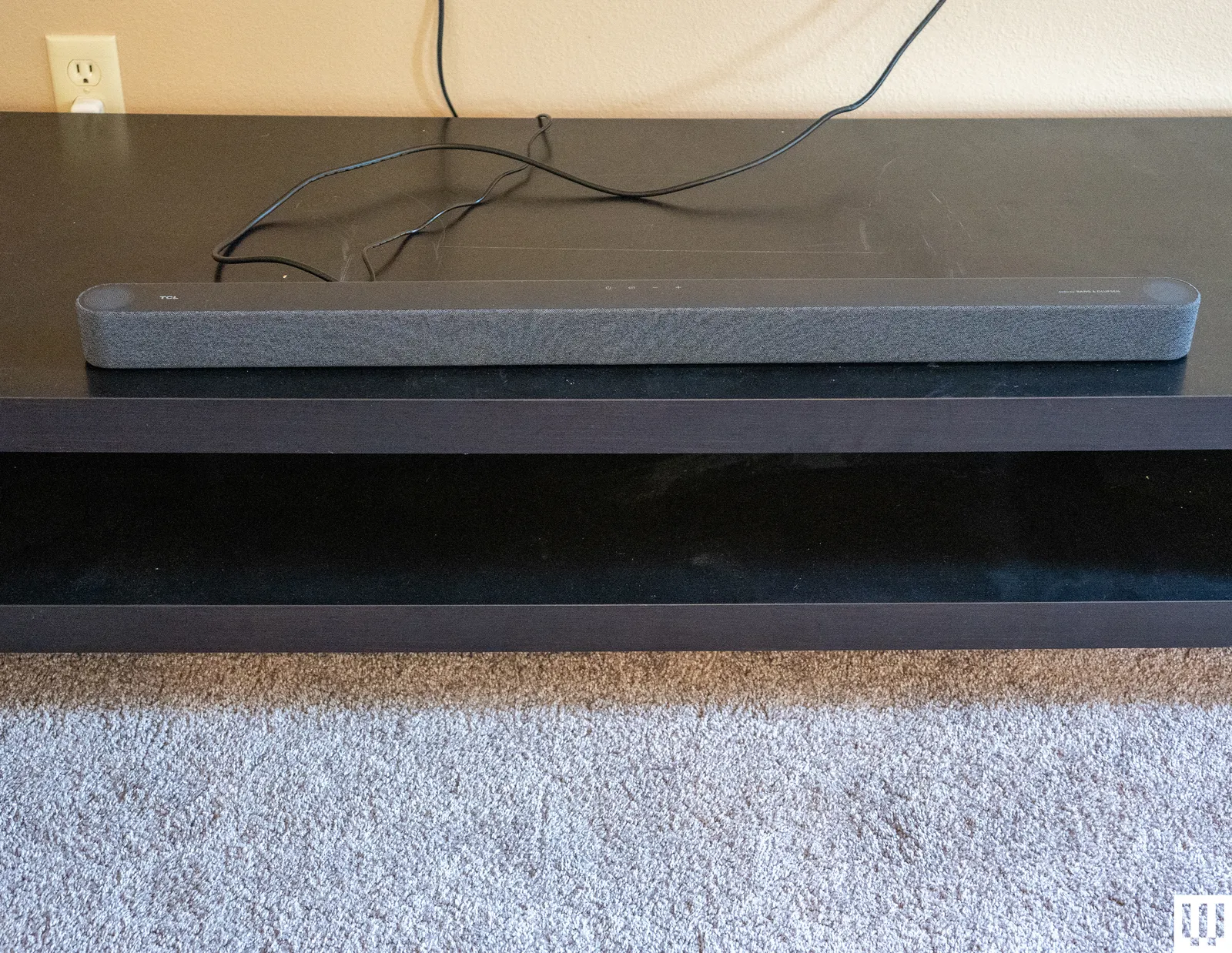
In the end, I felt the TCL A65K matched my expectations. It’s small enough to fit on a kitchen counter or near a smaller television. It’s priced much lower than the high-end models that actually deliver room-filling home theater surround sound. Many of the tracks I played to test music sounded pleasing enough if not thunderous and room-filling. If your goal is to save space and not pay an exorbitant sum, the TCL A65K is a compact and feature-rich choice.
























































You must be logged in to post a comment Login