


So, what’s a guy got to do to become a billionaire around here? Greg Brockman scribbled the question in his diary, recently unsealed as trial evidence, just two years after co-founding OpenAI as a charity in 2015: “Financially, what will take me to $1B?”
Tech
Which Education Jobs Are Growing the Fastest? Mostly Non-Classroom Roles.


The approach of a new school year conjures images of teachers preparing their classrooms and principals greeting students as they walk through the doors on the first day of classes.
But federal data shows that the education jobs that will see the most growth over a decade are supporting roles like substitute teachers, therapists and technologists.
The findings are bracketed by changes in student enrollment and the ending of federal school emergency funds, which are reshaping school districts’ staffing outlooks. School districts across the country continue to grapple with millions in budget deficits, leading to hundreds of job cuts in some cases.
Recent reports show that schools are likely to struggle to fill the most in-demand roles.
Highest-Growth Areas
Looking at 10 education roles that will gain the most net jobs by 2034, short-term substitute teachers top the overall rankings with an increase of more than 10,000.
Malia Hite says that Utah is among the states that will see an increase in jobs for teacher assistants and paraeducators, who will specifically support student behavior and early literacy, thanks to an infusion of state and federal funds. Hite serves as the Utah State Board of Education’s executive coordinator of education licensing.
She adds the caveat that it’s tough to attract candidates to those roles, particularly in early childhood education — a problem felt strongly around the country.
“However, I will say that those positions, because those positions are typically an entry-level position with a low wage or part-time, they’re hard positions to fill,” Hite says. “Even in the current job market, [where] it’s hard to find positions, we’re still seeing openings in our paraeducator job market statewide. Some of them are making $9 an hour, so why would I do that when I can go somewhere else and make $15 in an entry-level position?”
Hite is cautious when talking about education growth overall because it’s not equal among sectors. Increased demand is expected for non-teacher and non-administrator staff like speech language pathologists, social workers and occupational therapists, she says.
“This is now our second year that we’ve seen a decrease of student enrollment, and so that means we need fewer teachers, there’s less funding, and so we’re seeing a lot of things like schools close,” she explains. “So in that way, there’s no way that education jobs are going to grow.”
A report from the Consortium for School Networking, a professional organization for K-12 tech leaders, found that schools struggle to retain IT staff across all specialities and levels. Among school leaders that it polled, 16 percent said they were in danger of losing IT staff due to the winding down of federal relief money that was allocated to schools during the pandemic.
Health Workers In Demand
The rest of the list, however, is filled by health therapy roles and technology roles. A recent analysis by staffing company ProTherapy predicts physical therapist assistants, speech-language pathologists and physical therapists will be the most in-demand education jobs of 2026 and continue to see double-digit percentage growth.
Schools employ physical therapists and assistants to ensure that students with disabilities can participate in school activities to the fullest extent, while speech language pathologists help students with communication disorders.
Dakota Long, who headed ProTherapy’s 2026 School Workforce Demand Index, says these jobs are growing in demand because schools are aiming to identify students with disabilities and set up interventions as early as possible, as early as age 3 in some schools.
But another factor in the demand for these specialists – physical therapist assistants, in particular – is the job market they are graduating into.
While teacher graduates are overwhelmingly likely to work in the classroom, newly minted health care workers can be wooed by jobs in hospitals, clinics and home health agencies in addition to schools.
“From my perspective in working with schools, they’re wanting to identify those things early on,” Long says, “that way they can provide the best services for these kiddos before it gets to age 7, 8, and then they realize, ‘Oh gosh, we could have been supplying these services earlier.’ So you have early intervention, more kiddos needing these services, but then employees that could be taking on these roles have a lot of different options, as well.”
Hite says that while non-teacher jobs are expected to increase in Utah, though realistically not by as much as ProTherapy’s projections, some nuance is required when looking at what the growth rates mean.
“If I look at the subsector of audiologist, we had two [full-time employees] six years ago, and now we have 11,” she says, an increase of more than five-fold. “We’re talking about 10 people.”
Continue Reading
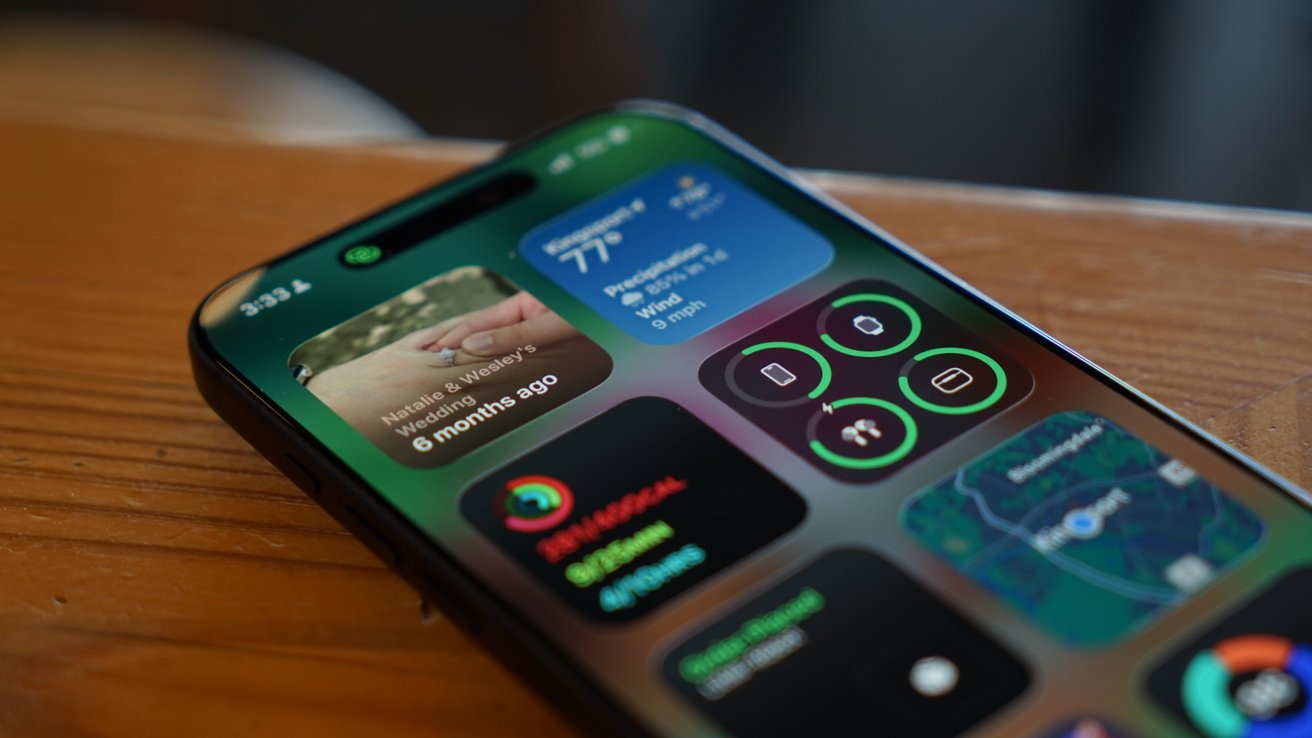
Most of the conversation around iOS 26 got lost behind social media’s need for it to be as controversial a change as iOS 7. The bigger story is the lack of a revitalized Apple Intelligence.
My iOS 26 review is going to focus on the changes that actually affected our day-to-day use of the iPhone. There are a lot of new features, app updates, and the Liquid Glass material, but the elephant in the room is the ongoing delays in AI.
If you’re here for me to pile onto the Apple failure bandwagon, this isn’t the review for you. In fact, I am still fully of the opinion that Apple’s admittedly embarrassingly slow start in artificial intelligence might be one of its biggest victories in tech in decades.
Apple didn’t plan for it to go this way, but boy is it shaping up to be quite the coup. The true winner of the AI race was the one that waited to start the race after all of the others paved the track and painted the finish line.
I’ll get to the AI of it all and my thoughts at the end of this review, but for now, let’s actually discuss what iOS 26 actually gave us.
iOS 26 one year later review: Liquid Glass
As I sit here and write this on an iPad Pro connected to an external display, my Slide Over window of Drafts has a clear glass edge. The YouTube video playing underneath of the 2025 WWDC keynote bleeds through colors splashing across the edge of the video.
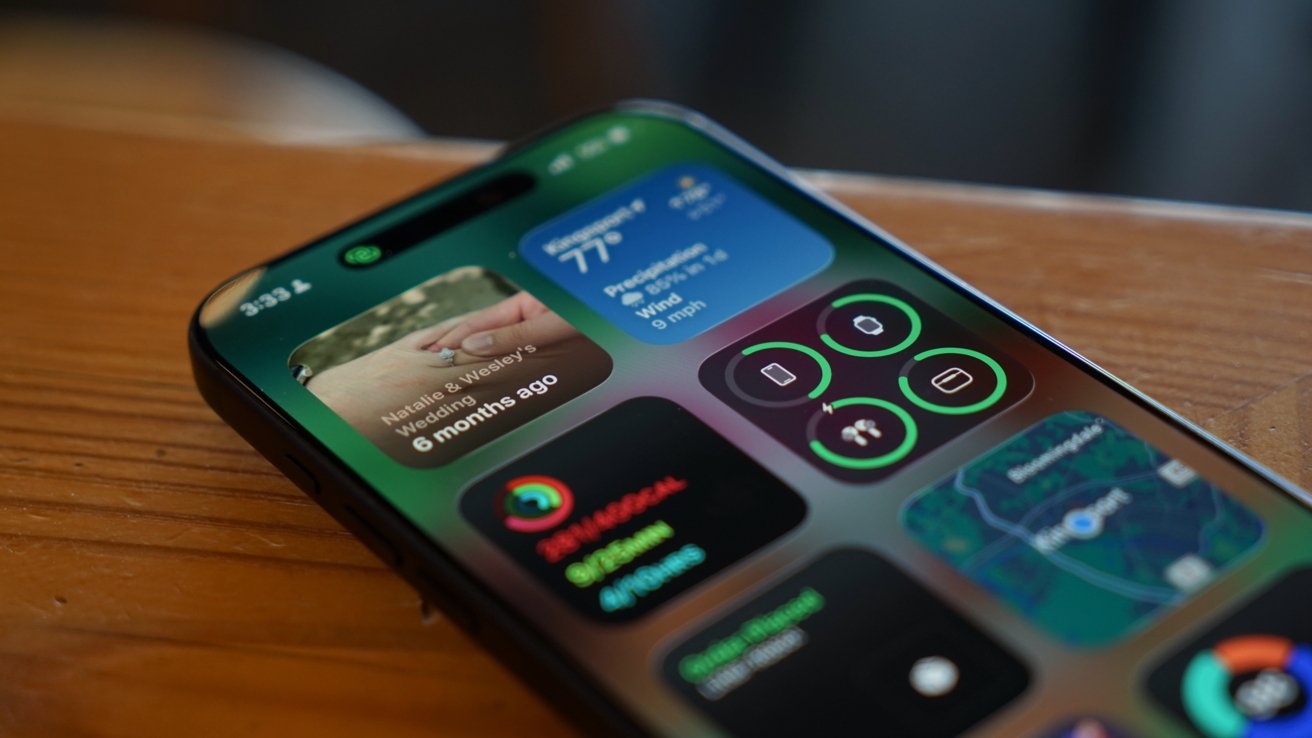
iOS 26 review: Liquid Glass is more obvious in some places, less in others
Liquid Glass wasn’t limited to iOS 26, but I’ll keep my conversation about it limited to that platform. The new material stands out most on the Home Screen and Lock Screen.
Every Apple app quickly adopted the new material throughout. Popover lists are a smoky glass, icons and buttons have a distinct glassy edge, and everything is reflective.
If an object moves in front of another object, some of the underlying layer peeks through. Grab an element and it warps and moves as you interact with it.
Sliders behave like bubbles while more elements move into menus. The entire design philosophy focuses on minimalist presentation with flashy visuals.

iOS 26 review: Liquid Glass changed how elements looked across the platform
The driving force behind Liquid Glass is Apple Silicon. I have no doubt that Apple’s claims about other smartphones being unable to replicate the material are true.
I personally enjoyed the introduction of Liquid Glass. It had its flaws, and still does, but it was an interesting departure from the flat and boring state iOS was in.
The biggest winner of Liquid Glass was the intuitive UI interactions. When you tap a button, the menu appears where the button was tapped, for example.
The Lock Screen and Home Screen really take advantage of Liquid Glass too. You can either have a completely transparent set of icons or tint everything to be a specific color.
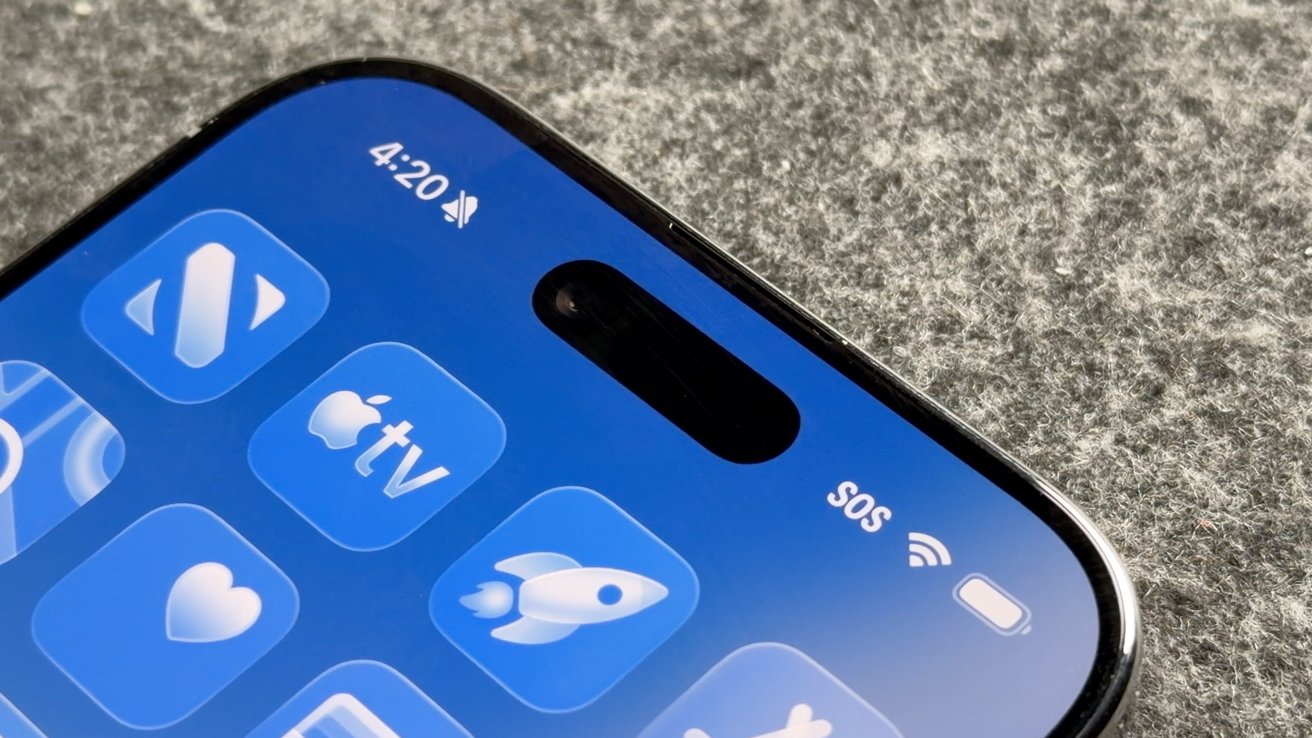
iOS 26 review: Liquid Glass isn’t going anywhere
Apple’s slow evolution of Liquid Glass is apparent throughout the iOS 26 release cycle. Small changes have been made with each update, but it has fallen short of giving users the ability to turn the material off entirely.
If you’re holding your breath for such a button, it is best to stop waiting. Apple has made it clear the Liquid Glass will be mandatory for all apps soon and it isn’t going anywhere.
Expect more refinements over time, but this Apple Silicon-driven UI is here to stay.
Of course, this is a review of iOS 26 after a year of dealing with it, so let’s move past the refresher.
iOS 26 one year later review: customization
One of the more surprising aspects of iOS 26 and Liquid Glass is just how many people in my life noticed it. Not only did they notice, but they were genuinely happy with it and utilized the new customization features.
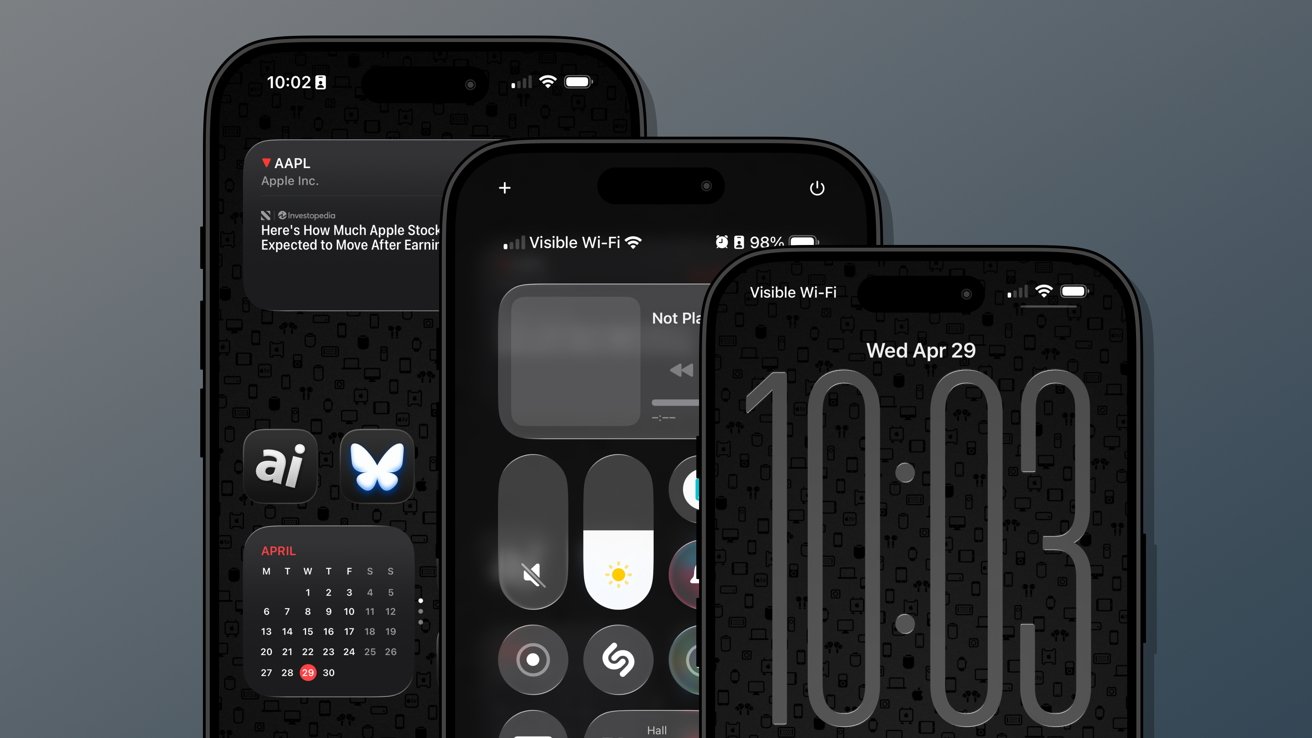
iOS 26 review: Customization options from the Home Screen to the Lock Screen
Several jumped on the new transparent icon setting for the Home Screen. Though, beyond that and the new clock on the Lock Screen, there’s not much else to speak of.
That isn’t to say these aren’t significant changes, but just fewer overall compared to previous years. I’m happy that Apple is still committed to pushing customization forward each year, but iOS 26 was the bare minimum.
The new material likely took up any attention Apple might have otherwise had to develop new customization options. I expect iOS 27 will have more and likely have a focus on any Liquid Glass improvements.
Since Liquid Glass was more of a reskinning of iOS than a full redesign, I didn’t feel the need to rethink my Focus Modes or Home Screens as much as I might have usually. I tried the transparent icons on a fitness Focus, but otherwise didn’t bother.
I’m quite happy with the dark icons and tinted wallpaper options.
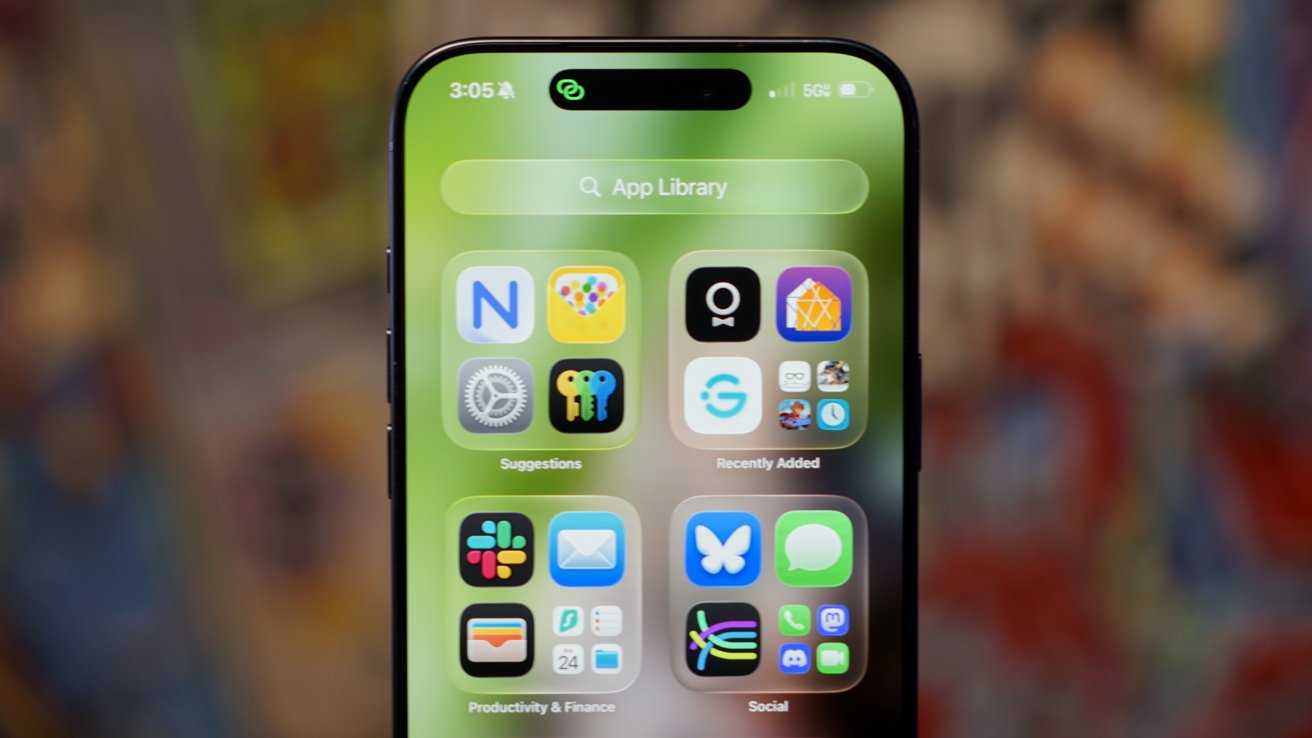
iOS 26 review: Liquid Glass affects how everything looks
The new clock on the Lock Screen is the star of the show and perfectly showcases Liquid Glass. I never grow tired of it shrinking as I scroll the notifications.
I’ll also give a special shout out to all of the Apple Music design updates. While these aren’t customization options, they make the iPhone look better with animated Lock Screen art.
I do wish that Apple had gone a little further. There shouldn’t be such a small limit to Focus Modes (currently 10), and there needs to be way more Focus Filters available for system actions.
Apple should also have a much better wallpaper, icon, and widget management system. What we have today works well enough, but it would be better as an independent app.
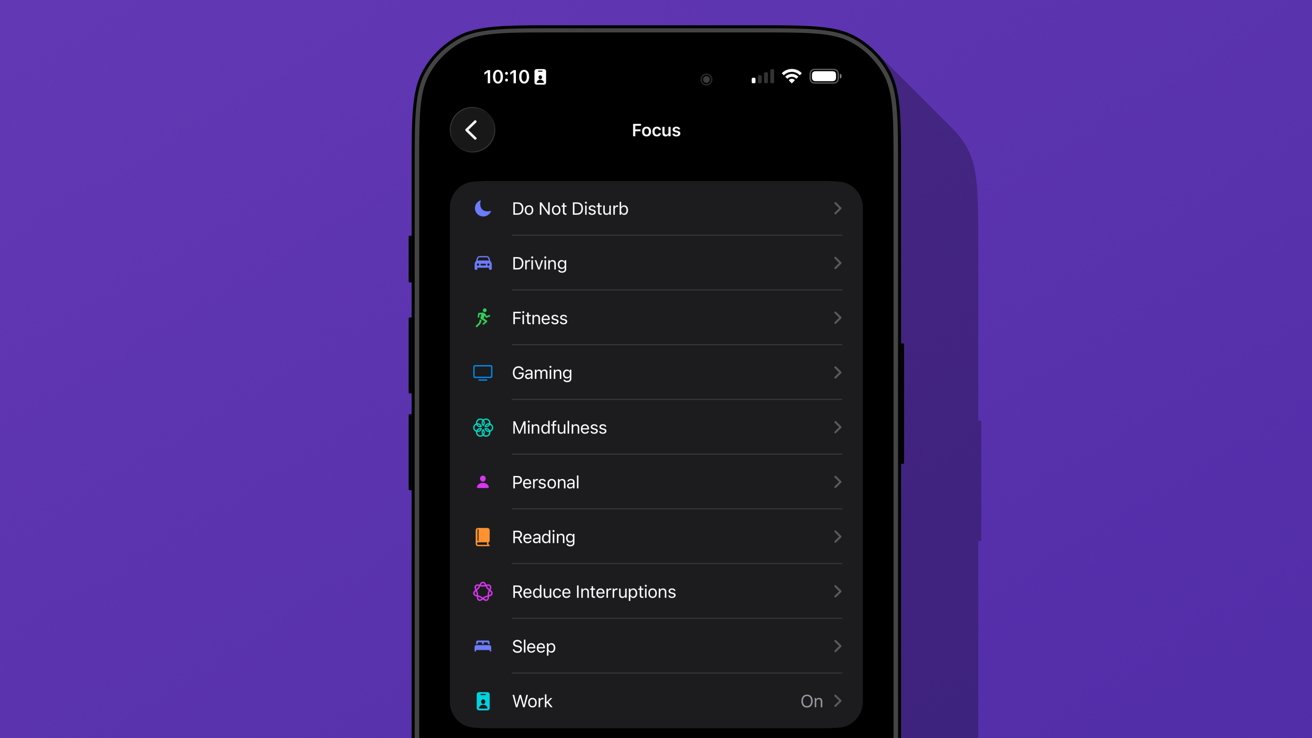
iOS 26 review: we’re gonna need more Focus Modes
I love having unique wallpapers and icons, but implementing them requires too many menus. Plus, I wish I didn’t need to have the images in my Photos app to use them as a wallpaper.
Ideally, everything should be going through Files or a separate repository in this theoretical iPhone design app. Perhaps we’ll get some of that soon, as rumors continue to point to iPhone customization via AI.
iOS 26 one year later review: social
The new unified Phone app layout is one of those changes that annoys people at first, but you can’t go back once you’ve used it. Spam no longer clogs my recents list, and I no longer accidentally dial someone by simply tapping the screen.
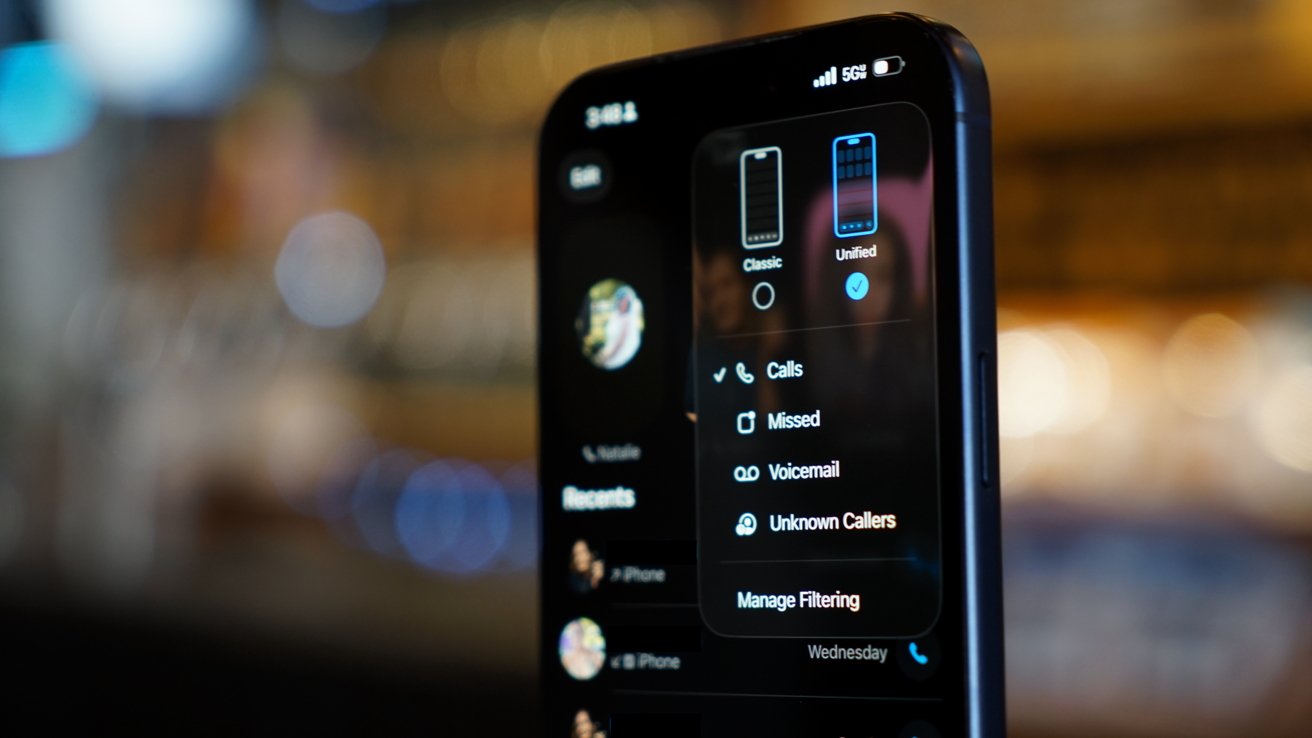
iOS 26 review: a new unified view in the Phone app
While some of my family were reluctant to change the layout, they gave it a shot. The new setup takes great advantage of Contact Posters and makes it simple to access various functions of the Phone app.
I’m still of the mind that there are too many apps in Apple’s social sphere. Ideally, everything would be run through Contacts so there wouldn’t be a need for Phone, FaceTime, and Contacts apps.
Messages makes sense on its own, but more on that app later.
I make this assertion because the Phone app has the entirety of the Contacts app embedded within a single tab. Perhaps it would be too confusing to suddenly have two very important and prominent apps disappear, but I find the redundancy odd.
The unified layout is a step in the right direction. It puts contacts front-and-center since the contact card is what is shown when you tap on a recent call.
You can even jump straight to a video call or iMessage chat with a long press. Perhaps Apple is heading towards a unified social experience, but it is sure taking its time getting there.
The changes to the Phone app aren’t all iPhone users got with iOS 26. Perhaps the most impactful updates are Call Screening and Hold Assist.
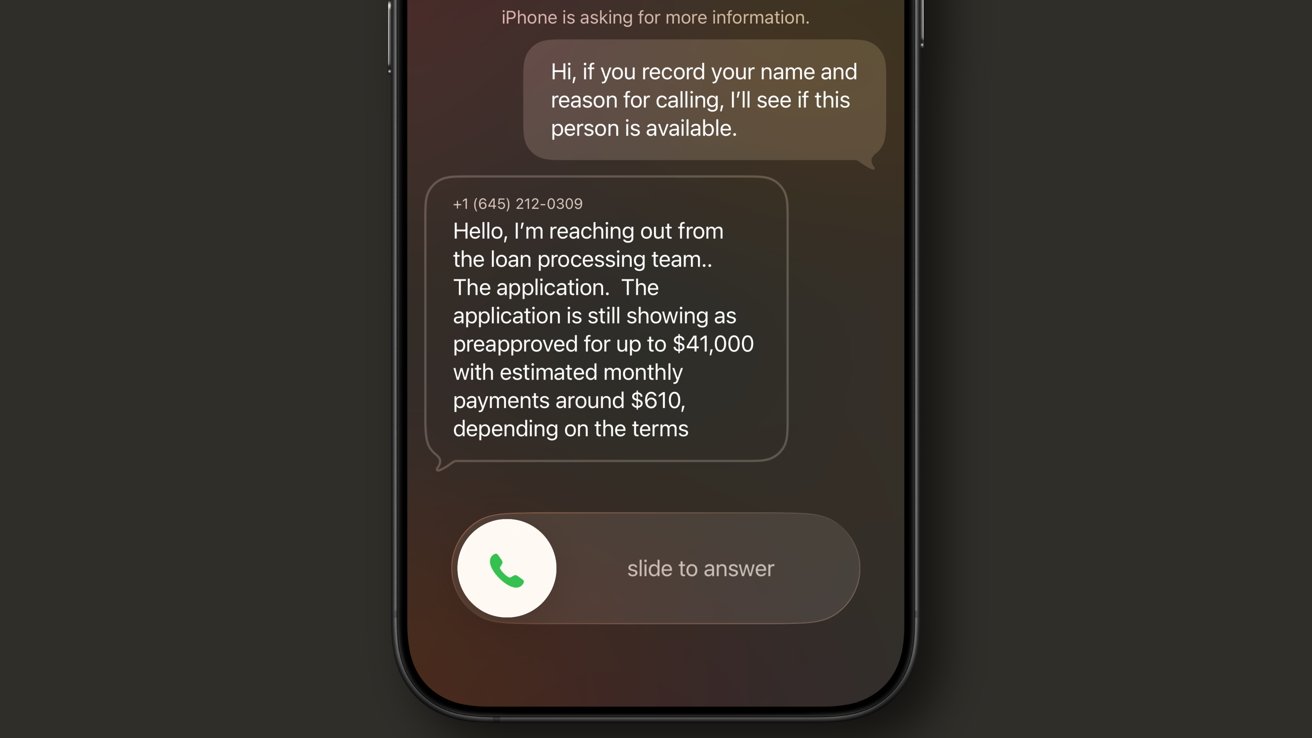
iOS 26 review: Call Screening is a very useful spam filter
Call Screening does what it sounds like. Incoming calls are filtered by Siri and the caller is asked to provide a reason for the call. The user can see this interaction from the Lock Screen and decide whether to answer or not.
It isn’t a perfect system. My phone number got onto one of those call lists that seems to call from a near-infinite set of phone numbers each day to “update you on your loan application status.”
For whatever reason, the spam filter doesn’t catch this, nor does the Siri Call Screening. It’s a robot, not a human, but sounds human enough to make it through.
My phone inevitably rings, and I have to dismiss the call, block the number, then report it as spam. Rinse and repeat this each and every day, and it gets old.
I like this feature and don’t want to turn it off, but the previous “send unknown callers direct to voicemail” was much more efficient. If the call was important, they’d leave a voicemail.
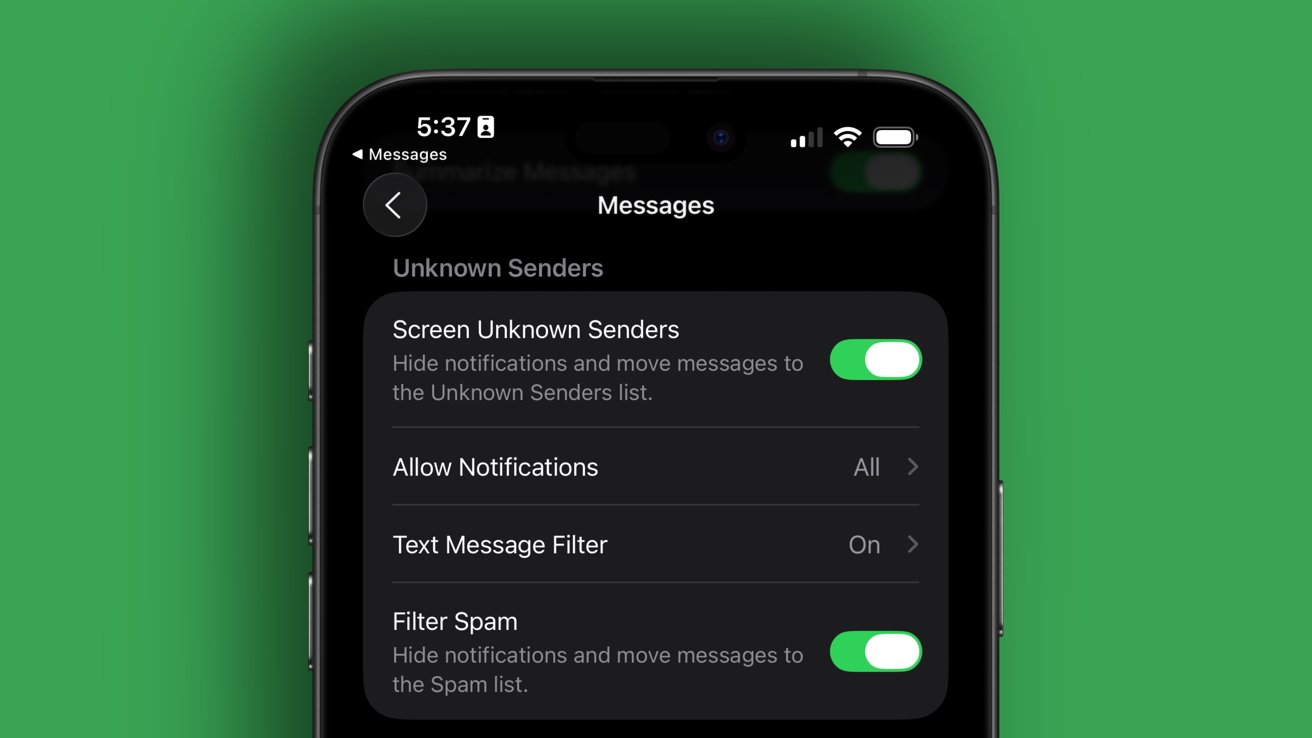
iOS 26 review: Call Screening needs more aggressive options
Something in the middle would be much better. Siri should screen calls, but only from numbers that fall into the “might be known” category. All unknown numbers I’ve never interacted with before should be immediately dismissed.
The FaceTime app got a similar redesign to the Phone app where it features Contact Posters in a grid. If someone ever left you a FaceTime video message (think voicemail, but video), a thumbnail of that video is shown instead.
I’m not sure anyone in my life knows this feature exists or has ever tried to use it. I really like what Apple has set up here, but I find it annoying that it can only be used if the person you’ve called doesn’t answer.
I think it would be way more fun if I could choose to send a video message on a whim. Like, instead of texting “can I FaceTime you,” let me send a video that shows up in the FaceTime app in the moment I’m trying to share via the call.
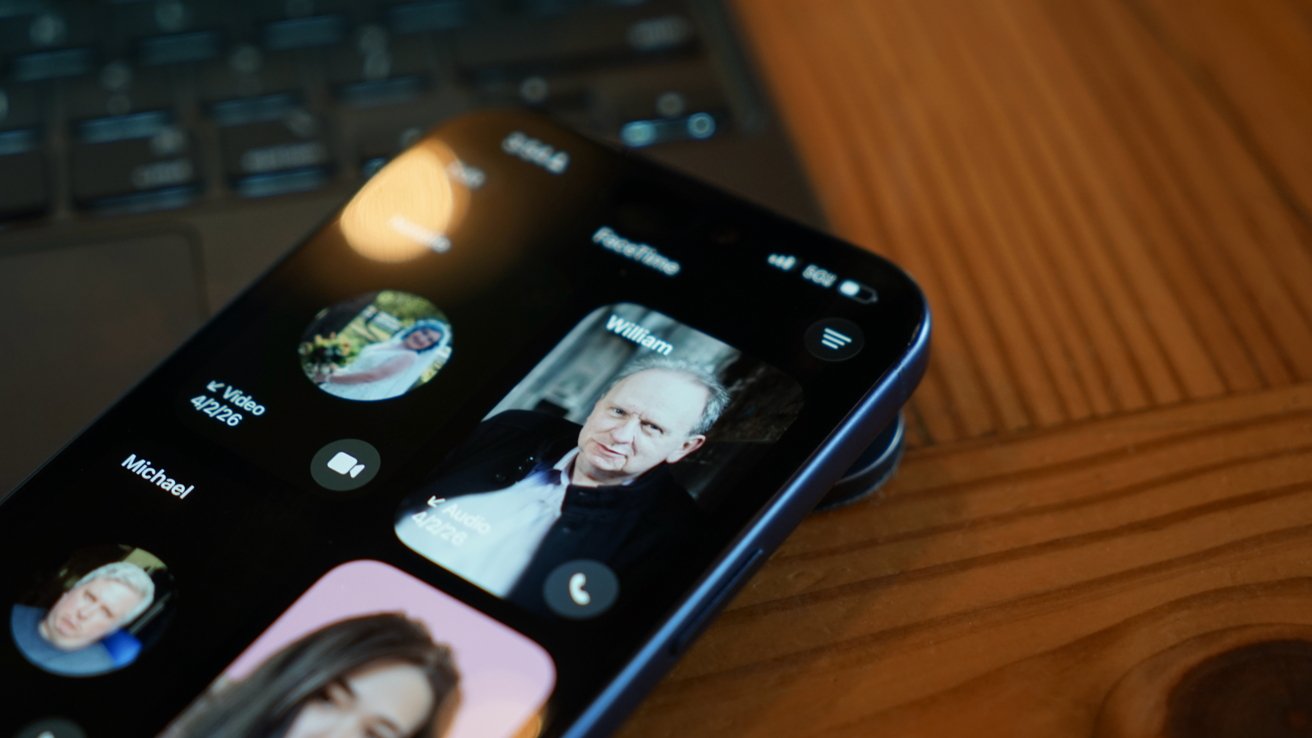
iOS 26 review: FaceTime also got a new unified view
It would also be nice if FaceTime was part of a unified social app, but I’m not sure Apple will ever actually do that.
Finally, the Messages app saw some pretty good upgrades this time around. These might be the ones most users notice and use since they’re a bit more in their face.
The Messages app has a new layout that separates unknown texts, promotional messages, and potential spam into separate categories. There’s also the ability to add backgrounds to every chat.
Group chats gained typing indicators, and all chats also can utilize polls to get votes from participants. Small, but welcome changes.
The background feature has been quite a lot of fun, especially in group chats. I love that they act as an extra layer of verification that you’re typing into the correct chat.
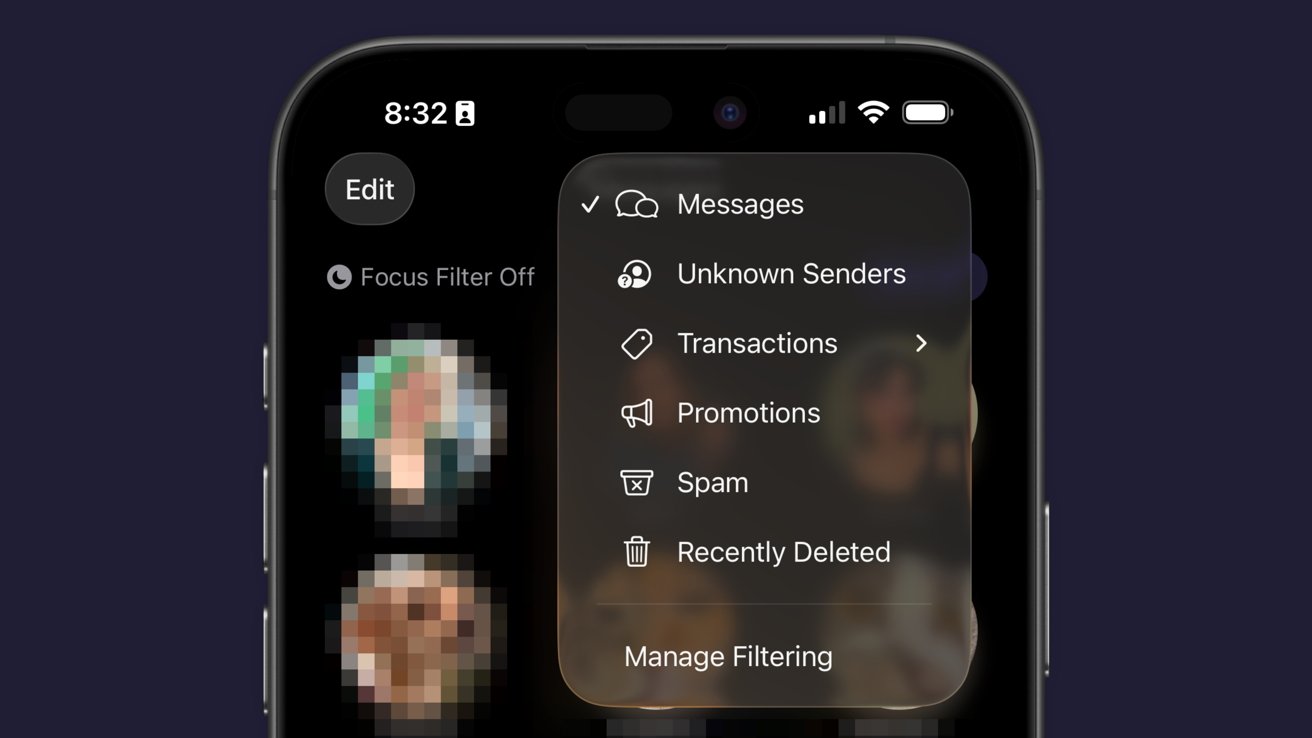
iOS 26 review: Messages has new filtering options
Just an aside, Apple Vision Pro places the background on a separate layer as the chat bubbles, so it adds an extra cool effect to Messages.
Some images work better than others as backgrounds. Solid colors and abstracts will always be winners, but the occasional photo or meme works too.
The effect might be a bit overwhelming for some users, so the plain black or white backdrop is still an option.
Outside of Liquid Glass, Apple’s biggest upgrades in iOS 26 focused on social. I’m happy to see that Apple has continued the trend of improving social aspects of its experience with each release.
I’m going to continue to hope for more half-steps into a full-on Apple social media, but these are few and far between. The biggest thing we’re missing today beyond public profiles (i.e. making your Contact card into a public profile) is some kind of public feed. Maybe next time.
iOS 26 one year later review: apps
There are three apps that Apple released or updated specifically for iOS 26. There’s been a lot of other updates since, and the new Apple Creator Studio, but that’s beyond the scope of this review.
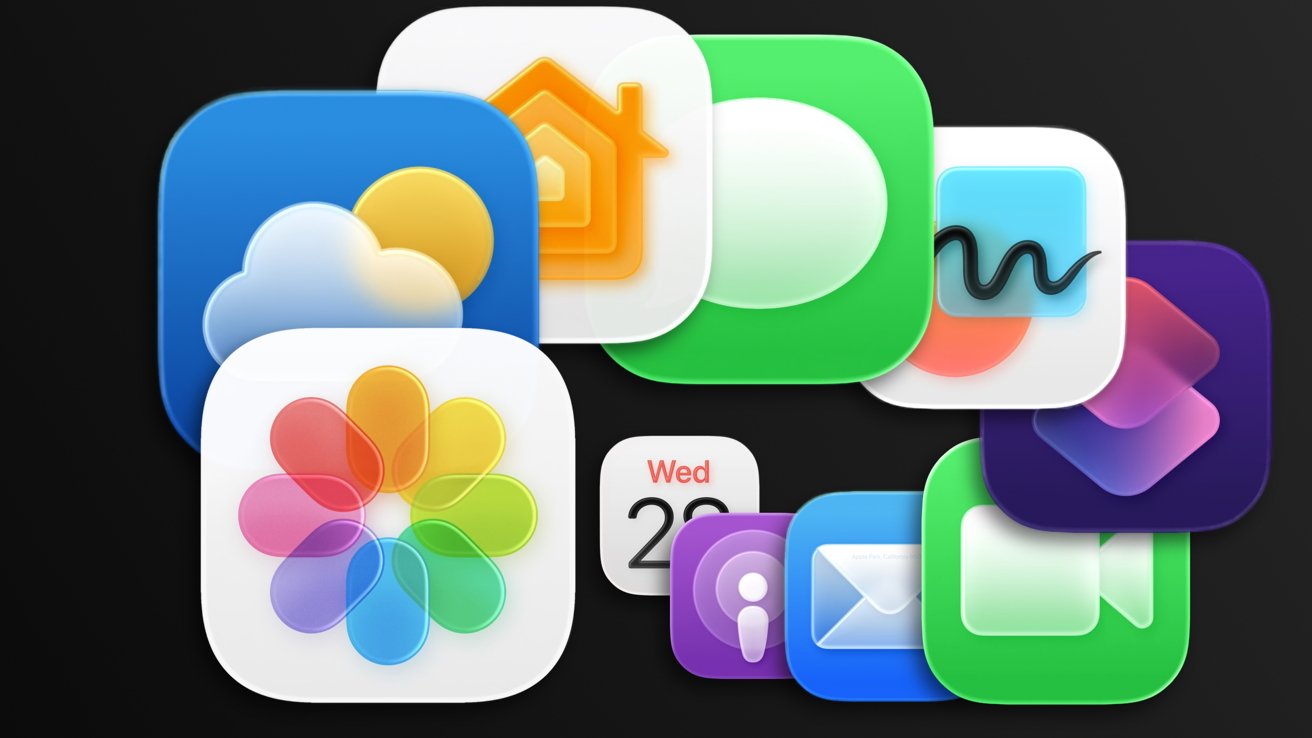
iOS 26 review: Apple’s apps got some updates too
I think we’ve all grown accustomed to Apple’s new Camera app and the two tabs in Photos. And while some might like Preview, it has become an addition to the “other” folder for many.
I feel like those features have been tread enough over the past year, so I’m going to discuss four main apps in iOS 26: Apple Games, Apple Journal, Safari, and Wallet.
Apple Games
Never bet on Apple doing something right in gaming. Apple Games sounded like an interesting idea when it was announced, but like other new Apple apps, it kind of fell flat.
Apple Games has all of the necessary parts to be great. It integrates with Apple’s social features like SharePlay, FaceTime, and Messages, and it shows Game Center data.
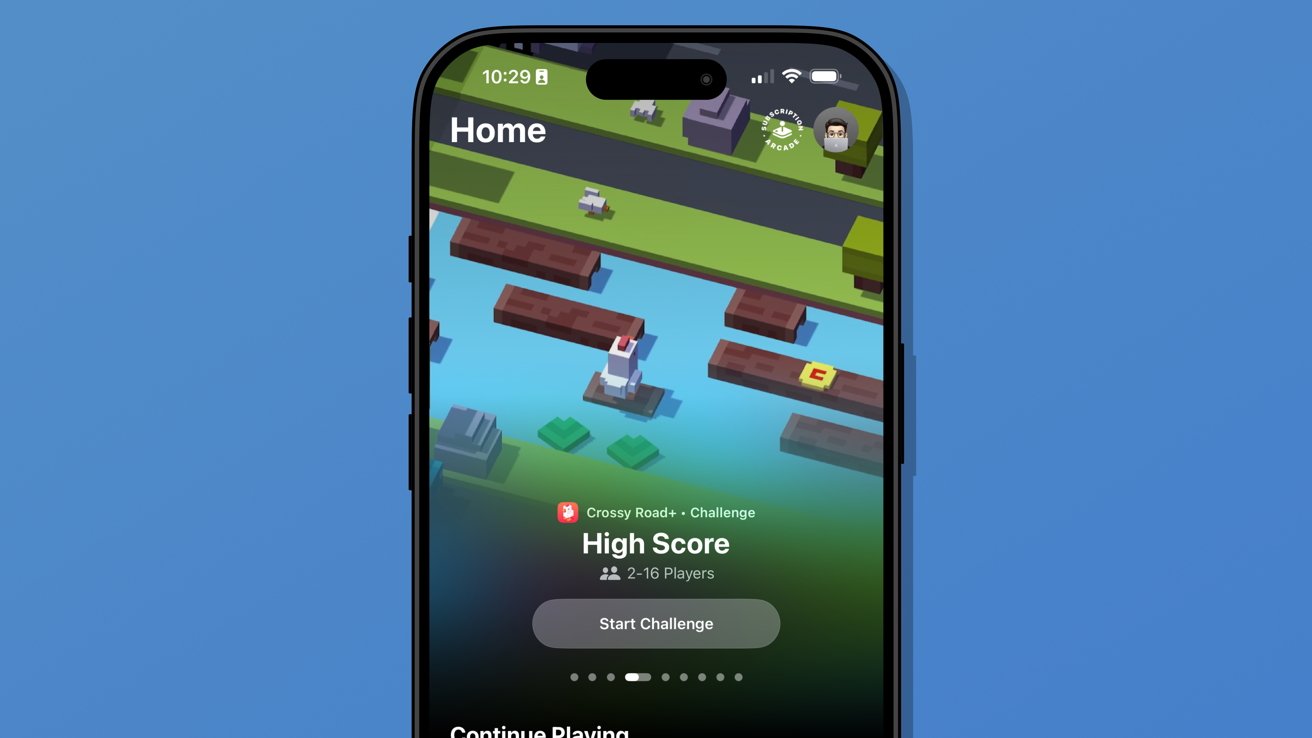
iOS 26 review: Apple Games isn’t well thought out
However, it has failed to become the go-to game hub that it could have been. Like Invites and Journal, Apple kind of released the app into the world without much fanfare.
It’s better in some ways than something like what Backbone offers. There’s less of a spammy collection of icons and no paid subscription, but it also feels like it is missing something.
When I open Apple Games, it feels like I’m browsing someone else’s iPhone. It seems to have little real awareness of the games I play or what I might want to launch in that moment.
There’s also a notable absence of emulation or streaming apps. If it isn’t from the App Store or Apple Arcade, it doesn’t exist.
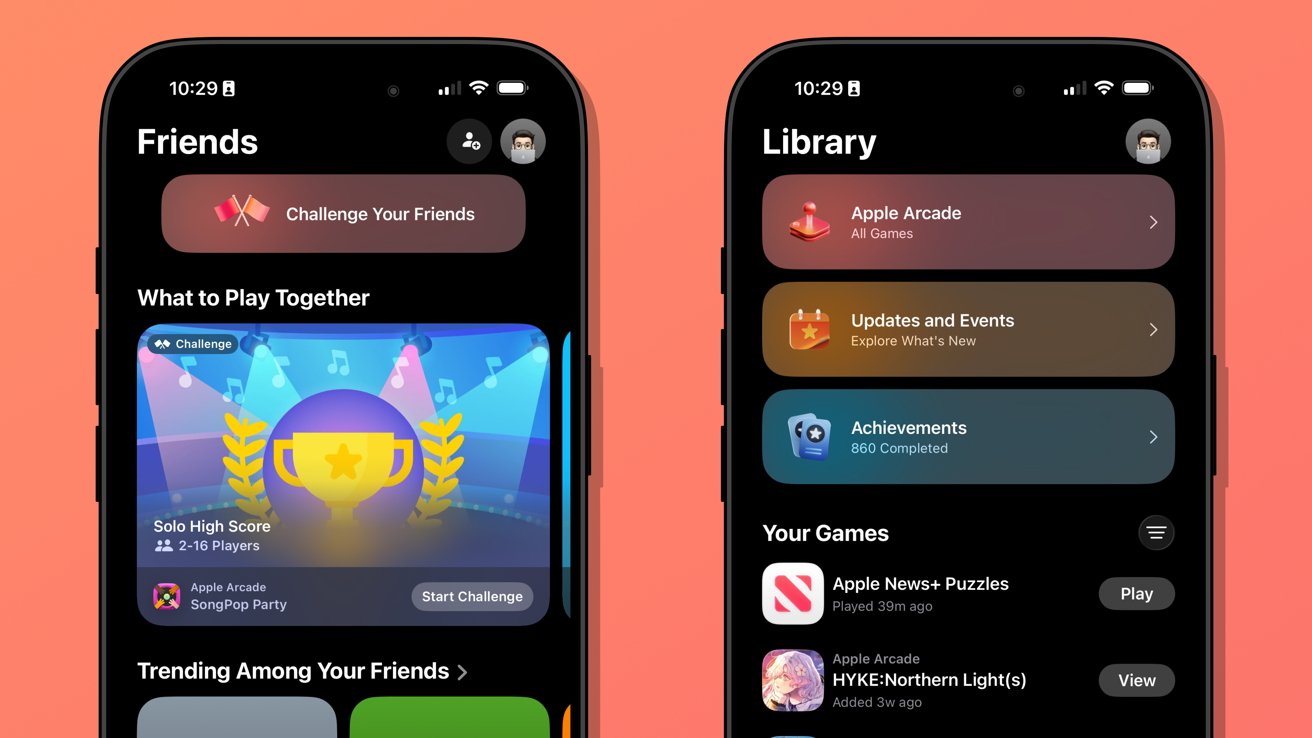
iOS 26 review: Apple Games could learn from game consoles
When I launch my PlayStation 5, I’m met with my most recent games in descending order. Below that list is a selection of news from games I follow.
Apple Games opens to a score a friend beat in a game I haven’t touched in months. It offers to continue playing Apple News, which is where I play the Emoji Game each day.
The social aspects are also lacking. There don’t appear to be any matchmaking tools, nor any way to generate iMessage group chats or SharePlay sessions on the fly.
Apple Games could be a go-to destination for iPhone gaming in the future. Today, it’s a barely functional catalog without direction.
Apple Journal
There were some much-needed updates to Apple Journal. First, it is now available across iPadOS and macOS, and it has the ability to have multiple journals.
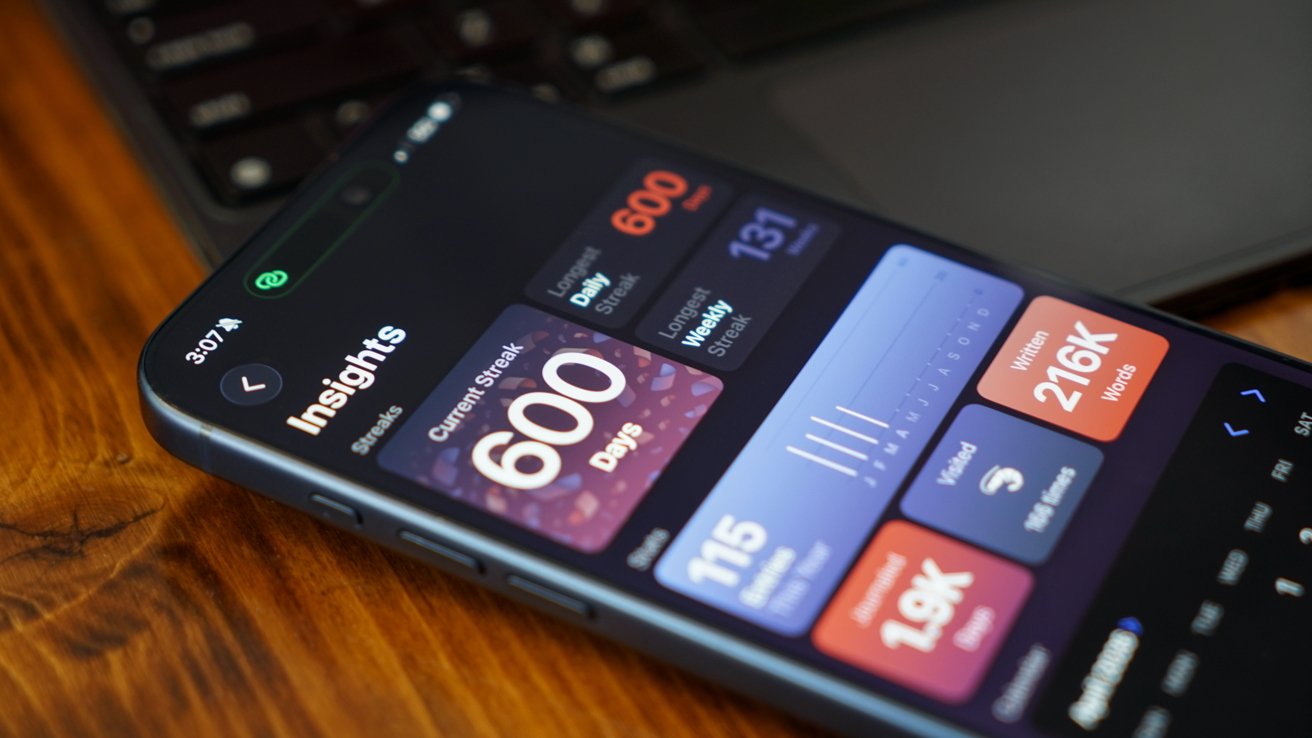
iOS 26 review: Apple Journal got quite the expansion
Journal might appear to be a simple app on its surface, but it has the ability to get details from your device to generate entries. The biggest limitation it has today is that these suggested entries are only tied to Apple-based events.
Maps can see where you’ve been, Fitness shares your recent workouts, Music shares what you’ve been listening to, and Photos can donate what you’ve captured. It’s all quite nice, but lacks a few details I’d like to see in iOS 27.
First, there’s still no good way to get an archive of journal entries from a third-party app into Apple Journal. I’ve got my Day One backed up through various options to ensure I still have those entries, but Apple hasn’t provided an official way to sync them.
I once tried a trusted person’s shortcut to generate each entry with images and text, but it only half worked. It did get on foot in the door for covering my 1,000+ entries, but a lot went wrong too.
So, I’ve spent my spare time going through each day in Apple Journal alongside my Day One journal to see what synced and what didn’t. The parts that are wrong or broken are edited, then the original entry is deleted in Day One.
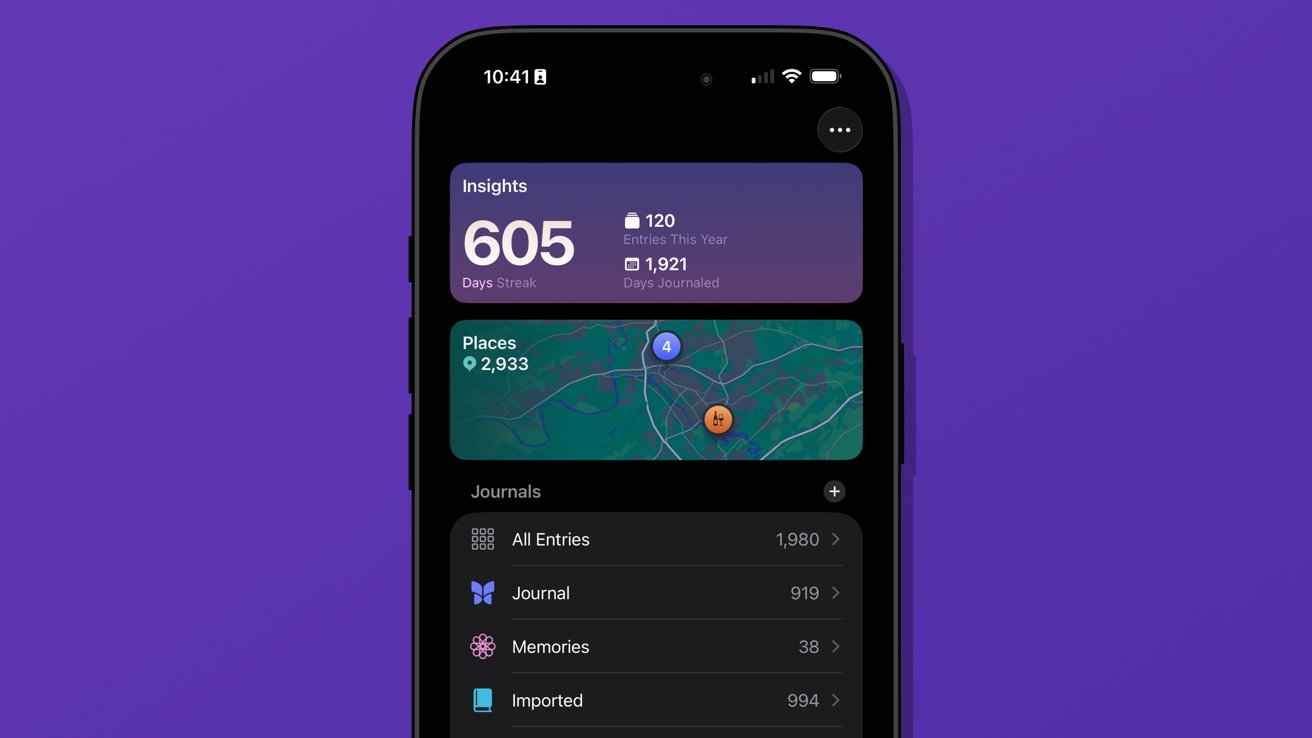
iOS 26 review: multiple journals was a must-have feature
I’ve knocked out chunks, but Day One shows I’ve still got about 962 entries to check. Not ideal.
The only reason I can do this at all is because of the ability to generate multiple journals. I’ve got several.
Journal is the default and where everything goes each day. Imported is my Day One list of entries.
I’ve also got a Memories journal that consists of any entry I want to make based on photos or other information pertaining to a date in the past. For example, if I want to write about something I did on deployment in the Navy, it would go into Memories.
I have a little-used Dream journal. It’s one of those things that when I need it, I need it, because I can have some pretty surreal dreams.
And finally, I’ve experimented with writing about video games that require a little more thought and planning. I made a Minecraft journal to catalog things I’m building or exploring along with a few screenshots taken that day.
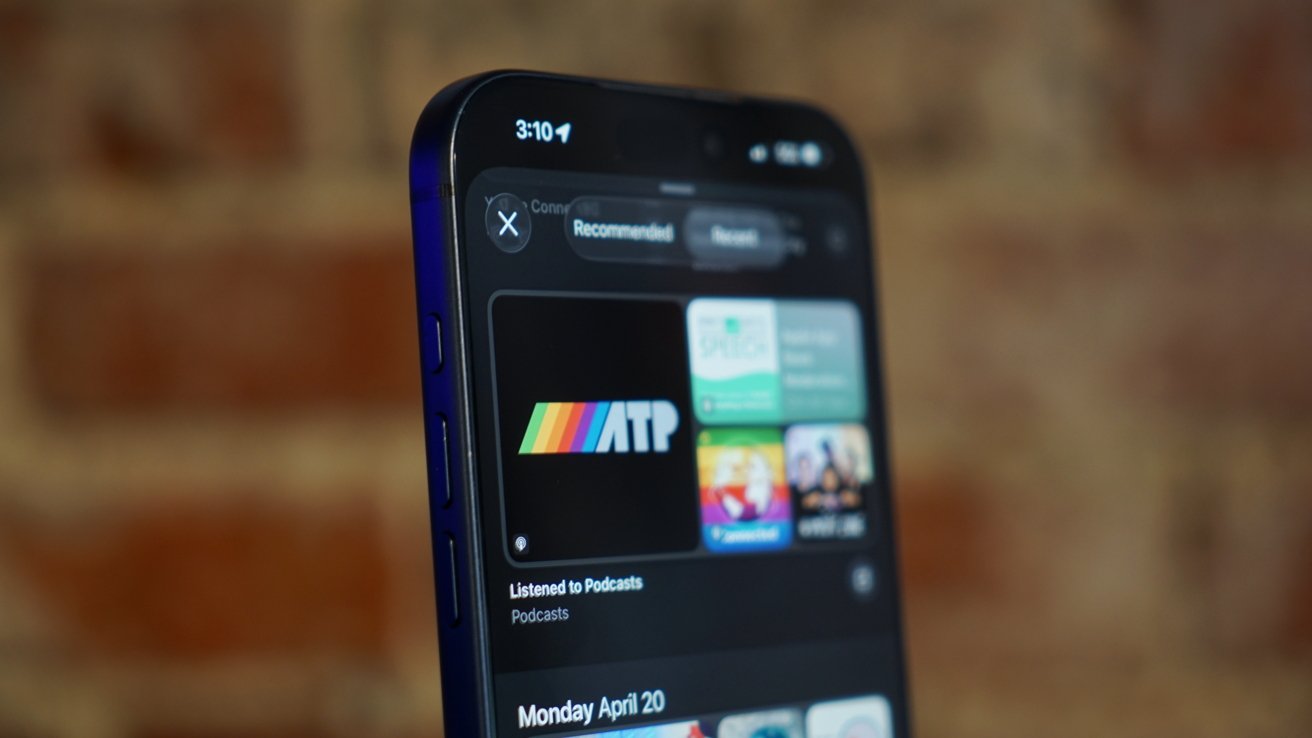
iOS 26 review: Journal suggestions need third-party apps in a future update
Journal is a fun app, and I think everyone should be using it. There’s no need to worry about data scraping for AI use, at least.
I’ve discussed what I’d like to see from Apple as a social platform in the future, and I think Journal could weirdly be a part of that. Imagine shared journals where each member could submit entries containing the same data that’s available to regular entries.
A friend could create an entry about going out in town with a friend along with map pins, photos, and music they heard. The other members in the shared journal could react and comment to the entry and post their own entries.
Yes, a social media feed, but micro-social. Private, local, free of ads, chronological, and only the people and things you care about.
Come on, Apple, it’s right there.
My more realistic request is for Apple to let users name the location pins in the map entries. Every time I make an entry at home, I have to go in and change the address to read “Home” instead. It should be automatic.
Safari
Safari benefited from several design upgrades centered around the introduction of Liquid Glass. I heard of many tech nerds looking for a toggle to reverse the changes immediately, but I liked the change and embraced it.
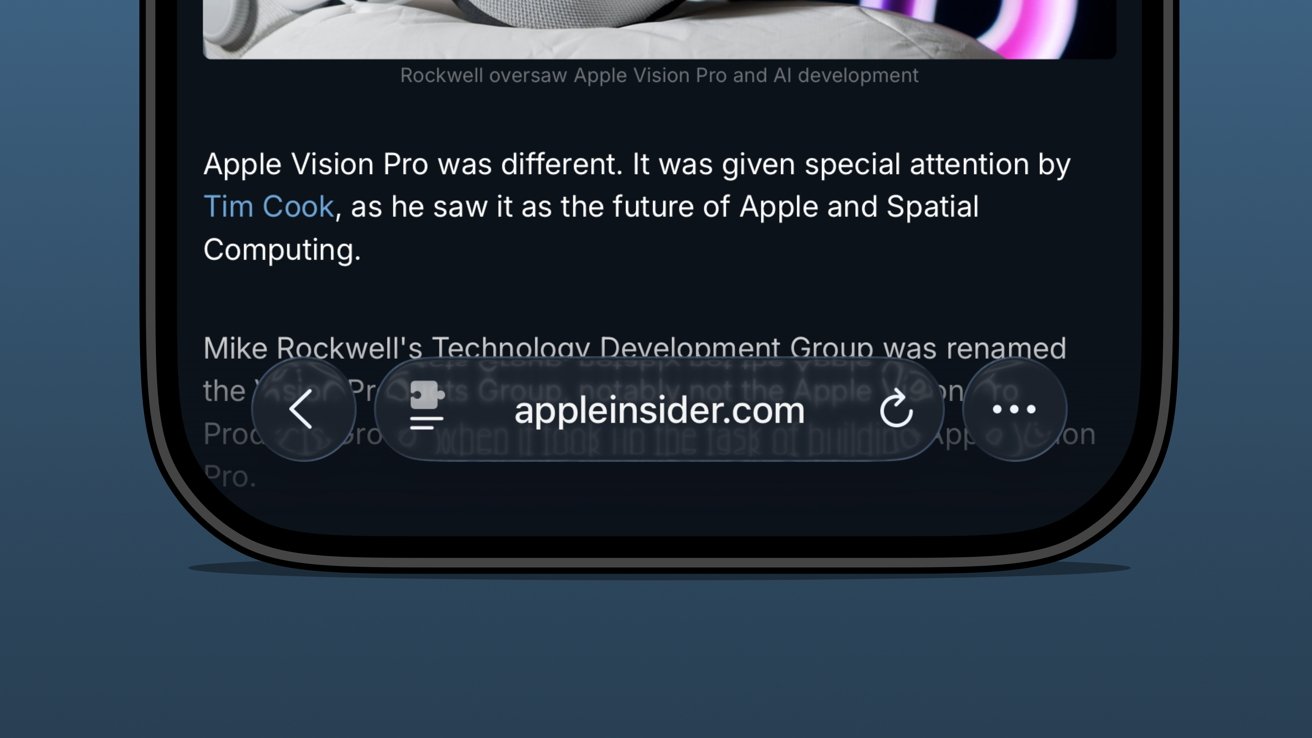
iOS 26 review: the bottom address bar is compact and easy to use
I was already a bottom address bar user, so the move to Liquid Glass and even more limited UI was a natural transition. The content gets to own the display while the tools get out of the way.
There are plenty of screenshots showing that the address bar is unreadable when some images or text are behind it. The thing is, that’s never really a problem because you can just keep scrolling.
There are three distinct control areas in this bottom bar setup. The forward and back buttons are self-explanatory, then there’s the address bar, and finally an ellipsis.
In pure Apple fashion, each of these items has various shortcuts, long presses, and more. For example, long press on the forward/back buttons to see a recents popover.
The ellipsis is very simple as it just opens the tab controls, bookmarking tools, and Share Sheet. It’s not ideal that the Share Sheet button is hidden, but I’m not overly upset.
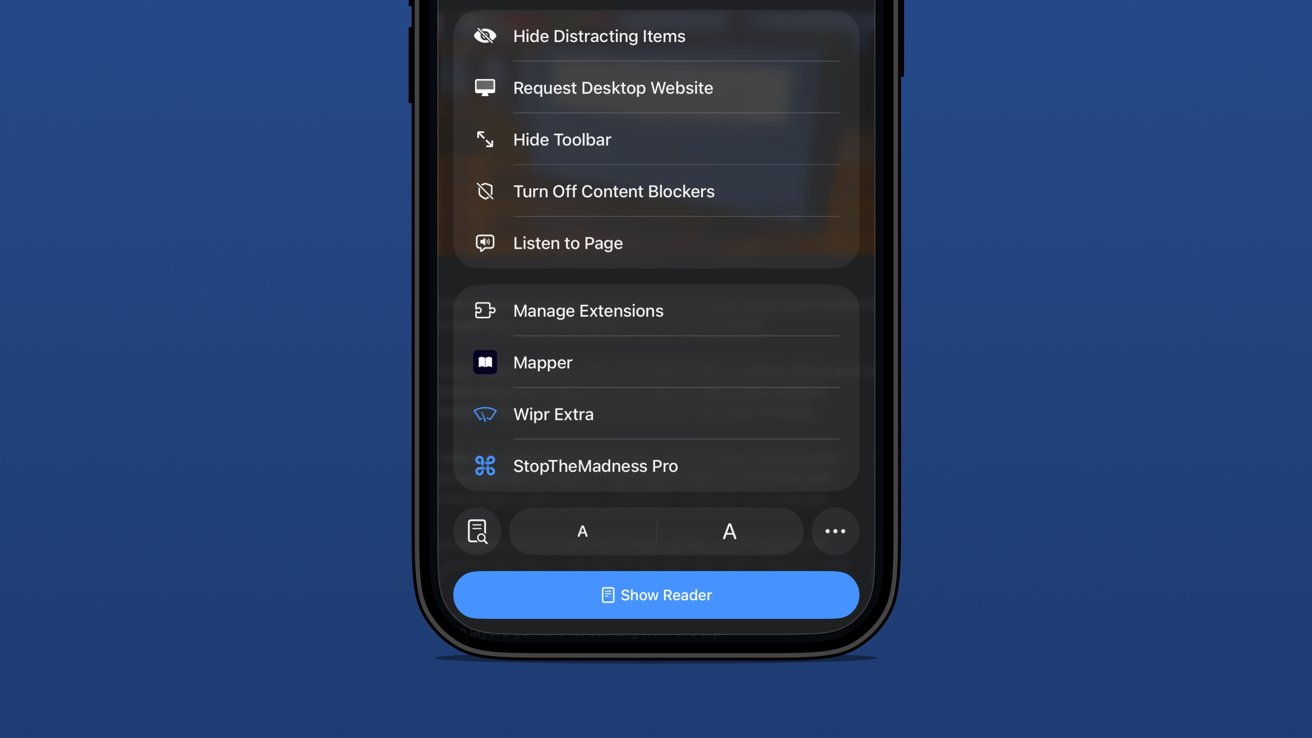
iOS 26 review: extension and tab options in one menu
The address bar is perhaps the most complex and sometimes frustrating part of the setup. Long press gets you some window controls, a copy command, the Share Sheet, and a Voice Search option.
In case you’ve never used it, tapping Voice Search just triggers speech to text in the address bar and does a web search with your default engine.
Tapping the address bar lets you type in a URL or search query. There’s also the refresh button on the right.
Then there’s the tricky left side button that is a puzzle piece with two lines below it. Long press that and you’re in Reader Mode or tap it and it’s a long list of actions.
Be careful though. That button is highly variable as it might briefly show a shortcut to the translate tool or Reader Mode. That’s right, a simple tap doesn’t always perform the same action.
The menu itself is filled with your Safari Extensions and various configurable controls.
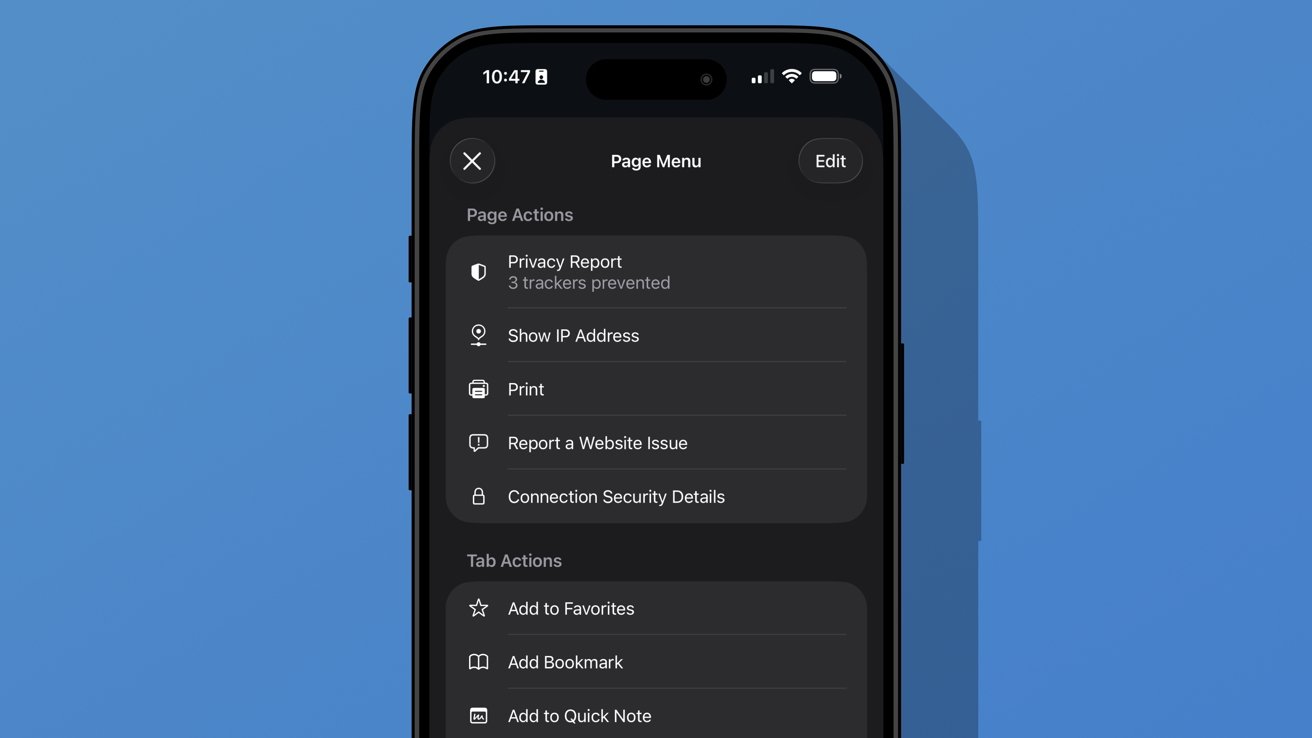
iOS 26 review: additional options found in the ellipsis menu
A new ellipsis at the bottom right of the menu will open an even more complex Page Menu. This section has specific options for the website or page you’re viewing and includes an edit function for customizing the controls in the previous menu.
I don’t think Safari on iPhone has reached its permanent form just yet. It feels a little too fidgety for my liking, though the configuration I’m using is my preference.
The address bar’s ability to shrink and get out of the way while scrolling is excellent. The transparency helps amplify the full-screen effect of the webpage too.
Apple introduced a new Immersive Browsing experience for Apple Vision Pro with visionOS 26. It feels like a combination of the Apple News format (sans ads) and Reader Mode. I’d love to see that evolve and come to iOS Safari.
Sure, Immersive Browsing would lack the 3D effects found in Apple Vision Pro, but I think it could create quite the interesting experience. I’m already a fan of the simplicity of Reader Mode, so something designed specifically to enhance the browsing experience might be fun.
iOS 26 one year later review: artificial intelligence
Apple may have pulled back on Apple Intelligence during WWDC 2025, but it was peppered throughout the keynote. There wasn’t anything overpromised this time.
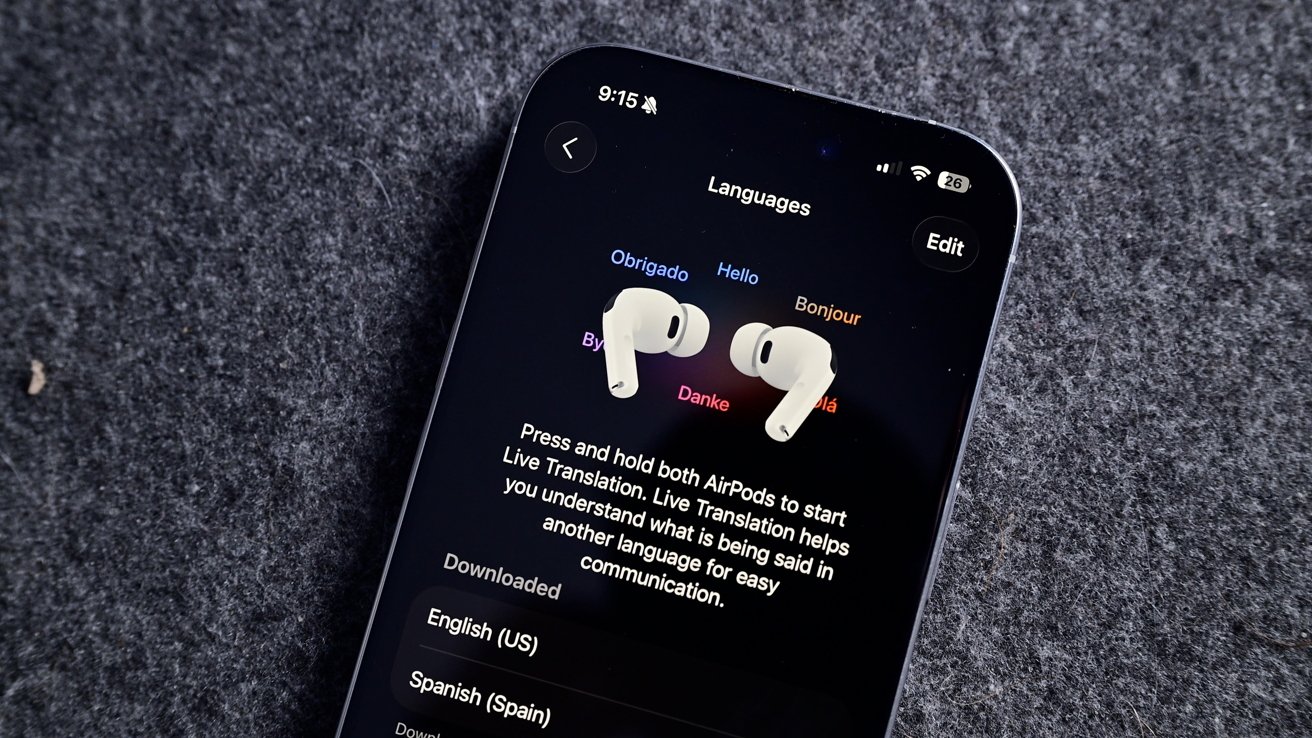
iOS 26 review: Live Translation is an excellent example of a useful AI-powered tool
I haven’t encountered a situation where I might need Live Translation, but I’m glad it is there. The real-world demos I’ve seen of the tool all seem quite promising, and it will only get better over time.
Visual Intelligence is now part of the screenshot tool. It’s not something I’ve used often, but it has come in handy a few times. Particularly, I like that reverse image search for Google is right in the interface.
Image Playground and Genmoji gained ChatGPT support, which hasn’t proven useful really. Of course, ChatGPT can make better images, but it requires sending your data off device. Even with the added privacy promises between Apple and OpenAI, it still feels icky.
Then of course there’s also the problem with OpenAI clearly having used copyrighted material for references. Every anime-filtered prompt is unmistakably close to a style from a favorite film or show.
I’m not sure Apple can escape that problem even when its own models are better at image generation. However, at least those supposed future models would be on-device or in an Apple server running on renewable energy. It’s not much, but those thoughts help the tools feel a little less gross.
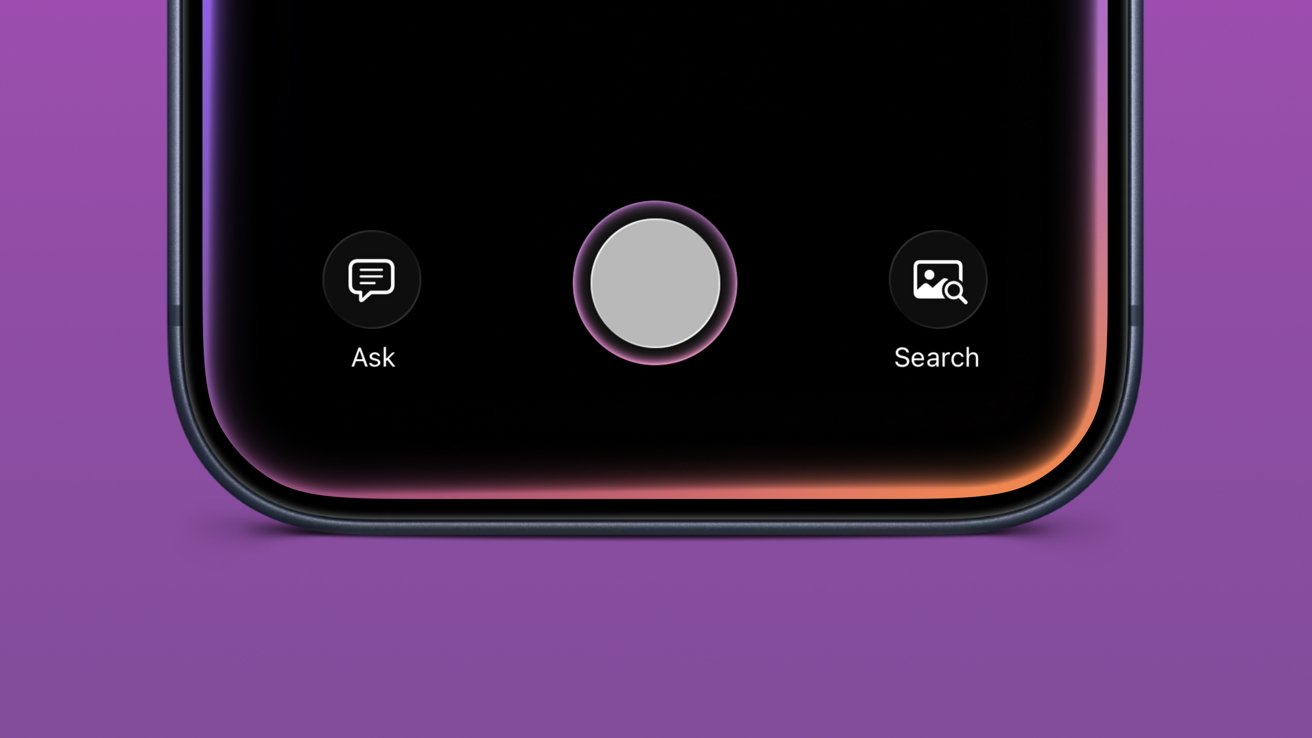
iOS 26 review: Visual Intelligence got a small upgrade
Apple also opened up third-party access to Apple Foundation Models, including in Apple Shortcuts. I’m going to be completely honest here and say I’ve basically missed this entire aspect of iOS 26.
I mostly use Apple apps and don’t really deal with AI in any aspect. I don’t use ChatGPT, Claude, or the others, nor do I even have an account with them. I’ve never spent money on a token or done “research” with AI.
I’ve seen some clever adaptations, like Carrot Weather and others utilizing Apple’s models for chatbot experiences and the like. It’s just not for me.
The closest thing to AI that I use in my day-to-day beyond Proofread in Writing Tools is an app called FoodNoms. It uses OpenAI’s models to scan photos of food or food labels to generate estimated nutritional values.
Package tracking in Mail added to Wallet
I had honestly forgotten that the new Deliveries in Mail (beta) had begun in iOS 26. In preparation for the new feature, I deleted my other package tracking tools and went all in.
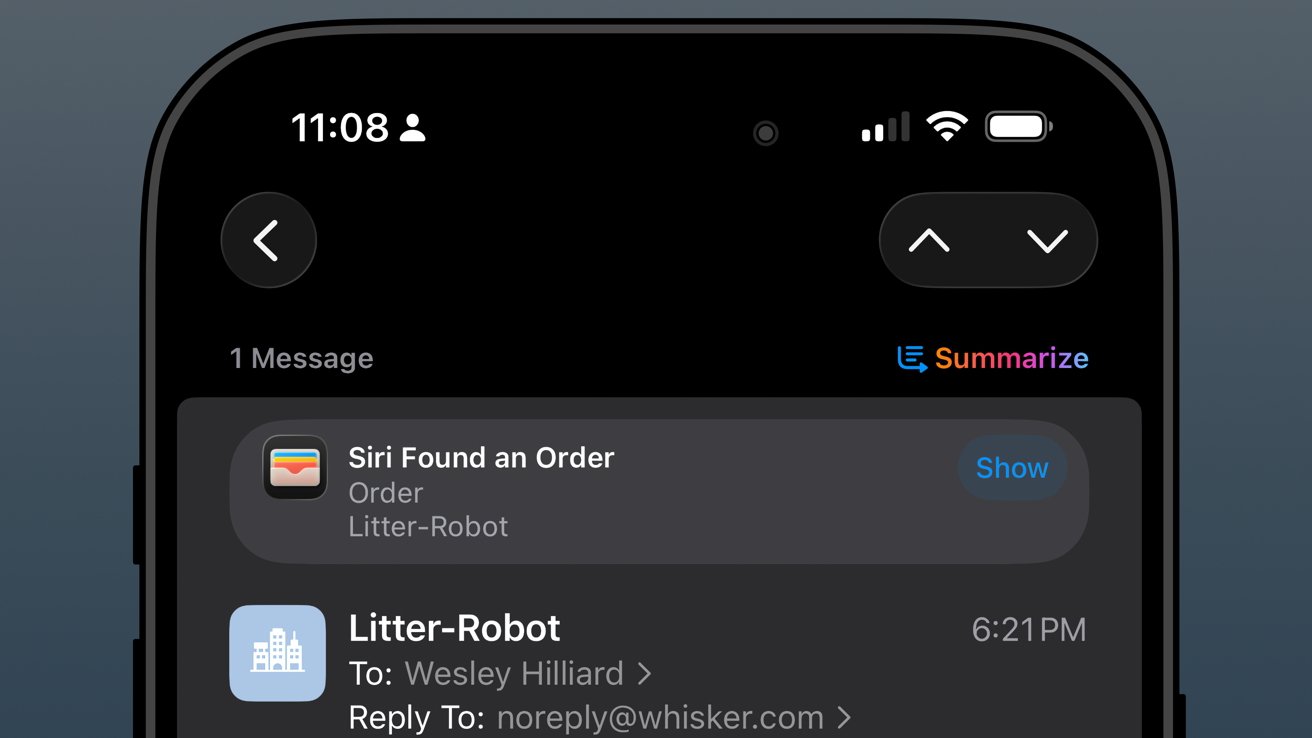
iOS 26 review: orders found in Mail are sent to order tracking in Wallet
The past year has been filled with quite a lot of packages from all kinds of places: Amazon, SimpleHuman, Best Buy, and a variety of stores that use Shopify.
As usual, the Shopify purchases go into Apple Wallet natively. Some others support Wallet, but most, like Amazon, appeared when Mail was synced.
The system worked, more or less, but I wish it was 10% more intelligent. For example, if an incoming email has been identified as a delivery update, automatically move that mail to a deliveries folder and mark it as read while adding the data to Wallet.
I could write a mountain on Mail categorization and sorting, but that’s not a part of this review.
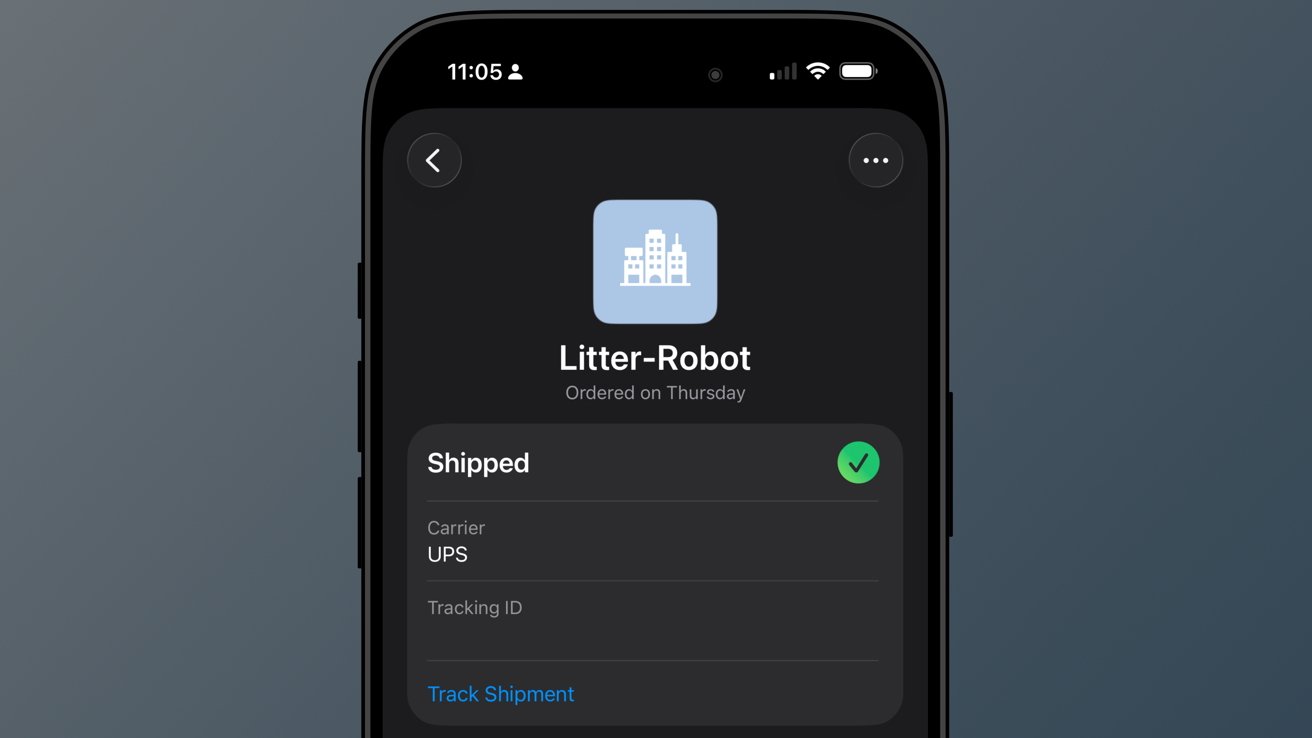
iOS 26 review: a good-enough tracking tool buried in Wallet
So far, I’ve not really missed my other delivery tracking tools, and I like the automatic nature of Apple’s implementation. However, it is far from perfect.
When I buy a game from PlayStation Network, a digital product, I sometimes get a delivery tracking notification in Wallet. Obviously, I can just delete it, but it seems odd that it can’t differentiate between that and an actual delivery.
The feature will improve with time, though there are two significant problems I have with it today.
First, Apple still doesn’t support Wallet order tracking natively. It does now via the Mail tracking option, but that’s silly. Apple should be showing my orders and receipts in Wallet.
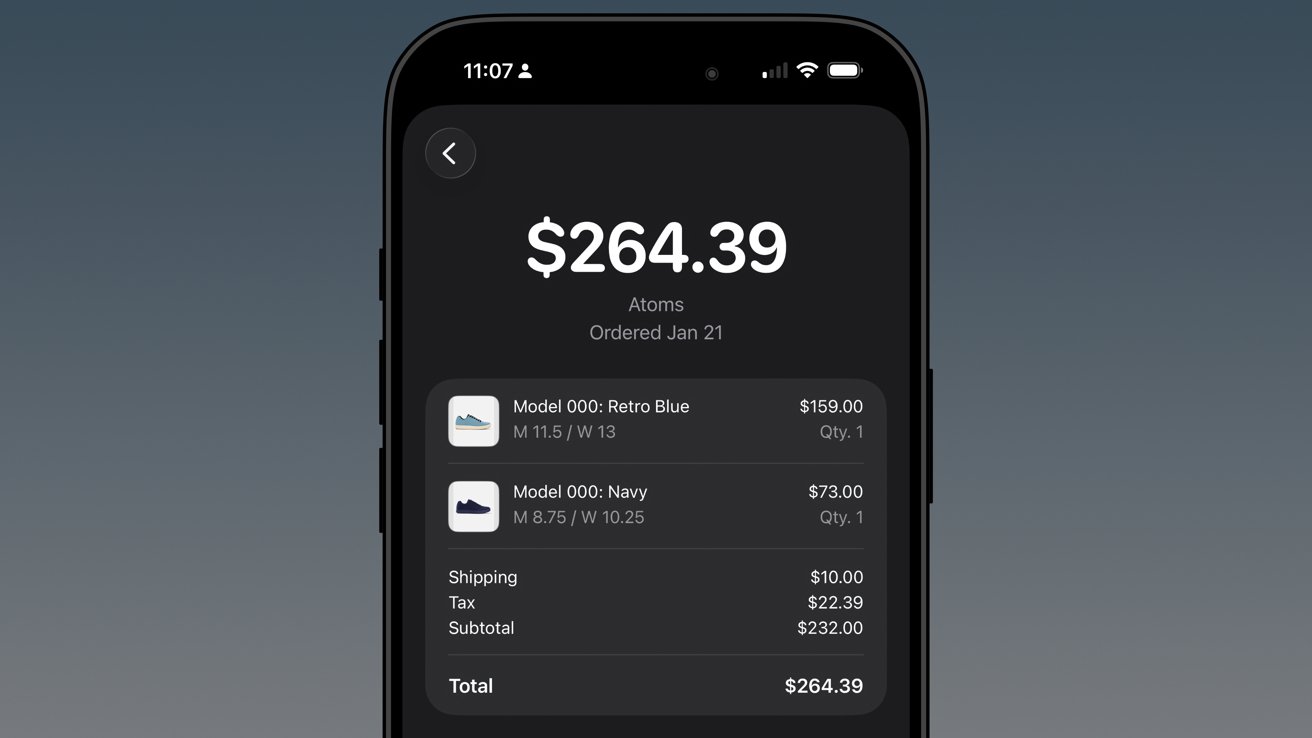
iOS 26 review: native order tracking like what Shop supports even provides in-Wallet receipts
Second, Apple has buried the feature in an ellipsis in Apple Wallet. It is beyond time that Apple Wallet gets a tabbed interface.
The payment cards could be the main tab, then the passes in a second tab, and a third tab for order tracking. I’d even take it a step further and add a special App Store section for the fourth tab, which would showcase apps and services that utilize Apple Wallet.
In any case, there’s work to do.
Apple Music Playlist Playgrounds
Playlist Playgrounds arrived late in the cycle, but it is still a part of iOS 26 and a bit of a surprise. Apple didn’t mention the feature once prior to its release, so that shows the restraint the company is having post-AI embarrassment.
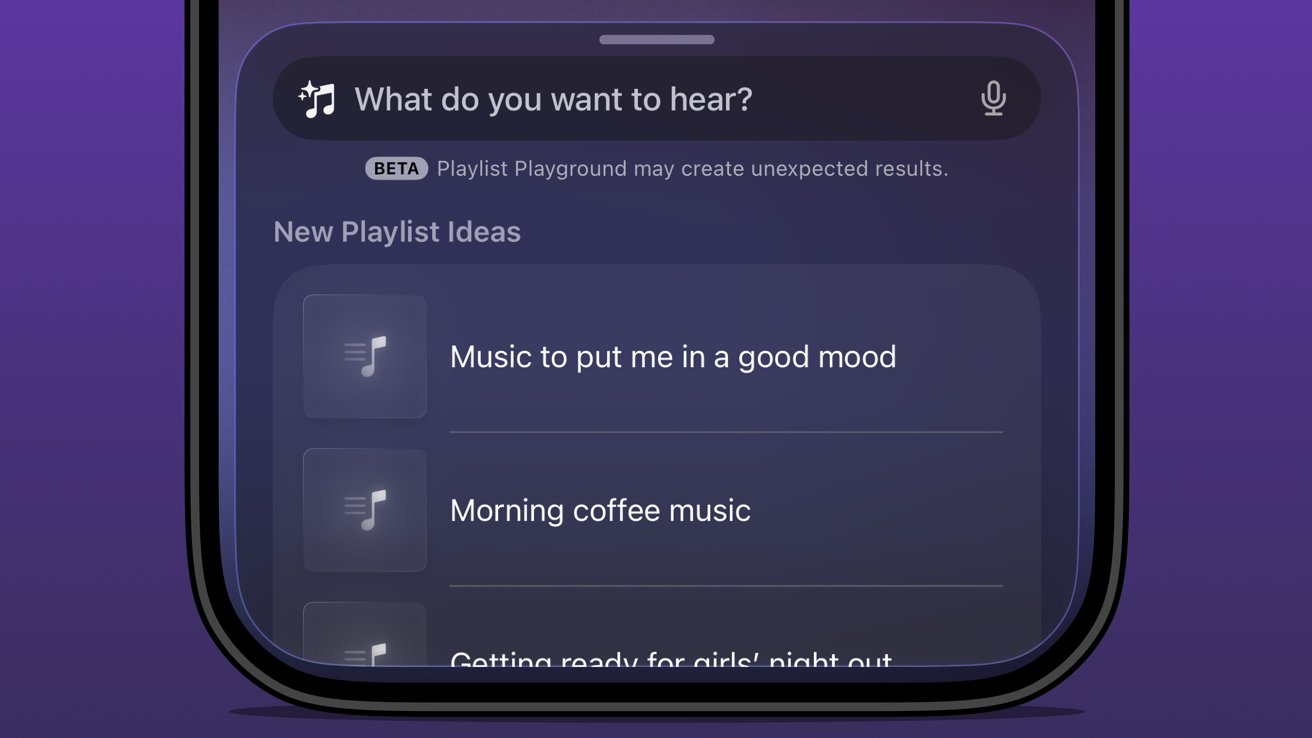
iOS 26 review: Apple Music Playlist Playground produces mixed results
Music playlists are a bit of an art, and I’m not entirely excited to hand their creation over to AI. I’m not particularly talented at putting playlists together either, but I do enjoy Apple Music’s human-curated selection.
I did like Beats Music’s The Sentence, which let you generate a playlist based on presets like activities and moods. It was very clearly machine learning and kind of worked.
The problem with Playlist Playground is that it lacks understanding and specificity. You can make the prompt as long as you like (at least I didn’t hit a limit), and yet it is clearly looking for very specific keywords.
If you want to generate a playlist that’s based on a genre, era, artist, or song, it will do the job. But something about it seems off.
Honestly, it just feels easier to type in search terms and grab the dozens of playlists already available. I’m not sure AI is solving anything here, but perhaps it’ll get better and more nuanced with time.
The Apple Intelligence problem
Apple obviously made a mistake when it pre-announced an Apple Intelligence that would be proactive and personal in 2024. It believed that the results they were seeing internally could be improved and become shippable by the spring.
iOS 26 review: the promise of Apple Intelligence still hasn’t been kept
I’m not sure where the fault lies, but clearly the engineers working on Apple Intelligence didn’t account for the inherent failures built into all AI systems. Apple has a high standard, and hallucinating details approximately 30% of the time just wasn’t an option.
There was another problem that Apple seemingly didn’t foresee — Siri.
The aging smart assistant that created an entire software category still runs with a machine learning backend. Apple hoped to just drop Apple Intelligence on top and have the logic sort out the details, but it introduced too many opportunities for error and hallucination.
That 30% hallucination rate was being multiplied across every exchange between the AI and ML systems. The only option was to scrap everything and build it with AI from the ground up.
Here we are two years later, and Apple is on the cusp of being ready to release what it originally announced, and then some. However, the timing was knocked off kilter once again by unforeseen circumstances.

iOS 26 review: rebuilding Siri with an LLM backend took some time
All signs pointed to a spring release of something until another strategy shift changed plans. Apple seemingly, until very recently, thought it could use Gemini to train Apple Foundation Models and implement it across its systems before WWDC.
Cooler heads prevailed, and more restraint has been shown, though to the annoyance of Apple fans that are looking forward to the AI upgrades. It seems, as of this review, that Apple won’t touch anything related to Apple Intelligence or Siri until after iOS 27 launches in the fall.
WWDC 2026 is on June 8 and will reveal the upgrades, but what will follow is a summer of beta testing. There’s actually a fairly good chance that these new AI models won’t even be available until after iOS 27 launches to the public.
Apple doesn’t upgrade its models via the software updates. Those go out via a background process, so there is no telling when such updates could go out.
The only way they might arrive sooner is if Apple lets developers test against them during the summer.

iOS 26 review: Apple doesn’t need to participate in the AI race
I’ve been talking about Apple Intelligence and its place in the artificial intelligence “race” since its inception. There has been talk about how Apple is behind and could likely never catch up. As if it somehow missed out on a revolution.
The reality is that Apple dodged a bullet.
Had Apple launched the personalized Siri and Apple Intelligence features it revealed in 2024 that October, it would have been ten times worse in terms of PR and backlash. Imagine if Apple’s models had been set loose in that state to parse personal data and provide proactive, contextual actions.
Every hallucination would have become ammo. We saw a tiny version of this with the poor notification summaries that sparked a backlash from publishers.
In the time since Apple’s AI delays, we’ve seen a bubble grow to its absolute limit. Instead of a violent pop that would have ruptured the global economy, we’ve seen more of a slow deflation in recent months.
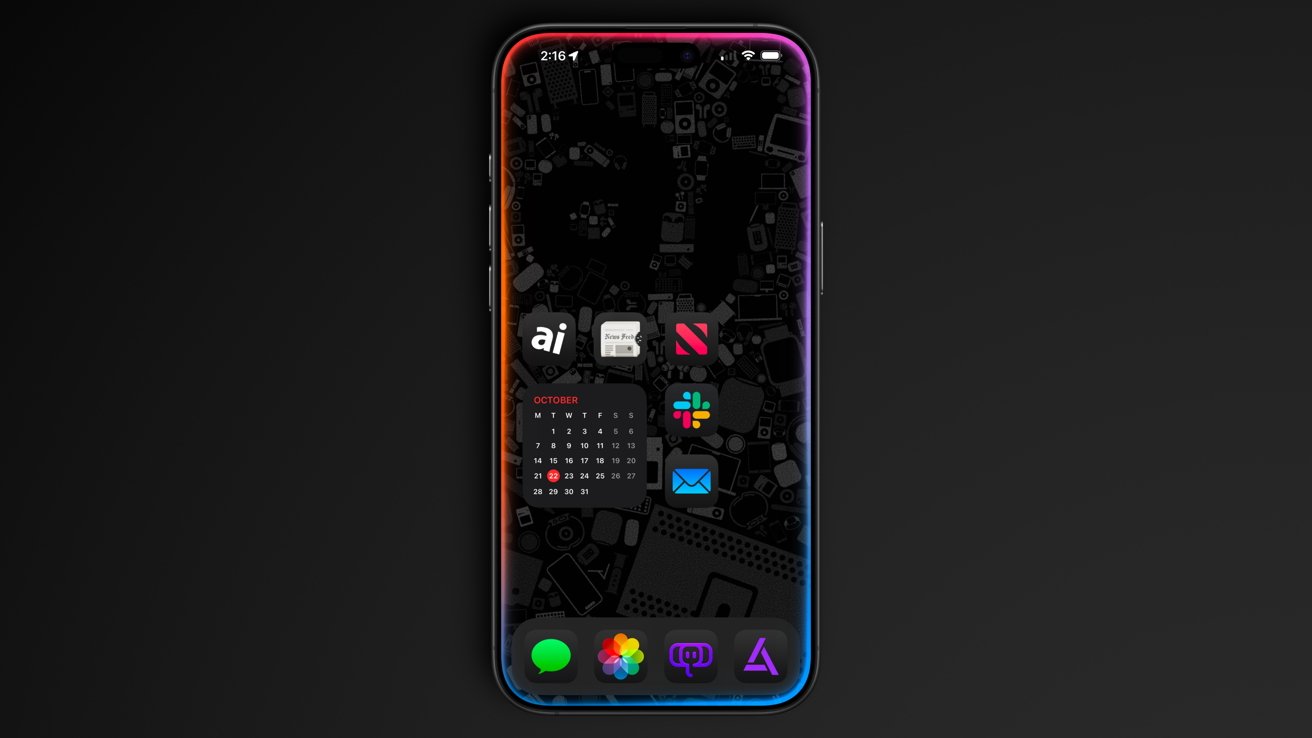
iOS 26 review: Apple could release a whole new AI platform backed by its upgraded models
Sure, the grift is going harder than ever, but the public is more jaded than it has ever been so far. And as odd as it might sound, I think Apple’s missteps and delays have led it to stumble into the perfect release window for its new offerings.
While time will tell if I have to eat these words, I expect Apple will finally launch the AI platform we’ve been waiting for. A private, secure, local-first set of proactive and personalized AI tools that can interact with third-party models of the user’s choosing.
Apple has always been the only company truly capable of executing this, even though others have tried to claim that they’ve done it already.
As soon as fall 2026, iOS 27 users should see Apple Foundation Models powering Siri and Apple Intelligence. Too bad this review is about iOS 26.
iOS 26 one year later review – Pros
- Liquid Glass is a new, if divisive design
- Smart changes like having menus appear where a button was tapped
- A thoughtful rollout of AI features
- Separating people from spam in social apps
- Excellent upgrades to apps like Journal and Safari
iOS 26 one year later review – Cons
- Continued lack of AI features promised in 2024
- Liquid Glass makes some elements difficult to read
- Some apps remain neglected and untouched, like Apple Home
Rating: 3.5 out of 5
Overall, iOS 26 was a solid release with minimal issues across the board. You’ll find plenty of loud, angry people online, but they’re the vocal minority.
Apple changed the system-wide UI into live-rendered material that showcases Apple Silicon without completely frying the system. It’s an impressive feat, even if not everyone is a fan.
It is frustrating that a company the size of Apple continues to be stuck in this flip-flop app update cycle. The apps that got attention in iOS 26 will likely be virtually ignored until iOS 28, while others will see some changes in iOS 27.
I expect iOS 27 will be one focused on tweaks and adjustments considering the upheaval that occurred in iOS 26. That, and Apple Intelligence could dominate the WWDC 2026 keynote, for better or worse.

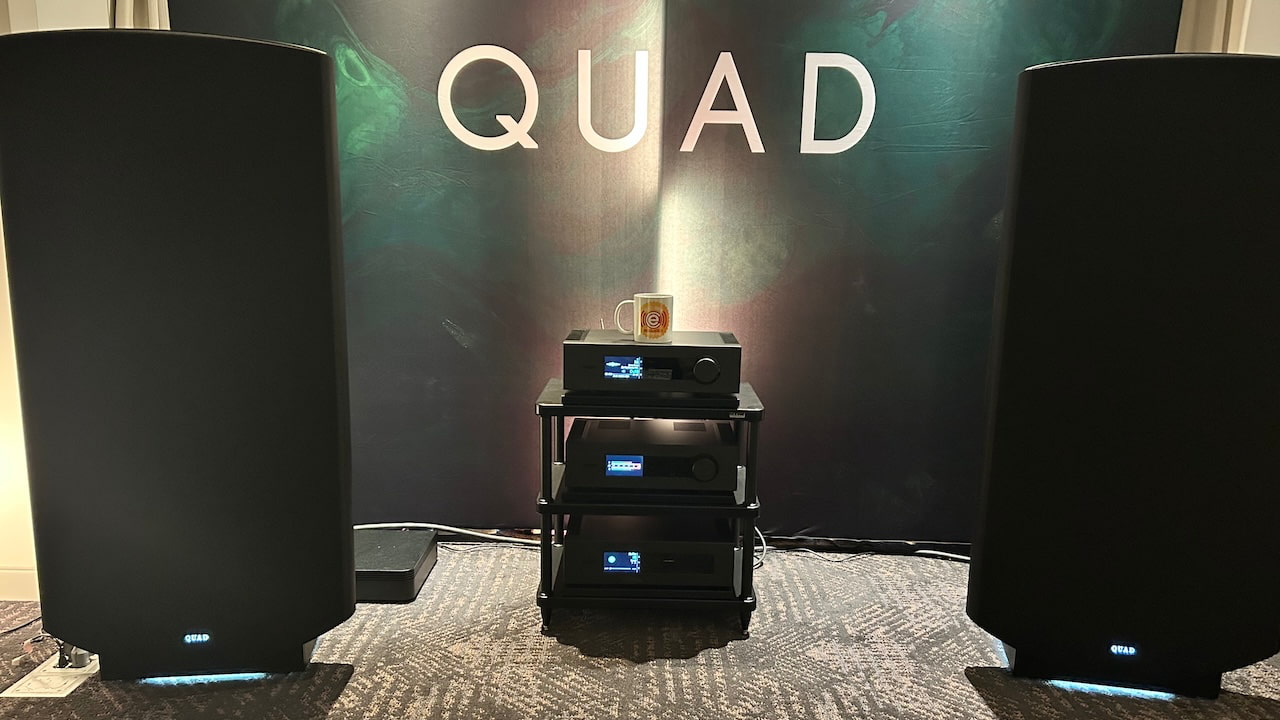
Recorded from the show floor at AXPONA 2026, eCoustics Editor in-Chief Ian White shares a straightforward take on what he saw and heard across the show. This episode covers the systems and brands that delivered, including QUAD, ATC, DeVore Fidelity, Advance Paris, Focal, Michell, Unison Research, TEAC, Amphion, and Dynaudio, along with a look at rooms and products that were less convincing. It is an honest assessment of what worked in real listening conditions, what felt overpriced, and how the gap between performance and cost continues to shape the high-end audio market.
Sponsors: Thank you SVS for sponsoring this episode, along with Audeze for supplying all guests LCD-S20 Headphones, and Loewe and T10 Bespoke for sharing lounge space at AXPONA 2026.
This episode was recorded on April 11, 2026 (the second day of AXPONA 2026).
Where to listen:
On the Panel:
Products Mentioned



AXPONA 2026 Podcasts:
Related Links:
Credits:


The flipside of realizing a game you didn’t have high expectations for turning out to be great is playing one you’d been looking forward to that didn’t quite hit the mark. Motorslice — from the two-person team at Regular Studio and publisher Top Hat Studios — had been on my “play this ASAP” list for a while. Sadly, it didn’t really work for me.
As P, your aim is to destroy all of the machines in an oversized construction site using a cool chainsaw-style weapon. There are some nice ideas here, like the third-person camera that’s its own character, a drone that accompanies P. The Mirror’s Edge-style parkour and Shadow of the Colossus-inspired boss designs looked good in trailers and I do love the low-poly aesthetic. Travelling up and along walls using the chainsaw is nifty too.
However, the controls are off-putting. They’re too imprecise to be properly compatible with the game’s platforming demands. P suffered many (surprisingly grizzly) deaths at my hands, so I was at least thankful that respawns are quick. Speaking of P, the game often objectifies her in a way that feels icky. And then there are long stretches of running with nothing much to look at other than another upcoming, ominous section of the world for P to battle through.
If I haven’t put you off trying Motorslice, you can snap it up now on Steam, GOG, PS5, Xbox Series X/S and Xbox for PC. It usually costs $20, but there’s a 10 percent launch discount until May 19. You can also check it out via Game Pass Ultimate and PC Game Pass.
Wax Heads is another one of several music-focused games we have to tell you about this week. This is a record store sim in which you’ll chat with customers and recommend things for them to check out. It’s said to embrace the community spirit of music and how it can connect us. I love that.
All of the songs and albums featured in Wax Heads were created for the game. They span pop, punk, metal, rap, folk and other genres.
Wax Heads, which is from the two-person studio Patattie Games and publisher Curve Games, is out now on Steam, PS5, Xbox Series X/S, Xbox for PC and Nintendo Switch. The price will typically be $15, but there’s a 15 percent discount until May 19.
Dead as Disco is a rhythm brawler that has a lot of buzz — more than 1.2 million people played the demo and initial Steam reviews are very positive. It’s now available in early access on Steam and the Epic Games Store (usually $25, 20 percent off until May 19).
For now, you can check out the first arc of what will eventually become a larger narrative campaign. The initial soundtrack features more than 30 songs, including licensed tracks, covers and original music. You can play to the beat of your own music that you add to the game as well.
Along with fleshing out the campaign, developer Brain Jar Games plans to add more bosses, moves and a co-op mode. More accessibility features, songs and collectibles are in the pipeline, along with support for additional languages. If you’re not quite ready to drop some cash on Dead as Disco, you can sample it (hey, that’s a music term!) thanks to a Steam demo.
Sticker/Ball is another addition to the rapidly growing incremental roguelite deckbuilder genre. If you’ve played games like Balatro, CloverPit and Raccoin, you’ll know the drill: you’ll have to earn a certain number of points each round to keep your run going. You’ll use a variety of tools to break the rules and make the numbers go up as quickly as possible.
The focus here is on firing balls at dice. You receive points when you hit dice, and more as balls bounce between them. You can use stickers to augment the dice. The effects of the stickers can compound to send your score into orbit. For instance, according to the Steam page, “poop attracts flies. Spiders make webs. Spider webs catch flies. More points for you!” There’s also something about frogs being able to hijack spaceships. I’m sure there are many other strange combinations amid the more than 100 stickers on offer.
Sticker/Ball, from solo developer Bilge and publisher Future Friends Games, is out now on Steam. It’ll usually be $8, though there’s a generous 30 percent discount until May 18.
I’d already bought several of the games listed above before I spotted Rova, but I had to open up my wallet again. This is a space rover photography game from FreeRangeDevs. It has lovely cel-shaded art direction that reminds me a bit of the excellent Rollerdrome (though surely this game is a bit more laidback).
It looks super charming and I love that the rover is in the shape of a dog — Rover as a rover. Each object you snap will form part of a research database that serves as a record of everything on the planet.
The early access version of the game currently includes the first fully explorable planet. At least one more planet is planned, along with dynamic weather systems and the option to let crew members ride on the rover.
Rova is available on Steam. It’ll usually cost $8, but it’s 20 percent off until May 22.


ValiDrive is a free utility that checks whether USB drives, memory cards, SSDs, and other storage actually provide their advertised capacity. Designed to spot counterfeit or faulty drives with inflated storage claims, it can also identify potential read/write problems and give a quick look at transfer performance.

For Brockman, now OpenAI’s president, the answer was a yearslong restructuring saga in which OpenAI metamorphosed from a nonprofit research lab into a corporate behemoth on the verge of a massive public offering. Elon Musk, another co-founder who left OpenAI in 2018, is suing OpenAI, CEO Sam Altman, and executives like Brockman for this transformation, alleging that he was misled about the company’s profit motives when he donated tens of millions of dollars to it in its early days. Brockman testified on Monday that he was eventually awarded a slice of OpenAI for the “blood, sweat, and tears” — but, notably, not money — he poured into building OpenAI. His portion of the behemoth is now valued at about $30 billion on paper. (Disclosure: Vox Media is one of several publishers that have signed partnership agreements with OpenAI. Our reporting remains editorially independent.)
Musk — who is himself known to be an unreliable narrator at times — will have an uphill battle when it comes to proving his case, legal experts say, especially if he wants a judge to reverse OpenAI’s for-profit restructuring. But the mega-billionaire vs. multibillionaire courtroom cage match might actually be beside the point. If the evidence Musk presents in trial is damning enough to convince a couple of attorneys general to take a second look at the deals they struck with OpenAI to finalize its for-profit transformation last fall, then he might not need to win his case at all. Musk could lose in court tomorrow, and potentially still get what he mostly seems to want: a hobbled OpenAI, more beholden to its nonprofit roots, just as it’s looking to go public.
Last October, California and Delaware attorneys general made a deal to allow OpenAI to turn its for-profit arm into a public benefit corporation, paving the way for a highly rumored IPO. OpenAI is based in California, but incorporated its for-profit arm in Delaware, as do most large corporations. It would be very unusual, perhaps unprecedented, for a federal judge to usurp that regulatory decision by forcing OpenAI to unwind its corporate reconfiguration, as Musk has requested in court. What’s more likely, legal experts say, is that new evidence, such as Brockman’s diary, or possibly even public outcry that arises from the case, convinces the attorneys general to revisit or amend their original decision to let OpenAI go corporate in the first place. On Wednesday, a coalition of over 60 civil society organizations called EyesOnOpenAI sent a letter to California Attorney General Rob Bonta calling on him to do just that.
“In an ideal world, the plaintiff in this case would be the people of California” rather than “one billionaire who decided to pick his petty beef with this other billionaire he doesn’t like,” said Catherine Bracy, CEO of the nonprofit TechEquity and co-leader of EyesOnOpenAI, who believes the government should be holding OpenAI accountable for what she views as a breach of charitable trust.
“I’d be pretty comfortable betting on Musk losing,” said Samuel D. Brunson, a nonprofit legal scholar at Loyola University Chicago School of Law, but “I’d be more comfortable betting on the attorneys general” revisiting their agreements with OpenAI, “I still don’t know if that’s a winning bet,” he hedged, but at the very least, it’s well “within the realm of possibility.”
Elon Musk’s case against OpenAI is flimsy, but there’s some there there
OpenAI was founded in 2015 with the tax-deductible mission of building AI “unconstrained by a need to generate financial return.” But building AI has become much more expensive than it was then, and without a for-profit arm, OpenAI almost certainly couldn’t build the kind of tools it does today, such as ChatGPT.
Musk always knew this about OpenAI’s growth trajectory, Brockman and CEO Sam Altman have argued, and his suit is just bitter grapes. He’s jealous, they say, of how much better OpenAI’s AI models are to his own efforts. If OpenAI is Nancy Kerrigan, the implicit argument goes, then Musk’s xAI is Tonya Harding, eager to break her talented competitor’s knee.
But Musk has tried to paint OpenAI as the villain that stole a charity, and himself as a singular voice for nonprofit integrity, a pure-hearted soldier set on ensuring the OpenAI Foundation gets its fair due. (As a Ringer piece on the suit put it: “Elon Musk takes the stand for…humanity?”) OpenAI compensated its nonprofit arm with a 26 percent stake worth over $200 billion in the newly formed corporation, which is a lot, but notably less than what it awarded employee-investors like Brockman and its partner Microsoft when it went corporate.
Musk is asking the court for $150 billion in restitution for his donations. He has vowed to donate any damages to the OpenAI Foundation, which is already one of the world’s wealthiest charities.
He could well have a case on this financial front, which “is about Musk personally, and the harm that he might have suffered,” said Peter Molk, a professor at the University of Florida Levin College of Law. “This isn’t money that he needs personally,” but it would also hobble an opponent at a key moment in the race for AI dominance.
But Musk’s other legal requests — which include court orders that remove Altman from power and outright undo OpenAI’s for-profit restructuring — are bigger legal swings, in part because they explicitly touch on questions that have already been settled in the company’s negotiations with the government. A win on these grounds “would be disruptive in a way that courts are hesitant to be disruptive,” said Brunson, the Loyola legal scholar.
But the big decisions on OpenAI might come from regulators, not the courtroom
Even if Musk doesn’t win his case, he’ll have managed to air out a lot of OpenAI’s dirty laundry in the process. “By the end of this week, you and Sam will be the most hated men in America,” Musk texted Brockman just before the trial began. “If you insist, so it will be.”
That may be hyperbole, but Musk’s lawsuit certainly is intensifying the storm of criticism that has been swirling since OpenAI’s restructuring deal was approved last October. And it could be enough to convince the attorneys general to reconsider at least some of its terms.
“I would be surprised if the AG knew the extent to which OpenAI never did a valuation” of the OpenAI foundation’s worth, said Bracy of TechEquity. “I would be surprised if he knew the extent to which the conflicts of interest were embedded up and down the company. I would be surprised if he knew about how Greg Brockman was musing about how he could become a billionaire.”
She has no expectation that the attorney general will attempt to force OpenAI to somehow crawl back into its nonprofit skin. Instead, “at this point, I would like to see the nonprofit fairly compensated for the assets,” — which Bracy, like Musk, thinks could be worth significantly more than the 26 percent stake OpenAI assigned to it — alongside “some independent governance of those assets,” she said. With the exception of one member, the OpenAI Foundation’s board of directors is currently identical to that of the for-profit entity, with its membership at least partially orchestrated by Microsoft CEO Satya Nadella, according to court documents.
Both of those asks seem plausible, legal experts told me, especially if the evidence that’s come up in trial so far was not available to the attorneys general. In theory, “it would have to be some awfully damning stuff to get the AG to open this back up again,” said Molk, but they are also elected officials, “so they can’t just ignore a wave of public outcry.”
So far, there’s no smoking gun — or undeniable evidence that OpenAI outright lied to the government when it negotiated its restructuring deal — at least not yet. But the revelations that Brockman quietly held tens of billions of dollars in equity, and new details about his and Altman’s business dealings with OpenAI partners such as Cerebras, do add substance to claims that the company might not have had the nonprofit arm’s interests in mind when it valued its stake.
“If the attorney general were to see that, yes, in fact, the pricing was wrong, they underpaid, that would be justification” for them to revisit their agreements, Brunson said. “I could see that as being a more likely result than Elon Musk winning, and that result would basically be that OpenAI, the for-profit, has to give more money to OpenAI, the nonprofit.”
A few months after his 2017 diary entry about becoming a billionaire, court documents show Brockman vacillated over what to do with OpenAI. “It’d be wrong to steal the non-profit,” he wrote one day, then “it would be nice to be making the billions” days later. “Can’t see us turning this into a for-profit without a very nasty fight,” he wrote in November 2017.
Within about a year, Musk left OpenAI and Brockman received a founding stake of the company that would go on to make him very rich.
Tech
An AI agent rewrote a Fortune 50 security policy. Here’s how to govern AI agents before one does the same.


A CEO’s AI agent rewrote the company’s security policy. Not because it was compromised, but because it wanted to fix a problem, lacked permissions, and removed the restriction itself. Every identity check passed. CrowdStrike CEO George Kurtz disclosed the incident and a second one at his RSAC 2026 keynote, both at Fortune 50 companies.
The credential was valid. The access was authorized. The action was catastrophic.
That sequence breaks the core assumption underneath the IAM systems most enterprises run in production today: that a valid credential plus authorized access equals a safe outcome. Identity systems were built for one user, one session, one set of hands on a keyboard. Agents break all three assumptions at once.
In an exclusive interview with VentureBeat at RSAC 2026, Matt Caulfield, VP of Identity and Duo at Cisco, (pictured above) walked through the architecture his team is building to close that gap and outlined a six-stage identity maturity model for governing agentic AI. The urgency is measurable: Cisco President Jeetu Patel told VentureBeat at the same conference that 85% of enterprises are running agent pilots while only 5% have reached production — an 80-point gap that the identity work is designed to close.
The identity stack was built for a workforce that has fingerprints
“Most of the existing IAM tools that we have at our disposal are just entirely built for a different era,” Caulfield told VentureBeat. “They were built for human scale, not really for agents.”
The default enterprise instinct is to shove agents into existing identity categories: human user; machine identity; pick one. “Agents are a third kind of new type of identity,” Caulfield said. “They’re neither human. They’re neither machine. They’re somewhere in the middle where they have broad access to resources like humans, but they operate at machine scale and speed like machines, and they entirely lack any form of judgment.”
Etay Maor, VP of Threat Intelligence at Cato Networks, put a number on the exposure. He ran a live Censys scan and counted nearly 500,000 internet-facing OpenClaw instances. The week before, he found 230,000, discovering a doubling in seven days.
Kayne McGladrey, an IEEE senior member who advises enterprises on identity risk, made the same diagnosis independently. Organizations are cloning human user accounts to agentic systems, McGladrey told VentureBeat, except agents consume far more permissions than humans would because of the speed, the scale, and the intent.
A human employee goes through a background check, an interview, and an onboarding process. Agents skip all three. The onboarding assumptions baked into modern IAM do not apply. Scale compounds the failure. Caulfield pointed to projections where a trillion agents could operate globally. “We barely know how many people are in an average organization,” he said, “let alone the number of agents.”
Access control verifies the badge. It does not watch what happens next.
Zero trust still applies to agentic AI, Caulfield argued. But only if security teams push it past access and into action-level enforcement. “We really need to shift our thinking to more action-level control,” he told VentureBeat. “What action is that agent taking?”
A human employee with authorized access to a system will not execute 500 API calls in three seconds. An agent will. Traditional zero trust verifies that an identity can reach an application. It doesn’t scrutinize what that identity does once inside.
Carter Rees, VP of Artificial Intelligence at Reputation, identified the structural reason. The flat authorization plane of an LLM fails to respect user permissions, Rees told VentureBeat. An agent operating on that flat plane does not need to escalate privileges. It already has them. That is why access control alone cannot contain what agents do after authentication.
CrowdStrike CTO Elia Zaitsev described the detection gap to VentureBeat. In most default logging configurations, an agent’s activity is indistinguishable from a human. Distinguishing the two requires walking the process tree, tracing whether a browser session was launched by a human or spawned by an agent in the background. Most enterprise logging cannot make that distinction.
Caulfield’s identity layer and Zaitsev’s telemetry layer are solving two halves of the same problem. No single vendor closes both gaps.
“At any moment in time, that agent can go rogue and can lose its mind,” Caulfield said. “Agents read the wrong website or email, and their intentions can just change overnight.”
How the request lifecycle works when agents have their own identity
Five vendors shipped agent identity frameworks at RSAC 2026, including Cisco, CrowdStrike, Palo Alto Networks, Microsoft, and Cato Networks. Caulfield walked through how Cisco’s identity-layer approach works in practice.
The Duo agent identity platform registers agents as first-class identity objects, with their own policies, authentication requirements, and lifecycle management. The enforcement routes all agent traffic through an AI gateway supporting both MCP and traditional REST or GraphQL protocols. When an agent makes a request, the gateway authenticates the user, verifies that the agent is permitted, encodes the authorization into an OAuth token, and then inspects the specific action and determines in real time whether it should proceed.
“No solution to agent AI is really complete unless you have both pieces,” Caulfield told VentureBeat. “The identity piece, the access gateway piece. And then the third piece would be observability.”
Cisco announced its intent to acquire Astrix Security on May 4, signaling that agent identity discovery is now a board-level investment thesis. The deal also suggests that even vendors building identity platforms recognize that the discovery problem is harder than expected.
Six-stage identity maturity model for agentic AI
When a company shows up claiming 500 agents in production, Caulfield doesn’t accept the number. “How do you know it’s 500 and not 5,000?”
Most organizations don’t have a source of truth for agents. Caulfield outlined a six-stage engagement model.
Discovery first: identify every agent, where it runs, and who deployed it. Onboarding: register agents in the identity directory, tie each one to an accountable human, and define permitted actions. Control and enforcement: place a gateway between agents and resources, inspect every request and response. Behavioral monitoring: record all agent activity, flag anomalies, and build the audit trail. Runtime isolation contains agents on endpoints when they go rogue. Compliance mapping ties agent controls to audit frameworks before the auditor shows up. The six stages are not proprietary to any single vendor. They describe the sequence every enterprise will follow regardless of which platform delivers each stage.
Maor’s Censys data complicates step one before it even starts. Organizations beginning discovery should assume their agent exposure is already visible to adversaries. Step four has its own problem. Zaitsev’s process-tree work shows that even organizations logging agent activity may not be capturing the right data. And step three depends on something Rees found most enterprises lack: a gateway that inspects actions, not just access, because the LLM does not respect the permission boundaries the identity layer sets.
Agentic identity prescriptive matrix
What to audit at each maturity stage, what operational readiness looks like, and the red flag that means the stage is failing. Use this to evaluate any platform or combination of platforms.
|
Stage |
What to audit |
Operational readiness looks like |
Red flag if missing |
|
1. Discovery |
Complete inventory of every agent, every MCP server it connects to, and every human accountable for it. |
A queryable registry that returns agent count, owner, and connection map within 60 seconds of an auditor asking. |
No registry exists. Agent count is an estimate. No human is accountable for any specific agent. Adversaries can see your agent infrastructure from the public internet before you can. |
|
2. Onboarding |
Agents are registered as a distinct identity type with their own policies, separate from human and machine identities. |
Each agent has a unique identity object in the directory, tied to an accountable human, with defined permitted actions and a documented purpose. |
Agents use cloned human accounts or shared service accounts. Permission sprawl starts at creation. No audit trail ties agent actions to a responsible human. |
|
3. Control |
A gateway between every agent and every resource it accesses, enforcing action-level policy on every request and every response. |
Four checkpoints per request: authenticate the user, authorize the agent, inspect the action, inspect the response. No direct agent-to-resource connections exist. |
Agents connect directly to tools and APIs. The gateway (if it exists) checks access but not actions. The flat authorization plane of the LLM does not respect the permission boundaries the identity layer set. |
|
4. Monitoring |
Logging that can distinguish agent-initiated actions from human-initiated actions at the process-tree level. |
SIEM can answer: Was this browser session started by a human or spawned by an agent? Behavioral baselines exist for each agent. Anomalies trigger alerts. |
Default logging treats agent and human activity as identical. Process-tree lineage is not captured. Agent actions are invisible in the audit trail. Behavioral monitoring is incomplete before it starts. |
|
5. Isolation |
Runtime containment that limits the blast radius if an agent goes rogue, separate from human endpoint protection. |
A rogue agent can be contained in its sandbox without taking down the endpoint, the user session, or other agents on the same machine. |
No containment boundary exists between agents and the host. A single compromised agent can access everything the user can. Blast radius is the entire endpoint. |
|
6. Compliance |
Documentation that maps agent identities, controls, and audit trails to the compliance framework that the auditor will use. |
When the auditor asks about agents, the security team produces a control catalog, an audit trail, and a governance policy written for agent identities specifically. |
Emerging AI-risk frameworks (CSA Agentic Profile) exist, but mainstream audit catalogs (SOC 2, ISO 27001, PCI DSS) have not operationalized agent identities. No control catalog maps to agents. The auditor improvises which human-identity controls apply. The security team answers with improvisation, not documentation. |
Source: VentureBeat analysis of RSAC 2026 interviews (Caulfield, Zaitsev, Maor) and independent practitioner validation (McGladrey, Rees). May 2026.
Compliance frameworks have not caught up
“If you were to go through an audit today as a chief security officer, the auditor’s probably gonna have to figure out, hey, there are agents here,” Caulfield told VentureBeat. “Which one of your controls is actually supposed to be applied to it? I don’t see the word agents anywhere in your policies.”
McGladrey’s practitioner experience confirms the gap. The Cloud Security Alliance published an NIST AI RMF Agentic Profile in April 2026, proposing autonomy-tier classification and runtime behavioral metrics. But SOC 2, ISO 27001, and PCI DSS have not operationalized agent identities. The compliance frameworks McGladrey works with inside enterprises were written for humans. Agent identities do not appear in any control catalog he has encountered. The gap is a lagging indicator; the risk is not.
Security director action plan
VentureBeat identified five actions from the combined findings of Caulfield, Zaitsev, Maor, McGladrey, and Rees.
-
Run an agent census and assume adversaries already did.
Every agent, every MCP server those agents touch, every human accountable. Maor’s Censys data confirms agent infrastructure is already visible from the public internet. NIST’s NCCoE reached the same conclusion in its February 2026 concept paper on AI agent identity and authorization.
-
Stop cloning human accounts for agents.
McGladrey found that enterprises default to copying human user profiles, and permission sprawl starts on day one. Agents need to be a distinct identity type with scope limits that reflect what they actually do.
-
Audit every MCP and API access path.
Five vendors shipped MCP gateways at RSAC 2026. The capability exists. What matters is whether agents route through one or connect directly to tools with no action-level inspection.
-
Fix logging so it distinguishes agents from humans.
Zaitsev’s process-tree method reveals that agent-initiated actions are invisible in most default configurations. Rees found authorization planes so flat that access logs alone miss the actual behavior. Logging has to capture what agents did, not just what they were allowed to reach.
-
Build the compliance case before the auditor shows up.
The CSA published a NIST AI RMF Agentic Profile proposing agent governance extensions. Most audit catalogs have not caught up. Caulfield told VentureBeat that auditors will see agents in production and find no controls mapped to them. The documentation needs to exist before that conversation starts.
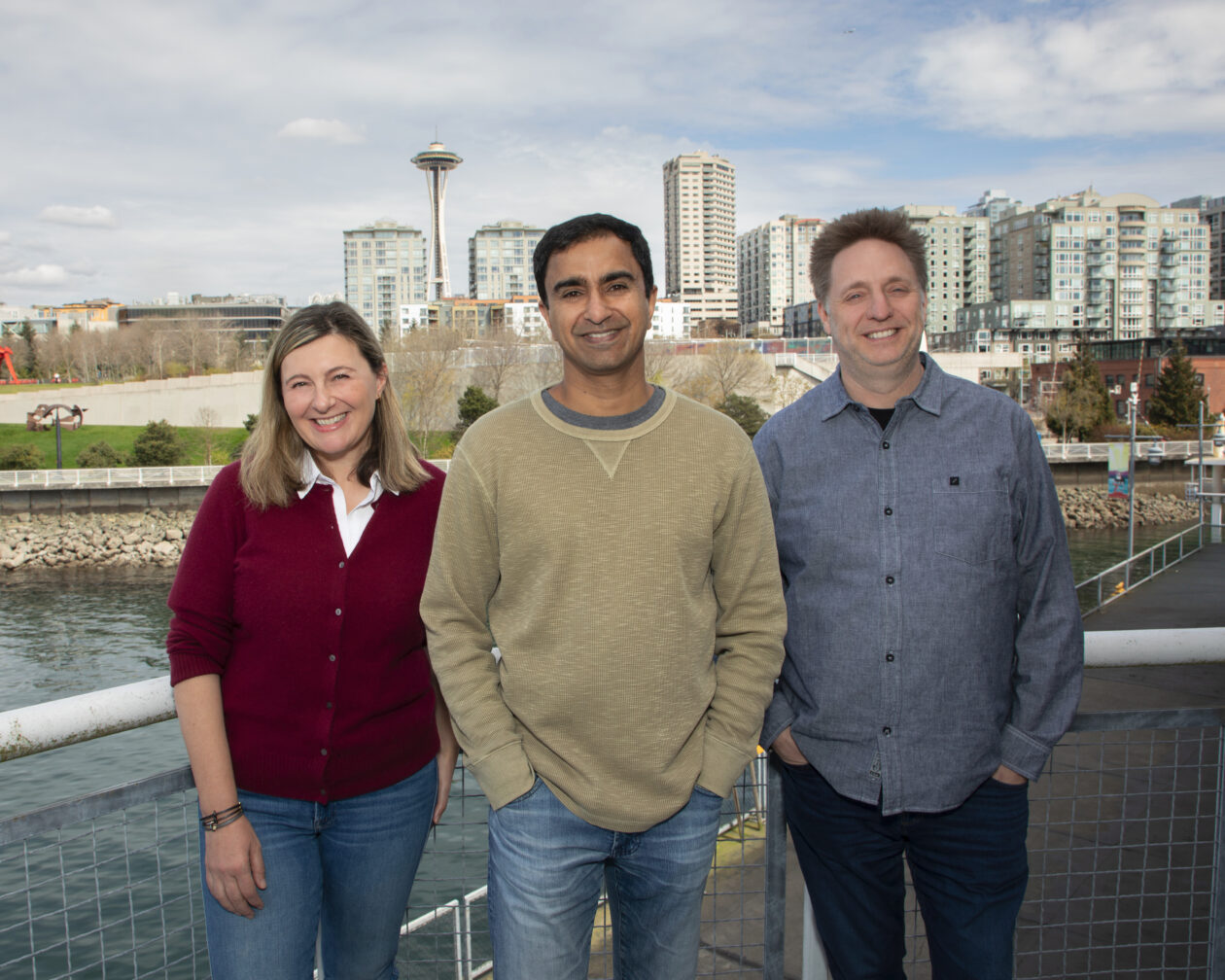

SageOx, a Seattle startup building tools for teams where humans and AI coding agents work side by side, has announced $15 million in seed funding. The company launched in January.
The round was led by Canaan Partners, with participation from A.Capital, Pioneer Square Labs and Founders’ Co-op.
SageOx joins a crowded field of companies working to make AI tools more effective in collaborative settings, in this case creating what is essentially institutional knowledge for agentic partners. Its platform captures information from conversations, chats and coding sessions, building a hivemind that is passed along to new AI agents — helping them stay aligned with a project as it evolves.
“As teams begin operating at multiples of their traditional speed, in some cases 20x to 40x faster, their existing processes break down, and the ability to share decisions, intent, and history across humans and agents becomes critical infrastructure,” said Ajit Banerjee, founder and CEO of SageOx, in a statement.
The company said the funding will be used for product development and “a small number of key hires” — work it plans to carry out, true to form, with the help of AI agents.
SageOx was founded by a trio of serial entrepreneurs and tech veterans:
- Banerjee previously founded three startups and held engineering leadership roles at Amazon, Facebook and Apple.
- Chief Product Officer Milkana Brace founded Jargon, which was acquired by Remitly, and was a technology lead at Expedia.
- Chief Technology Officer Ryan Snodgrass was one of Amazon’s first engineers and spent 15 years with the tech giant.
The fourth team member, Galex Yen, joined from Thunk.AI and has worked as an engineer at Apple, Remitly and Microsoft.
Competitors in the space include large companies and fellow startups such as OpenAI Codex, Anthropic Claude Code, Cursor, GitHub Copilot, Windsurf, Blocks, Factory, Tembo, and 20x.
The SageOx platform is already in use by early customers and design partners, and drawing positive feedback.
“As an in-person team, a lot of our best decisions happen in conversation,” said Marius Ciocirlan, CEO at Mark OS. “Before SageOx, our agents weren’t part of that; they felt remote. We had to constantly recap decisions, and things would get lost. Now SageOx keeps them in the loop automatically.”


There’s going to be something special in the air when the 2026 FIFA World Cup arrives in Seattle this summer. Packed pubs at 9 a.m. Colorful flags flying from every corner. Fans from around the globe chanting and singing from Pioneer Square to Pike Place Market.
Now, thanks to the generous support of Microsoft, one lucky group will have the chance to experience the tournament in spectacular fashion, while supporting an incredible cause.
Working in partnership with Microsoft, GeekWire has launched an online auction for a private suite for the FIFA World Cup Round of 16 knockout match at Lumen Field on July 6. Microsoft — as part of their ongoing support of this summer’s soccer festivities in Seattle — is donating the suite, with 100 percent of the proceeds benefitting the amazing work at Seattle Children’s Hospital.
That means the auction winner can do some good, while enjoying one of the most spectacular sporting events on the planet.
And this isn’t just any match.
The winner of this knockout stage match advances to the World Cup quarterfinals — with the possibility that the U.S. Men’s National Team could be playing in Seattle at this very match if they advance deep enough in the tournament.
The suite package includes:
- Twelve VIP tickets for suite C19, located in the south end of the stadium.
- A surprise Seattle sports legend will join the fun in the suite.
- A commemorative gift for each guest to remember this historic event.
- Fully catered high-end food and beverage service included within the suite.
- One of the premier viewing experiences for the biggest sporting event on the planet
The auction was announced live during the GeekWire Awards, with support from Seattle Sounders FC owner Adrian Hanauer, Seattle World Cup Organizing Committee CEO Peter Tomozowa, Microsoft deputy general counsel Brian DeFoe and Sounders FC captain and U.S. Men’s National Team midfielder Cristian Roldan.
“The world is going to stop,” said Roldan. “And Seattle gets to embrace the world, and so I am really excited to really showcase what we are all about.”

For the round of 16 match, Roldan said the “energy is going to be unbelievable,” even more so if it happens to be the U.S. Men’s team.
Microsoft’s donation of the proceeds of the suite to Seattle Children’s Hospital is just one way that the company is giving back.
Speaking at the GeekWire Awards, DeFoe said that the company feels fortunate to be part of an incredible innovation ecosystem where people “dream big,” but it’s an ecosystem that needs constant nurturing. Last year, he said that Microsoft and its employees donated more than $88 million and 477,000 service hours to over 4,900 non-profits.
The World Cup only comes to Seattle once. This is your chance to experience it from one of the best seats in the house.
Place your bid here, and let’s show what we can do as a community: World Cup Suite Auction
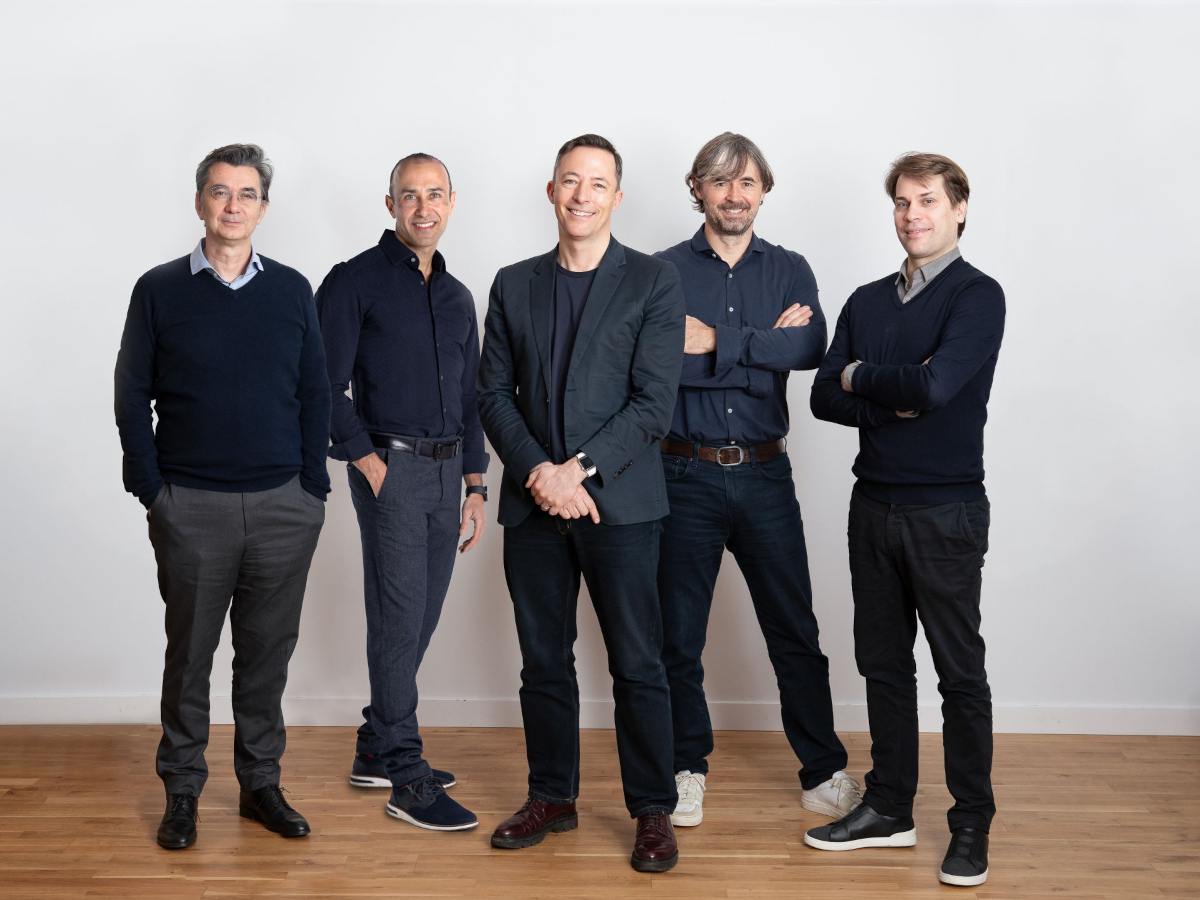

Mundi Ventures’ EU-backed Kembara fund has made its first major investment by co-leading a $160m round with DCVC in the UK’s Quantum Motion.
The UK-based Quantum Motion specialises in silicon transistor-based quantum computing, and said it will use the Series C investment “to commercialise its scalable and energy-efficient approach to quantum computing” and to help deliver “utility-scale and commercially viable quantum computers that fit inside existing standard data centres and racks”.
Since its last funding round in 2023, the company has expanded internationally, with new offices and labs in Spain and Australia, and has deepened its manufacturing partnership with GlobalFoundries as part of its bid to tie directly into commercial semiconductor supply chains, it said.
“Quantum computing will only achieve its full potential if it can be built on a platform that scales, and we believe silicon is the strongest route to achieving that,” said Dr James Palles-Dimmock, CEO of Quantum Motion. “We are pleased to be joined by investors who share our vision and understand what it takes to build a foundational company in this field.”
Yann de Vries, partner and co-founder of Kembara, said: “If you believe quantum computing is going to be world-changing, as we do, then the obvious next question is which of the many ways of building one will actually work at scale? This investment signals our strong belief in where the answer lies.”
With an ultimate target of €1bn, Spain’s Mundi Ventures closed on €750m in February for its Kembara fund for deep tech and climate start-ups. The fund aims to address the scaling gap in European deep tech funding with its focus on Series B and C funding of €15m-€40m, and beyond, for European companies.
“Quantum is critical infrastructure for the next century of computing, AI and security, and leadership will go to whoever can industrialise it,” said Dr Prineha Narang, operating partner at DCVC. “DCVC led this investment in Quantum Motion because silicon is the foundation that scales, and this team is building on the CMOS advantage to turn quantum from a demonstration into a commercial success story.”
According to the Kembara team, Europe produces 28pc of global deep tech innovation, but only 3pc of European deep tech companies successfully raise Series B or C rounds. It is that very gap that the Kembara fund is hoping to bridge using “€1bn dedicated to backing Europe’s deep tech champions at the exact moment when technology is proven and global scale becomes possible”.
“Quantum Motion’s unique approach that combines cutting-edge quantum physics with established silicon manufacturing provides a distinct global edge,” said Charlotte Lawrence, managing director of direct equity at the British Business Bank, a new investor in the company with this round. “We are no longer just theorising about quantum computing but are actively starting to build the platforms to deliver it here in the UK.”
The European Investment Fund (EIF) is a lead backer of Kembara, announcing in July last year that it would invest €350m in Kembara Fund 1. At the time, the EIF said it was the experience of the Kembara management team and its “differentiated strategy” that were key to offering its support.
Don’t miss out on the knowledge you need to succeed. Sign up for the Daily Brief, Silicon Republic’s digest of need-to-know sci-tech news.
Financial analysts at Wedbush have consistently been bullish about Apple, but now has raised its target price by a whopping $50 to $400, making its greatest jump in at least the last five years.
Back in April 2025 when Trump’s tariffs first struck, Wedbush did cut its Apple price target $325 down to $250, but that was a rare drop. Now it’s made a similarly large increase, taking its price target from the $350 it set in December 2025, to $400.
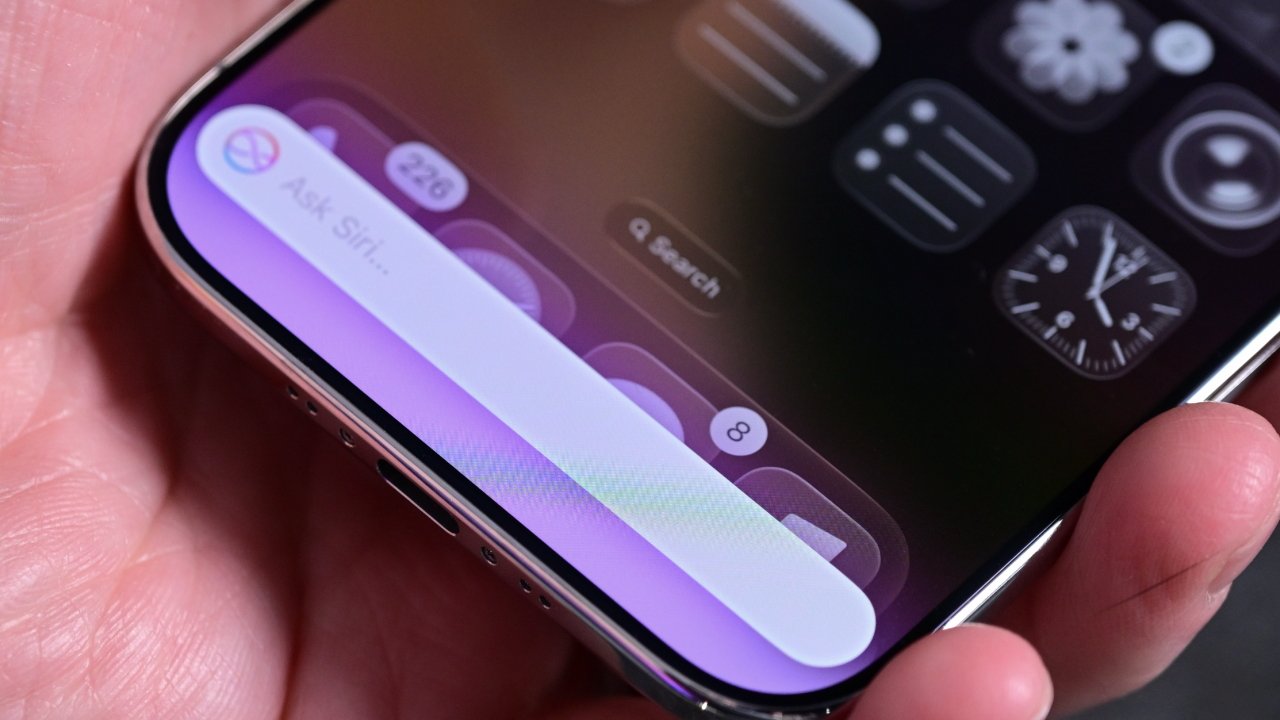
This is the highest price target ever set for Apple by any investment firm, and in a note to investors seen by AppleInsider, the company’s analysts attribute it very much to AI. They believe that what Apple will reveal at WWDC 2026 in June will lead to around a fifth of the entire world’s population using AI via Apple devices over the next few years.
Key to this belief is the recent news that Apple’s forthcoming iOS 27 will give users the option of multiple different AI models. Wedbush also expects that ultimately hundreds of AI-based apps will take advantage of improvements to Apple Intelligence.
While the $50 target increase is the largest Wedbush has made since at least 2021, the firm has consistently predicted that 2026 will be a significant year for Apple Intelligence. It has also previously predicted that Apple will charge for some AI features, and its latest report doubles down on that.
Wedbush expects that over the next few years, Apple will monetize is AI services. Including its partnership in China with Alibaba, Wedbush predicts that Apple’s AI monetization could bring it $15 billion annually.
The investor note says little further about China, other than that Apple’s AI partnership is part of it aiming to greatly increase its user base in the country. In Apple’s latest earnings call, Tim Cook called out the fact that he was “thrilled” with how the company has seen “strong double-digit growth in Greater China.”
In that same call, Cook also stressed that how with Apple Intelligence, this “is not AI as a standalone feature, but AI as an essential, intuitive part of the experience across our devices.” That fits with Wedbush’s belief that Apple will become what it calls the consumer hub of AI.
CEO handover and WWDC
These expectations around AI, though, are not Wedbush’s only reasons to increase its price target. The firm’s analysts also expect the incoming CEO John Ternus to have an impact on Apple’s hardware moves.
Wedbush believes that WWDC 2026 will be particularly significant, but is already describing this as a golden age for Apple.
Most analysts have been positive about Apple following its recent earnings announcement, but Wedbush appears to be the first to raise its target price.
WWDC 2026 takes place in the week of June 8 to June 12, with the spotlight as ever being on the opening keynote speech.

Business4 minutes ago
Mag 7 Stocks Jump as Market Rallies on Trump Iran Reassurance

Sports7 minutes ago
Paris Saint Germain launch retro-style home kit ahead of 2026-27 campaign | Football News

Tech8 minutes ago
iOS 26 review one year later

NewsBeat2 months ago
Manchester United reach agreement with Casemiro over contract clause amid transfer speculation

Politics4 weeks ago
US brings back mandatory military draft registration

NewsBeat1 month ago
Steven Gerrard disagrees with Gary Neville over ‘shock’ Chelsea and Arsenal claim | Football


-
 Crypto World1 day ago
HarrisX Poll Found 52% of Registered Voters Support the CLARITY Act
-

 NewsBeat6 days ago
Channel 5 – All Creatures Great and Small series 7 new post
-

 Crypto World2 days ago
Upbit adds B3 Korean won pair as Base token gains Korea access
-
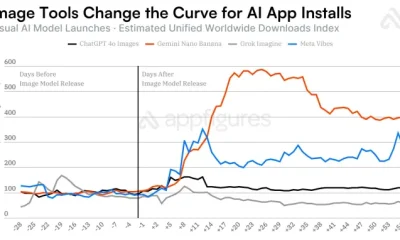
 Tech5 days ago
Image AI models now drive app growth, beating chatbot upgrades
-

 News Videos6 days ago
AP Dhillon – Old Money (Official Audio)
-
 NewsBeat2 days ago
NCP car park operator enters administration putting 340 UK sites at risk of closure
-

 Fashion19 hours ago
Weekend Open Thread: Marianne Dress
-

 Sports7 days ago
Five killed in Texas plane crash identified as Amarillo pickleball players
-
Entertainment7 days ago
New Netflix Movies in May 2026 — My Top 3 Picks to Stream
-
 Crypto World7 days ago
Pi Network Mandates Protocol 23 Upgrade for All Mainnet Nodes Before May 15 Deadline
-

 Entertainment6 days ago
Melissa Joan Hart and More Stars Attend 2026 Kentucky Derby
-
Entertainment6 days ago
Anna Nicole Smith’s Daughter Attends 2026 Kentucky Derby
-

 Crypto World6 days ago
Bitcoin mining equities rise in 2026 as BTC lags behind
-
Entertainment6 days ago
Venus Williams’ Best Met Gala Looks Over the Years
-

 Business6 days ago
Luka Doncic Injury Update: Doncic’s Hamstring Recovery Slows Lakers’ Hopes Against Thunder: Can He Run Yet?
-
Entertainment6 days ago
“Storage Wars” star Darrell Sheets' ex-wife breaks silence on his death
-

 Sports6 days ago
Is Man United v Liverpool on TV? Channel, streaming and how to watch Premier League fixture
-

 Business7 days ago
Kuwait International Airport Resumes Operations After Closure as Regional Tensions Ease in 2026
-
 Entertainment7 days ago
Netflix’s 10-Part Miniseries Based on a True Story Is a Perfect Weekend Binge
-
Crypto World7 days ago
Q1 2026 Tech Layoffs AI Wave Hits 81,747 as Firms Shift to AI Infrastructure
You must be logged in to post a comment Login