

Tech
Why Costco Isn’t The Best Place To Shop For Oversized Tires

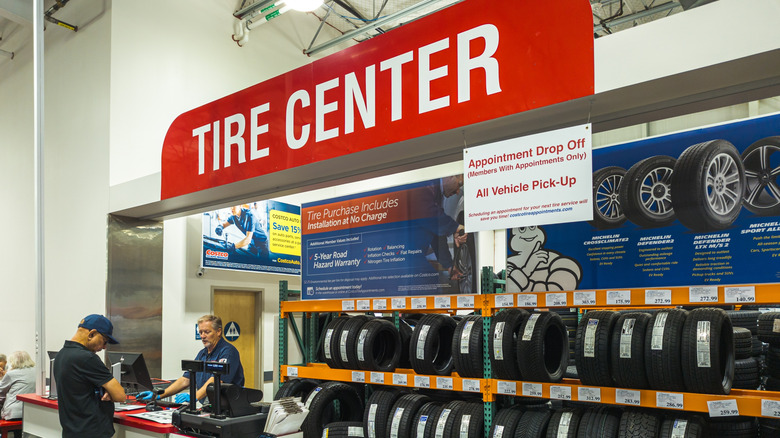
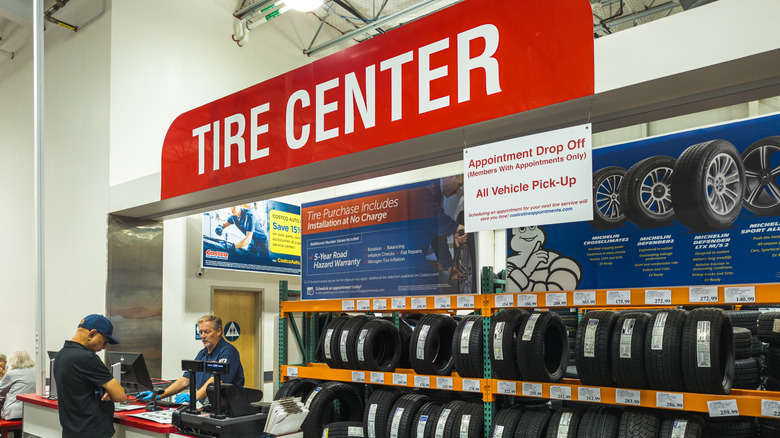
Buying a new set of tires first means choosing the brand you want, getting the right size, then having them installed. But some drivers prefer to buy oversized tires, due to a vehicle modification, or just because they like the look. For drivers shopping at Costco, where there are perks for buying tires, they may be out of luck. That’s because Costco tire centers will only install tires that match manufacturer specifications.
Costco cites safety concerns as the reason for this policy, which recommends that customers know what they need beforehand. Not only must the tires be the right size, but they must also have the same or greater Original Equipment (OE) Speed Rating, if existing tires carry a rating. The speed rating of a tire refers to the top speed a tire can safely maintain under specific conditions. Tires also need the same or greater OE Load Index as existing tires as well, which is the maximum amount of weight a tire can support when it’s properly inflated.
Some customers may prefer to install tires themselves, but Costco’s ordering system must still be used. When selecting tires online , users enter the make, model, and trim of their vehicle. Matching sizes offered by available brands are displayed and the purchase price typically includes installation. When tires are shipped to a local Costco Tire Center, a representative will verify that the tires match the vehicle. If there is a mismatch, Costco may not move forward with installation.
The drawbacks of using oversized tires
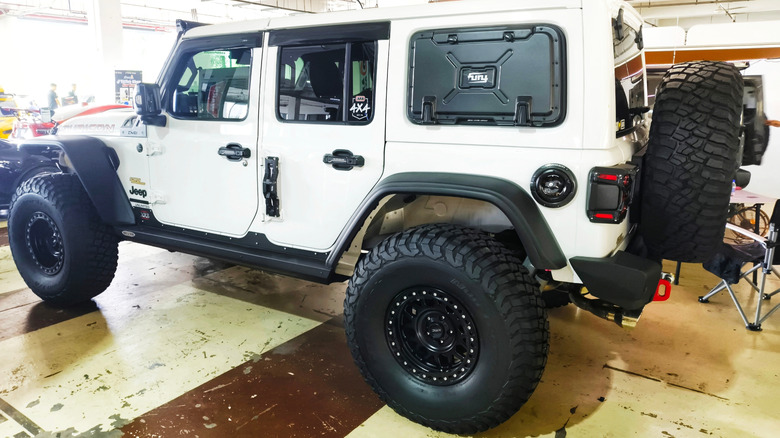
Using oversized tires can be a stylistic choice that some drivers want, but there are a number of problems that can occur. It begins with perhaps the most important factor: driver safety. Running the wrong size tire can prevent a vehicle from performing as it’s designed to do, which can make for a dangerous situation. This includes braking distance, steering response, and the overall stability of the vehicle.
Then there’s the issue of reduced fuel efficiency, as bigger tires affect MPG. They usually add weight and increase rolling resistance, causing the engine to work harder to keep the vehicle moving. That means more trips to the gas pump, which can get very expensive.
Using oversized tires can also cost drivers more money beyond the pump. That’s because some vehicles require a lift or leveling kit to create the necessary clearance. This can lead to alignment problems, which can cost even more money later on. Larger tires may also require new rims, along with adjustments to systems like the speedometer, or the existing tire pressure monitoring system. Insurance rates can be affected, and vehicle warranty coverage may be impacted if the tires contribute to any claims due to mechanical problems.

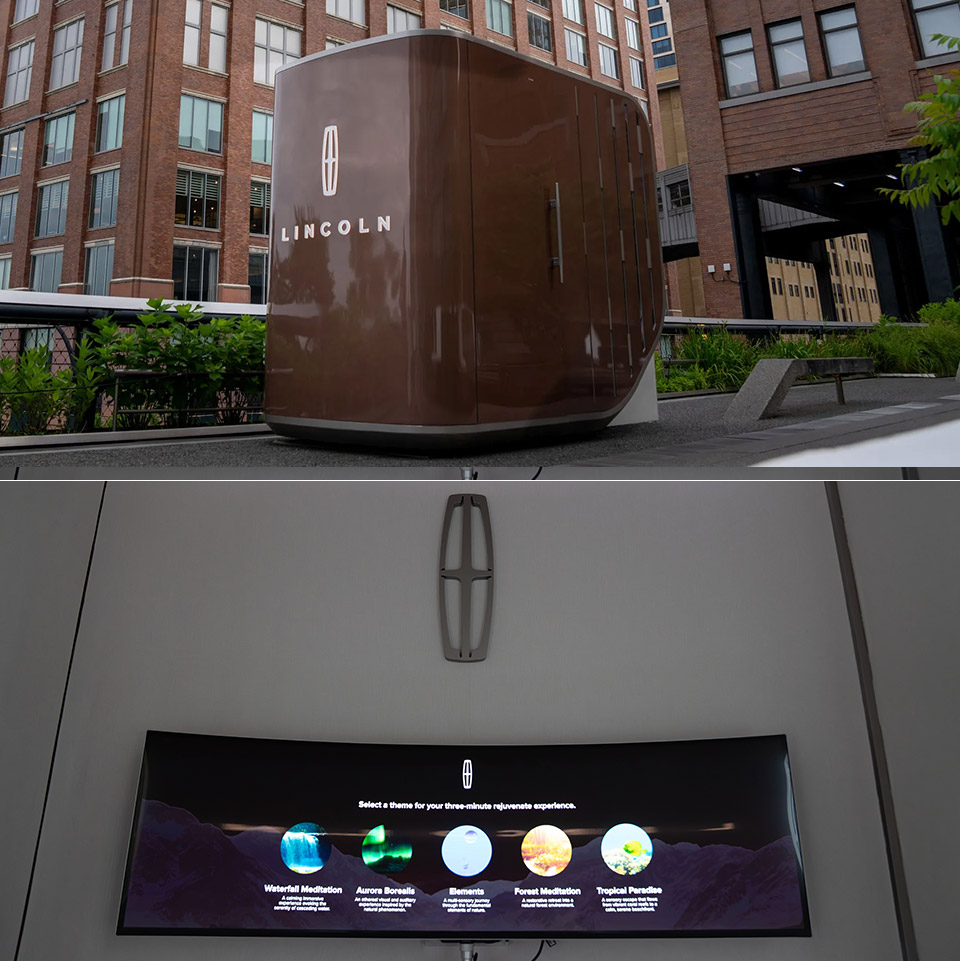
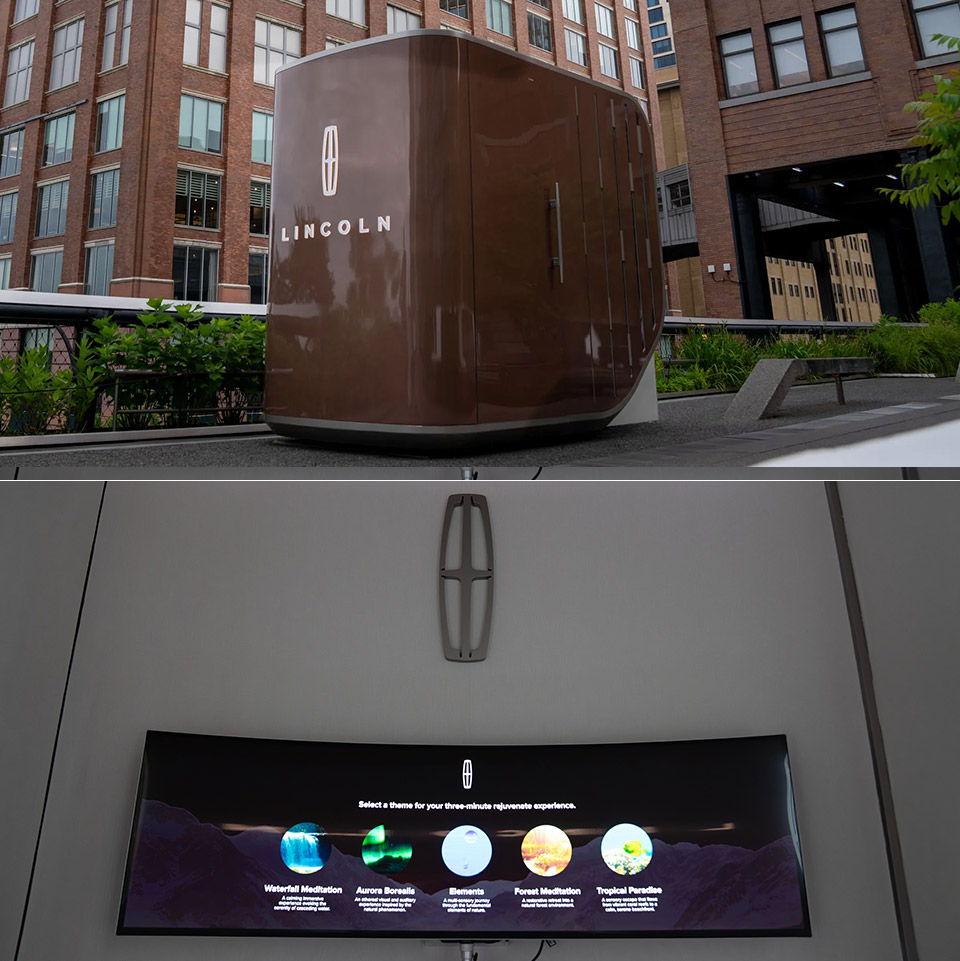
Lincoln has placed a compact portable structure on Manhattan’s High Line at the 14th Street section. Anyone walking the elevated park between June 12 and 14 can step inside for a five or ten minute session built around coordinated sound, scent, lighting, and touch.
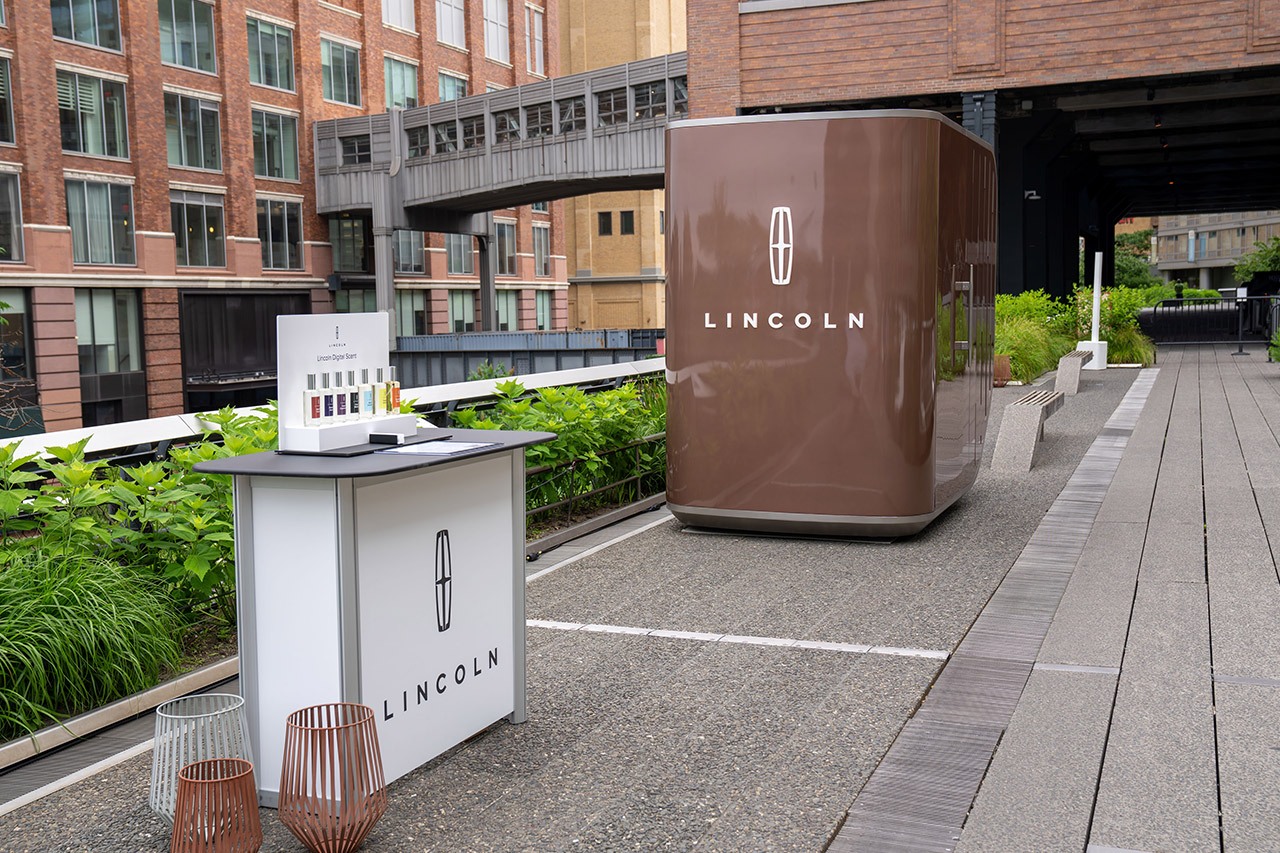
The exterior of the finished Sunrise Copper and White Platinum variation is visually appealing due to its flowing lines and delicate contours. The vertical windows, Satin Elysian trim, and big Lincoln emblem stand out alongside them. At first glance, you’d think this was a mobile house on wheels rather than a static construction, which pretty much sums up its purpose as a traveling show.

LEGO Architecture New York City – The Big Apple Building Set for Adults, Ages 18+ – Decor for Bedroom…
- THE CITY THAT NEVER SLEEPS – Construct the ultimate souvenir with the LEGO Architecture New York City – The Big Apple (21066) building set for…
- CREATE 6 ICONIC LANDMARKS – Builders can create six NYC architectural icons in minimalist white, including the Brooklyn Bridge, Empire State…
- DISCOVER HIDDEN DETAILS – As they construct their city skyline, builders can discover details that are uniquely New York, such as yellow taxi cabs…
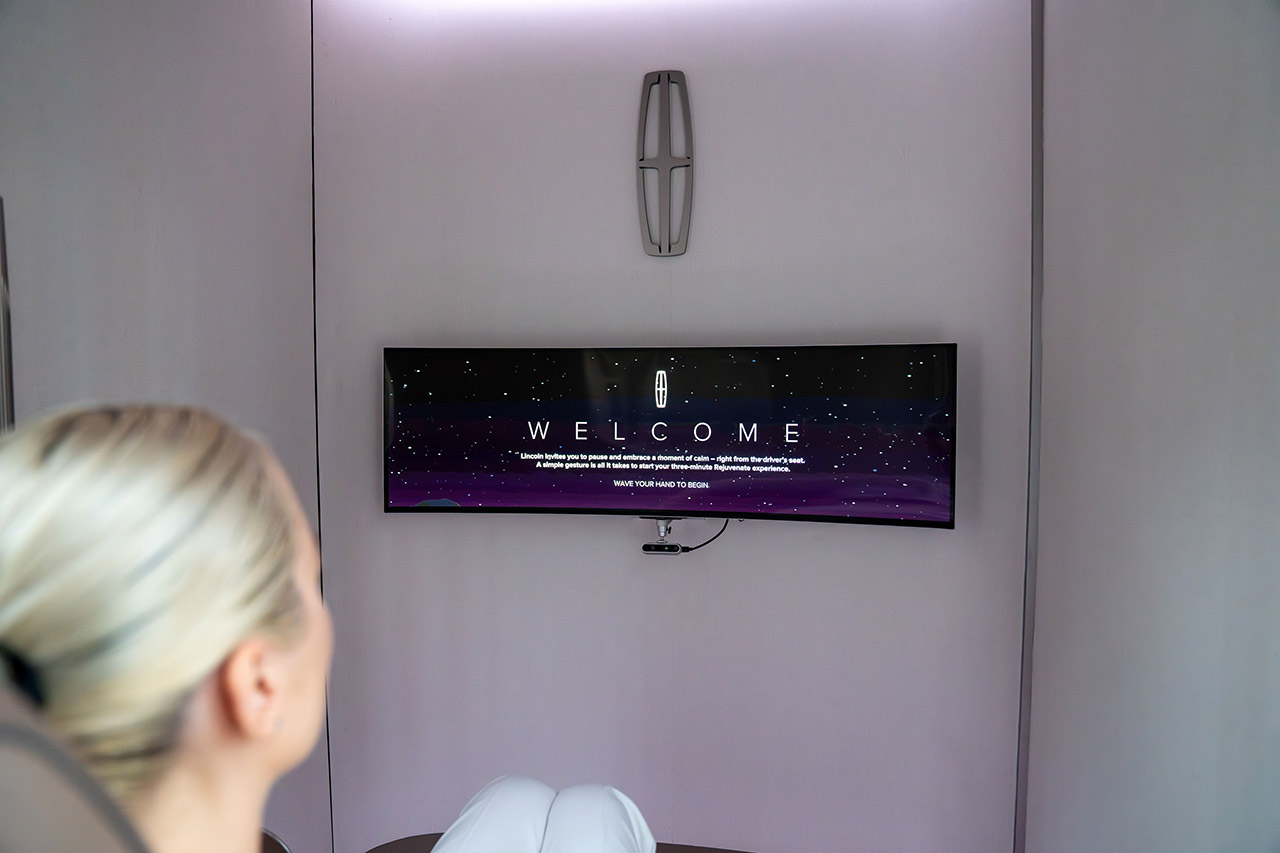
Step inside and you’ll be met by a well-thought-out environment centered on one feature: a 30 way adjustable seat lifted directly from a Navigator. It’s coated in Warm Horizon leather and comes with everything you need, including an active motion massage feature and some fantastic positioning options. You get the idea. Add some wood trim to make the cabin appear neat and confined, as well as a wide panoramic screen that dominates the forward view.
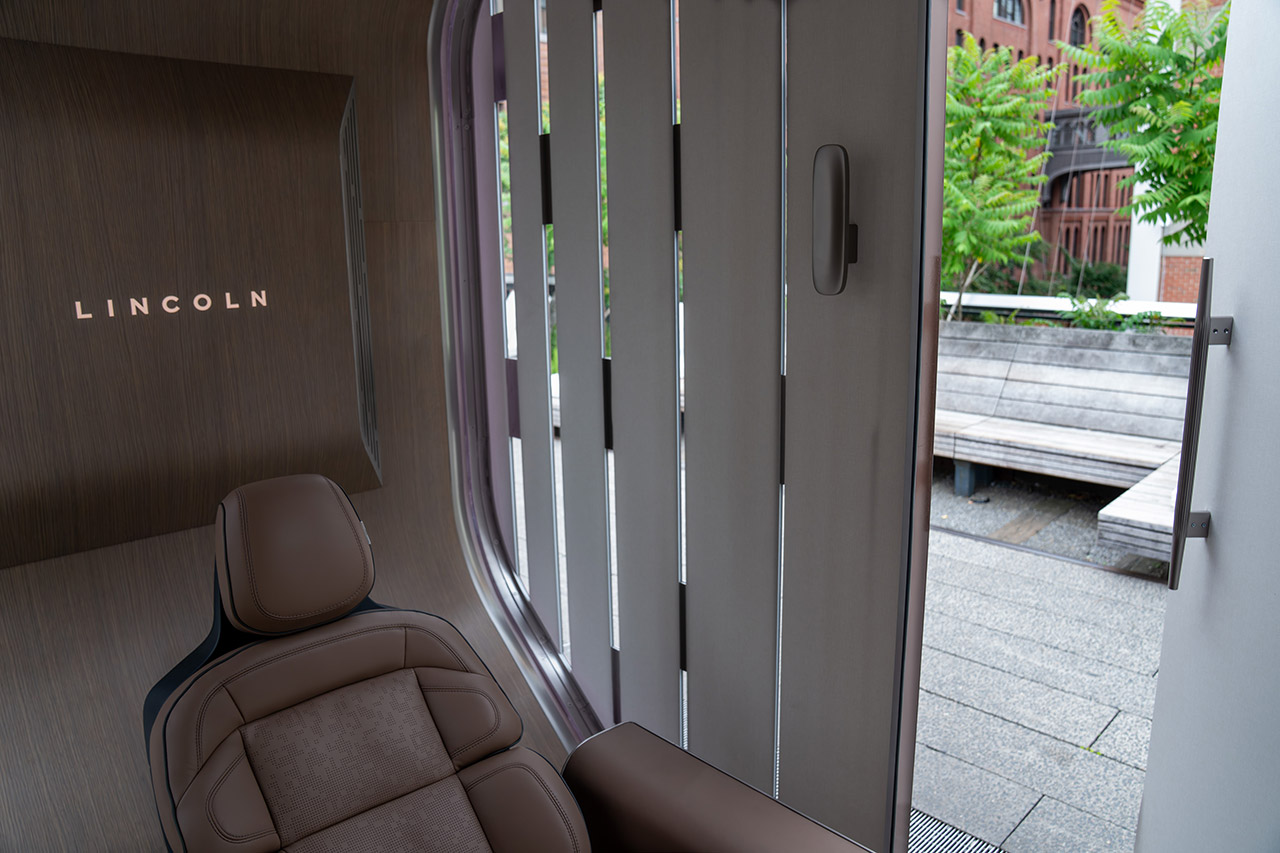
A Revel audio system, designed specifically for this compact space, provides the sound. The scents are released via a diffuser using Lincoln’s Digital Scent technology, just like in their current line of automobiles, and you may choose between Cloud Balsam, Mystic Forest, Ozonic Azure, Serene Seashore, Sunlight Retreat, Twilight Embers, and the stunning Violet Cashmere.

Lighting adapts to meet the mood, and a sophisticated motion sensor allows each visitor to simply choose their preferred Rejuvenate mode. These modes mix aroma, sound, lighting, and massage in a unique way inspired by the Nautilus and Navigator systems, but they are more than just a set of pre-programmed settings.
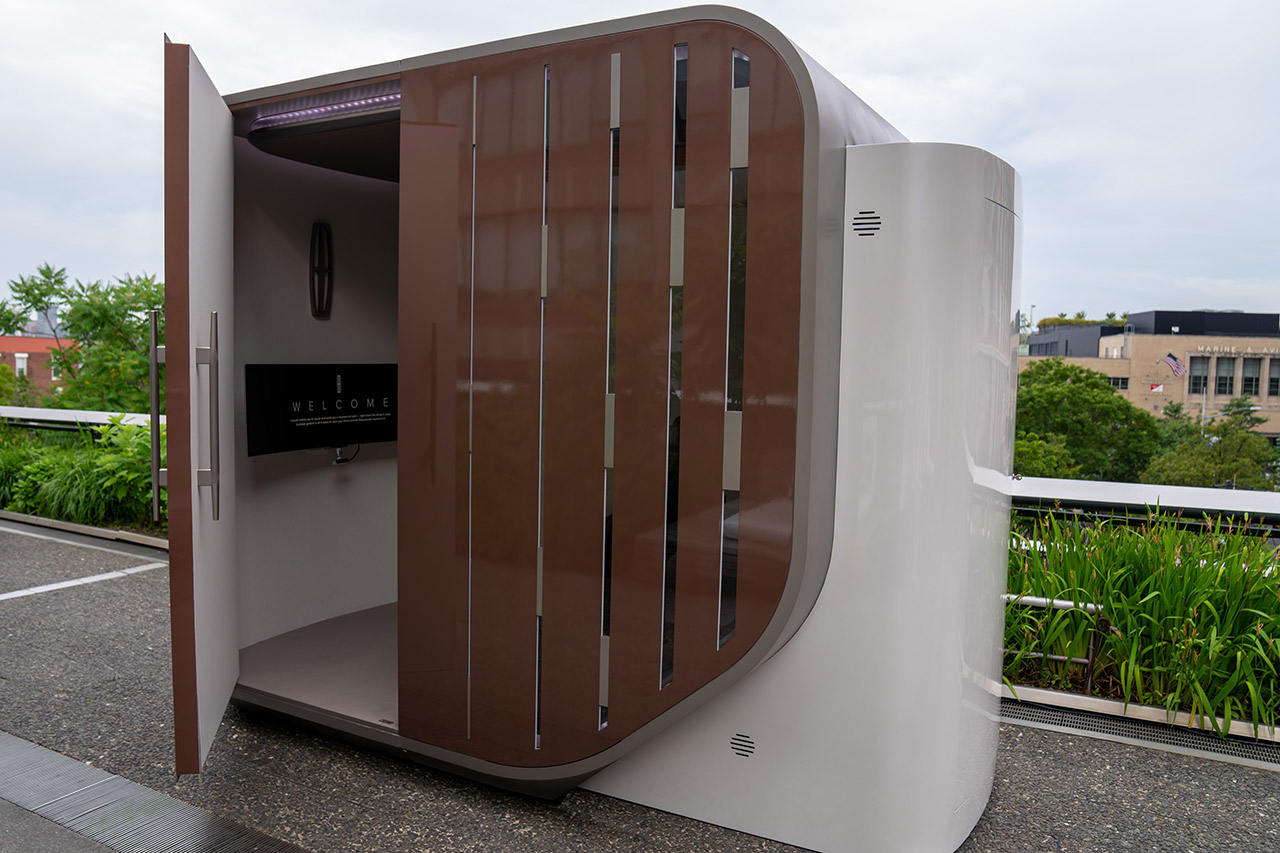
Christine Park Cheng, Lincoln’s global design director, noted that the goal was to transform the Rejuvenate atmosphere into a physical area so guests could experience it for themselves. Every feature strives to generate a sense of tranquility and relaxation akin to that found in their vehicle interiors, but with Lincoln’s distinct sanctuary feel. The show will take place from June 11th to June 13th, coinciding with Global Wellness Day, and all attendees will get complementary refreshments. After that, it will pack up and go to other cities for additional dates later this year.

Update
Added new Buid a Zoo Codes on June 11, 2026.
Build a Zoo is a fun Roblox experience where players collect animals, hatch eggs, and expand their own wildlife park. As you expand your collection, you’ll need plenty of cash and valuable eggs to unlock new creatures. Fortunately, the game regularly offers redeemable codes that provide free rewards. These rewards can include cash, pet eggs, and other useful bonuses that help speed up your progress. Below, you’ll find all the latest Build a Zoo codes available this month, along with steps to redeem them.
Active Build a Zoo Codes
- MERRYTIMES2026: 500 Diamonds and 3 Lucky Tickets (NEW)
- RABBITHAT30: 1 Sacred Deer Egg (NEW)
- OCEANHEART0: 2 Ocean Heart
- TUESDAYFUN1: Free Rewards
- CHRISTMAS12: Free Rewards
- XMASADVENT5: Free Rewards
- FRIDAYGIFT5: 10 Tickets and 1 Pineapple
- ZooFarmers: 800 Gems and 1 Pineapple
- BLACKFRIDAY: Lucky Tickets
- WAEX662ERC3: Lucky Tickets
- 9WC77XXCM5A: Gems, Fruits, and Tickets
- LandCompensation: 2000 Gems, 1 Dragon Fruit, and 3 Turkey Eggs
- BHNR9CB9TNC: Gems, Fruits, and Tickets
- A38JBJ3TSSE: Gems, Fruits, and Tickets
- 9HDARHCQMWS: Gems, Fruits, and Tickets
- N5HZKRRT2DF: Gems, Fruits, and Tickets
- ZTWPH3WW8SJ: 5 Lucky Tickets and $20,000
- ADQZP3MBW6N: 5 Lucky Tickets and $20,000
- DS5523YSQ3C: 5 Lucky Tickets and $20,000
- 3XKK8Z2WB6G: 5 Lucky Tickets and $20,000
- N7A68Q82H83: 5 Lucky Tickets and $20,000
- 4XW5RG4CHRY: 5 Lucky Tickets and $30,000
- DelayGift: 1 Pet Egg and $20,000
- 60KCCU919: 8 Lucky Tickets and $30,000
- 50KCCU0912: 2 Pet Eggs and $20,000
- ZooFish829: 1 Pet Egg and $20,000
- FIXERROR819: 1 Pet Egg and $30,000
- BugFixes: $30,000
- U2CA518SC5: 1 Pet Egg
- X2CA821BA3: 1 Pet Egg
- 55PA21N8y2: 1 Pet Egg
Found an expired or missing code? Please let us know, and we’ll update the article as soon as possible.
Expired Build a Zoo Codes
| ROMANCEBLOOMS | WEEKENDJOY5 | SANTAGIFT25 |
| HOLIDAYFUN1 | SANTASWORKS | FIXTHEBUGS1 |
| ADMINABUSE1 | ACORN251204 | E5GSDBK7ATX |
| NA5Y874BAGG | CE8CWQDFZSH | CFJXEH4M8K5 |
| SeasonOne | MagicFruit | WeekendEvent89 |
| BugFix829 | SurpriseGift | UPD18DINO |
How to Redeem Build a Zoo Codes?
To redeem Build a Zoo codes and claim free rewards, follow these steps:
- Open Build a Zoo in Roblox.
- Select the Shop option from the side menu.
- Scroll down and enter an active code in the text field.
- Press the Redeem button.

- Your rewards will be added to your account instantly.
And that’s it! Your exclusive rewards will automatically be added to your inventory. In the meantime, also check out our other guides on Blue Lock Rivals, Volleyball Legends, and Anime Paradox codes.
How to Get More Codes?
The easiest way to get more codes is by staying connected with the game’s official communities. Most new codes are posted on the official Build a Zoo Discord server, where the developer shares updates and milestones. If you prefer a quicker way, just bookmark this page. We keep it updated often so that you won’t miss any new codes.
Why Are My Build a Zoo Codes Not Working?
Often, when a Build a Zoo isn’t working, it’s simply due to a typo. To avoid this, use copy and paste rather than typing by hand. Restarting the game can also help if your server isn’t up to date. Keep in mind that some codes expire quickly, so a code that worked earlier may no longer be valid. Moreover, the code may have expired after the article was updated but before you tried to use it. If that’s the case, let us know by filling out the Google Form, and we’ll update the article as soon as possible.
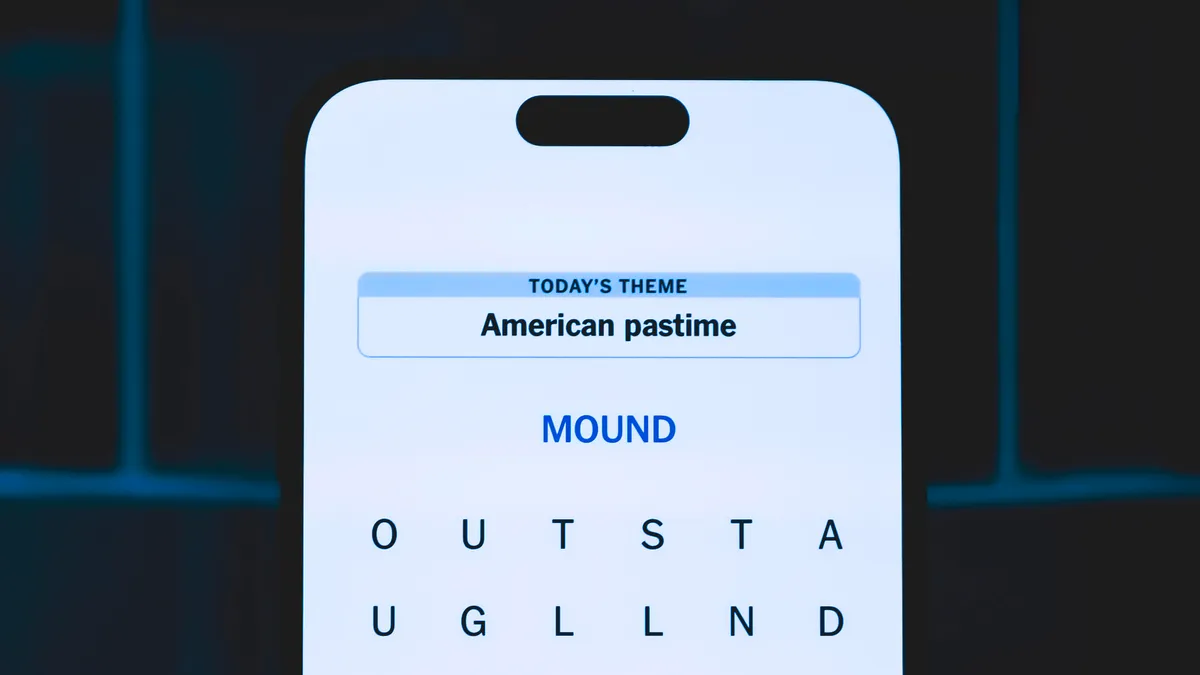
Looking for the most recent Strands answer? Click here for our daily Strands hints, as well as our daily answers and hints for The New York Times Mini Crossword, Wordle, Connections and Connections: Sports Edition puzzles.
Today’s NYT Strands puzzle was actually pretty fun. Once you understand the theme, the answers are easy to unscramble — a rare treat for Strands. If you need hints and answers, read on.
I go into depth about the rules for Strands in this story.
If you’re looking for today’s Wordle, Connections and Mini Crossword answers, you can visit CNET’s NYT puzzle hints page.
Read more: NYT Connections Turns 1: These Are the 5 Toughest Puzzles So Far
Hint for today’s Strands puzzle
Today’s Strands theme is: Oozing
If that doesn’t help you, here’s a clue: Words that sound alike.
Clue words to unlock in-game hints
Your goal is to find hidden words that fit the puzzle’s theme. If you’re stuck, find any words you can. Every time you find three words of four letters or more, Strands will reveal one of the theme words. These are the words I used to get those hints but any words of four or more letters that you find will work:
- SOUR, SITE, SITES, BITE, BITES, CITE, CITES, FUSS, CUSS, YOUR, HOUR, HOURS, ECHO
Answers for today’s Strands puzzle
These are the answers that tie into the theme. The goal of the puzzle is to find them all, including the spangram, a theme word that reaches from one side of the puzzle to the other. When you have all of them (I originally thought there were always eight but learned that the number can vary), every letter on the board will be used. Here are the nonspangram answers:
- FUSE, BLUES, BREWS, SHOES, CHOOSE, CRUISE, SCHMOOZE
Today’s Strands spangram
The completed NYT Strands puzzle for June 11, 2026.
Today’s Strands spangram is RHYMETIME. To find it, start with the R that’s three letters to the right on the top row, and wind down.
Toughest Strands puzzles
Here are some of the Strands topics I’ve found to be the toughest.
#1: Dated slang. Maybe you didn’t even use this lingo when it was cool. Toughest word: PHAT.
#2: Thar she blows! I guess marine biologists might ace this one. Toughest word: BALEEN or RIGHT.
#3: Off the hook. Again, it helps to know a lot about sea creatures. Sorry, Charlie. Toughest word: BIGEYE or SKIPJACK.
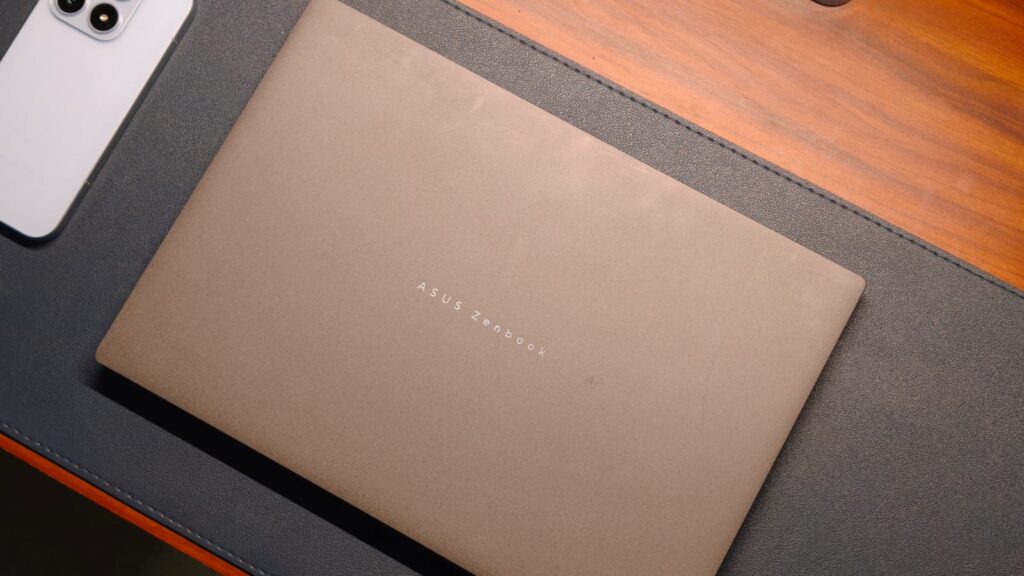
If you’ve dabbled with premium laptops before, there’s about a 100% chance you’ve seen Asus’s ZenBooks around. These laptops from the Taiwanese maker have served professionals in need of respectable power without carrying a brick-like gaming laptop. I’ve personally tested many of these devices, and every single one of my reviews has ended with something like “Oh, this laptop is great and worth the recommendation.” That’s because Asus knows its target audience and caters to their needs almost perfectly. And if you’re in the market for an ultra-premium laptop, Asus has just announced something for you: the ZenBook S14 UX5406.
I’ve been using a basic MacBook Air M1 for the past five years. It’s served me well, and, despite my years of testing laptops, I’ve only once felt the urge that it would be amazing if that review unit were mine. The laptop I’m talking about is the ExpertBook Ultra. Shifting focus a bit towards the product in hand, it’s been three weeks since I switched to the S14, and truth be told, it doesn’t put a foot wrong. Maybe it’s the gorgeous design, the stunning display, the rapid performance, or just a mix of all three, but the ZenBook S14 makes me want one. But is it worth it for your workflow? This review will answer that for you.
Asus ZenBook S14 Review
Summary
The Asus ZenBook S14 doesn’t put a foot wrong. The ceraluminum design is unique in a way that screams premium while still being sophisticated. The display can best be described as near-perfect, with insane levels of color and brightness. Beyond that, no amount of work can tax the Core Ultra 9 processor, and the battery life comfortably lasts a full working day. Not to mention the speakers, which have a really good soundstage.
Design & Hardware

Design is a very subjective matter, but if there’s one thing we all can expect from Asus, it’s that these guys know how to create beautiful machines. Sure, you must know the cold, aluminum touch by now, which is used by most premium laptops, including my beloved MacBook. Well, Asus has formulated something they call Ceraluminum. It’s essentially aluminum with a ceramic coating on top.
It’s hard to describe it in words, but I’m going to try anyway. The Asus ZenBook S14’s top feels like that high-end matte marble flooring you might see in stores. It feels very premium to the touch, with a unique patterned finish I’ve never seen before. Every time I took it to a coffee shop, I noticed people looking at just what I was using. I’m also a fan of the subtle ZenBook branding that’s very sophisticated. While you don’t have to worry about fingerprints messing up the finish, oily fingers will leave hard-to-remove marks, so please wipe off the Doritos dust before using the laptop. You do get a couple of color options, including a grey and white.
Open up the laptop, and the ceraluminum finish makes way for a polished aluminum keyboard deck, and I’m a fan. The S14 carries the same sophistication here. Above the deck sits what looks like a speaker grille, though it’s actually part of the cooling system, whose shape reminded me of the cheesegrater Mac Pro (reference only for ages 15 and up).

While the color options might be a bit boring, it’s important to remember that the ZenBook S14 is for the type of person who’s giving a presentation at noon, closing another client at lunchtime, and maybe flying to another country for an urgent meeting, in other words, a busy professional. So, another important thing for any such person is portability. The ceraluminum inclusion made me think the ZenBook S14 might weigh a lot, but Asus has managed to limit the weight to just 1.2 kg, which is really good for a laptop with crazy internals. This meant I could carry the S14 to different coffee shops without hurting my back.
I also wasn’t worried about damaging the S14 in my backpack because it’s a durable machine. Of course, I didn’t toss the laptop intentionally. However, I did check for chassis flex. On the keyboard deck, there wasn’t any, and even the top stayed in shape after I applied some serious force.
As far as ports are concerned, Asus has almost everyone covered. On the S14, you get two Thunderbolt 4 ports (for charging and display), a full-size HDMI 2.1 port, USB 3.2 Gen 2 Type-A, and a headphone-microphone combo jack. The only minor gripe I have is the fact that both USB-C charging ports are on the left side, which can force you to do some cable gymnastics.
Keyboard & Trackpad

A good keyboard is the bare minimum for a professional laptop, let alone a ZenBook. As a surprise to absolutely no one, the ZenBook S14’s keyboard is just great. The layout is standard, meaning I didn’t spend a week trying to get used to a special key. The actuation energy is slightly higher than that of my MacBook, which provides a more tactile experience. The feedback is solid overall yet not very loud, which is ideal when working in an office. The keyboard is also backlit, with different brightness levels to choose from. Since I got the gray variant, the key lettering contrasts well with the lighting.
When I was reviewing the Asus ExpertBook Ultra, I just fell in love with that haptic trackpad, wishing every laptop incorporated the same. Well, I’m also the first to admit that not everyone loves a haptic trackpad. There are people who’d take the physical click over fake ones. And if you’re one of those (I’m not judging), then the S14’s trackpad is made for you. Never have I ever felt mechanical clicks more sophisticated than here. The clicks are precise, and the feedback is just awesome.
Display & Camera

Unlike smartphones, where almost all displays are the same, Asus has held a high place in my display rankings. After all, these guys were one of the first to bring OLED tech to laptops. And the ZenBook S14 is no different. It features, dare I say, a perfectly spec’d 14-inch 3K (2880 x 1800) Lumina OLED panel with a 120Hz refresh rate. At a response time of just 0.2ms, everything feels quick and snappy. As expected, the video-watching experience of the S14 is simply lovely.
Colors pop off the screen with a punchy vibrancy while still keeping natural skin tones. The details are crisp enough to help you make out the fine facial features. Even the HDR performance is stellar, with the panel reaching a peak brightness of 1,100 nits. I had no problems working with the laptop outdoors, though, by outdoors, I mean inside a cool cafe, since only a lunatic can sit outside in the 45-degree Indian summer heat. Just be careful of the reflections, though, as the glossy panel does catch a lot of light.

All that being said, Asus hasn’t just designed the S14’s display for movie watchers. For creators, the S14’s panel covers 100% of the DCI-P3 color space. It’s VESA CERTIFIED Display HDR True Black 1000 certified, and the colors are PANTONE validated. The 16:10 aspect ratio gives you more vertical space than a typical laptop display, meaning you can fit a few extra spreadsheet columns without having to scroll. Still, the best part of the S14’s display is that the trackpad isn’t the only way to interact with it. It’s also a touchscreen. Honestly, touchscreens on laptops make a lot of sense for people on the go and for employees like me. The best compliment I can give is that after the review period, I accidentally touched my MacBook’s display, thinking it would do something.
The 1080p webcam is fairly standard. While it won’t break any image-quality benchmarks, the videos it took during conferencing were decent, with good-enough sharpness and okayish colors. It also supports Windows Hello, so signing in to your laptop is quick and easy.
Performance

A professional laptop needs to pack a punch in terms of performance. It should not only keep up with your needs but also have ample juice in the bank to ramp things up if needed. The Asus ZenBook S14 ships with the newest Panther Lake Intel Core Ultra 9 386H processor. It includes 16 cores: 4 performance, 8 efficiency, and 4 ultra-efficiency. The processor is coupled with an Intel iGPU, up to 32GB of LPDDR5X RAM, and a 1TB PCIe 4.0 SSD, whose read and write speeds we measured at 6972.59 MB/s and 3367.89 MB/s, respectively.
As you might have guessed, the everyday performance of the Asus ZenBook S14 is nothing to complain about. Apps launch instantly, without a loading delay. The RAM is enough to keep over 25 Chrome tabs while also running Spotify in the background. My daily workload, which is mainly on Chrome, was no match for the Core Ultra 9’s mammoth capabilities. So to properly fire up the processor, I first installed Da Vinci Resolve and tried editing a reel. Truth be told, I’m not the best editor, nor do I know how to add effects, but with color grading and multiple 4K streams, the laptop handled everything well without slowing down. For all my programmer friends, don’t worry. I installed VSCode and ran a few Python programs for fun. The result was lightning-quick runtimes.

Since this is a review, and my workflow can only paint a certain picture, I also ran a series of benchmarks to put the Asus ZenBook S14 against its peers. Starting with CineBench R24, the laptop scored 960 in the multi-core test and 125 in the single-core test. For some much-needed context, that’s almost double the CineBench score of last year’s ThinkPad X Carbon. In PCMark 10, the Core Ultra 9 managed to reach 9321 points.
Coming to graphics performance, there’s something I need to mention: don’t expect to play AAA games on the ZenBook S14’s integrated graphics. If you are, I think you’d be better off with a Zephyrus G14. Still, if you’re interested in a fun pastime, then yes, the ZenBook S14 has enough power, given that it scored 4,342 points in 3DMark’s Time Spy test. To test those capabilities, I first fired up F1 25, where on medium-high settings on 1080p resolution, I got somewhere in the neighborhood of 40-50 FPS. The same frames followed in games like GTA V, but at medium settings. In eSports titles like Valorant and Rocket League, the laptop easily delivered over 100 FPS on high settings.
Battery Life & Speakers

Since the ZenBook is for people on the go, battery life has always been really good. Fortunately, I can say the same thing about the S14. With Panther Lake’s efficiency gains and the 77Wh lithium polymer cell, I could easily go through a full workday with some charge to spare. In real numbers, that’s about 11 hours of Chrome, watching YouTube, editing some photos, and spreadsheets. Charging is handled with a fast 65W Type-C adapter, which can take the battery from 0%-50% in about 40 minutes.
For as long as I can remember, speakers have been an afterthought on Windows laptops. The only laptop that I remember having amazing speakers is the Asus ExpertBook Ultra. It has set the bar pretty high, and while the ZenBook S14 doesn’t quite match that level of quality, it’s still really good. They are positioned underneath the keyboard and sound louder than my MacBook. The treble is on point, and the mids, which are where most of the dialogue lives, sound clear. Even at higher volumes, the highs don’t screech the ears, which is great news for movie watchers.
Verdict

At a starting price of ₹179,990 or ₹249,990 for the unit I tested, the Asus ZenBook S14 trundles in the very premium Windows laptop market, which has historically been dominated by the likes of Dell XPS and ThinkPads. Honestly, the S14 doesn’t put a foot wrong. The ceraluminum design is unique in a way that screams premium while still being sophisticated. The display can best be described as near-perfect, with insane levels of color and brightness. Beyond that, no amount of work can tax the Core Ultra 9 processor, and the battery life comfortably lasts a full working day. Not to mention the speakers, which have a really good soundstage.

“I’m just not a good writer.”
It’s a phrase teachers hear too often, usually at the exact moment a writing task is assigned. For many students, the leap from understanding a concept to putting it on paper feels like an impossible hurdle. Writing is often treated as a final “reveal” of learning at the end of a unit — potentially a high-pressure task that can feel overwhelming for students who haven’t been given a clear roadmap.
Educators are increasingly recognizing that to help students succeed, they have to move beyond simply assigning writing and start explicitly teaching it.
Dr. Barrie Olson
Vice President, Reading Curriculum & Instruction, Curriculum Associates
To explore how to make this shift, EdSurge caught up with Dr. Barrie Olson, vice president of reading curriculum and instruction at Curriculum Associates. Drawing on her experience as a literacy designer and former college professor, Olson discusses why students struggle with the demands of writing and how a “backward design” approach can transform writing instruction in the classroom.
EdSurge: We’ve seen a major shift toward research-based, explicit reading instruction over the past decade. Is writing on a similar trajectory? What does strong instruction look like in practice?
Olson: The research base around writing is clear: Students become stronger writers when instruction is explicit, structured and grounded in knowledge-building content. So when we think about strong writing instruction, it is not about assigning more essays; it’s really about directly teaching the craft of writing.
We have to clarify the final product to bring that necessary focus and coherence to instruction. Each lesson across a unit should move students incrementally closer to that final writing task.
What are the most common reasons students struggle with writing, and what do those challenges look like in real classrooms?
It’s important to remember that writing is one of the most cognitively demanding things that students do in a classroom. Writing asks students to generate ideas, organize those ideas, select evidence, construct sentences and monitor conventions — all at the same time. For many students, that cognitive load can feel overwhelming.
I think a lot of writing struggles stem from gaps in foundational writing skills. So students may not have had enough structured practice to organize their thinking, or they may struggle to express ideas orally, which, if you think about it, is just going to make it that much harder for them to then get it down on paper.
For teachers looking to strengthen writing instruction, what first step makes the biggest difference?
Writing is one of the most cognitively demanding things that students do in a classroom.— Dr. Barrie Olson
The most powerful starting point is backward design. It starts not with “What is the teacher doing with the student?” but with the teacher asking, “What do I want students to be able to produce at the end of this unit? Is it a literary analysis? Is it an evidence-based argument? Is it an explanatory essay? And then what kind of thinking do I want to see from my students?” Once that endpoint is clear, teachers can plan a coherent sequence of lessons that build the necessary skills step by step.
Writing prompts play a central role in instruction. What makes a writing prompt truly effective for students?
What I always tell people is that the quality of student writing is determined by the quality of the prompt. Are we giving them the information they need to be successful at this task? We see people who want to use shorter prompts or less complex ones. They think it’s easier when, in fact, vague prompts increase the cognitive load for students because they are left guessing.
Clear prompts make instruction and assessment stronger because they can be aligned with explicit teaching. A well-designed prompt might feel hard, but it sets these students up for success because it is transparent about expectations. Any writing prompt should require students to return to the text, to quote, analyze and explain, which reinforces close reading skills while strengthening writing.
Even with strong prompts, writing can feel overwhelming. How can teachers scaffold tasks without oversimplifying?
When we talk about scaffolding writing, the key is chunking complexity. It is also starting much earlier than most people realize. Work doesn’t begin the day that students are told, “Hey, start your essay.” It begins on the first day of the unit. The key is not lowering the bar. The scaffolds and progression make rigorous writing achievable for all students.
The most powerful starting point is backward design. It starts not with “What is the teacher doing with the student?” but with the teacher asking, “What do I want students to be able to produce at the end of this unit?”— Olson
These scaffolds not only help students get where they need to be and give them a clear sense of purpose, but they also send a really important message: Learning involves collecting information, layering it onto what we already know and then communicating what we’ve learned.
Why is it important to teach reading and writing together, and how can teachers integrate them in daily instruction?
Reading and writing are reciprocal processes. When students analyze a text’s structure, an author’s argument or use of evidence, they’re building a blueprint for their own writing. Teaching reading and writing together makes literacy instruction more efficient and impactful because writing becomes a tool for thinking. It’s a cycle: Stronger reading leads to stronger writing, and stronger writing helps students defend their thinking and deepen comprehension.
I want to walk into a classroom that’s loud because kids are so excited about what they’re learning that they can’t keep it in. Writing gives them a way to leave a permanent record of their thinking.
This article was sponsored by Curriculum Associates and produced by the Solutions Studio team.

YouTube officially announced that its in-app video sharing and messaging feature is now rolling out to the US, UK, Brazil, and Singapore, bringing the total number of supported countries to 40.
The feature is available to users aged 18 and older who are logged into a YouTube channel. The rollout is gradual, so it may not appear in your app immediately.
How to DM on YouTube?

Once the feature is enabled for you, a messaging icon appears in the top right corner of the app. You can also share any video or Short directly from the Share button while watching.
The catch is that starting a conversation is not as simple as searching for someone. You have to send an invite link first, and that link must go out through a third-party app like WhatsApp, iMessage, or SMS. The other person then accepts the invite and gets added to your YouTube contacts. This extra step is designed to prevent spam and unwanted messages.
Once connected, you can send text messages freely, react to content in real time, unsend messages by long-pressing them, delete entire conversations, and block or report contacts if needed. The only media you can share inside the chat is YouTube content, including videos, livestreams, and Shorts. No images, GIFs, or files allowed.
Why is YouTube bringing messaging back now?

YouTube had a direct messaging feature in 2017, but it was quietly killed off in 2019. Now, it’s back once again in a much bigger way.
The feature has already been available in over 30 European countries since March 2026. YouTube says the positive response from countries where the feature was already live drove the decision to expand. Recently, the platform also added three new podcast features, but they are only for Premium subscribers.
There was a time when smartphones rarely crossed the 5-inch mark. As the years have passed, though, screen sizes on smartphones have grown, with many devices now soaring past 6.5 inches. While there are still a handful of great compact phones, most mainstream devices are now designed around bigger screens that are generally better suited for content consumption and gaming.
Big smartphones also often pack in larger batteries, more powerful internals, and ample space for cooling. If you’re in the market for one, the good news is that you won’t have to look very hard. We’ve compiled a list of our favorite giant-screened smartphones you can buy in 2026. Since most devices — across different price points — sport screen sizes of 6.5 inches or more, we’re considering premium phones with displays measuring around 6.9 inches to be truly gigantic.
It’s worth noting that while foldables like the Galaxy Z Fold 7 technically unfold into tablet-sized displays, we’ve limited our picks to traditional candybar-style smartphones. This way, you still get to experience the perks of a larger screen without having to deal with the compromises that come with foldable smartphones.
OnePlus 15
OnePlus might not be a household name in the U.S., but it enjoys a very loyal user base owing to its mantra of producing flagship-level hardware at comparatively affordable price points. The company’s flagship for 2026 is the OnePlus 15 — a $900 offering that rivals the likes of the iPhone 17 Pro and Galaxy S26 Ultra in terms of performance. It also happens to sport a generous 6.78-inch LTPO AMOLED display, with thin, uniform bezels all around and a tiny notch to house the front-facing camera.
If you’re looking to maximize screen real estate for movies you’re watching or games you’re playing, the OnePlus 15 provides an excellent experience. The display’s hallmark feature this year is its ability to hit 165Hz in supported games. Being backed by the Snapdragon 8 Elite Gen 5 SoC, the OnePlus 15 is probably one of the most powerful smartphones you can buy currently that makes good use of its internals.
The display also supports HDR10+ and Dolby Vision and gets plenty bright outdoors with a peak brightness of 1,800 nits. Furthermore, OxygenOS remains one of the smoothest ways to experience Android. In our review of the OnePlus 15, we were particularly impressed with its 7,300 mAh silicon carbon battery, which lasted much longer than a single day in our test. The bundled 80W (or 120W in certain regions) SuperVOOC fast charger is simply the cherry on top.
Google Pixel 10 Pro XL
At 6.8 inches, the Pixel 10 Pro XL by Google certainly lives up to its name. While Pixel smartphones aren’t necessarily known for their outright performance or endurance, they are a great option for those looking to enjoy Android in its purest form. Priced at $1,200, the Pixel 10 Pro XL features an LTPO OLED display that can hit refresh rates up to 120Hz. Google calls it a Super Actua display, which is just a fancy way of saying it can get really bright outdoors, with the display capable of up to 3,300 nits of peak brightness.
The bezels aren’t as slim as other flagships, but they’re uniform and are accompanied by a small enough notch for the front-facing camera. If you’re eyeing a Pixel, you’re likely doing it for the software experience and camera performance, both of which, as we’ve discussed in our review of the Pixel 10 Pro XL, are still among the best in the industry. Google promises up to seven years of major operating system updates, which include frequent Pixel Drops that introduce exciting new features.
Apple iPhone 17 Pro Max
Apple went from releasing one or two smartphones a year to maintaining an entire fleet of iPhones — from the affordable iPhone 17e to the design-focused iPhone Air. The top-of-the-line iPhone 17 Pro Max is the most powerful smartphone the company sells, and it also happens to be the largest. It sports a mammoth 6.9-inch Super Retina XDR OLED display with a peak brightness of 3,000 nits. There’s support for HDR10 and Dolby Vision, and since this is a ProMotion panel, you get a 120Hz refresh rate, too.
Surprisingly, even with a much bigger notch that houses the Face ID scanner in addition to the front-facing camera, the iPhone 17 Pro Max boasts a higher screen-to-body ratio compared to the Pixel 10 Pro XL, thanks to its ultra-slim uniform bezels. The notch does get in the way when viewing widescreen movies, but human eyes are remarkably good at tuning it out in a few minutes. Besides, the Dynamic Island housed in that notch offers some genuinely useful ways to interact with Live Activities on the iPhone.
Pricing starts at $1,200, which gets you Apple’s most powerful smartphone chip, the A19 Pro. Aside from its screen and performance, our review of the iPhone 17 Pro Max also found that its triple-camera setup is great at capturing natural-looking photos and that the phone’s large battery lasts all day. Apple is also great with OS updates, with the iOS 27 update scheduled for fall 2026 promising performance and stability improvements and an updated version of Siri.
Samsung Galaxy S26 Ultra
If you’re in the market for a high-octane Android phone with reliable cameras, the Galaxy S26 Ultra is difficult to beat. It’s powered by the Snapdragon 8 Elite Gen 5 chip and houses a quad-camera setup on the rear, including a 200-megapixel primary lens, two telephoto lenses, and an ultrawide sensor. Also impossible to ignore on every Galaxy S Ultra flagship is the display. This time, you get a giant 6.9-inch 120Hz AMOLED panel with a peak brightness of 2,600 nits. The display has slim bezels and a tiny hole-punch cutout for the front-facing camera.
The Galaxy S26 Ultra also offers an anti-reflective coating, which helps reduce glare when using it under harsh lighting. We’ve reviewed previous generations of the Galaxy S Ultra before, and although the changes have been pretty incremental since, it continues to offer some of the best multimedia experiences you can get on a smartphone.
Samsung’s flagship also has something that every other mainstream smartphone, irrespective of screen size, lacks — a built-in stylus. The S Pen is a great way to make the most of the Galaxy S26 Ultra’s massive display for taking notes, doodling, or simply editing images with greater precision. On top of that, Samsung’s Galaxy AI features continue to grow, and the manufacturer promises up to seven years of OS updates as well. Pricing starts at $1,300, making it as expensive as it is big.
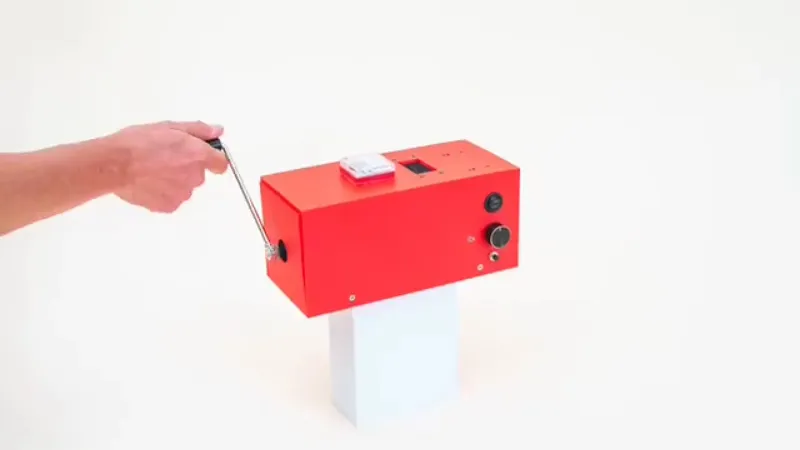
A common complaint about the rise of commercial AI services is that they are power-hungry and thus damage the environment. If this concerns you then [Squeezlabs] has the solution, in the form of an AI powered by a handcrank.
The guts of the system is a Raspberry Pi 5 running llama.cpp and appropriate speech conversions, but it and the Large Language Model (LLM) side are not the most interesting part of this system. The power comes from a hand crank charger of the type you’ll see for sale on the likes of AliExpress, designed for USB charging. That in itself is not enough to power the Pi though, as upticks in the processing can cause brownouts that crash the machine. Thus there’s a custom-made capacitor board to take up the strain, and even with that the handle resistance varies significantly depending on the computing load.
We can see that this is not the ideal way to experience an LLM, but maybe that’s not the point. It does however point towards a future in which the power demands of processing decrease and less effort is required. Meanwhile, this is by no means the first hand cranked project we’ve seen.
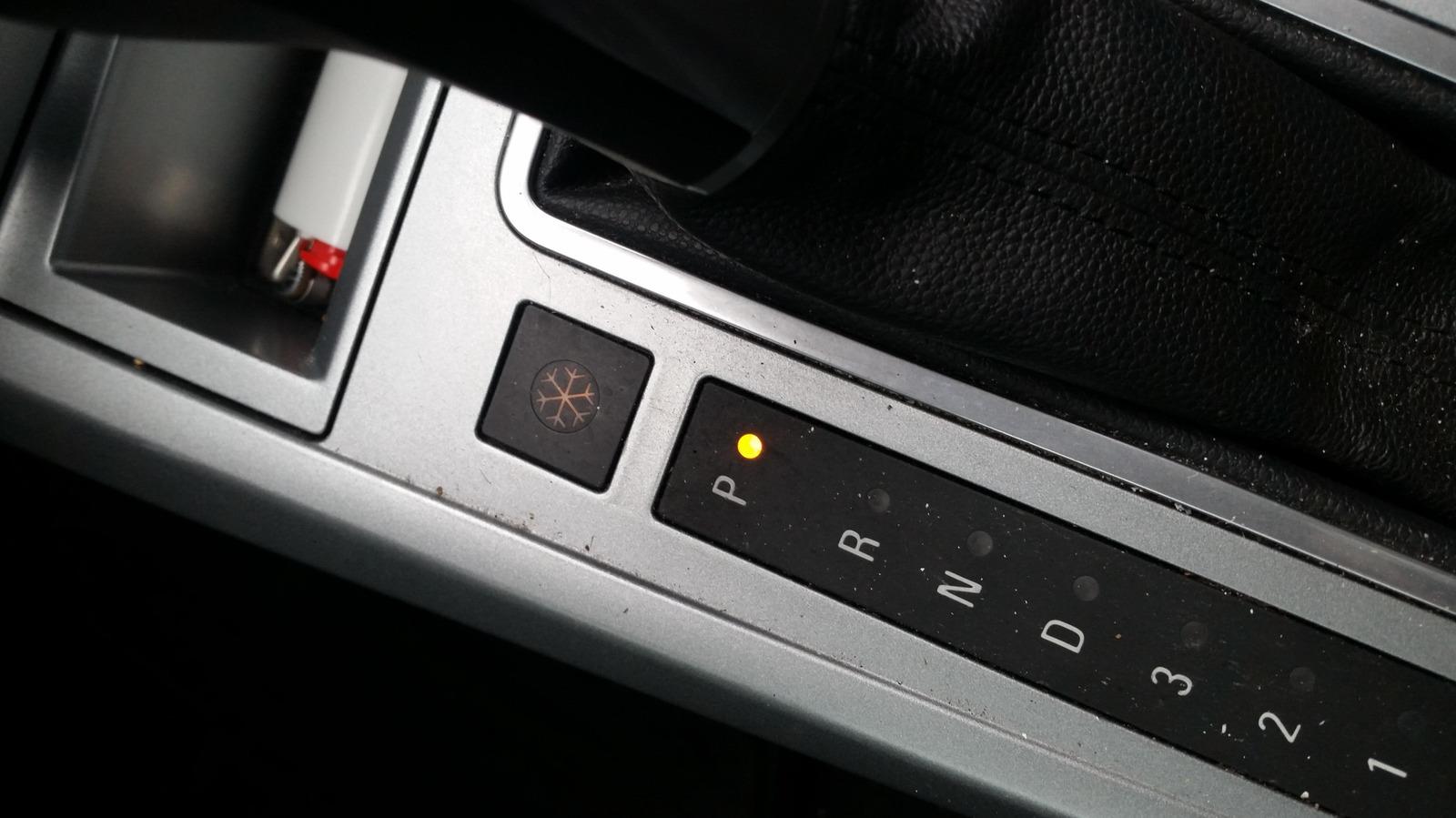
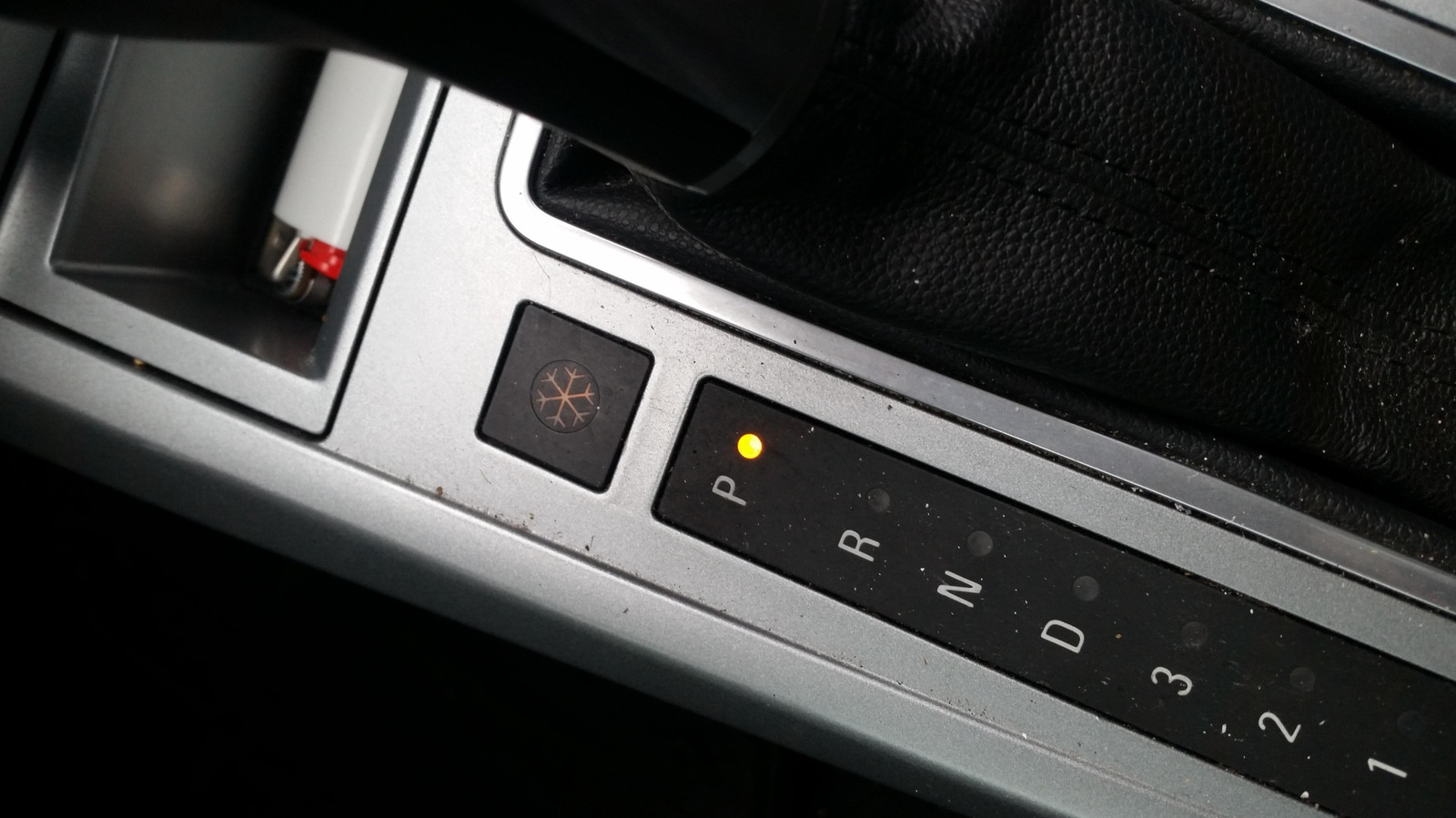
Depending on the car you have and the region it’s sold in, you may have spotted a little snowflake button sitting somewhere near your gear shift. You might be wondering what it does, and even more so if you’ve also got another snowflake button in your car, sitting near the climate controls. The short answer is that it turns on a dedicated Snow Mode, a driver setting that tunes your car for snowy and slippery conditions.
In that kind of weather, it’s very easy for your wheels to spin too quickly and lose traction, so to make up for that, Snow Mode makes your car slower to react when your foot lands on the accelerator. At the same time, the transmission changes its habits, shifting into higher gears earlier than normal – so early, in fact, that it sometimes pulls away in second gear rather than first. Even the traction control, which you should never turn off, gets jumpier and steps in sooner, especially when it senses a wheel losing grip. In Hyundai’s version (available on the Tucson, Venue, and Santa Fe), the wheel spin is checked every fiftieth of a second, and if one tire starts to slide, it quietly shuffles torque over to the others, helping keep you pointed where you actually meant to go.
Snow mode comes in various flavors
Of course, plenty of other brands offer the mode besides Hyundai. On Toyota and Lexus, you actually get proper buttons. Hop into a Highlander, for instance, and you’ll see a Snow button right on the center console, sometimes badged ECT Snow. Lexus uses a near-identical button or switch. Subaru runs its own take too, only it badges the whole thing X-Mode instead of Snow. It’s actually mostly older cars that slap the snowflake symbol on the button, though, like the Saturn Astra.
On most other brands, the snow mode is tucked in alongside their other drive modes. Hyundai routes it through Drive Mode Select, while Ford spins it onto a rotary dial, where it’s sometimes called Slippery Mode. Then there’s Land Rover, which folds it into a combined Grass, Gravel and Snow setting. The mode may be badged differently as well, like Winter or a plain W. On newer models, you may not get any physical button or dial at all and might have to dig through the touchscreen menus to find it. However it’s presented, it basically works the same way across companies, mostly softening the throttle and reining in wheelspin.
When to use snow mode
As for when to use it, the rule of thumb is pretty simple. It’s meant to be flipped on the moment the road turns nasty, whether that’s fresh snow, packed ice, or freezing rain. It also helps when you’re crawling up a slick hill. And some folks even use it in mud, if there’s no dedicated mode for that, since the same low-grip logic applies. The setting is usually pretty flexible too, and you don’t necessarily have to be parked to switch it on. Volkswagen, for one, lets you jump into Snow Mode mid-drive.
As for the other side of things, the mode doesn’t do anything that’d make it unsafe under normal conditions. Still, running it then is pointless since it dulls your acceleration and quietly eats into your fuel economy, so it’s best to flip it off once the pavement is dry. Just keep in mind that it isn’t magic. All it really does is make your car a bit less excitable so it doesn’t get away from you. It won’t save bald tires or rescue you off a sheet of ice. For those more extreme cases, you’d be better off fitting your tires with some of the best tire chains.

Earlier this year, FIFA named YouTube a preferred partner for experiencing the World Cup 2026. On Wednesday, the next step in this partnership was announced, with the inaugural YouTube FIFA Creator Cup. It’s an exhibition match that’ll feature popular content creators from the platform, as well as athletes and celebrities. It’ll take place in New York City on July 12, ahead of the FIFA World Cup Final.
The Creator Cup is the latest step in FIFA’s moves to broaden soccer’s appeal through creator-involved content, potentially reaching the platform’s digital audience. The creators, athletes and celebrities competing in the match will be announced closer to the date.
Being a FIFA preferred partner means YouTube will, for the first time ever, broadcast unique World Cup-themed coverage — including the ability for viewers to stream the first 10 minutes of each game live on approved creators’ channels.
The roster of approved creators includes: Anwar Jibawi, Ara y Fer, Ashley Alexander, Celine Dept, Courtreezy, Deestroying, Haley Kalil, Horchata Soto, Howieazy, Jeenie Weenie, Jenny Hoyos, Jesser, Kelly Wakasa, Kika Kim, KYLECTRIX, Kwak Yoongy, Max the Meat Guy, Neagle, Noor Stars, The Sidemen, Sonrixs, TokaiOnAirRYO, Viniblogger and Zhong.
According to the platform, these creators have collectively amassed more than 350 million subscribers, all specializing in different content niches from sports analysis to food features, social challenges and travel videos. This means you’ll have an array of options to choose from for unique programming featuring your favorite YouTube personalities, all while still getting your World Cup fix.
A YouTube spokesperson didn’t immediately respond to our request for further comment.

Belfast riots live: Nurse ‘attacked’ and 12 cops hurt in night of ‘racist thuggery’

Dorset brewery founded year after US Declaration of Independence hails ‘remarkable milestone’

US Inflation Hits 3-Year High, Pressuring Bitcoin and Gold

HarrisX Poll Found 52% of Registered Voters Support the CLARITY Act

BloFin War of Whales 2026 Grand Prix opens registration for $5M trading championship

Blockchain.com files with SEC for U.S. IPO

Member marapthon dapat kontrak fresh money selama marapthon #bravy #bravysonvconk #radityadika

Most Crypto Altcoins Are Dead.. And Never Coming Back (3 reasons)

Financial System Shock: Why Your Money May Never Work The Same | Mike Belshe
-

 Fashion6 days ago
Weekend Open Thread: Evereve – Corporette.com
-
 Crypto World6 days ago
Jensen Huang Approves Samsung, SK Hynix, and Micron for NVIDIA (NVDA) HBM4 Memory Supply
-
 Entertainment4 days ago
The Best Mystery Series of All Time Is Surging on Streaming 30 Years After It Ended
-

 Crypto World3 days ago
Anatomy of the June crypto crash: Fed, Iran, Saylor
-

 NewsBeat3 days ago
Alexander Zverev wins the French Open to finally earn a 1st Grand Slam title
-

 Tech5 days ago
Suspicious Polyfill login prompts pop up on Toshiba, Muji websites
-
 Crypto World5 days ago
Senator Cynthia Lummis Calls CLARITY Act the Most Consequential Financial Legislation of This Generation
-
 Tech4 days ago
Microsoft unveils seven homegrown AI models in new bid for ‘long term self-sufficiency’
-

 Tech6 days ago
Microsoft launches MXC, an OS-level sandbox for AI agents, with OpenAI and Nvidia already on board
-

 Business6 days ago
(VIDEO) Justin Bieber Delivers Surprise Happy Birthday Serenade to Diners at Los Angeles Mexican Restaurant
-
 Business4 days ago
The Pain Points Taking a Fragile Tech Rally Down a Notch
-
 Crypto World3 days ago
Eli Lilly (LLY) Stock Surges 4% Following Breakthrough Sleep Apnea Trial Results
-
 Business3 days ago
High Stakes for Wembanyama as New York Pushes for 3-0 Lead
-

 Tech5 days ago
Von der Leyen’s AI envoy pick draws conflict-of-interest fire
-
Crypto World6 days ago
LBank Surpasses 25 Million Users Worldwide as AFA Partnership Continues to Drive Global Growth
-
 Tech5 days ago
Hackers now exploit SolarWinds Serv-U flaw to crash servers
-
 Tech6 days ago
Meta steals a tactic from Tesla and builds data centers in tents
-

 Crypto World4 days ago
Trump’s AI Ownership Plan Could Benefit Anthropic at OpenAI’s Expense
-
 Sports2 days ago
Bangladesh beat Australia after 20 years in ODIs, register only their second win over six-time world champions | Cricket News
-
 NewsBeat4 days ago
Alexander Zverev conquers demons and outlasts Flavio Cobolli to win French Open for first major title
You must be logged in to post a comment Login