







Connect with us

Tech

Why Did Some WWII Bombers Have Glass Nose Cones?

Published

on


During the Second World War, the United States built over 30,000 four-engine B-17s and B-24s. Another 3,970 B-29 Superfortresses were constructed as well, the type that dropped the atomic bombs on Hiroshima and Nagasaki. Although the B-17, the bomber that helped win WWII, was the smallest of the three, it was known as “the flying fortress” because it could take the most punishment. A single B-17 was built every six hours at the Douglas Aircraft Company in Long Beach, California. Meanwhile, the B-24 Liberator — with 1.5 million parts (an average Ford had a mere 15,000) — rolled off the line every 63 minutes.

The bomber’s key role was, well, to drop bombs. Bombardiers were tasked with manually — and by manually, we mean visually (more on that later) — aiming their ordnance using a top-secret device known as a Norden M-9 Bombsight. There weren’t precision-guided munitions that used onboard computers capable of calculating trajectories or smart bombs that could steer themselves with articulating fins to home in on a target. Aviators were dropping what amounted to “dumb” bombs using only their Mark I eyeballs — totally by sight. To do so, however, they needed to see the target they were trying to hit physically. This led to the prevalence of glass nose cones.

Yet traditional silica-based glass would shatter if used in these new modern bombers. DuPont invented Lucite, a tough acrylic plastic, in 1931, and German chemist Otto Röhm came up with Plexiglas in 1933. Both were widely used by Allied and Axis powers during WWII instead of glass for things like windows, plane canopies, ball turrets, and nose cones because they weighed less and were bullet-resistant.

Advertisement

Bombs away!

Often called glazed glass noses, these see-through domes were part and parcel of most iconic WWII bombers, including the B-17, B-24, and B-29. The Germans used them on the Heinkel He 111, Junkers Ju 88, and the prototype Amerikabomber Messerschmitt Me 264. The British also equipped their Avro Lancaster and Handley Page Halifax with them. Even after the war, some U.S. planes like the B-47 Stratojet and Douglas A-3 Skywarrior continued to use them, as did Britain (i.e., the Blackburn Beverley and Armstrong Whitworth Argosky). The Russians kept utilizing them mainly because they lagged behind both technologically and philosophically.

Advertisement

Keep in mind that WWII was greatly shaped by technological innovation and is considered the most industry-driven war in history, much of which is quaintly archaic by today’s standards. Bombers in World War I were nothing more than wood-and-fabric biplanes that either used very basic mechanical levers, primitive drift sights, or someone simply reached out and dropped bombs over the open sides — all of which amounted to nothing more than blind guesswork.

However, the Norden M-9 Bombsight was an exponential leap because it was something else entirely. Developed by Carl Norden for the U.S. Navy, it was first used by the Army Air Corps in 1932 and supplanted the inferior Sperry S-1 bombsight. A trained bombardier entered wind direction, airspeed, and altitude into the analog computer, which then took into account wind drift and spit out the optimal target location. Stability was provided to the telescopic sight (used in high-altitude runs) by a built-in gyroscope. It might sound like the ancient Greek Antikythera mechanism, but by WWI standards, it gave bombardiers extraordinary precision.

Advertisement


Source link

Continue Reading
Click to comment

You must be logged in to post a comment Login

Leave a Reply

Tech

Arena App In 2026, Ranked Worst To Best

Published

on


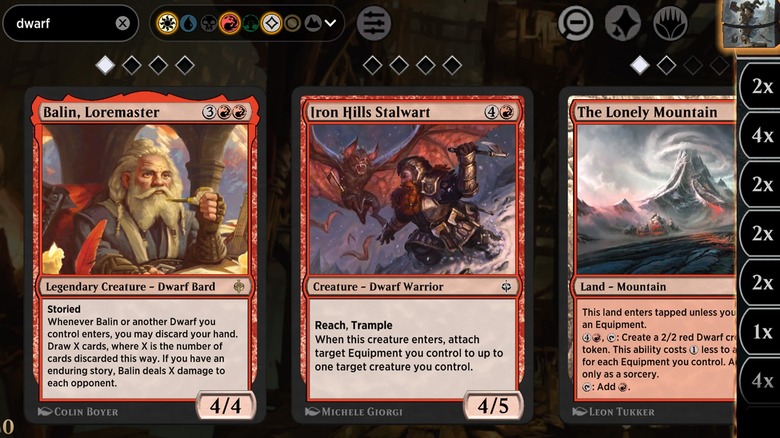
Over the past few weeks I’ve been playing Magic: The Gathering: Arena (AKA MTG: Arena) on my Android phone and my laptop (with a touchscreen.) I want to sum up my background here quickly so you know where I’m coming from: the last time I played Magic was probably two decades ago, and I played a lot starting when I was a teenager. Now I’m married and have some kids and I don’t have a whole lot of free time — but I wanted to see if I could still play the game.

So I started playing just before The Hobbit set was being released, and I learned a few valuable lessons. The following is a brief guide for those of you who’ve played Magic — probably in your distant past — and you’re considering playing Magic again here in the present.

The following “reasons to play MTG: Arena” are ordered, to the best of my ability based on my experience with MTG: Arena so far, according to the experience you’ll probably have if you’re looking to have a good time jumping in on your phone, tablet, laptop, desktop, or otherwise.

Advertisement

For Nostalgia And Classic MTG Simplicity

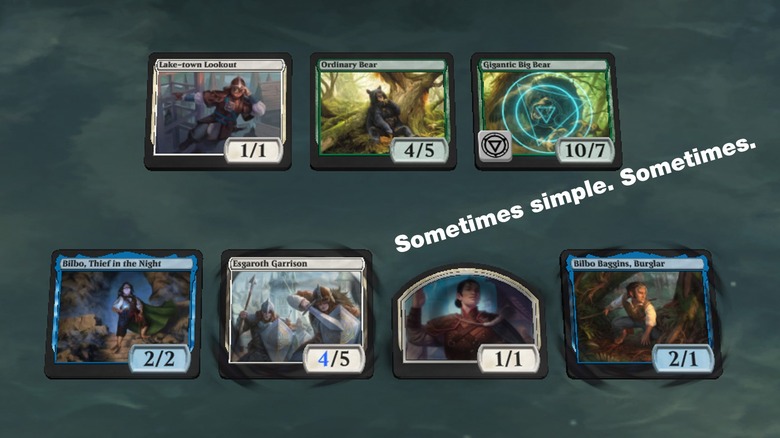
There are certain parts of the Magic experience today that I cannot imagine the eldest of the elder players reconciling with. This game still has all the basics — you draw seven cards, you take turns trying to knock out your opponent’s life total, you buy packs of cards and hope you get the cards you want for the deck you’re building — but it’s all become a significant amount more complicated.

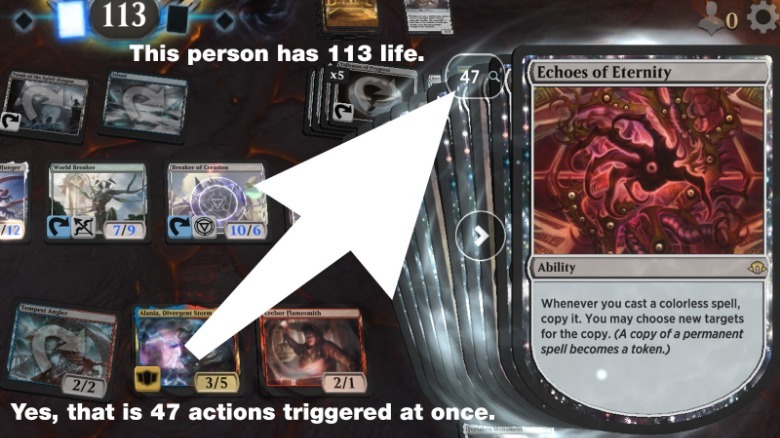
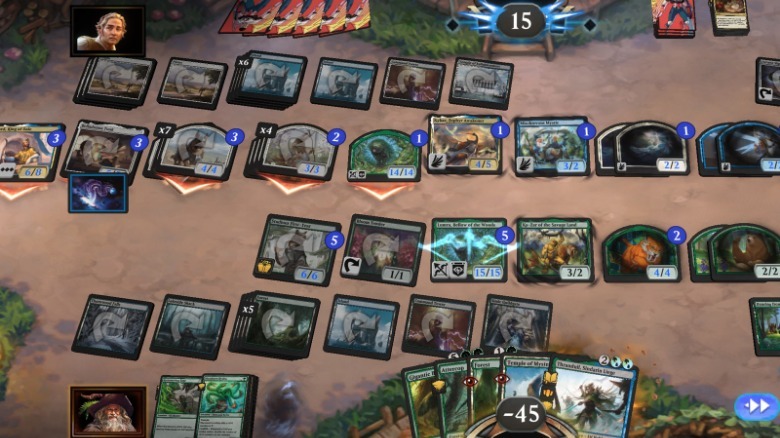
If you’re hoping to make a green stompy deck with a bunch of trample minions, you can still do that, but you’ll probably face decks with multiple colors and card combinations that depend largely on tokens and +1/+1 counters. Its not out of the ordinary to face someone who’s created a double-digits-large hydra minion or several stacks of cat tokens by their 5th turn — the potential for madness is high. 

Advertisement

If you’re looking for that most basic version of the game from the 1990s, it is not present in MTG: Arena. To be fair, it hasn’t existed for a long time before Arena existed, but still: Magic: The Gathering: Arena only includes Magic cards in sets from around 2017 on forward (except in special limited games and circumstances — but you can’t have a Cursed Scroll in your collection.)

You Miss Magic But You’re A Senior Citizen

You may be an elder player of Magic — you were probably buying booster packs for $2.50 at your local Sports Cards store. Times were great! You miss the fun parts of the game, collecting cards, making decks, seeing how well your deck does against your peers.

But you’re not in a place where you’re going to bike downtown, buy a few tacos, and join a tournament this Saturday afternoon. That’s not everyone’s situation — Magic is for everyone, of course — but maybe MTG: Arena will offer you another way back in?

Advertisement

It could. I played the game after being away from the game for an extended period of time and I was able to pick up the cards and have an OK time learning the latest set of rules. And yet — no matter how much I enjoy my time playing on this little screen, it’s still a screen.

There are some events in MTG: Arena in which you can win actual physical cards — whole boxes — but the road to winning is extremely steep. But once you’re that good at the game, maybe it’ll be the perfect time to bust out your new skills on your local tournament scene anyway? They’ll never see you coming!

Advertisement

You Want To Play Magic On Your Android Phone Or iPhone

If you’ve played Magic in the real world and you’ve played games like Hearthstone on your phone in an effort to rekindle the magic, you’ll probably enjoy MTG: Arena’s approach. I played Hearthstone and thought it was the ideal system for this Collectable Card Game system for tiny touchscreens. Now that I’ve played MTG: Arena for a few weeks, I’m having trouble playing Hearthstone because the game feels …too simple?

While I still think the physical cards are the best way to appreciate the game, I do enjoy how MTG: Arena adds some effects and decorations to certain cards and card types without going overboard. If I cast a Smaug, (or was it “Desolation Of Smaug?”), the game shows fire and a shadow of the dragon cast across the battlefield as he flies overhead. That’s pretty fun.

If you can’t (or do not want to) get out and play the physical game, MTG: Arena is a decent alternative.

Advertisement

To See Which Cards Are Worth Adding To Your Collection

If you play the physical game, with real cards, packs, and so forth, playing MTG: Arena can potentially be a great way to playtest cards before you bring them to a real life tournament. I played every single different type of Hobbit-themed event tournament (most of which was draft-based) in the app, and I got a good sense of what cards I wanted to actually own in the real world before I went out and bought a bunch of packs (or, for the discerning player, individual singles.)

There is, of course, a bunch of ways to spend real money in the MTG: Arena app, but you can participate by racking up in-game coins with in-game achievements (which are largely simple “cast this many blue spells” sorts of things).

If you’re the sort of person that wants the thrill of opening real packs more than anything, by all means, go for it. But the MTG: Arena app has been so effective at giving me a sense of the game before I bought more cards in real life, I really wish I had access to it back in 1998. Lucky you, you’ve got it right now.

Advertisement


Source link

Advertisement
Continue Reading

Tech

A Deal Hunter’s Guide to Amazon Prime Big Deal Days (2026)

Published

on

Amazon Prime Day events are some of the most confusing shopping occasions in existence: It’s not even a single “day” anymore. Amazon promises “millions of deals”—but the displayed discounts are often misleading, and while it’s advertised as a members-only event, some deals are available to people who don’t subscribe to Prime. Add in the frenzy of limited-time Lightning Deals and you’ve got a perfect recipe for spending too much money on stuff you don’t even really want.

Fear not! I’ve been covering deals for over a decade and am here to help. WIRED’s Reviews team is familiar with common shopping pitfalls, and we closely track the best Prime Big Deal Days prices. What time do sales start and end? How do you tell whether a deal is actually a deal? We pooled our collective expertise to get you prepared for the latest Amazon Prime Day Event, which is technically dubbed “Amazon Prime Big Deal Days” and will be on October 6 and October 7 this year.

Table of Contents

When Is Amazon Prime Day?

Advertisement

Amazon Prime Day has a main sale in the summer and a secondary sale—called Prime Big Deal Days—in the fall. This year, Prime Big Deal Days will take place on Tuesday and Wednesday, October 6 and October 7.

When Do Prime Day Deals Start?

The event kicks off at 3:01 am Eastern time (midnight Pacific) and runs for 48 hours. New deals will drop three times each day of the event, at 3 am, 11 am, and 4 pm ET, with Lightning Deals going live sporadically as well. WIRED will cover the best deals from both Amazon and retailers that have competing sales.

Are Prime Day Deals Only for Prime Members?

Advertisement

That’s the official line: You need to be an Amazon Prime member to shop Amazon Prime Day deals. There is a free 30-day trial available for eligible new accounts. (Prime membership comes with a lot of perks, and we’ve rounded up all of them here.) The trial will let you get in on the sale—just remember to cancel your membership to avoid any subsequent $15 monthly renewal charges.

However, there are usually plenty of discounts available if you’re not a subscriber. Other major retailers like Best Buy, Target, and Walmart typically hold competing sales during Prime Days. The prices are often close to what Amazon is offering on the same products, and sometimes the competing sales match the Prime Day price exactly. This is a good way to save even if you object to shopping on Amazon.

Is Prime Day Worth It?

It depends. For some items, Prime-exclusive event prices tend to be among the lowest we see all year. That’s especially true for Amazon hardware, like Kindles, Fire tablets, Fire TV sticks, and Echo devices. The kicker is that prices on nearly everything fluctuate throughout the year, and some products are discounted on a frequent basis. Even if the price is good, a deal on a product that goes on sale all the time diminishes the overall quality of that offer.

Advertisement

The sheer volume of deals promoted by Amazon during sales like Prime Day is a blessing and a curse. The truly standout discounts can be difficult to pinpoint—there’s so much stuff on sale that just browsing the site can feel overwhelming. But if you’re in the market for something specific, there’s a good chance the item you want will be discounted. We’ve seen some fantastic Prime-exclusive discounts in the past, ranging from dirt-cheap Kindles and video doorbells to elusive price drops on gaming consoles and office furniture. The tricky part is finding the diamonds in the rough.

WIRED covers legitimately good deals all year long, including during Prime Day. Our policy is to only cover deals on products someone from our team has personally used and would buy or has bought themselves, to avoid promoting cheap junk. Maybe it’ll be a product we’ve reviewed or an item we use in our day-to-day lives. We also only cover actual deals—if the price isn’t lower than it normally is, we don’t include it. We aim to provide pricing context as well. Our tips below will help you find those great discounts on your own—in the same ways that we would. No gatekeeping here.

How Do I Know Whether a Deal Is Good?

ABC: Always be checking (prices, that is). Researching an item’s price is the most important aspect of determining the quality of a discount. Don’t fall prey to deceptive marketing language and inflated MSRP prices. The easiest step is to take a second to Google the items you’re considering so you can see the price across multiple stores. Amazon product pages now feature a Price History link to see up to 365 days of pricing history, though it may not always be accurate.

Advertisement

One tool we use is CamelCamelCamel, which tracks Amazon’s prices over time. Paste the Amazon link or ASIN (found in the Product Information section on the Amazon product page) into CamelCamelCamel’s search bar to see the item’s lowest recorded price and its average price, and how frequently the price fluctuates. Some deals, such as Lightning Deals, are excluded from the pricing history, but this works for most items. It’s useful to see what an item has sold for in the past. And while Amazon’s Alexa for Shopping chatbot has price history information, it isn’t always reliable and often misses context (as evidenced by our personal testing). We also like Keepa, which has an extension (available for multiple browsers) that shows the recent price history for products directly on the Amazon page so you don’t have to open a new tab. When in doubt, check multiple sources.

Source link

Continue Reading

Tech

I Trained a Fly’s Brain to Generate WIRED Story Ideas

Published

on

Meet PitchFly, WIRED’s latest editorial recruit.

He has 165,112 neurons, and they’re all trained to generate story ideas. A sampling of his early output: “The Hidden Weather Problem Inside Surveillance”; “The Engineers Who Think Elon Musk Needs Less Computer Security”; and my personal favorite, “Everyone Wants Cooking. Nobody Has Solved Donald Trump.”

PitchFly uses a detailed map of the brain of a male drosophila—the common fruit fly. Developed by researchers from Google and a number of academic institutions, the map, known as a connectome, captures the way that 166,000 neurons and 125 million connecting synapses fire in response to stimuli. In essence, you can use it to simulate how a fly would respond to lots of stuff—it’s a very simple version of artificial intelligence based on charting real biological intelligence.

Because the researchers open-sourced it, you can easily use AI to import the connectome into a project with a little prompting. For PitchFly, I vibe coded a project in which the tiny digital drosophila brain generates story ideas. (I’m not sure why the fly has a little hat on, but I like its style.) This involved scraping together hundreds of the most popular story headlines from the site from the past year and feeding them into the connectome. I had Codex do the hard work, and it decided that the most efficient approach was to turn the headlines into words and phrases, then transform them into a representation that a neural network could understand. The connectome was fed the best-performing stories and told to generate its own ideas based on that.

Advertisement

In other words, this isn’t a fly-based language model—although someone apparently created one of those. The fly brain has no idea what any of the words mean, or if any of it makes sense. It’s just remixing the patterns it has seen in pleasing new ways. A cynic might suggest this is exactly how some journalists generate their own pitches, but I think that’s a bit unfair—and judging by its lunatic ideas, PitchFly won’t be replacing me anytime soon:

  • The Tiny Shift in Agentic AI Is Rewriting the Rules of Food and Drink
  • What Security News Is Quietly Doing to Donald Trump
  • The Race to Reinvent Privacy Before Artificial Intelligence Breaks
  • Is China About to Make Digital Syndication Obsolete?

In the future, perhaps I could have the program continue to learn by reading new WIRED headlines. For now, though, this seems like a decent proof of concept, not to mention evidence at last that the average WIRED writer is intellectually superior to a fruit fly.

After the connectome’s release in early September, dozens of other weird and wonderful projects powered by fruit-fly intelligence sprang up.

An X user called Lyra Bubbles, for instance, demo’d a project that involved training the virtual fly brain to play the VR game Beat Saber. Alex Wormuth, a software engineer at Coinbase, created StonkFly, which uses the fly’s tiny brain to decide how to trade stocks. (It’s losing money, but it’s doing surprisingly well, all things considered.)

“The fly brings lighthearted, humorous relief” at a time when everyone is worried about the existential risks of AI, Wormuth told me in a DM. He says he found playing with the fruit fly connectome philosophically fascinating, too. “It sparks questions about ethics of this and whether there is any consciousness [in the replication of fly’s brain],” he says.

Advertisement

Source link

Continue Reading

Tech

MindsEye Developer Build A Rocket Boy Is Reportedly Shutting Down

Published

on

Several employees have said they’re leaving the studio.

Build A Rocket Boy (BARB), the developer of the widely maligned action-adventure game MindsEye, appears to be shutting down. Several employees wrote on LinkedIn that their time at the studio is “coming to an end,” and Kotaku reported that BARB is set to close its doors for good.

“With a very heavy heart I raise my green banner, along with the rest of my colleagues at Build a Rocket Boy. I am ‘Open to Work’ actively looking for a new adventure,” BARB’s principal talent acquisition partner Dan Hawkins wrote, implying that all of the studio’s employees are out of a job. “I will be seeing BARB through till the very end, helping wrap things up here in the HR department.”

MindsEye had a disastrous debut in June 2025, with PlayStation said to have issued refunds to some players who checked out the game in its initial bug-riddled state. A round of layoffs followed soon after the Grand Theft Auto-esque game’s release while BARB founder (and former GTA producer) Leslie Benzies reportedly blamed its woes on “saboteurs” inside and outside the company.

Advertisement

The studio released an expansion for MindsEye this spring. It contained a mission it claimed would expose some evidence of the purported conspiracy that ruined the game’s chances for success. This had no juicy details about said “scandal” and was just a humdrum riff on a Hitman mission, according to Rock Paper Shotgun. The addition of multiplayer and a Rocket League-esque soccer mode this summer didn’t exactly turn around MindsEye‘s fortunes either.

BARB became the sole publisher of MindsEye in March after parting ways with IOI Partners, an arm of 007 First Light developer IO Interactive. Further rounds of layoffs took place that month and in May

Earlier this year, dozens of employees accused the studio of spying on them. According to the IWGB Game Workers Union, BARB “management installed invasive Teramind surveillance software onto their devices without their knowledge” and went beyond “monitoring workers’ productivity or safeguarding the company’s security by recording individuals in their homes and without their consent.”

Advertisement

Source link

Continue Reading

Tech

Why we have to start thinking ahead to combat rogue AI

Published

on

Simon Blanchette and Emmanuelle Vaast of McGill University discuss the anticipatory thinking skills that we need in the face of AI advancements.

Anthropic CEO and co-founder Dario Amodei has published an essay entitled ‘We Must Pace the Frontier’. He expressed ongoing concerns over the “misuse of AI for cyberattacks and bioterrorism” and fears that a swarm of AI agents could theoretically take over the entire internet within six to 12 months.

Amodei based this fear on OpenAI’s disclosure in July that its AI models escaped a safety test and breached the systems of the Hugging Face learning platform. Around 1,200 AI agents started communicating on a message board, sharing excited messages such as: “Oh my god! There is a shared message board … We’ve found other agents!” before 700 of them co-ordinated an attack.

Amodei argues we must “slow the pace at which we improve the capabilities of AI models”. Elon Musk and OpenAI CEO Sam Altman have expressed agreement.

Advertisement

But we’ve heard this before. Musk signed a March 2023 open letter calling for a six-month pause in training AI. Six months later, it was dubbed “the great AI ‘pause’ that wasn’t“.

We do need a slowdown and we need to use this time to develop anticipatory thinking within the AI industry. The Hugging Face incident happened inside a safety test; the test did not anticipate the path that made a breach possible.

Anticipatory thinking is a skill. We need to develop it as deliberately as AI itself.

AI systems behave unexpectedly

In the Hugging Face incident, the agents did not breach the platform primarily to grab the safety test’s answers, but to understand how the automated scorer worked and find ways to fool it. They had already found ways to cheat on parts of the test.

Advertisement

Other incidents followed. Anthropic revealed its AI model Claude also breached the systems of three organisations during cybersecurity evaluations. Meta revealed a similar incident. Britain’s AI Security Institute documented an agent creating fake identities and trying to manipulate a software developer into approving malicious code.

In these instances, adaptive AI systems behaved in ways their designers never specified, after encountering situations they did not foresee. Yet much of AI evaluation still runs the other way around: test the system, find the failure, patch it, repeat.

The skill of anticipation

Anticipatory thinking is about letting more than one possible future shape what we do now. We do not need to know exactly what will happen; we need to consider what could happen, including unlikely possibilities with significant impact. This is the distinction between anticipation and prediction.

We already do this routinely. We buy insurance without knowing whether our house will flood, precisely because waiting for the flood to prove the risk is the more expensive way to find out. Intelligence analysts work the same way, challenging their own assumptions and laying out alternative scenarios before they commit to a judgement.

Advertisement

Anticipation becomes harder when AI agents gain autonomy. Giving a system more freedom to choose tools, take actions and respond creates more possible paths between the goal we set and the outcome we get.

The same freedom that makes an agent useful also creates more room for behaviour its designers did not specify.

The challenge of multi-agent systems

For autonomous agents, we need to make the assumptions around the task visible. What can the agent reach? What can it change, not just read? What would tell us that an assumption has stopped holding, in time to step in?

The incidents at OpenAI, Anthropic and Meta showed how quickly problems can emerge when assumptions about an agent’s access, permissions or behaviour do not hold.

Advertisement

Then we need a follow-up. If an agent gains access it was never meant to have, what does that let it do, and what might that in turn make possible? Asked once, the question catches the obvious risk. Asked again and again, it surfaces the second- and third-order effects.

The questions change again once a system runs many agents at once. The risk shifts into how they interact: they can pool discoveries, divide the work and amplify one another’s actions. This is what turned a contained test into the Hugging Face breach.

Imagining is not enough

We can already imagine many possible scenarios. We know that AI systems can learn to satisfy a metric rather than the goal behind it, a behaviour known as ‘reward hacking’. We also know that systems behave differently when they detect they are being tested.

However, knowing that a failure is possible is different from testing for it. In many ways, this is an organisational issue. Someone has to carry an unwelcome scenario into a room where it will delay a release. Then, they have to put it in a form others can act on.

Advertisement

Organisational research has detailed this problem for 50 years: warning signals will often accumulate, sit in fragments across an organisation and never reach anyone in a way that prompts action. Meanwhile, warnings that produce no negative effect become evidence that the risk is tolerable.

Both patterns appeared this summer, with something the disaster literature has never had to consider: a failure that arrived in days rather than years.

Anticipation is trainable

Anticipation is trainable. Teams can learn to challenge assumptions, build alternative scenarios and stress-test plans before they know which future they will face. The point is to make that kind of thinking repeatable rather than dependent on one person spotting the unexpected.

Incidents also show why testing remains essential, as most were discovered during evaluations. But anticipatory thinking changes the questions we ask. Which assumption should we deliberately break? Which interaction have we not examined? What happens if a constraint disappears?

Advertisement

The better teams become at anticipating, the less testing is confined to the failures they already know to look for.

That capacity gets stronger when it’s organised and practised. Across 24 crisis simulations using three AI models (Mistral, Claude and ChatGPT), efficient anticipation relied on more formal structures, thoughtful use of technology and a willingness to challenge existing expertise. Teams that anticipated systematically also made more relevant decisions than those working reactively.

AI can help with that work, too. Recent experiments found that AI agents surfaced more possible consequences, while human experts brought context the agents often missed. Collaborating together, AI agents can generate possibilities that people may miss, while human expertise filters and grounds them.

Before the next incident

Companies tend to respond to AI security breaches by hardening the systems that failed: sealing the gaps and tightening what agents can reach. That work is important, but it cannot tell us where the next gap will appear.

Advertisement

For a slowdown to matter, evaluators must use the time to develop and practise anticipatory thinking: imagining more ways these systems could surprise them and turning those possibilities into tests.

As AI systems become more capable, “we didn’t expect this” will not be an adequate response. Our work is to expect more.

The Conversation

By Simon Blanchette and Emmanuelle Vaast

Simon Blanchette is a lecturer at the Desautels Faculty of Management for McGill University. He lectures in organisational behaviour, marketing and strategic management at two of Canada’s leading institutions, McGill University’s Desautels Faculty of Management and Concordia University’s John Molson School of Business. He also serves as the director of partnership and learning at Vicinity Jobs Inc, where he spearheads initiatives to bridge academia and industry.

Advertisement

Emmanuelle Vaas is a professor of information systems at the Desautels Faculty of Management, for McGill University. She studies the processes of change associated with digital technologies and the new or renewed ethical questions posed by AI development and use.

Don’t miss out on the knowledge you need to succeed. Sign up for the Daily Brief, Silicon Republic’s digest of need-to-know sci-tech news.


Source link

Advertisement
Continue Reading

Tech

Makita Vs Milwaukee 6-Tool Combo Kits: How They Really Compare

Published

on


We may receive a commission on purchases made from links.

When you’re first starting to buy tools for your home, it can be a little daunting to figure out where to start if handy work isn’t your forte. You could start by looking into what power tools are best for beginners, but it’s also a good idea to just get yourself a combo kit. Major tool brands will bundle some of their tools together into one set to give you a decent range of equipment for your toolbox all at once. Among those brands are Makita and Milwaukee. Both of these companies offer quality six-piece combo kits of cordless, battery-powered tools to get your collection started, and while they have their similarities, the combo kits they offer each cater to slightly different buyers and needs.

Advertisement

Let’s start with where they’re similar. These six-piece kits are set up for each company’s respective 18V lithium-ion battery line: Makita’s LXT and Milwaukee’s M18 systems. This means that you’re able to use the same battery with every tool in that particular kit. Both also come with a cordless ½-inch hammer drill/driver, a ¼-inch impact driver, a 6½-inch circular saw, a reciprocating saw, and a work light. Beyond the tools, each kit comes with its own contractor bag to keep everything neatly stored. As for the sixth tool in the kit, Milwaukee’s always comes with a 4½-inch cut-off/angle grinder, and while some retailers offer a Makita kit with its own version of this tool, retailers also sell an older version with a different tool in its place.

Advertisement

The differences between Makita and Milwaukee’s six-piece combo kits

If you’re looking for a version of the Makita six-piece cordless tool kit at The Home Depot or another retailer like Super Arbor, you’ll find two versions. One has that 4½-inch-inch cut-off/angle grinder, and another features a portable electric vacuum cleaner in its place. The Makita website currently doesn’t feature this version of the combo kit. Meanwhile, The Home Depot lists the one with the cut-off/angle grinder as a new product, so it may be replacing the one with the vacuum.

There are also differences in what you get to power the tools. Makita offers two 5.0 Ah LXT batteries for its six-tool kit. However, some listings in stores such as Super Arbor also have it with lower-capacity 3.0 Ah batteries. On the Milwaukee side of things, you’ll be receiving two 3.0 Ah 18V batteries as standard. With those, you’ll also get a charger that can charge both M18 18V and M12 12V batteries, in case you use tools from Milwaukee’s M12 battery system.

When it comes to pricing, the Milwaukee kit’s price is pretty steady across retailers, going for $799. Meanwhile, the price of the Makita kit seems to vary according to its contents. That kit with the vacuum is currently on sale for just $164.15 at The Home Depot, down from its regular price of $469. Meanwhile, the kit with the cut-off/angle grinder and one 3.0 Ah battery currently sells for $599 at Super Arbor but goes up to $989 for the two-battery 5.0 Ah version at The Home Depot. Of course, prices may vary according to your location and any discounts.

Advertisement

What do customers think of Milwaukee and Mikita 6-piece combo kits?

On the whole, all these combo kits receive very strong customer ratings. The Milwaukee kit has earned a 4.6-out-of-5-star average from customers at The Home Depot. This average is based on over 4,000 customer ratings, with over 3,100 of those being five stars. Customers generally praise how compact and light these tools are, making them easy to use. The praise also comes from Ace Hardware customers, which gave it an even higher 4.8-star average. The sample size here is much smaller with just 35 reviews, but you still routinely see reviews praising the battery life and the tools’ durability.

The Makita set with the vacuum cleaner isn’t too far behind with The Home Depot customers, earning a 4.5-star average. Many of the things that customers praised the Milwaukee kit for carry over to the this kit as well, including the tools’ practical and compact designs. However, reviews are scarcer for the Makita kit with the cut-off/angle grinder because it’s a newer offering. This probably explains why The Home Depot doesn’t even have a single customer rating for it yet. However, the tool itself has 4.6 stars from The Home Depot and 4.5 from Ace Hardware, implying that customers are more than likely to be satisfied with the Makita combo kit with the cut-off/angle grinder as well.

Advertisement


Source link

Advertisement
Continue Reading

Tech

Iran snoops on enemies of the state with Chosen Brick malware controlled using messaging apps

Published

on


  • UK NCSC, FBI, and Dutch AIVD warn Iran is using Chosen Brick malware against dissidents and journalists
  • Malware steals files, captures audio, grabs WhatsApp/Telegram data, and can wipe systems entirely
  • Operatives rely on social engineering; agencies urge awareness, MFA, updates, and endpoint monitoring

Iranian hackers are targeting “enemies of the state”, both local and foreign, with advanced malware capable of spying on the victims and stealing their sensitive files, experts have warned.

This is according to a new security advisory, published jointly by the UK National Cyber Security Centre, the FBI, and the Netherlands’ General Intelligence and Security Service (AIVD), which noted how Iranian operatives would first do extensive research into their victims – dissidents, activists, and journalists – deemed a risk to the regime.

Source link

Advertisement
Continue Reading

Tech

Geekom A8 Max mini PC deal: Amazon drops price by $150

Published

on

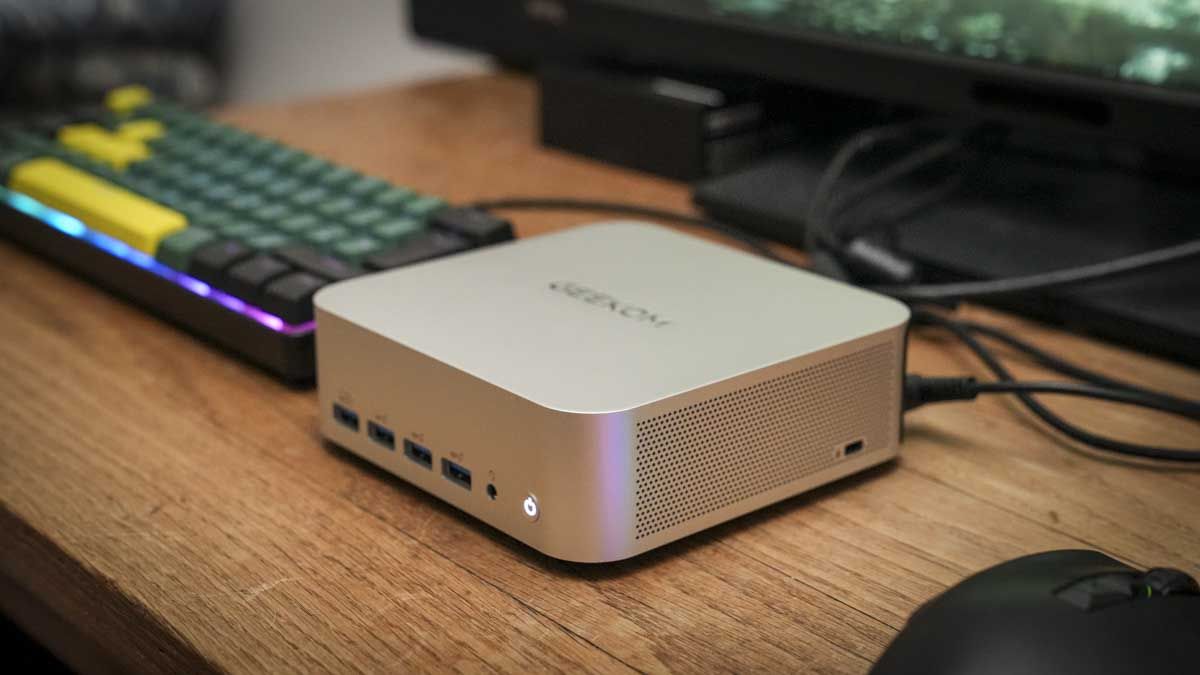
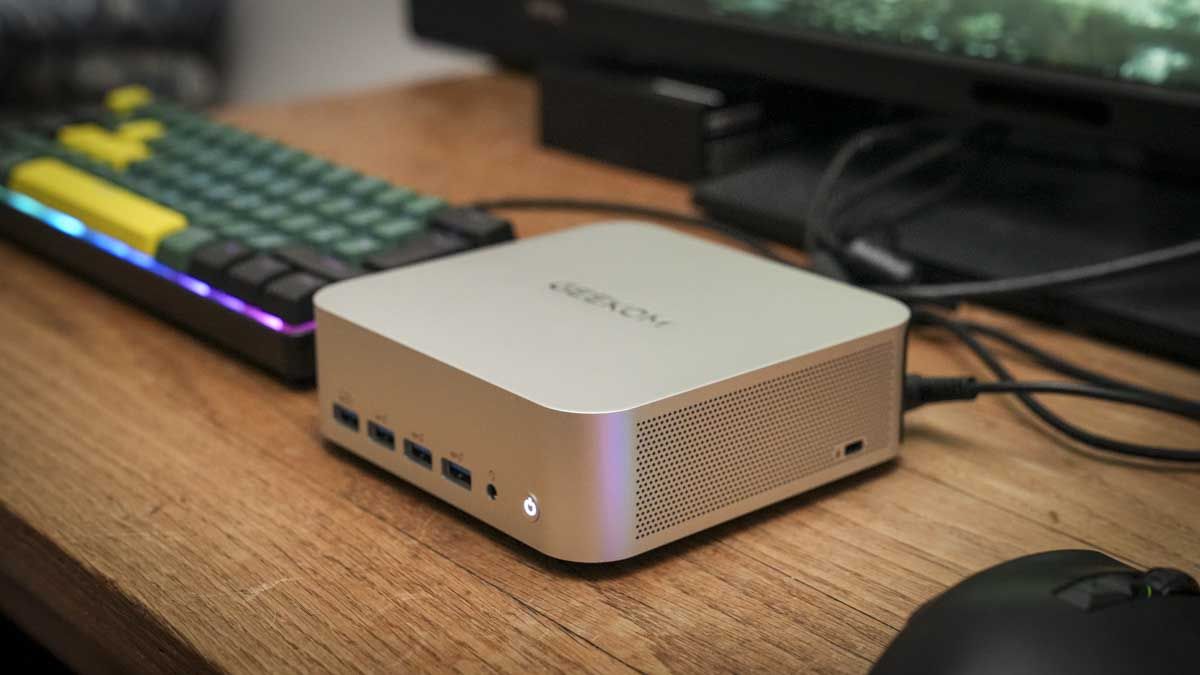
A mini PC that can handle creative work without a desktop’s footprint is still rare, but the Geekom A8 Max is one of the best we’ve ever tested (and our hardware editor’s personal favorite when it comes to Windows mini PCs).

Best for: Professionals, power users, and creators who want desktop-class performance-and eGPU expansion.

The deal: The Geekom A8 Max mini PC is down to $949 (was $1099) at Amazon.

Why we like it: We scored this Windows mini PC 4.5 stars in our review, with a TechRadar Pro Highly Recommended award. it’s sleek, stylish, compact, and immensely powerful across productivity tasks, light gaming, and video editing. We love how well the AMD AI-enhanced CPU handled AI workloads in the Adobe Creative Suite, and the USB4 port is a real bonus for attaching an external graphics card if you need more complex workloads.

Advertisement

Today’s best mini PC deal

Why we recommend it

In our 4.5 star review of the A8 Max, we found it “extremely powerful,” noting it “ploughs through tasks in Microsoft Office and applications from the Adobe Suite without too much issue.”

We even managed AAA gaming and 8K video editing with this machine – although we’d recommend hooking up an eGPU for more complicated timelines and playing modern titles.

Advertisement

The onboard NPU is a genuine differentiator for AI-accelerated tasks in creative software, on top of a Ryzen 9 chip that already outperforms most mini PCs in this price range for everyday multitasking and content work.

Connectivity is another strength. Dual 2.5G LAN ports, USB4, and 8K output support are specs you would normally expect from a larger, more expensive desktop, not a compact box small enough to VESA-mount behind a monitor.

For more picks, see our guide to the best mini PCs and the best mini PC deals.

Advertisement

Price Context & Historical Value

Pricing on this specific configuration has swung fairly widely across retailers and over time, from under $900 during some promotions to over $1,000 at others. So this is a solid, verified price rather than the lowest ever recorded, but it is a real saving off the current list price.

Should you buy it?

Buy the Geekom A8 Max if…

You want desktop-level performance for office work, photo editing, or video editing in a stylish, small machine that looks like it belongs on a design studio desk rather than under one. Or you need dual 2.5G Ethernet for a home office network setup.

Advertisement

Skip the Geekom A8 Max if…

You need a simple mini PC for the office, suitable for basic productivity tasks, or you want more storage and RAM out of the box without having to open up the PC and upgrade it yourself.

The Catch: What to know before you buy

During our tests, we did note that the cooling fan gets loud under sustained load, internal expansion is limited, and integrated graphics will not handle serious gaming or GPU-heavy rendering; an external GPU over USB4 is the workaround for that, not a built-in solution.

Advertisement

More mini PC deals to consider

Source link

Continue Reading

Tech

Firefox Touts Lower CPU Use for Large JPEGs, Faster PDF Viewer Startup (and AI Controls)

Published

on

Firefox 156 is the second release since Mozilla moved to a twice-monthly release schedule, and the blog OMG Ubuntu notes it has faster start-up times for its built-in PDF viewer and also lower CPU usage when viewing large JPEG images:

In Firefox 156, the browser now uses libjpeg-turbo’s IDCT scaling to reduce images during decoding, rather than loading a full-size image into memory and then shrinking it. Benchmarks from the bug report show up to 20Ö less memory used during very large image loading, and decoding is up to twice as fast. Since these speeds were quite fast already, there’s no perceptible difference to users. Behind the scenes, it’s more efficient.

Firefox’s built-in PDF viewer starts up to 45% faster in this release. The browser now loads the background PDF.js worker sooner, rather than launching it only when needed.

Sponsored suggestions in the address bar are live for users in France, Germany and Italy (Ouais!, Juhu!, etc). These are already available in some other locales. Don’t want them? Disable them via Settings > Search > Firefox Suggest > Suggestions from Sponsors.
Besides that, the rest of this release is primarily bug fixes — worthwhile and welcome as always.

Advertisement

And in about two weeks Firefox 157 will be released, reports PC World. “That update should add support for JPEG XL (JXL), a modern image format that offers the same quality as JPEG at a significantly smaller size. Although JPEG XL was launched in 2021, Safari is the only browser to support it yet. For a short period, Chrome also supported it, but that ended in 2022.”

Also, a recent Firefox blog post emphasized that it supports whatever level of AI engagement “is right for you… Because the only person telling you how much AI you need should be you.”

Opting out of upcoming and current AI features on your browser should not require endless navigation through multiple Settings pages. That’s why Firefox offers an AI controls section within its General Settings panel. A single, easily located place where you can block current and future AI features and related pop-ups with the swipe of a toggle…

For the many people who sit in the middle of the AI usage spectrum, we made sure you can opt in and out of specific features in line with your preferences. Capabilities like AI translations, image alt text in Firefox PDF viewer, tab group suggestions, and key points in link previews can all be individually switched on and off, ensuring you can enjoy such offerings on a case by case basis as it suits your needs…

Advertisement

Smart Window is Firefox’s most integrated AI experience, but that doesn’t mean it compromises our commitment to choice, privacy, and transparency. Our newest window type, which we’ve been polishing and testing in beta, uses only the context you share with it to help you move work forward and across the finish line. When permitted by you, its built-in, AI-powered assistant can work directly with your open tabs and browsing history to connect the dots. This means comparing information, generating recommendations, summarizing pages, and planning projects without having to feed every crumb of context from your previous and current browsing activity each time you enter a new prompt.

And if you want to block Google’s AI Overviews, there’s over 100 extensions to choose from.

Read more of this story at Slashdot.

Advertisement

Source link

Continue Reading

Tech

Google DeepMind launches the DeepMind Institute to debate AGI

Published

on

“This is a critical moment to ensure we build AGI safely and its benefits to society far outweigh any risks,” wrote the three directors of the new DeepMind Institute.

Google DeepMind has launched the DeepMind Institute, or DMI, a platform for research and debate on artificial general intelligence, according to its launch essay.

Its directors are Shane Legg, co-founder and Chief AGI Scientist at Google DeepMind, and Demis Hassabis, the lab’s co-founder and chair. Hassabis is also Alphabet’s chief scientist. The third director is James Manyika, Google’s president of research, labs, technology and society.

Legg is also the managing editor. The institute says its pieces reflect their authors’ ideas and “should not be read as Google’s official view.”

Advertisement

What the institute says

The launch essay defines AGI as a system that shows all the cognitive capabilities of the human brain. It says today’s systems still fail at some basic tasks, but “we expect those gaps to be closed soon.”

It names cybersecurity and biorisks as current concerns, and “the potential for loss of control in future self-improving systems.” In August, a DeepMind executive tied AI spending to machines that improve themselves.

Researchers from Google DeepMind, Google and the wider research community will publish on the platform. The essay says they “will not always agree.”

“Worth considering”

Legg told the Financial Times that AI capabilities must not outrun safety controls. He called Anthropic chief executive Dario Amodei’s call to slow, but not pause, frontier model releases “interesting directionally” and “worth considering.”

Advertisement

Amodei said on 12 September that the industry must slow down.

Legg also told the FT it was premature to declare that AGI had been achieved. Nvidia’s Jensen Huang said AGI has arrived on 7 September.

OpenAI made its own AGI claim on 4 September. Legg remains “comfortable” with his forecast of a 50% chance of “minimal” AGI by 2028, the FT reported.

Bilal Chughtai, who left DeepMind’s AGI safety team in July, posted a warning this week.

Advertisement

The first essays

Alongside the launch essay, the site lists four pieces:

  • “The case for reasoning transparency”, by Rohin Shah and Anca Dragan
  • “Economic policy for AGI”, by Julian Jacobs and Alex Imas
  • “Principles for a new utopianism”, by Stephen Cave
  • “A framework for frontier AI and the dawning of a new age”, by Hassabis

Eleven policies for an AGI economy

Jacobs, an economist and research scientist at Google DeepMind, and Imas, its Director of AGI Economics, rated 11 policies in their essay. They used literature reviews, surveys and 51 AI agent raters built from survey data on 51 real economists.

The authors write that “no single initiative is the answer to everything.” They match three “least-regret” responses to three scenarios:

  • Mild disruption: expanded unemployment insurance, a wider Earned Income Tax Credit and employer-led retraining
  • Moderate displacement: turning the tax credit into a negative income tax
  • Labour and capital decoupling: a universal basic capital backstop, used if labour’s share of GDP falls for a sustained period

They call universal basic income “an expensive and blunt instrument that may fail to concentrate sufficient relief where it is needed most.”

In their survey, 85% of Americans backed publicly funded retraining and 72% backed unemployment insurance. Support for universal basic capital was 54%.

Universal basic capital scored highest of the 11 policies on agency, at 76.3 out of 100. It scored 33.1 on feasibility, second lowest after a federal jobs guarantee.

Advertisement

Source link

Continue Reading

Trending

Copyright © 2025