
Tech
Why the ASUS TUF Gaming F16 Quietly Became the Gaming Laptop Worth Grabbing Now



Shoppers looking for a good gaming machine these days are frequently met with component prices that continue to rise, with many top-of-the-line solutions that would have been affordable a few months ago being exceedingly expensive. Against this backdrop, the ASUS TUF Gaming F16 (2025) appears deceptively low-cost at $899.99 (was $1,299.99), as if it’s almost too good to be true.
When you launch a current game, the Intel Core i5 and the RTX 5050 graphics chip at 115 watts create an immediate impression. You can crank up the settings without worrying about it tanking – smooth frames and all, even in the most demanding parts of the game. Even with multitasking, everything runs well, with no juddering or latency.
Sale

ASUS TUF Gaming F16 (2025) Gaming Laptop, 16” FHD+ 165Hz 16:10 Display, Intel® Core™ i5 Processor…
- READY FOR ANYTHING – Dive headfirst into gaming on Windows 11 powered by the Intel Core i5 Processor 13450HX and an NVIDIA GeForce RTX 5050 Laptop…
- SUBTLE STYLING – The TUF Gaming F16 maintains its classic design, boasting a subtle embossed TUF logo on its sleek cover.
- IMMERSIVE VISUALS – The TUF Gaming F16’s FHD+ 165Hz display with 100% sRGB color draws you into the action. Adaptive-Sync technology reduces lag…
In terms of build quality, this thing has it where it counts, as the chassis has passed all military-style endurance tests, drops, vibrations, and high temperatures, all the while being relatively lightweight for its size. Measuring around an inch thick at its narrowest point, it sports a strong metal lid and a reinforced frame, so you get a laptop that can withstand the rigors of daily use without a scratch.

The 16-inch panel is a beast of a screen, with a 165Hz refresh rate and a 16:10 aspect ratio, giving you a lot more vertical real estate than you’re used to, which is just what you need to get more done. Fast-paced gaming runs extremely well, while the anti-glare coating helps keep your eyes from tiring.

The battery life is actually rather impressive for a gaming laptop, thanks to its 90Wh cell. Doing simple tasks like browsing or streaming may give you several hours on a single charge, which is more than many people expected from this type of technology. With rapid charging, you can quickly top it up at the coffee shop and be ready to go for the remainder of the day.
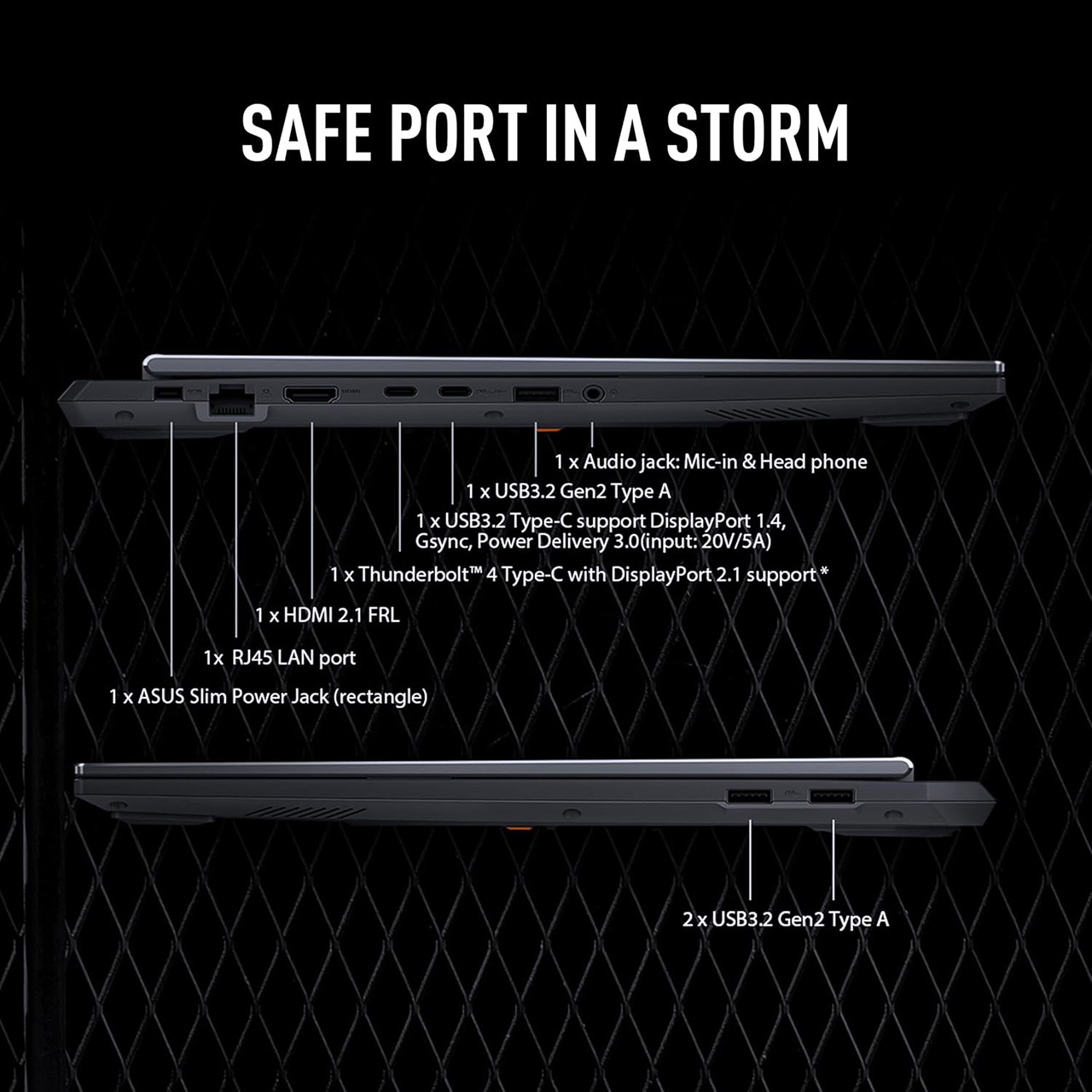
In terms of connectivity, you’ll have all you need to handle almost any situation without having to deal with clunky USB hubs. Connect an external monitor via HDMI or USB-C, connect to a wired network via Ethernet when speed is critical, or plug in a controller or headphones via USB. Finally, upgrades are the only thing that will keep your laptop useful for years to come. You begin with two memory slots (16GB of DDR5 to get you started) and the ability to add more. A PCIe drive has 512GB of storage by default, although more can be added if necessary.


from the 1st-step dept
Progress may be slow, but it’s still progress. While I’ve been talking about the importance of video game preservation as a function of our own overall cultural preservation, very few people out there are actually trying to do something about it all. One of those doers has been Ross Scott and others involved in the Stop Killing Games movement. Scott, a YouTuber, started this whole thing in 2024 and really got it rolling on a second attempt in 2025. In that short period of time, the movement managed to secure some allies in the EU and British governments, ran a successful signature campaign to get the EU to open the discussion on legislative and enforcement remedies, and got that hearing on the schedule.
And that hearing has now been conducted in what many are assessing as a good first step in the process.
The Stop Killing Games initiative now faces increased legislative examination because of its current status as a proposed law. The Stop Killing Games movement brought its digital obsolescence battle to European Parliament this month because its members succeeded in establishing their first political presence. The hearing organized by Ross Scott and Moritz Katzner aimed to expose the harmful industry custom which enables companies to disable online games completely. The movement believes that publishers who stop supporting products which they sold as retail items engage in false advertising which violates consumer rights.
Advocates for the proposed legislation introduced an organized approach to guide lawmaking bodies during the proceeding. The main requirement of their proposal demands software firms to create offline functionality for their products or make their server code accessible as open source when games reach their end of life stage. Scott and Katzner maintained that these products serve as vital cultural heritage items which consumers own through their property rights. The commission members received evidence which showed that abrupt game terminations take away users’ financial resources and time investments while failing to provide proper solutions.
As a more direct reminder, below are the articulated goals of the movement.
- Games sold must be left in a functional state
- Games sold must require no further connection to the publisher or affiliated parties to function
- The above also applies to games that have sold microtransactions to customers
- The above cannot be superseded by end user license agreements
The hearing itself included witness testimony from consumer rights groups in the EU, which is really important. While cultural preservation clearly remains a primary goal of the movement, that goal was cleverly wrapped within claims that there are already laws on the books designed to protect customer rights and property when purchased that many game publishers appear to be pretty clearly violating. Within the hearing itself it was also revealed that the movement has gained even further support from other politicians and advocacy groups within the EU.
It was, by all accounts, a really positive hearing for those of us who care about game preservation. But we do need to temper our expectations as to the timeline for what comes next, because the EU is a big ol’ bureaucracy and this is all going to take a great deal of time.
The gaming community should not expect instant changes to policy according to advocates who received positive feedback from committee leaders. Moritz Katzner explained that the hearing served as an effective platform to present their case yet it stands as the first step in a lengthy administrative procedure. The campaign succeeded in establishing its primary objective by bringing the subject into official political debates but now needs to navigate ledge machinery to convert these consumer rights violations into legal protections which will be enforced across Europe.
And that may, or likely will, take years. But it’s a fight worth sticking out, if you care at all about art preservation and the rights of the public to retain ownership of the things they’ve paid for. And, frankly, if you care about the public domain, which you damned well should.
I’m going to keep coming back to this point, because I think it’s pretty much unassailable. In any copyright system in which the purpose of the limited monopoly granted to a publisher of art is to benefit the public through both the creation of more art as well as those creations ending up in the public domain for everyone’s benefit, then video games being designed such that publishers can disappear them on a whim breaks the copyright bargain. It seems to me that it goes unrecognized too often that if a work of art, including video games, isn’t guaranteed to end up in the public domain eventually, then it shouldn’t be granted a copyright in the first place.
But, for now, it’s nice to see the Stop Killing Games movement having taken the first legislative step. All that’s left now is a whole lot of waiting, advocacy, and combat to be done with adverse lobbying dollars.
Filed Under: consumer rights, eu, eu parliament, ross scott, stop killing games, video game preservation, video games

Bambu Lab’s H2C 3D printer is a powerhouse built for professionals, easy enough for beginners to use, and comes with a price tag to match.

Bambu Lab H2C 3D printer
It’s been a minute since I’ve done any 3D printing. A couple of years ago, I got to try out the Ender 3 Neo, which I thought was neat, but ultimately couldn’t justify keeping around.
I thought maybe 3D printing wasn’t for me. As it turns out, I was very, very wrong.
Continue Reading on AppleInsider | Discuss on our Forums

There’s something deeply relaxing about chucking on a solid pair of headphones, listening to some good music and cleaning muck off structures and vehicles. Not in real life, though. Heavens, no. PowerWash Simulator 2 lets you do that without having to deal with any actual muck — as long as you’re regularly cleaning your keyboard or controller, anyway.
You’ll soon be able to carry out powerwashing jobs in six more locations, all of which are in a galaxy far, far away. In the game’s upcoming Star Wars expansion, you can visit the likes of Tatooine and Hoth to clean the Lars homestead, an X-wing and a Star Destroyer bridge.
Lars homestead in PowerWash Simulator 2 (FuturLab)

Developer FuturLab has created an exclusive powerwasher for these levels, in which you’ll play as a labor droid called P0-W2. You can take on the jobs with up to four friends. Expect a bunch of Easter eggs too.
FuturLab says the expansion is set during the original Star Wars trilogy. You’ll first be taking on work for the Galactic Empire before defecting to the Rebel Alliance (so you’ll literally be dealing with Rebel scum).
The studio has previously brought other franchises into the fold. Those who own the first PowerWash Simulator can snag the Final Fantasy and Tomb Raider expansions for free before they’re delisted at 10AM ET on May 19. There are also Back to the Future and Shrek expansions for the original game.
The Star Wars expansion is coming to PowerWash Simulator 2 on PC, PS5, Xbox Series X/S and Nintendo Switch 2 this summer. It’ll cost $10. In the meantime, spare a thought for those poor contractors whose jobs the P0-W2 droids are taking:

The last time Microsoft reported earnings, it seemed to do everything right, at least by the traditional metrics. Revenue was up 17%, profits soared 24%, and the company’s closely watched Azure cloud business beat internal forecasts.
And then it got absolutely punished.

Microsoft’s stock dropped 10% the next day, wiping out $357 billion in market value. Investors looked past the traditional numbers, focusing on the company’s record $37.5 billion in quarterly capital spending, an AI revenue backlog heavily dependent on OpenAI, and a Copilot product that had reached just 3.3% of Microsoft 365’s commercial base.
The stock still hasn’t recovered, finishing last week down 22% from its 52-week high.
On Wednesday, Microsoft gets another chance, reporting its fiscal Q3 results after the market closes. Here’s a preview of the key numbers and storylines to watch.
Core earnings estimates: Analysts expect Microsoft to report revenue of about $81.4 billion, up 16% from a year ago, and earnings of $4.06 per share, up 17%, according to Yahoo Finance. Microsoft has beaten Wall Street’s estimates four quarters in a row.
Cloud expectations: Microsoft has said it expects Azure to grow 37% to 38% in constant currency (adjusted for fluctuations in exchange rates) in Q3. That would be a slight slowdown from the 38% it posted in Q2. Last time, Azure beat Microsoft’s own forecast but fell short of what analysts were privately expecting, a major factor in the historic stock plunge.
But the Azure number doesn’t tell the full story. CFO Amy Hood said on the last earnings call that if Microsoft had allocated all the GPUs it brought online in Q1 and Q2 solely to Azure (i.e., the company’s cloud customers), the growth rate would have been over 40%.

Instead, the company split that capacity across Azure and its own products and operations, including Copilot, GitHub Copilot, and internal R&D. That means Azure growth is as much a reflection of how Microsoft chooses to allocate its resources as it is a measure of demand.
A leaner Microsoft: Even in just the past few months, Microsoft has moved to cut costs and streamline its operations even as it continues to spend aggressively on AI infrastructure — attempting to demonstrate to Wall Street that it’s staying disciplined on operating expenses.
- The company offered voluntary retirement to thousands of employees for the first time in its 51-year history, targeting workers whose age plus years of service total 70 or more. Hood is expected to discuss the financial details of the program on the earnings call.
- It flattened its management layers and overhauled its compensation structure, reducing the number of pay points from nine to five and decoupling stock awards from bonuses.
- Cloud and sales teams were put under spending and hiring freezes.
- Several senior execs announced their retirement, including Experiences and Devices chief Rajesh Jha, Developer Division leader Julia Liuson, and Xbox chief Phil Spencer.
Capital spending: Microsoft is on pace to spend more than $100 billion on infrastructure in fiscal 2026, up from $88.7 billion the year before, mirroring spending surges across Big Tech. About two-thirds goes to GPUs and other hardware for AI and cloud workloads.
Hood said capex spending would come down from the Q2 figure of $37.5 billion in the last quarter, but it will still be far above the company’s historical levels. Investors will be watching for any signal about whether the pace of spending is set to continue, level off, or accelerate.
Copilot and AI monetization: Microsoft disclosed in January that its Copilot product had reached 15 million paid seats, roughly 3.3% of the Microsoft 365 commercial base of about 450 million, which has since been cited repeatedly as an example of the company falling short.
At $30 per user per month, Copilot represents a large revenue opportunity if adoption accelerates, and any new disclosures about overall usage will make big headlines. If the company doesn’t disclose this number in the new report, it could be telling, as well.
Microsoft’s contracted future revenue more than doubled to $625 billion last quarter, but about 45% of that was tied to OpenAI, thanks to the company’s renegotiated partnership with the ChatGPT maker, raising questions about risk of so much revenue connected to one company.
William Blair analyst Jason Ader noted after last quarter that Microsoft’s contracted future revenue still grew 28% after stripping out OpenAI, and that new contract signings surged 228%.
Microsoft CEO Satya Nadella also introduced a new metric last quarter: “tokens per watt per dollar,” a measure of how much AI output the company gets for each unit of energy and capital it invests. He didn’t give an overarching number, but as an example, Nadella said Microsoft was able to process 50% more OpenAI workload on the same amount of infrastructure as before.
The bigger picture: Not everyone is pessimistic. Wedbush analyst Dan Ives, in two notes to clients last week, argued that the market is underestimating cloud growth and that fears about OpenAI and Anthropic displacing the big cloud providers are overblown.
Ives pointed to more than $650 billion in combined AI infrastructure spending from Microsoft, Google, Amazon, and Meta in 2026, and estimated $3 trillion in enterprise and government AI spending over the next three years. He called the recent sell-off a buying opportunity.
ServiceNow, a major enterprise software company, saw its stock drop 17% on its own quarterly results last week, a sign that business technology spending may be softer than expected.
But Intel surged more than 20% after strong earnings, driven by a 22% jump in data center and AI revenue, a sign that demand for the computing infrastructure behind AI is broad-based.
Earnings avalanche: Amazon, Google, and Meta all report the same afternoon as Microsoft, which means investors will be comparing Azure, AWS, and Google Cloud growth in real time.
Check back Wednesday afternoon for coverage.
If you regularly wear an Apple Watch, you’ve probably discovered the apps most useful to your daily life, like responding to emails and texts, checking the weather and using Apple Pay for contactless payments. But there are host of health apps and features that might not currently be on your radar, and they have the potential to be life-saving.
I spoke with Dr. Lauren Cheung, a doctor at Apple, who reviewed the hidden health features on the Apple Watch and why they were created.
1. The Vitals app for sleep and more
Using overnight health metrics, the Vitals app can reveal much about your health and how it changes day to day. From heart rate and wrist temperature (available on Apple Watch Series 8 or later and any Apple Watch Ultra model) to respiratory rate and sleep duration, you can get a thorough picture of your health from just one glance at your watch.
“When two or more of your metrics are out of range, we will notify you with information about why that might be,” Cheung explained. “How it works is just after you wake up, you might see a notification from the Vitals app. For example, maybe your heart rate and wrist temperature were high — this could be due to illness or alcohol consumption.”
With the health information from the Vitals app, you can make informed decisions about your health. If specific metrics are outside your normal range, you can choose to get extra rest that day or visit your doctor if you have particular symptoms.
How to set up the Vitals app
To set up your typical range, you must wear your Apple Watch for at least seven days. Ensure your watch is not loose on your wrist; otherwise, it might not capture accurate readings.
To set up notifications, go to Settings on your Apple Watch, tap Vitals and turn on notifications.
For sleep specifically, make sure Track Sleep with Apple Watch is set up and Sleep Focus is enabled. To do so, open your iPhone’s Health app, tap Get Started under Set Up Sleep, tap Next and then follow the on-screen prompts. You can also use your Apple Watch’s Sleep app and follow the on-screen instructions.
2. Noise notifications
Your Apple Watch can measure the noise around you and let you know if it’s too loud.
You can use the Noise app on your Apple Watch to measure the sound levels in your environment. You can also enable noise notifications, so your watch can tell you when you’re exposed to dangerously loud sounds.
When asked why noise notifications were added to the Apple Watch, Cheung said, “The world can be loud, and we believe it’s important for you to be educated and empowered about how your environment, and the noise around you, can impact your hearing health over time. That way, you can take action; whether that’s moving to a quieter space or popping in AirPods Pro 2 with Hearing Protection.”
With the AirPods Pro 2 or 3, Apple also offers a Hearing Test that can give you a baseline for your hearing health and help you adjust accordingly. Or you can even use your AirPods Pro 2 as a hearing aid.
How to set up Noise notifications
Simply go to the Watch app on your iPhone, tap My Watch, tap Noise, tap Noise Threshold and then pick a decibel level. Different limits are listed based on World Health Organization recommendations.
3. Ovulation estimates
“The technology is pretty remarkable,” Cheung said. “We created new temperature-sensing capabilities on Apple Watch that help you understand nightly changes from your baseline temperature, which can be caused by exercise, jet lag or even illness. The unique two-sensor design improves accuracy by reducing bias from the outside environment, detecting changes as small as 0.1 degrees Celsius.”
With the Apple Watch Series 8 or later and all Apple Watch Ultra models, this technology allows the Cycle Tracking app to estimate when ovulation occurs. “The reason we can do that is because after you ovulate, there is a biphasic shift, or in other words, an increase in temperature in response to changing hormones,” Cheung said. This can also help improve the Cycle Tracking app’s period predictions.
How to set up ovulation estimates
First, set up Cycle Tracking with fertility predictions enabled and no ongoing cycle factors logged. To do so, open your iPhone or iPad’s Health app, tap Browse on the iPhone or open the iPad’s sidebar, tap Cycle Tracking, tap Get Started and follow the on-screen instructions.
You will also want to ensure you set up Track Sleep with your Apple Watch and have Sleep Focus enabled for at least 4 hours per night for five nights. To set up Sleep, follow the instructions in your Apple Watch’s Sleep app.
4. Fall detection
If you’ve taken a fall and need help, your Apple Watch can help you contact emergency services.
Many Apple Watch users have reported the benefits of fall detection, said Cheung. “For those who have an active lifestyle, they can choose to enable it during workouts — the feature is able to recognize the unique motion and impact of falls from a bike and other workout types,” she said.
If your watch detects a hard fall, it will sound an alarm, display an alert and tap you on the wrist. With the alert, you can either dismiss it by tapping “I’m OK” or contact emergency services. The watch automatically calls if you’ve been immobile for around a minute. After, it will message your emergency contacts with your location. If you don’t have cellular or Wi-Fi coverage, Fall Detection may reach emergency services via the Emergency SOS via satellite system (if available).
Note that Apple Watch can’t detect all falls and may mistake a high-impact activity as a fall.
How to set up fall detection
To enable it, on your iPhone, open the Watch app, tap My Watch, tap Emergency SOS and turn Fall Detection on or off. If enabled, you can choose whether you want it to always be on or only during workouts. This works for Apple Watch SE, Apple Watch Series 4 or later and Apple Watch Ultra or later, and if you inputted your age when you set up your Apple Watch or in the Health app, the Fall Detection feature turns on automatically if you’re 55 or older.
5. Heart health notifications for atrial fibrillation
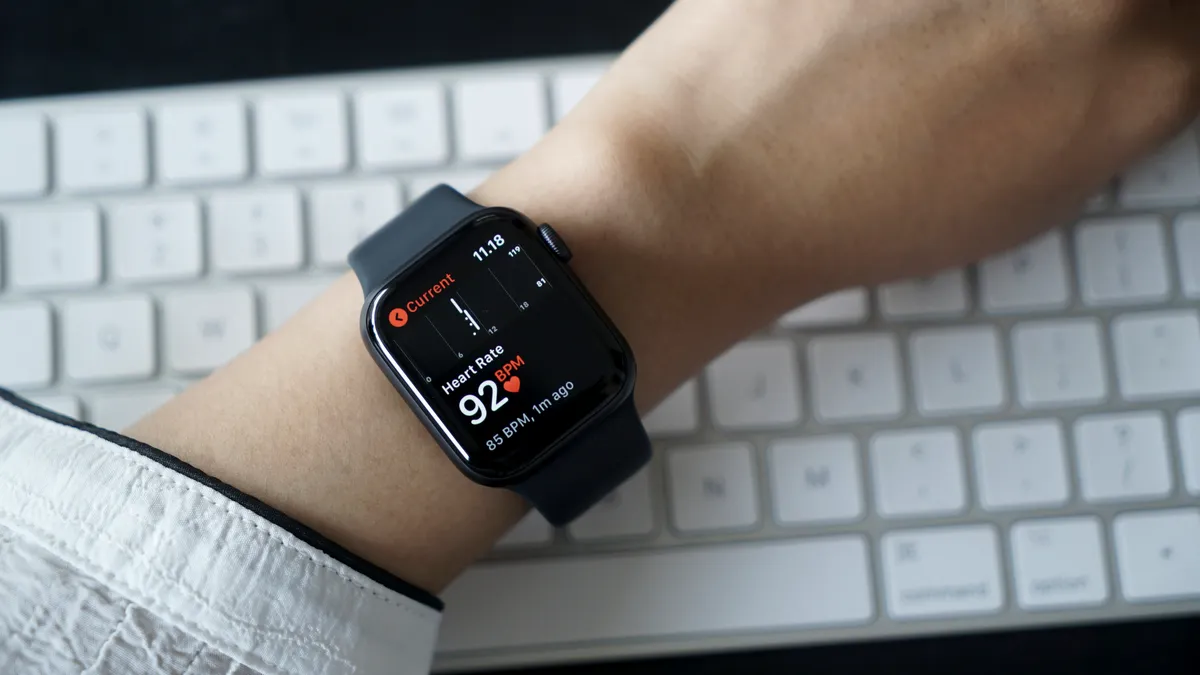
For those with Apple Watch Series 1 or later and people aged 13 and over, you can have your Apple Watch alert you if your heart rate is high or low, or if it has an irregular rhythm.
“For the most part, you don’t have to do anything besides turn them on,” Cheung said. “They work passively in the background as you live your day. If your heart rate is unusually high or low, you can get a notification, so you can take action. And if your heart rhythm shows signs of atrial fibrillation — an irregular heart rhythm — you’ll receive a notification.”
Cheung said atrial fibrillation as the most common type of arrhythmia among adults, which can have serious side effects on your health if not treated. “For instance, it’s the leading cause of stroke,” she said. “And some people with AFib can have little to no symptoms, so they may not even realize they’re experiencing episodes and ultimately may not seek attention.”
If you get an irregular rhythm notification, you can speak with your doctor and even share a PDF that includes information about your heart health notifications and, if you take one, your electrocardiogram. Available on Apple Watch Series 4 or later and all Apple Watch Ultra models, the ECG app allows you to take a test that records the timing and strength of the electrical signals that make your heartbeat.
How to set up heart health notifications
To set up heart rate notifications, go to the Apple Watch app on your iPhone, tap My Watch, tap Heart, tap High Heart Rate and choose Beats Per Minute, tap Low Heart Rate and choose a BPM. For irregular rhythm notifications, open your iPhone’s Health app, tap Browse, tap Heart, tap Irregular Rhythm Notifications and enable them.
6. Time in daylight
Spending time outside in daylight is important for both your physical and mental health.
Your Apple Watch’s ambient light sensor can automatically estimate your time in daylight. If you manage a family member’s Apple Watch, you can also see how much time they spend in daylight.
“There are a few reasons it’s important to be aware of how much time in daylight you’re getting,” Cheung said. “For adults, research shows that spending around 20 minutes outdoors every day has both physical and mental health benefits, including providing essential vitamin D and even boosting your mood.”
Time in daylight is crucial for kids’ vision health. “The International Myopia Institute recommends children spend 80-120 minutes outside each day to help lower their risk of myopia, or nearsightedness,” she said.
How to set up time in daylight
Start by making sure that Motion Calibration & Distance is turned on. You can do so in the iPhone’s Settings app. Tap Privacy & Security, tap Location Services, turn on Location Services, tap System Services and ensure that Motion Calibration & Distance is on.
To view your time in daylight, go to your iPhone’s Health app, tap Browse, tap Other Data and then tap Time in Daylight.
7. State of mind to log your mood
You can log your emotions and daily moods in the Mindfulness app on your Apple Watch, which can help you identify your feelings and notice patterns in your mental health. From the app, you can also take time for a Reflect or Breathe session, which can tell you more about your heart rate once complete.
“Emotional awareness and regulation is an important element of mental health and we’re happy to be introducing tools and resources for our users across the world,” Cheung said. “One of the tools we introduced is State of Mind, which can help tremendously in a few ways. First, the act of using it can create benefits for your mental well-being in and of itself. Second, it can help you identify important insights and trends on what might be contributing to your state of mind so you can take action. And third, it can encourage you to check in with yourself using depression or anxiety assessments in the Health app.”
Cheung added that taking the time to identify our feelings can help us control how we respond to our moods and emotions. This can positively affect our health and, over time, allow us to build resilience.
How to set up State of Mind
In your Apple Watch’s Mindfulness app, tap State of Mind and then tap Get Started if it’s your first time using it. From here, you can log how you feel in the moment or how you’ve felt overall that day. To see your history and patterns over time, open your iPhone’s Health app, tap Browse, tap Mental Wellbeing, tap State of Mind and tap Show in Charts. From there, you can also view how your State of Mind relates to your sleep, exercise, time spent in daylight and mindful minutes.
8. Sleep apnea notifications
Your Apple Watch can let you know if it detects potential sleep apnea, a disorder that can be deadly if not properly treated.
“Sleep apnea is a prevalent disorder where breathing momentarily stops during sleep, preventing the body from getting enough oxygen,” Cheung said. “It’s estimated that sleep apnea impacts more than 1 billion people worldwide and, in most cases, goes undiagnosed. If left untreated, it can have important health consequences over time, including increased risk of hypertension, type 2 diabetes and cardiac issues.”
If your Apple Watch detects elevated breathing disturbances while you sleep for over 30 days, you will receive a sleep apnea notification. From there, you can create a PDF that shows when sleep apnea may have occurred, along with three months of breathing disturbance data and more, which you can then share with your doctor to discuss the next steps.
This feature is available on the Apple Watch Series 9 or later or Apple Watch Ultra 2 or later. Just make sure you have the latest version of WatchOS and iOS. Note that this feature is intended for people aged 18 or older who have not already been diagnosed with sleep apnea.
How to set up sleep apnea notifications
Make sure Sleep is set up. On your iPhone, open the Health app, tap Get Started under Set Up Sleep, tap Next and follow the on-screen steps. Then, wear your Apple Watch to bed for at least 10 nights over 30 days.
To turn on sleep apnea notifications, open the Health app on your iPhone, tap Browse, tap Respiratory, tap Set Up under Sleep Apnea Notifications, tap Next and then follow the on-screen instructions. Under Respiratory, you can also view your sleep apnea notifications and breathing disturbances.
9. Handwashing
With Handwashing, the Apple Watch Series 4 and later can detect when you begin washing your hands and time you until you reach the recommended 20-second duration. The US Centers for Disease Control and Prevention also recommends this as the minimum amount of time. If you stop washing your hands before 20 seconds, your watch will encourage you to keep going. It can even remind you to wash your hands whenever you return home.
“We wanted to find a way to help our users of all ages track their time spent washing their hands, especially during a time when it was particularly important early in the pandemic, so we introduced the feature in 2020,” Cheung said. “The approach uses machine learning models to determine motion which appears to be handwashing, and then uses audio to confirm the sound of running water or squishing soap on your hands.”
How to set up handwashing
On your Apple Watch, open Settings, tap Handwashing and turn on the Handwashing Timer. You can do the same on a managed Apple Watch and set up handwashing reminders.
I won’t pretend I’m above it — I watch Instagram Reels and YouTube Shorts like everyone else, and it usually starts small. A notification pops up, I unlock my phone, and I tell myself I’ll just check one thing. The next moment, I’m deep into a stream of random videos, with no idea how I got there or how much time has quietly slipped away. I’ve genuinely tried to fix it — I set app timers and convinced myself I’d follow them. I even removed Shorts from my YouTube feed, thinking that would finally solve it. I tried apps that promise to limit usage and keep you in check. For a day or two, it felt like I had things under control. Then slowly, almost without noticing, I’d fall right back into the same loop. This habit creeps in during moments of boredom, and suddenly I’m scrolling again.
At some point, I had to admit it — doomscrolling was no longer something I occasionally did; it was something I kept returning to without even thinking about it. Then, almost by accident, I found an app that actually made a difference. It didn’t completely fix everything overnight, but it did something more important. It made me pause and be aware of what I was doing in that moment. And that small interruption was enough to help me pull back before I went too far. It just gave me a bit of control, which was exactly what I needed.
This tiny drawing habit is my new escape route
I’ve been using Dudel Draw on my iPhone for the past few days, and it’s been a surprisingly refreshing change from how I usually spend time on my phone. The idea is simple, but it works — every day, the app gives you a new abstract shape to start with. It could be a random blob, a few odd lines, or something that makes no sense at first glance. And then it’s up to you to turn that into literally anything.

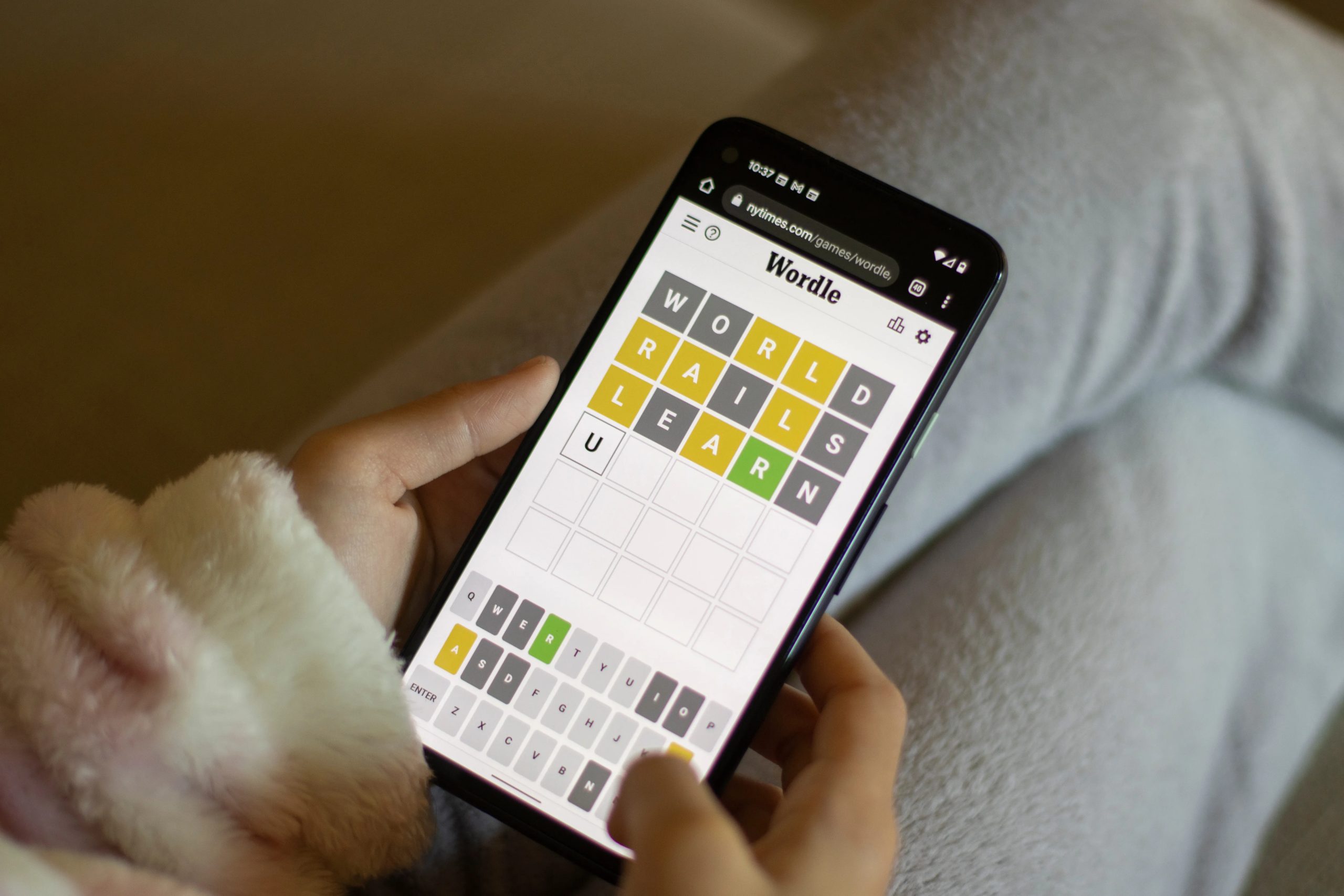
The closest way to describe it is that it feels like a drawing version of Wordle. You show up, you get your daily prompt, and you just go with it. Some days I turn those shapes into objects, other days into characters, and sometimes it’s just chaotic lines that somehow make sense by the end. It usually takes me five minutes, maybe a little more if I get carried away, but that short burst feels oddly satisfying.

What I like most is how effortless it is. There’s no pressure to be good at drawing, no right or wrong outcome. You can either pick the “shape of the day” challenge or just play around with random shapes whenever you feel like it. It doesn’t feel like a task or something you need to be consistent with. It just quietly fits into your day.
For me, it’s become a small ritual, especially when I hit a creative block while writing. Instead of staring at a blank screen, I open the app and start doodling whatever comes to mind. Half the time, I’m just sketching nonsense and humming songs in the background, but it helps clear the noise in my head. Somewhere in that process, ideas start to come back. And almost without trying, it’s also helped me cut down on doomscrolling. I still reach for my phone out of habit, but now there’s an alternative that doesn’t leave me feeling drained. If anything, I come out of it feeling a little more creative, a little more present, and, surprisingly, a lot less stuck.
My daily scroll finally has an exit door
I’m not going to claim that I’ve completely quit Instagram Reels or YouTube Shorts — that would be unrealistic. The habit is still there, and I still fall into it sometimes. But what’s changed is this — I now have something that gently interrupts that loop before it goes too far. Dudel Draw doesn’t demand discipline or punish me for slipping. It simply gives me an alternative that feels much lighter.

And that’s really the difference. I’m not replacing one rigid rule with another. I’m just choosing, more often than before, to spend those few idle minutes creating something. Because for the first time in a while, reaching for my phone doesn’t always end with me feeling like I lost time.
We may receive a commission on purchases made from links.
The National Park Service recently released the results of a study conducted in 2024, intended to gauge the level of preparedness of day hikers and trail runners in Rocky Mountain National Park. This study, summarized here, surveyed hikers and runners about the gear they carried with them, along with personal data and their own opinions about their level of wilderness-readiness. Results showed that most of those surveyed didn’t bring several items from the National Park Service’s 10 Essentials — a list of emergency items posted at most trailheads in national parks, including Rocky Mountain National Park, that includes first aid, navigation, shelter, and hydration.
As a Colorado resident, very amateur hiker, and husband to an impressive person that completed the Colorado Trail by herself, I can attest to a lot of the findings of the field survey. My partner is absolutely capable and incredibly wilderness-prepared on her longer hikes, and often talks about people she’s met on the trail that were woefully underprepared for weather or accidents. While she’s always happy to help, the very nature of, well, nature, means you may not encounter another person if an emergency strikes.
With that in mind, SlashGear has compiled five helpful tools and gadgets campers and hikers tend to forget. These items represent the most-forgotten categories on the survey we mentioned previously — hydration, tools/knife, fire starter, navigation, and emergency shelter — and are products my wife and I have experience with. Hopefully they’ll help readers be prepared for anything on their next trip into the great outdoors.
LifeStraw Peak Squeeze
While the study we’re referencing indicates that most outdoorspeople carry extra water, it also shows that most forget to bring some form of water treatment along for the journey. To some degree, that makes sense — say you’re on a short hike and you’ve brought a big, heavy water bottle (like Shark Tank’s LARQ Water Bottle) in your pack — why waste the space? However, that’s when emergencies happen. One minute you’re wandering off trail to inspect a neat tree. The next, you’re propped up against that tree with a broken ankle, no passersby, and a rapidly depleting water supply. In that instance, the ability to filter water for safe drinking is paramount.
One of the best known brands in water treatment is LifeStraw, the company that makes the popular personal water filter that allows users to drink from questionable sources without worry. While that’s a great gadget to have in a pinch, a better option for most folks is the LifeStraw Peak Squeeze. It combines a lightweight pouch with a removable microfilter, meaning you can use the filter as a straw, or threaded onto another bottle. The pouch and filter are also incredibly pack-friendly, rolling up to about the size of a Twinkie. It’s a logical evolution of the popular straw, allowing you to dip the bag in a stream or pond and filter out almost everything that could leave you regretting that decision.
You can order a LifeStraw Peak Squeeze for around $40 on Amazon.
Ontario RAT 2
Purists will tell you a fixed-blade knife is the way to go when choosing an outdoor knife. They’re correct in that a fixed blade is often stronger and more useful for the tasks you’ll be performing when backcountry camping or in survival situations. For a day hike or overnight camping, something that’s strong and durable, but perhaps easier to pack and carry is a folding knife. While it may not be as sturdy as a fixed-blade knife, that trade off comes with a little more safety and portability. If you’re looking to carry something a little more versatile on your outdoor adventures, check out SlashGear’s guide to multitool alternatives to Leatherman.
A knife I purchased last year after reading multiple positive reviews is the Ontario RAT 2. This is one of the best pocket knives out there. It’s incredibly durable, comfortable in hand, small enough to comfortably carry in a pocket, and super affordable. The RAT 2 features a three-inch blade, a nylon handle, and a little lanyard hole. It’s a no-frills tool, but sometimes that’s what you want in a knife. Mine has kept its edge after a few hikes and several hundred boxes that needed breaking down at work, which is a testament to the quality AUS-8 steel used in the blade.
The Ontario RAT 2 can be ordered from Amazon for about $40; for a more robust selection of handle and blade colors, order direct from Ontario Knife Company’s website.
Pyro Putty Elite Rechargeable Dual Arc Lighter
Fire starters aren’t necessarily something you’d think about while packing a light bag for a day trip, but it never hurts to be prepared. You could bring a lighter and hope for the best with whatever tinder you can find, but if you’re caught by a storm or forced to make camp, having something like Pyro Putty could be a life saver. These little bundles are waterproof, quick to light, and keep burning even in high winds. They’re sticky, allowing you to attach them directly to wood, and even come in special formulas for the season and temperatures in which you’ll be using them.
You’ll still need a fire source to ignite Pyro Putty, like a lighter, match, or ferro rod. You could also invest in the handy Pyro Putty Elite Rechargeable Dual Arc Lighter, a gadget that features a little waterproof storage compartment in its base for a bit of Pyro Putty. It’s rechargeable via mini-USB, glows in the dark, and Phoneskope claims you’ll get 300 arcs out of a single charge. While I’d still suggest keeping a few waterproof matches in your pack just in case, this is a great starter kit for the outdoorsperson or campfire enthusiast in your life. The Pyro Putty Elite Rechargeable Dual Arc Lighter comes with a single pouch of Pyro Putty (which the manufacturer claims can start up to 30 fires) and can be purchased from Amazon for about $30.
McMurdo FAST FIND 220 & Spot X
Most of us consider our cell phones to be our link to the rest of the world, but what happens when you’re outside of cell service range? While that’s not as common an occurrence as it once was, areas where service is still lacking also happen to be some of the most popular areas for hiking and camping — they call it “going off grid” for a reason, after all.
For emergency situations where a phone can’t get a signal, a Personal Locator Beacon is a life-saving last resort. Personal Locator Devices, or PLBs, are devices that send a one-way signal to search and rescue. The McMurdo FAST FIND 220 is among the most popular due to its relatively low price and a lack of subscription fees. It’s waterproof, has a battery life of over six years, and produces a signal to rescue services for a minimum of 24 hours. The Fast Find also includes an LED flashlight programmed for SOS morse code, and can be ordered from Amazon for $275.
There are also two-way satellite messengers like the Spot X, off-grid tech essentials which trade off the super-powerful beacon of a PLB for the ability to send messages and location data to friends. There’s still emergency functionality along with text messaging, but these devices typically require a subscription for service. The Spot X is available on Amazon for $250.
SOL Emergency Bivvy
The most commonly forgotten piece of gear from the National Park Service survey we’re referencing for this article was some form of emergency shelter. Campers or thru-hikers often carry tents for overnight stops, but anyone venturing out into the wilderness, including trail runners, cyclists, and day hikers, should have some kind of shelter on hand, even if it’s just an ultralight space blanket or a tarp they picked up at Harbor Freight.
Bivy sacks, like the SOL Emergency Bivvy, are kind of like an emergency sleeping bag. They’re lightweight, easy to pack, and waterproof, windproof, and heat-reflective. Anyone with a backpack can easily fit this pop-can-sized emergency bag into the bottom of their pack, and at less than four ounces, you probably won’t even notice it’s in there. The bivvy is reusable, and the manufacturer says it reflects up to 90% of the user’s body heat, making it a valuable resource if caught by harsh weather. The SOL Emergency Bivvy includes a rescue whistle and a paracord drawstring that doubles as tinder for starting a fire, comes in safety orange or green, and can be delivered via Amazon for about $25.
We may receive a commission on purchases made from links.
Your Chromebook has an expiration date known as Auto Update Expiry Date (AUE). Essentially, this is the best-by date for Google’s official support, and after that point, your laptop will no longer receive automatic security and software updates. With luck, you may be able to keep using your Chromebook even after that cut-off date, but the lack of updates might become a problem over time. Some apps may no longer work smoothly, and the device may become more vulnerable to security threats.
Once your Chromebook approaches that end-of-life stage, you’ll probably put it in storage and upgrade to one of the best laptops you can buy right now. However, before you put it away or take it to a recycling facility, keep in mind that even an aging Chromebook is not necessarily useless.
You can keep your Chromebook useful by turning it into a digital photo frame, a security camera, and much more. This way, you’ll give your old Chromebook a new lease on life, save money, and even cut back on e-waste.
Use your old Chromebook as a home security camera

There are many ways to make your home more secure, and one of the best is investing in a video surveillance system. The downside is that some of the best smart security cameras for your home and garage can be expensive to install, especially if you want to cover every inch of your house.
Luckily, if you have an old Chromebook, you can just build your own home security camera. Key features of most smart security systems include a camera, a storage system (often with backups being sent to the cloud), a companion app, and a wireless connection. These are capabilities you’ll likely find in your Chromebook. You’ll just need to buy a standalone webcam if your Chromebook’s built-in camera is of low quality.
Your best bet is to look into using a web-based security service that works in Google Chrome, as that’s the most universal and stable way to set this up on a Chromebook. Certain Android apps, such as Camy, may also work. Keep in mind that this can’t replace a full-blown home security system, but it can still be useful if you want to see what’s going on at home when you’re away. Smart cameras come with motion sensors, superior video quality, and night vision.
Turn your old Chromebook into a digital photo frame

You probably have hundreds, if not thousands, of photos that you rarely look at because they often get buried in albums and folders. One way to display them is to put them in a digital photo frame, but unfortunately, high-quality digital photo frames are not cheap. Larger, premium frames like the Skylight Frame can run anywhere between $134 and $300.
If you don’t want to spend that much, you can always go the DIY route, as old Chromebooks can serve the same purpose, too. If you have saved your videos and images on Google Photos, all you need to do is create specific albums and run them as a slideshow in full-screen mode.
To make the experience as smooth as it can be, you’ll want to make your Chromebook run faster. This includes uninstalling unnecessary apps or simply closing the ones you don’t need to run in the background, and then rebooting your laptop. If the photos are in cloud storage, remember that you’ll need consistent internet access to display them.
Replace ChromeOS with Linux
Even after your Chromebook officially hits its AUE date, the hardware should remain functional, but your software options change. Since your browser will no longer receive security patches, it may eventually struggle to load modern websites and web apps. If you notice the system is underperforming, you can reboot the machine, clear the storage, remove unused extensions, or initiate a Powerwash, which is essentially a factory reset that deletes all of your user data except operational or diagnostic information.
You can also consider switching from ChromeOS to a different operating system, such as a lightweight Linux distribution like Lubuntu. This way, you’ll squeeze more life out of your old Chromebook and get access to a decent operating system and new updates. This process often isn’t easy, and we don’t recommend doing it if you’re not comfortable with every step. However, doing this can give you access to a potentially more secure, up-to-date operating system than a post-AUE Chromebook.

Cole Tomas Allen of Torrance, California, appeared Monday in the US District Court for the District of Columbia to face federal charges stemming from Saturday night’s armed assault on a security checkpoint at the White House Correspondents’ Dinner.
Magistrate Judge Matthew Sharbaugh ordered Allen held pending a detention hearing Thursday. The suspect, who appeared on a criminal complaint rather than an indictment, was not asked to enter a plea. He faces three federal counts: attempting to assassinate the president, transportation of a firearm in interstate commerce, and discharge of a firearm during a crime of violence.
Allen, 31, is a Caltech-trained mechanical engineer with a recent master’s degree in computer science from California State University, Dominguez Hills who tutored part-time at a Torrance test-prep company and built indie video games on the side, according to a WIRED review of public databases, which revealed a minimal online presence.
The Metropolitan Police Department claims that the suspect approached a Secret Service checkpoint at the Hilton on Saturday night armed with a shotgun, a handgun, and multiple knives. Agents intercepted the suspect before he could reach the ballroom, where President Donald Trump was preparing to speak.
Witnesses reported hearing several shots outside the room, and agents quickly moved Trump and Vice President JD Vance off the stage. One agent was hit but was protected by his bulletproof vest. Trump later told reporters the agent was unharmed.
MPD interim chief Jeffery Carroll characterized the suspect as a “lone actor” and said he was taken to a hospital for evaluation following his arrest.
Roughly 10 minutes before the shooting, the suspect allegedly emailed his family a “manifesto,” according to the New York Post, which cited two US officials and a copy of the document. In it, the author states they are “no longer willing to permit a pedophile, rapist, and traitor to coat my hands with his crimes”—language the Post read as a reference to Trump.
The writer reportedly said he planned to use buckshot rather than slugs to “minimize casualties” but would “go through most everyone here to get to the targets if it were absolutely necessary,” reasoning that guests who chose to attend were “complicit.” The document also mocks the Hilton hotel’s security: “I walk in with multiple weapons and not a single person there considers the possibility that I could be a threat.”
Within hours of the attack, Trump and a chorus of administration officials, GOP lawmakers, and right-wing influencers seized on the shooting to demand construction proceed unimpeded on a $400-million, 90,000-square-foot White House ballroom Trump is building on the demolished East Wing—a project mired in litigation from the National Trust for Historic Preservation, which argues he sidestepped Congress.
“This event would never have happened with the Militarily Top Secret Ballroom currently under construction at the White House,” Trump posted to Truth Social Sunday morning.
The White House Correspondents’ Association, which hosts the dinner, is not a White House organization—it is an independent nonprofit of journalists who cover the administration—and there’s no indication it would agree to hold the event, which is billed as a celebration of press freedom, inside the executive mansion.

Americans lost $2.1 billion to social media scams in 2025, an eightfold increase since 2020, according to a report released Monday by the Federal Trade Commission.
Nearly 30% of Americans who reported being a victim of a scam last year said the scam originated on social media, with Facebook most frequently being identified as the social media platform where the scam originated, according to the report. Fellow Meta-owned platforms WhatsApp and Instagram were ranked a distant second and third, the FTC said.
“In 2025, people reported losing far more money to scams on Facebook alone than they reported losing to text or email scams,” the commission said.
Scams originating on Facebook cost users $794 million in 2025, while WhatsApp and Instagram combined for $659 million in losses.
Representatives for Meta didn’t immediately respond to a request for comment.
Read more: Crypto Scams and Senior Fraud Drive $21 Billion in 2025 Cyber Theft, FBI Reports
The FTC said social media scams largely fall into three categories: investment, shopping and romance. The greatest amount of money — $1.1 billion — was lost to investment scams often rooted in ads or posts offering a program to teach investment techniques.
Shopping scams were the most reported social media scam in 2025, with more than 40% of social media scam victims reporting they got ripped off by ordering something they saw in a social media ad — “everything from clothes and makeup to car parts and even puppies,” the agency said.
Romance scams are also popular on social media. Nearly 60% of people who were victimized by a romance scam in 2025 said it originated on a social media platform. “Scammers often tailored their pitch based on people’s profiles, later inventing a crisis requiring money or casually offering investment advice to draw them onto a fake investment platform,” the FTC said.
All age groups, except those 80 or older, reported losing more money to scams that began on social media than to any other method of contact.
To avoid being a victim of social media scams, the FTC advises consumers to limit who can see their posts and contacts on social media. Also, never let someone you have met only on social media make your investment decisions.
And before buying something you’ve seen advertised on social media, do research on the company at the FTC.
If you suspect you have been a victim of a scam attempt, report it to authorities, such as the FTC’s website.
Radio 2 Breakfast host Sara Cox uses 59p-a-day growth tablet hairdressers love

Critics Push Back Against Developer’s Plan to Reassign Satoshi’s Coins in eCash Fork

NBA Playoffs Sunday Recap: Rockets, Celtics and Spurs

Manchester United reach agreement with Casemiro over contract clause amid transfer speculation

US brings back mandatory military draft registration

Steven Gerrard disagrees with Gary Neville over ‘shock’ Chelsea and Arsenal claim | Football

Aries Spears: I Hate Floyd Mayweather’s Personality, It’s All About Money (Part 12)

COMO SE PROTEGER DO COLAPSO DO DINHEIRO (ANTES QUE SEJA TARDE) | Crypto Never Sleeps #48

crypto futures trading #trading #crypto #bitcoin #shorts
-

 Fashion3 days ago
Weekend Open Thread – Corporette.com
-
 Tech11 hours ago
Register Renaming | Hackaday
-
 Crypto World2 days ago
Hyperliquid $HYPE Rally Builds Momentum as AI Sector Enters Prove-It Phase
-

 Politics5 days ago
Making troops accountable for war crimes threatens US alliance, ex-SAS colonel warns
-

 Politics5 days ago
Disabled people challenge government SEND proposals over segregation concerns
-

 Business4 days ago
Patterson-UTI Energy, Inc. (PTEN) Q1 2026 Earnings Call Transcript
-

 Business6 days ago
Rolls-Royce Voted UK’s Most Iconic Trade Mark as IPO Register Hits 150
-
 Crypto World7 days ago
Five Value Stocks with Recovery Potential in 2026: PayPal (PYPL), Nike (NKE), and More
-
 Sports2 days ago
IPL 2026: Ruturaj Gaikwad registers slowest fifty of the season, enters all-time unwanted list | Cricket News
-

 Politics5 days ago
Starmer handler McSweeney to be dragged from shadows by Foreign Affairs Committee
-

 Politics5 days ago
Zack Polanski responds to home secretary’s taser threat
-
Politics5 days ago
Wings Over Scotland | How To Get Away With Crimes
-

 Crypto World6 days ago
New York sues Coinbase, Gemini over prediction market offerings
-

 Politics7 hours ago
Drax board avoid their own AGM, accused of greenwashing & environmental racism
-
Entertainment7 days ago
Sydney Sweeney cameo cut from “The Devil Wears Prada 2”, source explains why (exclusive)
-
 Business6 days ago
HCL Tech share price tank over 9% after weak Q4. JPMorgan, HSBC & 3 others cut target price
-

 Crypto World6 days ago
Crypto’s great hope in Senate’s Clarity Act still has a path to survive tight calendar
-

 Fashion7 days ago
Kilkenny Design New Beauty Arrivals for Spring 2026
-

 Politics5 days ago
‘Iran is still a nuclear threat’
-
 Sports5 days ago
Tim Bradley names the current best in the world: “Better than Inoue and Usyk”
You must be logged in to post a comment Login