Following the release of the BGMI 4.4 update, KRAFTON India has introduced another batch of redeem codes for players. This time, the company has brought back the fan-favourite M416 Glacier rewards along with several limited-time cosmetic items. The new reward campaign gives players more ways to customise their gameplay experience with exclusive skins and collectibles. Since the reward is available for a limited time, many users are attempting to redeem the codes quickly.
M416 Glacier Redeem Codes
LHZBGZENU5JFHPTM
LHZBHZWAGTMFM4A4
LHZBIZBQ65BVCM8K
LHZBJZFPCR5UWAFH
Active BGMI Codes
The newly released BGMI redeem codes are available for a limited time and will stay active until July 9, 2026.
KQZCZP5H9CN99N3U
KQZDZP5HXDQJMSMK
KQZEZH55U3R7FUCR
KQZFZ9HTUPJE8G9W
KQZGZ89NNXG4J49G
KQZHZH6496VWDEKV
KQZIZDNJMG87VQNQ
KQZJZDWRCFD4PB8R
KQZKZQXTMU3NDPKC
KQZLZ3H6DBFW58XQ
KQZMZP3SECNDBKE9
KQZNZM9BTAHCGEFX
KQZOZH8B376CWBMC
KQZPZCSQBH9KC7CR
KQZQZDVMB5977NJ4
KQZRZXSJ7U6D4UMW
KQZVZRD9WQ84DNQP
KQZTZFUSXPNHJPWQ
KQZUZN95M45RW3FU
KQZBAZJN9XWNNAPE
KQZBBZEW3B4FEAHF
KQZBCZ578M9436FR
KQZBDZPVQ9SWQJK8
KQZBEZSXF3FT68MP
KQZBFZ5MJVWWRRCW
KQZBGZQHPJUTKQPK
KQZBHZ6MXTBQH8XX
KQZBIZCMG9SFM4BD
KQZBJZ4QMDVWEHTE
KQZBKZ4QRKW79QH9
KQZBLZ6HMHRTRB9E
KQZBMZPQVP5JK8CN
KQZBNZGXTNRH58KW
KQZBOZ3GJW9D5ETD
KQZBPZJXDCTANBRG
KQZBQZ5G68Q8HBUQ
KQZBRZUHNJV3BA65
KQZBVZTWFV7HPW5R
KQZBTZHP4EPUU6VB
KQZBUZ47KH85ARFD
KQZCAZR8WDGM89A5
KQZCBZBNHR5UPQUD
KQZCCZSEA5W7H86A
KQZCDZT8Q7S4C4EG
KQZCEZGUV8M5XVUN
KQZCFZEDN45XFH9T
KQZCGZNDQKDNJETB
KQZCHZWUVSK3F345
KQZCIZBGNGF8VHXR
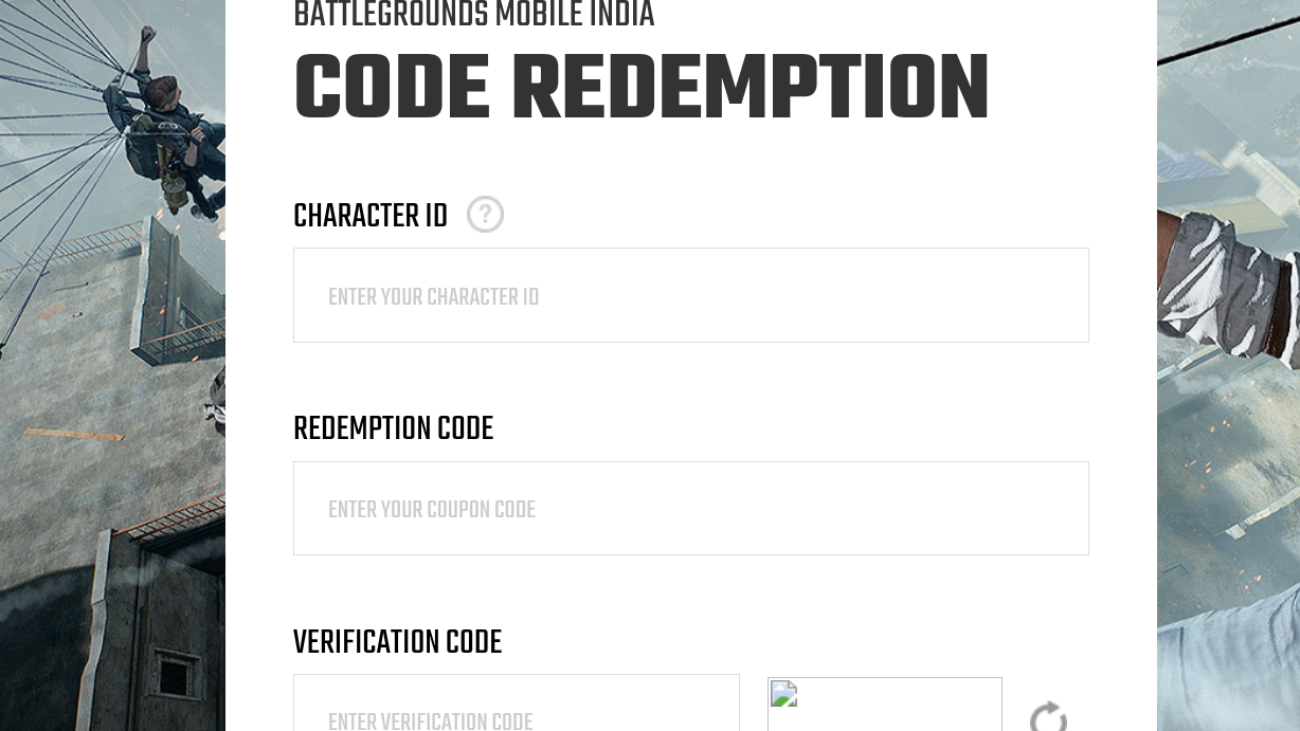
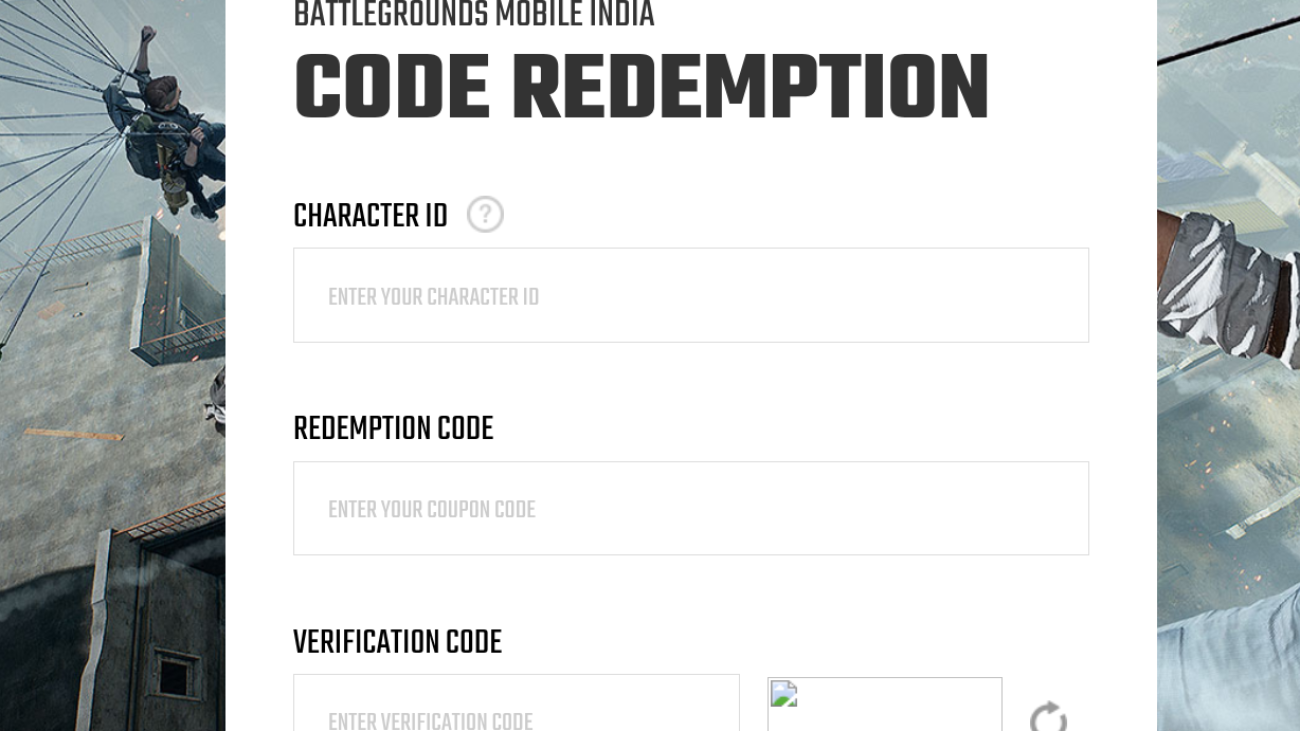
How To Redeem BGMI Codes?
Follow these easy steps to claim your free rewards in BGMI:
Players should also be aware of a few important points before redeeming BGMI codes. Each code is valid for only the first 10 users, so redemption is on a first-come, first-served basis. A single code cannot be used more than once by the same player. Rewards are sent via in-game mail and must be claimed within 7 days of receiving the message.
After receiving the mail, rewards should be used within 30 days. If the user limit is already reached, you will see a “code expired” message. In addition, only one code can be redeemed per account per day, and guest accounts cannot use these codes.
How To Get More Codes?
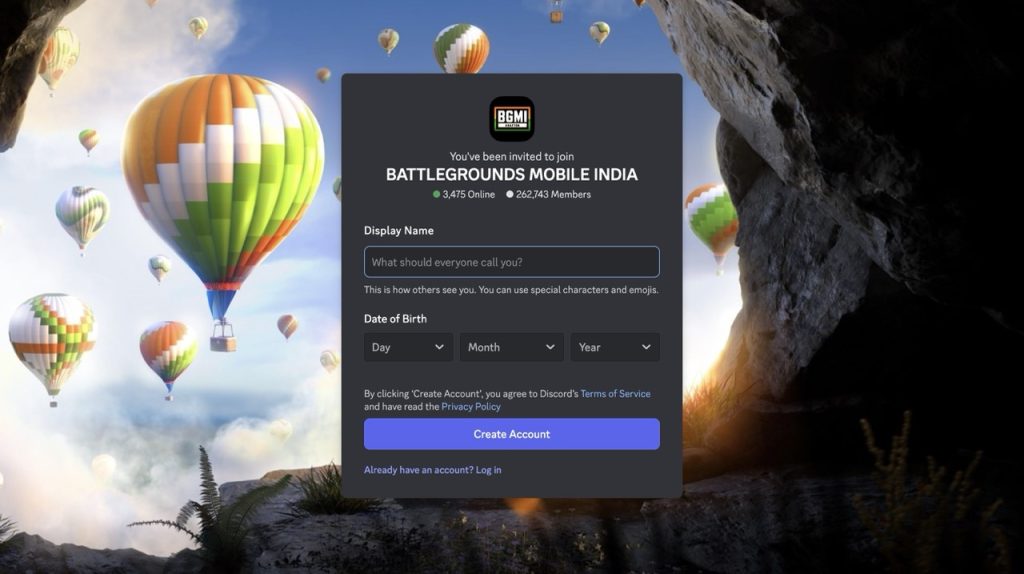
If you want to stay updated on the latest codes but don’t want to search for them manually, bookmark this website, as we scour the internet every day for the latest content. Also, join the official BGMI Discord server, and keep an eye on the announcements section.
BGMI Codes Not Working?
Generally, the BGMI redeem code doesn’t work due to incorrect spelling or a typing error. There should not be any missing or extra characters while typing the code. The second most common reason is that the code has already been used by 10 players, due to its usage limit. You should keep in mind that codes are case-sensitive; the letter formatting should be correct.
The Indian smartwatch market is a unique one. Unlike the rest of the world, where only established players like Samsung and Apple dominate, here in India, we have about 10,000 brands, each competing on razor-thin margins to attract consumers to their smartwatches (or should I say, smartbands repackaged as watches). This makes standing out in the sea of Apple Watch clones all the more difficult. One company that’s never really had that problem is Nothing. Their design language is unique, fun, and stylish. The company’s sub-brand CMF also makes plenty of accessories, including smartwatches.
In 2024, CMF launched the Watch Pro 2, which won the hearts of both experts and users for being a competent yet feature-rich take, with some fun additions. It’s been two years since that announcement, and CMF has just come out with its successor, the Watch 3 Pro (yes, the naming has changed). CMF says the 3 Pro brings many upgrades, including a bigger display, improved GPS, and sleep tracking. But is that enough to justify the new, higher sticker price of ₹7,999 or $99? To find out, I got the CMF Watch 3 Pro a couple of weeks back and put it against my Galaxy Watch. Spoiler alert: It’s really good.
CMF Watch 3 Pro
Hisan Kidwai
Advertisement
Summary
The CMF Watch 3 Pro is one of the best budget smartwatches on the market today. You don’t get gimmicky features. Instead, the design is unique in a fun yet stylish way, with a large dial and a bright AMOLED display that keeps animations fluid at 60Hz. The companion app is slick, and features like ChatGPT integration and Essential News are a decent addition. Workout tracking is fairly accurate, even compared to more expensive watches, and the running coach is genuinely helpful.
Advertisement
Design & Hardware
If you remember the last CMF Watch Pro 2, the 3 Pro would feel right at home, except that all the dimensions have been beefed up. There’s a new 1.43-inch circular AMOLED (up from 1.32 inches) and bezels that have been made slimmer. The panel’s rated for a peak brightness of about 620 nits, and I had no trouble reading notifications on a super-hot day and sending the curated quick replies. The 60Hz refresh rate is plenty to keep most animations fluid.
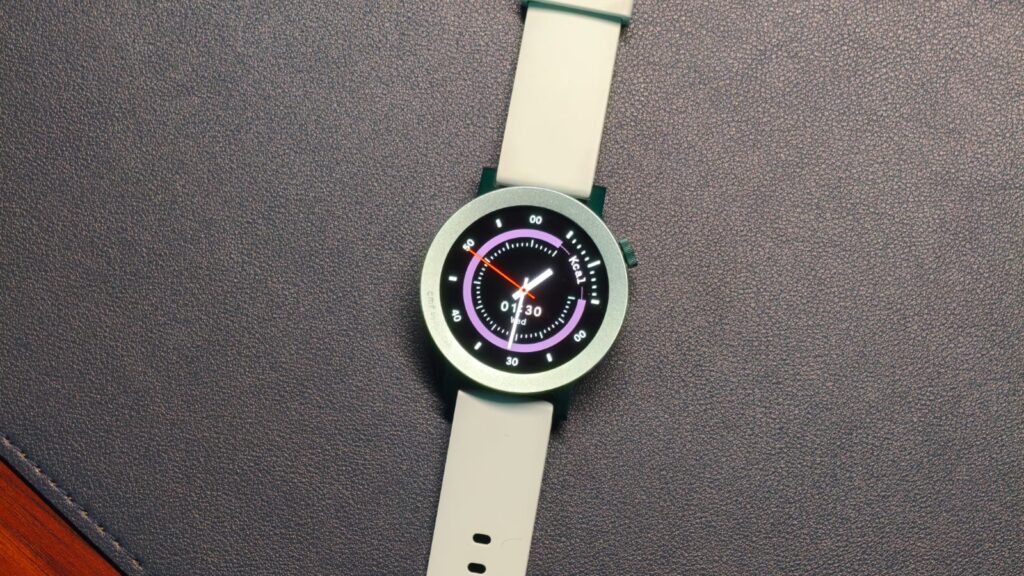
Returning to the design, you get four options. You can either go with my Light Green variant, which is a bit playful, or opt for the understated black look. Both these models have a color-matching ring, which I wish had a rotating dial, but we can’t ask for much at this price. If these two aren’t your vibe, there’s also orange, which feels a bit more rugged with etchings on the ring. At last, we have the light grey that houses a more curved, rounded ring that looks really good, at least to me.
But, you might wonder, why am I bothering with bezel options when CMF allows users to swap them as they wish? Sadly, the swappable bezel feature is gone. You cannot customize the watch, which was such an innovation to add personality. So, choose your design carefully. That complaint aside, I really do love the Watch 3 Pro’s design. You get a single rotating crown that’s used to navigate through the different menus and also serves as a button.
As far as comfort is concerned, there’s nothing to complain about here. The silicone strap is gentle enough not to irritate the skin and offers plenty of adjustments for different wrist sizes. Speaking of size, you might have already noticed that despite years of struggle in the gym, my wrists are thin. To me, the 47mm dial just looks too big, which is something I see many people, especially women, struggling with. Still, if you have big wrists, the CMF Watch 3 Pro would look perfect.
Features & Companion App
The CMF Watch 3 Pro runs on Nothing’s proprietary OS, and after spending years on WatchOS, it’s a breath of fresh air. Often, budget smartwatches feel laggy because no brand spares enough resources to optimize the UI. Well, that’s not the case with the Watch 3 Pro. Nothing has kept the software fairly clean, and everything just works. I didn’t experience any delays or jitters when switching between apps or toggling between workouts. The design language is unique and minimal, with plenty of black-and-white themes. I’d love to see a bit more color, since it’s an OLED display, but it works nonetheless.
While no third-party app support can be a bit of a bummer to some, Nothing has bundled quite a few features to curb that appetite. The newest addition is Essential News. It uses AI to gather today’s headlines and read them out to you. I tried it, and it works fairly well.
What is great, though, is the ChatGPT integration. Basically, there’s an app that lets you directly talk with the AI assistant for quick questions when you might not want to pick up the phone. There’s also a new transcribing feature that lets you record voice notes on the watch itself and transcribe them over on your phone.
Unlike its predecessor, the new watch pairs with the Nothing X app. It’s very polished, and there are many more health-tracking options. These include the ability to configure the frequency at which your heart rate is recorded. You can also configure what the watch does when you rotate or shake your arm.
Advertisement
Performance & Battery
Regardless of all the bells and whistles, the most important thing for any smartwatch is the tracking ability. It’s hard to get accurate numbers, especially when we have some watches that even measure a table’s heart rate. Fortunately, the CMF Watch 3 Pro does none of that. I put it against my trusty Galaxy Watch, and for the most part, it kept up. Heart rates on both watches were very similar, with a variation of just 2 BPM. I’m pretty active in the gym, so it’s important for me to track strength training. The Watch 3 Pro has over 131 workout/sports modes, some of which I’m hearing about for the first time. So whatever you’re into these days will probably be here.
I put the watch in Strength training mode, and yes, I was the guy wearing two health trackers at once. Nevertheless, both kept an eye on my workouts, recording my resting and elevated heart rate, and provided a detailed summary. There are different modes for when you’re using a Smith machine or working with dumbbells. There’s also a Blood Oxygen sensor, which I found comparable to a machine with only slight deviations in the reading.
Still, the best part about the CMF Watch 3 Pro is the running suite. Nothing has bundled a dual-band GPS, and it’s very solid. It takes about 5 seconds to lock onto your position before the run, and the readings were quite comparable to the Galaxy Watch except for the calories, which differed by about 15%. However, if you’re like me and have no experience of running, Nothing has bundled a custom running coach. You set it up in the app, including how many km you plan to run, your pace, and your time goal. Then, you need to complete a trial run. Once that setup is done, the watch creates a custom workout you can follow until your goal is achieved.
Sleep is something I don’t measure, since I don’t need a number telling me I didn’t sleep well last night because I was busy scrolling reels. But for this review, I did. It worked fine on the Watch 3 Pro, with stats such as overall duration and individual cycles. Beyond that, I love the battery life. It’s very nice to have a watch that doesn’t need to be charged every night. Nothing claims a 13-day battery life, but with AOD and sleep tracking, I got roughly 4-5 days of juice, which is pretty decent.
Verdict
At ₹7,999, the CMF Watch 3 Pro lands in a sea of smartwatches, each with its unique set of skills. But after testing it for a few weeks, I can say it’s one of the best I’ve tested so far, simply because it nails the basics. You don’t get gimmicky features. Instead, the design is unique in a fun yet stylish way, with a large dial and a bright AMOLED display that keeps animations fluid at 60Hz. The companion app is slick, and features like ChatGPT integration and Essential News are a decent addition. Workout tracking is fairly accurate, even compared to more expensive watches, and the running coach is genuinely helpful. Not to forget the awesome battery life. Overall, I recommend the CMF Watch 3 Pro.
In a growing number of states, you can add your ID to Apple Wallet. Here’s how to add them, how they work, where they are, what the limitations are, and what they can do.
We’re moving closer and closer to a world where you can ditch your physical wallet. You can already add your credit cards, debit cards, loyalty cards, tickets and boarding passes, and most recently — your driver’s license to Apple Wallet.
But the license rollout is not everywhere. This has increased the uncertainty on whether or not your ID can be added and if it can be, where it can be accepted.
This article was last updated on May 27, 2026.
Advertisement
How to add your ID to Apple Wallet
Adding your driver’s license to Apple Wallet is simple.
The verification process will include ways to ensure you are the same person who is adding the ID. You’ll have to scan the front and back of your ID as well as take a series of selfies to match your image on file with the department of motor vehicles in your state.
Apple also introduced a digital ID based on the U.S. passport in iOS 26. Functionally similar to the licenses, it can be used as a form of identification at TSA lines, but it’s not used as an actual passport. It provides a way to make the ID without the person needing a driving license.
The process is similar, except it uses your passport.
IDs can only be added to one phone at a time. If you are setting up a new device before wiping your old one, your ID may fail to add until the erase is complete and the servers catch up.
Advertisement
Which states support digital IDs
One of the bigger problems with digital IDs is where they are supported. As each digital ID is managed by the issuing state, every state has to implement its own program to support them.
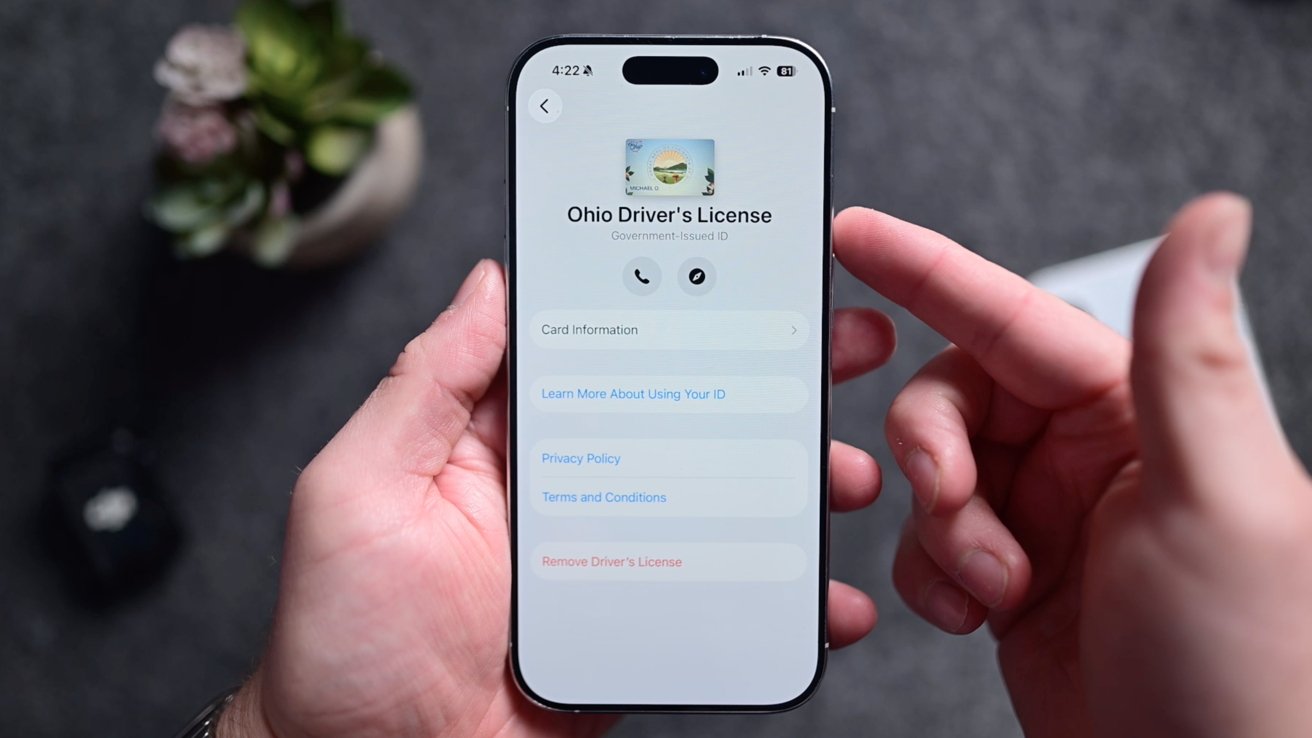
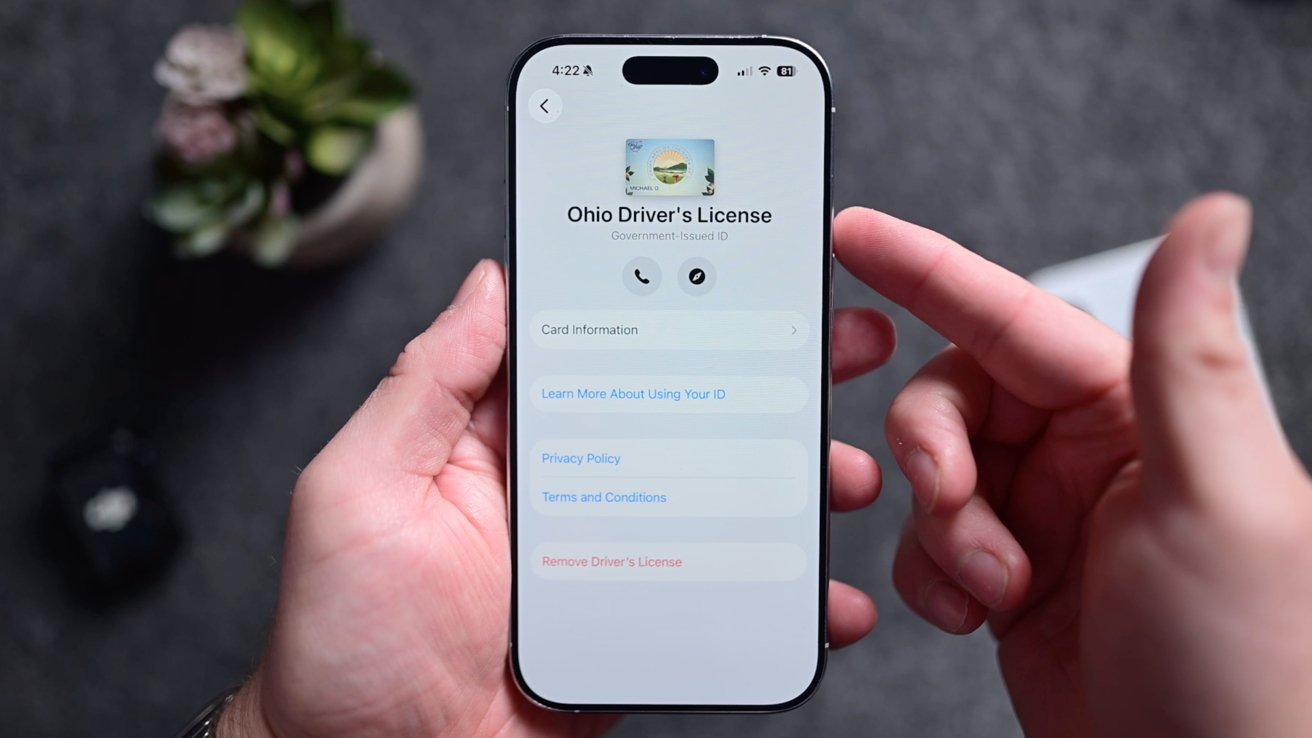
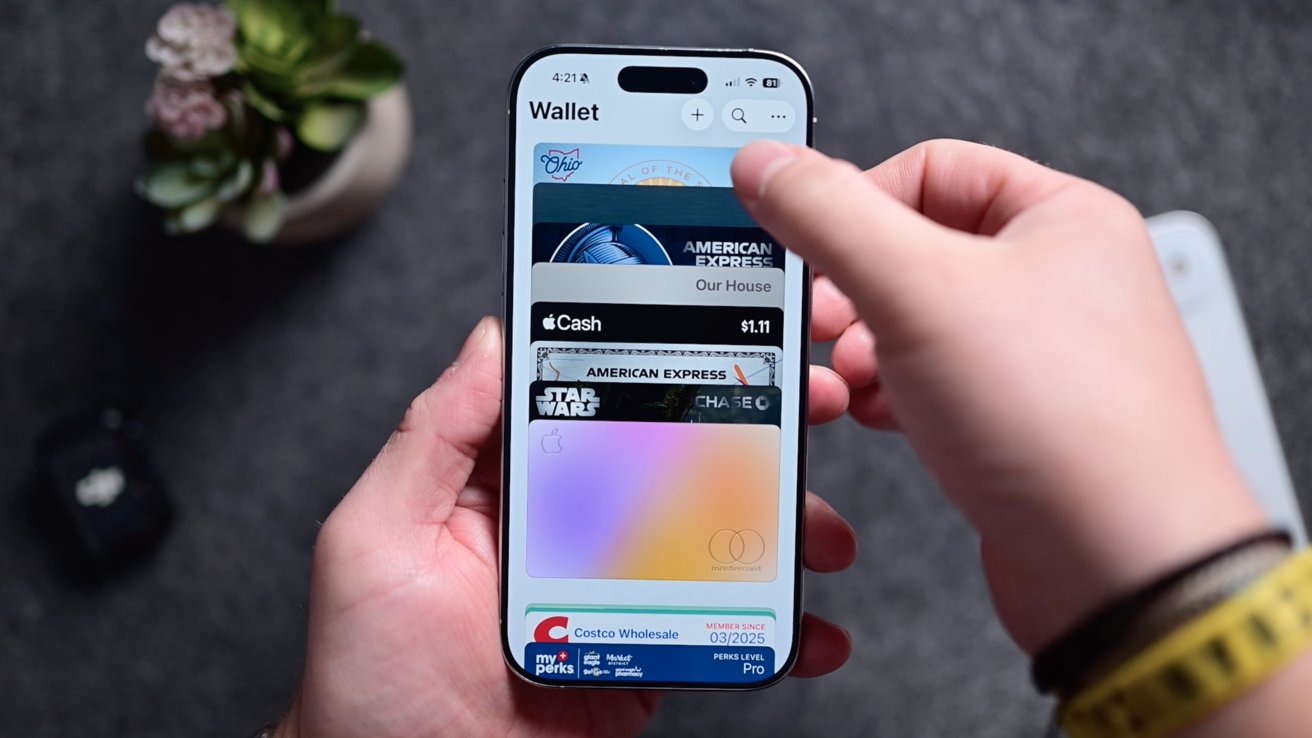
Ohio is one of 10 states and provinces that support digital IDs in Apple Wallet as of mid-2025
As of April 6, 2026, there are 14 states and territories that support Driver’s licenses in Apple Wallet.
Arizona
Arkansas
California
Colorado
Georgia
Hawaii
Illinois
Iowa
Maryland
Montana
New Mexico
North Dakota
Ohio
West Virginia
Puerto Rico
Which states will soon support digital IDs
More and more states are adding support, though. Other states, like Utah, have pledged support but have not implemented it yet.
As for where those states planning to support digital IDs in Apple Wallet are, the list as of April 6, 2026, includes:
Advertisement
Connecticut
Kentucky
Mississippi
Oklahoma
Utah
Virginia
Timelines for the states have not been confirmed, but they have been announced as being on board with the program.
In an ideal world, a digital ID would be accepted in any place your physical ID is accepted. It’s not that simple.
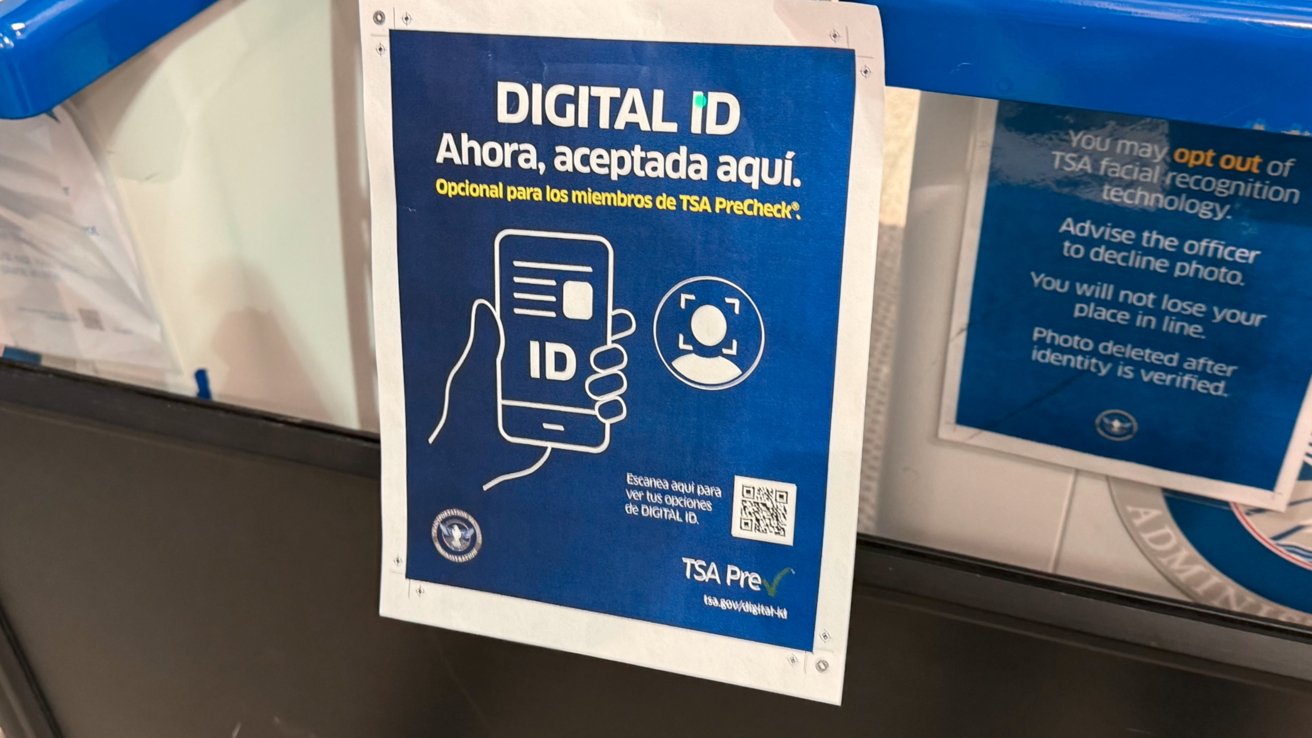
TSA is one of few that regularly supports digital IDs
The most common use for these digital licenses is in airports for TSA. Here in Ohio, we’ve tried it at all the major airports, including Columbus John Glenn International, CAK, and Cleveland Hopkins.
Advertisement
It’s so easy to walk through the TSA line, tap your phone to verify, and keep walking. Of course, if you fly to a state that doesn’t support digital IDs, you’ll still need your physical ID for the return trip.
Outside of airports, there’s not much else you can use it for. Places like bars, liquor stores, doctor’s offices, don’t accept it. There are just a handful of police districts that do, so even if you live in a state that it’s supported, you still need to carry your ID card around.
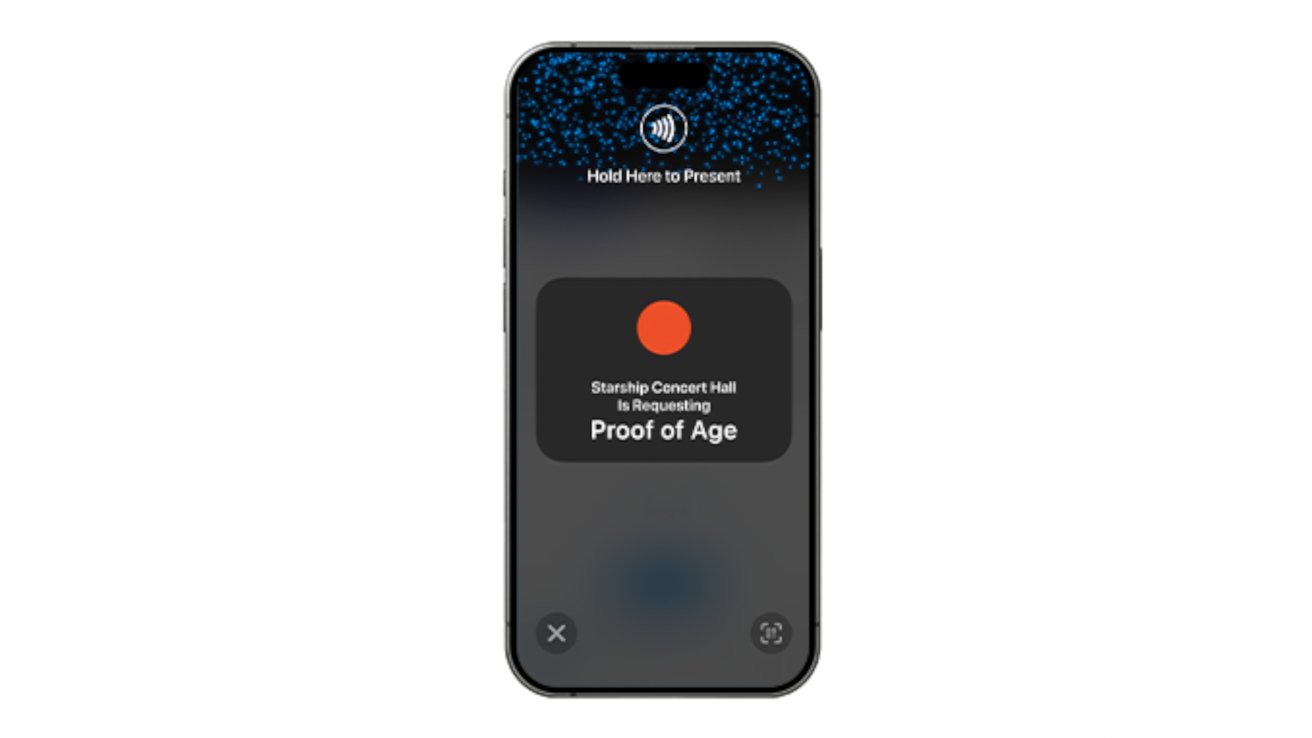
The free ID verification app can be used in Ohio to check digital IDs, like the age at a concert venue
The Ohio BMV offers a free iOS verification app that businesses can sign up for and use to verify any identities with a tap.
Advertisement
That sounds ideal, but in our experience, it is very limited. We’ve found only one business that had the app to verify our age.
Some of the different cards being stored in the Wallet app
Most retailers still requested our physical card to scan the code on the back or swipe it into their legacy point of sale system. That makes it difficult and still necessary to carry around your physical license.
Using digital IDs in apps
Of course, there are other uses for digital IDs rather than just in the physical world. Your ID can also be used in apps.
Advertisement
Apps that support Apple Wallet ID can similarly verify things like your age or identity. Apple says Clear, MyChart, UberEats, and others will be adding support, though it doesn’t look like any of them have as of August 8, 2025.
It’s all about privacy
One of the best parts of digital IDs is the privacy. You only share very limited information.
When you give someone your actual ID, they have all of that info displayed there. With a digital ID, you are only sharing what you are required to share.
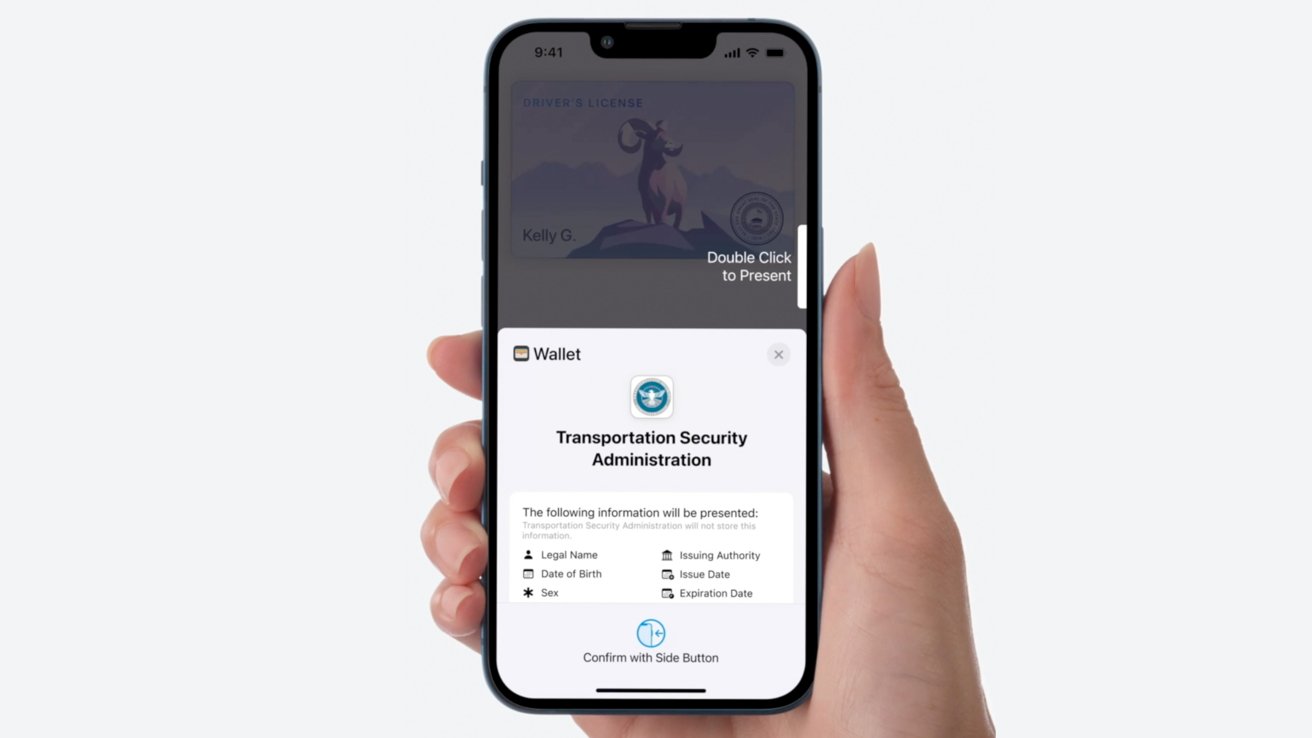
You explicitly get shown information to be shared, before it is transmitted
Advertisement
How it works is that when your ID is requested by either a tap or an app, a card appears with the information that needs to be shared. Before you approve the request, the iPhone will explicitly list what’s being asked for, before you accept the request.
Some may only need your name, while others may only need to request your age. That data is then encrypted, transmitted, and never stored.
Digital IDs may not appeal to everyone, but adoption has started to increase. Hopefully, we’ll see more states, police departments, apps, and businesses start supporting it as more states and users add it too.
Update November 18, 2025: Added Illinois to the list of supported states
Advertisement
Update April 6, 2026: Added Arkansas, Connecticut, Kentucky, Mississippi, Oklahoma, Utah, and Virginia to the coming-soon list.
Update May 27, 2026: Moved Arkansas from coming-soon to the list of supported states
It should be easier to tell at a glance if a YouTube video will contain AI-generated gunk.
YouTube is looking to make it easier for users to tell if a video was made using generative AI tools. The platform already requires creators to disclose any use of realistic-looking AI. Now, YouTube will analyze videos to look for signs of AI-generated content.
If a creator hasn’t disclosed whether they used genAI tools and YouTube’s systems “detect significant photorealistic AI use,” the platform said it will automatically apply an AI label to their video. If the creator believes the label was erroneously included on their video, they can update their disclosure. However, if YouTube detects that a video was made using Google AI tools such as Dream Screen or Veo, or it contains C2PA watermarks (an industry standard used to flag genAI creations), the label will remain in place permanently.
Advertisement
YouTube also suggests it’ll be easier for viewers to see this AI label, which denotes the use of “photorealistic and meaningfully AI altered or generated content.” The platform is making the label more prominent in videos, by placing it right underneath the video player, and on Shorts, where it’ll show up as an overlay.
More transparency (something YouTube says users have been asking for) is very welcome here, particularly for those who would prefer to avoid generative AI as much as possible. It would be nice if YouTube started placing these labels on thumbnails in search results and suggestions as well to make it even easier to avoid such gunk.
If you own a Roku TV or streaming device, your home screen is about to look very different. Roku just unveiled its most significant home screen redesign in over ten years, rolling out today across all Roku TVs and streaming devices in the US.
Here is everything that is new on your Roku home screen
Roku TV
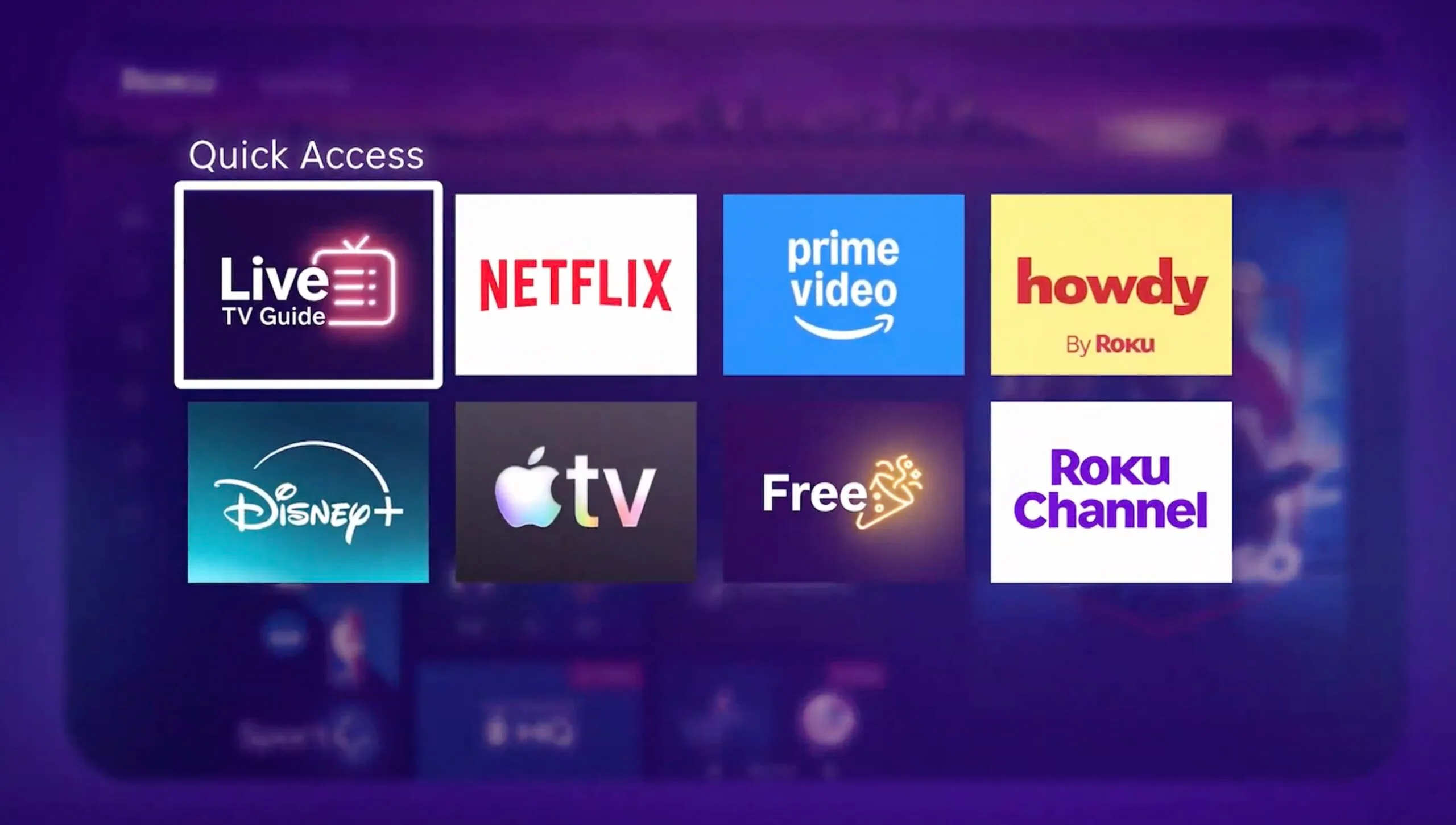
The redesign introduces several new features built around getting you to content faster. The Quick Access section your most-used apps front and center, powered by AI that continuously adapts to your habits. You can also manually add or remove apps if you prefer to be in control.
At the top of the screen, Top Picks for You is an expanded, personalized content section showing what you love to watch, what is trending on Roku, and the biggest entertainment of the moment.
Roku TV
A new For You destination goes deeper, pulling fresh personalized picks based on your interests. The Subscriptions destination brings together content from all your paid streaming services in one place, so you are not hunting across apps.
Destinations are genre and mood-based hubs spanning comedy, movies, sports, and more, with context-aware search that adapts depending on where you are browsing.
Your Daily Scoop is a real-time AI-powered row that surfaces breakout shows and cultural trends updated hourly. The home screen menu is now collapsible, keeping the interface clean until you need it.
Advertisement
Roku TV
Shortcuts like Continue Watching, Sleep Timer, and Save List are also easier to reach. There is even a new Roku City tile that takes you into an interactive version of the iconic screensaver, complete with Daily Trivia, Roklue and retro games like Roku City Dash.
When will your Roku get the new home screen?
Roku TV
The update rolls out automatically starting today in the US, so just wait for your device to update itself. Roku founder and CEO Anthony Wood says every change was grounded in what users actually do and need, shaped by extensive viewer feedback and behavioral data. Last month, Roku also added six free channels covering classic sitcoms, reality TV, and films.
The RedMagic 11S Pro is a further optimised version of the already great RedMagic 11 Pro with immense, flagship-grade performance, solid battery life, and a bright, detailed and zippy screen. It is a fair bit dearer than its predecessors, though, and the dual 50MP camera array isn’t up to snuff for a phone at this price.
Immense power
Solid endurance
Gaming-centric software is a pleasant touch
Camera performance is underwhelming
More expensive than predecessors
Squirrel Widget
Advertisement
Key Features
Review Price:
£709
Advertisement
Qualcomm Snapdragon 8 Elite Gen 5 Leading Version
The RedMagic 11S Pro has the beefiest chip you can find in a mobile phone for immense gaming performance.
Advertisement
6.85-inch 144Hz AMOLED screen
It has a large and responsive OLED screen with good resolution and a high, zippy refresh rate.
Advertisement
7500mAh battery
This RedMagic phone has a huge battery, plus support for very fast wired and wireless charging.
Introduction
The RedMagic 11S Pro is touted to be the ultimate version of the brand’s latest flagship phone.
Advertisement
A lot of things haven’t changed from the standard RedMagic 11 Pro, with the same dual 50MP camera array, a large 6.85-inch 144Hz AMOLED screen and hefty 7500mAh battery with 80W charging support.
RedMagic seems to have pushed the flagship Qualcomm Snapdragon 8 Elite Gen 5 SoC that’s inside this phone a little by overclocking it against the version you’ll find in modern flagships such as the Oppo Find X9 Ultra, which should theoretically make it one of the best gaming phones we’ve tested.
Advertisement
Plus, its £709/$849 starting price seems rather reasonable for a phone this powerful with 16GB of RAM and 256GB of storage.
Advertisement
I’ve been putting the 11S Pro through its paces for the last week or so to see how it fares.
Design
Blockier, gamer-centric look
Excellent physical controls
Yes, it has RGB lighting
Devices designed more for gaming than anything else often have a funny look to them, and the 11S Pro is no different. Its look doesn’t deviate much from older RedMagic devices, with a blockier and almost more aggressive look than sleeker flagship handsets.
The key elements from the standard RedMagic 11 Pro model have been retained, such as its squared-off, blockier design, while the liquid-cooling window on the 11 Pro also lets you peep at the liquid being pumped around the phone.
Advertisement
Image Credit (Trusted Reviews)
Likewise, there’s all manner of lighting across the phone for added gamer flair, such as a light-up RedMagic logo on the rear, plus the phone’s active cooling fan has a smattering of RGB when in use. Each area can be customised to display a different colour, and you can make these LEDs pulsate along with the sound from the phone, pulse and strobe in different patterns, or just stay on all the time, which is neat.
The 11S Pro is available in two colourways, with the black and blue Nightfreeze colour I have here, plus a Subzero option that trades the black for white and silver for a little more style, and a different finish.
Advertisement
Image Credit (Trusted Reviews)
This phone excels with the physical controls that set it apart from more standard phones, coming with a pair of touch triggers for proper controller-like use alongside the usual power and volume keys. There is also a red toggle for RedMagic’s Game Space mode so you can game without interruptions. On the top side, you’ve even got a 3.5mm headphone jack.
RedMagic rates the 11S Pro to have IPX8 water resistance, putting it some way behind other choices – it provides resistance against submersion in water, although no rating for dust ingress, likely due to that fan.
Advertisement
Screen
6.85-inch 144Hz 1216×2688 AMOLED
1800 nits peak brightness
Sharp and responsive for games, navigation and more
RedMagic says it’s upgraded the screen for the 11S Pro against the 10S Pro by outfitting this new handset with a BOE X10 AMOLED screen. It’s a large 6.85-inch panel with a 1216×2688 resolution for solid detail that’s bright, sharp, and responsive, making it ideal for a gaming device such as this one.
The key thing with this panel is its maximum refresh rate of 144Hz, putting it a touch above the 120Hz we see on lots of other phones, giving it a wonderfully smooth and responsive feel for everything from gaming to general navigation. You can turn this down to 120Hz or 60Hz in the phone’s menus if you want to, or leave it in its default variable form.
Image Credit (Trusted Reviews)
Otherwise, the 11S Pro’s screen is plenty bright, with a peak figure of 1800 nits, making it plenty bright for indoor and outdoor use, and even on the bright summer days over the recent UK May Bank Holiday weekend, the panel stood up well.
The ultrasonic fingerprint sensor under the screen is responsive, and doesn’t suffer from the same issue as other Xiaomi or Honor phones I’ve tested, where it’s mounted quite far down the screen.
Advertisement
Advertisement
Cameras
50MP 1/1.55-inch main snapper
50MP ultrawide
Okay image quality, but only at the wide end
Let’s face it – you aren’t buying a phone as beefy as the 11S Pro for its camera system, although for a device that costs as much as it does, I’d expect a good degree of image quality.
This RedMagic handset features a similar setup to the standard 11 Pro, with a pair of 50MP lenses on the rear of the device – a 50MP main sensor with a 1/1.55-inch sensor, with a stabilised lens, plus a 50MP ultrawide. There isn’t a dedicated telephoto or zoom lens.
Image Credit (Trusted Reviews)
In general here, images out of the main sensor and with the ultrawide are pleasant enough, with reasonable colours and solid resolution of finer details at the wider end of the focal range. Colours tend to be sharpened up and a little brighter than they appear in the real world, though – a sign RedMagic is trying a little harder with its processing for a more ‘pleasing’ image in my view.
With this in mind, pixel-peeping reveals that the exposure of things such as the blue of a sky or the green leaves on trees can lack a little pop, while the lack of a dedicated telephoto lens means you won’t want to zoom in beyond 2x or so.
Advertisement
Advertisement
Image Credit (Trusted Reviews)
Even going up to the 5x range revealed a massive fall-off of quality, while the less about the maximum 10x digital zoom end, the better. Likewise, low light performance at the wide end is better than when zoomed in too much, with resultant images being grainy and lacking in detail.
The 16MP selfie snapper on the front is okay for casual snaps of yourself, although it left me looking a little washed out and smoothed over, unlike other handsets with much stronger detail retention and better colours.
Performance
Flagship class performance
Immense 3D results for gaming
Upgraded active cooling system
RedMagic has upgraded the power station inside the 11S Pro against the older 10S Pro to bring it on par with the standard 11 Pro model – it’s outfitted with the flagship Qualcomm Snapdragon 8 Elite Gen 5 SoC, albeit the Leading Version with higher clock speeds, which means some especially beefy performance that’s befitting of a top-end gaming phone.
Performance here is a touch stronger than that of other Snapdragon 8 Elite Gen 5-powered flagships, such as the Oppo Find X9 Ultra, in our synthetic benchmark tests, perhaps owing to the clever liquid cooling and active fan combo that’s been further optimised against older RedMagic handsets with a larger vapour chamber, upgraded liquid metal and a very fast fan.
Advertisement
Image Credit (Trusted Reviews)
3D performance is especially strong, with this handset blitzing the 3DMark Wild Life Extreme test with scores above the usual suspects of flagship phones, with a score that’s pushing 8000 points. The only thing that’s a little odd is that, in spite of using the same chip, the score here is somewhat lower than the standard RedMagic 11 Pro.
As much as synthetic benchmarking is only one side of the story, it translates well to real-world performance, with the 11S Pro offering remarkably brisk performance in the likes of Wuthering Waves and COD Mobile, which can bring lesser handsets to their knees. It’s more a question of what this phone can’t run than what’s possible with the flagship grunt inside.
Advertisement
Image Credit (Trusted Reviews)
With added touches such as the touch triggers on the side and as much power internally as the 11S Pro has, this feels like a proper gaming phone, rather than a phone that has enough power to play games, and I imagine all this will come in handy for folks wanting to push their phone into the emulation space.
You can spec the 11S Pro with either 12GB or 16GB of RAM, providing more than enough headroom for the intensive gaming this phone is designed for. The higher capacity is reserved for more storage, with 512GB available at the top-end.
Advertisement
Software & AI
RedMagic OS 11, based on Android 16
Oodles of gaming features
Some crud pre-installed
My general gripe with a lot of these lesser-known manufacturers is that they can tend to stuff their phones full of needless crud in terms of apps, system settings and functions you’re never going to use. With the 11S Pro, I was pleasantly surprised in some respects.
It runs RedMagic OS 11, which is the brand’s highly customised Android 16 variant that’s packed to the nines with an array of gaming features, such is the positioning of this phone.
The little red slider switch on the right side of the phone brings up RedMagic’s Game Space, which acts as a console-like dashboard where you can boot up your installed games. While you’re in games, there’s a feature-rich overlay for optimising performance, screen recording, preventing accidental touches and such.
Advertisement
Image Credit (Trusted Reviews)
One of the 11S Pro’s more unique features is the Mora digital assistant that’s likely to be perfect for the weebs in the audience. It’s the brand’s animated waifu mascot that you can do everything from chat to with their AI chatbot function, or leave sitting on your home screen, where they’ll make comments about the phone’s battery percentage, for instance.
Advertisement
Apart from this, this is a more run-of-the-mill Android device, with all of Google’s usual AI powers, such as Circle To Search, Gemini integration and the like, and with the 144Hz screen in tow, RedMagic OS 11 felt slick and zippy.
Image Credit (Trusted Reviews)
That being said, things aren’t entirely perfect. There is some guff pre-installed, such as the Booking.com and Facebook apps, alongside a modicum of games I didn’t ask for, although it’s easy enough to clean the OS up to get it to how you want it to be.
Battery Life
7500mAh battery
80W wired charging
80W wireless charging
This latest handset boasts one of the largest batteries I’ve seen on a modern smartphone, packing in a capacious 7500mAh capacity cell that, in theory, should put a lot of modern flagships to shame. It’s also a slight upgrade over the 7050mAh capacity cell in the old 10S Pro.
This worked out to around eight hours of screen-on time at a higher brightness level for my reasonably intensive day of multi-tasking for social media scrolling, streaming music through Roon Arc or Tidal, taking photos and sorting some work through Google Docs, not least because of how bright it is outside in the merry month of May in the UK at the time of writing.
Advertisement
Advertisement
Image Credit (Trusted Reviews)
For a more scientific test, a cursory run of the PCMark Work V3.0 battery test at 50% brightness worked out to around 12 hours of use. This isn’t ground-breaking, but it is still enough juice to get you through a working day or two with the handset with little fuss.
RedMagic ships an 80W wall plug with the 11S Pro, although it was European-flavoured, which meant I couldn’t use it to test the phone’s charging speeds. Instead, I used my usual 66W 6A Honor adapter, which was still brisk in its speeds, taking 30 minutes to get the phone back to 50 percent and 61 minutes to get back to full charge. It can also do 80W over wireless charging, assuming you’ve got a high-enough wattage RedMagic adapter, which I don’t.
Squirrel Widget
Should you buy it?
The overclocked Snapdragon 8 Elite Gen 5 SoC inside the RedMagic 11S Pro impresses with the immense grunt that pushes it to the top of our benchmark charts.
Advertisement
This phone has some trade-offs, though, such as a dual 50MP camera array that leaves a lot to be desired in terms of colour accuracy, detail resolution and zoom performance.
Advertisement
Final Thoughts
The RedMagic 11S Pro is a further optimised version of the already great RedMagic 11 Pro with immense, flagship-grade performance, solid battery life, and a bright, detailed and zippy screen. It is a fair bit dearer than its predecessors at £709/$849, though, and the dual 50MP camera array isn’t up to snuff for a phone at this price.
The normal RedMagic 11 Pro has a lot of the same fundamentals as this 11S Pro, and gives you a similar result for a little bit less in terms of money – it’s only the real power users who will benefit from the extra performance by its overclocked SoC.
The new Honor 600 Pro is a more rounded choice at a little bit of a higher price tag, with a much stronger camera system, similarly solid battery life and less polarising looks, although it doesn’t have as much grunt under the hood. For more options, check out our list of the best phones we’ve tested.
Advertisement
Advertisement
How We Test
We test every mobile phone we review thoroughly. We use industry-standard tests to compare features properly and we use the phone as our main device over the review period. We’ll always tell you what we find and we never, ever, accept money to review a product.
Find out more about how we test in our ethics policy.
Used as a main phone for over a week
Thorough camera testing in a variety of conditions
Tested and benchmarked using respected industry tests and real-world data
FAQs
What processor does the RedMagic 11S Pro have?
The RedMagic 11S Pro has the latest Qualcomm Snapdragon 8 Elite Gen 5 inside.
Advertisement
Is the RedMagic 11S Pro water-resistant?
The RedMagic 11S Pro has an IPX8 water resistance rating.
As we’ve previously noted, Brendan Carr recently launched a series of phony inquiries into ABC because Jimmy Kimmel made fun of the president’s wife. Carr can’t just come out and say that, so he’s launched a series of fake (and legally laughable) “investigations” into the company. They’re all designed to scare ABC, and other big media companies, away from platforming critics of the unpopular president.
“If you platform voices critical of the president you’ll face an endless barrage of costly and annoying legal headaches and bad press in the right wing media,” is the unsubtle threat.
It’s all a very big pile of racism, ignorance, zealotry, and censorship pretending to be serious adult policy. And you’ll notice the inquiries only go one way: Carr has nothing to say about Fox News (or countless local right wing broadcast new affiliates and AM radio stations) routinely airing right wing propaganda. Right wing outlets can do whatever they’d like without criticism or repercussion. Funny, that.
Advertisement
As part of the proceedings, Carr has repeatedly threatened to pull one of ABC’s eight broadcast licenses if they refuse to roll over to the administration (they haven’t… so far).
Last week, Carr pretended he was open to receiving public input about the whole ignorant mess. The FCC Media bureau issued a public notice seeking opinions on whether The View qualifies for the bona fide news exemption to the FCC’s equal-time rule, which requires equal time for opposing political candidates on non-news programming. From the notice:
“Does The View qualify as a bona fide news interview program? Does the federal equal opportunities statute pass relevant constitutional scrutiny, either as a general matter or as applied here? Are the relevant decisions on The View, including on format and participants, based on newsworthiness or on an attempt to oppose or support particular candidates within the meaning of FCC precedent? We welcome comment on these and any other relevant points.”
The last page of this document has details on how you can formally comment. Of course, Brendan Carr doesn’t really welcome public input; they’re looking to make this appear like a meaningful public policy initiative, and not the censorial witch hunt it actually is. I suspect the call for comments, as is usually the case, will be flooded with all sorts of bots and fake people.
As we’ve mentioned previously, ABC’s daytime talk show The View hosted Texas Democrat James Talerico last February. The Trump administration is apparently unhappy with the inroads Talerico has been making with Texas Christians and independents. So Carr has falsely claimed that platforming Talerico violated the FCC’s equal time rule, requiring ABC file appropriate paperwork and platform a Republican voice in opposition.
Advertisement
But as ABC’s recent notice to the FCC makes clear, The View was clearly granted an FCC Bona Fide Exemption to the rule back in 2002. Most talk shows have broadly been viewed as exempt since 1984 or so (and increasingly so, as the Internet challenged TV’s supremacy). So there’s nothing to really debate.
Carr knows that, so instead he manufactured a controversy. But it’s worse than that: as ABC’s filing made clear, Carr appears to have worked collaboratively with right wing local broadcasters to make it seem like ABC-owned Houston affiliate KTRK had done something wrong. They collaborated on a big performance to make it seem like KTRK broke the law.
This is all so profoundly stupid it would be laughed immediately out of court in a functional country. But a corporate media, worried they won’t get mergers approved (or could face costly legal headaches for having a spine), has generally chosen to roll over both in their official capacity, and as reflected by their journalism.
As a result, most of the reporting on Carr’s censorship has generally either failed to call out Carr’s behaviors as radical or extreme, or they’ve taken a “both sides” approach to the story where they frame everything as a matter of two equally valid opinions, in turn normalizing authoritarian censorship.
Advertisement
But make no mistake: Carr’s a censorial authoritarian zealot engaged in a laughable and racist government harassment campaign because the U.S. President is a giant baby with a historically fragile ego. And Brendan Carr should never be allowed to live it down.
Amazon’s month-end Apple deals are heating up, with the lowest price ever hitting Apple’s iPhone Air MagSafe Battery, which is 40% off. Plus, save $200 on the M5 MacBook Air.
Kicking off the month-end Apple sale at Amazon is the lowest price on record for the iPhone Air MagSafe Battery Pack with a USB-C port. Normally $99, this accessory is marked down to $59, reflecting a 40% discount off MSRP.
We’re also following Amazon’s deals on 2026 MacBook Air models with the M5 chip. We covered the lowest price seen on the 13-inch line yesterday, with the standard model plunging to $899.99, but we’re also pleased to see this upgraded 15-inch model with 24GB of RAM and 1TB of storage is $200 off as well.
Dropbox founder Drew Houston is stepping down as CEO after 19 years and will become executive chairman, with product chief Ashraf Alkarmi set to take over after a co-CEO transition period. CNBC reports: Drew Houston founded Dropbox
nearly two decades ago at age 24, eventually becoming a household name in Silicon Valley and the first tech entrepreneur to take a company from the Y Combinator incubator program all the way to the public market. Now, at 43, Houston is ready to do something else. […]
By almost any measure, Houston has had a great run at Dropbox, helping pioneer the cloud storage market, competing head-to-head with Google and Apple and building a net worth of more than $2 billion, thanks to substantial ownership in his company. But in the land of outsized expectations, Houston has overseen a company that peaked too soon and never became a generation-defining brand.
Dropbox’s current market cap of just over $6 billion is down by half from the high price on its first day of trading in 2018, and is below the $10 billion valuation it was ascribed by private market investors in 2014. […] In its latest quarterly earnings report, Dropbox said it has more than 18 million paying users, and the service remains popular with media professionals, graphic designers, architects, and others who share files and photos as part of their daily work. “Part of me has always thought, oh yeah, I’ll be the CEO of Dropbox until my last gasp of my career,” he said. “There’s never a perfect time, there was no part of me where I was like, ‘oh, this date is the date where it’s going to happen.’”
Since Alkarmi joined Dropbox from Vimeo in late 2024, the company has “become a lot more responsive to our customers and is taking bigger swings on innovation,” Houston said. “I trust the right leader,” he said. “The company’s in the right place.”
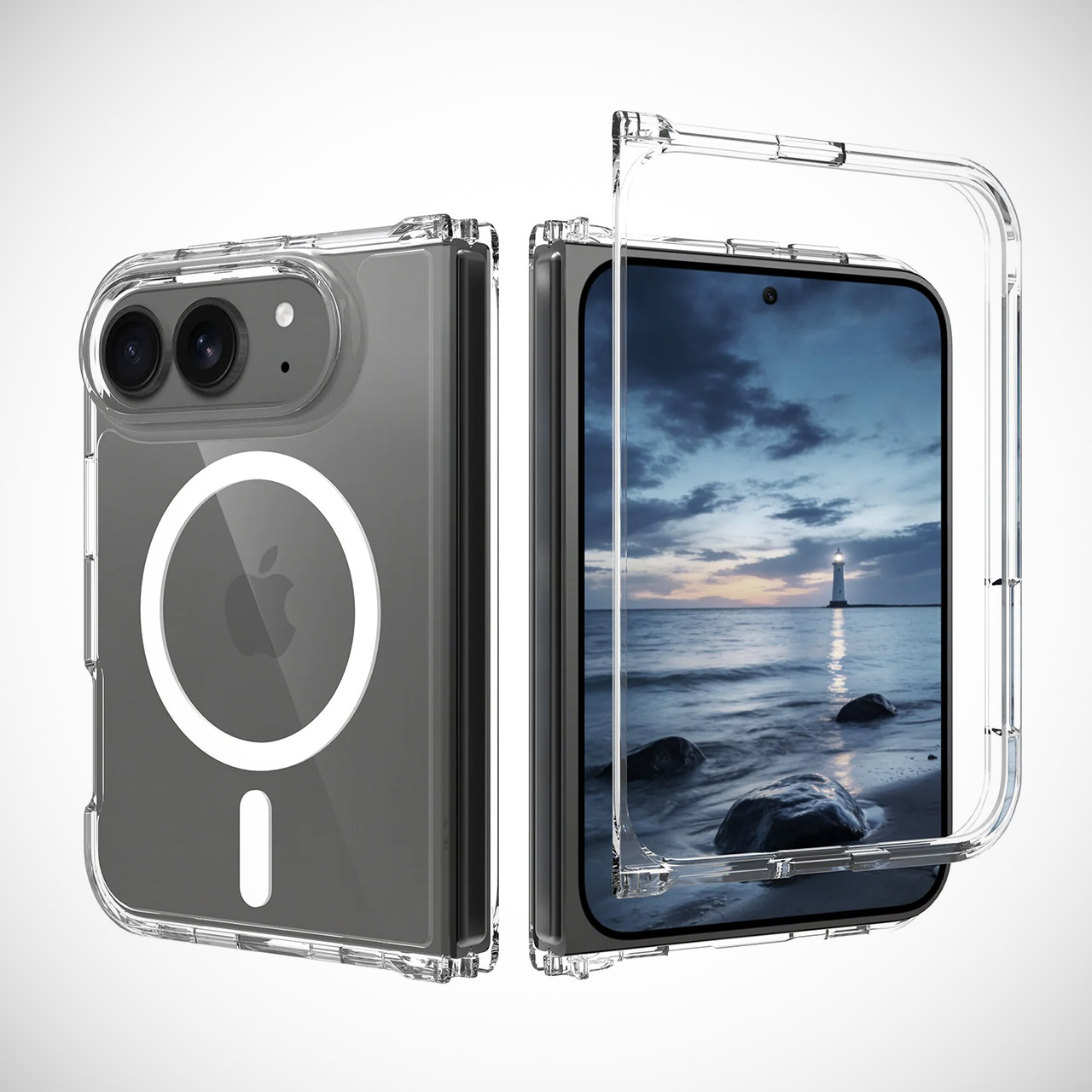
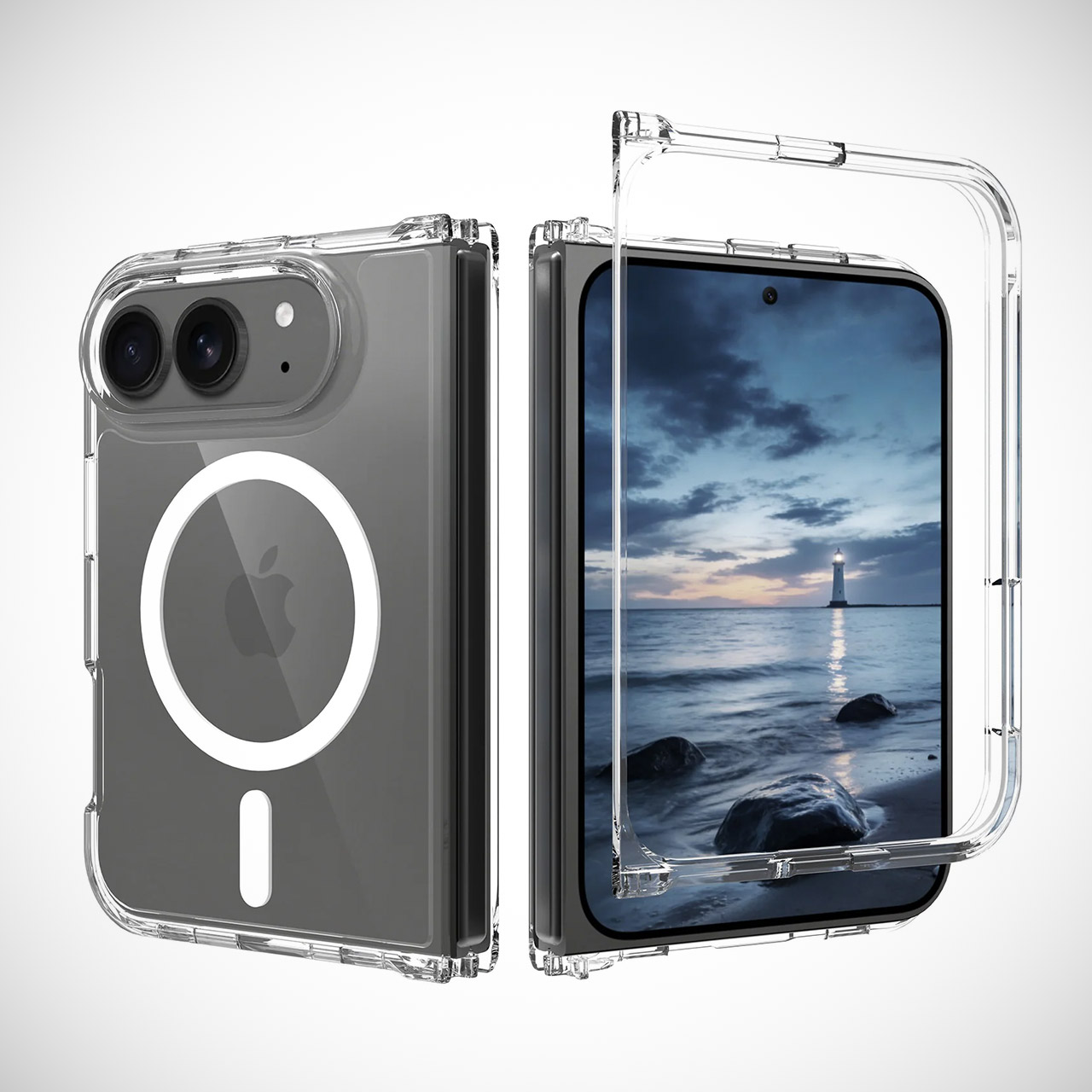
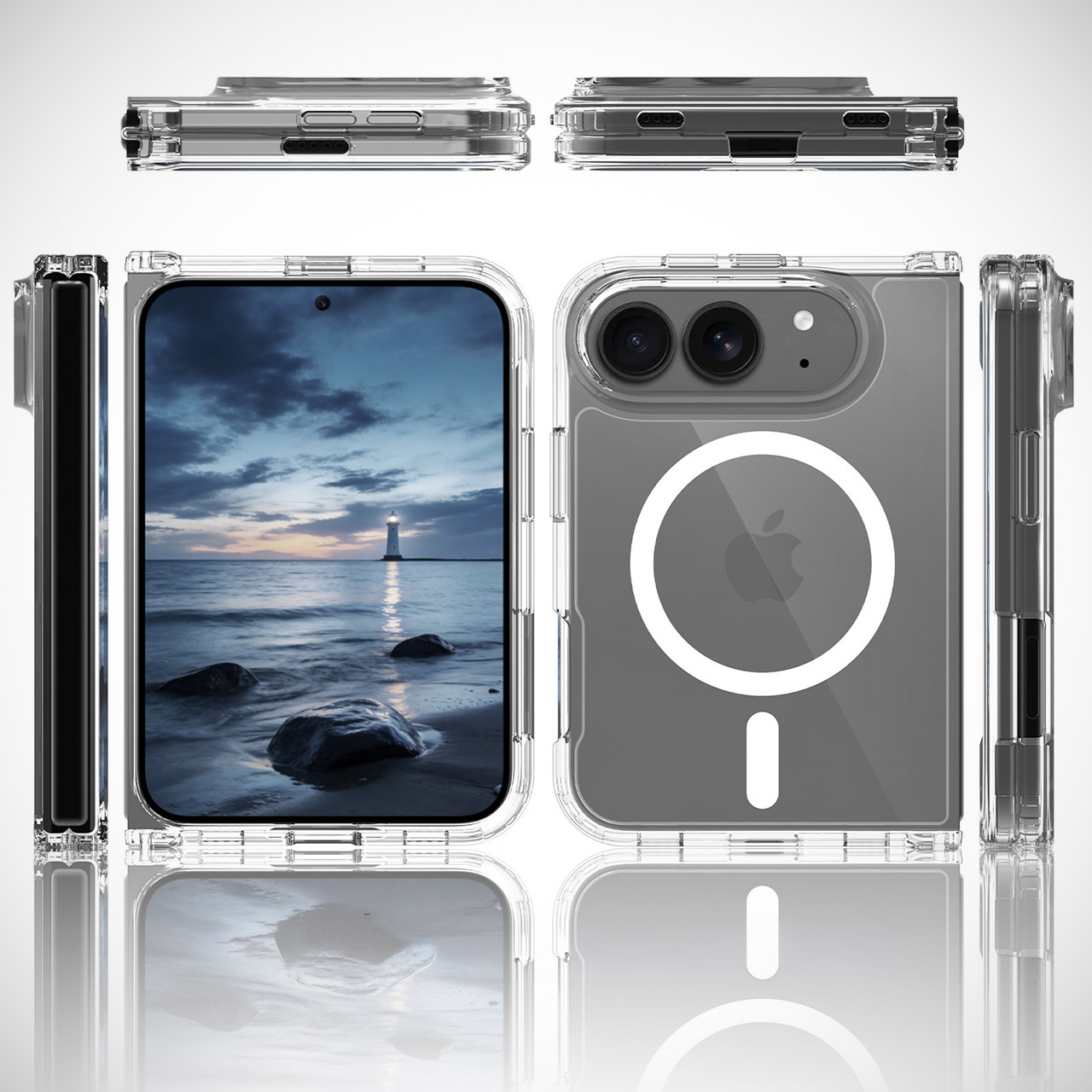
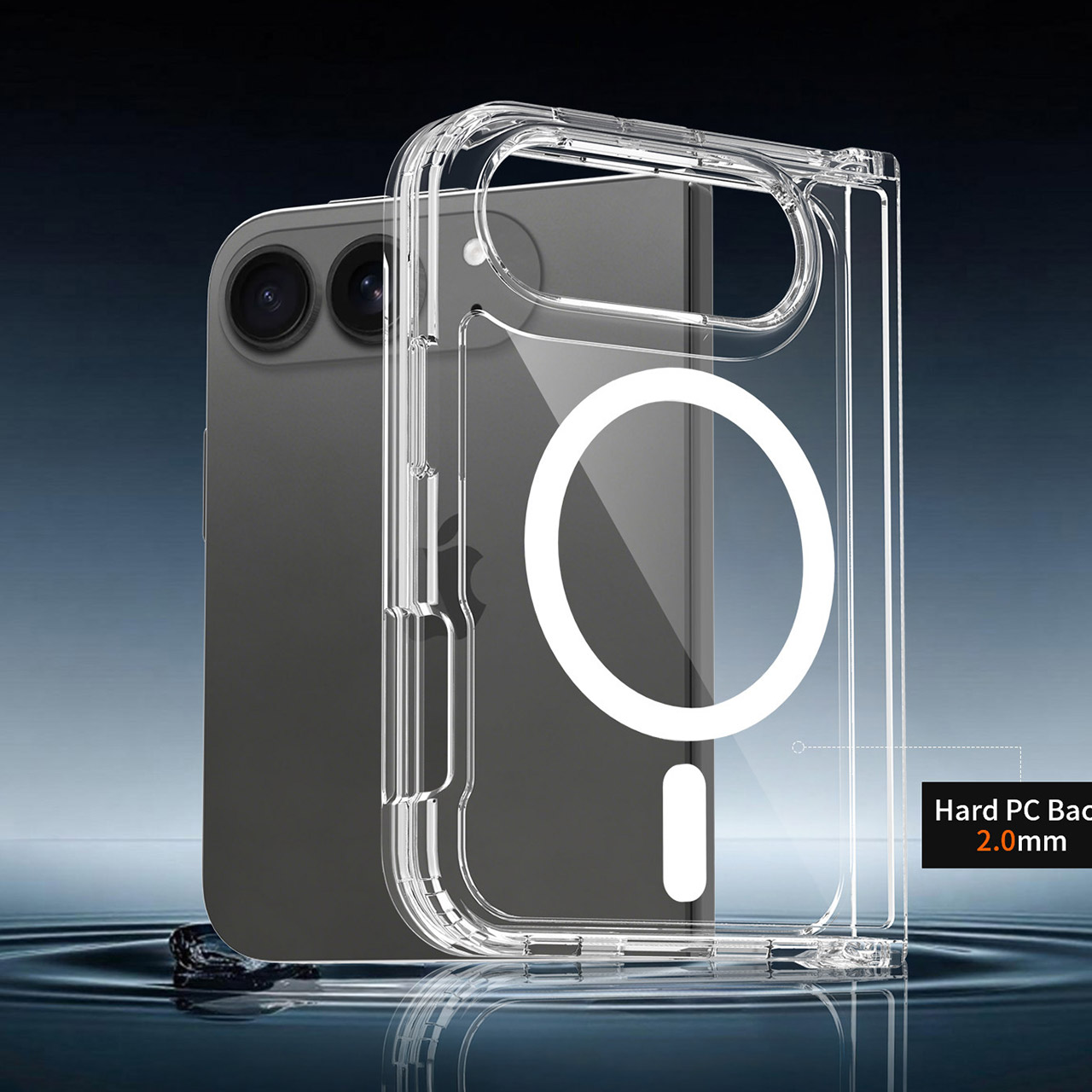
Photo credit: Letem světem Applem Accessory companies with direct ties to Apple have released images of rugged cases built for the company’s rumored foldable iPhone, often labeled the iPhone Ultra. These cases present the device in its folded and unfolded states from several angles, giving a solid sense of the overall shape and key features. Closed, the back carries a slim camera island holding two lenses along with a small additional sensor. Below that sits a large circular area designed for magnetic wireless charging and accessory pairing.
When the main screen is open, it covers a large horizontal area. This results in a device that is shorter in height and wider overall when completely expanded, giving it a far more compact tablet-like feel than most contemporary foldable phones. Inner display views within the cases show the front camera stowed away with no obvious cutout, however complete production models will have a small punch hole for that camera. Face ID does not appear in this design, and the fingerprint reader has been moved to the side button.
BIGGER, YET SLIMMER THAN EVER: Who would’ve guessed that wider could also be lighter? The design of Galaxy Z Fold7 is refined to feel like a…
BEST CAMERA ON A FOLD YET: You asked for more – now you can have the most. Galaxy Z Fold7 now boasts an ultra-premium 200MP camera with Pro-Visual…
SCREENSHARE FOR STREAMLINED ASSISTANCE: Intrigued by something you see? Go Live with Google Gemini, then screenshare or point your camera at it for…
When the device is open, there are two physical buttons running down the top edge, which are conveniently placed for quick access with the hand holding it. Suppliers receive accurate specifications early in the process, so it’s no surprise that cases are already on the market or in public view long before the phone itself is released. The fact that this gadget folds horizontally rather than vertically, as many other manufacturers do, creates an entirely distinct experience. With the larger screen area, you can have numerous windows open at the same time, watch some video, or take notes with the device in a more natural landscape configuration.
The images of the cases themselves also reveal that MagSafe compatibility is on the back, so your existing chargers and accessories should continue to operate normally. The side profiles in those photographs illustrate exactly how the hinge area fits into the protective shell. When all of this is considered, it’s evident that there isn’t much more to be surprised by in terms of this thing’s exterior shape. [Source]
Protecting Active Directory (AD) accounts starts with strong password policies, backed by consistent enforcement across the organization. However, make the rules too weak and you increase your attack surface; make them too strict and users will find workarounds, such as writing passwords down, reusing them across systems, or adding a predictable “!” to the end of the last version.
The challenge is enforcing modern, resilient password standards that avoid increasing helpdesk tickets or frustrating the people you’re trying to protect. However, with the right approach, you can strengthen your AD password posture and make life easier for users at the same time.
Adopt passphrases over complex passwords
Traditional password complexity rules are frustrating, and do not provide the protection needed for today’s threat landscape. When people are forced to include symbols, numbers, and mixed cases, they tend to fall back on memorable, but guessable, options like Password!2026.
A better approach is to prioritize length over complexity with passphrases. Longer passwords made up of multiple words are easier to remember and significantly harder to crack. NIST recommends allowing passwords up to 64 characters.
Advertisement
While most users won’t reach that limit, raising the minimum length (for example, to 15 characters or more) strengthens security and reduces the need for awkward, error-prone passwords.
Block weak and compromised passwords
Even with longer passwords, users are still likely to choose weak or common options. Password spraying attacks rely on exploiting that tendency, so it’s crucial that organizations actively block weak password creation. It’s here that solutions like Specops Password Policy help:
Creating custom banned word lists: Security teams can build tailored dictionaries of blocked terms that reflect their organization’s environment. This helps prevent common weak choices, including passwords based on usernames, display names, repeated characters, incremental changes, or reused elements from existing credentials.
Breach password protection: By continuously checking passwords against a database of over 5.4 billion known breached credentials, Specops Password Policy helps stop compromised passwords from being used in AD and allows issues to be addressed quickly.
Stopping weak passwords at creation is far more effective than trying to fix the problem after an account has been compromised.
Specops Password Policy
Rethink password expirations
When users are required to reset credentials too often, they tend to make minimal tweaks, changing a few characters or making incremental changes. To avoid this, those setting password policies should move away from mandatory password expiration unless there is evidence of a compromise.
That doesn’t mean expiry should be removed without consideration, particularly where password reuse is a concern. However, there’s a strong case for extending expiry periods when users are creating long, robust passwords and you have controls in place to detect compromised credentials.
Length-based aging reinforces this approach. Tying expiration periods to password length encourages longer, stronger credentials with the reward of extended or even removed expiry, unless a compromise is detected.
Advertisement
Verizon’s Data Breach Investigation Report found stolen credentials are involved in 44.7% of breaches.
Effortlessly secure Active Directory with compliant password policies, blocking 4+ billion compromised passwords, boosting security, and slashing support hassles!
One of the biggest challenges with strong password policies is reuse. Even when employees create a good AD password, they’re likely to repeat it across other systems simply because remembering dozens of credentials isn’t realistic.
An approved password manager, implemented securely, removes that burden. It allows users to generate and, more importantly, store every long, unique password they need for their accounts. For IT teams, enterprise password managers also support better control over shared credentials and privileged accounts. Combined with passphrase-friendly AD policies, they’re a practical way to improve security while reducing friction.
Implement self-service password resets
Password resets are one of the most common causes of helpdesk tickets in AD environments. When policies are strict and employees make mistakes, support queues quickly fill up.
Advertisement
Secure self-service password reset reduces that pressure. By verifying identity through MFA or other authentication methods, staff can reset their own passwords quickly, in many cases eliminating the need to raise a ticket.
Faster recovery reduces downtime, limits risky workarounds, and improves user experience. When people know they won’t be locked out for long, password policies feel far less disruptive.
Customizable notifications
Users shouldn’t be caught off guard by sudden lockouts or last-minute expiry warnings. It’s these annoyances that lead to unnecessary disruption and support calls.
Clear, timely notifications make a difference, highlighting when action is needed and clearly explaining requirements. Good communication won’t replace robust controls, but it helps users stay compliant and reduces the friction that often comes with password enforcement.
Advertisement
Provide dynamic feedback at password creation
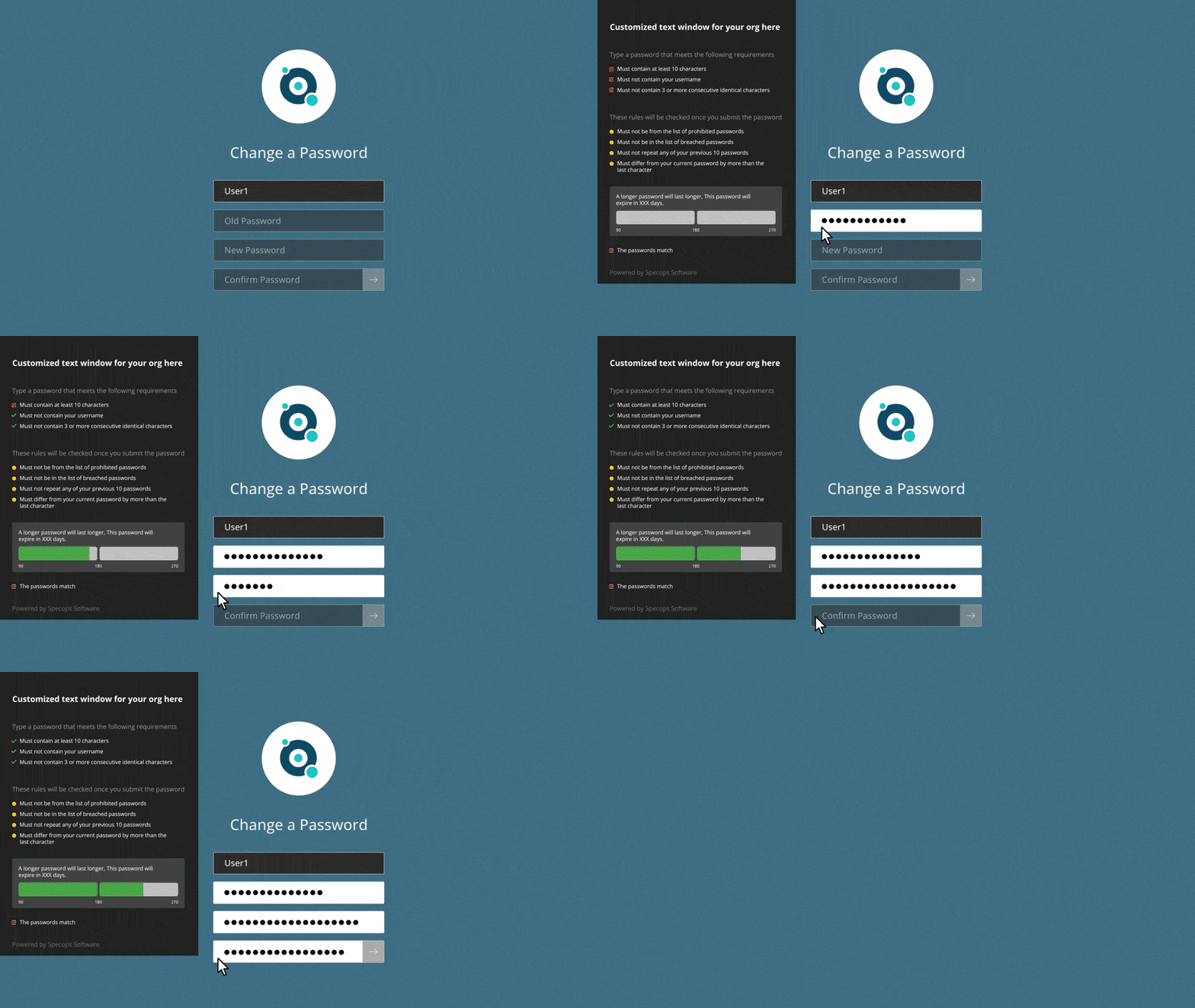
Vague “password does not meet requirements” messages are unhelpful. Effectively enforcing AD rules means supplying real-time, specific feedback when creating or changing passwords. Strength meters, banned password checks, and clear prompts make it easy for users to see exactly what the requirements are.
When feedback is immediate and actionable, users are more likely to create stronger credentials. It’s a small usability improvement that delivers a noticeable uplift in password quality.
How Specops can help
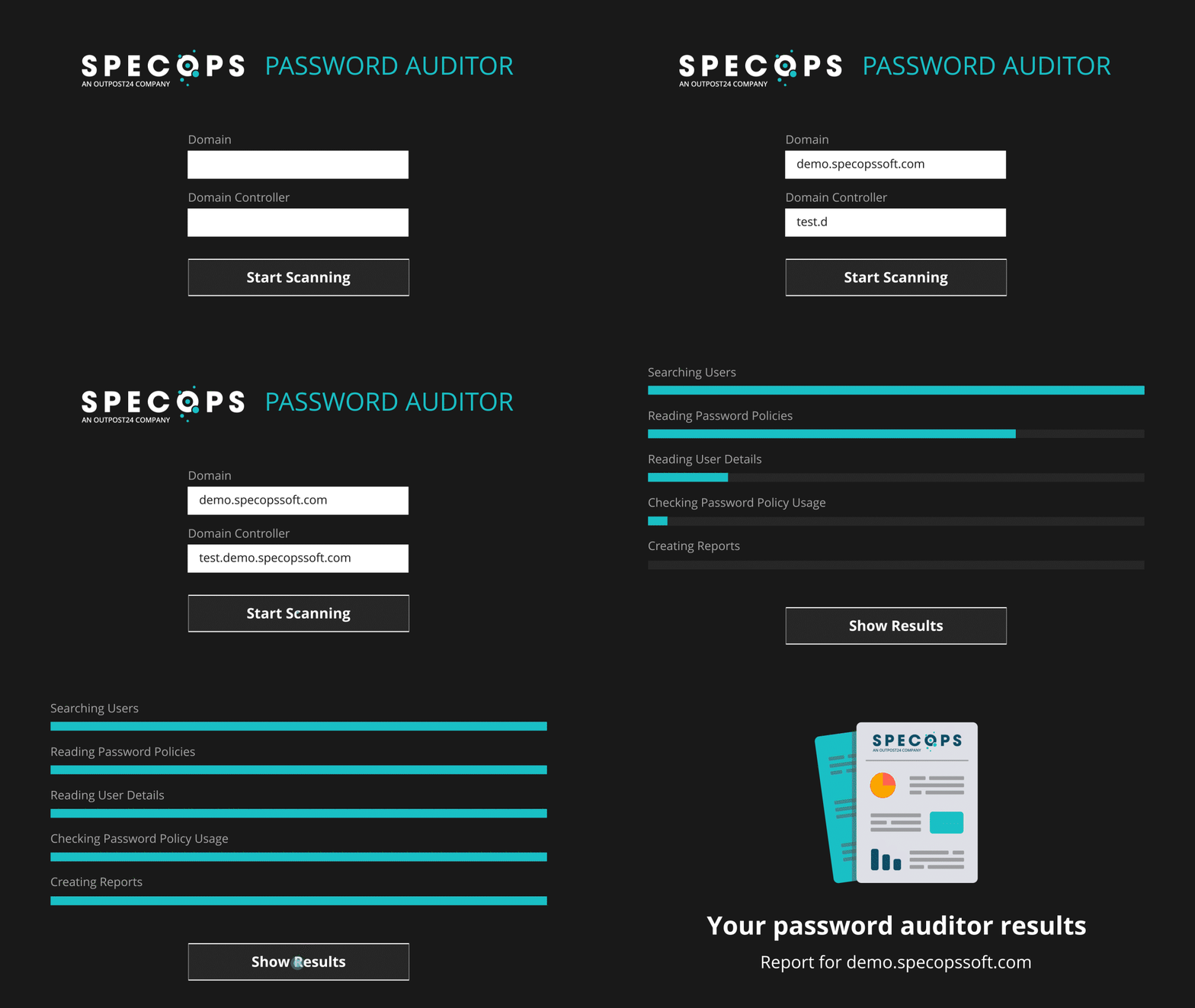
Reviewing and updating AD password policies is a balance between security and usability. A good starting point is auditing your AD environment using solutions like Specops Password Auditor. This free tool runs a read-only scan of your AD and highlights any password-related vulnerabilities, presented in an easy-to-understand report.
Specops Password Auditor
Specops Password Policy then helps organizations remediate any password-related issues and ensure continued policy enforcement across their environment. This includes practical improvements that strengthen resilience, such as continuously scanning for breached passwords and supporting passphrase implementation.
If you’re rethinking your password strategy, we can help you build an approach that improves protection while maintaining the user experience.



























































You must be logged in to post a comment Login