Why it matters: Sony Interactive Entertainment released Marvel Tokon: Fighting Souls earlier this month, and things are not going well. The Marvel-focused fighting game is turning many PC players away, as technical issues are spoiling an otherwise enjoyable fighting game experience.
The DRM Sony uses to lock down Marvel Tokon: Fighting Souls on PC is so aggressive that people with massively capable gaming machines are complaining about performance and network instability. The developers have already released a patch to fix some of the issues, but the number of people playing the game is quickly collapsing anyway.
A few days after the game’s original release, there is now a general consensus about the main culprit behind its performance problems. The “Rune” crew recently released a cracked version of Marvel Tokon: Fighting Souls, stripping away the multiple DRM layers used by the game. Marvel Tokon’s PC version employs both the Easy Anti-Cheat (EAC) middleware and Theia.
Advertisement
The Theia DRM is not disclosed anywhere on the game’s Steam page. Many users have remarked how this particular protection can have a significant impact on how a game runs, calling it even worse than the much-maligned Denuvo DRM in terms of performance hit. The kernel-level EAC protection doesn’t help, either.
Many users have reported the alleged impact of Theia, EAC, and other protections on their systems. On older gaming laptops equipped with weak GPUs and CPUs, the cracked release of Marvel Tokon: Fighting Souls can allegedly run at a steady 60 FPS. On the same systems, the original game can barely reach 45 frames per second.
Judging from the Steam reviews, Marvel Tokon’s technical issues are making the game miserable even on much more powerful systems equipped with high-end AMD CPUs, top-tier Nvidia GPUs, and truly massive amounts of DRAM. Players concur that the game is a “mess,” advising potential buyers to stay away from the store until the developers have fixed the most outstanding performance issues.
Advertisement
Many users took the advice seriously, and Marvel Tokon’s sales are suffering as a consequence. The number of concurrent players is now a fraction of what it used to be just two weeks ago, with Steam reviews repeatedly bashing the product. The game is available on both PC and PlayStation 5, where users have had none of the issues experienced by Windows players.
Console gamers are now disabling cross-platform multiplayer with PC, as a degraded network and performance experience is eventually going to spoil the fun for both parties. Developers at Arc System Works promised to further improve Marvel Tokon’s PC experience, but many users are now just asking the Japanese studio, or publisher Sony, to completely eradicate the Theia DRM from the game.
Meanwhile, pirates playing the cracked release are once again enjoying the “best” version of the game performance-wise. So far, the only downside is that online play is limited to peer-to-peer connections via third-party tools.
Usain Bolt’s 2009 world record for the 100-meter dash still remains unbroken at 9.58 seconds, but only if we’re talking about humans. During the second annual World Humanoid Robot Games that kicked off in Beijing on Saturday, the Tiangong Ultra humanoid robot completed the 100-meter dash in 9.39 seconds during a preliminary heat. Developed by Beijing Humanoid Robot Innovation Center, the record-holding robot overtook Honor’s Lightning robot, which completed the sprint in 9.47 seconds.
Despite the impressive finish times, don’t expect these humanoid robots to be used for any commercial purposes yet. After their sprints, they slammed directly into pads and some even required human assistance to be stretchered off the course. However, it’s still a major improvement from last year’s inaugural World Humanoid Robot Games, where the Tiangong Ultra won the 100-meter dash in 21.5 seconds.
Advertisement
Aside from this Robot Olympics event, Beijing hosted a half-marathon for Chinese companies to show off the capabilities of their humanoid robots. The event had its fair share of crashes too, but Honor’s Lightning robot managed to secure the gold medal with a finish time of 50 minutes and 26 seconds, which also surpassed another human record. The World Humanoid Robot Games in Beijing kicked off August 22 and will run until the 26, hosting thousands of robot participants competing in more than just track and field events, including soccer, table tennis and boxing.
Get caught up on the latest technology and startup news from the past week. Here are the most popular stories on GeekWire for the week of Aug. 16, 2026.
404 Media put an Apple AirTag in a rare book and tracked it to an Amazon warehouse in Las Vegas, where a team cuts the bindings off books and scans the pages. The reporting method has roots in a Seattle non-profit group. Read More… Read More
A year after GeekWire asked where Seattle’s superstar AI startups were, two local venture capitalists offer an answer: they’re here, but they build rockets, geothermal plants and autonomous off-road vehicles rather than software. A guest opinion from Ascend’s Nate Bek and Plug and Play’s Ben Eisinger. Read More… Read More
Qualtrics laid off employees across Seattle, Provo and international offices Wednesday, three months after closing its $6.75 billion acquisition of Press Ganey Forsta. The company declined to disclose how many jobs were cut, but a WARN notice reviewed by GeekWire indicates at least 50 cuts were made at its Seattle headquarters. Read More… Read More
After the U.S. Navy abruptly canceled a key unmanned warship program, defense giant Anduril quietly vacated its shipyard site on Seattle’s Lake Washington Ship Canal—even as its broader regional footprint continues to surge toward 1,000 local engineers. Read More… Read More
Expedia Group is parting ways with at least eight vice presidents and senior vice presidents as it reorganizes its product and technology organization around AI, according to an internal memo obtained by GeekWire. The memo from the company’s product and technology chiefs also names five leaders who were promoted. Read More… Read More
GitHub was down for more than three hours Monday morning, breaking the website, code review tools, automated build systems and Copilot. It’s the latest reliability problem for a platform whose capacity planning has been outrun by AI coding tools. Read More… Read More
An AWS director who ran the launch of Oracle Database@AWS has joined Oracle. Also in this edition: Seattle Children’s names a Stanford informatics leader as CIO, Zillow fills a newly created chief legal and policy role and a former Convoy executive is Uber Freight’s new product chief. Read More… Read More
GeekWire toured Anduril’s unmarked Bellevue office, where the defense company is building augmented reality glasses, digital night vision and edge computing hardware for the U.S. military. Senior vice president Tom Keane says the regional engineering workforce could easily grow from 560 people to 1,000 in the not-too-distant future. Read More… Read More
Endurance Energy is running full-tilt in its cavernous new Seattle facility as it prepares to deploy a 100-kilowatt generator to an oceanic volcano off the coast of Oregon. The company is betting that the technology can one day electrify entire cities. We got a look inside. Read More… Read More
The King County Library System opened a $5.2 million sorting installation in Renton that handles the 25,000 items moving through its 50 libraries each day. Robotic arms destack totes every 15 seconds and route materials into 186 delivery chutes. Read More… Read More
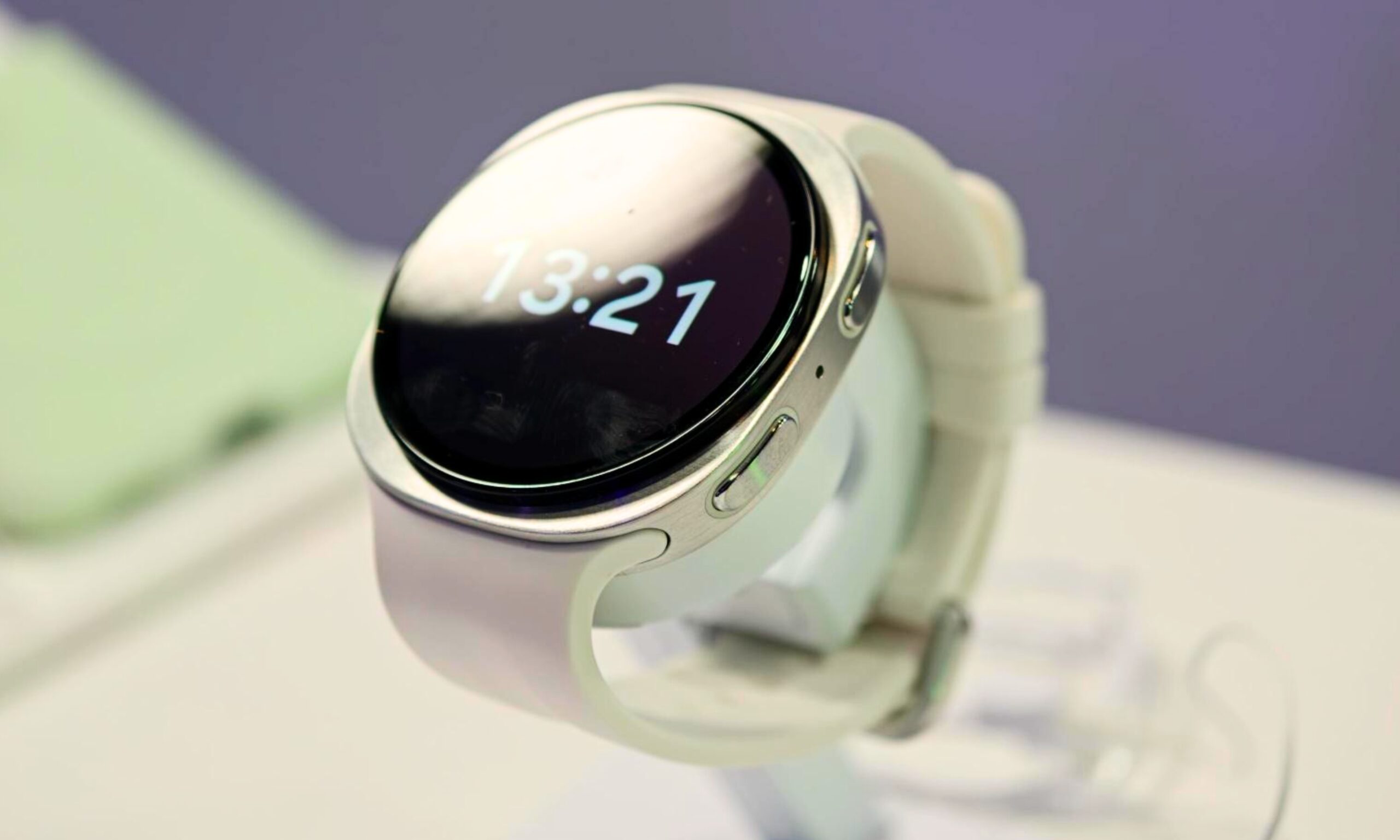
While Google has never quite matched its competitors in the smartwatch market, particularly when it comes to health tracking features, the Pixel Watch 5 feels like its strongest attempt yet to close that gap. With features such as Insulin Resistance Trends and Breathing Emergency Detection, Google is making a serious push in a category where wellness and proactive monitoring are becoming increasingly important.
With the Pixel Watch 5 now going head-to-head with Samsung’s Galaxy Watch 9 and Apple’s Watch Series 11, the differences go well beyond the usual Android vs. iOS divide. The interesting question isn’t which smartwatch has the longest feature list, since all of them are locked to their ecosystem, but which one implements those features better, or rather cooks up something new from the existing sensors.
Nadeem Sarwar / Digital TrendsNadeem Sarwar / DigitalTrendsNadeem Sarwar / Digital Trends
Pixel Watch 5 vs. Galaxy Watch 9 vs. Watch Series 11: Specs at a glance
Pixel Watch 5
Galaxy Watch 9
Apple Watch Series 11
Starting price
$399.99
$379.99
$399.99
Dimensions (smaller / bigger)
41× 41 x 12.3mm / 45 x 45 x 12.3mm
42.7 × 40.4 × 8.6mm / 46.0 × 43.7 × 8.6mm
42 × 36 × 9.7mm / 46 × 39 × 9.7mm
Weight (smaller / bigger)
31.0g / 36.7g
31.5g / 34.0g
30.3g / 37.8g
Case material
100% recycled aluminum
Aluminum, Armor Aluminum 2, sapphire crystal
Aluminum (Ion-X glass) or Titanium (sapphire crystal)
Rose Gold, Silver, Space Gray, Jet Black (aluminum); Gold, Natural, Slate (titanium)
Compatibility
Android 12.0+
Android 10.0+, Samsung Health app
iPhone 11+ with iOS 26+
Warranty
1 year
1 year
1 year limited
Nadeem Sarwar / Digital Trends
Health Guardian gives the Pixel Watch 5 an edge
The Pixel Watch 5’s hardware is solid but hardly distinctive next to its rivals. It uses the same 3,000-nit LTPO panel as Samsung, while still beating the Apple Watch for peak brightness, and the Snapdragon W5 Gen 2 keeps things responsive enough for features such as Gemini Proactive Suggestions. It is also the thickest smartwatch of the three, so Google clearly isn’t winning this comparison on hardware alone.
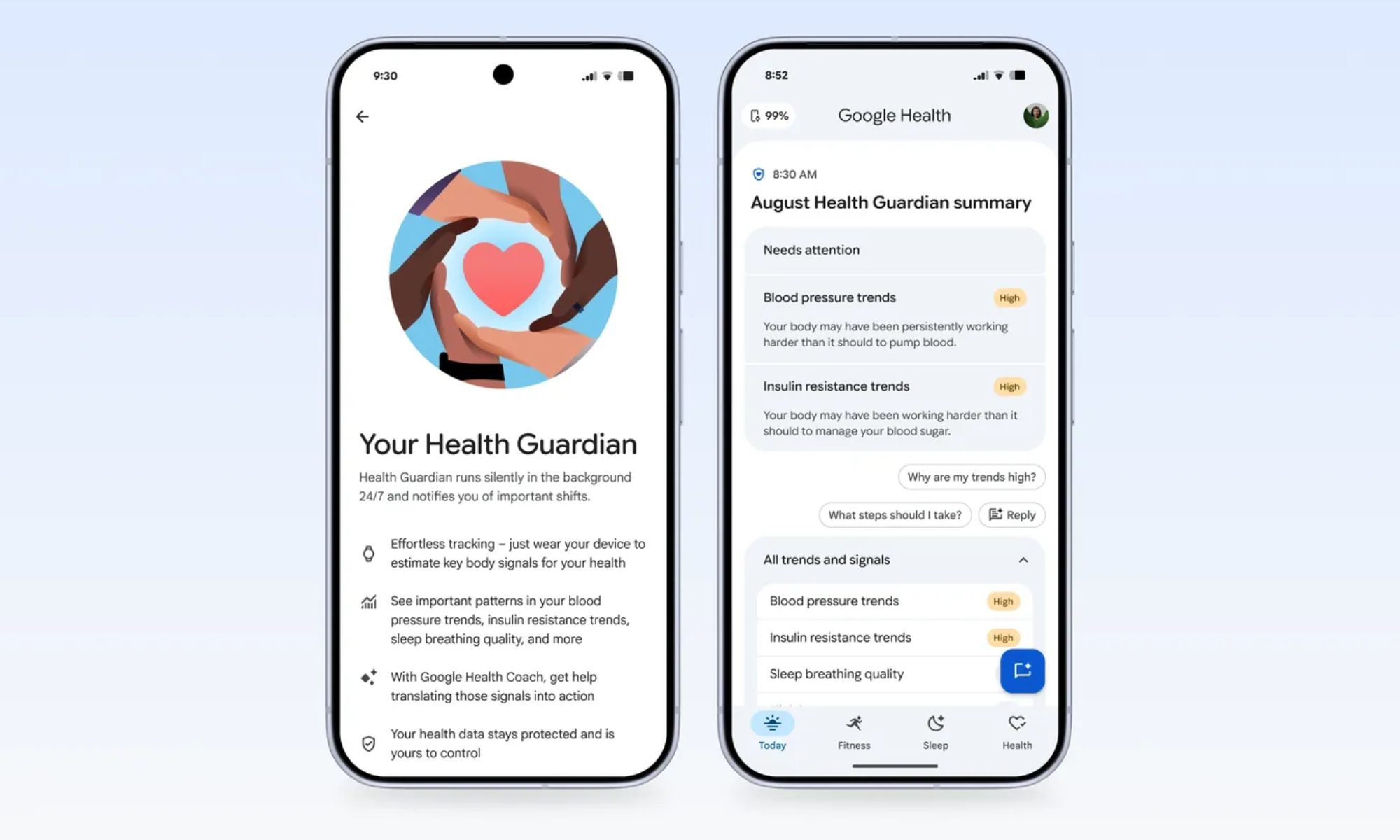
Health Guardian is where the Pixel Watch 5 makes its strongest case this year. Using its existing sensors and a month of passive wear, the watch can estimate Insulin Resistance Trends and generate monthly Blood Pressure Trend reports without requiring a CGM or blood-pressure cuff. Samsung and Apple still don’t offer anything comparable.
Google
Then there’s Breathing Emergency Detection, which monitors for dangerous blood oxygen level drops and can automatically call emergency services if it detects that you’re unresponsive. That gives the Pixel Watch 5 a practical safety advantage I wouldn’t dismiss, particularly for someone dealing with a serious health concern.
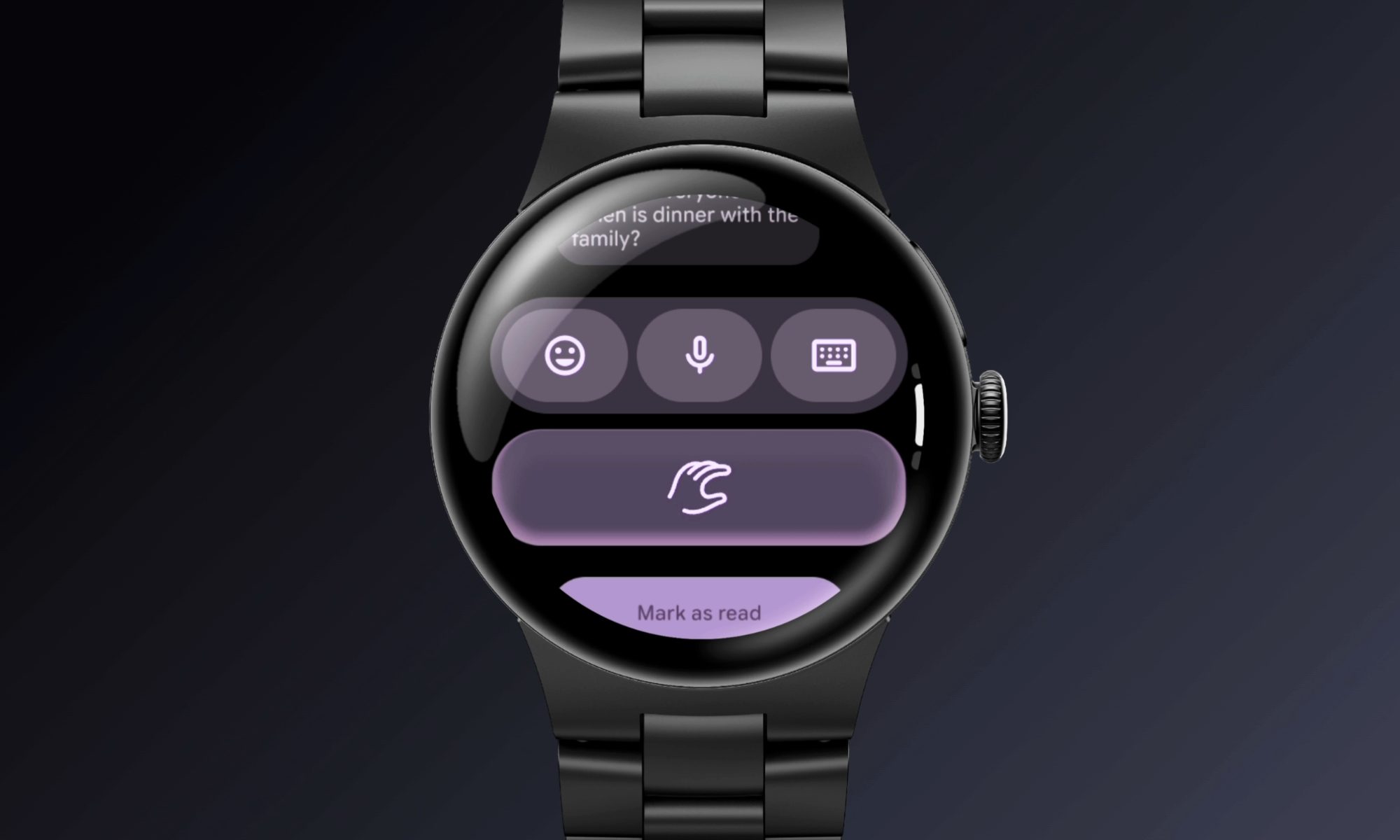
Google has also put real thought into hands-free navigation. A wrist-turn back gesture and refined double-pinch controls are useful rather than gimmicky, while Smart Wake uses live heart-rate data to wake you during a lighter sleep stage. Atmospheric GPS goes a step further by factoring live weather conditions into route tracking.
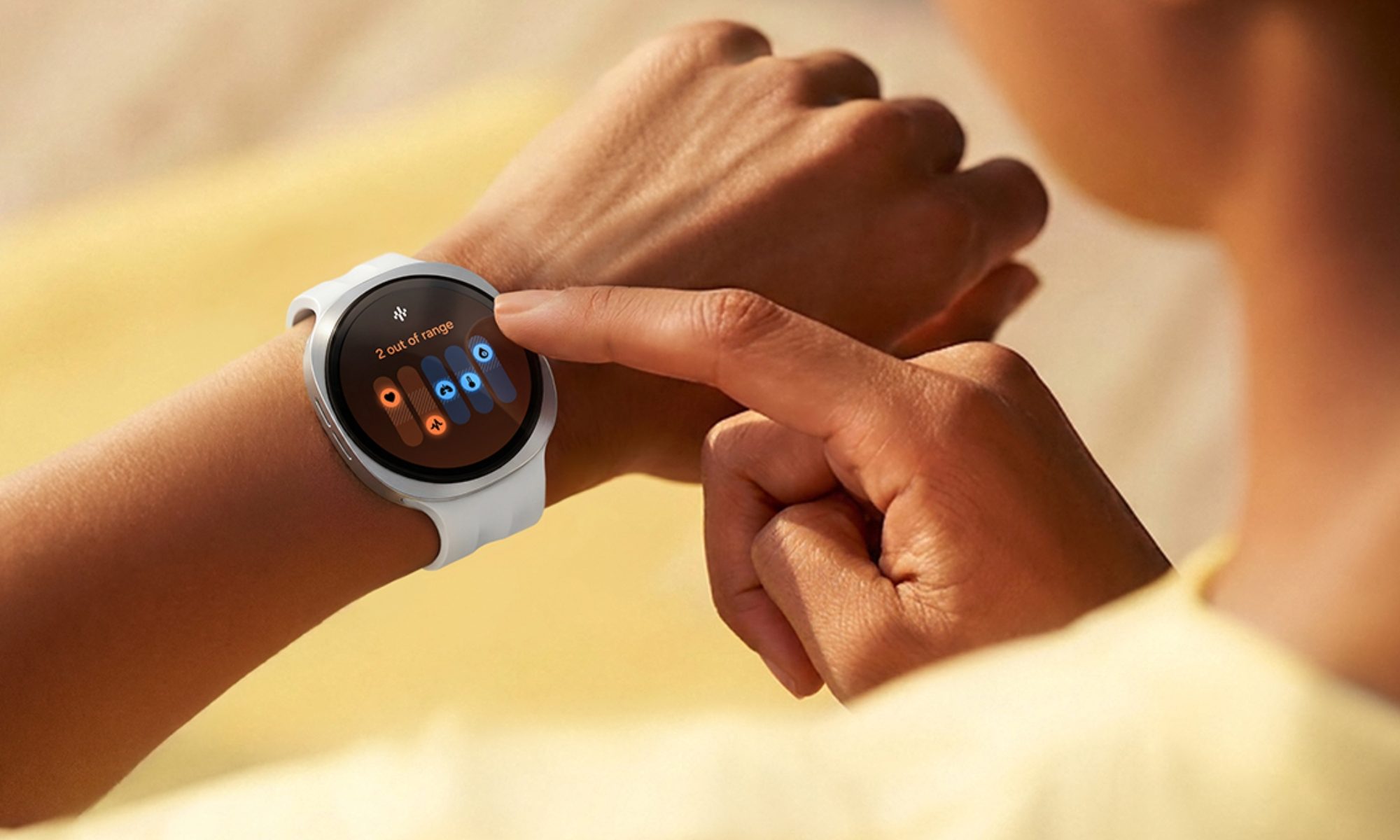
With One UI 9 Watch, you get the new Vitals dashboard. It spends the first week establishing a personal baseline for your SpO2, heart rate variability, respiratory rate, and skin temperature, and then flags subtle deviations that could signal illness or overtraining before you’d notice symptoms yourself.
Then there are several unique features like Daily Cardio Load and Antioxidant Index, which let you determine whether this should be a push or a recovery day and help you estimate whether your diet meets daily antioxidant requirements, respectively. Pair that with Hearing Protection Alerts, which monitor the ambient noise around you.
Samsung Heart Health ScoreSamsung
For anyone who trains seriously, Ghost Pacing lets cyclists race their own historical routes in real time. The updated Samsung Health app now supports custom GPX routing, which is quite useful for trail runners. On the software side, One UI 9 Watch’s split gesture system, including double pinch for yes, wrist shake for no, is the most intuitive control scheme on a smartwatch, at least for me.
Add native Gemini integration via Raise to Talk, and Samsung has built the most well-rounded health companion of this group.
Advertisement
Nadeem Sarwar / Digital Trends
Hypertension alerts and Workout Buddy keep the Watch Series 11 relevant
The first and most obvious difference is that the Watch Series 11 is the only rectangular smartwatch here, a form factor I consider better suited for reading notifications, messages, or glancing at data. It’s slimmer than the Pixel Watch, but not the slimmest here. Then there’s the S10 chip and its four-core NPU, which enable the Apple Watch Series 11 to process Siri commands entirely on-device, including the new Siri AI experience.
The Watch 11’s most useful and unique feature is Hypertension Notifications. Apple’s optical heart sensor tracks how your blood vessels respond to each heartbeat over a 30-day period, then alerts you if it detects patterns linked to chronic high blood pressure, a condition many people don’t discover until a doctor’s visit.
Nadeem Sarwar / Digital Trends
Like the Galaxy Watch 9, the Watch Series 11 also lets you detect the early signs of Sleep Apnea. Another similarity is the new Vitals app (Apple did it first), which aggregates overnight heart rate, respiratory rate, and wrist temperature into one dashboard so you can see at a glance whether you’re deviating from your own baseline.
Workout Buddy is Apple’s most interesting new addition for anyone who actually trains, in my opinion. It’s an Apple Intelligence-powered coach that adjusts pacing and offers encouragement mid-workout (that is important), pulling from your paired iPhone. Google’s Gemini Health Coach is mostly passive during workouts, giving Apple an edge here.
Nadeem Sarwar / Digital Trends
Combined with genuinely advanced sport tracking, including SWOLF scoring for swimmers, offline topographic maps for hikers, Stride Length and Ground Contact Time for runners, and the new wrist flick gesture for one-handed control, the Series 11 remains an intuitive smartwatch and a reliable health-monitoring device.
Which one should you get?
Ultimately, there’s no one winner here. Call it a pro or a con, but the decision depends on the phone in your pocket. The Pixel Watch 5, with the new Insulin Resistance and Blood Pressure Trends feature, is the best to pair with the new Pixel 11 series, or any Pixel for that matter. The Galaxy Watch 9, on the other hand, has a hardware advantage in the form of the BioActive Sensor, making it the best smartwatch for Galaxy phones. Finally, the Apple Watch Series 11, while its falling behind when it comes to unique or new health monitoring features, is still the best smartwatch to pair with iPhones.
Samsung may be preparing to make its boldest Exynos claim in years. A new report shared by industry analyst Ice Universe, citing Korean media, suggests that Samsung is highly confident its next-generation Exynos 2700 chipset can outperform Qualcomm’s upcoming Snapdragon 8 Elite Gen 6, including its higher-end Pro variant.
The reported figures are ambitious enough to raise eyebrows. If they hold up in production hardware, the Galaxy S27 could mark a major turnaround for Samsung’s in-house processor business. For now, however, the numbers remain early estimates rather than independently verified benchmark results.
Samsung’s next Exynos could finally challenge Qualcomm
According to the report highlighted by Ice Universe, the Exynos 2700 is targeting a 19% advantage over the standard Snapdragon 8 Elite Gen 6 in Geekbench 6.5 multi-core performance, while reportedly remaining 9.5% ahead of the Snapdragon 8 Elite Gen 6 Pro.
Graphics performance could be even more significant for smartphones. At peak performance, the Exynos 2700 is said to be around 5% faster than Qualcomm’s Pro chip. Under a 2.5W power limit, however, the reported advantage widens considerably, with Samsung’s chip allegedly delivering 24% better GPU performance than the standard model and 22% more than the Pro version.
Advertisement
BREAKING!
Korean media reports that Samsung is highly confident in its next-generation flagship chipset, the Exynos 2700, which is reportedly targeting performance beyond Qualcomm’s upcoming Snapdragon 8 Elite Gen 6, including the higher-end Pro variant.
That distinction matters because phones rarely spend long periods running at their absolute performance limits. Gaming, camera processing, and AI workloads can generate heat, forcing chips to reduce performance. A processor that performs better at lower power could potentially offer stronger sustained gaming performance while using less battery.
Advertisement
The report also claims an AI advantage. In Llama 3.1 8B testing, the Exynos 2700 reportedly generated responses 18% faster than the Snapdragon 8 Elite Gen 6 Pro, while prompt processing was said to be roughly 5% quicker.
The bigger prize is Samsung’s independence from Qualcomm
Efficiency may be the most important claim of all. In a test intended to simulate real-world smartphone usage, the Exynos 2700 reportedly consumed 161mA, compared with 185mA for the Snapdragon 8 Elite Gen 6 Pro, representing approximately 12.7% lower power consumption.
Samsung is expected to manufacture the chip using its second-generation 2nm GAA process, known as SF2P. Strong results would therefore benefit not only Samsung’s mobile division but also Samsung Foundry, offering evidence that its latest manufacturing technology can compete at the highest level.
Nadeem Sarwar / Digital Trends
There is also a financial incentive. The report notes that Samsung spent approximately KRW 13.8272 trillion on mobile application processors in 2023. Expanding Exynos use in the Galaxy S27 lineup could reduce the company’s reliance on Qualcomm and lower the cost of sourcing flagship chips.
A winning Exynos chip, however, will need to do more than post impressive benchmark numbers. Samsung will eventually have to prove the reported advantages in shipping phones, where thermals, sustained gaming performance, battery life and camera processing matter far more than a laboratory score.
Advertisement
If Ice Universe’s reported figures are even close to accurate, the Exynos 2700 could be Samsung’s strongest flagship processor in years. The real test will come when production hardware arrives, and Qualcomm gets a chance to answer.
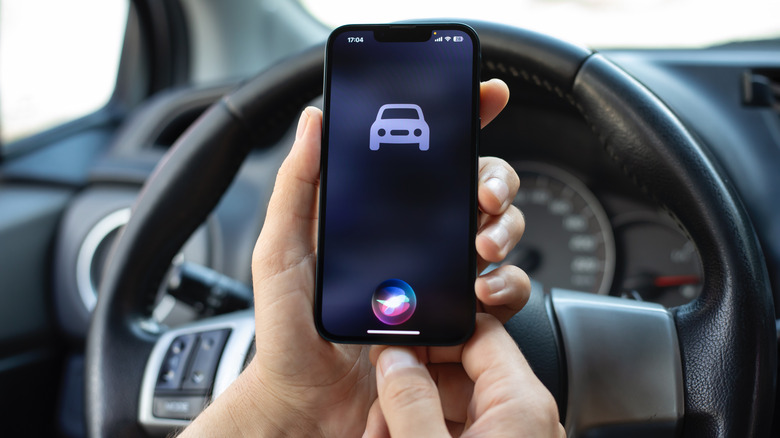
Don’t let Siri become a hassle instead of an assistant; keep it quiet in the car to reduce distractions.
Hadrian/Shutterstock
Even though CarPlay makes it safer to use your phone’s features while driving, it can still become distracting, like when group chat messages pop up and grab your attention. One of the worst forms of this is Siri audibly interrupting what you’re doing.
Hearing the assistant constantly talk over your music, podcast, or in-car conversation with announcements is annoying and potentially dangerous. You might also have issues with it not properly hearing you as you’re speaking to it in the car. Thankfully, you can adjust a few settings, particularly how you interact with Siri, in an effort to avoiding wasting time.
You can’t completely disable Siri, since CarPlay won’t work without the feature enabled. However, you can make your CarPlay drives smoother by turning off some of the assistant’s most obnoxious tendencies. When every distracted second on the road could lead to an accident, tweaking Siri to your liking is an overlooked way to stay safe.
Advertisement
The most important toggle: Driving Focus
DenPhotos/Shutterstock
The best way to hush Siri while you’re driving is to use the applicable Focus mode. Focus modes are an extension of Do Not Disturb that suppress notifications depending on your situation, and the Driving mode has special toggles to enable automatically in the car. With this enabled, you’ll only see alerts from people you choose, cutting down on interruptions.
To set it up, open Settings and go to Focus. If you don’t see Driving, tap the Plus (+) icon at the top-right and add it. Inside the Driving focus, choose People. For driving, it makes more sense to Allow a short list of people to alert you. When they contact you from any app, including Messages and WhatsApp, alerts will show as you drive. The toggles below let you control which phone calls notify you in your vehicle. Contacts Only silences spam calls while driving, or you can limit it to your chosen list with Allowed People Only.
Use the Auto-Reply section to set a short message that goes to the group you select if they text you when you’re using CarPlay. People will know you’re busy without you dictating a message as you drive.
Advertisement
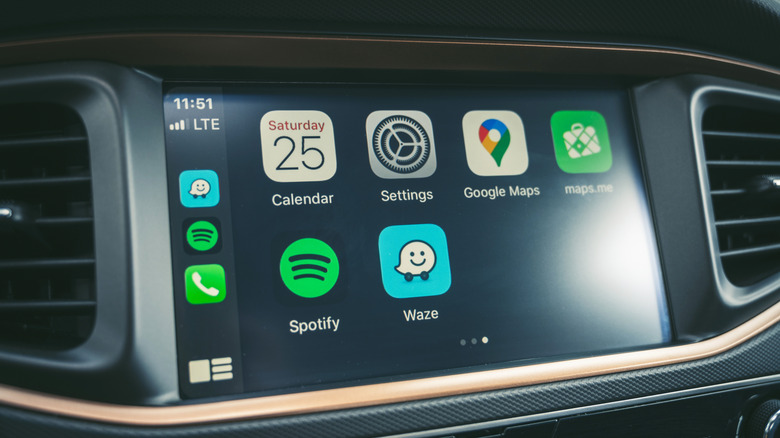
Finally, scroll down to tap While Driving and make sure Activate With CarPlay is on. The options above this are for cars that don’t support CarPlay. Now, while in wired or wireless CarPlay, you’ll see a small car icon underneath the clock, letting you know this Focus is on.
Keep Siri quiet in the car
A. Aleksandravicius/Shutterstock
Siri’s ability to speak notifications is great in the right circumstances, but if it won’t shut up about incoming alerts in the car, you can turn this off. Back in Settings on your phone, choose Notifications > Announce Notifications. If you want to use this feature outside of CarPlay, keep the top toggle on and select the CarPlay menu. There, disable Announce Messages and Siri won’t read anything that comes in during a trip.
Back on the Announce Notifications page, you might also want to turn on Reply Without Confirmation. By default, when you speak a reply, the assistant will read what you said back to you for confirmation before sending. While this helps avoid misspoken messages, it also creates extra steps behind the wheel. Turn this toggle on and sending a reply becomes a single step.
Advertisement
Another way to prevent stoppages with Siri is hidden under Settings > Accessibility > Siri > Require “Siri” for Interruptions on your phone. Normally, Siri will stop what it’s saying when it detects you talking back. If your phone is doing this in error because of road noise or other people in the car, enable this option. Then, Siri won’t stop what it’s saying unless you say “Siri” to prompt it again. Similarly, if it tends to stop listening because you take too long to think, change Siri Pause Time to Longer or Longest to give yourself more time.
Although Siri is required for CarPlay, you can still turn off some forms of its activation. Go to Settings > Apple Intelligence & Siri > Talk to Siri on your phone and choose Off in the top menu. After doing this, you’ll only be able to summon Siri by hitting the voice command button on your steering wheel or holding the Side button on your phone. And in some cars, using the volume knob (or your phone’s volume buttons) when it’s talking will adjust the volume for Siri only, while not affecting music or other playback. This depends on your vehicle, but is another trick worth a try if you want more control.
Advertisement
Disable navigation guidance
A. Aleksandravicius/Shutterstock
Spoken directions in navigation apps help you avoid missing turns but also constantly interrupt what you’re listening to. Thankfully, it’s easy to disable audio guidance in major GPS apps while using CarPlay, letting you customize this per-trip.
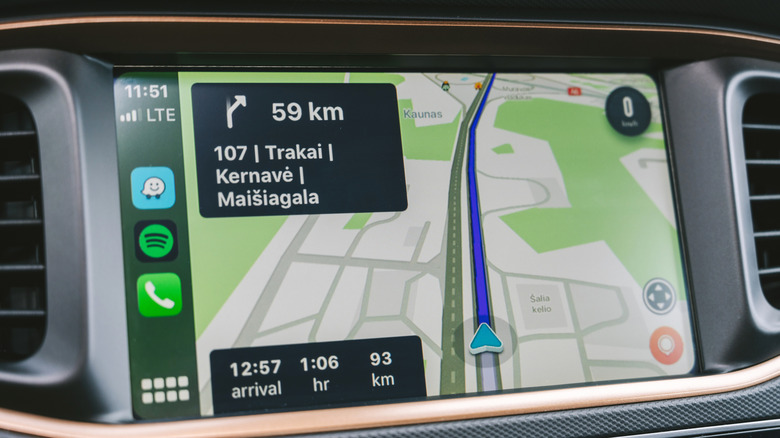
Apple Maps and Waze offer this control in the same way. Tap the screen during navigation to show buttons, then hit the speaker icon, which gives the choice between full guidance, alerts only, and complete silence. Hearing alerts only is a good balance, since faster routes or upcoming slowdowns are important and happen far less often than turns.
For Google Maps, you’ll need to open the app on your phone, tap your profile picture at the top-right, and choose Settings > Navigation. Enable Play alerts even while muted. On the same menu, consider adjusting the Guidance volume of alerts if they annoy you. For a similar option in Apple Maps, visit Settings > Apps > Maps > Spoken Directions to soften the Voice Volume. You might also wish to turn off Directions Pause Spoken Audio; this keeps podcasts and audiobooks playing even as directions are read aloud.
Hopefully, Siri’s upcoming AI overhaul makes the assistant smarter so we don’t have to put up with these hassles.
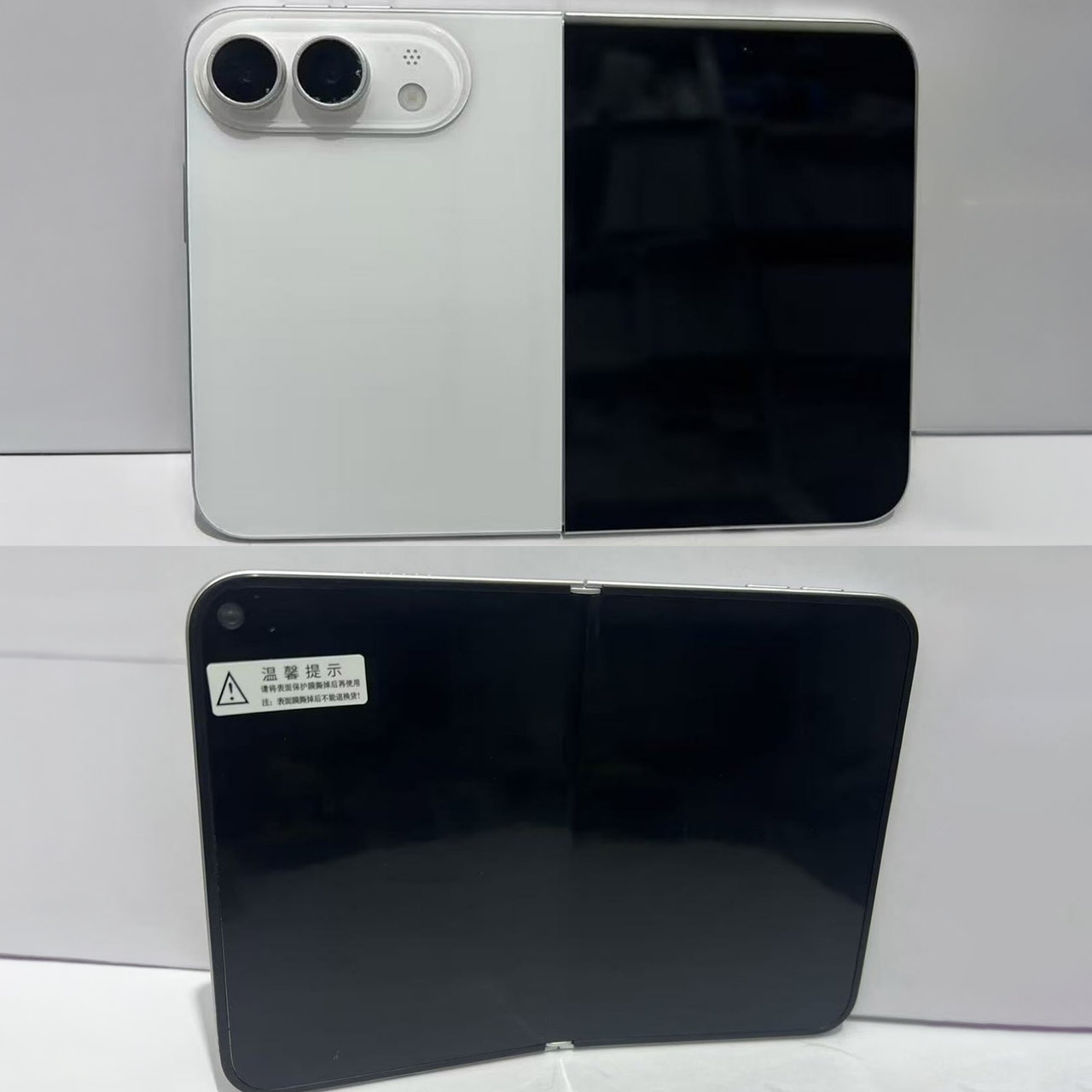
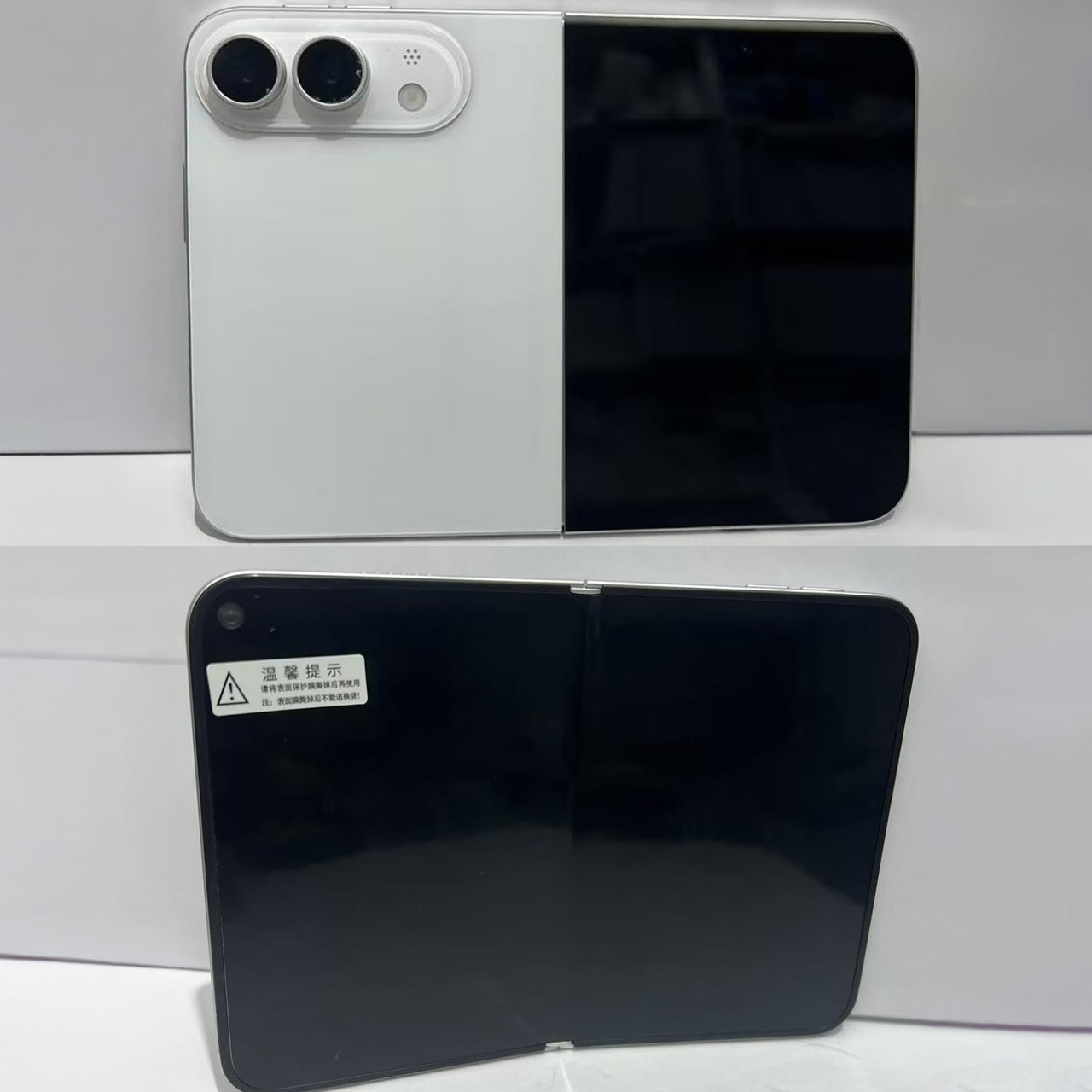
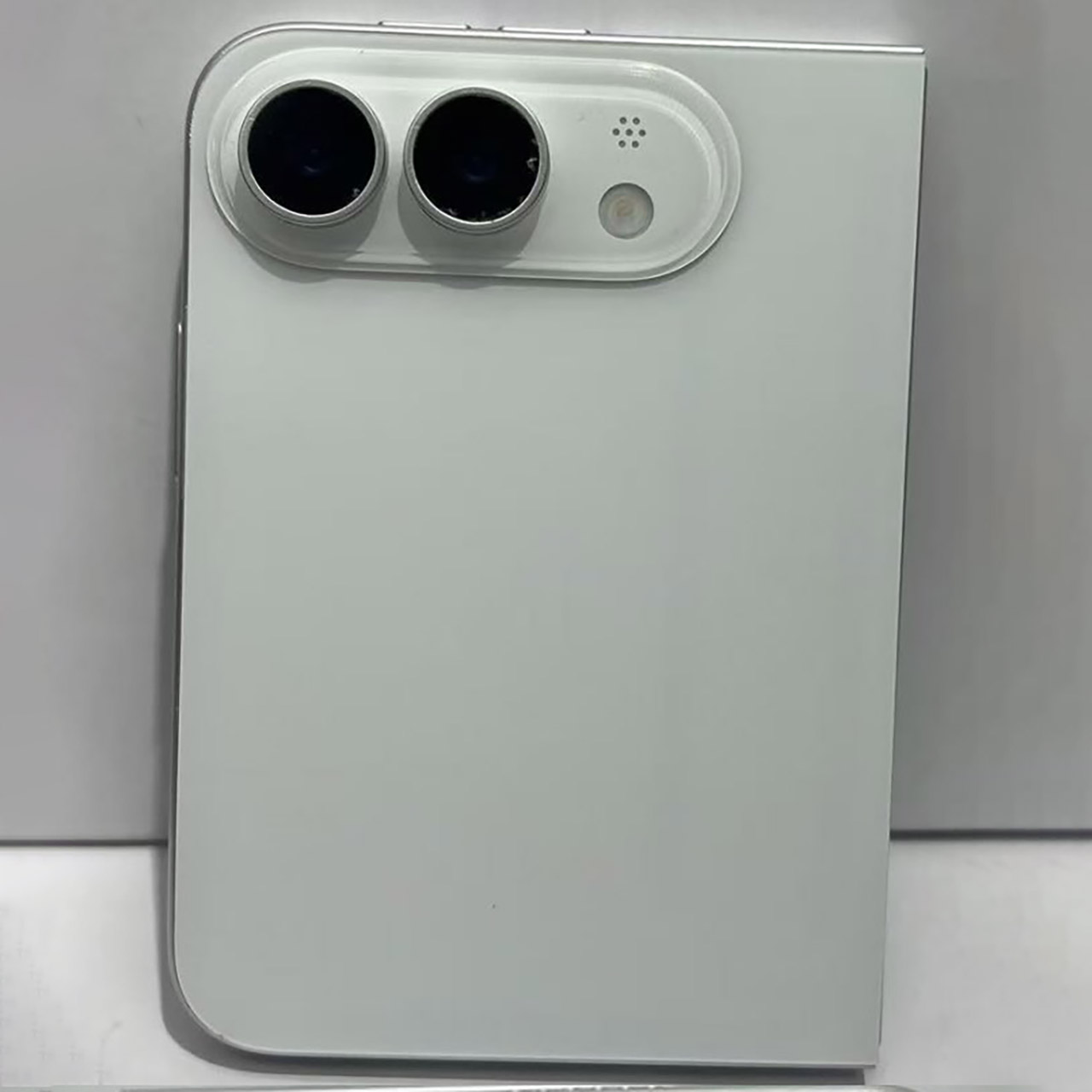
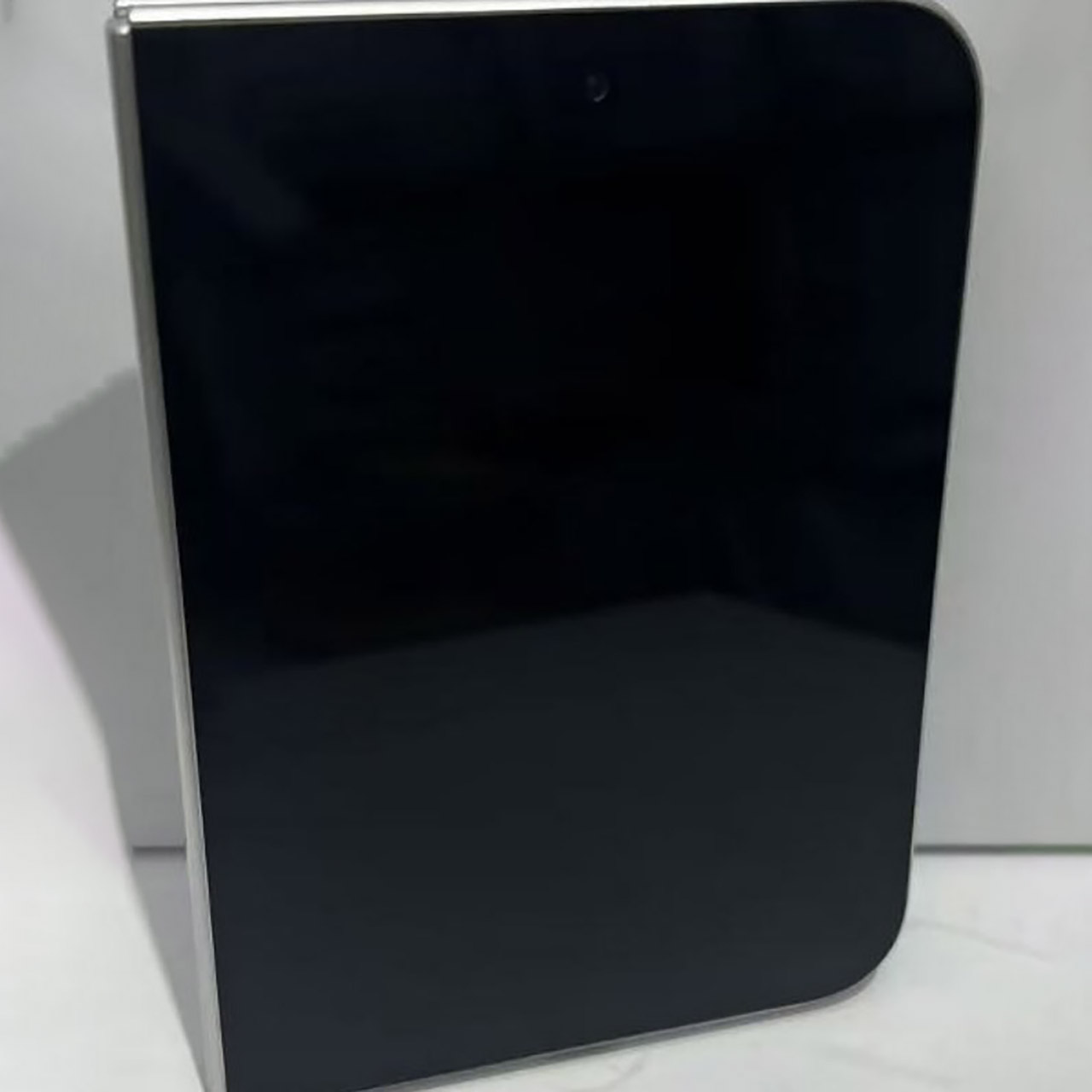
Photo credit: Sonny Dickson Apple’s long-awaited foldable phone has reached the hands of a small group of early testers, and the feedback arriving through Mark Gurman’s latest Power On newsletter is largely positive. People who have spent time with the prototypes, referred to internally as the iPhone Ultra, keep coming back to how the device feels when closed and how it works once opened.
Those testers rave about a phone that fits comfortably in a pocket without adding bulk. The folded form is only 9.4 millimeters thick, and when held, it has the compact shape of a book rather than the tall, slender foldables that came before. They have a 5.5-inch exterior display for regular usage, and when you flip it open, the inside screen measures around 7.8 inches. People quickly realized that the device’s unusually wide aspect ratio makes it feel like a tablet when held, which is a major upgrade over simply juggling windows on your standard iPhone.
SHOP NOW: Get an Amazon gift card when you order Samsung Galaxy Z Fold8. You will receive an email once your gift card is available after the product…
CREATED FOR YOUR CONTENT: Any way you turn it, the new Galaxy Z Fold8 gives you a fuller viewing experience. Designed with your content in mind, this…
WORLD’S LIGHTEST FOLD¹: Galaxy Z Fold8 is the newest foldable phone for content on the go. Unfolded, it fits movies and books for an immersive…
The hinge has earned high praise, with early reports claiming that it is fairly solid and feels like it was built to last, with no creaks or squeaks while opening and closing it repeatedly. Some of the first people to try it out point to the liquid-metal construction, which is intended to be highly robust without adding any heft, which is exactly what you want when you need to keep that phone as thin as possible. When you open it, it shrinks to 4.5 millimeters, which is so little that Apple had to make some other compromises to reach that aim.
The prototype is beginning to win over folks in the software industry. The larger inner display allows for iPad-style layouts, and juggling windows side by side seems far more natural than using split-screen on your standard iPhone. People are also enjoying the open screen as a camera viewfinder, which is far larger than the tiny little window on your ordinary phone and allows you to take better photos. It all appears to be coming together very well, with individuals reporting that productivity tasks, video consumption, and gaming all benefit significantly from the added storage.
Advertisement
Now onto the camera hardware, where things begin to turn a little less rosy. The rear of the device is simply a pair of 48-megapixel sensors, one standard and one super-wide. There is no telephoto lens, which is a bit of a concern for a phone that will cost at least $2,000, if not more with storage. Many people will be disappointed that the zoom option is not included, especially since the lower-end Pro models already have it. Front-facing cameras have arrived, but only on both screens, and they aren’t saying much about them yet.
Biometrics are another example of a compromise. There is no Face ID; instead, a Touch ID sensor is incorporated into the side power button, as seen on previous iPads. It’s a good move in terms of keeping the phone slim, and it works in any orientation, but it appears that many longtime iPhone customers will be disappointed that Face ID and fingerprint recognition are not included.
Let’s just say the prices aren’t cheap. Expect to pay at least $2,000, with higher-end models possibly exceeding $2,500. This means that when selecting whether this is the phone for them, consumers must examine a number of things, including the folding design, the wide open display, the revised hinge, and the lack of zoom and Face ID. [Source]
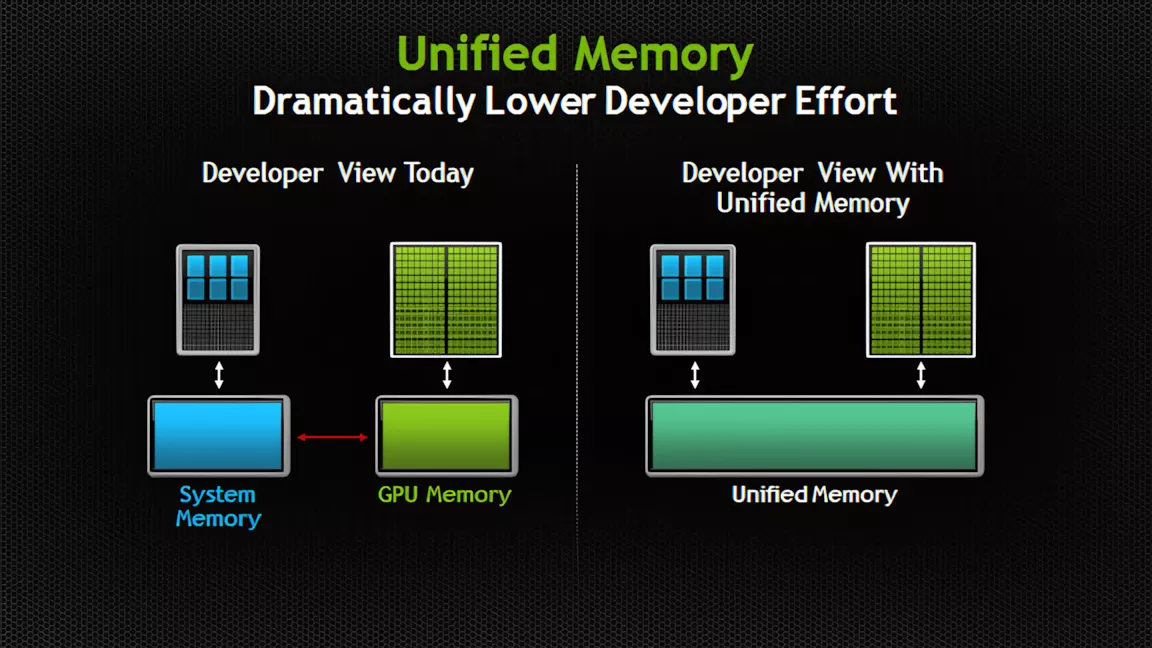
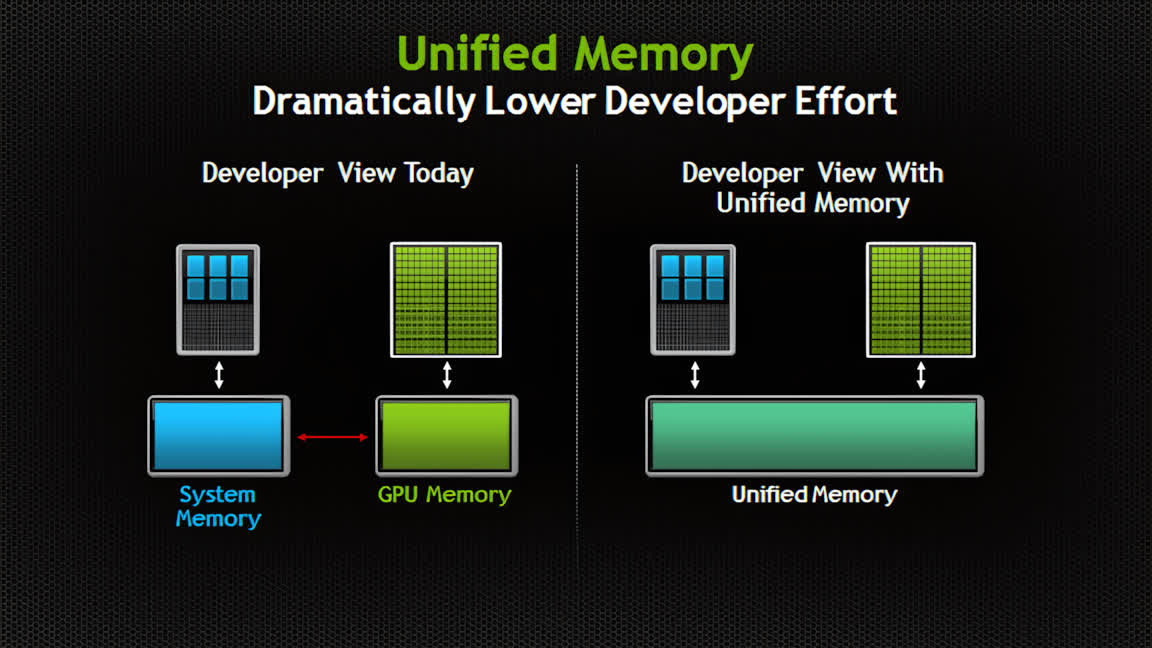
Connecting the dots: PCs without a dedicated GPU already have to share a single memory pool between graphics, AI, and system tasks, and Windows currently makes that split on its own. That arrangement is becoming a much bigger deal as Apple, Qualcomm, Nvidia, and others build AI PCs around unified memory pools that could potentially stretch into the hundreds of gigabytes.
A recent experimental Windows 11 build hides evidence that Microsoft is preparing to let users control the split between system and video memory in unified pools. The feature could give users more flexibility when juggling gaming and AI workloads, especially on upcoming unified-memory devices like Nvidia’s RTX Spark platform.
Windows 11 build 29648.1000, released August 17, carries a new feature called “IntelligentCarveout” that isn’t mentioned anywhere in Microsoft’s patch notes. Windows watcher @phantomofearth confirmed to Windows Latest that the build’s code strings reference reserving memory for accelerators, graphics, and AI.
That would let users manually set aside unified memory for games and AI-heavy applications, with that reserved portion off-limits to everything else.
Advertisement
Similar references previously turned up in Nvidia documentation. If the feature ships publicly, it could fundamentally change how users configure performance on unified-memory chips.
Unified memory has traditionally shown up in Macs, some laptops, handheld gaming PCs, and other systems built around integrated rather than discrete graphics.
Depending on the workload, performance on these systems can vary significantly compared to discrete GPUs with dedicated VRAM, and while GPU-heavy tasks can pull from system memory when they run short, doing so usually comes with a steep performance penalty.
Since running local AI models demands large amounts of fast memory, high-end GPUs once reserved mainly for gaming have become popular tools for AI work. Meanwhile, PCs built from the ground up for local models have featured progressively larger unified memory pools. Macs configured with 24GB of unified RAM or more have faced shortages amid the local AI boom, and Microsoft and Nvidia have answered that shift with RTX Spark devices offering up to 128GB.
Advertisement
Nvidia’s dominance in GPUs owes a lot to software, not just silicon – CUDA programming, DLSS upscaling, Reflex latency reduction, and the broader RTX suite have become real selling points on top of raw hardware. Carrying that same software stack into the integrated-graphics space gives RTX Spark a built-in edge over AMD, Qualcomm, and Intel, none of which can match Nvidia’s software ecosystem on AI or gaming performance yet.
When it unveiled the RTX Spark chip, Nvidia already touted it as carrying more addressable memory than any of its GPUs. Because IntelligentCarveout would let users route a large share of that 128GB pool toward graphics and AI tasks, RTX Spark’s GPU could end up with access to far more memory than even the RTX 5090’s 32GB of dedicated VRAM – though that shared, LPDDR5x-based pool is considerably slower than the RTX 5090’s GDDR7, so it’s a capacity advantage rather than a speed one.
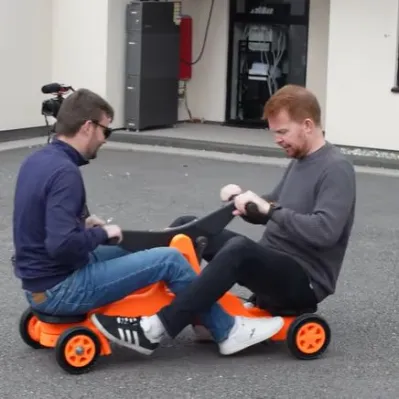
It’s arguably adult-sized. (Credit: Sam Barker, YouTube)
A staple of old movies featuring railways, many handcars – also called pump trolleys or pump cars – feature the characteristic seesawing beam. Requiring at least two people, the motion of this beam is subsequently converted into the rotating motion of the wheels, propelling it at a leisurely pace across the tracks. As a fun and yet functional mechanical contraption it also makes for an entertaining 3D printable project, which is what [Sam Barker] and [Tom] did.
You can find the entire project over at Printables if you are feeling the itch as well, though as of writing details on the required bolts and shafts are still pending.
Since the entire assembly had to be lugged over to the Open Sauce event in the US, they had to design it to be small enough to fit into check-in luggage and easy enough to reassemble in a hotel room. Naturally this put some constraints on the full size of the contraption, with it omitting compatibility with standard gauge railways and also being decidedly fun-sized.
That said, it seems to have left an impression on the folk over at Open Sauce, and it’s hard to argue with the sheer fun factor of such a co-op mode of transportation. Even if bicycle-style handcars are more popular these days, especially for tourist purposes, the old seesaw-style has that certain charm to it.
Apple added desktop widgets to Mac with macOS Sonoma back in 2023. I remember dragging a few onto my desktop on day one and moving them right off a few minutes later. The native widgets never fit into how I use my Mac. The look felt off, and honestly, there just weren’t enough of them to bother with.
Ever since, I have been searching for something that does for Mac what the widget apps like Widgetsmith did for iPhone. I wanted more options, and more importantly, I wanted widgets that actually looked like they belonged on a Mac desktop instead of feeling bolted on.
After trying a bunch of apps that promised this, I finally found one that delivers. The app is called BetterMacWidgets, and in this article, I will show you how it finally made me use widgets on my Mac’s desktop.
Widgets that live right on your desktop
Apple‘s desktop widgets are tied to whatever system apps happen to support them, and third-party options are still thin on the ground. BetterMacWidgets flips that around. It gives you access to more than 20 widgets, and you can drag them anywhere you like, snapping onto an invisible grid so your layout always stays neat.
Advertisement
Rachit Agarwal / Digital Trends
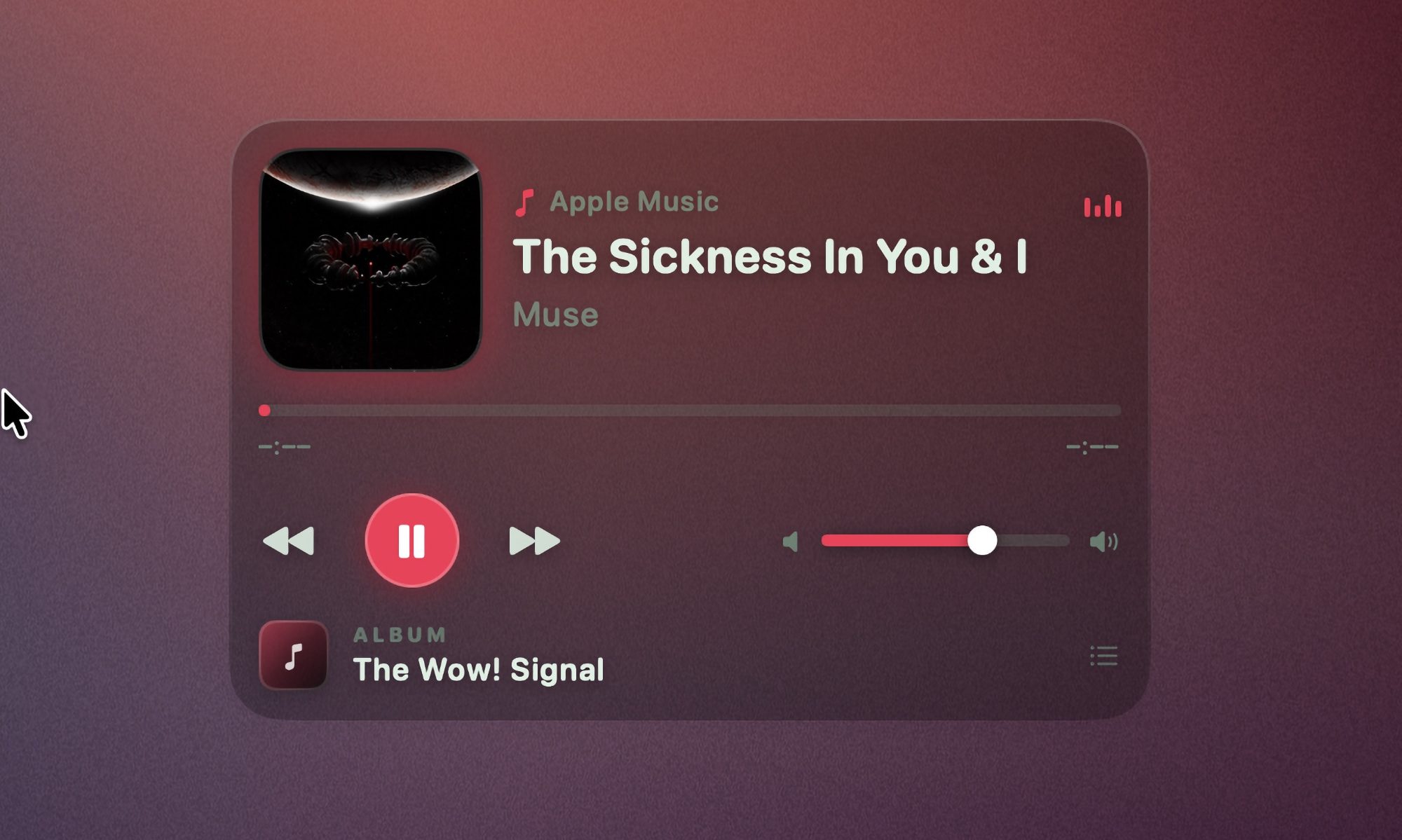
The app also lets you choose from up to six sizes depending on the widget, ranging from a small 1×1 square to a bigger 4×3 tile. I love the Now Playing widget. It shows artwork and title, and lets me play, pause, and skip tracks right from the tile. With this, I don’t ever have to hunt for music controls.
Rachit Agarwal / Digital Trends
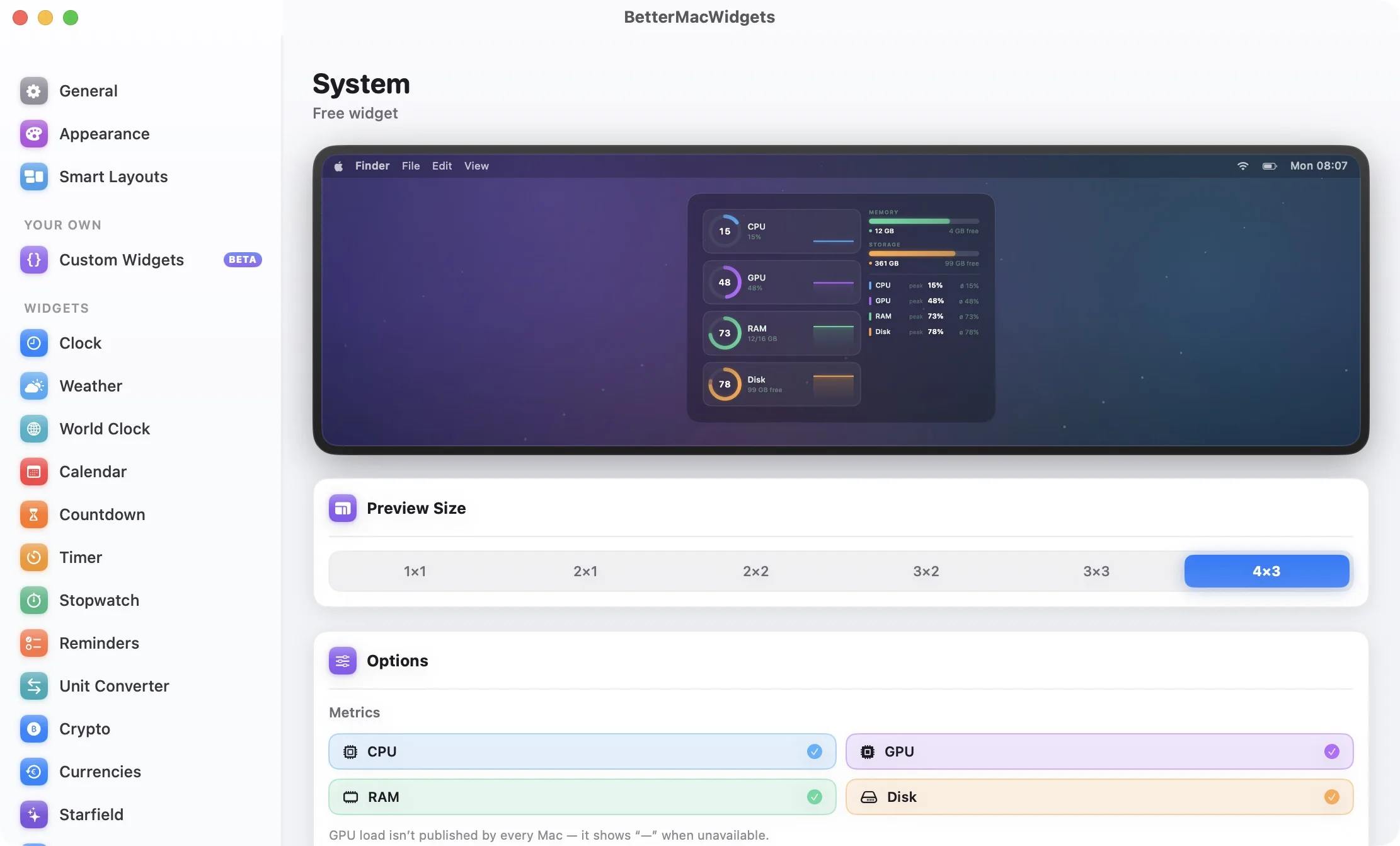
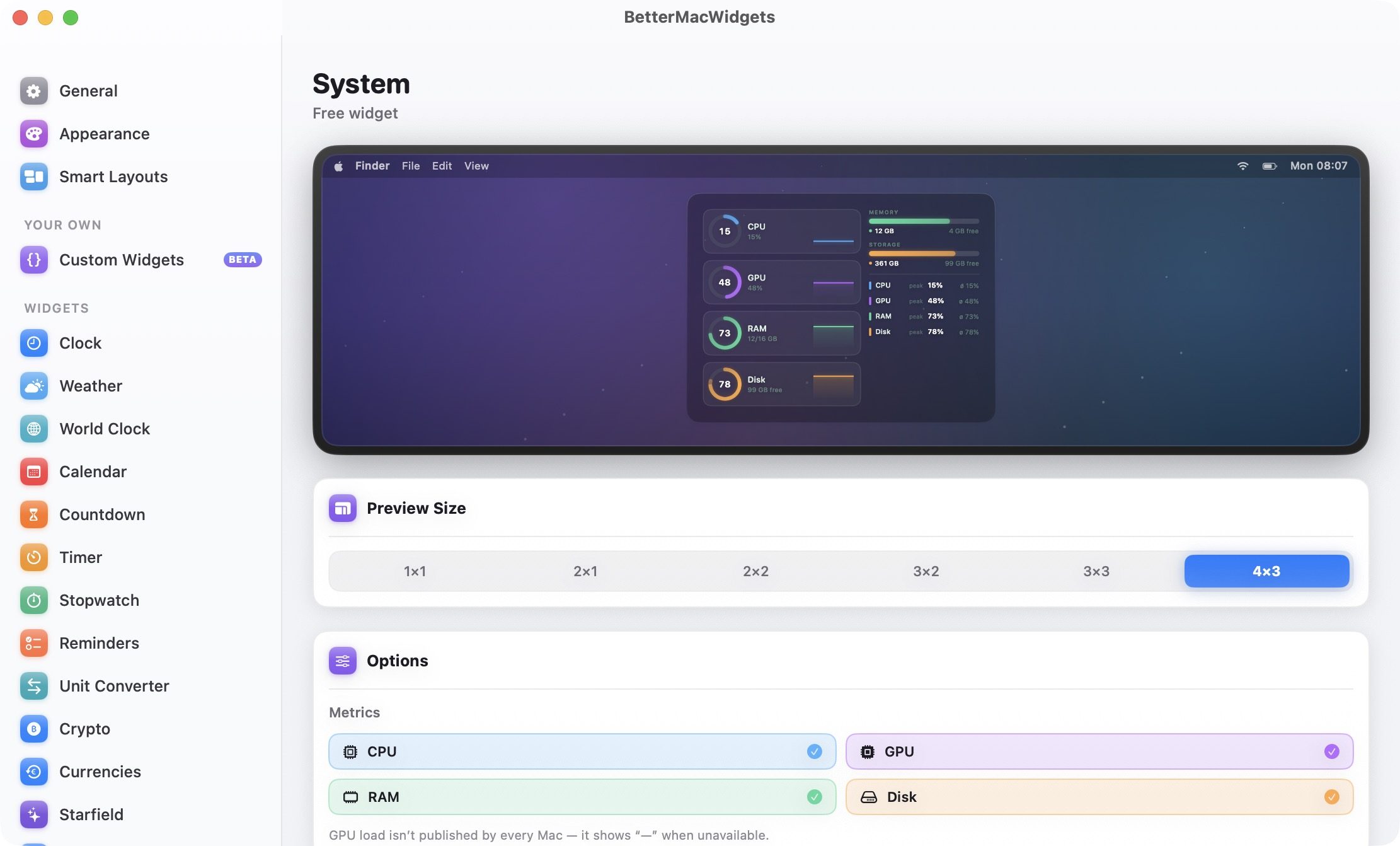
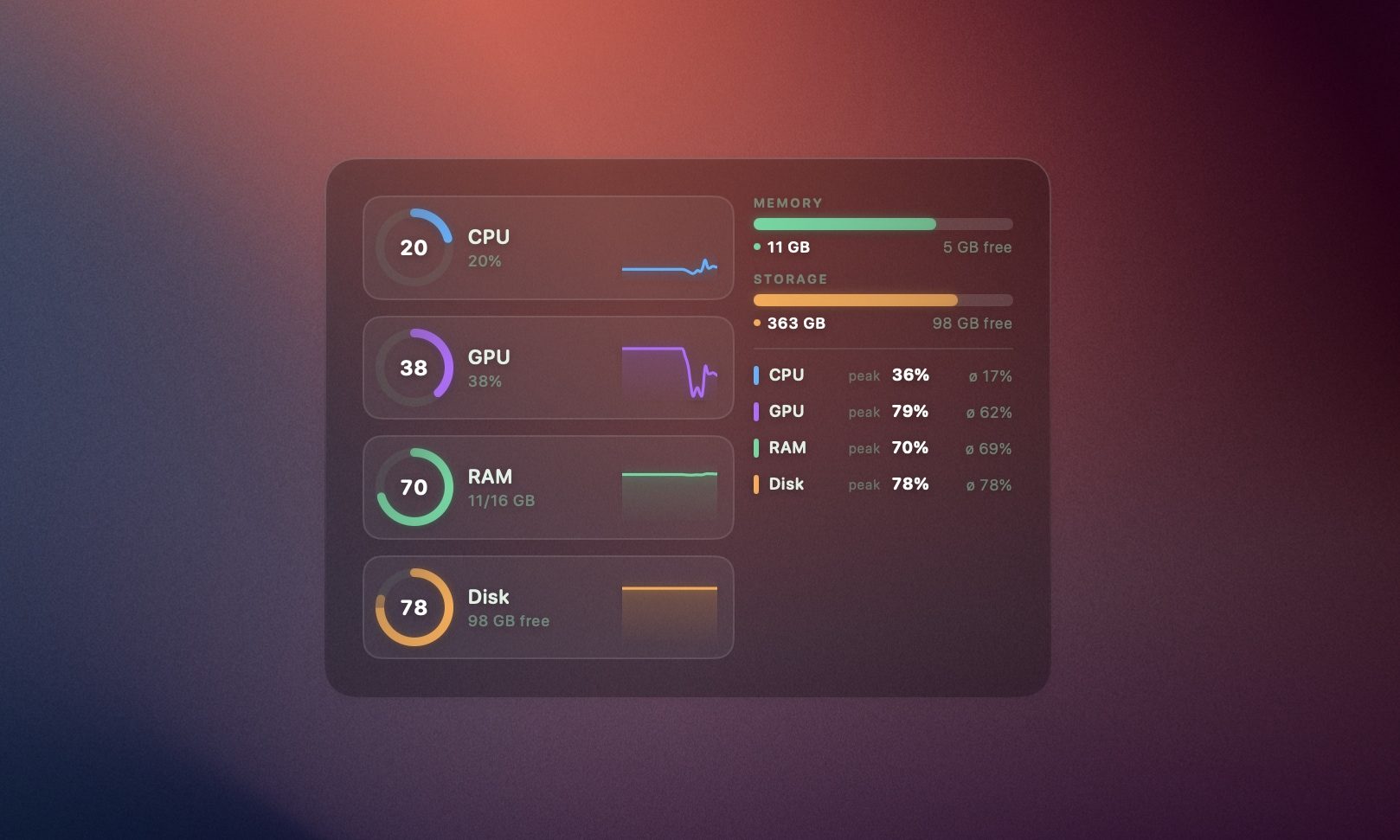
If you like keeping an eye on your Mac’s health, the System Stats widget gives you animated gauges for CPU, GPU, memory, and disk, along with a battery gauge that visibly sloshes while charging. And don’t worry about your Mac slowing down because of all this animation.
Rachit Agarwal / Digital Trends
The widgets only animate while they are visible. If they are hidden behind an app’s window, they stop animating. If you still see an effect on the battery, you can turn off the animation all together.
Weather, Reminders, and more
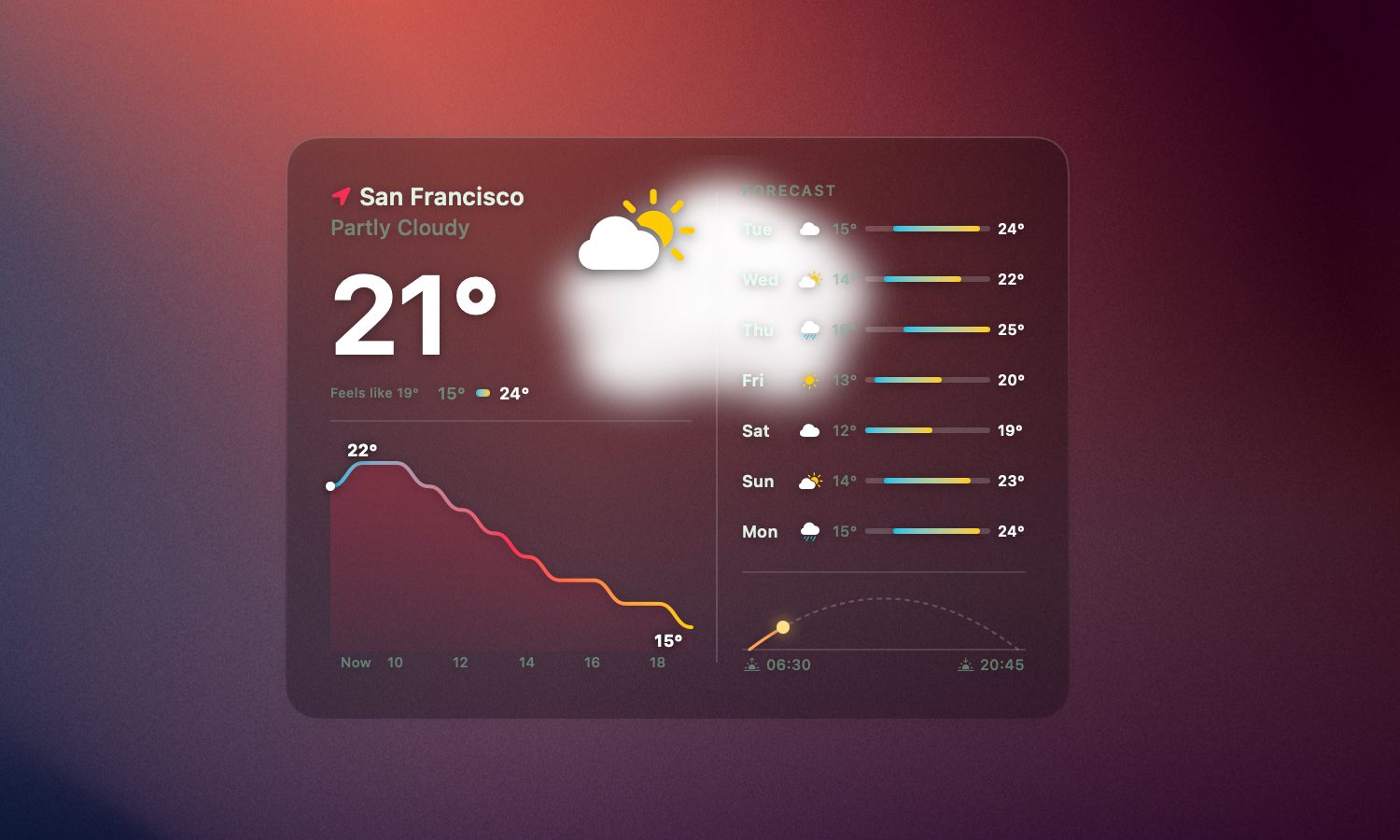
Weather widgets are common, but I appreciate how BetterMacWidgets display it. It pulls real forecast data from Open-Meteo, based on your precise location, your approximate location, or any city you want to type in manually. The best part of the widget is the live animation. Whether it’s sunny, raining, or snowing, the widget animate to reflect the same.
Rachit Agarwal / Digital Trends
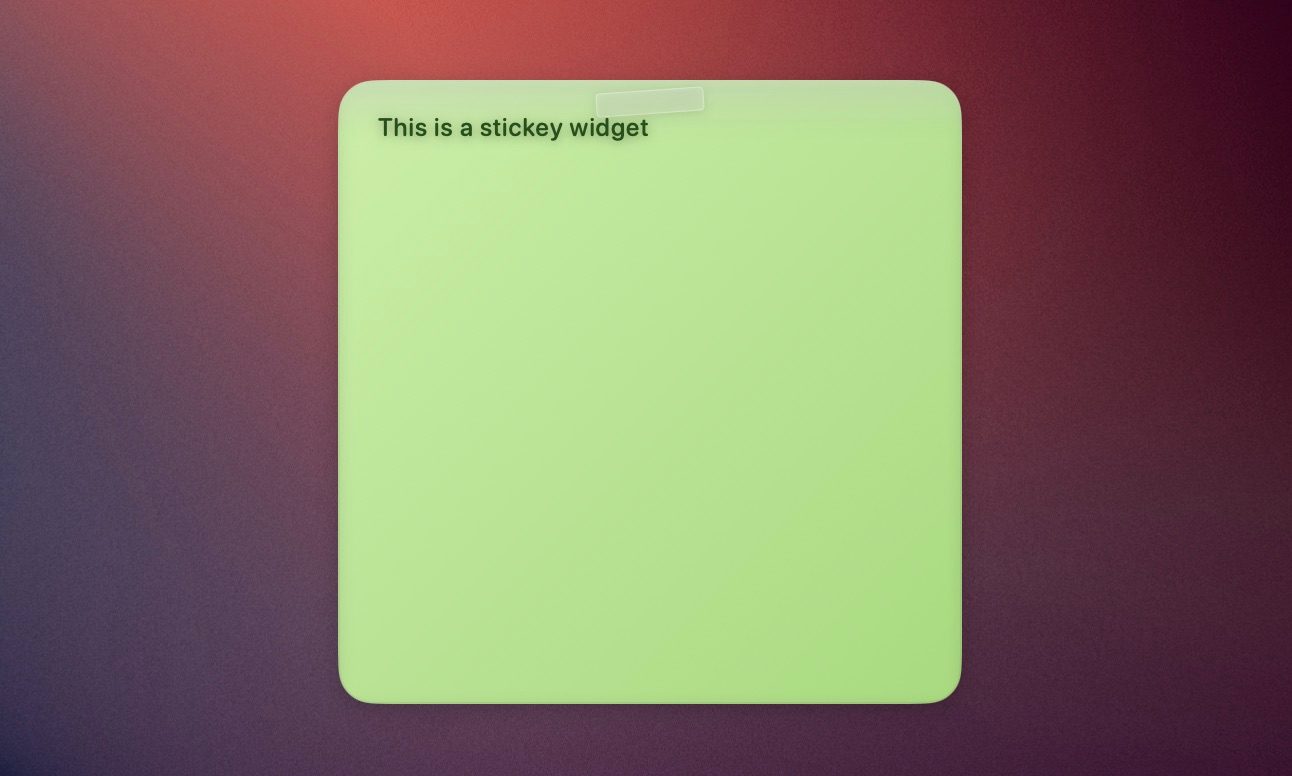
You also get a Reminders widget that syncs directly with Apple Reminders. You can check off a task directly from the widget, and it updates in the Reminders app. I pair it with the Sticky Note widget, and you have a simple productivity corner sitting right on your desktop.
Rachit Agarwal / Digital Trends
For something more relaxed, there is a Photos widget that runs a slow Ken Burns-style slideshow using photos from any folder you choose. There’s also a Starfield widget that adds a starry sky on your desktop.
Stack widgets to save space
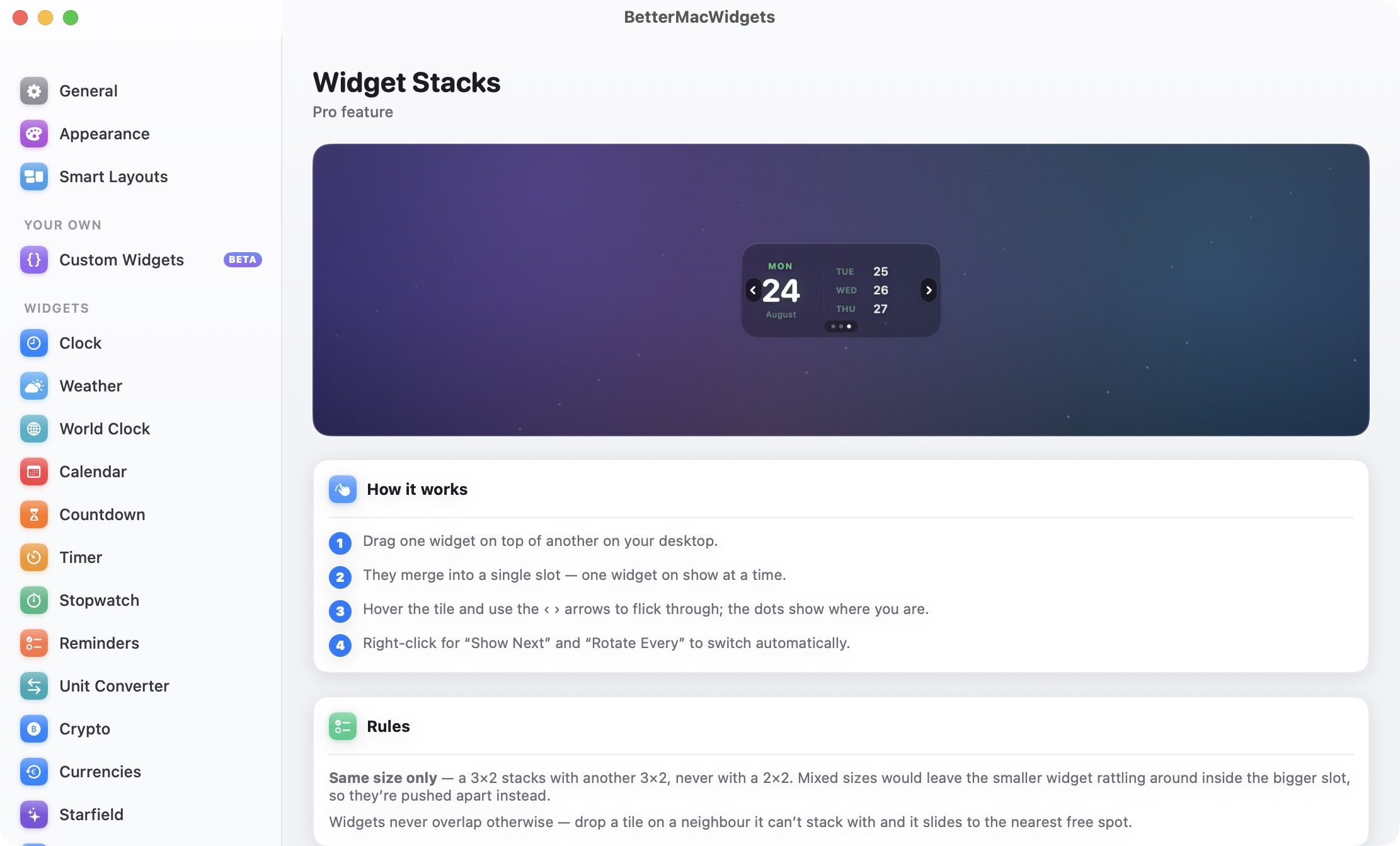
If you end up using too many widgets, Widget Stacks is there to manage your widget mania. Drag one widget on top of another widget of the same size, and they merge into a single slot. You can then flick through them using arrows when you hover over the tile, or set them to rotate automatically. Do note that stacking only works between widgets of the same size. A 3×2 widget will not stack with a 2×2 one. Instead, dropping one on the other will push them apart to the nearest open spot.
Rachit Agarwal / Digital Trends
Make it look like your Mac
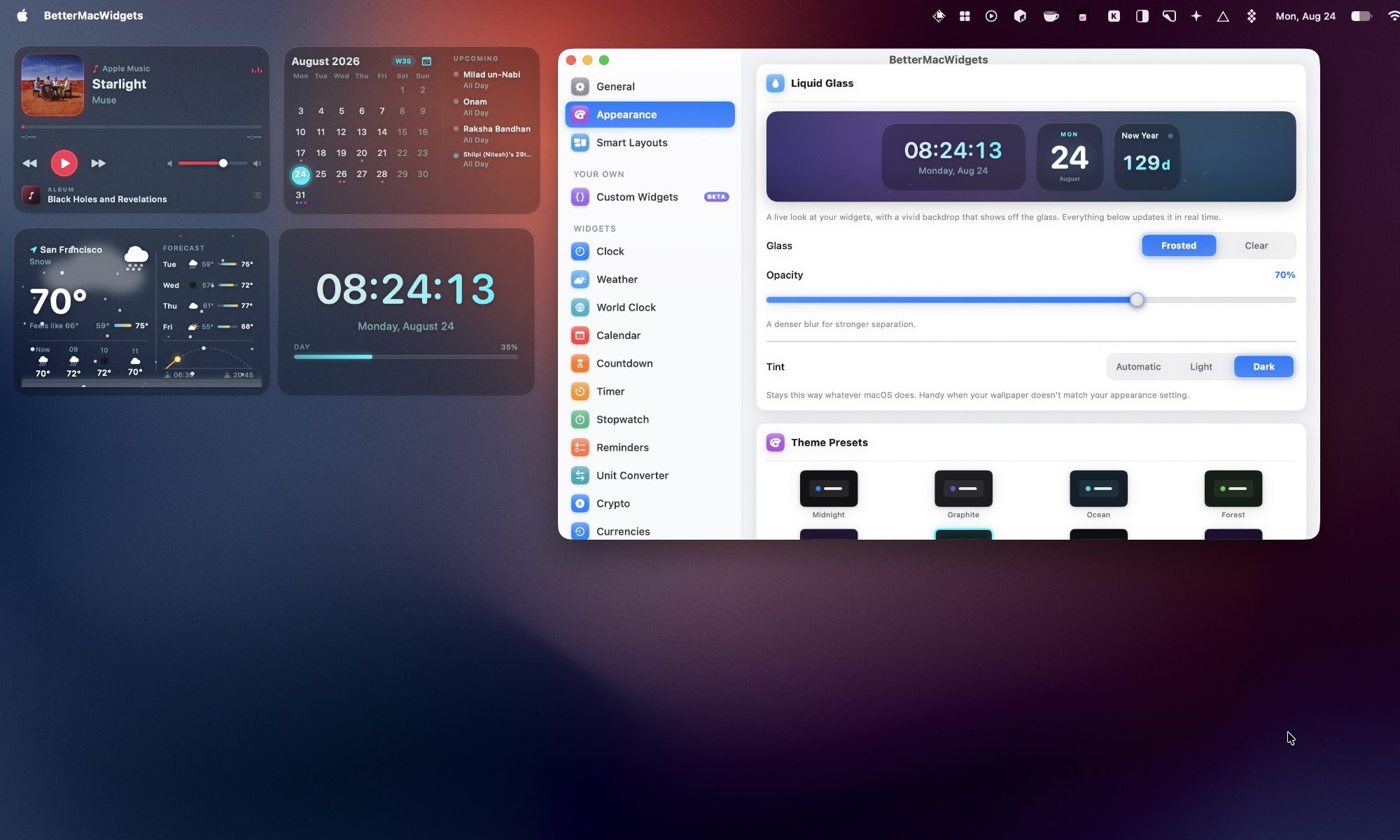
As I mentioned, the best part about BetterMacWidgets is the look of the widgets. It includes 20 built-in themes that change the accent color, glass tint, and font color. Three of them, Midnight, Graphite, and Ocean, are free, and the rest come with Pro.
Rachit Agarwal / Digital Trends
I can also customize how widgets look. The free Frosted look gives a translucent glass card with an adjustable opacity slider, allowing me to go from a barely there tint to a denser glass pane.
Rachit Agarwal / Digital Trends
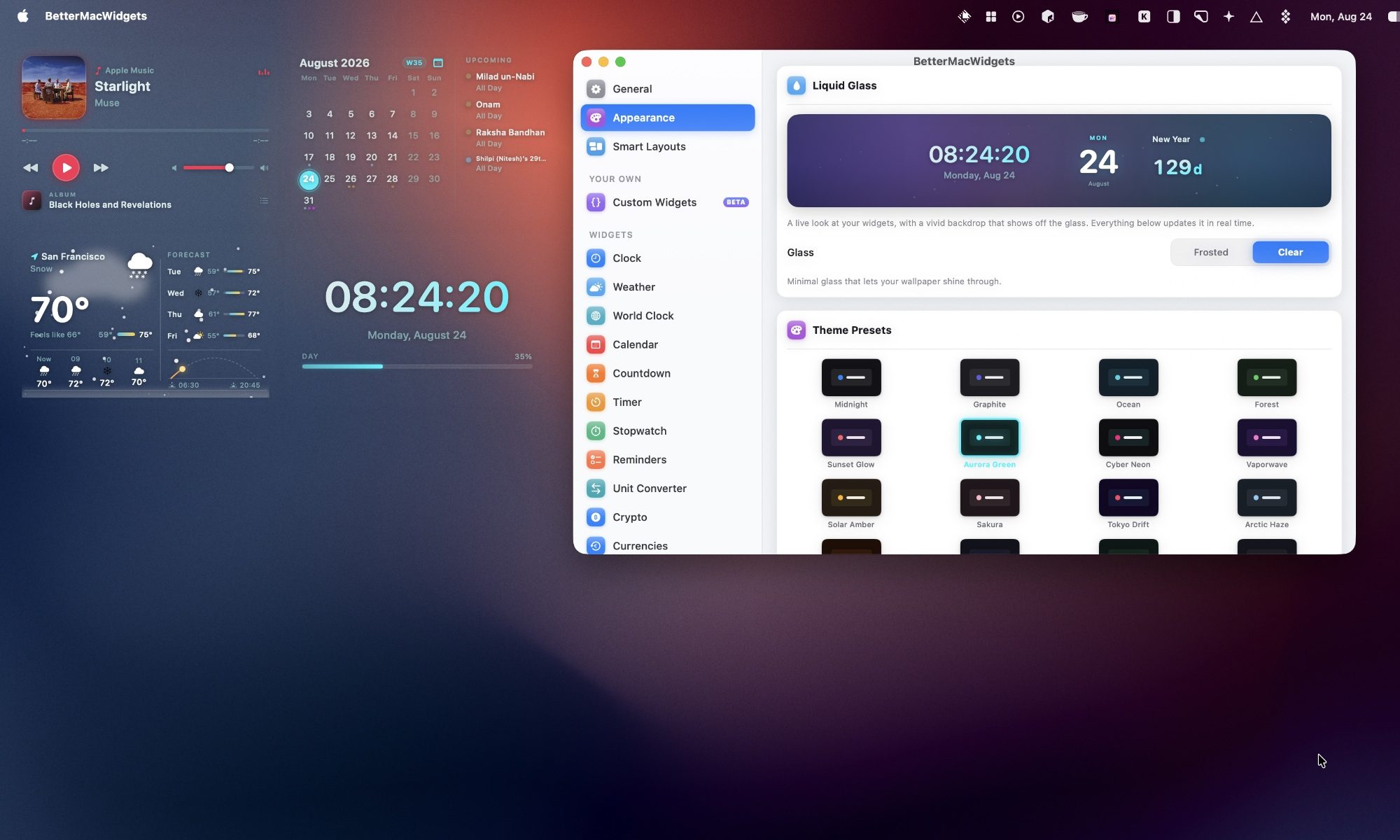
If you have Pro, the Clear look removes the tile background entirely, so only the widget’s content floats on your wallpaper with a soft shadow for legibility. It is the closest thing to a native Apple look I have seen on a third-party Mac widget.
Set up profiles for your day
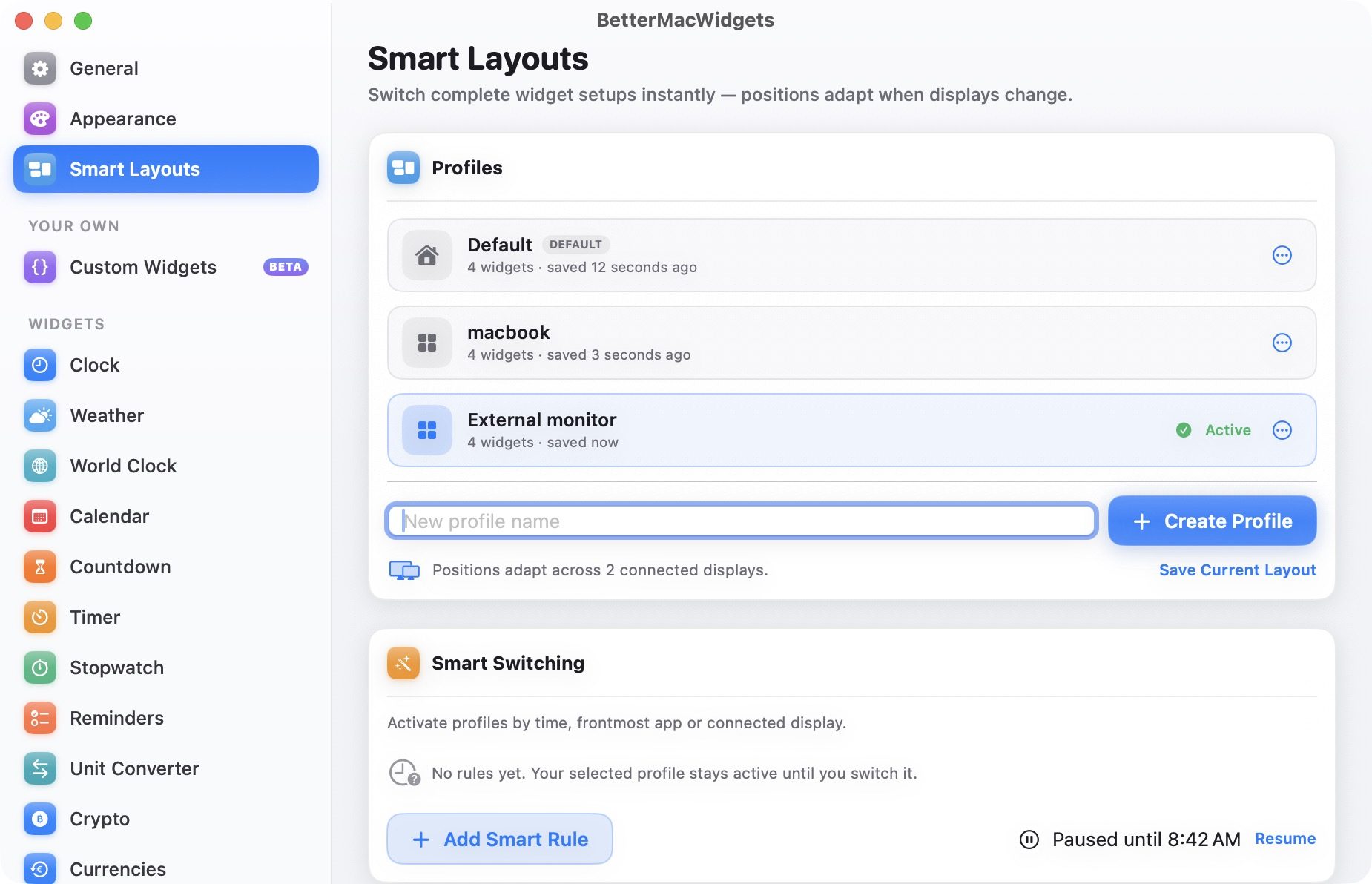
If you use multiple desktop setups, BetterMacWidgets lets you save named widget profiles that remember your widgets and their placement. I can create multiple widget setups, save them as profiles, and switch between them with a single click. There’s also a Smart Switching feature that can activate a profile automatically based on the time of day, the app in the foreground, or the display you are connected to.
Rachit Agarwal / Digital Trends
Final thoughts
I have used a lot of widget apps on my Mac, and BetterMacWidgets is the first one that made me actually want to keep widgets on my desktop instead of hiding them away. Between the Now Playing widget, the System Stats gauges, and the Clear glass look, my desktop finally looks the way I wanted it to since Sonoma first brought widgets to the desktop two years ago.
A hot potato: As cookies become a less reliable way to track people online, AliExpress may be showing how far companies will go to fill that gap. Researchers found code on the site’s homepage that ran silent audio processes in the browser. Tied to Alibaba’s security systems, the scripts tap a device’s own audio hardware to generate a signal and measure the tiny, device-specific ways it comes back – producing something close to a fingerprint that doesn’t need a single cookie to work. It’s the kind of tracking a user would likely never notice.
The issue only surfaced after a developer had trouble using multipoint Bluetooth headphones while an AliExpress tab was open: the headphones wouldn’t switch properly from the computer to a phone. Once the tab was closed, the problem disappeared.
Digging into the site’s code, the developer found it was using the Web Audio API to build audio-processing graphs set to zero volume. The process produced no audible sound, but it still connected to the computer’s audio system, keeping the audio path active in the background, which appears to be what interfered with the headphones’ ability to switch devices.
This wasn’t the kind of audio activity tied to a normal media player. Because the processing graph ran at zero gain and connected directly to the system’s audio output, muting the browser tab did nothing to stop it: the browser kept processing the signal even though there was nothing to hear.
The same code can also support browser fingerprinting, a technique that collects device-specific details and combines them to recognize a browser over time. In this case, the scripts measured tiny differences in how a device processed an identical audio signal – those differences are shaped by a computer’s processor, sound hardware, operating system, browser, and drivers.
Audio measurements were only one part of the reported data collection. The scripts also gathered information tied to canvas rendering, WebGL, display settings, hardware configuration, WebRTC behavior and user interactions. Together, those signals can create a more detailed profile of a device than any one signal would provide on its own.
Fingerprinting is often used by large online platforms for fraud prevention, bot detection and risk assessment. It can help companies spot suspicious transactions or automated activity when cookies have been deleted or accounts have changed. But privacy advocates have raised concerns because users may not know the tracking is happening and have limited control over it.
Not a Google story, but you get the point…
Advertisement
Brave was among the first to call out the behavior. In an August 22 post on X, the company said its browser blocks the AliExpress scripts responsible for the audio-based tracking, noting that it has built in default protections against audio fingerprinting for more than six years. Brave’s approach alters certain browser outputs so that websites receive inconsistent fingerprinting signals rather than a stable, trackable identifier.
The company has since extended similar protections to GPU fingerprinting, a method that uses graphics hardware and driver behavior to identify devices, and says fingerprinting techniques will keep evolving as sites look for new ways to tell users and devices apart.
People using other browsers may be able to block this kind of scripts through content blockers such as uBlock Origin, though doing so could affect parts of AliExpress that rely on the same code for security or fraud prevention.
Advertisement
The episode is a reminder of the trade-off baked into much of online security today. Companies want more ways to identify suspicious activity. Users and browser makers want limits on tools that can track a device without a clear notice or consent.



























































You must be logged in to post a comment Login