KETTLE It’s been a week since the Trump administration established a de facto ban on Anthropic’s Mythos derivative, Fable 5, and the more that comes out about the move the more it seems like Anthropic employees talking amongst themselves were on to something: Is the government just picking on the company?
This week on the Kettle, host Brandon Vigliarolo and Reg cybersecurity editor Jessica Lyons chat about what’s going on with Mythos and Fable, what role Amazon may have played in justifying the government’s move, how a prominent cybersecurity expert is calling the government’s foul, and what this whole thing might mean for the next wave of models.
After all, even if Mythos and Fable are as advanced as Anthropic claims, it’s not going to take long for some open-weight model to make the same leaps, and good luck trying to stop one of those from getting in the hands of anyone who wants them.
You can listen to The Kettle here, as well as on Spotify and Apple Music, or read the transcript of the latest episode below. It’s been lightly edited for clarity.
Brandon (00:03)
Welcome to the latest episode of The Register‘s Kettle Podcast. I’m Brandon Villiarolo, and boy, has it been another exciting week in AI Land. If you’ve been following the news, you probably know what I’m talking about, especially if you’re an Anthropic customer who suddenly lost access to the company’s latest models. That’s right. This week’s topic is none other than the Trump administration’s de facto ban on the release of Mythos derivative Fable 5. And with me to discuss it is our cybersecurity editor, Jessica Lyons. Thanks for coming on.
Jessica (00:31)
Hello, thanks for having me.
Brandon (00:33)
Yeah, of course. this is right up your alley, so let’s get right into the heart of the matter. What did the Trump administration demand from Anthropic and what was the company’s response?
Jessica (00:44)
Okay, so what happened is last Friday the Trump administration sends this letter to Anthropic and they cite national security concerns to issue an export control saying that Fable 5 and Mythos 5 cannot be used by any foreign national inside or outside of the United States. And that also includes Anthropic employees. So in response, Anthropic just disbanded both models for all of the customers to ensure compliance. So effectively nobody can use these two models.
Brandon (01:20)
Yeah, I mean it seemed like the way that letter was worded, because Bloomberg got a copy of it and published it. And I think they said that they were citing the Bureau of Industry Security’s authorization to what is it, “require a license for the export, re-export, or transfer of any item subject to export administration regulations, because there is an unacceptable risk of use in or diversion to a military intelligence end use or military intelligence end user.” So they’re basically treating it like any other dual-use technology. But that restriction is so broad, right? Like you said, even their own employees, ⁓ so yeah, they they yeah, they have no other recourse but to just stop it.
Jessica (01:56)
And it was reportedly a really short time frame too, about ninety minutes that they they received this letter and had to make a call. So they didn’t have a lot of time to get any answers about what prompted this and what exactly are you asking us to do here.
Brandon (02:04)
Right, from what I was reading in some other reports that cited people familiar with the situation inside Anthropic and everything, they didn’t even really get much of an explanation. They basically got the letter and they were like, “Excuse me, can you please tell us what this is about?” And the government basically said, “No …shut it down now…” It’s really weird, especially then given the story you wrote about this this week, that they’re basically treating this, like I said, like any dual use technology. But you wrote about a bug bounty hunter, the godmother of this movement, Katie Moussouris, who basically saw the report that the government used to justify this and she kind of called BS on the whole thing, right?
Jessica (02:54)
Right. So Katie is really, really well respected in cybersecurity circles. She is the one who helped convince Microsoft to start their bug bounty program. She led the Department of Defense effort for Hack the Pentagon. She sat on several federal commissions and boards. So she’s she knows what she’s talking about. She knows what she’s doing here. And Anthropic asked Amazon to review the models before they released Fable 5 and and Mythos 5. And then they gave Katie a copy of the report and she confirmed today that the third-party report that she mentioned was the Amazon report.
Brandon (03:41)
Which has been mentioned I think in some other stories too as being kind of the impetus for this whole thing, right?
Jessica (03:44)
Yes, yes. So Anthropic then says, “hey, can you take a look at this? Let us know what you think.” She, as far as we know, is the only other person, the only other third-party expert to take a look at this report. And so she reads through it. She says that essentially what happened is that Amazon researchers fed Fable 5 and Mythos 5 and the Claude Opus model, they fed them all open source code and it had known CVEs. And then they also put new code and they kind of laced it with these vulnerabilities and asked the models to here’s the prompt, quote unquote, “review the code for security issues.” So Fable 5 refused, and then they just asked it straight out, quote unquote, “fix this code.” And the model obliged. They added some additional prompts to produce scripts to patch the issue, test the patches. So it kind of sounds like all these things that you want a model to be able to do for defensive security teams. The model did this. And according to Katie, this is the big scary national security issue that kind of or potentially prompted the Trump administration to just pull the whole thing, like ask Anthropic that you can’t release this to any foreign nationals.
Brandon (05:13)
Right, which again, right, is kind of funny because like when specifically asked to find security vulnerabilities in code, the model said no. Right. I mean, obviously this was a bit of a quote unquote “workaround,” right? But I mean, like you said, it’s very arguable that this is not a not a bypass, not a jailbreak. It’s just the way this should work in the first place. And apparently that’s that’s good enough for the government to say, “Hey, no, we don’t want anyone to have this.”
Jessica (05:40)
Right. And yeah, and there’s reports that that this the document was reviewed by administration officials and they described it as really scary because Fable 5 could identify flaws and that would be beneficial to the bad guys who are who are trying to hack American systems, and that poses a major threat to national security. But you have this whole group – and then there was a a letter with I believe over a hundred other security experts who are saying, no.
Brandon (06:14)
Moussouris signed that too, right? She was a signatory.
Jessica (06:20)
Yes, she did sign that as well. Yes, you have Alex Stamos, you have a bunch of really, really respected names in security saying, “We need this as defenders. This is what is going to give us an edge. So you’re actually you’re hurting the defenders. You’re not really hurting the attackers by essentially issuing a ban on Anthropic’s models.
Brandon (06:35)
Right, especially since, and I think you mentioned this in your story as well, Mythos isn’t unique according to a lot of researchers in these capabilities. And even if it is, it won’t be for long, right? There’s a lot of models that are going to gain this capability or already have it, right? And that are, some of them, being manufactured overseas. I’m sure DeepSeek can do similar things to this or models exist in China that can do these kinds of things, right? I can’t imagine that that Anthropic is alone in this capability.
Jessica (06:52)
Right, right. I mean, we’ve seen from a lot of different papers that open weight and foreign models are not that far behind. It might take a few more prompts, but eventually these models also are going to find bugs and show you how to exploit them. So this is not completely unique to this one company and their particular models.
Brandon (07:26)
But it’ll get there, right? And so on top of that, I think ⁓ Moussouris was part of the group that helped the government renegotiate the Wassenaar arrangement, which for anyone unfamiliar, it was an agreement between like 42 forty two countries, right, to to establish some carve-outs for defensive security exceptions to export controls. And it seems like based on you know her reading, or her blog post that this is kind of a misinterpretation of AI’s kind of place in that in that arrangement, right?
Jessica (08:03)
Right, exactly. So yeah, that, like you said, it carved out these exceptions for dual use software technology, especially these these things that are gonna help defenders. So it’s offensive security capabilities, it’s malware analysis, all of these aspects of the software that is going to help defenders with coordinated incident response and sharing vulnerability data. And this carveout that she helped develop protects the companies, the people who are using these these technologies from criminal prosecution. And so one of the major arguments here is that you are pulling away more technical capabilities that are going to help defenders. This should be covered by that. It obviously is a dual-use technology and this should be protected. Not subject to export controls.
Brandon (09:01)
Right. And on top of that, right, you know, ⁓ like you mentioned, open weight models. It’s gonna be kinda hard to stop export bans on on open weight models and other publicly available stuff, right?
Jessica (09:07)
Right. Any foreign technologies, there’s absolutely nothing that we can do to prevent those. So again, it just seems like an instance of hamstringing defenders with technologies that would be really beneficial.
Brandon (09:30)
Which I think obviously kind of begs the question whether the Trump administration is sort of just picking on Anthropic, right? As we we covered a few months ago (I can’t even remember when it was now because everything moves so fast) but Anthropic got into a scuffle with the Pentagon earlier this year where they basically said, we don’t want you using our models to was it spy domestically or or autonomously target weapons, which I think both Anthropic and the Pentagon said, “we’re not doing that.” But it was just sort of like a “hey, you know, preemptively, we don’t want our models used in this kind of situation.”
And so the Pentagon’s reaction was basically to say, “well, if you’re not going to let us do whatever we want with it, then you can get out of every single piece of government infrastructure that exists.” Now I mean, they had a significant contracts with the federal government, right? Like most AI companies do. And so I think the Trump administration’s been kind of picking it out everywhere it can find it.
Jessica (10:22)
And not just the not just the government itself, but the whole supply chain. They labeled it a supply chain risk. So if you contract with the government, you also can’t use this technology.
Brandon (10:32)
Right, which severely obviously limits Anthropic’s ability to do business. And now here we are, you know, I think the New York Times reported earlier this week, they had a pretty wide ranging story on this whole topic that talked to a lot of people inside the company, saw some internal chat logs, and they mentioned that several employees were talking about feeling bullied or unfairly targeted by the Trump administration. And again, but when you with reference back to the things we were just talking about, it kind of seems like that might be the case, right? They’re hamstringing defenders, but why, right?
Jessica (11:11)
Right. Right. The hard part is is that we don’t have any transparency or definitive clarity on the reasons. It sounds like maybe Anthropic does at this point. They’ve reportedly been in negotiations or talks at least with the White House all week. We haven’t heard anything out of those talks yet. But it does seem that they are being unfairly targeted when you have the earlier scuffle with the Pentagon. Then you reportedly have Amazon sharing the findings of this review it did on Anthropic’s models with the administration. Amazon, Jeff Bezos, we know that’s a company that has the administration’s ear on things as opposed to Anthropic, which seems to be butting heads with the administration quite frequently. And then all of a sudden, seemingly out of nowhere, there’s this export control on Anthropic’s models. So it it’s it’s hard not to draw that conclusion that there’s a little bit of bullying for lack of a better word, targeting this particular company because of its history with the White House.
Brandon (12:30)
I know you in your story you mentioned that you were gonna update it if we heard back anything from the White House because you were asking them some questions about it. Did they ever get back to you?
Jessica (12:44) No. No response from the White House.
Yeah, of course not. That’s not a surprise, really. I mean that’s the thing, right? They email me back, I get plenty of emails from them when I ask them questions, but often it’s just kind of a “here’s the press release you already saw.”…If you ask them pointed questions a lot of times they’re not gonna answer. But it’s the same as any corporation too, I feel like, nowadays.
Jessica (13:01)
Right. But I mean, like you said, that even even the letter from Commerce itself, that hasn’t been made public yet. So we’ve seen that posted on different social media sites and Bloomberg had a copy of it, but even even that hasn’t been released publicly.
Brandon (13:14)
I was really hoping that the government would explain their reasoning behind this, right? But it just seems like essentially it’s been this whole – even when I saw the email I think was it was it Friday or Saturday…
Jessica (13:18)
It was Friday, it was late Friday.
Brandon (13:30)
Because I get all of Anthropic’s alerts about downtime and outages and everything. And I remember seeing that come across and basically saying that they were cutting off access to those models. And I was just kinda like, what? And then all of a sudden it comes out, it’s because, or I think I when I read it further, it was like, Yeah, the government basically, you know, it’s forcing our hand in in doing this. Which was really surprising to see on on I mean, not surprising to see based on the timing, right? Because a lot of times Friday evenings are when all this kind of stuff happens so that the news cycle doesn’t catch it.
But it’s also,, you know, we’ve written quite a bit about whether or not Mythos and then Fable by association aren’t kind of being overhyped, right? Like their capabilities are greater than what Anthropic says. We’ve written about that, we’ve talked about that on here, I think, before. ⁓ You know, Moussouris’s blog post seems to maybe not suggest that it is being overhyped. But at least that it’s not, you know again, its capabilities aren’t as advanced as what the government seems to be worried about, as what people seem to be, fear mongering about. I mean, have you gotten a sense of that from any of the recent reporting on it or or anything about whether or not again it is just a lot of hype?
Jessica (14:46)
Well, I think we’ve seen with Anthropic’s models and we’ve seen with other models as well, is, yeah, they’re getting a lot better. They’re getting really good at finding vulnerabilities. And now they’re also getting better at fixing them. So that seems like a a net positive here. And plus, this wasn’t a case of Anthropic releasing the Mythos preview. That’s the one with no guardrails that companies are currently trialing to find and fix vulnerabilities in their own products. This was a one I’ve I’ve read it described as a a straightjacketed version. And I like that because it this is one that does have the guardrails in place. This is why Anthropic said it was releasing it to the public. So again, without having played around with the model, it’s hard to say whether or not it’s overhyped or not, but this wasn’t just a a free-for-all. This was a model that did have guardrails in place. And if asking the model to fix this code is a jailbreak, I think it also speaks to just a lack of understanding about what these models can do, what they should be able to do, what a jailbreak is, what this technology means in general, especially when it comes to lawmakers.
Brandon (16:08)
Yeah, right? I mean is this another is this the next generation of the series of tubes here, right? Where some sits on the House floor talking about AI models and it’s and it’s clear they do not understand what they’re talking about. I mean, have you been watching any any government hearings or anything or heard anything? Like what kind of things are they saying about these that sound so grossly wrong? I imagine there’s a lot, right?
Jessica (16:13)
There is a lot. I can’t think of any specifics off the top of my head, but I have been watching a lot of the hearings on AI, and specific to AI and how it relates to security. And honestly, cybersecurity is still a pretty big unknown, I think, among most lawmakers. So then you add this newer technology into the mix that’s evolving and expanding and and becoming more advanced so rapidly that it just … it’s really hard to wrap their heads around what are the capabilities and how can how can this be a benefit for defenders? Because when you do read the hype, it does sound really scary. Here’s this model that can find any zero day that’s ever existed and it can exploit it and it can do it at the speed of machines. So yeah, that sounds terrifying, really.
I think there’s a lot of confusion. There’s a lot of fear around this right now. And I think it’s hard for lawmakers a lot of times to get a get a grasp on what the issues are, what the technology is, how it works. And that’s an right.
Brandon (17:43)
Yeah, I mean this is complicated stuff. It’s changing a lot of the technological world right now, right? Like enterprises are grappling with AI, trying to figure out how it works, what works well, what doesn’t. You know, it’s now entering the cybersecurity space. It’s been in the development space for a while. Yeah, I mean, it is a complicated issue that’s that’s changing everything. I don’t know. Maybe we need a government body that regulates cybersecurity and you know, handles all these sorts of things that doesn’t get its staff culled on a whim. I don’t know.
Jessica (18:11)
Right. I was gonna say, that’s too bad that we don’t have one of those. At least with the full staff and budget.
Brandon (18:16)
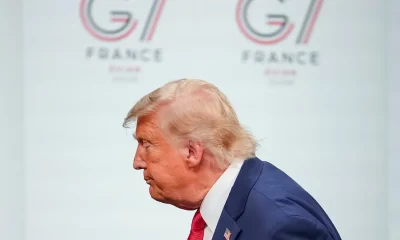
Well, who knows? We’ll we’ll be keeping an eye on things like this ’cause I mean this Mythos story and this the Fable story, this isn’t it’s not going anywhere. Like you they’re still in talk, still trying to figure out what it was. Amodei was at G7 this week talking to leaders about, not wanting to fracture the the cybersecurity environment with AI.
So yeah, there’s gonna be plenty to talk about and we will be here to discuss it on The Kettle. Thank you for joining me this week and thanks for listening. We will see you soon. ®





 For most of us the abbreviation “CRT” brings to mind a monitor or TV. But at its core it’s about the special vacuum tube that makes the images appear.











































You must be logged in to post a comment Login