










Although the thought of installing a modern operating system like Windows 11 on something as archaic as a Core 2 Quad Q6600 Intel CPU may seem ridiculous, it being the flagship CPU of the time means that it still chews up low-end Celeron systems that are on the supported hardware list like the N4020. Hence [Omores] commencing on this latest adventure, with the snag being that the chosen mainboard features an AGP bus that Windows 11 no longer supports.
This system is intended to multi-boot a range of Windows OSes starting with Windows 98, while also playing nice with DOS and even Windows 11. In addition to the quad-core, 2.4 GHz Q6600 there’s also an amazing 3 GB of DDR1 RAM in the system.
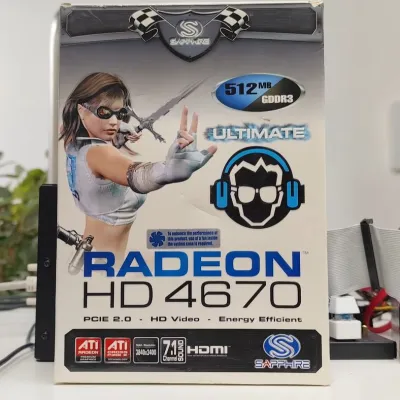
The mainboard is the 2003-era Asrock 865PE, with the GPU being the highest-end GPU that still came in AGP flavor: the Radeon HD 4650 from 2009. Since the sole reason that Windows 11 doesn’t support AGP any more is due to the supporting files not being included with Windows 11, hence you can track it down on a Windows 10 1507 release install – such as the Intel AGP440.sys driver here – and install them with some file editing.
Since Windows 11 still supports the WDDM driver model from Windows Vista and 7 you can then install the Catalyst drivers from 2012 and be up and running. You only get 1 GB of VRAM for this card, but you probably don’t need much more on this level of hardware.
One major stumbling block remains, however, as Windows 11 24H2 enforces SSE4.2 instructions which the CPU doesn’t support. Ergo 23H2 is the newest Windows 11 version that can run on this system, with only the Education and Enterprise still receiving security updates, making it a bit of a pyrrhic victory, especially as Windows 7 benchmarks a fair bit faster on the same hardware.






































You must be logged in to post a comment Login