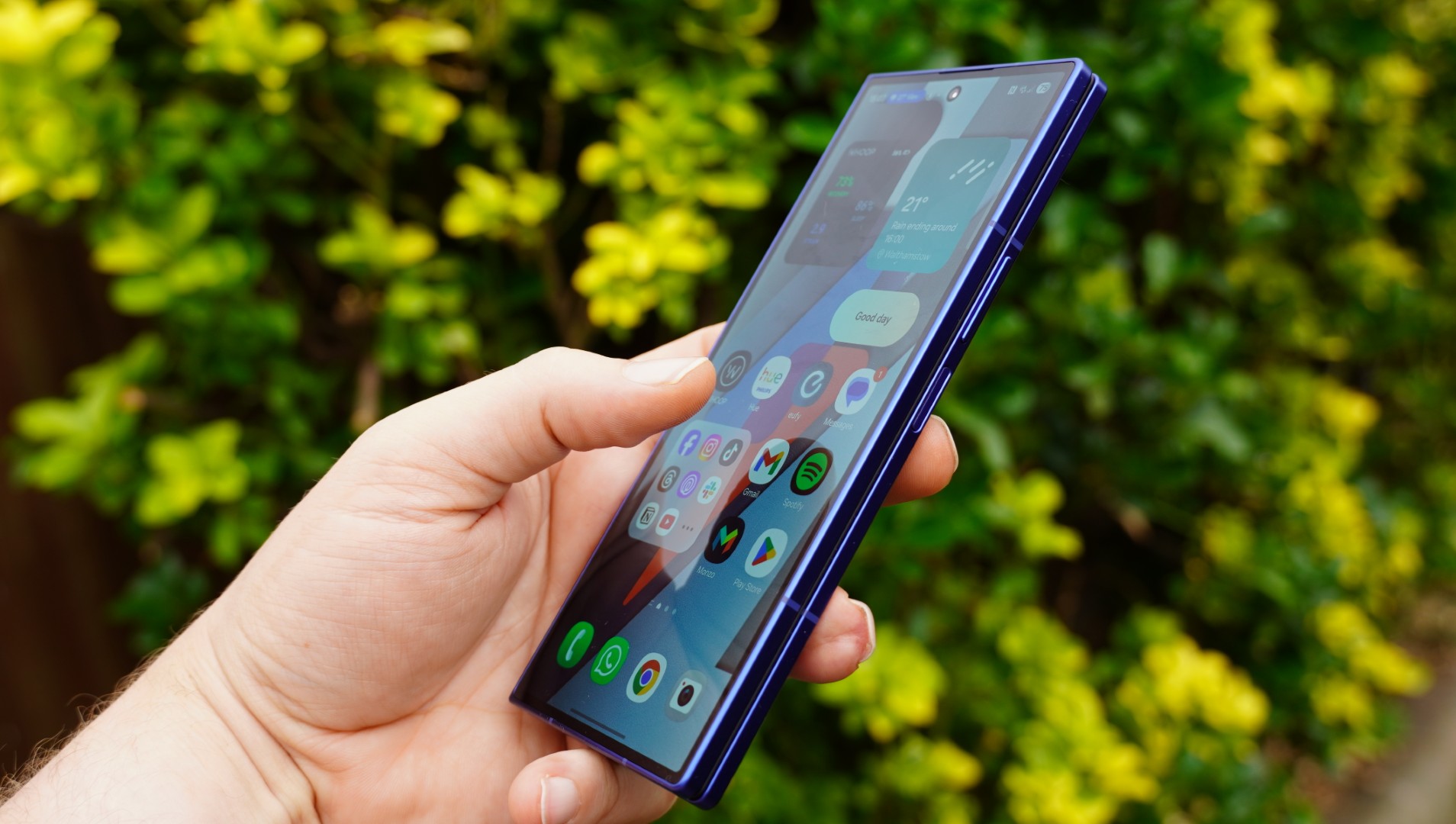
Unpairing is supposed to erase all content and settings on your watch, but in my case, it did not. If it doesn’t work for you either, tap Settings on the watch, then General > Reset > Erase All Content and Settings.
At this point, you can have your kid put it on (if it’s charged). The watch will say Bring iPhone Near Apple Watch. If you open the Watch app, it lets you choose to Set Up for a Family Member. Aim the phone’s viewfinder at the slowly moving animation to pair, or select Pair Manually.
Apple’s tutorial is pretty straightforward from this point. I picked a passcode that’s easy for my daughter to remember and picked her from my family list. I continued cellular service. Then I set up all the usual features and services for an Apple Watch, including Ask to Buy so she couldn’t buy anything from the app store without my permission, Messages, and Emergency SOS.
I also chose to limit my daughter’s contacts on the watch. First, go to Settings > iCloud > Contacts on your phone and make sure it’s toggled on. Then click out, go back to Settings > Screen Time > Family Member > Communication Limits. You need to request your child’s permission to manage their contacts and approve it from the kid’s watch. On their watch, you can add and rename contacts from your contact list (Dad becomes “Grandpa,” Tim becomes “Uncle Timmy,” and so on).
Advertisement
The last step is turning on Schooltime, which is basically a remote-controlled version of an adult Work Focus. It blocks apps and complications, but emergency calls can still come through. The setup tutorial walks you through how to set up Schooltime on your child’s watch, but if you skip it during setup, you can manage it later. On your iPhone, tap All Watches > Your Child’s Watch > Schooltime > Edit Schedule.
I elected to turn Schooltime on when my child is in school and turn it off during afterschool care, but you can also click Add Time if you’d like to turn it on during a morning class, take a break for lunch, and then turn it back on again. Your kid can just turn the digital crown to exit Schooltime, but that’s OK—you can check their Schooltime reports on your iPhone too.
To manage your child’s watch, go to your Watch > All Watches > Family Watches > Your Kid’s Apple Watch. This is how you install updates and manage settings. For more settings that you can turn on or off, check out Apple’s full list here. For example, you can check health details, set up a Medical ID, or even edit their smart replies.
Fun for Everyone
Just as with a grown-up Apple Watch, the first thing you’ll probably want to do is switch the watch face. Hold down the screen and wait for the face to shrink, and swipe to switch. (You probably also want to buy a tiny kid-specific watch band.)
Advertisement
We got my daughter an Apple Watch, so I’d be able to see her on Find My, and she could contact me via phone or the Messages app, which she does with regrettable frequency.
Not long ago, I participated in an exercise that asked educators to define thinking and learning. It was a familiar prompt, one we have returned to countless times over the past decade.
This time felt different. The task was to triangulate, even pinpoint, what these concepts mean in today’s educational landscape.
The conversation was thoughtful and wide-ranging. Educators from varied contexts shared perspectives shaped by their classrooms, their students and their lived professional realities. As the discussion unfolded, a shared realization emerged: Our understanding of thinking and learning is becoming increasingly abstract.
As a chief academic officer, I spend much of my time thinking about how learning is designed and measured. Yet, in that moment, listening to educators wrestle with the meaning of thinking itself, I knew the challenge is no longer to define, but to work within a world where that definition is constantly shifting.
Advertisement
The Shift We Didn’t Plan For
Education has always adapted to new tools, but rarely at this pace. In a matter of months, technologies capable of summarizing texts, generating essays and mimicking academic voice have become widely accessible in classrooms. What once required sustained cognitive effort can now be produced in seconds.
The result is not merely a new instructional challenge; it is a fundamental shift in what it means to learn.
For generations, schools treated knowledge acquisition as the central hurdle. If students could read closely, recall accurately and write coherently, they were considered prepared. Tasks that once demonstrated understanding now signal access.
This does not make learning easier. It makes it different. And it forces us to confront an uncomfortable question: If machines can do much of what we once taught students to do, what should learning now require?
Advertisement
Literacy Beyond the Page
Bloom’s Taxonomy has long articulated cognitive rigor. Remembering led to understanding; understanding enabled application; application supported analysis, evaluation and creation.
But artificial intelligence is flattening that progression.
What once represented higher-order thinking — summarizing a text, drafting an essay, explaining a concept — is now executable at the push of a button. These tasks no longer serve as reliable indicators of mastery. They have become baseline capabilities within the learning environment.
Artificial intelligence does not invalidate Bloom’s premise; it reframes it. In an AI-rich world, the lower levels of the taxonomy are no longer destinations. They are starting points.
Advertisement
The true measures of learning now lie above them. Can students interpret nuance rather than extract information? Can they evaluate credibility instead of repeating content? Can they connect ideas across disciplines and explain why something matters?
These are not extensions of literacy. They are literacy redefined. In this sense, literacy is no longer merely technical. It is interpretive. Ethical. Strategic.
This kind of literacy cannot be automated. Automation can, however, support its development.
Designing for Thought, Not Just Performance
To meet this moment, we must rethink how learning experiences are designed: framing tasks that require judgment, designing assessments that foster analysis, and valuing ambiguity and intellectual risk.
Advertisement
When applied intentionally, automation through AI can strengthen, not dilute, this kind of learning. For students, its greatest value lies in responsiveness. Research shows that AI can adapt in real time, offering targeted practice when gaps emerge, enrichment when mastery is demonstrated and prompts that ask learners to explain their reasoning, compare approaches or revise claims as their thinking develops. It can also support deeper engagement through simulations, branching scenarios and feedback loops that respond to student choices without turning learning into a race for completion.
Just as important, automation can protect student focus. By reducing cognitive clutter, streamlining navigation, pacing tasks and offering timely hints, it keeps learners in productive struggle rather than frustration or disengagement.
The result is not automation of teaching, but an expansion of a teacher’s capacity to teach well.
Advertisement
Practically, this means automating what can be standardized and continuously improved, collecting evidence of learning, tagging misconceptions, generating formative checks and organizing instructional options, while preserving teacher judgment as the final authority. The teacher always remains the editor-in-chief: approving, revising and applying professional discernment while the system does the work of noticing more and preparing faster.
This is the promise of AI in education: not accelerating answers but amplifying reflection; not replacing judgment but making room for it.
The author would like to acknowledge the support of Creatium CEO and founder, Dr. Deepak Sekar, in developing this article.
In a world where machines can read, write and summarize, literacy must mean something more demanding: the ability to interpret nuance, evaluate credibility, integrate ideas and make reasoned judgments. At Lincoln Learning Solutions, our aim is not to compete with intelligent tools, but to design experiences using those tools that strengthen students’ capacity to think critically about what they read, write and create, and to help them explain why ideas matter, how meaning is constructed and what responsible choices follow.
For Elon Musk, the US Justice Department’s release of 3 million additional files related to criminal investigations of Jeffrey Epstein last month was immediately embarrassing. Attention in particular fell on emails Musk sent the financier several years after he pleaded guilty to solicitation of prostitution and of procurement of minors to engage in prostitution in Florida and registered as a sex offender.
“What day/night will be the wildest party on your island?” Musk wrote in November 2012, for example, appearing to seek an invite to Little Saint James, Epstein’s private island in the Caribbean.
While there has been no confirmation that any such visit occurred, the messages contradict Musk’s longstanding insistence that he didn’t know Epstein well and had always rebuffed his overtures. Other files reveal that an associate of Musk’s spent weeks corresponding with Epstein behind the scenes of a major drama for Tesla and its embattled chief executive.
Musk did not return a request for comment.
Advertisement
A batch of emails reviewed by WIRED shows that in 2018, after Musk posted on social media that he was “considering taking Tesla private” in a move that never came to fruition, one of the CEO’s surrogates was sounding out Epstein for advice on financing the deal and potential board members for a reorganized Tesla. They also went back and forth over Musk’s leadership qualities.
Musk was having a difficult time in 2018, beset by challenges at his companies while his increasingly erratic behavior on social media seemed to take its toll on his public image. That June, as the world waited in suspense for the rescue of a Thai youth soccer team trapped in a submerged cave, he’d decided to involve himself. What he offered was a miniature submersible that he claimed could transport the children through narrow underwater tunnels to safety. The idea was rejected as impractical, with one cave diver dismissing it as a publicity stunt. Musk lashed out at this man on Twitter, calling him a “pedo guy.” He later deleted the post and apologized, but doubled down on the insult in emails to BuzzFeed News, which published them.
The incident led to that individual filing a lawsuit against Musk, alleging defamation, and Musk eventually won the court case a year later. But amid the unfolding PR disaster, Musk took counsel from the high-powered lobbyist and consultant Juleanna Glover as he sought to limit blowback. It was Glover who would later backchannel with Epstein about a plan to take Tesla private.
The idea of buying Tesla was sketchily outlined in another now-infamous Musk tweet. “Am considering taking Tesla private at $420,” he posted on August 7, 2018, adding: “Funding secured.” In fact, he had not secured those funds, and on September 27, the US Securities and Exchange Commission filed fraud charges against Musk, alleging “securities fraud for a series of false and misleading tweets.” Musk quickly settled to the tune of a $20 million fine, with Tesla paying an equal penalty, and stepped down as chairman of the electric vehicle company. (Musk neither admitted nor denied the truth of the SEC’s allegations.)
Advertisement
In the weeks between Musk’s reckless tweet and the SEC charge, Glover was working behind the scenes to make the deal a reality—and sought Epstein’s counsel, emails published by the DOJ show.
“If you are advising re: sovereign funds looking to help a prominent company go private, let me know if I can help w any approp additional information,” Glover wrote to Epstein on August 12. Epstein responded: “Clever.”
Google’s AI-fication of the Fitbit app is charging full speed ahead and will soon be reaching more people and more countries. After debuting as an Android-exclusive preview for US Premium subscribers, Google has announced that the public preview of its redesigned Fitbit app and health coach/concierge is opening to iPhone users starting Feb. 10.
The Gemini AI-powered “Coach” will also roll out in English to Fitbit Premium subscribers in the UK, Canada, Australia, New Zealand and Singapore on both iOS and Android.
Google debuted the redesigned Fitbit app and built-in Coach as an optional public preview in late October for eligible Fitbit Premium subscribers on Android and has since been collecting feedback from early adopters to refine the experience. This expansion brings the new app to more people, generating additional feedback opportunities and moving closer to a final version release.
Advertisement
As the race to build smarter, more personalized health platforms intensifies, Google is leaning on its full ecosystem of hardware, software and AI assistant to set Fitbit apart. With the wrist as the centerpoint of the data (via Pixel Watch and Fitbit trackers), Google is aiming to evolve its platform from a passive fitness tracker into a proactive, AI-driven wellness companion.
Google first announced Fitbit’s new AI health coach at its Pixel launch event in August.
Google/Screenshot by Viva Tung/CNET
What to expect
The redesigned app experience has a cleaner UI that’s more intuitive to navigate than the previous version. It’s built around four main tabs: Today, Fitness, Sleep and Health.
Advertisement
The Today tab, which is what you’ll consult most frequently, highlights glanceable stats with a stronger focus on weekly trends. Google says these are a truer reflection of progress compared to the usual day-to-day insights that other trackers emphasize. The other tabs let you dig deeper into detailed metrics across categories like sleep stages and vitals. And this time, the burden of interpreting the data won’t just fall solely on the user.
Fitbit
Woven throughout the app is a new Coach feature, that you can access through an “Ask Coach” prompt. Coach draws on real-time and historical data to help make sense of your metrics and even turn them into a personal action plan. Google describes it as an “always-on” coach that can respond to questions or proactively adjust your plan based on recent activity, readiness, or even life events like travel or missed workouts.
For example, you might ask, “I have 30 minutes for a workout… What do you recommend?” or “How can I improve my VO2 max?” Or even draw links to your own stats with prompts like, “Do I sleep better on days when I get more steps in?”
During the (optional) onboarding process, you can set goals, log available fitness equipment and note injuries or limitations. The preview begins with a short 5-10 minute conversation (either by text or voice) to help the AI understand your goals and motivations. From there, the plan dynamically adjusts based on changing metrics like training load, readiness score and overnight recovery data, keeping everything aligned with your long-term goals.
Advertisement
Participation in the coaching experience is opt-in, so you can still use Fitbit without the AI features if you prefer.
Fitbit fans testing the revamped app have the option to toggle between the old and new versions.
Fitbit
Availability and pricing
The update –launched first to US-based Android users– will also be available to people in the UK, Canada, Australia, New Zealand, and Singapore (18 and older) who subscribe to Fitbit Premium ($10 a month or $80 a year) regardless of phone. Yes, that means iPhone owners too. It works with the latest Fitbit trackers, smartwatches and Pixel Watch models. During the preview phase, you can toggle between the old and new app designs without losing data, allowing for side-by-side comparison and feedback collection.
Advertisement
Google says user input from this period will be key to shaping the end result of the app experience and will have an integrated feedback tool for testers. While the company hasn’t confirmed a firm end date for the preview, it says the experience will continue to expand to more users and devices over time.
Fitbit’s new coach is powered by Google’s Gemini AI voice assistant.
Thomas Fuller/SOPA Images/LightRocket via Getty Images
The real test
This redesign and Coach feature show serious potential. If it delivers on Google’s promises of bringing professional-grade coaching to mainstream users, it could mark a turning point for wellness tech and could position Google at the front of the pack. The company says the coach experience was developed with input from health experts and a consumer advisory panel, and that user data will not be used for Google Ads.
Advertisement
But as with everything in the AI world, execution will be everything, and the value of a wellness coach must be compelling enough — and accurate enough — to overcome the hesitation of entrusting yet another AI feature with sensitive health data. But the real test lies in how well Google manages privacy, data security and real-world usefulness. That balance could mean the difference between just a repackaged Gemini that most people turn off, and a game-changing tool that translates your data into action.
For now, it’s a promising preview, but one I’ll be testing firsthand once it rolls out.
OpenAI hails 1 million Codex downloads, but warns limits may be coming – but ChatGPT Deep Research users get a whole load of upgrades to boost their work
Codex has been downloaded over a million times, users are up 60% in a week
It’ll stay free to all users, but Free/Go plans may face limits
Deep Research gets new viewer and better controls
It’s barely been more than a week since OpenAI launched its dedicated Codex Mac app, and it’s already gained more than one million downloads.
Overall Codex users also grew 60% in one week following the release of GPT-5.3-Codex, and OpenAI CEO Sam Altman is so pleased with the initial uptake that Free and Go users will continue to get free access to Codex after its launch promotion.
“We’ll keep Codex available to Free/Go users after this promotion,” Altman confirmed in an X post.
Codex will stay free, Deep Research gets a makeover
As anticipated, Free and Go subscribers will likely face tighter limits than higher-paying subscribers. “We may have to reduce limits there but we want everyone to be able to try Codex and start building,” Altman added.
Separately, OpenAI also shared a new video showing Deep Research’s makeover on YouTube.
Visually, Deep Research now includes a full-screen report viewer so that users can open reports in separate windows from the chat interface. Much like a well-formatted official report, it includes a table of contents on the left panel for easier navigation, with hyperlinks and anchor tags, and a source list on the right panel for better verification and fact-checking.
Advertisement
Users can also download their report as a PDF or Word document to view and edit offline.
Sign up to the TechRadar Pro newsletter to get all the top news, opinion, features and guidance your business needs to succeed!
Functionality-wise, OpenAI has also made it possible to instruct ChatGPT to focus on specific websites and connected apps for each Deep Research project. And on-the-go edits let you change the research scope, add sources and refine details during progress, rather than having to wait for it to finish.
The changes have been made available to Plus and Pro users with immediate effect – Go and Free users are also expecting the changes soon.
Advertisement
The changes were also detailed in the ChatGPT release notes, confirming the changes on February 10. A smaller update to the existing GPT-5.2 model was also announced, making responses “more measured and grounded in tone.”
“We updated GPT-5.2 (the instant model) in ChatGPT today. Not a huge change, but hopefully you find it a little better,” Altman added in a separate X post.
NordVPN is offering a significant discount on its two-year plans, with 70 percent off its Complete tier and up to 78 percent off overall. For the Complete tier, the deal brings the total cost down to $130 for 24 months.
NordVPN regularly appears on Engadget’s list of the best VPN services thanks to its wide server network, strong security tools and consistent performance across devices. NordVPN’s latest promotion puts one of its most comprehensive plans at a price that undercuts many competing premium VPN subscriptions.
NordVPN
Save on all NordVPN plans right now; the Complete plan includes a password manager and 1TB of cloud storage for 70 percent off.
Advertisement
The Complete tier includes full access to NordVPN’s core VPN service, which encrypts internet traffic and masks a user’s IP address to help protect online activity on public Wi-Fi networks and at home. Subscribers can use the service on multiple devices, including phones, tablets, laptops and smart TVs, with apps available for major operating systems. It also includes access to NordPass (more on that below), an ad blocker and 1TB of cloud storage. You’ll find similar discounts on all of NordVPN’s other plans: Basic, Plus and Prime.
Beyond the basics, NordVPN offers features like threat protection to help block malicious websites and trackers, as well as specialty servers designed for added privacy or faster performance in specific scenarios. In our NordVPN review, the service was praised for its evolving feature set and overall reliability, even as the VPN market becomes increasingly competitive.
Engadget regularly tracks VPN pricing trends and this offer compares favorably with other current promotions. It also appears alongside NordVPN deals featured in Engadget’s ongoing roundup of the best VPN discounts available right now, which compares offers from multiple major providers.
Those looking for additional security tools may also want to note that NordVPN’s Complete plan bundles in extra services beyond the VPN itself. One of those is NordPass, the company’s password management app. NordPass is also discounted as part of a separate promotion, if you’re primarily looking for a password manager rather than a VPN. The Premium tier is currently 50 percent off, bringing the price down to $36 for two years. NordPass Premium adds features such as cross-device password syncing, secure password sharing and breach monitoring, which alerts users if stored credentials appear in known data leaks.
Advertisement
Both offers are available for a limited time, though Nord has not specified an end date for the promotion. If you’re still unsure whether NordVPN is right for you, it offers a 30-day money-back guarantee, so you can change your mind and get a full refund.
The popular Chinese-language Bro Cooling YouTube channel set out to make one of the best looking and most expensive PCs we’ve seen in a long time. Read Entire Article Source link
BenQ has built its reputation by doing something surprisingly difficult in the projector market: keeping one foot in performance and the other firmly planted in reality. While ultra-short-throw projectors and glossy lifestyle models continue to dominate showroom floors and siphon attention with convenience-first compromises—BenQ is doubling down on the unfashionable idea that dedicated home theaters still matter. The newly announced W5850 4K UHD laser projector is a clear statement of intent, aimed squarely at enthusiasts who watch movies in dark rooms, not on credenzas next to houseplants.
Positioned as a refined evolution of the W5800 rather than a flashy pivot, the W5850 focuses on what actually counts for serious home cinema: color accuracy, controlled light output, and installation flexibility for medium-sized AV rooms. It features a laser/phosphor light engine paired with DLP imaging and a precision 16-element lens which can throw a massive 200-inch image from 14-1/2 feet.
In a market increasingly distracted by convenience-driven projectors that prioritize placement over picture integrity, the W5850 feels deliberately old-school in the best way possible: purpose-built, room-dependent, and unapologetically for people who still turn the lights off before pressing play.
BenQ W5850 Key Features and Performance Highlights
4K UHD Resolution: The W5850 uses a 0.47-inch 1080p DLP imaging chip (DMD – Digital Micromirror Device) from Texas Instruments, featuring 2.1 million microscopic mirrors. Rather than relying on a native 4K panel, BenQ employs high-speed XPR pixel shifting, rapidly shifting each pixel both horizontally and vertically at up to 240Hz. This process generates the full 8.3 million addressable pixels required for a 4K UHD image on screen. The switching happens so quickly that the result is perceived as a true 4K image, meeting UHD resolution requirements without visible pixel structure at normal viewing distances.
Advertisement
Laser Light Source: To illuminate its 4K UHD images, the BenQ W5850 uses a laser/phosphor light engine rated at up to 2,600 ANSI lumens. This solid-state design provides the brightness needed to support large-screen projection—up to 200 inches—while maintaining consistent light output and color stability over time. In practical terms, that level of brightness is more than sufficient for dedicated home theater use in a darkened room, even at very large image sizes.
Screen Size: With a 1.6:1 zoom ratio, users can view a 150-inch image with the projector placed at 10.9 feet (minimum) from the screen. If you want the maximum recommended screen size of 200-inches, the minimum required projector-to-screen distance is 14.5 feet.
Projector Placement: The W5850 can be mounted on a table or shelf or on the ceiling at the front or rear of the screen (provided the screen is compatible with rear projection). To aid in projector setup, the W5850 has both vertical and horizontal keystone correction and 4-way motorized lens shift. Lens shift allows users to move the projector’s lens physically without affecting image clarity and is preferred over the use of keystone correction. However, there may be setup situations that require the use of both options.
Pro Tip: The W5850 does not have Lens Memory. This would have allowed it to automatically detect and adjust the content aspect ratio while maintaining Constant Image Height. This means that the aspect ratio and image height must be changed manually.
Advertisement
CinematicColor: This feature provides color accuracy with enhanced visual details that allow the W5850 to achieve 100% DCI-P3 Color standard.
Factory Calibration: Projector calibration can be both costly and intimidating, which is why BenQ factory-calibrates each W5850 before it leaves production and includes an individual calibration report with the projector. This process targets reference-level accuracy for SDR content, with 100% Rec. 709 color coverage at Delta E <2 and grayscale tracking also held to Delta E <2. In addition, BenQ applies an optimized DCI-P3 color table to improve color accuracy when viewing wider-gamut content, allowing the W5850 to deliver accurate, predictable color performance straight out of the box without requiring immediate professional calibration.
HDR-Pro Technology: This feature provides enhanced dynamic contrast through a variety of technologies. HDR format support includes HDR10, HDR10+, and Hybrid Log Gamma, but Dolby Vision is not supported. Blue Laser Dimming and Dynamic Black Technology increase contrast range in HDR mode, making light and dark scenes more dynamic and vivid.
Advertisement. Scroll to continue reading.
Advertisement
Local Contrast Enhancer: This feature automatically adjusts the gamma for each independent scene, improving 4K HDR imagery.
Pro Tip: Projection distance and placement can vary from screen to screen. To compensate for this, the W5850 features an HDR brightness function that allows for customized brightness levels depending on the projection size.
Filmmaker Mode: This feature supports native 24P playback, allowing the W5850 to accept high-definition sources encoded at 24 frames per second without introducing judder. When used in HDR mode, 24P support helps preserve consistent motion cadence and image stability, ensuring films are displayed as intended with smooth, cinema-accurate playback rather than motion artifacts introduced by frame conversion.
Audio Support: While a growing number of projectors incorporate a modest speaker system, the W5850 does not have this feature. As a home theater projector, it is expected that users would most likely have a soundbar or AV receiver/speaker setup. To feed audio from the projector to an external audio system, the W5850 incorporates HDMI eARC and Digital Optical (S/PDIF) outputs.
The BenQ W5850 is unapologetically a home theater projector in the traditional sense—built for dark rooms, large screens, and viewers who still care more about color accuracy and film integrity than where the projector sits on the furniture. Its strengths are clear: a bright and stable laser/phosphor light engine, factory calibration with real-world benefits, ISFccc certification, HDR10+ and Filmmaker Mode support, and a shorter-throw 16-element lens that makes it easier to deploy in smaller dedicated rooms. Add optional 3D support and you’ve got a feature set aimed squarely at movie-first enthusiasts.
What’s missing is just as important. The lack of Lens Memory is a real omission at this level, especially for users running scope screens who expect automated aspect-ratio switching. Gaming support is also an afterthought—input lag is reasonable, but there’s no deeper feature set or positioning that suggests BenQ sees this as anything more than casually game-capable. And at $2,000 more than the previous W5800, the W5850 enters a more competitive and less forgiving price bracket, where Epson and Sony offer compelling alternatives with different trade-offs in contrast, panels, and installation flexibility.
Who is this for? Dedicated home theater owners who watch movies in controlled lighting, value out-of-the-box color accuracy, and want a large-screen cinematic experience without drifting into UST or lifestyle projector compromises. If convenience, gaming features, or automated lens functions top your wish list, look elsewhere. If the lights go off, the curtains close, and movie night still matters, the W5850 makes a strong case.
TikTok US for users to “get the inside scoop on must-try restaurants, shops, museums and events.” This is done by leveraging the exact location of people that are using the app and comes after a change in the platform’s terms of service that says the . The platform’s terms of service used to note that it could collect approximate locations, but the looks to have changed that to precise locations.
This is an opt-in feature, despite the app potentially collecting this data whether the feed is activated or not. The feed is set to “off” by default, but can be changed via a trip to settings.
The local feed doesn’t show your neighbors or people you might vibe with to help solve that pesky loneliness epidemic. Instead, it prioritizes local businesses and will highlight nearby events, shopping suggestions and restaurants to try.
TikTok
This looks to be part of a broader push to attract small businesses to the app, both as content producers and as advertisers. , this could also help insulate the company from future regulation and increased scrutiny, as it could point to the that rely on its services.
Advertisement
TikTok states that over 7.5 million businesses use the platform in the US to reach customers. However, this data is sourced from an Oxford Economics report from before a group of investors .
Supporting local businesses is a noble goal, but users will have to consider whether or not the value of a dedicated feed is worth the privacy risk. Oracle is a prominent investor in the new American TikTok, and company founder Larry Ellison once said “citizens will be on their best behavior” .
This local feed isn’t exactly a new idea. TikTok has been trying something similar in Europe since the tail-end of last year. It has shown up in the UK, France, Italy and Germany.
Microsoft has begun rolling out updated Secure Boot certificates through monthly Windows updates to replace the original 2011 certificates that will expire in late June 2026.
Introduced in 2011, Secure Boot ensures that only trusted bootloaders can load on computers with UEFI firmware, helping block malicious software, such as rootkits, from executing during system startup by verifying its digital signature against a set of trusted digital certificates stored in the firmware.
Microsoft first revealed plans to refresh expiring Secure Boot certificates on eligible Windows 11 24H2 and 25H2 systems in January, following a November alert warning IT admins to update the security certificates used to validate UEFI firmware before they expire.
“After more than 15 years of continuous service, the original Secure Boot certificates are reaching the end of their planned lifecycle and begin expiring in late June 2026,” said Windows Servicing and Delivery partner director Nuno Costa on Tuesday.
“We’ve begun rolling out new certificates as part of the regular monthly Windows updates to in-support Windows devices for home users, businesses, and schools with Microsoft-managed updates. Organizations also have the option to manage the update process themselves using their preferred management tools.”
Advertisement
Costa added that the certificate refresh represents “one of the largest coordinated security maintenance efforts across the Windows ecosystem,” as it involves firmware updates across millions of device configurations from many hardware manufacturers and original equipment
manufacturers (OEMs).
The new Secure Boot certificates will be installed automatically via regular monthly updates for customers who allow Microsoft to manage Windows updates on their systems. Additionally, many PCs manufactured since 2024, and the vast majority shipped last year, already include updated certificates.
However, some devices may require separate firmware updates from manufacturers before applying new certificates, and Microsoft advised customers to check OEM support pages for the latest firmware versions.
Although Microsoft will automatically update high-confidence devices via Windows Update, IT admins can also deploy Secure Boot certificates using registry keys, Group Policy settings, and the Windows Configuration System (WinCS) to ensure that endpoints don’t lose Windows Boot Manager and Secure Boot protections.
Advertisement
While devices that fail to receive updated certificates before June will continue to function normally, they will enter what Microsoft describes as a “degraded security state,” with “limited” boot-level protections and no protection against attacks that exploit newly discovered vulnerabilities because they cannot install new mitigations.
Microsoft advised all customers to upgrade to Windows 11, which now officially powers more than a billion devices, as unsupported Windows versions like Windows 10 will not receive new certificates.
“It’s important to note that devices running unsupported versions (Windows 10 and older, excluding those who have enrolled in Extended Security Updates) do not receive Windows updates and will not receive the new certificates,” Costa noted. “We continue to encourage customers to always use a supported version of Windows for best performance and protection.”
Modern IT infrastructure moves faster than manual workflows can handle.
In this new Tines guide, learn how your team can reduce hidden manual delays, improve reliability through automated response, and build and scale intelligent workflows on top of tools you already use.
We may receive a commission on purchases made from links.
It’s funny how cultural movements always end up circling back around and becoming popular again. Pompadour hairstyles, vinyl records, and now van life. Van culture was huge back in the ’70s. That’s where the inspiration for Scooby-Doo and the Mystery Machine came from, after all. This time around, though, we’re looking at budget-friendly camper vans equipped with electric gadgets to modernize the experience for comfort and convenience. This is our list of 16 devices that provide a boatload of USB functionality while staying under budget.
In the tight confines of a van, everything needs to have a purpose. Devices on this list are therefore as compact and travel-friendly as possible, provide an actual meaningful use, and maintain high ratings (at least 4 stars) with a large number of reviews. In many cases, items we found regularly sell for below $50 even if that’s not their listed price. Before you head out on the road, stock up on a few of these.
Advertisement
FosPower NOAA Emergency Weather Radio
Depending on how serious you are about van life, be it just a couple of days, weeks, or longer, you need to be prepared for emergencies. Grab this FosPower NOAA Emergency Weather Radio just in case. In addition to the emergency radio, it packs a 7,400 mWh (2,000 mAh) power bank with three options for charging it: a flip-out solar panel, hand crank, or backup AAA batteries. The flashlight is a powerful 135-lumen beam with an aperture to widen it. If that’s too much, there’s a flip-out set of reading LEDs for low-light situations. The entire unit is water-resistant.
Advertisement
The radio can also serve as an SOS alarm and produce a flashing light in extreme emergency situations, and it’s water-resistant to boot. For a big van meant to travel far and wide, you can’t put a price on emergency preparedness — but in this case, the FosPower Radio retails for a respectable $39.99 and often goes on sale for much less. Also check out our full list of the best emergency radios to have around for a rainy day.
Advertisement
Lisen Retractable Car Charger
Any van that has 12V cigarette lighter sockets is not complete without at least a couple of accessories that make use of them. A charger is a good start. This Lisen Retractable Car Charger sets itself apart from the others by having two clean, retractable cables built in, so you don’t have to turn the entire van upside down looking for a spare — plus an extra USB-C and USB-A port for good measure. It claims to charge at up to 64W, and its USB-C port supports up to 30W Power Delivery. It looks nice, and it comes in multiple colors, too.
Admittedly, there is a surfeit of car chargers on Amazon from throwaway-name brands like this. If we’re going for van life, though, this one wins because of the retractable cables and the durable metal body. Everything in the van must reduce clutter and last long. Make sure you grab this one when it’s $16.98, which is the lowest historical sale price.
Advertisement
Bissell AeroSlim Lithium Ion Cordless Handheld Vacuum
If you’re going to be in that van almost 24/7 — driving, sleeping, relaxing — it’s going to get dirty fast. A good vacuum, like the Bissell AeroSlim Lithium Ion Cordless Handheld Vacuum, is non-negotiable. It may be compact, with just a 0.1-liter dust reservoir, but it packs a punch with crevice tools and a roughly 12-minute runtime — plenty to clean more or less the whole vehicle.
Instead of having a filter you have to dispose of and rebuy, you can just wash out the included filter. Also a plus is that it charges via USB; you can plug this into your retractable car charger rather than having to use a proprietary wall plug. The Bissell gets a bit close to our $50 limit at $44.49, but it’s a known brand, and it has solid positive reviews from over 17,000 customers. If you want something for more serious cleaning, check out our list of the best handheld vacuums judged by customer satisfaction.
Advertisement
Xool Car Fans for Backseat
A common fuel myth you should stop believing is that opening your windows to get a breeze is better than running the air conditioning. Still, AC does eat up a fair amount of fuel. A happy halfway point might be these Xool Car Fans, especially in a van that might only have AC for front-seat passengers. The two fan heads are designed to clip onto the back of a headrest, although there are other models with a single clip that could go almost anywhere.
They have multiple speed settings and a 360-degree rotation angle to get the perfect airflow. Plugging them into the console or another USB port near the back should be easy with the 70-inch extension cord. They’d be a lot easier to cable-manage as a permanent feature.
Advertisement
Be aware that this is a frequently returned item. Durability appears to be a mixed bag, and the fans can be too noisy even for the already juddering interior of a van. Despite that, it maintains a 4.2-star average across more than 5,000 reviews.
Advertisement
USB-C to USB-A Converters
USB-C is about as versatile as it gets, serving as a card reader, HDMI, Ethernet, and even audio connections with the help of USB-C adapters. But we’d argue the transition to USB-C isn’t yet complete. You’ve probably still got at least a handful of devices using USB-A, particularly chargers and other plug-ins. For that, come prepared with USB-C to USB-A converters. These ones from Basesailor cost $8.49 for a three-pack. They’re so cheap that it really doesn’t hurt to grab some for those unexpected situations when you’re in the middle of nowhere and need a converter plug for whatever reason.
You want to be very careful when buying adapters to make sure they can do what you need them to do. This particular model supports data transfer in addition to charging, but not a video signal. Many adapters only support charging. It’s going to really suck if you use the wrong adapter type for, say, plugging into your computer and find out you can’t use a USB-C flash drive.
Advertisement
Jemluse Wireless CarPlay Adapter
If you have an iPhone, then CarPlay is a must. It’s effectively an extension of your iPhone to your van’s head unit, and it supports a bunch of CarPlay-compatible apps you can’t live without. But if your head unit isn’t equipped for it, you’re out of luck — unless you buy this Jemluse Wireless CarPlay Adapter. This device acts as a bridge between your iPhone and a car that doesn’t natively support wireless CarPlay. Reviews praise it for having easy-to-follow setup instructions.
Speaking anecdotally, upgrading to CarPlay is a game changer. It’ll be far better than the janky OS on your car’s head unit and makes it easier to safely access the best parts of your iPhone without actually reaching for it. The small size of the receiver helps reduce clutter from this “upgrade.” Please be aware that there’s a newer version of this dongle, but at the time of writing, it has only a small number of reviews.
Advertisement
Febrytold USB Car Interior Atmosphere Lamps
If your van is going to be your home, then sometimes you need the right lighting for the right mood. You could install your own lighting during a van remodel, but if you want something quick and easy to set the mood, try these Febrytold USB Car Interior Atmosphere Lamps. Choose from the available colors, plug them in, and you’re good to go. Their low 18mA consumption means they’re unlikely to be a drain on your car’s battery if you forget to remove them for a night. At $5.48 for a four-pack, that’s not at all a bad price.
Your van might also be the site of a spontaneous party, if 1970s van culture is your aim. In that case, you might try these USB mini disco ball party lights. They don’t just look like a disco ball; they react intelligently to the music. Don’t let the size fool you. Take a look at the user review pictures, and you’ll see that they can easily transform a van interior into a mini disco club.
Advertisement
USB LED Light Lamp
Vans are cramped spaces where it’s hard for one person to do something that doesn’t affect everyone else. Reading at night when someone else is trying to sleep can be challenging without a backlit Kindle, especially if there’s only one bed. If you’re up late burning the midnight oil — reading, working, whatever — maybe grab one of these USB LED Light Lamps. The flexible arm helps aim the light at your book — not a sleeping person’s face — and makes it useful for more than books; think other USB devices that might need light, like a laptop keyboard.
Advertisement
If you don’t have a USB port handy to power the lamp, don’t worry. This one has the added benefit of working with a power bank. Since it’s such a low power draw, you can probably use it comfortably for hours with whatever you’ve got. Check out our list of unique book lights for more options.
Advertisement
Bestek Power Inverter
Van life is about, well, living in a van, so the lack of standard plug outlets quickly becomes pronounced. For that, you should consider getting a power inverter. There are a surprising number of options under our $50 price threshold that provide multiple plugs, plus some USBs for charging. The Bestek 300W Power Inverter is a solid choice, though it retails for $59.99. At the time of writing, it’s on sale for $41.99 and often stays below the $50 line. Bestek also has a cheaper model that starts at $34.99, likewise with two plugs and USB-A for charging.
The two Bestek models are a bit on the large side, so if you want something more compact that still has just as many plugs and USB ports, try the Foval 200W Car Power Inverter. It has a built-in cooling fan to help prevent overheating. The compact size and flat body make it an excellent choice for mounting somewhere more permanently; some reviews show people attaching it to Velcro pads stuck to a wall.
Advertisement
Lihan 7-in-1 Cigarette Lighter Splitter
So far, we’ve detailed several devices that leverage the 12V cigarette lighter to power things. But even in a van, you’ve probably got few of those to spare. 12V DC car chargers generally offer more power than built-in USB ports, so one socket may be enough for multiple 12V-powered devices. Consider the Lihan 7-in-1 Cigarette Lighter Splitter for this purpose. Take one 12V socket and turn it into three, plus a couple of USB-A charging ports and a USB-C Power Delivery port. Obviously, it probably can’t power three demanding 12V devices at once, but it does support a total output of 80W.
We like the slim profile and long 3.3-foot cable on this one, making it another good choice for mounting somewhere semi-permanently. Plus, it’s a nice addition that you can individually switch the 12V sockets on and off, rather than having to unplug them when they’re not in use. The main on-and-off switch also makes it easy to turn everything off without unplugging it.
Advertisement
Superlit 3-in-1 Retractable Backseat Car Charger
If you’ve got people traveling in the back of the van, they’ll want to charge their devices, too. A good option might be this Superlit 3-in-1 Retractable Backseat Car Charger. Similar to other 12V chargers with retractable cables, this one also has built-in retractable cables for USB-C, Apple Lightning, and, if needed, micro-USB. Superlit markets it toward rideshare drivers, but we’d argue it makes excellent use of a van’s limited space if you don’t have another backseat charging option.
Unfortunately, this is also a frequently returned item. Reviews point to potential durability issues, though for something this cheap with moving parts, that’s somewhat to be expected. On the bright side, it does appear to be fairly easy to open up and fix if, for example, one of the cables gets jammed. We hope an updated version comes out soon with an additional USB-C cable in place of the dated micro-USB option.
Advertisement
Wolfbox MF50 Compressed Air Duster
The image in your head of van life is probably one of open windows and doors in a campsite somewhere far from civilization. A perfect way to collect a lot of dust. The Wolfbox MF50 Compressed Air Duster does away with buying cheap, one-use compressed air cans thanks to a nozzle and a high-rpm mini blower fan. You’ll get up to four hours of dusting on the low setting.
Advertisement
Though it’s marketed primarily toward people trying to keep their home desktop computers clean, we think it aligns perfectly with the van-life mindset of keeping things clean and compact. It’s less wasteful, too, since you could probably use this thing for years before the battery would wear out enough to merit replacement. As a nice little cherry on top, this is one of those rare items that Amazon gives the “Customers usually keep this item” label, meaning it sees below-average returns compared to competing items.
Advertisement
Car Air Purifier Ionizer
Van life may be a return to ’70s hippy culture, but nobody wants their van to smell like it. Those classic evergreen tree-shaped scent pads might do the trick, but a Car Air Purifier Ionizer could help with more persistent, hard-to-remove smells; this model claims to get rid of smoke smells, for example. As a nice bonus, it has two USB-A ports, so you can make full use of that 12V cigarette lighter.
Before you buy this, be aware that air ionizers tend to be marketed as capable of things they aren’t. The EPA makes it clear that ionizers can only target very small particulate matter, such as that from smoke, and that claims about getting rid of odors and allergens are generally unsupported. Instead, they introduce ozone, a smell (which some people find pleasant) that can mask existing odors. Ozone is a lung irritant, so if you use this, be sure to air out the van as much as possible.
Advertisement
Ugreen Aux to Bluetooth 6.0 Adapter 3.5mm Bluetooth Receiver for Car
Much of the allure of van life is turning an old RV or van into a camper. However, rather than replacing the head unit with a modern one, the cheapest and easiest solution is sometimes to use a plug-and-play Bluetooth receiver. The Ugreen Aux to Bluetooth 6.0 Adapter 3.5mm Bluetooth Receiver uses the latest Bluetooth 6.0 codec and includes a microphone for calls. For $13.99, you’d be hard-pressed to bring an older system into the modern age for less.
As a potential downside, you need a nearby USB-A power source to plug it into. This can result in the cable stretching across the cabin from the aux port to a USB-A outlet. It also means the receiver — where the microphone is located — may sit farther away from your voice. However, some reviewers say that the microphone is very sensitive and works well even at a distance.
Advertisement
Nulaxy Car Bluetooth FM Transmitter
Another option for getting media and calls to play through your van’s speaker system — if you don’t have an aux cable — is to transmit it locally through an FM station. That’s what this Nulaxy Car Bluetooth FM Transmitter does. Connect your phone to the transmitter, then tune your van’s radio to the station shown on the display. Voilà. There’s also an SD card slot to pop in your favorite playlist and one USB-A port for charging.
Anecdotally, the FM transmission experience is going to be a mixed bag, but not necessarily because of this product in particular. It can be challenging to get a clean, stable signal from the transmitter, and it will likely be affected by local stations already occupying the airwaves. Be prepared to do a lot of adjustment to get it working. In my experience, even on long road trips, you’ll likely find yourself changing frequencies dozens of times. Nonetheless, it’s a great way to add Bluetooth capabilities to an older, radio-only system.
Advertisement
Soaiy 3-in-1 Cigarette Lighter Car Mount
Older van conversions especially are unlikely to have a head unit with a screen, so make sure you’ve got a good phone mount. Again, we want to make the most of a van’s limited space and use solutions that punch well above their weight. This Soaiy 3-in-1 Cigarette Lighter Car Mount meets that criterion. It’s one part phone mount and two parts USB-A charger. Plus, there’s a nice little voltage readout, so you can tell whether your phone is taking so long to charge.
Advertisement
We’d argue these sorts of gooseneck adjustable mounts are the best kind, especially considering that this particular mount locks securely into your 12V cigarette lighter. The extra stability allows your phone to be held vertically or horizontally. It’ll probably stay a lot more solid than a suction-mounted or vent-mounted phone holder, and it doesn’t take up space on the dash. However, this will depend on where your 12V outlet is located.