I was excited to find the new Blu-ray Disc edition of one of my favorite albums from the 1990s at Amoeba Music: Jeff Buckley’s iconic rock classic, Grace. Featuring new DTS-HD Master Audio 5.1 surround and Dolby Atmos mixes by acclaimed musician and engineer Steven Wilson, the disc also includes a high-resolution LPCM stereo version of the album.
The somewhat bare-bones package offers very little in the way of bonus material: just one previously released non-LP track, “Forget Her,” now remixed in immersive audio.
Hearing Grace in surround is a welcome complement to Andy Wallace’s outstanding original stereo mix. There are numerous small details to discover, including the moment Buckley sings about the “bright lights in sorrow” on the title track and a delicate sonic twinkle streaks across the room like a slow shooting star.
As for my own preferences, the clear winner after the original stereo mix, which will always remain definitive, is the DTS-HD Master Audio 5.1 version. Full disclosure: I spent many years as a PR representative for DTS, but I am no longer affiliated with the organization.
In fact, I initially did not even check which codec was used for the 5.1 mix, but I ultimately found it more satisfying than the Atmos version. That said, I have heard many Dolby Atmos mixes that I have enjoyed, including several by Mr. Wilson. In this instance, however, the 5.1 mix won me over. It happens sometimes.
The Atmos mix delivers a strong presentation of Matt Johnson’s drum kit, making effective use of the height channels for a more expansive, soundstage-like presentation. The relatively stark treatment of Jeff Buckley’s voice, however, felt too exposed. On the title track, some of the song’s signature riffs leading into the verses become a little lost in the rear channels of the Atmos mix, while they remain far more distinctive in 5.1.
Overall, the 5.1 surround mix feels more in keeping with the character of Andy Wallace’s original stereo presentation, keeping Buckley’s voice gently bathed in echo or reverb and preserving a stronger sense of stage atmosphere.
Advertisement
In cinematic terms, the Atmos mix occasionally recalls the old soft-focus trick in which Vaseline was applied around the outer edge of a lens to create a dreamlike image. Most of the musical information is there in Atmos, but the edges feel slightly blurred. In the 5.1 mix, the details are clearer and more sharply defined, yet the presentation is no less dreamy.
As I have found with some other Atmos releases, the higher-resolution audio in the 5.1 and stereo mixes can sometimes bring a little more musical muscle. The DTS-HD Master Audio 5.1 and LPCM stereo mixes are presented at 96 kHz/24-bit, while the Dolby Atmos mix uses the format’s standard 48 kHz/24-bit resolution.
At the end of the day, splitting these technical hairs should not deter anyone from picking up this affordably priced Blu-ray edition of Jeff Buckley’s Grace. Buckley’s voice and music remain astonishing no matter which version you choose, and the disc gives listeners three distinct mixes to explore and is available from retailers like Music Direct for just $23.99. It is a must-own if you are a fan of Jeff Buckley’s music and have the home theater equipment to play it back on.
Advertisement. Scroll to continue reading.
Our Ratings
★★★★★★★★★★ Album
★★★★★★★★★★ Sound Quality
Advertisement
★★★★★★★★★★ Pressing Quality
Where to buy
Mark Smotroff is a deep music enthusiast / collector who has also worked in entertainment oriented marketing communications for decades supporting the likes of DTS, Sega and many others. He reviews vinyl for Analog Planet and has written for Audiophile Review, Sound+Vision, Mix, EQ, etc. You can learn more about him at LinkedIn.
You’re not limited to only apps you can get on the Play Store.
Nathan Ingraham for Engadget
A Chromebook can be a pretty flexible device. You can use it for productivity, to play games, watch movies and so on. To do these things, you might download apps from the Google Play Store. Linux apps and progressive web apps are supported too.
But maybe the experience you’re looking for isn’t available on the Play Store. Perhaps you haven’t seen a Linux app or progressive web app that does the trick. Instead, an Android app that you obtain from elsewhere on the internet may be the way to go. You may need to sideload this Android Package Kit (APK) onto your device, and we’re here to detail how to do that.
Before we get into the details of sideloading an Android APK onto a Chromebook, note that you do this at your own risk. Google hasn’t verified apps that you obtain outside of the Play Store. For your own sake, carry out due diligence to determine as best as possible that the APK you want to use is legitimate and free of malware and other nastiness. We’ll leave it to you to find the APK(s) you want.
Advertisement
There are several options for how to sideload an app onto a Chromebook. Enabling developer mode is one way to go. However, doing that will wipe all of the data on your system. Unless you’re setting things up on a brand-new Chromebook, you may not want to deal with that.
Let’s go in the other direction, with Google’s official methods for sideloading APKs on Chromebook. These use Android Debug Bridge (ADB). Note that this approach only works from Chromebooks that hit the market after 2020. This method also requires you to have the APK on your Chromebook already. We suggest renaming the file to something simple before installing it.
Advertisement
Using Android Debug Bridge to sideload apps on Chromebook
The first step is to enable Linux on your Chromebook, if you haven’t already done so. Open the Settings app, click the “about ChromeOS” option on the left, scroll down to “Developers” and then click “set up” on the Linux development environment option. Then go through the brief setup process, which includes setting aside a dedicated portion of storage space for Linux (you can modify this allocation later via the system settings).
Now you need to go through the same process until you get to “Linux development environment,” which now has its own sub-menu. From here, click on “Develop Android apps” then toggle “Enable ADB debugging” on. Your Chromebook will restart at this point, so make sure you save all your work and such first.
After your system reboots, you should see a message that reads “This device may contain apps that haven’t been verified by Google.” Just like that, the first part of the process is sorted.
We now have a couple of options to run the APK on your Chromebook. The first is by using Terminal. Here’s what to do:
Advertisement
Search for and open Terminal
Select the Penguin option
Install ADB, if you haven’t already done so, with this command: sudo apt install adb
If Terminal asks whether you want to continue, press the “Y” key
Next, input the following command: adb connect arc
To proceed, you’ll need to authorize USB debugging from the dialog box that pops up. Check the box that reads “Always allow from this computer” and click Allow
The last step is to install the APK. To do that, first move or copy it to your Linux Files folder
Input this command — adb install filename.apk — with the actual name of your APK in place of “filename.apk”
You should then be able to run the app you installed by searching for it in the Chrome OS launcher
Using Android Studio to run sideloaded apps on Chromebook
Nathan Ingraham for Engadget
Alternatively, you can run the APK using an emulator in Android Studio. If you don’t already have Android Studio set up, go to the Files app > My files > Downloads and locate the DEB package. Move or copy this to Linux Files. Then, in the Linux terminal, run the command “sudo apt install ./android-studio-panda2-cros.deb.” (Note that the filename for the DEB package might be slightly different, so make sure to account for that.)
After you open Android Studio, you can create an Android Virtual Device. This simulates an Android phone, tablet, Wear OS, Android TV or Automotive OS device. It’s up to you which you’d rather go with, though tablet and Android TV offer landscape formats.
All you need to do after that is drag and drop the APK onto the emulator screen. After the app is installed (an APK Installer box will pop up to indicate that’s happening), you can access it from your apps list.
Space-Eyes, a Miami geospatial-intelligence company backed by Eric Trump, plans to go public through a $638 million blank-cheque deal, deepening the family’s defence-tech ties.
A defence-technology company backed by Eric Trump is preparing to go public through a $638 million SPAC merger, deepening the Trump family’s already extensive ties to the national-security industry.
Space-Eyes is a niche but strategic player. Founded in 2001, the roughly 35-person company builds satellite-based AI that tracks maritime activity, trade flows, and other security signals for governments and businesses.
Advertisement
Its focus sits at a sensitive intersection. Maritime domain awareness, the monitoring of ships and ports, has become a priority for Western militaries wary of sanctions-busting and grey-zone activity at sea.
The demand is timely. Shadow fleets moving sanctioned oil, illegal fishing, and threats to undersea cables have pushed navies and coast guards to hunt for better ways to watch the oceans, a market Space-Eyes is built to serve.
The listing would be a sharp step up. A $638 million deal values a small firm well above its modest funding history, reflecting how much investors will now pay for anything tied to defence and intelligence.
It fits a family pattern. Eric Trump and his brother Donald Trump Jr. have poured money into defence and manufacturing ventures over the past year, from drones to humanoid robots to a manufacturing SPAC.
Advertisement
The backdrop is a spending surge. Their bets have coincided with a Trump administration channelling record sums into defence technology, an overlap that critics say raises obvious conflict-of-interest questions.
Those concerns are not hypothetical. Reporting has documented how the president’s sons stand to profit from companies whose fortunes depend on federal contracts and policy set by their father’s government.
The SPAC route adds its own scrutiny. Blank-cheque mergers let companies reach public markets faster and with lighter disclosure than a traditional IPO, a structure that has burned retail investors before.
Blank-cheque deals are also back in fashion. After a long slump, SPAC listings have revived on the back of AI, crypto, and defence, and politically connected sponsors have been among the most active.
The money is chasing a real shift. Western governments are rearming, and the Pentagon has been signing classified AI deals as it races to fuse data, autonomy, and intelligence into new capabilities.
Space-Eyes pitches itself into that gap. Its systems promise to turn raw orbital imagery into warnings about illicit shipping, trade anomalies, and security threats, the kind of tool agencies increasingly buy rather than build.
The Trump name is both an asset and a liability. It opens doors and draws capital, but it also invites the assumption that access, not just technology, is part of what investors are buying.
Advertisement
The wider trend is the blurring of lines. The boundary between Silicon Valley, private capital, and the Pentagon has thinned dramatically, a shift crystallised when a top venture capitalist joined the Pentagon’s board.
Ethics watchdogs have taken notice. They argue that when a president’s family profits from defence firms while that president directs defence spending, the appearance of impropriety is hard to avoid, whatever the legal reality.
The Trump camp frames it differently. Supporters cast these as legitimate private investments in American strength, part of a push to rebuild the country’s industrial and military edge.
For Space-Eyes, the immediate prize is capital. A successful listing would hand a small firm the funds to scale, and hand its high-profile backer a public-market endorsement of the defence-tech bet.
Advertisement
The deal still has to close. SPAC mergers can fall apart or reprice, and this one will be watched as much for who stands behind it as for what the company actually does.
Apps are back, or maybe they never left in the first place.
While some people debate whether people will shift away from apps as AI agents make accessing online services more efficient, we’ve found the App Store to be alive and well, with a recent explosion of fun, creative, and innovative tools, experiences, and other indie efforts.
Some of the more recent launches may be attributed to the rise of AI coding, which has enabled people to ship software more quickly, and allowed novices to participate in the app ecosystem. According to one report, new app launches have soared in 2026, with worldwide new app releases up 60% year-over-year as of the first quarter across both the Apple App Store and Google Play. On Apple’s iOS store alone, that figure was an even higher 80%.
While there’s valid concern that vibe-coded apps in particular could be cluttering the App Store with lower-quality content, there are plenty of interesting apps worth exploring, and those that resonate with consumers will rise to the top. Many also use AI under the hood to perform their magic — they’re just not promoted as being “AI-powered.”
Albo (previously Sortd, but not that Sortd) is an excellent tool for anyone who regularly bookmarks content from social media, then promptly forgets about it. With Albo, the idea is that you’ll instead share the link to the TikTok, Instagram Reel, YouTube video, or other website to the app. Albo will then automatically pull the details from the post and categorize and save the idea for you. That post and its notes will remain available in Albo, even if the original content creator deletes their post or video at some point in the future.
The app works with a variety of social apps, including Pinterest, X, LinkedIn, Threads, Reddit, and Facebook, plus browsers like Chrome and Safari. You can also add screenshots to Albo.
This makes it easy to save any sort of online inspiration for easy access, whether that’s travel ideas, local spots to try, movie or shows to watch, books to read, recipes to cook, or workouts to do. Your collections can also be shared with friends.
Image Credits:Albo
Albo hails from the London-based app studio The Feel Good Project, which focuses on tech that makes users feel inspired and satisfied instead of drained by doomscrolling.
The app is free to use with advanced features available via subscription. We didn’t love how heavy-handed it was in pushing the trial subscription during onboarding, however.
The recent parasite outbreak in the U.S. has people thinking more carefully about where their food comes from. Buying from local growers and bakers may be the safer option — and better for the community — but not everyone has time to make it to the farmer’s market over the weekend.
Coop‘s app offers an alternative through its neighborhood marketplace, where you can buy real handmade and homegrown items from the people near you, even from the farmhouse down the road that offers fresh eggs, or a neighbor willing to barter their items for yours. The idea is to allow commerce to stay local, while helping people turn their own garden, field, or craft into an additional income stream.
On Coop, you can browse and discover nearby sellers, follow your favorites, see how far they are from you, and purchase from them via the app’s Stripe integration. The seller then receives the order and prepares it for pickup.
A colorful and somewhat chaotic app, PI.FYI, promises to bring back the “old internet,” where you found recommendations through a network of friends, not algorithms. Having emerged from a cult newsletter, the app has been around for a couple of years, but still feels fresh and modern and very much like the alternative to social media it aims become.
In PI.FYI, you can track what you’re into, share your taste, and browse by category or “scenes,” like music, whimsy, retro, and literature, to find your community, read interesting articles, make lists, gather local recommendations, and play games with friends. The app exudes a retro vibe itself, as if it were built when the internet was a little less polished, too.
OK, it might not be as fun as sharing a letter via pigeon post, but the app for pen pals, Lettre, also embraces the fun of snail mail in a digital format. This letter-writing app lets you start new friendships with pen pals around the world, discovered through the app, or with anyone whose email address you already know. Unfortunately, letters are sent digitally through the app or email for now, but the company’s FAQ suggests it is considering a postal mail option for the future, which would be so much fun.
While not a brand-new app, Sofa Time is one of several that is picking up where the recently shuttered TV Time app left off. The app has an easy-to-use, uncluttered interface for tracking the movies and TV shows you’re watching, organizing your watchlist, discovering what to stream next, and getting reminders about new releases.
While Sofa Time’s commenting section doesn’t yet rival TV Time’s forums, the app’s social elements leave room for the community to grow, as it supports the ability to react with a GIF or image alongside your text, and includes built-in translation features to support a global audience.
ThingsBook, a new writing-focused app from South Korean internet giant Naver’s U.S. subsidiary, is hardly an indie effort, but it’s an interesting premise for what the future of social media could look like. Instead of doomscrolling, ThingsBook offers a flexible space where you can capture what you care about, whether that’s through journaling, logging ideas, or collecting things like books, travels, meals, hobbies, and goals into structured lists you can revisit and expand.
The company explains that the app’s purpose is not to focus on “fleeting trends” but to become a “living record of who you are and what you love.”
App or artistic project? Pressed Petals is both. An indie effort from designer Cynthia Chen, the app turns the photos of flowers you find on your walks into a pressed specimen, like one you’d find in a “vintage botanical journal.” The app automatically saves the location where you spotted the flower, and the date and time, turning your nature walks into interactive experiences. It also identifies the flower by name, both its scientific name and its common name.
You can try the app to press two flowers for free, then pay a one-time fee of $4.99 to unlock the full experience. This could be a fun app for luring your little ones outside, as it gives them something else to do beyond the hike itself.
We’re suckers for single-purpose apps that are built well. Moods Faster by Nick Leith is a perfect example, as it offers a way to log your moods for tracking in Apple Health in just two taps — one to select the mood and a second to save it.
You can choose between logging your current mood or your overall mood for the day, and can also optionally add information about the context and emotions you’re experiencing at the time of logging. In the settings, you can pick between different color schemes for your moods, though some are paywalled.
At $1.95 per month, it’s a reasonably priced subscription for anyone who regularly tracks their moods and emotions for mental health purposes.
Originally pitched as a way to encourage kids to exercise, Activate Fitness has recently expanded its screen-time-earning app to include the whole family, which, frankly, makes it better. (The kids will just hate their parents for using this otherwise. Plus, it could turn outdoor time or exercise into a dreaded chore in kids’ minds, which defeats the purpose.)
For adults, the app could allow you to accomplish your own personal goals, like no doomscrolling until you get your steps in for the day.
RGB backlighting and Super Quantum Dot (SQD) technology are mounting the strongest challenge yet to OLED’s dominance in 2026. After testing and reviewing the year’s major contenders, we are ready to reveal our picks for the best TVs of 2026 so far. Join Senior Reviewer Al Griffin, and Editor-at-Large Chris Boylan as they break down their favorite models, explain what sets each one apart, and debate whether OLED still deserves the crown.
TVs are now so thin that they don’t have space for big, beefy drive units to produce good sound.
That means you’re not getting the best audio experience, and as should all know by now, audio is 50% of the experience. To give yourself the best chance of having the best home cinema sound, you should consider investing in a soundbar.
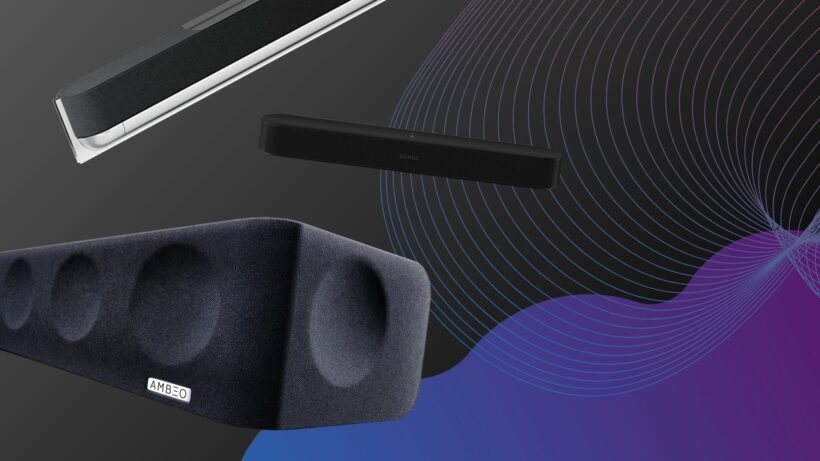
We’ve put together this list of the best soundbars for different budgets, sizes and uses. Whether it’s a compact soundbar for a small room, a soundbar for gaming, or a soundbar system with speakers and subwoofers, you can have a look at the options below.
When we test a soundbar we look at its design how flexible it is to fit in a space. How easy is it to use is another consideration, the number of inputs (and outputs) it has, and its feature set too. We’ll also take a close look at any smarts and wireless connectivity.
Advertisement
Sound quality is, of course, the main reason to buy a soundbar and our reviewers watch a range of movies, play games and listen music to determine how well the soundbar performs across a range of activities.
We’ve replaced the Marshall Heston 120 with the Bose Lifesytle Ultra Soundbar for the bass entry, and we’ve added the Samsung HW-QS90H as the best wall-mounting option.
Soundbars were created to boost TV sound quality – which means we end up watching a lot of TV. We play everything – news reports for voices, movies for scale and effects steering – to ensure that the soundbars that come through the doors at Trusted Reviews are given a proper challenge. We’ll play different genres of music, too, since a good soundbar should be capable of doubling-up as a great music system.
More complex soundbars feature network functionality for hooking up to other speakers and playing music around the home, so we test for connectivity issues and ease of use. We cover the spectrum of models available, everything from cheap soundbars costing less than £100 to those over £1000, to ensure our reviews benefit from our extensive market knowledge. Every product is compared to similarly priced rivals, too.
Best overall soundbar
Sennheiser Ambeo Soundbar Max
Best soundbar system
Samsung HW-Q990F
Advertisement
Best premium all-in-one
KEF XIO
Best for wall-mounting
Samsung HW-QS90H
Best mid-range soundbar
Sennheiser Ambeo Soundbar Plus
Best for music
Sonos Arc Ultra
Advertisement
Best for bass
Bose Lifestyle Ultra Soundbar
Best compact soundbar
Sonos Beam (Gen 2)
Best gaming soundbar
Razer Leviathan V2
Best budget surround sound
Sharp HT-SBW55121
Advertisement
Best no expense soundbar
Bang & Olufsen Beosound Premiere
Best budget soundbar
Majority Bowfell Plus
Advertisement
FAQs
What’s the best soundbar without a subwoofer?
Advertisement
If you’re short on space or prefer not to have a subwoofer as part of the package, then the Sonos Beam Gen 2 is an excellent choice with its wide soundstage and detailed performance with voices. If you have room for a bigger bar, either the Sennheiser Ambeo Soundbar Mini or Sony HT-A7000 would be fine options.
There’s a new contender in the prosumer UV printer world up on Kickstarter, the HeyGears G1. This one’s particularly interesting as they’re explicitly marketing it as being able to produce full-color 3D prints along with the “print-on-anything” functionality we’ve come to expect from a UV flatbed printer.
You get two choices of bed, with the larger being 420 mm x 320 mm x 130 mm. Hardly the largest build volume we’ve seen around here. You can fill that with up to 6 KG of UV ink/resin from its Epson-brand head in glorious full color and layers as small as 10 um. The ink isn’t super cheap — the CMYK kit looks to MRSP at 189 USD — but you aren’t locked in to expensive cartridges at least. HayGears sells ink in bottles, and you’re free to grab any other brand’s bottles if you want to risk it.
The Kickstarter is ongoing, and it will be some time before backers get their printers. But we can report that the early review copies, like the one [Steve Makes Everything] got for the video embedded below, seem to live up to the manufacturer’s claims, which is promising indeed. Certainly the idea of SLA quality without the mess is very appealing to many — though the super-early-bird price of two grand on Kickstarter and the doubtless higher MRSP may temper some of that interest.
If you’re curious about this UV printer business and why a maker might want one that doesn’t do 3D, our own [Tom Nardi] went hands-on with the EufyMake E1 last year.
Many of us will be used to the idea of a KVM, a device that pipes keyboard, video, and mouse over the network from a remote machine to your own. But many remote machines don’t run a GUI, so there’s not always the need for a full video experience. Enter [morpheuslord] with the PicoTTY. It’s somewhere between an old-fashioned serial terminal and a KVM.
The system has two components, a Pi Pico which plugs in to the USB port of any one of a number of machines and has a wireless card, and a Pi Zero which forms the hub. The Pico acts as both a keyboard and a serial terminal, and streams both to the user via a web interface on the Zero.
We can see the use of a machine like this, but we have a few questions. Why for instance is the keyboard needed, given that the serial terminal could provide input in itself. But however it works we can see it might have a use in cases where a terminal can’t be accessed over the network directly, and we especially like it that a single USB peripheral does the job that a conventional KVM would use a bunch of cables for.
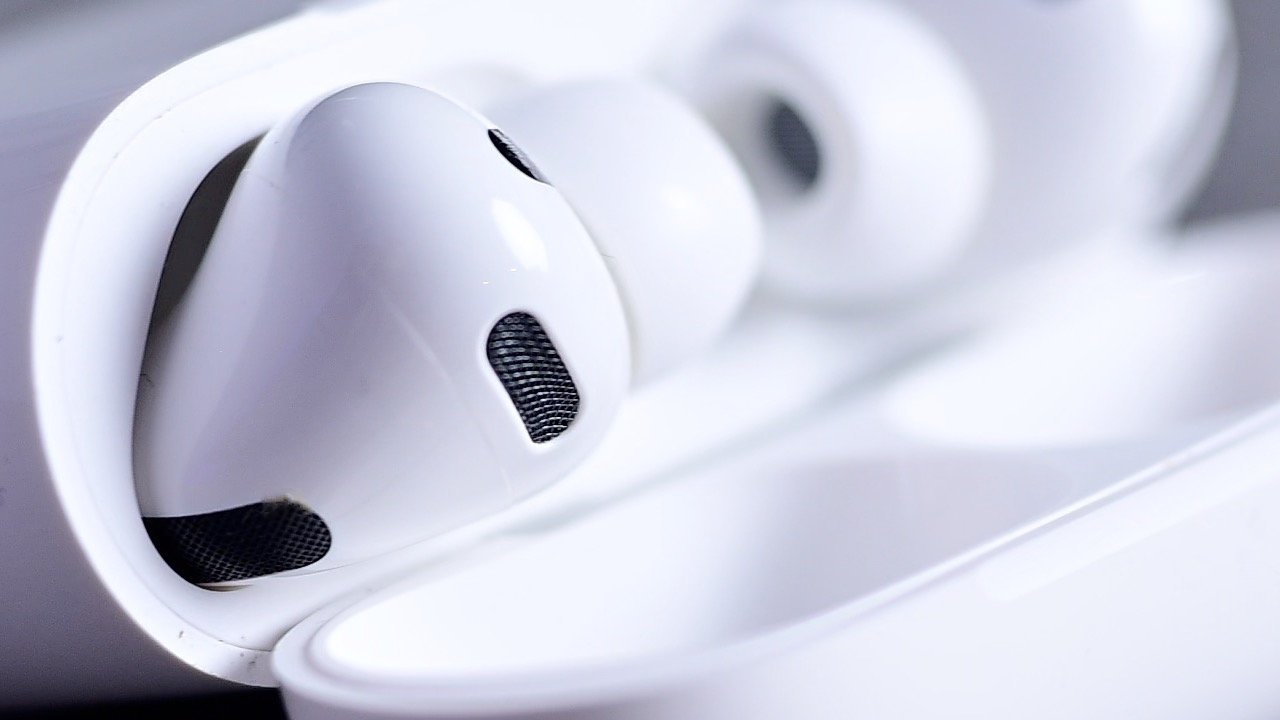
While the rumored camera-equipped AirPods Pro won’t be coming out until 2027, an update is still expected by the end of 2026.
Fall is the traditionally busy launch period for Apple’s product catalog, and that can include AirPods. However, while there are rumors of a wild addition to the earbud range in development for 2027, Apple may still have something to launch in 2026.
Writing in Sunday’s “Power On” newsletter for Bloomberg, Mark Gurman reiterates that AirPods Pro probably won’t be coming out in 2026. Back in May, while the model was said to be very close to launch, being in the design validation testing (DVT) stage, it was thought that it was too late in the schedule for 2026, and 2027 was a safer bet.
A more probable 2026 candidate is said to be in the works, under codename B790, with Gurman insisting that Apple habitually makes competing versions internally. The B790 was the alternative to the camera-equipped versions, codenamed B798.
Advertisement
The B790 are said to be “further along,” and have been referenced in iOS 27 code. They have also apparently been listed on Apple’s internal road map for launch as early as 2026.
As for what to expect, Gurman doesn’t provide any clues about them. Most probably, they will be an enhancement of the current version, but without any cameras.
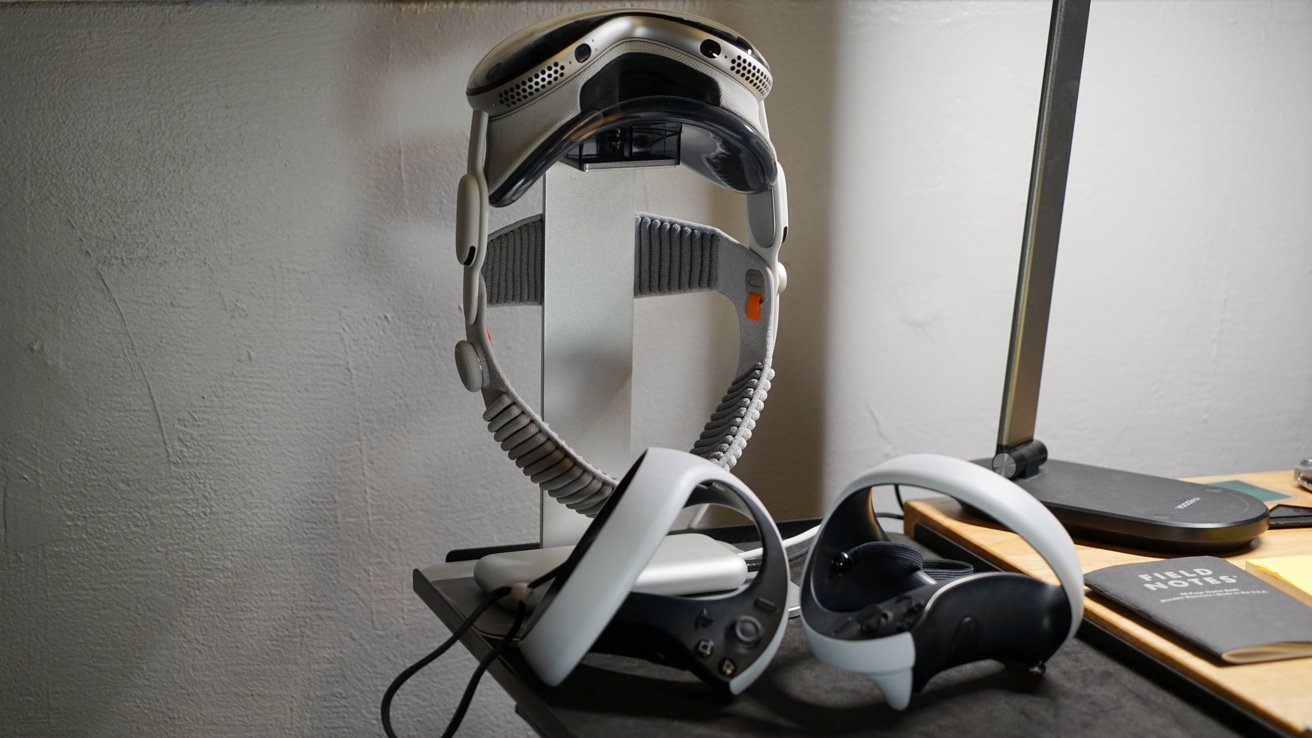
Apple Vision Pro is way too unwieldy for yoga and cardio, but fitness tracking could be implemented in a future version of Apple smart glasses if a job listing is anything to go by.
If there is one thing Apple CEO Tim Cook did beyond making Apple a company capable of earning $109 billion in a summer quarter, it’s bringing health and fitness to its products. There were apparently ambitions for fitness software on Apple Vision Pro, but those plans fell through for obvious reasons.
According to the “Power On” newsletter from Bloomberg, Apple is looking to hire a “strategic product design leader” that would “define the future of health, wellbeing, and fitness experiences across vision products.” The listing goes further by stating that the person would “translate ambiguous opportunities at the intersection of spatial computing, wearables, consumer health, and human behavior.”
The listing itself is interesting, but if you’ve ever scoured Apple’s vacant job postings, there are many like it. Bringing fitness and health products to Apple’s Vision lineup isn’t an unprecedented move as Meta’s Quest headsets have fitness features too.
Advertisement
I still hope Apple might try to work with the team at Supernatural Fitness after Meta cut staff from the project.
The report suggests that Apple has already moved on from the idea of incorporating something like Apple Fitness+ into Apple Vision Pro. The new hire would likely be focused on implementing features in its future smart glasses, though possibly not in the first generation due in 2027.
That said, Apple Vision Pro isn’t devoid of health features today.
Apple Vision Pro is already a fitness product
I wouldn’t recommend buying Apple Vision Pro as a workout tool. It’s big, heavy, and can cause neck strain if you’re moving and twisting too much with it on.
Advertisement
There are fitness tools on Apple Vision Pro if you go looking for them
That doesn’t mean Apple Vision Pro is completely devoid of health and fitness tools. Users can install apps that interact with HealthKit and log fitness data.
Meditation tools were advertised at the launch of Apple Vision Pro, plus there are a few fun workout-focused games on the platform. I would love to play Beat Saber, as that’s a great workout, but it still isn’t on the platform.
The boxing and rhythm games that do exist can work up a sweat, though. Starting a general workout on Apple Watch while playing some of these games can be useful to the user too.
Advertisement
While Apple Vision Pro isn’t exactly something you’d add to your workout routine, it isn’t completely devoid of fitness software. It will be interesting to see how Apple leans into the AR and VR aspects of fitness and health as Apple Vision Pro and smart glasses evolve.
How interconnected is Washington’s tech industry? Enough that a large share of the state’s companies can trace their lineage to Microsoft, the University of Washington, Amazon, and a handful of other institutions.
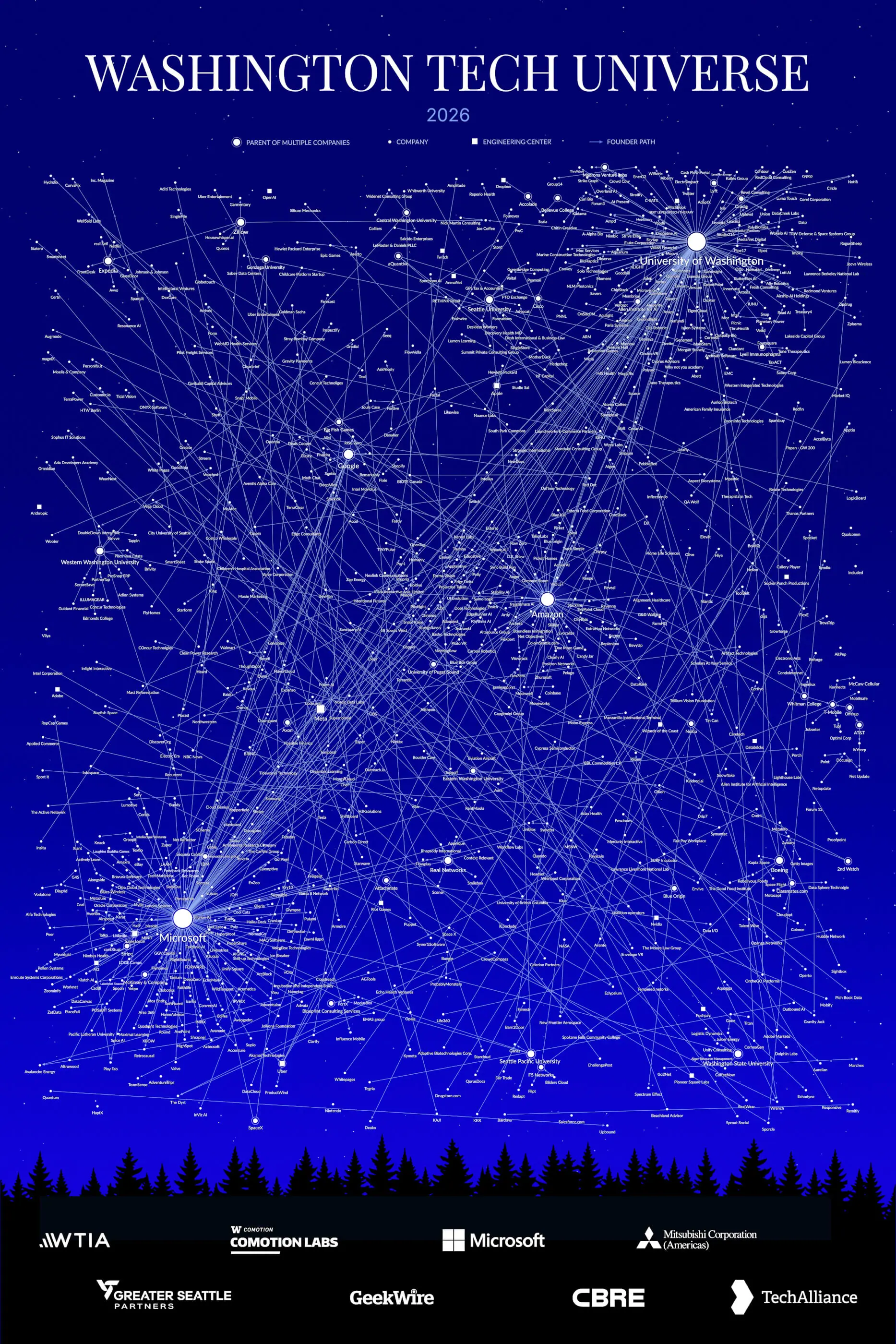
A new visualization from the Washington Technology Industry Association (WTIA), unveiled this week, charts those family trees. But the “Washington Tech Universe” map offers only a partial view: Washington is home to 25,000 tech companies, and just 625 are featured.
“This is not a ranker of all the best companies,” said Nick Ellingson, WTIA’s vice president of innovation and entrepreneurship, during a presentation at Seattle Tech Week. The point, he said, is to show the region’s connectivity and to make the case for investing in the community as a whole.
The “Tech Universe Map” comes 11 years after the trade group published a similar visualization. According to Ellingson, the update came because people kept asking for it, not because of a single event. It’s unrelated to WTIA’s efforts to help Washington establish a public AI narrative.
That said, the 2026 edition is markedly different from the one in 2015: The new map looks at the entire state, aiming to comprehensively chart the connections among different companies, while the prior version was limited to companies in Seattle, with a more narrow focus on acquisitions and similar data.
Advertisement
Microsoft and UW produce the most founders
WTIA’s data shows that today, Washington has four main founder “hubs,” with Microsoft being the largest. About a quarter of the mapped companies — 161 of 625 — have at least one founder who came out of Microsoft. UW is the second with 143 companies, followed by Amazon, which anchors 58 firms. Google rounds out the group with 20 connections, though it’s a pipeline that didn’t exist in WTIA’s 2015 map.
WTIA’s Vice President of Innovation and Entrepreneurship, Nick Ellingson, unveils the 2026 “Tech Universe Map” at the University of Washington’s Comotion Lab on July 27, 2026, explaining how to read the map. (Photo by Ken Yeung, click to enlarge)
UW isn’t the only school producing founders. WTIA’s map traces company lineages to Washington State, Western Washington, Central Washington, Eastern Washington, Whitman College, Seattle University, and Seattle Pacific. Still, UW accounts for 70% of the map’s university connections.
Broken down, the data shows that nearly two out of three companies (64%) grew out of another company listed on WTIA’s map. A third came out of a university, or out of a company that operates in Washington without being headquartered here.
Google is the clearest example of the latter since it’s based in California but has a significant presence here. Moreover, WTIA found that 44% of mapped companies had founders who previously worked at two or more Washington organizations before starting theirs.
Advertisement
Ellingson called the hubs “gravity wells that bend the entire region toward the next generation of founders” in the announcement.
However, he cautioned that this pipeline concentrated around four main sources could be a risk. Some of the hubs he expects to grow next, such as Google, OpenAI, Anthropic, and Nvidia, are headquartered elsewhere and maintain engineering centers here, a presence that is easier to scale back. Microsoft, Amazon, and UW aren’t going anywhere. The next generation of hubs has no such guarantee.
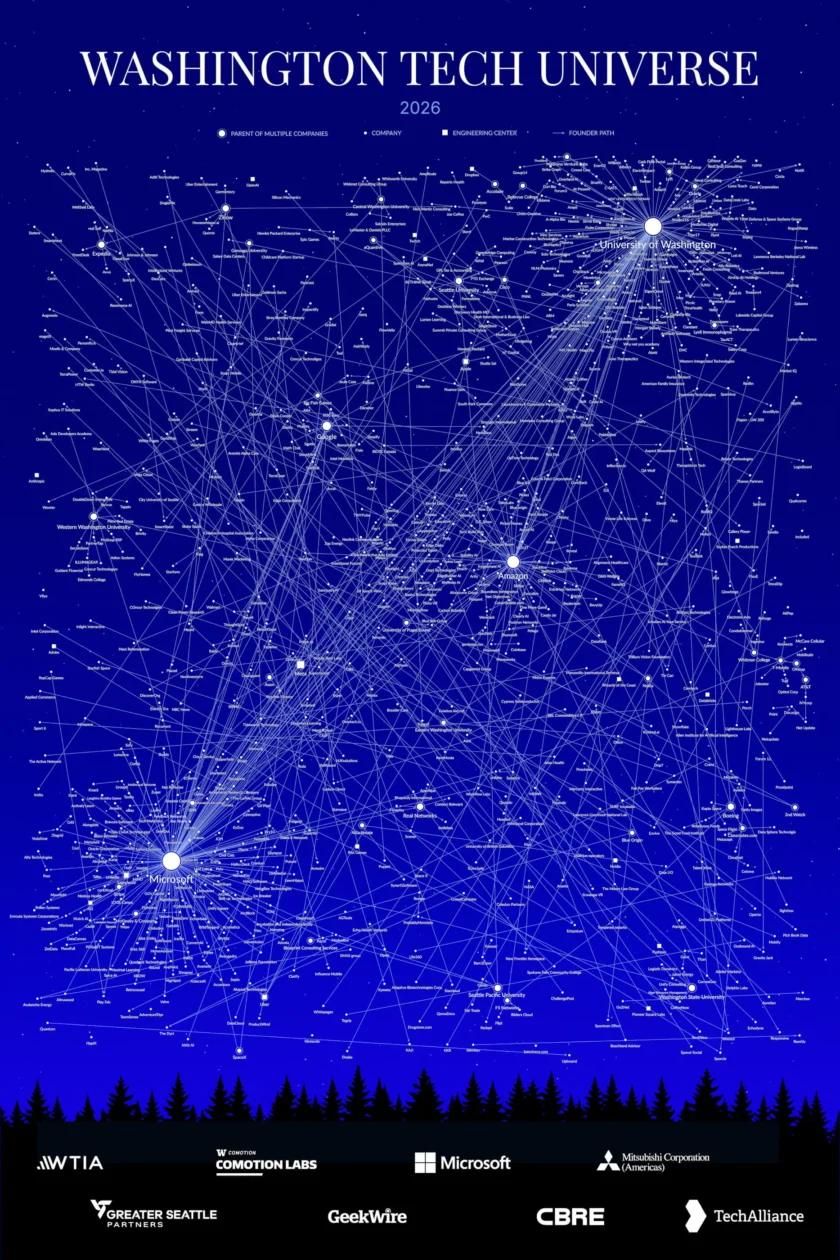
The Washington Tech Universe map. See the full version here.
To mitigate this risk, Ellingson called for broad community support for these hubs, saying it would keep the flywheel going.
These companies, he said, “are growing not just the jobs at their companies, but they’re creating the next employers, venture-scale startups, and tech companies that go on to build amazing things, and hire the next generation of talent here and bring more talent to the area, who then go and create their own startups.”
The next hubs are forming around AI
WTIA also recognized AI’s impact on Washington’s tech ecosystem. Although the technology was not a formal selection criterion, it became evident that AI would be a dominant theme among the featured companies. In fact, firms like Read AI, Karat, Yoodli, Outreach, and Pictory appear on the map for the first time. And Ellingson revealed that “many of the startups on the map are AI startups.”
Advertisement
“Twenty-three percent of the AI talent in the United States is here in Seattle,” he said.
That, along with the burgeoning startup ecosystem, is why organizations like the Allen Institute for AI (Ai2) and AI House, are poised to have large constellations of their own. AI House was formerly the AI2 Incubator. It spun out as an independent entity in 2022 and rebranded in June.
WTIA noted that Ai2 is the first research lab on its map to operate as a “founder factory.”
Other AI companies making their presence known on the “Tech Universe Map” include OpenAI and Anthropic. While not Washington-native, both AI model makers have established or expanded their outposts in the state since 2015.
Advertisement
Ellingson predicted that, like Ai2, both would eventually become major hubs.
How companies were selected
UW alumni Jessica Forcucci explains her design process in creating WTIA’s 2026 “Tech Universe Map.” (Photo by Ken Yeung)
To create the “Tech Universe Map,” WTIA started out with a dataset of 3,500 Washington-based tech companies with at least $1 million in funding or revenue according to PitchBook.
The group was filtered further to those that were headquartered or had notable engineering centers in the state, were still active, and had “meaningful” Washington-grown connections through founder or university lineage. The GeekWire 200 was also used in the process.
WTIA enlisted the help of UW graduate Jessica Forcucci and a team of designers to create the visualization. In brief remarks, Forcucci explained her vision for the “Tech Universe Map,” saying the goal was to “demonstrate the interconnectivity” these companies had with each other.
Predicting what the next map will look like
As Washington’s tech ecosystem evolves, Ellingson predicted there will not only be bigger constellations of AI companies, but also quantum, fusion and advanced energy, and space and defense. He believed more tech clusters will blossom statewide beyond King County.
Advertisement
Ellingson said WTIA is seeing real growth in Wenatchee, the Tri-Cities and Spokane. Those regional clusters are small now, he said, but he expects them to be substantial by 2031.
To make the next map happen, Ellingson urged people to open doors for others, make introductions without expecting anything in return, and give first, building community and forming new constellations.





























































You must be logged in to post a comment Login