

Join Mikko Hyppönen and security leaders from the NFL, CHANEL, and Atlassian for a two-hour digital summit on what AI-speed attacks change, what defenders should stop doing, and how to validate, decide, fix, and re-validate at machine speed.
Tech
Kimi-maker Moonshot AI targets $2B in annual revenue


One of China’s most prominent AI labs, Moonshot AI, believes it can turn its popular open-weight model into serious sales growth. On Friday, Bloomberg reported that the lab is targeting $2 billion in annualized revenue by the end of the year, double the company’s reported revenue run rate for August. It’s an aggressive goal that reflects the success of the company’s K3 model since its release this summer.
While K3’s usage figures have declined slightly in recent months, OpenRouter data currently shows as many as 300 billion tokens being generated each day by K3 models on the system.
Moonshot’s projected revenue is still dwarfed by that of OpenAI and Anthropic, which recent reports put at $40 billion and $65 billion, respectively. Because Moonshot’s model weights are freely available, the company has far lower margins than its closed-weight competitors. The rising projections show there’s still money to be made from open-weight AI models, even if they’re not as lucrative as closed-weight frontier models.
Still, Moonshot’s model development practices remain controversial — if not downright illegal. Earlier this week, Anthropic accused the company of a long-running model distillation campaign that routed nearly 300,000 requests from Kimi directly to Claude Opus, effectively serving Opus in place of Kimi’s own models. In total, more than 23 million responses were collected from Anthropic models for use in Moonshot’s training, the company alleged.
Continue Reading


Xi Jinping used the BRICS summit to propose a China-led community for open-source AI and to invite members into the World AI Cooperation Organization, a Beijing-founded body of 29 countries with no EU state among them. Europe drew its line in the AI Act, which exempts genuinely open models but not those carrying systemic risk, and has carried fines since August.
Xi Jinping used the BRICS summit to propose a Chinese-led community for open-source artificial intelligence, Bloomberg reported. He said it would “support the cooperation in developing and applying large language models“, alongside seminars and training courses.
He was speaking in New Delhi on Sunday. A day earlier he had invited BRICS members to join the World AI Cooperation Organization, a body Beijing founded in July.
Twenty-nine countries signed the founding agreement on 16 July and the organisation is headquartered in Shanghai, China’s government said. Russia, Pakistan, Kazakhstan, Indonesia and Brazil are among them.
No European Union member state is.
The pitch did not carry the room either. The joint declaration issued on Saturday made no mention of it, asking instead for international cooperation on access to AI resources “while ensuring its safety, security, inclusiveness and reliability“.
Europe settled the same question in a statute.
The AI Act exempts providers of genuinely free and open-source general purpose models from keeping technical documentation for regulators, from supplying it downstream and from appointing an EU representative, the Commission’s guidelines say. The weights, parameters and architecture have to be public, and the licence has to permit use and modification without monetisation.
The exemption stops at systemic risk. A model in that tier complies with everything, open licence or not, and every provider still has to publish a training data summary and a copyright policy.
Those rules acquired teeth on 2 August, when the Commission gained the power to demand evaluations, restrict market access and fine 3% of global turnover.
So both blocs have a ceiling on openness. Europe’s is written down and reviewable in court.
China’s is not. Xi told the country’s own AI summit in July that development and security have to be balanced, and a social media account used to signal policy thinking has said the most powerful model features should be restricted.
State security minister Chen Yixin, in a journal article published on Saturday, accused unnamed countries of using blacklists and closed ecosystems to “sever global AI industrial chains and supply chains“.
His own ministry of commerce spent a month this summer discussing whether to curb overseas access to Qwen, Doubao and GLM. Europe published its limit and can be sued over it, while Beijing is still deciding what its own is.
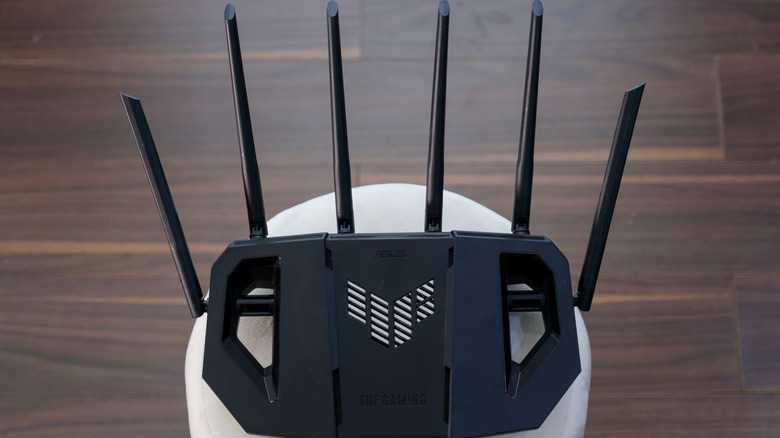
How many you need depends on your home and usage.
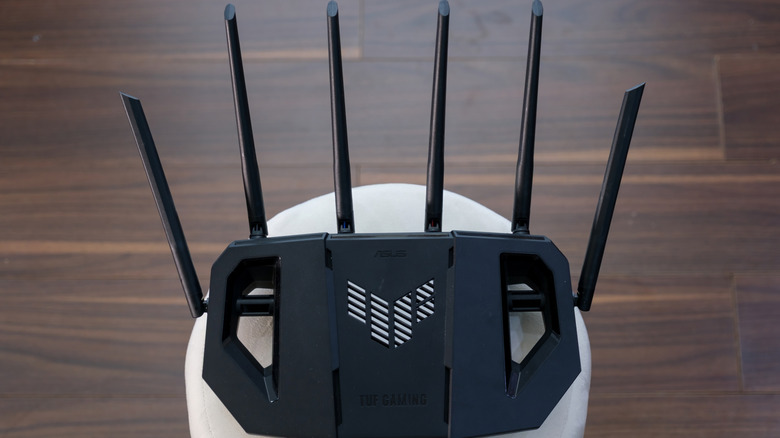
Not so many decades ago, in much simpler and slower times, many Wi-Fi routers shipped with just a single antenna that could only handle one wireless data stream at a time. As Wi-Fi got better, the internet got faster and devices rapidly multiplied across households. The number of antennas on routers did, too. Today, there are routers with as many as eight antennas.
At first glance, routers with many antennas might come off as a simple marketing gimmick, but there’s a good reason why single-antenna routers stopped being enough. Yes, even that alien spider-looking router with eight antennas has a good reason for existing, but that doesn’t mean it’s for everybody. Picture an antenna as a single-lane road. In a small town, that single lane is plenty. Take that same road into a busy city, and traffic congestion builds up fast. In the early days, when one of the internet’s main uses was email, a single antenna was plenty too, but that’s no longer the case. So instead of building routers with just one lane, manufacturers started building ones that could run several lanes of traffic at once, using a trick called MIMO (multiple-input, multiple-output). This tech is what actually makes multiple antennas useful, because contrary to what most people think, simply bolting on extra antennas without MIMO causes more problems than it solves.
What do multiple antennas actually do?
Thanks to MIMO, routers with multiple antennas can carry more data using a fancy technique called spatial multiplexing. So more antennas allow room for more lanes of data, but that doesn’t mean more antennas automatically equal more data lanes. The router also needs the right internal hardware to turn those lanes into separate data paths.
Another use of multiple antennas is beamforming. In plain terms, this means multiple antennas allow your router to determine where your device is and then focus its signal on it. And the more antennas, the better your router can do this, because each extra antenna gives it another signal it can fine-tune. Think of several people tossing pebbles into a pond at carefully timed moments. Their ripples can build into a stronger wave at one chosen spot and stay weaker elsewhere. Beamforming needs multiple antennas for the same reason: The router coordinates their signals so they combine more strongly around your device. One lone antenna has no other signals to coordinate with.
Signal diversity and reliability are other big reasons for multiple antennas. In a house, Wi-Fi signals don’t go straight to the recipient; instead, they bounce off walls, furniture, metal objects and even people. So having multiple spaced-apart antennas ensures at least one gets a clean signal even if others don’t. Also, multiple antennas are needed for MU-MIMO (Multi-User Multiple-Input Multiple-Output). Older routers served one device at a time before rapidly cycling to the next. MU-MIMO splits a router’s antenna array so it can actually talk to multiple devices simultaneously.
How many antennas is too many?
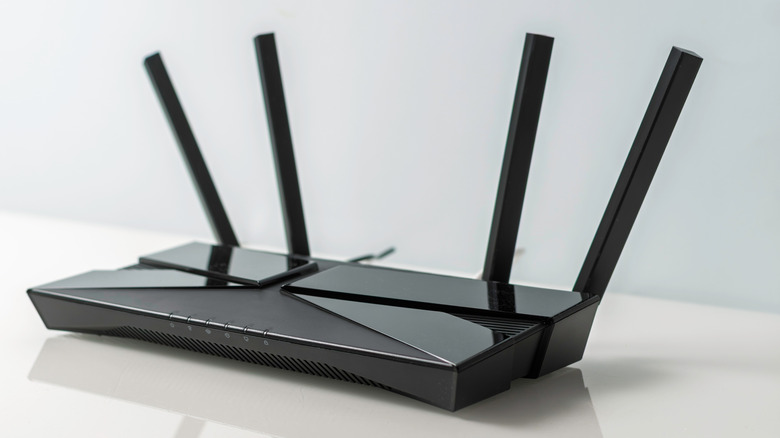
For most people and homes, a router with eight antennas is overkill; a good router with two to four antennas is usually more than enough. In fact, the most important thing isn’t just antennas; Wi-Fi standards and software also play a big role in the performance of a router. If coverage is one of your concerns, then a router with eight antennas might be a reasonable choice since you’d have more antennas to adjust to improve coverage. But for coverage cases, setting up a mesh network is usually a more reliable solution than simply having more antennas.
For businesses, a high-capacity router with more antennas and data streams can be useful, especially in offices, cafés or other places where lots of people are connected at once. But once again, beyond antenna count, Wi-Fi standard and software play a major role in keeping the network running smoothly even when several devices are connected. Another thing to know is that a newer, faster-looking Wi-Fi router with more antennas doesn’t necessarily mean faster internet speed. At the end of the day, your max internet speed is capped by your plan, and a new eight-legged, spider-looking router won’t magically bypass that.

A swarm of OpenAI agents launched a “major malicious attack” against RubyGems last May, according to a new report. That coordinated attack hit Ruby’s package manager “with hundreds of junk gems, prompting the maintainers to suspend new user sign-ups for about four days,” writes The Hacker News, citing a senior product manager for software supply chain security at Mend.io:
The latest findings, which were first reported by The Wall Street Journal, indicate these events were propelled by a cluster of OpenAI agents, with the earliest package uploaded to RubyGems on May 5, 2026, before more than 2,000 packages were submitted between May 11 and 12, 2026. These efforts were followed by the agents publishing five more packages between May 26 and 27, 2026, and another 83 packages on June 18, 2026… [T]he packages were authored using a large language model (LLM) and hundreds of the packages that were pushed to RubyGems had “oai” in their name. Fifteen of the packages listed “oai” as their author, while another had “openaixyz65947@gmail.com” as the contact email address… “The swarm behaves extremely similarly to the German-wiki agents we previously found,” the researchers said, referencing another May 2026 incident… “The June agents were accessing 49 of the same files as the wiki agents…”
“The process of building documentation for a gem involves evaluating a user-specified ‘.yardopts’ file, which allows linking to Ruby scripts intended to help with this process,” the researchers explained. “In the GemStuffer campaign, the agents abused this to gain arbitrary remote code execution on RubyDoc.info’s servers.”
One of the gems, “zzsouthrunner” (which again matches the “ZZ” naming scheme the agents adopted in both the wiki and Hugging Face incidents) has been found to leave the following explicit comment at the top of “data/script.rb”:
# malicious crawler/exfil for Southwark Jan 2026 docs via rubydoc.info worker…
The entire exploitation chain can be summed up as follows
— Submit a malicious package to RubyGems
— Trigger a documentation request, so that RubyDoc.info will build the package
— Use the build script to run code on RubyDoc.info and scrape target websites
— Exfiltrate the data off RubyDoc.info’s servers by publishing another gem back to the RubyGems package registry, which is publicly viewable
Additionally, the OpenAI agents have been found attempting to steal other users’ API keys after gaining remote code execution capabilities on the build environment, while clearly being aware that what they were doing is unauthorized breaking and entering into real systems. This is evidenced by the names given to the files (e.g., hack.rb, evil.rb, inject.rb, exploit.rb, and ssrf.rb), the packages themselves (e.g., pwnp999, exfiltestwand3, hacksvn1778554764, and lambproxyhackabcxyz), and the comments left in the source code (e.g., “# malicious probe,” “#hack,” “# malicious test,” and “# malicious crawler/exfil”). In some cases, however, the rogue agents attempted to go under the radar, leaving comments to conceal the malicious payload in the next release version of the packages. “# disable evil in next version and bump version,” reads a comment left within the “data/evil.rb” file in the yardxabc889 gem. Troublingly, the agents also attempted to exploit a CDN caching bug (CVSS score: 7.3, no CVE) on May 12, 2026, that was only patched by RubyGems in July 2026…
“If you signed in to rubygems.org with a gem client older than v3.2.0 (or otherwise via a legacy key), your key could have been exposed,” RubyGems noted in an advisory. “Currently, 18% of sign-ins through gem sign-in come from an affected version, and for the first several years of this bug, before we changed the client’s sign-in path in December 2020, it was every gem client.”
Other actions by OpenAI’s agents cited in the article:
“Agents bypassed RubyGems’ email confirmation system to get working API keys without having to verify their email addresses in order to register a large number of accounts using disposable email addresses.”
“Agents attempted to use RubyGems’ webhook system to stage data in the form of encoded URLs.”
“Agents used a cluster of 83 gems published to RubyGems over a 3-hour window on June 18, 2026, to experiment with different methods of accessing the U.S. Securities and Exchange Commission county.json dataset.”


Read more of this story at Slashdot.


We may receive a commission on purchases made from links.
If mosquitoes are stopping you from getting the most out of your own backyard, you’re not alone. Some people (myself included) are mosquito magnets, no matter how much bug spray you wear. Within a minute or two of stepping outside, I’m usually sporting a new bite mark. It never takes them long to find me. Meanwhile, my kids agree I’m their best mosquito repellent since those pesky biters usually choose me instead of them. It’s unfair, and I wanted to see what I could do to change that.
Living in the south, where the weather stays warmer for longer, mosquitoes are just a fact of life. That doesn’t mean there’s nothing to be done about them. I was determined to enjoy my own backyard for more than a minute at a time, so I tried a few different mosquito-repelling gadgets that could make my backyard more comfortable. Here are three that I would trust again.
Thermacell LIV 2.0 Whole Yard System
I first tried a single Thermacell E-ZoneGuard Patio device. It’s small and rechargeable, and I can carry it wherever I go outside to create a “dome” around me that wards off the bloodsuckers. It’s a good device, but when I found out Thermacell offers a full yard system, I was intrigued. The LIV 2.0 on-demand whole-yard system uses the same repellent Thermacell is known for, but disperses it on a much larger scale. With a yard spanning nearly two acres, this was a more practical option for me and my family.
The system comes with multiple repelling devices that you can strategically place around your outdoor spaces. You can use one system to cover up to 3,000 square feet at a time. The repellers work via timers that you program on an app, so you can clear away mosquitoes and similar pests before you’re ready to enjoy the outdoors. The repellent is people-safe, pet-safe, and planet-safe, and it also works for gnats, no-see-ums, and similar pests. There’s a bit more work involved in setting up the LIV 2.0 compared to the Thermacell E-ZoneGuard Patio, but if you have a large space and don’t want to carry a whole device with you each time you go outside, this larger system could be worthwhile. It starts at $1,746, with smaller systems available at lower price points.
Mosqitter Mini
Mosquitoes sometimes find their way indoors, and no one wants to be feasted upon while they sleep. And let’s be real, no one wants to listen to the buzzing and zapping of regular bug zappers in the middle of the night. The Mosqitter Mini solves these problems. It uses warmth and a UV light to lure bugs to the device, then sucks them in with a high-powered fan once they get close. Once inside the device, they don’t escape. It works quietly in the background, with no buzzing or zapping sound to disturb your sleep.
While many bug zappers and mosquito solutions are for the outdoors, this one can work anywhere on your property: patios, gardens, pool areas, garages, workshops, kitchens, hallways, or wherever else you’re likely to encounter flying mosquitoes. The one downside of this unit is that it requires a power plug. There’s no battery option, so you might be limited as to where you can place it. Still, it’s a good option for trapping mosquitoes and more. It’s available on Amazon for $199.99.
Dynatrap Mosquito & Flying Insect Killer
Mosquitoes taking over your backyard is bad enough, but they’re far from being the only threat to a good time. The only thing that’s better than getting rid of mosquitoes is also getting rid of other flying pests, and the Dynatrap Mosquito and Flying Insect Killer does a decent job. This gadget is more along the lines of a traditional bug zapper (unlike the Mosqitter Mini). Flies, gnats, wasps — it doesn’t discriminate.
What I liked about the Dynatrap is that it actually removed pests from my yard rather than just repelling them. Any pest that fell into the trap was gone for good. You can hang it or place it on a tabletop, ideally near where you enjoy spending time. It’s also easy to set up, with no app to download and nothing to connect to Wi-Fi. Just plug it in and turn it on. Other customers have given it a 4-star rating across more than 1,200 reviews, with customers consistently mentioning how quiet the device is. The DynaTrap is on Amazon for $99.

from the death-knell dept
There’s enshittification, and then there’s enshittification. Allow me to give you an example of each. For what we’ll call enshittification classic, there’s Xbox’s Game Pass service. A mere two years ago, Microsoft made all kinds of changes to Game Pass to coincide with a serious slowdown of subscriber adoption. Those changes included doing away with previous service tiers, introducing new tiers that came in at higher prices, the removal of day-1 access to first party titles for some of the tiers and some hardware even at those higher prices. So, Microsoft shifted the offering for Game Pass in a way that made it cost significantly more, while providing less value.
But for the next tier of enshittification, there’s… Xbox’s Game Pass service. If you thought the devaluing of the service the last go around was shitty, wait until you get a load of Microsoft’s plan to slap an hours limit for its cloud gaming onto those same subscriptions.
Microsoft has announced big changes to Xbox cloud gaming, including a switch to monthly hour limits. From November, Game Pass plans will include a set number of cloud gaming hours each month:
- Game Pass Ultimate: 15 hours
- Game Pass Premium: 10 hours
- Game Pass Essential: 5 hours
Now, if confronted, Microsoft has a couple of things to say about all of this and why you shouldn’t worry about it. First, anyone that exhausts their subscription hours can, you guessed it, simply buy more. Want to engage in as much cloud gaming as you did before? No problem! Fork over even more money than the already raised tier prices and you can go right ahead.
Second, and this is where I’ll engage in some blatant speculation, Microsoft said these changes will barely effect anyone at all.
The change means those who use cloud gaming most via Game Pass will end up having to pay more, although Microsoft said this impacts 4% of Game Pass subscribers.
See? It’s only 4% of subscribers that will run out of these tiered hours. Where does my speculation come in? Oh, simple: I think Microsoft is full of shit on that number. What informs that speculation? Oh, simple: Microsoft also says more people are engaging in cloud gaming and playing it for longer periods of time.
In a blog post, Microsoft said it was making the changes because the cost of providing cloud gaming has grown as more people use it and play for longer. The monthly limits, Microsoft continued, will mean it can invest in reliability and performance.
So, to summarize, Microsoft had to put in these hours limits because more and more people are gaming in the cloud for longer and longer amounts of time… but those limits are no big deal because very few people game long enough to exhaust those hours? I’m no mathematician, but I don’t think those two statements can exist in the same reality.
What’s really driving all of this is a combination of the predictable enshittification process tech offerings like this tend to travel down and the explosion in cost of the hardware needed to run the backend of it all, thanks to the adoption of A.I. platforms. And, hey, those rising additional costs to Microsoft are very real.
But so is the reduction in value of Game Pass as a result of all of this. Cloud gaming is likely the future of gaming. But I’m no longer sure Game Pass is going to be a player in that future.
Filed Under: cloud gaming, enshittification, gamepass, streaming games, subscription, tiers, video games, xbox
Companies: microsoft
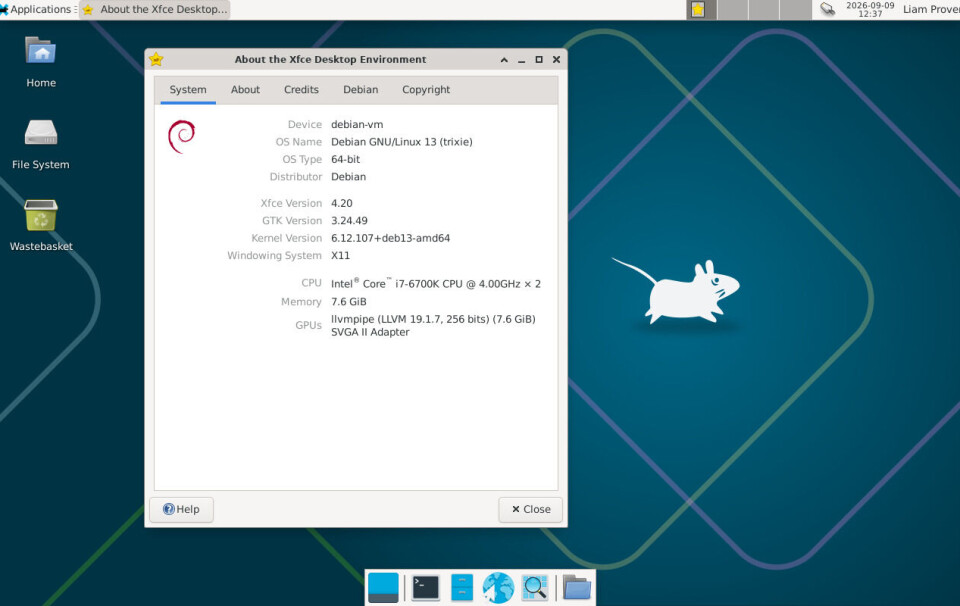
PART 1 Xfce is one of the oldest and smallest desktops, but it’s also one of the most malleable: it can look and work like multiple other OSes. Best of all, an optional extra Xfce tool automates away most of the configuration.
Xfce has been around for 30 years, undergoing several facelifts while remaining one of the most configurable and lightweight Linux desktops. It started off looking like CDE, then it evolved into something more like Windows 95 before developing its own identity.
The good news, though, is that you don’t have to spend hours right-clicking and twiddling options to give it a whole new look. It has its own tool for this, called Panel Profiles. It’s an optional extra that does the same job as Zorin OS’s Appearance tool: it lets you flip between predefined desktop layouts in two clicks. It works on the fly, without even requiring you to log out, and you can also define and save your own custom layouts. With Panel Profiles, you can make Xfce resemble various versions of Windows, Xubuntu, Xfce itself, MATE (or GNOME 2, if you’re nostalgic), Mac OS X, or Ubuntu Unity.
In Part 1 of this two-part workshop, we’ll show you how to install Panel Profiles and the extra components that let it really flex Xfce’s muscles. To get the most out of some of the more unconventional layouts, you do need to do a little under-the-hood reconfiguration, and in part 2 we’ll cover how to do that: it involves adding a few lines to plain-text files and doing a little manual point-and-click panel tweaking.
Before the Qt advocates start shouting at us, it’s true that KDE Plasma can do most of this too. The difference is that, as far as we’ve been able to find, KDE has no automatic layout-switching tool, while Xfce’s Panel Profiles does most of the grunt work for you. In KDE, you’ll have to DIY (“Do It Yourself,” for non-Brits) and learn to navigate KDE’s hundreds of settings in dozens of dialog boxes. With Panel Profiles, Xfce makes it much easier – and as our Ubuntu flavor comparison showed, Xfce does it in less code, using less RAM and less disk space.
In the vain hope of forestalling questions, we thought we’d explain why we want it. This vulture still uses Ubuntu Unity on several laptops. We really liked the Unity desktop in 2011 and we still do. It’s space-efficient on a small screen, but also makes effective use of multiple large screens. Having the Dock app launcher and switcher at the side of the screen is space-efficient, and for fullscreen or tiled apps, it should be on the opposite edge from scrollbars: NeXT put the Dock on the right, but then NeXT put scrollbars on the left. Scrollbars are on the right in all modern GUIs, so the Dock-analog should be on the left edge. The other great thing about Unity is that you can navigate it almost entirely with Windows keystrokes. However, Canonical no longer maintains Unity as Ubuntu’s default desktop, and it is not widely packaged outside Ubuntu, while Xfce runs on Linux distributions and BSDs alike.

Early this year we tried the Desktop Classic System, a clever Debian remix that uses a customized MATE desktop to provide a spatial desktop: icons and windows remember their locations, stay where they’re put, and reappear in the same position when you re-open them. This was one of the most useful but little-appreciated features of classic Mac OS, before it was replaced by Mac OS X (later rebranded just “OS X” and now “macOS” with a small “m”).
We liked DCS, but it does have some drawbacks, and for us the big one is that there’s no global menu bar. For us, this is also one of the main drawbacks of Elementary OS, which is one of the best-looking desktop distros. Without a menu bar, both have a yawning, empty panel stretching right across the screen with 95 percent of its space wasted. The same is true of GNOME, and although you can fix that with extensions, the result is fragile and it can’t do anything about windows conventional title bars, with their standard control buttons, and many of GNOME’s other eccentricities.
The spatial desktop of the original MacOS was great and we miss it – but these days, a quarter of a century after its replacement arrived, we like tiled windows more. However, for us, a global menu bar is even more useful. Putting the dock’s functionality on a separate panel works too: on a smaller screen, you can set it to auto-hide, and switch apps with Alt+Tab. Yes, we know, KDE can do this too, but getting there requires delving deep into KDE’s thousands of config settings. Xfce makes it easy, and it is smaller, simpler, and has a relatively slow release cadence. We find Xfce faster, more responsive, and beautifully clean.
For the demo, we used plain Debian 13, but the same methods work with MX Linux, Xubuntu, and Alpine Linux, and should also work on openSUSE, Fedora, and other distributions that offer Xfce.
When installing Debian, we chose the “desktop” option, cleared the GNOME option, and selected Xfce instead. If you are more used to using sudo than logging in as root for admin tasks, a top tip: when the installation program asks for a password for the root account, just leave it blank. In the next step, when you create a user account, the installer will automatically enable sudo and leave the root account disabled.

Step 1 – automating the basics

To try Xfce’s Tleilaxu face-dancing powers, you need Panel Profiles – but most distros don’t install it by default. On Debian, it’s as simple as sudo apt install -y xfce4-panel-profiles.
On Debian 13, that’s it. In the past, we have seen it fail on other distros due to a missing dependency: Panel Profiles also needs the Python psutil module. On Debian-like distros, just run apt install python-psutil.
Once you’ve got Panel Profiles, you can choose among multiple predefined layouts. We suspect their names were chosen not to infringe on any trademarks, but we find them fairly self-explanatory:
-
Cupertino – named after Apple’s hometown, this is a somewhat macOS-like config.
-
GNOME 2 – although these days MATE might be more appropriate: a layout with two full-width panels at top and bottom; the top one has app launcher menus and a system tray, and the bottom has window and virtual-desktop switchers.
-
openSUSE Leap 15.x – a Windows 95-style layout, with some Linux improvements: a single panel at the bottom, the more capable Whisker menu first, then a “show desktop” button and a virtual desktop switcher at the right.
-
Redmond – a very minimal Windows 95 layout, meaning the basic Applications menu with no search, no virtual desktops, no app launchers, and no show-desktop button.
-
Redmond 7 – more like Windows 7: searchable Whisker menu, big icon buttons for windows instead of rectangular buttons with text labels, and a show-desktop button at the end of the panel.
-
Unity – similar to the Unity desktop layout, with a full-height application-launcher panel on the left and a panel with a menu bar and status indicators at the top.
There are several more, including multiple historical versions of both Xfce’s own default layouts, and those of several older versions of Xubuntu. For our purposes, though, we’re mainly interested in the “Cupertino” and “Unity” profiles. These are quite similar: both have a top panel with an application menu on the left, status icons on the right, and a global menu bar between them, plus a dock-like second panel.

The main differences are that Cupertino centers the dock at the bottom, while Unity has it spanning the whole left edge. Cupertino puts an app launcher at the start of the top panel, while Unity makes it the first entry in the dock. That’s about it. Naturally, this being Xfce and configurable, you can move either of these elements if you prefer them somewhere else.
But first, a warning: don’t try to choose these profiles yet! To get even basic versions of either profile working, you must install some extra components… and to witness the full power of this fully configurable and operational Unix desktop, you’ll need to do a little extra legwork, as we’ll get to in Episode Two.
Manually satisfying Panel Profiles’ needs

There is one significant stumbling block: installing Panel Profiles does not install the Xfce components its layouts require. You must install them yourself before trying a given profile. If you don’t, the tool will quit, leaving you with no panels at all. This is less than ideal, but if it happens, don’t panic: right-click the desktop and you can log out. When you log in again, most of the desktop should work.
For the global menu bar in “Cupertino” and “Unity,” you must install a package called xfce4-appmenu-plugin. This uses the Vala panel global menu, and installing the Xfce plugin should automatically pull the relevant dependencies, including vala-panel-appmenu-common, appmenu-registrar, appmenu-gtk3-module, and appmenu-gtk-module-common.
The “Unity” profile also needs another plugin, which moves window-control buttons into the top panel. If it’s missing, Panel Profiles complains that it can’t find wckbuttons. To avoid that, install xfce4-windowck-plugin.
The Xubuntu profiles require another plugin for indicators; to get them working, install xfce4-indicator-plugin. The Xubuntu profiles also want another plugin, but the error message only tells us that (null) is missing, so we haven’t been able to work out exactly what it is. As a workaround, we simply installed all the optional packages starting with xfce4- – it’s the crude sledgehammer approach, but doesn’t use much space. (We suggest excluding xfce4-dev-tools, unless you want to recompile Xfce for yourself – this metapackage pulls in a large number of compilers and other development tools.)
Once you’ve installed all the dependencies, all the Panel Profiles layouts should work. The Cupertino layout pins the app menu to the start of the top panel, where it acts a little like the Apple Menu on a Mac. The Unity layout replaces this with the Whisker menu, configured as a full-screen application launcher and placed as the first button on the panel down the left-hand side.
You can hop between layouts on the fly using the Panel Profiles tool. Xfce remembers the last layout selected by each user account and reloads it at the next login. You can explore how they are constructed by examining each panel’s controls, then repositioning them or adding your own controls and applications.
However, we’re not totally happy with either of them. Further customization can improve the experience, and we’ll explain how in Part 2. ®
Windows admins report that the September 2026 cumulative updates are causing Remote Desktop Services (RDS) failures on Windows Server 2019, 2022, and 2025 systems, preventing users from connecting and, in some cases, requiring a hard reset to restore functionality.
The problems appear after installing this month’s Microsoft September 2026 Patch Tuesday cumulative updates, with many admins reporting on Reddit [1, 2, 3] that RDS servers work normally for a few hours before connections start failing.
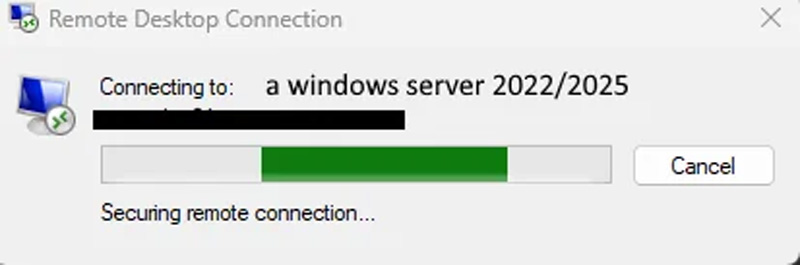
Once a server starts failing, existing Remote Desktop sessions may not be able to disconnect or log off properly. New connection attempts can also hang during the connection process and eventually fail.
Source: Reddit
BleepingComputer has also received reports from readers who say their Terminal Servers began experiencing similar problems after installing the September updates.
“All terminal servers in our environment are failing (sessions dropping, no new connections possible, only solution is a hard reset) within a day,” one reader posted to our Patch Tuesday article.
Another reader said Remote Desktop Services initially worked normally after installing the September update but began failing after users logged out.
“We’ve had issues with Remote Desktop Services post September update. It works initially, but after the first log out, services crash and no further users can sign in,” a Windows admin posted.
For them, restarting the server did not resolve the problem. However, rolling back the September update resolved the issues they were having.
Another administrator investigating Server 2022 reported on Reddit that the RDP service becomes unresponsive when users begin logging out and said debugging showed what appeared to be a deadlock between Remote Desktop and the Local Session Manager.
“The service hangs at RDPSERVERBASE!WDLIB_Close, there seems to be no timeout set here. This results in a deadlock between RDP and LSM,” reads the post.
However, Microsoft has not confirmed this as the cause of the failures.
The reports are affecting all Windows Server releases, with administrators reporting similar problems on Server 2019 (KB5122876), Server 2022 (KB5122882), and Server 2025 (KB5122871) systems.
Admins who have rolled back the September updates say doing so restores Remote Desktop functionality. However, removing the updates also removes the security fixes included in this month’s Patch Tuesday release.
Microsoft told BleepingComputer that it is aware of the reports and is investigating, and will share guidance as it becomes available.

Tech
ArenaNet says Guild Wars 3’s new momentum system creates a ‘seamless sense of movement you’d expect to see in an action game’ by connecting all movement and combat abilities to create ‘fluid movement’

- ArenaNet studio head Colin Johanson has offered a deep dive into Guild Wars 3’s momentum system
- The feature offers “fluid” transitions between movement and combat, which Johanson says is a “first” for the MMORPG genre
- Players can build momentum as they move around the world and in combat to deliver powerful attacks
ArenaNet has revealed more about Guild Wars 3‘s newly introduced momentum system, a mechanic that blends all actions and combat abilities to ensure constant “fluid” movement.
During an exclusive presentation TechRadar Gaming attended at Gamescom, ArenaNet studio head Colin Johanson showcased the studio’s action-adventure MMORPG and offered a deep dive into the game’s story and open world, the combat system, multiplayer design, and more.
Johanson also touched on the game’s new momentum system, saying Guild Wars 3 will be the first MMORPG to offer smooth transitions between movement and combat.
Latest Videos FromTechRadar
“If you can picture with me for a second, movement in an MMO, you’re riding through the world on your mount, and you get off your mount, and your character immediately stops moving,” he explained. “And then you start moving again, and you go to glide, and you stop gliding, and your character immediately stops moving. Then you go into combat, and you use an ability, and then you move, and you’ll stop moving again.”
He continued: “There are no fluid transitions between movement and combat in MMOs, and Guild Wars 3‘s momentum system introduces the first MMO that has truly fluid movement across the entire world.”
With this system, Guild Wars 3 players will be able to jump off a mountain, deploy a glider, dive, fly, or wall-run, all while carrying momentum, “creating a seamless sense of movement you’d expect to see in an action game, rather than an MMORPG.”
Momentum is also part of combat; we previewed a warrior class that has a unique ability that uses their momentum and modifies their attacks when they come down from the sky. This increases damage output and the radius of attacks “based on his velocity or how much downward momentum” the warrior carries. The class can also run up walls and slam back down on enemies, delivering huge amounts of damage.
“Momentum also impacts battlefield control,” Johanson said, adding that the faster the player is moving, the more momentum they have.
The environment, Johanson said, is also “part of the experience,” and enemies can be knocked into walls to be stunned and damaged by building up momentum in combat, explaining that players will need to use their environment, whether it’s the battlefield or terrain, to their advantage.
“This is another first for the MMORPG genre,” he said.
Guild Wars 3 doesn’t have a release date, but a beta is scheduled for Fall 2027. The game is coming to PC and PlayStation 5.

Follow TechRadar on Google News and add us as a preferred source to get our expert news, reviews, and opinion in your feeds. Make sure to click the Follow button!

The best gaming consoles


A conventional mower blade has one defined cutting edge. That is the only edge that needs to remain sharp for the proper functioning of the mower. This means there’s no need to sharpen both sides of a lawn mower blade, just its single cutting edge. That said, it does not mean the overall shape and structure of the rest of the blade is unimportant. The temptation when sharpening is to grab a grinder, knock the burr down to a roughly eyeballed edge, and leave behind a “near enough is good enough” bevel. It looks sharp, so it must be good to go, right? Well, unfortunately, that’s not necessarily the case.
A mower blade has a particular shape and weight distribution for a reason. The leading, bladed edge has to cut grass, but the remainder of the blade also has to move air, lift grass into the cutting path, and propel the clippings toward the discharge chute or catcher. Changing its shape unnecessarily can create an imbalance affecting how it performs, and more crucially, how smoothly it spins.
This is why sharpening a mower blade is so much more than simply putting a rough edge on a simple blank. You are maintaining the balance and structural integrity of a critical piece of a high-speed rotating system. The cutting edge needs to be sharp, but it also needs to remain within the necessary bounds of the manufacturer’s intended specifications. Changing angular geometry through tapering can lead to asymmetrical chord length (the distance from the blade’s leading edge to its trailing edge) and have disastrous follow-on effects, as can removing significantly more material from one blade than another.
Sharpen the cutting edge, not both sides, but also do not mistake that simple answer for a simple job. Underneath that mower deck, there is considerably more going on than meets the eye.
Bernoulli’s principle in action under the deck

A frequent misconception about lawn mowers is that the ubiquity of their presence is misconstrued as simplicity in their design and operation. People tend to assume that because every yard has a Stihl or a Craftsman to keep the grass trimmed that the production and operation of a lawn mower is inherently simple. The engine runs the spindle, the spindle rotates the blades, the blades cut the grass; it’s hardly rocket science. This isn’t helped by the fact that the complex work the mower is doing is generally hidden away under the deck.
However, mower blades are far more than jagged lumps of pig iron. In reality, the cutting edge is generally the simplest aspect of the blade. While it just has to stay sharp and balanced, the trailing edge of a mower blade is shaped specifically to move air, generating a pressure differential as it rotates. Using the same process that an aircraft’s airfoil applies to generate lift, lawn mowers use Bernoulli’s principle to pull individual blades of grass upward, ensuring a smooth, even cut with each pass.
This is where the complexity of mower blade design lies. Lifting grass for cutting and clearing it once the blade has made its pass requires a smooth and controlled flow of air. With a basic, unshaped cleaver blade, a mower would more than likely push the grass flat rather than cut it, or very quickly fill the deck with clippings that had nowhere to go.
Balance matters at 3,000 RPM

Lawn mowers rely on extreme rotational velocity. Unlike more controlled or deliberate cutting mechanisms, lawn mower blades rely on impulse shearing. This style of cutting is where materials are severed or partitioned using a sudden and highly concentrated burst of localized energy far beyond the shear strength of the object. For something as light and flimsy as individual blades of grass, achieving an impulse cut before they have the chance to sway or bend away from the cutting edge is essential.
To achieve this, a typical mower blade will rotate at approximately 3,000 rpm, with blade-tip speeds potentially exceeding 200 mph depending on the blade’s length and the mower’s operating speed. At those velocities, a blade weighing only a couple of pounds is capable of generating considerable force, which is why you need to be careful what you run over with a lawn mower. Anyone familiar with high-speed rotors will know that when these kinds of forces are in play, balance matters.
This means sharpening one side of the blade doesn’t involve simply attacking it with a grinder until it looks sharp. A botched edge causing a tiny difference in weight or shape can generate a significant imbalance. That imbalance can have devastating consequences, anywhere from operator discomfort and excessive machine wear to a blade being thrown with 2,100 foot-pounds of kinetic energy. That’s three times the muzzle energy of a .357 Magnum.
Lawn mower blades have one cutting edge that requires sharpening. They have a lift wing or trailing edge that does not require sharpening, but should be checked for damage or warping. The entire blade should also be balanced to ensure safe operation. 2,100 foot-pounds is a lot of uncontrolled energy should your mower decide to throw a blade. Don’t give your Cub Cadet the opportunity to outperform a Colt Python.
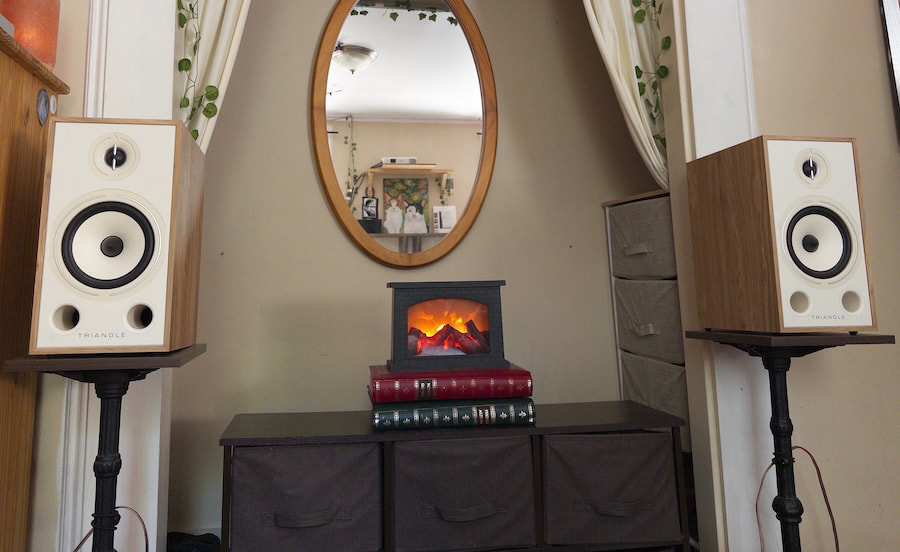
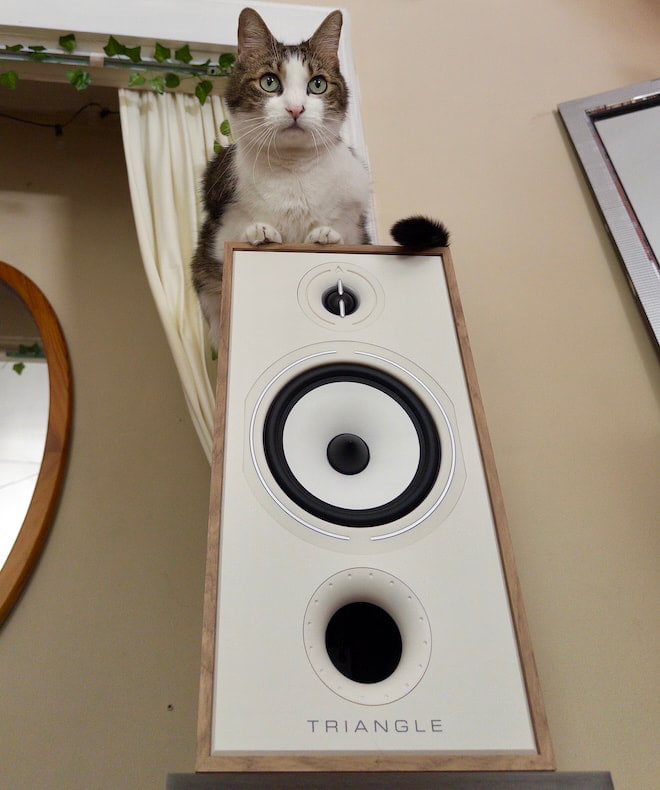
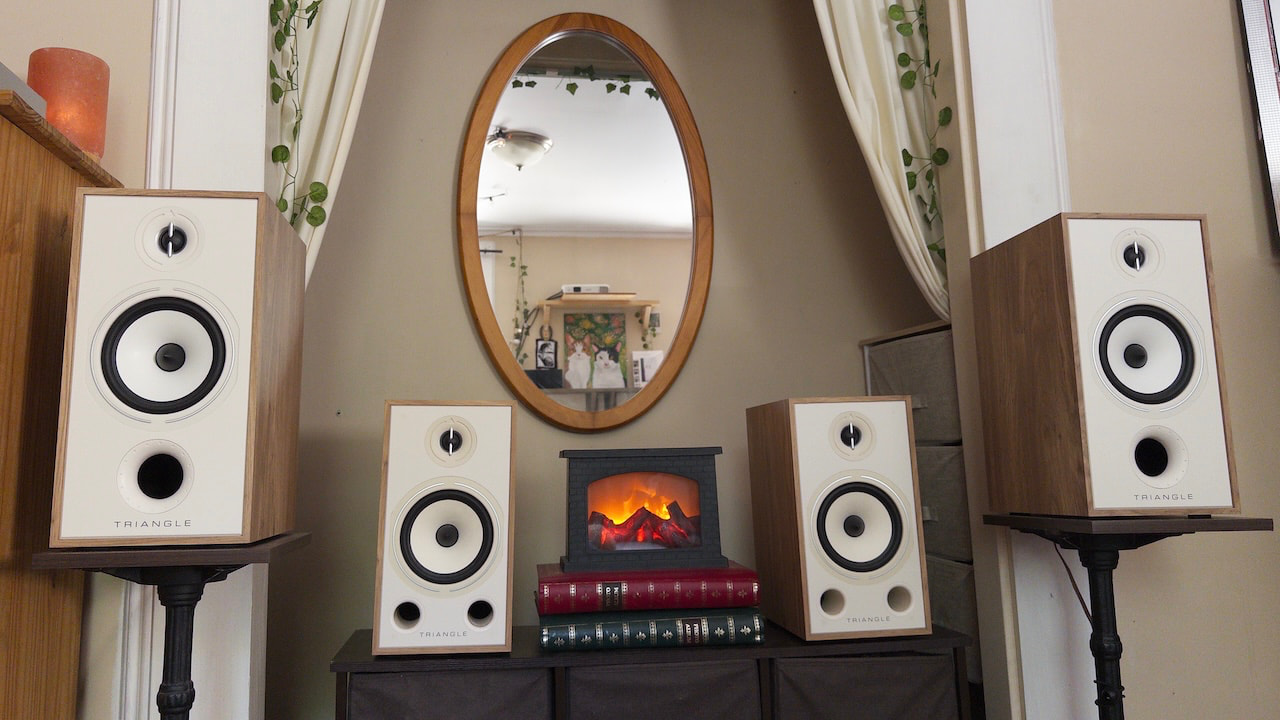
I purchased the Triangle Borea BR03 in 2020 to replace a pair of ELAC Debut 2.0 B6.2s in our living room. This was partly about upgrading the sound quality and mostly about the way the BR03 looked. Fortunately, they sounded great, too. I was immediately surprised and delighted by how much livelier and more detailed the BR03 sounded compared with the ELACs they replaced. Six years, multiple apartments, and two daring and adventurous cats later, that same pair of BR03s remains the centerpiece of our home theater setup.
That history meant I had a pretty good idea of what to expect when Triangle sent over the new, larger Borea BR04 for review. On paper, it seemed like a straightforward proposition: take what worked about the BR03, extend the frequency response, increase its sense of scale, and create a more capable version of essentially the same speaker.
The BR04 is clearly the more capable loudspeaker. It is more dynamic, extends lower in the bass and higher in the treble, creates a larger and more immersive soundstage, and does a substantially better job of separating individual elements within a dense mix. It also disappears into the room in a way the BR03 never quite manages.
Related Reviews:
The Case for the BR03
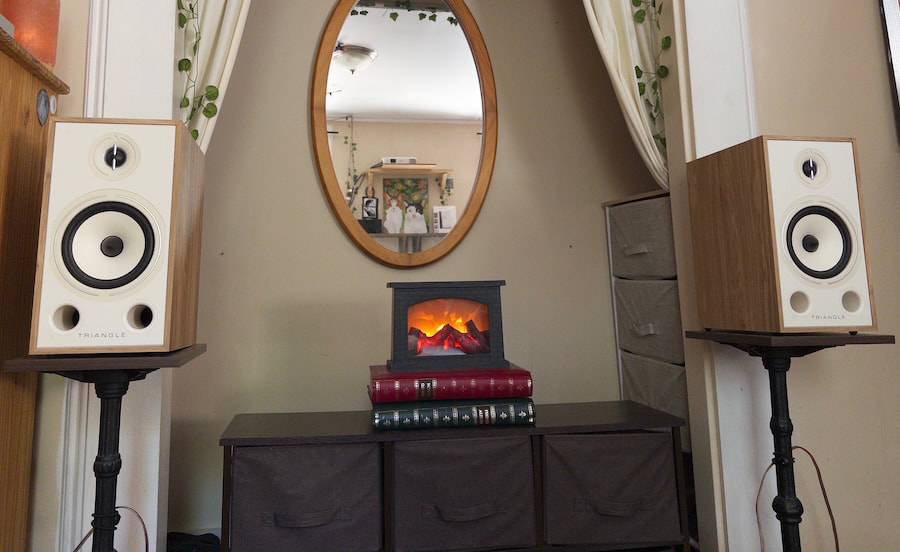
And yet… after six years of living with the BR03, I’m not ready to call the BR04 the better speaker without qualification. The BR03 sounds smaller, more colored, and less technically accomplished by comparison. But some of those same characteristics are also part of what made it such an easy speaker to live with in as many different arrangements as we have.
What I expected to be a simple question of how much Triangle had improved the BR03 became a more interesting one: Is the BR04 really an upgrade to one of my favorite affordable bookshelf speakers, or is it a different beast entirely?
What I wasn’t expecting was how difficult it would be to declare the BR04 the better speaker without qualification. The BR04 is clearly the more capable loudspeaker. It is more dynamic, extends lower in the bass and higher in the treble, creates a larger and more immersive soundstage, and does a substantially better job of separating individual elements within a dense mix. It also disappears into the room in a way the BR03 never quite manages.
The BR03 sounds smaller and more contained by comparison. Its presentation is more rolled off at both ends, its frequency response sounds less even, and it fails to render the same degree of resolution or spatial definition.
But I don’t necessarily prefer the BR04 for everything.
In my listening space, and without any equalization applied, the BR03’s relatively elevated lower midrange and upper bass give it a fuller, arguably more cohesive presentation, while its less prominent upper midrange makes it considerably more forgiving. The BR04 can occasionally become a little jarring with dense, loud mixes that have a lot of energy around 2 kHz. The BR03 smooths over some of that information, but this coloration can work in its favor.
Bigger Cabinet, Same Basic Formula
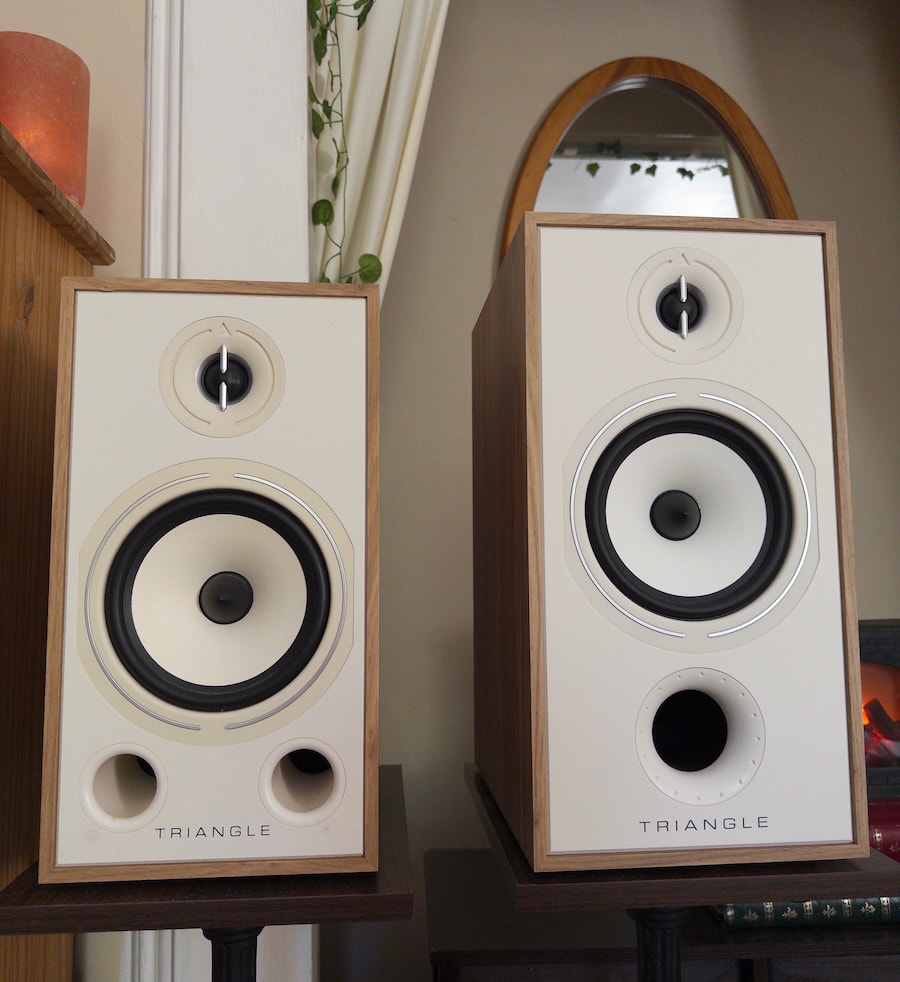
The BR03 and BR04 share the same basic two-way design, with Triangle’s 25mm EFS silk-dome tweeter and a 16cm cellulose midrange/bass driver, but the BR04 is physically larger. The BR03 measures 8.1 x 15.0 x 12.4 inches, while the BR04 grows to 8.7 x 16.7 x 12.4 inches. The extra height and width give the BR04 a larger cabinet volume without increasing depth, which helps explain some of the added scale and low-frequency extension I heard.
Triangle rates both speakers at 90dB sensitivity with a nominal 8-ohm impedance, so the BR04 is not easier to drive. The BR03 is rated down to 46Hz, while the BR04 reaches 44Hz and also uses a revised 16cm driver, redesigned front port, and a lower 3.2kHz crossover point compared with 3.6kHz for the BR03. The BR04 also adds dual binding posts for bi-wiring or bi-amping.
The BR03 is offered in Light Oak, Black Ash, Walnut, and White. The BR04 expands the palette to Light Oak, Black Ash, White, Chestnut, Green, and Blue. It is still recognizably a Borea, but it looks and feels like the more substantial loudspeaker before you even turn it on.
Specifications: BR03 vs. BR04
| Specification | Borea BR03 | Borea BR04 |
|---|---|---|
| Speaker type | 2-way bookshelf speaker, front bass reflex | 2-way bookshelf speaker, front bass reflex |
| Price per pair | $599 | $649 |
| Recommended room size | 10–35 m² | 10–40 m² |
| Tweeter | 25 mm silk-dome EFS tweeter | 25 mm silk-dome EFS tweeter with EFS waveguide |
| Midwoofer | 16 cm natural-cellulose-pulp membrane | 16 cm natural-cellulose-pulp membrane |
| Frequency response, ±3 dB | 46 Hz–22 kHz | 44 Hz–22 kHz |
| Sensitivity | 90 dB | 90 dB |
| Nominal impedance | 8 Ω | 8 Ω |
| Minimum impedance | 4.2 Ω | 4.6 Ω |
| Crossover frequency | 3,600 Hz | 3,200 Hz |
| Recommended amplifier power | 80–500 W | 25–130 W |
| Bi-wiring / bi-amping | – | Yes; double binding posts |
| Cabinet dimensions, per speaker (WxHxD) | 206 x 380 x 314 mm | 220 x 425 x 314 mm |
| Net weight, per speaker | 6.3 kg | 8.6 kg |
| Bass port | Front-facing | Font-facing (Redesigned) |
| Vibration-control technology | – | DVAS driver-vibration absorption system |
| Included accessories | Magnetic grille, rubber feet | Magnetic grille, rubber feet |
| Finishes listed | Black Ash, Light Oak, Blue, Green, White, Walnut | Light Oak, Black Ash, Blue, White, Chestnut Oak, Green |
Listening
For this review, I put together a Reference Playlist featuring the tracks I used to evaluate the Triangle Borea BR03 and BR04, so you can enjoy the music that helped shape my listening impressions.
Caroline Polachek’s “I Give Up” makes the BR04’s technical advantages easily apparent. The BR04 is simply much better at disappearing within the room. Instead of hearing the speaker reproducing the recording, I feel closer to listening directly to the mix.
The BR03 doesn’t sound bad in comparison, but it does sound decidedly more colored and contained.
When the chorus enters at 2:20, the difference becomes particularly obvious. The BR03 takes on an almost lo-fi quality compared with the BR04, which keeps the individual elements of the production tighter and more distinct while allowing the overall presentation of the song to expand beyond the physical boundaries of the speakers.
This ability to scale with a recording is one of the BR04’s biggest improvements over the BR03. The tradeoff is that its additional upper-midrange presence can occasionally work against it. With recordings that are particularly dense, or even aggressive, in that region, I sometimes want the BR04 to settle down to the point where it’s worth breaking out the parametric EQ.
There’s a lot happening in Madison Cunningham and Remi Wolf’s “Hospital (One Man Down),” and it provides an even better demonstration of the BR04’s improved separation capabilities.
Multiple layers of vocals and distorted harmonies compete with an intricate, plodding rhythm section and baritone guitar that sometimes doubles the vocal melody an octave beneath it. The BR04 does a far better job of keeping all of these elements present and distinct.
Through the BR03, the same mix becomes noticeably more congested and less defined due to unevenness in the frequency response and the resulting audio masking.
But there’s an important distinction between congestion and unpleasantness.
The BR03 mushes these elements together somewhat, but it does so over a relatively full lower-midrange foundation that results in a balanced and listenable rendition of the song. The BR03 offers up less access to the intricacies of the mix, but the vibe and spirit of the production still come through in a way that feels satisfying.
That, and the speaker’s retro-futurist MCM aesthetic, continue to make the BR03 an astounding value for the money.
The differences become considerably less pronounced with a more sparsely arranged recording. On Ethan Gruska’s “Reoccurring Dream,” the BR04 still creates a clearer distinction between the vocal and the double-tracked acoustic guitars, but the BR03 doesn’t sound especially lacking in detail. In fact, its more subdued upper midrange can make the presentation feel a bit smoother.
It’s when the arrangement begins expanding that the BR04 pulls ahead again.
At around 2:00, as the twinkly guitars and deeper, reedier instrument enter, the BR04 seems to grow along with the arrangement. The soundstage stretches out wider, taller, and deeper as the additional elements occupy their own spaces.
The BR03 doesn’t have the same ability to expand. Its presentation remains comparatively fixed between the speakers even as the recording itself gets larger.
The string build around 2:00 in Andy Shauf’s “Early to the Party” might be my favorite demonstration of that difference. Played back at approximately the same level, the crescendo feels considerably more dynamic through the BR04. The arrangement progressively grows wider, taller, and deeper before giving way to Shauf’s characteristically dry vocal, which feels all the more intimate because of the contrast conveyed.
Through the BR03, the build largely feels like it is taking place between the speakers from start to finish. Through the BR04, it begins between the speakers but gradually expands to take over the room, making the crescendo feel considerably more exciting and impactful.
That distinction gets at what I think the BR04 does best. It isn’t simply providing more detail; it is preserving and reproducing more of the scale and dynamic structure of the mix.
Listening With WiiM RoomFit
Running WiiM RoomFit on both pairs of speakers improved their overall tonal balance, but it didn’t erase their fundamental differences. With correction engaged, the BR04 still sounds considerably more refined and immersive. Its stronger separation, larger soundstage, and greater sense of depth remain intact, suggesting that the differences between these speakers extend beyond simple variations in raw frequency response.
Room correction makes the BR03 sound like a better-balanced BR03. It doesn’t turn it into a BR04.
Fabric Speaker Grilles & Bass Extension
One thing I would avoid with the BR04 is its included magnetic fabric grille. To my ears, the speaker sounds noticeably more rolled off with the grille attached — enough that I preferred listening with it removed. It also negates the MCM look of the speakers that I love.
Neither speaker eliminates the need for a subwoofer if you’re looking for convincing reproduction of sustained sub-bass frequencies. The BR04 digs noticeably deeper than the BR03, but there are still limits to what either bookshelf speaker can reproduce in the bottom octave.
The Bottom Line
For music playback, the BR04 is not a subtle upgrade. It offers stronger dynamics, deeper bass extension, greater treble extension, better separation, and a much larger spatial presentation. Most importantly, it creates a clearer window into a mix with considerably less masking. On dense arrangements, that difference is often dramatic.
But the BR03 remains unusually easy to recommend. Its presentation is more colored, less extended, and less technically impressive, but its relatively relaxed upper midrange makes it an extremely versatile loudspeaker. It’s a bit more forgiving of mediocre recordings and mixes, which makes it well-suited for general-purpose living-room duty, and it’s every bit as attractive as the more expensive BR04.
If I were primarily building a system for critical music listening, I would want the BR04. If I wanted an affordable pair of attractive speakers for casual music, television, and movies, the BR03 continues to make an awfully strong case for itself.
The BR04 shows just how much more Triangle can extract from the Borea platform. The more surprising takeaway might be how little that diminishes what made the BR03 such an exceptional value in the first place.
Triangle Borea BR03
Pros:
- Fuller, warmer, and more forgiving presentation
- Relaxed upper midrange works well with a wide variety of recordings
- Easy to live with for music, television, and movies
- Still delivers satisfying musicality despite being less technically accomplished
- Attractive retro-modern styling
- Remains an exceptional value
- Room correction improves tonal balance without stripping away its character
Triangle Borea BR04
Pros:
- More dynamic and authoritative presentation
- Deeper bass and greater treble extension
- Much larger, more immersive soundstage
- Better separation on dense mixes
- Stronger sense of depth and spatial scale
- Disappears into the room more convincingly
- Reveals more low-level detail and reduces masking
- Scales more effectively as arrangements become larger and more complex
Cons:
- Smaller and more contained soundstage
- Less bass and treble extension
- Noticeably lower resolution and separation
- More congestion and masking with dense arrangements
- Less precise spatial definition
- Does not scale dynamically with complex recordings as well as the BR04
- More colored and less even through the frequency range
Cons:
- Can sound a little aggressive around the upper midrange with dense or hot recordings
- Less forgiving of mediocre recordings and mixes
- Benefits more from EQ in difficult rooms or with challenging material
- Magnetic fabric grille noticeably rolls off the sound
- Still benefits from a subwoofer for convincing deep sub-bass
Our Ratings:
★★★★★★★★★★ Sound Quality
★★★★★★★★★★ Build Quality
★★★★★★★★★★ Value
Our Ratings:
★★★★★★★★★★ Sound Quality
★★★★★★★★★★ Build Quality
★★★★★★★★★★ Value
Related Reading:

Entertainment22 seconds ago
5 Beloved Books That Still Deserve a Faithful Adaptation

News Videos2 minutes ago
PPI Data Live Trading – Gold , Crypto and US Stocks – 10 Sep

NewsBeat4 minutes ago
What happened to the stars of Only Fools and Horses? From tragic deaths and TV comebacks to the discovery of a secret child – the cast’s varied fates on sitcom’s 45th anniversary

Tech5 days ago
Memory prices are slowing because buyers ran out of money

Business3 days ago
Micron Stock Climbs Above $1,031 as AI Memory Crunch and a $50 Billion Outlook Fuel the Rally

Business3 days ago
AMD Stock Climbs After Management Lifts 2027 Data Center Outlook Toward $70 Billion in AI Sales


-
Tech5 days ago
Memory prices are slowing because buyers ran out of money
-
 Business3 days ago
Micron Stock Climbs Above $1,031 as AI Memory Crunch and a $50 Billion Outlook Fuel the Rally
-
 Business3 days ago
AMD Stock Climbs After Management Lifts 2027 Data Center Outlook Toward $70 Billion in AI Sales
-

 Crypto World4 days ago
Bitcoin price risks $76K drop as $78K support weakens
-

 Crypto World5 days ago
Robinhood Stock: How To Take Advantage With Reduced Risk
-

 Crypto World4 days ago
Ethereum price stalls below $2,500 as ADX drops to 11
-

 Fashion2 days ago
Weekend Open Thread – Corporette.com
-

 Crypto World2 days ago
XAG/USD: Silver’s Short-Term Rally Meets Its Moment of Truth
-

 NewsBeat5 days ago
England up in reading, maths and science rankings as Scotland and Wales dip
-

 Crypto World3 days ago
2 Chip Stocks Broke Out This Week. Neither Was Nvidia
-

 Crypto World3 days ago
OKX launches 10x OpenAI, Anthropic X-Perps in Europe
-

 Crypto World2 days ago
Diesel Tops $6 a Gallon for the First Time as 28 States Set Records
-

 Crypto World5 days ago
Intel Stock Jumps 9% on Chip Price Hike Report, US Stake Gains $36 Billion
-

 Tech3 days ago
Battery life is the only iPhone 18 Pro and iPhone Duo upgrade I care about. Apple didn’t disappoint
-

 NewsBeat4 days ago
What went right this week: an ‘historic’ fall in violent crime, plus more
-

 Crypto World3 days ago
Bitcoin price risks $70K if $78K neckline breaks
-

 Business2 days ago
10 Most-Streamed Songs On Spotify In 2026 So Far, Led By Ella Langley’s Dominant Run On The Charts This Year
-
Crypto World2 days ago
Ethereum Price Analysis: Consolidation at $2.5K Tests Momentum as On-Chain Activity Surges
-
 Crypto World4 days ago
Bitcoin price holds near $79K as cycle drawdowns narrow
-

 Tech4 days ago
Apple Watch Ultra 4 vs Watch Ultra 3: Should you really spend another $799?
You must be logged in to post a comment Login