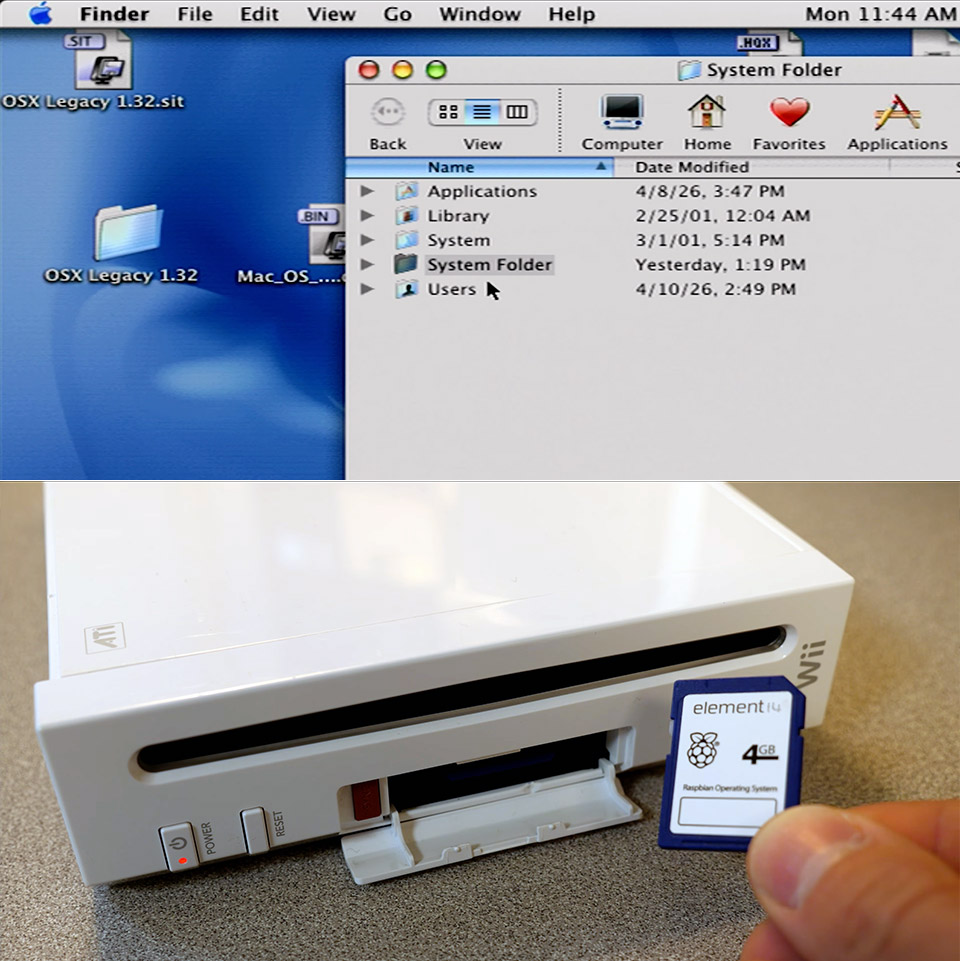
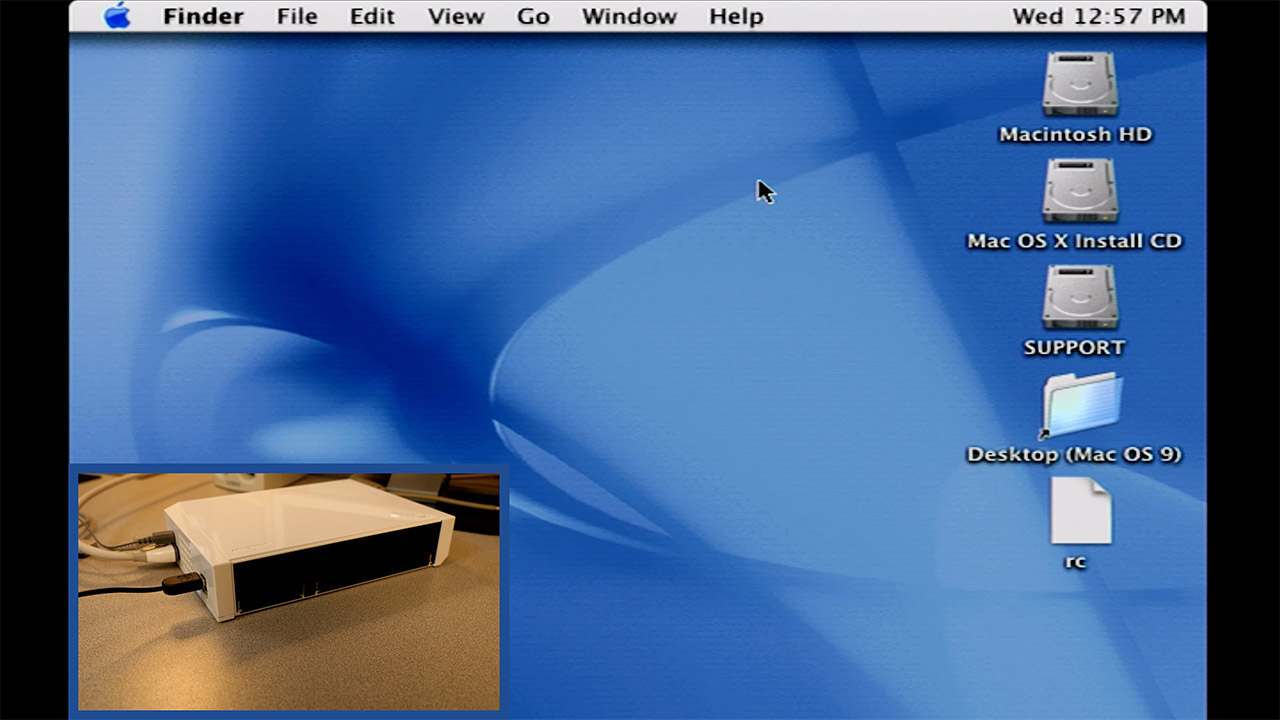




Programmers have managed to cram the original Mac OS X onto a Nintendo Wii from 2006, a piece of hardware that is nearly 20 years old. Bryan Keller, the brains behind this, spent a year and a half developing tools to make it happen through a project called wiiMac. The result lets the Wii boot into Mac OS X 10.0 Cheetah and handle basic tasks even if the experience moves slowly on such limited hardware.
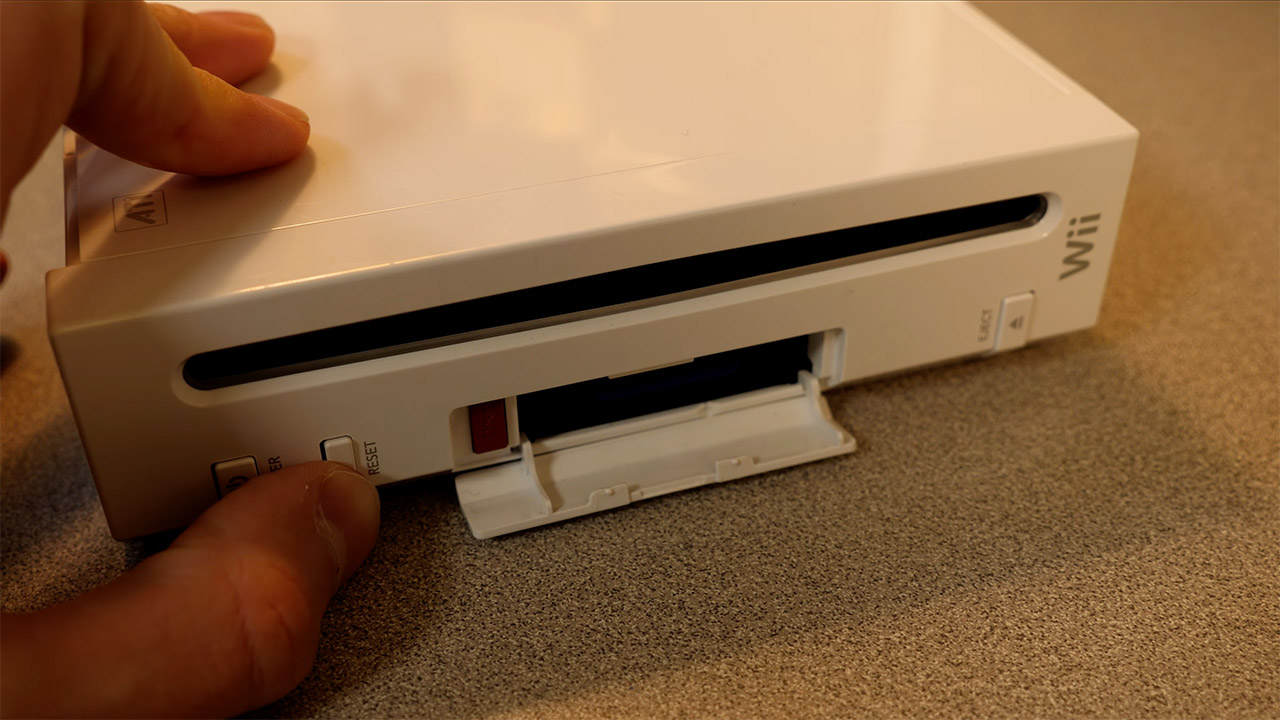
To begin, owners must ensure that their Wii is functioning properly. The SD card slot is required, and the Wii must be running a soft mod with BootMii installed as the second thing to boot, or via an IOS. Unfortunately, the Wii Mini is out of the running because it lacks the essential slot. To get everything up and running, two SD cards are required: one for the BootMii files and the wiiMac bootloader, and the second for the Mac OS X system, which has to be at least 4GB in size.
HELLO, MACBOOK NEO — Ready for whatever your day brings, MacBook Neo flies through everyday tasks and apps. Choose from four stunning colors in a…
THE MOST COLORFUL MACBOOK LINEUP EVER — Choose from Silver, Blush, Citrus, or Indigo — each with a color-coordinated keyboard to complete the…

POWER FOR EVERYDAY TASKS — Ready the moment you open it, MacBook Neo with the A18 Pro chip delivers the performance and AI capabilities you need to…
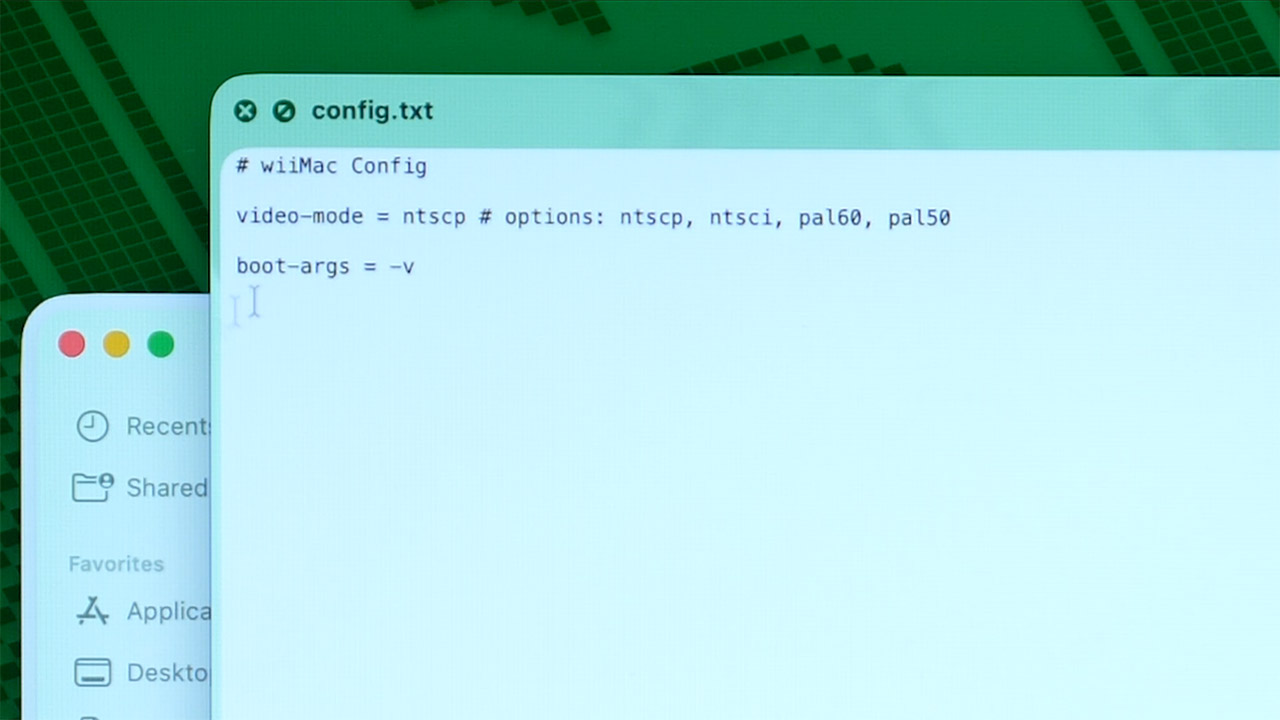
To configure the cards, you will need a spare computer running macOS or Linux. The first card receives a copy of the most recent wiiMac files directly to the root folder, along with the BootMii files, which are almost certainly already present, and there must be a text file inside the wiiMac folder that allows you to select the appropriate video mode for your region, such as NTSC or PAL.
The second card must be partitioned into three smaller and smaller sections: a 64MB FAT32 section labeled Support, a 1GB HFS+ section labeled Install, and a larger HFS+ section labeled Macintosh HD that takes up the remainder of the space, as the commands for doing so will differ slightly depending on the computer you’re using, but the goal is the same. The Install partition is then loaded with a full copy of the Mac OS X 10.0 Cheetah installer, as you’ll need an original disk image to transfer it from, which you can achieve via a block level transfer. Meanwhile, the Support partition receives a folder named wiiMac, which contains a specially patched kernel file as well as a slew of unique drivers designed specifically for Wii hardware.
Once the cards are ready, you can transfer them to the Wii. Insert the BootMii card and restart the Wii, which should bring you to the BootMii interface. From there, simply load the wiiMac bootloader and quickly switch the first card for the second, which contains all of the Mac OS X partitions. The bootloader takes over and launches the installer; at this point, you’ll need a simple USB keyboard and mouse plugged directly into the Wii ports, as connecting them via a hub is likely to cause issues. The installer next walks you through selecting the Macintosh HD partition as the location for the system files, and that’s all.
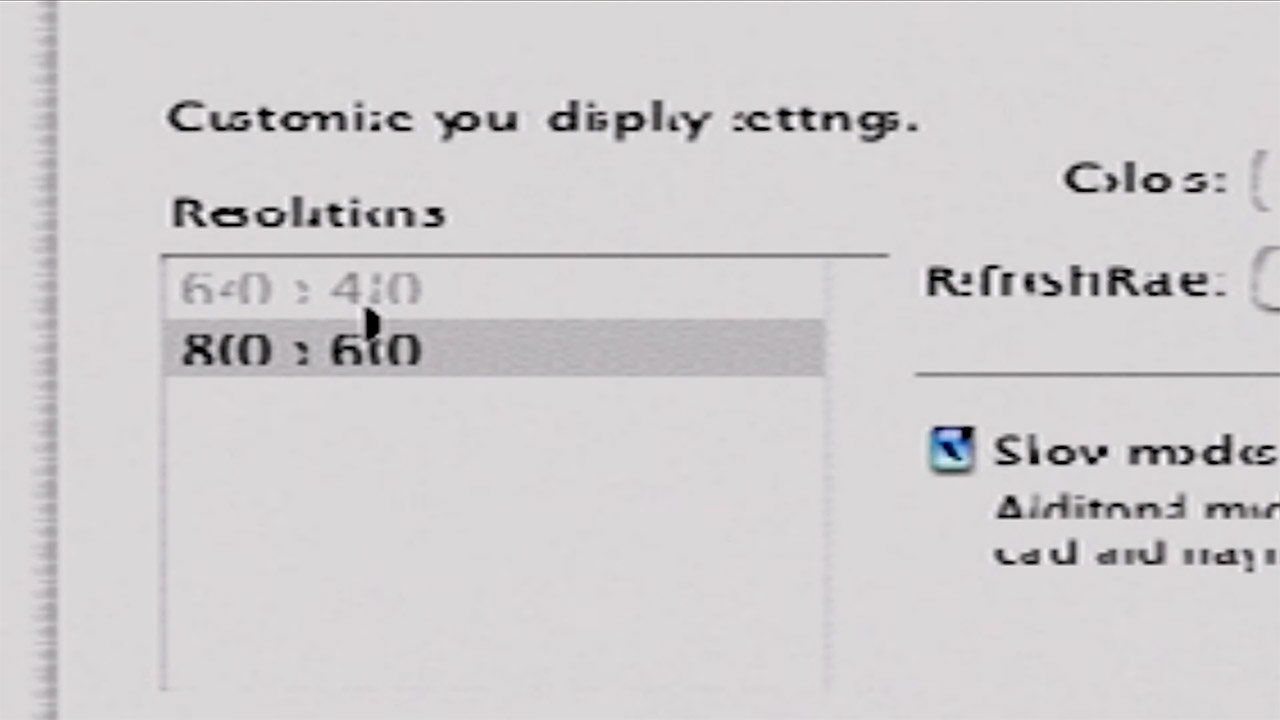
Once the installation is complete, the new operating system will boot. To get the newly loaded Mac OS X up and running, you must perform the same old card switch and bootloader dance. At this point, you’ll probably notice that the screen resolution is looking a little stretched out, so you’ll need to head directly to System Preferences and adjust it to a more reasonable 640×480 for readability. The next thing you do is run a few terminal commands to adjust the swap file size and compress the Dock down to size in order to squeeze out some more speed from the Wii’s not-so-modern 78 MB of useable RAM and 729 MHz processor. If you plug in a USB storage drive before starting the machine, it should connect OK, but don’t expect it to be reliable.
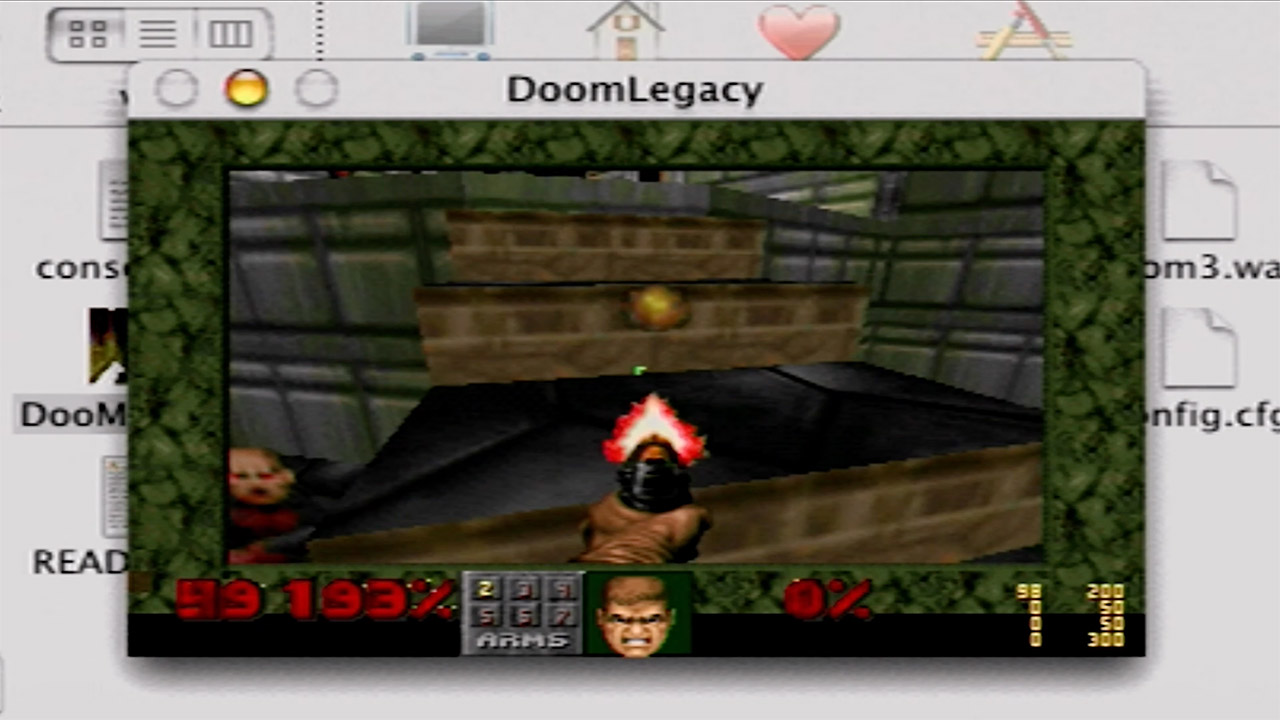
Performance is about what you’d expect: not exactly blistering speeds. The system handles the Finder and the fundamentals well, but Wi Fi, Bluetooth, the DVD drive, and any type of graphics or audio acceleration are all unsupported. The Classic environment is useful for running older Mac OS 9 software, but expect a slight lag. There is one small bright side, however: when you start the DOOM port, it runs nicely and even outperforms certain older Mac installations in certain scenarios.
We’ve always been interested in fluidic computers, a technique that uses moving fluids to perform logic operations. Now, Spectrum reports that researchers have developed an electronics-free contact lens that monitors glaucoma and can even help treat it.
The lens is made entirely of polymer and features a microfluidic sensor that can monitor eye pressure in real time. It also has pressure-activated drug reservoirs that dispense medicine when pressure exceeds a fixed threshold. You can see Spectrum’s video on the device below.
This isn’t the first attempt to treat glaucoma, which affects more than 80 million people, with a contact lens. In 2016, Triggerfish took a similar approach, but it used electronic components in the lens, which poses problems for manufacturing and for people wearing them.
Naturally, the device depends on 3D printed molds to create channels and reservoirs in the lens. A special silk sponge in the reservoirs can absorb up to 2,700 times its weight. One sponge holds a red fluid that is forced by pressure into a serpentine microchannel. A phone app uses a neural network to convert the image of the red fluid into a pressure reading.
Advertisement
Two more sponges hold drugs that release at a given pressure determined by the width of the associated microchannel. This allows the possibility of increasing the dose at a higher pressure or even delivering two drugs at different pressure levels.
Even if you’re 250,000 miles from Earth, sleep is important. However, for all the life-sustaining accoutrements aboard the Orion spacecraft, the capsule lacked bedrooms, leaving the four-person Artemis II crew with a truly bizarre sleeping arrangement.
“I slept really close to an air conditioning vent. And so I’d wake up and I just see this big hunk of metal,” Glover told CNET during a video call. “And it was like, ‘Oh, I’m in space. I am weightless.’”
Sleep wasn’t just a means for the astronauts to recharge; it also grounded them during their historic journey. Glover explained, “What really resonated with me is we’re also humans. It’s like camping, and this is a very important part of this journey.”
Advertisement
Watch this: Artemis II’s Victor Glover Chats With CNET
Artemis II was the first crewed mission to the moon in over 50 years. It followed Artemis I, a 2022 uncrewed mission that was the first for NASA’s new Space Launch System rocket and Orion spacecraft. The goal for Artemis II was to have a crew test the spacecraft, life support systems, the SLS rocket and the procedures needed for future lunar missions that will involve landing on the moon and eventually building a base there.
Glover, the Orion’s pilot, along with commander Reid Wiseman and mission specialists Christina Koch and Jeremy Hansen, made up the Artemis II crew. The mission made a lot of history. It’s the first time a woman, a Black man or a Canadian has journeyed to the moon. The four Artemis II astronauts traveled 252,756 miles from Earth, farther than any other human being, surpassing the record set by the 1970 Apollo 13 mission.
Advertisement
This image of NASA’s Orion spacecraft was taken with a camera mounted on its solar array wings.
NASA
This wasn’t Glover’s first time in space. In 2020, with a Falcon 9 rocket for liftoff, he piloted the Crew Dragon capsule to and from the International Space Station for NASA’s SpaceX Crew-1 mission, spending over 167 days in space. But Artemis II gave Glover the opportunity to be the first to fly the Orion, a new vehicle designed for Artemis missions. For the majority of the nearly 10-day journey, Orion was on autopilot. But Glover had several opportunities to take manual control of the spacecraft to test its handling.
“It was such a treat and a joy,” Glover said about flying the Orion. “It was a test pilot’s dream to fly a new spaceship for the first time by hand.”
Advertisement
Even after spending time training to fly in a simulator back on Earth, he was surprised by how responsive the Orion’s hand controller was and by the clarity of the cameras, used to maneuver the craft around the Interim Cryogenic Propulsion Stage that holds the fuel for the upper stage of liftoff. He said the view from the cameras and monitors was like “looking out a window.”
Artemis II astronaut and pilot Victor Glover wears an orange flight suit.
NASA
When I asked Glover if he felt like Han Solo when piloting the Orion, he retorted, “Han Solo wants to be me when he grows up!” Throughout my interview, Glover was gracious, passionate and funny.
Advertisement
“I get to do stuff that’s cooler than Han Solo. I mean, just the fact that it’s real, it’s better.”
While landing on the moon wasn’t in the cards for this trip, the Orion crew traveled about 4,000 miles beyond the moon, allowing them to see parts of the moon that had never been seen before. For comparison, Apollo missions flew about 70 miles above the moon to make landings, limiting how much of it they could actually see.
Earthset captured through the Orion spacecraft window at 6:41 p.m. EDT, April 6, 2026, during the Artemis II crew’s flyby of the moon.
Advertisement
NASA
The images that Glover and the crew took of the moon were stunning. Shots like the Earthset were a reminder of how beautiful our planet is and our place within the solar system. The astronauts even witnessed a total solar eclipse as they rounded the far side of the moon. But none of the photos they took compares to what they saw, according to Glover.
“I could see the curvature of the moon. Depth is just one aspect that you cannot see in the pictures. But here’s the other thing, the pictures lack scale.”
When the Artemis II flew over the terminator, the crew said that this boundary between day and night was “anything but a straight line,” according to NASA.
Advertisement
NASA
For the lunar flyby, the Orion was moving fast: 60,863 mph relative to Earth, but only 3,139 mph relative to the moon, according to NASA. The speed meant the shadows across the surface were constantly morphing into different shapes. Glover was particularly enamored with the moon’s terminator, where the light and dark sides of the moon meet. The terminator isn’t fixed and depends on the moon’s position relative to the sun. As Orion moved, it transformed into various shapes that looked like letters of the alphabet.
“People know, I fell in love with the terminator when I got to see the real one up close. I watched the terminator go from a letter C to a letter D, which means there was a point when the moon was half light, half dark. It was pointing right at me.”
The Artemis II astronauts take a selfie of themselves wearing eclipse glasses using an iPhone 17 Pro Max.
Advertisement
NASA
Artemis II’s lunar flyby was a highlight of the journey for many of us on Earth, in part because we could watch it in real time on streaming services like Netflix. Nearly the entire mission was streamed live on NASA’s website and YouTube channel, making it feel like a reality show. One minute you’re watching the crew eat, work out, take photos of the moon; the next, there’s a random jar of Nutella floating by one of the cameras. I asked Glover whether it felt like he was on a TV show while on the Orion.
“It did not feel like a reality show on my end,” said Glover. “For you to see the science and hear us describing the moon, and to see us flying the spaceship by hand, and to see bedtime and bath time and teeth brush time, that’s what it’s like. The mission was all of those things.”
Glover was ecstatic to hear how I and others felt so connected to the crew during their mission. He said it was important to NASA to let the world in on everything it took to send four people a quarter of a million miles away.
“I think that maybe one of the really, most special things about this mission is how much you were able to see,” Glover said with a smile. “It makes me feel good that you felt like you were there.”
Advertisement
Watch this: Getting Personal With the Crew of Artemis II | Tech Today
We heard all about GoPro’s new action camera series last week, but the company is now unveiling the pricing across its Mission 1, Mission 1 Pro and Mission 1 Pro ILS cameras. The entry-level Mission 1 ($600) features GoPro’s new 50-megapixel 1-inch sensor, which the company says will offer a major leap in image quality and low-light performance over the Hero 13 line. While largely looking the same as the Hero series (and still waterproof), the Mission 1 can record 8K video at 30fps and 4K at 120fps. It lacks the higher frame rates of the other Mission 1 cameras, but supports 10-bit GP-Log2 color and 32-bit float audio.
The Mission 1 Pro ($700) is the flagship fixed-lens model this year, aimed at the professional (or semi-pro) videographer. It has upgraded frame-rate capture to 8K at 60 fps and 4K at 240 fps, along with an extreme “burst” slow-motion mode that hits 960 fps at 1080p. It also captures 4:3 “Open Gate” recordings at 8K/30fps and 4K/120fps, covering the entire sensor area, enabling more versatile editing and cropping across different screen sizes, including vertical video.
Steve Dent for Engadget
Then there’s the beastly Mission 1 Pro ILS (Interchangeable Lens System). It swaps the standard GoPro lens for a Micro Four Thirds (MFT) mount lens. It otherwise shares the same 1-inch sensor and high-speed 8K/60fps video specs as the Pro model. It also matches the Pro model’s $700 price, with an additional $100 discount for GoPro subscribers. However, it won’t be launching until Q3 2026.
All of the Mission 1 Series accessories will be available on a rolling basis beginning May 28, with GoPro’s own wireless mic system (take note, Rode and DJI) priced at $160. If you preorder a Mission 1 or Mission 1 Pro directly from GoPro now, you’ll get the point-and-shoot grip bundled for free. The company still doesn’t have an official release date for the cameras.
The rumor mill is still churning on the iPhone 18 Pro colors, with a new leak showing what the colors may be.
Four possible colors of iPhone 18 Pro
The iPhone rumor mill has been on a bit of a color kick lately, with multiple rumors claiming to know which Apple will use in 2028. For the iPhone 18 Pro, it seems that there could be four colors on the way. The image shared by Weibo leaker Ice Universe shows what appear to be rear camera plateaus for the iPhone 18 Pro. It is unclear where they were sourced from, but they may be shots gathered from an accessory maker, rather than the actual Apple supply chain. Continue Reading on AppleInsider | Discuss on our Forums
Four years on, we revisit the Ryzen 7 5800X3D vs Core i9-12900K with modern games and DDR4 vs DDR5 configs. The result: still neck and neck, but memory choice now makes a real difference.
Stop fighting a losing battle with a grease-spattered stovetop. If you’re buying high-end bacon, you want a perfect crunch without the 20-minute cleanup. The real problem with a frying pan isn’t the taste, though. It’s all that popping and the errant grease spots that mark your skin and kitchen walls.
In an effort to find the best, cleanest way to make bacon for a Sunday brunch or BLT, I tried several methods, including the stovetop, oven and air fryer.
It turns out I’ve been doing it all wrong.
Advertisement
A frying pan
Cooking time: 10 minutes
Hassle: 8/10
How much bacon: 7-8 strips
I grew up on pan-fried bacon but my test revealed there’s a better way.
Mike Mackinven/Getty Images
This is the way I grew up cooking bacon and it’s perfectly fine. There isn’t much skill needed to fry bacon in a pan, although just about every batch I’ve ever made sends a healthy splatter over the stove. In more unfortunate instances, that infernal grease lands directly on my skin or clothes, presenting two distinct but equally aggravating problems.
Pan-fried bacon soaks up a ton of grease, which is why many turn to paper towels to drain it after cooking. Pan-frying these strips of pork belly also tends to curl them into little bacon balls. While that has no impact on the taste, it can make for a suboptimal presentation.
Advertisement
I can feel the splatter bombs just looking at this photo.
David Watsky/CNET
Another drawback of cooking bacon in the frying pan is its limited capacity. A 10-inch frying pan can hold only about 7 average-sized strips of bacon at a time, although you can add more as they shrink during cooking.
Then there’s the matter of cleaning said pan after use. It’s not recommended to put most cookware in the dishwasher, so you’ll have to manage that grease-soaked surface yourself.
The oven
Cooking time: 18 minutes
Hassle: 6/10
How much bacon: 10-12 strips
Oven bacon is best for cooking large batches.
Advertisement
CNET
While it requires more prep, oven-cooked bacon has clear advantages over pan-frying. For one, there is little concern about capacity, as a standard cookie sheet or baking tray can hold nearly a full package of bacon, making the oven ideal for cooking large quantities.
Using a baking tray and rack allows grease to drip off. That makes for crispier, less greasy results, but it does present a headache when it’s time to clean. Cookie sheets and baking trays don’t fit well in the sink, and there’s typically enough grease that you don’t want to run them through your dishwasher.
You can line the baking tray with aluminum foil, but it takes a lot of foil, and most of the time, bacon grease finds its way under or through it anyway.
Oven-cooked bacon takes longer than bacon cooked in a frying pan — about 18 minutes — but if you’re planning to cook a whole package and don’t want to tend to the stove while it cooks, your oven is the best bet.
Advertisement
The air fryer
Cooking time: 7 minutes
Hassle: 4/10
How much bacon: 6-7 strips
Thanks to its quick cooking time and hassle-free execution, the air fryer is my new go-to for making bacon.
David Watsky/CNET
There’s almost nothing I won’t try to make in the air fryer but, astoundingly, this is my first attempt at bacon. I anticipated a quick cook, because air fryers sizzle most food about 25% faster than a standard oven.
The air fryer proved to be my favorite way to make bacon, with one big caveat (more on that later). My favorite glass-bowl air fryer cooked those strips in about 7 minutes at 375°F — faster than the oven and the frying pan. Because air fryers include a crisping rack, grease naturally drips into the vessel below, so there was no need to nestle it in a paper-towel lasagna.
Advertisement
The crisping tray drained excess fat while the bacon cooked.
David Watsky/CNET
The bacon turned out perfectly crispy and kept its shape better than when fried in a pan.
And the mess was minimal. Because the air fryer cooking chamber fits easily in my sink, I was able to wash it in seconds with a sponge and soapy water. My glass bowl air fryer chamber is also dishwasher-safe so another option would have been to wipe the grease and stick it all in the dishwasher.
Advertisement
Air fryer bacon is really crispy, y’all.
David Watsky/CNET
The big caveat: Capacity
I use a modest 4-quart air fryer so I can only fit about six strips in at a time. That’s plenty for my partner and me but if I were making bacon for a group, I would have had to cook in batches or invest in a larger model.
That said…
Not having to keep watch over a sizzling, splattering pan or negotiate a grease-filled baking tray pulled from the oven is worth running it back another time to feed a group. There’s also no preheating needed, unlike with an oven, and the sheer speed and cleanliness gave the air frier the edge over the other methods I’ve tried.
Sky has mastered all things TVs and broadband, and now it’s stepping into the world of smart home with its latest venture, Sky Smart Home — a service that could challenge rivals such as Ring and Blink.
The Smart Home Plan is Sky’s entry-level package, which unlocks advanced features including cloud storage for recordings, Smart Alerts, Activity Zones, and more. There’s also the new Smart Home Plan+ that allows you to add extra devices including the Indoor Camera, Leak Pack, or Motion Pack — taking your smart home ecosystem to the next level.
The main thing we need to address is the price point. Sky’s Smart Home Plan gets you a video doorbell and a chime for an upfront cost of £15, and then requires a £5 monthly subscription fee which gives you access to its slew of additional functions. This is required for a minimum term of 24 months, so if you want to cancel your commitment before the end of your contract you’ll be issued early termination fees.
Advertisement
As for its rival, a Ring video doorbell subscription will cost you the same amount (Ring Solo covers one device for £4.99 a month, or £49.99 for a year) and there’s no maximum commitment period, but the upfront costs are significantly more expensive. For example, the standard Ring Battery Video Doorbell is priced at £99.99, while its more advanced models such as the Ring Video Doorbell Pro can reach a price point as high as £179.99 but has improved features such as color night vision.
When it comes to the roster of features for both models, there’s a difference in scope and quality for sure, but if you’re a video doorbell newbie or you’re just after a simple model that will do the job, this shouldn’t matter too much.
As mentioned, Sky’s video doorbell package offers just-below surface-level features from 1080p full HD (1920 × 1080) with HDR video recording to clip sharing, to custom Activity Zones and 30 days of cloud storage. Additionally, you can access two-way talk through the Smart Home app and night vision with an infrared sensor of up to 10 metres.
Sign up for breaking news, reviews, opinion, top tech deals, and more.
Advertisement
Its rival does have the upper-hand on the features front, allowing you to access basic features such as live video footage without the need for a subscription. While its best features are locked behind the paywall, but some are slightly better than Sky, such as 1,440 x 1,440 video footage resolution, a staggering 180 days of cloud storage, and color night vision viewing to say the least.
With all things considered, Sky’s video doorbell would cost you £135 (including the £15 up-front cost and £5 monthly fee) if you were to stick out the full 24 months, whereas Ring would be £219.75 once you’ve factored in the £99.99 up-front cost and £4.99 monthly subscription for 24 months. If you were to purchase two annual subscriptions however (£49.99 a year), that would bring the total down to just under £200 for two years.
If you’re sticking to a budget and can live without all the bells and whistles, the Sky Smart Home Plan is the clear winner — if you know you won’t change your mind and are committed to the 24-month agreement.
Bose’s QuietComfort Ultra 2 earbuds are the best noise-canceling earbuds you can buy. Right now, they’re $50 off, which matches the best price we tend to see outside of special events like Black Friday and Cyber Monday. If you want to wait until November, they might hit $200 again, but otherwise $250 is a very fair deal—especially since they pop back up to $300 regularly. The discounted price applies to all five color options, including Black, Deep Plum, Desert Gold, Midnight Violet, and White Smoke (another rarity, as usually only the vivid colors go on sale).
Bose
QuietComfort Ultra 2 Earbuds
Sometimes you just need to quiet the world. Whether it’s to play 10 hours of Coconut Mall on a loop to help you lock in and meet your Friday deadlines (thanks to my colleague Julia Forbes for that suggestion); muffle the crying babies, sniffling neighbors, and mysterious, potentially concerning clunking noises on an airplane; or to help you better appreciate the mix on Space Laces’ Vaultage 004 EP, active noise cancellation makes a huge difference to your listening experience.
Advertisement
The Bose QuietComfort Ultra 2 earbuds also have some of the best active noise cancellation you can find. They sound great out of the box, thanks to a custom sound profile based on the shape of your ears, but you can customize the EQ by using the app. The app also allows you to tweak touch controls and spatial audio.
The battery life lasts for about six hours, or 24 with the charging case. And while the noise cancellation can’t be beaten, these also have a pass-through feature called Aware mode, which filters in outside noise but smooths the loudest bits. That means you’ll be able to hear what’s going on, but you won’t be startled. True-crime podcast listeners, this one’s for you.
In fact, just about the only drawback we can find is that these might not be ideal for folks with super-small ears. Otherwise, they’re great all around, with solid call quality, excellent sound overall, and a sleek aesthetic. We think they offer good value at full price, so an extra $50 off is especially nice.
Mbryonics has been tapped for the final leg of an ESA space communication project.
Galway space-tech Mbryonics is building out a second manufacturing facility in Shannon to keep up with a growing demand for its services.
The new 40,000 sq ft manufacturing facility called Photon-2 will produce thousands of terminals by 2027, the company said.
Mbryonics specialises in tools for space-based communication, having risen to become one of Ireland’s most notable space-techs in the 12 years since its founding.
Advertisement
Last September, the company opened the Photon-1 production facility in Dangan, Galway, and announced 125 new jobs to be created by 2027.
The latest expansion comes as Mbryonics continues its work with the European Space Agency (ESA) on communication-related projects – the most recent being the ‘High-throughput Digital and Optical Network (Hydron)’, which is building an advanced laser-based satellite system to extend fibre-based internet into space.
The project is divided into parts – or ‘Elements’ – with the first establishing a constellation of satellites in low Earth orbit, the second extending this capability into higher orbits, and the third, which brings industry into the network to validate the technology.
After a successful contribution to the second part of this project, Mbyronics was tapped for the final leg, in collaboration with Kepler Communications.
Advertisement
Specifically, the company’s optical terminal and its ground station test bed have been selected to demonstrate full interoperability with other optical terminal providers during the in-orbit demonstrations and to also verify on-ground interoperability verification.
“Hydron will serve as the world’s first multi-orbital optical communications network with a terabit per second capacity, offering resilient and efficient data transfer to address the challenges of bringing connectivity to multiple users securely, quickly and reliably,” said Laurent Jaffart, the director of resilience, navigation and connectivity at ESA.
John Mackey, the CEO of Mbryonics, added: “The internet was built by making different networks talk to each other, and that’s exactly what we’re enabling in space.
“Just as we demonstrated in DARPA Space BACN, this ESA award allows us to showcase how our laser communication technologies enable satellites from different providers to communicate seamlessly in orbit.
Advertisement
“We are delighted to partner with Kepler, and other ecosystem providers, on this strategic engagement with the European Space Agency.”
Don’t miss out on the knowledge you need to succeed. Sign up for the Daily Brief, Silicon Republic’s digest of need-to-know sci-tech news.
You must be logged in to post a comment Login