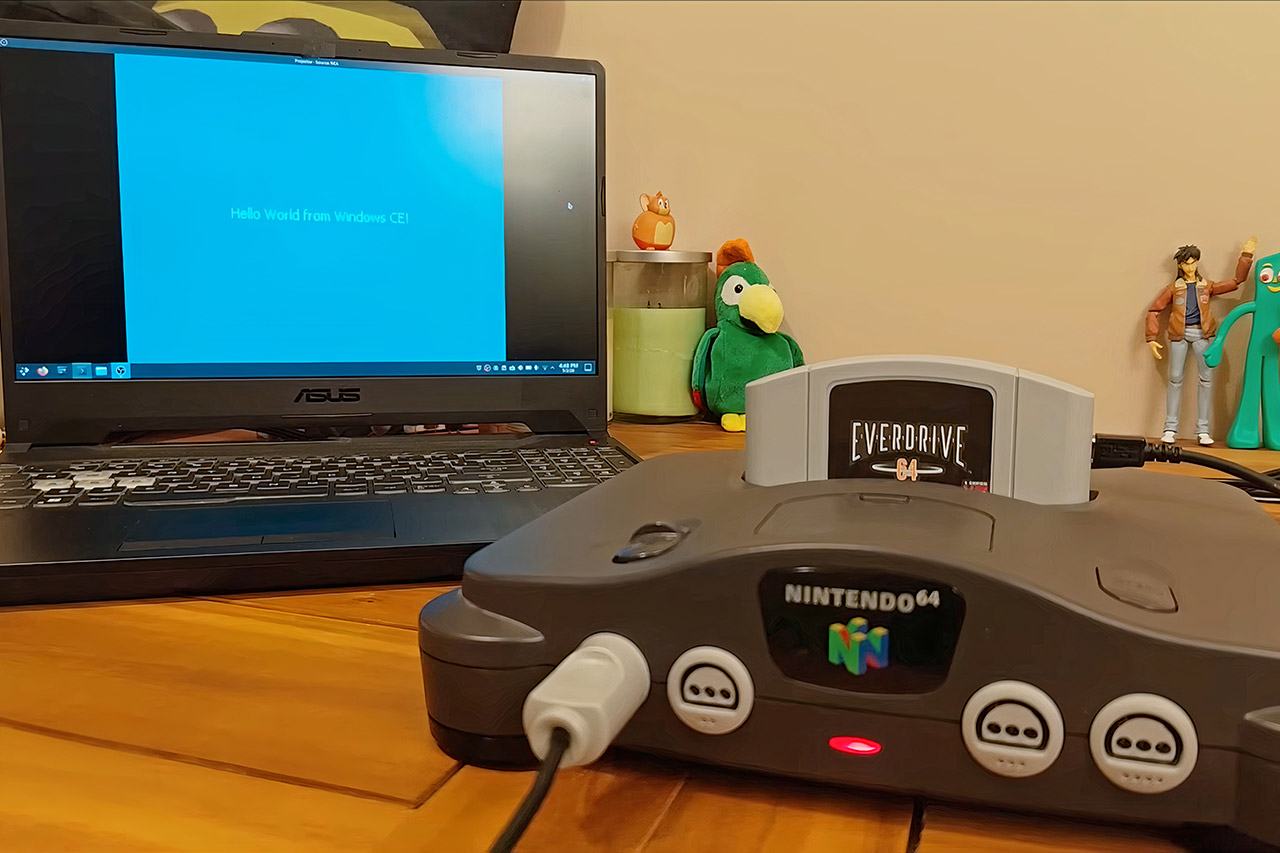
Developer Throaty Mumbo spent months chasing an idea that started as a simple observation about shared hardware. An old IBM Workpad Z50 laptop relies on a MIPS processor much like the one inside every Nintendo 64. The laptop already ran Windows CE without trouble, so Mumbo wondered what would happen if the same operating system landed on the game console instead. The answer turned out far more complete than anyone expected.
Windows CE version 2.11 made its way onto the Nintendo 64 after a lot of meticulous tinkering, with no shortcuts taken. Mumbo spent a long time designing a board support package to meet the console’s specific requirements, including the MIPS R4300 CPU, memory layout, and visual interface. He began by using Microsoft’s official Platform Builder tools from the late 1990s, which they had at the time, before adding his own custom code to work around the console’s various oddities. No changes were made to the core Windows kernel. Everything else, including display output, controller input, sound playback, and file access, had to be handled by completely new drivers designed from the ground up.
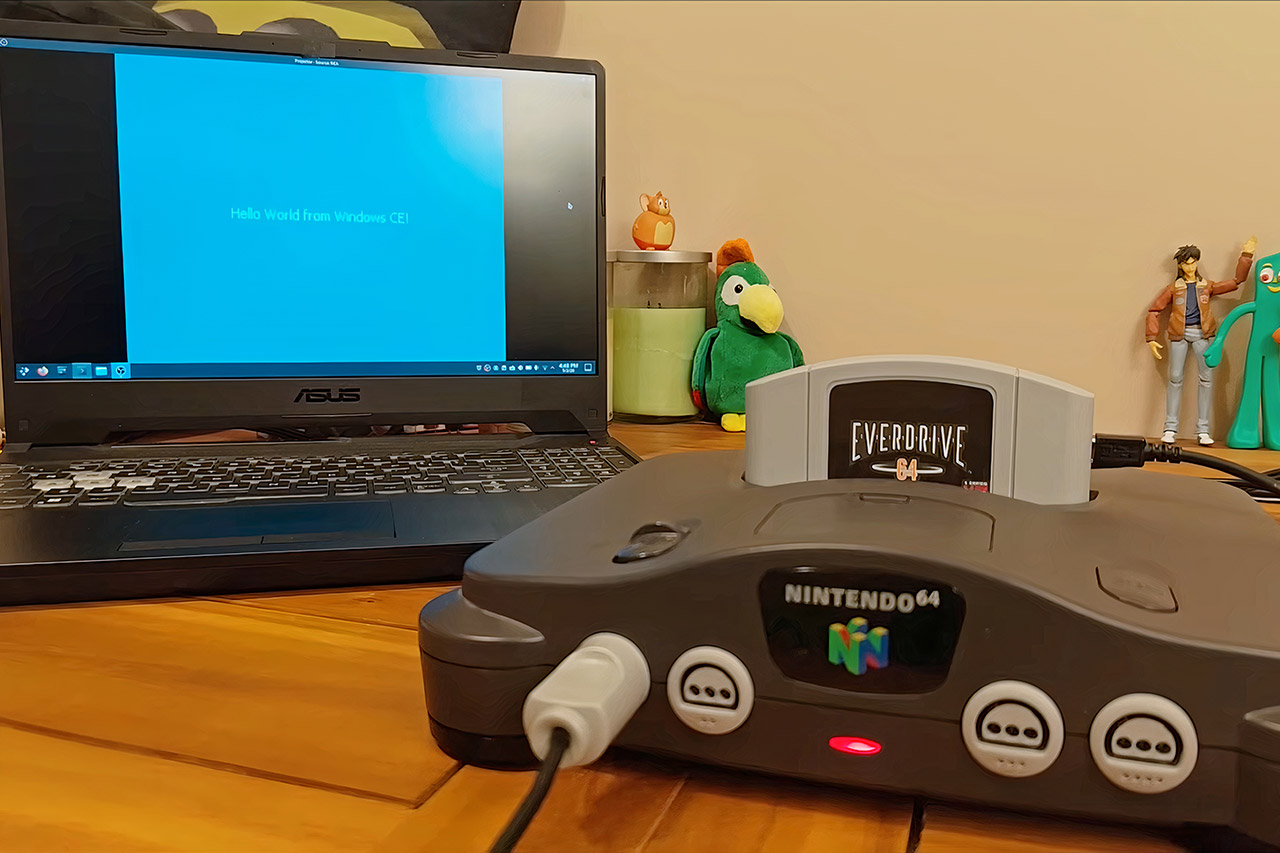
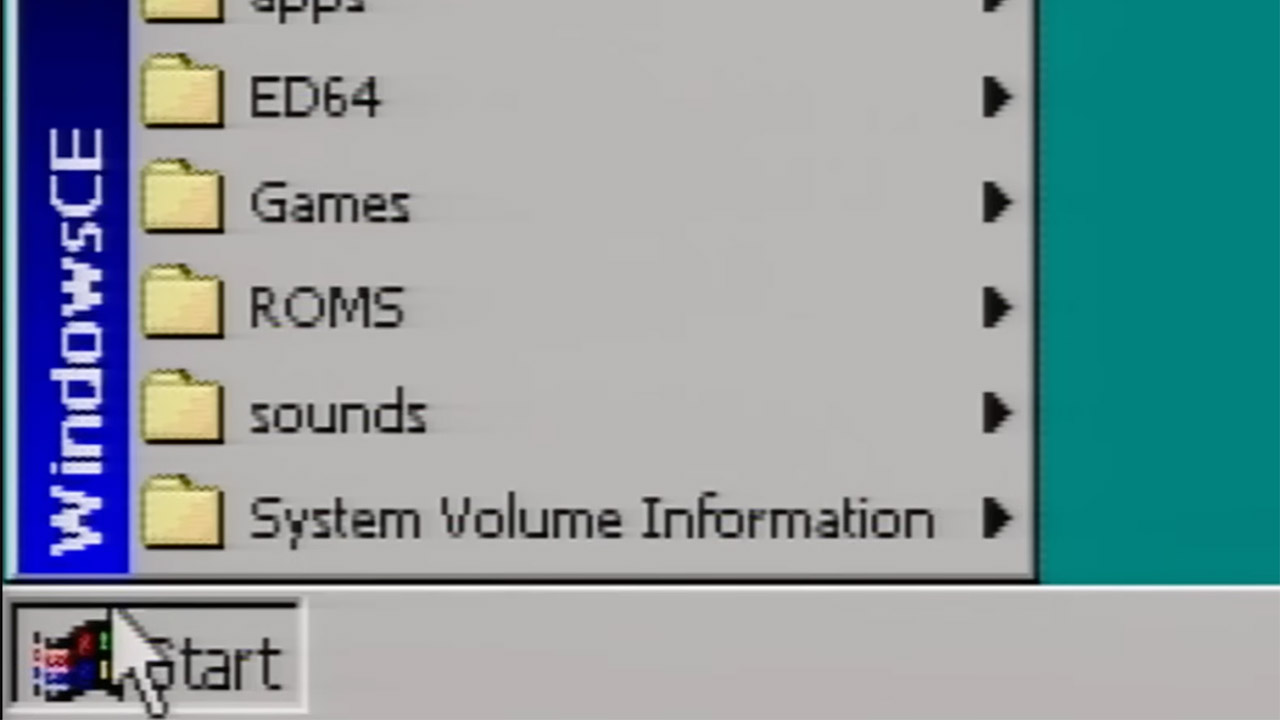
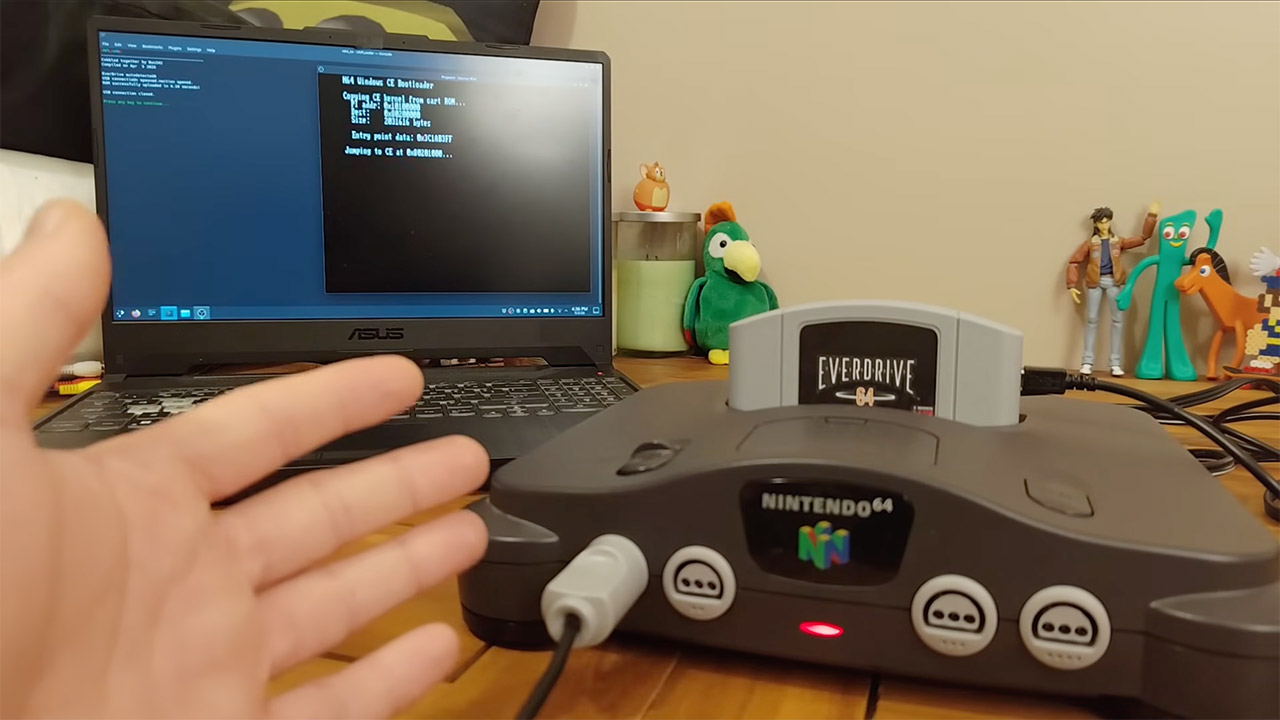
The key to making it all work is an EverDrive 64 X7 cartridge. This device loads an approximately 3.5MB ROM file called N64CE.Z64, which contains the entire operating system. When you start the console, a little bootloader runs and transfers control to the Windows kernel. The familiar desktop appears in a few of seconds. You receive the full package, including a taskbar, start menu, and recycle bin. The controller functions like a mouse, with the A button clicking the left mouse button and the B button clicking the right one. With the standard Nintendo 64 mouse, your pointer moves along fairly smoothly.
You can simply insert an SD card into the cartridge and it will boot up real programs. Notepad opens and accepts entered text, whereas Paint provides some basic drawing tools. There’s also a vector graphics tool called Béziers that functions exactly like it did on the original Workpad laptop, using the same executable file with no alterations. Cube3d.exe is a 3D demo that spins a cube and even makes use of the console’s graphics capability to speed things up. Meanwhile, a 97 port of Tetris boots up with minimal fuss. The audio works great on the console’s built-in sound system, and the clock is accurate because the cartridge features a battery-backed timer.
Mumbo spent a long time making this happen, and it was a true voyage of trial and error. Initially, he used emulators to test his basic boot procedures. Once he was on real hardware, he experienced numerous crashes, prompting him to create an automated reset system using a Teensy microcontroller so he could quickly upload new versions. The initial flash cartridge he used had closed source firmware, which made debugging a nightmare, but it all worked out when he switched to the open-source X7 model. Each small breakthrough revealed the next challenge, such as memory management, interrupt handling, and even the graphical windowing system, which draws all of the dialog boxes and overlapping windows. [Source]
Microsoft’s Xbox division has kick-started a big reset today, a move it has been hinting at for weeks. The company has announced layoffs covering approximately 3,200 roles throughout 2027, of which nearly half of the roles are being terminated starting today. Additionally, the gaming arm is letting go of four studios, including Ninja Theory, which developed the smash hit Senua series of games. Notably, the company assures that none of the first-party games that have already been announced will be affected or cancelled.
What’s happening?
This is an important email I sent today to all employees at XBOX:
Team,
We are beginning the most significant restructure in XBOX history. After careful consideration, I’ve made the difficult decision to reduce our team by approximately 3,200 throughout FY27. This will include…
Xbox is entering a year-long restructuring phase, something that has been making the rounds of the rumor mill for a while now. The company argues that its operating margin is 3-10x lower than rival platforms (read: PlayStation and Nintendo). And to make matters worse, the install base was lower, and the cost of its ninth-generation platform was higher than ever. The company also notes that Xbox Game Pass and its multi-platform game strategy didn’t yield the kind of results they had hoped for.
Our business today is not healthy.
“I know this is painful. These changes will directly affect people who have poured their creativity into building XBOX. Many joined us through acquisitions, while others were recruited here, or sought us out because they loved this industry and loved XBOX. Today’s decisions do not reflect their talent or dedication,” Xbox chief Asha Sharma wrote in an official blog post. This is the second major lay-off following restructuring that happened back in 2024.
What about the studios?
Xbox / Microsoft
The biggest shift that comes as part of the reset is the studio culling. Compulsion Games (South of Midnight, We Happy Few, and Contrast) and Double Fine Productions (Psychonauts 2, Kiln, Keeper, and Broken Age) are going independent, which means they are officially moving out of the Xbox Games Studio banner. These studios will also be moving out with their IP, catalog, and runway intact.
More importantly, Ninja Theory and Undead Labs are also finding new owners. Ninja Theory developed some of the most recognizable Xbox games of the past few years, including Senua, Senua’s Saga : Hellblade II, Hellblade: Senua’s Sacrifice, and Bleeding Edge, to name a few. Undead Labs, which developed the State of Decay series, has also been shown the exit door.
Apple has not announced its first foldable iPhone yet, but Caviar is already trying to sell a luxury version of it. The custom phone brand has revealed its “Flagship” collection for the rumored iPhone Ultra, giving Apple’s expected foldable a gold, silver, leather, and carbon fiber makeover months before the real device is likely to appear.
Caviar has made plenty of wildly expensive Apple accessories and custom phones before. We recently saw the company put a Tyrannosaurus fossil fragment into a $4,490 magnetic case for the iPhone 17 Pro Max. Its foldable iPhone Ultra collection is playing in the same absurdly expensive territory, only this time the luxury treatment is arriving before Apple’s own version.
A luxury iPhone before the real one
The collection includes four versions of the foldable iPhone Ultra. The Dark Cherry model uses purple crocodile leather and decorative elements plated in 24K gold. Caviar says the color is inspired by the Dark Cherry shade expected on the iPhone 18 Pro. The Titan model goes fully black, while the Silver version uses a silver upper panel, crocodile leather, and a three-dimensional Apple logo made from sterling silver.
TitanCaviarSilverCaviarDark cherryCaviarGoldCaviar
The most lavish option is the Gold model, which uses carbon fiber and a three-dimensional Apple logo made entirely of 18K gold. Caviar says this version is dedicated to Apple’s 50th anniversary.
Some of the technical details on Caviar’s page appear to be based on rumors rather than official Apple information. The page mentions a titanium body roughly 4.5mm thick, an A20 Pro chip, 12GB of RAM, a 24MP under-display selfie camera, and two 48MP rear cameras. That camera detail is worth treating carefully, since other rumors have pointed to a punch-hole camera instead.
Advertisement
The expensive iPhone gets even more expensive
The regular foldable iPhone Ultra is already expected to be Apple’s most expensive iPhone yet. Analyst Ming-Chi Kuo has pointed to a price of around $2,300 to $2,500, and early supply could be extremely limited.
Caviar
Caviar is pushing the price far beyond that. The Flagship collection will be limited to 19 units, and delivery is expected only after Apple launches the real iPhone Ultra. The brand has listed preorder pricing from $13,840, while the top Gold model with 1TB storage is priced at $16,270.
Every company starts with a few simple tools. You pick one app for messaging, another for projects, and a third for file storage. At first, this setup works well. Over time, however, these pieces create a fragmented picture that makes everyday work difficult. This is the hidden cost of scaling. As a business grows, departments adopt specialized software, and every new hire must navigate a dozen different platforms. Managing this sprawling tech stack eventually turns into a full-time job. More importantly, many of these tools charge per user, so every new employee increases costs, while flat-rate platforms such as Bitrix24 keep pricing predictable as you grow. At the same time, leaders are realizing that having fewer, more capable tools is just as important as the way those tools are priced.
The Financial Drain of Per-Seat Billing
Growing a company often brings a persistent and frustrating tax on your SaaS and software budget. As the organization expands, monthly overhead swells quickly, and each additional seat adds another line to your bill. When these fees stack up across several different apps, expenses soon feel out of control. Bitrix24 directly solves this “scalability penalty” by offering fixed-price commercial plans such as Basic, Standard, and Professional that accommodate a set or even an unlimited number of users. Instead of watching costs hike every time your team grows, you can keep your software budget flat and predictable.
Creating an All-in-One Digital Workspace
Instead of juggling multiple apps simultaneously, Bitrix24 places your entire operation in one environment. When your project management, CRM, team chat, contact center pipelines, and file storage all live in a single system, you can finally end the nonstop, tiring cycle of switching between tabs. Consolidation does more than reduce your monthly software bill. It easily removes the hassle of digital clutter that slows your team down. With one simple and unified interface, your team no longer wastes time trying to manage a complex software setup. People can focus on the work that actually helps the business grow. Because everything shares the same interface and design language, employees only need to learn one system in place of many. This shortens training time and helps teams adopt the software much faster.
Unified Data Tracking for a Consistent Experience
Bringing everything together also keeps your data moving smoothly. When your marketing, sales, and management tools do not communicate with one another, crucial information becomes trapped in silos. This often leads to manual errors and missed opportunities. Bitrix24 prevents this by creating a connected path in which a form fill from your website becomes a live CRM lead, then a contact, then a project task, and finally an automated invoice. You do not need to move the data by hand. Such consistency makes new workflows easier to learn and reduces the frustration that comes from jumping between disconnected platforms.
Advertisement
Simplifying IT Security and Compliance
Managing numerous separate subscriptions creates a heavy burden for IT teams. Every platform becomes a potential vulnerability that needs to be monitored, patched, and regularly audited. A single consolidated platform significantly reduces this risk. IT departments spend far less time managing user permissions, offboarding employees, and running security audits when all data lives in one secure environment. This change not only protects company assets but also allows IT staff to focus on strategic initiatives rather than routine maintenance.
Why Bitrix24 Is Worth Considering
The era of chasing one more app for every problem is coming to an end. Modern businesses now prioritize integration over fragmentation. By shifting to a unified and flat-rate platform, organizations can escape the cycle of rising costs and declining efficiency. Scaling should feel like progress and not like a growing burden of subscriptions. When the tech stack is simple, businesses gain the agility they need to compete in a crowded market while keeping their attention on growth. As leaders search for ways to elevate their operations, the choice becomes clear. They can reduce the noise, streamline their tools, and invest in a system that grows with the business without adding unnecessary overhead.
It’s being described as a “coming-of-age story infused with existential AI chaos.” It’s set in, and this is not a joke, the “Tillyverse” and involves Norwood trying to become more human as she encounters a “seductive rogue bot from the dark web.” CEO Eline van der Velden says “the film will absolutely be funny, chaotic and self-aware — very Tilly.”
Advertisement
This would be the first full-length feature film from Particle6. Particle6 thus far has specialized in short-form AI marketing videos that are fairly heavy on the slop.
I’m no expert, but I happen to think there’s a wide gulf between a 15 second AI-generated perfume ad on Instagram and a feature-length movie. The company does offer a service to film studios that leverages AI for landscape generation and VFX, but we aren’t sure how successful it’s been. It did recently make this Tilly Norwood music video that made me feel trapped inside of a nightmare, so there’s that.
The company hasn’t announced any human collaborators from the film industry, but has suggested it’ll be a hybrid production that pairs traditional filmmakers with “AI specialists.” We don’t know if there’s a script or anything like that.
Advertisement
I am highly skeptical this will ever get made, and this isn’t me railing against AI. It’s me railing against Tilly Norwood. The AI-generated character has always seemed more like a ragebait machine than a serious attempt to bring this technology to the film industry.
I’m not sure Particle6 is interested in doing anything with Norwood other than making announcements that, in turn, grab headlines. It definitelyworkedtoday. In any event, we’ll have to wait and see if Misaligned actually gets made.
Cheap vehicles are thin on the ground in 2026, but [Andy Didorosi] thinks he has the answer for low-speed applications with an open source kei truck.
Still in the early design phase, [Didorosi] has an old factory in Detroit that has been home to his bus transportation business for the last several years, as well as the Sendpai kei truck project to make the world’s fastest kei truck. His vision is to make an affordable kit car truck that anyone can build in the comfort of their own garage. The current plan includes hub motors, which have so far not made it into any production EVs in the US, likely due to the problem with high unsprung weight.
While making a new vehicle from scratch is difficult, the project is targeting a modest set of capabilities at the beginning. The truck will be eschewing safety for low cost, which is probably fine for low-speed off-road use as a utility vehicle. Safety will of course get more important as speed increases. Once the design is sufficiently nailed down, [Didorosi] hopes to sell fully assembled trucks that are compliant with US Low Speed Vehicle (LSV) requirements. This would allow it on roads with posted speed limits below 35 mph.
Advertisement
Will Mutiny succeed where efforts like OScar, CarBEN, or Wikispeed could not prevail? Only time will tell. We hope they’ll keep the Minimal Motoring Manifesto in mind, and in the meantime, you should check out this kei camper or an EV-swapped kei truck that looks like it runs on a giant drill battery.
‘The challenge is no longer only how much power is needed, but whether it can be delivered reliably’: Report finds AI data centers are draining more power than the grid can provide
Electricity demand is now growing faster than energy suppliers can keep up with
Volatile AI workloads cause unpredictable peaks and troughs in demand
AI could actually help predict, despite also being the cause
With three in four (77%) electricity execs now believing that data center energy demand will grow faster than utilities can keep up with, two-thirds (68%) expect electricity shortages to become more commonplace as demand for AI soars.
New data from a Capgemini report reveals just how unpredictable AI energy demands can be, with 77% admitting they struggle to accurately forecast demand amid volatile AI workloads.
Not only is this leading to more constrained energy supply, but also more extreme and less predictable demand spikes.
Latest Videos From
Data center energy demand is a whole new ball game
All of this comes as local opposition continues to mount against data centers, with residents increasingly concerned about power outages and rising energy costs. Just last week, a county in Virginia told data centers to revert to backup generators to free up grid capacity for local residents, with an ongoing heatwave causing a spike in electricity demand for air conditioning units.
Advertisement
Even data center companies are struggling to anticipate how much they could consume, with 67% of electricity execs reporting speculative applications for future capacity. Around a fifth (19%) of these don’t even materialize, creating what Capgemini calls ‘phantom demand,’ forcing utilities to either overinvest unnecessarily or underinvest and create capacity shortages.
“The challenge is no longer only how much power is needed, but whether it can be delivered reliably, where and when it is required,” Capgemini Global Head of Energy and Utilities Claire Gauthier wrote, citing AI’s potential in helping to predict demand despite also being the cause of fluctuating and high demand. However, at the moment fewer than half (45%) currently use AI for grid optimization.
Looking ahead, most (87%) data center operators expect electricity consumption to rise over the next three to five years by an average of 30%.
Advertisement
Sign up to the TechRadar Pro newsletter to get all the top news, opinion, features and guidance your business needs to succeed!
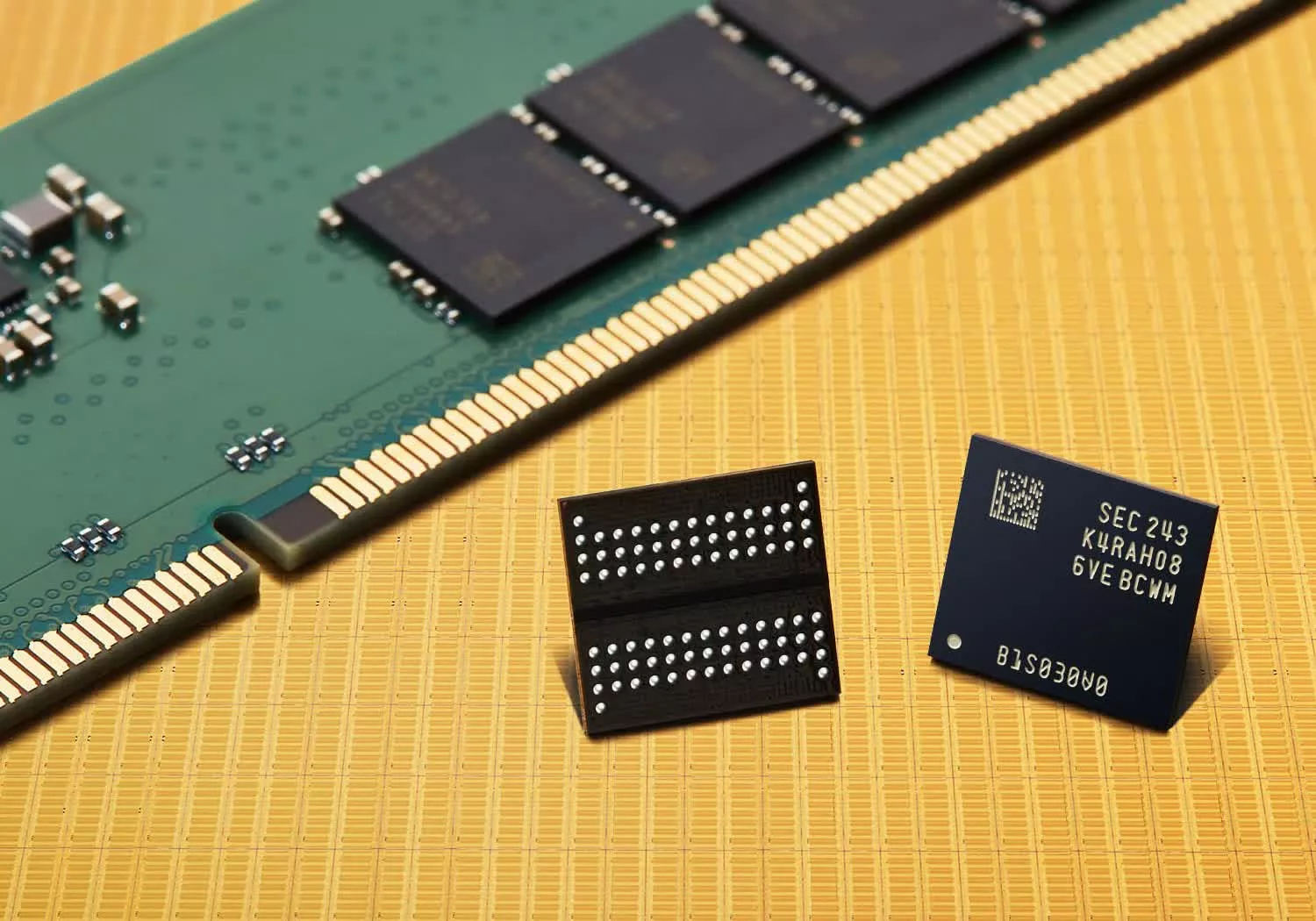
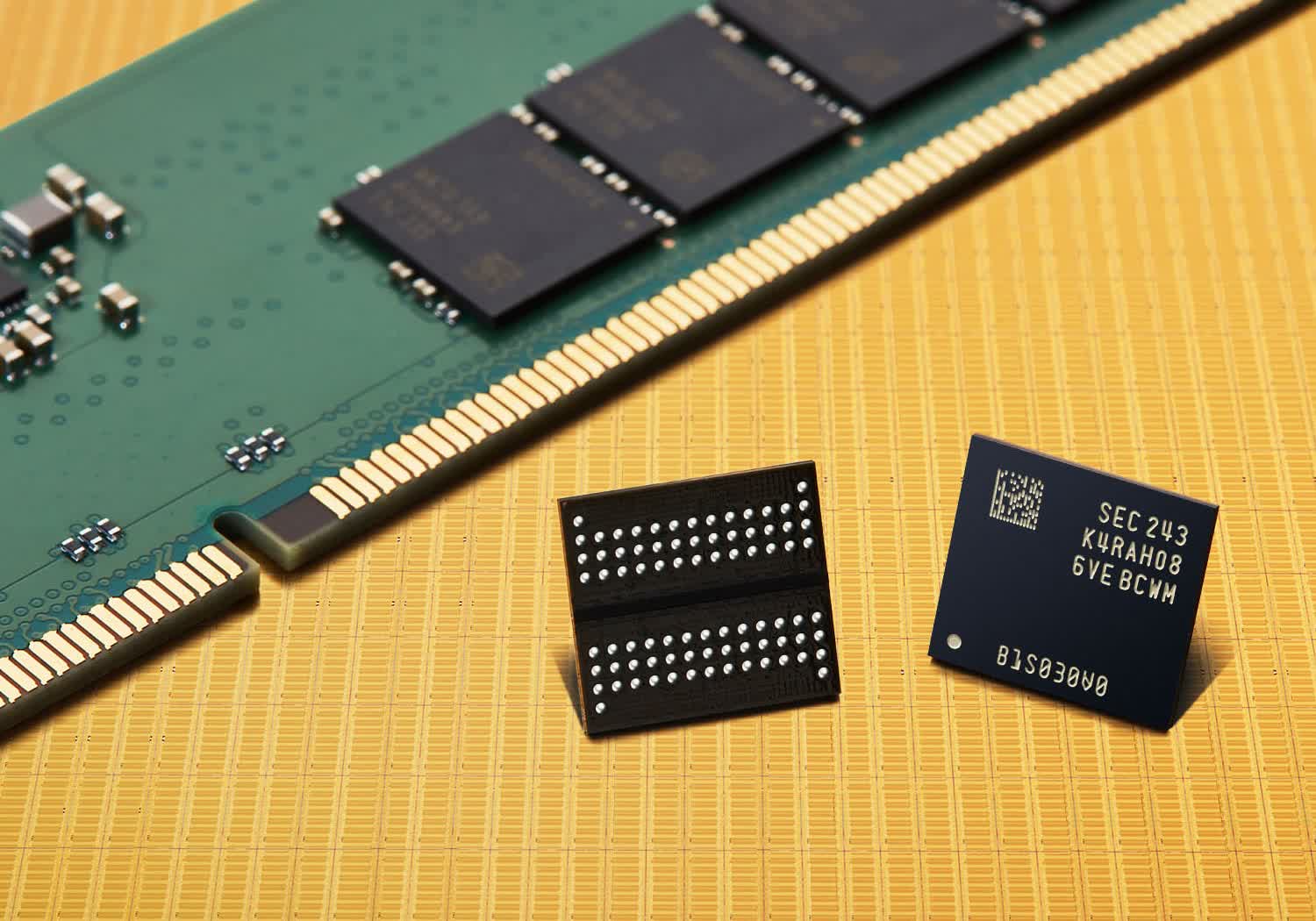
During a recent town hall meeting, Kim Yong-Kwan, President of Corporate Management, Strategy, and Operations for Samsung’s Device Solutions division, said the company’s profit in 2026 would surpass its cumulative profit over the last 40 years since they entered the semiconductor business. Read Entire Article Source link
During this year’sWorld Cup, one scene repeats itself game after game: Several players take the field with holes in the calves of their socks. Social media is rife with theories about the supposed competitive advantage this might give them. But the practice isn’t new. It has been seen at the European Championships, the Olympic Games, and other international competitions over the past decade. Still, science has yet to find evidence that it improves performance.
Professional soccer socks are, by design, form-fitting. In addition to holding shin guards in place, they provide support to the ankle, the arch of the foot, and the calf; they help manage moisture and reduce foot movement inside the cleat to improve stability. This design principle has been used in professional soccer for decades. Although materials have evolved to become lighter and more durable, they are still primarily based on synthetic fibers such as polyester, nylon, and spandex.
But quite a few players have complained that the socks are too tight and cause a tingling and numb sensation in the calf area. The discomfort is so great that, halfway through a game, they cut several holes in the calf area to “release tension” and run better.
There is a biomechanical component to this sensation. During a sprint or a change of direction, the largest muscle in the calf contracts and increases in thickness to generate the force that propels the athlete forward. This change in shape occurs thousands of times during a game. For some, the repeated expansion of the muscle is enough to create a sensation of pressure when the sock exerts constant compression on the calf.
Advertisement
Over time, the practice of cutting holes in socks has taken on an almost intuitive explanation among the players themselves: splitting open the fabric allows the muscle to “breathe,” relieving pressure and reducing the likelihood of pain or cramps. However, specialists in sports medicine and recovery point out that there are no studies demonstrating that cutting holes in socks provides any benefit. In fact, much of the research on compression garments concludes that, when properly designed and fitted, they can help limit muscle inflammation after intense exertion.
Despite the lack of evidence regarding physiological benefits, the practice continues to spread among professional soccer players. Today, it is considered primarily an anecdotal phenomenon, based on each player’s personal experience rather than scientific evidence. Furthermore, the rules of the game do not prohibit modifying socks, as long as the equipment remains safe and the shin guards remain properly covered. (A soccer player, however, cannot play with a torn jersey.)
Given the lack of scientific evidence, several specialists believe that part of the phenomenon could be explained by the player’s own perception of comfort. In high-performance sports, the feeling of comfort can influence the confidence with which an athlete competes. If a soccer player believes a piece of clothing is restrictive, eliminating that perceived discomfort can make them feel freer to run, accelerate, or change direction—even if their performance remains objectively unchanged.
Though there is no evidence that cutting the socks provides a competitive advantage or reduces the risk of injury, that does not mean the sensation of discomfort is imaginary. The perception of pressure, restriction, or comfort depends on multiple factors, ranging from anatomy and individual sensitivity to the athlete’s past experiences. In other words, two players may react differently while wearing exactly the same equipment.
Advertisement
For now, it seems the cutting of socks will continue. The available evidence points to a mechanism similar to that of other sports rituals: Its effect is primarily psychological, not necessarily physiological.
There’s an important distinction between AI that just works today, and AI that lasts at scale. Many companies optimize hard for the first one without ever asking whether they’re building the second.
Velocity without discipline and strategic direction is a liability, not an asset. The hardest part of building AI at scale isn’t getting a model to work once. It’s building systems that continue to work, scale beyond individual teams and use cases, and improve consistently over time.
Today’s AI systems do more than just predict and optimize. They converse, reason, and increasingly take action. An autonomous system making decisions on a traveler’s behalf creates a very different set of expectations around reliability, governance, and accountability. As AI takes on more of those roles, the principles behind how these systems operate matter more than ever.
We have spent years applying AI and machine learning (ML) across the traveler journey — from personalization, ranking, and recommendations, to fraud prevention, customer support, and, more recently, generative and agentic AI experiences. That depth of experience is what led us to develop a set of ML and AI principles to guide how we build, deploy, and evolve AI systems across our company.
Advertisement
The goal is simple: Make sure the systems we build create real business value, scale, and operate safely. These principles define how we measure, design, govern, and operate our systems.
From principles to practice
Publishing principles is the easy part. The harder and more important work is turning them into operating mechanisms: Recommendations, requirements, tooling, and release processes that teams actually use.
We have begun using ‘Agentic Release’ tollgates: A set of recommended and, in some cases, required checks before launching agentic AI features. These tollgates translate principles like clear ownership, risk-based governance, evaluation, safe rollout, and monitoring into concrete expectations for teams.
Some of these recommendations and requirements are already being automated and integrated into the software development lifecycle (SDLC). Over time, the goal is for these expectations to become embedded in how we design, evaluate, approve, launch, and monitor AI systems from the start.
Advertisement
Outcomes: Measuring what actually matters
The first test for any model is whether it improves a business outcome and, ultimately, the traveler experience — not whether it just improves a technical metric.
Align models to metrics with business impact: Every ML effort must tie directly to a key business outcome or traveler experience metric. Technical optimizations are useful midpoints, not end goals.
Optimize for return on cost: The value a model creates has to justify what it costs to develop, train, and monitor, plus the operational complexity it adds. Favor solutions that deliver lasting impact relative to what they cost to run.
Justify complexity against strong baselines: Complexity should be earned, not assumed. Start with a strong baseline: An existing general model, a simple heuristic, an off-the-shelf solution. Reach for specialized models or more complex architectures only when simpler options genuinely can’t meet the bar.
Require both offline and online evaluation: No model goes to broad deployment on offline validation alone or jumps straight to A/B testing. Every model must perform in both offline and online evaluations. Over time, our offline evaluations should reliably predict what we see online.
Design: building systems that scale beyond the teams that build them
Getting a model to work is one challenge. Making its value extend beyond a single team or use case is the harder one.
Build on shared foundations; specialize only when justified: Favor shared, platform-wide foundations for core capabilities, data representations, and model building blocks. Specialization should build on those foundations, not spin up isolated stacks, so when the foundation improves, the gains flow across the organization.
Treat data as a first-class product: A model’s quality is bounded by the quality of its data. We need to maintain robust pipelines, clear lineage, reproducibility, and reusable features built with documented ownership, clear schemas, and SLAs that other teams can rely on.
Prioritize generality over local optimization: When two approaches perform similarly, favor the one whose learnings, assets, and operating patterns can be reused across teams, brands, and use cases. We should optimize not just for local performance, but for how quickly improvements can diffuse across the company and compound over time.
Minimize and sunset manual business rules: Manual rules are sometimes necessary for policy, safety, or compliance, but they should be explicit and reviewed regularly, never silent patches for weak models or a source of permanent maintenance debt.
Reproducibility and traceability by default: Training data, features, configurations, evaluation results, deployment versions, and key decisions should all be documented and recoverable. That’s what lets you debug a production issue months later and hand off ownership without losing institutional knowledge.
Trust: ownership, governance, and operating responsibly at scale
The bar for deploying AI isn’t just “does it work?” It’s “can we stand behind it?” Trust isn’t something you add at the end; it’s earned over time and maintained across the full lifecycle of every model we ship.
Assign clear ownership and accountability: Every model needs defined ownership across its lifecycle — a business owner, a product owner, an AI owner, and an operational owner. These don’t need to be four people, but the responsibilities must be explicit. Who’s accountable for outcomes? Who responds if the model drifts? Who answers the incident at 2 a.m.? Without this in place, models become orphaned and problems surface with no one to own them.
Adhere to standards and governance: AI and ML models must use approved platforms and comply with established company standards, release gates, and governance processes. Operating outside these guardrails requires a clear, defined path to remediation or deprecation, rather than an open-ended exception.
Govern proportionally to risk: The level of review, evaluation rigor, and human oversight should scale with a model’s impact. A customer-facing model that affects pricing or availability for millions of travelers demands a far higher bar than an internal tool used by a small team. For high-impact, safety-sensitive, or highly autonomous systems, human-in-the-loop checkpoints are built in from the start.
Design for fairness, privacy, and transparency: We actively test for unintended bias, have strong data guardrails, and favor explainability when decisions meaningfully affect users. These are incorporated from the start, not added on.
Design for safe rollout, rollback, and control: Deployments are progressive, with rollback paths, fallback mechanisms, and circuit breakers ready before launch. The ability to safely undo a deployment matters as much as the ability to ship it.
Monitor continuously and adapt: Once live, teams must actively monitor quality, drift, latency, cost, and business performance and retrain or recalibrate when the data shifts. A team should always be able to explain how its model is performing now, not just how it performed when it launched.
These principles do more than define how we build. They define what we’re willing to ship and how we stand behind it. In a world where AI systems are increasingly consequential and make real decisions for real travelers and partners, these standards matter. Applied consistently, they build responsible AI that lasts.
Advertisement
Xavi Amatriain is Chief AI and Data Officer at Expedia Group
Xavier will share more details about Expedia’s architecture during his session at VB Transform on July 14 at 11:10 am PT. He will discuss: “Expedia’s blueprint for building autonomous agents for high-stakes transactional systems.”
Interested in attending VB Transform 2026? Register here. A select number of complimentary passes are also available to senior technology leaders. Contact us to get yours.
Welcome to the VentureBeat community!
Advertisement
Our guest posting program is where technical experts share insights and provide neutral, non-vested deep dives on AI, data infrastructure, cybersecurity and other cutting-edge technologies shaping the future of enterprise.
Read more from our guest post program — and check out our guidelines if you’re interested in contributing an article of your own!
A year ago the Ryzen AI Halo, AMD’s tiny new AI workstation, would have offered devs and machine learning enthusiasts an Nvidia DGX Spark-like experience at a fraction of the cost.
Unfortunately for AMD, time and the ongoing memory shortage, which both AMD itself and Nvidia are partially responsible for, hasn’t been kind to the consumer electronics industry.
Launching at a hair under $4,000, the AI Halo is still cheaper than the Spark at its new MSRP of $4,699, but is now a much tougher sell than when you could get the same hardware for as little as $2,000.
That’s right. The 128 GB AI Halo is based on year-old technology. Its main selling point, and what AMD has spent the past several months getting right, is the packaging. Much like with the Spark, you’re not just buying the machine but all the software and documentation you need to run and fine-tune enterprise-grade models and AI agents like OpenClaw and Cline, locally.
Advertisement
Many will, understandably, balk at the price — $4,000 is a down payment on a car — the system is still one of the most affordable options for those who need more than the 32 GB that the highest-end graphics card can provide.
Not long ago, building a workstation with 128 GB of video memory would have set you back at least $20,000, and that was before the RAMpocalypse. This puts systems like DGX Spark and AI Halo in a rather unique position.
The Hardware
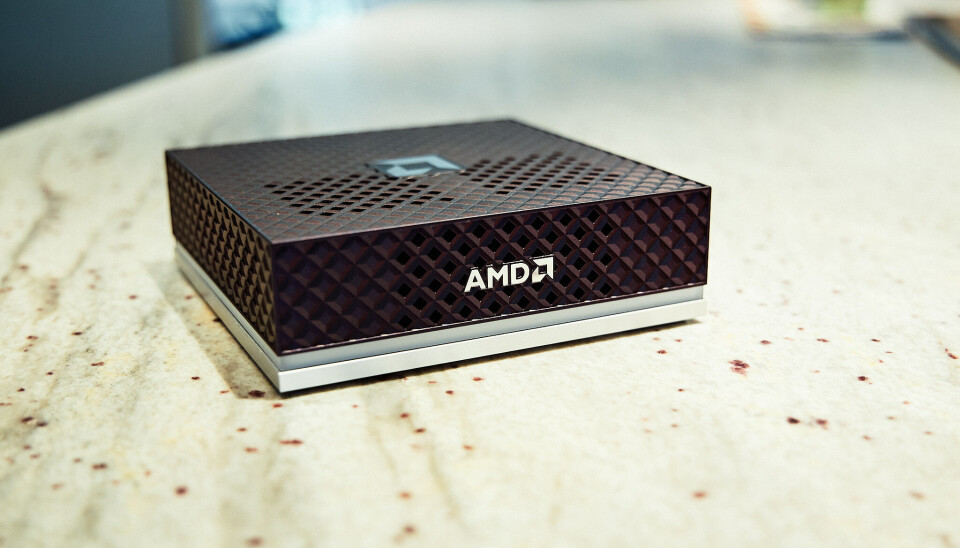
Despite sharing a similar form factor to Nvidia’s DGX Spark, AMD has gone for a very different aesthetic.Tobias Mann
The Ryzen AI Halo was clearly inspired by the DGX Spark. Measuring in at 5.9 x 5.9 x 1.79 inches, the black and silver system shares a nearly identical form factor to its competitor.
Rather than gold aluminum siding, AMD has opted for a more subdued look with a textured top cover adorned by its logo and an LED light bar that wraps around its perimeter. The chassis itself is well ventilated with intake located along the front of the system sides and heat exhausting out the back.
Advertisement
Just like the DGX Spark, the Ryzen AI Halo sports four USB-C ports, one of which is for power, along with HDMI and a 10 Gbps RJ45 network port. Notably missing is any kind of high-speed networking.Tobias Mann
The back of the system is adorned with four USB-C ports, one of which is dedicated to power, while the remaining three offer connectivity (1x USB 3.2, 2x USB 4.0) for storage and peripherals. The AI Halo supports display out on all three of those ports as well as via HDMI 2.1b . A single RJ45 network port provides 10 Gbps of connectivity for those who prefer wired connectivity over the onboard WiFi 7 radio.
One thing you won’t find on the back of the AI Halo are QSFP ports for high-speed networking. The DGX Spark features a 200 Gbps ConnectX-7 SmartNIC for clustering multiple devices together. The AI Halo does still support clustering if you happen to pick up multiple systems, but with only one such system on hand, we can’t say how big a difference the slower networking actually makes.
AMD’s Ryzen AI 395+, which you may recognize from its codename Strix Halo, sits at the heart of the system. This SoC isn’t new, having been on the market for more than a year now. In fact, we pitted the Pro variant of the chip running in HP’s Z2 Mini against the DGX Spark’s GB10 SoC back in December 2025.
Here’s a quick run down of the Ryzen AI Halo.Image courtesy of AMD
The chip is equipped with 16 Zen 5 cores clocking up to 5.2 GHz along with an RDNA 3.5 GPU with 40 compute units putting out around 56 teraflops of dense FP16 performance under ideal conditions.
Advertisement
While Strix Halo can be obtained with as little as 32 GB of LPDDR5X memory, the AI Halo is packing 128 GB as standard. That’s enough to run models of up to 200 billion parameters in size, at 4-bit precision that is. Out of the box, our system was configured to share up to 75 percent, or about 96 GB, of that with GPU. However, at least on Linux, you can extend this to nearly the system’s full capacity.
That memory is connected to the SoC by a 256-bit bus good for about 256 GB/s of bandwidth — more than you’d get on a (non-Pro) Threadripper system.
Bandwidth is a major bottleneck for LLM inference, with token generation directly proportional to how fast the memory actually is, and because the AI Halo’s memory hangs off the GPU, it can take full advantage of it.
While 256 GB/s is a lot for DDR5, it is dwarfed when you compare to the GDDR or HBM found in consumer and datacenter GPUs. The RTX 5090 delivers 1.7 TB/s of bandwidth, making it admittedly high — for models small enough to fit in that card’s 32 GB of VRAM.
Advertisement
We’ll talk about performance in a bit, but this really gets to the hardware’s core value proposition. For most local AI enthusiasts and devs, memory capacity is the biggest bottleneck.
It doesn’t matter how many teraflops your GPU can push or how fast your memory is, if you don’t have enough of it in the first place. At 16-bit precision you need about 2 GB of memory for every billion model parameters. At 8-bits, it’s a 1:1 ratio and, at 4-bits, you need just 512 MB for every billion parameters.
If you’ve toyed around with local LLMs in Ollama or LM Studio before you’re almost certainly running 4-bit weights, which is why you can cram a 20 billion parameter model onto a consumer graphics card with as little as 16 GB of VRAM.
Unfortunately, there are a lot of AI workloads that aren’t easily quantized or require substantial quantities of memory in addition to what’s used to hold the model weights. But once you venture beyond low precision inference, memory quickly becomes a major constraint. For example, a full fine tune of a modest 7B parameter can easily consume upwards of 100 GB of memory.
Advertisement
This is where systems like the AI Halo or DGX Spark really shine. They may not be the most powerful or the fastest systems, but there’s not much that you’d want to do that you couldn’t thanks to their ample memory capacity.
As we’ve shown in the past, Strix Halo is more than capable of running larger more capable models exceeding 100 billion parameters or fine-tuning models up to 70 billion parameters, something that’s well beyond the means of consumer graphics cards.
What the AI Halo actually buys you
If the chip isn’t new, you might be wondering what exactly the Ryzen AI Halo buys you over another Strix box, like HP’s Z2 Mini G1a we reviewed back in December. Back then, that system retailed for around $3,000. Its price has since surged to nearly $4,900.
If you’re already familiar with AMD’s HIP and ROCm stacks and reasonably comfortable with Linux, the answer is not a lot. AMD even has playbooks specifically for early adopters of its Ryzen AI products. So, if you jumped on a Strix Halo system before DRAM prices hockey sticked, you’re really only missing out on the conveniences that the preinstalled software brings.
Advertisement
With that said, we’re willing to bet most folks considering AI Halo are probably dipping their toes into ML and AMD’s software ecosystem for the first time.
ROCm is a heck of a lot easier to get running on Ryzen APUs and Radeon graphics than it used to be, but we’d be lying if we said that it’s always easy. The same is true of Nvidia and CUDA to a lesser extent. Some steps are easier, while others like GPU passthrough for containers require jumping through additional hoops.
That’s not even to mention PyTorch compatibility, which can vary from app to app. Regardless of which platform you buy into, wrangling dependencies is still a mess.
Both the AI Halo and DGX Spark’s core value prop is helping customers avoid as many of these headaches as possible by combining validated hardware with pre-installed dependencies and well documented playbooks that walk you through common use cases.
Advertisement
In other words, it’s an AI lab in a box.
What’s it like using the AI Halo
The AI Halo ships with your choice of Linux or Windows 11. The review unit AMD provided us with, came equipped with a lightly-modified version of Debian with the 6.18 Linux Kernel, Gnome desktop environment, ROCm 7.13 preinstalled, and a slew of preinstalled AI apps and frameworks, like ComfyUI and vLLM.
For anyone who’s used Linux before, the experience should be quite intuitive. Upon first boot, a startup wizard will guide you through the process of creating your user profile, connecting to the network, and updating the device.
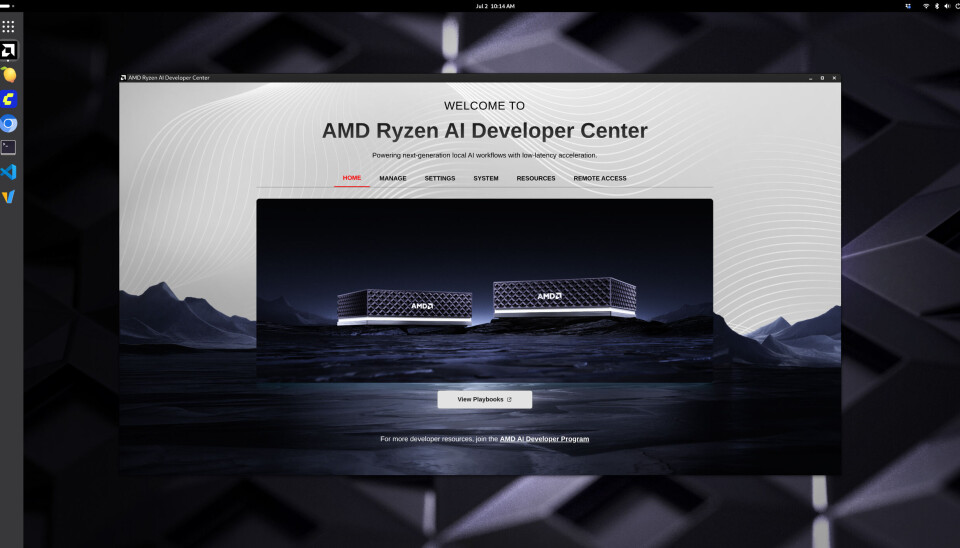
Our review unit shipped with a lightly customized spin of Debian 13. Upon completing setup, we were greeted by AMD’s Ryzen AI Developer Center. The application allows you to quickly adjust settings or jump straight into The House of Zen’s growing library of playbooks.Tobias Mann
Once you are logged in, AMD’s Ryzen AI Developer Center launches automatically and provides quick access to resources and system settings.
Advertisement
At the time of publication, AMD had 19 playbooks for us to test covering everything AI agents to inference and fine tuning on LLMs and diffusion models.Tobias Mann
As of this writing, AMD’s developer docs include 19 playbooks covering everything from the basics of running LLMs and image models on the device to building full blown agents with OpenClaw.
We walked through most of these as part of our review process and with a few exceptions we were able to run them with minimal troubleshooting. We did have to ask an LLM for help debugging AMD’s PyTorch fine-tuning scripts. Thankfully, the selection of pre-downloaded models were capable enough to identify the single line fix required to get them running again.
While most of AMD’s playbooks were more than adequate, we found its vLLM getting started guide a little lacking. It was easy enough to get it running —AMD has written a wrapper that abstracts the creation and deployment of the inference server in a Docker container — but the guide doesn’t discuss how to select a model, much less configure it.
vLLM is an incredibly popular inference server broadly deployed in production. This makes it all the more disappointing that AMD’s documentation isn’t more comprehensive.
Advertisement
Lemonade Server is a bit like LM Studio or Ollama, but provides a highly optimized environment for running popular models on AMD GPUs and NPUs.Tobias Mann
One bright spot we’d like to highlight is Lemonade Server. The app comes preinstalled and provides an LM Studio or Ollama-like experience tuned specifically for AMD hardware. It’s built atop a number of different model runners including vLLM, Llama.cpp, Whisper.cpp, Stable Diffusion.cpp and others. There is even support for a limited selection of models which will run on the system’s NPU.
Perhaps the most attractive use case for the system is as a host for AI agents.
When AMD announced the system, it was keen to highlight how small local models, like Qwen 3.6-35B-A3B, were now good enough to replace larger proprietary models for many coding workflows.
AMD claims its Ryzen AI Halo could say developers a whopping $750 a month by vibe coding with local models instead of cloud APIs.AMD
The company went so far as to claim that, for full-time software devs, the system could save as much as $750/month compared in API expenses they’d pay to a cloud-based LLM. We plan to put those claims to the test in a future article. Beyond AI coding, we also expect the system to be quite popular as a platform for running harnesses like OpenClaw.
Advertisement
Given the software’s significant, not to mention numerous security implications, running it locally with container isolation is probably the safest option, and its large memory capacity means that you’ll have access to larger more capable models.
Yes, of course it can run OpenClaw. In fact with a 128 GB of memory on board you can run large enough models that it shouldn’t mess up — too much.Tobias Mann
Performance
In terms of performance, the Ryzen AI Halo is a bit of a mixed bag.
In memory bound applications like LLM inference, the system matches and in some cases narrowly outpaces Nvidia’s more expensive DGX Spark. Hanging the memory off the GPU instead of the CPU benefits the AI Halo here.
In compute bound workloads, like fine tuning, image generation, or batch processing, the gap grows considerably. We plan to dig deeper into how the AI Halo performs in a future article, but, in our initial testing, we don’t see a major uplift in performance compared to our earlier testing.
Advertisement
We’re also not sharing vLLM performance figures for the AI Halo just yet as our initial testing with AMD’s provided build produced results we’re not confident in.
Performance hasn’t changed much since we first pit AMD’s Strix Halo SoC against the GB10 powering Nvidia’s DGX Spark. While the two achieve comparable performance in memory bound scenarios, like token generation, the AMD box trails Nvidia when it comes to prompt processing. The much faster GPU in the DGX Spark benefits Nvidia heavily here.Tobias Mann
It’s a similar story when looking at fine tuning. For full-fine tune of IBM’s 3 billion parameter Granite 4.0 Micro Base at 16-bit precision, the Spark with its 125 teraFLOPS of BF16 performance completed the training run in nearly half the time of the AI Halo with its 56 or so teraFLOPS.Tobias Mann
Depending on the workload and precision, you can expect the Spark’s GB10 APU to be anywhere from 2x to 3x quicker in compute-bound AI workloads.
A big piece of this is down to the fact that Strix Halo wasn’t really intended for this use case. AMD’s RDNA 3.5 GPU tech lacks support for floating point precisions lower than FP/BF16. It does offer INT8 support, but only by upcasting to FP16, which means no performance uplift from dropping to lower precision.
On paper, the GB10 delivers roughly twice the 16-bit performance, three times that at FP8 and twice again at FP4. This is one of the biggest critiques of AMD’s current consumer hardware roadmap, and why we continue to see such a wide performance delta. While its software has improved and its datacenter kit supports FP8 and FP4, the AI Halo is stuck on an older microarchitecture.
Advertisement
But, as we mentioned in our initial Strix Halo vs GB10 head-to-head, whether you’ll even notice the performance deficit really depends on what you’re doing.
AI benchmarks, including ours, usually disable prefix caching. This allows us to accurately evaluate the accelerators’ performance, but isn’t representative of how you’d actually use the model.
In a chatbot or AI agent, the prefix caching keeps the accelerator from getting bogged down by caching previously-computed information so that only new data has to be processed. With it disabled, the problem size grows with each prompt processed and each response generated.
We’re currently in the process of developing a series of new tests that take advantage of caching and other functionality, like multi-token-prediction to measure performance in agentic applications like code generation. We look forward to sharing the results of those tests soon.
Advertisement
Should you buy it?
Whether or not the Ryzen AI Halo is right for you is going to come down to just how limited you are by your existing hardware and whether or not you can stomach the asking price.Tobias Mann
Strix Halo wasn’t a cheap part before RAMageddon and it certainly isn’t now — $4,000 is a lot of money. But for the right person, it’s still a relative bargain.
If you’re interested in learning more about local AI, we recommend starting with what you’ve already got before considering dropping this kind of cash on an AI-first system like the AI Halo.
If usage based APIs are out of the question and your existing graphics card is no longer cutting it, GB for GB the Ryzen AI Halo is still much cheaper than workstation cards from either AMD or Nvidia. For reference, a 96 GB RTX Pro 6000 is much, much faster and offers nearly as much addressable memory as the AI Halo, but has an MSRP of $13,250. Oh, and that’s just for the GPU; you still need to plug it into something with at least that much DDR5 on board.
And so the question becomes how badly do you need the VRAM and how valuable is AMD’s documentation and support? Enthusiasts willing to blaze their own trail might be able to save a buck by picking up an OEM Strix Halo box and configuring it themselves.
Advertisement
On the flip side, for those willing to spend a bit more money, Nvidia’s DGX Spark also offers fantastic documentation and a fair bit more computational grunt, which again means faster fine tuning, image generation, and prompt processing. The number of tok/s is limited by memory bandwidth.
With that said, the DGX Spark is much more of an appliance, which means, if you buy this thinking you’re going to run agents on it and later decide it’s not worth the trouble, it’s less likely to end up collecting dust on the shelf. Because it’s just an x86 PC under the hood, the AI Halo is perfectly capable of running Windows or your preferred Linux distro, if you decide local AI just isn’t for you.
Oh, and if 128 GB of VRAM isn’t enough for you, AMD has a refreshed version of the system on the way with 192 GB of LPDDR5X memory and slightly higher clocks. ®

































































You must be logged in to post a comment Login