On a recent evening in suburban Chicago, a group of parents, teachers and administrators gathered to talk about something that, until recently, rarely drew this level of public scrutiny: the role of technology in their schools.
The meeting was part of a three-session tech and learning focus group organized by Mary Jane (MJ) Warden, chief technology officer of Community Consolidated School District 15, in conjunction with the Teaching, Learning and Assessments Department.
The district, which serves 11,000 preK-8 students, spent the past several years — like so many others — adding digital tools. Now, with budgets tightening and concerns about screen time rising, it was time to take stock.
A re-examination of digital tools was already happening with curriculum reviews and tightening budgets after the pandemic. And then the screen time concerns arose.
Advertisement
Participants discussed everything from screen time to what district technology use looks like at home. Out of those conversations came something new: a “Portrait of a Digital Learner,” derived from the district’s Portrait of a Graduate, meant to develop clear expectations around what skills students need and, by extension, which technologies are worth keeping and how technology would be used by students toward positive learning outcomes.
“We’re trying to get much [clearer] about what this is going to address,” says Warden. “What do we need students to learn, and which tools will help us understand where they are?”
Across the country, district leaders are asking similar questions. After years of rapid expansion, many are now engaged in a quieter but more consequential phase: reassessing what stays, what goes and how to decide.
From Buying Tools To Proving Value
For much of the past decade, edtech decisions often began with the product. A new platform promised to boost engagement or personalize learning; districts piloted it, added it to an already crowded ecosystem and moved on.
Advertisement
That approach is no longer sustainable, says Erin Mote, CEO of InnovateEDU, a nonprofit focused on systems change in special education, talent development and data modernization in schools.
“We’re seeing a shift from ‘Does this look cool?’ to ‘Does this work?’” she says. “Districts have less money now; they have to be smarter.”
The end of pandemic-era federal funding has intensified that pressure. Technology leaders are now expected not only to manage infrastructure and compliance, but also to demonstrate what Mote calls a return on instructional impact.
Advertisement
In practice, that is changing how districts approach procurement. Instead of starting with vendor demos, many are beginning with specific learning needs.
“If you need to improve third-grade reading comprehension, you start there,” Mote says. “Then you ask: Which tool can move that needle?”
New Playbook For Evaluation
As districts rethink their approach, a more structured and more skeptical evaluation process is emerging.
One major shift is toward tracking actual usage. Platforms like ClassLink and Clever now give districts detailed analytics on which tools students and teachers are accessing, how often they’re used and, in some cases, how much time is spent in each application. That data has helped uncover what some leaders call “zombie licenses,” products that continue to be renewed despite minimal use.
Advertisement
At Joliet Public Schools in Illinois, technology leaders review usage data each spring alongside feedback from a districtwide technology committee.
“If we’re not getting usage or we have another product that does it better, we start asking hard questions,” says John Armstrong, chief officer for technology and innovation.
But usage alone is not enough. Districts are also weighing cost, redundancy and alignment with instructional goals.
During the pandemic, many schools layered new tools on top of existing ones. Now, leaders are working to simplify.
Advertisement
“We had so many products that teachers were going to four different places to run a lesson,” says Kelly Ronnebeck, associate superintendent for student achievement in East Moline School District 37 in Illinois. “We’re trying to get back to a slower, more intentional process.”
That often means replacing several standalone tools with a single platform that can do multiple jobs — even if it means giving up some features teachers value. In some cases, a newer system can replace several standalone tools at a lower cost but may not match each one’s individual strengths.
“It’s not always a perfect swap,” admits Armstrong. “Someone gives up something.”
At the same time, districts are placing greater emphasis on interoperability and data privacy. Tools must integrate with existing systems like learning management platforms and single sign-on tools, and vendors have to be willing to sign increasingly stringent data privacy agreements.
Advertisement
“If a company can’t meet those requirements, that’s a red flag right away,” says Phil Hintz, CTO of Niles Township District 219 in Illinois.
The Challenge Of Proving What Works
Even as districts adopt more rigorous processes, it remains stubbornly difficult to determine whether edtech tools actually improve learning.
“It’s such a huge challenge,” says Naomi Hupert, director of the Center for Children & Technology at the Education Development Center. “We see so much that doesn’t seem to make a difference but costs a lot of money.”
Part of the difficulty lies in the sheer breadth of what “edtech” encompasses, everything from learning management systems to specialized math platforms to communication tools. Each category has different goals, users and measures of success.
Advertisement
“It’s like asking whether ‘books’ work,” says Hupert. “It depends on the book, the context and how it’s used.”
District leaders have to piece together evidence from multiple sources: vendor-provided analytics, small pilot studies, teacher feedback and, occasionally, external research. But those data points don’t always align.
Jason Schmidt, director of technology in Oshkosh Area School District in Wisconsin, describes his approach as “trust but verify.”
“I know vendors are collecting tons of data, and they have to, but I still need to talk to teachers and understand how the tool is actually being used,” he says.
Advertisement
Even then, results can be uneven. A platform might show strong engagement overall but fail to support certain groups of students — or vice versa.
In Alexandria City Public Schools in Virginia, leaders are developing a formal framework to evaluate both edtech and nontech programs. But defining “value” has proven complex.
“It’s not just usage and cost,” says CIO Emily Dillard. In a district with a high number of English learners, some tools play a critical role for students who need targeted or specialized support.
“You might have a tool that isn’t working for most students — or takes time to show results — but for a small group, it’s the best thing we have. We have to think about what’s best for them, too,” says Dillard.
Advertisement
Building Systems for Quality
Recognizing these challenges, a growing coalition of organizations is working to create clearer signals of quality in the edtech marketplace.
Through the Edtech Quality Collaborative, 1EdTech, CAST, CoSN, Digital Promise, InnovateEDU, ISTE, and SETDA are developing a shared framework built around five indicators: safety, evidence, inclusivity, interoperability and usability.
The goal, says Korah Wiley, senior director of edtech R&D at Digital Promise, is to reduce the noise.
“Right now, there are a lot of certifications and labels, and it’s hard for districts to know what to trust,” says Wiley. “We want to brighten the signal of what quality looks like.”
Advertisement
The initiative includes a planned directory of vetted validators, an implementation guide for districts and a central hub to connect educators with high-quality tools. Leaders hope it will help districts make decisions more confidently and push developers to meet clearer standards.
“This is the cost of doing business in education,” says Mote. “If you want to be in classrooms, you need to be building evidence and demonstrating impact.”
What Happens When Tools Are Cut
For all the talk of frameworks and data, the hardest part of reassessment often comes when districts decide to let a tool go.
Those decisions can affect classroom routines, teacher preferences and even student outcomes. And they are rarely straightforward.
Advertisement
In some cases, tools are phased out because of cost or low usage. In others, they are replaced by more comprehensive platforms. Sometimes, they no longer align with district priorities.
But even when the rationale is clear, the transition can be difficult.
“Teachers build practices around these tools,” says Warden. “We have to be thoughtful about how we support them through change.”
Districts are increasingly pairing those decisions with professional development, clearer communication and, in some cases, community engagement. In Warden’s district, the focus groups that helped define the “Portrait of a Digital Learner” are also shaping how the district explains its choices to families.
Advertisement
“We want to be transparent about what we’re using and why,” she says.
A More Intentional Future
As districts move into this new phase, many leaders describe it as a reset that is forcing them to be more deliberate about how technology fits into teaching and learning.
That includes pushing back on broader narratives that treat all screen time as equal.
“There’s a big difference between passive consumption and purposeful edtech and we need to be clear about this,” says Mote.
Advertisement
It also requires clearer alignment between technology decisions and instructional goals. Without that, even the best tools can fall short.
“If you don’t know what you want teaching and learning to look like, it’s very hard to decide what tools you need,” says Keith Krueger, CEO of CoSN.
Back in District 15, Warden and her colleagues are trying to build that alignment. The conversations sparked by their focus groups are informing not just which tools they keep, but how they define success.
“We’re still digging out from COVID, when we had to move fast and add a lot. Now we have an opportunity to be more strategic.”
Advertisement
For district leaders across the country, that shift may be the most important change of all. The future of edtech, they suggest, will not be defined by the number of tools schools use, but by how thoughtfully they choose them.
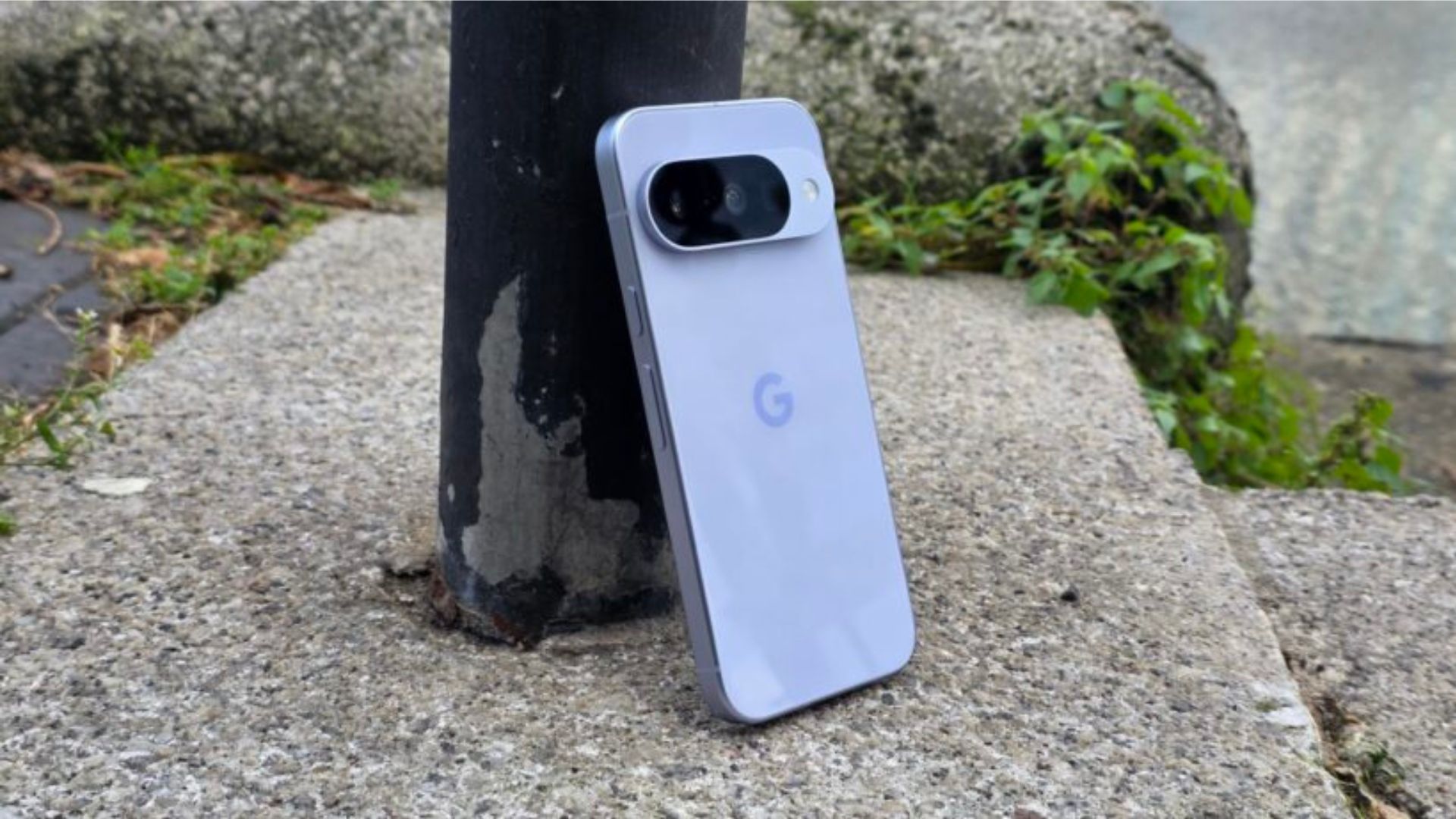
Google may have a workaround for Pixel owners whose phones have been trapped in a bootloop following recent software updates.
While the company has largely directed affected users to contact support, some users have found success using Google’s Software Repair tool. This tool can reinstall a device’s software and potentially bring a bricked Pixel back to life.
For anyone unfamiliar with the issue, a bootloop occurs when a phone repeatedly restarts without ever fully loading into Android. On Pixel devices, that often means getting stuck on the Google logo before rebooting again, effectively rendering the handset unusable.
The Software Repair tool isn’t a guaranteed fix, but it appears to have worked for at least some users dealing with the problem. The catch is that you’ll need access to a computer, as the process requires connecting your Pixel and reinstalling its software from scratch.
According to reports, changing the device’s clock several years into the future may force Android to remove the corrupted files triggering the reboot cycle. However, that solution depends on being able to access the phone’s settings in the first place – many affected users can’t do this.
As a result, Google’s official support channels are still likely to be the safest option if the Software Repair tool doesn’t work.
Advertisement
The reports come after a number of Pixel owners said their devices became stuck in a bootloop following recent updates. While software bugs are hardly uncommon, a bootloop is among the most disruptive issues a smartphone can face. It can prevent access to apps, files, and even basic phone functions.
More broadly, the issue adds to a growing list of software complaints affecting some Pixel users in recent months. Alongside reports of battery-related issues and Android Auto connectivity problems, the bootloop bug has become one of the more serious headaches for Google’s smartphone lineup.
For affected users, though, the Software Repair tool could finally offer a way to get their phones working again without immediately resorting to a repair centre or replacement device.
Anthropic’s AI restrictions caused concern among founders, researchers and developers following the release of the Mythos-like model.
It was just this week that Anthropic launched Claude Fable 5, an AI model that the company described as “Mythos-class”, but with additional significant security restrictions in place to prevent misuse.
Already, however, the organisation is facing backlash from founders, researchers and developers who find the ‘secretive’ large language model (LLM) policies to be deliberately limiting competitors and users in the development of alternative AI models.
In its statement announcing the availability of Claude Fable 5, Anthropic explained that the model has barriers designed to block responses that stray into high-risk areas – notably cybersecurity, chemistry and biology. Such interactions, it stated, would instead be rerouted to Opus 4.8, a less powerful model.
Advertisement
This has reportedly drawn some criticism from researchers and developers in the AI space, as there is a concern that work derived this way is deliberately degraded in a manner that is invisible and secretive.
Anthropic has since responded to the backlash, indicating plans to address the issue by making Claude 5’s safety rails visible to all users. If the company suspects that a user is attempting to develop their own high-powered AI system, it will send a clear prompt informing them that the request is being refused based on policy, or that it is being rerouted to a less capable model.
It is currently against Anthropic’s terms of service to use Claude technology as a means of training competing AI models.
In a statement to Wired, a representative for Anthropic said, “We’re changing Fable 5’s safeguards for frontier LLM development to make them visible. We made the wrong trade-off and we apologise for not getting the balance right.”
Advertisement
Among the critics of Anthropic’s decision-making was Dean Ball, a senior fellow at the Foundation for American Innovation and a former adviser to the White House on AI. In a post published on X, Ball described deliberately degrading “ML research” performance without informing the user as a “shockingly hostile and terrible look”.
He further explained its potential to “silently damage all sorts of work” and “raise the eyebrows of antitrust enforcers worldwide.”
Don’t miss out on the knowledge you need to succeed. Sign up for the Daily Brief, Silicon Republic’s digest of need-to-know sci-tech news.
We spend hours testing every product or service we review, so you can be sure you’re buying the best. Find out more about how we test.
Yale Linus Smart Lock L2 Lite: two-minute review
Smart locks in Britain have always been the awkward cousin of the smart home. American buyers get deadbolts and endless choice; we get multipoint mechanisms, lift-to-lock handles and a nagging sense that retrofitting anything to the front door will either void the insurance or fall off.
Yale’s answer with the Linus L2 Lite is to keep things small, cheap and reversible — and, crucially, to build in Matter over Thread so the lock works with whatever smart home system you already rock.
Advertisement
The L2 Lite is a compact, round-knob unit that mounts on the inside of your door over the existing thumb-turn. Your key still works from the outside, which matters both for emergencies and for landlords.
Latest Videos From
The Yale Linus Smart Lock L2 Lite is easy to install. fitting over your existing lock cylinder (Image credit: Future)
Inside the Yale Home app, you get the modern smart-lock toolkit: digital keys and PIN codes you can share and revoke, an activity feed of who came and went, Auto-Unlock that opens the door as you approach with your phone in your pocket, and KeySense — a button on the knob for a quick press-to-lock or a long-press delayed lock as you leave.
Because it supports Matter over Thread alongside Bluetooth 5.4, the L2 Lite joins Apple Home, Google Home, Amazon Alexa or Samsung SmartThings locally and responds fast, no Yale-specific bridge required — provided you already own a device that acts as a Thread border router, such as a recent Apple HomePod or Amazon Echo.
The lock uses three CR123A batteries, which aren’t a type you’ll typically have to hand (Image credit: Future)
Advertisement
If you don’t live in a Matter ecosystem and still want to lock the door from the pub, you’ll need Yale’s optional ConnectX Wi-Fi Bridge, sold separately. There’s no Wi-Fi baked in, unlike the pricier Linus L2.
Living with it, the L2 Lite is reassuringly unremarkable in the best way. Installation took 15 minutes, it disappears against the door, and KeySense quickly becomes muscle memory.
Sign up for breaking news, reviews, opinion, top tech deals, and more.
Advertisement
It runs on three CR123A batteries — not the sort of cell you keep in a kitchen drawer. There’s no USB-C top-up, and it lacks DoorSense, so it knows whether it’s locked but not whether the door is actually shut.
There’s no Apple Home Key tap-to-enter either, which makes sense for an interior-only design but will disappoint iPhone devotees.
Get past the spec-sheet gaps, and the bigger question is door compatibility, because this is where UK smart locks live or die, and the L2 Lite is fussier than its friendly styling suggests.
List price £129.98 (about $170 / AU$250) compared to £220 (about $290 / AU$420) for the regular Linus L2
Launched December 2025
Available in black or silver
With a list price of £129.98 (about $170 / AU$250), the Yale Linus Smart Lock L2 Lite undercuts the standard Linus L2 by a meaningful margin while keeping most of the day-to-day features. That makes it one of the cheapest routes to a Matter-over-Thread smart lock in the UK, though at the time of writing it’s not available worldwide.
Pleasingly, there are no subscription fees to concern yourself with, but there are some other cost caveats.
CR123A batteries are included, and Yale rates them for up to six months, but replacing them is more expensive and less convenient than AAs. Second, if you’re not in a Matter household, the ConnectX Wi-Fi Bridge is effectively mandatory for remote control, setting you back another £70.
Reassuringly, pairing the lock with a Yale Platinum Three Star cylinder brings a £3,000 Total Trust Guarantee if it’s ever breached. That compares to £5,000 offered by smart lock rival Ultion Nuki. Its base model, the Ultion Nuki Go, costs £239 with Wi-Fi built in.
Advertisement
Yale Linus Smart Lock L2 Lite: specs
Swipe to scroll horizontally
Type
Retrofit interior smart lock (round knob)
Connectivity
Matter over Thread, Bluetooth 5.4
Advertisement
Remote access
Via Matter ecosystem, or optional Yale ConnectX Wi-Fi Bridge
Power
3x CR123A batteries (included), up to six months
Advertisement
Security
128-bit AES encryption
Features
KeySense, Auto-Unlock, digital keys, PIN sharing, activity feed; pairs with Yale Smart Keypad 2/Yale Dot
Advertisement
Dimensions (H x W x D)
2.4 x 2.4 x 2.8 inches / 6.1 x 6.1 x 7.2cm
Weight (without batteries)
9.2oz / 260g
Advertisement
Finishes
Black / silver
Yale Linus Smart Lock L2 Lite: design and installation
Compact design
Reversible install
Door compatibility tricky
For something doing a serious security job, the L2 Lite is endearingly low-key. It’s a small round knob in black or silver that sits on the inside of the door over your existing thumb-turn, and from the outside, there’s no sign anything has changed.
The casing is plastic, which sounds cheap but feels solid enough in the hand. Installation lives up to the drill-free promise. In my case, I was carrying over an Ultion cylinder left in the door from a previous smart-lock install, and the supplied two-piece thumb-turn adapter eventually made the swap painless.
Advertisement
The thumb-turn adapter makes installation painless (Image credit: Future)
Fix the mounting plate around the cylinder, clip the adapter over the thumb-turn, attach the lock and calibrate it in the app. Because nothing is drilled and the cylinder isn’t replaced, it comes off just as cleanly if you’re renting or wary of committing.
The catch is what counts as a compatible door. The L2 Lite works only with lift-to-lock mechanisms; your cylinder needs to protrude at least 3mm on the inside, and it explicitly won’t work with split spindles or auto-engage multipoint locks.
Bear in mind that Linus Smart Lock L2 Lite only works with lift-to-lock doors (Image credit: Future)
Plenty of UK front doors are lift-to-lock multipoint and will be fine; a meaningful number aren’t. Use Yale’s online compatibility checker before you buy, and note that if your current cylinder doesn’t fit the bill, Yale’s Linus Adjustable Cylinder is designed to solve exactly that.
Design and installation score: 4/5
Yale Linus Smart Lock L2 Lite: performance
Fast operation
KeySense and Auto-Unlock useful
Battery and DoorSense omissions niggle
Day to day, the L2 Lite locks and unlocks reliably, on command, without fuss. Paired into a Matter home, it responded quickly to app and voice commands, and Auto-Unlock greeted me at the door as advertised, sensing my approach over Bluetooth.
KeySense, the press-to-operate button on the knob, turns out to be the feature I used most: a quick press to lock behind me, a long press for a delayed lock as I gathered bags and left. One practical wrinkle on lift-to-lock doors: you still need to lift the handle as you leave, or KeySense has nothing to throw the bolts into.
Advertisement
Image 1 of 2
(Image credit: Future)
(Image credit: Future)
Matter over Thread is always appealing, and it works. Through Apple Home, the lock appeared as a native tile, automations fired, and there was no bridge-dependent lag.
Sharing access is painless — digital keys and PIN codes go out to family or a cleaner and can be revoked from the app, with an activity feed confirming who came and went.
Want a code or fingerprint on the door rather than a phone? It pairs with the additional Yale Smart Keypad 2 or the Yale Dot.
Image 1 of 2
Advertisement
(Image credit: Future)
(Image credit: Future)
The motor isn’t silent, throwing a businesslike whir as it turns the cylinder, though it’s no louder than rivals. The omissions are what stop a higher score. The lack of DoorSense means it reports whether it’s locked, but has no idea whether the door is actually closed, which undermines the ‘Is the house secure?’ peace of mind.
The CR123A batteries are a recurring irritation rather than a dealbreaker, and the absence of Apple Home Key means no tap-to-enter with an iPhone or Apple Watch from outside. None of it spoils the core experience; it merely reaffirms this isn’t the flagship.
Should you buy the Yale Linus Smart Lock L2 Lite?
Swipe to scroll horizontally
Attribute
Notes
Advertisement
Score
Value
One of the cheapest Matter-over-Thread locks in the UK, with batteries and an optional bridge to factor in.
4/5
Advertisement
Design
Compact, discreet and genuinely drill-free, let down only by fussy door compatibility.
4/5
Performance
Advertisement
Fast, reliable Matter operation with handy KeySense, held back by no DoorSense or Home Key.
4/5
Buy it if
Advertisement
Don’t buy it if
Yale Linus Smart Lock L2 Lite: also consider
If you’re not sure whether the Yale Linus Smart Lock L2 is the right smart lock for your home, here are two others to bear in mind.
Advertisement
How I tested the Yale Linus Smart Lock L2 Lite
Installed on a domestic door
Tested via Matter, Bluetooth and the Yale Home app
Assessed installation, daily reliability, KeySense, and Auto-Unlock
I fitted the L2 Lite myself to gauge how true the drill-free claim is, swapping it onto an Ultion cylinder already in the door via the supplied two-piece thumb-turn adapter. I lived with it as a daily lock, locking and unlocking by app, voice and the KeySense button.
I paired it with Matter to test hub-free operation and response times, and used Auto-Unlock on repeated approaches. I shared and revoked digital access, checked the activity feed, and paid particular attention to the consequences of the missing DoorSense and the CR123A battery choice. Battery longevity can’t be verified in weeks, so I’ve reported Yale’s six-month figure alongside my shorter-term experience rather than guessing. For more details, see how we test, rate, and review products at TechRadar.
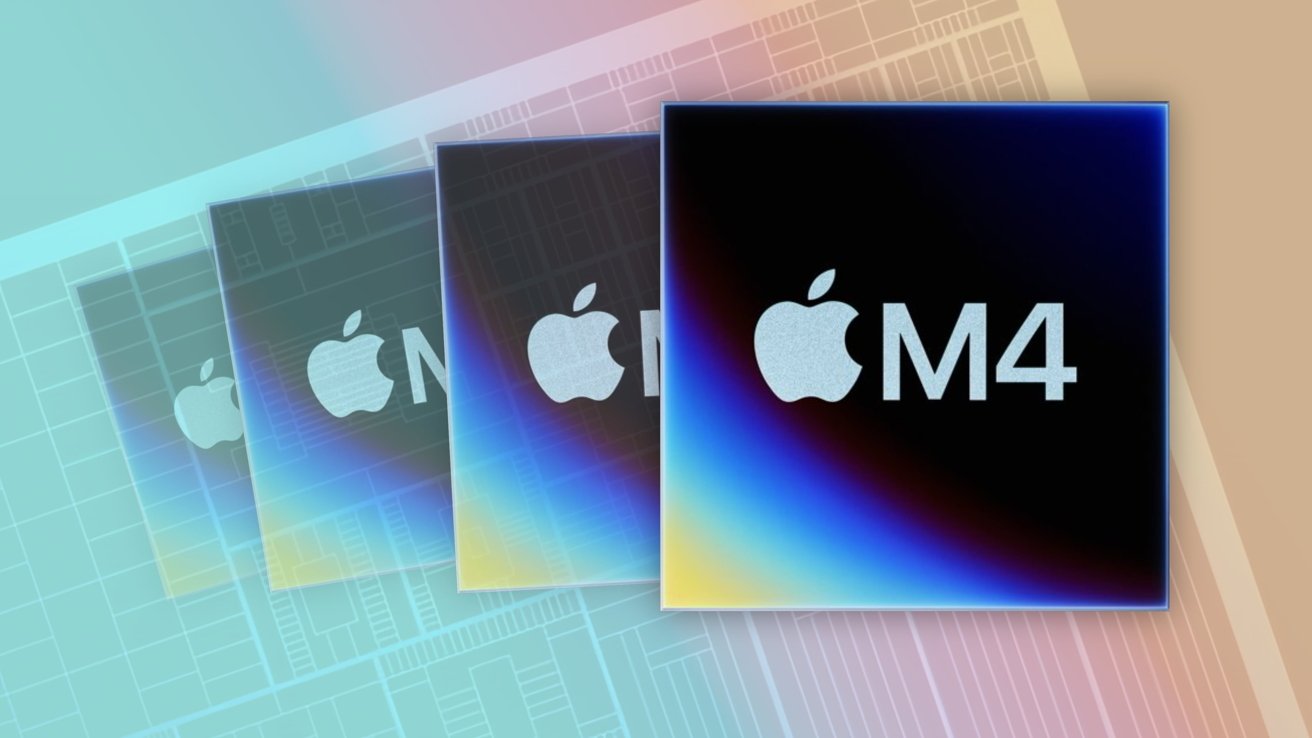
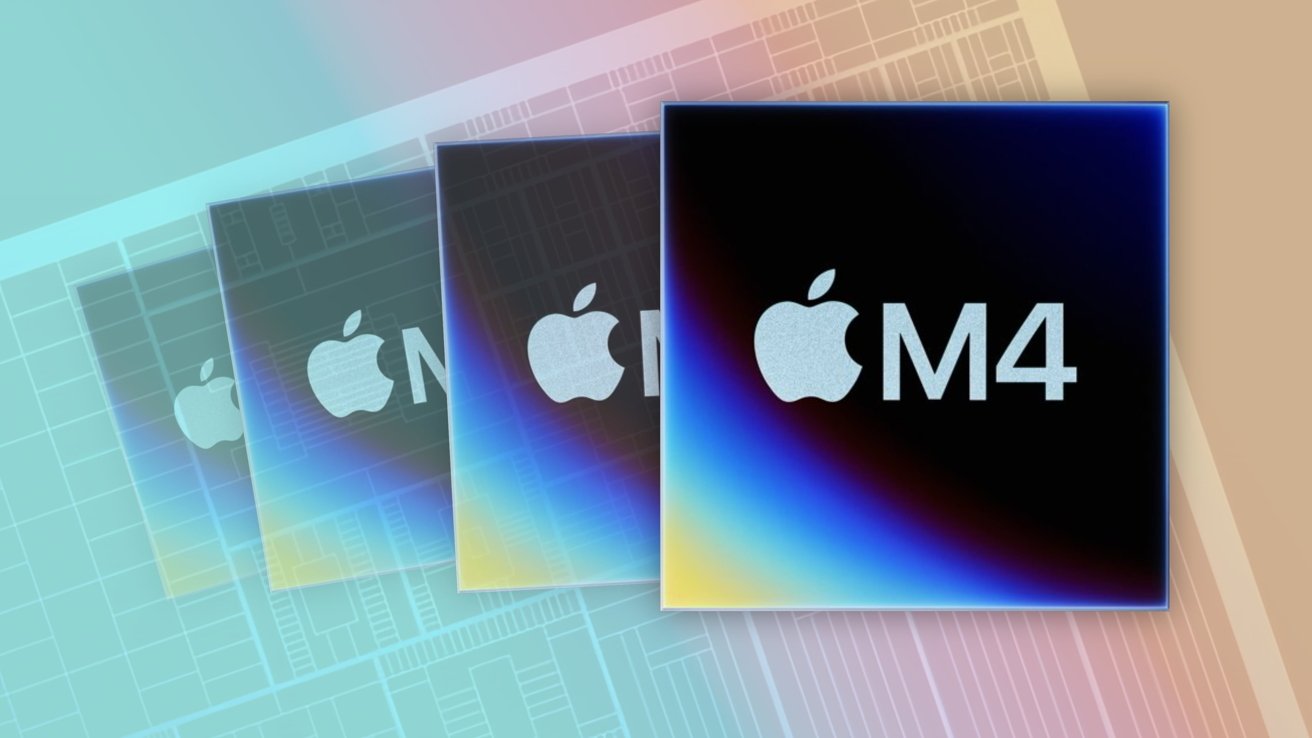
Apple’s forthcoming macOS 27 doesn’t run on Intel Macs at all, and that’s just the beginning of a timeline that will complete a years-long transition to Apple Silicon. Here’s what to expect, and when.
When Apple unveiled macOS 27 during its WWDC 2026 opening keynote, it put into motion its previously announced plan for the end of Intel Macs. Not only will the update not support any Intel Macs, but it also removes the Rosetta 2 translation layer that allows Intel apps to run on other Macs, too.
Apple announced the transition away from Intel chips in 2020, choosing to use its own in-house silicon instead. Now, six years later, it’s getting ready to complete that transition, and app developers are on notice.
Apple has long warned that support for apps designed for Intel would need to be updated. With macOS 26.4, it also started to warn Mac users when they launched an Intel app.
Advertisement
Now, time is almost up. Here’s how Mac support for Intel will finally end.
Fall 2026: macOS 27 releases, uninstalling Rosetta 2
Apple’s macOS 27 is in developer beta testing right now, but it will be released to the public this fall. It will only be available for Macs running Apple’s M1 chip or newer, removing support for Intel Macs entirely.
During the installation process, macOS 27 will also remove Rosetta 2 if it was previously installed. This will prevent any app designed for Intel chips from launching.
The removal of Rosetta 2 will also affect apps that use any Intel-only frameworks. This will most likely affect older games and specialist apps or plugins.
Advertisement
If required, macOS 27 will allow Rosetta 2 to be reinstalled. But users and developers alike should take this as a last warning for what will come next.
Fall 2027: macOS 28 releases, ending Intel support
Fall 2027 will see the release of macOS 28, Apple’s next big Mac software update. Apple warned developers as far back as June 2025 that macOS 28 would not support Rosetta 2 for most apps.
Apple Silicon will soon see the end of Intel support
With macOS 28 installed, apps built for Intel Macs will no longer function. Users will need to update the software to a new, Apple Silicon version, if one is available. Otherwise, they’ll have to find an alternative app or some kind of bottle like Crossover or Parallels to use instead.
Advertisement
There will be some concessions made, however. Apple has confirmed that Rosetta 2 functionality will remain available, but only for specific older and unmaintained games. These games rely on Intel-based frameworks and cannot be updated to support Apple Silicon.
Fall 2029: Apple no longer offers security updates for Intel
Prior to the release of macOS 26 Tahoe in the fall of 2025, Apple confirmed that Intel apps would not be supported by macOS 28. But it did say that Intel Macs running macOS 26 Tahoe would receive security updates for three years.
The macOS 26 Tahoe update was released in September 2025. With that in mind, we can expect Apple to cease security updates for Intel Macs in or around September 2029.
We’re in the Apple Silicon endgame
Six years after Apple began to move away from Intel Macs, the transition is almost complete. Seven years after release, it will be done. Apple has made it very clear that it’s ready to move on.
Advertisement
For now, Intel Macs and Intel apps will continue to work. Even after Apple stops offering security updates for Intel Macs, they’ll continue to function just fine, albeit with increasingly degraded security.
The bigger issue may be the lack of Intel app support starting in late 2027, though. If you rely on an app that still hasn’t been updated for Apple Silicon, it’s time to bug its developer. If it hasn’t been updated by now, there’s a good chance it never will be.
With all of this being said, Apple’s message is now loud and clear. If you still own an Intel Mac and haven’t updated to a newer model running Apple Silicon, now is the time to do so.
The 2nd edition of the newest race on the World Tour will see the World’s best sprinters take centre stage again in their bid for victory and bragging rights within the peloton.
It’s rare that so many big names line up in one place out side of the Tour de France to show who really is the best, so we will likely be treated to one of the sprints of the year at the end of the 228 kilometres into the heart of Copenhagen.
Read on and we’ll show you how to watch a Copenhagen Sprint 2026 live stream from anywhere, and potentially for FREE.
Advertisement
How to watch the 2026 Copenhagen Sprint for FREE
Cycling fans in Denmark can watch Copenhagen Sprint for free on DR Sporten.
If you’re a resident of Denmark and you’re abroad right now, don’t worry about missing the action – all you need to do is download a VPN to re-connect to your home streaming coverage. You’ll find more details below.
Advertisement
Use a VPN to watch any Copenhagen Sprint 2026 live stream
The Copenhagen Sprint 2026 is streaming on lots of platforms around the world, but what if you’re abroad and don’t want to take out a new subscription just to watch the race, or you want your familiar, favorite commentary?
This is where a VPN can help. It’s a handy piece of software that can make your device appear to be back home, so you can unlock your usual service or subscription from wherever you find yourself.
The best VPN right now? We recommend NordVPN – it does everything you want it to do at great speeds and an even better price.
Advertisement
How to watch 2026 Copenhagen Sprint live streams in the US
(Image credit: Other)
In the US, the 2026 Copenhagen Sprint will be on HBO Max, which starts at $18.49 USD per month. This is the middle-tier “Standard” subscription that includes live sports.
If you’re out of the US but still want to watch the 2026 Copenhagen Sprint then don’t forget to explore the VPN route set out above, which will help you access your subscriptions from anywhere.
How to watch 2026 Copenhagen Sprint live streams in the UK
The Copenhagen Sprint 2026 is on TNT Sports in the UK.
Advertisement
TNT Sports’ cycling coverage in the UK has now moved from Discovery+ to the HBO Max platform. It costs £30.99 per month, though there is a better value £25.99 “saver plan” available if you sign up for a 12-month term.
If you already had a Discovery+ account for viewing TNT Sports, it will be automatically transferred over to HBO Max.
If you’re currently traveling overseas, don’t worry as you can use NordVPN to watch your usual service from abroad.
Advertisement
How to watch 2026 Copenhagen Sprint live streams in Canada
(Image credit: Other)
Fans in Canada can watch the 2026 Copenhagen Sprint on FloBikes.
A subscription to Flobikes, which has pretty much every race you could wish to watch, costs $49.99 a month or $215.88 for the year.
Not at home right now? Use NordVPN or another VPN service to make your device believe you’re still in Canada.
Advertisement
How to watch 2026 Copenhagen Sprint live streams in Australia
(Image credit: free)
As yet no broadcaster in Australia has the rights to the Copenhagen Sprint.
Not at home right now? Use NordVPN or another VPN service to trick your device into thinking you’re still in Australia.
Copenhagen Sprint 2026 – Preview
Jasper Philipsen, Arnaud De Lie, Dylan Groenewegen, Jonathan Milan, Tim Merlier, the list goes on. In fact the only big name sprinter not on the start sheet is Paul Magnier which also includes last year’s winner Jordi Meeus and the rapid Dane, Tobias Lund Andresen.
Advertisement
Starting in Roskilde and finishing at the National Gallery of Denmark in the centre of Copenhagen, the 228 kilometre race spends 176 kilometres in the countryside before hitting the capital for five laps of the city circuit.
Almost entirely flat, this criterium like finish is packed with technical corners so it’s not simply a case of the biggest watts winning the day as timing, skill and patience in launching the sprint will all be key.
Copenhagen Sprint Race Route 2026
(Image credit: Copenhagen Sprint)
We test and review VPN services in the context of legal recreational uses. For example: 1. Accessing a service from another country (subject to the terms and conditions of that service). 2. Protecting your online security and strengthening your online privacy when abroad. We do not support or condone the illegal or malicious use of VPN services. Consuming pirated content that is paid-for is neither endorsed nor approved by Future Publishing.
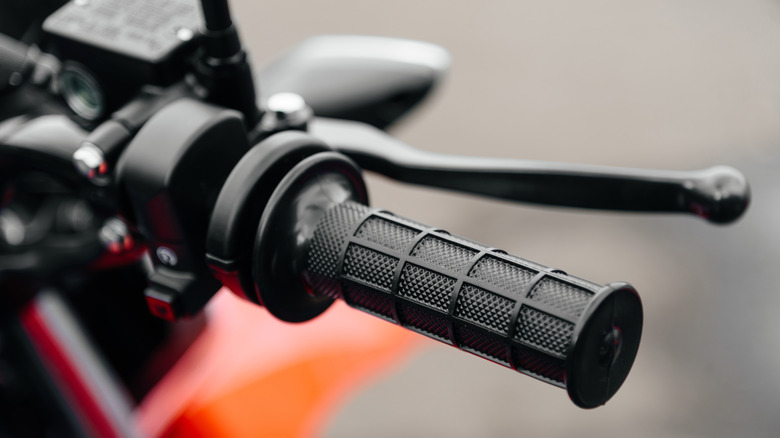
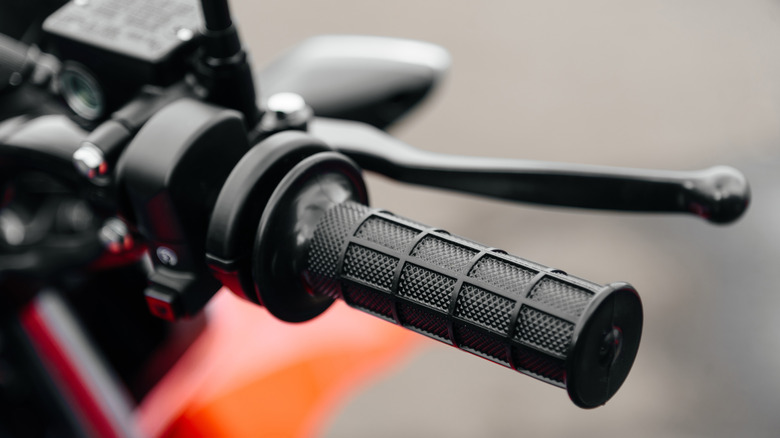
When you hit the brakes on your motorcycle, do you do so using the 70/30 rule? It’s a guideline that helps you know how much stopping power should be distributed between your motorcycle’s front and rear brakes. Under normal riding conditions, roughly 70% of your braking force should come from the front brake while the remaining 30% should come from the rear. Otherwise, you might just lose control of the bike.
As a rider puts on the brakes, the motorcycle’s weight naturally shifts forward. That increases the load and available traction on the front tire while reducing the load on the rear. But because the front tire gains more grip during deceleration, it’s able to generate much more stopping force than the rear tire. To account for all this, the best thing is to use both brakes rather than relying on one alone. That’s where the 70/30 rule comes from. Using the front brakes alone can upset the chassis, giving you less stability and making the motorcycle harder to control. Proper rear-brake use helps stabilize the motorcycle and keeps the chassis balanced.
Applying your brakes properly is all about feel. The bike isn’t designed to apply exactly 70% or 30% — you control manually that by how much pressure you apply to the brakes. It’s a good idea to practice braking in non-traffic situations to learn how your bike is going to react to various amounts of pressure.
Advertisement
Exceptions to the 70/30 rule
K-FK/Shutterstock
While 70/30 is the standard for normal riding conditions, that ratio can change depending on your circumstances. During emergency stops, for example, your braking force may need to be even more front-focused. Some guidance suggests as much as 90% of stopping power coming from the front brake and only 10% from the rear. Even then, riders probably shouldn’t use 100% of both brakes simultaneously and risk losing control. Anti-lock braking systems can only do so much. Other factors like wet pavement, dirty roads, worn tires, passengers on back, and bad brakes can also affect how much you stick to the 70/30 guideline.
Basically, the 70/30 rule should be treated as a training guideline rather than an absolute rule you have to stick to every time. Each rider’s motorcycle has its own unique characteristics, and braking performance will ultimately depend on more than just a braking ratio. The front brake is nothing to fear, but it should always be balanced out in some capacity with the back brakes.
A local court in Germany has issued a ruling that could reshape the operation of search engines and artificial-intelligence-based chatbots worldwide. The Munich Regional Court preliminarily ruled that Google is liable for a series of false statements generated by its AI Overviews feature, requiring the company to prevent the dissemination of erroneous or inaccurate claims through its search engine.
The ruling stems from a case first reported by the Decoder, in which two publishers discovered that Google’s AI-generated summaries linked them, in certain searches, to questionable business practices, scams, and subscription-related frauds, without any basis for doing so.
Earlier this year, the affected companies sent the tech giant a cease-and-desist letter, according to the report. Google denied liability, arguing that its automatic summary feature warns users that the information may contain errors and should be independently verified.
The court’s analysis concluded that Google’s AI combined information corresponding to other companies that had been flagged for possible illicit practices with data from the plaintiffs, generating associations that did not appear in any of the sources linked by the search engine.
Advertisement
The authorities found that, unlike traditional search engines, which merely display lists of links with statements made by third parties, Google’s tool produced “independent, new, and substantial statements” based on a misinterpretation of information available on the internet.
According to the court, correcting misinformation is not the responsibility of third parties. Google is the only entity with the ability to modify the technology underpinning its AI-generated summaries and, therefore, “must be held accountable.” Furthermore, the court found that Google’s line of defense lacked merit, since the challenged summary “contains statements that do not appear at all in the search results.
A New (and Forceful) Interpretation of AI on the Web
The court’s interpretation of AI’s role in presenting search results could make this case a historic precedent. It finds a large tech company responsible for the influence of its most advanced developments on widely used platforms.
Until now, in most legal systems, search engines have been considered tools that merely facilitate access to content created by third parties and available on the web. This status has afforded them a certain level of protection when the published information is false, inaccurate, misleading, or even defamatory.
Advertisement
However, the German court held that this safeguard no longer applies when search engines incorporate generative AI systems. According to its reasoning, this technology is capable of producing nonexistent claims based on multiple sources and, consequently, the companies responsible for operating it must assume liability for the resulting content.
The judges also concluded that while Google encourages users to verify information due to the potential for hallucinations inherent in AI models, this warning does not absolve the content distributor of liability. Otherwise, they argued, victims of false statements would be virtually defenseless, since the original sources never made those statements and, therefore, could not be subject to legal action.
Likewise, the court held that results generated by an AI system cannot be protected under the principles of free speech, as they are the product of an algorithm designed, trained, and managed by a company, and not the expression of an individual opinion.
As a precautionary measure to prevent possible recurrence, the ruling required Google to remove a large portion of the statements deemed defamatory in this case, and to cover 80 percent of the legal costs arising from the proceedings.
Advertisement
A company spokesperson, quoted by Ars Technica, suggested that the decision could be appealed. “We invest deeply in the quality of AI Overviews to ensure that the overwhelming majority of responses provide accurate information, and they are designed to reflect the information that exists on the web,” the statement says. “We’re carefully reviewing this decision, which is not yet final.”
The sparkly icon first appeared in May as part of Spotify’s 20th anniversary celebrations, replacing the standard logo with a shimmering disco ball effect. While Spotify likely intended it as a fun tribute to two decades of music streaming, many users weren’t exactly thrilled by the change.
In fact, the temporary redesign attracted a fair amount of criticism online. Some users complained that the icon looked messy on their home screens. Others said the reflective effect made it harder to spot among other apps. And, what was meant to resemble a disco ball reportedly looked more like a small dark blob on certain displays.
Advertisement
The return to normal comes slightly later than expected. Spotify had previously suggested the anniversary icon would disappear before the end of May, though it lingered into June before finally being removed in the latest iOS update.
Advertisement
The change appears to be rolling out automatically. Still, users who are still seeing the disco ball can try updating the app manually.
Either way, the debate is now largely over. Spotify’s classic logo is back where it belongs, and the disco ball has officially spun its last track.
The icon change arrives just as Spotify continues rolling out several new music-focused features like improved playlist organisation tools that make it easier to manage large collections of songs.
KPMG pulled a report on agentic AI after UBS, the NHS, and others said its claims were untrue. GPTZero identified the errors as AI hallucinations.
KPMG has pulled a report titled “Redefining excellence in the age of agentic AI“ after multiple organisations said the claims it made about their AI usage were either untrue or misleading. UBS, the UK’s National Health Service, Swiss Federal Railways, and Transport for London all told the Financial Times that the report’s descriptions of their AI deployments were wrong.
GPTZero, the AI detection firm, identified the inaccuracies and told the FT they stemmed from AI hallucinations. In other words, a professional services firm used AI to help write a report about AI, and the AI made things up about the companies it was supposedly analysing.
The report was published in October 2025 and has now been removed from KPMG’s websites. A spokesperson said the firm is conducting its own investigation. “We expect all our people to follow our guidelines on the responsible use of AI, including human oversight to validate content and verify independent sources,” the spokesperson said.
KPMG is not the first professional services firm to get caught. Last month, EY withdrew a report on loyalty rewards programmes that appeared to include fake footnotes and AI hallucinations. South Africa withdrew its entire national AI policy after at least six of its 67 academic citations were found to be AI-generated fabrications.
Advertisement
The pattern is consistent: organisations use AI to produce authoritative-looking content, skip the verification step, and publish claims that turn out to be fictional. The KPMG case is particularly embarrassing because the report was specifically about AI adoption, meaning the subject matter should have made the authors more careful about AI-generated errors, not less.
For KPMG’s clients, the incident raises a harder question. If the firm’s public-facing thought leadership uses AI without adequate human review, what level of oversight applies to the work it delivers under contract? KPMG partnered with Anthropic earlier this year to deploy Claude across all 276,000 staff. The partnership is designed to embed AI into advisory, audit, and tax work. The pulled report is a preview of what happens when that embedding outpaces the verification.
RJ Scaringe got his PhD from MIT studying internal combustion engines. Then he founded a company to make them obsolete. In 2009, fresh out of grad school, he launched what would become Rivian. The company spent nearly a decade in stealth mode before arriving at the 2018 LA Auto Show with two electric rides nobody had seen coming.
The road, however, hasn’t been easy. Rivian lost $3.6 billion in 2025, and has burned through nearly $25 billion in the past eight years. It has spent more money over the same period than almost every other pure EV maker. Rivian’s IPO was the largest worldwide in 2021, and one of the largest in US history, within days valuing the company at over $100 billion. Its stock has dropped from a high of $130 to around $16. Since the R1 went on sale in 2021, Rivian has sold 175,000 cars. In the same time, Tesla has sold 8 million.
But in 2024, Volkswagen Group committed up to $5.8 billion to co-develop software and electrical architecture technology with Rivian in a huge joint venture. This year, Uber announced it will invest up to $1.25 billion in Rivian to build and deploy up to 50,000 fully autonomous robotaxis.
Regardless, the company needs its new R2 SUV to work. Not just sell, but sell in large numbers.
Advertisement
I sat down with Scaringe for a candid, wide-ranging discussion on what happens if the R2 fails, why the R1 launched with dead-end tech, how to compete with China, the Cybertruck’s failure, and the virtue of buttons inside cars. But we started on easier ground: his thoughts on the most polarizing EV of 2026. (This interview has been edited for length and clarity.)
RJ Scaringe, CEO of Rivian Automotive, apparently hoping to be better off-road than an R2.
RJ SCARINGE: The way Jony [Ive] and Marc [Newson] approach design is incredibly intentional, so there’s not a decision on that car that’s unintentional. Through that lens, you have to like look at it in a different light. It’s definitely different than what people were expecting.
Advertisement
Do you like the Luce, though?
Would I buy it? I don’t own a Ferrari. There are things about it I really like. Parts of the interior are just phenomenal, like how beautifully well executed the haptics, the switches, the buttons are. You can see Jony’s fingerprints all over it.





















































You must be logged in to post a comment Login