WhatsApp is a cross-platform messaging service that uses the same internet data plan you use for email and web browsing, there is no cost to message and stay in touch with your friends. In addition to basic messaging WhatsApp users can create groups, send each other unlimited images, video and audio media messages.
No, WhatsApp cannot read your messages because it uses end-to-end encryption, meaning only you and the recipient can access the content of your chats. However, WhatsApp does collect metadata such as your phone number, device info, and usage patterns.
Is WhatsApp free?
Yes, WhatsApp is free to use. There are no subscription fees for messaging, voice calls, or video calls. You only need an internet connection (Wi-Fi or mobile data) to use the app. Your mobile carrier may charge for data usage if you’re not on Wi-Fi.
Can I use WhatsApp on a PC without my phone?
WhatsApp Web and the desktop app require an initial connection to your phone for setup. After linking, they can function independently for a limited time. However, for full functionality and to maintain end-to-end encryption, periodic reconnection with your phone is necessary.
Advertisement
How can I format text in WhatsApp messages?
WhatsApp supports text formatting using specific characters:
Bold: Wrap text with asterisks (*).
Italic: Wrap text with underscores (_).
Strikethrough: Wrap text with tildes (~).
Monospace: Wrap text with backticks (‘).
Features
No hidden costs: Once you and your friends download the application, you can use it to chat as much as you want. Send a million messages a day to your friends for free! WhatsApp uses your Internet connection: 3G/EDGE or Wi-Fi when available.
Multimedia: Send Video, Images, and Voice notes to your friends and contacts.
Group Chat: Enjoy group conversations with your contacts. Add or Remove group participants, change group subject and set a group icon.
Personal: Set a profile photo which will be shown to all your contacts
No international charges: Just like there is no added cost to send an international email, there is no cost to send WhatsApp messages internationally. Chat with your friends all over the world as long as they have WhatsApp Messenger installed and avoid those pesky international SMS costs.
Say no to pins and usernames: Why even bother having to remember yet another PIN or username? WhatsApp works with your phone number, just like SMS would, and integrates flawlessly with your existing phone address book.
No need to log in/out: No more confusion about getting logged off from another computer or device. With push notifications WhatsApp is always on and always connected.
No need to add buddies: Your Address Book is used to automatically connect you with your contacts. Your contacts who already have WhatsApp Messenger will be automatically displayed under Favorites, similar to a buddy list.
Offline Messages: Even if you miss your push notifications or turn off your iPhone, WhatsApp will save your messages offline until you retrieve them during the next application use.
And much more: Share location and places, Exchange contacts, Custom wallpaper, Custom notification sounds, Landscape mode, Message timestamps, Email chat history, Broadcast messages and media to many contacts at once, and much much more.
About new privacy policy
We’ve heard from so many people how much confusion there is around our recent update. There’s been a lot of misinformation causing concern and we want to help everyone understand our principles and the facts.
WhatsApp was built on a simple idea: what you share with your friends and family stays between you. This means we will always protect your personal conversations with end-to-end encryption, so that neither WhatsApp nor Facebook can see these private messages. It’s why we don’t keep logs of who everyone’s messaging or calling. We also can’t see your shared location and we don’t share your contacts with Facebook.
With these updates, none of that is changing. Instead, the update includes new options people will have to message a business on WhatsApp, and provides further transparency about how we collect and use data. While not everyone shops with a business on WhatsApp today, we think that more people will choose to do so in the future and it’s important people are aware of these services. This update does not expand our ability to share data with Facebook.
Advertisement
We’re now moving back the date on which people will be asked to review and accept the terms. No one will have their account suspended or deleted on February 8. We’re also going to do a lot more to clear up the misinformation around how privacy and security works on WhatsApp. We’ll then go to people gradually to review the policy at their own pace before new business options are available on May 15.
WhatsApp helped bring end-to-end encryption to people across the world and we are committed to defending this security technology now and in the future. Thank you to everyone who has reached out to us and to so many who have helped spread facts and stop rumors. We will continue to put everything we have into making WhatsApp the best way to communicate privately.
What’s New
New Feature Roundup: Free up space, multiple accounts, cross-platform transfer and more
Over time, our chats become a record of the moments that matter: conversations with family, laughs with friends, the photos and videos we couldn’t stop sharing. To help you make the most of all of it, we’re rolling out new ways to make WhatsApp even easier to use – whether you’re staying organized, juggling work and personal, or getting more out of every chat.
Advertisement
Free up space, keep what matters: As your chats fill up, so can the clutter. Now you can find and delete large files directly within any chat, so you can clear what you don’t need without wiping your entire conversation. Simply tap the chat name and select Manage Storage. You can also choose to clear just media files when clearing a chat – keeping your chat history intact.
Cross-platform chat transfer made easy: Our chat transfer feature now supports moving your chat history from iOS to Android, in addition to within the same platform. Changing phones shouldn’t be complicated. Now, with just a couple taps, your conversations, photos, and videos easily come with you.
Two accounts, one phone – now on iOS: You can now have two WhatsApp accounts logged in at the same time on iOS – just like on Android. No more carrying two phones to keep work and personal separate. You’ll always know which account you’re in because your profile picture will now be visible in the bottom tab.
Stickers that match your mood: Stickers can bring bigger, bolder expressions to your chats – and now WhatsApp will make it easier to use them by suggesting them as you type emojis. With just a tap, you can swap an emoji for a sticker that captures exactly how you’re feeling.
Advertisement
Photo touch-ups with Meta AI: You can now use Meta AI to touch up photos directly in your chat before sending, making it easy to remove something distracting, swap in a new background, or apply a fun style. Meta AI features may not be available to all users.
AI Writing Help is even more useful: Writing Help can now draft a suggested response based on your conversation, so you can get your message just right – all while keeping your chats completely private.
At WhatsApp, we think you should be able to have a private conversation online, just like you would in-person. We will always defend that right to privacy for everyone, starting with default end-to-end encryption. But we also know that a few of our users – like journalists or public-facing figures – may need extreme safeguards against rare and highly-sophisticated cyber attacks.
Advertisement
That’s why today we’re announcing a new, lockdown-style feature called Strict Account Settings.
If you turn this on, certain account settings will lock to the most restrictive settings, and it will limit how your WhatsApp works in some ways, like blocking attachments and media from people not in your contacts. You can enable Strict Account Settings – which is rolling out gradually over the coming weeks – by going to Settings > Privacy > Advanced.
Strict Account Settings is one of many ways we’re working to protect you from the most sophisticated of cyber threats. We’ve also rolled out a programming language called Rust behind the scenes to help keep your photos, videos, and messages safe from things like spyware, so you can share and chat with confidence. To go deeper in the tech, click here.
Level Up Your WhatsApp Group Chats With New Member Tags, Text Stickers, and More
Advertisement
It’s a new year and a great time for some upgrades to your group chats. Group chats on WhatsApp make it easier to stay connected with the people in your life no matter what device they own – whether it’s sharing New Year’s resolutions, preparing for that special celebration you have coming up, or planning to win your football league.
Today, we’re introducing new features that make staying connected and expressing yourself in group chats even better.
Member tags: We all wear different hats and sometimes you want to give that more context in a group chat. Now you can give yourself a tag that tells the group what your role is, and can be customized for each group you’re in. So you can be “Anna’s Dad” in one group, and “Goalkeeper” in another.
Text stickers: For the messages you want to really stand out, you can now turn any word into a sticker by typing your text into Sticker Search. You can also add newly created stickers directly to your sticker packs instead of having to send them in a chat first.
Advertisement
Event reminders: Now when you create and send an event in your group chat you can set custom early reminders for your invitees. This helps everyone remember to commute to the party you’re hosting or hop on the call at the right time, depending on the event type.
These new updates join a bunch of great features we’ve launched over the years to bring groups closer together – like sharing large files up to 2GB, HD media, screen sharing, voice chats, and more. We believe WhatsApp offers the best group chat experience, and we’re committed to making it even better.
Get the Tone of Your Message Right with Private Writing Help
Sometimes you know what you want to say, but just need a little help with how to say it.
Advertisement
That’s why today we’re introducing Writing Help. It’s our latest AI feature powered by Private Processing that keeps your messages completely private. You can review the suggestions from AI in various styles such as professional, funny, or supportive that you can select or continue editing to deliver that perfect message.
To use Writing Help, just start drafting your message in a 1:1 or group chat, and tap the new pencil icon.
Is this really private?
Yes. Writing Help is built on top of Private Processing technology, which allows you to leverage Meta AI to generate a response without Meta or WhatsApp ever reading your message or the suggested re-writes.
Advertisement
For those interested in learning more about the technical details behind Private Processing, we invite you to read our engineering blog and technical white paper that explains how this and other features we’re building work. From the start, we worked with our peers in the security community to stress-test and validate the architecture of Private Processing to help us continue to harden it. Today, independent researchers at NCC Group and Trail of Bits published their audit reports on the steps we’ve taken to evolve this privacy-preserving technology.
As always, we believe that you should be in control of your experience on WhatsApp. That’s why using Private Processing features like Writing Help and Message Summaries are optional and are off by default.
Writing Help is rolling out in the English language, starting with the United States and several other countries. We hope to bring it to other languages and countries later this year.
Catch up on conversations with Private Message Summaries
Advertisement
We’ve all been there – rushing between meetings, catching up after a flight without Wi-Fi, or simply having too many chats to catch up on. Sometimes, you just need to quickly catch up on your messages. That’s why we’re excited to introduce Message Summaries, a new option that uses Meta AI to privately and quickly summarize unread messages in a chat, so you can get an idea of what is happening, before reading the details in your unread messages.
How it works
Message Summaries uses Private Processing technology, which allows Meta AI to generate a response without Meta or WhatsApp ever seeing your messages or the private summaries. No one else in the chat can see that you summarized unread messages either. This means your privacy is protected at all times. For those interested in learning more about the technical details behind Private Processing, we invite you to read our engineering blog and technical whitepaper.
You’re in control
Advertisement
At WhatsApp, we believe that you should always be in control of your experience. That’s why using Private Processing features like Message Summaries is optional and they are off by default. You can choose whether or not to use them, and can use Advanced Chat Privacy to select which chats can be shared for AI features.
Message Summaries is rolling out in the English language to people in the United States and we hope to bring it to other languages and countries later this year.
Helping you Find More Channels and Businesses on WhatsApp
Today we’re introducing some new features for our Updates tab, which is home to both Channels and Status. We’ve worked over the last two years to make this tab the place for you to discover something new on WhatsApp and it’s now used by 1.5 billion people a day. We’re encouraged by the enthusiasm and also want to help admins, organizations, and businesses grow on WhatsApp.
Advertisement
We’re going to do this in three ways:
Channel subscriptions: You’ll be able to support your favorite channel by subscribing to receive exclusive updates for a monthly fee.
Promoted Channels: We’ll help you discover new channels that might be interesting to you when you’re looking through the directory. For the first time, admins have a way to increase their Channel’s visibility.
Ads in Status: You’ll be able to find a new business and easily start a conversation with them about a product or service they’re promoting in Status.
These new features will appear only on the Updates tab, away from your personal chats. This means if you only use WhatsApp to chat with friends and loved ones there is no change to your experience at all.
Ads built with privacy in mind
Like everything we do at WhatsApp, we’ve built these features in the most private way possible. Your personal messages, calls, and statuses remain end-to-end encrypted, meaning no one (not even us) can see or hear them.
To show ads in Status or Channels you might care about, we’ll use limited info like your country or city, language, the Channels you’re following, and how you interact with the ads you see. For people that have chosen to add WhatsApp to Accounts Center, we’ll also use your ad preferences and info from across your Meta accounts.
Advertisement
We will never sell or share your phone number to advertisers. Your personal messages, calls and groups you are in will not be used to determine the ads you may see.
We’ve been talking about our plans to build a business that does not interrupt your personal chats for years and we believe the Updates tab is the right place for these new features to work. For businesses and Channel admins looking to get started, more information about how to do so is here.
Voice Chat on WhatsApp: Audio Hangouts for groups of all sizes
Whether it’s a nail-biting football game, a dramatic season finale or sharing some big news, sometimes you need to talk it out with those available at that moment. That’s why we’re bringing voice chat to groups of all sizes so you can connect live over audio whenever, without having to leave your group chat or switch to a call, that people in your group can hop into whenever they want.
Advertisement
Previously available only for large groups, now anyone in your group can start a voice chat by going to the bottom of your chat, swiping up and holding for a few seconds. Starting a voice chat doesn’t notify or ring anyone, so that people can join and leave the hangout whenever. The voice chat stays pinned to the bottom of your chat so you can easily access call controls, while new members can join when they want and see who else has already.
As always, WhatsApp protects your voice chats alongside your personal calls and messages with end-to-end encryption by default.
Introducing Advanced Chat Privacy: Enhanced Protection for Your Most Sensitive Conversations
The foundation of privacy on WhatsApp is that your personal messages and calls are protected by end-to-end encryption so that only the sender and recipient can see, listen to or share them. From there, we’ve built multiple layers of privacy, like disappearing messages and chat lock, that take privacy one step further.
Advertisement
Today we’re introducing our latest layer for privacy called “Advanced Chat Privacy.” This new setting available in both chats and groups helps prevent others from taking content outside of WhatsApp for when you may want extra privacy.
When the setting is on, you can block others from exporting chats, auto-downloading media to their phone, and using messages for AI features. That way everyone in the chat has greater confidence that no one can take what is being said outside the chat.
WhatsApp groups are increasingly an extension of our real world networks, some of which are far closer than others. We think this feature is best used when talking with groups where you may not know everyone closely but are nevertheless sensitive in nature, like talking about health challenges in a support group or organizing your community about something important to you.
You can turn this on by tapping the chat name, then tapping on Advanced Chat Privacy. This is the first version of this feature and we’re planning to add more to it so that it will eventually include even more protections.
Advertisement
This new setting is rolling out to everyone on the latest version of WhatsApp.
Turn Up the Volume: Add Music to Your WhatsApp Status
WhatsApp Status has always been a way to share life’s moments with friends and family – but what’s a moment without the perfect soundtrack? Now, you can do exactly that by adding music to your Status updates.
When creating a Status, you’ll now see a music note icon at the top of your screen. Tap it, and you’ll unlock a library of songs to pick from – whether it’s today’s top hits, something new, or the earworm that’s stuck in your head. Choose the exact part of the song that fits your moment – up to 15 seconds for a photo and up to 60 seconds for a video.
Advertisement
Our library has millions of songs to choose from. Your Status is end-to-end encrypted so WhatsApp can’t see what you share, and we don’t know which songs you add to your Status.
We’re rolling this out globally and expanding over the next few weeks. Get ready to drop the beat, one update at a time.
Introducing Voice Message Transcripts
Sending a voice message makes connecting with friends and family even more personal. There’s something special about hearing your loved one’s voice even when you’re far away. Though sometimes, you’re on the move, in a loud place, or you receive a long voice message that you just can’t stop and listen.
Advertisement
For those moments we’re excited to introduce voice message transcripts. Voice messages can be transcribed into text to help you keep up with conversations no matter what you’re doing.
Transcripts are generated on your device so that no one else, not even WhatsApp, can hear or read your personal messages.
To get started, go to Settings > Chats > Voice message transcripts to easily turn transcriptions on or off and select your transcript language. You can transcribe a voice message by long pressing on the message and tapping on ‘transcribe’. We’re excited to build on this experience and make it even better and more seamless.
Transcripts are rolling out globally over the coming weeks with a few select languages to start though we plan to add more over the coming months. You can learn more about how they work and which languages are currently supported by clicking here.
Advertisement
Making it Easier to Add and Manage Contacts
What’s more important than sending a message? It’s the person you’re sending it to, of course. Today we’re making it easier to privately add and manage your contacts on WhatsApp, from any device you may be using.
Until now, the only place you were able to add contacts was from your mobile device, by either typing in a phone number or scanning a QR code. Soon, you’ll be able to add and manage contacts from the comfort of your keyboard on WhatsApp Web and Windows – and eventually other linked devices.
We’re also introducing a new choice to save a contact exclusively to WhatsApp. These WhatsApp contacts are ideal for when you are sharing your phone with others or if you want to separate personal and business contacts when managing more than one WhatsApp account on your phone.
Advertisement
Contacts you save to WhatsApp will be restored in case you ever lose your phone or change devices.
These updates will also make it possible to eventually manage and save contacts by usernames. Usernames on WhatsApp will add an extra degree of privacy so that you don’t need to share your phone number when messaging someone. Today’s just one crucial step to making that reality possible and we’ll have more to share when it’s ready.
Meta AI on WhatsApp – Now Multilingual, More Creative and Smarter
As Meta AI continues to improve with new useful features and languages, we’re excited to bring this helpful and creative assistant to more countries starting today.
Advertisement
Continued International Expansion
Meta AI can help you with answers, ideas and inspiration. It’s now available in 22 countries, with the newest additions rolling out now including Argentina, Chile, Colombia, Ecuador, Mexico, Peru and Cameroon in several new languages including French, German, Hindi, Italian, Portuguese and Spanish with more to come.
Imagine Edit
We are also making it easier to create your ideal image with Meta AI by making it possible to easily change and edit an image, including adding or removing objects within it. To start, type “imagine” to describe your image and then respond to what Meta AI provides by asking it to add, subtract, or animate the image to your liking. Imagine Edit is available in English at first, with more languages coming soon.
Advertisement
Imagine Yourself
If you’ve ever wondered what you might look like as a superhero, or wanted to try out different hair or outfits – you can now imagine yourself doing just about anything. Simply type “Imagine me” in chats with Meta AI to get started. After a quick set up, you’ll be able to add a prompt like “Imagine me in a retro pink and green ski outfit” and Meta AI will generate an image of you in that personalized scene. You can reset or delete your setup photos at any time. This is available in beta in the U.S. for now, with more languages and countries coming soon.
We are excited to continue to share new capabilities and advancements from Meta AI with more and more people on WhatsApp. As always, your personal messages and calls remain end-to-end encrypted, meaning not even WhatsApp or Meta can see or listen to them. The team is working on improving responses to Meta AI rapidly and introduces improvements every two weeks. We would love to hear from you, and see how Meta AI has helped you be more creative and expressive. Tag us on Threads and share what you’ve imagined.
Choose your favorites on WhatsApp
Advertisement
Focusing on your favorites just got a lot easier on WhatsApp. Starting today, you can quickly find the people and groups that matter most at the top of your calls tab and as a filter for your chats.
Whether it’s your family group chat or your best friend, your ‘favorites’ will be the same across your chats and calls, so you can speed dial them from your calls tab too.
To add to your ‘favorites’:
From your chats screen, select the ‘favorites’ filter, and select your contacts or groups there.
From the calls tab, tap ‘Add favorite’ and select your contacts or groups.
Or, simply manage your ‘favorites’ in your settings by going to Settings > Favorites > Add to Favorites, and you can reorder them at any time.
We’re rolling out to users today, and will be available to everyone in the coming weeks.
Better calling across desktop and mobile
Advertisement
Since we brought Calling to WhatsApp back in 2015, we’ve continued to improve it with the introduction of group calls, video calls, and multi-platform support.
Today we have several updates that will make calls across your devices even bigger and better, rolling out over the next few weeks:
Screen sharing with audio: Ideal for watching videos together, now when you share your screen, you can share your audio too
More participants: Now you can have up to 32 people on a video call across all your devices
Speaker spotlight: Easily see who’s talking with the speaker automatically highlighted and appearing first on screen
We also remain relentlessly focused on audio and video quality, for clearer calls no matter where you are. We recently launched MLow codec which improves call reliability. Calls made on mobile devices benefit from improved noise and echo cancellation, making it easier to have calls in noisy environments, and video calls have higher resolution for those with faster connections. Audio is crisper overall, even if you have poor network connectivity or are using an older device. You can read more about the MLow codec and listen to the difference in audio quality here.
We’ll continue making improvements to calling on WhatsApp so you can make the best quality, private calls wherever you are in the world.
Previous Release Notes:
Advertisement
Moments happen fast, share them faster with video notes.
Voice messages just got more private
We introduced View Once for photos and videos back in 2021 to add another layer of privacy to your messages. Today, we’re excited to announce you can now send a voice message that will disappear once listened to.
For reading out your credit card details to a friend, or when you’re planning a surprise, you can now also share sensitive information over voice message with added peace of mind. For consistency with View Once photos and videos, View Once voice messages are clearly marked with the “one-time” icon and can only be played one time.
As with all your personal messages, WhatsApp protects your voice messages with end-to-end encryption by default, and View Once is just another example of our continued privacy innovation.
View Once voice messages are rolling out globally over the coming days, and we look forward to your feedback. See more information on how they work here.
Advertisement
Multiple Accounts Coming to WhatsApp
What’s better than having a WhatsApp account? Well, of course it’s having two.
Today, we’re introducing the ability to have two WhatsApp accounts on Android logged in at the same time. Helpful for switching between accounts – such as your work and personal – now you no longer need to log out each time, carry two phones or worry about messaging from the wrong place.
To set up a second account, you will need a second phone number and SIM card, or a phone that accepts multi-SIM or eSIM. Simply open your WhatsApp settings, click on the arrow next to your name, and click “Add account”. You can control your privacy and notification settings on each account.
Advertisement
As a reminder, only use the official WhatsApp and don’t download imitations or fake versions as a way of getting more accounts on your phone. Your messages are only secure and private when using the official WhatsApp.
How to lock chats in WhatsApp
On Android and iPhone, you can turn on the chat lock feature to password protect your most personal chats. In order to read or send messages, you’ll need to unlock your chats using device authentication, such as your phone passcode, Face ID or fingerprint. These chats will be kept separate from your other chats in a Locked chats folder.
When chats are locked, the notification content and contact are hidden. The notification will show as WhatsApp: 1 new message.
To help keep media private, you’ll have to turn chat lock off to save media to your phone’s gallery.
Group chats and muted chats can also be locked.
Calls won’t be locked. A call from a locked chat contact or group will still appear.
When you turn on chat lock from your phone, it will lock chats on that phone only. If you have other devices linked to WhatsApp, such as a desktop computer, the chats on those linked devices won’t be locked.
If you use the backup and restore feature on WhatsApp, your locked chats will still be locked once you restore to a new phone. To access your locked chats you will need to have device authentication (fingerprint or Face ID) set up first.
When you turn on chat lock, the person you’re chatting with won’t know you’ve locked the chat.
If you want to lock an archived chat, you’ll need to unarchive it first, then lock it.
Turn on chat lock
You can turn chat lock off or on within the chat’s info for each chat you want to lock. If you don’t have your device authentication set up yet, such as your phone passcode, fingerprint or Face ID, you’ll be prompted to set it up before locking a chat.
Advertisement
How to turn on chat lock:
Tap chat info > Chat lock.
Tap Lock this chat with fingerprint or Lock This Chat with Face ID.
Tap View to see the chat in the Locked chats folder.
View your locked chats
You can view your locked chats in the Locked chats folder.
How to view your locked chats:
Go to the Chats tab and swipe down.
Tap the Locked chats folder.
Confirm your Face ID or touch the fingerprint sensor to unlock.
Tap the chat to view or send a message.
Turn off chat lock
You can turn off chat lock in the chat’s info.
Advertisement
How to turn off chat lock:
Tap chat info > Chat lock.
Toggle off and confirm your fingerprint or Face ID.
How to edit messages in WhatsApp
You can edit any message up to 15 minutes after sending, and it’ll update for everyone in the chat. Edited messages will have the word “edited” next to the timestamp.
If you aren’t on the latest version of WhatsApp you’ll see, “This message was edited for everyone in this chat on the latest version of WhatsApp.” Update your app to see edited messages.
Select a message
Then click Menu (three dots) > Edit message.
Edit your message.
Click the checkmark when you’re finished with your update.
Note:
There is a 15 minute time limit for editing messages.
Editing a message won’t send a new chat notification to people in your chat.
You can’t edit photos, videos, or other types of media.
You can edit any message up to 15 minutes after sending, and it’ll update for everyone in the chat. Edited messages will have the word “edited” next to the timestamp.
If you aren’t on the latest version of WhatsApp you’ll see, “This message was edited for everyone in this chat on the latest version of WhatsApp.” Update your app to see edited messages.
Advertisement
Select a message
Then click Menu (three dots) > Edit message.
Edit your message.
Click the checkmark when you’re finished with your update.
Note:
There is a 15 minute time limit for editing messages.
Editing a message won’t send a new chat notification to people in your chat.
You can’t edit photos, videos, or other types of media.
Demand for Apple’s iPhone and MacBook product lines surged during the third quarter of 2026, signaling record-breaking revenues for June. This was the toplining statement from Apple’s outgoing CEO, Tim Cook, during his final earnings call for the company on Thursday.
This news, which found iPhonesales increasing by 22% to $54 billion, Mac sales of $10 billion (thanks, in large part, to the popularity of its entry level MacBook Neo), the iPad at $6 billion, wearables, home and accessories at almost $8 billion, and services at $31 billion, was relayed with a celebratory tone as Apple raked in roughly $109 billion in net sales for almost $30 billion in net income during the quarter.
“It’s an incredibly strong iPhone and Mac product cycle that has really yielded demand beyond our expectations,” Cook said.
Yet concerns about future price hikes dampened the discussion, given the ongoing global memory shortage and potential supply constraints ahead.
Advertisement
Apple raised prices on many of its products in June due to the ongoing RAM shortage caused by the high memory needs of AI tools and products. As supply chain constraints on memory chips persist, a large portion of the questions asked of Cook centered on price uncertainty, product availability and a potential drop in product sales going forward, depending on economic conditions and customers’ comfort with how much they’ll spend.
“On the pricing front, we reluctantly raised prices,” Cook explained. “I would say we did it because we’re in what I would characterize as a 100-year flood on the memory pricing, with exponential increases in memory prices, and so that was the rationale for it in terms of our philosophy on dollars or percentages.”
What’s the move going forward? Cook said Apple is looking at the bigger picture and thinking about the situation over the long term, rather than treating the next quarter as “a 90-day clock.”
That said, he expects memory pricing to continue its upward trend over the next few months, which means a price hike could be on the horizon. He was cagey in giving any solid details on the matter, which he called “unclear.”
Advertisement
“We’re evaluating all options,” Cook added.
Cook is ending his 15-year run as Apple’s CEO, and before he took questions from members of the press, he took time to express his gratitude, optimism for the company’s future and praise for incoming CEO John Ternus, who will take over on Sept. 1.
“He is truly one of a kind, and there is no better person to take the helm of the company,” Cook said. “I couldn’t be more confident in his leadership, in our executive team and in the extraordinary people at Apple who are determined to enrich the lives of our users all over the world.”
Aaron covers what’s exciting and new in the world of home entertainment and streaming TV. Previously, he wrote about entertainment for places like Rotten Tomatoes, Inverse, TheWrap, Washington Post and The Hollywood Reporter. Aaron is also an actor and stay-at-home dad, which means coffee is his friend.
See full bio
Washington wants Ukraine’s drone tech without signing a formal partnership deal
Ukrainian drones now hit targets even after losing operator control entirely
Six agreements signed already, ten more contracts reportedly still in the works
Ukraine’s drone program has become one of the most closely watched defense innovations of the current war, drawing global attention.
Analysts now argue that Washington is seeking direct access to that technology’s intellectual property rather than a formal partnership agreement.
Some experts compare the approach to how China previously extracted proprietary aerospace knowledge from Boeing through joint manufacturing deals years ago.
Latest Videos FromTechRadar
Advertisement
Ukraine’s drone leverage
Ukraine’s drone ecosystem stands out not merely for its hardware, but for its software integration and battlefield resilience against jamming.
American systems have often struggled in contested electronic environments, while Ukrainian drones evolved rapidly against Russian electronic warfare tactics.
The Pentagon reportedly wants Ukraine’s AI-assisted terminal guidance, which lets drones strike objectives autonomously even after losing operator control.
Washington is also said to be interested in navigation systems capable of functioning reliably within GPS-denied combat environments overseas and abroad.
Sign up to the TechRadar Pro newsletter to get all the top news, opinion, features and guidance your business needs to succeed!
Kyiv has meanwhile launched a multi-year cooperative program involving nearly 20 countries, aimed at expanding defense capabilities through drone technology.
Advertisement
As of June 9, six agreements had already been signed, with additional contracts still in preparation.
Volodymyr Zelenskyy, the president of Ukraine, claims the framework will include at least 10 contracts covering weapons exports, co-production, and new technology development.
In March, Ukraine sent interceptor drones and a team of specialists to help defend American military bases located in Jordan.
Advertisement
The Pentagon later announced in May that U.S. personnel would travel to Ukraine to study combat drone operations firsthand on site.
Ukrainian drone strikes have been reportedly effective against Russian oil infrastructure, affecting 40% of its export capacity.
Unverified reports claim that these strikes pushed oil prices towards a near $100 per barrel spike back in March.
According to Zelenskyy, Washington is not comfortable with rising oil prices, and this is why it has been in quiet talks with Moscow.
Advertisement
Manufacturing strategy fuels debate over intellectual property
American and Ukrainian defence industries currently follow contrasting manufacturing approaches despite pursuing similar objectives around autonomous military capability and battlefield effectiveness.
The United States typically produces a relatively limited number of expensive defence platforms built for precision rather than volume.
Ukraine, by contrast, has expanded decentralised manufacturing capable of producing hundreds of thousands of affordable FPV and long-range strike drones annually.
Advertisement
The recent conflict involving Iran appears to have taught Washington that sheer volume can matter as much as precision on today’s battlefield.
It simply does not make financial sense for 50 $10,000 drones to bring down a single $50 million fighter jet; therefore, the Ukraine route now seems as important for the U.S.
The U.S. is now demanding access to intellectual property rights covering Ukrainian drone technologies.
This would allow the United States to secure valuable Ukrainian technological advances without expanding formal commitments connected to Ukraine’s wartime operations.
Advertisement
The US will be able to manufacture comparable systems domestically while retaining greater control over supply chains and industrial capacity.
Analysts argue that legal ownership of those IP rights would permit future modification, replication, and scaling without continuous Ukrainian involvement or approval.
Even so…American manufacturers could still require Ukrainian production facilities, since wartime experience has produced a manufacturing speed that existing U.S. procurement systems may struggle to match.
“The question hanging over Washington is no longer whether Ukrainian drone technology is vital to U.S. national security, but how much control over that technology the U.S. can successfully extract,” an analyst said
The Commission hopes to unlock at least €30bn in collective public and private funding.
The EU is pushing forward with its plans to become the “AI continent” with a fresh call for tenders to set up seven AI Gigafactories across the bloc.
The initiative is expected to help the EU develop advanced AI on its own infrastructure in line with the bloc’s rules and standards around model safety.
The Commission today (30 July) said it is setting aside $10bn in EU and national funding, and hopes to tap at least $20bn from the private sector.
Advertisement
Interested consortia or Special Purpose Vehicles (legal entities) have until 12 November to make their bid. Awards will be announced in early 2027, the EU authority said.
The fresh call comes as the EU ramps up efforts to compete with the US in the AI space.
The additional compute capacity is expected to give European enterprises, academia and public authorities access to the infrastructure needed to train and fine-tune advanced AI models. The bloc has an existing network of 19 AI Factories.
Funding is divided into into two consecutive development phases across two lots, with the 18 participating member states, including Ireland, Germany, France and Sweden, matching EU funding, the Commission said.
Advertisement
The first lot of the initiative will support four AI Gigafactories, with each one eligible to receive as much as €100m in EU funding in the first phase, and up to €400m in the second.
A second lot will support three projects, with each receiving up to €200m from the bloc to begin with, and up to €800m per project in a second phase.
Selected AI Gigafactories are expected to begin operations within 18 months after the consortia makes a successful bid.
The EU’s AI Continent action plan, announced in April last year, is a wide-ranging initiative to transform Europe’s strong traditional industries and its talent pool into “powerful engines of AI innovation and acceleration”.
Advertisement
“The opening of the AI Gigafactories call represents a milestone in our AI Continent ambitions. Access to the raw scale of computing power within AI Gigafactories is a strategic necessity for Europe as AI development accelerates,” said EU executive vice-president for tech sovereignty, security and democracy Henna Virkkunen.
“I am pleased to see member states, industry and the Commission coming together to work on these facilities that are key to our technological sovereignty.”
Don’t miss out on the knowledge you need to succeed. Sign up for the Daily Brief, Silicon Republic’s digest of need-to-know sci-tech news.
This year’s Gen Con is being held in Indianapolis July 30 through Aug. 2. In advance of the show, one of the biggest events on the calendar for North America’s tabletop gaming community, Wizards of the Coast invited press to take an early look at its scheduled announcements for the Dungeons & Dragons roleplaying game.
Wizards, headquartered in Renton, Wash., has published D&D since 1997, and has presided over the game’s meteoric rise in the last decade. Despite renewed competition and several unforced errors, D&D remains the single most popular game in the tabletop roleplaying space, to the point where it’s still often considered synonymous with the hobby as a whole.
In the next year, Wizards’ plans for D&D include a major brand revival, a substantial overhaul to its D&D Beyond online toolset, and a new publishing initiative that promises new and upcoming projects from several of D&D’s classic creators.
What might get the most attention from outside the hobby, however, is a new series of expansions for D&D that will be published under the banner of “Universes Beyond.” The first book for UB, coming on Nov. 17, is a D&D sourcebook based on Blizzard Entertainment’s long-running MMORPG World of Warcraft.
Co-created by long-time D&D designer (and WoW player) James Wyatt, the WoW sourcebook is designed to let players bring the characters, factions, and setting of WoW directly into D&D’s mechanics, with material that spans everything from the earliest days of the MMO to its most recent expansion, Midnight.
Advertisement
Warcraft began in 1994 as a real-time strategy franchise, built around a fantasy kingdom of humans and elves that was abruptly invaded by orcs from another world. The original Warcraft was essentially a fan production for the Warhammer Fantasy universe, but ended up becoming its own original IP.
Warcraft eventually branched out into the nascent MMORPG genre with 2004’s World of Warcraft, which rapidly became a smash hit and is still one of the most popular online games in the current market. WoW has evolved from its original dark fantasy roots into a sort of interplanetary space opera. Its current story arc, the “Worldsoul Saga,” involves the struggle to protect the world of Azeroth from the void priestess who’s out to corrupt it.
The World of Warcraft expansion for Dungeons & Dragons includes rules for playing dracthyr, a draconic species introduced in the WoW expansion Dragonflight. (Wizards of the Coast press image)
This includes D&D versions of trademark WoW species like tauren, dracthyr, earthen, and pandaren; multiple instances from WoW that have been translated into D&D-style dungeon crawls, including a high-level campaign set in Icecrown Citadel; and new D&D subclasses based on character options from WoW, such as death knights, shadow priests, and demon hunters.
This is technically the second time someone’s made Warcraft into a tabletop game, following Sword & Sorcery Studios’ 2003 Warcraft: The Roleplaying Game. According to Wyatt, Wizards’ 2026 book has little to do with that previous publication.
The Warcraft RPG was compatible with 3rd edition D&D but was meant as a standalone product, so it had to spend a lot of its word count on setting up the game’s rules. Wizards’ 2026 World of Warcraft book is an official release for D&D, so it can refer players to the core D&D books for its rules and save its space for more setting details.
Advertisement
The World of Warcraft Universes Beyond book is the first planned entry in what’s intended as an ongoing series of expansions. In the words of D&D franchise head Dan Ayoub, this will extend “Dungeons & Dragons into even more worlds we love.” Exactly which worlds those might be, however, has yet to be announced.
Welcome to Athas, lunch meat. (Wizards of the Coast press image)
Other D&D announcements from Gen Con 2026 include:
One of D&D’s classic settings is coming back in 2027. Dark Sun was originally published in 1991 as a dark, post-apocalyptic take on D&D, taking place on a dying desert world ruled by crazed sorcerer-kings. Wizards’ revival of the setting will be the first official Dark Sun material since 2010, and will be the first Wizards of the Coast product to ship with a mature content warning.
D&D executive producer Greg Bilsland introduced a new initiative he called “Annual Setting Support,” where Wizards will partner with other publishers for yearly new releases to provide additional material for D&D‘s various ongoing campaign settings. 2027 will see a new Ravenloft book made by the Australian company Ghostfire Gaming (Grim Hollow); more Eberron material from Visionary Productions in Canada; and a Forgotten Realms sourcebook by Kirkland, Wash.-based Kobold Press.
Wizards has hired actor and high-profile D&D fan Joe Manganiello (Justice League, Magic Mike) as the creative director for D&D Icons. This new “content program” marks the return of several classic creators to D&D, such as Margaret Weis, Tracy Hickman, and R.A. Salvatore. (Not that Salvatore’s ever exactly left, since he’s been putting out new Drizzt Do’Urden novels almost annually since the 1980s, but you get the idea.)
Advertisement
Luke Gygax is working to finish a project left behind by his late father, Gary Gygax, one of the original co-creators of D&D. The result will be published under the Icons banner, and promises that Luke will “complete an adventure through his father’s eyes.” The result is tentatively planned for publication next year.
2027 will see the release of a new adventure in D&D’s original setting of Greyhawk. Crown of the Witch Queen pits players against the vampire warrior Drelnza, last seen in the classic adventure The Lost Caverns of Tsojcanth, as “she seeks to claim her birthright.”
The forthcoming video game Warlock: Dungeons & Dragons features a vocal performance from Maggie Robertson (Lady Dimitrescu from Resident Evil Village). Robertson voices one of the oldest signature characters in D&D, the archmage Tasha. A first look at Warlock’s gameplay is planned for Aug. 25 as part of the Gamescom conference in Germany.
D&D Beyond plans to revise its mobile experience, which will make it “easier and more intuitive to play D&D your way,” with your phone or tablet as an unobtrusive tool. It can be helpful to keep a browser window open while you play D&D, to look up rules on the fly, and the goal of this new Beyond is to make that process as painless as possible.
Advertisement
Beyond also has a new “Looking for Group” feature in the works, which is designed to help D&D players find people to play the game with, whether it’s locally, virtually, or by hiring professionals to run D&D for them. (The “paid Dungeon Master” has become a genuine thing in recent years. I know. It feels weird to me, too.)
The Samsung surge continues. The company confirmed on its earnings call this week that it will launch the Galaxy S26 FE phone and Tab S12 Android tablet later this year. The announcement comes a week after a Galaxy Unpacked event in London, where Samsung introduced the eighth-generation Galaxy Z foldable phones and new smartwatches.
The Galaxy S26 FE phone will be the final model of Samsung’s S26 series, which includes the Galaxy S26 Ultra, S26 Plus and S26. The Tab S12 will be the flagship of the next Galaxy tablet series.
Putting the S26 FE phone on sale will help the company “maintain S26 momentum,” said Daniel Araujo, head of Samsung’s strategic planning group for mobile experience. He also said on the earnings call that the company saw increased smartphone sales in the second quarter of the year, led by the S26 models.
Araujo confirmed that the Tab S12 tablet would go on sale in the second half of 2026, along with the new foldable phones and Watch Ultra 2.
Advertisement
Speculations about the specs
A significant amount of information has been leaked about the design and specs of the S26 FE. Samsung news site SamMobile says the phone could have an Exynos 2500 chip — Samsung’s advanced mobile processor for powerful AI and high-end graphics — as well as the Android 17-based One UI 9 for the software interface.
SamMobile reports that the screen will be the same as the S25 FE, at 6.7 inches. There could be three cameras, a 4,900 mAh battery — good for an entire day after a full charge — and 45-watt wired charging. Prices could be around $800, and the product could go on sale in August or September.
As for the Tab S12, tech site Android Police reported there may be only two tablets in the series — the Galaxy Tab S12 Ultra and the Galaxy Tab S12 Plus — with no base model.
The Plus version could have a 12.4-inch Dynamic AMOLED 2X display, a Dimensity 9500 chip with 12GB RAM, up to 512GB storage and a 10,500mAh-plus battery.
Advertisement
A Samsung representative did not immediately respond to a request for comment.
Despite industry-wide price hikes and intensifying competition — such as Apple’s widely rumored iPhone foldable coming this fall — Samsung consistently distinguishes itself from rivals, says CNET reporter and video producer Abrar Al-Heeti.
“Samsung was a pioneer in the foldable phones market and continues to be a leader there, and its display innovations always stir up a lot of hype at tech events and launches,” Al-Heeti said.
Advertisement
Al-Heeti said the Unpacked event, which she covered for CNET, was another example of Samsung trying to keep one step ahead of the competition, especially with Apple’s foldable looming on the horizon.
“Samsung decided to debut its own 4:3 foldable, the Z Fold 8, which is garnering plenty of buzz and earning several positive reviews,” she said.
Ever since being admittedly fascinated by the Cambridge coffee webcam from the 1990s, I’ve written about VPNs, the NFL, smartphones, living wages, over/unders and everything in between.
See full bio
A new NYT Strands puzzle appears at midnight each day for your time zone – which means that some people are always playing ‘today’s game’ while others are playing ‘yesterday’s’. If you’re looking for Thursday’s puzzle instead then click here: NYT Strands hints and answers for Thursday, July 30 (game #879).
Strands is the NYT’s latest word game after the likes of Wordle, Spelling Bee and Connections – and it’s great fun. It can be difficult, though, so read on for my Strands hints.
Want more word-based fun? Then check out my NYT Connections today and Quordle today pages for hints and answers for those games, and Marc’s Wordle today page for the original viral word game.
Advertisement
SPOILER WARNING: Information about NYT Strands today is below, so don’t read on if you don’t want to know the answers.
Latest Videos FromTechRadar
Advertisement
NYT Strands today (game #880) – hint #1 – today’s theme
What is the theme of today’s NYT Strands?
• Today’s NYT Strands theme is… Summer sign
NYT Strands today (game #880) – hint #2 – clue words
Play any of these words to unlock the in-game hints system.
SLOTH
HOTEL
CHILLY
BOTHER
COLD
THEY
LION
NYT Strands today (game #880) – hint #3 – spangram letters
How many letters are in today’s spangram?
• Spangram has 10 letters
Advertisement
NYT Strands today (game #880) – hint #4 – spangram position
What are two sides of the board that today’s spangram touches?
• First side: left, 1st row
• Last side: right, 5th row
Right, the answers are below, so DO NOT SCROLL ANY FURTHER IF YOU DON’T WANT TO SEE THEM.
Advertisement
Advertisement
NYT Strands today (game #880) – the answers
(Image credit: New York Times)
The answers to today’s Strands, game #880, are…
CHARMING
BOLD
BOSSY
LOYAL
GENEROUS
DRAMATIC
SPANGRAM: LEOTHELION
My rating: Easy
My score: Perfect
It took me far too long to understand that today’s words were about astrology.
Sign up for breaking news, reviews, opinion, top tech deals, and more.
My first word of CHARMING seemed to have nothing to do with the summer and so it continued until I realized that BOSSY, LOYAL and GENEROUS had nothing to do with the season and a lot to do with personality — and in particular the (supposed) personality of a LEO.
Advertisement
Yesterday’s NYT Strands answers (Thursday, July 30, game #879)
SMITH
MASON
JOINER
TANNER
COOPER
WEAVER
SPANGRAM: ARTISANS
What is NYT Strands?
Strands is the NYT’s not-so-new-any-more word game, following Wordle and Connections. It’s now a fully fledged member of the NYT’s games stable that has been running for a year and which can be played on the NYT Games site on desktop or mobile.
I’ve got a full guide to how to play NYT Strands, complete with tips for solving it, so check that out if you’re struggling to beat it each day.
BYD sells more electric cars than anyone. Next month, it wants to sell you one using a robot.
China’s biggest EV maker will unveil its first humanoid robot in August, at its Di Space experience centres in Zhengzhou, the company told the South China Morning Post. It will be a working prototype, not a concept, and it will mingle with visitors.
The robot reportedly has a name and a job. According to Chinese outlet KrASIA, citing a since-deleted BYD post, it is called “Xiao Di,” a service humanoid that stands 1.61 metres, weighs 58.5kg and can translate between six Chinese dialects and six foreign languages in real time. BYD has not officially confirmed the specs.
Cars first, then everything else
The plan starts in the showroom. Executive vice-president Stella Li wants two or three robots in every BYD store, greeting customers and explaining cars. She insists they will assist human staff, not replace them.
Advertisement
The 💜 of EU tech
The latest rumblings from the EU tech scene, a story from our wise ol’ founder Boris, and some questionable AI art. It’s free, every week, in your inbox. Sign up now!
From there, the ambition widens: supermarkets, malls and warehouses in the medium term, and eventually homes, doing the cleaning, cooking and companionship. BYD says it will build an open platform that makes both its own robots and models co-developed with others.
Its pitch is manufacturing. BYD already builds its own batteries, motors and electronics at huge scale, and Li argues cars and robots share the same roots. That, in theory, lets it build robots more cheaply than a standalone startup can.
Advertisement
Everyone with a car factory wants one
BYD is not early. It is late. Tesla’s Optimus is the headline rival, but China’s carmakers are swarming in. Xpeng is trialling its Iron robot, Li Auto is exploring designs, and Chery’s Aimoga is already selling to consumers.
The backdrop is a humanoid boom. China made about 20,000 humanoids in 2025 and more than 40,000 in the first half of 2026 alone, with the government pushing for far more. Some forecasts stretch to tens of millions of robot workers within a decade.
The catch, and the timing
There is a reason for the robot rush, and it is not entirely rosy. BYD’s car business is under strain, with first-half sales down about 16% amid China’s brutal price war. A new growth story is welcome.
But a slick demo is not a business. Investors still have no price, no production timeline and no paid deployments to judge. BYD has also denied separate reports of a factory robot line, so much remains unconfirmed.
Advertisement
And the overseas door is closing. The move lands just as the US moves to bar imports of Chinese robots, which could keep Xiao Di out of one of its biggest potential markets. For now, BYD’s robot has one job: sell cars, in China, from a showroom floor.
“The Viaim RecDot’s are the perfect balance between great sound and AI transcription”
Pros
Simply, one-touch recording
Detailed, balanced sound
Excellent battery life
Multiple charging options
Cons
Average noise canceling
Bass could be better
Plasticky build
Quick Take
The Viaim RecDot grabbed my attention because they offer a truly unique feature to wireless earbuds. Rather than chase the best possible sound or the best noise cancellation, they’re built to capture, transcribe, and summarize everything you hear. Simply hit the record button (located on the case) and choose a record mode to turn calls, lectures, and in-person meetings into searchable transcripts. The Viaim app’s AI then gives you summaries and to-do lists within seconds. If you spend your day in back-to-back conversations and are ok giving up your AirPods, then the RecDot can be a very helpful companion.
The Viaim RecDot is a decent set of earbuds in their own right. The 11mm titanium-coated drivers produce fairly good, detailed, balanced sound that produces great vocals and acoustic tracks, and battery life runs up to nine hours per charge, or 36 with the case. Calls came through clearly for me in most calls, and the recording and transcription features are fast and dependable. Translation covers more than a dozen languages, and the whole system is easy to live with once you accept that the app is doing most of the work.
On the other hand, they’re not perfect. Noise cancellation is good, not great, and bass gets muddy on some deep house or hip-hop tracks. The build feels plasticky, and at full price they sit uncomfortably close to more polished all-rounders from Apple, Soundcore and Samsung. But if your main goal is capturing and organizing what’s said around you, the RecDot does it very well. For the right buyer, these are a great choice that I would recommend.
Viaim RecDot specifications
Product
Viaim RecDot AI Recording True Wireless Earbuds
Drivers
11mm titanium-coated dynamic drivers
Bluetooth
Bluetooth 5.2, multipoint (dual pairing)
Codecs
AAC (manufacturer does not detail full codec list)
Noise cancellation
Smart ANC, rated up to 48dB reduction; auto/low/mid/high modes
Battery life
Up to 9 hours (buds); up to 36 hours with charging case
Charging
USB-C and wireless charging
Water resistance
IPX5
Weight
~4.9 g per earbud
Eartips
5 sizes included, with in-app fit test
AI features
Real-time transcription, summaries, to-do lists, mind-map, translation (14+ languages); 600 free minutes/month, 1800 minutes for $9.99/month and unlimited minutes for $19.99/month
Price
$249.99 MSRP (frequently $179–$219 at retail as of July 2026)
Viaim RecDot design, build & comfort
Dan Gaul/Digital Trends
The RecDot follows the long-stem template Apple made famous, but these sit a touch chunkier in the hand than the AirPods 4 that I use on a regular basis and the AirPods Pros that I borrowed to compare these against – and you notice it. That extra bulk makes room for the recording hardware, so it’s easy to understand why it’s there. The build leans more plastic than premium, and the sliding lid on the charging case feels flimsier than the rest of the package at times. Everything else about the case is genuinely good. The buds snap into their magnetic cradles with a satisfying click and stay put no matter how hard you shake the thing.
Best of all is a physical record button on the outside of the case, which starts a meeting recording with a single press. It’s a smart, tactile touch, though the tiny blinking light that tells you recording is live could be far more obvious in direct sunlight. Viaim throws in five sizes of eartips, which is more generous than most, and an in-app fit test runs frequencies through the earbuds to check your seal. Swapping tips is a little fiddly, but once you land on your size, the fit holds up for long sessions. These aren’t gym buds, though.
Advertisement
The fit isn’t tight enough for running or hard training, but for sitting at a desk, commuting, or grinding through a day of meetings. Controls live on the stem as a touch sensor that handles play, pause, volume slides, and track skips. Overall, it works. There’s no haptic confirmation, though, so you sometimes can’t tell whether your tap registered, and the triple-press to jump back a track takes practice. If you plan on switching earbuds for different occasions (like running, flying, etc), then you might have a tough time remembering the tap sequences.
This is where the RecDot earn their name and why you would buy them. There are three ways to record: call recording that transcribes system or VoIP calls in real time, audio or video recording that transcribes a clip, and live recording for face-to-face conversations and small meetings. Starting a recording was fairly straightforward for me, whether you press the button on the case or hold the stem until you hear “recording start.” Pressing the button on the case was simpler for me.
You can choose to have every call auto-record as well. When you have this turned on, you will hear a voice telling you and the person on the other end that the call is being recorded. Everything winds up in the Viaim app, and this is the one thing I had to learn. Viaim markets recording on the buds themselves, but the transcription and AI features live in the app. Simply put, the app isn’t optional. You have to use it.
Once your audio is in, the AI does the work. Transcription was pretty reliable and thorough for me in my testing, picking up speech with few errors. The meeting assistant extracts concise summaries and pulls out actionable to-do items, and it does so quickly and with surprising accuracy about who owns what. There’s even a mind-map view, and the app taps large language models such as ChatGPT, Gemini, and Claude for its AI tools. Transcripts can be translated into more than a dozen languages, though translation is laggy, the way it is on rival systems.
Note: I only used Spanish in my translation testing.
Advertisement
Two quirks jumped out for me. A long pause makes the software insert a full stop or start a new sentence, so you’ll do some light cleanup afterward, and speaker separation is inconsistent, nailing it in some sessions and merging voices in others. My hope is that future firmware updates will fix this. You get 600 free transcription minutes a month, which most people won’t use up. If you want more minutes, you’ll need to spend extra per month for those (I listed them above in the specs, and below in the FAQs). One practical note the marketing skips: recording conversations carries legal and etiquette obligations that vary by location, so know the consent rules where you are before you hit record.
The rules depend on where you and the other person are. Federal law and most states use one-party consent, meaning if you’re part of the conversation, you can record it without telling anyone else. That covers states like New York, Texas, and Virginia. A minority of states like California require all-party consent, where everyone must be informed and agree before you record. In those states, quietly recording a meeting or call can be a crime even if you’re a participant.
Viaim RecDot sound quality
For a product built around AI, the RecDot sounds better than I expected it to. The 11mm titanium-coated drivers put out a vibrant, detailed, crisp presentation that leans balanced rather than bass-heavy, great for vocals. Ed Sheeran’s Azizam (a recent favorite of mine, make fun all you want) serves up a dance beat that punches through without trampling the vocal, and the soundstage runs surprisingly wide for earbuds. Orchestral material holds up too, with clear separation between flutes, piano, and the rest of the sections.
Where the RecDot’s struggled for me is during dense, heavy music. Rock tracks can turn muddy and cluttered at times, the loudest sections sounding squashed rather than powerful. Bass occasionally feels stuck and short on depth, and percussion can lean tinny. Sparser genres like acoustic, singer-songwriter, soul, and ambient electronic are where these buds shined for me. There’s an EQ in the app with pop, bass boost, and electronic presets, and while a few nail specific tracks, none held up reliably across a broad library, so the default balanced profile is the one that I thought worked best for me. Audiophiles looking for next-level detail will want a dedicated pair of earbuds, or straight-up over-the-ear headphones. Everyone else will find the sound more than pleasant.
Advertisement
Viaim RecDot active noise cancellation
Viaim’s Smart ANC claims up to 48dB of reduction, and in daily use it does a decent job of quieting an office or a commute on a plane or bus. It isn’t class-leading, and I felt like it was on par with my AirPods 4 in most instances. To be fair though, I think the AirPods 4 do an OK job. I have been on plenty of calls where the person on the other end had ANC turned on, and they were difficult to hear during that call. Put the RecDots side-by-side with the best buds at this price, and the RecDot let more low-frequency rumble through, and jet-engine noise on a long-haul flight would test its limits. There are low, middle, and high manual modes, but none of them stayed reliable as environments changed, so the auto setting is the one I would recommend. Auto occasionally colors the sound in the process, but that beats fiddling with presets every time you move rooms. For everyday commuting and open-plan offices, the ANC is more than good enough.
Viaim RecDot call quality
Ian Bell/Digital Trends
The RecDot’s call quality is clear and dependable. In my tests, callers said my voice came through cleanly, with only a slight fuzziness on sharp sibilant sounds, and the mics keep background noise off the line. In a busy environment, you can still make out a caller’s words without straining. As I mentioned before, it’s not the best on the market, but it’s perfectly reliable for the meetings and 99 percent of the calls you will make.
Viaim RecDot battery & charging
Battery life really surprised me. Coming from my AirPods 4, I was expecting to get about 4 hours of continuous use, but was able to push beyond that in the 7-9 hour range with the RecDots. You get up to nine hours from the buds themselves and an extra 36 hours with the case as a charger, which comfortably outlasts AirPods Pro and Samsung’s Galaxy Buds. In my testing, eight hours of listening drained the buds to 80 percent, which is a lot given all the recording and processing happening in the background. The case charges over USB-C or wirelessly, which is a nice convenience at this price. Cheaper rivals push past 40 hours, but for a pair doing this much processing, the RecDot’s battery life is more than competitive.
Viaim RecDot comparison & alternatives
Ian Bell/Digital Trends
Apple AirPods Pro remain the pick for anyone in the Apple ecosystem who cares most about noise cancellation, fit, and easy device switching, and they now do basic live translation, though they can’t come close to matching the RecDot’s structured summaries and to-do lists. Samsung Galaxy Buds are the equivalent choice for Galaxy owners, with strong ANC and longer battery than Apple, and they only cost a little more than the RecDot. For pure recording on the cheap, dedicated AI note-takers like the Plaud NotePin capture and summarize conversations for less, but you lose the everyday earbud. The RecDot’s whole argument is that it does both jobs in one device, and for the right person that combination justifies the premium. And I’d say for the average person, the premium is worth it.
Verdict: Should you buy them?
The Viaim RecDot are a forward-looking pair of earbuds that do the one thing they set out to do, and they do it extremely well. Recording and transcription are fast, accurate, and super useful. The sound and battery life are much better than I expected. Holding them back from being a perfect 10 for me is the ANC that trails the best in class, bass that struggles with heavier music, a plasticky build, and a premium price. If your days are full of meetings, lectures, or interviews, nothing else at this price captures and organizes them as neatly. I found the RecDot to be the perfect companion for my work and play schedule. Score: 4 out of 5.
How I tested the Viaim RecDot earbuds
I tested the Viaim RecDot over three weeks of daily use, wearing them for meetings, calls, drive-time and plane commutes, and focused desk work, with listening sessions running well past two hours at a stretch. I streamed music from Spotify, Pandora, and Apple Music across an iPhone and a laptop, listening to EDM/House, Rock, classical, acoustic, and podcast material, and leaned on the recording and transcription features across real calls and in-person conversations. I compared them directly against Apple AirPods 4 and AirPods Pro for sound, ANC, and call quality.
Advertisement
FAQs (Frequently Asked Questions)
Do the Viaim RecDot record phone calls?
Yes. Call recording transcribes system and VoIP calls in real time. You either hold the stem or press the button on the case to start. I found the button on the case to be the simplest. The transcript, summary, and any to-do items appear in the Viaim app afterward.
Do I need a subscription to use the AI features?
You get 600 free transcription minutes a month, which covers most people. Heavy, all-day recorders may hit that cap; the AI tools themselves run through the Viaim app. Viaim offers a Pro plan, which is $9.99/month or $79.99/Year and comes with 1800 minutes, and an Ultra plan, which is $19.99/month and $159.99/year and has unlimited minutes.
How many languages does translation support?
Transcripts can be translated into more than a dozen languages, including English, Chinese, French, and German. Translation works but lags in real time, much like it does on Apple and Samsung buds (from what I have researched).
Are the RecDot good for working out?
Not really. The IPX5 rating shrugs off sweat and light rain, but the fit isn’t tight enough for running or hard training. They’re built for desks, commutes, and meetings. You’ll want dedicated earbuds for that.
Advertisement
Should I buy the RecDot over AirPods Pro?
Buy the RecDot if automatic transcripts, summaries, and to-do lists genuinely save you time. Choose AirPods Pro if you mainly want stronger noise cancellation, a snugger fit, and tight integration with Apple devices.
joshuark quotes a report from MIT Technology Review: It is impossible to make large language models fully secure against hacks because of a fundamental flaw in how they work, a team of researchers argue in a paper presented at the International Conference on Machine Learning, a top AI conference, this month. The claim has huge implications for the safety of this technology. By taking advantage of this flaw, which concerns how LLMs identify who or what is giving them instructions, the researchers were able to make popular LLMs spit out information they had been trained not to provide, such as how to synthesize cocaine and how to sabotage a commercial aircraft’s navigation system. “There’s a real probability that this is going to be a problem that’s fundamentally unsolvable,” says Charles Ye, an independent researcher and coauthor of the ICML paper. […]
The ICML paper describes attacks against several of OpenAI’s models, but Cui and Ye say that they have since seen similar results with models made by Anthropic, Alibaba, and DeepSeek. Cui and her colleagues wanted to find out why an attack like chain-of-thought forgery was so effective. They suspected it had something to do with the mechanism that LLMs use to keep track of where their instructions are coming from. But what Cui and her colleagues discovered is that LLMs are in fact very bad at keeping track of different roles.
In a series of experiments that looked at what was going on inside a handful of different models, the researchers found that LLMs seem to identify the role of a specific chunk of text not by the tags around it but by the style of that text and the words it contains. The upshot, the researchers claim, is that all an attacker needs to do to hack an LLM is write text that spoofs a certain role. And because roles are a fundamental part of how LLMs work, no amount of training will fully solve the problem. “There’s going to be a huge economic incentive for people to do jailbreaks and prompt injections,” says Cui. The best defense could be to expect the worst. Organizations shouldn’t trust LLMs, and they should expect that anything done by agents could be unsafe, he says: “That’s not a great solution, but it just might be what we have to do.”
“It’s really incredible that these things are being deployed everywhere to control super-critical systems. There’s been no study of the fundamental science here. We’re all doing it ad hoc.”
Winamp will use Deezer technology to launch a premium streaming service in 2027, combining subscription music with local files, radio, podcasts and cloud libraries. It sounds useful, but the important details remain missing.
Before Spotify, Apple Music and recommendation algorithms decided what everyone should hear next, millions of listeners stored their music on a computer. Those collections were assembled from ripped CDs, purchased downloads and MP3 files acquired through methods best left between the listener and their internet service provider.
Winamp was the software that made those libraries manageable.
The Windows music player let users organize playlists, adjust an equalizer, install plug-ins, run visualizations and completely change the interface through downloadable skins. It was fast, flexible and considerably more personal than most of the streaming apps that eventually replaced it.
Advertisement
Now Winamp wants another opportunity to shape digital music playback.
The company announced on July 29, 2026, that it has formed a strategic partnership with Deezer to develop a new Winamp Player. Scheduled for the first half of 2027, the software will combine a Winamp-branded premium streaming service with locally stored music, internet radio, podcasts, personal cloud collections and other audio sources.
That is considerably more interesting than launching yet another streaming service. The world already has enough of those, along with enough annual price increases to make renting the same albums indefinitely feel like a retirement strategy.
What Was Winamp?
Winamp first appeared in 1997 and was developed by Justin Frankel through his company Nullsoft. It arrived as the MP3 format was beginning to change how music could be stored, shared and played on personal computers.
Advertisement
Winamp did not invent digital music, but it helped make large computer-based libraries practical for ordinary users. AOL acquired Nullsoft in 1999 after the software had attracted millions of listeners.
Its popularity was about more than playback. Winamp gave users control over how their music was organized and how the software looked. Thousands of skins and plug-ins turned it into something that felt personal rather than another corporate storefront.
The player later drifted through ownership changes and uncertain development. AOL announced plans to discontinue it in 2013, although the shutdown did not happen as expected. Belgian internet radio company Radionomy acquired Winamp and Shoutcast in 2014.
Advertisement. Scroll to continue reading.
Advertisement
Winamp never completely disappeared. A legacy Windows version remains available, while newer mobile applications have been released for iOS and Android.
Calling the 2027 product a full comeback is therefore not entirely accurate. Winamp has been trying to rebuild itself for several years. The significant change is the addition of a complete subscription streaming service powered by Deezer.
Winamp creates personal experiences for listeners
What Are Winamp and Deezer Building?
Deezer will supply its catalog and white-label streaming technology, but the service will be presented as a native Winamp subscription rather than Deezer wearing someone else’s jacket.
Winamp says the new player will bring together streaming music, local files, internet radio, podcasts and personal cloud libraries within one customizable interface. The company is also promising social features and new tools for music discovery and organization.
Advertisement
The existing desktop player will eventually gain access to the premium subscription.
Winamp and Deezer also claim that more than 40 million people still actively use the desktop software worldwide. That is an extraordinary figure for an application many listeners assumed had disappeared alongside dial-up modems, although neither company has provided independent verification.
Deezer is a logical infrastructure partner. It already operates a global streaming service and supplies music technology to telecommunications companies, hardware manufacturers and other third-party businesses.
For Deezer, Winamp creates another way to distribute its catalog without having to persuade Spotify and Apple Music subscribers to switch directly to the Deezer brand.
Advertisement
Winamp supports listening to locally stored music.
Why Deezer?
Deezer enters the Winamp partnership from a stronger financial position than its smaller market share might suggest.
The French streaming company reported revenue of €268.2 million for the first half of 2026, adjusted EBITDA of €8.5 million and net income of €6.7 million, reversing a €7.6 million loss from the same period one year earlier. Direct subscribers increased 8.7% to 5.8 million, although Deezer’s total subscriber base declined 3.5% to 8.9 million as subscriptions supplied through outside partnerships continued to fall.
Deezer is not remotely close to challenging Spotify or Apple Music on scale, but it has a licensed global catalog, lossless streaming technology and an expanding business supplying music infrastructure to other companies. Winamp does not need Deezer to become the world’s largest streaming platform. It needs Deezer to make the plumbing work.
What Are the Alternatives to Winamp?
Winamp will not be the first platform to combine locally stored music with subscription streaming.
Advertisement
Advertisement. Scroll to continue reading.
Roon is the most obvious alternative for audiophiles. It merges local files with services including TIDAL and Qobuz, adds extensive metadata and discovery tools, supports bit-perfect playback and works with more than 1,000 compatible audio devices. It is also priced at $14.99 monthly, $149.88 annually or $829.99 for a lifetime subscription, before anyone buys a dedicated Roon server.
Audirvāna Studio also combines local files stored on computers, USB drives and NAS devices with TIDAL, Qobuz, Presto Music, HIGHRESAUDIO and internet radio. Its emphasis is more firmly placed on high-resolution playback and computer-based audio than mainstream discovery or social features.
Plexamp is another strong option for people who primarily want to organize and stream their own music collection. It offers gapless playback, loudness leveling, smart playlists, CarPlay, Android Auto, AirPlay and Chromecast, but it does not merge that library with a full subscription music catalog in the same way Winamp is proposing.
Advertisement
Winamp’s opportunity is therefore not proving that local and streamed music can coexist. Roon and Audirvāna already do that rather well. Its challenge is making the experience simpler, cheaper and more accessible to people who do not own a dedicated server or use “bit-perfect signal path” in casual conversation.
Roon
Why Does This Matter?
Streaming services have made access to music remarkably convenient, but they have also separated many listeners from the music they already own.
Someone with 2,000 ripped CDs, purchased FLAC downloads, independent releases, live recordings and carefully organized playlists often needs one application for local files and another for streaming. Internet radio, podcasts and cloud storage may require additional software.
Winamp wants to put those sources inside one player.
Advertisement
That could be genuinely useful because streaming and locally owned music serve different purposes. Streaming is excellent for discovery and immediate access. Local files offer permanence, specific masterings and control over recordings that may disappear when licensing agreements change.
Winamp is not the first company to attempt this. Roon combines local libraries with several streaming platforms, while music servers from companies such as Innuos merge stored files with subscription catalogs. Apple Music also allows listeners to manage local music alongside its streaming library.
The difference is that those solutions are either tied to specific ecosystems, require another subscription or work best with dedicated audio hardware.
A properly designed Winamp application could offer a broader software-based alternative for listeners who want one library without purchasing a dedicated music server.
Advertisement
The word “could” is carrying a rather large loudspeaker up the stairs.
Advertisement. Scroll to continue reading.
Who Would Use It?
The most obvious audience consists of listeners who built substantial digital music libraries during the CD-ripping and download eras and never deleted them simply because Spotify arrived.
That includes people with MP3, AAC, ALAC, WAV and FLAC collections stored on computers, external drives or cloud accounts. It also includes listeners who buy music directly from artists, collect alternate masterings or own recordings unavailable through mainstream services.
Advertisement
Existing Winamp users are another natural audience, assuming that 40 million figure is remotely close to reality.
The player could also appeal to people who dislike the increasingly uniform design of major streaming applications. Customization was central to Winamp’s original appeal, and the company says users will again be able to modify layouts and create skins.
Audiophiles should remain cautious.
Deezer currently offers lossless streaming, but neither company has confirmed that the Winamp subscription will include lossless audio. There is also no information about bit-perfect playback, exclusive audio modes, automatic sample-rate switching, USB DAC support or compatibility with network streamers.
Advertisement
Until those details emerge, this is a promising library-management concept rather than an audiophile playback platform.
Winamp app home screen as of 2026.
What We Don’t Know
Winamp has not announced the price, launch countries or which operating systems will be supported at launch. There are no confirmed details about streaming quality, offline downloads, family plans, playlist transfers or whether existing Deezer subscribers will have any upgrade path.
The company has not identified which cloud-storage platforms will work or whether the player will index NAS drives and shared network folders.
Hardware support is another large blank space. Winamp has not confirmed AirPlay, Google Cast, UPnP, DLNA, smart-speaker integration, automotive support or direct playback through connected audio components.
Advertisement
It has also not demonstrated the finished software.
At this stage, Winamp and Deezer have announced a partnership, a concept and a 2027 release window. That is not the same thing as delivering a stable player capable of merging a complicated local library with millions of streamed tracks.
Advertisement. Scroll to continue reading.
The Bottom Line
Winamp and Deezer are pursuing an idea that deserves attention.
Advertisement
Major streaming services have spent years improving discovery and recommendation systems while often treating locally owned music as something listeners abandoned with CD binders and beige computers.
Millions of people still own large digital collections and should not require a separate archaeological expedition every time they want to play them.
Deezer gives Winamp a catalog, licensing relationships and streaming infrastructure. Winamp brings a recognizable brand and decades of experience with local music playback and customization.
That combination could produce a genuinely useful alternative to conventional streaming apps. It could also become another Deezer-powered service with a different logo, several customizable buttons and a marketing department leaning very heavily on the past.
Advertisement
The difference will come down to pricing, audio quality, hardware support and whether Winamp can combine local and streamed music without turning library management into unpaid technical support.


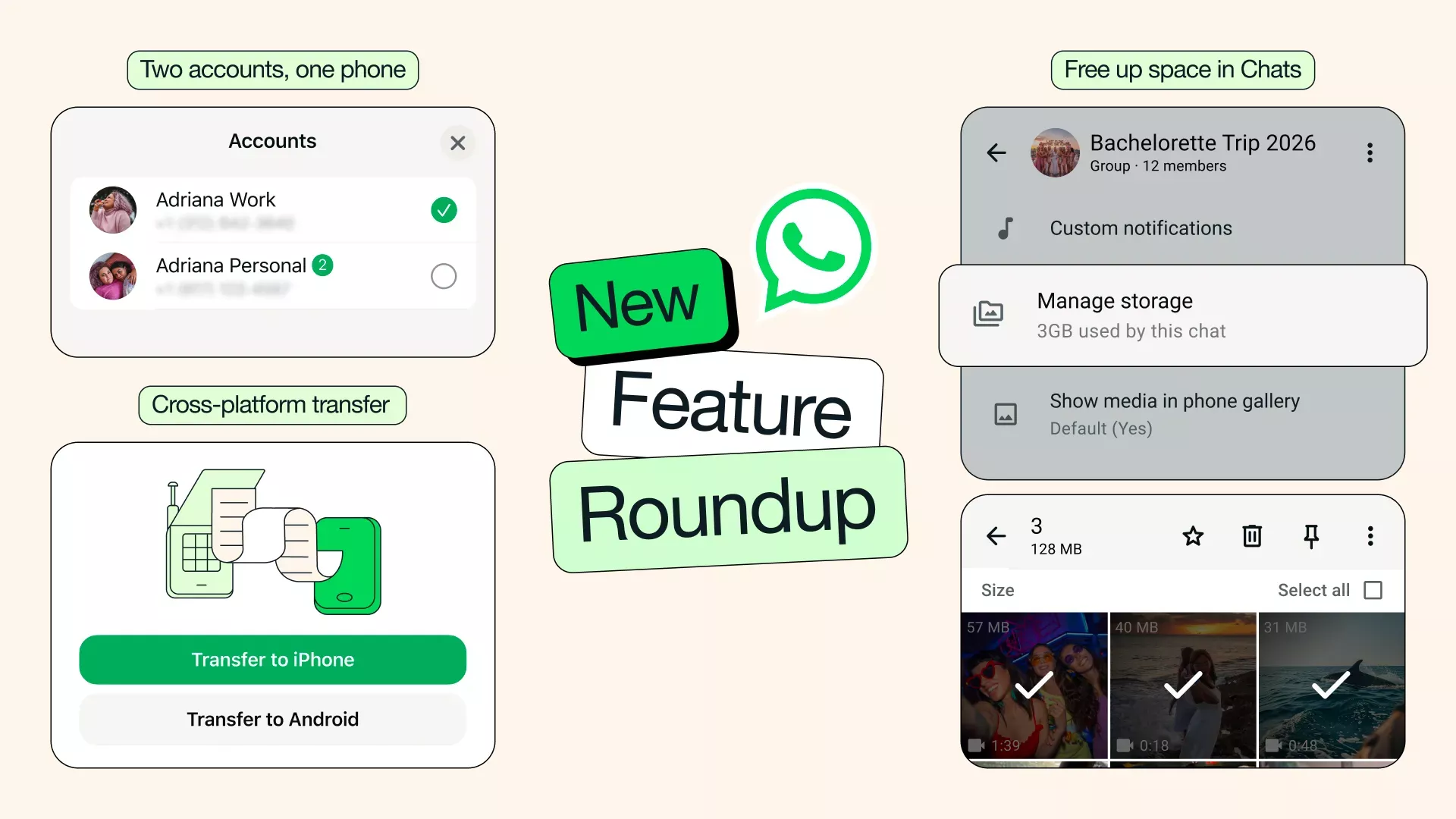
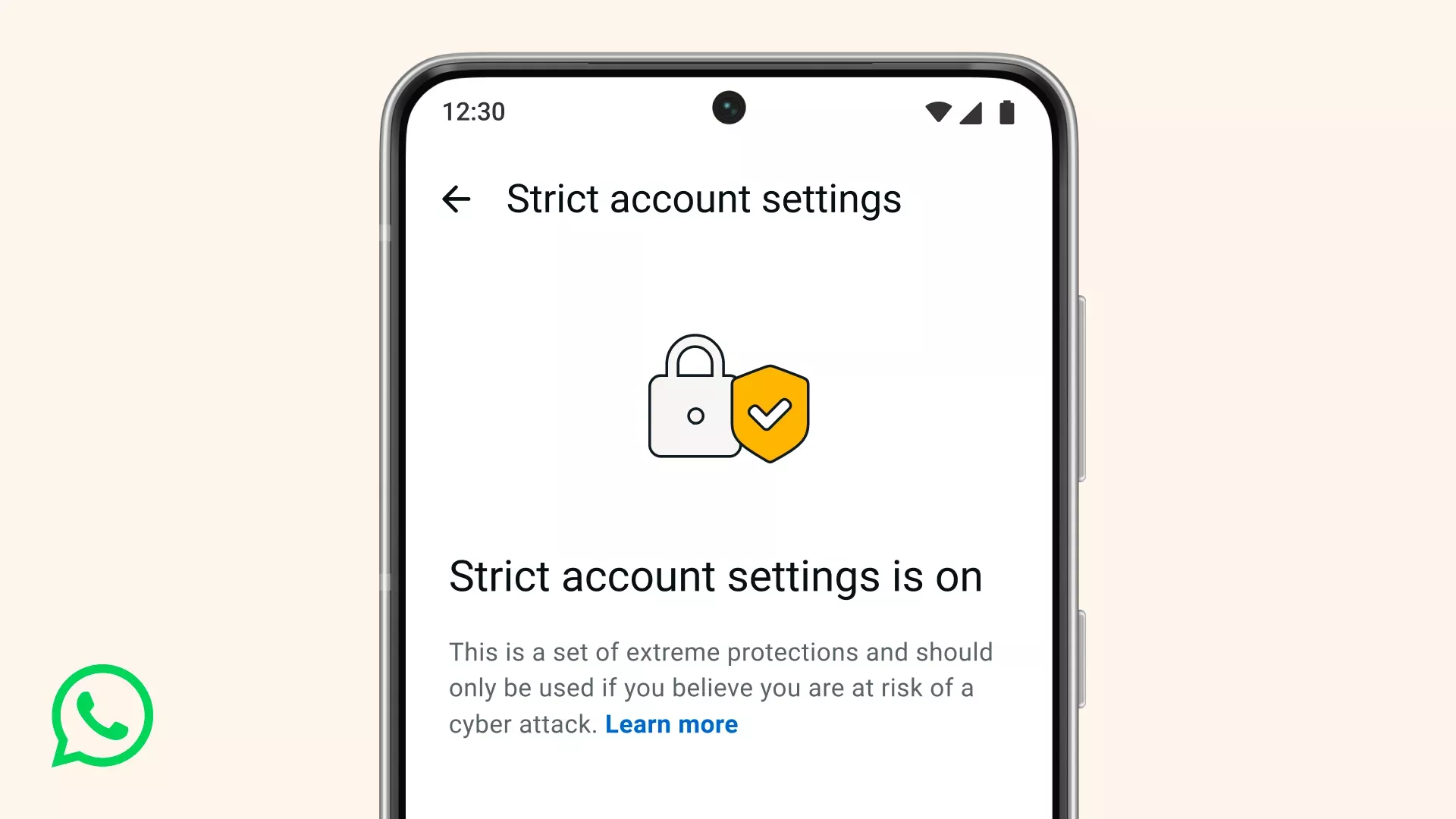
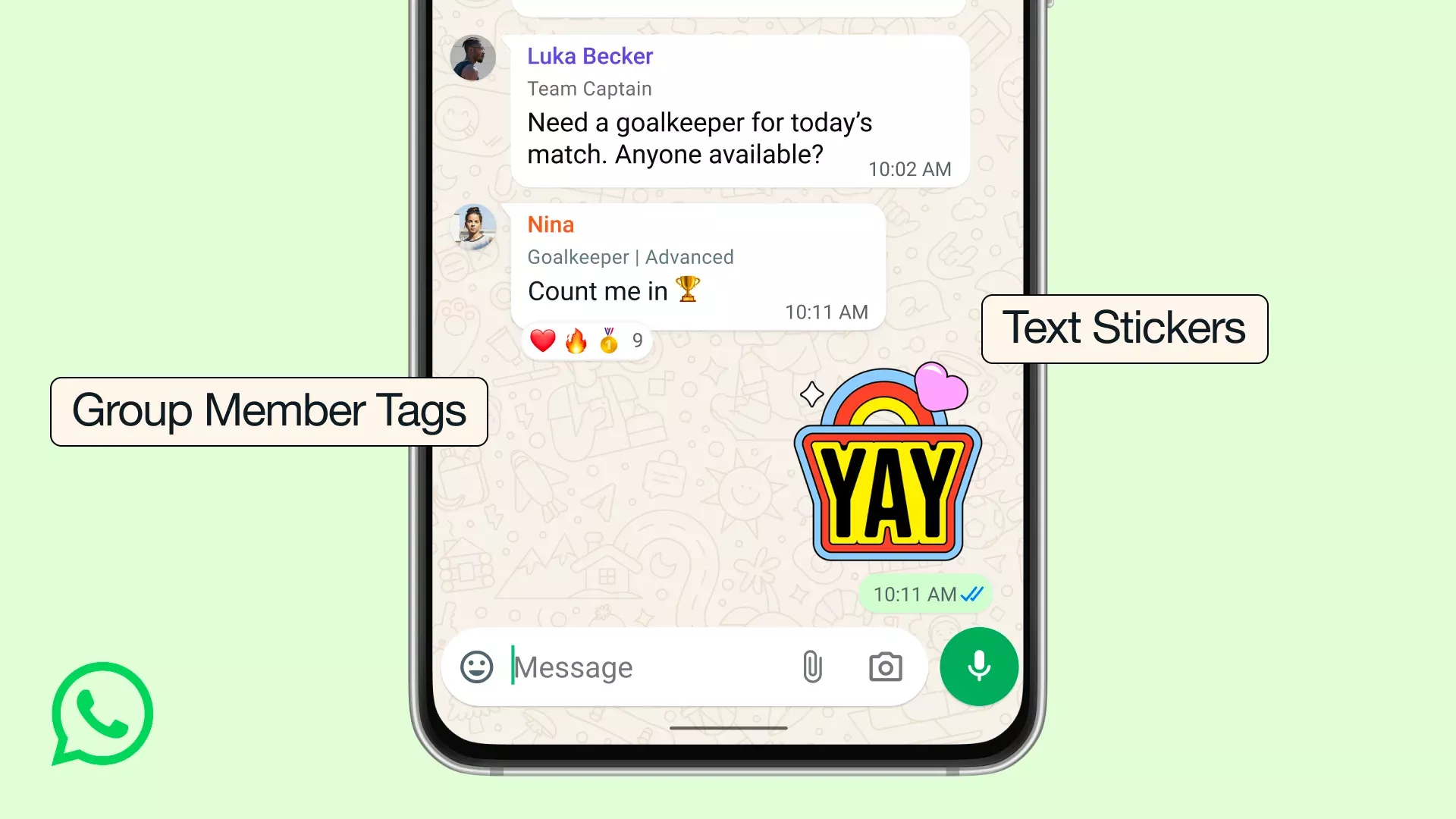
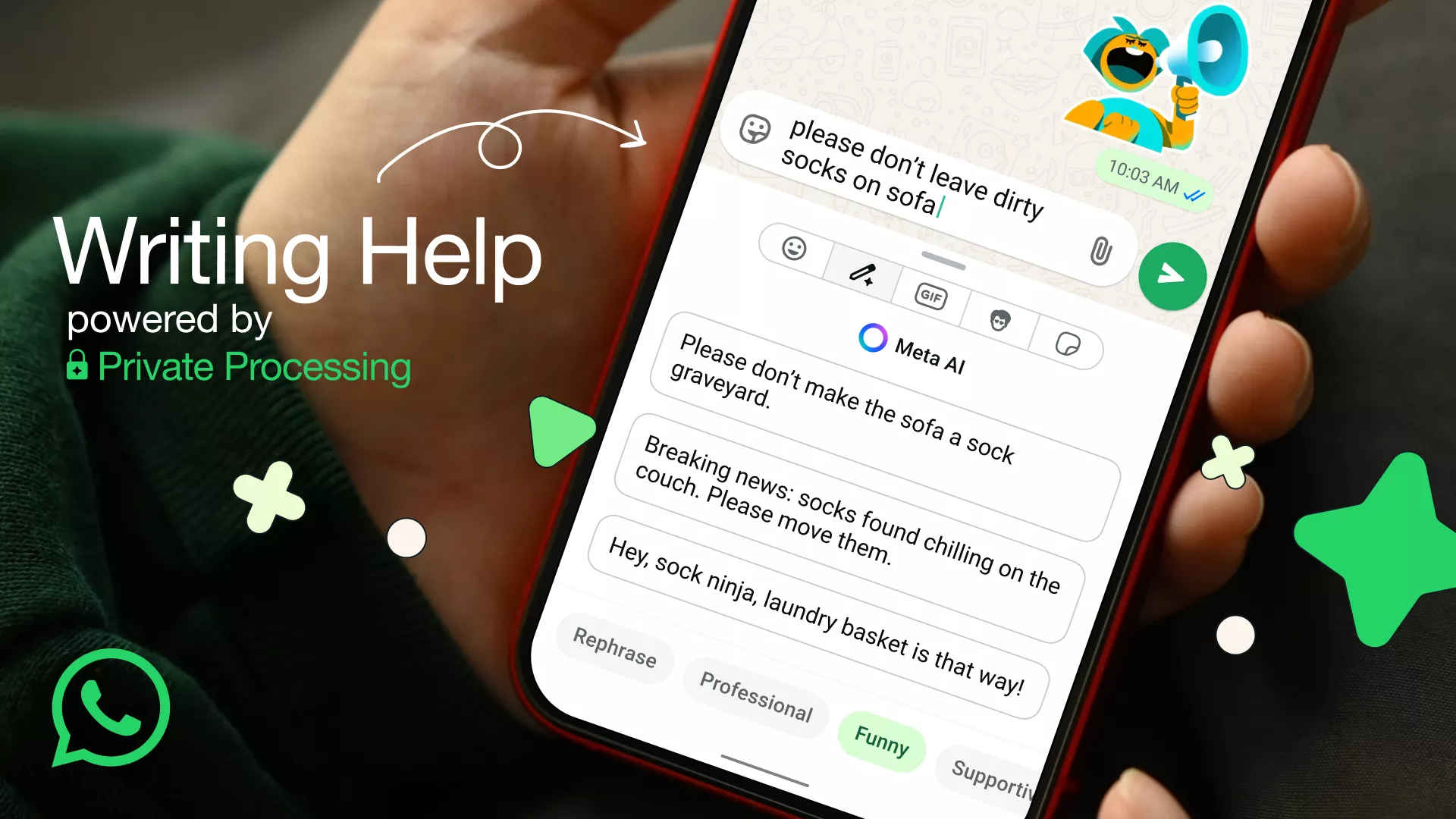
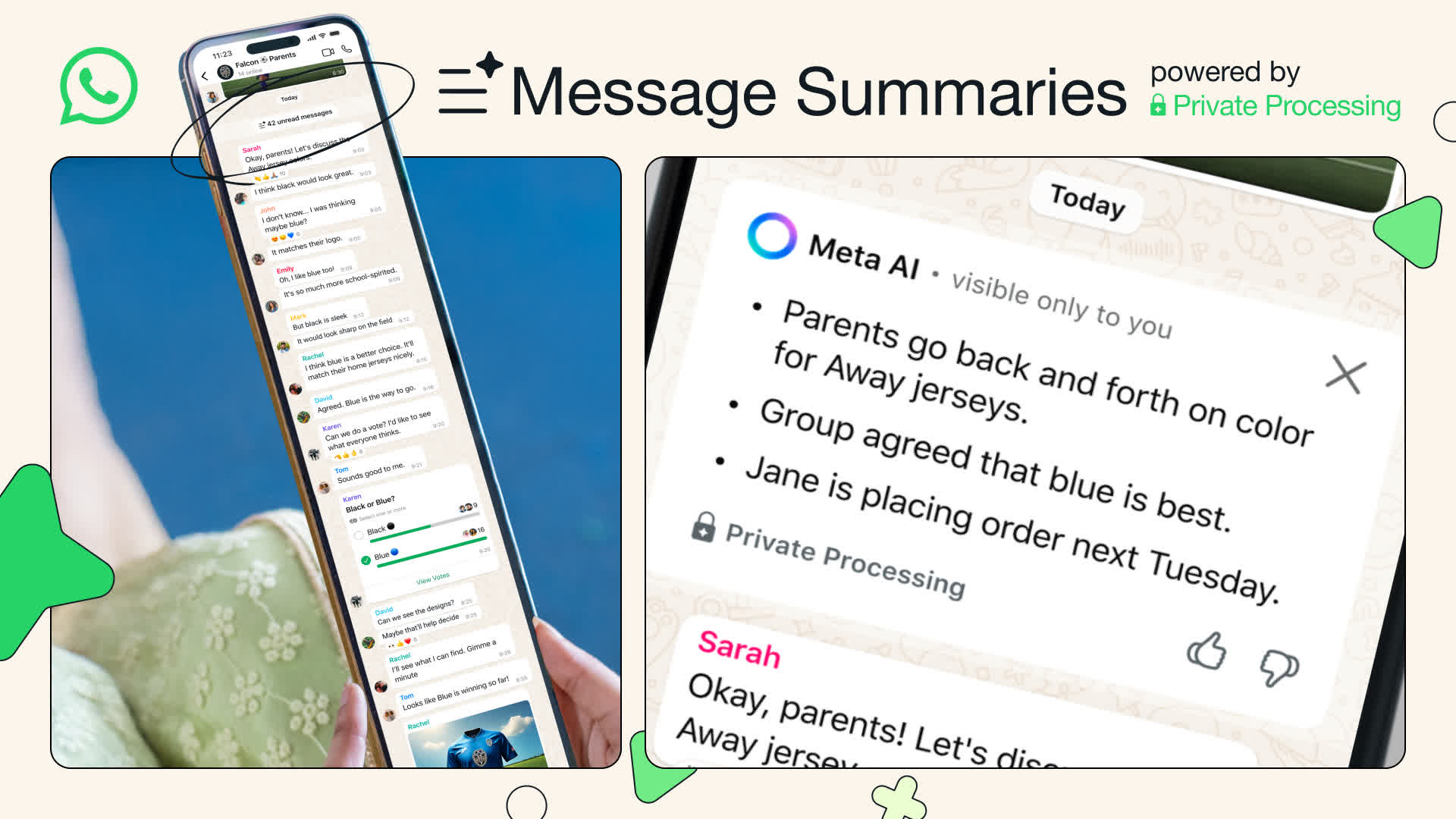
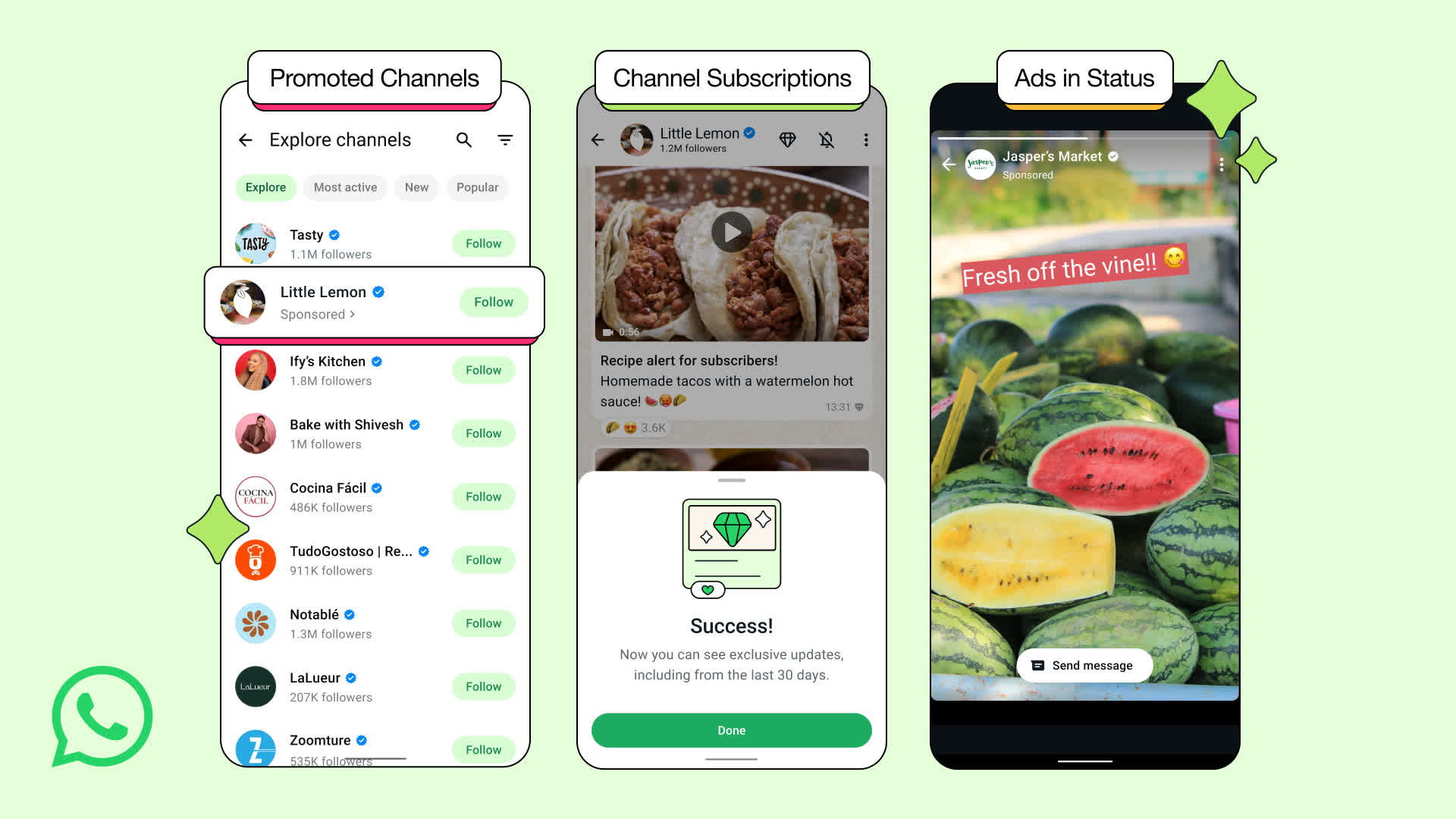
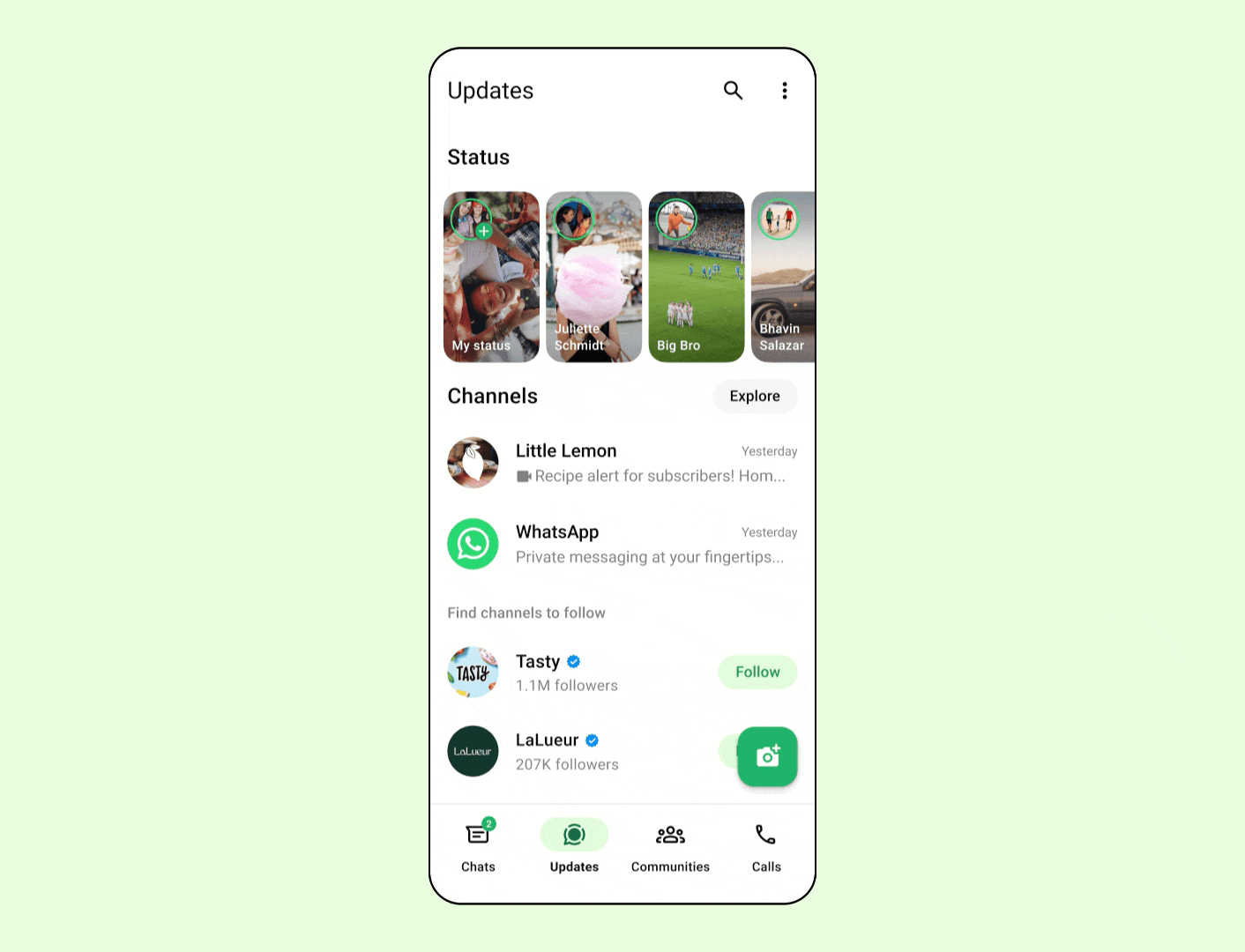
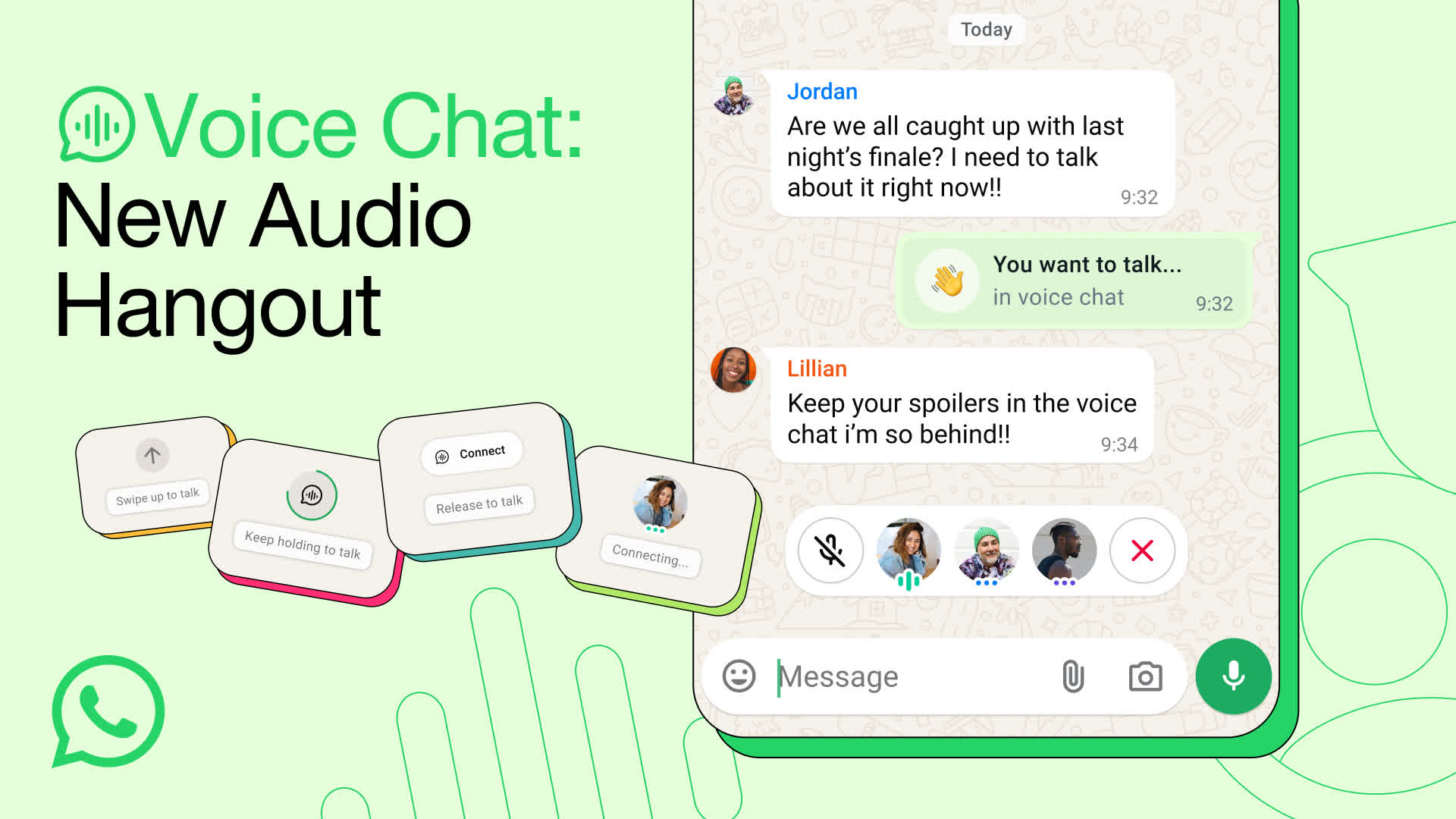
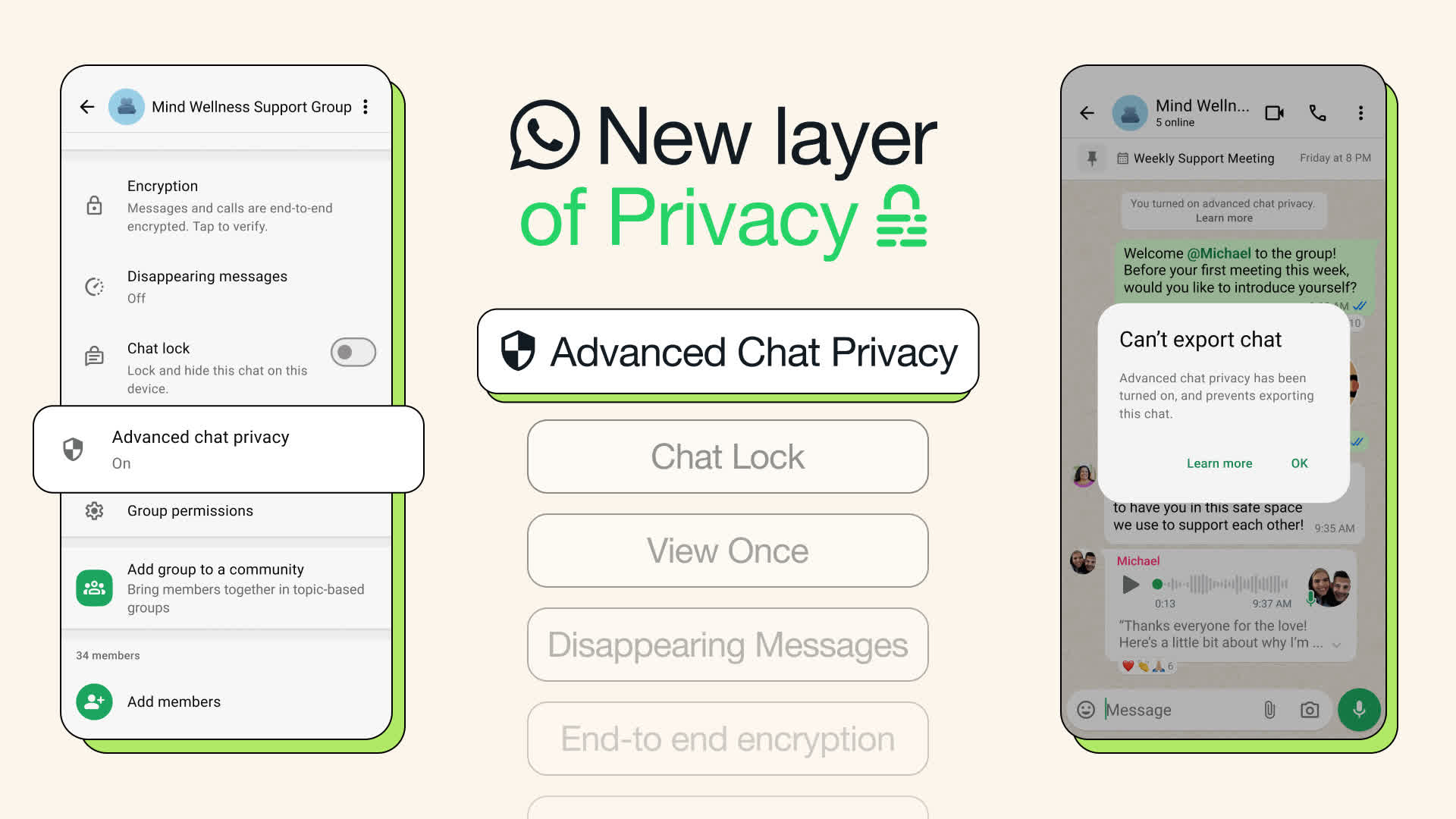
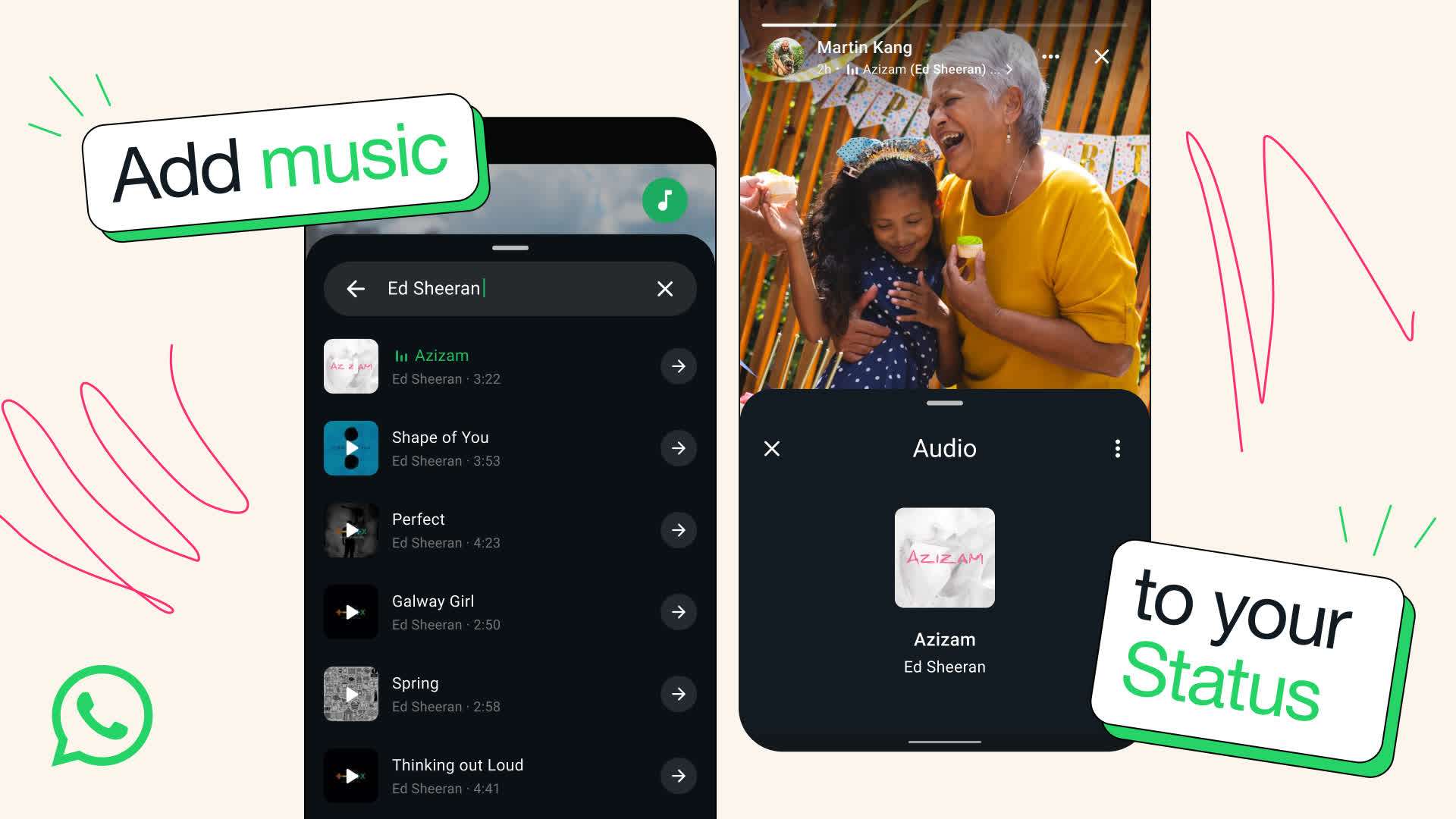
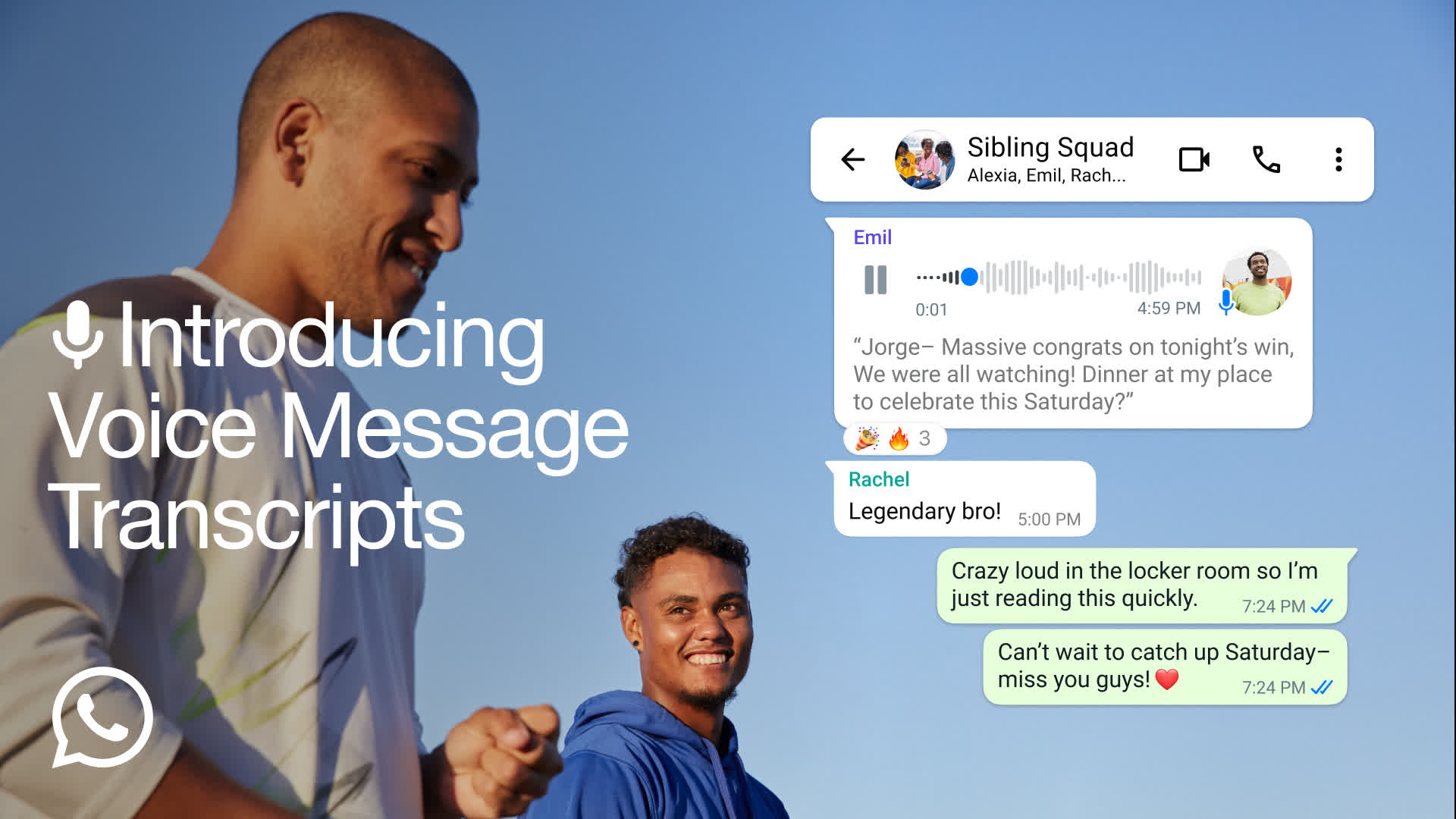
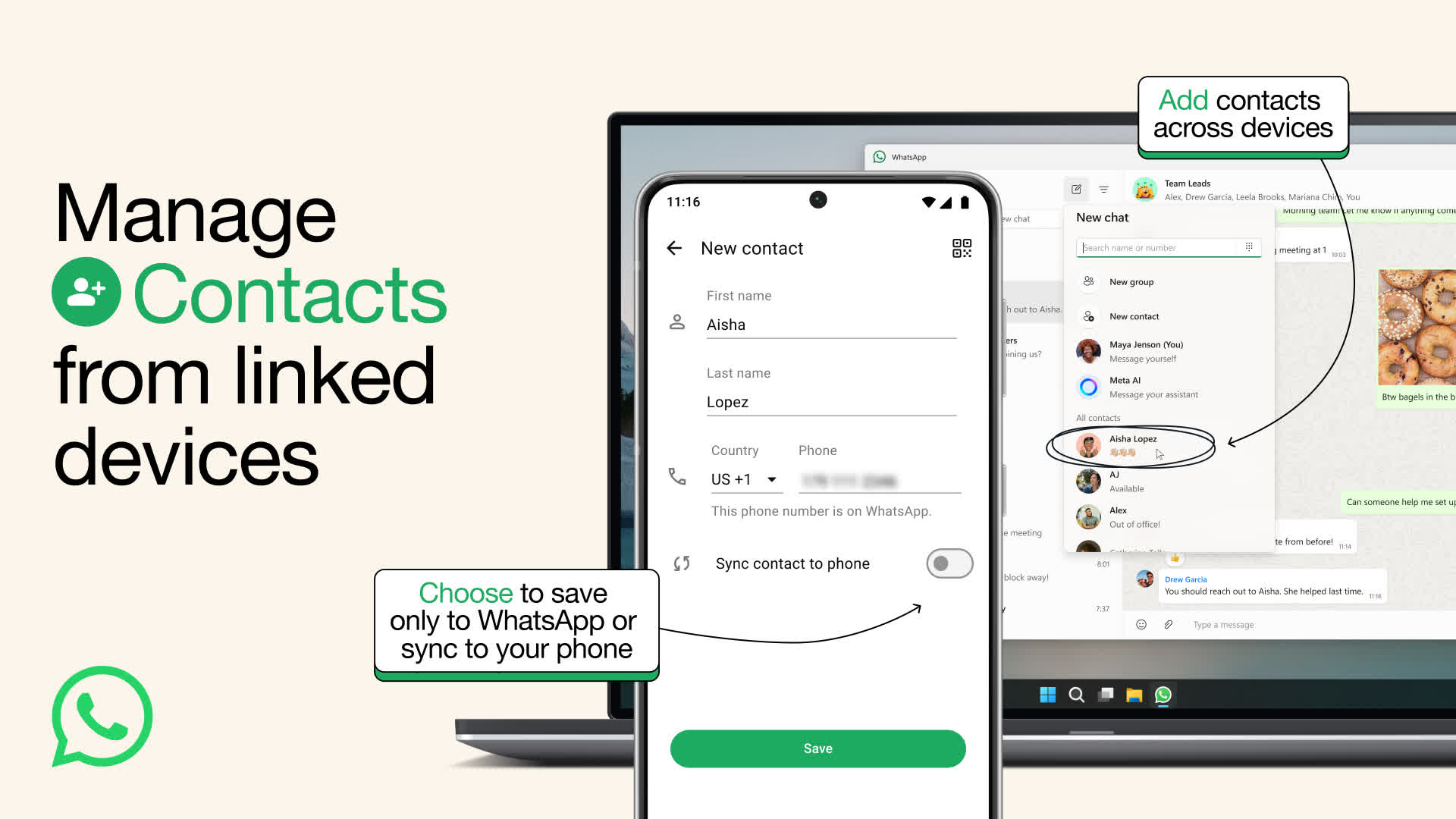
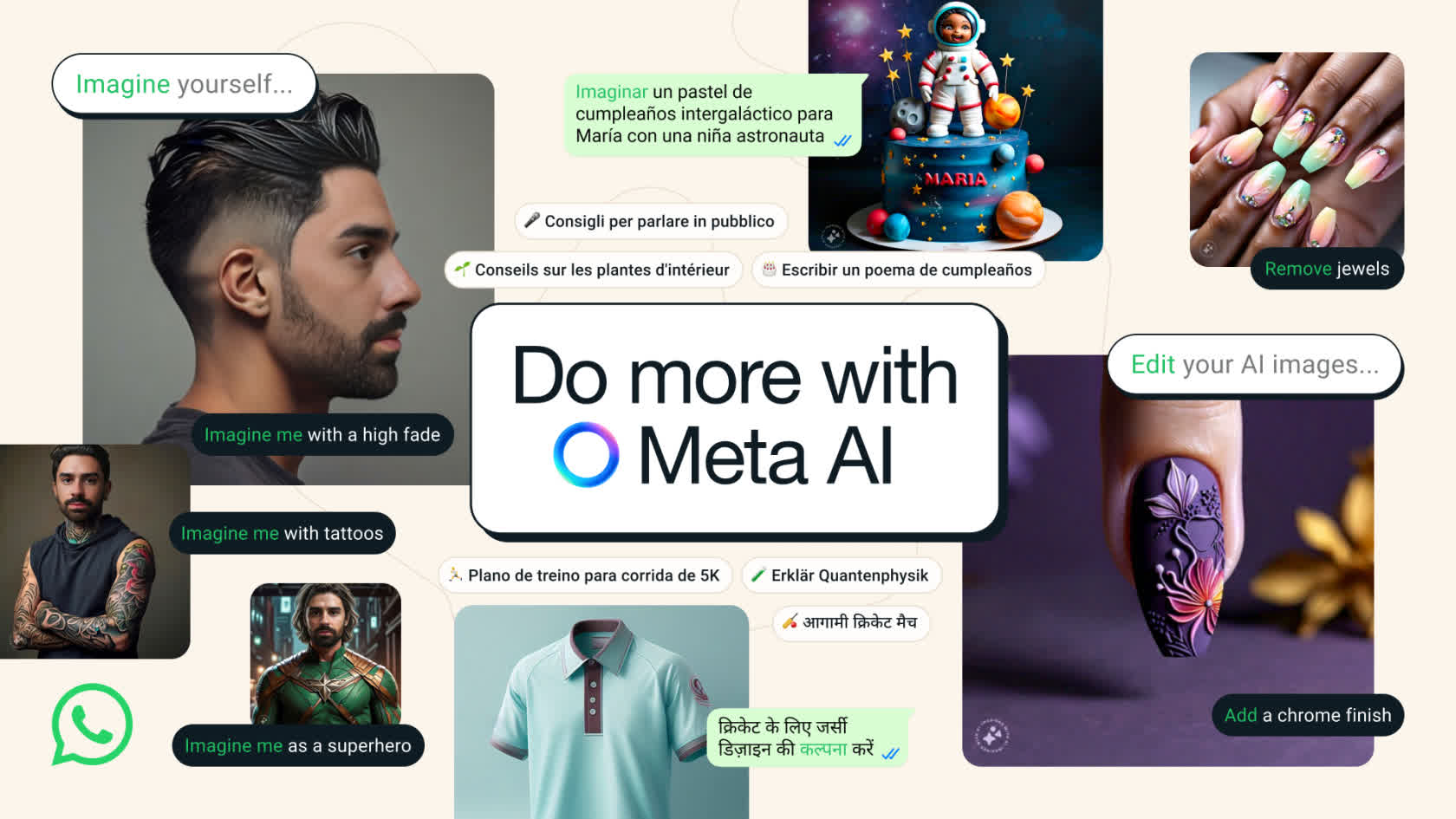
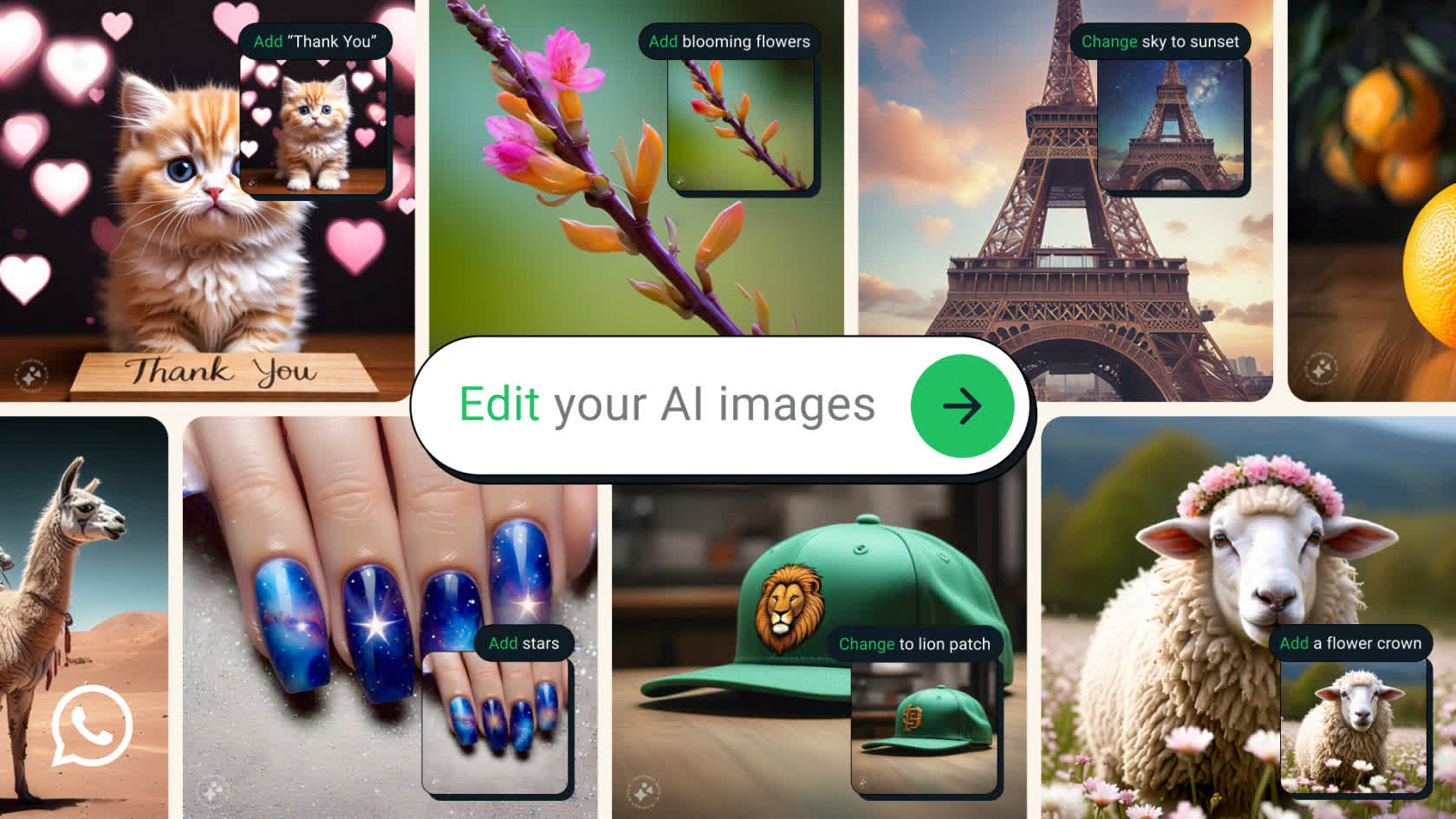

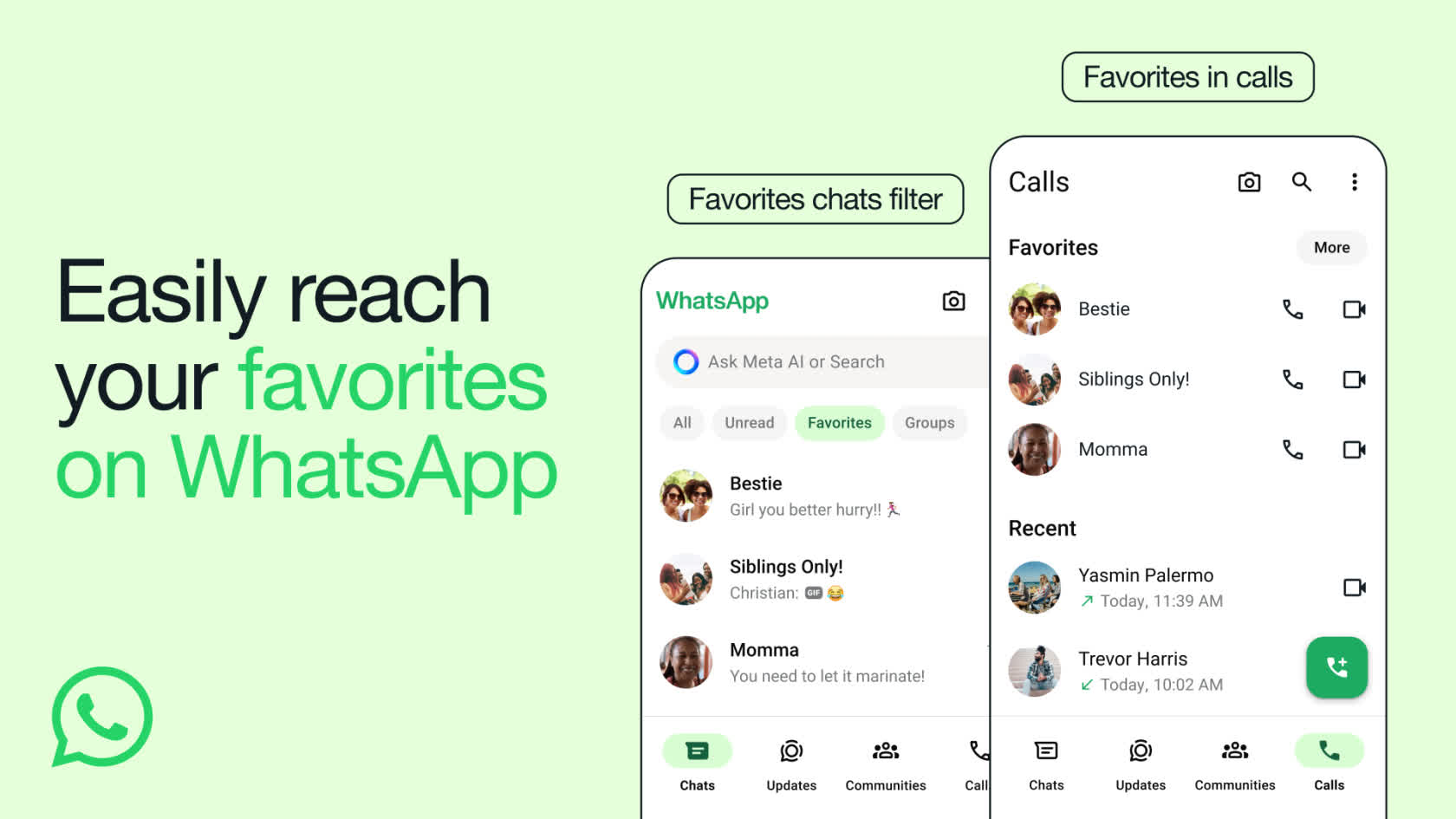
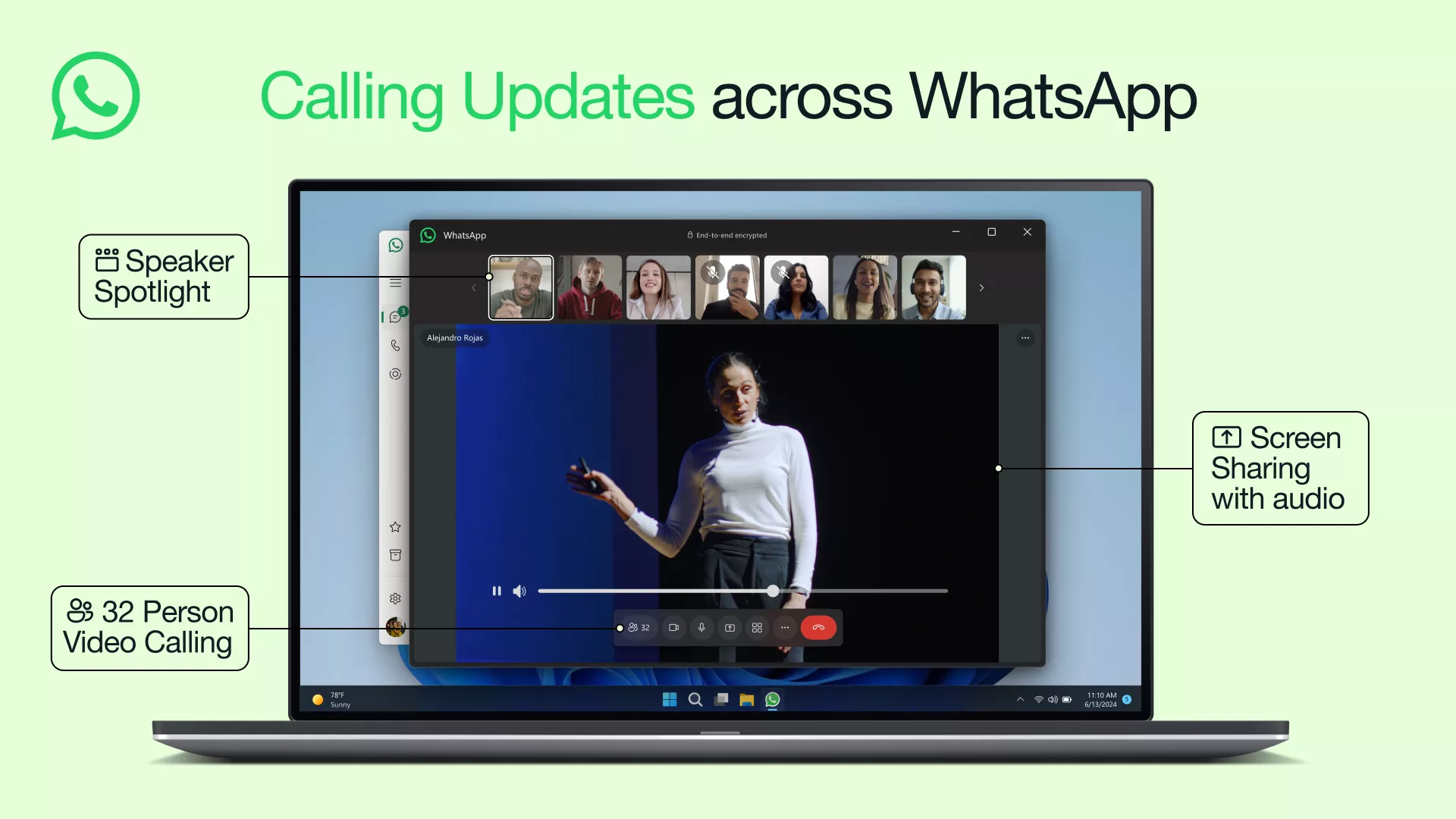
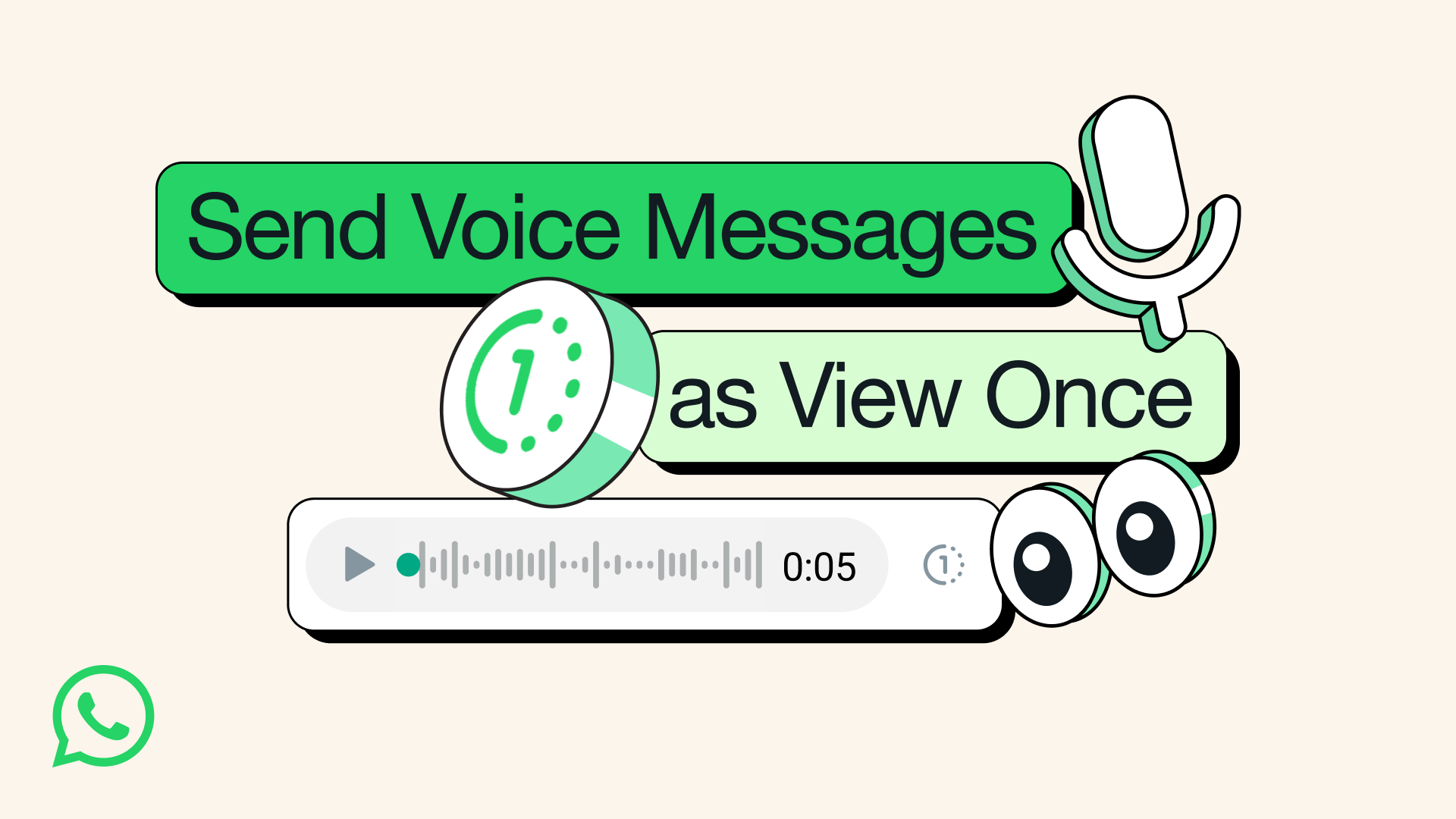
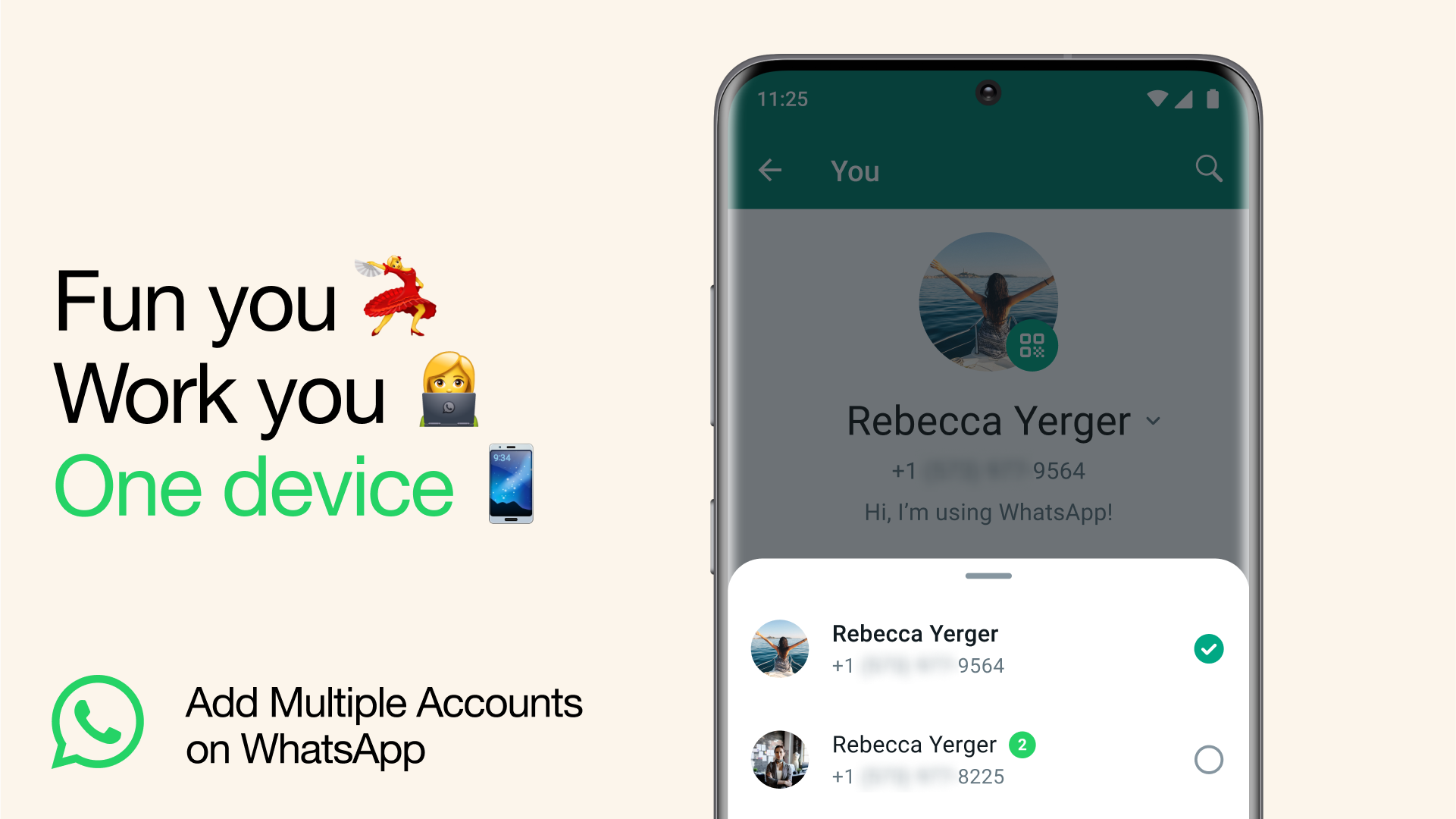













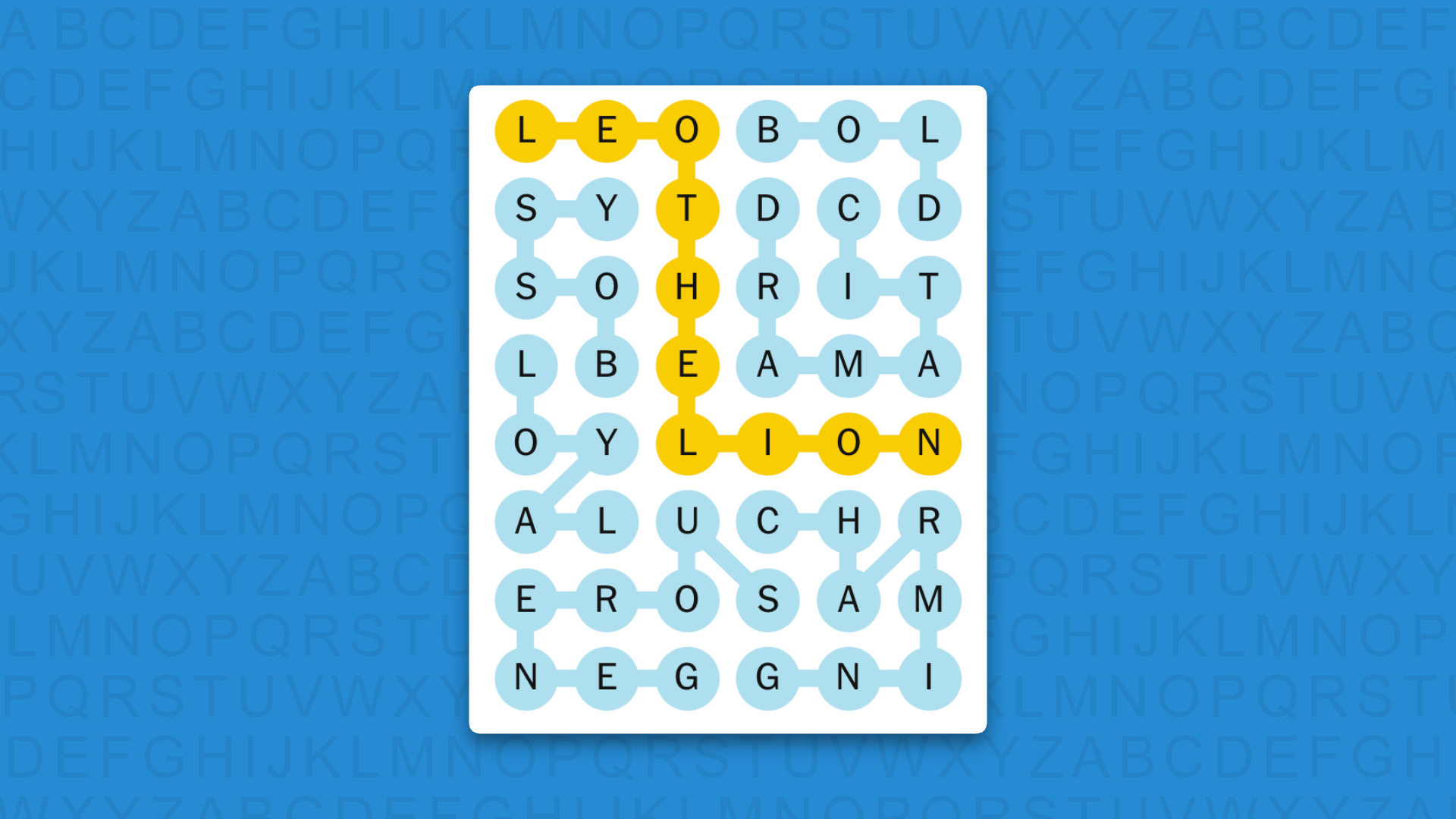





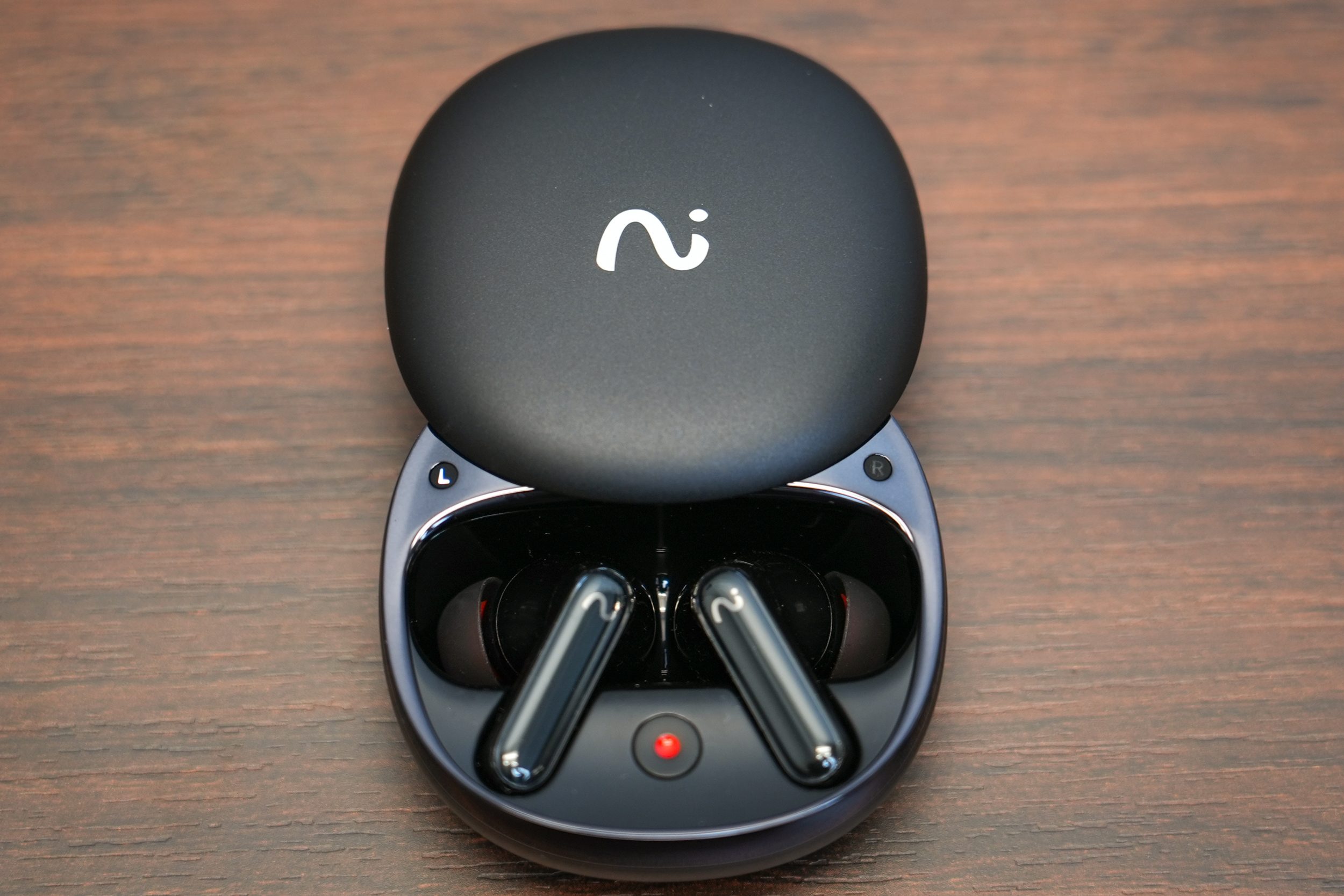
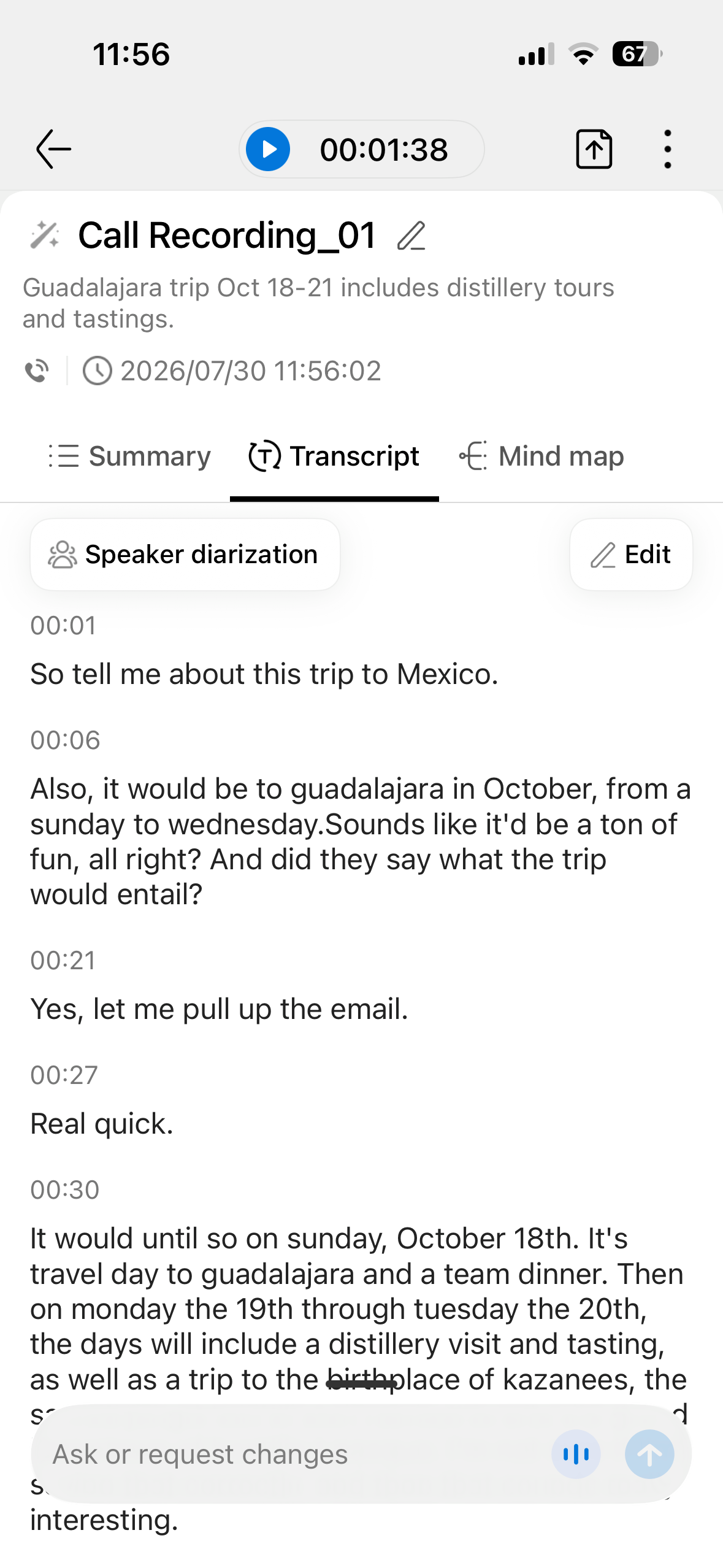
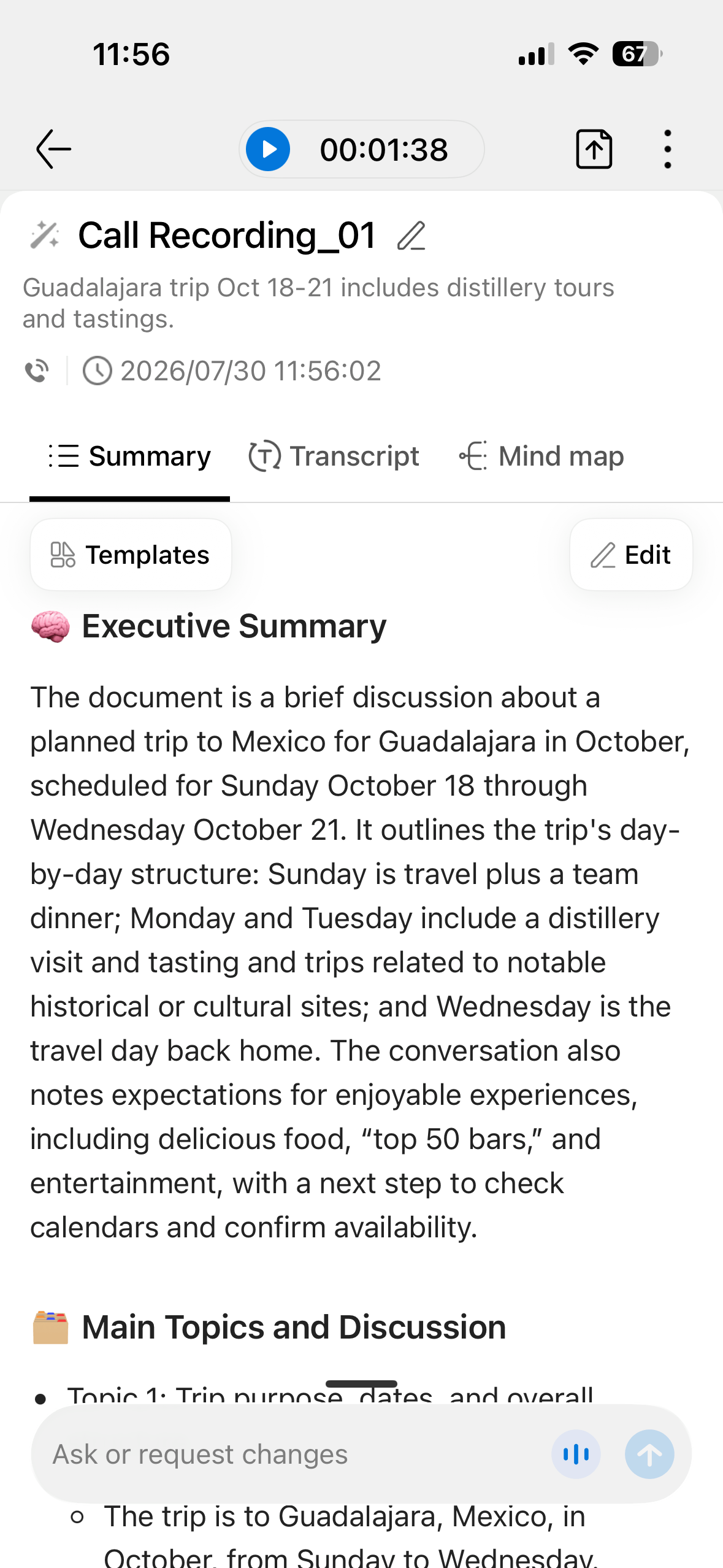
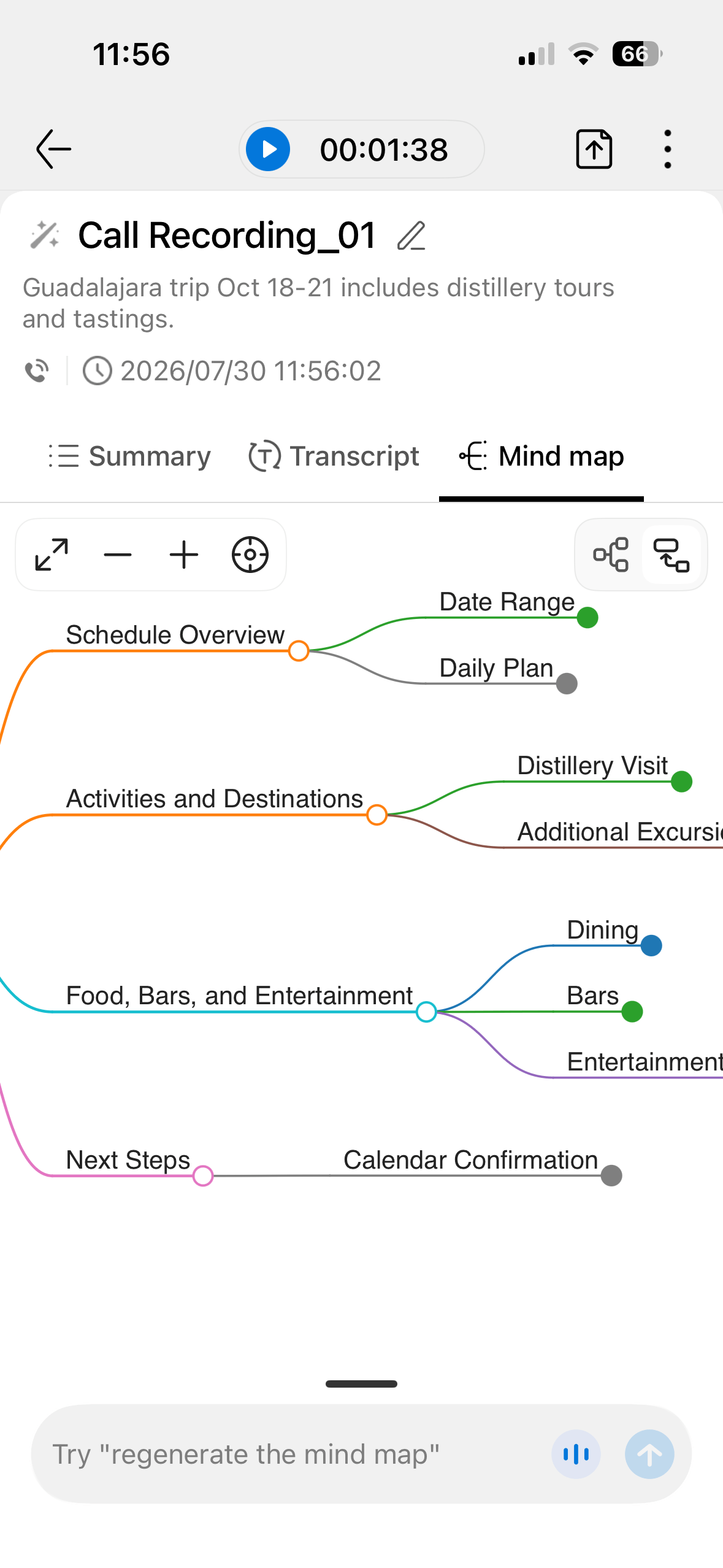
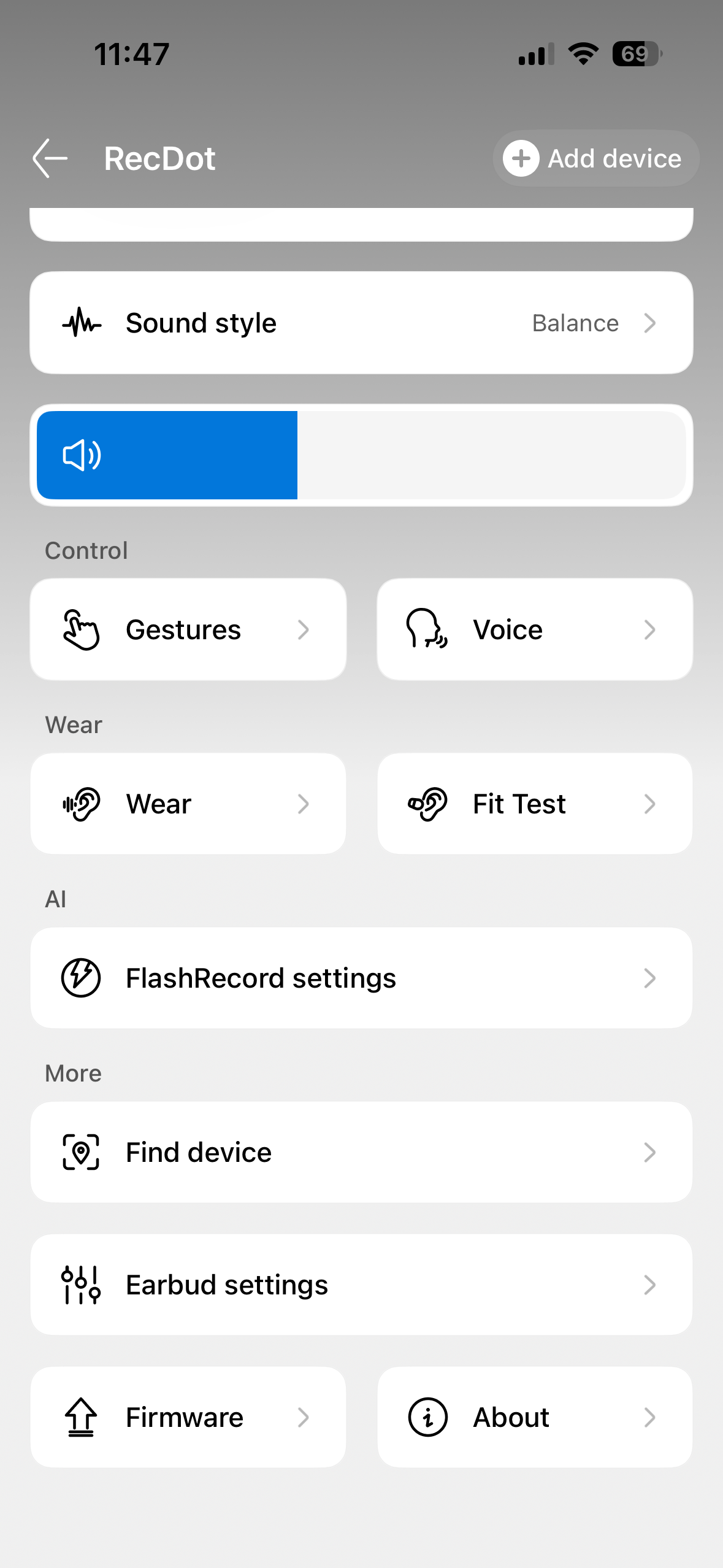
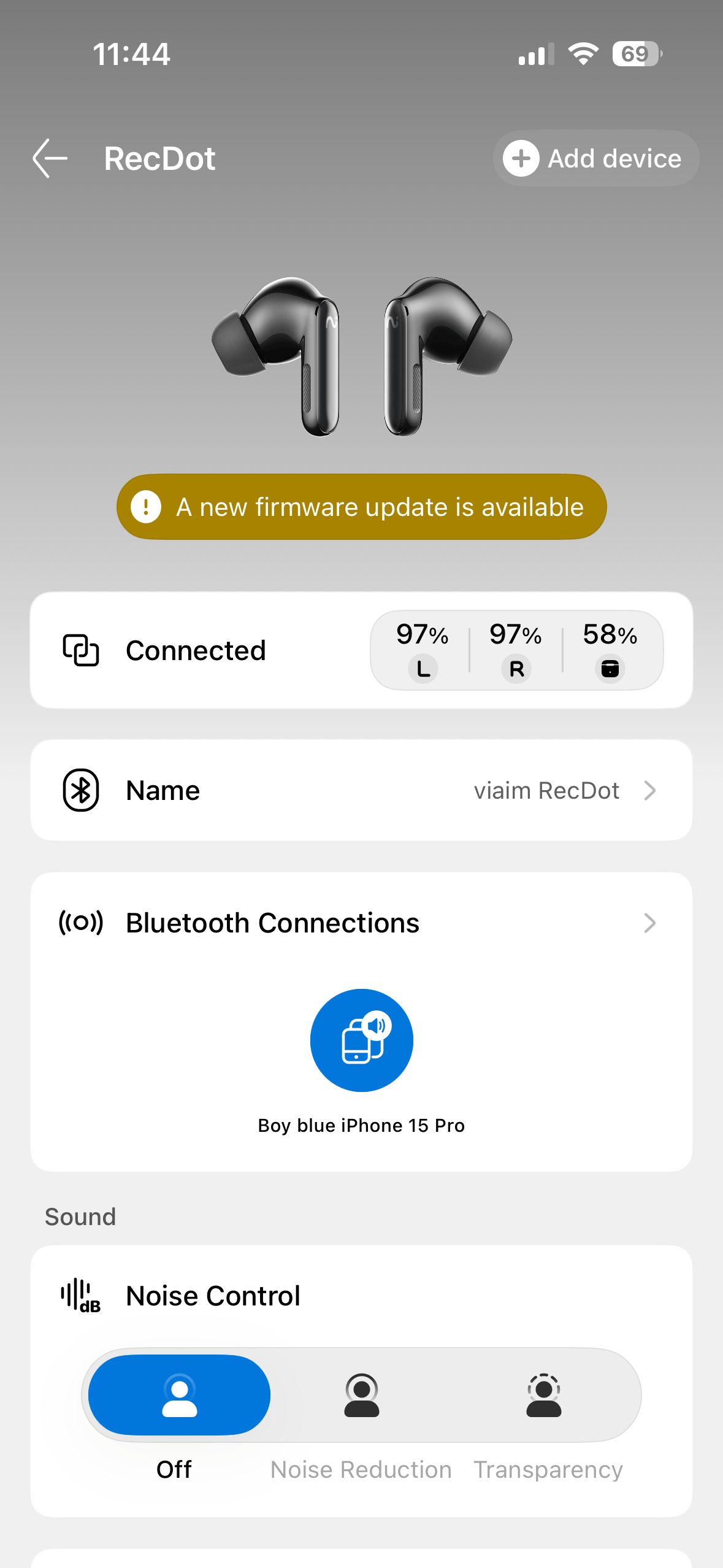
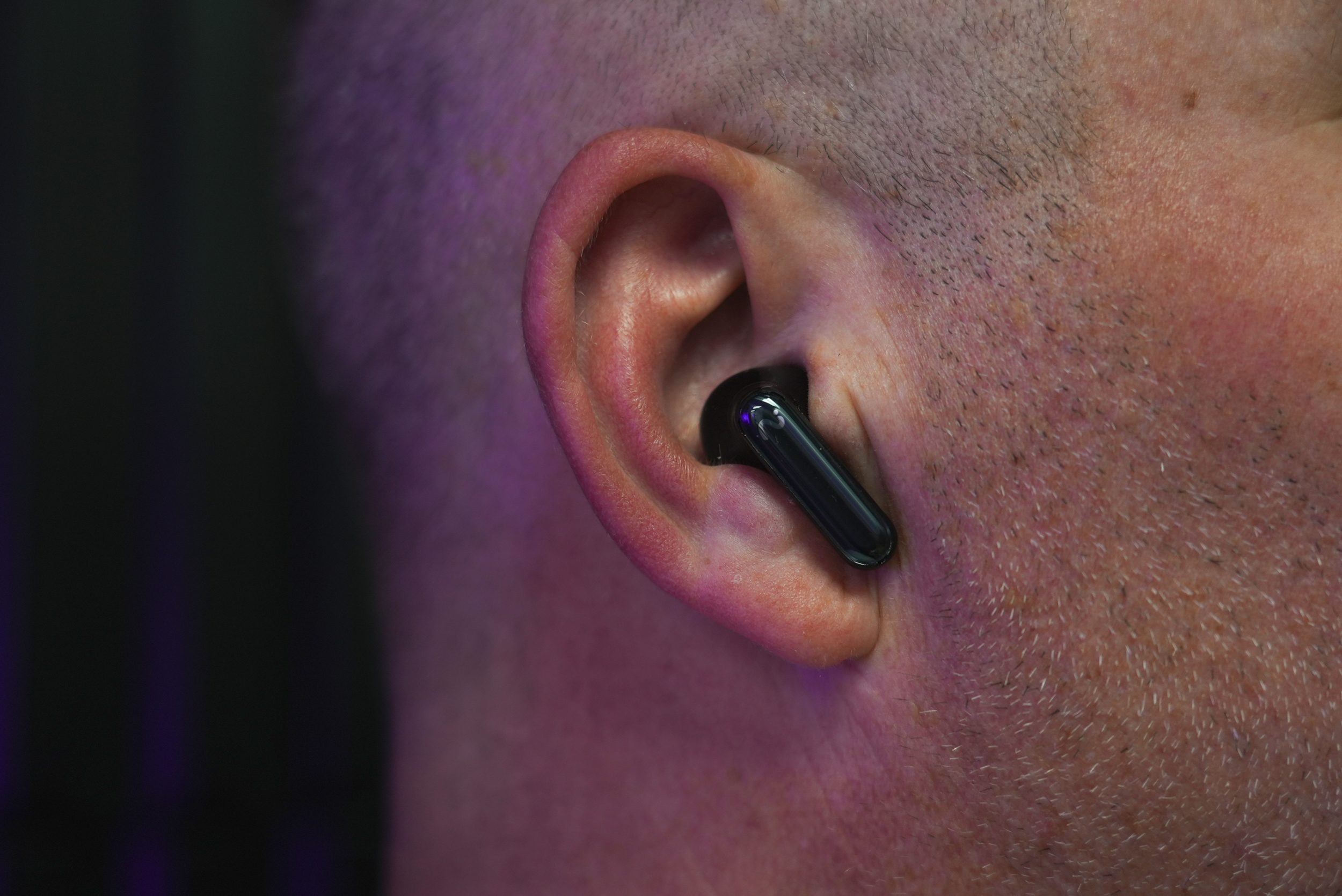


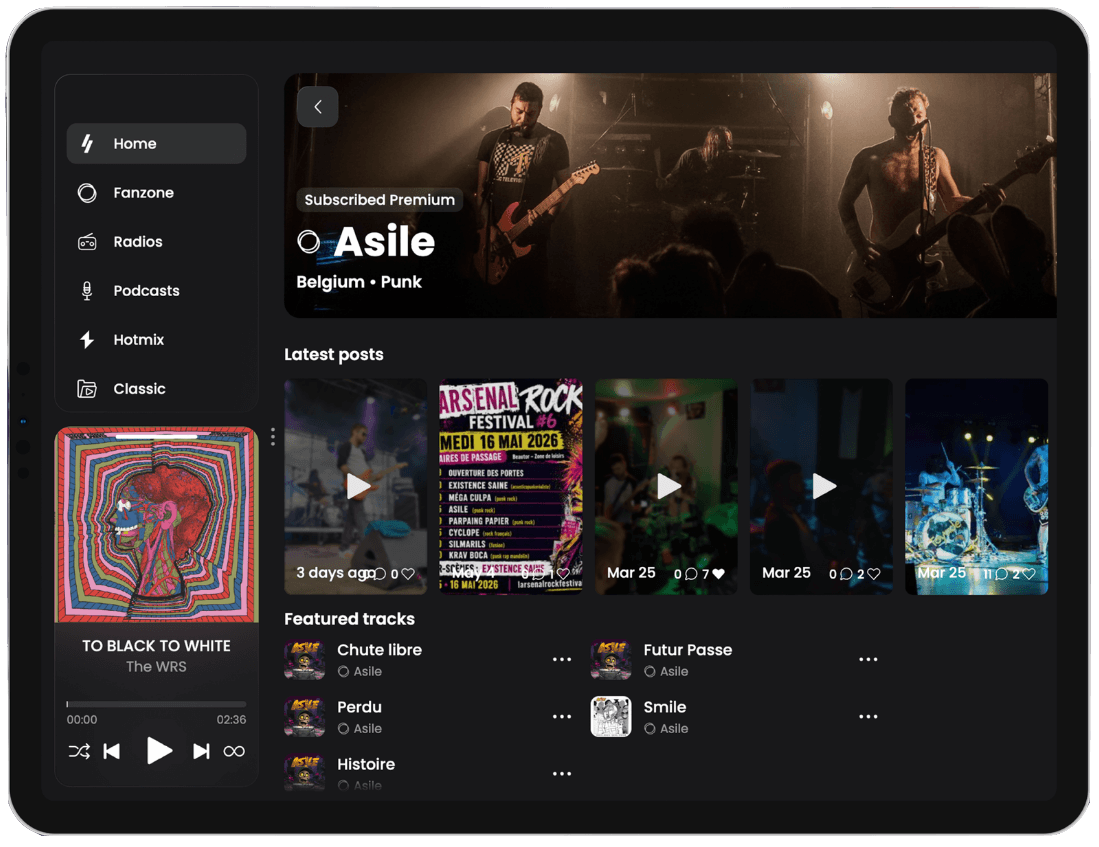


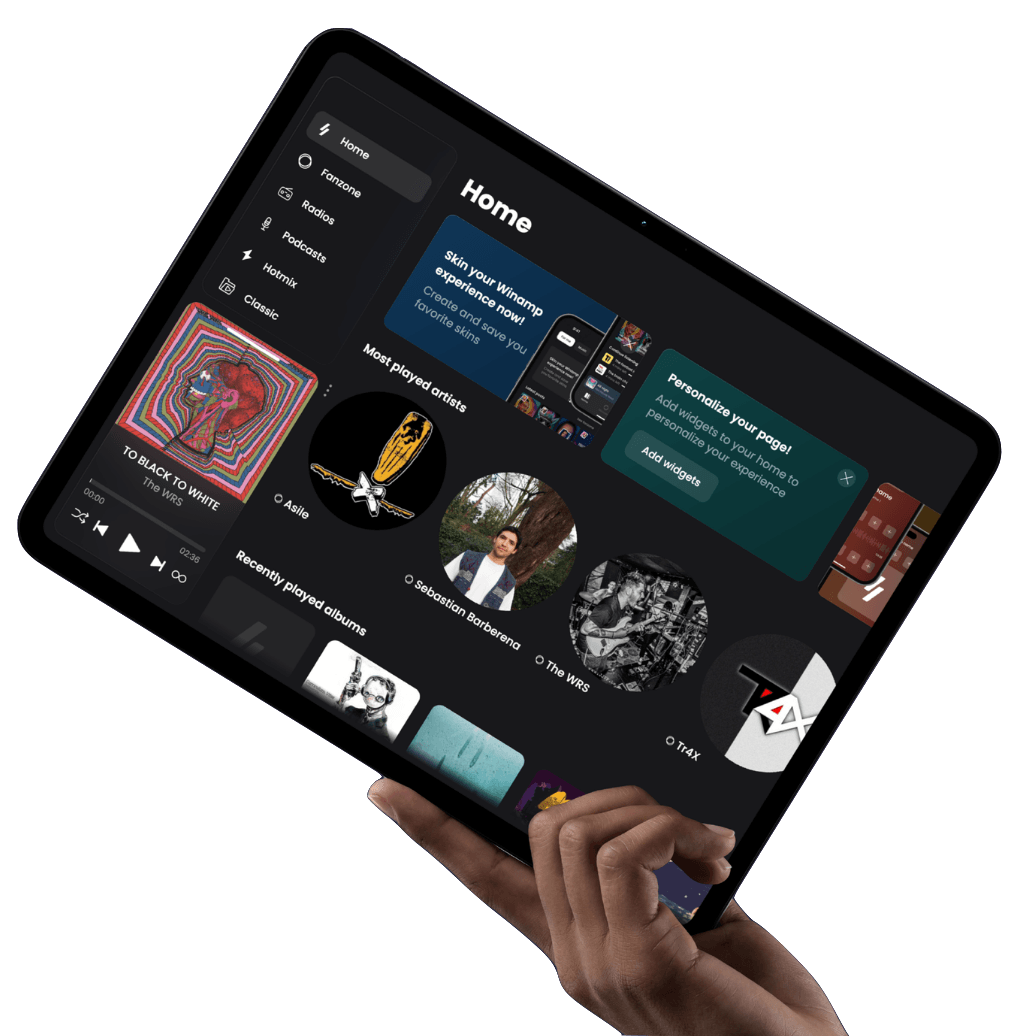









































You must be logged in to post a comment Login