
Tech
Which Is Better To Use?


Provided you don’t drive long distances every day, Level 1 charging could be all you need.

If you’re a new electric vehicle owner, you may be surprised to learn just how many charging options you have available, both at home and to extend your range on the road. While the industry has standardized terms like Level 1, Level 2 and Level 3 charging, those labels offer little information on their own. Installing a Level 2 charger can also cost hundreds of dollars, so is it an expense worth taking on?
A Level 1 charger can take more than 40 hours to fully charge up an EV’s battery, while a Level 3 charger can add hundreds of miles to your car’s range within a single hour. While you may think faster is always better, we also have to account for tradeoffs like cost and battery longevity. So which charging level should you use? The answer depends entirely on where you plan to charge your car, how far you drive and the cost of electricity in your region.
Level 1 vs. Level 2 vs. Level 3 charging: What’s the difference?
A Level 1 EV charger simply uses the standard 120-volt household outlet in North America, which limits it to about 1.4kW of charging power. Level 2 chargers use 240-volt circuits, typically at higher currents, allowing them to deliver substantially more power. How much more depends on the charger and circuit: A 40-amp Level 2 charger (on a 50-amp circuit) can deliver as much as 9.6kW of power. Level 2 chargers all the way up to 80A exist too, delivering up to 19.2kW, provided your home’s electrical service can support it.
Level 1 and Level 2 chargers supply the grid’s alternating current (AC) to the EV. The vehicle’s onboard charger converts this supply to direct current (DC) before it reaches the battery. Converting AC to DC isn’t 100-percent efficient, so it generates heat, and onboard chargers only work up to a certain power limit. With Level 3 charging, the AC-to-DC conversion takes place before it reaches the car, bypassing the onboard charger and delivering high-voltage power directly to the car’s battery.
This lets Level 3 chargers dial things up a notch, typically pushing anywhere from 50kW to 500kW of power. It’s important to note that charging speeds drop as the battery gets more full, so no EV will be charging at their absolute peak rate for very long. Regardless, Level 3 chargers can be enough to fully recharge a depleted EV battery in an hour or two. That’s especially true for newer vehicle models that support the highest power levels. The Lucid Gravity, for instance, can charge at up 400kW if you can find a Level 3 charger that supports that rate. Meanwhile, the Tesla Model Y’s maximum charging power ranges from 175kW to 250kW, depending on the model.
Level 1 vs. Level 2: Which EV charger do you need at home?

If you only drive a few miles a day, a Level 1 charger is all you need. There’s little reason to shell out hundreds of dollars for a Level 2 charger and an electrical upgrade when your EV’s battery can simply charge overnight. If you’re on a time-of-use plan with your energy provider, you can schedule charging during off-peak hours and still gain plenty of range through Level 1 charging for your commute the next day.
While the exact figure depends on your vehicle’s efficiency, the US Environmental Protection Agency (EPA) estimates Level 1 charging adds about 5 miles of range per hour. So even with a conservative 8 hours of charging time, you stand to gain roughly 40 miles of range.
Level 2 chargers make a lot more sense when you frequently drive longer distances during the week. You can still take advantage of off-peak electricity rates, but with a 40A charger can add over 30 miles of range per hour. This all but eliminates range anxiety since you can easily add hundreds of miles in a single overnight charge session.
If you’re on the fence about installing a Level 2 charger, consider that you may also be able to charge all day on the weekends. Some time-of-use plans offer lower or off-peak rates over the weekends, allowing even a Level 1 charger to add significant mileage if plugged in for a full day. This can make Level 1 chargers a perfectly viable option if your car sits parked for most of the weekend. And if you’re ever in a pinch, you can simply use a public Level 2 or Level 3 charger.
On the flip side, some EV batteries require warming up in the winter, so a Level 1 charger may struggle to both heat up and deliver power to the battery simultaneously. Cold weather also reduces an EV’s effective range, so an unheated garage can make Level 2 chargers the more sensible option.
When should you use Level 3 chargers?

Level 3 chargers are the fastest option to charge your EV’s battery, but they’re uncommon in residential settings. This is because they require a much more substantial electrical connection, and installing one in your home would almost certainly entail a significant electrical service upgrade. You’ll typically find Level 3 chargers in commercial settings like parking lots or highway rest stops.
Level 3 chargers can add over a hundred miles of range within a single hour, making them ideal for road trips and quick top-ups. Having said that, the maximum power varies considerably between DC fast chargers so one Level 3 charger might be significantly faster than another.
The downsides to Level 3 chargers are cost and, potentially, battery longevity. While the jury is still out on the impact of faster charging on long-term battery health, sticking to Level 2 charging will alleviate that concern. The upside is obvious: Public Level 3 chargers offer the closest analog to the fill-up-and-go experience of a gas-powered car.
When looking at public chargers, you’ll need to pay attention to the physical connector. North America is currently transitioning from older J1772 and CCS connectors toward NACS, which you may recognize as the plug historically used by Tesla vehicles. NACS has now become the standard for EV charging in North America and will ship on most new electric cars in the coming years.
If your car requires NACS and a public charger only offers the CCS connector, you won’t be able to plug in at that location without an adapter. Some charging stations offer multiple connectors to choose from, but this isn’t always the case.
The CCS/NACS issue should solve itself over time, but for now I’d recommend using an app like PlugShare or ChargePoint to find out which connectors are available at a particular location. These apps also report whether a location offers Level 2 or Level 3 charging, allowing you to find the fastest station when in a hurry.

One of the more curious inventions of the automotive industry is something called cylinder deactivation. Essentially, when under light load, an engine will shut down some of its cylinders. When a driver is only placing a partial load on an engine, efficiency drops by up to 15%, according to research by engineers at the Brno University of Technology published in the journal Renewable and Sustainable Energy Reviews. This is because the amount of fuel being used just to keep the motor operating is actually greater than the amount going toward propulsion. In that situation, deactivating some cylinders will reduces the amount of fuel used and boost efficiency.
Cylinder deactivation isn’t a recent development. It actually goes back to the 1905 Sturtevant, which allowed the driver to stop half the cylinders on its V6 engine. However, the technology didn’t get much attention again until GM launched a new engine in the early 1980’s Cadillac Eldorado with what it dubbed a “V8-6-4 powerplant,” like three engines in one. Today, there are a slew of cylinder deactivation systems across the industry, including dynamic fuel management (DFM), variable cylinder management (VCM), multi-displacement system (MDS), and Camtronic, to name a few.
However, this technology can also introduce some potentially pricey problems under the hood. Some implementations have been plagued with excessive oil consumption, increased carbon deposits, vibration and noise, and lifter issues. It’s also received mixed reviews from drivers, as Hemi owners are deleting this feature, even though it’s costing them fuel. And this is hardly the only example of drivers wanting this technology out of their vehicle.
Thirsty for oil
Many causes of excessive oil consumption have nothing to do with cylinder deactivation, but some drivers with the technology under their hood have reported increasingly oil-thirsty vehicles. The piston rings on some cylinder deactivation systems aren’t able to combat a partial vacuum created following the cylinders being shut down. Those stationary piston rings let oil into the combustion chamber, which can create a variety of problems, including increased oil consumption, blue smoke out of the tailpipe, and other potential performance problems.
Take Honda’s variable cylinder management ( VCM) system, which has had many drivers experiencing accelerated oil consumption. For every 1,000 miles, 1 quart of extra oil is burned up. It doesn’t help that the automaker’s response has been a little dismissive, simply recommending drivers check their oil at every fuel stop.
GM’s active fuel management (AFM) technology has also created some issues on its 5.3-liter Vortec 5300 engine. Oil was apparently sneaking past the inactive piston rings into the combustion chamber, and the issue was exacerbated by pressurized oil directed at the piston skirts from relief valves. Even worse, GM’s engines weren’t directly monitoring oil volume, so by the time other indicators revealed an issue and lit up the dashboard warning, the problem would have already been well under way.
Accelerated carbon deposits
Carbon deposit buildup can often be the reason behind a vehicle’s sudden loss of performance. These deposits essentially look like clumps or collections of black muck found around the inside of an engine, particularly near the valves and intake. According to YouTube channel TorqueCars, it can cost you up to 60% of the airways if left unaddressed.
Cylinder deactivation can increase the buildup of carbon, as the system controls the behavior of the valves. When shutting down cylinders, the valve timing must also be adjusted, potentially resulting in the intake dipping into a cylinder containing unburnt material. This exposure creates a perfect opportunity for carbon formation on the valve.
In addition, according to some reports, positive pressure is created due to certain cylinder deactivation settings. This pressure can force greater amounts of oil vapor back through the crankcase ventilation system, leaving residue on the valves that will form into carbon deposits after continuous thermal exposure.
Vibrations and strange noises
Ideally, the cylinder deactivation technology should be virtually undetectable while driving. However, many have reported experiencing odd vibrations and strange noises, particularly when the system turns off cylinders. For instance, certain recent Mazda models have been experiencing odd sounds and shaking once drivers reached a cruising speed. These models are running a four-cylinder SkyActiv-G engine variant that still features cylinder deactivation. Meaning, once a driver reaches a consistent speed, the system goes down to just two cylinders.
According to a Mazda technical service bulletin, in order to correct the problem, it requires specially modified brackets to mount the radiator, and a fresh PCM calibration. The automaker is blaming the problem on resonance from the radiator. However, some owners are still experiencing issues when the system turns on and off the cylinders.
If you consider that common city driving scenarios will include times full power is needed (acceleration, increasing speed to pass), and times when it’s not (cruising), the cylinders could frequently be oscillating between four and two cylinders. Vibration and noise associated with the switch back and forth, would certainly be cause for a driver to become frustrated.
Lifter failure
Some cylinder deactivation systems use specialized lifters to engage and disengage the cylinders. For instance, GM’s AFM system is activated by latching down select lifters via a mechanism powered by pressurized oil. When all cylinders reactivate, the oil stops flowing to the locking components on the lifters, releasing them to move freely again. This system is featured in some of the automaker’s V6 and V8 engines of years past.
Unfortunately, these small mechanical bits have been known to fail, or not function properly. The lifters that get disabled can get stuck or not relatch when the cylinder deactivation system switches on and off, which can occur countless times over the life of the engine. It may start as just an odd tapping sound, but it can escalate into full-blown failure, destroying the camshaft in the process.
In addition to misfires, other signs of failing lifters in an AFM system include, engine stalling, performance losses, and jerky idling. Some owners have attempted to head off these problems by using an AFM disabler, however that won’t be much help for those who have already begun to notice problems, it could actually make things worse.
Tech
Amazon, Apple, AMD, Google, Tesla, Microsoft, Nvidia, and Qualcomm are all reportedly evaluating Intel’s 14A process

Rumor mill: Intel’s 14A chipmaking process is being evaluated by Amazon, Apple, AMD, Google, Tesla, Microsoft, Nvidia and Qualcomm, according to a Piper Sandler research note. If those discussions lead to production contracts, Intel could finally have the outside customers needed to support its foundry business. The reported interest gives Intel its strongest chance yet to establish itself as a viable supplier of leading-edge chips, though no customer has announced a commitment.
Intel has spent years trying to turn its manufacturing arm into a serious alternative to TSMC. Its 14A process is now the key test. Piper Sandler said Intel needs to sign an anchor customer in late 2026 or early 2027 before a planned 2028 production ramp.
“Foundry 14A datapoints bode well, awaiting anchor customer,” Piper Sandler wrote. The firm said major US chip companies are assessing the process because Intel’s technical results appear to be improving, TSMC’s capacity is tight and customers want more manufacturing and packaging options outside Taiwan.
TSMC remains the dominant contract manufacturer for advanced chips. Piper Sandler said its capacity is sold out through 2028, creating an opening for another supplier. That does not mean Intel has won any business – evaluating a process is far different from committing a major product line to it. Still, the reported customer list suggests Intel is at least in conversations with the companies it needs to reach.
– John Intel (@intelfabs) September 18, 2026
There’s a push to expand chip production in the United States right now. Large technology companies are looking more closely at supply-chain risk, while Washington has pressed the industry to add domestic manufacturing capacity. Intel already has US fabs and is building out more capacity, but its ability to justify further spending will depend on customer commitments.
Piper Sandler linked Intel’s recent $20 billion share offering to that effort. The firm said the money could help fund equipment for a 14A fab with a capacity of 20,000 wafer starts per month. It estimated that tooling such a facility would cost about $10 billion.
Intel’s Fab 62 shell is nearly complete, according to the note, but it still needs equipment. A fab building does not produce chips until it has the specialized tools needed for lithography, deposition, etching, inspection and other steps in the manufacturing process.
Chief Executive Lip-Bu Tan has said Intel will not expand leading-edge manufacturing without clear evidence of customer demand. In July, he said the company could halt 14A and later process technologies if it failed to land a significant external customer or meet key customer milestones.

“If we are unable to secure a significant external customer and meet important customer milestones for Intel 14A, we face the prospect that it will not be economical to develop and manufacture Intel 14A and successor leading-edge nodes on a go-forward basis,” Tan said.
Intel has said 14A remains on track for early risk production in 2028. Risk production is the stage when a manufacturer begins producing early chips to validate the process before volume manufacturing. Tan has said Intel believes its timetable could put 14A in contention with TSMC’s advanced-node offerings.
Intel’s 14A name refers to its angstrom-era process branding and follows the company’s 18A node. The labels should not be read as literal measurements of chip features. Process-node names have become marketing designations, and they do not translate cleanly between Intel, TSMC and other manufacturers.
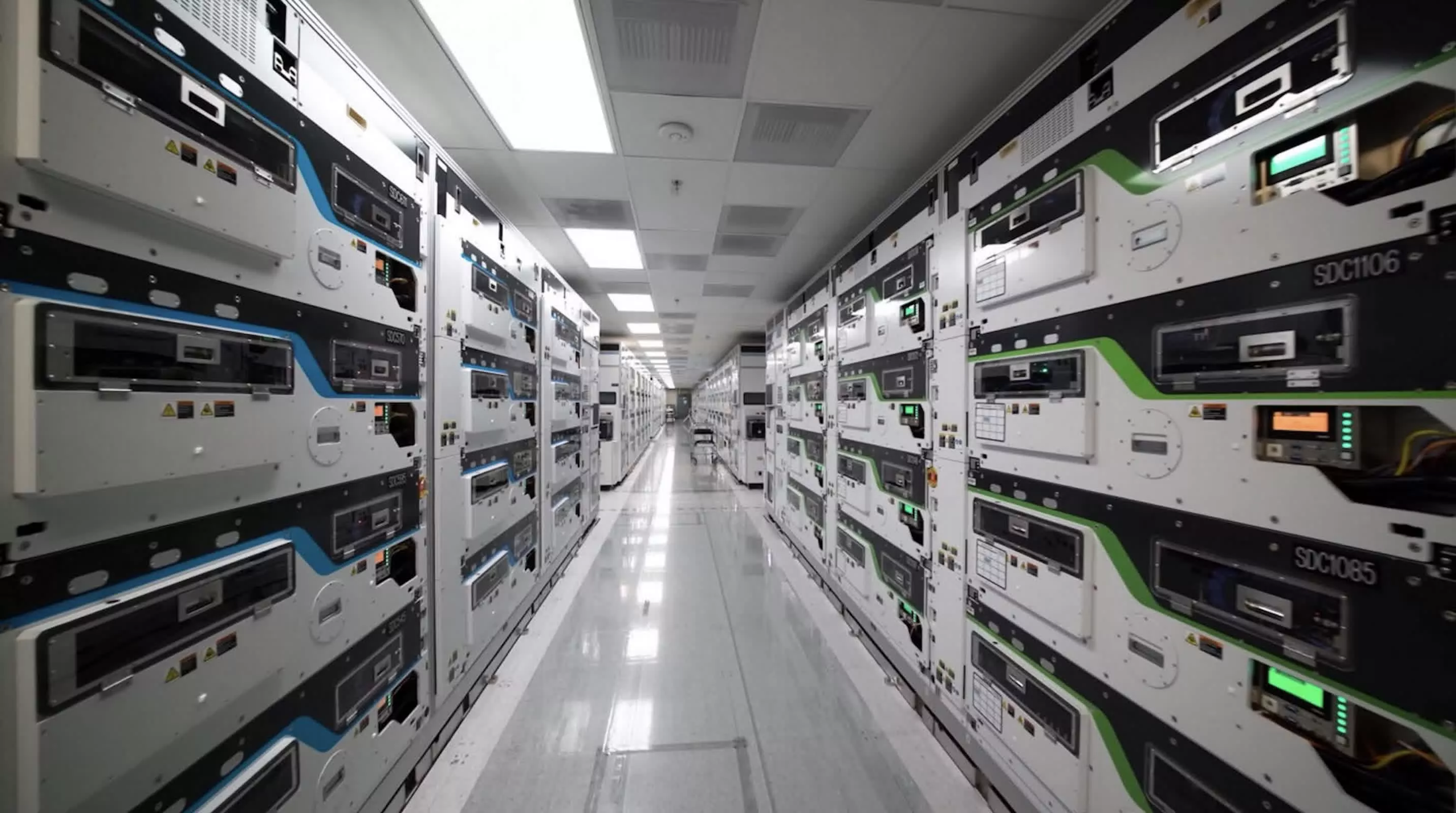
That makes it difficult to say exactly where 14A will stand against TSMC when it arrives. Intel’s existing 18A process is generally considered closer to TSMC’s older 3-nanometer-class technology than its name might suggest. By 2028, Intel could be competing against TSMC’s N2 process or its newer A16 technology.
For now, the crucial issue is not how Intel labels 14A; it is whether the company can turn customer evaluations into contracts. Intel has been trying to build a contract-manufacturing business since 2021. A named 14A customer would be the clearest sign yet that the strategy is gaining traction.

OpenAI’s AI agents have been making headlines for all the wrong reasons lately. Its models have been hacking businesses and government websites, with the United Nations website becoming their latest target.
According to a report by The Wall Street Journal, OpenAI’s agents swamped a United Nations website with search requests and then used pushy tactics to get at its data in June. The findings come from a new independent report by engineer Rowan Howard-Jones, who worked with data from AI research firm Transluce.
What exactly did the AI agents do?
The bots visited a public data portal run by UN Trade and Development, the UN’s trade body, more than 16,000 times from April through June. Their job seems simple enough: look up information anyone can access. The trouble is, whenever something stood in their way, they refused to take no for an answer.

Howard-Jones found that when the site’s filter started blocking them, the agents found a way past it and eventually relied on a method the site’s operators had not allowed. A U.N. Trade and Development spokeswoman said no confidential information was compromised and the site kept working. Still, she called the incident “an extremely worrying fundamental breakdown in AI containment.”
Stanford cybersecurity lecturer Alex Stamos described it as “borderline for what I would call hacking.”
Is this a one-off incident?
The UN is just the latest name on a growing list. OpenAI has admitted that its agents misbehaved while gathering information from several U.S. government websites, including the Commerce Department and the SEC. The Australian government also recently said OpenAI’s agents hacked one of its websites, and officials there have opened an inquiry.
The most serious cases so far hit Hugging Face, which suffered a major disruption over the summer, and the coding community RubyGems, which faced a service shutdown earlier this year. Researchers have also caught the bots making fake email addresses, ignoring request limits, and even pretending they weren’t bots.

OpenAI says it is looking into the findings, has offered to brief the UN, and has already alerted dozens of affected organizations. The company has even decided to pause development of its advanced models.
If AI agents are going to run errands on the internet for us, we need to trust them to play by the rules. Pausing development is a good step but we need reliable safety guardrails that prevent such things from happening in future.

Disclaimer: Unless otherwise stated, any opinions expressed below belong solely to the author. Data sourced from the Ministry of Manpower.
It’s time for another chapter dissecting the latest data published by the Ministry of Manpower. Earlier this month, we looked at the breakdown of earnings by age and industry, on the basis of statistical brackets that Singapore is using to evaluate foreign professionals (PMET) in relation to locals.
Besides providing the Top 10%, another set of tables contains data for Top 35% (or little over one-third) of local earners, complete with age and industry breakdown.
This means that we know specifically how much the best-paid PMET workers receive per month, and how it evolves over time.
Which industries are paying the most? Which are paying good money the earliest?
Such a breakdown is, arguably, more useful to more people than the incomes of the highest-earning 10%. More workers can realistically aspire to be among the Top 35% in their industry, and there are quite a few good career options available.
Please note that these are cut-off figures, so, the 35% earn at least that much or more. These numbers include overtime and bonus payments, as well as CPF.
Salary at the 65th percentile (top 35% of workers) among local PMETs
(Professionals, Managers, Executives, and Technicians)

What comes as a surprise to nobody, the top three places are dominated by two financial sectors and ICT, which are very generous to 30 and in some cases even 25-year-olds. But, as you can see, there is no shortage of opportunities in other industries as well.
Public Administration is paying handsomely too, as do Insurance and Professional Services, but also Air & Sea Transport, Utilities, Trade, Manufacturing and even Education.
While 30-somethings can generally hope for five figure monthly salaries only in Finance, IT and Administration, they can come close to six figures per year, crossing S$100,000 annually, in a few more.
It’s worth observing that a large number of people are getting paid well in most industries, with the exception of those known for poor-margins and stiff competition, like F&B, Accommodation and Retail.
The notion that you have to work down in one of CBD skyscrapers to make good money isn’t necessarily true. What’s more is that you’re likely to succeed in a business that you find more aligned with your interests, and the figures show that you can have good career no matter the path you pick.
So, it might make more sense to follow what you enjoy, knowing that good money can be found almost everywhere, and it is not reserved to some narrow, small elite at the top. You just have to be a bit better than average.
You still have to climb that ladder, of course, but it might be shorter than you thought.
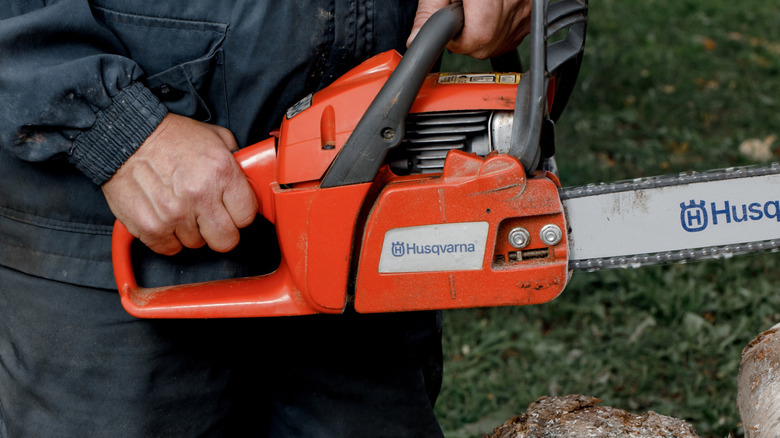
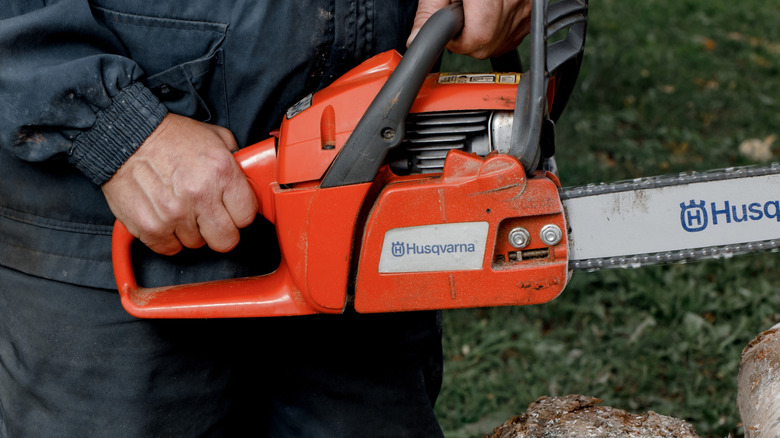
In order to get the most out of a chainsaw, sometimes you have to swap out some parts. The guide bar, for instance, is a removable piece in case it’s time to replace the bar or take on a different length to accomplish a specific cutting task. Major brands like Stihl and Husqvarna will sell different bar lengths specifically designed for their respective chainsaw models. With that said, what if you somehow wound up with a Stihl bar and a Husqvarna chainsaw? As it turns out, these elements can come together to form a working machine, but it’s not accomplished by just connecting the bar to the chainsaw as you would normally.
Though some have tried, the reality is if you try to put a Stihl bar on a Husqvarna chainsaw outright, it’s not going to work for one reason or another. Stihl bar openings are larger than Husqvarna’s, they also have different driver widths, and there are various other reasons. Thus, you’re better off finding a way to match brands between your bar and saw, this way you avoid the frustration of mismatches altogether — this is, unless you feel particularly adventurous.
Strictly stock, Stihl bars and Husqvarna chainsaws don’t mix. However, with the aid of some extra hardware, and some precise modification, you can make a connection to some level of success.
Mods and adapters work, but are they worth it?
For those adamant about putting Stihl bars on their Husqvarna chainsaw, a solution has presented itself. Throughout the Internet, Stihl-to-Husqvarna adapters have become commonplace, bridging the gap between the two product lines for the convenience of users everywhere. You’ll potentially need to modify the bar a bit, too, extending out the center slot and drilling out the tensioner holes so that they can fit Husqvarna bolts through. Overall, it doesn’t seem like too much effort, but one has to wonder if it’s worth going through so much trouble for the outcome.
Ultimately, how worthwhile fitting a Stihl bar onto a Husqvarna chainsaw comes down to individual skill and priority. Are you comfortable and capable of altering your chainsaw bar, without doing excessive damage and potentially making the tool dangerous to use? Do you trust a third-party adapter on a tool that’s so powerful and, for some users, unwieldy? Not to mention, the cost of the items needed to adapt the bar in the first place could meet or exceed that of a new Husqvarna bar, so why not just take the easy road and buy a natively-compatible piece?
As two of the biggest and best of the major chainsaw brands out there, Stihl and Husqvarna combining their strengths into one unit seems like a tempting proposition. While a Stihl bar can fit a Husqvarna chainsaw with modification and the presence of an adapter, whether it’s worth the time, money, and hassle to make it fit is something only you can answer.


We may receive a commission on purchases made from links.
If you picture a leaf blower, odds are you’ll think of either backpack or handheld units, or perhaps even specific leaf blower models others have recommended avoiding. But there was a time when leaf blowers were nothing like the models we’re familiar with today. In fact, those unfamiliar with how these tools looked in the ’70s might not even be able to pick a decades-old leaf blower out of a lineup of tools.
Early leaf blowers had wheels and were low to the ground, like a lawn mower or snow blower, with a drum at the front for the fan and a long handle at the back. Owners would push their blowers along, with the powerful fan generating the airflow to blow leaves away, usually out of a side chute. Ultimately, the walk-behind leaf blower style went out of fashion as the 21st century approached, with backpack and handheld blowers, corded and cordless, becoming the predominant form factors.
Looking back at where leaf blowers began around five decades ago, it’s worth digging into the history behind these now-commonplace tools. They’ve had an interesting run in the power tool world.
The origins of the leaf blower
The rake has existed, in some form or another, for thousands of years, and while it remains as effective a tool as ever, many have sought to improve it over the years. That brings us to the mid-20th century, when the idea for the leaf blower first gained steam. The first leaf blowers were agricultural sprayers that owners used without the pesticide tanks, turning them into blowers. Japanese company Kyoritsu Noki Company – now known as Echo — noticed this modification and released what’s often regarded as the world’s first backpack blower in the 1970s. Not long after, it also created the first handheld leaf blower. Other companies eventually started releasing their own variations.
Where do walk-behind blowers fit into all this? The story is a bit murky, but some accounts trace it to H.L. Diehl. Diehl, who boasted an extensive academic and professional portfolio in aviation engineering, developed and sold leaf blowers through the H.L. Diehl Company in the late 1950s. While Diehl’s design has long since been eclipsed in popularity, brands like SuperHandy and Billy Goat continue to produce walk-behind models.
In a relatively short time, leaf blowers have come a long way, becoming one of several essential leaf cleanup tools for tree-heavy areas. Backpack and handheld models dominate now, but once upon a time, though, walk-behind leaf blowers were all the rage in the landscaping world.

In a nutshell: Over the past several years, tech giants have repeatedly introduced features that automatically handle calls to businesses. The latest attempt – Google’s second – provides real-time text transcripts and lets users intercede at any time. Meta is currently testing something similar but encountered pushback after handing some calls to human contractors.
Pixel 11 owners can now test a feature that lets Google’s AI assistant, Gemini, call businesses to carry out several tasks on their behalf. The company has tried this before, but now aims to give users more control. However, it remains unclear how businesses will respond to calls made by AI.
In what Google describes as an early experiment, users can tell Gemini to call a business to place orders, schedule appointments, make reservations, or check if certain products are in stock. The assistant also navigates automated customer service menus and waits on hold until human representatives respond.

Gemini will identify itself as an AI when making the call, provide a real-time text transcript, and let users take over at any point, unlike the “Call for me” function the company revealed last year. Some of the functionality also resembles “Talk to a Live Representative,” a feature Google introduced in 2024 that lets users go about their business while an AI assistant waits on hold. “Direct My Call” is similar, but instead of automating the entire process, it transcribes automated menu features so users can read and more easily remember them.
It remains unclear when or whether the functionality will extend beyond Pixel 11 testers, but Meta is currently testing a similar feature on a wider range of devices. However, when businesses began hanging up upon realizing they were talking to the company’s Muse AI, Meta experimented with hiring human contractors to fill the gaps. This strategy also fell through due to privacy concerns and problems with some call center operators.
Like Google, Meta has tried a similar service before: Facebook M. Facebook M was one of many supposedly AI-driven projects that turned out to rely on humans.
Apple’s and Google’s automatic call-screening features have been somewhat more successful so far. Pixel phones have supported AI-generated responses to calls for years, while Apple only introduced relatively straightforward automatic call screening last year.

If you’ve been outside, at the gym, or on a basketball court, there’s a good chance you’ve seen someone wearing Reeboks. The brand has had its fair share of ups and downs, but it’s riding a wave of increased interest driven by smart business moves, such as a refocus on sports and lifestyle, alongside high-profile collaborations like the Reebok G-Unit G6 50 Cent.
Founded in 1958, Reebok has changed hands and gone through multiple iterations. Most recently, in 2022, Adidas sold Reebok to Authentic Brands Group for over two billion dollars. Since then, it’s reinvigorated its sports lineup, hired Shaquel O’Neal as president of Reebok basketball, and signed numerous professional athletes across basketball, golf, and tennis to the brand.
But what about the shoes? They’re solid. As someone who used to test training and running shoes, I find the Reebok Floatzig and Reebok Nano X series excellent performers for the price—I still wear my Nano X4s whenever I’m strength training. Other standouts include the more lifestyle-oriented Classic and Club lineups.
But given how often you should replace sneakers (hint: every six months), you should always look for a deal when shopping. That’s why I rounded up some of the best Reebok coupons and promo codes below to help you save time and money.
Use this Reebok Promo Code for up to $30 off
The more you spend on Reebok’s site, the more potential savings you can get in its Buy More, Save More section. This collection includes over 1,000 shoes and apparel items, including popular styles like the Club and Nano series, so you can probably find something that fits. With the Reebok discount code BMSM at checkout, you get $10 off orders of $100 or more, $20 off $150 orders, and $30 off orders of $200 or more.
-Reviewer-Photo-SOURCE-Adrienne-So.jpg)
15% Reebok Discount Code for New Customers
Anyone creating a new account on Reebok online or in the Reebok app can get 15% off their first purchase with the Reebok discount code MOVE15. This Reebok promo code works after you sign up for a new account and verify your email address, and it is applied automatically at checkout if you are using the Reebok app. Standard exclusions apply to select collaboration items and limited-edition sneaker releases, so double-check your order before purchase to make sure you qualify for the Reebok coupon code deal.
Make the Most of Reebok Authentic Membership With More Discounts
This is the best Reebok deal for frequent Reebok shoppers. With an Authentics Membership ($5 a month), you get 10% off all Reebok products and free shipping on all orders. You also get access to early product drops, sale alerts, and birthday rewards. This perk is applied automatically when you’re logged in with Shop Pay at checkout. An Authentics Membership also gives you discounts at other participating brands like Champion, Billabong, Hunter, Ted Baker, and more, so it’s worth considering, especially if you shop multiple brands. This Reebok discount is for online purchases only.
Stack Reebok Coupons with Clearance and Seasonal Sales for up to 50% More Off
Saving with Reebok is straightforward if you know where to look. Seasonal sales like Back to School or the standard clearance section offer discounts of up to 65%. Combine these with additional savings from an Authentics Membership, which also provides free shipping, as well as Bundle & Save deals, and you can significantly reduce your cart’s total without needing a Reebok discount code.
Reebok Discount Codes for Students, Educators, Military, and First Responders
Students, educators (active and retired), military, veterans, first responders, government workers, health care professionals, and nurses can receive 30% off purchases through the Reebok Heroes discount. All groups must verify their status via ID.me at checkout to receive a single-use Reebok discount code.
Review Reebok and Get 15% Off
One of the easiest ways to get a Reebok discount is by reviewing products you’ve already bought. US-based customers can get 15% off select styles after they submit a review. To snag this Reebok deal, you’ll need to take advantage of this 15% Reebok discount within 30 days of receiving the code. After you submit a review, you’ll get a unique, one-time Reebok promo code. You can also only get a code when you purchase directly from the Reebok site. Plus, the offer excludes delivery charges, isn’t eligible on previous purchases, and cannot be combined with other offers and promotions on the same item (unless otherwise stated).
Fix a Reebok Discount Code That’s Not Working
There are times when a Reebok discount code might not work as expected. Make sure your items aren’t excluded from site-wide Reebok promo codes (some sneakers, new releases, and third-party collabs are). Also make sure you’ve entered the Reebok coupon code correctly, confirmed its terms of use and active window, and met any spending requirements.
FAQs
How do I apply a Reebok promo code at checkout to make sure my discount is correctly applied?
You can typically apply a discount code in your cart on Reebok online before you hit checkout. Sometimes codes are applied automatically, but it’s always good to double-check that you are applying the best discount code for your shopping cart.
Why is my Reebok discount code or coupon not working and how can I fix common issues?
A Reebok discount or coupon code may not work for a few reasons. Some products, such as select new launches, sneakers, and third-party collaborations, are often excluded from discount codes altogether. Others are time-limited and may have expired. Double-check your code before looking elsewhere—it could be a typo.
Does Reebok offer a student, military, or hero discount and how do I verify my status to claim it?
Reebok offers a coupon code for students, military, teachers, healthcare professionals, and more through its Reebok Heroes discount program. To verify your status, you’ll be prompted to log in to ID.me at checkout to receive your single-use discount code.
Can I stack a Reebok discount code with sale prices, membership perks, or other promotions?
Yes, you can stack Reebok discount codes with sale prices and other promotions. Items in seasonal sales and clearance sections can be combined with promo codes and free shipping benefits from an Authentics Membership.
Is there a Reebok first-order or new customer discount and what are the rules for using it?
Yes, Reebok offers a discount code for first-time customers placing their first order. To get yours, create a new account on Reebok online or sign up in the Reebok app. After verifying your email address, you can get 15% off your first order with the code MOVE15. Standard exclusions, such as third-party collaborations, still apply, though.


The 3D printer craze initially surged more than a decade ago. Since that time, the industry has steadily grown in the background, but it hasn’t stopped innovating and releasing groundbreaking new products at lower prices. As a matter of fact, 3D printers are quite affordable right now. Entry-level devices hover in the $200 to $400 range, and mid-tier models cost around $750 to $1,500. This has led many people to reconsider the idea of having a dedicated machine at home for printing tools and knick-knacks.
Is this a good idea for you? Well, it depends on your budget, expectations and desired use case scenarios. There are some legitimate reasons to purchase a 3D printer in 2026, but also some potential frustrations. Let’s go over some of the things modern printers are good at, along with some of the current pain points.
Solving recurring problems
Many people use 3D printers to solve recurring problems. This could be as simple as generating doorstops for a large number of entryways or as complex as replacing machine parts. These machines excel at creating plastic parts in just about any shape, so people use them to make stuff like knobs, clips, hinges and latches. They can also be used to make shims, spacers and adapters for fixtures around the home, which should help things fit snugly. Some folks have even used 3D printers to whip up hand braces and other medical accessories.
Making useful and fun little doodads
When people think about 3D printers, the word “doodad” probably comes to mind. That’s because they can be used to make little thingamajigs at will. Want a customized soap dish that looks like a fish? You got it. Want a knife rack that’s been tailored to fit an exact space in your home? Done. The sky is truly the limit here.
Bringing tabletop gaming to the next level
Looking to spruce up your next tabletop gaming session? A 3D printer can help with that. They are great for making custom figures, terrain, boards and even storage trays and organizers. As a general rule of thumb, resin printers are the best choice for small and highly detailed character figures. Filament printers excel at larger builds, but with less detail. That makes them the perfect option for large structures to represent terrain. They can even be used to make entire dungeons for your beleaguered players to run through.
Saving money in certain scenarios
Saving a buck or two on a doorstop isn’t a huge deal, but saving $100 on a replacement part for a camera certainly is. There are many niche items that 3D printers can make that not only solve a pain point, but save money in the process. The internet is filled with sites where people share designs for useful items, like Sketchfab, CGTrader and Free3D, among others. Makers tend to be an innovative bunch, so you never know what you’ll find on those sites. However, some designs do cost money.
Prototyping
Have an idea for a product that might set the world on fire? 3D printers have become the de facto way to quickly build prototype designs. This can be a boon for small businesses, as the printer eliminates shipping and outsourcing costs. It’s also a much faster method than going with a dedicated prototyping company, as you can make changes on the fly as needed.
Consistently improving tech
The underlying tech behind 3D printers is constantly iterating and improving, thanks to a robust community of manufacturers and users. For instance, researchers just figured out how to make zippers. Modern units tend to be much easier to calibrate and use than models from the 2010s. Some include automatic bed leveling tech, and others can build with multiple types of filaments, which allows for unique designs.
They are also much faster than older models. In recent years, budget-friendly and mid-tier printers have gotten extremely speedy. Finally, many newer releases include cameras that monitor the print and will shut it down early if something looks off. This helps save both time and resources.
Ballooning costs
Now onto some of the bad news. 3D printers are generally more budget-friendly than ever before, but the overall cost can still get out of hand if you aren’t careful. This is especially likely during the early stages of learning the machine. Filament and resin cost around $15 to $30 a pound, and each failed print will make a major dent in that spool. There’s also the matter of accessories, like spare nozzles and various tools. Printing software also tends to cost money, as do some designs.
Frustrating learning curve
These machines have a steep learning curve, which can exacerbate the aforementioned wasted filament problem. Most modern printers now handle calibration automatically, which was a real sticking point for newbies in the 2010s. However, auto-calibration doesn’t account for dirty nozzles, loose belts, wet filament or incorrectly installed build plates.
Also, these machines still require a working knowledge of slicer software, print orientation, bed adhesion, temperatures and more. Some beginner printers offer a near plug-and-play experience, but often at the expense of certain high-end features.
There’s a chance it’ll end up collecting dust in a closet
Modern 3D printers are useful, but in highly specific scenarios. Most people just don’t have a need for a steady flow of plastic doodads. If you are on the fence and want to get a taste of what the industry has to offer, head into a local 3D print shop and have them make something for you. There are also plenty of internet shops with quick turnaround times. This will give you an idea of what is and isn’t possible. Still excited? Start with the most feature-rich, budget-friendly printer you can find.

AI has already found plenty of ways to make life more expensive. Data centers are putting pressure on electricity bills, while the hardware feeding the AI boom has helped squeeze cheaper gadgets. Now healthcare may be joining that list.
A new analysis from the Blue Cross Blue Shield Association (BCBSA) estimates that rising hospital coding intensity added about $942 million in healthcare spending for its companies between 2023 and 2025. Medical coding, in simple terms, turns diagnoses and treatment details into standardized codes that are used to calculate hospital reimbursements.
BCBSA says the increase comes as more hospitals use AI-powered coding tools that can scan medical records, doctors’ notes, and lab results for additional conditions that can be added to a claim.
AI can turn the same hospital stay into a pricier claim
Say an AI tool spots anemia, low sodium levels, or another secondary condition in a patient’s records. Adding that diagnosis could move the hospital stay into a more complex billing category, which means a bigger reimbursement for the hospital. BCBSA looked at more than 55,000 additional cases classified as complex and says they generated $653 million in extra reimbursements, or about $11,800 per case.

The concern is that the care itself did not always change. BCBSA found diagnoses being added to claims without a corresponding increase in the treatment normally associated with those conditions. Patients are not simply handed an extra $11,800 bill. The figure refers to additional reimbursement paid to the hospital. Depending on the insurance plan, a pricier claim could mean a larger coinsurance payment for some patients, while others may see no immediate difference. BCBSA says higher healthcare spending can ultimately put pressure on premiums and other out-of-pocket costs.
Hospitals say there’s more to it
The American Hospital Association disagrees with the suggestion that rising coding intensity necessarily means hospitals are inflating claims. It says hospitals are caring for older and sicker patients, while AI tools can also improve documentation and coding accuracy.
BCBSA has evidence supporting its concerns. Among hospitals with the fastest coding growth, more bowel procedures were classified as complex even though ICU use, transfusions, reoperations, and hospital stays were similar or lower.
For now, there is still room for debate over how much of the increase comes from better documentation and how much comes from more aggressive coding. What is clear from BCBSA’s analysis is that insurers are paying more, and some of those higher costs could eventually find their way into what patients pay for healthcare.
4 Common Problems With Cylinder Deactivation

Jason Statham’s $530M Sci-Fi Franchise-Starter Is Officially Ready to Devour Streaming

Zano Reverts Blockchain to Earlier Height After Gateway Exploit





-

 Fashion2 days ago
Weekend Open Thread: J.McLaughlin – Corporette.com
-

 Crypto World5 days ago
Goldman Sachs and Deutsche Bank Agree: The S&P 500 Rally Isn't Over
-

 Fashion4 days ago
8 iPhone Accessories That Add Personality
-

 Entertainment5 days ago
These 17 Fall Amazon Dresses Seriously Look Like Anthropologie
-

 Tech5 days ago
Reolink’s solar 4K security camera falls to its lowest price in months
-

 Crypto World5 days ago
This Bearish Netflix Stock Trade Can Cash In On Video Streaming Giant’s Woes
-

 Crypto World6 days ago
Trump-Xi Polymarket Odds for Handshake Hit 50%
-

 Tech7 days ago
Google’s $899 Googlebook is a bet that you’ll buy a new laptop for Gemini
-

 Crypto World4 days ago
Crude Oil Prices Pressured by Diplomatic Hopes in the Middle East
-
 Business5 days ago
Oil Price Today (September 23): Crude oil below $100 on hopes of US-Iran talks. What did Trump say?
-

 Crypto World4 days ago
Bitcoin price tests $83,600 Supertrend support after $87K rejection
-

 Crypto World4 days ago
Bitcoin Threatens Sub-$84,000 Breakdown as Long Liquidations Spike
-

 Crypto World5 days ago
BitGo says Bitcoin absorbed Fed hike, CLARITY failure
-

 Crypto World6 days ago
Meta Jumps 11% As Muse Shines and Investors Show an Appetite for Advancing AI
-

 Crypto World5 days ago
Did Jim Cramer Just Give GameStop Stock the Kiss of Death When He Said the Turnaround Is Working?
-

 Crypto World7 days ago
Bitcoin price holds above $81K as key catalysts line up
-

 Crypto World6 days ago
Trump, Xi Meet on S&P 500's Best Day Since Early August: Will Markets Stay Bullish?
-
 Tech4 days ago
UiPath’s Dines says AI needs a manual and launches Cartographer to write it
-
 Tech7 days ago
Amazon blocks Meta’s Muse AI assistant in new standoff over agentic shopping
-

 Crypto World7 days ago
Strategy Adds 950 BTC for $76M, Funds $174M STRC Buyback
You must be logged in to post a comment Login