Connect with us
DAPA Banner
DAPA Coin
DAPA
COIN PAYMENT ASSET
PRIVACY · BLOCKDAG · HOMOMORPHIC ENCRYPTION · RUST
ElGamal Encrypted MINE DAPA
🚫 GENESIS SOLD OUT
DAPAPAY COMING

Tech

Europe is testing air conditioners that don’t use any refrigerants at all

Published

on

The big picture: A new generation of cooling technology is beginning to move from lab testing into early real-world trials, as researchers and startups look for ways to cool buildings without relying on traditional refrigerants. The push comes as demand for air conditioning accelerates in Europe, where rising temperatures are exposing the limits of both existing systems and the buildings they are meant to cool.

Several of these new approaches are now being tested. Some rely on metals that cool when stretched and released. Others use semiconductors, magnetic fields, or pressure-sensitive materials to move heat without the chemical refrigerants used in conventional air conditioning. Most are still in early stages, but the activity reflects a growing effort to rethink how cooling works at a fundamental level.

The urgency reflects how quickly climate conditions are shifting beyond what much of Europe’s infrastructure can handle. In late June, temperatures exceeded 40 degrees Celsius in parts of the region, triggering a surge in demand for cooling equipment. In France, shoppers forced their way into stores to grab portable air conditioners and fans before supplies ran out. The International Energy Agency estimates that by 2050, two-thirds of households worldwide could have air conditioning.

Europe remains behind other markets, with about 20% of households using air conditioning, compared with roughly 90% in the United States. In the UK, adoption is closer to 4%. But that gap is expected to shrink as heat waves become more frequent, ..particularly in countries where air conditioning has not historically been a priority.

Advertisement

Cooling is no longer just about comfort. It affects productivity, sleep, and public health, especially during prolonged periods of extreme heat. Research has linked access to air conditioning with lower mortality rates during heat events, including an estimate that nearly 200,000 premature deaths among people over 65 were avoided globally in 2019.

At the same time, scaling conventional air conditioning presents its own set of challenges. Most systems still rely on refrigerants that cycle between liquid and gas to transfer heat. While effective, they are energy-intensive and carry environmental risks. Cooling already accounts for about 3% of global greenhouse gas emissions, and demand for electricity used in cooling is expected to more than triple by 2050.

The refrigerants themselves are under increasing scrutiny. Fluorinated gases, widely used today, can have a global warming impact thousands of times greater than carbon dioxide if they leak. The European Union moved in 2024 to phase them out. “In the next few years, air conditioners and heat pumps using these gases won’t even be able to be sold here,” Fabian Voswinkel, an energy-efficiency policy analyst at the IEA, told Wired. Alternatives such as propane and ammonia are available but introduce trade-offs, including flammability and toxicity.

Advertisement

Those limits are pushing researchers toward solid-state cooling, a category of technologies that eliminates the need for refrigerants altogether. Instead, these systems rely on materials that change temperature when exposed to external forces such as mechanical stress, electrical current, or magnetic fields.

At Saarland University in Germany, researchers are testing nickel-titanium alloys that generate a cooling effect when stretched and released, a process known as elastocaloric cooling. Early results suggest the approach could lower indoor temperatures by 5 to 10 degrees Celsius and operate more efficiently than conventional systems.

The team, led by Paul Motzki, is working with Irish company Exergyn to develop refrigerant-free heat pumps and expects initial deployment in new buildings within the next few years. Motzki said the technology “could lead to disruption, even a paradigm shift, because the technology is so different from established cooling systems.”

Other companies are testing different approaches. Mimic Systems is testing a semiconductor-based heat pump that uses electrical currents to move heat, with a prototype installed in an apartment in Vancouver. Germany-based Magnotherm is developing cooling systems that rely on magnetic fields and plans to test them in a German supermarket chain before expanding into air conditioning. In the UK, Cambridge spinout Barocal is working with plastic crystals that release heat when compressed and has raised $10 million in seed funding.

Advertisement

For now, most of these systems remain unproven at scale. Lindsay Rasmussen, who works with climate-tech startups at Third Derivative, said the technologies are “promising, but unproven at scale,” adding that “the space can move quickly if the right capital and partnerships are in place.” Their path to market may depend on whether large manufacturers adopt and scale them.

Even with new technologies, rising cooling demand cannot be addressed through equipment alone. Much of Europe’s building stock was designed to retain heat, and dense urban areas tend to trap it. Researchers and policymakers are increasingly calling for a “cooling hierarchy” that prioritizes reducing heat buildup through design measures such as shading, ventilation, and reflective materials before turning to mechanical systems.

Some cities are already experimenting with broader infrastructure solutions. Paris has expanded its district cooling network, which circulates chilled river water through underground pipes to cool public buildings. Voswinkel said such efforts reflect a growing recognition that adapting to rising temperatures will require more coordinated planning.

Advertisement

Source link

Continue Reading
Click to comment

You must be logged in to post a comment Login

Leave a Reply

Tech

How Do These All-In-One Super Zoom Cameras Compare?

Published

on


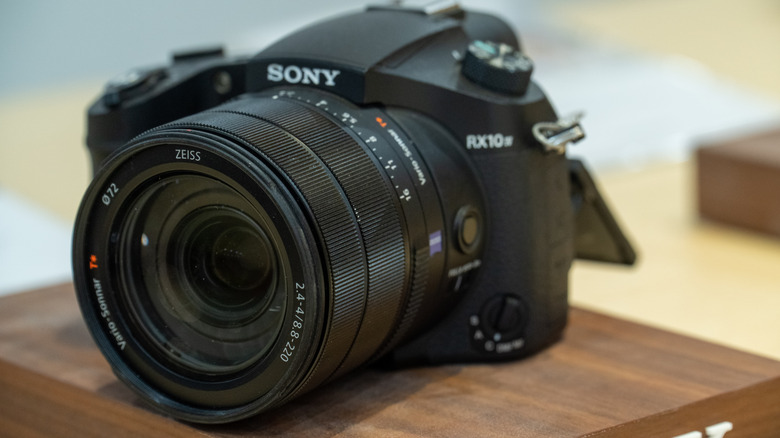
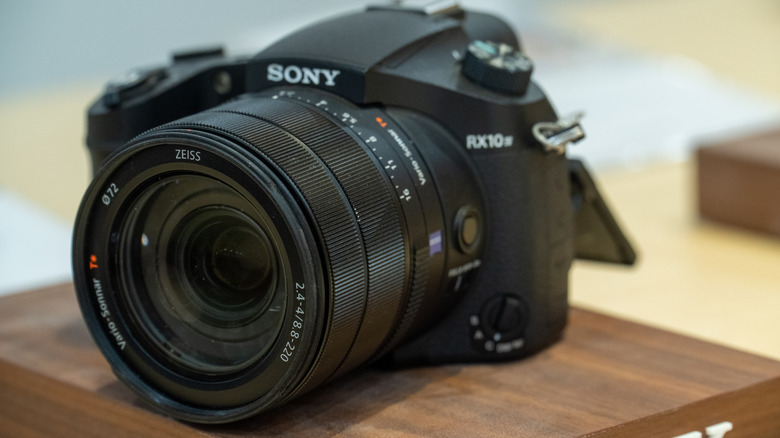
If you know your way around cameras, you are probably aware of the Sony RX10 IV super zoom camera. Introduced way back in 2017, it earned rave reviews from reviewers, consumers, and camera enthusiasts and is widely thought to be among the best premium bridge cameras ever made. Despite its massive popularity, Sony discontinued the RX10 IV in 2025. But just when everyone thought that was the end of the RX10 series, the company has surprised everyone with the launch of the Sony RX10 V. What is more remarkable is that this launch comes nearly a decade after the launch of the Sony RX10 IV in 2017. As expected of a successor, the fifth generation RX10 carries over several traits of its predecessor while also simultaneously offering significant upgrades.

Sony has unsurprisingly retained all the things that enthusiasts loved about the Sony RX10 IV — including the 20.1 MP 1-inch stacked CMOS sensor, the 24-600mm equivalent Zeiss 25x zoom lens, and the weather-resistant body. There are some glaring omissions as well, such as the removal of the flash module, and the absence of the 960 fps slow motion mode.

When Sony launched the previous generation RX10, it had a premium price tag of $1,700. Its successor is even more expensive at $2,299.99. Adjusted for inflation, the price is actually nearly the same. Still, for prospective buyers, splurging over $2,000 for a fixed lens superzoom camera may sound like a bit of a stretch. The RX10 V is expected to go on sale starting August 2026 and will be available at leading offline and online retailers across the U.S.

Advertisement

Faster autofocus, better video, and smarter shooting

Although the RX10 V carries over the same 20.1-megapixel 1-inch stacked CMOS sensor and the acclaimed 24-600mm equivalent zoom lens from the RX10 IV, Sony has significantly upgraded almost everything around it. To start with, the new camera gets Sony’s newest BIONZ XR image processor, and pairs it with a dedicated AI processing unit — both borrowed from the company’s newer Alpha series cameras. Together, they enable much more advanced subject recognition, and allow the camera to automatically detect and track a wide variety of subjects ranging from animals, birds, insects, trains, aircraft, automobiles, and humans with greater accuracy. Sony also promises blackout-free continuous shooting option at up to 30 fps.

Advertisement

Then there is auto AF/AE tracking, which ensures that the camera holds focus on fast, unpredictable subjects. Autofocus also sees improvement with the RX10 V gaining more focus points, improved tracking, and enhanced eye detection. Moving on to videography, this is an area where the new camera takes some of the biggest leaps over its predecessor. While the RX10 IV topped out at 4K 30 fps recording, the RX10 V now supports full-width 4K recording at up to 60 fps, along with 4K 120 fps slow-motion capture and 10-bit 4:2:2 recording for greater flexibility during editing.

Despite using the same sensor, Sony claims the newer processing pipeline also delivers improved dynamic range, cleaner high-ISO images, and more accurate colors. Image stabilization has also been improved, and this should be more noticeable while capturing videos and photographs at the camera’s full telephoto range of 600mm.

Advertisement

Familiar design, but a more refined shooting experience

At first glance, the refreshed fifth-generation RX10 appears very similar to its predecessor. Only upon closer inspection will you notice the subtle design tweaks. The most obvious changes here include a redesigned handgrip and a refreshed rear control button layout, inspired by Sony’s pricier Alpha series of mirrorless cameras. The grip is now deeper, and should make the camera more stable when shooting in telephoto mode. Another thing that has been revised is the dedicated AF joystick for quicker autofocus point selection and easier one-handed operation.

Moving on to other changes, Sony has also brought several usability improvements to the RX10 V. The camera now features the same touchscreen menu system found on its latest Alpha models adding a dash of familiarity to those who already own an A series camera. The electronic viewfinder has been upgraded from 2.36 million dots to 3.68 million dots, and should be noticeably sharper during daily use. The rear LCD screen has also been upgraded, and now boasts a higher resolution. Then there is the much-needed USB-C upgrade, which replaces the older Micro USB port for charging and faster data transfers. The RX10 V now features the larger NP-FZ100 battery, which offers around 50% more capacity than the older NP-FW50 battery used on the RX10 IV.

Not everything is rosy, though. A few features have also been phased out on the newer model. These include the built-in flash, as well as the small top-mounted status LCD found on the RX10 IV. That said, given that many wildlife and bird photographers (who the target audience for the RX10 is) rarely rely on an integrated flash, these omissions are unlikely to be major deal-breakers.

Advertisement


Source link

Advertisement
Continue Reading

Tech

SpaceX cleared to fly Starship again after booster failure in May

Published

on

The Federal Aviation Administration (FAA) has cleared SpaceX to fly Starship prototypes again, after the company identified the probable cause of the failure of the rocket system’s booster stage during a flight in May.

SpaceX said over the weekend that the next flight of Starship could happen as soon as this Thursday, July 16. It would be the second-ever launch of the third version, or V3, of Starship. SpaceX also said that this Starship will carry the first third-generation Starlink satellites to space. Previously, Starship had only carried dummy versions of the larger, more powerful internet satellites.

This is SpaceX’s second test flight of its Starship system, and it’s first as a public company, testing the market’s appetite for the company’s “fly, fail, fix” approach to rocket development that often ends in fireballs — or, as CEO Elon Musk calls the explosions: “rapid unscheduled disassembly.” SpaceX completed its IPO and publicly listed on the Nasdaq Stock Exchange on June 12, making it one of the ten most valuable companies in the world and raising nearly $86 billion, a record.

SpaceX’s first test launch of the V3 Starship on May 22 was largely successful. The company’s Super Heavy booster lifted the 407-foot rocket into space before the upper stage section separated and deployed 20 satellite simulators along with two modified Starlinks that recorded footage of the Starship exterior.

Advertisement

The new third-generation booster was supposed to return to Earth and perform a simulated landing in the Gulf of Mexico. But its engines didn’t properly re-ignite, and it instead plummeted into the water below.

The problem happened at that moment of booster separation, according to SpaceX and the FAA. SpaceX said in a post published over the weekend that “slight differences in engine startup on the ship” caused the Booster to turn 90 degrees in the wrong direction. SpaceX said it has modified this engine startup sequence to allow the booster to “more reliably flip in the desired direction” and that the booster has been modified to “improve re-light reliability.”

The FAA said in a statement Monday that the most probable root causes of the Super Heavy booster failure were “heat effects on propulsion system components during the [rocket’s] ascent and erroneous engine alarm system settings.” SpaceX said in its post that it has made changes to Starship’s engine alarm and abort systems that should reduce the chance of a similar failure in the future.

While the first upper stage of Starship V3 was able to successfully deploy its test payload in May and simulate a landing in the Gulf — a milestone SpaceX had struggled to reach before — it also did so while losing one of the three Raptor engines that are meant to be used in the vacuum of space. SpaceX said over the weekend that it has made “[s]everal hardware and operational modifications” to prevent this from happening again.

Advertisement

This next Starship test flight will see the company launch the first of its V3 Starlink satellites to space, which are supposed to increase the satellite network’s capacity and user speeds. SpaceX is planning to deploy 20 of these new satellites during the launch. They are designed to connect with the larger Starlink constellation “via high-capacity lasers” and then burn up in the atmosphere roughly 20 minutes after they are deployed, according to SpaceX. Six of them will be equipped with cameras to photograph the exterior of Starship.

The V3 versions of both Starship and Starlink are crucial to SpaceX’s future. Starlink was the only profitable part of SpaceX’s business in the run-up to its IPO, and SpaceX needs Starship to become a fully reusable rocket system to even attempt its galaxy-brained plans for space-based data centers and interplanetary travel.

When you purchase through links in our articles, we may earn a small commission. This doesn’t affect our editorial independence.

Source link

Advertisement
Continue Reading

Tech

Trust me, an outdoor TV is the best thing you can buy

Published

on

A dedicated outdoor TV? Surely that’s a luxury too far, and who could possibly want one? Turns out, I do.

I’ve long been a fan of watching outside, particularly sport.

Back in 2010 when ITV HD launched, I set up a friend’s inflatable projector screen and we watched the England vs USA World Cup game. It felt amazing, except for when ITV cut to a car advert, rather than showing the goal, but you can’t have everything.

Since then, improvements in technology have meant that projectors have got better, smaller, brighter and smarter. Come the Euro 2020 final (actually held in 2021), we had our garden full of friends, a projector screen attached to my office at the bottom of the garden, and the game at a massive size.

Advertisement

But that particular event showcased the downsides of using a projector outside. First, the day was warm but drizzly, which isn’t ideal for a projector, so we needed an outdoor shelter over the garden to keep the equipment dry.

Advertisement

Secondly, when it’s warm enough to watch outside, it’s also bright outside until late. Even super-bright home projectors (3000 Lumens or higher) struggle with full sunlight, so you tend to have to start with a small image, then you pull back as it gets darker to get a bigger image.

And, when it’s all done you have to pack up until you next want to watch, then you have to get everything out and set up all over again. When it’s fully dark, having a huge screen outside is fun, but who wants that hassle daily?

Advertisement

This is why outdoor TVs make sense

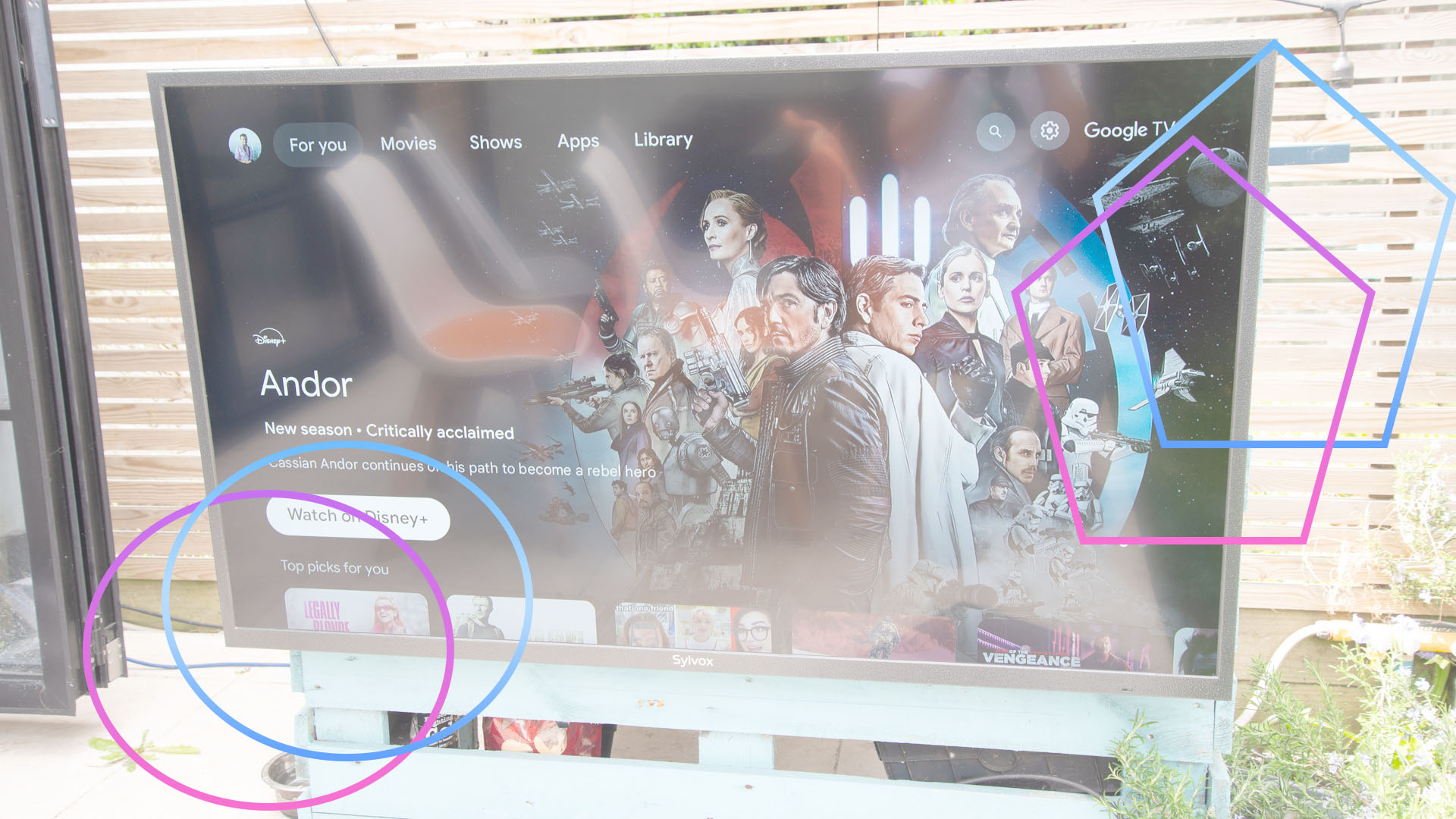
With an outdoor TV, such as the Sylvox Pool Pro 2.0, you don’t get quite as big a picture as you can from a projector, and the largest outdoor TV I’ve seen for home use is 75-inches. But, there are plenty of advantages.

First and foremost, outdoor TVs are weatherproof. So, once they’re installed, they’re ready to go when you are, and if it does rain, you don’t have to pack them away.

Secondly, they’re built for outdoor use. That particular Sylvox TV is built for full sun, so you can watch it even with the sun shining directly on it. That’s just not possible with a home projector of any kind.

With the weather not only getting warmer during the day but also at night, as the recent heat waves have shown, sitting inside is horrible. Having a TV set up outside, ready to go, turns the garden into a makeshift lounge.

Advertisement

Advertisement

Over the past three weeks I’ve watched more TV outside, both during the day for things like Wimbledon and into the night for the World Cup and just general watching. And, on Saturday 11 July, we’ve got people round to watch England play Norway. 

With the garden TV, we’ll just turn it round to face the chairs we’ve set up in the garden and we’re good to go. 

If you’d asked me before I reviewed an outdoor TV what I thought, I’d probably have said it’s a cool extra but ultimately only for those with cash to burn. Ask me today, and I’d say it’s an essential part of my life, and I wouldn’t be without one.

Advertisement

Source link

Continue Reading

Tech

Back-to-School Tech Costs More This Year. Here’s How to Find Deals Anyway

Published

on

It’s hard to believe that back-to-school season is upon us. 

Kids will return to the classroom in many parts of the US in a few short weeks, some as early as August 3. School supply lists are already available, so you can start shopping. In addition to notebooks and paper, parents are learning that many lessons and projects are expected to be completed using technology, such as laptops and tablets. Some schools, like my son’s elementary school, provide devices such as Chromebooks. But many school-aged and college students will be expected to have a separate device at home, which puts parents in the market for laptops or tablets. 

But today’s educational tech doesn’t come cheap. The evolution of AI led to a memory chip shortage. Those chips are vital to most devices, including phones, gaming consoles, computers and tablets. And that shortage means you can expect higher prices. One workaround could be refurbished or secondhand models. 

Advertisement

In April 2026, CNET found that nearly half (48%) of US adults have considered secondhand devices within the past year. Several factors influenced their decision, including cost-effectiveness (31%) and newer models being too expensive (25%). 

However, refurbished tech isn’t exempt from those price hikes. So what should you do if you have to buy a laptop or tablet for school but don’t want to break the bank? I’ll explain. 

2-refurbished-tech-cnet.png

Cole Kan/CNET/Getty Images

How is the RAM shortage impacting refurbished tech? 

Older devices bypass new chip costs, making them a potentially more cost-effective option. But the RAM shortage is increasing demand and prices for refurbished products. 

Apple is the latest tech company to raise prices on its new and refurbished products. Its Certified Refurbished store saw price increases of 6% to 15% in June. A refurbished 14-inch MacBook Pro M5 with 16GB of memory and 1TB of storage cost $1,699, but a discount brought it down to $1,439 on June 14 after looking at Internet Archive’s Wayback Machine. It now costs $1,999, but a discount brings it down to $1,699. 

Advertisement

Other companies, including Samsung and Microsoft, have also been affected by chip shortages. Microsoft will increase the prices of its Xbox Series X/S on Aug. 1, and its new Surface laptop models will cost more. The chip shortage isn’t expected to end until 2028, so more companies may continue to raise prices on new and refurbished devices. 

Refurbished back-to-school tech may still cost less than new devices, but there are a few shopping tips to keep in mind if you need to buy a laptop or tablet soon. 

School supplies including a laptop, ruller, pen, stack of colorful papers and tape

Apple recently increased prices on new and refurbished tech by up to 15% for some devices.

Advertisement

MirageC/Getty Images/J. Hazelwood/CNET

Compare policies and prices from refurbished retailers 

You may find good deals when buying secondhand tech online, including discounts and accessories. Buying and selling on online platforms such as Facebook Marketplace and OfferUp can offer good deals, including accessories or a better price than major retailers. However, you won’t have a warranty, return policy or professional assessment of the device. That could mean you’re stuck with tech you’re dissatisfied with. 

Certified refurbished retailers, such as Back Market, have limited-time warranties, money-back guarantees and inspections to help you feel comfortable buying a used device online. Compare prices, warranties and policies and specifications across major retailers, such as Amazon’s Renewed Store and Best Buy Outlet, for the best deal. And tech brands have refurbished stores, too, like Apple’s Certified Refurbished, Dell Refurbished and HP Refurbished Certified. You may even find limited-time back-to-school savings on secondhand tech, but it’s worth making sure you have the right protections if you’re unhappy or the device isn’t what you expected when it arrives. 

Once you’ve settled on a device you’re comfortable with, pay with a credit card with purchase protection in case the device is stolen, damaged or lost within a certain timeframe (usually three to six months). Keep all of your receipts and tracking information, and make sure the device is in the expected condition when you receive it. 

Trade in your old device for savings 

Major retailers have trade-in programs that can lower the cost of a new device. Apple’s Trade-In program gives you an Apple gift card based on the value of your old device. You can use it toward a new or refurbished Apple product or accessory. And Amazon’s trade-in program similarly lets you trade-in your old device for an Amazon gift card that can be used toward buying refurbished tech on Amazon. 

Advertisement

Another way to save money on refurbished tech during back-to-school season is to sell your old device on a buy-and-sell platform — such as Swappa, ItsWorthMore or ecoATM — and trade it in for cash to put more toward a refurbished device you’re considering. You may get more or less depending on your device’s age and condition. Newer models in good to excellent condition typically sell for more. It’s worth comparing offers across sites to get the most money for your device, which can mean paying less for your new one.

Don’t count out new laptop and tablet models yet 

Buying refurbished tech may seem like an easy way to cut costs on a laptop or tablet for the upcoming school year, but back-to-school deals and student discounts can sometimes bring the price of a new device down to the cost of a refurbished one.

As enticing as refurbished tech may be, pay attention to software upgrades, the device’s battery health and the device’s overall condition. Some devices, such as Intel MacBooks, aren’t eligible for software upgrades anymore, which isn’t ideal when you plan on using it for some time. In that case, a new device may be best. 

Advertisement

Source link

Continue Reading

Tech

‘Cryptomining can be a lucrative post-compromise activity in cloud environments’: Experts warn AI gateways connected to Amazon Bedrock are being hijacked to steal crypto

Published

on


  • Darktrace reports cryptojacking via a compromised AI gateway (LiteLLM‑Proxy on AWS Bedrock), breached through exposed SSH and abused with XMRig mining
  • Attackers also showed suspicious IAM activity, hinting at possible cloud credential misuse, with connections traced to Vietnam
  • Experts warn AI gateways concentrate privileged access, urging strict port closures, least‑privilege roles, and control‑plane monitoring to reduce blast radius

If you are using AI gateways as part of your tech stack, be wary – they are being leveraged in cryptojacking attacks, experts have warned.

Cybersecurity researchers Darktrace have published a new report on a cloud-hosted AI gateway, connected to Amazon Bedrock, which was compromised and used for cryptocurrency mining.

Source link

Continue Reading

Tech

the research says juniors using AI never learn to debug

Published

on

Research published this year has given a name to something employers have been circling for a while. Deskilling is what happens when an expert stops practising and gets worse. Never-skilling is what happens when a novice never gets good in the first place, and it is the more awkward problem, because the people it affects are the ones companies are already hiring fewer of.


The sharpest evidence comes from a randomised controlled trial run by Anthropic researchers Judy Hanwen Shen and Alex Tamkin, published in January.

They recruited 52 mostly junior software engineers, gave half of them an AI assistant, asked all of them to learn Trio, a Python library none of them knew, and then quizzed everyone on the concepts they had used minutes before.

The AI group averaged 50%. The hand-coding group averaged 67%. Anthropic describes the gap as the equivalent of nearly two letter grades, and it was statistically significant, with a p-value of 0.01.

Advertisement

The 💜 of EU tech

The latest rumblings from the EU tech scene, a story from our wise ol’ founder Boris, and some questionable AI art. It’s free, every week, in your inbox. Sign up now!

The speed benefit, which is the entire reason anyone reaches for the assistant, did not really materialise. The AI group finished about two minutes faster, a difference that failed to reach significance, partly because several participants spent up to 11 minutes composing queries, roughly a third of their allotted time.

They learned less, finished no faster, and came out worst on the thing that matters most when the machine is wrong. That thing is debugging, where the gap between the groups was widest. The control group, denied an assistant, hit errors and had to resolve them, which is a fair description of how debugging is learned. The AI group did not hit the errors.

Advertisement

Medicine has arrived at the same worry from a different direction. A Nature Medicine Perspective published in May, led by Duke-NUS Medical School with co-authors at Harvard, UCL, and King’s College London, coined it for trainees who lean on AI during their formative clinical years and never build the reasoning that safe, independent practice requires.

It adds a third category with even less attention on it: mis-skilling, the trainee who accepts an AI error uncritically and files it away as fact.

Those authors are careful in a way the coverage of them has not always been. Direct evidence from medical training, they write, is absent. The argument rests on learning theory and on early signals from non-clinical settings, which is to say from studies like Anthropic’s.

Their prescription is a three-phase framework: build competence without AI, then teach people to calibrate their scepticism, then introduce the tools under supervision.

Advertisement

How the tool is used matters more than whether it is used. In the Anthropic trial, the high scorers asked conceptual questions or requested explanations alongside the code. The low scorers delegated wholesale, or leaned on the assistant to debug for them.

Employers are already pricing this in. Gartner predicts that critical-thinking atrophy will push half of global organisations to require “AI-free” skills assessments through 2026, which is a polite way of saying that hiring managers no longer trust a portfolio.

Ford, meanwhile, has been rehiring engineers to fix what its AI systems got wrong, an expensive demonstration of what happens when the people who could have caught the error are no longer on the payroll.

The trial comes with real limits, and its authors say so. The sample was small, the quiz measured comprehension immediately rather than months later, and it used a sidebar assistant rather than an agentic coder. The researchers expect the impact of those to be more pronounced, not less.

Advertisement

It is worth noticing who ran it. Anthropic sells the assistant, and it has published a paper arguing that using the assistant carelessly makes you worse at your job. That is either unusual candour or the opening of a pitch for learning modes, and both readings can be true.

What the research does not say is that juniors should code by hand. What it says is that the shortcut and the skill are not the same road, and that the industry has spent two years assuming they were.

Source link

Advertisement
Continue Reading

Tech

DIY Steam Controller Puck Offers Xbox, Switch, PlayStation Emulation Modes

Published

on

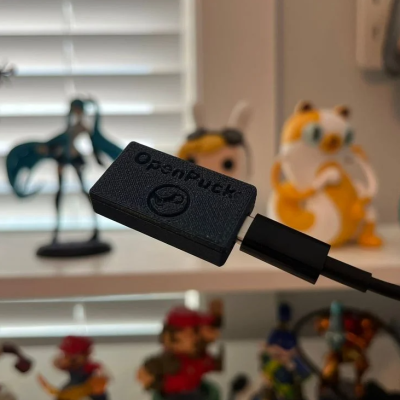
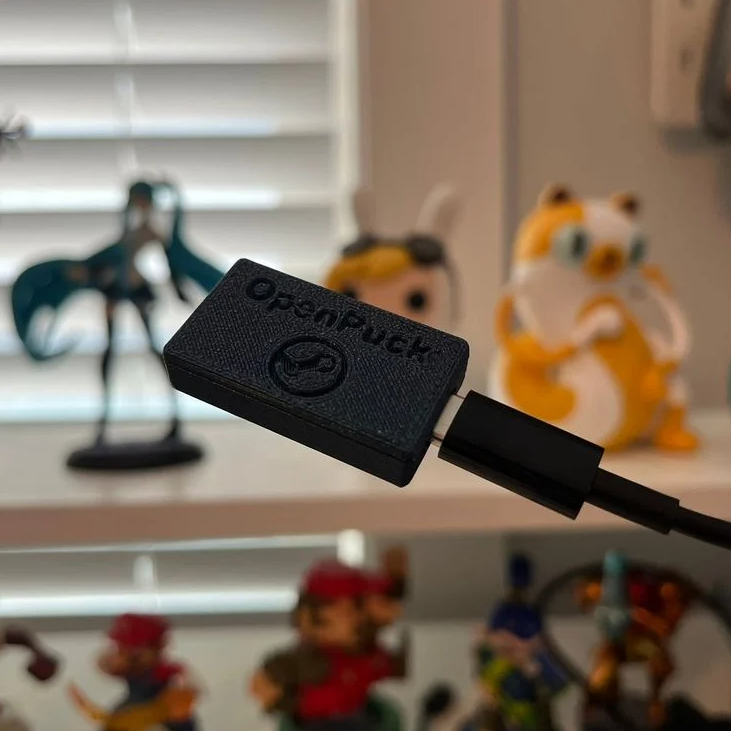
Valve recently released a new version of the Steam Controller, which features a wired USB puck that serves both as charger and dedicated, low-latency wireless receiver. The downside is they aren’t currently available for purchase separately, but that’s not a worry because you can now make your own thanks to [safijari]’s OpenPuck project.

OpenPuck uses the highly affordable Pro Micro NRF52840 board, programmed to emulate the wireless receiver portion of the puck, meaning one can pair their Steam Controller to it just like they would with the factory puck. A major part of the project was naturally documenting the wireless protocol, but there’s also an array of extra features offered by OpenPuck.

OpenPuck offers features over and above the factory offering. [image: 3d printed case by jaki-gh]

Hitting button combos lets one conveniently emulate Xbox, Nintendo Switch, or Sony PlayStation controllers. Meaning OpenPuck can for example be plugged into a Nintendo Switch and it will see OpenPuck as an official wired controller, complete with motion sensor and haptic feedback.

Why is it necessary for this emulation to be done from OpenPuck? Because while the Steam Controller has tight integration with Steam Input — a sort of highly useful translation layer for controller inputs — that integration also means the controller’s best features only work while Steam is running. OpenPuck’s ability to emulate other console controllers makes it flexible in a way the factory puck isn’t, and a user can make the most of a single controller this way.

It’s worth noting that while the real puck has the ability to charge the controller (whether or not the user makes it walk itself), the OpenPuck doesn’t have this ability. Does that mean one must still use the factory puck for charging? Not at all, as the Steam Controller charges just fine over a USB-C connection.

Advertisement

There’s a short video below that demonstrates the flashing and setup, so check it out if you think it might be useful to you.

Thanks for the tip, [Jaki]!

Advertisement

Source link

Continue Reading

Tech

The Rolling Stones Launch a Roblox Game Celebrating 60 Years of Rock History

Published

on

The Rolling Stones are heading to Roblox with a brand-new interactive experience that celebrates the band’s six-decade career. Launching on July 10, the experience arrives alongside the release of the band’s 25th studio album, Foreign Tongues, and lets players relive different eras of The Rolling Stones through gameplay, music, and collectible rewards. Beyond the game itself, the legendary band has partnered with Roblox creators to launch exclusive avatar items and real-world merchandise that players can buy directly in-game.

A Roblox Game That Takes You Through 60 Years of The Rolling Stones

Developed by Roblox Innovation Studio in collaboration with creative agency Sawhorse and members of Roblox’s creator community, the experience transforms The Rolling Stones’ musical legacy into a cooperative adventure. Players travel across different decades of the band’s career, where colorful crystals inspired by the group’s 2023 album Hackney Diamonds have trapped pieces of its history. Working together, players must locate and shatter these crystals while iconic songs from the corresponding era play in the background.

Each completed challenge powers up the band’s famous tongue-and-lips logo, which unleashes a burst of rock energy to unlock the next decade. The experience gradually evolves into a shared community event in which everyone’s progress contributes to unlocking the final performance. The game will be hosted inside The Block, Roblox’s always-available entertainment hub where artists can create interactive experiences for players.

Finale Event Brings Live Performances and Rotating Eras

The experience won’t end after launch. Between July 17 and July 19, Roblox will host a special finale event that changes every hour. Each rotation will focus on a different era of The Rolling Stones, complete with classic songs, themed visuals, interactive artwork, dynamic lighting, and visual effects inspired by the band’s history. Players will also be able to unlock in-game rewards and abilities inspired by The Rolling Stones throughout the event.

Alongside the game, Roblox invited more than a dozen creators from its global community to redesign The Rolling Stones’ iconic tongue-and-lips logo. The result is a collection of exclusive avatar accessories that players can wear inside Roblox. Interestingly, some of these virtual designs will also be available as limited-edition physical merchandise through an in-game Shopify integration, allowing fans to purchase them directly from The Rolling Stones’ online store without leaving Roblox.

Advertisement

Participating creators include Jazzyx3, CASKA’s HAUS, Touzled, Blizzei, DIONESS, morphist4u, WhoseTrade, Empyro, Bad_B0y, raekaro, Spiraxy, Valkenheim, DuckXander, Clockset, and dvdko.

Source link

Continue Reading

Tech

6 Best Bidets of 2026: Toto, Brondell, More, All Tested in My Bathroom

Published

on

Moments of significance can separate our lives into a “before” and “after.” For me, one such example is life before I introduced a bidet into my home, and then every moment that’s come since. Now I cannot imagine life without a bidet toilet seat, and I mourn the absence of the innovation on every business trip I take or any other reason that keeps me from my personal bathroom. (When it gets to the point where you’re installing a bidet in the guest bathroom at your in-laws’ house, you know something existential has shifted.) These devices have changed my life, and for the better.

Though bidets date back to 18th-century France, and bidet seat attachments have been popular for decades in Japan, the fixture may still be new to many Americans. However, bidets are finally growing in popularity stateside as an increasing number of folks realize that our standard-issue bathroom habits are sort of, well, gross. A bidet’s pressurized water is highly preferable to simply smearing oneself over and over again with wadded clumps of paper.

It was my honor—seriously—to test the latest bidet-industry innovations, including a simple toilet seat add-on and an all-new modern masterpiece of all-in-one toilet technology. Call it a modern marvel, call it “buttmaxxing”—whatever you call it, count me in (especially if the bidet in question includes advanced features like a heated seat and precision oscillation).

Looking for more ideas to boost your bathroom performance? Check out our guides to the best shower water filters, best electric toothbrushes, and best eco-friendly cleaning products.

Advertisement

Updated July 2026: We’ve added the Kohler Veil One-Piece and PureWash E930 Set and ensured up-to-date links and prices.

Featured in this article

A Bidet No One Will Ever Notice

Kohler Veil One-Piece and PureWash E930 Set

Jump to review

Best High-End (for Water-Pressure Enthusiasts)

Bio Bidet BB-2000

Jump to review

Jump to

Advertisement

Best Bidet for Most People

Image may contain: Indoors, Electronics, Remote Control, Bathroom, Room, and Toilet

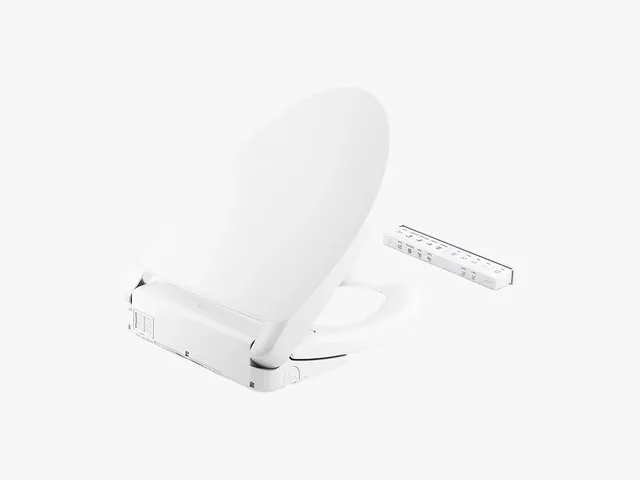
For functionality, simplicity, and effectiveness, the Brondell Swash 1400 is best-in-class, offering everything a novice bidet enthusiast could possibly desire, and at an attractive price point, no less.

I found the Swash to perform its functions perfectly: a warmed seat, an adjustable nozzle, a persistent but not invasive flow rate, and an effective deodorizing option. The simple design is approachable, and the included remote control is intuitive to use from the very first go. You can program two users, which is nice for those who have particular preferences. The Swash’s drying capability is also prompt and effective.

Put plainly, the Swash is so comfortable and inviting that after I finished testing bidets for this feature, it’s the one I reinstalled for personal use.

Best High-End Bidet Seat

Advertisement
Toto Washlet S7A bidet on a toilet, surrounded by water

The S7A is the flagship model from Toto, the Japanese bidet maker that invented the bidet seat attachment. You could easily mistake the S7A for a regular toilet seat—at least until the lid lifts and the night-light clicks on, when the device senses your presence in the bathroom.

The controls work in the same intuitive way as other Toto washlets, with buttons to adjust the position, intensity, and angle of the sprayer. There is also a button to make the spray oscillate. The slim, 4-inch remote allows preprogramming for four people. If there’s any weak point on the S7A—and this bidet is nearly perfect—it’s that the drying fan seems a little weaker than on the previous model (the S550e), perhaps due to design compromises made when shaving down the height.

Source link

Continue Reading

Tech

Top Sony sets from LCD to OLED

Published

on

From LG to TCL and even Amazon, there is no shortage of manufacturers putting out great TVs in 2026, but there’s one brand that’s been in the game for what feels like an age, and that’s Sony. Time and time again, Sony has proven itself to be a formidable force in the world of audiovisual tech, and the culmination of that talent and expertise can be seen in the best Sony Bravia TVs that money can buy.

Although Sony is probably best known in the TV space for putting out the type of sets that really push the bar with high-end OLED panels, luscious colours and incredible attention to sound, the brand still produces a good amount of budget-friendly TVs each year so if you aren’t looking to spend too much then there are options available to you.

Still, if you are looking to shop exclusively at the cheaper end of the market then you may find that your money goes a bit further with the likes of TCL and Toshiba. We have a separate guide to the best cheap TVs for those shopping on a budget. Sony on the other hand is best appreciated at the higher-end, where you can really see what all the fuss is about.

Not only are Sony TVs incredible for experiencing the feeling of true cinema at home, but because of the company’s gaming chops via its PlayStation division, it also has an acute understanding of what makes for a great gaming experience. All of this goes into a range of TVs that tick pretty much every box you could possibly want.

Advertisement

For anyone who’s still on the fence or pondering what type of TV they should get, you can dive into our helpful explainers on OLED vs LED, and what Mini-LED is all about. Once you’ve gotten all the details out of the way, you can shop with confidence that all of the Sony TVs here have passed our rigorous testing process with flying colours.

Best Sony Bravia TV at a glance

Advertisement

SQUIRREL_ANCHOR_LIST

How we test TVs

Every TV we review is put through the same set of tests to gauge its picture performance, usability, and smart features.

Advertisement

Tests are carried out over several days and are done by eye but supported with technical measurements. Testing by eye involves an expert watching a wide range of material to understand and determine a TV’s performance in fields such as brightness, contrast, motion processing, colour handling and screen uniformity.

We’ll consider the design of the TV in terms of build quality, study the spec sheets and see if the TV’s connections are up to spec, as well as playing video and audio content to ensure that the set handles playback as it claims. We also take note whether a product’s compatible formats and features are in line with industry trends or not to gauge whether it’s relevant for you.

Comparison to other related and similarly priced products is also important, to see if it’s missing any vital features and whether it impresses as a whole. After all this, we’ll come to a judgement on how the TV performs as a whole.

If you want to learn more, please visit our detailed page about how we test televisions.

Advertisement
  • Film-like, colourful, dazzling image

  • Energetic and dynamic sound

  • Google TV is easy to like

  • Slick motion processing

  • The feet design aggravates

  • Black levels look grey in a dark room

  • Limited game features compared to rivals

  • A tad more expensive and not quite as much value as rivals

With the Bravia 8 II, Sony has delivered a TV that lives up to the hype. It arguably offers the finest picture quality of any TV current on the market.

Colours look impressively pure to our eyes, as well as excellent levels of sharpness and detail.

Advertisement

It’s brighter than the A95L but not as bright as other OLED models on the market. Regardless Sony uses the extra brightness the QD-OLED panel offers to deliver a range of colours that’s wider than any we’ve seen on other OLEDs. The accuracy of this set is impressive compared to other premium OLED TVs.

Sony’s Acoustic Surface Audio+ system delivers a big performance and places effects and dialogue accurately on screen. It’s an energetic, dynamic performance that makes the Bravia 8 II one of the best sounding flatscreen TVs.

In terms of its bass response, it gives the low frequencies more oomph that rival TVs are capable of. While a sound system can improve on it, we’re not in a rush to add one.

It comes with two HDMI 2.1 inputs that support eARC, VRR, ALLM, and 4K/120Hz high frame rates.

Advertisement

For gamers, PS5 fans get the most attention with the Auto Tone Mapping feature that optimises the HDR performance. Input lag is solid at 16.4ms but there are Sony TVs on this list that offer a quicker performance. For PC gamers, there’s no certified support for AMD FreeSync or Nvidia G-Sync.

This isn’t as much of a gaming TV. In fact, all of the Sony TVs on this list don’t offer a wide range of features for gamers, which is a surprise given Sony’s PlayStation pedigree.

Smarts are provided by Google TV, and along with the major streaming apps such as Disney+ and Netflix, all the UK catch up services are available as separate apps.

Google TV is easy to use and offers plenty of entertainment apps. It’s content recommendations aren’t the best.

Advertisement

If you want to spare no expense and want the best picture and sound of any Sony TV, the Bravia 8 II is the TV to pour your savings into.

SQUIRREL_PLAYLIST_10207577

Advertisement
  • Spectacularly bright, colourful pictures

  • Groundbreaking backlight controls

  • Powerful multi-channel sound

  • Blooming becomes more noticeable when viewing off axis

  • No HDR10+ playback

  • Only two fully features HDMI 2.1 ports

Sony’s Bravia 9 means business in the Mini LED TV market, and it offers  sensational picture quality.

The impact of the Bravia 9’s brightness is noticeable from the off. Our reviewer found the colours to be spectacularly punchy, delivering bright and intense highlights along with deep black levels that rival that of the best OLED TVs.

Advertisement

The Mini LED backlight also helps reveal subtle colour shades, unlocking a high level of detail and sharpness

It upscales HD content to 4K resolution brilliantly, and converts SDR into HDR very impressively as well. There is still some noticeable backlight blooming but the Bravia 9’s backlight is one of the best we’ve tested.

Google TV provides all the main streaming apps, while the TV ships with two remotes, which includes a smart one that offers a more simpler means of control.

Input lag is nippy at 10.1ms, while there’s support for ALLM and VRR through Sony’s Perfect for PS5 features. There’s not much for PC gamers though, and like the rest of the TVs on this list, there are only two HDMI inputs that support HDMI 2.1 features such as VRR and eARC (for high quality audio).

Advertisement

The sound is impressively wide with a well-balanced sound with sharp but not harsh treble and bass that’s punchy and controlled for most of the time.

SQUIRREL_PLAYLIST_10207335

Advertisement
  • Natural, immersive picture quality

  • Good value for what’s on offer

  • Clean, detailed sound

  • One or two colour quirks

  • No HDR10+ support

  • rt Only two game-friendly HDMI inputs

The Bravia 5 is (for Sony at least) one of its more affordable Mini LED TVs at £1399. That does sound more expensive when compared against the likes of Hisense and TCL, but what you get with the Bravia 5 is a quality picture from top to bottom.

It’s a brilliantly watchable image with black levels that are consistently deep for an LCD backlight, with blooming reduced (halos around objects). For an LCD TV, it offers strong contrast, even though it’s not as bright as others, Sony’s processing works wonders.

Advertisement

The colour performance is superlative, vivid and expressive, though we find that using the TV’s Vivid mode causes some colours to ‘glow’ a little too much.

Its upscaling skills are good, avoiding any smearing and suppressing noise well. For gaming, it’s similar to other Sony TVs in its support for PlayStation 5 and 4K/120Hz, and respectable input lag of 13.3ms.

The Bravia 5 is positioned as more of a home cinema TV, collecting movie modes in IMAX Enhanced, Netflix Calibrated, Prime Video Calibrated and of course, Dolby Vision. On the audio side it supports Dolby Atmos and DTS:X.

While the Bravia 9 is Sony’s most spectactular Mini LED TV to date, the Bravia 5 is best suited for most people. At a more affordable price while still offering a fantastic image quality, movie nights on this TV will look fantastic.

Advertisement

SQUIRREL_PLAYLIST_10208386

  • Expressive and natural picture quality

  • Engaging Google TV smarts

  • Convenient design

  • Dolby and DTS support

Advertisement
  • Less bright than the competition

  • Sounds tamer than previous models

The Sony Bravia 8 replaced the Sony A80L, but you could more or less say it’s the same TV.

There are a few differences in terms of picture quality, with the Bravia 8 OLED reaching higher levels of peak brightness in some modes (Professional, Vivid) but less so in others (Cinema Standard).

There are slight improvements over the A80L with the Bravia 8 offering a richer, bolder HDR performance that looks lovely when paired with colourful films and TV series.

Advertisement

Motion processing is again excellent with very few issues noted, while contrast is strong for an OLED TV although we did notice some crushing (loss) of detail in its black levels.

We’d love for Sony to push the brightness out more for this OLED, but for those who want a brighter HDR performance, the Bravia 8 II offers a better picture.

If, however, the premium price the Bravia 8 II goes for isn’t within your budget, the Bravia 8 is a fine mid-range TV, and it offers up the same level of gaming performance too.

It includes Auto Genre Picture mode that automatically switches the TV in and out of its game-ready state, along with Auto HDR Tone Mapping enhances the HDR performance for best brightness and contrast.

Advertisement

Dolby Vision Gaming is supported and the TV does includes 4K/120Hz and variable refresh rates (VRR) across two HDMI 2.1 inputs (one of which is shared with the eARC port). We measured input lag at 12.7ms, which is just behind the Bravia 9 in terms of speediness.

The sound quality is fine though not as dynamic or as loud as we’ve heard on previous OLED TVs, such as the A80L.

We’d recommend you consider adding a soundbar or sound system, and Sony has plenty including its Bravia Theatre Bar 8 and the Theatre Sound System 6 to choose from.

SQUIRREL_PLAYLIST_10208387

Advertisement
  • Colourful, expressive picture

  • Excellent processing

  • Competitive smarts and features for the money

  • Dolby and DTS audio

  • Suffers with dark scenes

  • Tepid bass performance

  • Some clipping with HDR content

Advertisement

The Sony X85L first launched in 2023 but it has stuck around in 2026, and can still be bought for around £999.

That’s not exactly cheap, especially for three year-old tech, but this is Sony (who charge a bit more than others), and this is a TV that for budding home cinema fans, we rate very highly.

It has a Full Array Local Dimming backlight that offers more precise black levels and brightness than a standard LCD TV, although like many a Sony TV, we noticed it’s not the brightest out of the box.

Our measurements clocked it at 738 nits in Standard HDR mode but for a TV that’s less than £1000, it is bright for a HDR TV.

Advertisement

What really appeals is its colour performance. It describes colours with terrific variety, producing a vibrant but still natural-looking image.

Upscaling with HD and SD content is solid, and although there is some noise the X85L manages it well. Its motion processing is very good to the point where we didn’t even notice that it was on.

Sound quality is ok. It produces a crisp tone with voices but lacks bass. We’d suggest getting a soundbar to go with the X85L.

Gamers looking for a premium experience can count on ALLM, VRR, and HFR, while input lag is a solid 14.5ms. This TV plays nicely with a PS5 with its custom features that includes optimising the HDR performance for the best image quality.

Advertisement

For smarts, Google TV delivers all the streaming apps you’ll need, and we found the interface to be quick and responsive to use. The design is customisable, as the stand can be put together in two ways to allow for a soundbar or if you want to place it on a small surface.

Test Data

  Sony Bravia 8 II Sony Bravia 9 Sony Bravia 5 Sony Bravia 8 Sony KD-55X85L
Input lag (ms) 16.4 ms 10.1 ms 13.2 ms 12.7 ms 14.5 ms
Peak brightness (nits) 5% 962 nits 463 nits 742 nits
Peak brightness (nits) 2% 977 nits 2500 nits 710 nits 462 nits 738 nits
Peak brightness (nits) 10% 868 nits 2700 nits 800 nits 430 nits 743 nits
Peak brightness (nits) 100% 263 nits 880 nits 592 nits 121 nits 614 nits
Set up TV (timed) 98 Seconds 350 Seconds 720 Seconds 69 Seconds

Full Specs

  Sony Bravia 8 II Review Sony Bravia 9 Review Sony Bravia 5 Review Sony Bravia 8 Review Sony KD-55X85L Review
Manufacturer Sony Sony Sony Sony Sony
Screen Size 64.5 inches 64.5 inches 64.5 inches 54.6 inches 54.6 inches
Size (Dimensions) 1443 x 339 x 905 MM 1443 x 349 x 908 MM 1447 x 345 x 862 MM 1223 x 248 x 786 MM 1228 x 56 x 709 MM
Size (Dimensions without stand) 830 x 1443 x 34 MM 835 x 1443 x 48 MM 832 x 1447 x 58 MM 706 x 1223 x 37 MM 784 x 1228 x 336 MM
Weight 24.2 KG 34.8 KG 24.9 KG 18 KG 17.4 KG
ASIN B0DYK7Y2YB B0DJDDR25R B0F29KYPN4 B0CZTZTQXJ B0BX6N4BYP
Operating System Google TV Google TV Google TV Google TV Google TV
Release Date 2025 2024 2025 2024 2023
Model Number K-65XR90 K55XR80 KD-55X95L
Model Variants Bravia 7, Bravia 8
Resolution 3840 x 2160 3840 x 2160 3840 x 2160 3840 x 2160 3840 x 2160
HDR Yes Yes Yes Yes Yes
Types of HDR Dolby Vision, HDR10, HLG HDR10, HLG, Dolby Vision HDR10, HLG, Dolby Vision HDR10, HLG, Dolby Vision HDR10, HLG, Dolby Vision
Refresh Rate TVs 48 – 120 Hz 40 – 120 Hz 48 – 120 Hz 40 – 120 Hz 40 – 120 Hz
Ports Four HDMI, Ethernet, two USB, digital audio out, RF terrestrial, two RF satellite Four HDMI, digital audio out, two USB ports, Ethernet, two satellite, RF terrestrial Four HDMI (two with full HDMI 2.1 features), 2 x USB, Ethernet, RF input, optical digital audio output Four HDMI, digital audio out, two USB ports, Ethernet, two satellite, RF terrestrial Two HDMI 2.0, two HDMI 2.1, Ethernet, two USB, composite video input, digital audio output, terrestrial/satellite inputs
HDMI (2.1) 4K/120, eARC, ALLM, VRR eARC, ALLM, VRR, HFR, SBTM eARC, VRR, ALLM, 4K/120Hz eARC, ALLM, VRR, HFR, SBTM ALLM, eARC, VRR, 4K/120Hz
Audio (Power output) 50 W 70 W 40 W 50 W 20 W
Connectivity Wi-Fi, Bluetooth 5.3, Google Cast, AirPlay 2 Wi-Fi, Bluetooth 5.3, AirPlay 2, Google Cast Wi-Fi, Bluetooth 5.3, Apple Airplay 2, Google Cast Wi-Fi, AirPlay 2, Google Cast, Bluetooth 5.3 Bluetooth 4.2, Wi-Fi, AirPlay 2, Chromecast
Colours Black
Display Technology OLED, QLED LCD, Mini LED, QLED Mini LED, VA OLED LCD, Direct-LED (Full Array Local Dimming)
UK RRP £2499 £2999 £1399 £2199 £1399
USA RRP $3000 $1499
CA RRP CA$2099
AUD RRP AU$1999

Advertisement

Advertisement

Source link

Continue Reading

Trending

Copyright © 2025