TL;DR
A leaked Meta memo confirms an AI pendant entering testing next year. The company also plans “Wearables for Work” and expanded AI glasses.
Home appliances are a necessary part of life. Whether you rent or own your home, you’ve likely dealt with a defrosting refrigerator, a leaking dishwasher, or a washing machine that’s refusing to drain. When we purchase a new appliance, we hope to get years of service without costly repairs. Samsung, which sells all major types of home appliances, from basic, entry-level models to bespoke options with artificial intelligence, has been recognized by JD Power with high rankings for customer satisfaction. Yet many Samsung appliances tend to generate mixed reviews, with praise for design offset by concerns about reliability, performance, and customer service; in fact, the company recalled 2.8 million of its washing machines in the United States in 2016 due to issues that caused the top to detach while in use.
Of course, any appliance can break, and washing machines are typically heavily used and have complex components, facts that often tend to contribute to these home appliances having a slightly shorter lifespan than others. Overloading your machine or failing to clean it and perform regular maintenance may lead to your washer needing expensive repairs, or it could shorten that lifespan even further. If you already own a Samsung washing machine or you’re in the market for a new washer, here are four common problems endemic to the brand to watch for.
We’ll start the conversation with a common problem and a simple fix. If your washer won’t start, the buttons aren’t working, or the control knobs won’t allow you to select a cycle, you may have accidentally turned on the child lock. That’s right, you can lock your child out of YouTube, into your car and, it turns out, also out of your washing machine.
The child safety locks disable the machine’s controls and often lock the door. They help keep your child from playing with the buttons, accidentally starting the machine, or even from crawling inside, where they could be hurt or worse. If you don’t have children or your children are old enough to leave your washer alone, you probably don’t bother with the lock. On most Samsung machines, it’s not easy to accidentally turn on, but it is possible. The lock is activated with a two-button combination that’s labeled on the control panel. It’s typically labeled with the words “Child Lock” or a lock icon. Check your user manual if you’re unsure how the lock on your machine works. When the lock is activated, you should hear a chime and an icon should light or flash. To deactivate the lock, press and hold both buttons once to see the icon flash, then again to make the icon turn off.
If you try these steps and your washer still won’t start, it’s likely a different problem. Samsung recommends you unplug the machine, let it sit for at least a minute to reset, then plug it back in again.
You load up the washing machine, add detergent and press start, only to be met with silence. You lift the lid and take a look, and your clothes are still dry and dirty. The machine isn’t filling, or perhaps it’s only filing part way and not finishing the job. Even high-efficiency washing machines need water, so what is going on?


A filling error may be indicated on a Samsung machine with an error code or by a blinking light on the indicator for the fill level (Extra Large, or Extra High, for example). The manufacturer has several recommendations if you encounter this frustrating problem. First, be sure your supply hoses, both hot and cold, are properly connected to the washer and aren’t kinked or pinched anywhere. Also verify that the water valves are open. You should also check the drain hose connections. Samsung recommends that you don’t remove the screw on the back of the washer that holds that drain hose against the machine. If the screw is missing, use any screw that fits to replace the holder.
If all the hoses appear functional, try unplugging the washer or flipping the circuit breaker for at least a minute to reset the machine. If it still isn’t filling properly, call a professional.
If your problem is too much water rather than not enough, your Samsung washer may not be draining properly. If you’re lucky, you may simply receive a “no drain” or “overflow water” error code. If you’re unlucky, your washer will leak, possibly overflow, and likely create a big, expensive mess. Water damage is no joke, so this is a problem you’ll want to address before that happens.
If you didn’t have your washer professionally installed, be sure the machine is level before you use it, otherwise it may not drain properly. If you know the machine is level, inspect the drain hose. Samsung advises that the hose should not be inserted less than 6 inches and more than 8 inches into the standpipe. Be sure it is secured to the machine and is not bent or damaged, and has not formed an airtight connection. It needs to be placed at least 18 to 24 inches high, depending on the type of washer, and no higher than 96 inches. Samsung also notes that users should not install a drain hose extension kit.
Finally, if you have a front load washing machine, you may need to clean the pump filter. If the filter is clogged, the draining system may not work effectively. Once you run through all these steps, try to run the washer again; if it’s still not draining, it’s time to call in a professional.
Problems with washing machines don’t always involve water. If your Samsung machine isn’t working and the “Hot” and “Large” (or similarly labeled) buttons are flashing, or you receive an error code that indicates a door error, your washer is telling you that it’s detecting that its door is either damaged or not closed properly. Check your manual to confirm the error code, then take a look at the door latch. It could be as simple as a sock or a drawstring stuck in the door. The door lock may also be malfunctioning, or the problem could be with the door itself. If you don’t see anything wrong with the door and cannot clear the error code, you should contact Samsung’s support center.
If you receive a jammed button error code, your washer is telling you that one or more of the buttons on the control panel is stuck or being continuously pressed. Samsung recommends that you turn off your washer, then check each button individually. If a button is damaged or the code doesn’t clear after you power on the washing machine, again, request support from Samsung for a repair.
Of course, there’s a long list of other possible error codes and potential problems or malfunctions. If your washer displays an error code or simply stops working, check your manual or Samsung’s website for support. If you’re unable to diagnose or solve the problem, a dreaded repair or replacement may be in order.
A leaked Meta memo confirms an AI pendant entering testing next year. The company also plans “Wearables for Work” and expanded AI glasses.
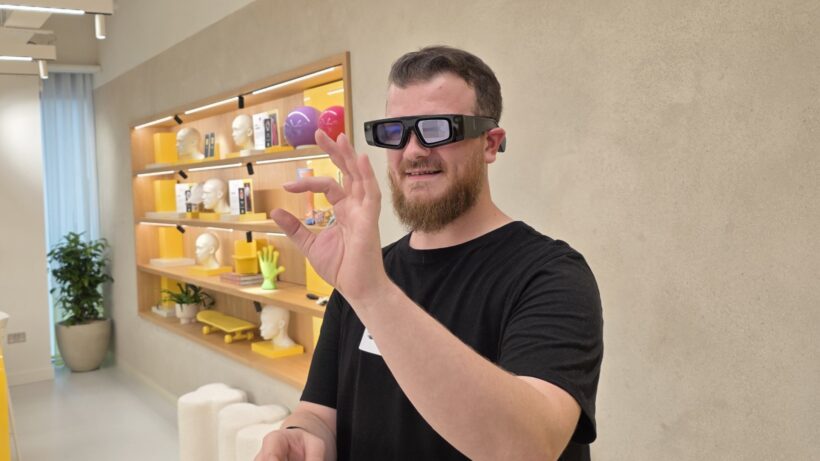
Meta is developing an AI-powered pendant that it plans to start testing within the next year, according to an internal memo viewed by The Information. The device builds on the Limitless acquisition Meta completed at the end of 2025. Limitless made a pendant that users could clip to their shirt or wear as a necklace to record and transcribe conversations.
The memo also outlines plans to expand Meta’s AI glasses lineup and launch a business subscription called Wearables for Work. The enterprise tier would position Meta’s hardware as a productivity tool rather than a consumer novelty. Reality Labs, Meta’s hardware division, lost $4 billion in Q1 2026 alone.
The AI pendant category has a troubled history. Humane’s AI Pin launched in 2024 to withering reviews and was effectively dead within a year, with HP acquiring the startup’s assets for $116 million. Friend, another AI pendant startup, spent more than $1 million on subway advertisements and struggled to find users. Neither device offered enough utility to justify wearing an additional gadget.
Meta’s approach is different in one important respect. It already has a wearables business that works. Meta sold more than seven million Ray-Ban smart glasses in 2025 and commands roughly 82% of the smart glasses market. The pendant would be a second form factor in an ecosystem that has proven consumer demand, not a standalone product betting on a category that does not yet exist.
Limitless raised more than $33 million from investors including Sam Altman and Andreessen Horowitz before Meta acquired it. CEO Dan Siroker said at the time that Meta’s vision for “personal superintelligence” through wearables aligned with what Limitless was building. The startup stopped selling devices to new customers after the acquisition but continued supporting existing users.
The Wearables for Work subscription is the most commercially interesting detail in the memo. Meta’s glasses already integrate with Meta AI for voice queries, real-time translation, and visual identification. An enterprise tier could add meeting transcription, ambient note-taking, CRM integration, and hands-free access to workplace tools. The concept mirrors Microsoft’s Copilot subscription model but delivered through hardware rather than software.
The wearables market is fragmenting into distinct categories. Apple Watch dominates the smartwatch segment but is losing momentum to screenless health trackers. Oura has filed for IPO. Whoop and Google’s Fitbit Air emphasise passive data collection. Meta’s pendant would sit in a fourth category: ambient AI capture, the always-on recording device that supplements rather than replaces a phone.
The privacy implications are significant. Meta’s Ray-Ban glasses have already faced lawsuits and regulatory scrutiny over how they handle footage captured by their built-in cameras. A pendant that records conversations raises the same concerns in a more intimate form factor. The regulatory environment in the EU, where Meta faces ongoing DMA enforcement and GDPR scrutiny, could constrain where the device is sold.
Meta’s hardware strategy is now spread across glasses, pendants, a planned smartwatch codenamed Malibu 2, VR headsets, and the Vision Pro competitor. The company is betting that AI wearables will reverse Reality Labs’ cumulative losses, which have exceeded $60 billion since the division was created. The pendant is one piece of that bet. Whether it succeeds where Humane and Friend failed depends on whether Meta can make ambient AI recording useful enough that people will wear it, and trustworthy enough that the people around them will tolerate it.
Why you can trust TechRadar
We spend hours testing every product or service we review, so you can be sure you’re buying the best. Find out more about how we test.
The LG B6 is the entry-level OLED TV in LG’s 2026 TV lineup. While it provides a brightness boost over its predecessor, the LG B5, which I rated as one of 2025’s best TVs, the LG B6 doesn’t deliver the full and clear upgrade I was hoping for.
The LG B6 has a full suite of features and still delivers great performance, but as long as the LG B5 remains in stock and is less expensive, the new model is held back from being an unqualified pick by a few issues.
The biggest change over the B5 is the B6’s higher brightness. Bright scenes have more impact, highlights are mostly punchier and colors benefit, looking that little more vibrant. Contrast is powerful and appears stronger thanks to the brightness increase, while textures are crisp, as you’d expect from the best OLED TVs.
However, the LG B6 had more of a green tint than its predecessor when compared side-by-side. This meant that despite its improvements, the B6’s picture wasn’t the full step-up over the B5 that I was looking for — it giveth on one hand, and taketh on the other. Viewed in isolation, the B6 is still a great looking TV, though — the thing about slightly color tints is that your eye gets used to them quickly and then you can just focus on the image.
Much like previous years, the B6’s 2.0 channel speaker system is solid for day to day viewing with clear speech and it is accurate with some solid detail for movies. Bass however is limited and the soundstage is narrow. If you’re after the cinematic experience and want the sound to match the picture, I’d add one of the best soundbars.
The B6 is easily one of 2026’s best gaming TVs. It has a full array of features on all four HDMI ports — 4K 120Hz, full variable refresh rate options, HGiG, auto low latency mode, Dolby Vision Gaming — and has four HDMI 2.1 ports. An 8.9ms measured input lag means performance is smooth with razor-sharp response time, and the picture looks superb while gaming. If you’re looking for a gaming OLED, this is an excellent choice.
The webOS 26 smart TV software doesn’t reinvent the wheel compared to webOS 25, but it didn’t need to. What webOS 26 does is make navigation easier with a new menu layout, more Quick Cards and more customization. While the banner ad on the home screen is annoying, it’s the only wrinkle in webOS 26, which I rate as one of the best smart TV platforms on offer.
But as I alluded to above, while I think the B6 is a great TV overall, the B5 is definitely the better option while it’s available. The 65-inch B6 I tested costs $1,999 / £2,399 / AU$3,295 (with a cheaper B6E option available for £1,799 in the UK).
While this is a decent price and similar to the B5’s launch prices, the B6 doesn’t change enough to recommend it over the B5 if you’re buying around its launch time. If it’s a great-value entry-level OLED you want, I’d spend less on the LG B5.
If you have the budget right now, I’d definitely opt for the LG C6 (65-inch model priced at $2,699 / £2,599 / AU$3,995) as my preferred choice. It’s the best upgrade to LG’s OLED lineup in 2026, and provides even better brightness and picture than the B6, but with impeccable colors.
The LG B6 is the entry level OLED in LG’s 2026 OLED TV lineup, sitting below the mid-range LG C6 and flagship LG G6 and LG W6 (also known as the Wallpaper). The 65-inch model I tested costs $1,999 / £2,399 / AU$3,295 officially, which is the same launch prices as last year’s LG B5.
It’s worth noting that in some regions there are two LG B6 models: the B65 and the B6E. I asked LG what the differences between the two are, and it said the B6E does not have the following features: Precision Picture Master Pro, Precision Sound Master Pro, and it does not have the marble effect design on the back.
Other than this they should be the same, making the B6E by far the better deal, because I don’t particular rate these features, LG’s suggestion is that they have the same panel and Dolby Vision support otherwise. A 65-inch LG B6E model costs £1,999 in the UK, a full £400 cheaper.
|
Screen type: |
OLED |
|
Refresh rate: |
120Hz |
|
HDR support: |
Dolby Vision, HDR10, HLG |
|
Audio support: |
Dolby Atmos |
|
Smart TV: |
webOS 26 |
|
HDMI ports: |
4x HDMI 2.1 |
|
Built-in tuner: |
ATSC 1.0 (US) |
The B6 uses a W-OLED panel, much like its predecessor. However, there has been a brightness boost (I’ll get into that below in the Picture Quality section) that would suggest it’s using the new OLED SE panel: a cheaper, brighter WOLED panel that we saw in action in the Panasonic Z86C, which is that company’s new entry-level OLED for 2026.
The B6 comes with the Alpha 8 AI Gen 3 processor, which introduces a couple of new picture and sound tools such as the Precision Picture Master Pro and Precision Sound Pro, which both aim to upscale picture and audio respectively. It’s worth noting the B6E, a cheaper B6 model available in some regions including the UK, does not support these features.
The B6 supports Dolby Vision HDR and Dolby Atmos for enhanced audio, but it does not support HDR10+ or DTS, the same as 2025. LG says it currently has no plans to support Dolby Vision 2. The B6 also supports Chromecast and AirPlay 2.
For audio, the B6 has a built-in 2.0 channel, 20W speaker system: the same as the B5 from last year. This year, much like the LG G6 and C6, the number of sound presets has been reduced to four, including AI Sound Pro, and Clear Voice for dialogue enhancement.
The B6 uses webOS 26, which introduces some refined AI features, such as AI concierge which now uses AI companions such as Gemini for lifestyle uses such as planning trips. The menu layout has also been re-ordered in order to prioritize major settings such as Energy Saving and Network.
For gaming, the B6 carries over the same features from the B5: 4K 120Hz, full VRR support including both FreeSync and G-Sync, auto low latency mode and Dolby Vision Gaming, all featured on four HDMI 2.1 ports. Game Optimizer returns with additional settings for gaming, including the Prevent Input Delay option.
Starting with measurements, the biggest difference between the B6 and last year’s B5 is the boost in HDR peak brightness. The B6 measured 835 nits in Filmmaker Mode, 895 nits in Cinema mode and 740 nits in Standard mode. These are big jumps over the B5’s 668 nits in Cinema mode and 637 nits in Standard mode.
For fullscreen HDR brightness, the jump hasn’t been quite as significant, with the B6 measuring 154 nits in Cinema Home, compared to 131 nits of the B5 in the same mode. In fact, there was even a drop in Standard mode, with the B6 measuring 150 nits compared to the B5’s 172 nits.
Moving to real-world testing, I found myself switching between Filmmaker Mode and Cinema Home depending on the content. Both picture modes looked good, but Filmmaker Mode suited darker, more contrast-y scenes, while Cinema Home looked great with colors and animation.
The B6 did a good job with SDR content. Watching an HD stream of Fight Club on Disney Plus, it upscaled textures to give them a crisper look and added some brightness that delivered stronger perceived contrast compared to some cheaper TVs I’d done this test on.
With lower-resolution content, such as YouTube videos, the B6 did a decent job upscaling textures and boosting colors to give them a better look, but ultimately the image didn’t hit 4K levels. There is a Precision HDR Master Pro setting in the main B6 model (not the B6E) which did sharpen textures when activated, but it was too artificial for my liking.
Watching a desert scene from Lawrence of Arabia, the white sands of the desert did indeed look brighter on the B6 compared to the B5 when I compared the two side by side, showing the brightness boost was real.
In Dark City, as John is in the automat, the highlights from the overhead lights and the yellow walls also looked brighter on the B6.
However, during my B6 and B5 comparison, the scene from Dark City was the first to tip me off on a potential issue with the B6: green tint. The yellow walls of the automat seemed to have a green hue on them on both the B6 and B5, but it was more noticeable on the new model.
The B6 demonstrated strong contrast with deep dark tones in high contrast scenes. It also had a higher perceived contrast over the B5 thanks to the brightness boost. In The Batman, as Batman wanders the crime scene in Mayor Mitchell’s house, the balance between the light tones from the lamps on the wall and the dark tones of the dark-panel wood walls was excellent.
Unfortunately, The Batman also exemplified the green tint issue on the B6 compared to the B5. In the subway scene, the rear walls looked more green on the B6, looking like the gray I expected on the B5. Maybe I got unlucky with my review unit, but it was definitely worth noting as green tint has been a criticism of LG’s OLED TVs before.
The B6 delivers bold, rich colors that benefitted from the new brightness boost. A Dolby Vision stream of Elemental on Disney Plus really showcased them, with the blues of Wade and his family, and the oranges and reds of Ember dazzling on screen. As Ember mends a vase, the purples and oranges of the new vase glistened, showing strong highlights.
In the ‘Wizard and I’ scene, as Elphaba stands under a tree with pink flowers, said flowers popped on screen, but still had great color depth.
The B6 delivered a measured HDR color gamut coverage of 97.4% of the DCI-P3 and 72.5% of the BT.2020 color spaces. While these aren’t bad results (we have a 95% threshold for DCI-P3, and are generally happy with a score above this), these numbers were oddly lower than the B5’s. The B5 had measured results of 99.5% and 74.85% in the DCI-P3 and BT.2020 color spaces respectively.
Viewed in isolation, the B6’s colors and contrast were actually very good but it just seemed a shame that I knew how good the B5 looked in comparison in some scenes. With the added brightness, I was hoping for a bigger picture upgrade.
Outside of this, the B6 showcased excellent textures, striking a nice balance between crisp and natural. Throughout my testing, people’s skin looked realistic while finer details such as hair appeared refined.
Much like the G6 and the C6, the B6 benefitted from using the TruMotion feature. For movies, Cinematic Movement was more than enough, reducing judder in a panning shot of a cliffside cemetery in No Time To Die. With sports, the Natural motion setting worked better, doing more smoothing and judder reduction which worked better.
The B6’s screen is however prone to mirror-like reflections, especially with darker scenes. Even some brighter, more colorful scenes struggled under our testing lab’s overhead lights in Filmmaker Mode. It would be nice to see some more effective anti-reflection measures brought to the B6, as I know it’s possible from my review of the LG G6.
The B6 comes with a 2.0 channel, 20W speaker system and supports Dolby Atmos (but not DTS). LG has reduced the number of sound presets from previous years, dropping the number from eight to four.
These four presets are Standard, AI Sound Pro, Clear Voice Pro and Sound Wizard. As my go-to Cinema preset had been removed, I opted for my backup: AI Sound Pro.
Watching the Batmobile chase scene from The Batman, the B6 showcased accurate image mapping, accurately following the direction of swerving traffic and the bullet sprays from the Penguin’s gun.
The same was true playing Battlefield V, as the B6’s speakers did a good job picking out subtle effects such as the crunching leaves underfoot in a forest mission.
Speech was clear enough throughout my testing as well, with most dialogue easily audible over the rest of the soundtrack.
Due to its limited 2.0 channel speaker system however, the sound doesn’t match the picture in quality. Bass felt very contained and while there was some rumble as the Batmobile ignited its engine, it felt thin in places.
The soundstage also felt narrow, never truly extending beyond the confines of the screen. Atmos effects, such as the rain in The Batman, felt limited too. I’d recommend a soundbar if you want sound impact to match the quality of the visuals.
The 65-inch B6 I tested had a mostly premium build and design. It has a trim frame and near bezel-less screen allowing the picture to be the focal point. While it’s a small touch, the marble effect on the rear panel made it feel a little more premium, although it’s again worth noting this is only on the main B6 model and not the cheaper B6E.
One thing I was disappointed to find was that the B6 unit I was testing had plastic feet, compared to the B5’s metal feet. While the plastic feet were more than sturdy enough, it did detract from the B6’s overall premium design.
LG’s Magic Remote hasn’t had many updates in recent years in the UK other than the re-arranging and addition and removal of certain buttons, with the AI button taking center stage this year, and it could do with a refresh.
The US has the sleeker AI Smart Remote, but again when brands like Sony, Philips and Hisense offer more heavy duty, metal remotes, LG’s offering could be a bit more premium.
The B6 uses LG’s own webOS 26 as its smart TV platform. While webOS 25 was about the introduction of AI features — such as AI Concierge, for content recommendation and information, and AI Search, for advanced content searching — webOS 26 looks at refining menus for easier navigation while adding some new features.
Quick Cards, a place where relevant apps are organized by categories such as Sports, Game and Office, are back and some new ones have been added including Learning.
The Quick Menu, where picture and sound modes can be altered super-quickly without getting deep into menus, continues to be one of the webOS’ standout features.
webOS 26 is also very easy to navigate, with an intuitive menu layout that’s been re-organized for this year to make access to settings such as Energy Saving and Network easier, and these small changes have made navigation even smoother.
Unfortunately, the home page still features a large banner ad space at the very top of the screen which does push down the apps a bit. This is fairly common among modern smart TV platforms however and this is my only real complaint with webOS 26. It’s still one of the best OS on the market.
The B6 comes with a full suite of gaming features including 4K 120Hz, variable refresh rate including both AMD FreeSync and Nvidia G-Sync, HGiG HDR, auto low latency mode, and Dolby Vision Gaming, with all features supported across four HDMI 2.1 ports.
The B6 had a measured input lag time of 8.9ms at 4K 60Hz (in Boost mode), which is a superb result and up there with the very best gaming TVs. It registered a 4.9ms input lag at 1080p 120Hz.
Gaming performance on the B6 is excellent. Playing a mission in Battlefield V, the B6 handled the chaotic gunfights which involved a lot of quick movement and targeting with ease, with inputs feeling very smooth. As I flew around the desert in a plane, the sudden changes in flight path felt effortless and intuitive.
Battlefield V also looked great on the B6, delivering some nice brightness during the desert mission, with the sun on the horizon showing the B6’s strong HDR highlights. Textures were crisp with some nice detail in the weapons and environments as well.
The B6 is an interesting TV when it comes to value. The 65-inch model I tested costs $1,999 / £2,399 / AU$3,295, while the 65-inch LG C6 step-up TV currently costs $2,699 / £2,599 / AU$3,995, meaning the B6 has a good price gap in US and Australia, but it’s close in the UK — too close, frankly.
There’s a good reason to choose the B6 instead of the C6 in the UK and Aus when you’re saving that much, but in the UK I’d absolutely choose the C6 given the close prices. That’s complicated by the existence of the cheaper B6E, which a 65-inch costs £1,799: excellent value for a brand new OLED that size.
That being said, the B6 isn’t the full upgrade I wanted over the B5, unlike the C6 which is a superb upgrade over its predecessor, the C5. While the B6 delivers higher brightness and still excellent picture quality, it has some picture inconsistencies (particularly the green tint) so you’re trading improvements in one area to steps back in another.
As a result, while the B5 is still available, I’d recommend it over the B6. A 65-inch B5 currently costs $999 / £1,199 / AU$2,199, which is a steal for that TV. Stock does seem to be dwindling in some regions already however, and when it disappears, the B6 is worthy of taking its place once it drops in price to the same kind of level.
Ultimately if you want a real upgrade, the C6 is the top dog but if it’s not in your budget, the B6 is still a very good TV.
|
Attributes |
Notes |
Rating |
|---|---|---|
|
Features |
Dolby Vision support as well as a full list of smart and gaming features |
5 / 5 |
|
Picture quality |
Solid peak brightness, rich color and contrast, but green tint in some scenes |
4.5 / 5 |
|
Sound quality |
Accurate and clear sound with AI Sound Pro but bass is limited and soundstage is too narrow |
3.5 / 5 |
|
Design |
Good overall build quality but feet feel cheaper than B5 and UK’s Magic Remote needs a refresh |
4 / 5 |
|
Smart TV and menus |
webOS 26 feels intuitive with smooth navigation and a great array if features |
5 / 5 |
|
Gaming |
Extensive list of gaming features including 4K 120Hz, full VRR support and four HDMI 2.1 ports. Great picture and performance to match |
5 / 5 |
|
Value |
A very good TV but B5 is better value and C6 feels like a more worthy upgrade |
3.5 / 5 |
| Header Cell – Column 0 |
LG B6 |
LG B5 |
LG C6 |
LG G6 |
|---|---|---|---|---|
|
Price (65-inch) |
$1,999 / £2,399 / AU$3,295 |
$999 / £1,199 / AU$2,199 |
$2,699 / £2,599 / AU$3,995 |
$3,399 / £2,999 / AU$4,999 |
|
Screen type |
OLED |
OLED |
OLED (EX) |
OLED (RGB Primary Tandem 2.0) |
|
Refresh rate |
120Hz |
120Hz |
165Hz |
165Hz |
|
HDR support |
Dolby Vision, HDR10, HLG |
|
Smart TV |
webOS 25 |
webOS 25 |
webOS 26 |
webOS 26 |
|
HDMI ports |
4 x HDMI 2.1 |
4 x HDMI 2.1 |
4 x HDMI 2.1 |
4 x HDMI 2.1 |
The first steps for my testing was to do some casual viewing to establish which picture modes were the best for the LG B6. I found that both Filmmaker Mode and Cinema Home worked for movies, depending on the type of movie, whereas Standard worked best for sports.
Once this was done, I started my critical viewing using some reference scenes I use for testing, including HDR (4K Blu-ray and streaming) and SDR (DVD, YouTube, broadcast TV) sources. I also used Prime Video and HBO Max to test sports on the B6.
I used these scenes to analyze the B6’s picture, focusing on color, accuracy, contrast, detail, motion, upscaling and more. I also used other scenes to test the B6’s built-in speakers.
For 4K Blu-ray, I used a Panasonic DP-UB820 4K Blu-ray player and for gaming I used and Xbox Series X.
Moving on to objective testing I used specizlied equipment to take measurements of the B6. This included a Klein K-10A colorimeter, a Murideo Six G 8K Metal test pattern generator and Portrait Displays’ Calman color calibration software to record measurements.
Brightness measurements were taken using both HDR and SDR white window patterns ranging in size from 1-100%, with a focus on 10% and 100% windows, for peak and fullscreen brightness, respectively. I also tested the B6’s grayscale and color accuracy, taking an average of the Delta-E values (the margin of error between the test pattern source and what’s shown on screen), looking for a result below 3.
I also tested the B5’s coverage of the UHDA-P3 and BT.2020 color spaces. Finally, I used a Leo Bodnar 4K HDMI Input lag Tester to test the B5’s input lag in milliseconds.
I also recorded the B6’s HDR EOTF results with 1,000, 4,000 and 10,000 nits targets. I also used a Jeti Spectral 15a to take the B6’s Spectral Power Distribution.
You can read an in-depth overview of how we test TVs at TechRadar at that link.
The global AI boom has exposed how unprepared we really are for such rapid data center expansion, and we’ve already reached the point where construction is struggling to keep pace with the continued rate of innovation.
Nowhere is this more evident than across the US, where hyperscalers and cloud providers are racing to build out new data center campuses capable of supporting the next wave of agentic AI workloads. This is, of course, as companies continue to push the boundaries with next-gen frontier models, with both electrical supply and cooling infrastructure in hot demand.
However the hype has left utilities under pressure to make grid connections faster than ever, and contractors are facing strict and often unrealistic timelines to get facilities built and connected.
However, Steel Tube Institute’s Dale Crawford doesn’t believe that the ongoing skills shortage is necessarily a lack of capable people. Instead, the problem lies in how quickly the sector is scaling before a shared understanding has fully developed across the workforce. In other words, the sector is expanding before companies have had time to upskill their employees.
The challenge extends far beyond AI data centers alone, though, with similar high-density electrical systems increasingly appearing in hospital, industrial facilities and food processing plants, suggesting the industry may be entering a much bigger shift in how infrastructure demands are to be met.
It’s the speed of AI growth in particular that’s really highlighted this problem, though, leaving little time to develop standardized best practices, leaving suppliers to learn in real time instead,
To better understand the AI boom’s impacts on electrical infrastructure and construction, I spoke with Steel Tube Institute Executive Director Dale Crawford about the growing expertise gap, the pressure that contractors and inspectors are facing, and why standardization and investment in people may become just as important to AI infrastructure as GPUs.
The bigger issue isn’t incompatibility, it’s alignment at a very technical level. Projects are moving from design to installation before there’s a shared understanding of how these high-density systems are being implemented in the field.
When that shared understanding isn’t fully developed, the margin for misalignment across design, installation and inspection narrows, and that’s where challenges begin to surface.
From a steel conduit standpoint, that shows up on how raceway systems are specified versus how they’re installed and inspected under compressed timelines. Steel conduit is often selected for its durability and predictable performance, but if the team isn’t aligned on installation practices and code interpretation, even proven systems can become points of friction.
When that shared fluency isn’t there, the margin for misalignment narrows significantly. That’s where issues emerge. Because the system as a whole hasn’t developed a consistent, shared understanding at the same rate as the infrastructure is being deployed
The systems themselves have evolved quickly. High-density loads, redundant architectures and advanced distribution configurations have become standard in a relatively short period of time.
The challenge is not any one part of the project team. It is the speed, scale and density of these projects. Contractors are installing large raceway systems in tighter, more congested environments, designers are adapting to rapidly evolving load and redundancy requirements, and AHJs are reviewing highly complex installations on aggressive schedules.
When design intent, installation practices and inspection expectations are not aligned early, issues can surface at the handoff points.
The best way to reduce delays and rework is to build that alignment into the project from the beginning through clear specifications, proven materials, code-aligned installation practices and early communication among the project team and the AHJ.
There is a perception that standardization and education slow projects down, but in practice, the projects that stay on schedule are often the ones built around systems everyone already understands.
Well-established, code-aligned materials like steel conduit provide familiar performance characteristics and a common language across designers, contractors, inspectors and owners.
That consistency helps reduce interpretation gaps, supports a smoother review process and lowers the risk of late-stage changes or rework. In fast-moving data center construction, standardization is not a delay. It is one of the ways projects keep moving
The pace and scale of demand, particularly tied to AI, accelerated beyond expectations, and the traditional pace of workforce development hasn’t kept up. That puts the industry in a position where systems are evolving faster than experience can accumulate, making continuous, structured education essential for deeper technical understanding.
From a conduit perspective, the applications themselves aren’t new, but the scale, density and integration of these systems are. At the same time, established standards and proven approaches help bridge that gap by providing a consistent framework that supports alignment even as systems evolve.
This isn’t limited to data centers. The same complexity in electrical systems and the same reliance on robust, well-understood raceway solutions, such as steel conduit, are showing up in hospitals, food processing facilities and other mission-critical facilities.
This reflects a broader structural shift in electrical infrastructure, not a short-term cycle, so investing in training is about ensuring systems can be delivered safely and consistently.
The greater risk is the cost of operating without sufficient expertise in environments where performance, uptime and compliance leave very little margin for error.
Follow TechRadar on Google News and add us as a preferred source to get our expert news, reviews, and opinion in your feeds.
Go from 4K resolution for Crimson Desert to 680Hz for Counter-Strike 2.
Gaming monitors that let you switch between two modes aren’t new, but MSI is pushing that even further with its OLED monitor can shift across three modes. For Computex 2026, MSI is claiming a world’s first with a 31.5-inch gaming monitor that can bounce between 4K resolution with a 360Hz refresh rate, 2K resolution with 520Hz and FHD resolution with 680Hz.
Officially named the MPG OLED 322URDX36, the monitor lets gamers go from maximum resolution for AAA titles that are graphically demanding to an ultra-fast refresh rate for more competitive games where split-second decisions matter. Along with MSI’s Triple Mode feature, the upcoming monitor also has its Penta Tandem technology that the company advertises as a five-layer stack of panels designed to reduce color fringing and make text more legible. MSI also equipped the Triple Mode monitor with a DarkArmor Film that’s supposed to boost black levels by 40 percent and increase scratch resistance.
Besides all of MSI’s included proprietary technologies, the upcoming monitor can hit a peak brightness of 1,500 nits and will have a DisplayPort 2.1a and a USB-C port. MSI didn’t reveal any pricing or release details, but said the MPG OLED 322URDX36 will be on display at its booth during Computex 2026, which kicks off on June 2.
Rust is the kind of survival game where choosing the right server matters almost as much as choosing the right weapon. This also reflects on the platform of your choice. If you’re you’re friends are spread across PC, PlayStation, and Xbox, you’ll want to know exactly who can play together before anyone starts building a base.
The answer to the question is simple in one way and annoying in another. Rust supports crossplay between PlayStation and Xbox players, but PC players cannot play with console players. So yes, there is cross-platform support, but only inside the console version of the game.
And because Rust on PC and Rust Console Edition are not treated as one shared version across every platform. They are separate enough in updates, content, performance, and server structure that you can’t just jump from PC into a console lobby.

Rust is cross-platform on consoles, but not between consoles and PC. Rust Console Edition players on PlayStation or Xbox can play with other console players. This includes both the PlayStation and Xbox ecosystems, though the console version has been changing as Double Eleven moves toward native PS5 and Xbox Series X/Series S support.
On the other hand, PC players are kept separate. Rust players on PC are playing exclusively in the PC pool, and not with PlayStation or Xbox users. So a player on Steam cannot join his friend playing Rust Console Edition on PS5 or Xbox Series X/S.

No, don’t expect your progress to follow you across platform families. Double Eleven has said cross-platform progress transfer is not an option in Rust Console Edition. So you should treat your paltform choice seriously. This is even more important to note before you start purchasing skins and are focusing on progressing in one ecosystem.
This is another reason PC remains the best version if you have the choice. PC Rust has a stronger server ecosystem, including modded servers and more custom ways to play. This is exactly what made Rust so popular, and why fans gravitated towards PC. Console players are not completely stuck with official servers, with support for community servers. These let you tinker with the rules, settings, moderation, and other aspects. But it’s still behind the modded servers on PC.
![]()
The latest flare-up in the debate over AI-assisted coding did not come from a new model release or a benchmark result. It came from a single line of text buried inside a software update.
Read Entire Article
Source link
Security
And then Microsoft busted them all
A single npm user on Thursday published 14 malicious packages within a four-hour window, all mimicking popular OpenSearch, Elasticsearch, DevOps, and environment-configuration libraries, according to Microsoft.
It’s the latest in a seemingly never-ending string of supply chain attacks targeting developer tools, and stealing cloud credentials and CI/CD pipeline secrets in its wake.
Using a newly created maintainer alias, vpmdhaj (a39155771@gmail[.]com), the threat actor published 14 packages impersonating legitimate libraries from the @opensearch and @elastic ecosystems and targeting Amazon Web Services, HashiCorp Vault, GitHub Actions, and the npm registry itself. This suggests that the attacker “likely chose a developer audience to have AWS and Elastic cloud credentials in their environments,” Microsoft warned in a Thursday blog.
All of the malicious packages include the same install-time stager and the same Bun-compiled, second-stage payload: a 195 KB credential harvester purpose-built for cloud and CI/CD environments.
Plus, as we’ve seen with all of the other open source supply chain attacks of late, after stealing tokens and other secrets, the attacker can move laterally across cloud environments, steal additional sensitive data, and push even more poisoned updates to packages owned by hijacked maintainer identities, thus expanding the attack beyond the initial 14.
All of the malicious libraries have since been removed, and Microsoft published a list of all 14 in its blog. Give that a read to help identify systems that installed or built affected package versions on or after May 28. Be sure to also rotate an AWS IAM/STS, HashiCorp Vault, npm publish, and GitHub Actions tokens that may have been exposed.
To trick users into installing these developer tools and search engines, the attacker used typosquatting – naming a package one or two letters off from the legitimate one – or lookalike naming (such as opensearch-setup-tool, opensearch-config-utility, and elastic-opensearch-helper) to impersonate well-known libraries.
In addition to this social engineering technique, used to drive installs through users’ typing mistakes or trust, the attacker also used two other techniques to make the supply chain attack more believable.
This includes spoofing upstream metadata. “Every unscoped package sets its package.json homepage, repository, and bugs fields to the legitimate github.com/opensearch-project/opensearch-js project,” Microsoft’s threat hunters explained.
And finally, they inflated version numbers, so the phony “releases” jump straight to 1.0.7265, 1.0.9108, or 2.1.9201 to indicate a mature release history.
After tricking users into installing the npm packages – all 14 are listed in the blog, so give that a read – the credential-stealing payloads automatically execute through preinstall hooks as soon as the victim runs npm install.
For this, the attacker used one of two stagers. The Gen-1 stager uses install, preinstall, and postinstall hooks that all invoke preinstall.js, and then collects a ton of host information including hostname, platform, arch, Node version, USER/USERNAME, cwd, INIT_CWD, npm_package_name, npm_package_version. It then base64-encodes the JSON, and POSTs it to the actor’s command-and-control server, which then serves a second-stage payload, written to payload.bin in the package install directory.
“The package’s index.js re-launches the same payload.bin on every subsequent require() of the module – a quiet persistence mechanism that survives across CI build stages and developer rebuild loops,” according to Microsoft.
The later Gen-2 stager replaces the install-time C2 roundtrip with a stealthier loader that checks whether bun is already present on the host. If not, it downloads the legitimate Bun runtime v1.3.13, and then executes the second-stage payload, which sets to work stealing credentials across AWS, HashiCorp Vault, npm, GitHub Actions, and other CI/CD environments.®
Meta is developing an AI-powered pendant that it plans to start testing in the next year, according to a memo viewed by The Information.
This device would presumably build on the work of Limitless, an AI device startup that Meta acquired at the end of 2025. The startup made an AI pendant that users could attach to their shirt or wear as a necklace to record their conversations. At the time, Meta said the acquisition would allow it to “accelerate our work to build AI-enabled wearables.”
Earlier AI wearables have failed to catch on with consumers — perhaps due to privacy concerns and tone-deaf marketing, or perhaps because they just weren’t that useful. But companies like OpenAI aren’t giving up.
The memo also reportedly states that the company is planning to expand its lineup of AI glasses and launch a business subscription called Wearables for Work. With all these planned devices, Meta is apparently hoping to reverse the fortunes of its hardware-focused Reality Labs division, which lost $4 billion in the first quarter of this year.
TechCrunch has reached out to Meta for comment.
A new pair of Beats headphones are on the way, as a new unnamed model surfaces in a series of Instagram posts by football star Lamine Yamal.
On May 23, some mystery headphones appeared in an FCC filing, indicating a new pair was coming out of Cupertino. One week later, an Instagram post has shown that it’s from Beats.
The shots on the official account for Lamine Yamal showed the sporting celebrity wearing and carrying around some bright pink headphones. In the four photographs and one video, the headphones are either around his neck or hanging off a bag to his side.
Three of the shots give a clear look at the headphones, complete with the side “b” logo synonymous with Beats headphones.
Though the post doesn’t mention the headphones directly, nor offer any real information about them, we can tell from the images that they have an over-ear earcup design. This closely matches the simple drawing shown in the FCC filing.
While there are no real rumors about Beats headphones, the most probable match would be an update to the Beats Studio Pro, originally released in July 2023. While there are no other details for the headphones as of yet, the appearance with a celebrity indicates that a launch could happen within weeks.
Lamine Yamal is a prominent football player who plays for La Liga club Barcelona, as well as the Spain national team. In the clips, he is shown traveling to a training camp ahead of the World Cup.
At the time of publication, Yamal has 43 million followers on Instagram. After an hour, his Beats-containing post achieved more than 1 million likes and 5.1 thousand comments.
The use of a celebrity on Instagram as the initial tease for a product launch is a typical promotion strategy for the Apple subsidiary. Regularly, Beats uses sports stars to promote earbuds, headphones, and speakers long before their launch.
Offbeat
5, 4, 3, 2, 1… pfft
BORK!BORK!BORK! The National Space Centre in England took things a little too far with its simulation of a rocket launch, unless it was seeking to recreate NASA’s leaking Space Launch System (SLS) via a plastic bottle and some water.
The Leicester-based museum features exhibits aplenty, including some rockets to gawp at, an intriguing parafoil-equipped Gemini capsule, a planetarium, and lots of interactive stations to educate and inform visitors about the space age.
Some of those interactive exhibits can, however, be a little too realistic for comfort, such as a bottle rocket intended to illustrate the Space Race between the United States and the Soviet Union.
It’s a simple enough concept. Select a rocket type, learn some stuff about it, watch as a water bottle is pressurized, listen to the countdown, and then liftoff! It’s an activity that kids – and adults – might have attempted in a garden or park.
Things didn’t go as planned at the National Space Centre, and was reminiscent of the repeated leaks NASA’s SLS suffered during launch preparations. Where the exhibit’s Soviet Union’s bottle blasted off as expected, the American one did not. It spewed water from the base in an unintended recreation of NASA’s initial attempts to fuel the SLS, before giving a pathetic twitch when the countdown reached zero.

Still, it could have been worse. Had the museum decided to recreate the failure of the Soviet Union’s N1 Moon rocket, or Blue Origin’s explosive test of its New Glenn this week, onlookers might have needed a change of clothes after a sudden, and very watery, boom.
The interactive display might not be quite what the museum intended, but it indicates that even in the high-tech world of the space age, the curse of bork is never far away.
Unless, of course, the plan was always to remind users of SLS leakage, if not the explosive excesses of today’s commercial providers.
The National Space Centre told us:
“We currently have one water rocket out, the USA rocket. There are these bands that are needed to keep the bottle in place within its frame, the bands for that rocket snapped a few times recently so we have run out of spares and are waiting on parts be delivered for it to be back in action, but the soviet rocket is completely fine and has been all week.” ®
NYT Strands Answers May 24 2026 Revealed for Puzzle No. 812 Theme Summer Essentials
Israel says it has killed new Hamas military leader in Gaza City airstrikes
Bridgerton Season 5: Cast, Release Date And Everything We Know So Far
Selena Gomez Reportedly Upset Over Benny Blanco’s Comments on Her ‘Terrible’ Diet
Micron Crosses $1 Trillion Market Cap as AI Demand Reshapes Memory Sector
BTS Sells Out Four Las Vegas Shows at Allegiant Stadium for ARIRANG World Tour
Microsoft’s quiet Claude Code retreat and the real cost of enterprise AI
China assigns ID codes to 28,000+ humanoid robots
XRP *JUST* SUCCEEDED!!!! CLARITY ACT EXPOSED!!! (SHE EXPOSED IT)
Waymo dominates autonomous vehicle registrations as Tesla trails behind
The Samsung pay deal is the moment Korean unions changed register
Westone Audio and Etymotic Acquired by Fidelity Collective in Major IEM Market Move
‘Breaking Bad’ Star’s Easy-to-Binge 6-Part Crime Series Spin-Off Is Finally Heading to Free Streaming
Millions of AI agents imperiled by critical vulnerability in open source package
Brian Armstrong Outlines Crypto Vision for the Future Financial System
SpaceX’s $2 Trillion IPO: Why Tech Giants Nvidia (NVDA), Apple (AAPL), and Microsoft (MSFT) May Face Pressure
Nvidia (NVDA) CEO Calls on Super Micro to Strengthen Export Controls Amid Smuggling Probe
NASA taps Blue Origin to deliver lunar rovers for Moon Base initiative
Hottest May day ever as London hits 34.8C in 2C leap from previous records
Snowflake (SNOW) Stock Rallies on Strong Q1 Results and AI Product Growth
You must be logged in to post a comment Login