Connect with us

Tech

Best Apple Watch (2026): Series 11, SE 3, and Ultra 3

Published

on

New Fitness Features

Image may contain Oscar Benítess Adult Person Fitness Sport Squat Working Out Clothing and Shorts

Courtesy of Apple

There are many reasons to wear an Apple Watch besides the health features. Maybe you just want quick access to your text, calendars, or Siri. Maybe you want to keep track of your kid or make sure your elderly mom doesn’t fall down.

Still, I have been following the Apple Watch’s development for years, from a fairly standard wearable accessory to a fully featured fitness tracker that now compares favorably against the high-end Garmins and Suuntos of the world. Since its inception, Apple has gone all in on the watch as a personal health device, with CEO Tim Cook even going as far as to say that the watch will save your life. Hypertension notifications and sleep tracking are a significant step forward, although the long-touted noninvasive continuous glucose monitor has yet to make an appearance.

Advertisement

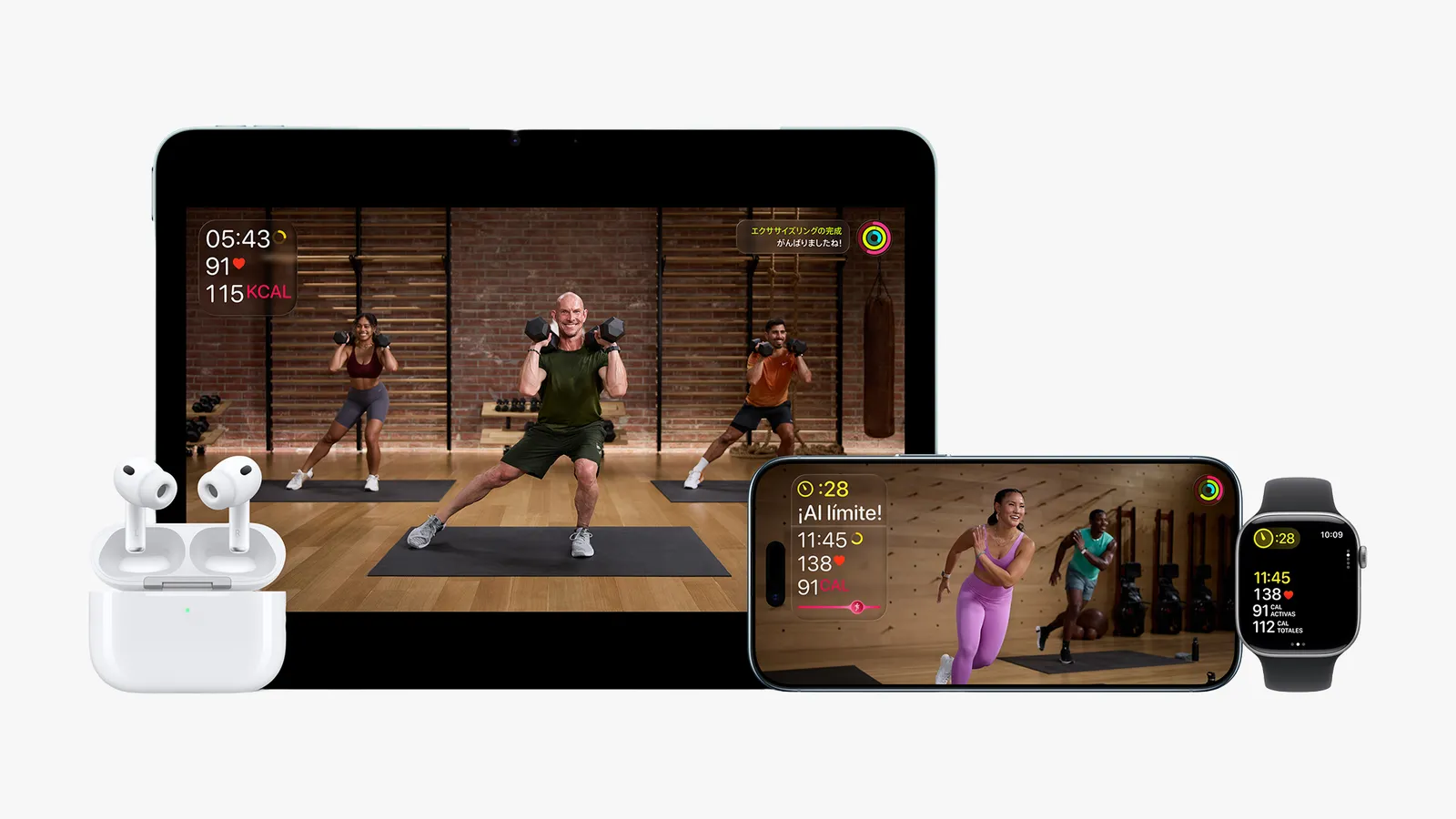
In addition to health-related features, Apple has also unveiled additions to its workout programs over the past few months. The AI-enabled Workout Buddy in Fitness is perhaps the most prominent (although I personally don’t feel like I have benefited that much from a bot cheerfully chirping the name of the song I’m listening to). Apple has also started offering Fitness+ in more countries and launching new workout programs, like three-week strength training programs that are designed to jump-start your workout routines.

It’s also worth noting here that Apple Watch data is compatible with many more fitness and workout apps besides Apple’s proprietary Fitness+. For more information on which app is the right pick for your Apple Watch, check out our guide to the Best Fitness and Workout Apps. Fitness+ is also available on the iPhone, iPad, and Apple TV.

Compare Top 5 Apple Watches

Advertisement

The Best Apple Watch Apps and Accessories

Belkin 3in1 Qi2 Charging Stand a black stand with 2 extending arms to hold devices shown on the left with a phone watch...

Photograph: Simon Hill

Once you have your Apple Watch, you’re going to need some accessories. Here are the ones for you to consider first.

A 3-in-1 charger. Apple Watches are notoriously hard to keep charged. This Belkin Qi2 charger ($110) is our favorite stand, but we have many more selections in our Best 3-in-1 Apple Wireless Chargers. You can also pick up a power bank ($90) with a built-in Apple Watch charger so you’re not caught out and about with a dead watch.

Advertisement

Whatever band you want. Our Best Apple Watch Accessories guide has a ton of options. My personal favorite band of all time is the Konsu NYC supple leather band ($169), but we have many more in our guide.

A case and a screen protector. Apple’s service pricing is notoriously exorbitant—repairing a watch costs almost as much as buying a new one! Bigger and more expensive isn’t always better. If the case is big and doesn’t fit well, it will rattle annoyingly every time you get a notification. I like the Spigen Thin Fit Case ($15) and a screen protector set from Amazon ($10); extras are nice if you mess up the first application.

Avoid These Watches

Advertisement

It’s been years since we’ve seen retailers carry the Series 1, Series 2, or Series 3. You may see them on resale sites, but they are not worth the price. WatchOS 26 only works with the second-gen SE and newer, so we no longer recommend buying the Series 4 or 5, or the first-gen SE. The Series 1 isn’t waterproof; neither the Series 1 nor the Series 2 has any cellular capability; and none of these watches are compatible with the latest watchOS version.


Power up with unlimited access to WIRED. Get best-in-class reporting and exclusive subscriber content that’s too important to ignore. Subscribe Today.

Source link

Advertisement
Continue Reading
Click to comment

Leave a Reply

Your email address will not be published. Required fields are marked *

Tech

Is Ryobi’s Link Modular System Worth It? Here’s What Users Say

Published

on


We may receive a commission on purchases made from links.

In recent years, power tool brands have been going head-to-head when it comes to making modular storage solutions, including Ryobi. Utilizing a common locking interface that works with its wall and mobile system, the Ryobi Link Modular System gives you the option to use compatible products with both. As of writing, Ryobi lists 63 Ryobi Link Modular System products and kits on its official website that span everything from slot boxes, hooks, baskets, cabinets, to all sorts of organizers. It’s interesting to note that it also markets it for storing non-tool products as well, such as sports gear.

Advertisement

To get the best of both worlds, you’ll want to invest first in its Link Accessory Rails, which measure 10 inches by 2.5 inches, and it can hold up to 75 lbs per linear foot of weight. After that, you may want to consider the Link Rolling Base that can serve as a base for stacking your mobile solutions. With swiveling casters and lockable front wheels, it’s designed to carry up to 200 lbs. 

That said, it’s important to note that Ryobi only mentions 54 products that work with its mobile storage options. Because of this, some products like the Stowaway Wall Mounted Workbench are more of a fixed space-saving solution, since there is no compatible mobile storage mechanism. Not to mention, this isn’t the only issue owners have raised before, since reviews for the Ryobi Link Modular System have been a mixed bag. 

Advertisement

What do users have to say about the Ryobi Link Modular System?

While Ryobi is a generally beloved brand for other product lines, it does fall short of expectations for storage, and it’s on the lower end of our list for major portable tool box brands. As for its Link modular storage line up in particular, users have lamented a slew of common problems that include issues with durability, not holding up its end of the bargain in terms of water resistance, and lack of stability for its cabinet offers.

If you still want to give the basic set up a go, its 7-piece Wall Storage Kit is pretty highly-rated with its wall rails, pair of utility hooks, two power tool hooks, and double organizer bin. Priced at just under $65, more than 140 people have rated it 4.8 stars on average on the official Ryobi website. On the other hand, it has a slightly lower, but still mostly positive 4.6-star rating from almost 400 Home Depot customers. In the same vein, Home Depot also sells the $189 20-piece Ryobi Link Wallet Storage Kit, which boasts a similar average rating of 4.6 stars from around 640 users.

If you’re wondering how much you should expect to spend on each type, its cheapest attachment is its Link Reversible J Hook, which is sold for just under $6. On the other hand, the most expensive Link-compatible product is the $219 Link Speed Bench Mobile Work Station.

Advertisement

Who will benefit from using the Ryobi Link Modular System

While at first glance, one may assume that the people who can benefit the most from investing in the Ryobi Link Modular System are those who already use Ryobi tools, it’s quite flexible even if you use other systems. On the Tool Review Zone YouTube Channel, they mention how it’s the most heavy duty system for wall organization that they’ve tried, as well as the easiest to set up. If you care about aesthetics, they recommend painting it, in case you prefer power tools from other brands. That being said, other popular brands have also rolled out similar solutions that may be a better fit for your needs. 

Advertisement

In the past, we’ve mentioned before how satisfied Milwaukee Packout kit owners were, and how they thought it was worth the premium price point when used properly. In a comparison video, YouTube creator Ben Grimsley Woodworking mentions that the Link’s honeycomb design that locks with a button isn’t as stable as Milwaukee’s sliding lock system, and also lamented how the Link-compatible tool boxes don’t offer as much variety in terms of internal storage boxes. They did agree that it’s impressive for its relatively cheaper price, though.

Alternatively, you can get a pretty comprehensive Craftsman 230-piece Mechanics Tool Set for under $200, which slots perfectly with the VersaStack system. If you think both price points are still too expensive, you can get a similar experience for wall storage using pegboards instead, which make for a great budget DIY solution for workbench clutter.

Advertisement

Methodology

To help you decide if Ryobi’s Link Modular system is worth it, we rounded up feedback from a variety of sources for a comprehensive view of its performance. In order to understand how it functions as a whole, we considered what people liked and didn’t like about it as both as system and its key components. 

Apart from general average ratings across multiple platforms, such as the official Ryobi website and Home Depot, we also referenced issues raised by dedicated reviewers from official product pages, reputable publishers, YouTube creators, and other members of the SlashGear team. Lastly, we referenced alternative modular storage solutions with unique features that may appeal to those who are flexible with a higher or lower budget.

Advertisement


Source link

Advertisement
Continue Reading

Tech

There’s Always Room For 3D Printed Batteries

Published

on

There are many applications where you have limits on how much you can cram into a particular space. There are also many applications where you need as much battery as you can get. At the intersection of those applications, you may soon be able to 3D print custom batteries to fit into oddly shaped spaces that might otherwise go to waste.

Commercial batteries are typically cylindrical or rectangular. In theory, you could build tooling to make batteries of any size or shape you want, but it’s an expensive process in small quantities. [Lawrence Ulrich] on Spectrum talks about a new process, developed by [Gabe Elias], that can print anodes, cathodes, separators, and casings for custom battery shapes with no costly tooling.

As an example, consider an unmanned aerial vehicle crammed with avionics. You could put off-the-shelf batteries in the wings, but you’ll end up wasting a lot of space. A custom battery could fill the wing’s interior completely. The post also mentions batteries shaped like the earpieces of a pair of smart glasses.

Advertisement

A prototype showed that in the space of 48 cylindrical cells, the new process could deliver a printed battery that uses 35% more of the available volume and a 50% boost in energy density.

Could you do this yourself? Maybe, but it won’t be trivial. The current process requires a liquid electrolyte and the ability to produce thin layers of exotic materials. What oddly-shaped battery would you like to see? Us? We’d like to have a battery for a laptop that was spread uniformly so there wasn’t a heavy side that has the battery.

Advertisement

Source link

Continue Reading

Tech

Windows 98 On A 2020 ThinkPad P14s Gen 1 Laptop

Published

on

The lovely thing about the x86 architecture is its decades of backwards compatibility, which makes it possible to run 1990s operating systems on modern-day hardware, with relatively few obstacles in the way. Recently [Yeo Kheng Meng] did just that with Windows 98 SE on a 2020 ThinkPad P12s Gen 1, booting it alongside Windows 11 and Linux from the same NVMe drive.

Naturally, after previously getting MS-DOS 6.22 from 1994 running on a 2020 ThinkPad X13, the step to doing the same with Windows 98 SE wasn’t that large. The main obstacles that you face come in the form of UEFI and hardware driver support.

Both ThinkPad laptops have in common that they support UEFI-CSM mode, also known as ‘classical BIOS’, as UEFI boot wasn’t even a glimmer yet in some drunk engineer’s eye when Win98 was released. After this everything is about getting as many hardware drivers scrounged together as possible.

[Yeo] ended up having to bodge on a USB 2.0 expansion card via a Thunderbolt dock as Win98 doesn’t have xHCI (USB 3.0) support. With that issue successfully bodged around using a veritable tower of adapters, installing Windows 98 was as easy as nuking Secure Boot in the BIOS, enabling UEFI-CSM along with Thunderbolt BIOS assist mode and disable Kernel DMA protection.

Because UEFI-CSM implementations tend to be buggy, the CREGFIX DOS driver was used to smooth things over. Another issue is the same that we chuckled about back in the day, as Windows 98 cannot address more than 512 MB of RAM by default. Fortunately patches by [Rudolph Loew] helped to fix this and some other smaller issues.

Advertisement

Unfortunately neither Intel nor NVIDIA have released Win98 drivers for quite some time, so there’s no graphics acceleration beyond basic VESA support and the SoftGPU driver. Disk access goes via the BIOS too rather than using an NVMe driver, so it’s not as zippy as it could be, but for Win9x it’s quite usable.

Finally ACPI wasn’t recognized by Win98, but it’s only fair to blame that on the complete flaming train wreck that is ACPI rather than anything to do with Windows. This particular issue was worked around by configuring the BIOS to support S3 power state and with that making Win98 happy again.

It’s honestly quite a shame that UEFI-CSM is largely ignored by new systems, as it makes installing even Windows 7 basically impossible, and thus creating probably the largest split within the x86 ecosystem since the arrival of AMD64/x86_64.

Advertisement

Source link

Continue Reading

Tech

AI romance scams are on the rise. Here’s what you need to know.

Published

on

Happy Valentine’s Day. Don’t let romance scams — which ramp up around the holiday and are at an all-time high — break your heart.

These scams cost Americans $3 billion last year alone. That’s almost certainly an undercount, given victims’ particular reluctance to report that they’ve fallen for such ruses.

Many romance scams fall under the umbrella of so-called “pig-butchering” scams, in which fraudsters build relationships with and gain the trust of victims over long periods of time. The moniker is a crude reference to fattening up a pig before the slaughter — and they go for the whole hog, repeatedly attempting to extract money from the target. Between 2020 and 2024, these scams defrauded more than $75 billion from people around the world.

Now, AI is making these scams increasingly accessible, affordable, and profitable for scammers. In the past, romance scammers had to have a strong grasp of the English language if they wanted to effectively scam Americans. According to Fred Heiding, a postdoctoral researcher at the Harvard Kennedy School who studies AI and cybersecurity, AI-enabled translation has completely removed that roadblock — and scammers now have millions more potential victims at their disposal.

Advertisement

AI is fundamentally changing the scale, serving as a force multiplier for scammers. A single person who used to manage a few scams at a time can use these toolkits to run 20 or more simultaneously, Chris Nyhuis, the founder of cybersecurity firm Vigilant, told me over email. AI-assisted scams are significantly more profitable than traditional ones, and they’re increasingly cheap and easy to run.

On the dark web, fraudsters can purchase romance scam toolkits complete with customer support, user reviews, and tiered pricing packages. These toolkits come with pre-built fake personas with AI-generated photosets, conversation scripts for each stage of the scam, and deepfake video tools, Nyhuis told me. “The skill barrier to entry is essentially gone.”

I wondered if romance scammers might automate themselves out of a job, but the Kennedy School’s Heiding told me that “oftentimes it’s just augmentation, rather than complete automation.” Many of the scammers are also victims themselves, with at least 220,000 people trapped in scam centers in Southeast Asia and forced to defraud targets, facing terrible abuse if they refuse. Leveraging AI means “the crime syndicates [who run these centers] will probably just have better profit margins,” Heiding said.

For now, there’s a human being behind the scenes of the scams, even if they’re just pressing start on an AI agent. But apart from that, it can be fully automated. At the moment, Heiding told me, AI isn’t much better than human romance scammers, but the technology evolves rapidly. In 2016, Google DeepMind’s AlphaGo beat the world’s best human go player in a landslide. Human forecasters think that AI is set to far outpace their ability to predict the future very soon.

Advertisement

“I wouldn’t be surprised [if] within a few years or a decade, we have AI scammers that are just thinking in completely different patterns than humans,” Heiding said. “And unfortunately, they probably will be really, really good at persuading us.”

What’s love got to do with it?

Romance scams are unique: They target a core human need for love and connection. You may have heard that we’re in a loneliness epidemic, officially declared by the US Surgeon General in 2023, with health risks on par with smoking up to 15 cigarettes a day. Social isolation is linked to higher rates of heart disease, dementia, depression, and even premature death – and reportedly, 1 in 6 people worldwide are lonely. And lonely people make for prime targets.

Fraudsters send out initial AI-generated messages to prospective victims. Over time, they use lovebombing techniques to convince them that they are in a romantic relationship. Once trust is established, they make requests for money through methods that are difficult to recover like gift cards, wire transfers, or cryptocurrency. They will often make up crises that require urgent transfers. They might ghost the victim after reaching their goals, or continue the scam to squeeze more out of them.

Advertisement

AI romance scams use deepfake video calls, “cheap fake” social media profiles, and voice cloning technology like other AI-enabled scams to draw people in. But according to Nyhuis, they’re “uniquely dangerous because of what they exploit. Phishing uses urgency; tech support scams use fear. Romance scams use love, which can make people think irrationally or overlook their gut feeling that something is wrong.”

Older adults often experience social isolation and are frequently targeted by romance scammers. Retirement and bereavement can create circumstances that scammers deliberately manipulate, making victims feel seen and cared for, even as they steal their life savings and the homes where they plan to spend their retirement years. But anyone can be deceived by these scams. Despite being digital natives, Gen Z is three times more vulnerable to online scams than older generations since they spend so much time online, although they tend to have — and therefore lose — less money than older victims.

Here’s something else that will break your heart: Scam victims are more likely to be targeted again. Scammers create profiles of their targets, sometimes adding them to “sucker lists” shared across criminal networks. Victims of other crimes are also more likely to be revictimized, and falling prey to a romance scam isn’t a moral failing on the part of the target.

But it is something to be on guard against, since the vast majority of scam victims will not be able to get their money back. About 15 percent of Americans have lost money to online romance scams, and only 1 in 4 were able to recover all the stolen funds.

Advertisement

Romance scams thrive in shame and secrecy. Victims are sometimes blackmailed and told that if they confide in people in their lives, the scammers will expose sensitive information. Sanchari Das, an assistant professor and AI researcher at George Mason University, and Ruba Abu-Salma, a senior lecturer in computer science at King’s College London, received a Google Academic Research Award to study AI-powered romance scams targeting older adults in 13 countries. Their research examines how AI tools can amplify traditional scam tactics and how families and communities can better support the victims.

The researchers are building connections with gerontological societies, and aim to build educational tools to support AI romance scam victims. There’s a fair amount of information already out there about prevention, but very little directing victims what to do next.

Like so many people, I met my partner online. I’m grateful that we started dating in the late 2010s, before the explosion of AI-generated profiles on apps and dating sites.

AI is getting better at tricking people across the board. It has massively improved at rendering hands, a formerly reliable tell for deepfakes, and it learns from its mistakes. “As these technologies improve, traditional signals for spotting manipulation are no longer dependable,” Das said. “At the same time, we are leveraging AI to counter these threats by detecting scam patterns, forecasting emerging tactics, and strengthening protective responses. The goal is to build systems and communities that are as adaptive as the technology itself.”

Advertisement

Society is also getting increasingly desensitized to AI romance. One study found that almost a third of Americans had an intimate or romantic relationship with an AI chatbot. The 2013 movie Her, in which a man falls in love with an AI voiced by Scarlett Johansson, was set in 2025. It wasn’t too far off the mark.

AI chatbots are purposefully designed to keep people engaged. Many use a “freemium” model, in which basic services don’t cost anything, but charge a premium for longer conversations and more personalized interactions. Some “companion bots” are designed to make users form deep connections. Even though people know that the “significant other” is AI, these companion bot apps sell user data for targeted advertising and aren’t transparent about their privacy policies. Is that not also a sort of intimacy scam, a way to extract resources from lonely people for as long as possible?

There are steps you can take to protect your heart, wallet, and peace of mind. It seems obvious, but refusing to send money to someone you haven’t met in person will stop a romance scam in its tracks. You can demand spontaneous video calls, and ask the person on the other end to do something random; deepfakes still struggle with “unscripted” actions.

“Be suspicious of anyone you’ve never met in person — that’s the only safe approach in a digital world increasingly filled with scams,” Konstantin Levinzon, the co-founder of free VPN service provider PlanetVPN, said in a press release. “If someone you meet on a dating site seems suspicious, perform a reverse image search to check if their pictures are stolen from other sources. And if the conversation shifts to money, or if someone asks for personal information, leave the conversation immediately.”

Advertisement

You can also use a VPN to obscure your location, since scammers might track users’ location and try to personalize their scams based on the target’s city or country. If you are scammed, reporting early to the FBI Internet Crime Complaint Center, Federal Trade Commission, and your bank increases the chances that you’ll be able to recover the stolen funds. Several nonprofits offer support for victims of romance scams.

“No matter how alone you feel right now, no matter how embarrassed you are, you will recover from this and one day look back and see how you made it through it,” Nyhuis said. “These scammers are good at removing hope. Don’t let them take that from you.”

Source link

Continue Reading

Tech

The EU Moves To Kill Infinite Scrolling

Published

on

Doom scrolling is doomed, if the EU gets its way. From a report: The European Commission is for the first time tackling the addictiveness of social media in a fight against TikTok that may set new design standards for the world’s most popular apps. Brussels has told the company to change several key features, including disabling infinite scrolling, setting strict screen time breaks and changing its recommender systems. The demand follows the Commission’s declaration that TikTok’s design is addictive to users — especially children.

The fact that the Commission said TikTok should change the basic design of its service is “ground-breaking for the business model fueled by surveillance and advertising,” said Katarzyna Szymielewicz, president of the Panoptykon Foundation, a Polish civil society group. That doesn’t bode well for other platforms, particularly Meta’s Facebook and Instagram. The two social media giants are also under investigation over the addictiveness of their design.

Source link

Continue Reading

Tech

Honor Thy Error | Hackaday

Published

on

Musician Brian Eno’s Oblique Strategies are like a Tarot card deck full of whimsical ideas meant to break up a creative-block situation, particularly in the recording studio. They’re loads of fun to pick one at random and actually try to follow the advice, as intended, but some of them are just plain good advice for creatives.

One that keeps haunting me is “Honor thy error as a hidden intention”, which basically boils down to taking a “mistake” and seeing where it leads you if you had meant to do it. I was just now putting the finishing touches on this week’s Hackaday Podcast, and noticed that we have been honoring a mistake for the past 350-something shows. Here’s how it happened.

When Mike and I recorded the first-ever podcast, I had no idea how to go about doing it. But I grew up in Nashville, and know my way around the inside of a music studio, and I’ve also got more 1990s-era music equipment than I probably need. So rather than do the reasonable thing, like edit the recording on the computer, we recorded to an archaic Roland VS-880 “Digital Studio” which is basically the glorified descendant of those old four-track cassette Portastudios.

If you edit audio in hardware, you can’t really see what you’re doing – you have to listen to it. And so, when I failed to notice that Mike and I were saying “OK, are you ready?” and “Sure, let’s go!”, it got mixed in with the lead-in music before we started the show off for real. But somehow, we said it exactly in time with the music, and it actually sounded good. So we had a short laugh about it and kept it.

Advertisement

And that’s why, eight years later, we toss random snippets of conversations into the intro music to spice it up. It was a mistake that worked. Had we been editing on the computer, we would have noticed the extra audio and erased it with a swift click of the mouse, but because we had to go back and listen to it, we invented a new tradition. Honor thy error indeed.

Source link

Advertisement
Continue Reading

Tech

It’s the last day to get 50 percent off subscriptions

Published

on

MasterClass has dropped the price of its annual memberships by 50 percent, making it a more affordable way to explore its full library of courses across cooking, business, photography, writing and more. With the discount applied, you’ll spend $10 per month when billed annually for the Premium tier, with lower-cost Standard and Plus options available depending on how many devices you want to use at once and whether you need offline viewing.

There are more than 200 classes on MasterClass now, and many are led by big names at the top of their fields. Depending on your interests, you might pick up cooking tips from Gordon Ramsay, learn storytelling from Margaret Atwood, explore business strategy with Richard Branson or get insights into performance and mindset from athletes and entertainers. The catalog spans everything from film and TV to wellness, music, science, leadership and photography, so it’s easy to dip in and find something that holds your attention.

Image for the small product module

MasterClass

Get 50 percent off all MasterClass subscription tiers.

Advertisement

Over the years, MasterClass has expanded into a broad learning platform that feels like part streaming service and part educational library. The catalog spans categories like food, film, music, wellness, sports and entrepreneurship, with lessons designed to be short and easy to follow. Since every plan includes access to the full course library, the choice mostly comes down to convenience. The Standard tier supports one device and doesn’t include offline mode, the Plus plan allows streaming on two devices with downloads, and the Premium tier increases that to six devices with offline access as well.

Classes are structured to be approachable whether you want to learn a new skill or just explore a topic out of curiosity. Lessons are broken into bite-sized segments, so it’s easy to watch one or two at a time on a commute or in the evening. Members also get access to a global community, occasional newsletters and the ability to switch between video and audio listening on supported classes.

If you’ve been considering trying MasterClass, this deal makes it a more affordable way to see if it works for you. A subscription can also double as a thoughtful gift, which is one reason it has appeared in Engadget’s roundup of the best subscription gifts to send to loved ones. With the current 50 percent discount applied across all tiers, it’s a relatively low-cost way to get access to a large library of professionally produced courses that you can watch at your own pace throughout the year.

Source link

Advertisement
Continue Reading

Tech

GeekWire Podcast in Fremont: Seahawks, AI, and Seattle’s future

Published

on

The crowd at Fremont Brewing for a live recording of the GeekWire Podcast. (GeekWire Photo / Curt Milton)

We took the GeekWire Podcast on the road this week, but not very far — recording the show in Seattle’s Fremont neighborhood, the “Center of the Universe,” just a few blocks from our own offices, with a lively crowd, great beer, and plenty to talk about in Seattle tech and beyond.

The special event at Fremont Brewing was presented by the Fremont Chamber of Commerce.

Fresh off the Seahawks’ Super Bowl victory, we debate different tech and business moguls as candidates for owning the Seahawks or Sonics — including unlikely but interesting-to-consider possibilities ranging from Jeff Bezos and Lauren Sanchez to Costco’s Jim Sinegal. (Who wouldn’t want $1.50 hot dogs and sodas at Lumen Field?) 

John Cook and Todd Bishop record the GeekWire Podcast at Fremont Brewing on Thursday. (GeekWire Photo / Curt Milton)

Then we dig into the debate over Seattle’s tech future, sparked by angel investor Charles Fitzgerald’s GeekWire column, “A warning to Seattle: Don’t become the next Cleveland,” which led to a response and ultimately a great conversation with Cleveland Mayor Justin Bibb.

Fremont Chamber Executive Director Pete Hanning joins us to talk about the neighborhood’s tech corridor, why Fremont is seeing some of the highest return-to-office rates on the West Coast, and how Fremont balances its quirky identity with serious business.

The Fremont Chamber’s Pete Hanning, left, talks with John Cook and Todd Bishop on the show. (GeekWire Photo / Curt Milton)

In the final segment, test your Seattle tech knowledge with our Fremont-themed tech trivia, plus audience Q&A, in which Todd comes clean about his relationship with Claude.

Subscribe to GeekWire in Apple Podcasts, Spotify, or wherever you listen.

Advertisement

Audio edited by Curt Milton.

Source link

Continue Reading

Tech

Sudden Telnet Traffic Drop. Are Telcos Filtering Ports to Block Critical Vulnerability?

Published

on

An anonymous reader shared this report from the Register:


Telcos likely received advance warning about January’s critical Telnet vulnerability before its public disclosure, according to threat intelligence biz GreyNoise. Global Telnet traffic “fell off a cliff” on January 14, six days before security advisories for CVE-2026-24061 went public on January 20. The flaw, a decade-old bug in GNU InetUtils telnetd with a 9.8 CVSS score, allows trivial root access exploitation. GreyNoise data shows Telnet sessions dropped 65 percent within one hour on January 14, then 83 percent within two hours. Daily sessions fell from an average 914,000 (December 1 to January 14) to around 373,000, equating to a 59 percent decrease that persists today.

“That kind of step function — propagating within a single hour window — reads as a configuration change on routing infrastructure, not behavioral drift in scanning populations,” said GreyNoise’s Bob Rudis and “Orbie,” in a recent blog [post]. The researchers unverified theory is that infrastructure operators may have received information about the make-me-root flaw before advisories went to the masses…

18 operators, including BT, Cox Communications, and Vultr went from hundreds of thousands of Telnet sessions to zero by January 15… All of this points to one or more Tier 1 transit providers in North America implementing port 23 filtering. US residential ISP Telnet traffic dropped within the US maintenance window hours, and the same occurred at those relying on transatlantic or transpacific backbone routes, all while European peering was relatively unaffected, they added.

Advertisement

Source link

Continue Reading

Tech

Forget Amazon, Apple and Google, Homey is my smart home system of choice for power

Published

on

I used to be a big SmartThings user back in the day. Powered by its hub, it was the powerhouse of smart home automation, but since Samsung has moved away from the Classic app and the hub is now made by Aeotec, it has lost some of its more powerful features, such as WebCore for scripting.

I use Amazon Alexa for voice commands, as it’s the best voice assistant and has the widest range of devices, and I have been using Apple Home for Automations, as the devices I want to use are either compatible or can be added via HomeBridge.

As good as both platforms are (I particularly like the simplicity of Apple Home for quick device control), what’s missing is the power of the old SmartThings. That’s why I’m moving my automations to Homey.

A powerful system, with powerful scripting

One of the reasons I used SmartThings was an add-on called WebCORE. A powerful scripting language, WebCORE enabled more powerful things to happen. For example, I had a script that ran when my office door locked, automatically turning off the office lights and closing my blinds, but only turning on the garden lights after sunset and turning them off automatically after five minutes. In the darker months, this automation gave me an automatic way of lighting my path back to the house, without turning the garden lights on when not needed.

Advertisement

When Samsung transitioned to the new SmartThings app, WebCORE stopped working. There is a cloud-based alternative called SharpTools, which works with SmartThings (plus Home Assistant, Homey and Habitat), but I’ve not got into it.

Advertisement

With Apple Home it’s possible to do something similar to my old WebCORE automation, but it requires two Automations: one to check if the door is locked and one to check if it’s after sunset. That’s not horrible, but it does lead to Automation bloat and makes the app a bit more complicated.

Shortcuts are a way around this, with more powerful logic, but it’s a tad more complicated than I’d like to set up.

Advertisement

With Homey, it’s possible to add multiple triggers to a Flow (Homey’s version of automations) with the Or and Else logic. Using this, I can have different outcomes depending on whether the office door has locked before or after sunset. That’s hugely powerful and, overall, makes it easier to keep track of automations without splitting them.

Homey is also far more powerful when it comes to triggers, with each device having multiple events to look out for that Apple Home doesn’t. Using Tado X, for example, my Apple Home has triggers that vary by device and, often, day. For example, in my kitchen, my Wireless Temperature Sensor X normally has an on/off trigger, but sometimes this changes so that the trigger is when the temperature is above or below a set value.

With Homey, all Tado X devices give me those triggers, plus humidity, plus when the target temperature changes, plus when the temperature changes. Simply put, Homey is far more granular in its approach to automation.

Advertisement

Advertisement

Variables add more power

Homey also allows variables, which can be used for storing data, either to improve a Flow or just for information. I find it useful to help with my daughter who has epilepsy. It’s important to know when she woke up, and I can do this with Homey.

When she wakes up, she turns her light on (a Philips Hue light). Using Homey, I can watch for this action within set times, send a notification, and, as a useful backup, set a variable to the action time. No more guesswork, just plain simple information that’s useful to know.

Better app support and cheaper hardware

Getting the most out of Homey requires a Homey Pro hub, which gives you locally run apps and Flows, and directly connected devices via Zigbee, Z-Wave, Thread, 433MHz, Bluetooth, and Matter, plus cloud integrations.

The Homey Pro is an expensive bit of kit, but the Homey Pro Mini (review coming soon) slashes the cost to £199. You can run fewer apps on this device than on the regular Pro, but enough for most homes, and you lose Z-Wave, 433MHz, and Bluetooth (although a Homey Bridge adds these features if you need them). Again, losses that most homes are probably alright without.

Advertisement

Since I first came across Homey, LG has invested in the company, and device support has dramatically improved. So, while I previously couldn’t control my Ring Alarm via Homey, a community-developed app now adds this functionality. Every major bit of smart home kit that I own is now supported, the last barrier to me moving to this platform for my main automation.

If you want powerful control in a sleek app with dedicated hardware to control everything, Homey is brilliant.

Advertisement

Source link

Advertisement
Continue Reading

Trending

Copyright © 2025