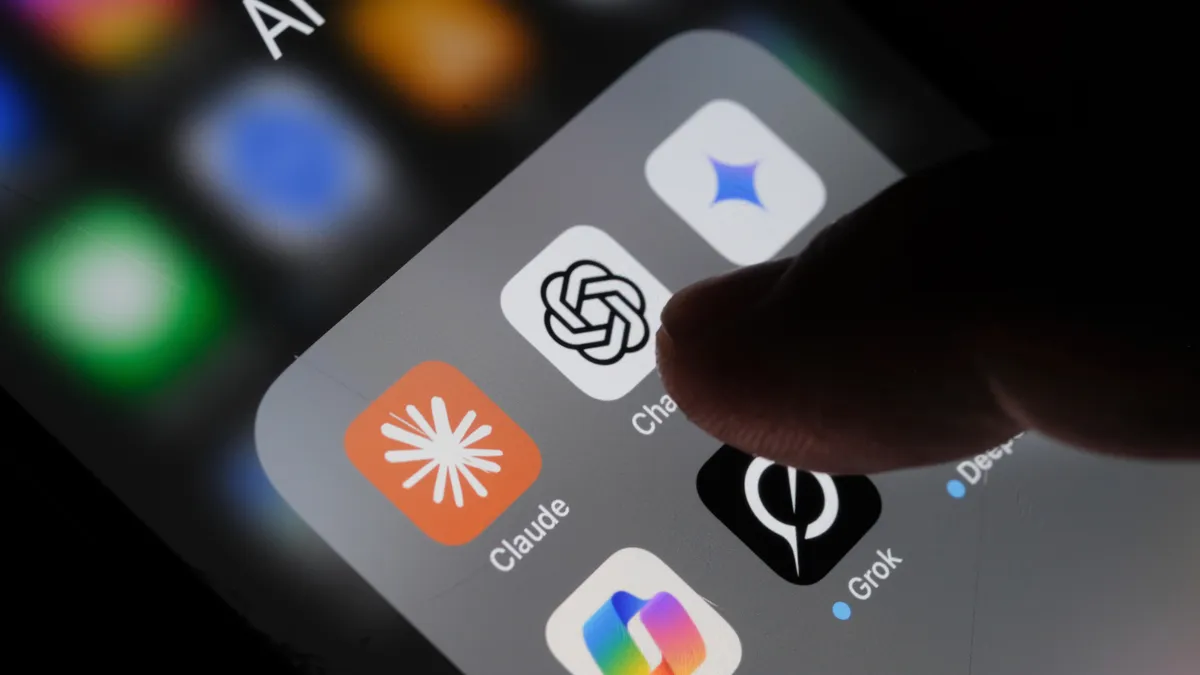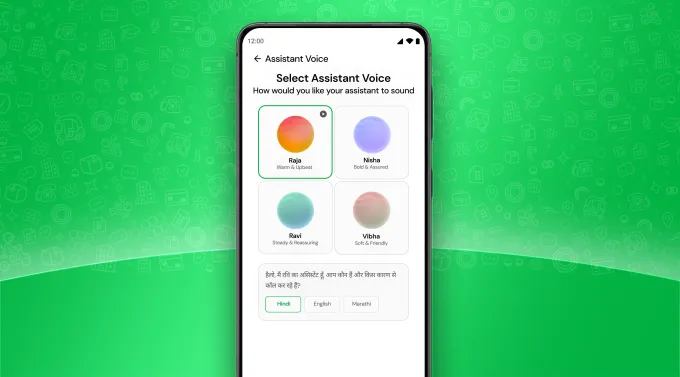



With the arrival of digital assistant apps like Gemini and Siri, most of us have grown used to talking to our phones. But conversing with your Android or iOS device can go way beyond interacting with AI. You can also use your voice to launch apps, fill out text fields, and do just about everything that was previously only possible with your fingers and thumbs.
Of course, the traditional touchscreen input will often be the way to go. But there might well be scenarios—when you’re cooking, repairing something, looking after children, or doing anything else that keeps your hands busy—where it’s easier and more convenient to use voice input instead. The usefulness of voice control is of course well known to those who have impairments that keep them from controling a touchscreen phone with the usual taps and swipes.
Here’s how you can set up the feature on your phone, whether you’re running Android or iOS.
Voice Control on Android
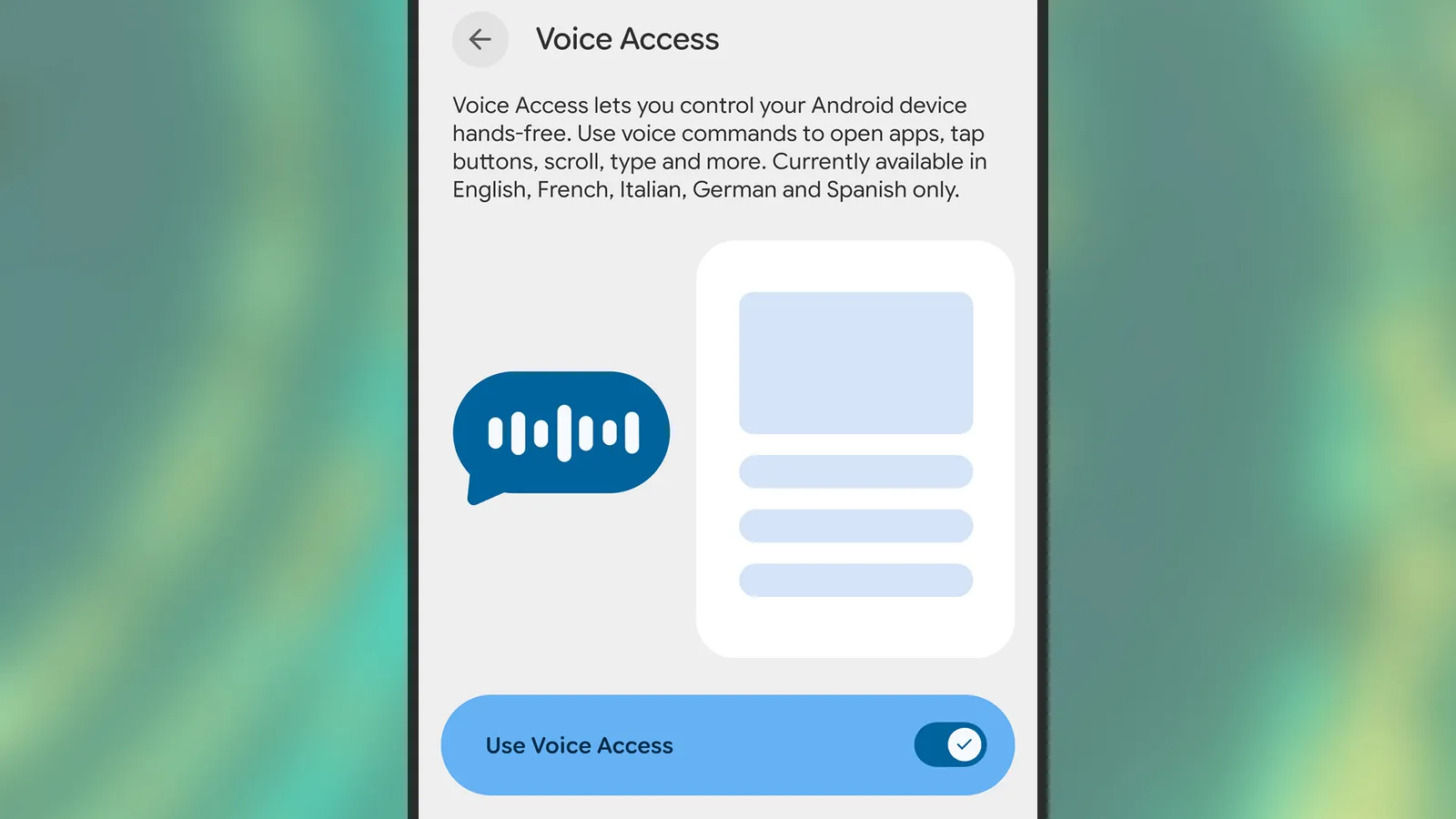
To configure voice control on an Android device, you need to install the free Voice Access app from the Google Play Store. You also need to have the Google app installed, but this should’ve come preinstalled on whatever Android handset you’ve got.
Advertisement
Once you’ve installed Voice Access, you can enable this feature from Settings. On a Pixel phone, head to Accessibility > Voice Access. The exact location of the feature may vary on other handsets, but it’ll be somewhere in the Accessibility menus. For Samsung devices, for example, it’s under Accessibility > Interaction and dexterity > Voice Access.
Enabling Voice Access on Android.
Photograph: David Nield
During the setup of the feature, you’ll be able to tweak a few of the options, including whether to display a persistent button onscreen for launching Voice Access, and whether the feature is always listening for commands whenever the screen is on (which is recommended for convenience).
The same Voice Access screen where you enable the feature also gives you access to a few more key settings. These include options for how long your phone should wait before it stops listening for commands, how precise your phrasing has to be for instructions, and how the Voice Access shortcuts are displayed on screen.
Advertisement
Voice Access can be launched by saying, “Hey Google, start Voice Access,” or via any of the shortcuts you’ve configured in the Voice Access settings (including an on-screen button and a gesture shortcut). When the feature is active, you’ll see an icon showing four dots up in the top left corner, and you can then start speaking to control your phone.
INTERVIEW Enthusiasm among managers to adopt AI tools has outpaced developers’ ability to learn those tools and use them effectively.
Moshe Sambol, VP of customer solutions at software observability outfit Lightrun, told The Register in an interview that he speaks with a lot of companies. Some of the developers in those organizations, he said, are very comfortable with AI tools.
“But the reality is that a lot of developers are much earlier in the curve,” he said. “The expectations of businesses are getting ahead of where the developers are in terms of their mental model and in terms of the training that they’re providing, the enablement they’re providing to make their teams comfortable with the tools, and the rate at which these tools are evolving.”
Sambol said the degree of AI tool adoption varies.
Advertisement
“I absolutely have customers who’ve told their developers, ‘You don’t write code anymore. You review code. No one should write a line of code unless for some reason you failed after three attempts getting GenAI to do it,’” he said. “I have customers like that. I don’t know if I should name them, but absolutely.”
And he said on the other side of the spectrum, there are organizations like banks that are just starting to roll AI tools out due to compliance obligations and traditional industry caution.
“It’s an exciting time to be adopting these tools and learning these tools, but it puts a lot of pressure on the developer,” he said. “It puts this expectation of being more productive.”
Not everyone manages that, and Sambol said he has a lot of sympathy for developers who have been directed to use AI tools without training and organizational guidance. Generative AI models will produce a lot of code quickly, he said, and because the code seems correct initially, it often gets pushed forward.
Advertisement
“If it’s not creating bugs en masse today, it’s just pain waiting to happen,” he said. “The number one question I think we have to be asking developers is, ‘Can you explain that code? Have you validated that the code actually fits in the context of the broader system?’”
Sambol said the answer isn’t necessarily yes or no because developers have different levels of experience and often work on large projects where they focus only on a specific part of the code base. It’s common in enterprises, he said, that no one person will understand the entire system end-to-end, which is why problem resolution often requires a group of people.
The issue he sees is that generative AI systems don’t help bridge the missing knowledge gap. They don’t provide the context to understand all the components involved.
Sambol went on to describe an incident in which a developer was using an AI assistant to build an Ansible automated workflow. “The generative AI was creating the Ansible template for him, which seems like a perfect match – it’s drudge work,” he explained. “And it’s much better at getting the syntax exactly right.”
Advertisement
It worked. And then it stopped working.
“The system that he was deploying to, all of a sudden, he could not get the component up,” Sambol said. “It just wouldn’t start. A process that had been going smoothly for a couple of hours in the morning, now all of a sudden, his service is down and it will not run.
“And he’s pulling his hair out trying to unstitch the day’s work so far to figure out what went wrong, why is the service not working,” he said, adding that the AI agent proved unhelpful by going off in the wrong direction, reinstalling the operating system, and undertaking other ineffective steps to effect repairs.
What happened, Sambol explained, is that earlier in the day, the developer had installed the component in a certain way – it was running in a container with a systemd service.
Advertisement
As such, it needed access to the ports on the device, which precluded running the component in Docker.
“So the AI model re-wrapped it, repackaged it, and deployed it in a different way, but kept the original one running,” he explained. “So it was simply a matter of the fact that the one he had initially deployed was still running and it was blocking the port and the second one couldn’t run.
“It’s a fairly simple, easy-to-understand problem once you see it, but he lost the entire afternoon going down all kinds of dead ends with the AI looking at this, looking at that, because the AI model didn’t remember that it had guided him to deploy the system a certain way earlier in the day.”
Sambol said various studies show a significant percentage of AI generated code contains errors and creates technical debt.
Advertisement
That’s not to say human developers are without fault. Sambol said developers have their own weaknesses. Many companies, he said, have offshored or globally distributed development teams, so there’s a lot of variation. He argues that it’s important to acknowledge that imperfection and work toward processes that improve results.
One way to do that is to automate the prompting process in a way that makes it more repeatable. “When you do that, you identify where you’re starting to get good results and you don’t expect everybody to come up with a well-structured long prompt.”
Sambol added, “I think these tools are absolutely getting better. And so I’m reluctant to call any of them junk or deeply flawed. They’re getting better shockingly rapidly. If you can take advantage of a couple of different ones – with a human being in the loop – then you are more likely to get output that is at least as good as you were getting before.” ®
Reports circulating in China this week reignited concerns around the issue after experts claimed that photos showing fingers facing directly toward a camera from within roughly five feet could potentially reveal enough detail to recreate fingerprints. In theory, attackers could use the resulting images to spoof biometric scanners tied to… Read Entire Article Source link
“The vulnerability is simple in practice,” writes Tom’s Hardware: “run a command as a standard user and gain root (administrator) access to the machine.”

And it was Mythos Preview that helped the security researchers at Palo Alto-based Calif bypass a five-year Apple security effort in just five days. The blog 9to5Mac reports:
Last year, Apple introduced Memory Integrity Enforcement (MIE), a hardware-assisted memory safety system designed to make memory corruption exploits much harder to execute… [The researchers note it’s built into Apple all models of the iPhone 17 and iPhone Air, and some MacBooks] They explain they have a 55-page technical report on the hack, but they won’t release it until Apple ships a fix for the exploit. But they do note in broad terms that Anthropic’s Mythos Preview model helped them identify the bugs and assisted them throughout the entire collaborative exploit development process.
“Mythos Preview is powerful: once it has learned how to attack a class of problems, it generalizes to nearly any problem in that class. Mythos discovered the bugs quickly because they belong to known bug classes. But MIE is a new best-in-class mitigation, so autonomously bypassing it can be tricky. This is where human expertise comes in. Part of our motivation was to test what’s possible when the best models are paired with experts. Landing a kernel memory corruption exploit against the best protections in a week is noteworthy, and says something strong about this pairing….”
Advertisement
[I]n a time when even small teams, with the help of AI, can make discoveries such as this one, “we’re about to learn how the best mitigation technology on Earth holds up during the first AI bugmageddon.”
The Bose Lifestyle Ultra Wireless Speaker arrives at $299 with most of the connectivity options people actually care about: Apple AirPlay, Google Cast, Spotify Connect, Wi-Fi, Bluetooth 5.3, 3.5mm AUX, Alexa, and Alexa+ support. That matters because Bose is not just dropping another compact wireless speaker into an already crowded category and hoping the logo does the heavy lifting.
Ask Sonos how that worked out after a rather significant app disaster. Brand loyalty only gets you so far outside the Apple ecosystem, especially when the app becomes the thing customers are complaining about.
This is the entry point into the new Lifestyle Ultra system, but it can also stand on its own, work as a stereo pair, or serve as rear channels with the Lifestyle Ultra Soundbar and Subwoofer. Bose is clearly taking aim at Sonos, Bluesound, Denon, Samsung, and LG with a speaker that sounds bigger than it looks, and costs less than some obvious rivals.
Technology: Small Box, Big DSP, Very Bose
The Bose Lifestyle Ultra Wireless Speaker is built around a compact three driver array with two front facing drivers and one up-firing driver, which is where things get more interesting than the size of the cabinet suggests. Bose is using its TrueSpatial audio processing to analyze content and create a wider, taller presentation from a single speaker, rather than pretending a small wireless box can bend physics. Guess what? That’s not really a thing no matter how many times you click your heels together and pray for it.
That up-firing driver matters because the Lifestyle Ultra is not just pushing sound straight at you. It is using direct and reflected sound, plus DSP, to create a larger soundstage. Pair two of them in stereo and the effect becomes more convincing, especially in smaller rooms where placement and simplicity matter more to the typical Lifestyle Ultra buyer.
Advertisement
After listening to the speaker in four different rooms, that part tracks. The Bose does a very good job creating scale from a compact enclosure, but let’s not pretend that moving from the bedroom to the den magically turns the pair into Sonus faber Electa Amator III loudspeakers. Physics still gets a vote.
Bass is handled through Bose CleanBass technology, which combines the woofer, DSP, and a proprietary QuietPort acoustic opening to keep low frequency output under control. Bose is not claiming this replaces a real subwoofer, and neither should anyone with working ears. The goal is cleaner, fuller bass from a compact enclosure without the bloated thump that ruins too many wireless speakers in this category.
One decision I asked about at the NYC event still does not make sense to me: the Lifestyle Ultra Wireless Subwoofer is not compatible with a pair of Lifestyle Ultra Wireless Speakers on their own. It only works as part of the broader Lifestyle Ultra home theater setup.
That feels like a missed opportunity. Two Lifestyle Ultra Wireless Speakers already sound confident from the upper bass range through the treble, and they do have useful midbass output. But letting users add the Lifestyle Ultra Wireless Subwoofer to fill in the lower range would make the system a much easier recommendation for music listeners who want more scale without moving into a full soundbar based system. The subwoofer is good. Let people use it. I really hope that Bose make this a reality.
Advertisement
Compact, Flexible, and Not Just a Sidekick
The Lifestyle Ultra Wireless Speaker measures 4.8 inches wide, 7.3 inches high, and 6.6 inches deep, which makes it small enough for a kitchen counter, bedroom, office, or shelf where a larger system would be overkill.
I also tried the pair on top of the mantle in the den, spaced about 60 inches apart, and discovered that the imaging was convincing enough to get a reaction from Tyrion the Westie. He stared directly between the two speakers like someone had just promised him Casterly Rock and then hidden the snacks.
Advertisement. Scroll to continue reading.
To be fair, he was probably trying to figure out why Nick Cave and Sia were suddenly serenading him from the fireplace. That is not a formal listening test, unless the AES has added “confused Westie” to the measurement protocol, but it did suggest that the stereo image was more focused than I expected from two compact wireless speakers sitting on a mantle.
Advertisement
The Lifestyle Ultra series also supports multiple configurations: 1.0, 2.0, 7.0.4, and 7.1.4. That means a single speaker can work on its own, two can be used as a stereo pair, and a pair can also serve as rear surround speakers with the Lifestyle Ultra Soundbar and Lifestyle Ultra Wireless Bass Module. That flexibility is the real hook. This is not merely a wireless speaker trying to look useful in a press photo. It is the modular piece that helps tie the Lifestyle Ultra system together.
The Lifestyle Ultra Wireless Speaker comes in Black Smoke and White Smoke for $299, with a limited edition Driftwood Sand version at $349. The Black Smoke finish is fine, but a little too utilitarian for me. It looks like it was designed to disappear into a shelf, which is useful, but not exactly inspiring unless your interior design theme is “conference room after the consultants left.”
The Driftwood Sand version is the one I would buy 100 times out of 100. The soft beige finish and solid white oak base give it a warmer, more furniture friendly look that makes the speaker feel like it belongs in a real room rather than hiding from the homeowner’s association. It is the difference between a proper Rutt’s Hut ripper and a dirty water dog. Both are technically food. Only one should wind up in your West Elm or CB2-inspired home.
The tactile controls are also practical. Playback, track skipping, volume, microphone mute, Bluetooth, and Alexa prompts can all be handled directly on the speaker.
Download the Right Bose App or Enjoy the Wrong Kind of Adventure
Bose has more than one app, so do yourself a favor and use the setup sheet in the box. Tap the setup link or QR code and it will send you to the correct app. Guessing in the App Store is how normal people lose 20 minutes of their lives and start blaming Bluetooth for crimes it did not commit.
Advertisement
The app also requires iOS 18 or later, which is worth noting if you are setting this up for parents or anyone still nursing an older iPhone like it contains state secrets. Some of us are already somewhere in iOS 26.xxx, but not every household lives on the bleeding edge of software updates and battery anxiety.
Once installed, the Bose app loaded quickly and immediately pushed a mandatory firmware update. That part was painless, and it appeared to unlock additional control inside the app. Unless I was not drinking enough Brio Chinotto, the app now includes balance control, along with EQ adjustments for bass, midrange, and treble, plus a control for the height of the sound/image.
That is useful because the Lifestyle Ultra Wireless Speaker is not just a one button box with a logo and an attitude. The app handles setup, updates, EQ, pairing, stereo configuration, and system management. It is still not a full music browsing hub, and Bose is clearly leaning on AirPlay, Google Cast, Spotify Connect, Bluetooth, and AUX for actual playback. But for setup and fine tuning, the app is straightforward, fast, and less painful than expected. Which, in 2026, sadly counts as progress.
Bose is leaning on the streaming apps people already use, which is sensible, but the absence of TIDAL Connect and Qobuz Connect leaves a gap for listeners who live inside those ecosystems. Both platforms worked without any issues using AirPlay.
A Few Setup Caveats Before You Start Swearing at the App
Like most things involving modern tech, the Bose app worked relatively well, but not without a few small detours. The same was true recently with the latest version of BluOS that I used with the Bluesound PULSE FLEX, so this is not strictly a Bose problem. Welcome to the golden age of wireless audio, where the sound can be excellent and the setup occasionally reminds you that firmware has a borderline personality disorder. It’s something I can relate to.
Advertisement
Connecting a single Lifestyle Ultra Wireless Speaker to my Verizon FiOS fiber optic modem/router was painless. First try. It took roughly 15 seconds, and once connected, stability was excellent. Adding the second speaker took more patience. Each individual speaker required a few attempts, probably four or five, before both finally appeared in the configuration section of the app. Once they were both there, things moved along properly.
Advertisement. Scroll to continue reading.
One thing to remember: hit the Save button. The app gives you configuration options, but you still need to lock them in. This sounds obvious until you are staring at the screen wondering why the system has ignored your choices like a teenager asked to walk the dog in a proper Boston blizzard.
If you need to reboot the speaker, Bose uses a button sequence on the top panel, which is actually very responsive and well designed. The sequence lands on an amber light, followed by a light pattern before the speaker is ready to sync again. It worked as intended, and I did not have to unplug everything or threaten the router with my Sherwood goalie signed by the late-Greg Millen.
Advertisement
The volume control is slightly granular, but not in a deal breaking way. It gives you enough adjustment to dial things in without launching the Lifestyle Ultra from quiet background music to ICE raid volume in two seconds.
Listening
Bose impressed the hell out of me at its Upper West Side event. The Lifestyle Ultra system sounded far better than I expected, and not in the usual “everyone nods politely while a PR person watches for facial movement” kind of way. It had scale, clarity, and a surprisingly confident presentation for a lifestyle system designed to live in normal rooms without turning them into a Best Buy annex.
But there is always a caveat with event demos.
What you hear at a well staged press event, where everything has been triple checked, carefully positioned, updated, paired, rebooted, blessed by legal, and probably stared at by six engineers, is not always what you hear at home. I’ve been to more than a few product events over the years where things did not go smoothly, and it is embarrassing as hell when the app refuses to cooperate, the network collapses, or the product decides to audition for witness protection in front of a room full of journalists.
That was not the case here. Bose had the system dialed in.
Advertisement
The townhouse acoustics also helped. Plaster over brick, proper rugs, real furniture, and not a lot of exposed glass or hard reflective surfaces creating chaos. In other words, the room gave the Lifestyle Ultra system a fighting chance. I wish my own home had that kind of isolation from the other rooms in the house. Instead, I get dogs, doorways, glass, kitchen noise, and the acoustic generosity of modern residential compromises. Very glamorous. Very “where did the center image go?”
So I always temper my expectations after a strong demo. It is the only realistic way to deal with being either underwhelmed or pleasantly surprised once the product lands in my own room. It is also how I deal with my South African biltong problem. Sometimes it is fantastic and I can eat it for hours. Sometimes I want to stop after the first bite, transition to droëwors, and hope for the best.
I miss her. I mean it.
Amy Winehouse, Nick Cave, and Sia seemed like the logical place to start. Subtle? Not really. Useful? Absolutely.
Advertisement
Winehouse remains the late Beehive Queen of some shady corner of London, armed with the soul of Aretha Franklin and the romantic judgment of someone who should have had better friends, a better lawyer, and someone in the room willing to unplug the bad decisions. What a waste.
Advertisement. Scroll to continue reading.
“Valerie” from the BBC Sessions is one of those tracks I use because it has a slightly hard top end. Not broken. Not unlistenable. Just enough edge to expose whether a speaker is going to polish the wart or shine a flashlight on it like a suspicious dermatologist from Englewood Cliffs.
The Bose passed with flying colors.
Advertisement
I liked the weight and slightly reserved presentation here. The Lifestyle Ultra Wireless Speakers did not try to make Winehouse sound larger than life, which would have been the wrong move. Instead, they gave her voice a solid center image, believable scale, and actual height. Not “change your underwear” spooky like the $99,999 ATC EL50 Anniversary system I heard at AXPONA, but definitely not some vague vocal ghost floating around the room without a foundation.
She was pushed slightly in front of the speakers, but not into my lap. That worked.
Switching to the master of grit, snarl, and genuine power, the Bose made Nick Cave sound very present. Did it deliver the weight of larger loudspeakers? No. Let’s not start lying before lunch. But compared with the Bluesound PULSE FLEX, I actually found the Bose more convincing in that regard. Neither compact wireless speaker can deliver the proper mass and menace of Cave’s piano playing, but the Bose tried harder. That surprised me.
It also gave up none of the clarity or detail in the process. I can’t make a fair comparison of soundstage size between the Bose and Bluesound because Bluesound only sent me one PULSE FLEX, and stereo imaging generally requires two speakers.
Advertisement
Sia’s “Unstoppable,” “Cheap Thrills,” and “Breathe Me” were all well resolved, with clean vocals, decent separation, and enough dynamic snap to keep the presentation from feeling flat. But they also exposed the obvious limitation: the absence of real sub bass impact.
Bose Ultra Lifestyle Wireless Subwoofer
This is where the Lifestyle Ultra Wireless Subwoofer would have made a major difference. The speakers have enough upper bass and midbass energy to sound balanced on their own, but Sia’s music needs that lower range support to fully land. The subwoofer is already in the Lifestyle Ultra family. Bose should let people use it with the speakers as a 2.1 music system.
Switching over to jazz, with some electronic music mixed in, a few things became clear about the Bose Lifestyle Ultra Wireless Speakers. The folks outside of Boston are rather clearly done listening to audiophiles tell them their products do not cut the mustard. We have reviewed a substantial number of Bose wireless headphones and earbuds over the past three years, and the pattern is not hard to spot: Bose knows what it is doing, and it knows exactly who its customers are.
That matters here.
Advertisement
With The Orb, Aphex Twin, and deadmau5, the Lifestyle Ultra speakers were clear, detailed, quick, and a little meatier through the midbass than some of their rivals to the north. Minus the missing sub bass impact, the presentation had enough drive and body to make the music work. Another case of the Bruins beating the Leafs. In this scenario, it felt like David Pastrnak was in the building, and someone in Toronto had already started blaming the officiating.
The Bose did not turn compact wireless speakers into a nightclub system. That is not the assignment. But the timing was strong, transients were clean, and electronic tracks had enough snap to avoid sounding soft or polite. Again, the Lifestyle Ultra Wireless Subwoofer would have changed the equation in a major way, especially with music that lives below the midbass.
Advertisement. Scroll to continue reading.
Jazz exposed a different set of strengths and limitations. Horns had bite, and there was enough texture to keep brass and reed instruments from sounding overly sanitized. But do not go looking for a long, luxurious trail of decay. Notes lingered briefly and then exited the building faster than the Red Sox starting rotation against the Tigers. Ouch.
Advertisement
Soundstage depth was not massive on some jazz recordings, but height and width were, to borrow from Larry David, pretty, pretty good. The Lifestyle Ultra speakers created a presentation that felt taller and wider than expected from two compact boxes, especially when they were positioned properly and given some breathing room.
Pacing was not an issue. The Bose kept things moving, stayed composed, and did not smear complex passages into wireless speaker soup. It may not satisfy the listener who expects electrostatic transparency, 300B glow, and a tax audit with every cymbal tap, but that is not who this product is for. For the intended buyer, the Lifestyle Ultra delivers a more convincing musical experience than a lot of people will expect from something this size.
Rear view of the Bose Ultra Lifestyle Speaker (Driftwood)
The Bottom Line
The Bose Lifestyle Ultra Wireless Speaker is better than a lot of audiophiles will want to admit, which is always fun to watch from a safe distance. At $299, Bose has cleared the Green Monster with room to spare. Maybe not a Carlton Fisk wave it fair moment, but definitely not a wall ball single.
What works best is the combination of scale, clarity, image height, midbass weight, and genuinely useful connectivity. Apple AirPlay, Google Cast, Spotify Connect, Wi-Fi, Bluetooth, AUX, Alexa, and Alexa+ support give most users the paths they actually need, and the speaker sounds bigger and more composed than its size suggests. In stereo, the Lifestyle Ultra becomes far more convincing, with a solid center image, good width, and enough height to make vocals and smaller jazz ensembles feel properly placed rather than sprayed across the room like Fenway beer in the cheap seats.
What is missing? TIDAL Connect and Qobuz Connect are not supported, the Bose app is for setup and control rather than full music browsing, and the lack of Lifestyle Ultra Wireless Subwoofer support with a standalone stereo pair feels like a genuine missed opportunity. The speakers do well from the upper bass through the treble, but a proper 2.1 option would give electronic music, Sia, Nick Cave, and larger scale recordings the low end authority they deserve.
Advertisement
This is for listeners who want a clean, compact, easy to use wireless speaker that does not sound like an afterthought, and for buyers who want something more flexible than Bluetooth but less fussy than a traditional hi-fi setup. Personally, I would pick the Lifestyle Ultra over the Bluesound PULSE FLEX and the comparable Sonos option in this price range.
Pros:
Strong sound quality for $299 with better scale, clarity, and composure than expected from a compact wireless speaker.
Excellent connectivity: Apple AirPlay, Google Cast, Spotify Connect, Wi-Fi, Bluetooth 5.3, 3.5mm AUX, Alexa, and Alexa+ support.
Convincing stereo performance when paired, with solid imaging, good width, and real height.
Useful Bose app for setup, firmware updates, EQ, balance, pairing, and system control.
Better midbass weight than some rivals, including the Bluesound PULSE FLEX and comparable Sonos options.
Cons:
No TIDAL Connect or Qobuz Connect at launch.
Lifestyle Ultra Wireless Subwoofer does not work with a standalone stereo pair.
Limited sub bass impact with electronic music and larger scale recordings.
Bose app is not a full music browsing hub.
Black Smoke finish looks too utilitarian; Driftwood Sand is the better pick but costs $349.
The iPhone Shortcuts app reminds me of Minecraft. It might be relatively easy to jump into, but it offers nearly limitless potential, allowing you to build anything you want. The same holds true for the Shortcuts app, and that endless possibilities are what many iPhone users might find intimidating. But you don’t have to.
If you are new to iPhone shortcuts, think of them as little automated helpers. You can build them yourself or find ones that others have built and use them. And that’s the beauty of shortcuts. If you don’t want to get your hands dirty, you can find shortcuts others have created and tailor them to your needs.
With that said, let’s check out my favorite shortcuts. These are not the best shortcuts on everyone’s list, but they are the ones I use daily to get things done faster and more efficiently.
App settings: stop digging through the settings app
Anyone who has spent more than five minutes hunting for an app’s permissions inside the Settings app knows how frustrating it can be. You have to open the Settings app, scroll all the way down, open the Apps section, scroll again to find your app, and only then can you enter its settings.
Advertisement
Rachit Agarwal / Digital Trends
This shortcut fixes that completely. It uses the Get Current App and Open URLs actions in the Shortcuts app to detect which app you are currently in and jump straight to its settings page. Once you set it up and add it to your Control Center, all you have to do is open the app, swipe down from the top, and tap the shortcut.
Rachit Agarwal / Digital Trends
It will automatically open the current app’s settings. It is genuinely one of the most practical shortcuts I have ever created, and you can download it using the link below.
Apple Frames 4: make your screenshots look professional
If you ever share screenshots on social media, a blog post, or a presentation, this shortcut is for you. Apple Frames 4 is a free shortcut by Federico Viticci of MacStories, which can wrap your screenshots in a proper device frame.
The latest version is noticeably faster, supports all recent Apple devices, and even lets you choose frame colors and scale the images proportionally. What I love most about this shortcut is that it can take multiple screenshots as input and combine them in one image.
Rachit Agarwal / Digital Trends
All the images in this article have been created using the same shortcut. If you also take screenshots regularly, I can highly recommend this shortcut. I would also recommend you check out my favorite screenshot utility for Mac. It offers all the missing features of Mac’s built-in screenshot tool and then some.
Scan document: your pocket scanner is already in your hand
You don’t need a third-party app to scan documents on an iPhone. You don’t even need to open the Notes or Files app the usual way. With this shortcut, you can open the document scanner instantly and scan and save papers without any extra steps.
Rachit Agarwal / Digital Trends
I have it in my Home Screen and use it whenever I need to quickly scan a receipt, a letter, or any paper document. It’s one of those shortcuts that sounds simple until you realize how much time it saves you every week.
Resize & convert: resize images without downloading a third-party app
How many times have you shared a photo only to find out it was too large, or in the wrong format for where you needed it? Since the iPhone Photos app doesn’t let you resize an image or change its format, I found a simple shortcut to do it.
Rachit Agarwal / Digital Trends
The steps are pretty easy, too. You pick the image, set the size, and the shortcut handles the rest. I use this a lot when I need to send images for articles or posts that require specific dimensions.
It handles a task I would otherwise have to do on my Mac or download a third-party app on my iPhone to complete.
I deal with a lot of PDFs, and sometimes I need to extract a few pages to share or save. So I downloaded a shortcut that lets you select specific pages from a PDF and extract them into a new file.
Rachit Agarwal / Digital Trends
It sounds like a small thing, but if you have ever had to send someone just two pages from a 40-page PDF, you know how handy this is. You don’t need to download any app, pay a subscription, or open your Mac. Your iPhone handles it in seconds.
Clipboard history: because you always lose what you copied
This is one of the most underrated shortcuts on this list. While macOS has finally added a clipboard history feature with the macOS Tahoe update, the iPhone still doesn’t have a clipboard history. That means every time I copy something on my iPhone, it erases all the previously copied items.
Advertisement
Rachit Agarwal / Digital Trends
So I built a shortcut to work around it. Now, every time I copy something on my iPhone, it saves to a note, creating a running clipboard history I can refer back to whenever I need it. The only issue is that I have to run the shortcut manually for it to work.
Rachit Agarwal / Digital Trends
So that’s why I have added it to the Back Tap gesture (go to Settings → Accessibility → Touch → Back Tap) on my iPhone. Once I copy something I want to save, I simply tap the back of my iPhone three times to trigger the shortcut and save the copied item in a preassigned note.
Rachit Agarwal / Digital Trends
When you download the shortcut, make sure to edit it by tapping the three-dot menu and selecting the note you want to use as your clipboard history.
Turn off mobile data when iPhone connects to Wi-Fi
To balance the manual activation of the last shortcut, I give you one that is pure automation. Once you set it up, you never have to think about it again. The shortcut uses the Shortcuts automation feature to detect when your iPhone connects to a Wi-Fi network and automatically turns off your mobile data.
Rachit Agarwal / Digital Trends
I have also set up the companion automation that turns mobile data back on when you leave Wi-Fi. It saves battery life and prevents your phone from uselessly using mobile data when it doesn’t need to. Since this is an automation, there’s no way to share a downloadable link, but you can learn how to create this shortcut. The screenshot should give you the basics of how to do it.
My 7 favorite iPhone shortcuts
I know the Shortcuts app can feel intimidating at first, but most of these require very little setup, and the payoff is immediately obvious. Start with one that solves a problem you have right now, and before long, you will be building your own.
If you have an iPhone and are not using Shortcuts, you are missing out on one of the most powerful tools Apple has built. So, definitely give this a try, and your life will never be the same.
Twenty-four hours of battery life is not a number you see often on a portable speaker that also sounds genuinely good, and the Sonos Move 2 happens to deliver on both counts without compromise.
The acoustic architecture here is the story worth telling: where the original Move used a single tweeter, the Move 2 introduces two, unlocking a proper stereo soundstage from a speaker small enough to carry by its built-in handle to a garden, a terrace, or a campsite boot.
Advertisement
That stereo upgrade is backed by automatic Trueplay tuning, which uses onboard microphones to analyse the acoustics of wherever the speaker is placed and continuously adjusts the output, meaning the sound you get outdoors at a picnic is genuinely optimised for those conditions rather than a compromise.
The durability credentials are equally considered: IP56 water resistance handles rain, splashes, and dust, while the shock-absorbent enclosure material offers meaningful protection for a speaker that costs this much and is designed to travel with you.
Charging is handled through the included Wireless Charging Base, and the speaker also accepts power via any USB-PD supply, so you are never stranded if the base is left at home.
Advertisement
If you are already invested in a Sonos home audio setup, the Move 2 integrates seamlessly via Wi-Fi, and it pairs over Bluetooth for everything else, making it a natural extension of a multi-room system rather than an isolated portable device.
This deal is well suited to anyone who has been treating outdoor listening as a second-class experience because their current speaker cannot keep pace with a full day out, and at £359 the Move 2 is meaningfully cheaper than it has been, though summer deals at this level rarely hold.
Suntory Toki Whisky and Technics have partnered on Toki-O Nights, a free and ticketed event series running across London, Edinburgh, and Manchester from June to December 2026 that draws on Tokyo’s kissaten listening bar culture as its central reference point.
The series launches on 3 June at Spiritland Kings Cross before spreading across nine venues throughout the rest of the year, with events scheduled on two Wednesdays per month at spaces including Archive & Myth, Bar Shrimp, Caley Bar, Equal Parts, Jazu, Mad Cats, Mitsu, Spiritland, and The Listening Room.
Technics is curating the musical programme for each event, with vinyl-led DJ sets spanning electronic, jazz, and soul styles performed on the brand’s SL-1200GR2 turntables, with artists including Mari Kimura, Nina Yamada, and Zag Erlat of My Analog Journal confirmed across the series.
Select venues will also host a dedicated listening station, offering a more focused audio environment separate from the main event floor where guests can sit with a Toki Highball and engage with the music at closer range.
Advertisement
Advertisement
Image Credit (Technics)
Beyond the free Wednesday DJ nights, a limited run of ticketed sessions will run alongside the main programme, covering workshops on Japanese vinyl culture and Q&A sessions with Technics audio specialists, giving attendees a closer look at the hardware and craft behind each event.
The kissaten format underpinning the series traces its roots to mid-twentieth century Japan, where dedicated listening bars gave patrons access to high-end audio at a time when personal hi-fi ownership remained broadly inaccessible.
The Toki Japanese Highball serves as the signature drink across all events, with each venue also offering its own riff on the format using Suntory Toki Whisky as the base, meaning the drinks menu will shift in character from venue to venue across the series.
Toki-O Nights is free to attend, though the organisers recommend booking a table directly through each venue given expected demand, with full event details and ticketed session information available at Toki-O Highball website.
The future of football is being decided six floors underground at FIFA’s headquarters in Zurich.
Past the meditation suite made from Afghan onyx and the congress room that could pass for the United Nations Assembly Hall, Lenovo technology is being infused into every layer of the beautiful game in time for this summer’s World Cup.
I was the only UK journalist on a rare behind-the-scenes foray into FIFA’s inner sanctum, where offside calls, tactical analysis, and the fans’ view of the action are being overhauled by AI ahead of kick-off. Here’s what’s coming.
Advertisement
Latest Videos From
The VAR makeover
(Image credit: Future / James Day)
VAR’s grey stick figures are finished. All 1,200 players at this year’s tournament are being individually 3D scanned before a ball is kicked to produce a photorealistic digital twin — accurate to the millimeter — for faster, more precise offside calls.
Under the current system, a 6ft 5in Erling Haaland and a 5ft 7in Lionel Messi appear the same height. “Our mind is leading us to think: if it doesn’t look real, it’s probably not that adherent to the context,” says Dr. Valerio Rizzo, the Lenovo neuroscientist who built the system.
“For the referee, they are human beings, and their brain is like one of the fans. They see that scene. They don’t perceive the reality of that illustration, and maybe they can be biased as well.”
Advertisement
Rizzo opens a presentation with a reference to Permutation City, Greg Egan’s 1994 novel about digitizing human beings into a simulation. “This is like something that nowadays seems all the time closer and closer,” he says.
Sign up for breaking news, reviews, opinion, top tech deals, and more.
The AI-enabled avatars are created with 3D Gaussian Splatting, where photographs are converted into clouds of trainable particles whose position, color, and rotation are optimized until they match reality exactly.
Image 1 of 3
Advertisement
The photo capture stage of 3D Gaussian Splatting(Image credit: Future / James Day)
Dr. Valerio Rizzo at FIFA HQ in Zurich(Image credit: Future / James Day)
With three million data points per player and sub-centimeter accuracy, “It’s not a default puppet, it’s not a random shape,” says Rizzo. “It’s the actual body of the player. The chest size is the chest size. The foot length is the foot length of the player.”
When I ask how much more accurate offside decisions will be, his answer is characteristically direct: “It’s more accurate, it’s more precise, it’s more realistic. You can make up your own assumption.”
A segmentation AI strips clothing from the body post-scan so jersey colour, squad number and boots can all be changed without reworking the underlying geometry. Hair is captured as individual particle strands rather than a single mesh. Micro-movements, such as fingers, are fixed algorithmically.
Me, in FIFA’s photo capture booth (Image credit: Future / James Day)
Then comes my turn. The photo capture system is part airport scanner, part Noughties music video, when every rapper wanted to be filmed with a fisheye lens. Covers go over my feet, and I step into a cylindrical white booth plastered floor to ceiling in what look like giant QR codes. Arms out, middle finger pointing downward to a height marker, it’s impossible not to feel like Cristiano Ronaldo.
Advertisement
Then 36 4K cameras fire simultaneously, and it’s over in seconds.
Around 20 minutes later, I show up as a ghostly white mesh. Hit ‘texture’, and my face, my kit, even my tattoos are rendered with unnerving accuracy, like someone has put a mini me in a glass case.
Every World Cup player will go through this same process during their mandatory FIFA media day, with 28 portable rigs travelling between all 48 team base camps from June 4 to June 13.
Advertisement
ChatGPT for coaches
FIFA’s generative AI tactics tool, Football AI Pro (Image credit: Future / James Day)
From the scanning booth, I move to a conference suite full of screens for a first look at Football AI Pro, a generative AI tactics tool giving every competing nation the same analytical capability.
All 48 nations, from Germany to Curaçao (which has a population of just 156,000 and is the smallest nation ever to qualify for the World Cup), get it free.
It starts like ChatGPT. You type a direct question in plain English, Spanish, Arabic, or Chinese, and it responds like a human. Then you go deeper, and it plays like Football Manager on steroids.
FIFA’s generative AI tactics tool, Football AI Pro (Image credit: Future / James Day)
The live demonstration uses the PSG vs. Chelsea match from the Club World Cup. A single question returns nine attempts on goal, with heatmaps, pass maps, 3D reconstructions from the goalkeeper’s perspective, and downloadable coaching clips, all generated in seconds.
Advertisement
“In elite football,” says Alvaro Perez, Lenovo’s senior product manager for the system, “the difference between a question and a decision is often the difference between winning or losing.”
Lenovo’s Alvaro Perez speaking at FIFA HQ in Zurich (Image credit: Future / James Day)
The tool is built on “FIFA’s Football Language”, a knowledge graph standardizing every event in a match. “The big teams can come with an army of analysts, and analysis takes a lot of time and effort,” says Perez. “FIFA wants to democratize things so the federations with fewer resources get the same insights.”
Once enough World Cup match data exists, Football AI Pro can even analyse penalty takers and goalkeepers ahead of a shootout.
Despite similarities to large language models like ChatGPT or Claude, Lenovo claims the football-specific knowledge has been built from scratch with FIFA, though the system does use some underlying LLM architecture from as-yet-unnamed external providers. “If there is no solid answer,” says Perez, “then it will reply: sorry, we cannot find the right data to provide this type of information.” It will not guess.
Advertisement
The machine behind it all
Image 1 of 2
FIFA HQ in Zurich, Switzerland(Image credit: Future / James Day)
Supporting all of this is the most complex technology deployment in sporting history.
Over 17,000 Lenovo devices and 30,000 total assets are pre-configured at hubs in North Carolina, Toronto, and Mexico City across 16 stadiums and all FIFA venues across three countries. Open the laptop, and the right application is already there.
“Think of them as an empty shell,” says Myles Spittle, Lenovo’s services delivery lead for FIFA. “You might get a 10-minute window at a loading bay. There are security dogs, there’s a whole host of things to consider.” NSA and Secret Service protocols apply if the President attends.
Advertisement
Lenovo’s Myles Spittle speaking at FIFA HQ in Zurich (Image credit: Future / James Day)
A Technical Command Centre in Miami with a 60-foot LED wall monitors everything simultaneously. After the final whistle, engineers have five days to decommission everything, followed by two weeks’ leave. The stress level, says Spittle, makes that break from work non-negotiable.
For the first time, viewers will also get a genuinely immersive, stabilized first-person view from on the pitch in real time.
Referee View uses the same gyroscopic stabilization found on F1 helmet cams and is processed live in under two seconds, for broadcasts worldwide. The players had better behave themselves.
As for FIFA’s tech partner, they say ‘form is temporary, class is permanent’ in football, but Lenovo won’t have the luxury of having an off day. “The World Cup doesn’t get delayed by two weeks,” says Spittle. “You either deliver, or you don’t. And don’t isn’t an option.”
In between the Nixie tube era of the 50s and 60s and the advent of multi-digit vacuum fluorescent displays (VFDs) common in 80s and 90s consumer technology, there was a brief time in the early 70s where single-digit VFDs were commonplace. Superficially these devices look like Nixie tubes, but have a number of advantages to them including lower voltage, lower power requirements, and lower cost. [maurycyz] recently found a number of these salvaged from old calculators and used them to build a retro-themed clock.
[maurycyz] was not able to find datasheets for this display, but was able to reverse-engineer each of the digits. Similar to vacuum tubes there is a heater which has a few ohms of resistance, and from there each of the segments of the digit can be deduced by probing the 13 signal wires. These are analog devices in some respects, so a lot of experimentation had to go into driving the displays to find their optimal conditions. A quartz crystal was used for timekeeping with an AVR128DA28 microcontroller chosen to provide control for the digits, using seven pins as segment drivers and four as grid drivers. Each digit uses around 0.14 watts, so with all four digits on it can consume a little over half a watt. A simple wood enclosure rounds out the build.
Working from home has its own perils. Pets can be demanding, your back aches from hours at a desk, or you simply forget to move. There are a fewapps that nudge you to move around or indicate that you’re not sitting in an ideal position, but they’re easy to dismiss.
I’ve spent the better part of a decade at a home desk, iterating on the setup as I go — gaming chair, lumbar support, the works. None of it guarantees good posture.
Then I came across Isa, a desk device from German startup Deep Care that takes a different approach entirely. It tracks posture, hydration, light, sound, and movement. And it does all of it without a camera or an internet connection, which, in an era of always-on surveillance, is a meaningful differentiator.
Here’s how it works and what’s inside. Isa has a 5.5-inch IPS HD screen and looks like a table clock. It is powered by USB-C; the company supplies a power unit with it, but you can use any of your existing chargers too, as it has a power consumption rating of roughly 2.45W.
Advertisement
The key sensor for the device is the Time-of-Flight (ToF) 3D depth sensor on the front — the same technology used in facial recognition and some smartphone cameras — that tracks posture and movement. It also enables beta features, such as counting the number of times you’ve had water or other liquids. The company said that the sensor works in the range of 0.15 meters to 1.8 meters. That means if the device is sitting on your desk, it can measure your movement, even when you stand up and move about. It also packs several other sensors: a ToF 1D sensor, a gyroscope, a barometer, a light sensor, a sound level sensor, a CO₂/VoC sensor, and a temperature and humidity sensor.
Image Credits: Deep CareImage Credits:Deepcare
Getting started is straightforward — the device asks for a few details about you and your work routine. I found it strange that there was no option to set the device to India time (or any other Asian time zone). The company said Isa currently supports only EU and US time zones. Fair enough for now — but broader time zone support, or even a simple world clock, feels like a basic expectation for a desk device.
On the screen, Isa displays your posture with a squircle (a rounded square) ring that fills or empties based on how well you’re sitting, while a water-tank-style widget tracks your drinking. If you are not sitting in the correct posture, the indicator will turn yellow. The Apple Watch-style ring is a surprisingly effective nudge — when I see yellow or red, I straighten up almost instinctively.
The device vibrates to alert you if you’ve been slouching for too long, and I’m okay with that kind of mild shaming. That alert also indicates if you are leaning far too forward or back and helps you correct your stance.
Image Credits: Ivan MehtaImage Credits:Ivan Mehta
A similar widget tracks movement, and if you have been stationary for a while, Isa suggests you get up, with on-device guided exercises to follow. When you return to your desk after a break, the movement tracker resets.
Deep Care chose not to include a cameras, which helps with privacy, but it comes with trade-offs.
Advertisement
Image Credits: Ivan MehtaImage Credits:Ivan Mehta
If a bottle or some other object sits between you and the sensor, it may read that as a person and log you as stationary. Pets or housemates passing by can trigger the sensor, too. Isa usually figures out that you’ve stepped away and goes to a digital clock display, but I would have liked a manual button to tell it I’m not at the desk so it stops tracking.
Because of the sensor-only approach, the device occasionally told me I’d been stationary for too long when I’d been sitting for under half an hour. These are minor inconveniences. On balance, the device made me check my posture more often than I used to, and the exercise suggestions are truly useful.
image Credit: Ivan MehtaImage Credits:Ivan Mehta
To process all these features, the device uses a quad-core 2 GHz processor. The device can connect to Wi-Fi for software updates, but you can turn it off at any time.
Deep Care was founded by three former Bosch employees and initially sold Isa directly to businesses. It recently expanded to consumers — a shift that signals confidence in the retail market for workplace wellness hardware, and a test of whether a subscription model layered onto premium hardware can find a mainstream audience.
Isa is priced at €299 ($354) with two subscription tiers. The core plan (€4.99 per month) gives you access to posture tracking, healthy sitting habit tracking, drinking habit detection, and its exercise library. The Pro plan(€7.99 per month) lets you track light, noise, and CO2 levels for a healthy working environment.
The company plans to use Isa’s sensor suite to venture into mental health-related tracking. It claims that by using signals like posture, head movement, and chest movement, the device can measure breathing patterns. Plus, paired with environmental data like noise, light levels, and CO2 level, the company wants to introduce a stress-related score.
Advertisement
Even if you skip the mental health features, Isa is a solid device for anyone serious about posture and movement. It isn’t cheap, and the subscription adds to the long-term cost. But if you or someone you know works from home and has been meaning to do something about their desk habits, it’s one of the more thoughtful options out there.
When you purchase through links in our articles, we may earn a small commission. This doesn’t affect our editorial independence.
You must be logged in to post a comment Login