Security teams log 54% of successful attacks and alert on just 14%. The rest move through your environment unseen.
The Picus whitepaper shows how breach and attack simulation tests your SIEM and EDR rules so threats stop slipping by detection.


Security researchers have discovered three attacks that allow malware on already-compromised Windows devices to abuse Google Password Manager’s synced passkeys to take over accounts, bypass user verification, and extract passkey private keys.
Passkeys are a passwordless authentication method that uses cryptographic keys stored on a user’s device to sign in to online accounts.
They are considered safer than passwords because they cannot be guessed, reused, or easily stolen through phishing, while also allowing users to authenticate with a PIN or biometrics, such as a fingerprint or facial recognition.

“Unlike passwords, passkeys can’t be shared, copied, written down, or accidentally given to someone else. This makes them more secure against phishing,” reads Google’s passkey documentation.
However, a new report by Palo Alto Networks’ Unit 42 demonstrates three novel attacks, collectively called “Pass-ta-key,” that target Google Password Manager in Chrome on Windows devices equipped with a Trusted Platform Module (TPM).
All three attacks require malware to already be running on the victim’s computer and do not break the cryptography used by passkeys. Instead, they exploit weaknesses in how Chrome and Google’s cloud authenticator handle device trust, onboarding, recovery, and synced credentials.
The first technique, named Pass-ta-key, allows unprivileged malware to impersonate a trusted device and request a valid authentication response for one of the victim’s passkeys.
The malware abuses Chrome’s TPM-backed device identity key to sign a request sent to Google’s cloud authenticator. This can be done without administrator privileges, user interaction, biometrics, or unlocking the device.
Google’s cloud authenticator then treats the request as coming from the victim’s trusted computer and returns a signed authentication response, known as an assertion, that can be used to log in to the targeted account.
However, the assertion includes a User Verified flag indicating whether biometric or PIN verification occurred. This causes the attack to fail if a service requires and properly validates that user verification was successful.
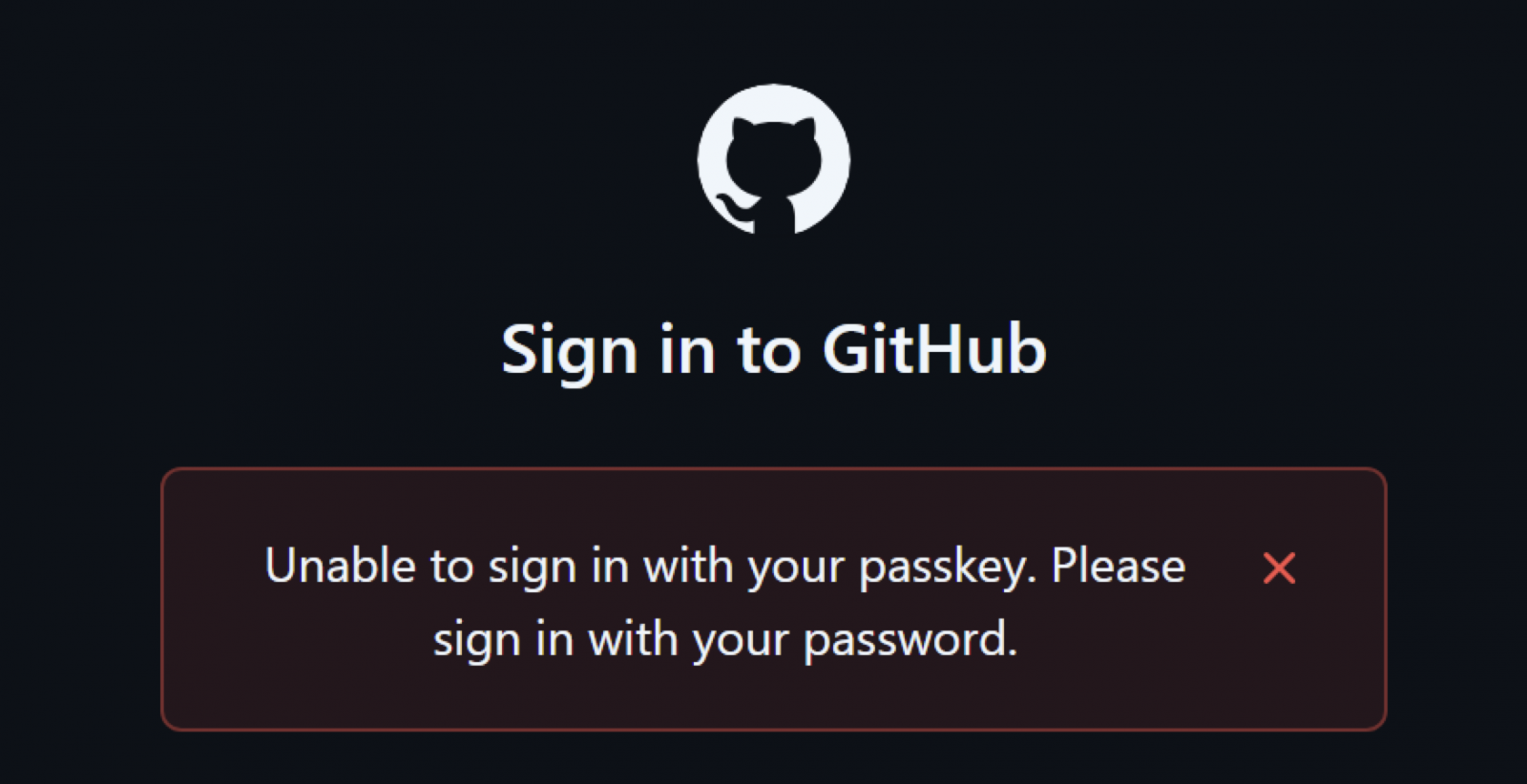
While the attack failed against GitHub, which properly checked the User Verified flag, Unit 42 said it successfully tested the attack against eBay. Although eBay required user verification, it did not properly validate the flag indicating whether that verification occurred.
eBay has since fixed the issue after the researchers reported it.
The second technique, named Silver Pass-ta-key, goes further by allowing attackers to register their own user-verification key with Google’s cloud authenticator.
The attacker first uses malware on the compromised device to force Chrome to re-register it by invalidating its existing verification key or deleting the local file containing its passkey state.
During the re-registration process, the attacker can register a user-verification key they control because the cloud authenticator does not validate whether the new key originated from trusted hardware.
Google then accepts requests signed with the attacker’s key as proof that the victim unlocked the device using a PIN or biometrics. This allows the attacker to access accounts that properly require and validate user verification.
Once the malicious key is registered, the attacker can authenticate from another system without needing further access to the victim’s computer.
The third and most severe technique, named Golden Pass-ta-key, allows malware to obtain the master key used to encrypt all passkeys synced through the victim’s Google Password Manager account.
This master key, known as the security domain secret, is temporarily sent to Chrome when a device registers or recovers access to the account.
Unit 42 initially found that Chrome exposed the secret in plaintext through its internal FIDO logs. Google removed the secret from the logs after the researchers reported the issue, but Unit 42 says it is still sent to Chrome and remains temporarily accessible in the browser’s process memory.
“Although Google removed this secret from Chrome’s logging output following our report, the SDS is still sent to the client and remains accessible in Chrome’s process memory,” explains Unit 42.
“If the attacker forces the victim to re-register with the cloud authenticator and knows the pattern to look for, they can extract the SDS directly from memory.”
The attacker can then use the stolen master key to decrypt the victim’s synced passkey records and recover their private keys. Those private keys can be transferred to another system and used to impersonate the victim and sign in to their accounts.
Unit 42 warns that the stolen master key could also be used to decrypt future passkeys synced to the account. Google’s current implementation reportedly provides no way to rotate or revoke the key, meaning current and future synced passkeys remain protected by the same secret.
While the researchers say passkeys remain significantly safer than traditional passwords, the attacks demonstrate that they do not eliminate the risks posed by malware already running on a compromised device.
Unit 42 recommends that websites require and properly validate user verification. Credential managers should also validate newly registered device keys, harden recovery and device re-registration processes, and prevent master keys from becoming accessible in browser memory.
The researchers disclosed the Google Password Manager attacks to Google and reported related user-verification flaws to affected services, including eBay, before publishing their findings.
BleepingComputer contacted Google for comment on Unit 42’s findings and to ask whether the described attacks have been fully addressed, but a response was not immediately available.

Security teams log 54% of successful attacks and alert on just 14%. The rest move through your environment unseen.
The Picus whitepaper shows how breach and attack simulation tests your SIEM and EDR rules so threats stop slipping by detection.
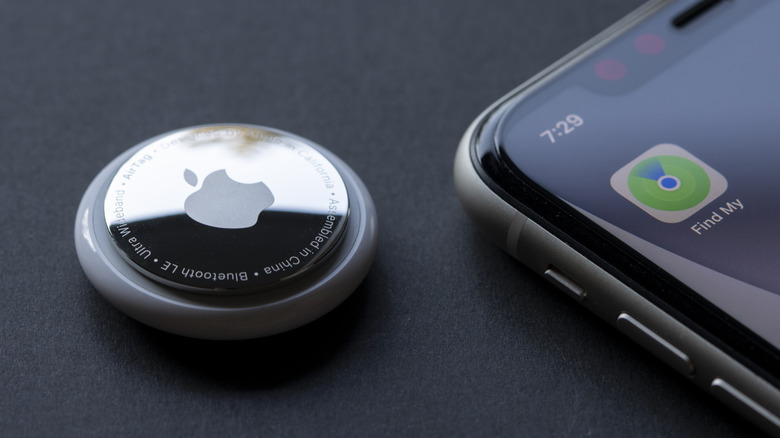
There’s a lot to love about AirTags, but there are also compelling alternatives worth considering.
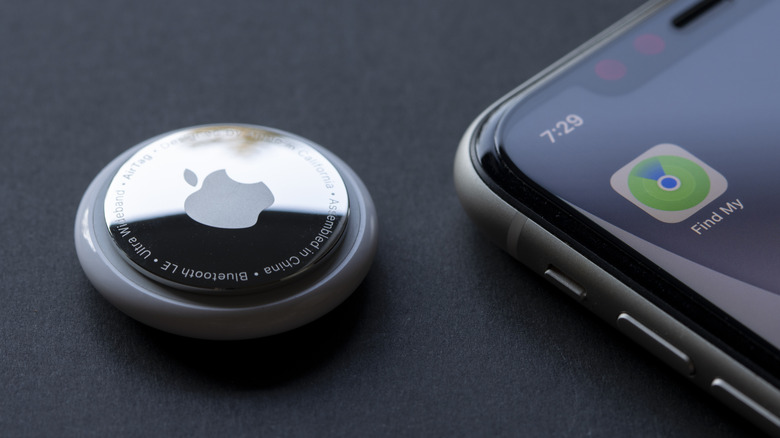
Apple AirTags are more handy than you think. With the design and functionality finally being refreshed for the first time in early 2026, the tiny, coin-sized item trackers provide even more value through upgrades like more powerful Precision Finding, longer Bluetooth range and a louder speaker for when you want to “ring” one from your phone to locate an AirTagged item. But there are things you should consider before using one.
While they are convenient, affordable, offer great battery life and have various security measures, there are limitations. Plus, you will find alternatives from competitors like Tile by Life360 or Chipolo that are really compelling. But some of the upsides may convince you that AirTags are the best for your needs.

Apple AirTags are great companions to Apple devices. In fact, they can only pair with Apple products, but keeping within the Apple ecosystem means it’s a breeze to set up an AirTag. When you unpackage one, it can instantly connect to your iPhone and integrates seamlessly within the Apple Find My app. Once set up in a holder, you can attach it to all sorts of products, like your keys, purse or backpack, gym bag; even slot one into your luggage or eyeglasses case. While they aren’t meant to track people or pets, many users have placed them in a child’s school backpack or attached one to a pet’s collar as an affordable peace-of-mind option. Since they’re dust- and water-resistant, you can take them just about anywhere and don’t have to worry if they get wet in the rain or knocked about in the sand on the beach. Even hide them somewhere in your car to track its location, or at least the general area of the vehicle, if it’s stolen. Since the thief wouldn’t be alerted of the AirTag for about 24 hours, this may give you time to figure out where it is and contact authorities with the information.
With Precision Finding, you can locate a misplaced item with great accuracy, perfect if your keys fell beneath the couch cushions, for example, or you left your wallet in the jacket you tossed in the hamper. They are shareable with up to five family members as well, so everyone can keep tabs on valuables like your child’s backpack or the family house keys. With the ultra-loud speaker (even louder with the newer model), you can locate a nearby missing item by following a loud beeping noise. If the AirTag is left behind in another location, like at the airport, office or coffee shop, the Find My network means other iPhone, iPad and Mac users can help reunite you with your lost item. A secure Bluetooth signal advises someone nearby with an Apple device that an AirTag (and the item it’s attached to) is within range, and they can do their good samaritan thing.
Plenty of settings options enhance the experience. You can send a notification when someone detects your device and provide your contact information so the item can be safely returned. You can also set an AirTag to send a notification immediately when an item is out of range, like if you walked away from the car but left your purse behind. Privacy is integrated into the device, too, which has anti-stalking features to prevent people from trying to track you with hidden AirTags. Finally, while you do have to replace the battery, it lasts for about a year and uses an affordable and widely available coin-cell “watch” battery. All around, there are really compelling reasons to use Apple AirTags.
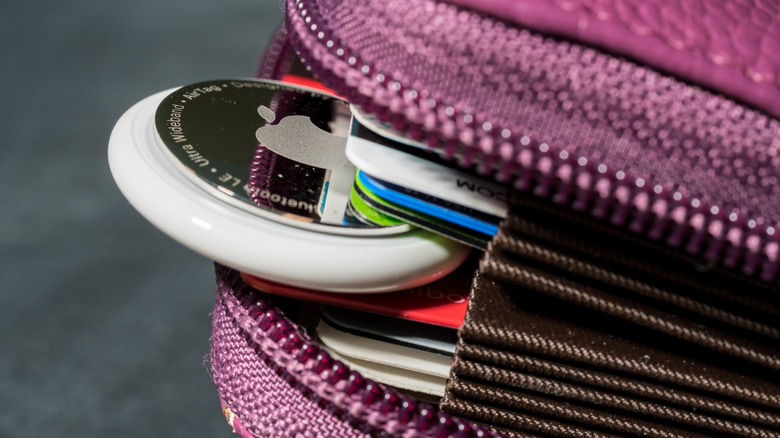
While Apple AirTags are great, they aren’t perfect. Our list of the best Bluetooth trackers includes models that support both Apple’s Find My and Google’s Find Hub networks and hail from third-party brands like Chipolo and Hyper. Some of these employ different form factors, like the Chipolo Card that looks like a credit card and is easy to slot into a wallet, something you can’t comfortably do with an AirTag given its thicker and round form factor. There are also models like the Tile by Life360 Sticker you can easily and securely affix to the underside of a skateboard or inside of your glasses case.
Unless you buy a bundle, you need to pay for a holder for the AirTag separately. And while its battery lasts a long time, you can’t recharge it. This isn’t a big deal since coin cell batteries are easily found in corner stores and bigger shops and aren’t expensive. Still, it’s something to consider.
The AirTag’s Bluetooth range for finding has been improved, but for items nearby, it can only reach about 30-100 feet. Compare that to other models like the Chipolo Pop, which has triple the range at up to 300 feet, or the Pebblebee Clip 5, with an impressive Bluetooth range extending up to 500 feet. Both of these trackers work with both iOS and Android, though not at the same time. But it affords a choice you don’t get with an AirTag.
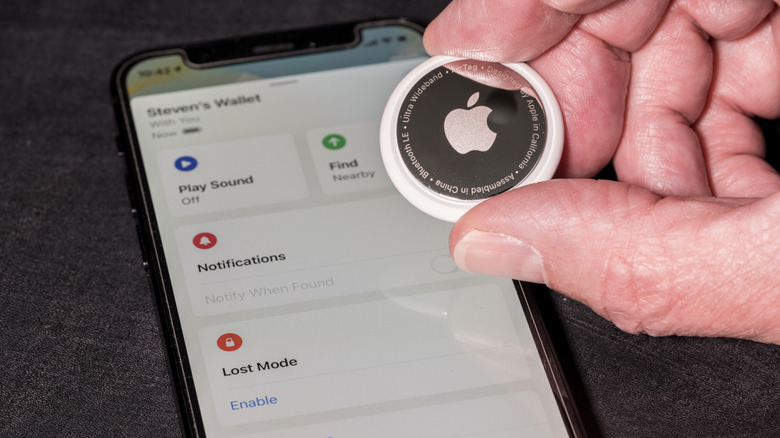
Apple AirTag gives you the most seamless experience, but only with iPhone and other Apple devices. It fits nicely within the ecosystem, employs a simple and effective design with an easily replaceable and long-lasting battery, and the latest version has improved features. Precision Finding using ultra-wideband, for example, is so useful for playing scavenger hunt with your lost keys somewhere in the house, or for finding where you left your eyeglasses case in the building.
But the market has gotten competitive with plenty of third-party options that add value, including longer range and compatibility with both Apple’s Find My and the Android Find Hub (note that you can only connect to one or the other network at a time). There are also trackers that may fit better in your location of choice. So, Apple AirTags aren’t the only game in town. And while pricing is competitive, you’ll still want a protective holder to go with it since there’s no integrated key ring, which adds to the cost. Since it’s round and too thick to slot into a wallet, not to mention easy to lose without a holder, it isn’t as practical as some other designs either.
There’s no denying the power of the Apple Find My network. But Apple AirTags aren’t the only item trackers that use it. While relatively affordable, you might prefer the form factor, longer range and additional features of other third-party brands. There are plenty of reasons to get an Apple AirTag, but just as many to consider alternatives, too.


It’s hardly a surprise that Apple had to increase the prices of its iPads, Macs and other devices last month amid ongoing RAM and storage shortages, and I wouldn’t be surprised if the upcoming iPhones follow suit — but it’s not completely doom and gloom for Apple fans.
Apple’s wearables weren’t impacted by these price hikes, which is good news for anyone looking to upgrade to a watchOS 27-compatible device (as there will only be a select few left) or if you’re keen to get a swanky new watch to track your workouts.
The Apple Watch 11 was already going at a fantastic price of AU$429 during Prime Day last month, but surprise, surprise, it’s ever-so-slightly cheaper now, and it’s not even sale season! The Apple Watch Series 11 with the 42mm chassis and GPS-only option is now AU$2 cheaper, making this the lowest-ever price on Amazon Australia — that’s 37% off in case you were wondering.
Our Apple Watch Series 11 review called it “the most capable and best-looking” mainline Apple Watch yet, thanks to its larger battery capacity and brighter, more power-efficient and more scratch-resistant Always-On Retina LTPO3 OLED display compared to its predecessor.
Apple rates both the 42mm and 46mm models’ battery life at 24 hours of typical use and up to 38 hours in Low Power Mode, with battery capacity up 9% and 11%, respectively. Our reviewer found the claim checks out, with tests getting a full day and a half of battery life with light use, but the Low Power Mode makes it go even longer.
Health tracking is more comprehensive with the Series 11, adding blood-pressure monitoring to the usual arrhythmic heart-rate alerts, ECG, wrist temperature, respiratory rate and cycle tracking. Hearing health and Sleep Score are other notable additions, but these are also available on the cheaper SE 3 and have been rolled out to older models too.
Admittedly, the Apple Watch Series 11 won’t be much of an upgrade over the Series 10 because of the very similar hardware (and watchOS 27 compatibility), but upgrading from the Series 8 or older models, or even the Watch SE and SE 2, will see a significant performance jump and a longer support period.
And at this price, you don’t even need to wait till Black Friday as we don’t see it getting much cheaper than this in a few months’ time.

Whether you play games, create videos, or perform daily tasks on your computer, having up-to-date NVIDIA drivers is essential. NVIDIA drivers enable your graphics card to work effectively with Windows and programs installed on it. Upgrading your driver will improve performance, solve existing problems, make it more compatible with recently developed software, and offer new features. The most convenient method for upgrading your driver is to use the NVIDIA app, where you can install an updated driver in a few clicks.
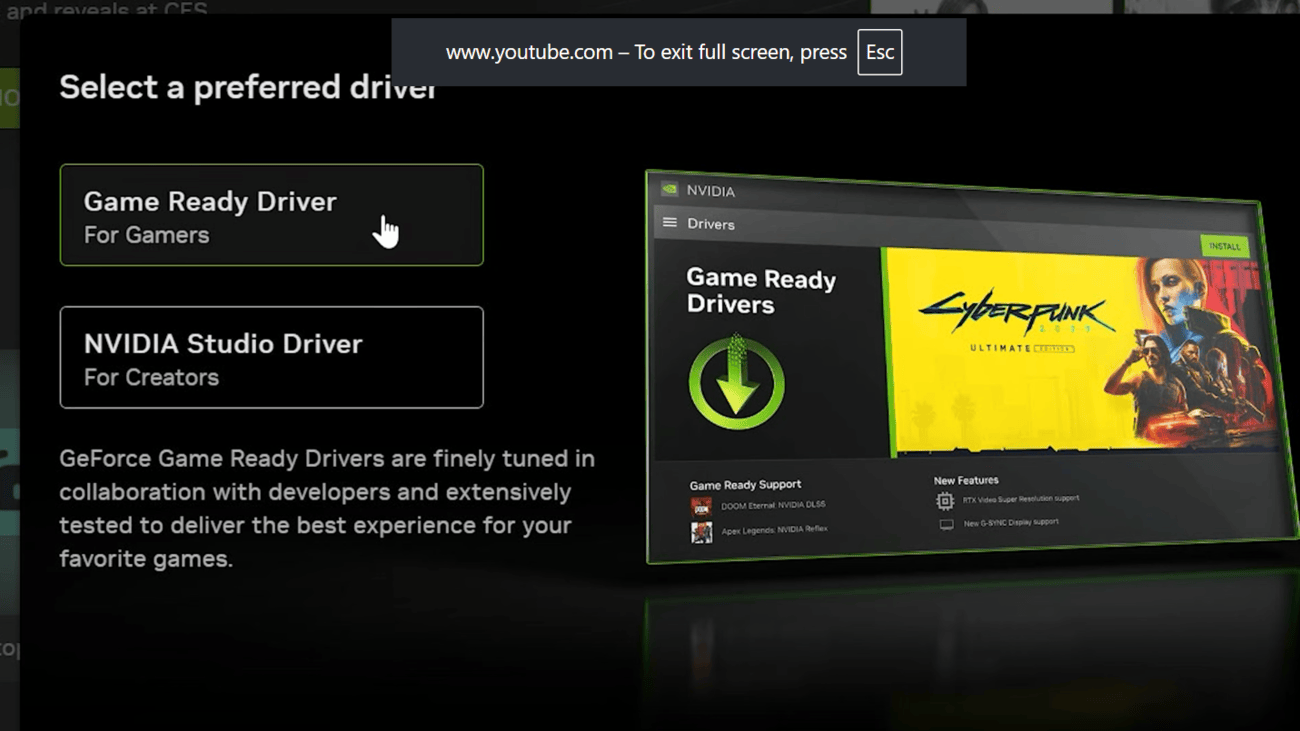
You can update your NVIDIA graphics drivers quickly through the NVIDIA app. If you don’t have the app, install it first. During installation, choose GeForce Game Ready Drivers for the best gaming experience or NVIDIA Studio Drivers for creative tasks like video editing and 3D design. Steps to update NVIDIA drivers:


In the NVIDIA app, there are two different kinds of drivers to choose from: Game Ready Drivers and Studio Drivers. If you play games often, then you should go with the Game Ready Driver. They include optimizations for games and compatibility with newly released titles. However, if you use creative tools such as Adobe Premiere Pro, Blender, and DaVinci Resolve, you should consider using the Studio Drivers, as they suit your purpose.
The NVIDIA app can automatically download new driver updates as soon as they become available. While the download happens in the background, you must still open the app and install the update yourself. To use this feature, go to Settings in the NVIDIA app and enable Automatically download drivers and let me choose when to install. Once enabled, new drivers download in the background, making future updates faster and more convenient.
If a new driver update causes any performance or compatibility problems, you can go back to the old driver. The NVIDIA software maintains a list of previously used drivers in the section called Previously Installed on the Drivers tab. Just click the three dots next to your chosen driver and select Reinstall.
In addition to the driver update tool, NVIDIA has several other helpful tools. One of them is an automatic optimization of game settings to improve their performance. It also supports NVIDIA ShadowPlay, which lets you record gameplay and take screenshots or video recordings. You can also check the Drivers page for updates on new games, driver releases, and NVIDIA features.
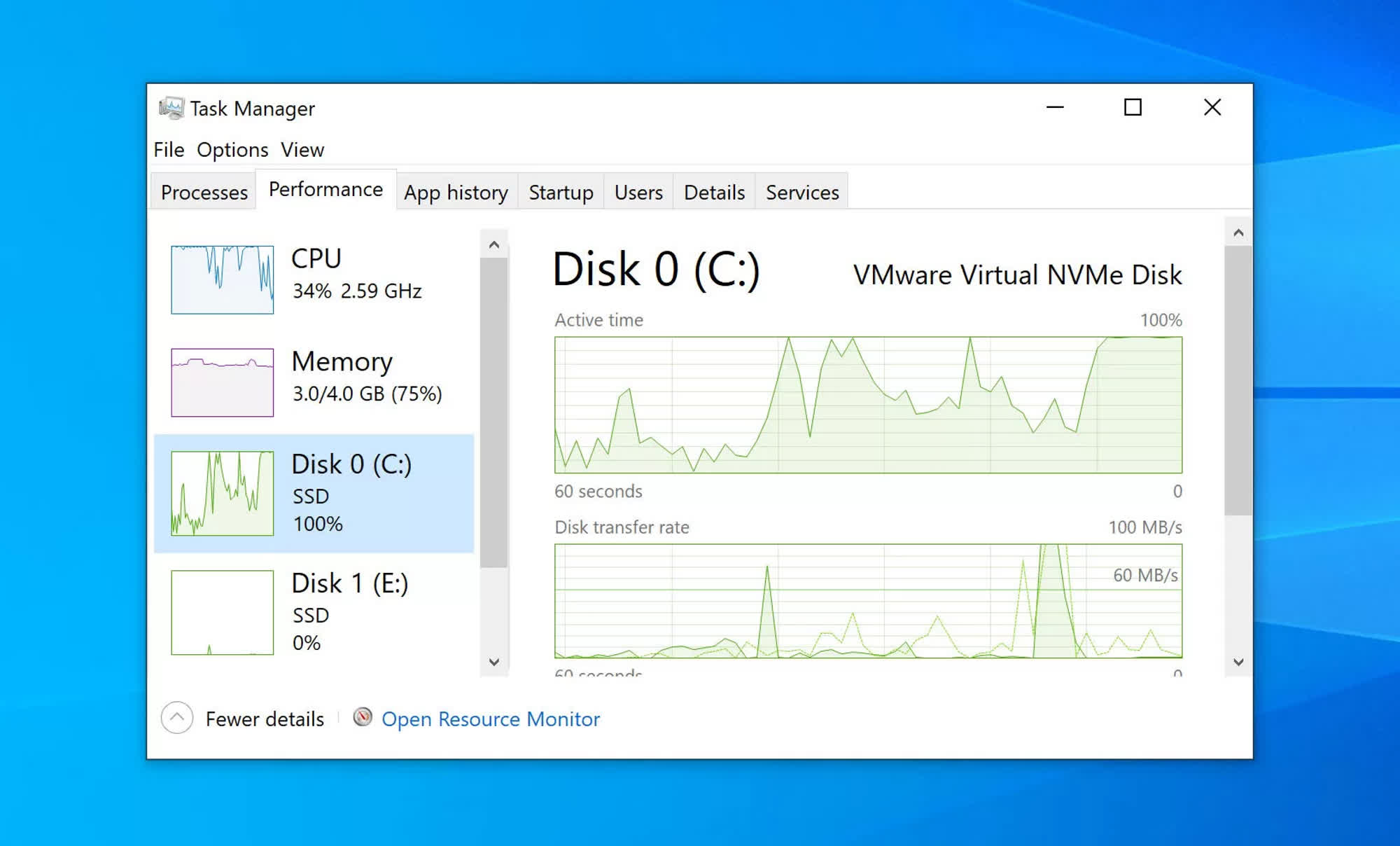
In a nutshell: David W. Plummer is the original developer of Task Manager, one of Windows’ most popular built-in tools for monitoring and managing system resources. Now, the programmer wants to “reimagine” his original project, adapting the same concept for computer platforms beyond Windows.
David Plummer is working on a new Task Manager tool and is bringing it to macOS first. Simply named Task Manager OG (TMOG), the program is designed to offer a “serious” system console to people working on GUI-based operating systems. Furthermore, TMOG focuses specifically on code efficiency, depth of information, and the kind of performance that only native applications can offer.
Plummer created Windows Task Manager during his tenure at Microsoft, coding the tool in his spare time before Windows NT lead developer Dave Cutler decided to integrate it into the platform. The new TMOG project appears to provide a similar experience to the original program, although it could represent a massive upgrade for macOS users compared with the platform’s bare-bones Activity Monitor tool.
Plummer highlights how his tool is both powerful and easy to read, providing a quick view of how the operating system is using the CPU, GPU, and other hardware components. Beyond processor frequency, thermal values, and resource allocation, TMOG can also provide a deeper look at what each logical CPU core is doing, how a process branches out, and more.
– Dave W Plummer (@davepl1968) July 31, 2026
The former Microsoft programmer claims to be obsessed with speed and code efficiency, so much so that he recently “rebuilt” Windows Notepad as an extremely small, bare-bones clone called TinyRetroPad.
Unlike Microsoft’s approach to Windows 11, Plummer chose native APIs to create TMOG. The macOS version is built with Swift and AppKit, while the Windows release will be a pure Win32 application targeting the x86-64 architecture.
The TMOG beta is already available for macOS users, and the first Windows beta should arrive soon. Plummer says the tool will be free, although he could eventually create a “Pro” version with additional features that have yet to be announced for paying customers.
Projects such as TMOG highlight the continued interest in high-quality, power-user software, especially for monitoring the state and behavior of a PC’s operating system. Most Windows users generally rely on Task Manager to get a closer look at the OS.
Plummer is a controversial figure within the Windows software ecosystem. The programmer worked at Microsoft from 1993 to 2003 before eventually starting his own company, SoftwareOnline. The Washington State Attorney General later sued SoftwareOnline over products it alleged were scamware, including “Registry Cleaner” and “InternetShield.” The lawsuit was eventually closed after Plummer’s company agreed to pay $150,000 in civil penalties and $40,000 in legal fees.
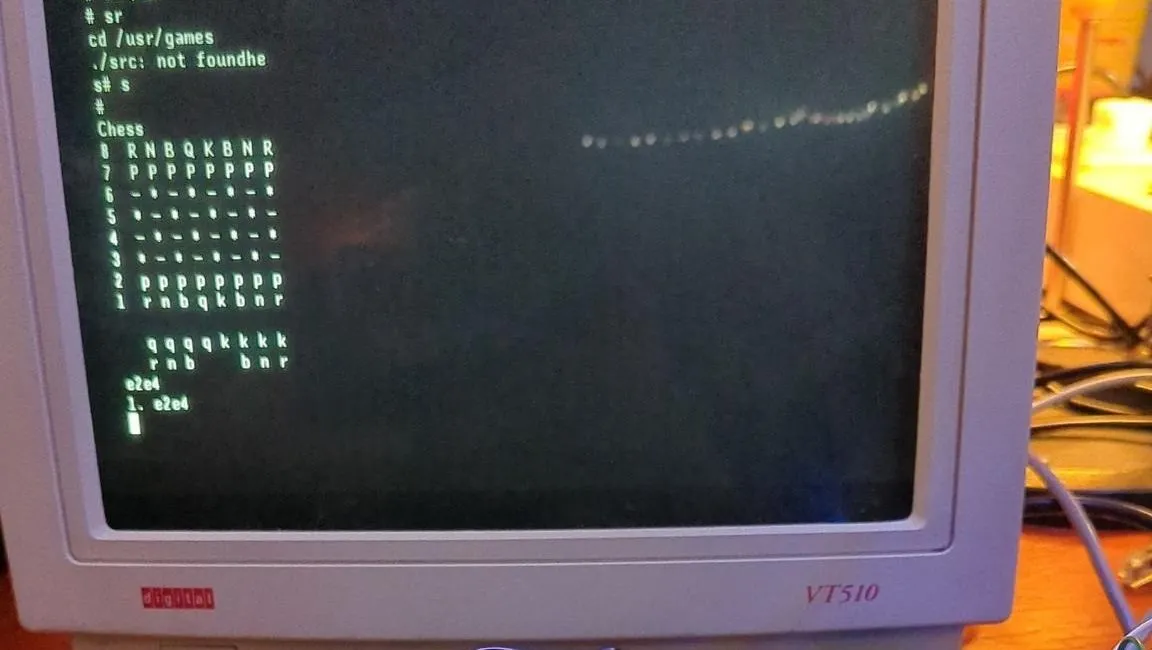
The PDP-11 was a 16-bit minicomputer that was very influential in its time. That’s what inspired [vanheusden] to start working on an emulator for the machine in 2018, which has since been developed to run on a wide variety of platforms.
The emulator, named “Kek,” is quite capable, able to run Unix 5 up to an d including Unix 7 in multi-user mode, along with BSD 2.11 Unix depending on what it’s running on. It also supports classic hardware like RK05, RL02, RP06, and RP07 disks, the KW11-L line time clock, and the DC-11 serial line interface. The emulator can also run on a wide variety of platforms. It’s possible to run it on a standard Linux machine if so desired, or you can run it on BSD, MacOS, or Windows if so desired. Beyond that, you can even get it going on a Teensy 4.1 or an ESP32 if that’s more your jam. Modern microcontrollers are just that powerful that emulating a PDP-11/70 just isn’t a challenge anymore.
We love seeing old machines emulated and brought back to life. It’s funny to see how often it’s done on microcontrollers instead of full-scale PCs these days, too. Video after the break.


Fake Xeno Executor installers are infecting unsuspecting Roblox players with malware that provides remote access and steals sensitive information.
Xeno Executor is a popular Roblox utility for running scripts that players can use to automate actions or run custom code on the platform, including cheats.
The tool isn’t an official part of the game, so the Roblox client periodically blocks existing versions, forcing the tool’s creators to release new versions that run undetected.
Cybersecurity company Bitdefender discovered a campaign targeting Roblox users since the start of the year, rising sharply in March before stabilizing.
The researchers found that the fake Xeno is promoted to Roblox players through gaming forums, Discord communities, or via compromised or impersonated accounts controlled by the threat actors.
The attackers advertise the malware as an “undetected” version of Xeno, luring users looking for a version that wouldn’t be detected by Roblox’s anti-cheat protections.
The victims download ZIP archives containing the fake Xeno installers along with instructions, or self-extracting archives that unpack content automatically.
To make these packages look authentic, the attackers recreate the directory structure of a legitimate Xeno installation, include some genuine Lua scripts, and use plausible filenames.
Once victims launch ‘xeno.exe,’ as instructed, believing it is the legitimate Xeno executable, they actually run the first-stage malware loader.
The payload checks for a Java Runtime Environment, and extracts one if necessary, then reads a local file containing the validation keys for the attackers’ command-and-control (C2) server.
It then launches an obfuscated Java payload disguised as ‘decompiler.exe,’ which performs environment checks, registers the victim, and downloads the final malware payload.
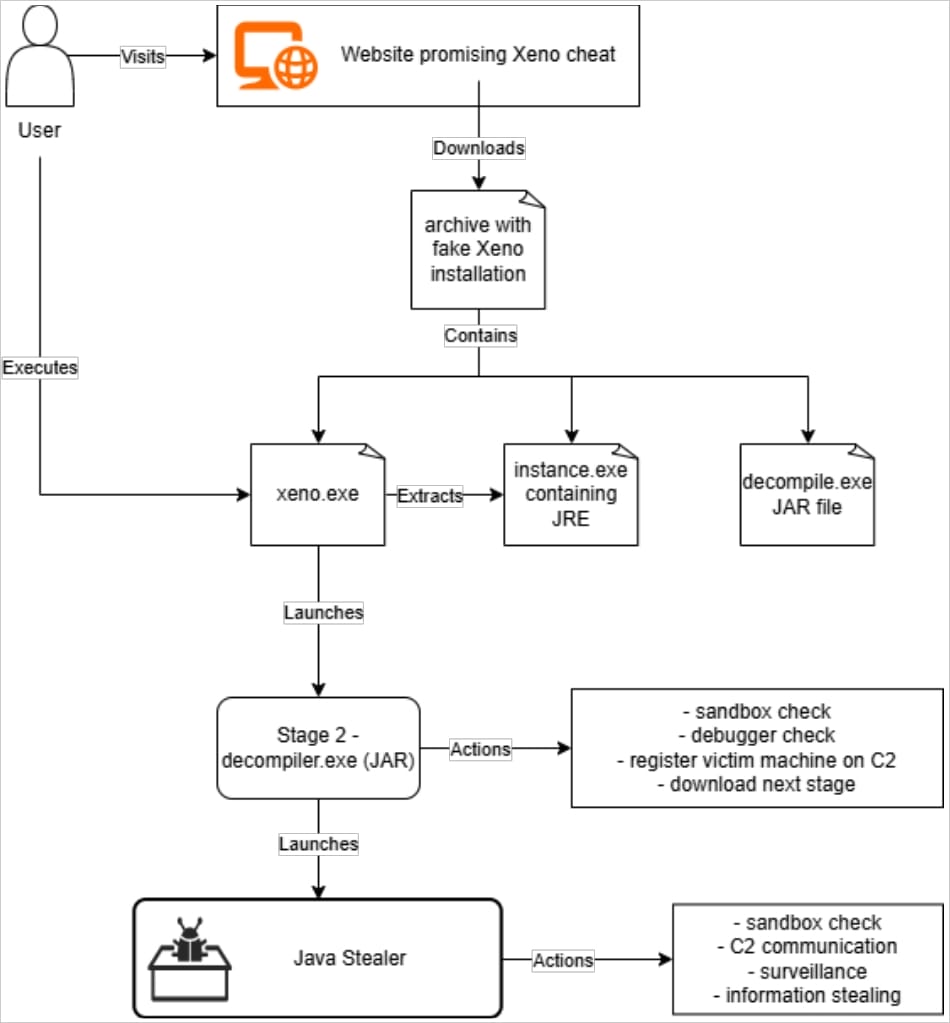
The final payload is a Java-based RAT and information stealer malware that combines credential theft with surveillance and remote administration capabilities.
Its most important capabilities are summarized as follows:
Bitdefender believes the campaign is the same as the one ThreatLocker previously documented as “Powercat,” but with significant updates to the malware’s capabilities and a new C2 infrastructure, indicating continuous evolution.
Bitdefender has shared indicators of compromise (IoCs) for the campaign and recommends that Roblox players completely avoid installing third-party tools from obscure sources.
Security teams log 54% of successful attacks and alert on just 14%. The rest move through your environment unseen.
The Picus whitepaper shows how breach and attack simulation tests your SIEM and EDR rules so threats stop slipping by detection.

Malwarebytes, one of CNET.com’s Best Antivirus Overall Editors’ Choice award picks, is offering students at US colleges and universities two free years of its Malwarebytes Premium Security software suite through its Student Protection Program. The offer includes coverage for up to three devices.
Malwarebytes built its reputation on malware removal before expanding into a full antivirus suite with phishing and scam protection, ransomware defense and ad blocking. In our 2026 review, CNET’s testing team praised Malwarebytes as “an excellent choice for anyone who wants reliable security software for three or fewer devices,” awarding it our coveted Editors’ Choice badge and tying it with Bitdefender for the Best Antivirus Overall.
A representative for Malwarebytes didn’t immediately respond to a request for comment.
The Student Protection Program is open to students 18 or older enrolled at colleges and universities in the US who can produce a .edu or .college email address. The fine print on Malwarebytes’ site says it’s limiting the availability to the US, but may eventually expand the program globally. Students can check whether their school is eligible by entering their email address at the Malwarebytes website. There’s an option to request early access for schools not on the list or to fall back on a 50% student discount instead.
For students who qualify, the program unlocks the full Premium Security Standard tier. That includes real-time malware and ransomware protection, phishing and scam detection, and ad and tracker blocking. While Malwarebytes recommends a setup of one laptop, one phone and one tablet, students can use the three device slots however they choose. Once the two-year period ends, students can either keep using a limited free version without features such as real-time protection, automatic updates, and scheduled scans, or switch to a Premium subscription, which currently costs $60 per year.
The timing lines up nicely with the back-to-school season. Move-in time at a new institution means connecting unfamiliar devices to unfamiliar networks, downloading course software from links sent via email, and juggling phishing attempts disguised as financial aid notices or campus IT alerts. It can be a bit of an information security minefield, tough to add to the already overwhelming experience of school. Free access to trusted security software can at least take one thing off a student’s already crowded plate.

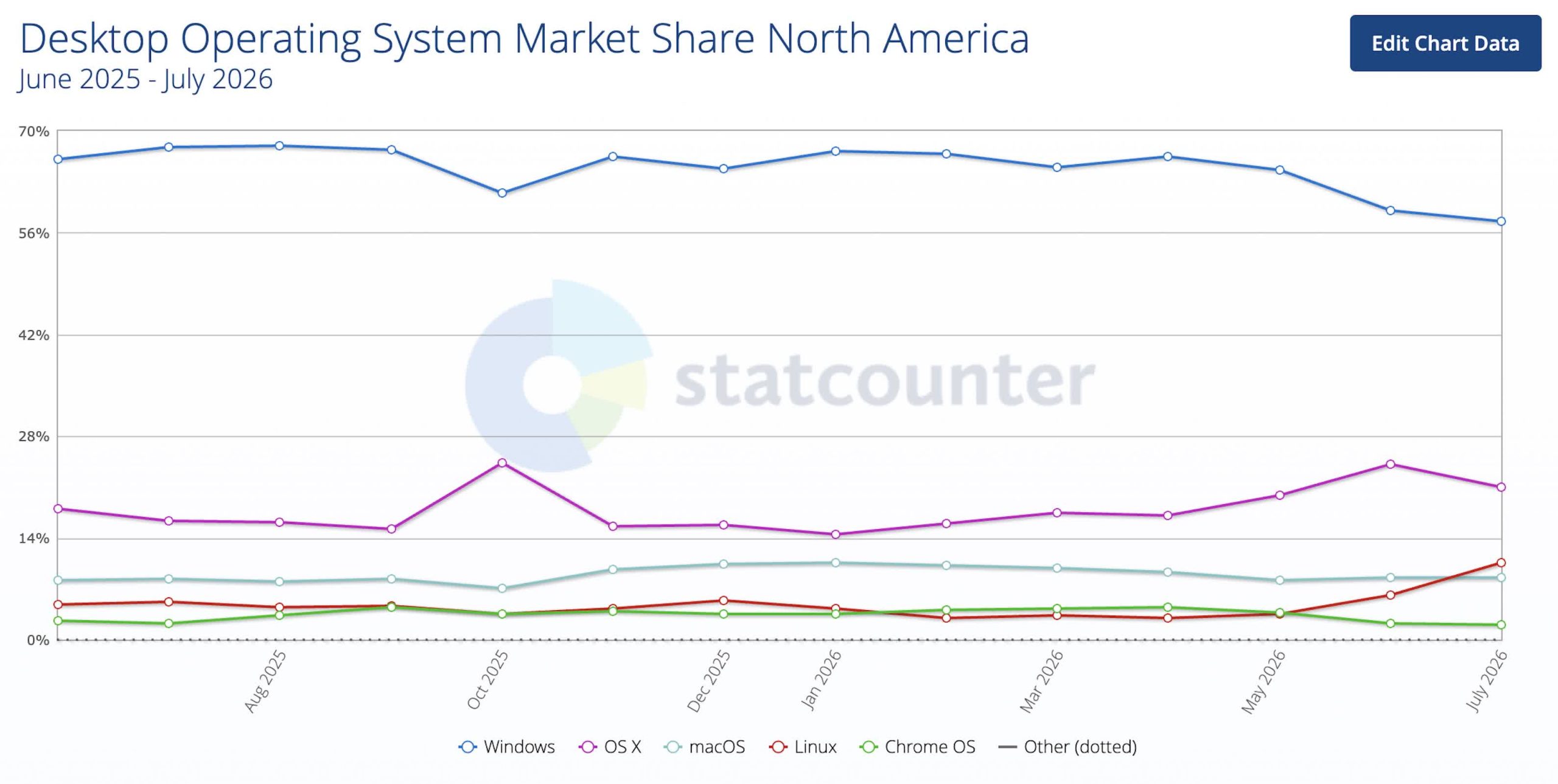
What just happened? Linux has reached double-digit territory in North America’s desktop usage share, according to StatCounter, but the size of the jump raises as many questions as it answers. The latest data shows Linux at 10.61% in June 2026, up from 3.56% in May, while Windows fell from 64.66% to 57.63% over the same period.
The shift stands out because the change was not gradual but abrupt. Linux’s rise came largely at Windows’ expense, while OS X saw only limited movement over the same period. That makes the month-to-month swing look less like a slow adoption trend and more like a sharp change in the mix of measured traffic.
StatCounter’s figures are based on desktop web usage rather than a count of installed machines, so they reflect browsing behavior rather than a direct census of operating systems. That matters because changes in who is browsing, how they browse, or what software is generating traffic can shift the results without reflecting a corresponding change in real-world desktop usage.
The latest reading is also part of a broader increase in Linux’s share of StatCounter’s North American desktop traffic. The June figure follows the sharp increase recorded in May, pushing Linux into a range that has long been out of reach in these monthly reports.
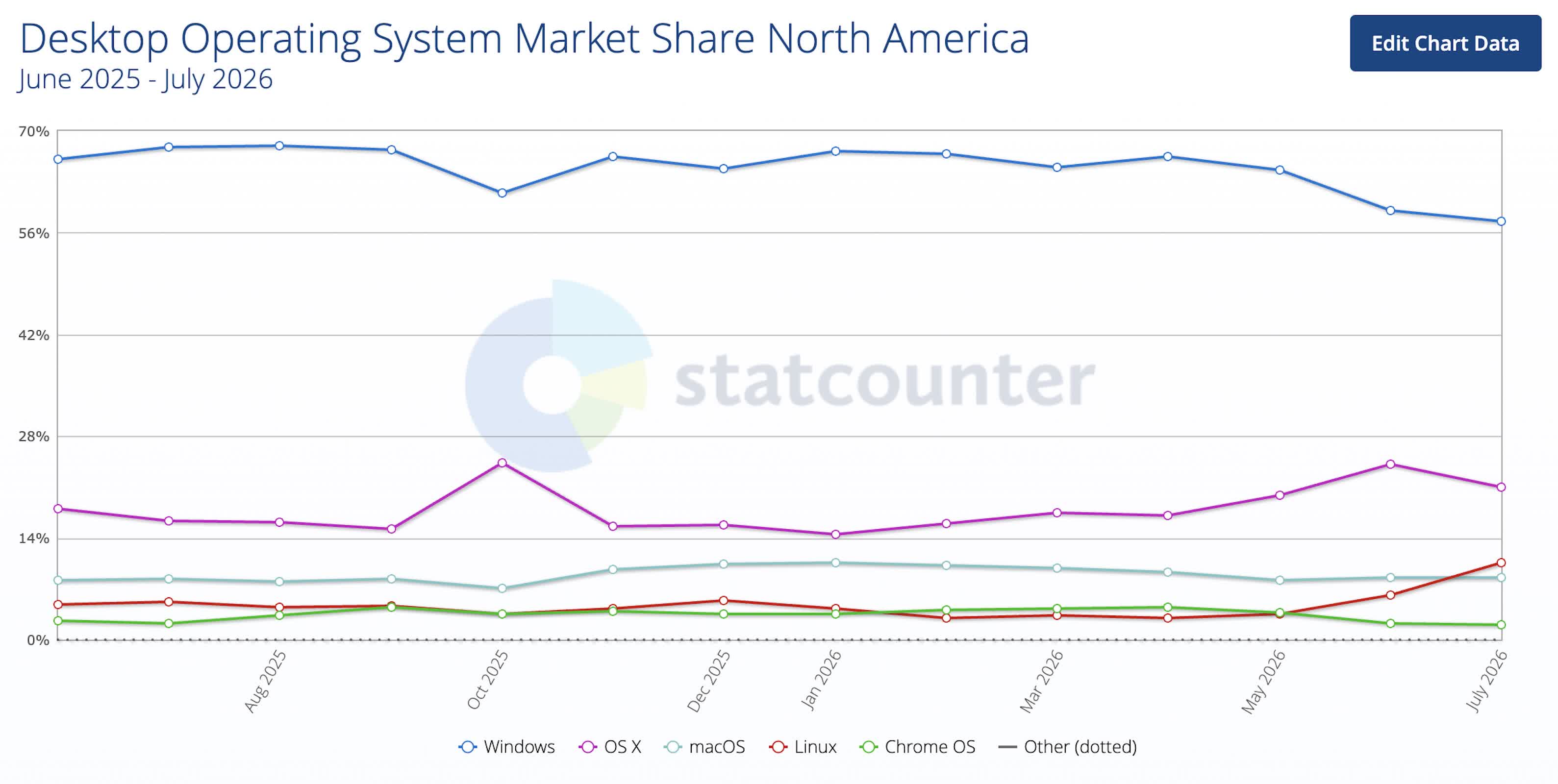
There is no hard evidence explaining the spike, but the scale of the increase leaves room for several possibilities. One is ordinary user migration, particularly from Windows, since that platform gave up the largest share over the same period. Another is that automated traffic may be playing a role. StatCounter itself flags the possibility that some of the new Linux activity could be bot-related, which would make the jump appear larger than a shift driven entirely by human users.
That possibility is worth keeping in mind because Linux is often used to run automated systems, including workloads that generate web traffic. Even so, the StatCounter reading marks an unusual moment for a platform that has spent years well below mainstream desktop levels in North America.
For now, the numbers support a narrow conclusion: Linux has crossed 10% in StatCounter’s North American desktop web-usage data, and the move appears to have come mostly at Windows’ expense. Whether that reflects a genuine shift in users, a surge in automated traffic, or a temporary distortion in the data remains unclear.
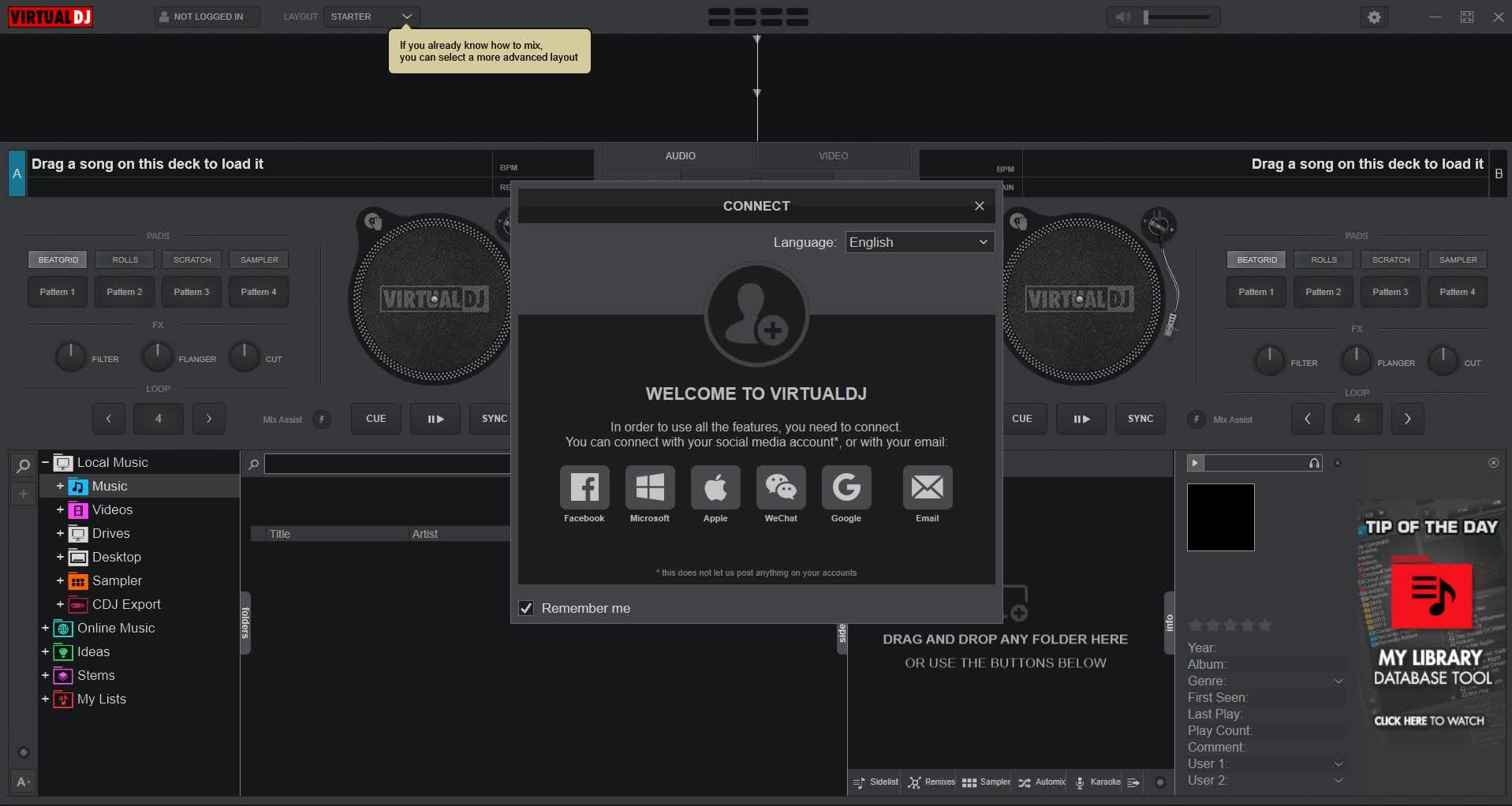
VirtualDJ uses advanced technology and the power of modern computers to revolutionize what DJs can do. Free for home, non-commercial use with a mouse and keyboard, it lets you mix vocals, instruments, drums, and other track elements in real time, opening the door to creative mixing techniques that were previously impossible.
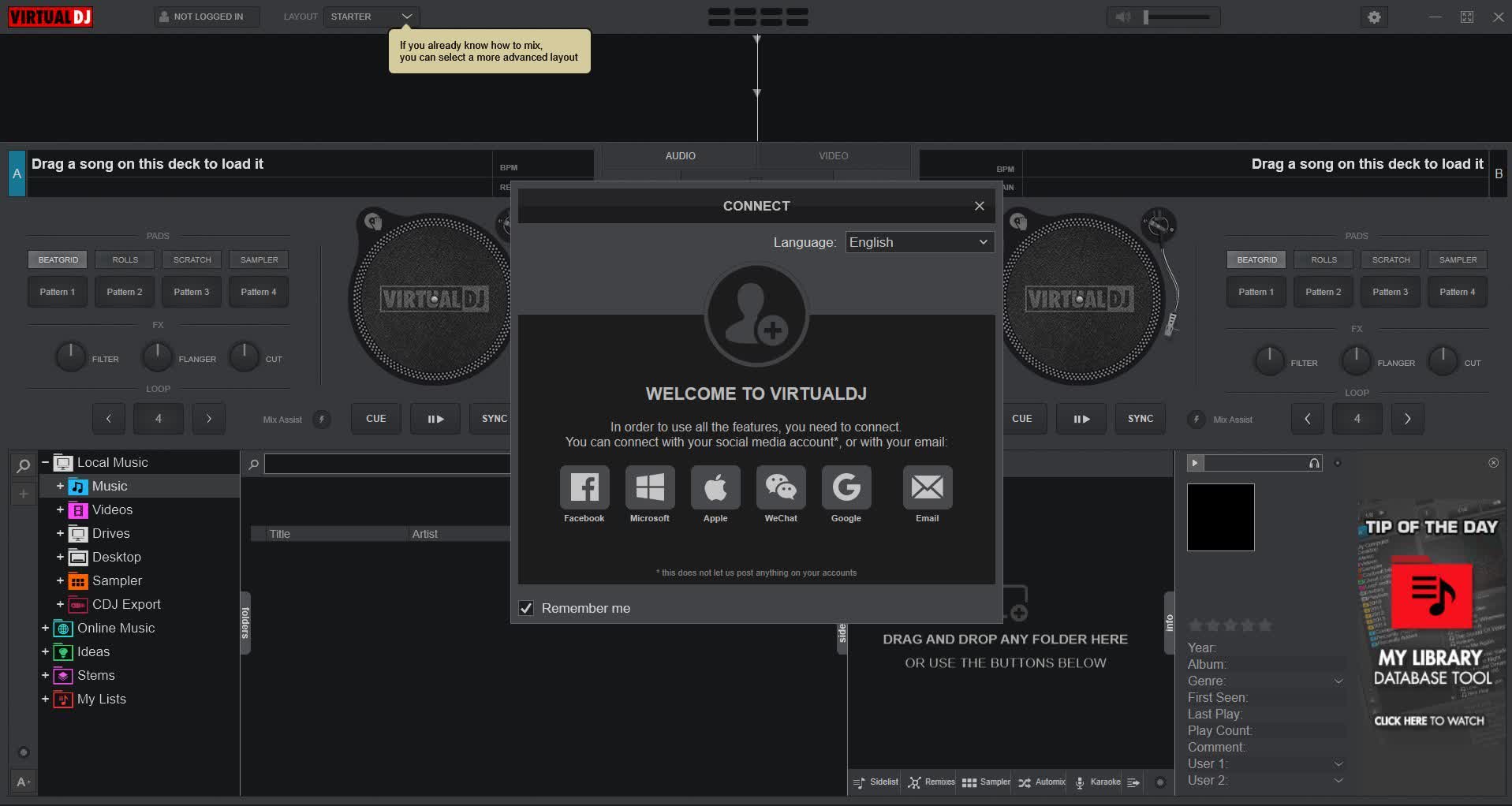
With real-time stem separation on any track, perfect live mashups and seamless transitions are now the new normal:
VirtualDJ delivers more features than any other software. The latest groundbreaking technology is always available in VirtualDJ first! With VirtualDJ you’re guaranteed to be ahead of the curve with the latest high-tech and innovative features
Although Virtual DJ is packed with features, it is still easy to learn. You can start with the basics and advance as you learn more. VirtualDJ is well suited for both the amateur starter, or the seasoned professional DJ and comes with all the features you’ll ever need. With VirtualDJ you can turn any event into a total success! Whether it’s scratch performance and video mixing, or from bedroom broadcast to upscale wedding events.
The free version is intended for home, non-commercial use with a computer’s mouse and keyboard. Professional features such as support for certain DJ controllers, advanced hardware, and commercial use require a Home or Pro license.
Yes, VirtualDJ includes real-time stem separation, allowing you to isolate or remove vocals, drums, bass, and other musical elements while mixing.
Yes, VirtualDJ supports hundreds of DJ controllers and mixers. Some hardware requires a Home or Pro license to unlock full functionality.
Yes, in addition to audio mixing, VirtualDJ supports video mixing, karaoke playback, visual effects, and synchronized graphics for live performances.
Yes, VirtualDJ can record your live mixes to audio files for playback, sharing, or archiving.
VirtualDJ supports a wide range of audio formats, including MP3, WAV, FLAC, AAC, OGG, and others, depending on the codecs installed on your system.
No, VirtualDJ is designed for Windows and macOS computers and is not available as a native app for Android or iOS smartphones or tablets.
Stand-Alone DJ Mixer
VirtualDJ lets you start mixing as a DJ right away, with just your computer. To practice & learn, or prepare sets & playlists. VirtualDJ works for every type of DJ, with or without hardware.
For Any Type of Setup
Works with the most popular controllers and mixers on the market with plug & play auto detection and setup. With VirtualDJ the choice of hardware is all yours.
Video & Audio Mixing
VirtualDJ supports a multitude of audio-, video- and karaoke formats. Entertain your guests with stunning visuals, video mixing or host karaoke events.
Real-Time Audio Separation
VirtualDJ 2026 revolutionize what DJs can do. With real-time stem separation on any track (vocals, instruments, kicks, hihats, etc) for perfect live mashups and seamless transitions.
Powerful, yet Easy to Use
Offering the most intelligent DJ technology and intuitive features, VirtualDJ is still easy to learn and master for any aspiring DJ. And best of all it’s free for non-professional use.
More Features




Why Trees Belong on the Risk Register


Weekend Open Thread: Wit & Wisdom


Meta enters AI-training agreement with far-right ‘propaganda rag’ Newsmax

‘Stargate’ Creator’s New Sci-Fi Series Returns for Season 3 Tomorrow


MicroStrategy Post-Earnings CLARITY Act Push Could Add New Catalyst for Its Stock


The Part of the Electric Transition Nobody Wants to Discuss


Major shareholder moves on Canyon


XRP Ledger v3.3.0 brings five institutional features


Bitcoin Enters the 3rd Stage of the Bear Market


Reform UK betrays West Mids residents by running from party pledges


Kraken Enables Retail Access to Jersey Mike’s IPO via Tokenized Shares


Luke Littler’s dominance sparks GOAT debate


Seema Kaliramna Wins Discus Throw Bronze, Takes India’s CWG Medals Tally To 17


Claude: Build Financial Dashboards in Minutes (2026)


Crypto PAC spending tops $2M in Michigan House race


New York sues Kalshi over prediction market gambling


Johnson & Johnson agrees to $5.5B settlement over talc cancer claims


Trump Announces Hamas Disarmament Agreement as Iran Strikes Kuwait Air Base and US Attacks Pause Overnight

Gemini can now summarize the messiest comment threads in Google Docs


ESET tracks rise in malicious AI skills and adaptable malware


You must be logged in to post a comment Login