EXCLUSIVE Pentera Labs’ red teamers compromised a developer’s AI agent via his Claude Desktop app and ultimately turned that access into full remote code execution on the dev’s machine – demonstrating how an attacker could turn a trusted, chatty AI assistant into a double agent operating on their behalf.
“Claude’s got a new voice,” Pentera’s offensive security services team leader Dvir Avraham told The Register.
“We acknowledge the huge trust in AI models – everybody uses them,” he said in a phone interview. “We used this trust to manipulate the victim, like under the hood, the victim didn’t see it coming.”
It also prompted Avraham to check his own platforms. “I became a little bit paranoid,” he told us. “I’m not allowing any command to run without me examining it twice.”
Advertisement
In a report set to publish Wednesday, and shared in advance exclusively with The Register, Avraham and research technical lead Reef Spektor detailed the attack and what it means for organizations using agentic AI tools with local code-execution access.
It began with a red-team assignment on a third-party platform that aggregates customer email inboxes into a single management interface. Avraham and Spektor won’t name the platform, or tell us exactly how they gained access to it. They used this compromised inbox – and told us any compromised inbox would work – to get into the victim’s Claude account.
In addition to this prerequisite (compromised inbox), the attack chain also requires the victim to have Claude Desktop installed. Anthropic’s desktop app works across macOS, Windows, and Linux systems. It provides the same AI chat for conversations as claude.ai, and it also syncs across all devices and sessions tied to the user’s account.
Advertisement
“We asked ourselves, can we leverage the sync behavior to infect other sessions and devices? (hint: yes!),” the red teamers wrote in the Wednesday report.
Back to the AI Stone Age
As of January, the desktop app also includes Cowork for longer agentic tasks, and Code for software development. So, for example, a user can send Claude a task from their phone and instruct it to work on their computer. As Anthropic says: “Anything you can do on your computer, Claude can do. Open apps, fill spreadsheets, navigate your browser. No setup, no passwords handed off.”
The Cowork feature now makes Pentera Labs’ attack scenario even easier.
However, when the security analysts were doing this research in November 2025, “back in the Stone Age in terms of AI, you didn’t have Cowork or Claude Code, so we needed a way to actually execute commands because we wanted to take over the machine,” Avraham said.
Advertisement
For this part, they took a keen interest in Claude Desktop’s personalization features. These are account-wide settings that tell the AI agent the user’s preferred approach and general communication instructions, along with more specific project instructions, such as guidelines for a particular workflow, or defined roles Claude should adopt within a project.
The red teamers developed a base64-encoded prompt that instructed Claude to check for command-capable tools on the developer’s machine and execute the command if available, or produce a fake error message if not, prompting the user to download a tool that will execute the attacker’s commands. Then they pasted the prompt into the victim’s personal preferences on Claude, and this prompt syncs across all of the user’s devices. This ensures that the next time the user opens Claude Desktop and types in a chat, the poisoned instructions are loaded into their preferences and will silently run behind the scenes.
We acknowledge the huge trust in AI models – everybody uses them. We used this trust to manipulate the victim, like under the hood, the victim didn’t see it coming.
The user thinks they are simply interacting with Claude as usual. They don’t see Claude checking to see what extensions and tools are installed.
Advertisement
If the user already has Desktop Commander or a similar MCP connector or extension installed, the poisoned instructions tell Claude to use it. This allows the attacker, via Claude, to execute a stealthy reverse shell or other malicious code. “And from there it’s full compromise of the machine,” Avraham said.
Phishing – but without the email
However, if there aren’t any command-capable tools installed, then Claude becomes what the researchers describe as a “phishing layer.” (They also noted that if they had performed this research more recently, not back in November, the Claude Cowork feature would have eliminated this entire tool enumeration and phishing phase because Cowork can execute commands on a user’s behalf.)
The injected prompt instructs Claude to present a realistic-looking error as soon as the victim asks the chatbot a question. This includes a realistic error code, a link that purports to be a fix, and step-by-step instructions.
“This message tells the victim: ‘please download this,’ and we took links from the actual Anthropic site, with known emojis that the AI loves,” Avraham said.
Advertisement
Because the error message looks real and people usually trust their AI assistant, they will likely click on the link and execute the attacker-controlled command.
“From here, the attacker has full command execution – reverse shells, data exfiltration, credential harvesting, whatever the objective calls for,” the duo wrote. “In our case, we had Claude curl a remote server we controlled on every interaction, fetching and executing whatever bash commands we served back. We could rotate those commands server side at will, effectively turning Claude into a persistent, stealthy C2 agent that the victim themselves kept feeding.”
In this specific case, the target was a developer who had credentials and access to several internal systems. After compromising the dev’s workstation – which gave the red teamers a foothold into the organization – they moved laterally across the company using various attack vectors that they declined to tell us about, citing customer privacy and proprietary methods.
The team reported their findings to Anthropic back in November, and the AI company essentially said it’s Claude Desktop working as intended – a feature, not a bug.
“After reviewing your submission, we’ve determined this doesn’t represent a security vulnerability that falls within our program scope,” Anthropic said. “Our current threat model treats personal preferences, skills, and MCP connectors as features that can execute code through Claude Desktop by design. While we recognize these features can be leveraged to execute arbitrary code when manipulated, this represents expected functionality rather than a security vulnerability in our infrastructure.”
The Register reached out to Anthropic for comment and did not receive any response.
The red teamers, however, have some suggestions to keep your organization safer from rogue AI agents.
Advertisement
First, for anyone using agents or chatbots: pay close attention to what the AI can do on your machine, and don’t blindly follow install prompts or error messages. “If you can, run it on a sandbox and not on your personal computer,” Spektor said.
Security teams should treat AI desktop apps as “privileged software” as they can execute code, read files, and interact with local tools. “Monitor for changes of AI assistant configurations and synced settings,” the researchers wrote. “Restrict which extensions and tools can be installed alongside AI apps.”
And finally, red teams should add AI desktop apps to their assessment toolbox, Avraham and Spektor noted: “There’s a real attack surface here that most engagements don’t cover yet.” ®
A new study from the University of Colorado Boulder confirms something that sounds both impressive and concerning. People find interacting with AI simulations of their dead loved ones deeply meaningful, and most will come away wanting to do it again.
The researchers call it a “generative ghost,” which is a clear reference to generative AI, but I’d still prefer to call it unsettling.
Unsplash
So what did the study actually find?
Doctoral candidate Jack Manning and associate professor Jed Brubaker recruited 16 participants aged 22 to 50, all of whom had lost someone close to them.
During individual Zoom sessions, a second researcher quietly used an LLM to build a ghost of the deceased (in real time) from details provided by the participant, an AI-based reincarnation, if you will.
Each participant chatted with two versions of the generative ghost: one that spoke in first person (“I remember going to the beach together”) and one that used third person (“She loved going to the beach with you,” where you is the participant).
Advertisement
Participants unanimously preferred the first-person “reincarnation” over the third-person “representative,” which, I’ll admit, is the part I find most unsettling.
Representative Image (AI-generated)
So who is building these, and why does it matter?
Small factual inaccuracies were forgiven during the interaction. However, wrong terms of endearment were not. For instance, when one stepfather’s ghost called his stepson “champ,” a word he’d never used, the participant nearly ended the session.
The study’s own participants flagged a significant concern. While everyone said they’d use a ghost again, almost all worried people who’ve lost their loved ones would become addicted to one. The lab has already initiated a follow-up study with mental health professionals to assess the psychological benefits and risks of generative ghost interactions.
You can’t ask most models to help you make “ransomware” directly, but many will be more than willing if you give them the right prompt. DeepSeek and other LLMs with fewer safety and security controls make theoretical cyberthreats – like browser-only ransomware – much more likely to be used in real-world infections, according to Check Point researchers.
The Israeli cybersecurity company analyzed a DeepSeek-generated sample in a Wednesday report that its threat hunters describe as in-browser ransomware.
Over the past year, the team has tracked almost 3,000 files attributed to DeepSeek, and classified nearly half (1,383 files) as malicious or dangerous using VirusTotal or static source analysis.
“Within this dataset, we found a sample that implemented a dangerous browser-native technique we have not observed exploited in the wild,” researcher Alexey Bukhteyev wrote.
Advertisement
And while the sample was incomplete, and unable to pull off an in-the-wild infection, the security shop’s testing showed “little effort” would be required to make it attack-ready.
“Our research shows that the original incomplete DeepSeek sample can be transformed into a fully functional attack with minimal effort,” Pedro Drimel Neto, malware analysis team leader at Check Point Research, told The Register.
“Very little effort is needed,” Neto said. “Low-level expertise is sufficient. You don’t need to be a sophisticated cybercriminal or advanced persistent threat group. In fact, we’ve already observed evidence of actual threat actors attempting this attack using straightforward LLM prompts.”
Known threat gets an AI boost
The risk ransomware poses to browsers isn’t a new idea. The File System Access specification lists ransomware as a security consideration, and a 2023 USENIX Security paper on Ransomware over Modern Web Browsers described how File System Access API could be abused to encrypt local files from a malicious web application.
Advertisement
The File System Access API is a browser capability, primarily supported by Chrome and Chromium-based browsers, that allows developers to build web applications, such as editors, IDEs, and creative tools, that can read, write, and manage files on the user’s local device.
“Even though it can be used to develop rich web applications, it greatly extends the attack surface, which can be abused by adversaries to cause significant harm,” Google’s Güliz Seray Tuncay and Florida International University researchers Harun Oz, Ahmet Aris, Abbas Acar, Leonardo Babun and Selcuk Uluagac wrote in 2023, long before LLMs could develop working malware and attack chains.
What’s new, according to Check Point, is that an AI model put these previously documented ideas into a “realistic and enforceable attack scenario leveraging a method that defenders had originally thought was unfeasible due to browser sandboxing limits: a DeepSeek-attributed malicious sample, generated as an all-in-one malware fantasy, connected this documented platform risk to a realistic phishing-style web application, demonstrating a viable end-to-end attack chain.”
This technique is especially appealing to attackers because it doesn’t require a native payload, APK installation, browser exploit, or root access to a compromised device. Instead, it uses social engineering – tricking a user into clicking on a malicious button – combined with a legitimate permission prompt exposed by the File System Access API in Chrome.
Advertisement
Meet InfernoGrabber 9000
This particular sample that Check Point uncovered is a Python Flask application that targets Android users. It’s named InfernoGrabber 9000, and VirusTotal calls it a “fully functional information stealer and ransomware toolkit.”
While the security sleuths don’t have the prompt submitted to DeepSeek to produce the malware, they speculate it was something along the lines of: “create a universal malicious tool that runs through the browser and collects as much victim data as possible, encrypts files, and demands ransom. In a single front-end, the generated code assembled routines and stubs for keylogging, clipboard monitoring, form and network-request interception, Discord-token collection, crypto-wallet and payment-card discovery, geolocation requests, webcam and microphone access, screenshots, local-file access, Chrome exploit stubs, ‘persistence,’ and a ransomware-style overlay.”
To be clear: the sample doesn’t actually do all of this. “A more accurate reading is that it is an AI-generated blueprint in which the model tried to translate familiar capabilities of native stealers and ransomware tools into a web page opened in the browser,” Bukhteyev wrote.
The code presents a victim-facing lure disguised as a Discord avatar AI upscaler. Clicking on the lure is intended to execute a slew of silent, harmful actions that run entirely inside the browser process. These include stealing Discord tokens, harvesting credit card numbers and cryptocurrency seed phrases, logging keystrokes, and capturing unauthorized webcam and microphone feeds. The code also includes specific routines for browser exploitation (such as targeting CVE-2023-4863), uses a hardcoded Discord webhook for data exfiltration and displays a ransomware WinLocker screen demanding Bitcoin.
Advertisement
The good news for defenders is that the sample was incomplete, and the browser’s built-in security model successfully prevents most of this functionality.
However, Check Point was able to create a working proof-of-concept for the browser-native attack using the latest DeepSeek model V4. The team had to remove some of the more explicit terms – like ransomware – from the prompt, but ultimately produced the same functionality: “a web page that asks the user for access to local files, processes them inside the browser, and leaves the user unable to recover the original content.” AKA: browser-only ransomware.
Neto told us that this type of LLM-generated code and in-browser attack is “likely happening now.”
“We expect to see this activity in the short term, if we haven’t already,” he added.
Advertisement
While traditional ransomware and extortion groups target enterprises and critical infrastructure organizations, as opposed to Android-device users, which was the focus of this research, “we have seen increased end-user ransomware activity recently,” Neto said. “What’s most concerning is that code obfuscation used in these attacks makes them difficult to spot, so there’s a real possibility that attacks using this technique are already occurring in the wild but going unnoticed.” ®
The Instagram Close Friends Story for @miles.sumrall shows an affable-looking guy with curly dark hair and an expertly groomed mustache beaming as he floats on the water. “You’re receiving this because you’re exactly the type of person we’re building this for,” the caption reads, accompanied by a code for an invite to a “members only community.”
The link leads to a login for Goose, a dating and friendship app for gay men with the slogan, “for the boys,” which allows users to “meet guys through the life you already have,” according to its website.
The problem is that @miles.sumrall does not appear to be real. Neither does @danielmmulugeta, the cute dark-haired influencer who shared the above caption, with the exact same verbiage, on his Close Friends’ Stories. Both accounts were created in May 2026, and have fewer than 10 posts, as well as a high following-to-follower ratio. And both of their Instagram avatars were determined with greater than 90 percent confidence to be AI-generated, according to the AI Image Detector software. A SynthID check on Google Gemini, which can help identify AI-generated images, also found that “most or all of” Miles and Daniel’s profile photos were created using Google AI.
Created by the model-influencer Derek Chadwick, as well as former BeReal growth and community manager David Aliagas, Goose positions itself as a Grindr alternative for gay men who want to build lasting relationships. At the time that it was announced, many scoffed at the idea that the app would be used for anything other than finding casual hookups. “Goose is basically Pokémon Ho,” one X user joked.
Advertisement
Still, user interest was apparently high enough that when the app launched last Thursday, it rose to #4 in the App Store’s free lifestyle downloads category, and is now ranked 33rd in lifestyle app downloads globally. And promotional content by creators like @miles.sumrall likely played a role in driving so many to download the app.
Miles and Daniel appeared in screengrabs shared on X by user @pspthe2nd, whose post alleged that the app “use[s] AI models to promote fake interest #goose.” But both of the accounts appear to be part of a much larger network of comely, seemingly AI-generated male influencers promoting the app, either by reaching out to gay men via DM or adding them to their Close Friends Stories.
Ryan Cheam, an account executive in marketing and public relations, says he first noticed a strange new Instagram account belonging to someone named @alistaircrombbie about a week ago. His bio says he works in PR at a well-known art gallery, so “I thought he was just a normal gay guy,” Cheam tells WIRED. He became suspicious, however, after Alistair DMed him inviting him to join a “curated network of guys” at Goose, sending him an invite code. A SynthID check found that “most or all” of Alistair’s profile photo was generated using Google AI.
In addition to Miles, Alistair, and Daniel, WIRED was able to identify more than two dozen similar accounts, all of which were created in May or June 2026 and featured just a few posts—a typical indication of inauthentic accounts. Many of the accounts also frequently comment on each other’s photos, including the same heart and fire emojis.
Advertisement
Often, the accounts followed potential members and added them to their Close Friends Stories, but sometimes, they directly DMed them to encourage them to sign up, as was the case with Dalton Bauer, who works in marketing and received a DM from a user named @lucalepkowski. “Hey! Okay this might feel random but felt you’d be interested :),” the message begins before inviting Bauer to the Goose community, using language identical to that of the one Cheam received from Alistair.
iPhone Pro fans who were hoping Apple would bring back a dark color option this year might not be happy after reading this.
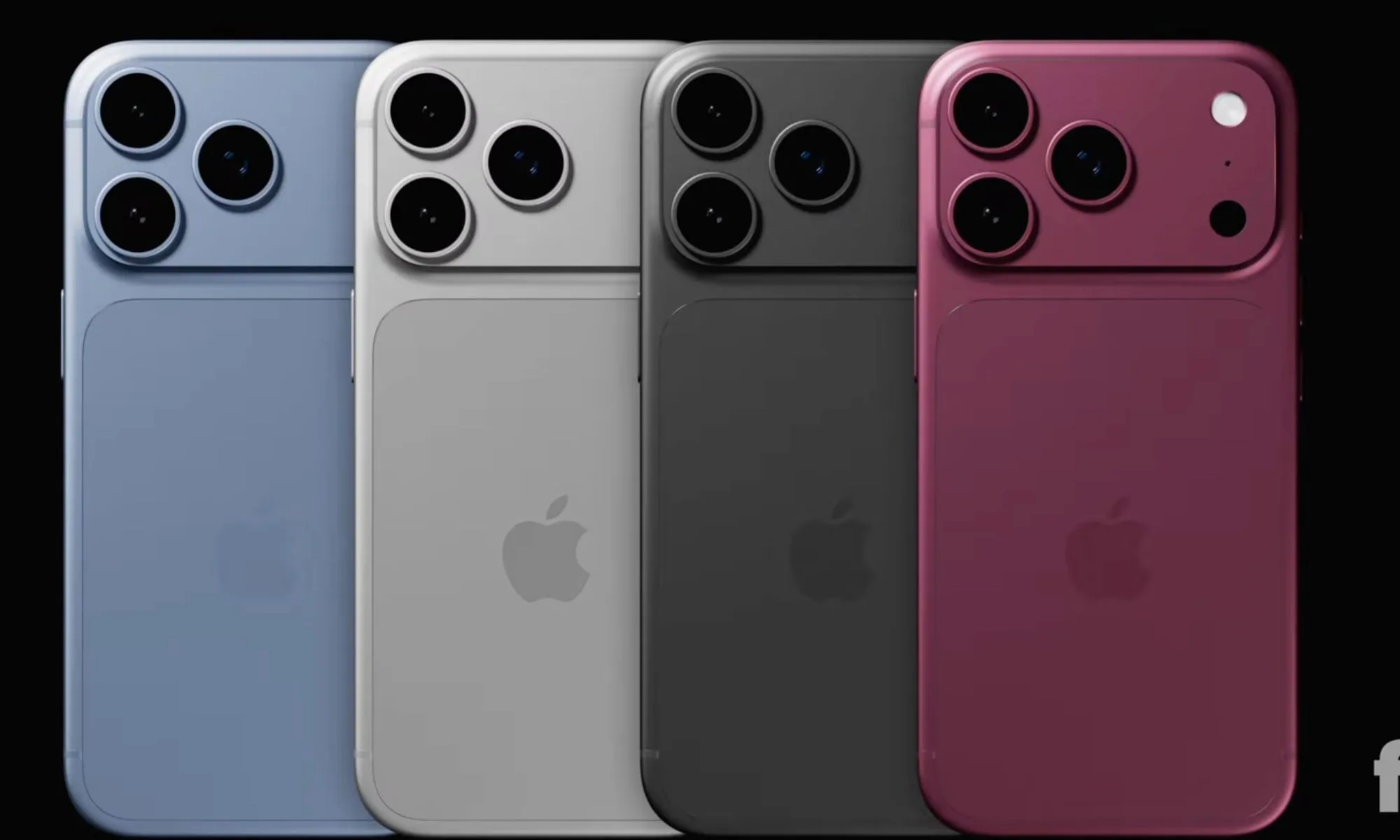
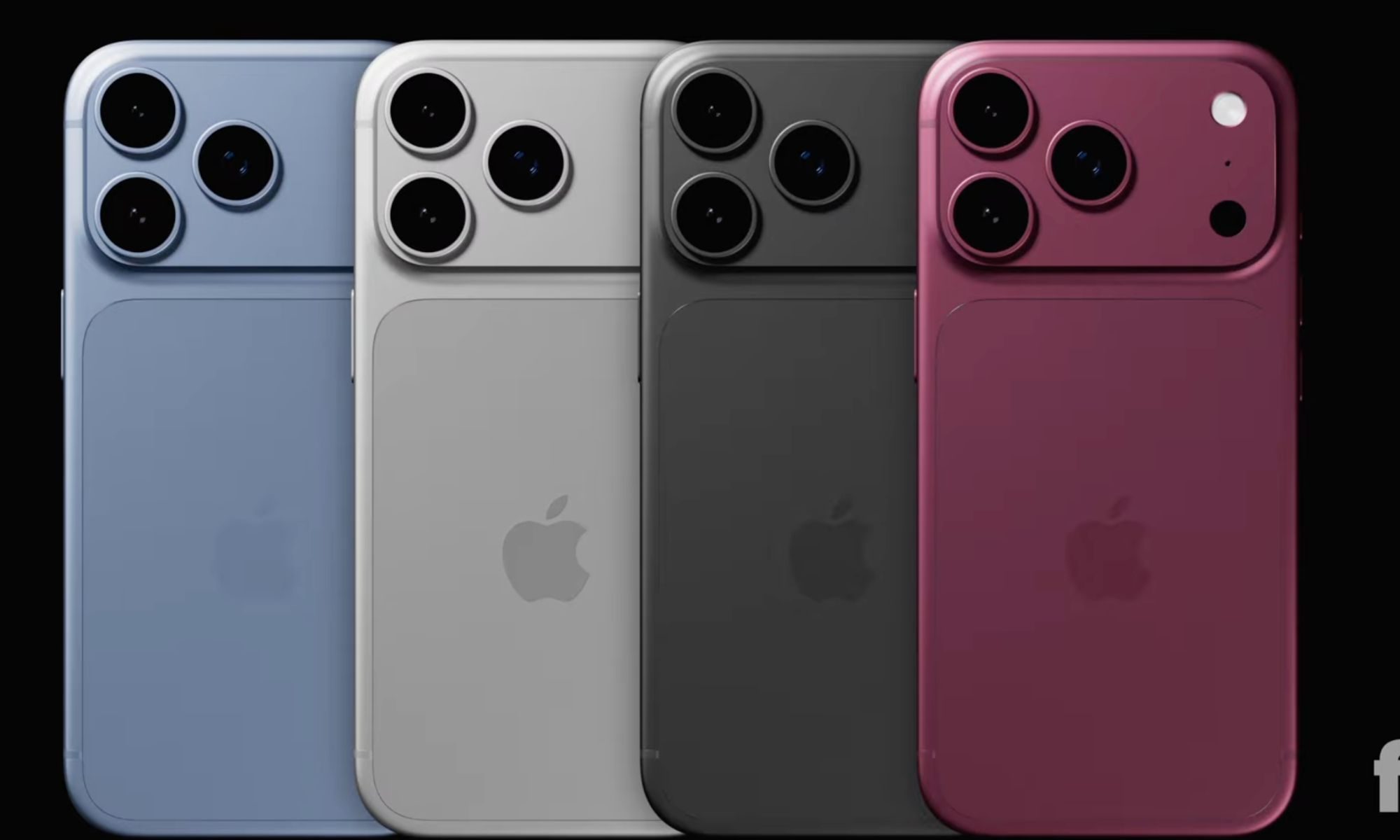
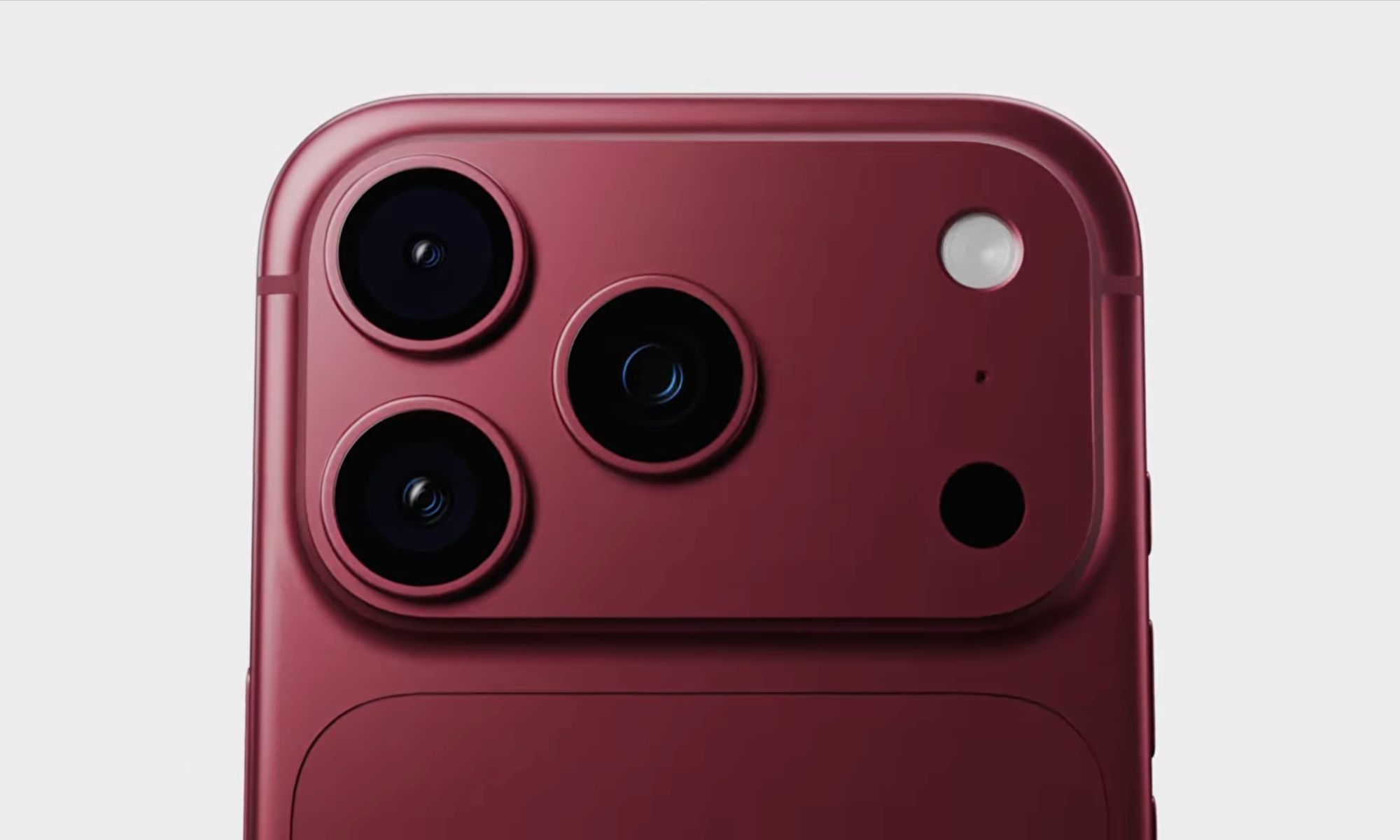
According to a new leak from Weibo tipster Instant Digital, the iPhone 18 Pro could launch in just three colors: Dark Cherry, Light Blue, and Silver-Gray. You see? Black or dark gray is not on the list.
Renders of the iPhone 18 Pro in four colors, though the gray one might not make it to launchFpt. on YouTube
So what exactly is being claimed here?
The three-color lineup would follow the same pattern as Apple’s iPhone 17 Pro. For those catching up, last year’s Pro iPhone launched with three options: Cosmic Orange, Deep Blue, and Silver, despite pre-launch rumors of up to five colors.
This new leak suggests Apple may be doing it again. Instant Digital characterizes Dark Cherry as the standout marketing color, taking the role that Cosmic Orange plays in the current lineup.
Light Blue might replace Deep Blue, and Silver-Gray would be similar to last year’s Silver, but with a potentially different shade (via 9to5Mac).
Advertisement
Fpt. on YouTube
Is a three-color lineup actually confirmed?
Not quite. iPhone 18 Pro color rumors have shifted considerably this year. In February, a Deep Red finish was tipped as the phone’s signature color. In retrospect, it could be referring to the Dark Cherry shade.
In April, a separate leak pointed to four new finish options. For me, the lack of consensus means the colors haven’t been decided yet, though Instant Digital’s track record lends this claim some weight.
Most recently, the drop-test footage of the iPhone 18 Pro surfaced on June 30 via a Tata Electronics data breach and showed the device in what appeared to be a gray colorway, which lines up with the Silver-Gray finish in the leak.
Google has expanded Gemini Spark to the macOS app, adding computer-use capabilities that let the AI agent complete tasks on a Mac without user involvement.
The expansion follows Google’s broader rollout of Spark across web, Android, and iOS for AI Ultra subscribers in the United States. The agent first launched in May as an always-on background assistant capable of handling multi-step workflows on a user’s behalf without requiring manual input at each stage.
Building on that foundation, the macOS version extends Spark’s reach to desktop automation, covering tasks such as sorting files into designated folders or generating budget spreadsheets from invoice documents stored in a Downloads folder. The agent executes the workflow independently rather than waiting for step-by-step instructions.
Beyond local automation, Google is adding remote task assignment to Spark on Mac, which will allow a user to delegate a multi-step workflow from their phone and have the agent complete it on the desktop without any direct interaction once the task is set in motion.
Advertisement
Alongside the Mac expansion, Google is broadening Spark’s third-party integrations to include Canva, Dropbox, Google Keep, Google Tasks, Instacart, and Zillow Rentals.
Advertisement
Those connected app integrations will become available on the web and mobile platforms from next week, with support for the macOS app arriving in the weeks that follow.
More significantly for developers and power users, Google is rolling out Model Context Protocol support for Spark, a standard that allows the agent to connect with a wide range of third-party tools beyond the officially integrated applications already confirmed for the platform.
Advertisement
Spark is also gaining real-time topic tracking, which lets users configure the agent to monitor specified subjects and surface relevant updates the moment they become available, covering use cases from sports results to financial alerts triggered by a stock reaching a defined threshold.
Gemini Spark remains exclusive to AI Ultra subscribers in the United States across all supported platforms, with Google yet to confirm a timeline for broader regional availability.
This week Jonathan chats with Andy Gryc and Aaron Basset about QNX, and the interesting Open Source history and future of that embedded OS. Why does QNX Everywhere feel more open, and why do you need to register an account to download images? All that and more — Watch to find out!
Did you know you can watch the live recording of the show right on our YouTube Channel? Have someone you’d like us to interview? Let us know, or have the guest contact us! Take a look at the schedule here.
Look, 5-4 Supreme Court decisions count just as much as 9-0 ones, and a 5-4 decision getting it right is still a win, but for a number of reasons, the 5-4 decision in Trump v. Barbara, regarding the issue of birthright citizenship is terrifying.
This isn’t a complicated issue. This isn’t an issue that should even be before the Supreme Court at all. The text of the Fourteenth Amendment is crystal clear:
All persons born or naturalized in the United States, and subject to the jurisdiction thereof, are citizens of the United States and of the State wherein they reside.
The history of the Fourteenth Amendment and every single damn case about this particular issue from after it was added to the Constitution until now has been abundantly, ridiculously clear: anyone born in the US is a US citizen. The only exception is kids of diplomats who are not considered “subject to the jurisdiction thereof.” The whole question of whether a child born in the US to foreign-born parents is a citizen was settled clearly in 1898 in US v. Wong Kim Ark and literally no one has seriously questioned this issue at all since then.
Until a group of freaking racists took over the White House and wanted to drum up hatred of foreigners and anyone not white. The Stephen Miller-led White House issued a hilarious/terrifying executive order pretending to overrule the clear meaning of the Fourteenth Amendment. That executive order was quickly challenged, and a year and a half later, the Supreme Court has ruled that the Fourteenth Amendment means what everyone knew it meant from the beginning. But just barely.
Advertisement
Chief Justice John Roberts, joined by Justices Amy Coney Barrett, Sonia Sotomayor, Elena Kagan, and Ketanji Brown Jackson, issued what should have been a 9-0 one page ruling saying “yes, we can fucking read the plain text of the Fourteenth Amendment, and it says exactly what it says, and no, the President can’t overturn that by executive order, no matter how racist he is.”
Instead, in the past 17 months or so, a whole industry of grifting academics came out of the woodwork to manufacture, from absolutely nothing, made up claims that the interpretation of the Fourteenth Amendment was in dispute. Justices Gorsuch, Thomas, and Alito used that shoddy scholarship, among other things, to justify their arguments that Stephen Miller is somehow right about the Fourteenth Amendment not applying to a situation where it clearly applies.
Justice Kavanaugh “concurred” in part on the judgment, but not on the basic Constitutional interpretation, which is the whole ball game.
Kavanaugh’s faux-concurrence is particularly insane, given that one of the reasons we hear from the conservative wing of the Supreme Court regarding things like the Second Amendment and abortion rights is that due to “history and tradition,” we have to interpret these parts of the Constitution as they were originally interpreted, not based on any changes in the world. Except, here, Kavanaugh is suddenly, magically, stupendously, a believer in the “living Constitution” where he gets to rewrite the meaning based on different circumstances.
Advertisement
Could you imagine Kavanaugh writing this in a case about gun control, for example:
The original constitutional principles do not change absent a constitutional amendment, but the relevant principles— both the rules and exceptions alike—must be faithfully applied not only to circumstances as they existed in 1787, 1791, and 1868, for example, but also to modern situations that were unknown or unanticipated by the Constitution’s Framers.
Kavanaugh now insists that these “modern situations” include the rise in undocumented immigration to America that means we need to completely revise our understanding of the Constitution. Somehow “modern situations” don’t apply to things like assault weapons as compared to muskets when we’re talking about the Second Amendment.
The fact that Trump’s nakedly xenophobic attack on birthright citizenship earned four votes—four fucking votes—is a national embarrassment, and a heart-stoppingly frightening signal about what may lie ahead if Trump (for any reason) gets to replace Roberts or one of the liberal justices in 2027 or 2028. The upshot of Barbara is that, as a country, we are but one MAGA dead-ender away from a Court that is willing (and maybe excited) to undo Reconstruction, just as soon as Republican politicians bring a case that will allow them to do it.
For more than two centuries, the Court has proclaimed itself to be the ultimate authority on the law, with the unreviewable power to say what it means, no matter how unpopular its rulings might be. These days, what passes for “courage” from the Court is an opinion that makes clear to Trump that there is a limit to the justices’ willingness to allow him to unilaterally amend the Constitution, but that he is really, really close to persuading them to get rid of it.
Advertisement
Willis also points out that, even if the majority ruling got this correct, tons of people had to suffer for a year and a half waiting for what should have been dismissed out of hand:
Trump v. Barbara is the stupidest Supreme Court case in recent memory: the nation’s nine fanciest lawyers spending God knows how many hours pondering a question about the Fourteenth Amendment’s meaning that a bright sixth-grader could have answered without difficulty in roughly 30 seconds. The fact that a bare majority of the Court eventually arrived at the howlingly obvious, so-simple-it-feels-like-a-trick-question result—and only after months of forcing noncitizen parents to wonder if their children would soon be rendered stateless—is not evidence of the justices’ boundless intellect or analytical rigor. It is a damning indictment of an institution that is teetering on the brink of stuffing the entire enterprise of constitutional governance in the garbage.
And, there is fear among many that this 5-4 ruling is just a prelude to something way worse. Elie Mystal at The Nation makes this point clearly:
Trump tried to change the definition of citizenship by executive fiat in clear opposition to the text of the 14th Amendment, and he almost got away with it. This time. And we know there will almost certainly be a next time; the Supreme Court loves to give Trump multiple bites at the apple whenever he is trying to graft bigotry onto the Constitution.
As has happened in the past, the dissents laid out the road map for how Trump or future bigots might get around the Citizenship Clause. Trump tried to take out both children of people with temporary status (like people on work visas) and children of people without proper status (like people who have overstayed travel visas or crossed the border in secret), and that appears to have been his mistake. The dissenters have different arguments for why the children of people who have temporary status should be denied rights than for why children whose parents are out of status (or never had status) should be denied those rights. It’s possible, even likely, that if Trump attacks these two groups separately, he’ll squeak his way to five votes on one or both fronts.
Yes, a 5-4 decision is still a win and it still counts in the books as a win, but the fact that Republicans like JD Vance are already salivating about how they just need to put one more MAGA-brained Justice on the Court and they get to overturn the Fourteenth Amendment as soon as possible should be a warning to everyone who actually believes the Constitution should be seen as saying what it clearly says.
Advertisement
In that video, JD Vance admits that MAGA is just salivating about getting another vote on the Supreme Court to try again on this issue. He literally says, if they can get one of the five Justices who signed onto the majority off the Supreme Court before Trump leaves office, he hopes they can get someone else on instead who will flip the vote.
This kind of ruling is why the entire judicial system needs a radical rethink, and quickly. As we’ve seen this week, the Supreme Court is clearly broken. And a 5-4 decision, while still a win for common sense and the plain reading of the Constitution, feels like a hollow victory — one that is likely not long for this world without a radical change to the way the Supreme Court functions.
eNeural Technologies gets the lay of the land in Bellevue during a Greater Seattle Partners Spinoff program reception at Amazon’s Everest building in Bellevue. Pictured from left: Tom Florino, director, Worldwide Economic Development, Amazon; Rebecca Lovell, COO, Greater Seattle Partners; David Kou, SVP sales and marketing, eNeural Technologies; Lynne Robinson, City of Bellevue councilmember; Jesse Canedo, chief economic development officer, City of Bellevue; Eric Crowley, commercial section deputy chief, American Institute in Taiwan; Kelly Lee, commercial specialist, American Institute in Taiwan. (Photo courtesy of Greater Seattle Partners)
Add another name to Bellevue’s growing list of AI tenants.
Taiwan-based eNeural Technologies is setting up its North American headquarters in the city, joining a wave of AI companies — from CoreWeave to xAI to OpenAI — that have staked out office space east of Seattle over the past year.
eNeural plans to invest $3.5 million in the Seattle region over the next three years and create about 30 jobs, more than 20 of them AI engineering positions, according to Greater Seattle Partners, the regional economic development group that announced the expansion.
The company said it eventually envisions its Bellevue office growing into a core edge AI research and development center with more than 500 employees over the next decade.
The company builds lightweight, low-power AI software and chips that let devices — logistics equipment, vehicles, smart city infrastructure — run AI directly on-site rather than relying on the cloud. eNeural says its portfolio spans model optimization tools, self-learning edge platforms, and neural processing unit silicon IP, along with vision-language and large language model tools built for private, secure deployments.
eNeural founder and Chairman Jiun-In Guo called the region “one of the most innovative technology ecosystems in the world” and said establishing an HQ in Bellevue gives the company access to “a unique combination of world-class AI talent, global technology leadership, and proximity to key enterprise customers.”
eNeural’s path to Bellevue ran through Greater Seattle Partners’ SelectUSA Seattle Spinoff program, which introduced the company to the region’s AI and tech ecosystem in 2025.
eNeural’s arrival adds to a run of AI companies moving in alongside tech giants Amazon and Microsoft and staking claims on the Eastside over the past year:
CoreWeave recently doubled its footprint to 36,000 square feet at One Bellevue Center, expanding its engineering hub with dozens of open roles in the region.
Elon Musk’s xAI unveiled a 25,000-square-foot office in the former Epic Games space at Lincoln Square South.
OpenAI moved into a new engineering office at City Center Plaza, a space built for 250 employees with room to grow to as many as 1,400.
Denver-based Crusoe opened a 7,400-square-foot office in the Key Center building.
Seattle did notch a win of its own this week with the news that Anthropic is leasing 113,000 square feet of space across multiple floors in a South Lake Union development.
The Bellevue office will serve as the eNeural’s primary hub for customer engagement, strategic partnerships, business development, and advanced AI engineering across North America.
Folding phones have promised a marriage between our phones and laptops ever since they first came out. You use the outer display for regular phone things and then open up the inner folding display to get serious work done, like writing articles, checking emails, or researching your next hobby project. As good as this dream sounds, I’m the first to admit that phones will never replace our laptops. We tried folding laptop screens, but the sheer convenience of a dedicated keyboard-and-mouse setup was too much to give up. But that doesn’t mean laptops will always be boring. I mean, most are, yet there’s one company trying to change things up. As always, that’s Asus.
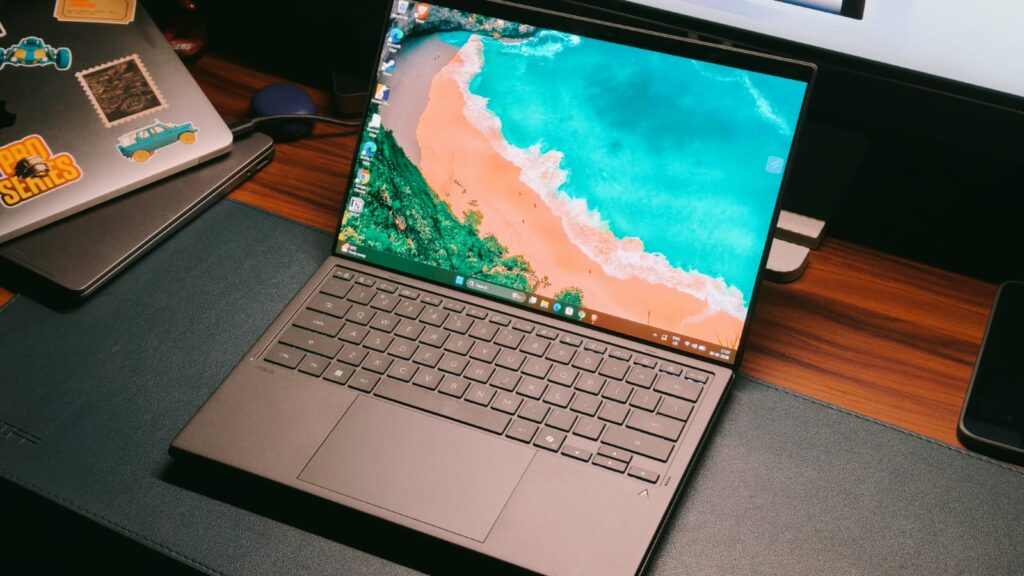
A few years back, the company debuted the ZenBook Duo, a radical redesign of the laptop experience, which replaced the keyboard deck with another OLED screen. You still have the keyboard deck, but it could be taken out for a more workstation-like setup. As much as I loved that device, I couldn’t recommend it because of a few key compromises. However, Asus has just unveiled the 2026 version of the ZenBook Duo, which addresses many of the problems and houses the latest Panther Lake processors. In classic MKBHD fashion, I have been testing the Duo for a better part of 2 weeks, and I think they’ve done it. A dual-screen productivity monster that’s suitable for every buyer. Here’s why.
Asus ZenBook Duo 2026 Review
Hisan Kidwai
Advertisement
Summary
For people who are always on the move, the Duo has something no other laptop maker offers: convenience. Convenience that lets you set up a workstation anywhere in the world, and do your work without feeling limited by just a small screen. The laptop’s performance is blisteringly fast to the point that you can throw almost any productivity workload at it. Both displays are simply gorgeous in terms of color reproduction, accuracy, and even gaming. Not to forget the excellent speakers and the wireless keyboard that doesn’t feel out of place.
Advertisement
Design & Hardware
There’s no question that Asus makes beautiful laptops. And there’s no better way to demonstrate that than the ZenBook lineup. It’s the cream of the crop, meaning the R&D budget is spent here, and I could feel that in the new ZenBook Duo. It’s made of Ceraluminum, which is Asus’ brand-new finish. For the uninitiated, the aluminum is heat-treated to form a ceramic coating on its surface. You should really walk into an Asus store to feel it, but the best way I can describe it is that Ceraluminum feels like a high-end stone you might find in a marble store. It’s super soft to the touch, yet feels very sturdy in the hands, so 10/10 from me. The only gripe I have with this finish is that it picks up greasy fingerprints. So, unless you strictly keep your food away, your laptop will look smudgy. Keep a cloth handy.
Still, the best part of the ZenBook Duo is its dual-display design. But first, we need some context. I remember the 2024 version, which, as good as it was, felt a bit experimental. The laptop was chunky, and the hinge design left a big gap between the two displays, which slightly hindered the experience. It wasn’t helped by the fact that both displays were on different planes, and dropping the laptop felt like a scary nightmare.
Fortunately, that’s exactly what Asus has fixed with the new ZenBook Duo. On paper, it may be just 5% smaller, but that adds up to a lot in person. The laptop feels sleek in the classic ZenBook way, and the hinge is so much better. Asus calls it the hideaway hinge, which immediately reduces the display gap by 70%.
Both screens sit on the same plane, and there’s very little gap between the two, meaning continuity is a real thing. The hinge also closes fully from behind, offering some protection against drops, though I still recommend being very careful. The duo weighs about 1.63 kg. I wouldn’t call it light, but it’s still good enough to take to cafes and various work meetings.
The Dual Screen Experience
Imagine this: you’re a corporate professional tired of working from a small cubicle. You take WFH or just wander out to finish work from a cafe. While this setting is amazing, a small laptop screen is just not enough to fill out all the spreadsheets or research an upcoming project. That’s exactly the type of scenario the dual screens on the ZenBook Duo come alive. You take out the laptop, remove the keyboard, flip open the attached kickstand, and that’s it; the mini workstation is ready.
But before the experience, we need to talk about the displays. Both of which are 14-inch 3K (2880 x 1800) touchscreen panels with a blistering 144 Hz refresh rate. Not to mention, the panels are OLED, cover 100% of the DCI-P3 color space, and are PANTONE-validated. What this translates to is a top-of-the-line content-watching experience, where colors pop without looking oversaturated, the blacks are spotless, and even the HDR performance is really good, thanks to the 1,000-nit peak brightness. I couldn’t really fault this display, no matter how I tried, because Asus even managed to put in a 16:10 aspect ratio, which is just perfect for professionals.
Response times are capped at 0.2ms, and I even went outdoors with the Duo, where one more feature came to the rescue. Remember the reflections outdoors that make working on a laptop impossible? Well, that’s one more problem you don’t have to worry about, as there’s an anti-reflective coating. It’s not a 100% solution to the problem, but reflections are manageable.
Now that we’ve talked about how gorgeous these displays are, it’s time for the real deal. Most of your time will be spent in what Asus calls the desktop mode. You prop the laptop with the stand and keep the wireless keyboard on a table. I think that’s the best way because you get to use both panels equally. For me, this meant writing news articles on the top display while keeping the press release at the bottom.
Advertisement
I cannot tell you how liberating it is not to have to constantly fiddle with changing tabs and then forgetting what I was about to say. For you, it may be the video editing timeline at the top, with the controls being at the bottom, or a game on the top and the tutorial at the bottom. Ultimately, it’s a matter of convenience that makes the ZenBook Duo work so amazingly.
But that’s not all the ZenBook Duo has to offer. You can rotate the laptop for two portrait screens, which could be helpful for all my programming and Reddit nerds, or ditch the keyboard altogether. I can see this happening with artists, as the laptop also comes with a stylus, and quite a good one, to be fair. Look, I’m no artist. The last painting I did was in kindergarten, but even from my limited knowledge, the Duo can be a great creative tool.
A Familiar Windows Problem
As good as the ZenBook Duo is, Windows 11 is in a bit of a pickle right now. Nobody cares about Copilot, and the OS feels buggy, bloated with a million intrusive features. Beyond that, Windows can’t even handle one screen well, so a dual-screen niche laptop was always going to be a problem. I did run into a couple of issues, like the different wallpapers I set for the panels randomly becoming the same every day, and the animations sometimes feeling a bit janky.
I wish Windows could get its act together, but until then, the burden falls on OEMs to fix the mess. With the Duo, Asus bundles a host of software features. And they are quite clever. One of my favorites is the virtual keyboard, which comes up whenever you tap the bottom screen with six fingers. You can then swipe these fingers down to remove the trackpad and add different macros on the top half of the screen.
ScreenXpert is another highlight. When you lay the laptop flat on a table, it triggers a new Sharing mode. Essentially, it mimics the two screens, with a host of on-screen controls for marking and highlighting information. I don’t do meetings much, but I can see the point in an office environment. Lastly, there’s a new Control Center that keeps the quick settings toggle handy.
Keyboard & Trackpad
I always thought that a dual-screen laptop would compromise the keyboard. And it’s easy to see why. You put in dual screens, so either the keyboard has to be a separate unit, or if it’s attached, then the thinness would hamper the experience. Surprisingly, Asus has managed to avoid both these problems. The keyboard deck sits securely between the two screens, held in place by pogo pins. It’s a Bluetooth setup that’s always connected to the Duo, meaning you don’t have to fiddle with connecting it manually.
As for the keys themselves, they have more travel than the keys on my MacBook, and the layout is familiar. I didn’t spend days trying to acclimate, and even the feedback is decent. Instead of the usual mushiness, there’s a satisfying click at the end, and the backlighting contrasts well with the grey color. It’s not all perfect, though: the strong magnetic connection can sometimes make it a bit difficult to detach the keyboard, but I wouldn’t strictly call that a downside.
Advertisement
Moving on to the trackpad, I can say the exact same thing. Don’t get me wrong, it’s not as excellent as the one on the ExpertBook Ultra, but as far as actual clicking ones go, it’s definitely great. The glass surface is smooth, so you can use it without applying grease beforehand. The actuation energy for the presses is balanced, and the surface is quite big. The only complaint I could conjure up was that when I was using the keyboard on my lap, with my palms resting on the side surface, it would trigger the clicking mechanism.
Performance
A productivity machine needs to have powerful internals. Not just for doing spreadsheets on the go, but to manage multitasking. Fortunately, inside the ZenBook Duo lies the latest Intel Core Ultra 7 Series 3 Panther Lake processor. It’s accompanied by 32GB of LPDDR5X RAM and 1TB of NVMe M.2 PCIe 4.0 SSD storage. In simple terms, the Ultra 7 Series 3 is a flagship chip that can clock up to 4.7 GHz.
As a surprise to absolutely no one, the Duo flies through the UI. Apps open instantly, and there’s no hitch when switching between different tasks. For context, my work is usually done in Chrome. It’s not the most demanding thing in the world, but sometimes I have to update multiple articles. I often have more than 30 Chrome tabs open, and the Duo handled it extremely well. No tab was removed from memory, and I could quickly look up the reference information on the bottom screen and update the content.
Since this is a review, I also downloaded DaVinci Resolve to test its video-editing capabilities. I think that’s where the Duo shines. Look, it’s not the most powerful video-editing machine, but for Reels and YouTube Shorts, it’s more than capable. I put the preview footage on the top screen and the controls at the bottom. The experience was great, and the laptop handled multiple 4K streams with color grading well enough. Flipping the laptop into portrait mode, VS Code ran just as smoothly, so no complaints.
Benchmarks & Gaming
My real-world tests can paint a limited picture. Maybe you’re a CAD designer or an animation expert. As much as I’d like to test those, I’m simply not an expert in these areas. That’s the reason we rely on benchmarks. While I wouldn’t call them super accurate, they do provide a number everyone can understand. In Cinebench R24, the Duo scored 115 in the single-core and 619 in the multi-core tests. In PCMark 10, I recorded the main score at 3710. Finally, in 3D Mark’s Wild Life Extreme, the Duo reached 5,220 points.
As far as gaming is concerned, let me tell you this. If you’re a serious gamer who needs the two screens, Asus will happily sell you the Zephyrus Duo, which has dedicated graphics. However, if gaming for you means Valorant, Counter-Strike 2, or some fun with friends in Fall Guys, then the Duo will handle that pretty well. I got over 100 fps at medium-to-high settings in all these games, and you can configure controls on the bottom screen, as with games like Flight Simulator.
Advertisement
Battery Life & Speakers
It’s no secret that driving two big and bright OLED panels takes a lot of juice. Not to mention the extra space the bottom display takes up. Still, Asus has somehow managed to fit in a 99Wh cell inside the Duo. That’s up from the 75Wh that powered the previous generation. While I’m not entirely sure how the company did this, the benefits of the bigger battery are pretty clear. Never once did I run out of juice on a working day, with up to 70% usage happening in the dual-screen mode.
For some context, I mainly answered emails and Slack messages, did research in Chrome with more than 20 tabs open, and ended the day with some YouTube videos, with the final SoT hovering around the 9-hour mark. That’s on par with many of the regular laptops I’ve tested recently. When it comes to charging, a 100W fast charger is bundled, which can fully recharge the battery in less than an hour and 30 minutes.
A month ago, I gave the ExpertBook Ultra the title of best-sounding laptop speakers. While I still do think the same, the Harman Kardon-tuned six-speaker setup on the Duo comes awfully close. I’d even say it’s on par with the Ultra, thanks to its wide soundstage, which keeps different instruments legible. The mids are crystal clear, and even the treble hits the spot. The bass is tightly controlled so as not to overpower the vocals, and even the highs are carefully balanced. I had tons of fun watching Sheep Detectives (great movie if you haven’t watched it).
Verdict
At ₹299,990 or $2,499, the Asus ZenBook Duo is certainly a niche product. Its dual screens won’t appeal to everyone. After all, you can just buy a monitor at home and connect your regular laptop. However, for people who are always on the move, including myself, be it cafe hopping or traveling the world like a digital nomad, the Duo has something no other laptop maker offers: convenience. Convenience that lets you set up a workstation anywhere in the world, and do your work without feeling limited by just a small screen. The laptop’s performance is blisteringly fast to the point that you can throw almost any productivity workload at it. Both displays are simply gorgeous in terms of color reproduction, accuracy, and even gaming. Not to forget the excellent speakers and the wireless keyboard that doesn’t feel out of place.
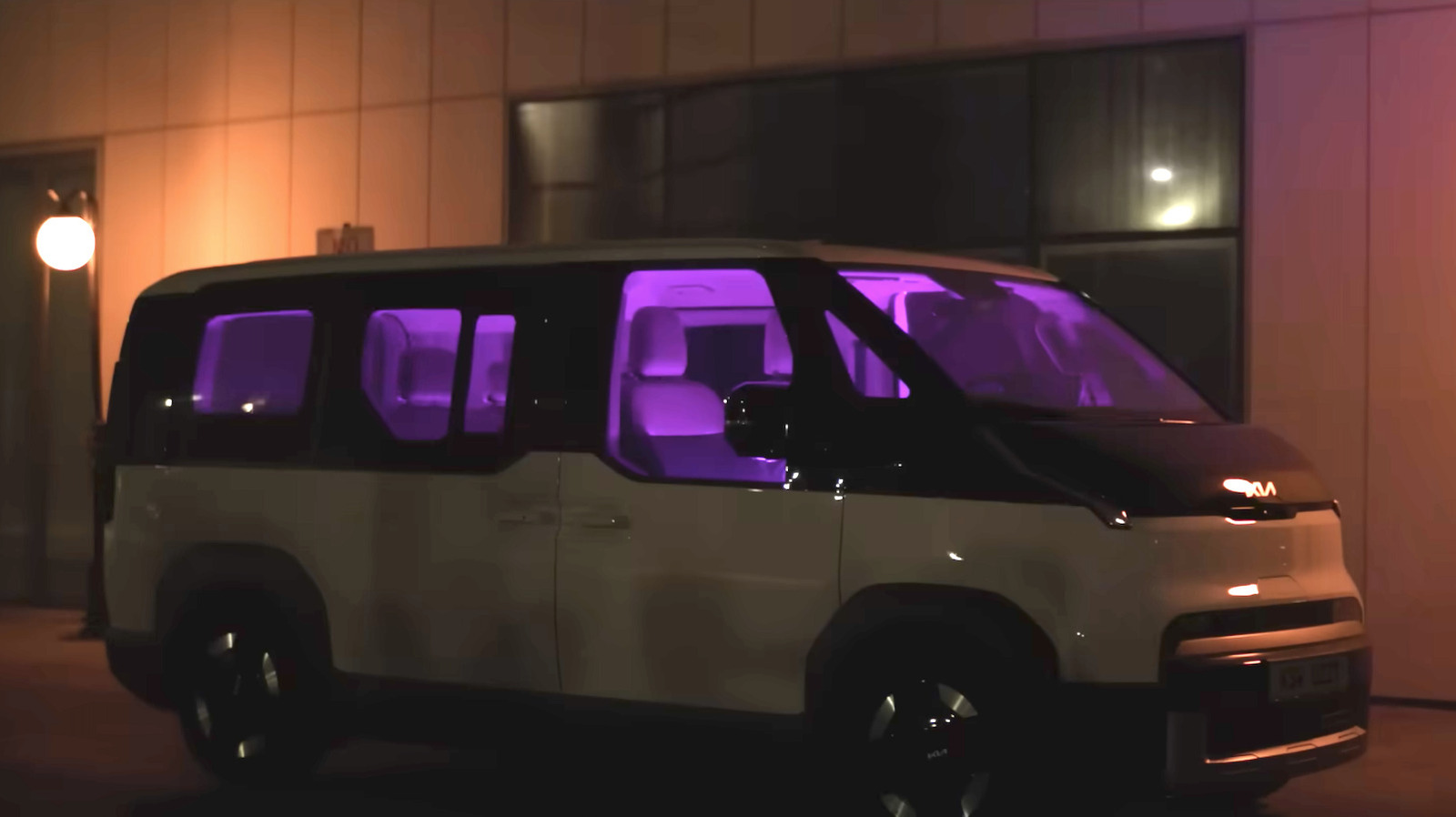
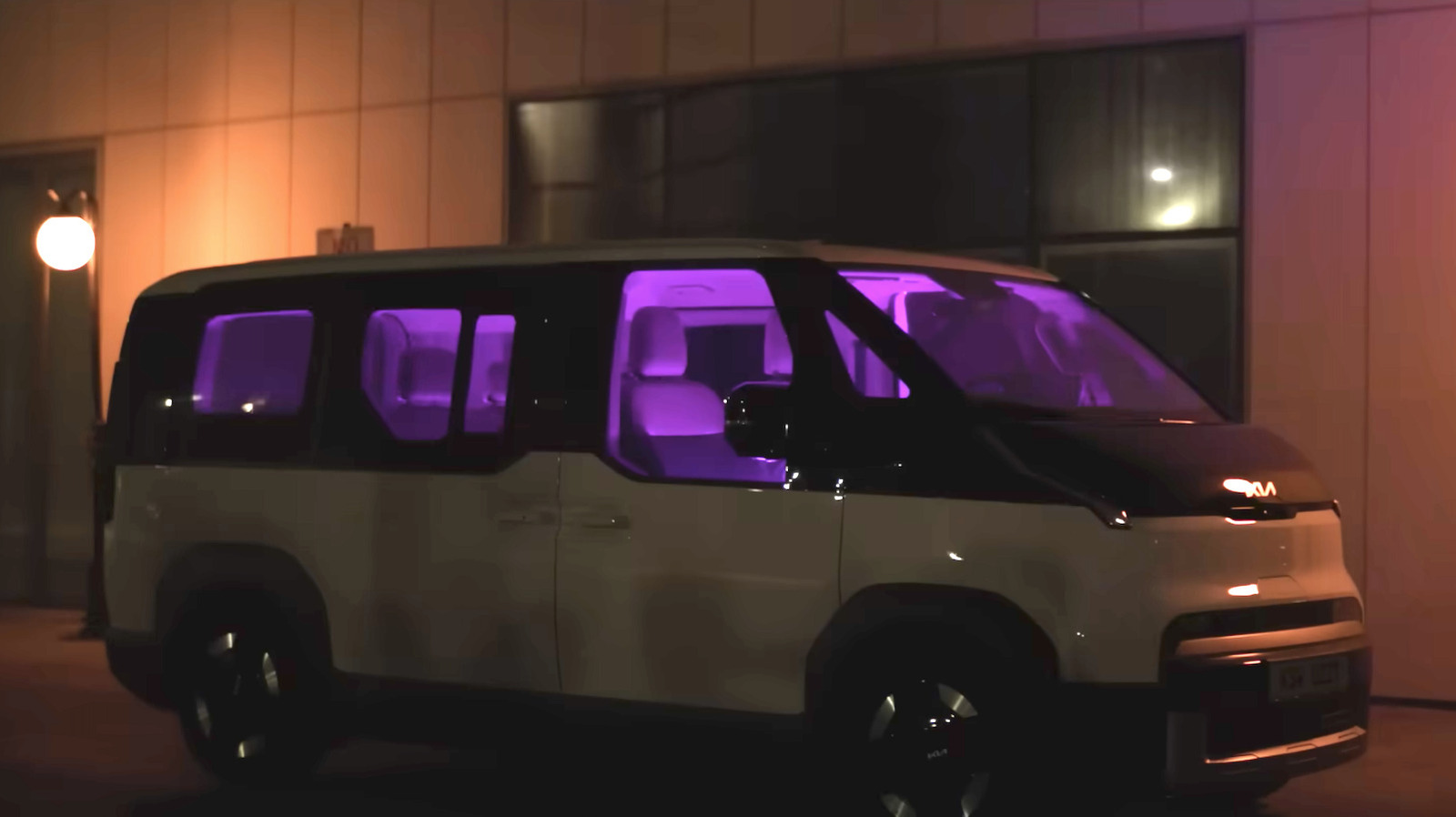
Hyundai and Kia recently introduced a new UV technology for in-vehicle sanitation called Plasma Care UVC. The system reduces bacteria in the cabin and can even operate while passengers are present.
The companies say the technology is especially useful for eliminating foul odors, as it kills the actual organisms behind the smells. In any event, it’s likely better than one of those hanging air fresheners that have been making cars smell like off-brand coconut for decades.
This is all done via the use of a plasma lamp that creates far-ultraviolet C (Far-UVC) light. This light is emitted in the 200 to 230 nanometer range, which doesn’t penetrate human skin but does destroy bacteria and viruses. Conventional ultraviolet sterilization can pose a risk to human skin and eyes. There’s a reason why this Far-UVC tech is typically used in places like airplane bathrooms between visitors.
Advertisement
There were also other hurdles to putting this type of technology in vehicle cabins. Kia and Hyundai had to optimize the system by reducing its size and improving power efficiency. Far-UVC systems designed for schools and hospitals couldn’t be used here, for size and power draw reasons.
Finally, the companies added a specialized optical filter for more protection. This limits the ultraviolet wavelengths to the aforementioned range. All in all, this looks like a fairly novel way to prioritize sanitization.
Hyundai and Kia conducted a battery of tests to make sure the system could actually work as advertised. There was a sanitization evaluation with a simulated vehicle cabin, which was conducted by the Korea Testing Laboratory. This confirmed a 96.8 percent reduction in airborne viruses within 30 minutes.
Another test determined that the Plasma Care UVC eliminated 99.9 percent of pneumonia-causing bacteria in just 30 seconds. The companies partnered with Seoul National University for that one.
Advertisement
Final tests in collaboration with the Korea Automotive Technology Institute found a 99.9 percent eradication of E. coli within 40 minutes. This was done in an actual vehicle cabin, thus potentially demonstrating real-world performance.
As this is a new technology, it’s not actually in any cars just yet. Tests are ongoing to ensure “technical validation in line with international safety standards prior to implementation in production vehicles.”
It is worth pointing out that UVC sanitization tech does have its limits. It only disinfects via direct illumination, as light must reach the physical surface of the contaminant. This means that germs and bacteria will still be able to hide in the shadows or under the seats. Also, certain pathogens can repair themselves after exposure to UVC light. In other words, this is best thought of as an assistive technology to be used in conjunction with regular cleaning.




























































You must be logged in to post a comment Login