Whisper it quietly, but certain bricks in Apple’s walled garden might be getting taken away.
Thanks to some recent upgrades added to Android by Google, it’s now easier than ever to share files between an iPhone and an Android phone, without installing any new apps (though that’s still an option too).
So if you need to send a photo, contact card, web link, or anything else, these are the options you have available. As is often the case with Android, they may vary depending on the make and model of your handset, though you should find at least one of these methods works for you.
Share Files via AirDrop
This is the big one: Google recently figured out a way to add support for AirDrop—Apple’s previously closed-off, device-to-device sharing protocol—to newer Pixel phones. It doesn’t appear that Apple was involved in the process, but the company hasn’t gotten in Google’s way since, and the functionality has been rolled out to other phones (including the recent Pixel and Galaxy handsets).
Advertisement
Some prep work may be required. On Samsung phones, you need to open Settings, then choose Connected devices > Quick Share and enable Share with Apple devices—though there’s no such toggle switch on Pixel phones—it’ll just work right away. It needs enabling on iOS too: From Settings, tap General > AirDrop, and Everyone for 10 Minutes.
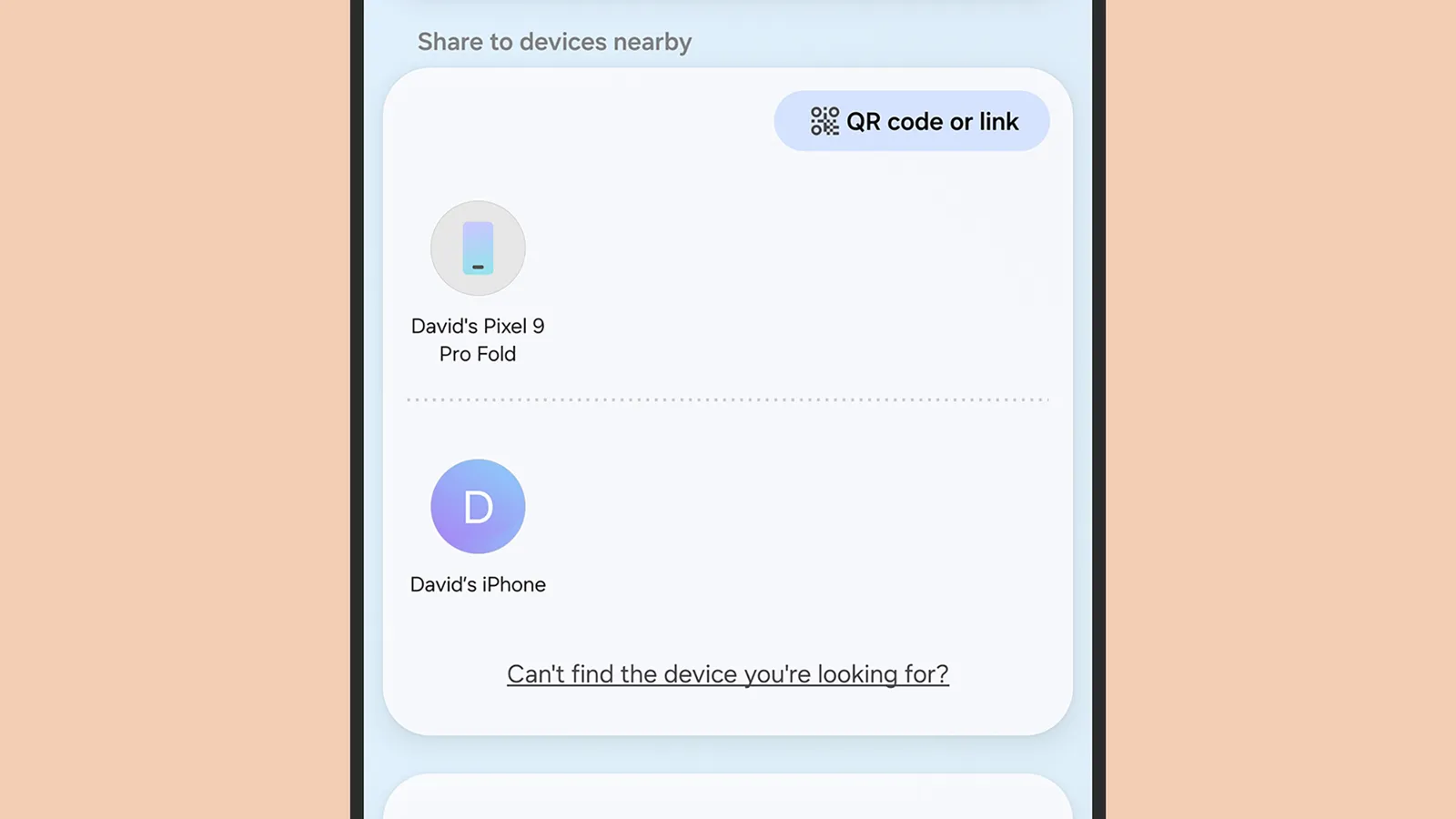
An iPhone appearing as a sharing option on a Samsung Galaxy device.Photograph: David Nield
With that done, whenever you tap the share button anywhere in any Android app, you can choose Quick Share from the resulting pop-up panel to communicate with a nearby iPhone. The iPhone should show up in the available devices, so select it to start the transfer—which will still need to be accepted on the iPhone.
It will work the other way too, starting from AirDrop on an iPhone, as long as the Android device is set up to receive from any other device. From Settings, tap either Connection preferences (Google Pixel phones) or Connected devices (Samsung Galaxy phones), then select Quick Share > Who can share with you.
Share Files via QR code
Google hasn’t stopped with AirDrop on Android. It has also recently pushed out a QR-code-based option for sharing from Android to iOS. It’s a bit more clunky than AirDrop, but it’ll work no matter what kind of Android phone you’ve got.
Advertisement
Again, you need to go through Quick Share, which pops up as an option whenever you try to share something in Android—no matter what the app or item you want to share. You won’t see an iPhone appear if you don’t have the AirDrop functionality, but you should see a Use QR code option on the right, under Share with iPhone and other devices, which after a few moments shrinks down to just a QR code symbol.
In an Amazon News blog post, their HR leader describes using AI to write 100,000 lines of code — 25 years after she last coded. “Do you know how empowering it is to realize that after 25 years away from coding, you can actually build again?” First she built a calendar app for her family, but then used Amazon’s AI-powered coding tool Kiro to write an app for Amazon’s internal “Everyone Can Build” event.
We opened the competition to every employee on our team, and within just a few weeks, more than 1,500 people were building. I couldn’t believe what they built. One employee built an app that turned a nearly four-hour manual process into a one-second automated check, saving tens of thousands of hours annually. Another made a desktop pet named Momo that keeps your tasks, reminders, and shortcuts a click away.
Since then, I’ve written over 100,000 lines of code with AI. What I’ve found is that the more you work with these tools, the more natural the process becomes, and the more you realize they’re expanding what you’re capable of, not replacing it. You don’t need perfection to start. You just need to dive in. When I decided to build the submission app for our team competition, I didn’t know how to begin, so I asked our internal AI workplace assistant, called Aza. It pointed me to the right tools and helped me take the first step. From there, I opened Kiro and started building. When you give employees the ability and tools to solve problems themselves, they will surprise you with what they create…
At Amazon, every employee has access to AI tools. Whether someone needs a quick answer, wants to move faster in their day-to-day, or is ready to try building something new, the resources are there. The more people use these tools, the more capable they become with them, and that experience carries forward in their careers… We also want to make it easy for people to build credentials that are recognized across industries. That’s why AI training is free for every Amazon employee. Amazon covers the full cost of one AWS AI certification exam per year, with options ranging from foundational AI concepts to professional-level generative AI. Employees can choose the path that fits where they are in their learning journey.
Advertisement
Long-time Slashdot reader theodp notes that 7 months ago Galetti also took to Amazon News to announce the elimination of 16,000 corporate jobs, a move which CNBC noted coincided “with a push to invest heavily in artificial intelligence.”
The job reductions come just a few months after October’s layoffs, when 14,000 employees were let go across Amazon’s corporate workforce. At the time, the company indicated the cuts would continue in 2026 as it found “additional places we can remove layers.”
Microsoft veteran recalls how a CPU errata, a mythical ICE, and a single sneaky NOP saved Clippy’s big debut
Veteran Microsoft engineer Raymond Chen shared another fireside tale – one to strike fear into the hearts of engineers everywhere: the bug that can’t be replicated in the debugger.
Advertisement
The story begins near the end of the Word 97 release cycle, when a defect surfaced in the test labs but vanished the moment engineers reached for a debugger.
It was maddening. A script could trigger the crash fairly reliably, yet the instant anyone tried to hunt it down, the bug ducked out of sight.
Chen recalled: “The development team was very anxious, because a bug that appears only sporadically in the lab is going to occur regularly in the wild. But how do you debug a problem that resists debugging?”
It is every developer’s nightmare, even for those smug types who lean back in their chairs and tell testers “works alright here, mate.” There is a special place reserved in the afterlife for these developers.
Advertisement
With the bug refusing to cooperate, talk turned to an ICE (an In-Circuit Emulator, not the immigration agency), which could stand in for the CPU and allow breakpoints inside the emulated chip itself.
“To most software developers,” said Chen, “in-circuit emulators existed only in myth, and the possibility of acquiring one and using it was met with the excitement of a five-year-old boy who learns that he might get to ride on a fire truck.”
Eventually the team traced the problem to a specific manufacturer, and from there to a CPU erratum. The compiler in use at the time had been updated to dodge the problematic code sequence. However, by then the toolset had already been locked. Swapping in a new compiler risked introducing fresh, unknown bugs, so that was off the table.
The solution? Scour the binaries to find instances of the code that might upset CPUs. One was found. “To avoid introducing any new problems as a side effect of the fix, the team opted to do a binary patch to the binary to insert a nop into the offending code sequence.”
Advertisement
Word 97 introduced plenty of headline features. There was the arrival of Clippit (aka Clippy) and Visual Basic for Applications (VBA). And then there was a binary patch produced by determined engineers, which received far less attention. But without it, Word 97 could have been distinctly wobbly. ®
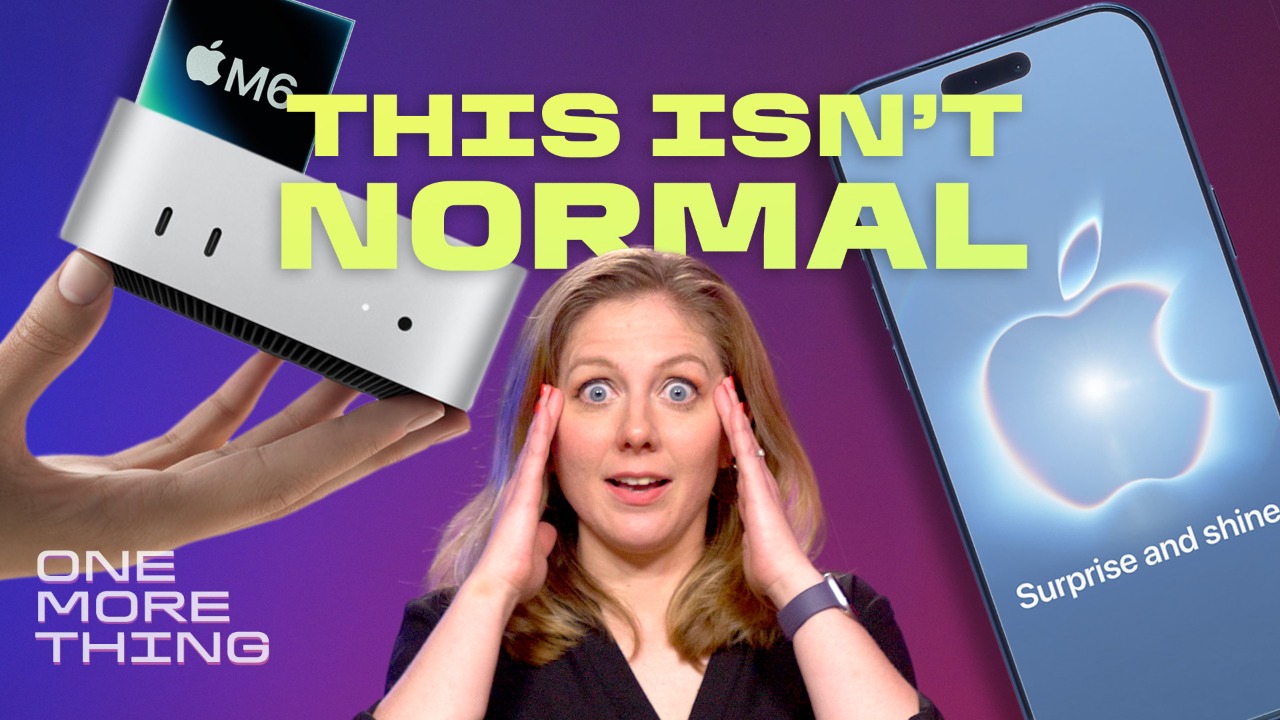
After months of leaks and rumors, Apple is set to reveal its fall hardware lineup on Wednesday, Sept. 9, at its Surprise and Shine event. And from everything we know so far, the event will be unlike most others.
For one, this year’s event is a bit sentimental for the Cupertino company. Tim Cook announced in April that he is stepping down from his role as CEO, a job he has held for nearly 15 years after legendary Apple co-founder Steve Jobs stepped down in 2011. John Ternus, the company’s hardware engineering chief, will be stepping into the top role just days before the event.
Apple is also heavily rumored to break with its usual routine by holding off on releasing a base iPhone 18 until next year, meaning only the more expensive Pro models will be revealed in September. That would give another highly anticipated release center stage: the foldable device expected to be called the iPhone Ultra.
Apple’s iPhone 18 lineup is likely going to look a little different this year. One of the biggest rumors is that Apple is going to do an extended rollout. This September, we expect to see the foldable iPhone Ultra, the 18 Pro and 18 Pro Max, but we likely won’t get the base iPhone 18, iPhone 18E and a possible iPhone Air 2 until spring 2027.
The iPhone Ultra, as Apple’s much-rumored first foldable phone is tentatively named, has a book-style design, according to analyst leaks. Think more Samsung Galaxy Z Fold 8, which opens like a book into a mini tablet — not like an OG 90s flip phone.
But the possible $2,000 price tag means the Ultra likely won’t be a replacement for the base iPhone 18. More likely, it will be more of a luxury option. That may be one reason why a majority of US adults (75%) don’t care about foldable phones, a recent CNET survey found.
We had CNET’s creative director show us what we could expect from the new potential iPhone 18 colors.
Jeffrey Hazelwood/CNET
The iPhone 18 Pro and 18 Pro Max models are rumored to have bigger batteries, variable-aperture cameras and run on the new Apple A20 processor. More satellite connectivity, a smaller Dynamic Island and tweaked back camera islands are also possibilities. And these new phones could come in colors such as light blue, dark cherry and dark gray.
A Series 12 Watch is “all but guaranteed,” CNET wearables expert Vanessa Hand Orellana says. Less likely are a new Apple Watch SE and Ultra model since they were refreshed in 2025. But any new watches, the Series 12 and Ultra 4, are likely to come with a new processor, which should extend their life and usefulness for you.
The biggest design change expected is largely mechanical, not aesthetic. A more energy-efficient screen technology could be included to extend the watches’ battery life without sacrificing screen brightness. A new processor — probably named the S12 to match the line-up’s naming, despite “S11” being next in line — would also help with this.
The next Apple Watch Series 12 may bring back TouchID.
Jeffrey Hazelwood/CNET
Another potential addition could be biometric authentication — in other words, a Touch ID for Apple Watch. Some internal code leaks suggest Apple is working on integrating this tech into its wearables, but it’s unclear when it will be publicly available. Health features, like blood pressure monitoring, are also rumored to be in progress, but again, no guarantees. The Apple Health App’s AI overhaul has also reportedly run into issues.
Advertisement
Our early testing shows WatchOS 27 with Siri AI will bring a big boost to devices — at least, for the ones it’s compatible with, which isn’t all of them. Watches were excluded from Apple’s summer price hike, but similar raises from watches by Google and Samsung mean a higher starting price isn’t out of the realm of possibility.
AirPods with or without cameras
Possibly the biggest Apple rumor has been that the next generation of Apple AirPods will be equipped with a new, tiny infrared camera — not to take photos, but to scan its physical environment to power its visual intelligence, or AI, answers.
The AirPods 5 could look similar to the AirPods 4 (shown) but have performance upgrades.David Carnoy/CNET
These rumored “AirPods Ultra” sparked a lot of concern and outrage from tech enthusiasts, who have spent most of the summer criticizing other AI-and-camera-enabled wearables, like Meta’s smart glasses. Apple is known to tout its focus on privacy, so it will be interesting to see if Apple ultimately comes out with these earbuds and, if so, how it defends them.
AirPods are generally on a two-year refresh cycle, so we may get the AirPods 5 and AirPods 5 Pro this year. The previous model, the AirPods 4 with active noise canceling, is “something of a technological marvel,” CNET headphones expert David Carnoy said. Effective noise canceling is hard to achieve with an open-earbud design, but Apple’s previous success sets the foundation for even more progress here. The Apple-owned Beats 360 headphones could also get refreshed this fall.
Katelyn is a reporter with CNET covering artificial intelligence, including chatbots, image and video generators. Her work explores how new AI technology is infiltrating our lives, shaping the content we consume on social media and affecting the people behind the screens. She graduated from the University of North Carolina at Chapel Hill with a degree in media and journalism. You can reach her at kchedraoui@cnet.com.
See full bio
The Dodge Challenger SRT Hellcat has solidified itself in automotive history as the fastest muscle car ever made. However, since it was discontinued in 2023, Chevy has been pushing the Corvette’s performance and design to the limit. The 2027 Corvette Stingray has become the first sports car under $100,000 to reach over 200 miles per hour, and that’s just the base model.
The 2023 Dodge Challenger SRT Hellcat has an iconic supercharged 6.2-liter V-8 engine that makes 717 horsepower and 650 lb-ft. of torque. This base model Hellcat can reach 60 mph in 3.8 seconds and hit a quarter mile in 11.9 seconds at 124 mph. The top speed is 203 mph. The 2027 Corvette Z06 has a 5.5L V8 LT6 engine considered the most powerful naturally aspirated V8 at 670 hp and 460 lb.-ft. of torque. This allows the Z06 to hit 60 mph in 2.6 seconds, then complete the quarter mile at 10.6 seconds at around 131 mph. Its top speed is 195 mph.
Advertisement
Comparing these two track-oriented beasts, the Hellcat has slower acceleration but a higher top speed. Even the Redeye variation with an enhanced Hellcat engine can’t hit 60 mph as fast as the Z06. This is likely due to the Z06’s lighter weight — it is 3,500 pounds compared to the Hellcat’s 4,654 pounds with a widebody design. This is also why the Hellcat requires more horsepower to launch itself. While the Hellcat is an incredible machine with an unmistakable whine and intense aura, there are faster cars out there.
Advertisement
Which cars are called the Corvette Killer?
Heritage Images/Getty Images
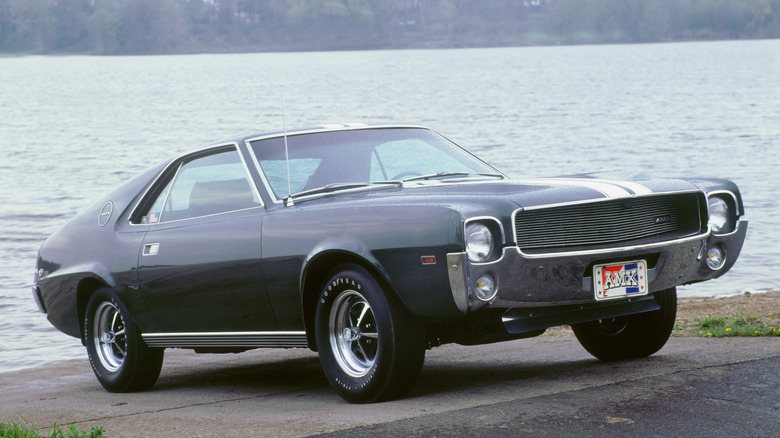
The Corvette has come a long way since it was debuted in 1953. Chevy has been attempting to boost its performance every year, and automakers have continued to take it upon themselves to bring the Corvette down. The 1968 AMC AMX was a shorter two-seater that arrived with only V8 options. The 390ci V8 was its most popular option, with 315 hp and the ability to reach a top speed of 125 mph. Its 0-60 mph spring was 6.6 seconds and the quarter mile was 14.8 seconds. It set plenty of speed records during its time, but it wasn’t enough to compete, with only a quarter of the Corvette’s production that year.
In 1979, the Guanci SJJ attempted to take down the Corvette once more. Meant to take the Corvette’s place, the SJJ had a 5.7-liter V8 that produced 250 hp and allowed it to hit 60 mph in 10.9 seconds. It wanted to take that American performance and pair it with European design elements, but the SJJ never made it to production, with many skeptical about its high price point.
The next decade saw Buick attempt to take down the Corvette with the 1987 Buick GNX, an “evolved” version of the Grand National. It was called the Corvette killer because it was the fastest car made that year, but only 547 saw the light of day. Meant to blend flashy looks with aggressive performance, it had a turbocharged 12-valve V6 that produced 300 hp and reached a top speed of 124 mph. Car and Driver called it “axe-wielding barbarian laying waste to everything in its path” back in 1987, but it still wasn’t enough to stop the Corvette’s momentum. Now, the Corvette is often referred to as a “supercar killer ” instead.
If your phone’s acting up or you’re transferring it to someone else, you’ll need to reset it.
Harry Howitt/Shutterstock
When trying to troubleshoot iPhone issues, there are several escalating steps that can be taken as potential fixes, including both soft and hard resets. Before you resort to taking your phone in for repairs, consider some basic troubleshooting at home.
The tech community at large has long been split about the specific definitions of soft and hard resetting. To some, a soft reset means restarting a device, while a hard reset is a complete factory reset that erases all data. To others, a factory reset is a completely separate concept, and instead the difference between a soft and hard reset is whether a restart was done through a device’s menus or by cutting the power manually. To add even more confusion, where does clearing your settings, but not erasing all of your data, land on this scale?
It can all get very convoluted, and there’s no definitive answer. However, for the sake of this article, we’ll be looking at three types of useful resets under the following definitions:
Advertisement
Restarting: Rebooting your phone without losing any data
Soft Reset: Clearing all settings without wiping out data
Hard Reset: A complete reset of the phone, erasing all data
How to force restart your iPhone
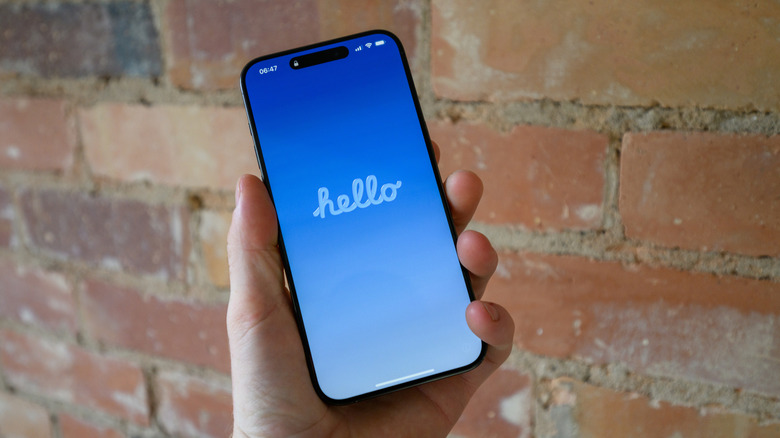
Restarting your phone can be beneficial for myriad reasons, and it’s often the best first step to iPhone troubleshooting — the old recommendation of turning something off and on again is always a good place to start. It acts as a quick refresh, clearing your RAM and closing any problematic programs. If the usual dual press of the side button and volume up button doesn’t prompt the power slider on your phone to appear, you can force your iPhone to restart with the following steps:
Press and quickly release the volume up button, then do the same with the volume down button
Press and hold the side button until the Apple logo appears; this can sometimes take more than 10 seconds, so be patient
How to soft reset your iPhone
lilgrapher/Shutterstock
A soft reset of all your iPhone’s settings is a good next step in trying to flush out a problem. It’s a middle ground between a simple restart and losing all of your data, though you should be aware of what settings you’ll need to redo after the reset. Network settings (i.e., Wi-Fi and Bluetooth), any Apple Pay cards, location and privacy permissions you’ve given to apps and websites, display and sound settings (like your wallpaper, alarms, ringtones and Liquid Glass settings), and any words your keyboard has learned over time will all be reset.
To clear all of these settings in your phone, follow these steps:
Advertisement
Go to Settings
Select General
Select Transfer or Reset iPhone
Select Reset
Choose which settings to delete; for a complete settings wipe, select Reset All Settings. Or more finely tune your selection based on why you’re resetting (if you’re resetting because of network issues, for example, you could select Reset Network Settings).
How to hard reset your iPhone
As a last resort when troubleshooting, or if you’re getting rid of your iPhone, you can give the device a hard reset, which will completely erase all data on the device. For iPhone problems that seem unsolvable, sometimes starting with a blank slate is the answer. It’s recommended that, before you do this, you create an iCloud backup of your device as a safety precaution. To initiate a factory reset, you’ll need to make sure you know your Apple Account password and phone passcode, then follow these steps:
Go to Settings
Select General
Select Transfer or Reset iPhone
Select Erase All Content and Settings, then hit Continue
Choose to either keep or delete your eSIM; if you delete it, you’ll need to reactivate your plan with your cellular carrier
Enter your iPhone passcode and Apple password, then watch as all your data is erased.
Since early 2023, photographer Jingna Zhang and a small crew of volunteers have worked tirelessly to maintain an image-sharing social media and portfolio app called Cara. So far, it has attracted about 1.5 million artists. What drew them to the platform? A shared opposition to the unauthorized use of their work to train AI models and a desire to publicize their art while avoiding exploitation by Big Tech.
But while Cara filters out AI images and offers some minimal protective features, preventing scrapes themselves is nearly impossible. And just this month, beginning on August 13, Cara was subjected to three major scrapes, which spiked its server fees and alarmed creators who had migrated there from platforms like Instagram, where all content is explicitly available to Meta as training data.
The first of these incidents came to light when the individual responsible took to the subreddit r/DefendingAIArt to announce he had obtained a 12-terabyte archive of 12 million works from Cara—more or less its entire library of publicly available images. “It was a fun project,” he wrote under the handle MandarinDawnPoppy994 in his since-deleted post, saying the process cost him less than $10.
“We actually found out about it through our users tagging us,” Zhang tells WIRED, since the scraper was “gloating and looking for other people to join him to do something with the dataset on Reddit,” sparking a fierce debate across AI-related forums about the ethics of what he had done. “I just feel it’s targeted and very hurtful,” she adds, noting that “laws are not caught up on” protections against such data harvests, meaning that scrapers can often justify it as technically legal. (Zhang is separately part of two ongoing class actions brought by visual artists, one against Stability AI, Midjourney, and others and the second against Google, alleging that the companies’ image generator tools were trained on their copyrighted work.)
Advertisement
In a surprising turn of events, however, the person who grabbed all the art off Cara would turn out to regret his stunt and agree to collaborate with Zhang on a new open-source tool to protect artists.
In the meantime, unfortunately, other scrapers continued to take advantage of Cara’s vulnerabilities and minimal resources. While a number of AI proponents objected to going after Cara, a few were apparently emboldened by MandarinDawnPoppy994 to carry out what Zhang sees as “copycat” attacks.
A second scraper pulled about 8.5 million links from Cara, as well as metadata like usernames, titles, and tags, and uploaded these to Hugging Face, the AI developer platform. After Hugging Face was bombarded with takedown requests, it responded in a statement that while it would issue a notice to the user, “CaptiveDreamer,” to remove the personal metadata, it could not do the same for the URLs, since “no copies of the artworks are hosted here,” and the links “point to the copies the artists published on Cara.” The company concluded that “further copyright reports on the same basis will not change this outcome.”
Finally, on August 22, a third scraper obtained 123,000 images from Cara, along with text posts and user bios that included personal information, sharing it all on a site called Academic Torrents. Zhang then launched a GoFundMe for legal fees, setting a goal of $120,000, explaining that the money would go toward exploring any and all strategies of defending Cara through cyber and copyright laws. As of Thursday, she has raised more than $100,000, and she says Cara is actively looking for any additional legal assistance.
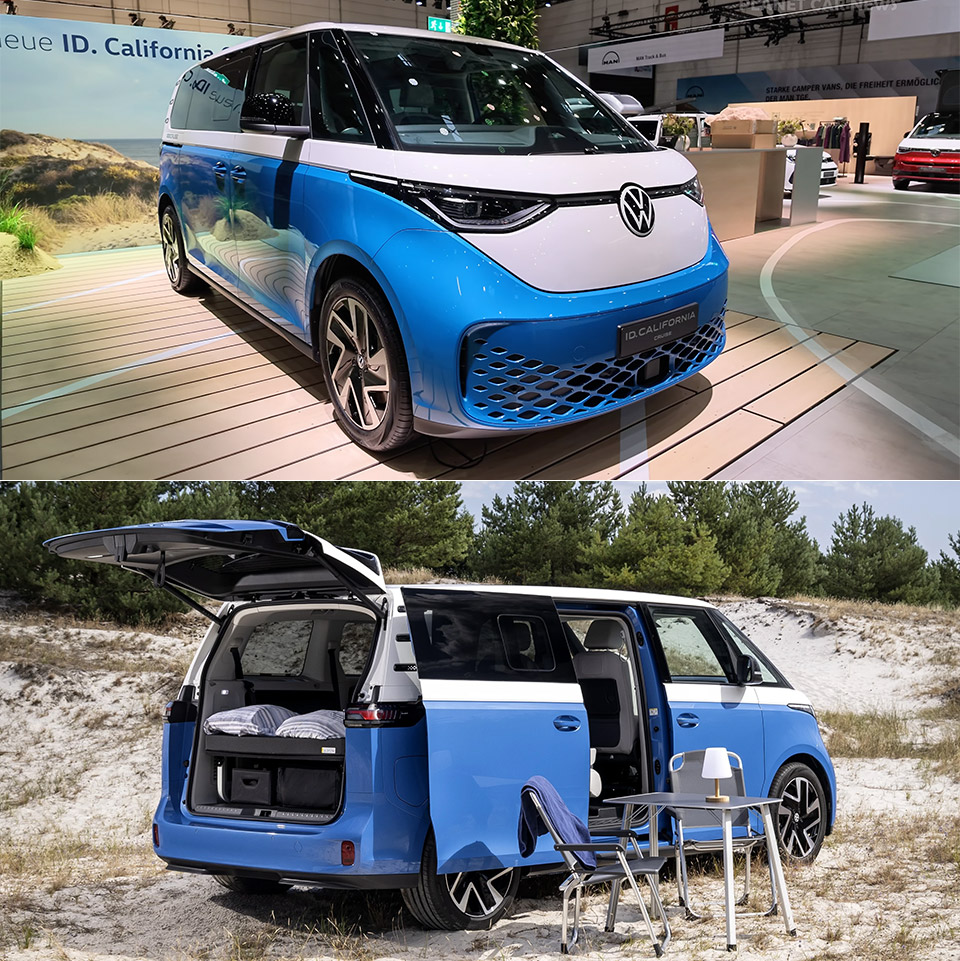
Volkswagen Commercial Vehicles put the ID. California Cruise on the floor at Düsseldorf’s Caravan Salon as the first battery-powered member of a name that has lived on diesel since 1988. Built on the ID. Buzz Pro, the van arrives in short and long wheelbases and keeps the familiar two-tone shape, adding only California lettering on the tailgate and Cruise graphics along the flanks. German pricing starts at €60,761, about $70,500, which undercuts the midsize diesel California Beach by a few thousand euros. First customer vans are due in early 2027, with more electric California variants promised by 2028.
Short wheelbase variants feature a 79 kWh useable pack and a WLTP range of around 286 miles. The extended wheelbase variants offer a little more, with an 86 kWh battery pack and a range of around 302 miles. Unlike what you may anticipate, they both employ the same rear motor: 210 kW, 286 horsepower, and 560 Nm of torque. Official 0 to 62 mph times range from 7.6 to 7.9 seconds, with DC charging reaching 185 kw on the short van and 200 kw on the long one. This will take you from 10 to 80 percent in approximately 26 to 30 minutes. Just bear in mind that adding camping gear will likely reduce your range significantly, thus trip planning must now be done in the California app, which maps out charging stations along your route and even allows Plug & Charge at compatible stations.
CAMPER VAN BUILDING SET – Kids can enjoy vacations every day with this LEGO City Holiday Adventure Camper Van building set
TOY FIGURES & CAMPER PLAYSET – This vehicle set includes everything kids need to build a camper van with a detailed living space, plus a campfire…
FUN FEATURES – The camper van opens up for full access to an interior living space with a kitchen, toilet, 2 bunk beds, a crib and a removable…
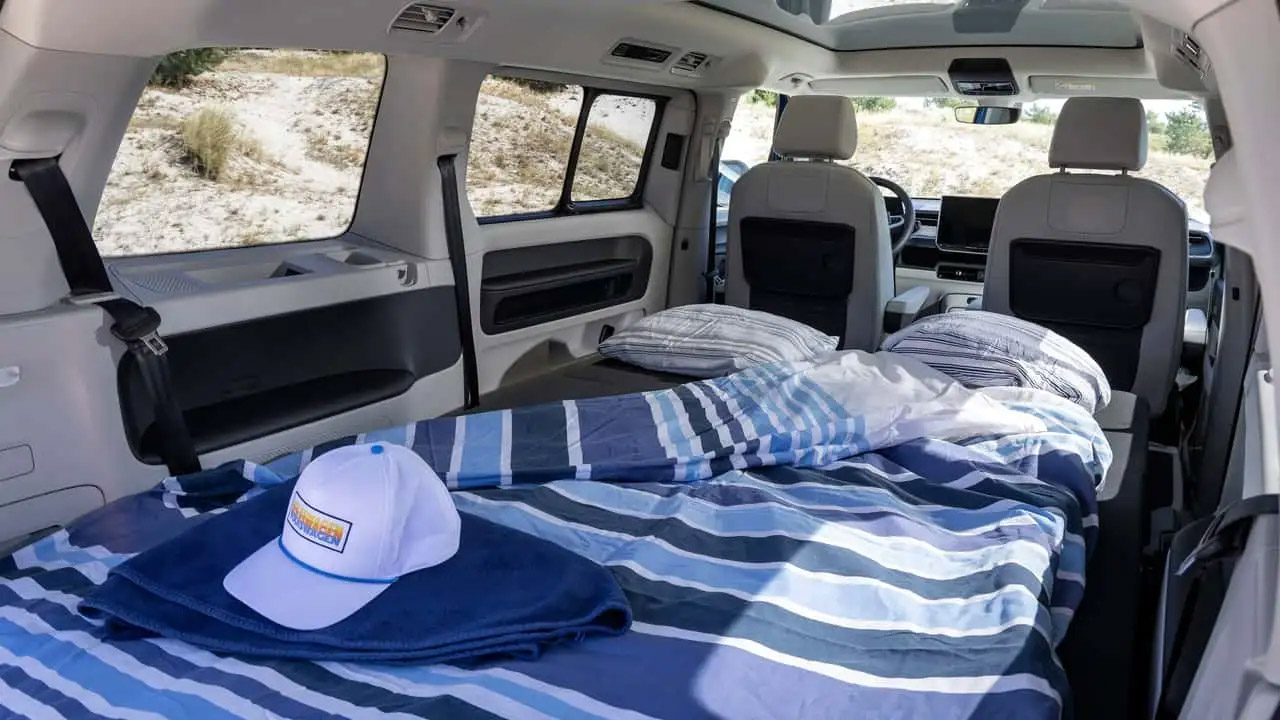
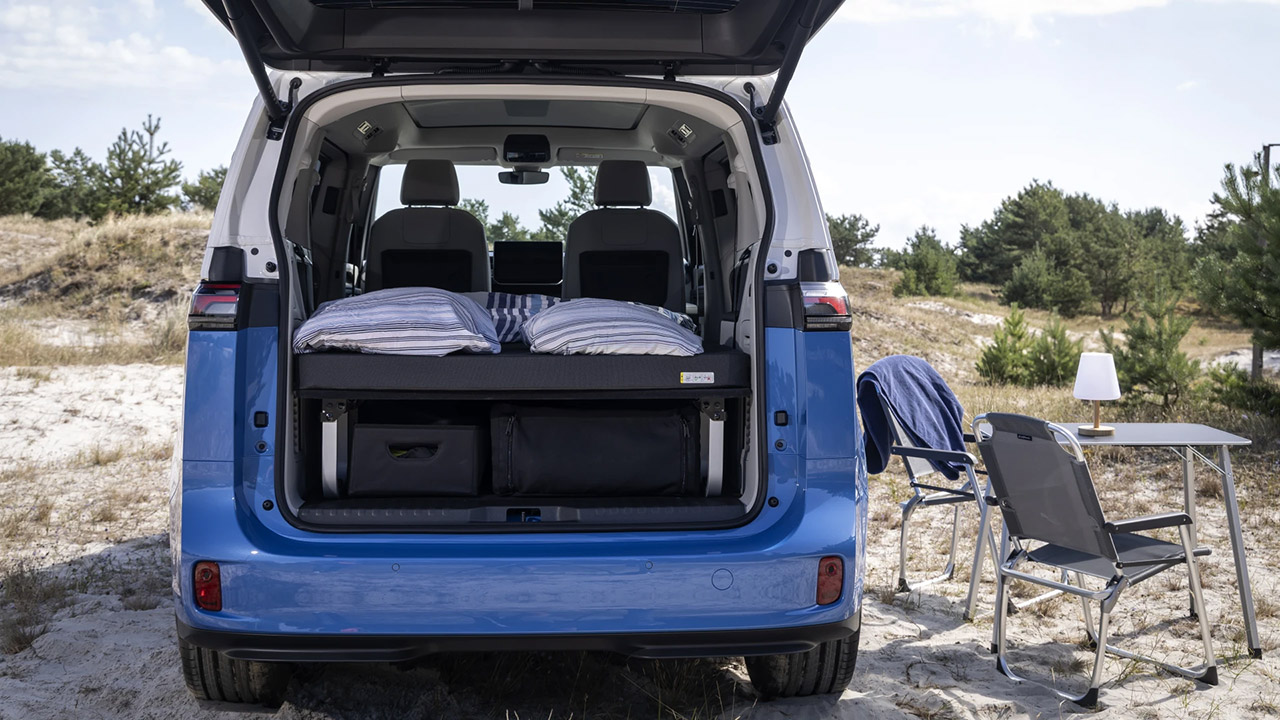
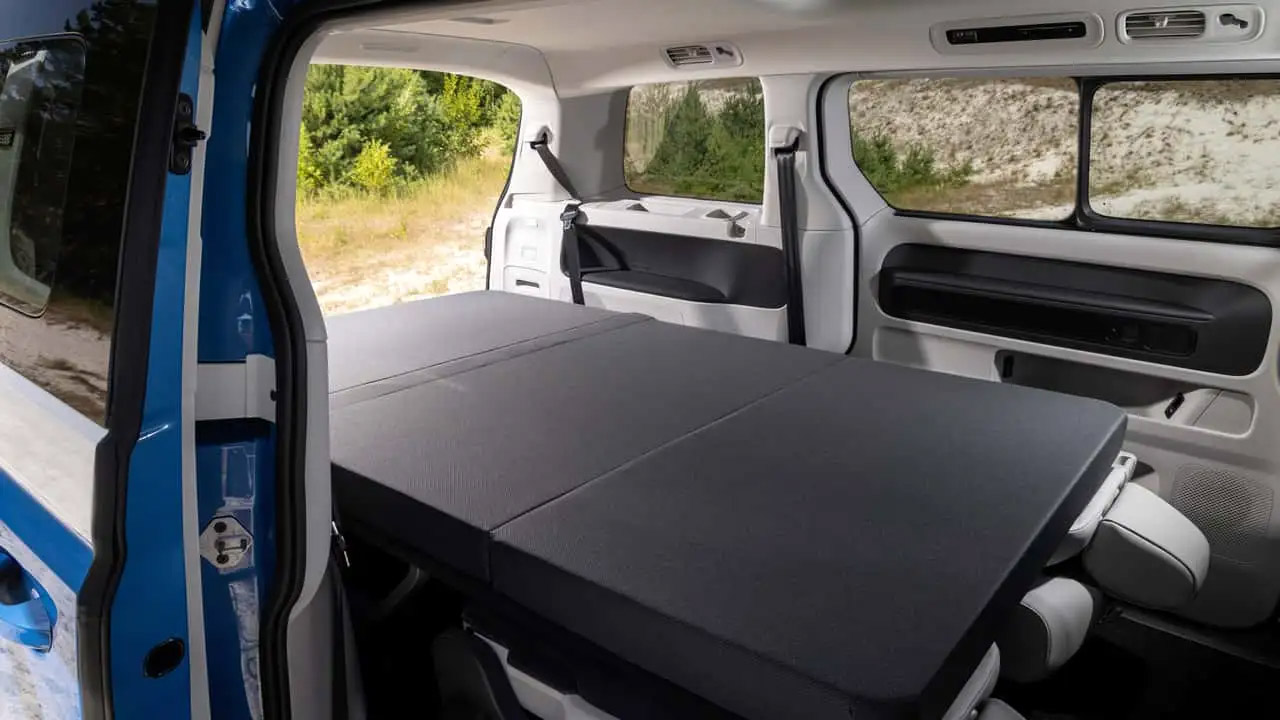
The back seats fold flat, and a 9cm mattress pops out over them to provide a comfortable 80 by 47 inch sleeping platform for two persons. Blackout blinds cover the windows, including the optional panoramic roof, and ventilation grills are put in up front to allow the cabin to catch some fresh air without having to open the doors. A folding table and a set of chairs are stored in dedicated areas under the bed platform and slide out when needed, right next to the open hatch. You won’t receive a pop top or a built-in kitchen, so you’ll need to bring your own induction cooktop or portable fridge to charge your gadgets.
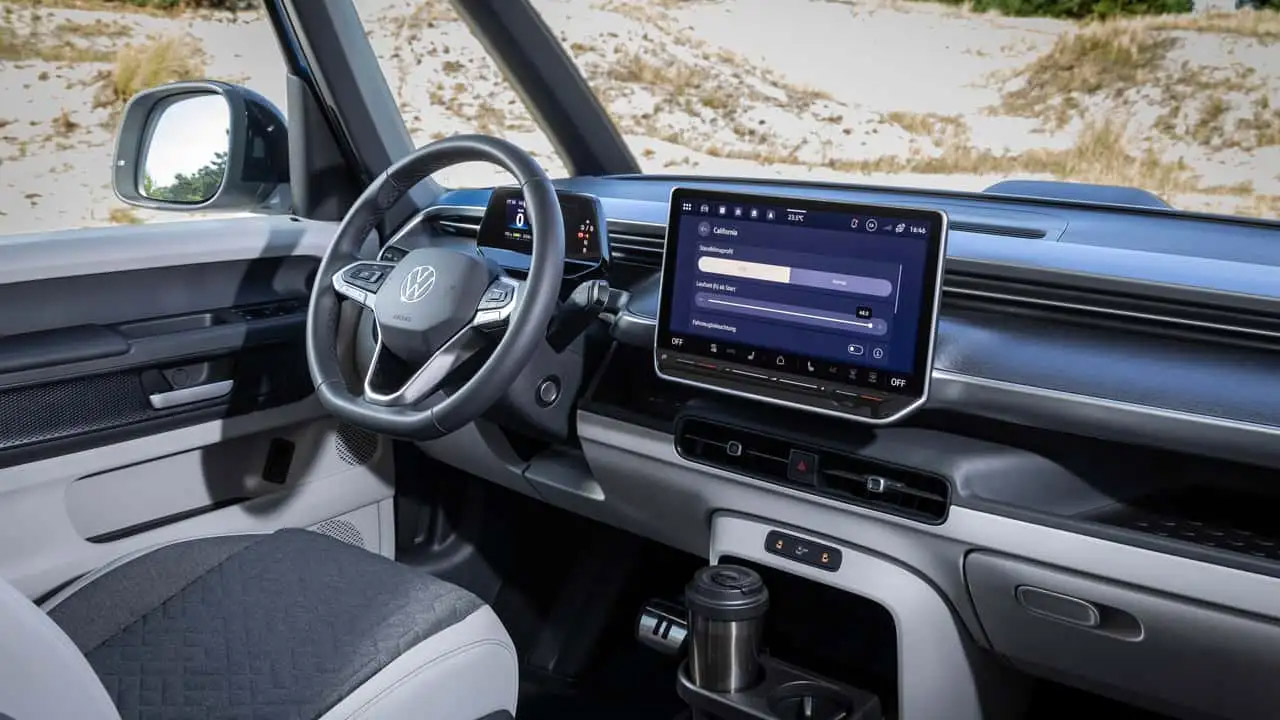
California mode is the piece of software that makes it all work, as it keeps the lights, USB ports, and climate control running while the van is parked overnight, with VW claiming a reasonable 48 hours of heating or cooling depending on the battery charge and outside conditions. However, if the charge level dips below 20%, it will turn off that mode, ensuring that you have somewhere to charge in the morning. If you need to charge some toys while camping, VW has a solution: a PowerSocket adapter on the charge port that offers 2Kw continuous and 3.6Kw peak, which is enough to power a coffee machine, an induction plate, or even an e-bike charger. So, the same battery that powers the car may now power your campground without the use of a generator.
Exclusive Miwo seat covers feature high-quality California woodwork and typography. This van is all about interior style and comfort, which come as standard, along with a handy discharge adapter. Storage is straightforward and simple: simply fold the mattress in the tailgate area when you’re on the go, and there’s room underneath for chairs and a table. Any extra room is just used for luggage. Getting set up takes minutes, not hours, as with other aftermarket boxes. This factory-built sleeper is ideal for brief weekend vacations or short tours while driving normally during the week.
However, the Americans will not be receiving this same variant of the badged van. VW stopped ID. Buzz sales in the United States for 2026, and they’re bringing it back for 2027 with a new Trim called Tourer, which is just a direct copy of the same idea, a fold-out mattress and platform, some window shutters, front panels for ventilation, a table and chairs outside, and their Overnight Mode software. Captain’s seats and an electric canopy that darkens are optional features on the US version. In Europe, the ID. California Cruise remains the first real electric California, a little two-person campervan that costs less than the diesel it replaces and makes room for a larger electric family van later. [Source]
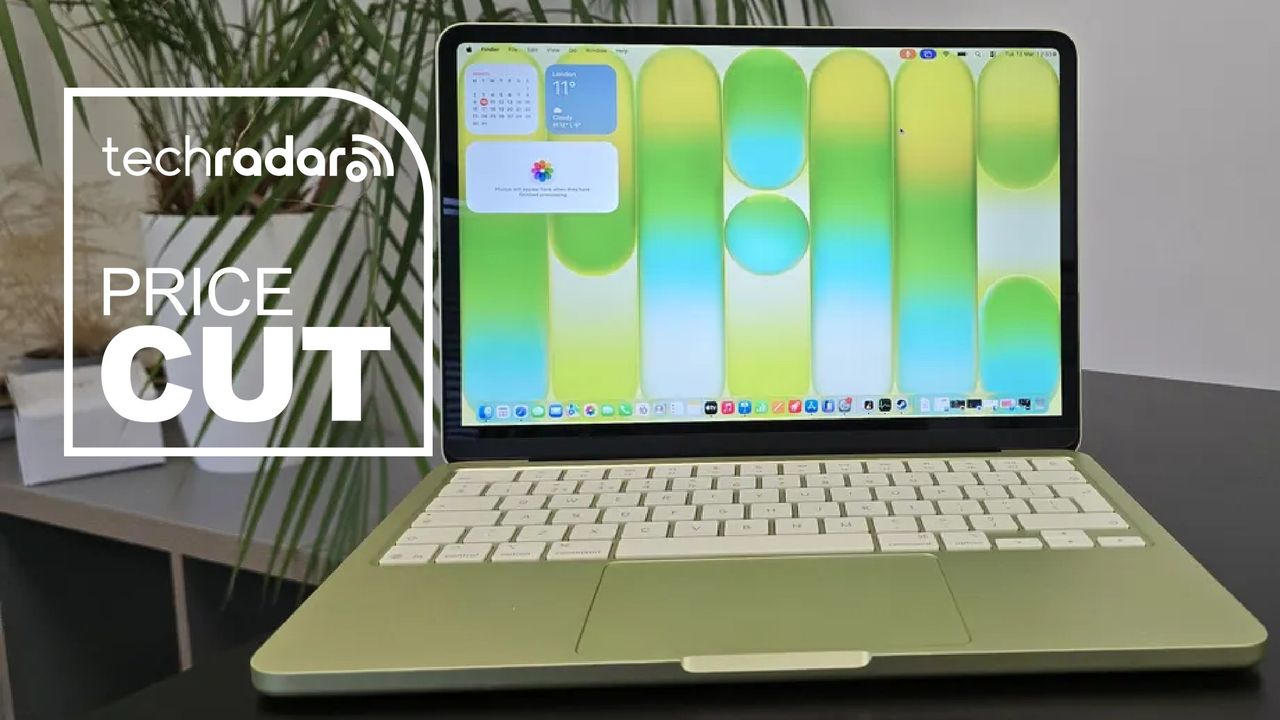
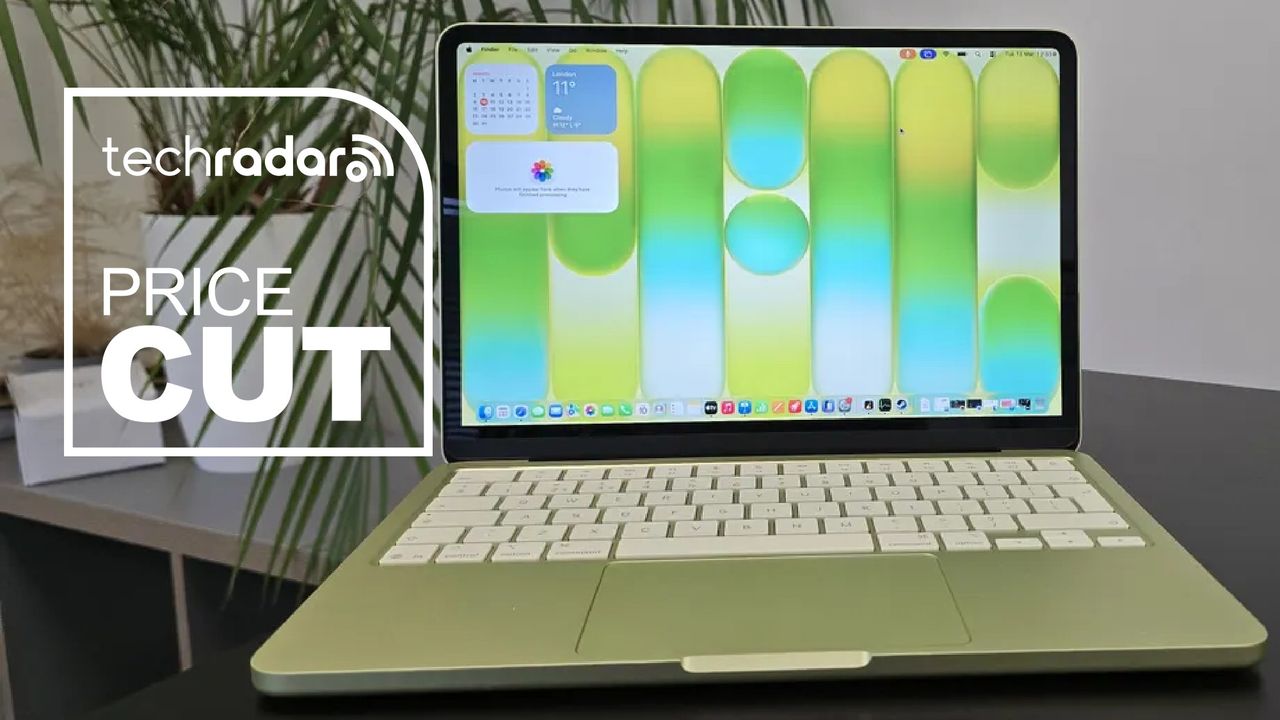
Apple made headlines earlier this year with the launch of the MacBook Neo, which we called “the best budget laptop you can buy” in our review thanks to its low AU$899 launch price and premium materials — all while in the midst of RAM and storage shortages.
Apple achieves the low-for-a-MacBook AU$1,049 price point by cleverly employing an iPhone processor, the A18 Pro chip found in the iPhone 16 Pro and Pro Max, instead of its M-series silicon found in higher-end MacBooks. The Neo also only comes in a base configuration of 8GB RAM and 256GB storage. You can increase storage to a 512GB SSD and gain Touch ID capabilities for AU$1,249 — Amazon currently has it discounted to AU$1,199.
What I like the most about the Neo is its repairability, which is very much an improvement over its more expensive siblings, with plenty of online content creators having demonstrated how easy the laptop is to take apart and reassemble.
Even with the price increase, I still believe the Neo is a fantastic budget laptop that will easily handle basic tasks like web browsing and media consumption, and it can even do some light gaming and video editing. Our tests have found that the 8GB RAM isn’t as much of a limitation as initially thought, with the laptop running most Mac apps with no issues.
The all-metal chassis, hi-res display and repairability still make the MacBook Neo a standout in the budget space, and the fun colours are a nice touch as well.
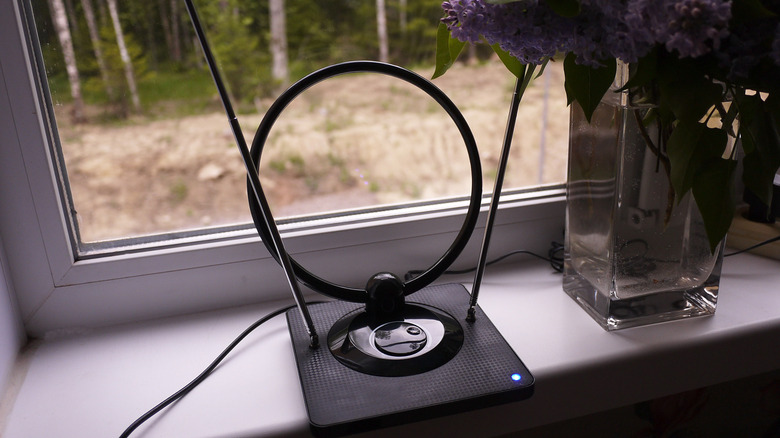
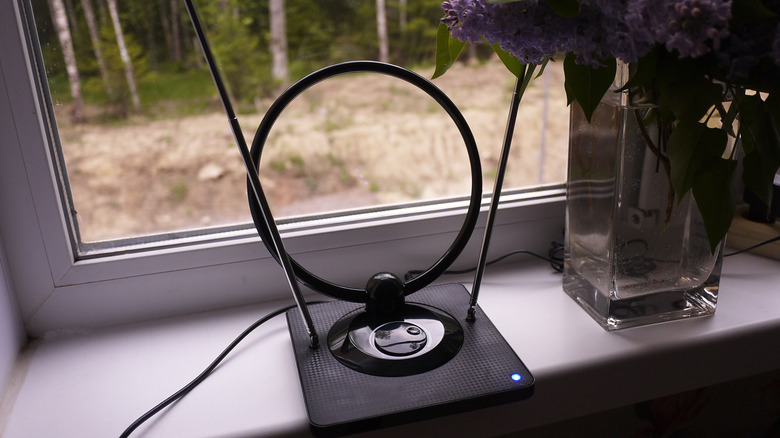
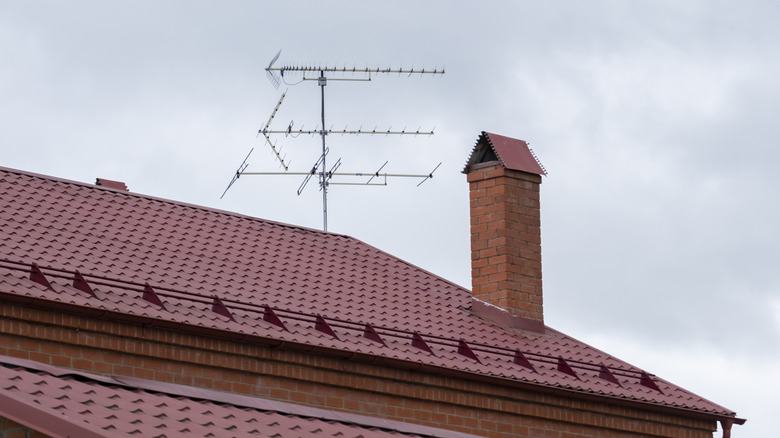
If you’re using a TV antenna, an indoor one to be precise, that struggles to pick up signals, you may have wondered whether it can be used outdoors. It’s often seen that mounting the antenna in the open generally delivers a better experience because the antenna has a clearer view and can receive stronger signals. Inside, you may be getting a lower signal strength due to walls and windows. So, if you’re considering moving your indoor antenna outside, the setup will work, but there are a few things you need to keep in mind.
Let’s first understand how indoor and outdoor antennas differ, even though both perform a similar job. Indoor antennas are generally smaller and work well in urban areas where broadcast towers are within a 15-30 mile range. These antennas may lack weatherproofing since they’re not made to withstand prolonged exposure to direct sunlight, rain, and snow. Plus, their design doesn’t allow easy mounting on roofs. Outdoor antennas, on the other hand, are weatherproof and tend to have better signal reception. A good one can capture signals from broadcast towers as far as 50-70 miles away.
It’s these two aspects that make placing even the best indoor TV antennas outside a less practical option. While the antenna will work, and you may even notice improved signal reception, long-term outdoor use can shorten its lifespan.
Advertisement
The setup works, but it’s not the best choice
Denis Klimov 3000/Shutterstock
If you’re temporarily placing or mounting the antenna outdoors while taking the necessary precautions like grounding and avoiding common electrical mistakes, there’s little harm in doing so. But in the long run, the design constraints will have a negative impact on the antenna. Apart from that, simply placing the antenna outdoors doesn’t guarantee better signal reception or more channels, as its placement and positioning are also important. With an indoor antenna, however, you generally don’t have a lot of options. More often than not, you will have to rely on DIY techniques to mount it properly.
If you do plan to use an indoor antenna outdoors, make sure to properly waterproof the setup, though even that wouldn’t necessarily stop moisture or other outdoor factors from affecting it over time. For flat indoor antennas, specifically, you could move them to the other side of the window if the glass panel is affecting signal strength, but it’s also not feasible in the long run for the aforementioned reasons. Essentially, for outdoor use, it’s always better to use an antenna that’s designed for the job, unless you’re prepared to replace it sooner than you otherwise would.
Microsoft released the KB5120998 preview cumulative update for Windows 11 versions 25H2 and 24H2, which comes with 35 changes, including improvements to the Start menu, taskbar, and Windows search.
KB5120998 is a preview update that lets IT administrators test Windows bug fixes, improvements, and new features before they roll out to all users during next month’s Patch Tuesday release.
However, unlike cumulative updates, monthly optional updates do not include security fixes and provide only quality improvements.
After installing the August 2026 preview update, users can move the taskbar to the bottom, top, left, or right side of their screen in Settings > Personalization > Taskbar > Taskbar behaviors > Taskbar position, with most customization settings, like never combining taskbar icons, working in every position.
The KB5120998 also adds a new smaller taskbar option that reduces the taskbar height and the size of taskbar icons to maximize screen space on smaller devices, and small or large size options for the Start menu (in Settings > Personalization > Taskbar > Taskbar behaviors > Taskbar size dialog), as well as the ability to independently show or hide the Pinned, Recommended, and All sections, and to hide the account name and profile picture.
Advertisement
With KB5120998, Microsoft has also started rolling out the administrator protection security feature that allows users to perform admin tasks using just-in-time privileges.
“Administrator protection is not classified as a formal security boundary; it hardens the security against elevation-of-privilege attacks with the introduction of profile separation,” Microsoft said. “This feature is turned off by default and can be enabled using OMA-URI in Microsoft Intune or through Group Policy.”
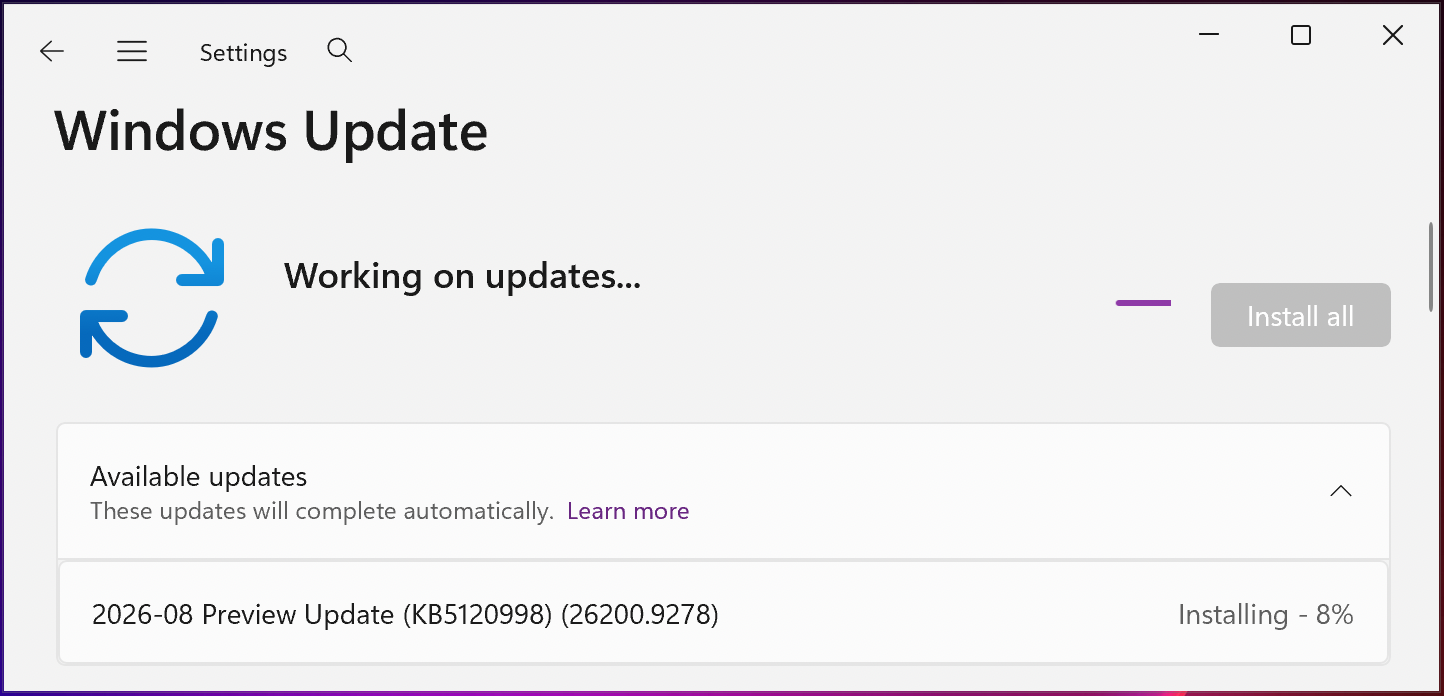
You can install KB5120998 by opening Windows Settings, clicking on Windows Update, and then clicking ‘Check for Updates.’
Since this is an optional update, you will need to click the “Download and install” link unless you already have the “Get the latest updates as soon as they’re they’re available” option enabled, which prompts the OS to install it automatically.
Advertisement
You can also manually download and install the KB5120998 preview update from the Microsoft Update Catalog.
KB5120998 preview update (BleepingComputer)
Windows 11 KB5120998 highlights
Once installed, this optional non-security update will upgrade Windows 11 25H2 and 24H2 devices to builds 26200.9278 and 26100.9278, respectively.
The August 2026 preview update comes with many other changes, some of the more important ones highlighted below:
Windows now automatically indexes your most-used folders so those files appear in subsequent search results. You can control the setting at Settings > Privacy & Security > Search > Automatically find additional relevant locations.
This update improves restart behavior so PCs that were manually put to sleep return to sleep after completing an update, even when automatic sleep is set to Never.
This update adds support for participating apps to coordinate their updates with Windows Update. Supported apps can benefit from improved scheduling and a more streamlined update experience. For more information, see Windows Update Orchestration Platform (UOP).
This update improves resiliency and recovery from potential VPN process-related background issues that can cause processes to stop responding.
Starting in August 2026, Windows 11, version 24H2 and 25H2 will no longer include the Windows Management Instrumentation Command-line (WMIC) utility. WMIC is already removed by default in new installations of Windows 11, versions 24H2 and 25H2, and will no longer be available as a Feature on Demand (FoD).
On Thursday, Microsoft warned customers that their systems may reboot one more time after deploying the August 2026 optional update and updates rolling out over the next several months.
“With recent and upcoming Windows updates over the next few months, a limited number of consumer and business devices might experience one additional restart during installation,” Microsoft noted in a message center update. “This one‑time restart occurs after a Secure Boot certificate update is applied as part of the Secure Boot update process.”
Earlier this month, it also reminded customers that devices running Home and Pro editions of Windows 11 24H2 will stop receiving updates in two months. However, Windows 11 24H2 Enterprise and Education editions will remain under mainstream support until October 2027.
























































You must be logged in to post a comment Login